Home

How to Fine-Tune an AI Model for Your Business Needs?

How to Fine-Tune an AI Model for Your Business Needs?

Join our Newsletter!

AI Model Fine Tuning

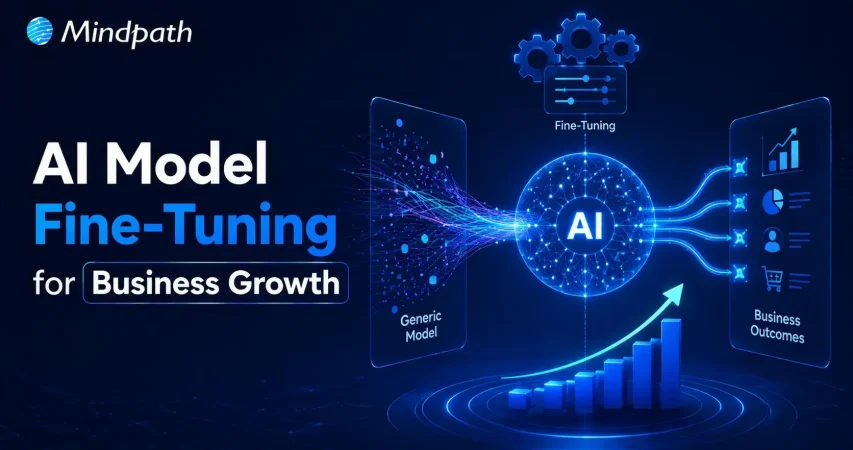
Artificial intelligence is reshaping modern businesses across every industry. Yet generic models often fail to understand company-specific knowledge and business processes. To fine-tune AI model performance, organizations need a focused customization strategy. This approach improves accuracy, consistency, and relevance for real business applications.

Key Takeaways

  • 01
    Fine-tuning transforms general AI models into specialized business solutions with greater accuracy.
  • 02
    High-quality training data directly impacts model performance, consistency, and long-term reliability.
  • 03
    Fine-tuning delivers faster implementation and lower costs than building models from scratch.
  • 04
    Continuous evaluation and optimization keep AI models accurate, scalable, and business-ready.
  • 05
    The right customization strategy helps businesses maximize long-term value from AI investments.

Fine-tuning allows businesses to adapt AI without building an entirely new model. It also helps improve performance for specialized tasks and enterprise workflows. In this blog, you’ll learn what fine-tuning is, when businesses should use it, how the process works, and the best practices for building reliable enterprise AI solutions. So, let’s keep reading further!

Looking for a customized AI model that delivers better results? Discover Mindpath’s AI Model Fine-Tuning Services to optimize model accuracy, efficiency, and domain-specific performance.

What Does It Mean to Fine-Tune an AI Model?

Fine tuning large language models helps businesses adapt pre-trained AI for specific tasks and industry needs. Instead of creating a model from the beginning, organizations refine an existing one using relevant business data. This process improves response quality, accuracy, and consistency across specialized use cases.

Pre-trained models understand general language but often miss company context and domain knowledge. Fine-tuning teaches the model using carefully prepared business datasets and real examples. As a result, it delivers more relevant responses, follows organizational standards, and performs better in practical business environments.

Core Components At a Glance

  • 01
    Foundation Model: Select a pre-trained model suited to your business objectives.
  • 02
    Domain-Specific Data: Train using clean, accurate, and relevant business datasets.
  • 03
    Supervised Fine-Tuning: Refine model behavior with labeled examples and expected outputs.
  • 04
    Parameter-Efficient Fine-Tuning: Reduce training costs by updating only selected model parameters.
  • 05
    Training Hyperparameters: Configure learning settings to improve model performance and stability.
  • 06
    Evaluation and Validation: Test accuracy and prevent overfitting before production deployment.

Fine-Tuning vs Training an AI Model from Scratch

Businesses often compare building a new AI model with choosing to fine-tune AI model performance. Both approaches improve AI capabilities, but they differ significantly in cost, time, resources, and business outcomes.

Understanding these differences helps organizations choose the right strategy for their goals. The right decision depends on data availability, project complexity, budget, and long-term scalability.

Category Training an AI Model from Scratch Fine-Tuning an AI Model
Definition Builds a completely new AI model using large-scale datasets. Customizes a pre-trained model for specific business requirements.
Data Requirements Requires enormous volumes of diverse training data. Uses smaller, high-quality, domain-specific datasets.
Development Time Typically takes several months or longer. Usually completes within days or a few weeks.
Development Cost Involves substantial investment in infrastructure and AI expertise. Significantly lowers development and operational costs.
Computing Resources Requires powerful GPU clusters and extensive computing capacity. Needs fewer computational resources for efficient training.
Customization Offers complete control but demands significant development effort. Delivers targeted customization with faster implementation.
Business Use Cases Suitable for creating entirely new AI models or research projects. Best for industry-specific applications, enterprise workflows, and AI assistants.
Best Choice Large enterprises with extensive budgets, proprietary data, and research teams. Businesses seeking faster deployment, lower costs, and measurable business value.

When Should Your Business Fine-Tune an AI Model?

Not every business needs to customize an AI model from the beginning. AI model customization for enterprise becomes valuable when generic models cannot meet specific business requirements or performance expectations.

1. Specialized Business Knowledge: Fine-tune AI model capabilities for industry-specific tasks and terminology.

2. Consistent Brand Responses: Ensure outputs match your company’s tone, style, and standards.

3. Complex Business Workflows: Handle specialized processes beyond basic prompt-based instructions.

4. High-Quality Training Data: Use curated datasets to improve accuracy and task performance.

5. Lower Operational Costs: Reduce prompt complexity while improving response efficiency and consistency.

How to Fine-Tune an LLM: Step-by-Step Process?

Understanding how to fine tune an LLM helps businesses build AI solutions that deliver better results. A structured process improves model accuracy, reliability, and long-term performance.

Step 1: Select Base Model

Choose a pre-trained model that aligns with your business objectives and use case. Selecting the right foundation improves AI model optimization and overall model performance.

Step 2: Prepare Training Data

Collect clean, relevant, and high-quality datasets for your specific business requirements. Well-structured data helps the model learn accurate patterns and produce reliable outputs.

Step 3: Process Data

Convert the dataset into a format the model can understand during training. Proper preprocessing improves learning efficiency and reduces errors throughout the fine-tuning process.

Step 4: Configure Model

Load the base model and define settings based on your intended task. Correct configuration ensures the model learns effectively from your specialized business data.

Step 5: Validate Performance

Measure model accuracy using evaluation datasets before final deployment. Regular testing identifies weaknesses and helps improve response quality and reliability.

Step 6: Train and Deploy

Train the model with optimized parameters and monitor its performance continuously. Deploy only after verifying consistent, accurate, and business-ready results.

What are the Best Practices to Fine-Tune AI Model?

Successful fine-tuning depends on more than selecting the right model and dataset. Knowing how to train an AI model using proven practices improves performance, reduces errors, and delivers better business outcomes.

1. Clean Training Data

Remove duplicate, outdated, and incorrect records. Clean data improves learning accuracy and consistency.

2. Prevent Overfitting

Reserve unseen data for performance evaluation. Test generalization before deploying the fine-tuned model.

3. Start with Small Datasets

Begin training using limited sample data. Verify results before scaling the complete dataset.

4. Optimize Learning Rate

Choose balanced training settings for stable learning. Avoid values that reduce model performance.

5. Use Efficient Training Methods

Apply lightweight techniques like LoRA whenever possible. Reduce computational costs without sacrificing model quality.

Common Challenges to Watch for

  • 01
    Poor Data Quality: Inaccurate datasets reduce model performance and response reliability.
  • 02
    Overfitting: Excessive learning limits performance on new, unseen business scenarios.
  • 03
    Knowledge Retention: Fine-tuning may reduce previously learned general model capabilities.
  • 04
    High Computing Costs: Training large models requires significant computational resources and infrastructure.
  • 05
    Performance Evaluation: Measuring response quality consistently remains challenging across complex business tasks.

Ready to Fine-Tune Your AI for Better Business Results?

Fine-tuning helps businesses transform general AI models into solutions built for their unique goals and workflows. With the right strategy, quality data, and continuous optimization, organizations can improve accuracy, deliver more relevant responses, and maximize the value of their AI investments.

At Mindpath, we provide end-to-end AI development services, including AI model fine-tuning, to help businesses build AI solutions that align with their unique requirements. Our team works closely with you to create scalable, reliable, and business-focused AI applications that


Frequently Asked Questions

Yes. Businesses can periodically update and re-fine-tune the model with new datasets to improve accuracy, adapt to changing requirements, and maintain consistent performance over time.
Not necessarily. If prompt engineering or Retrieval-Augmented Generation (RAG) meets your requirements, fine-tuning may not be needed. The right approach depends on your business goals, data availability, and expected outcomes.
Success should be measured using business-focused metrics such as response accuracy, task completion rate, customer satisfaction, reduced manual effort, and overall return on investment.
Fine-tuning can help models follow industry-specific guidelines and approved response patterns. However, businesses should also implement security controls, governance policies, and regular monitoring for enterprise use.
After deployment, businesses should continuously monitor performance, collect user feedback, update training data, and retrain the model whenever business requirements or data change.

Support Is One Click Away

Featured Posts

Related Post

application security best practices

In this modern tech world, keeping your app safe and secure isn’t just a minor task anymore, but rather it has become a business priority. Whether you have built a mobile app or a web platform, the users trust you with their personal information every time they log in or make any transaction. Isn’t it true? This is the reason for which you should follow application security best practices because it can help you in protecting your app from hackers, data leaks and even costly breaches.

Strong security starts when you understand the correct strategy, starting from secure coding to regular updates and data protection. Do you want to know what is the best practice for application security for your web and mobile apps? Don’t worry, we will cover essential techniques for securing your applications in this blog, which can help you in staying one step ahead of threats and building trustworthy digital experience.

According to MarketsandMarkets Analysis, The mobile apps and web analytics market is expected to grow from 9.4 billion in 2022 to USD 20.2 billion by 2027, at a CAGR of 16.4%.

What is Application Security?

Application security refers to the practice of protecting your apps from threats that could steal all the data and even harm the system. It involves adding security features during the development stage and continuing to protect your app even after it is launched. This can ensure that both your app as well as the information it handles, are safe from hackers and other risks.

This protection can include hardware tools, software settings and regular security settings. For instance, a powerful router that obscures a device’s IP address provides hardware protections, while an application firewall embedded in the software frames actions. Security protocols, such as routine testing and upgrades, help to ensure risks are identified and rectified quickly so that the app continues to secure itself for years to come.

Want to transform your ideas into seamless applications?  Our Web and Mobile Application Development Services offer end-to-end development to create scalable and high performing apps which are designed accoridng to the business needs.

What are the 3 Pillars of Application Security?

To build a strong foundation for protecting any app, it’s important to focus on the core elements of security. These three pillars work together to keep applications safe and trustworthy.

1. Process:

This pillar includes the policies, procedures, and workflows that help manage and secure applications. These processes are designed to reduce risk and protect the app throughout its entire lifecycle.

2. Technology

Technology covers the tools and security controls used to keep applications safe. While new solutions keep emerging, it’s important to focus on the core security needs that protect the application effectively.

3. People

People are often the most overlooked part of application security, even though they play a key role. This pillar focuses on managing human risk, which includes the behaviors and actions of employees, contractors, and partners who have access to the system.

Web Application Security Best Practices

In today’s digital world, keeping your application and security strong is more important than ever. A single loophole can lead to serious trouble. That’s why it’s essential to follow a smart plan to protect your app from threats. Here are some best practices you can follow:

Web application security Best Practices

1. Spot and Understand the Weak Points in Your App

After setting up your app security plan, it’s time to check for weak spots. You are likely to find many issues, but not all are serious. Focus on the most dangerous ones first. Use a custom threat model or OWASP risk scores to help you sort and fix them smartly

2. Use Quick Fixes Like Virtual Patching and WAF

Waiting months to fix app issues is risky. Virtual patching and a Web Application Firewall (WAF) can protect your app right away. They block attacks, even before a complete fix is ready. Also, limit app features and keep watching traffic to catch problems early and stay safe.

3. Start with Fixing the Most Important Issues

Fixing every issue at once can feel overwhelming. Focus first on the critical and high risks that could hurt your business or brand the most. Once those are handled, move on to the lower-risk ones. This smart step-by-step plan helps save time and protects what matters most.

4. Group Your Apps by Risk Level

When you have many apps, it helps to sort them by priority. Put them in buckets like critical, serious, and normal based on how sensitive the data is. Fix the most important ones first. Retire unused apps, and keep your list updated to stay organized and reduce risk.

5. Build a Clear Map of Your App Security

When apps grow fast, it’s easy to lose track. Start by making a full list of all your apps, their purpose, and update status. Add details like how they’re used and update security steps. This clear picture helps you fix issues quickly and build stronger web application security.

6. Monitor Your Application Every Time

Virtual patching through a WAF helps you fix issues faster and keeps your app under watch. It shows which attacks are blocked and where they come from. This ongoing monitoring builds useful security insights and also helps stop app-layer DDoS attacks before they cause trouble.

Curious about the next step in mobile innovation? Explore Progressive Web Apps (PWA): The Future of Mobile-First Development to see how PWAs combine the best of web and mobile apps for faster, engaging experiences.

Mobile Application Security Best Practices

Mobile apps are a big part of our daily lives and keeping them secure is a must. Whether you’re building an app or managing one, these simple practices can help you protect your users and data from unwanted threats.

mobile application security best practices

1. Be Careful with Third-Party Libraries

Third-party libraries can save time but might bring security risks if not handled right. Always keep them updated and patched. Take time to check their safety before using them to avoid accidentally opening doors for hackers.

2. Make Login Stronger with Better Authentication

Use strong login methods to keep your app safe. Combine passwords with extra checks like one-time codes or fingerprint scans. Multi-factor authentication (MFA) makes sure only the right users can get in by asking for two or more ways to prove who they are.

3. Monitor and React to Threats Instantly

Use tools that keep an eye on your app and spot threats right away. When something suspicious happens, act quickly to protect your app. Having a clear plan for responding helps your team fix issues fast and keeps your app secure, following the best mobile security practices.

4. Set Clear Access Controls

Control what users can see and do in your app to keep data safe. By limiting access, you prevent unauthorized people from reaching sensitive information. This simple step is key to strong mobile app security and helps protect your app and users effectively.

5. Keep Your App Secure with Regular Updates

Regularly update your app and fix any security issues quickly. Patching helps close gaps that hackers could exploit. Setting up a routine for updates ensures your app stays protected and reduces the chance of breaches, keeping both your app and users safe.

6. Protect Your App with Tamper Detection

Use tamper detection to spot if your app’s code has been changed. Tools like checksums or digital signatures check the app’s integrity. If something is off, the app can stop running, alert your team, or even erase sensitive data to keep everything secure.

Wondering how a mobile app can boost your business? Explore the Benefits of Mobile App Development to discover how apps improve engagement, sales, and customer loyalty.

Are You Protecting Your App in the Right Way?

Application security best practices matter for everyone, not just tech teams. They help build trust, prevent data leaks, and keep users safe. Simple actions like checking your code, controlling access, and updating often can make a big difference. Staying secure today means staying ahead of threats.

At Mindpath, building secure digital experiences is our priority. Our web and mobile application development services follow proven application security best practices to ensure safety, performance, and reliability at every step. Partner with us to deliver robust and secure solutions you can trust.

Frequently Asked Questions

1. Why are application security best practices important for both web and mobile apps?

Application security best practices help protect user data, prevent unauthorized access, and reduce the risk of cyberattacks. Since both web and mobile apps handle sensitive information, following these practices ensures safer user experiences and helps maintain trust over time.

2. When should application security best practices be applied during development?

Security should be considered from the very beginning of the development process, not added later. Building security into design, coding, testing, and deployment stages helps prevent vulnerabilities early and reduces the chances of costly fixes after launch.

3. What are common mistakes that can weaken application security?

Common mistakes include ignoring regular updates, using outdated libraries, weak authentication methods, and poor access control. These gaps can make applications vulnerable to attacks, which is why consistent monitoring and timely fixes are essential for maintaining strong security.

4. How often should applications be tested for security issues?

Applications should be tested regularly, especially after updates or new feature releases. Continuous testing, including vulnerability scans and security audits, helps identify risks early and ensures the app remains protected against evolving threats over time.

5. Can small businesses also follow strong application security practices?

Yes, even small businesses can implement effective security measures. Simple steps like using secure coding practices, enabling strong authentication, and keeping systems updated can significantly reduce risks without requiring large resources or complex infrastructure.

DevOps vs. Traditional IT

Are you wondering how DevOps compares to traditional IT? What makes one approach more efficient or suitable for today’s fast-paced tech world? Whether you’re a business owner, a tech enthusiast, or just curious about modern IT practices, understanding the differences between DevOps and traditional IT models can help you make the best decision for your needs. Let’s dive in and explore how these two approaches stack up!  

What is DevOps?

DevOps is a fundamental idea that tries to bring together two key teams: development and operations. Previously, these teams operated independently, which sometimes resulted in miscommunication and delays. DevOps addresses this by fostering a more collaborative environment. 

The term DevOps is derived from “development” and “operations.” It’s all about making it easier for these two teams to collaborate on software development, testing, and delivery. When development and operations collaborate, it is simpler to address challenges such as delayed software upgrades, poor coordination, and feature delivery delays. 

Companies can employ DevOps to speed up their software development process. It involves leveraging tools, automating activities, and enhancing team communication, all of which contribute to faster, more efficient product releases for clients. 

Advantages of DevOps

1. Cost Effective

DevOps saves businesses money by automating various procedures, reducing the need for additional human resources and accelerating software development. Developers can create more effective code, identify errors early, and make changes more quickly by utilizing DevOps principles like continuous integration and delivery, which reduces total expenses. Automation also lowers mistakes, delays, and increases the quality of the finished product. DevOps enables firms to generate high-quality software at a lower cost, helping them remain competitive in the market. 

2. Security

Security is an essential concern for most firms, and DevOps helps by incorporating security into every stage of the development process. DevOps automates the development and deployment processes, enabling developers to work swiftly and safely. DevOps employs continuous testing and feedback to automatically detect problems and vulnerabilities as software is produced, resulting in high-quality and secure code. Automated technologies also aid in the early detection of security concerns, making them easier to resolve before they grow into larger difficulties. Companies can employ DevOps to reliably release updates and safeguard their software throughout its lifecycle. 

3. Increased Flexibility

DevOps provides developers more freedom by allowing them to distribute new features or upgrades fast and effectively. The development team can quickly implement changes due to continuous delivery and testing, allowing organizations to respond to market needs and customer feedback. This agility enables businesses to remain ahead of the competition and get the first-mover advantage by being the first to provide new goods or improvements. Faster releases not only make customers happier, but they also allow organizations to innovate more frequently and adapt quickly to changing demands, making the entire development process more dynamic and flexible. 

4. Fosters Communication

Implementing DevOps methods improves communication inside an organization. DevOps fosters collaboration between development and operations teams, directing everyone towards similar business objectives and supporting a united approach to goal achievement. This practice successfully removes communication obstacles, resulting in a smoother workflow and ensuring that both teams collaborate effortlessly. As a consequence, organizations can offer higher-quality goods that better fulfil the expectations of their customers. Superior communication and cooperation not only drive project success but also help to create a more productive and profitable corporate environment. 

What is Traditional IT?

Traditional IT is the old technique of handling technology in enterprises. It makes use of real equipment like servers, computers, and network equipment to store data and operate programs. This system requires a significant amount of room, electricity, and money to put up and maintain. It also necessitates the usage of an in-house IT team to oversee everything, from hardware installation and configuration to problem resolution and overall operation. Because the infrastructure is built from physical components, it can be rather expensive, especially when it comes to upgrading or replacing obsolete gear. Businesses must also prepare for data storage, security, and backups, which can require additional time and resources. Furthermore, scaling up operations or introducing additional services can be cumbersome and expensive, as it often requires more hardware and manual setup. 

Advantages of Traditional IT

1. Data privacy

One significant advantage of traditional IT is data privacy. Traditional IT gives you complete control over where your data is stored, generally on your own servers or hardware. This means that you can control who gets access to your data and how it is safeguarded. Because the data remains within your organization, you do not have to be concerned about third-party firms gaining access to it, which can provide you with peace of mind. Furthermore, storing data locally allows you to implement unique security measures tailored to your company’s specific requirements. To safeguard sensitive information, you can use firewalls, encryption, and other techniques. For firms that manage sensitive data, having direct control over it can be a significant advantage since it decreases the chance of breaches or unauthorized access.  

2. Consistent data access

Traditional IT has a significant edge in terms of constant data access. By keeping data on premises, or on your own servers or hardware, you can ensure that it is always accessible, even if there are network or internet outages. Because the data is kept locally, you do not need an external internet connection to access it, making it more dependable during internet outages or disturbances. This is especially valuable for firms that require immediate and ongoing access to essential data, such as financial records or client information. Even if the internet goes down, conventional IT allows employees to view and work with data stored on the company’s servers. Additionally, local storage allows businesses to customize their access and backup strategies, ensuring data is always available when needed. 

3. Security

Improved security is one of the most significant advantages of traditional IT. Data and apps are stored on your own servers, so you have complete control over who can access them. This makes it easy to restrict access to just authorized staff, ensuring sensitive information is safeguarded. You can use security measures such as firewalls, encryption, and access restrictions to guarantee that only authorized people have access to sensitive data. Traditional IT allows you to monitor and trace who accesses what data, providing you with greater management and control over your security. If your company handles sensitive or secret information, having this degree of control is essential for avoiding unauthorized access or data breaches.  

4. Reliability

Traditional IT is highly reliable since it is not dependent on internet access. Because data is kept on your own servers, it is always available, even during internet outages or disturbances. This decreases the likelihood of service disruptions, which can harm cloud-based services. In the case of traditional IT, all apps and data are available locally, allowing your firm to continue operations without the need for an external network connection. This makes traditional IT a more dependable alternative for organizations that want regular access to their data, particularly in places where internet connectivity is unpredictable. Furthermore, because the infrastructure is managed internally, firms can set up their own backup systems and disaster recovery plans, lowering the chance of data loss or interruption. 

DevOps vs. Traditional IT: A Comparison Table

Aspect 

Traditional IT 

DevOps 

Development & Operations 

Work in silos, lack of collaboration 

Integrated teams, continuous communication 

Delivery Methodology 

Waterfall, long development cycles 

Continuous Integration/Continuous Delivery (CI/CD) 

Process Management 

Manual processes, prone to errors 

Automated processes, faster and more reliable 

Incident Management 

Reactive, issues fixed after they occur 

Proactive, issues identified and resolved early 

Flexibility 

Rigid, difficult to adapt 

Agile, quick to respond to changes and feedback 

Testing 

Testing after development, delayed bug discovery 

Shift-left testing, bugs detected early 

Feedback Loops 

Delayed feedback after release 

Continuous, real-time feedback from users and teams 

DevOps Services at Mindpath

Mindpath offers full DevOps services to optimize your software development and delivery operations. By combining development and operations teams, we encourage seamless cooperation and quicker, more dependable releases. Our emphasis on automation, continuous integration, and real-time monitoring helps to eliminate manual mistakes while maintaining consistency across environments. We also prioritize proactive issue identification, which enables teams to handle possible issues before they affect your systems. With Mindpath’s DevOps services, you can expect shorter development cycles, faster updates, and higher software quality, all while increasing team efficiency and cooperation. 

Final Thought!

Whether you choose DevOps or traditional IT depends on your business needs and priorities. DevOps offers agility, automation, and faster, more efficient software delivery, making it ideal for businesses aiming to stay competitive in a fast-moving tech landscape. On the other hand, traditional IT provides control over data, security, and reliability, which may suit businesses with specific data privacy concerns or those in less connected environments. At Mindpath, we help you navigate these options, offering tailored solutions to enhance your development processes and deliver high-quality, secure software. 

Ready to streamline your software development and delivery?

Partner with Mindpath’s DevOps experts for faster, secure, and more reliable solutions.

Discover the key differences between DevOps and traditional IT. Explore which approach suits your business needs.
what is conversational ai

Companies today understand that it’s essential to have satisfied customers at every touchpoint, to keep in front, and that is where the magic of Conversational AI resides. Are you wondering what is conversational AI? It is the technology that informs smart chatbots and virtual assistants that provide 24/7 interactions for infinitely scalable engagements. Organizations leverage conversational AI to reduce waiting hours, respond to customer inquiries in real-time, and keep delivering a consistent quality of service.

This amazing technology is enhancing efficiencies, saving costs, and maximizing customer satisfaction. Conversational AI stands to revolutionize the performance of an organization, as well as the measurement of its growth, by automating processes with personalized support. If you’re interested in how it works and what benefits it has in store for you, let’s discuss all its amazing features in this blog, step by step.

Are you looking to implement smart chatbots or a virtual assistant in your business to enhance customer engagement? Mindpath’s AI Development Services will help you achieve customer satisfaction with 24/7 support.

What is Conversational AI?

Conversational AI is smart technology that helps artificial intelligence bots like chatbots and virtual assistants talk with people in a natural, human-like way. It’s all about making AI more human, so interactions feel real and engaging. By understanding what we say and how we say it, these systems make conversations easier and more helpful for everyone.

Conversational AI is built using machine learning and natural language processing, and it harnesses the knowledge of millions of conversations. Learning from these conversations allows artificial intelligence bots to improve upon responding to questions, solving problems, and predicting what a customer may need next more accurately. It’s a powerful step toward making AI more human and building better customer experiences.

Types of Conversational AI

There are different types of Conversational AI technologies a business can use to meet customers and deliver its services to them. Each one operates in its own way and could have its own niche when it comes to customer support, sales, or engagement objectives.

1. Voice Bots/Assistants

Voice bots and assistants are a type of conversational technology that interacts with people through spoken language. They listen to what a person says, figure out what they need, and respond naturally. This makes everyday tasks easier, from playing music to managing smart home devices.

2. AI Chatbots

AI chatbots are a powerful type of conversational AI designed to hold natural, human-like chats. These conversational agents use advanced language models to understand context and respond in a way that feels personal and clear. They help businesses handle complex questions and provide better support around the clock.

3. Interactive voice response (IVR)/Interactive voice assistants (IVA)

Interactive Voice Response and Interactive Voice Assistants are a type of conversational AI that helps people navigate phone systems using voice or keypad inputs. They understand what a caller needs and guide them to the right solution without long wait times. This makes customer service smoother, faster, and more convenient.

Wondering how conversational AI is advancing into systems capable of autonomous action and decision-making? Explore how Agentic AI is redefining intelligent, self-directed digital behavior.

Advantages of Conversational AI

Conversational AI has become an important part of how companies connect with people today. Here are some key advantages it can bring to your business.

Advantages of Conversational AI

1. Boosting Business Efficiency

Conversational Artificial Intelligence can manage many routine tasks without needing a human agent every time. This means your team can spend more time on important work while the AI handles simple customer conversations. With artificial intelligence conversation tools available 24/7, your business can solve customer queries faster and work more efficiently, showcasing the many benefits of chatbot technology for operational productivity.

2. Cost-Effective

A good conversational AI platform can handle customer calls and chats automatically, with little need for extra staff. By making AI more human and accurate, it helps you manage high volumes of requests without extra cost. This saves money on daily operations and reduces mistakes, keeping your business cost-effective.

3. Improved Customer Experience

Artificial intelligence bots make it easy for customers to get quick answers and help whenever they need it. This technology offers personalized replies and a smooth, contactless service for people all over the world. It creates a better customer experience and keeps people happy with your business.

4. Enables Personalization

This technology learns from each customer’s information, like location and past interactions, to offer a more personal chat experience. It can suggest helpful answers and next steps based on what each person needs. This makes solving problems faster and reduces the need for follow-up calls.

5. Smarter Data Collection

This technology helps you collect useful information from every customer conversation. By tracking what people say and how they interact, you can spot trends and understand what customers really want. This makes it easier to improve your sales and marketing strategies over time.

Want to explore the innovations shaping the future of conversational AI? Explore our blog on the top AI trends to discover the emerging technologies redefining intelligent communication.

Use Cases of Conversational AI

Conversational AI can be used in many ways to make business operations smoother and customer interactions better. Here are some common use cases that show how an example of conversational AI works in real life.

1. Conversational IVR Systems

Modern IVR systems let customers speak naturally instead of pressing buttons to find help. For example, airlines now use conversational IVR to let travelers say things like “Change my flight” or “Check flight status” and get quick answers without waiting for a live agent.

2. Seamless Transfer to Live Agents

When a bot can’t handle a request, it passes the chat to a live agent along with all the details, so nothing gets lost. For example, a telecom company’s virtual assistant can detect when a billing issue is too complex and smoothly transfer the full conversation to a specialist who can resolve it faster.

3. Round-the-Clock Support

These chatbots answer simple customer questions at any time of day without needing a live agent. For example, an online retailer’s chatbot can help shoppers check order status or find return instructions even after business hours.

4. Tailored Product Recommendation

This technology suggests items people might like based on what they’ve bought or browsed before. For example, a streaming service’s chatbot can recommend new shows or movies based on what you’ve just finished watching.

Ready to build conversational AI that boosts sales and strengthens customer engagement? Learn how AI in e-commerce transforms online shopping experiences and drives measurable business growth.

5. Effortless Onboarding

These assistants help new employees feel confident and prepared by guiding them through company policies and tasks step by step. For example, an HR team can use an AI onboarding assistant to help new hires complete paperwork, set up work tools, and get reminders about training sessions.

6. Task Automation

These bots connect chats to your business tools, so tasks like updating customer records or creating tickets happen instantly. For example, the best conversational AI chatbot for an e-commerce store can automatically create a return request and send an update to the warehouse team.

7. Faster Lead Conversion

These chatbots ask visitors the right questions to see if they’re a good fit for your product or service. For example, a real estate company’s chatbot can collect details about a buyer’s budget and location, then connect them with the right agent.

8. Timely Updates

These AI tools send helpful reminders and updates before customers even ask, keeping everyone informed and stress-free. For example, a healthcare provider can use this to remind patients about upcoming appointments or share wellness tips.

If you want to use AI to improve your healthcare services. Learn from our blog AI in Healthcare, where we highlight real-world use cases of conversational systems supporting medical professionals and patients.

Conversational AI Best Practices

Using Conversational AI, the right way can help you get the best results for your business and your customers. Here are some best practices to keep in mind as you build and manage your AI solutions.

Conversational AI Best Practices

1. Define Your Goals

Always be clear about why you want to use conversational AI and what you want to achieve. Make sure it fits well with your bigger business plans, so it truly adds value.

2. Pick the Perfect Tool

Pick a conversational AI tool that fits your industry and matches your budget and goals. Make sure it can grow with your business, so you get the most value over time.

3. Blend AI into Your Workflow

Connect your conversational AI with your other business tools so it works smoothly with your daily tasks. This makes your processes faster, more accurate, and more useful for your team.

4. Use the Right Balance of AI and Humans

Let AI handle simple, repetitive tasks while your team focuses on work that needs a human touch. Always set clear points where the bot should hand over to a person for the best customer experience.

Curious how AI can optimize your workforce and improve business outcomes? Check out AI redefining job roles in Tech to see how intelligent systems are reshaping employee roles and driving operational efficiency.

Ready to Take the Next Step with Conversational AI?

Conversational AI is transforming how businesses connect with people by making everyday interactions faster and more personal. It helps companies work smarter, serve customers better, and grow with less effort. Now that you know what is conversational AI, you can start using it to create more value.

Mindpath offers professional AI development services to help you build and launch conversational AI that matches your business goals. Our experts create secure, easy-to-scale chatbots, voice assistants, and smart integrations. Let us help you deliver great customer experiences and stay ahead in the AI space.

Frequently Asked Questions

1. What industries benefit the most from conversational AI?

Industries like ecommerce, healthcare, banking, travel, education, and telecom benefit greatly from conversational AI. These businesses handle large customer interactions daily, so AI helps improve response times, customer engagement, and operational efficiency without increasing support workload.

2. Can conversational AI handle complex customer conversations?

Modern conversational AI can manage many complex conversations by understanding context and customer intent. When situations become too advanced, the system can transfer the conversation to a human agent while keeping the discussion history for a smoother experience.

3. How does conversational AI improve customer retention?

Conversational AI improves retention by providing quick support, personalized recommendations, and consistent communication. Customers are more likely to stay loyal to businesses that respond fast, solve problems easily, and offer convenient experiences across different channels.

4. Is conversational AI difficult for employees to use?

Most conversational AI platforms are designed with simple dashboards and easy management tools. Employees usually need minimal training to monitor conversations, update responses, and manage workflows, making adoption much easier for teams across departments.

5. How can businesses measure the success of conversational AI?

Businesses can track metrics like response time, customer satisfaction, lead conversion, support cost reduction, and resolution rates. Monitoring these results helps companies understand how conversational AI improves operations and customer experiences over time.

Discover the power of Conversational AI! Learn its benefits, features, and how Mindpath can help transform your customer interactions.