Home

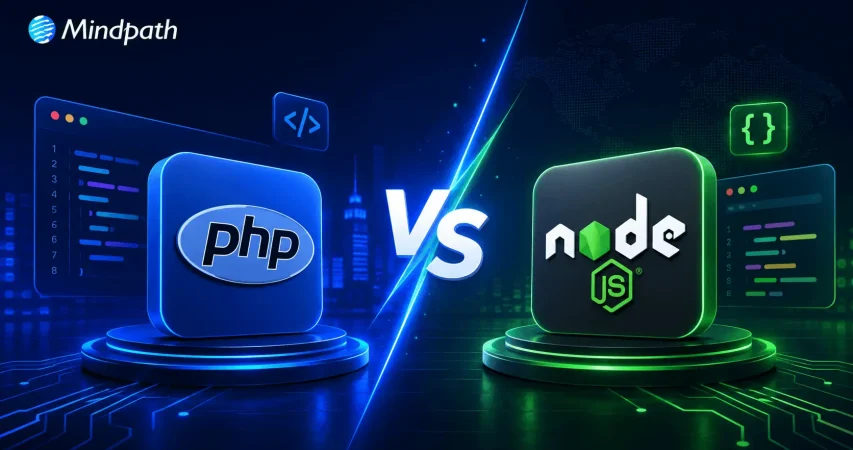
PHP vs. Node.js: Which Technology Is Right for Your Next Web Application?

PHP vs. Node.js: Which Technology Is Right for Your Next Web Application?

Join our Newsletter!

PHP vs. Node.js

Stuck between PHP and Node.js for your next project? The right choice shapes the success of your development journey. So, whether about speed, scalability, or a strong community to have at your back, understanding their strengths and differences will make a difference. In this blog, we will explore the key differences and strengths of these two technologies, so you can confidently choose the best fit for your needs and goals. Come! Let’s dive in!

Looking to build fast and high-performance web applications that drive business growth? At Mindpath, we offer Node.js development services, delivering secure and custom web applications tailored to your business needs.

Overview of Node.js

Node.js is a JavaScript runtime environment that helps users develop fast and scalable network applications. It has been designed to perform a lot of tasks all at once; hence, it is efficient, making it quite perfect for apps that deal with a lot of data processing quickly, like real-time apps working across different devices. Released in 2009, Node.js has risen to the very top of web development tools. It is a technology completely developed in JavaScript and, more notably, runs on many Linux-powered servers. With Node.js, you can build a wide range of applications.

Overview of PHP

PHP, or Hypertext Preprocessor, is a high-level open-source programming language used to develop server-side web applications. It was developed by Rasmus Lerdorf in 1994 and is famously known for running popular websites such as Wikipedia, Tumblr, and Facebook. PHP is a synchronous programming language which means it does only one thing at a time. On the server-side, PHP is run by an interpreter called Zend Engine, often used with web servers like Nginx and Apache.

During this process, the client-side waits for the server to finish executing the PHP script before continuing, as it doesn’t execute the next code line until the previous one is completed. PHP offers great flexibility, allowing easy integration of its code into HTML or HTML5. It also connects smoothly with various SQL databases such as MariaDB, MySQL, and PostgreSQL, making it a versatile choice for web development.

Benefits of Using Node.js

1. Fast

Node.js has gained huge popularity because it is built on Google Chrome’s V8 JavaScript Engine, which makes it super-fast. This is one of the fastest backend technologies as of today. This speed advantage allows you to create applications that are more responsive with a better user experience. It’s equally great for building real-time applications such as chatbots or gaming apps.

2. Scalable

Node.js allows you to make your applications highly scalable, and you can easily keep adding new features or functions to your application without the need to rewrite the whole code. Since Node.js is built on a non-blocking I/O model, dealing with multiple connections at the same time becomes quite easy. So, performance isn’t much of a hassle with Node.js, even with large numbers of users.

3. Large and Active Community

Being open source, Node.js has large and active developer communities in continuous improvement. This is important in the sense that you will easily find a need for help or support, and new libraries and frameworks for Node.js are continuously being developed.

4. Usability

Node.js is relatively user-friendly, especially for the developers familiar with JavaScript. That’s why many front-end developers nowadays learn Node.js to work with the backend because it’s easy to learn and use.

5. Reliable

Another great advantage of NodeJS is its reliability as NodeJS operates in a mode called “event-driven programming,” which makes the server capable of handling several requests all at once and error-free.  As a result, one can be assured that your NodeJS application will be able to handle many users.

Benefits of PHP

1. Well-established

One of the big benefits of PHP is that it has stood for a long time and is well-established. Because of this, its community has many developers who constantly work to improve the language. As such, at any one time, one can easily find help or support; besides, there are always new tools and frameworks being created for PHP.

2. Efficient Performance

The most prominent reason behind the efficient performance of PHP is the opcode cache. This keeps the pre-compiled version of your code and avoids it from getting processed by PHP every time from scratch. This allows your apps to run faster and more efficiently. As a result, it provides better performance, reduces hosting costs, and gives users a smooth experience.

3. Easy to use

PHP is user-friendly, having an easy syntax that a fresher can learn quite easily. Many developers working on the front-end are now working on the backend of PHP also, because of its simplicity to work with.

4. Security

PHP has very tight security features that ensure your applications are protected. It has inbuilt protection against common threats like cross-site scripting and SQL injection attacks. Additionally, PHP supports a range of security extensions and libraries that enhance its ability to safeguard your application against various security vulnerabilities, ensuring a safer environment for your data and users.

5. Cost-Efficient

Another key advantage of PHP is its low cost. Because PHP is open source, one does not need to pay for licenses and support. It hence becomes quite cheap to operate with PHP, especially in small business settings and startups.

Node.js vs PHP: Comparison Table

Feature Node.js PHP
Popularity Gaining rapid popularity, especially for modern applications Well-established, widely used for many websites
Performance Extremely fast due to its efficient JavaScript engine Generally efficient but not as fast as Node.js
Scalability Excellent scalability with a non-blocking I/O model Scalable but might require more effort for large applications
Community Large and growing, with many new tools and frameworks Large and established community
Ease of Use User-friendly for those familiar with JavaScript Simple syntax, but might be less intuitive for beginners
Real-Time Applications Ideal for building real-time apps like chatbots and games Less suited for real-time applications
Integration Seamless integration with JavaScript throughout the stack Often requires additional technologies for full stack JS

Mindpath Node.js Development Services

At Mindpath, we specialize in creating high-performance and scalable solutions with Node.js. Our team of experienced developers is dedicated to delivering outstanding results by catering to your business needs. Be it the development of a new application or the enhancement of an existing one, our experts will help you get it right. Here’s a rundown of what our Node.js development services look like:

1. Node.js Web App Development:

Our developers create high-performance, scalable web applications using Node.js. We are committed to providing your digital appearance with an invulnerable add-on, optimized completely with the business goals, to create applications that will create a lasting impression.

2. Node.js CMS Development:

We develop custom-made content management systems to assist in the effective management of your content. Our CMS solutions are designed to simplify content management, providing you with an intuitive interface to handle all your content effortlessly.

3. Node.js API Development:

We create strong and powerful APIs that will enable other systems to be smoothly integrated. Our APIs are designed to enhance functionality and connectivity, ensuring smooth and reliable communication between different applications.

4. Node.js Consulting Services:

We assure you expert help in maximizing your business projects with Node.js potential. We provide strategic guidance and technical insights to optimize your Node.js applications, driving innovation and efficiency.

5. Node.js Maintenance & Support:

Our maintenance and support practice are continuous for on-the-go help. Our team is always ready to address any issues and provide continuous improvements, ensuring optimal performance and reliability.

6. Node.js Migration Services:

We will support you in the node .js migration of your existing applications for scalability and performance improvements. Our migration services are designed to minimize disruption and ensure a seamless transition to a more efficient and powerful platform.

Conclusion

In the debate between PHP and Node.js, each of these technologies has different advantages, targeted at other needs. The longevity and large community of PHP make it a reliable choice for most traditional web applications, while the modern architecture and speed of Node.js make it perfect for scalable, real-time applications.

As technology continues to unwind, Node.js is fast becoming the go-to technology for its performance and flexibility, especially in dynamic and data-intensive environments. At Mindpath, we use the full power of Node.js to deliver solutions that are cutting-edge and perfectly aligned with your business objectives. We make sure you leverage the strong points of Node.js by building applications that are fast, scalable, and reliable
Picking Between PHP and Node.js?

We help you choose based on your team, traffic, and roadmap.

Frequently Asked Questions

Support Is One Click Away

Featured Posts

Related Post

AI Agent Development Cost

Building an AI agent requires careful planning because every project involves different business goals and technical requirements. AI agent development cost depends on features, integrations, AI models, deployment needs, and long-term maintenance. Understanding these factors helps businesses plan realistic budgets and avoid unexpected expenses during development.

Key Takeaways

  • 01
    AI agent costs vary based on complexity, integrations, infrastructure, and deployment requirements.
  • 02
    Project type directly impacts development timelines, implementation effort, and ongoing operational expenses.
  • 03
    Hidden costs like maintenance, monitoring, and security significantly affect long-term AI investments.
  • 04
    Careful budgeting prevents unexpected expenses and supports successful AI agent implementation projects.
  • 05
    Defining clear business goals improves cost estimation and maximizes long-term return on investment.

Many businesses ask how much does it cost to build an AI agent before starting their projects. The answer depends on the agent’s complexity, customization, infrastructure, and ongoing operational needs. In this blog, you will explore pricing ranges, cost factors, development timelines, budgeting tips, and practical ways to estimate your investment. So, let’s keep reading further to know more!

Looking to build an AI agent that fits your budget and business goals? We offer AI Agent Development Services to design and deploy custom AI agents tailored to your needs.

How Much Does It Cost to Build an AI Agent? Breakdown by Project Type

Project scope plays the biggest role in determining development costs because every AI agent serves different business needs. Understanding AI agent pricing by project type helps businesses estimate realistic budgets before starting development.

The following breakdown explains what each project type typically includes, its estimated development cost, expected delivery timeline, and ongoing monthly operating expenses.

1. Prototype or Proof of Concept (PoC)

A prototype focuses on validating one business idea with basic functionality, simple interfaces, and limited security features. Development typically costs $5,000 to $30,000, takes 3 to 6 weeks, and ongoing monthly costs usually range from $20 to $300.

2. Simple Reactive or FAQ Agent

This type of AI agent answers common customer questions, handles simple conversations, and follows predefined decision paths. Development generally costs $10,000 to $50,000, requires 4 to 8 weeks, and monthly operating costs typically range between $500 and $2,000.

3. RAG Knowledge Agent

A Retrieval-Augmented Generation (RAG) agent searches internal documents, knowledge bases, PDFs, and contracts to deliver accurate, context-aware responses. Building this solution usually costs $50,000 to $120,000, takes 3 to 5 months, and ongoing monthly expenses range from $2,000 to $5,000.

4. Workflow or Process Automation Agent

These AI agents connect with business systems such as CRM, ERP, and HR platforms to automate multi-step workflows and repetitive operations. Development generally costs $70,000 to $150,000, requires 3 to 5 months, and monthly operating costs typically fall between $3,000 and $8,000.

5. Enterprise Multi-Agent System

Enterprise solutions combine multiple specialized AI agents that collaborate to plan tasks, review outputs, automate decisions, and maintain security compliance. These advanced systems typically cost $150,000 to $500,000+, require 6 to 12 months to develop, and ongoing monthly costs often exceed $10,000 to $30,000+.

Project Type Core Capabilities Development Cost Delivery Timeline Ongoing Monthly Cost
Prototype / Proof of Concept (PoC) Single use case with basic functionality. $5,000–$30,000 3–6 weeks $20–$300
Simple Reactive / FAQ Agent Answers FAQs with predefined conversation flows. $10,000–$50,000 4–8 weeks $500–$2,000
RAG Knowledge Agent Searches internal knowledge and documents. $50,000–$120,000 3–5 months $2,000–$5,000
Workflow / Process Automation Agent Automates business workflows across systems. $70,000–$150,000 3–5 months $3–$8,000
Enterprise Multi-Agent System Coordinates multiple AI agents for enterprise tasks. $150,000–$500,000+ 6–12 months $10,000–$30,000+

Hidden Costs of AI Agent Development

The initial investment represents only part of the total AI agent development cost. Businesses should also budget for long-term operational, maintenance, and governance expenses.

1. Operation & Infrastructure

Cloud infrastructure and AI inference costs increase as usage grows.

2. Data Integration

Connecting and maintaining business data requires continuous engineering effort.

3. Network & Storage

Data transfer, storage, and logging increase recurring cloud expenses.

4. Maintenance & Quality Assurance

Regular testing keeps AI agents accurate, reliable, and up to date.

5. Human Oversight & Governance

Human supervision ensures safe decisions and regulatory compliance.

6. Security & Compliance

Security controls and audits protect sensitive business and customer data.

7. Change Management

Employee training supports successful AI adoption across business workflows.

What Factors Affect AI Agent Development Cost?

AI agent development prices vary because every project has unique technical and business requirements. Features, integrations, data quality, deployment, and security directly influence the overall development budget.

1. Complexity and Autonomy

More advanced AI capabilities require greater development effort, increasing overall project costs.

2. Architecture and Technology Stack

The chosen AI models and infrastructure significantly influence development and operating expenses.

3. Integrations and Data

Connecting business systems and preparing quality data increases implementation complexity and costs.

4. Compliance and Security

Strict regulations and stronger security requirements demand additional development, testing, and validation.

5. Ongoing Operational Costs

Hosting, monitoring, API usage, and maintenance create recurring expenses after deployment.

Key Tips on Budgeting for AI Agent Development

Planning a realistic budget helps businesses avoid unexpected costs during AI agent development. Understanding AI agent development pricing makes it easier to allocate resources and prioritize essential features.

1. Define your business goal

Start with one clear use case to avoid unnecessary development costs.

2. Prioritize essential features

Build core functionalities first and add advanced capabilities in later phases.

3. Choose the right AI model

Use existing foundation models before investing in custom model development.

4. Plan system integrations

List the business applications your AI agent must connect with.

5. Prepare your data

Clean and organize business data before development to reduce implementation delays.

6. Include infrastructure costs

Budget for cloud hosting, API usage, databases, and monitoring services.

7. Account for maintenance

Reserve funds for updates, performance optimization, security, and model improvements.

8. Request a detailed project estimate

Review development, deployment, and ongoing operational costs before starting.

Ready to Estimate Your AI Agent Development Investment?

Building an AI agent requires balancing business goals, technical requirements, and long-term operational expenses. Understanding the custom AI agent development cost helps businesses set realistic budgets, prioritize essential features, and choose the right development approach for sustainable business growth.

At Mindpath, we build custom AI agent solutions tailored to your business goals, workflows, and scalability needs. Our experienced team delivers end-to-end AI agent development services with transparent planning and reliable execution. Contact us to discuss your project and receive a tailored cost estimate.

Frequently Asked Questions

benefits of cloud migration 

The contemporary business strives after speed, control, and smarter growth on daily basis. Those objectives are currently propelled by technology. That is where the benefits of cloud migration begin to have a bearing. Businesses desire rapid and easy-scaled systems. They also seek transparency in terms of expenditure and performance. The use of clouds provides a clear solution to those requirements. It transforms teamwork, planning, and value delivery. Being a technology-oriented organization, we believe this change transforms the decision-making process in industries. The debate on cloud has continued to become intense.

Additionally, cloud migration does not feel like an experiment anymore. It is powerful like a strategic move. Companies demand fluidity, trust, and space to become innovative. They desire mechanisms that will aid growth without dragging the momentum. Cloud systems assist teams to be more collaborative and adapt more easily. They also make the operations and planning easy. These benefits are directly related to long-term competitiveness. So, this blog discusses the actual business value realized through cloud migration in the currently digital-first world. Let’s dive in further!

Want to simplify moving to the cloud while keeping expenses in check? Mindpath’s cloud managed services make it easy to migrate, optimize, and scale efficiently.

What is Cloud Computing Migration?

Cloud migration refers to the process of transferring information, applications, and systems from the local servers to the cloud. Companies make this decision in order to modernize IT activities. The migration to cloud computing helps teams work with online infrastructure instead of physical setups. It transforms the manner in which businesses handle technology and day-to-day workload.

This involves the migration of files, software, and complete environments to cloud. Planning is an important part of teams to prevent disruption. The benefits of cloud migration often drive interest, but understanding the process comes first. An obvious strategy assists companies to be geared towards long-term digitalization.

What is the Process for Cloud Migration?

The process of cloud migration has a systematic way of movement so that there is control and smooth flow of systems. The knowledge of cloud migration phases assists businesses to plan better and prevent risks of operations before the process of cloud migration can take place.

1. Assess and Plan

Teams establish specific objectives in the business and evaluate the existing systems. This step builds the base for the benefits of cloud migration without rushing decisions.

2. Create the Foundation

Teams create a cloud-enabled team and work out the foundation. They prepares security, network and storage to allow smooth movement.

3. Migrate and Improve

Teams migrate data and applications in a predetermined sequence. Their performance and security are tested immediately after the move.

4. Monitor and Optimize

Teams monitor the performance and manage cloud costs on a daily basis. They optimize systems to ensure that the operations are efficient and stable.

Wondering how to balance performance and cost in your cloud environment? Explore cloud cost optimization to achieve better financial control.

Why Migrate to Cloud?

The following are the major reasons why businesses opt to adopt the cloud today. The benefits of moving to the cloud align closely with speed, flexibility, and modern operational needs.

key benefits of cloud migration

1. Scalable Performance on Demand

Cloud platforms are adaptable and modify resources in real-time. Elimination of team performance problems when there are traffic spikes. During peak demand systems remain stable. This flexibility highlights the benefits of cloud migration clearly.

2. Faster Product Innovation

Cloud environments have fast development and testing processes. In a team, features are released quicker without heavy infrastructure undertakings. The use of automation enhances faster delivery schedules. These gains reflect core benefits of cloud migration for growing businesses.

Want to understand the potential risks that come with cloud migration? Explore cloud computing vulnerabilities to strengthen your security strategy.

3. Strong Business Continuity

Cloud implementations operate in different locations. During system failures, there is no downtime in the teams. The recovery process occurs very fast following disruptions. This reliability shows key benefits of cloud migration in action.

4. Smarter Cost Control

Cloud pricing is equivalent to real usage patterns. Spending is tracked by the use of transparent dashboards by teams. The planning of the budget is simplified and precise. Cost clarity remains one of the benefits of cloud migration.

5. Improved Security Management

Cloud platforms also have built-in security controls. There are defined roles in access control by teams. The process of monitoring is continuous and centralized. Such controls enhance risk management in general.

6. Better Data Insights

The analytics tools are used in cloud processing to analyze data in real time. Teams have quicker decision-making knowledge. Information is used to support operations and strategy on a daily basis. This capability reflects real cloud migration benefits.

7. Higher Developer Productivity

Ready environments are available and set up without delays by the developers. Repetitive work is eliminated through automation. Teams are more concerned with feature building. Long-term innovation objectives are supported in productivity.

8. Faster Market Adaptation

Cloud systems are able to facilitate a speedy service change. Teams experiment and change direction easily. Companies become responsive to customer demands. This agility shows clear advantages of moving to the cloud.

9. Sustainable IT Operations

Cloud vendors upgrade to energy-saving infrastructure. The businesses cut down on the general waste of resources. Scalable systems work effectively. Sustainability is in line with the present-day business demands.

Looking to optimize energy usage in your cloud infrastructure? Learn from sustainable technology to improve efficiency and reduce waste.

10. Stronger Team Collaboration

Shared cloud environments connect teams easily. Developers and operations work closer together. Feedback loops stay fast and clear. Collaboration improves delivery quality.

11. Flexible Business Models

Cloud architectures support hybrid and multi-cloud setups. Businesses avoid dependency on one provider. Teams design solutions for future growth. Flexibility drives long-term resilience and innovation.

Ready to Move Your Business to the Cloud with Confidence?

The benefits of cloud migration help companies to remain dynamic, safe, and future proof. It helps to accelerate innovation, wiser scaling, and enhanced system control. Organizations become adaptable to change and evolve in a steady manner. By making migration a transparent process in teams, cloud adoption will form a powerful base of digital advancement and success in a competitive market.

At Mindpath, we assist companies to map and implement cloud journeys without any hassles through our cloud infrastructure services. Our specialists aim at safe architecture, scalable design, and comprehensible cost management. We match cloud strategies and business objectives. Mindpath also provides organizations with dependable support, current cloud computing, and a systematic strategy that will propel performance, stability, and long-term digital advancement.

FAQs

1. What does cloud migration mean for a business?

Cloud migration refers to the transfer of applications, data, and systems to cloud-based systems. It assists companies in the modernization of IT processes. Teams become more flexible and have improved control of the system. The transformation helps in the development of digital and equips organizations with evolving technology requirements.

2. Is cloud migration suitable for small and mid-sized businesses?

Yes, cloud migration can be effective with small and mid-sized companies. It minimizes the infrastructure load and enhances the scalability. Companies only pay on what they use. This strategy will enable emerging businesses to compete without excessive spending on technologies.

3. How long does a typical cloud migration take?

Migration schedules are based on the size and complexity of systems. Small workloads are fast to execute with planning. Depending on the size of the environment, a staged implementation is required. Having goals and evaluation can prevent any delays and maintain stable operations during transitions in teams.

4. How does Mindpath support cloud migration projects?

Mindpath supports cloud migration through structured planning and expert execution. Our teams design secure architectures and scalable environments. They focus on performance and cost clarity. This approach helps businesses move confidently and maintain long-term cloud efficiency.

5. Why should businesses choose Mindpath for cloud computing services?

Mindpath cloud computing services align technology with business goals. Experts guide strategy, migration, and optimization. Teams ensure smooth transitions and reliable operations. Businesses gain a trusted partner focused on growth, stability, and modern cloud success.

WordPress maintenance
Is your WordPress site running as smoothly as possible? Do you know what kind of essential maintenance activities should be done on your website to keep it secure and running well? In this blog, we will explore the essential maintenance tasks that will keep your WordPress site in top shape. So, let’s dive in! 

Importance Of Website Maintenance   

Routine WordPress maintenance will help your website to be stable, secure, with better loading speed, and compatible with different browsers and devices. Regular backups guarantee that there is no loss of data in case of website crashing or malware attacks. Up-to-date plugins will ensure that slowdowns and security risks are prevented. Monitoring and analytics on user behavior help you make informed decisions and optimize your content. This provides better maintenance of your website, thus keeping it in top shape, and gives a better experience to the visitor. 

How Much Does WordPress Maintenance Cost?  

The cost of maintaining a WordPress site will be based on the size and complexity of the website. Routine maintenance in 2024 can range from as low as $5 a month to $120 per month or $40 a year to $1,200 a year. For a personal site, maintenance might be as low as $4 a month or $40 annually. Business sites usually start at about $8 per month or $80 per year. The pricing for running corporate websites is usually in the region of $12 a month or $120 yearly. The websites related to entertainment and eCommerce usually cost more, with the former starting at $16 per month and the latter at $20 a month. Routine maintenance includes updating plugins, themes, and WordPress core, managing backups, ensuring security, and keeping up performance. 

The Complete Checklist of Monthly WordPress Maintenance Tasks   

1. Optimize Your Database   

Over time, your WordPress database can become bloated with extraneous data from things like old post revisions, spammy comments, and deleted items, which slow down your site. To clean up your database, first back it up using a tool like Solid Backups to ensure all your data is safe. Then use a plugin such as WP Optimize to clear out any unnecessary data and boost database performance. Alternatively, if you know how to manipulate a database, you can clean up manually with phpMyAdmin. This method is useful when custom settings must be considered, and in all probability, it would be good to talk this over with a developer in case you are unsure. 

2. Manage Backups   

Backing up your website is something you should do regularly for safety against losses and quick recoveries in case of issues. Besides, with Solid Backups, you can configure backups automatically by using the plug-in known as UpdraftPlus. Schedule the backups frequently and let them be safely kept in the cloud, optimally. Moreover, review the process of restoration month by month to confirm that your backup procedure is working well, and in case of need, you will be in a good position to recover your site. 

3. Update WordPress Core, Plugins, And Themes   

WordPress core, theme, and plugin updating have implications for security, compatibility, and accessing new features. According to the Wordfence 2022 State of WordPress Security report, plugins in particular are a weak point, so keeping them up to date is very important. Keep checking for updates, and when found, update them one after the other. Begin with the WordPress core and then proceed to plugins and themes. Remember to always back up before doing any big update and update on a staging site so you can be sure everything works well with your current setup. 

4. Perform Security Scans   

Security scans to vulnerabilities, malware, and unauthorized access should be regularly scheduled. Run full site scans with a plugin like Shield Security, check the logs for any suspicious activity, and configure settings. You should, however, schedule these scans to run periodically, but at least revise them once a month. 

5. Analyze Site Speed   

A website’s speed has a massive impact on user experience and SEO. Among others, you can use Google PageSpeed Insights, GTmetrix, or Pingdom to check how fast your website loads. After testing, fix performance issues of your website against the results. If the speed problems continue, see if there’s a need to review and upgrade your hosting plan. 

6. Check For Broken Links   

Checking for broken links is important both for delivering a good user experience and SEO. Broken links may make visitors and search engines end up in so-called ‘dead ends,’ harming your site’s rankings and authority. Run a check using a plugin such as Broken Link Checker. Thereafter, repair or remove broken links upon finding them, possibly looking into scheduling automated checks to help identify new broken links in the future. 

7. Optimize Images   

Optimizing images will help to increase your site speed and performance radically, particularly when you have a heavy share of images on the site. Tools like Smush or ShortPixel do really well when it comes to compressing existing images. Remember the right formats—JPEG for photos and PNG for graphics where the requirement is transparency. Enable lazy loading; this defers the loading of off-screen images to further speed up page load times. 

8. Submit Your Sitemap   

Making sure that you are regularly submitting your sitemap to search engines will let them index your website in a better way and give you more exposure. Use a plugin such as Yoast SEO to create an updated sitemap, then take the time to manually submit this to search engines via their webmaster tools—like Google Search Console—to check that all your pages are correctly crawled and indexed for maximum search engine visibility. 

9. Monitor Site Performance   

Monitoring your site’s performance frequently will let you know when there is a problem. It helps in making informed decisions and will let you act swiftly. Use tools like Google Analytics and Jetpack to look through key metrics such as page views, bounce rate, and conversion rates. This setting of performance alerts about major changes or problems will let action be taken in time and thus your site runs smoothly. 

10. Test Your Forms   

Testing of forms at regular intervals is paramount to ensure that they work right and harvest data from users effectively. All forms should work well, and process input correctly. Check that email notifications are going to the right addresses, then test for user experience to make sure forms are usable, accessible, and responsive on different browsers and devices. 

11. Clear Site Cache 

It ensures that your site visitors have the most recent content. In addition, it will boost your website’s performance. Sometimes, cached data can become corrupt or outdated, causing display issues and slowing download time. Flush the server cache, then reset any plugin-built caches. Test your site for improved performance after flushing the cache. This can also be done in many ways depending on your unique setup. If you are not comfortable doing it yourself, use something like WP Super Cache and W3 Total Cache

Ready to optimize Your WordPress Experience?

Learn More About Mindpath’s Maintenance Services!

WordPress Development Services at Mindpath   

At Mindpath, we ensure your WordPress website runs at its best with comprehensive maintenance services. This includes regular updates to WordPress Core, plugins, and themes; daily backups for data security; and optimization of the performance of the site so that it loads faster. Our team conducts security scanning to save from threats, monitors and fixes broken links, and looks through analytics to bring about better user engagement. We test forms to make sure they are working well. You just focus on your business while we keep your site secure and efficient with our expert maintenance. 

Conclusion 

Maintenance, on the other hand, will ensure your WordPress site is not only smooth, safe, and high performing, but it will also be defended from many problems for the best user experience. From checking for broken links to analyzing site speed or running security scans, every step is important in keeping your website at its best. 

At Mindpath, we cut down the complexity of WordPress maintenance by offering every necessary service in one place to keep your site in top condition. Let our team take care of updates, backups, performance optimization, security checks, and more, so you can focus on growing your business while we work on keeping your website reliable and engaging. Our expert team at Mindpath makes sure your WordPress site is running at peak performance, ensuring you can get on with business and not worry about it. 

Want to achieve a Faster, Safer WordPress Site?

Find Out More About Mindpath’s Maintenance Solutions!

Ensure your WordPress site runs smoothly with essential maintenance tasks like updates, backups, security scans, and performance optimization.