Web Application Security – A Business Guide 

Join our Newsletter!

Featured Posts

Support Is One Click Away

Home

 Web Application Security – A Business Guide 

web application security

 Web Application Security – A Business Guide 

In the fast-paced digital era, a secure web application is the foundation of a reliable online business. Web application security ensures sensitive data remains protected, prevents cyber threats, and supports uninterrupted operations. Without robust protection measures, even high-performing applications are vulnerable to breaches that can disrupt business continuity and compromise user trust.

The importance of web application security goes far beyond preventing attacks. It supports compliance with regulations, protects brand reputation, and ensures consistent user experiences. Without it, businesses risk downtime, financial losses, and reputational harm. By prioritizing robust security strategies, companies position themselves for long-term success in an environment where trust and reliability define competitiveness. Are you interested in knowing more? In this blog, we will walk you through how you can protect your web application while, at the same time, building stronger trust with your customers. Keep reading to explore!

Looking for a web application that prioritizes both performance and security? Our web development services can help you explore how we can help you achieve your business goals.

What is Web Application Security?

When we talk about the definition of application security, we simply mean protecting your web applications from unwanted threats, attacks, and misuse. In other words, it focuses on keeping your applications safe. It guarantees that your data is safe, hackers are kept out of reach, and your online platforms run smoothly without any difficulty or fear. These protections start during the design and development stages of your application and continues even after the application goes live so that it is kept secure over time.

Interestingly, a report from Fortune Business Insights shows that the global application security market was valued at USD 8.86 billion in 2022 and is forecasted to reach USD 25.30 30 billion by 2030. The continued increase shows that the business community is increasingly coming to terms with security as a necessity to protect its operations, to protect sensitive information, and to protect the trust of customers in an online space.

Concerned about rising threats and how AI can help your security strategy? Explore our blog on AI in cybersecurity to discover AI‑driven approaches that boost threat detection and resilience.

Most Common Web Application Threats

Let us have a clear look at some of the most common web application security risks that each and every business should have an idea of, to keep their online platforms safe:
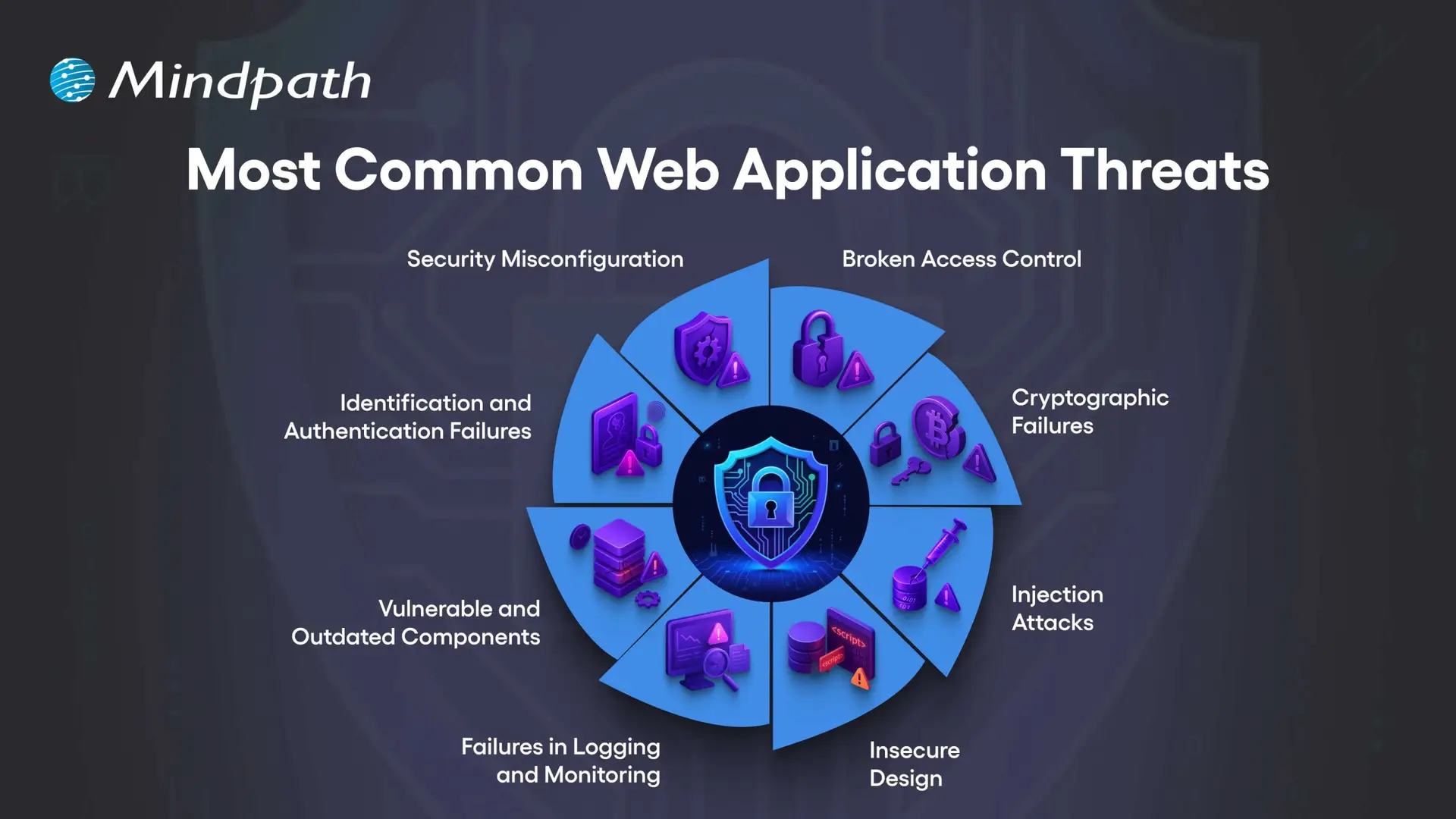
Most Common Web Application Threats

1. Security Misconfiguration

This usually occurs when your web application security settings are wrong or incomplete, leaving the app open to attacks.

2. Broken Access Control

This happens when users can access data or features they should not be allowed to see or use.

3. Cryptographic Failures

This occurs when sensitive data is not encrypted properly, making it easier for attackers to steal.

4. Injection Attacks

This occurs only when attackers insert malicious code into your application through the input fields or forms.

Can a better user interface design also improve security awareness in apps? Discover UI/UX design trends in web application development to learn how thoughtful design can enhance both usability and security.

5. Insecure Design

This usually means that your app’s basic design has weak points that can be easily exploited by hackers.

6. Failures in Logging and Monitoring

When you have security issues that are not logged and monitored, your attacks will go unnoticed.

7. Vulnerable and Outdated Components

This is when your apps use old or unsafe software parts that hackers can target easily.

8. Identification and Authentication Failures

This happens when you have weak login systems, which make it much easier for an attacker to steal your user accounts.

Unsure how the technology you pick affects your application’s security posture? Read our guide on choosing the right tech stack to discover how secure, scalable technologies support safer web app development.

The Importance of Web Application Security

Robust web app protection is absolutely vital to protect your organization from online attacks and data loss. When you pay for your web app security, you are protecting sensitive information and building trust with your customers, while ensuring your operations are running smoothly.
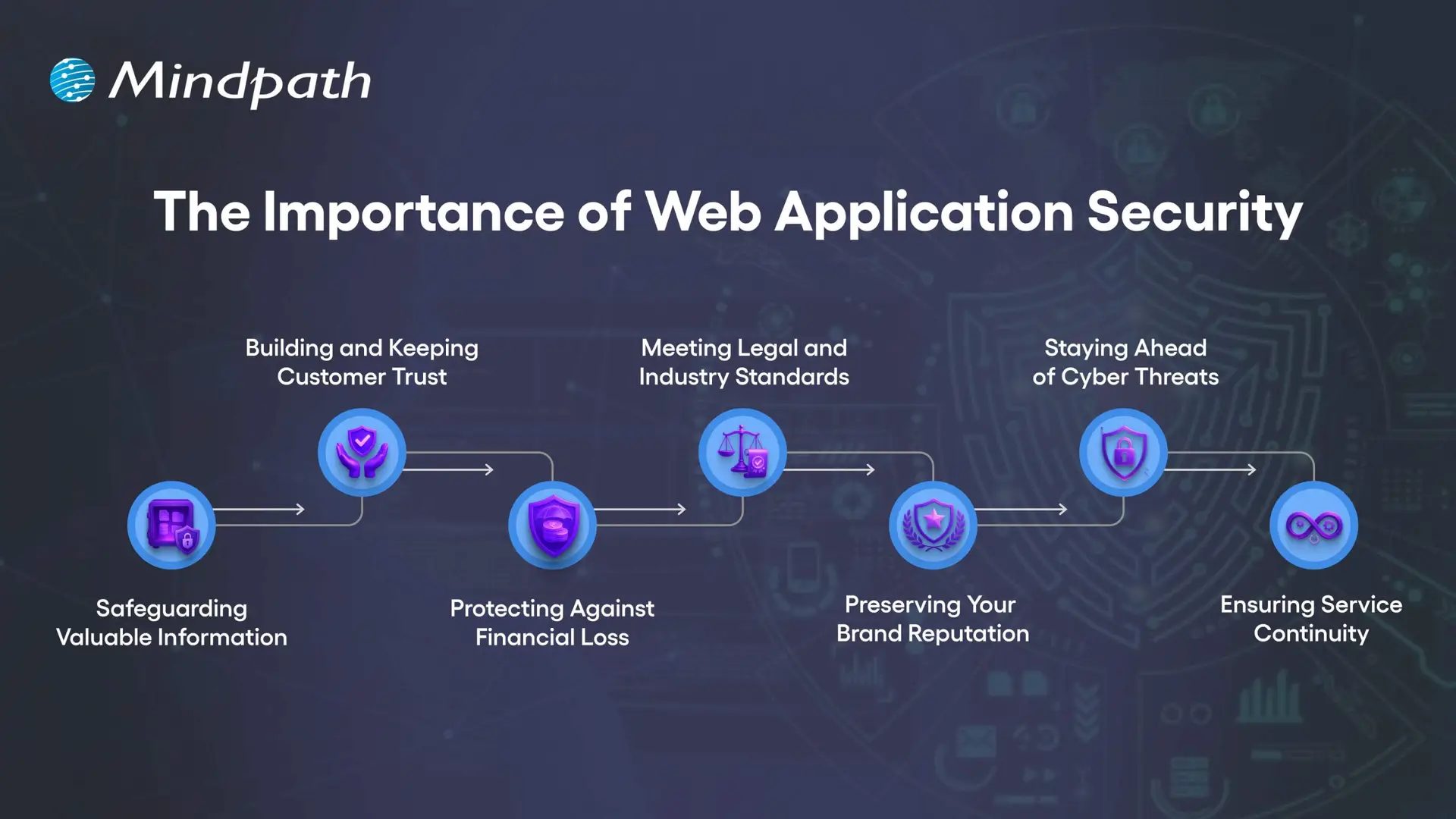
The Importance of Web Application Security

1. Safeguarding Valuable Information

Web applications collect sensitive information such as customer data, payment information, and company documentation. Any exposed information by attackers can be stolen and improperly used. Good web application security utilizes encryption, secure storage, and restricted access to protect the information.

2. Building and Keeping Customer Trust

When people use your online services, they trust you with their private information. A breach of security can cause that trust to break and hurt your business’s reputation. By focusing on web application security, you contribute to two goals: to show the customer that privacy and safety are important to you.

3. Protecting Against Financial Loss

Cyberattacks can cause massive damage to finances, from stolen funds to expensive recovery steps to legal fees, and also regulatory fines. A proper investment in web app security protects those risks and your profits.

4. Meeting Legal and Industry Standards

Numerous sectors must comply with strict data protection requirements. Failing to meet these requirements can result in costly fines and a loss of reputation. The web security basics and continual assurance will demonstrate that your web secure application meets these requirements..

5. Preserving Your Brand Reputation

A single security incident can tarnish your brand identity for years. Once lost, customers may not trust your company again, and negative word of mouth spreads quickly. By prioritizing web application security, you can avoid this type of loss and continue to preserve brand integrity.

6. Staying Ahead of Cyber Threats

Cybercriminals are always trying to exploit any weaknesses in an application. Regular web application scanning and updates may close off the weaknesses before an attacker finds them. Using a trusted web application vulnerability scanner allows you to improve your system.

7. Ensuring Service Continuity

Some ransomware and malware attacks are meant to stop or disrupt your online services. DDoS protection, load balancing, and secure configuration can keep your platform running. There are reliable web security applications to protect against these problems and keep your business producing.

Want to make sure security is built into every phase of your web development process? Explore our web app development roadmap for 2026 to discover how planning with security in mind improves reliability and trust.

Essential Best Practices for Strong Web Application Security

Securing your online properties requires more than basic protection. By implementing web application security best practices, organizations can reduce risks, better protect sensitive data, and provide a safer, trusted experience for each user.
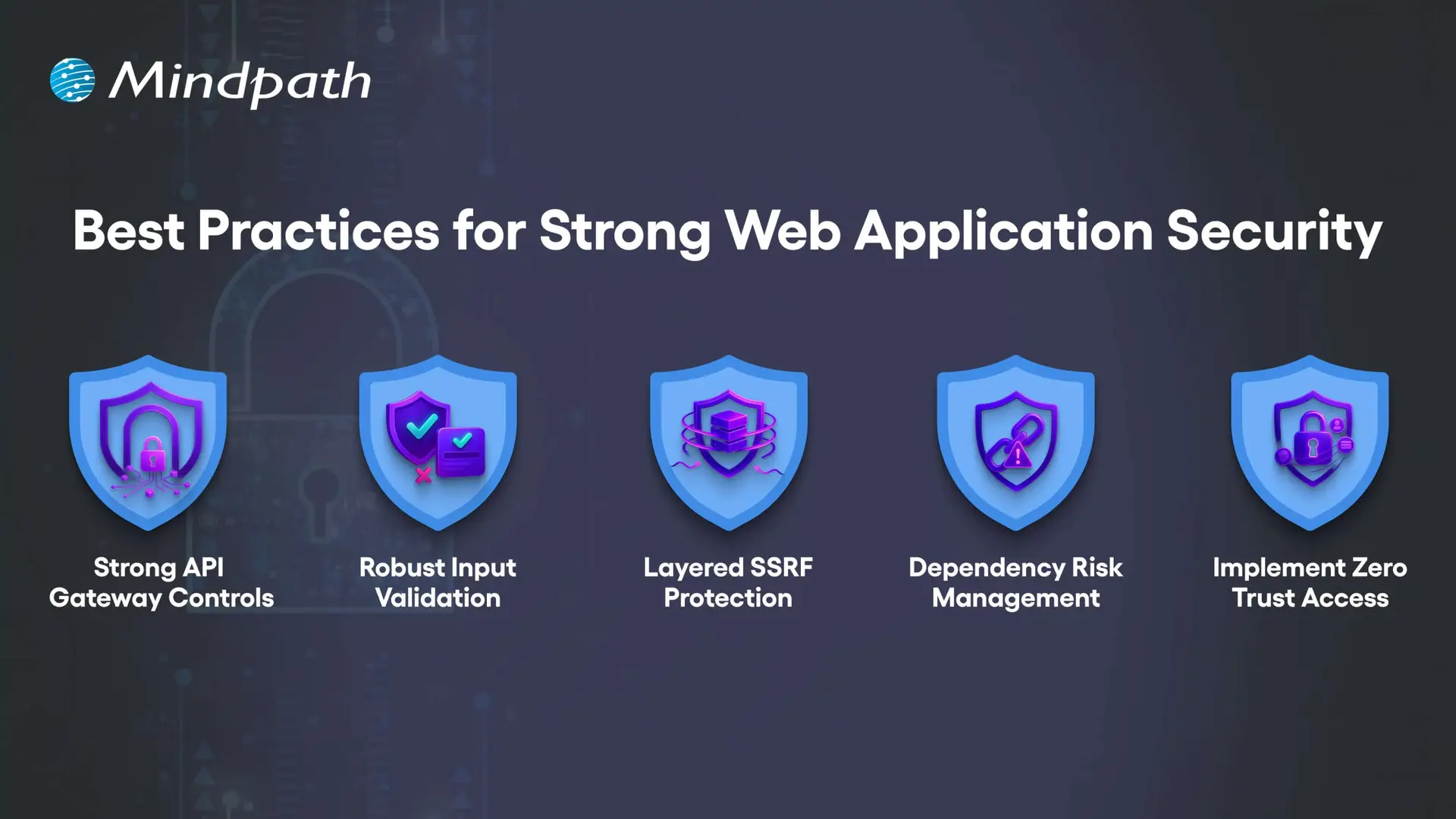
Best Practices for Strong Web Application Security

1. Strong API Gateway Controls

APIs should be protected with advanced rate limiting that adapts to user behavior, not just request counts. Tools like Kong or Envoy help apply different limits per endpoint while blocking abusive traffic patterns without slowing legitimate users.

2. Robust Input Validation

Validation must match the exact place where data is used, such as in SQL, HTML, or JavaScript. This means building rules for each context and scanning all inputs like headers, cookies, and hidden fields to block malicious payloads.

3. Layered SSRF Protection

SSRF attacks can trick servers into accessing internal systems or cloud metadata. Use strict allowlists, block private IP ranges, and inspect resolved IPs to prevent bypass tricks hidden in DNS lookups.

4. Dependency Risk Management

Not all vulnerabilities in dependencies are equally dangerous. Context-aware scanners like OSV or npm-audit help you find and fix the risks that truly matter to your application’s security.

5. Implement Zero Trust Access

Never assume a request inside your network is safe. Segment services, enforce mutual TLS, and verify identity for every request to reduce the risk of internal compromise.

Concerned about app vulnerabilities? Read application security best practices to learn proven ways to strengthen security across platforms.

Are You Ready to Strengthen Your Web Application Security?

In today’s digital world, investing in strong web application security is no longer optional. By understanding common threats and implementing proven best practices, you protect sensitive data, maintain customer trust, and keep your online services running without disruption. The earlier you act, the stronger your defense against costly cyberattacks will be.

At Mindpath, we create secure, high-performing web applications designed to withstand evolving cyber threats. Our web application development process integrates advanced web application security measures from planning to deployment, ensuring your platform is protected and reliable. With a tailored approach, we help your business deliver safe, seamless user experiences while meeting compliance and performance goals.


Related Post

Discover the ultimate guide to hiring Node.js developers in London. Learn about the skills, benefits, and cost factors involved in finding the right talent for your project.
Discover 10 ways ReactJS can elevate your web project. Learn about its origins, key features, and why developers choose it. Boost your web development today!

Related Post

top AI models

The world is experiencing a huge technological transition, driven by emerging AI trends. This shift is justified by the active development of Artificial Intelligence and powerful AI models. They are high-end neural networks that have the capability to generate code, pictures, videos, and text. The selection of the top AI models can be a breakthrough for a company.

Whether you are launching new products or developing your strategy of content, the best AI models can make all the difference. However, which is the most appropriate one to meet your business requirements? Well, there is no need to fret about it, as this best AI models list contains the top 10 options that are dominating the AI arena. Let’s have a look.

Ready to implement advanced AI models but unsure which ones can truly move your business forward? Mindpath offers expert AI development services that help you build customised, high-performance AI solutions tailored to your goals.

AI Models – Understand the Basics

Before we dive deep into the list of most popular AI models, let’s understand what AI models actually are. 

AI models refer to complex computer programs that are used to interpret different patterns and provide results depending on the data. These models power modern tools that code, comprehend languages, and create images.

While certain top AI models are built to perform simple tasks, others focus on domain-specific tasks. The use of AI tools and models is growing with time. In fact, more than 88% of businesses are now using AI tools, and in 2004, it was 78% (Source: McKinsey). 

Another report for Gartner informs that total spending on generative AI is projected to cross USD 644 billion in 2026, around a 76% increase from 2025. These numbers clearly prove the rising importance of AI for today’s business. 

Want to understand the different kinds of artificial intelligence? Explore types of AI to learn about ANI, AGI, and ASI, and how each is applied in real-world scenarios.

Now, let’s talk about the top AI models you can opt for in 2026 that can support your workflows and business growth.

Top 10 AI Models for Modern Businesses

The best AI models are not just designed to process data. In fact, they have the ability to think and create. Some models can interact like humans, and some can easily explain complex logic. Here are the 10 most popular AI models that define innovation and power. 

1. GPT-5

When talking about which AI models are the most popular right now, we can’t ignore GPT-5. Developed by OpenAI, this is the most powerful AI model available to all. It can handle multiple tasks, including code generation, audio, images and text creation. GPT-5 is now powering tools like ChatGPT and Microsoft Copilot. 

This model helps users plan, write and solve issues with ease. Besides, it supports ultra-long conversations. That means when you use it, you will feel like interacting with an intelligent assistant. GPT-5 is a versatile model and can be used for personal productivity apps or enterprise tools. 

Want to customise AI models for your specific needs? Check out our OpenAI Fine-Tuning API tutorial to learn step-by-step how to fine-tune models for better performance and accuracy.

2. Claude Sonnet 4.5

It is one of the most advanced AI models by Anthropic. Claude Sonnet is developed for power users looking for deep reasoning, speed and precision. This model offers impressive results on maths, long-running tasks and coding.  

It is an excellent option for businesses that prioritize ethical AI, reliable automation and compliance. With a 200K token input and powerful tools like content editing, it can handle various complex workflows easily. 

3. Gemini 3

Searching for top AI models that can help you bring your ideas to life? Gemini 3 can be a top choice. Developed by Google DeepMind, this model supports sophisticated reasoning and helps users learn and create anything they want. 

People like to use Gemini, as it is smart and feels intuitive. Whether you want to analyze complex data, summarize documents, or brainstorm new ideas, Gemini can be your reliable assistant. 

4. DeepL

Another popular AI model you can consider is DeepL. It offers quick and accurate translation services. It is popular for its amazing human-like output and impressive accuracy. The model supports multiple languages, more than 30 languages. 

Content creators, businesses, and professionals use it for translating documents, emails, and websites. Recently, the company introduced DeepL Write, which helps users with spelling, grammar, and more.

5. Grok 4.1

It is xAI’s most powerful and intelligent AI model and is integrated into X. The model is designed for collaborative, creative, and emotionally intelligent interactions. As a result, all conversations feel more engaging and natural. 

The model is generally trained on social media data and can be easily adapted to evolving internet culture. Built on a large-scale reinforcement learning infrastructure, it offers a more compelling and perceptive experience. 

Also Read: Benefits of AI

6. Mistral AI’s Mistral Large 2

Mistral Large is an advanced and high-performance language model introduced by Mistral AI. The model is capable enough to handle advanced reasoning and multilingual tasks. It is optimized for accuracy and speed. If you are developing chatbots or want to optimize technical workflows, you can give it a try.

Different from other Mistral models, it activates all parameters and offers consistent results. It can achieve an accuracy rate of 84 percent for code generation (Source: Mistral AI). 

7. DeepSeek VL

The AI models list will remain incomplete without covering this particular AI model. This open-source Vision Language model is quite efficient for real-world language and vision applications. It can understand logical diagrams, scientific literature, charts, diagrams, web pages, and more. 

Educators and researchers utilize it to analyze scientific papers and make complex concepts easy to understand. The company is now working on a new model that can perform multi-step and complex actions with less human input. 

8. Llama

Introduced by Meta, Llama models are developed based on an open-source approach. The latest model released by the company is Llama 4, and it includes two multimodal models, such as Llama 4 Maverick and Llama 4 Scout. 

All these models can process short videos, images, and text. As these are based on a MoE- Mixture-of-Experts architecture, they demonstrate increased efficiency. Its open-source nature provides developers with better control and flexibility. You can fine-tune it as per your requirements. 

9. Stable Diffusion

It is an open-source AI image creation model based on the Stable Diffusion XL model. The model is popular for generating high-quality images using various text inputs such as frame, presets or style. 

Besides, it can also replace or add parts of any images through “outpainting”. Whether you need help for digital storytelling, concept art or marketing, Stable Diffusion can offer you a perfect kickstart. Its speed, community-driven ecosystem and flexibility make it one of the top AI models among designers, artists and content creators. 

Wondering how AI can understand and generate human-like text? Check out our Large Language Model (LLM) blog to learn how LLMs power smarter applications and chatbots.

10. Cohere Command R+

This powerful large-language model is built for accuracy, speed and smooth private deployment. It is developed for enterprise-grade search and document analysis. By combining real-time document processing with large language models, it offers accurate question answering and summarization. 

Thanks to its API-first design, you can easily integrate it into your existing system. Most businesses are using it for customer support, legal discovery and knowledge management. In an environment where context and accuracy are vital, this model offers reliable performance. 

Tips to Choose the Right AI Models

Well, it is common to feel overwhelmed as the options are more. However, by considering these simple tips, you can come up with an informed decision. 

1. Understand how you want to use an AI model, for content creation or other purposes.

2. Now, consider your budget as well as your technical skills. If you are using a model for the first time, you can go for GPT 5 or Gemini. Mistral and Llama require technical skills.

3. Don’t forget to check context length. Longer context windows are good for performing multi-step tasks.

4. Go for the free web version and test models properly. Compare the results before making your final decision. 

Want to know how AI models focus on important information? Read our attention mechanism explained blog to understand this key concept behind modern AI and LLMs.

Let the Experts Help You Choose the Best AI Models

The AI model arena is evolving rapidly. Some top AI models such as GPT-5 and Gemini, are establishing a new level of accuracy and performance. Specialised models, such as Cohere and Stable Diffusion, on the other hand, are dominating their niches.

Still don’t know which top AI models to use for your business? Allow Mindpath to help to make the right decision. Our team can help you identify, deploy, and fine-tune AI models best suited for you. We also help businesses with AI development services, which guarantee scalability and performance.

hire the best healthcare app developers

Are you looking out for the perfect developer who can assist you in turning great healthcare app ideas into reality? With the changing scenery of health technology, finding the right kind of expertise can be quite a difficult process. In this blog, we will come across the steps to hire the perfect healthcare app developer for your project. 

Healthcare applications are mobile apps designed to make healthcare easier and more accessible. They perform duties like checking records, making appointments, and receiving medical advice from the comfort of one’s own home. These apps can be linked to wearable devices to monitor vital health parameters like steps taken or heart rate and help users monitor their health on a minute scale. Their main purpose is betterment in health and improving healthcare services. Some of these include healthcare apps used in billing, telehealth, or video consultation with doctors, practice management by arranging medical practices, and coding medical information. They will help the patients and doctors work together in the management of health and the diagnosis of conditions. According to a report, the global digital health market is projected to grow from USD 240.9 billion in 2023 to USD 946 billion by 2030. 

It is very important to hire healthcare app developers because they bring specialized experience and knowledge updated to help in developing complex healthcare apps. They ensure that your app complies with regulations such as HIPAA and GDPR and build it faster and more affordably compared to doing it yourself. These professionals also have continuous support to keep them updated. They also customize solutions for meeting any needs and seamlessly integrate with existing healthcare systems, making the app much more effective and efficient. 

So, let us dive deep into the steps to hire the perfect healthcare app developers which will be beneficial for you. 

Steps To Hire The Best Healthcare App Developers  

1. Define Your Requirements  

While looking to hire healthcare app developers, you must define your project objectives and requirements. Write down all the features that you want the app to have, like telemedicine capabilities for remote consultations, EHR integration to connect over electronic health records, and health monitoring tools that track different metrics. Identify your target audience and how the app will integrate with other already running systems, such as hospital management software. Giving an overview of the detail of needs helps identify the exact skill sets and expertise needed from the developers to ensure that they can adapt a solution catering to all your requirements and optimize the experience for the end-user. 

2. Shortlist Developers 

Deeply search for developers or companies having a successful history of health app development. Look for those who have effectively worked on similar apps and have experience with healthcare-specific features and regulations. Study their case studies, portfolios, and customer reviews to assess their expertise, past performance, and client satisfaction. Check the scale and complexity of previous projects to make sure that they fit your needs. Shortlist candidates who prove consistent in delivering healthcare apps with positive reviews from clients. Proper consideration will help you settle on developers who can carry out a project of your magnitude and finally come up with a high quality and effective solution. 

3. Evaluate Expertise and Technical Skills 

After you have shortlisted developers, you should assess their technical ability and experience. You should conduct technical interviews with them, discussing their experience and knowledge. You could even ask them to go for coding tests that would present them with real problems and then see how they solve them. Request samples of previous work done to determine the quality and relevance of projects completed before. They must know the programming languages and frameworks your app needs. One also needs to spot if they can solve any problem that might be caused by them during development. Such a rigorous process confirms whether the developers are well-endowed with the kind of skills relevant for the successful construction of a healthcare app. 

4. Review Past Experience 

Gather references from their past clients to know if they are work-oriented, reliable, and can meet deadlines.  Evaluate the past projects in which the developer was involved to understand the correctness of the delivered work. Determine whether they came up with top-of-the-line applications that could be said to be user-friendly yet solve their client’s needs if possible. This step is very important to substantiate their claims and ensure their work meets the standards that you have set for your work. A look at the track record will help you settle better on the right one through feedback from other customers. 

5. Check Communication and Cultural Fit 

This step is all about good communication and a proper cultural fit. While interviewing, review whether the developer can communicate his ideas clearly, is ready to listen, etc. Describe his attitude to working in a team, how he works, and evaluate whether it will align with the culture in your organization. This ensures high working relationships and effective results from the projects.

Is your healthcare app ready to meet the demands of the future?

With Mindpath’s expertise in advanced technology solutions, we can help you stay ahead in the evolving healthcare landscape.

How Can Mindpath Help In Healthcare Application Development Services 

Mindpath is dedicated to transforming the world of health care by providing state-of-the-art technology solutions. This is where we provide full-fledged health care software development services with a sole purpose: to enable health care providers to provide better patient care and smoothen operations while adhering to regulations and industry standards. It starts with strategic consulting for visibility and the exact requirement of your health care software project.  

We apply safe and scalable software into the development services under our care, such as Electronic Health Records, practice management systems, and patient portals, to make improvements in health care delivery on a larger scale and with greater efficiency within the organization. The design team is primed to create user-friendly, intuitive, self-explanatory screens with visuals that make the software functional and engaging. Further, we provide AI chatbots for managing their tasks to answer the queries of patients, manage appointments, and provide medical information to improve patient interaction and take some workload off the healthcare staff. 

Conclusion  

The future of healthcare has been very dynamic, especially due to technological innovation, making complex patient care more efficient, more accessible, and increasingly personalized. Trends such as telemedicine, AI-driven diagnostics, and wearable health technology are altering the nature of healthcare service delivery. Now is the time to get investments pumping into state-of-the-art healthcare applications catering to the modern patient and healthcare provider, with the global digital health market expected to grow soon. 

Mindpath leads from the frontline in this revolution with state-of-the-art healthcare application development services according to the newest industry trends. Our commitment to quality, compliance, and user-centered design assures effectiveness and engagement of the solutions we provide. Whether you want to enhance patient engagement through AI chatbots for healthcare, enhance operational processing through EHR integrations, or simply update legacy systems, Mindpath has rich experience in bringing any idea into life. 

Looking to take your healthcare services up a notch with state-of-the-art technology?

At Mindpath, we specialize in healthcare application development that can change the way patient care is operated.

Discover the key steps to hire top healthcare app developers. Learn how Mindpath’s innovative solutions can elevate your healthcare technology.
full stack nodejs

Companies are now seeking scalable and robust applications, which can meet both years of functional performance and user expectations. That’s when full-stack Node.js development comes into play, uniting the power of frontend and backend within a single environment. It allows developers to build faster and smarter while creating applications to remain adaptable as the business continues to grow.

In this way, constructing end-to-end solutions is more fluid and intelligent. With cohesive databases, APIs, and user interfaces integrating and interfacing, developers can automate some of the hassle proactively. Understanding full-stack Node.js ultimately gives developers an advantage to think forward as technology grows and gives organizations tangible opportunities to grow with applications that perform and scale easily. So, let’s dive in to know how this expertise truly makes a difference.

Want to build an advanced application without compromising performance? At Mindpath, our full-stack development services will help you provide the best solutions, handling both front-end and back-end with efficiency.

Understanding the Fundamentals of Full-Stack Development

Full-stack development means developing on the front end and back end of a web application. The front end refers to all the things that the user responds to and interacts with, such as buttons, layouts, designs, etc. The back end refers to all of the things that run in the background, like databases, servers, etc., and all the logic that makes it run smoothly, working together.

A full-stack developer has the capability to deal with both sides. They are capable of building UX and the technology that serves the app. This gives them agile skills that allow them to build comprehensive applications entirely from front to back.

Understanding the Basics of Node.js

Node.js is a platform that allows you to run JavaScript code in a JavaScript runtime outside of the browser. It is built on Google’s V8 engine, which is extremely fast and built to be efficient. Node.js allows developers to write server-side applications using the same exact language as for the front end, making development and management easier and smoother.

An advantage of Node.js is that it operates asynchronously, which allows tasks to not have to wait for one another to complete, meaning that applications can handle multiple requests at once. Because of this, the use of full-stack Node.js is quickly becoming a good choice when building scalable, real-time, and modern applications.

The success of using Node.js in full-stack development depends on hiring the best developer. Discover the key Factors to Consider while Hiring Node.js Developers.

Why is Node.js Important for Full-Stack Development?

Utilizing Node.js full-stack technology is an impressive approach to developing a complete web application. Here are reasons that Node.js is a valuable technology option in the full-stack.

Importance of Node.js for Full-Stack Development

1. High Performance Delivery

Node.js utilizes a non-blocking I/O hardware model that can handle hundreds or even thousands of requests simultaneously, providing faster response times and greater user-specific.

2. Cross-Platform Power

With the Node.js full stack, developers can write mobile and desktop apps to run on Windows, macOS, Linux, and more. By relying on a single JavaScript code base, developers can save time and effort writing for multiple platforms.

3. Microservice Architecture Made Easy

Full-stack Node allows users to break one larger application down to multiple smaller independent services using infrastructure that is easier to work with. This approach lets developers build faster, stay flexible, and rely on proven solutions.

4. Scalable Solution

Full-stack Node.js is used by major players like Walmart, Uber, and Trello to handle millions of users. It helps to lower load time significantly, and it ensures your applications will scale seamlessly, as your demands increase.

5. Real-Time Advantage

When it comes to applications that leverage chat, live streaming, food delivery, or payments, Node.js full-stack is the way to go. It seamlessly provides real-time updates to keep the user engaged and connected.

Also Read: Full-stack Development for Web Projects

Key Steps to Use Node.js in Full-Stack Development

A full-stack Node.js developer is involved in both the front end and the back end of web application development and will work to build complete web applications. Below is a synopsis of the primary steps to utilize Node.js in full-stack development that is easy and productive.

Key Steps to Use nodejs in full stack development

1. Set Up the Development Environment

To begin your application-building experience, you will need to install Node.js and npm (Node Package Manager). These tools will allow you to execute JavaScript beyond the browser, and they will also help manage libraries with ease. Verify the setup by checking versions with simple commands in your terminal.

2. Initialize the Project

Make a new folder for your app, and use ‘npm init’ to create a ‘package.json’ file. A package.json file holds important information, such as your project name, dependencies, and scripts. It will serve as the basis for managing everything in your project.

3. Build the Server with Express.js

Install Express.js so you’ll be able to set up the backend server and handle all of the different routes. Express.js makes handling requests, responses and APIs supposedly easy. This step will ensure the backend runs appropriately with the frontend.

Must Read: Full-stack development trends

4. Connect to a Database

Based on your needs for this project, select a database like MongoDB or PostgreSQL. This should be paired with a Node.js library like Mongoose or Sequelize, which will allow you to connect to and perform both read and write operations on your data. At this point, you will have the ability for your application to persist and retrieve your data.

5. Design the Front-End

Build the front-end using a library such as React, Angular, or Vue. You can link the front-end through RESTful APIs or GraphQL to your Node.js back end. At this point, players will finish the bridge for a Full-stack Node.js application.

6. Manage Authentication and Security

Use libraries like Passport.js or JWT to add secure login and registration. Secure necessary paths so that any authorized user can get to those routes. You should always consider security in any Full-stack Node.js application.

7. Test and Deploy the Application

Create unit and integration tests to ensure that your application does what you intended. Deploy the application to cloud hosting solutions like Google Cloud, AWS, or Heroku. To utilize your Full-stack Node.js application’s performance tool on different scales, you should monitor its performance!

Looking to integrate AI in your Node.js projects? Explore our Ultimate Guide to Node.js Libraries for AI Integration to discover the most effective libraries for building smart, scalable, and future-ready applications.

Ready to Unlock the Power of Full-Stack Node.js?

Full-stack Node.js has proved to be a smart choice for building scalable, high-performing, and real-time applications. It unites front-end and back-end seamlessly, helping developers create complete solutions with speed and flexibility. With its ability to handle microservices, cross-platform apps, and real-time updates, it has become an essential technology for modern web development.

At Mindpath, we provide expert full-stack development services designed to match your business goals. Our skilled Node.js developers bring deep technical knowledge and practical experience to build secure, scalable, and user-friendly applications. If you are looking to transform your digital ideas into reality, hiring a Node.js expert from our team ensures growth and lasting impact.

Master full-stack development with Node.js! Its scalability, performance, and seamless frontend-backend integration.