Approaching software development without a flexible mindset can often result in delays and stress. This is where the benefits of agile methodology come into play. Agile allows a team to react quickly to change, provide value continuously, and maintain common goals.
Agile fosters teamwork, quick delivery, and incremental updates. If you ever find that you are constantly feeling stuck or that things are moving too slowly, then Agile can provide a steady flow that will keep things moving forward and adjust its plans accordingly.
Agile offers structure while maintaining flexibility. Project work is broken down into smaller bits and allows for feedback and change along the way. This helps keep developers, testers, and clients engaged through the process. People can track progress more easily and receive results faster.
Agile doesn’t just focus on completing tasks, but on building something useful at every step. This blog highlights some of the primary benefits of Agile that many of today’s teams prefer to embrace.
Explore how custom software development services using agile methodologies elevate your business performance. Reach us at Minpath, and we will provide expert guidance to you every step of the way.
What is Agile Methodology?
Agile methodology is an adaptive and collaborative method of software development based on the principles set forth in the values of the Agile Manifesto. Agile focuses on teamwork, the ability to adapt, continuous improvement, and the delivery of working software in small, manageable pieces.
An agile team is self-organized and can adapt quickly to changes during the development life cycle. So, what is the main objective of agile methodology? It is to be responsive and provide value more quickly.
Agile focuses on helping teams select tools and techniques for their goals rather than abiding by a single standardized process. Each project can look a little different, but they all follow the same Agile principles by planning in short iterative cycles, soliciting feedback, and adjusting from there. Ultimately, Agile allows teams to deal with uncertainty during a project in order to improve at every turn.
Types of Agile Methodologies
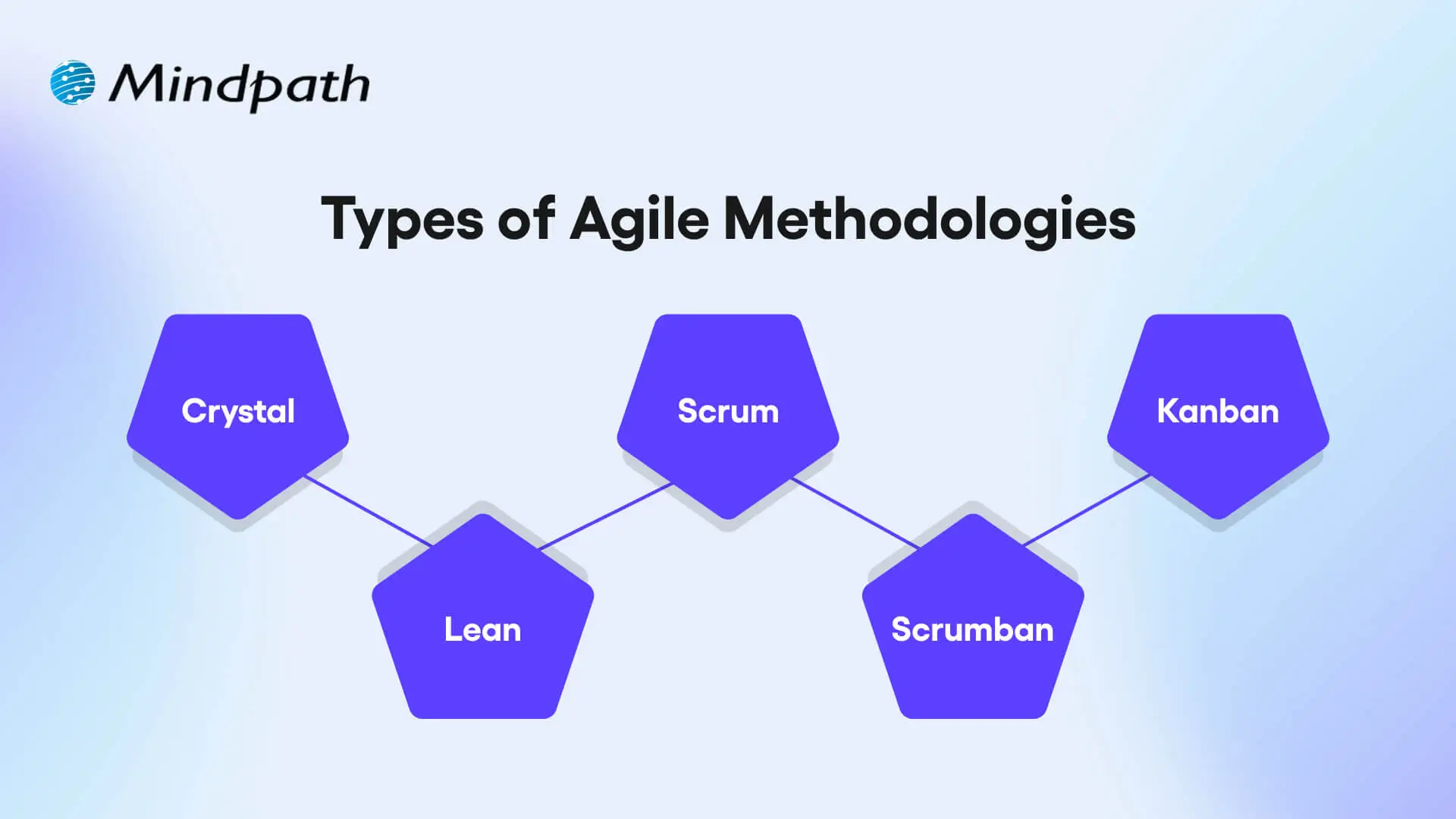
Agile provides several methodologies that adhere to its fundamental principles; however, they differ in structure and practice. Each is intended to foster teamwork, speed, and flexibility in its own unique way.
1. Crystal
Crystal is a lightweight agile methodology that encourages rapid delivery of working software, communication with customers, reducing risks, and frequent releases. It is flexible with respect to team size and project complexity, and it promotes collaboration and communication to improve team and customer feedback.
2. Scrum
Scrum is a prescribed agile framework that arranges work into fixed-length sprints, which allow the team the opportunity to inspect how much work was done so far and adjust based on that. The goal is to enhance visibility, facilitate some level of collaboration consistently, and have continuous improvement as the team works through it with prescribed roles and ceremonies.
3. Kanban
The kanban approach is concerned with delivering work continuously and has a strong lean focus on improving the process. The visual workflow helps teams find bottlenecks, work on reducing cycle times, and allows managing work to be simplified using boards and cards.
4. Lean
Lean focuses on maximizing customer value by eliminating waste and improving efficiency throughout the development process. It supports fast delivery, strong team collaboration, and quick response to feedback.
5. Scrumban
Scrumban fuses the structured planning of Scrum with the visual task management of Kanban to allow flexible value-based delivery. It is an adaptable and process-focused method that allows teams to incorporate regular updates, rapid releases, clear task ownership, and adaptability as project needs change.
Wondering how Agile practices fit into the bigger picture of building high-impact web applications, our web app development roadmap outlines the full step-by-step journey from planning to deployment.
Top Benefits of Agile Methodology
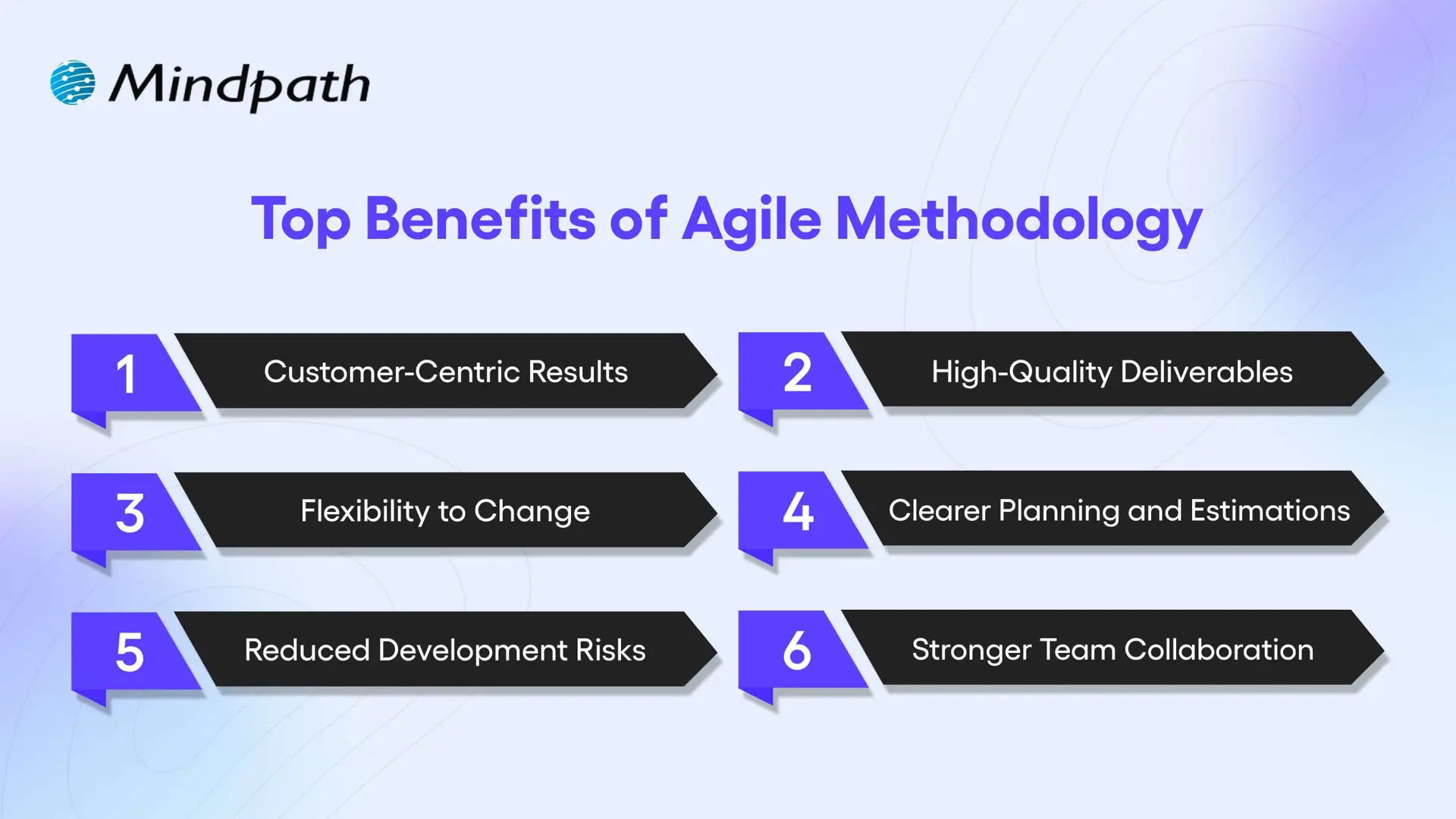
Agile provides a modern approach for the management of software projects, which is focused on flexibility, collaboration, and rapid delivery. Here are some important agile software development benefits that aid teams in creating better products with better timeliness.
1. Customer-Centric Results
Agile methodologies promote regular feedback and involvement from customers in every aspect of development, leading to products that can be tailored to more accurately fit the needs of the user. One of the key agile software development advantages is that this increases customer satisfaction (as perceived by customers during development) and trust moving forward.
2. High-Quality Deliverables
With every sprint of work teams are testing and improving their work. You will note that the ongoing improvement is one of the key benefits of agile software development, and it helps teams develop stable and reliable products. Solving problems early is part of the workflow.
3. Flexibility to Change
Agile teams can quickly adjust plans in response to new feedback or ever-changing goals, and ease of change is one of the greatest strengths of agile software development. The essence of agility is the ability to stay aligned with business needs without spending unnecessary time or going off track.
4. Clearer Planning and Estimations
Agile operates within short, structured cycles, which allow for considerably improved estimation of timelines and budgets. This is one of the most important benefits of agile software development, especially for project managers whose primary goal is to solicit the meters for project planning in the most effective way possible. Predictable progress encourages smarter decisions.
5. Reduced Development Risks
Frequent reviews and updates allow teams to catch issues early when they are still not serious problems. This built-in risk control offered by agile is of major benefit to agile project success. Agile provides full visibility into work progressing at all times.
6. Stronger Team Collaboration
Agile encourages daily stand-ups, a routine dialogue, and real-time feedback/updates. This collectively helps with teamwork, collaboration, and confusion regardless of role. Better communication is one of the fundamental advantages of agile methodology and contributes to an easier, smoother project flow.
Want to know how businesses turn ideas into scalable software solutions? Explore the custom software development process and the role Agile plays in efficient execution.
Ready to Embrace the Agile Advantage?
Agile has changed the way modern teams build software by promoting collaboration, speed, and flexibility. The benefits of agile methodology include higher customer satisfaction, better product quality, reduced risk, and smoother workflows. By using short cycles and continuous feedback, Agile helps teams deliver faster, smarter, and with greater confidence, making it a preferred choice for many development teams today.
Want to apply these custom software development benefits to your next project? At Mindpath, we offer custom software development services built around proven agile methodologies. Contact us and our team will help you with clear communication, flexible planning, and faster delivery that meets your business goals. With Mindpath, you get tailored solutions that revolve around your business requirements and deliver long-term value with every sprint.
What is conversational AI? Conversational AI is a technology that enables computers to understand, process, and respond to human language through text or voice. It powers AI chatbots, virtual assistants, and automated customer support systems that can interpret user intent, maintain conversational context, and provide relevant responses.
Key Takeaways
- 01
Conversational AI enables computers to understand and respond to human language through text and voice interactions. - 02
It combines NLP, NLU, machine learning, speech recognition, and language generation to manage conversations. - 03
AI chatbots, voice assistants, and conversational IVR systems are common examples of conversational AI. - 04
Businesses use conversational AI for customer support, lead qualification, employee assistance, recommendations, and workflow automation. - 05
Successful implementation requires suitable integrations, data protection, regular testing, performance monitoring, and human support.
Unlike traditional rule-based chatbots that rely on predefined commands, conversational AI uses technologies such as Natural Language Processing (NLP), Machine Learning (ML), and Large Language Models (LLMs) to handle more flexible, context-aware interactions. Businesses use it to automate customer service, answer questions, qualify leads, assist employees, and manage routine conversations across websites, applications, messaging platforms, and phone systems.
As businesses handle more digital interactions, conversational AI helps make communication faster and more accessible. However, its effectiveness depends on the quality of its training data, integrations, conversation design, and ability to transfer complex requests to human employees.
What Is Conversational AI and How Does It Work?
Conversational AI is a branch of artificial intelligence that allows software to communicate with people using natural language. Instead of following fixed menus or specific commands, users can ask questions, make requests, and provide information in their own words.
For example, a customer visiting an online store might ask, “Where is my order?” A conversational AI assistant can interpret the request, connect with the order management system, retrieve the relevant information, and respond with an update.
The process generally involves understanding the user’s input, identifying their intent, maintaining conversation context, retrieving information or performing an action, and generating an appropriate response.
How Conversational AI Works Step by Step
A conversational AI system follows a series of steps to understand a message and generate a useful response. The exact architecture varies depending on whether the system uses traditional NLP models, large language models, or a combination of technologies.
1. User Input
The process begins when a user sends a text message or speaks to an AI assistant. For voice-based systems, Automatic Speech Recognition (ASR) converts the spoken input into text that the system can process.
2. Language and Intent Understanding
Natural Language Understanding (NLU) analyzes the message to identify the user’s intent, important details, and relevant context. For example, when someone asks, “Can you reschedule my appointment for Friday?”, the system identifies the request as an appointment change and extracts the preferred date.
3. Context Management
The system uses conversation history and dialogue management to understand how the current message relates to previous interactions. This helps it handle follow-up questions without requiring users to repeat information.
4. Information Retrieval or Action Execution
Depending on the request, the system retrieves information from a knowledge base, accesses connected business applications, or triggers an action through an API. For example, it may check an order status, create a support ticket, or retrieve an appointment schedule.
5. Response Generation
Natural Language Generation (NLG) or a language model converts the available information into a response that users can understand. For voice assistants, Text-to-Speech (TTS) can convert the generated response into spoken language.
6. Feedback and Improvement
Businesses can evaluate conversation outcomes, user feedback, failed requests, and system performance to improve the assistant. Some systems use feedback for model updates or retraining, while others improve through changes to prompts, workflows, knowledge sources, and conversation rules.
What Technologies Power Conversational AI?
Conversational AI combines several technologies to understand human language, process information, and generate responses. Each component performs a different function within the conversation.
1. Natural Language Processing (NLP)
Natural Language Processing allows computers to analyze and process human language. It helps conversational systems work with text, identify language patterns, and extract useful information from user messages.
2. Natural Language Understanding (NLU)
NLU focuses on identifying the meaning behind a user’s message. It helps systems recognize intent, extract entities such as dates or product names, and understand what a person wants to accomplish.
3. Machine Learning (ML)
Machine Learning enables systems to identify patterns in data and improve through model training and evaluation. It can support intent classification, language understanding, recommendations, and other conversational tasks.
4. Automatic Speech Recognition (ASR)
ASR converts spoken language into text. It is an important component of voice assistants and conversational phone systems because it allows users to communicate without typing.
5. Natural Language Generation (NLG)
NLG generates responses in natural language using the information available to the system. It helps conversational AI produce clear and relevant answers instead of returning raw data or predefined technical messages.
6. Large Language Models (LLMs)
Large Language Models are trained on extensive text datasets to understand and generate language. They can support conversational AI by handling open-ended questions, summarizing information, maintaining context, and generating responses. Their outputs still require appropriate grounding, testing, and safeguards.
7. Dialogue Management and APIs
Dialogue management controls the flow of a conversation and determines what should happen next. APIs connect the conversational system with external applications such as CRM platforms, booking systems, payment services, and customer databases.
What Are the Different Types of Conversational AI?
Conversational AI can be implemented in different forms depending on how users interact with a system and what the business needs to accomplish. The most common types include voice assistants, AI chatbots, conversational IVR systems, messaging assistants, and multimodal assistants.
1. Voice Bots and Virtual Assistants
Voice bots and virtual assistants communicate with users through spoken language. They use speech recognition to understand requests and speech generation to respond. Examples include Siri, Alexa, and Google Assistant.
Businesses can use voice assistants to answer customer questions, provide account information, schedule appointments, and support hands-free interactions.
2. AI Chatbots
AI chatbots communicate with users through text-based conversations on websites, mobile applications, and messaging platforms. Unlike basic rule-based bots, AI-powered chatbots can use NLP and language models to understand different ways of asking the same question.
They can help customers find products, answer support questions, track orders, and connect with human agents when needed. Read more about what a chatbot is and how businesses use it.
3. Conversational IVR and Interactive Voice Assistants
Interactive Voice Response (IVR) systems help callers navigate automated phone services. Traditional IVR systems commonly rely on keypad selections or fixed menus, while conversational IVR systems can use speech recognition and language understanding to interpret spoken requests.
For example, a customer calling an airline may say, “I want to check my flight status,” instead of navigating several menu options.
4. Messaging Assistants
Messaging assistants support conversations through platforms such as business messaging applications, social media messaging, and in-app chat. They can answer questions, send notifications, collect information, and guide users through service requests.
5. Multimodal Conversational AI
Multimodal conversational AI can process and respond to more than one type of input, such as text, voice, and images. For example, a customer might upload a product image and ask an assistant to identify the item or find similar products.
Conversational AI vs Traditional Chatbots: What Is the Difference?
Traditional chatbots and conversational AI both help businesses communicate with users, but they differ in how they understand requests and manage conversations. Traditional chatbots often depend on predefined rules, keywords, and decision trees. Conversational AI can use NLP, machine learning, and language models to interpret more flexible requests and maintain context.
| Comparison Factor | Traditional Chatbots | Conversational AI |
|---|---|---|
| Understanding | Often relies on predefined keywords and rules. | Uses language understanding and contextual processing. |
| Conversation Flow | Usually follows predefined paths. | Can support more flexible, multi-turn conversations. |
| Responses | Often selects from predefined responses. | Can generate or retrieve context-aware responses. |
| Handling Variations | May struggle with unexpected wording. | Can interpret different ways of expressing a request. |
| Integration | Can connect with external tools through configured workflows. | Can use integrations, APIs, and tools to retrieve information or perform tasks. |
| Complex Requests | Usually requires predefined paths or human assistance. | Can handle broader requests, subject to its capabilities and safeguards. |
The distinction is not always absolute. Modern chatbots may include conversational AI capabilities, while conversational AI systems can also use predefined rules for specific tasks. The right approach depends on the complexity of the conversations, business requirements, and level of automation needed.
What Are the Benefits of Conversational AI for Businesses?
Conversational AI helps businesses manage customer interactions, automate repetitive communication, and provide assistance across digital channels. Its benefits depend on how well the system is designed and integrated into business operations.
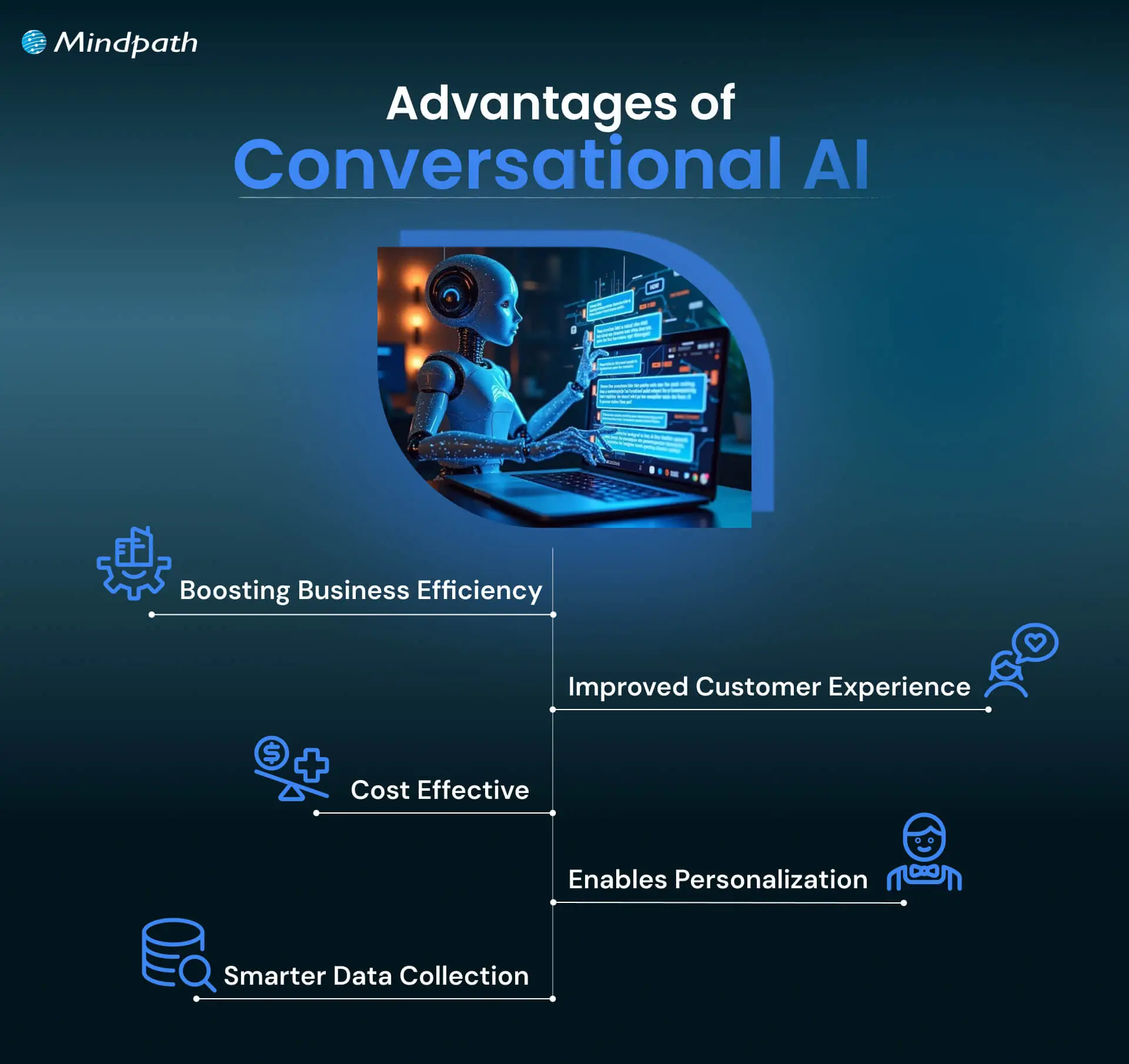
1. Improved Operational Efficiency
Conversational AI can handle repetitive requests such as answering frequently asked questions, checking order details, and sharing basic account information. This allows employees to spend more time on tasks that require judgment, problem-solving, or personal attention.
2. Reduced Customer Support Workload
Automating routine conversations can reduce the number of requests that need direct attention from support agents. Businesses can manage common queries through automated systems while routing complex issues to the appropriate employees.
3. Faster Customer Responses
Conversational AI can provide immediate responses to supported questions without requiring customers to wait for an available representative. This is particularly useful for routine inquiries and services that operate outside standard business hours.
4. Personalized Customer Interactions
When connected to authorized customer data and interaction history, conversational AI can provide more relevant responses. For example, an e-commerce assistant may recommend products based on a customer’s preferences or help retrieve information about a previous order.
5. Better Access to Customer Insights
Conversation data can help businesses identify recurring questions, common customer problems, product concerns, and service gaps. These insights can support improvements in customer experience, product development, and marketing strategies, provided the data is collected and used appropriately.
6. Consistent Communication Across Channels
Businesses can deploy conversational AI across websites, mobile applications, messaging platforms, and phone systems. A consistent knowledge base and conversation design can help maintain similar information and service standards across these channels.
What Are the Common Business Use Cases of Conversational AI?
Businesses use conversational AI in customer-facing and internal workflows. It can support everything from answering basic questions to retrieving information from connected systems and completing specific tasks.
1. Customer Support Automation
Conversational AI can answer frequently asked questions, explain service policies, provide troubleshooting instructions, and guide customers through common support requests. For example, an online retailer can use an assistant to explain its return policy and provide order status updates.
2. Conversational IVR Systems
Businesses can use conversational IVR to understand spoken requests and direct callers to the right service. An airline customer, for example, can ask about flight status or request booking assistance without navigating multiple keypad menus.
3. Seamless Transfer to Human Agents
When a conversation requires human judgment or the system cannot resolve an issue, it can transfer the request to a live agent. Passing along the conversation history and relevant details helps customers avoid repeating the same information.
4. Product Recommendations
E-commerce and retail businesses can use conversational assistants to help customers find products based on their requirements, preferences, and previous interactions. For example, a shopper can describe a product they need and receive relevant suggestions.
5. Employee Onboarding and Internal Assistance
Internal conversational assistants can help employees find company policies, access training resources, understand internal processes, and complete onboarding tasks. HR teams can use them to answer routine questions and guide new employees through administrative steps.
6. Business Workflow Automation
When connected to business applications, conversational AI can initiate workflows based on user requests. For example, it may create a support ticket, update a customer record, schedule an appointment, or send a notification through an integrated system.
7. Lead Qualification and Sales Assistance
Conversational AI can ask website visitors relevant questions about their needs, budget, or project requirements. Based on their responses, it can collect lead information and route qualified prospects to the appropriate sales representative.
8. Appointment Scheduling and Reminders
Healthcare providers, service businesses, and educational institutions can use conversational assistants to help users schedule appointments, check availability, and receive reminders. These systems can also connect to booking applications to retrieve or update appointment details.
What are the Challenges and Limitations of Conversational AI?
Although conversational AI can improve communication and automate routine tasks, it is not suitable for every situation. Businesses need to understand its limitations before deploying it in customer-facing or internal systems.
1. Incorrect or Misleading Responses
AI systems can misunderstand requests, retrieve incorrect information, or generate inaccurate responses. This is especially important when a system uses generative AI. Businesses should connect assistants to reliable information sources, test responses, and establish safeguards for sensitive requests.
2. Difficulty Understanding Context
Ambiguous language, slang, incomplete questions, and complex multi-step requests can make conversations difficult to interpret. Systems need suitable context management and fallback processes to handle these situations.
3. Data Privacy and Security
Conversational systems may process personal details, account information, and other sensitive data. Businesses must define data access permissions, apply appropriate security controls, and follow relevant privacy requirements.
4. Integration Complexity
Connecting conversational AI with CRM platforms, databases, booking systems, and other business applications can require significant technical planning. Poor integrations may lead to outdated information, failed actions, or inconsistent responses.
5. Language and Speech Recognition Issues
Voice-based systems may struggle with background noise, accents, pronunciation differences, or less commonly supported languages. Testing across different users and environments is important for reliable speech interactions.
6. Continuous Monitoring and Maintenance
Business information, products, policies, and customer expectations change over time. Conversational AI systems need regular evaluation, knowledge updates, security reviews, and performance monitoring to remain useful.
How Can Businesses Implement Conversational AI Successfully?
Successful conversational AI implementation requires more than selecting a chatbot platform. Businesses should define the problem, identify the right use cases, prepare reliable data, connect relevant applications, and evaluate the system after deployment.
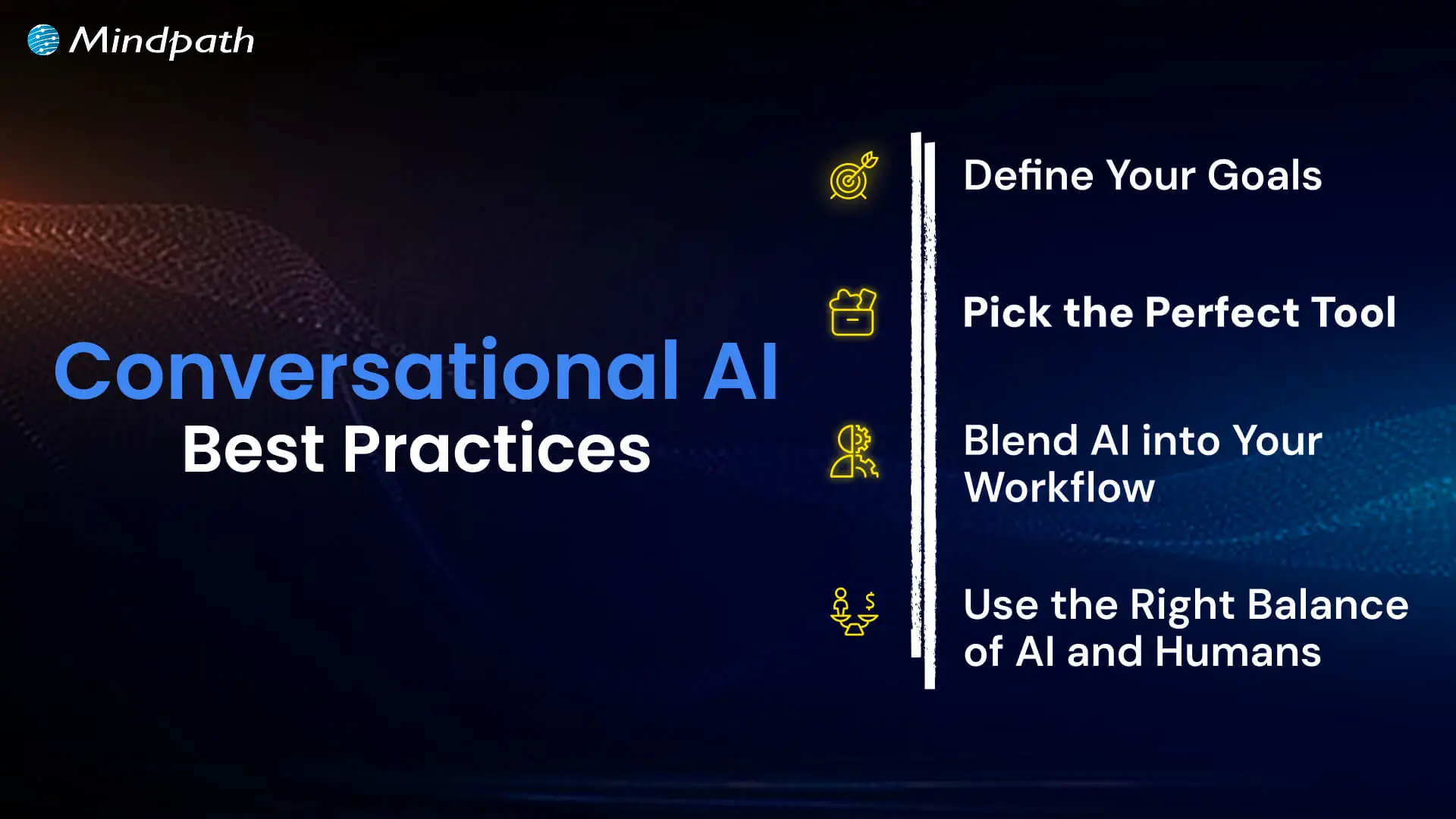
1. Define the Business Objective
Start by identifying what the conversational AI system should accomplish. Common objectives include reducing repetitive support requests, improving response times, qualifying leads, or helping employees access internal information.
2. Identify the Right Use Cases
Choose tasks that are suitable for automation. Begin with frequent, clearly defined requests before expanding into more complex conversations that require additional context or decision-making.
3. Prepare Reliable Knowledge Sources
Organize the information the assistant will use, including product documentation, support articles, policies, and frequently asked questions. Keep this information accurate and updated so the system can provide relevant answers.
4. Select Suitable Technology
Choose a conversational AI platform or architecture based on your requirements, budget, security needs, expected conversation volume, and integration capabilities. Not every business needs a large language model for every automated interaction.
5. Integrate Business Applications
Connect the system with the applications it needs to access. These may include CRM platforms, customer databases, ticketing tools, appointment systems, and other operational software. Apply appropriate authentication and access controls.
6. Maintain Human Support and Escalation
Define when a conversation should be transferred to a human employee. Customers should have a clear way to reach a person when the request is sensitive, complicated, or outside the assistant’s capabilities.
7. Test and Monitor Performance
Test the assistant using realistic questions, different wording patterns, incomplete requests, and unexpected inputs. After deployment, monitor conversation outcomes and update the system based on observed issues and user feedback.
How Do Businesses Measure Conversational AI Performance?
Businesses should measure conversational AI using both customer experience and operational performance metrics. The right indicators depend on the system’s purpose and the tasks it is expected to handle.
| Metric | What It Measures |
|---|---|
| First Response Time | How quickly the system responds after receiving a user request. |
| Resolution Rate | The percentage of conversations resolved without additional assistance. |
| Human Escalation Rate | How often conversations are transferred to human employees. |
| Customer Satisfaction (CSAT) | How users rate their experience after interacting with the system. |
| Task Completion Rate | The percentage of users who successfully complete the intended action. |
| Lead Conversion Rate | The percentage of qualified conversations that result in a desired sales action. |
| Cost per Conversation | The average cost of handling a customer interaction through the system. |
Monitoring these metrics helps businesses identify where conversational AI is working effectively and where improvements are needed. For example, a high escalation rate may indicate that the assistant lacks the information or integrations required to resolve common requests.
What Is the Future of Conversational AI?
Conversational AI is moving beyond basic question-and-answer interactions. Improvements in language models, speech technology, multimodal processing, and application integrations are enabling systems to support more complex conversations and workflows.
Some important developments include more natural voice interactions, assistants that can process text and images together, better personalization through relevant context, and AI agents that can use connected tools to complete multi-step tasks.
However, progress also brings greater responsibility. Businesses will need to focus on accuracy, data privacy, security, transparency, and human oversight as conversational systems become more integrated into everyday operations.
Build Smarter Customer Experiences with Conversational AI
Conversational AI is changing how businesses communicate with customers and employees. By combining language understanding, machine learning, and connected applications, it can answer questions, retrieve information, automate routine tasks, and support more accessible digital experiences.
The right implementation depends on your business goals, the conversations you need to support, the information available to your system, and the level of automation required. A well-designed solution should also include reliable integrations, data protection, performance monitoring, and a clear path to human assistance.
Mindpath helps businesses build AI-powered solutions aligned with their operational requirements. Whether you need intelligent chatbots, virtual assistants, or integrated AI applications, our AI development services can support your conversational AI initiatives.
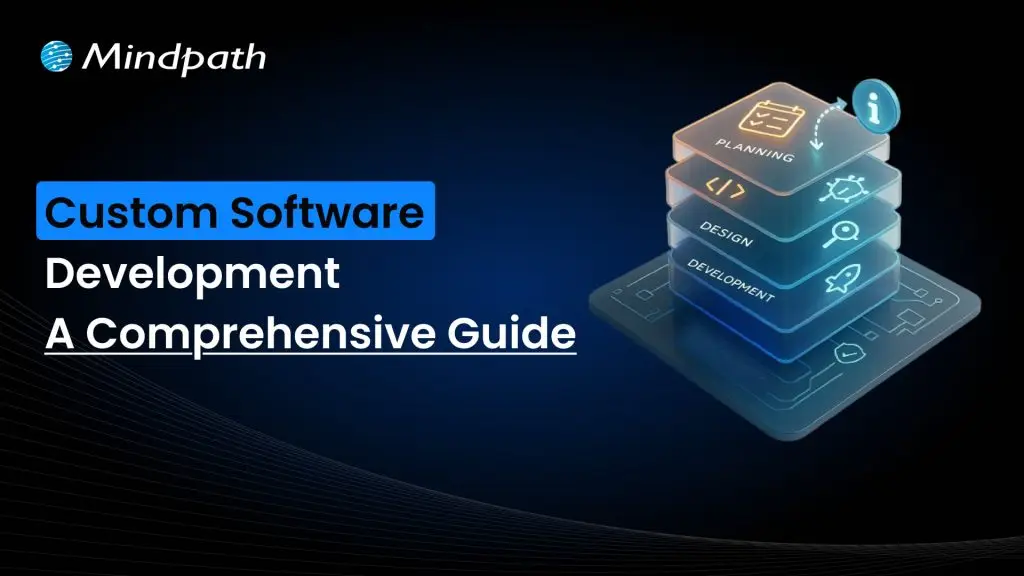
Custom software development is becoming the primary driver for businesses to get ahead of the curve in 2026. Businesses no longer rely on ready-made tools as existing tools fall short of meeting unique requirements. More recently, there is a higher need for tailored solutions that incorporate an organization’s goals and can scale as the firm grows. So, how will businesses ensure their software not just helps with their operations, but ultimately provides a legitimate competitive advantage?
In today’s fast-paced digital landscape, the right software is not only technology but also a strategy in practice. With custom software, businesses foster solutions that face specific challenges and ignite innovation. This guide walks through the core aspects of custom software development, including its definition, different types, benefits, key factors, and process. With a successful approach, adequately designed custom-built systems will enable progress and lead to long-term success.
At Mindpath, our custom software development services deliver secure and scalable services that meet your business goals and enhance your business performance.
What is Custom Software Development?
Custom software development builds software solutions designed for a business’s specific needs. Instead of using generic tools developed for all businesses, many companies are developing their own custom software applications to support their unique company goals, internal workflows, and their customers. The custom software process includes planning, designing, developing custom software, and then ongoing software updates. This proactive approach might help a business increase efficiency, allow the business to expand, and create a steady stream of revenue.
The basis of this method is personalization. Developers create each feature with intention, supporting groups like marketing or sales, and enhancing customer brand participation through apps and platforms. These tailored solutions align and integrate smoothly into existing processes, improving productivity. When businesses select the right design and functionality, they receive a competitive advantage and increase their ability to outgrow the competition in a rapidly evolving digital landscape.
Must Read: Software Development Cost
Types of Custom Software Solutions
Businesses face unique challenges, so they will need specific solutions to meet their goals. When used effectively, there are many kinds of custom software development solutions that can take advantage of that to drive efficiency and growth.
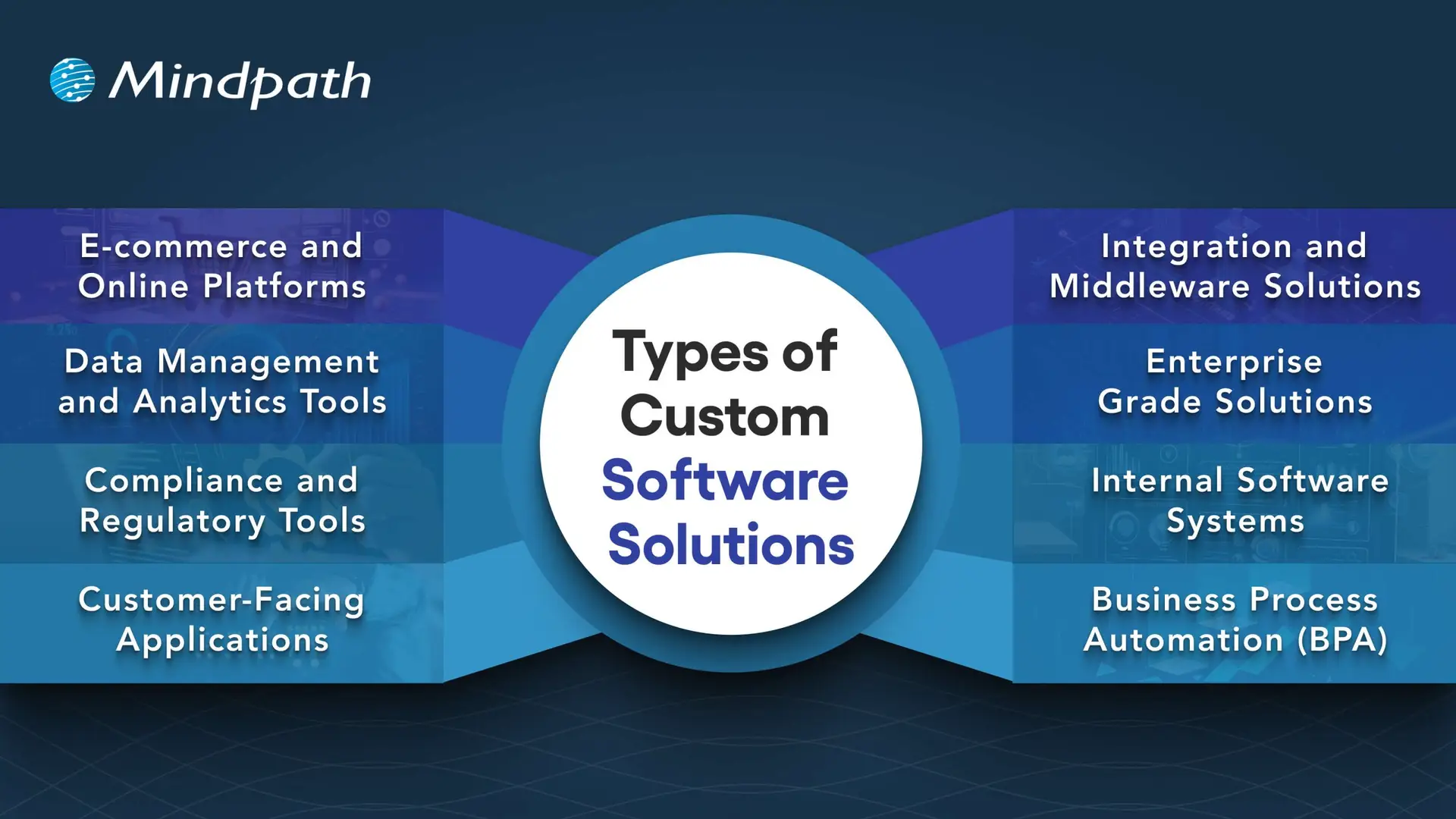
1. E-commerce and Online Platforms
Online businesses require more than a basic website. Custom platforms take care of payment, inventory, and customers quickly and accurately.
2. Data Management and Analytics Tools
Companies generate a never-ending amount of data every day. Analytics tools provide actionable insights from that data, which decision-makers can invest in, as there is confidence in the analytics.
3. Compliance and Regulatory Tools
The industries with strict rules continue to change at a breakneck speed. Compliance software can help you track, report, and reduce risks.
4. Customer-Facing Applications
Customers expect a seamless digital experience, and mobile apps, portals, or self-service tools can provide a simple and engaging interaction.
5. Integration and Middleware Solutions
It’s not very common for systems to connect themselves. Middleware acts as a bridge between those systems and allows for the free flow of information across platforms.
6. Enterprise Grade Solutions
Large organizations need powerful systems to maintain efficiency. ERP, CRM, and BI software all gather data into one controllable system.
7. Internal Software Systems
Day-to-day operations require intelligent systems. HR management platforms, scheduling software, and inventory solutions help maintain workflow efficiency.
8. Business Process Automation (BPA)
Manual tasks challenge the organization as a whole. Custom software development will provide a BPA solution that reduces repetitive, verifiably redundant work and frees up time.
Want to know the method behind building scalable and maintainable software? Learn how the software development life cycle helps you streamline development by providing a structured approach that improves efficiency and overall project outcomes.
Benefits of Custom Software Development
Each organization operates differently, so that’s why software customizations are very important. When you choose custom solutions, companies will have the tools that meet their needs and bring value over the long term.
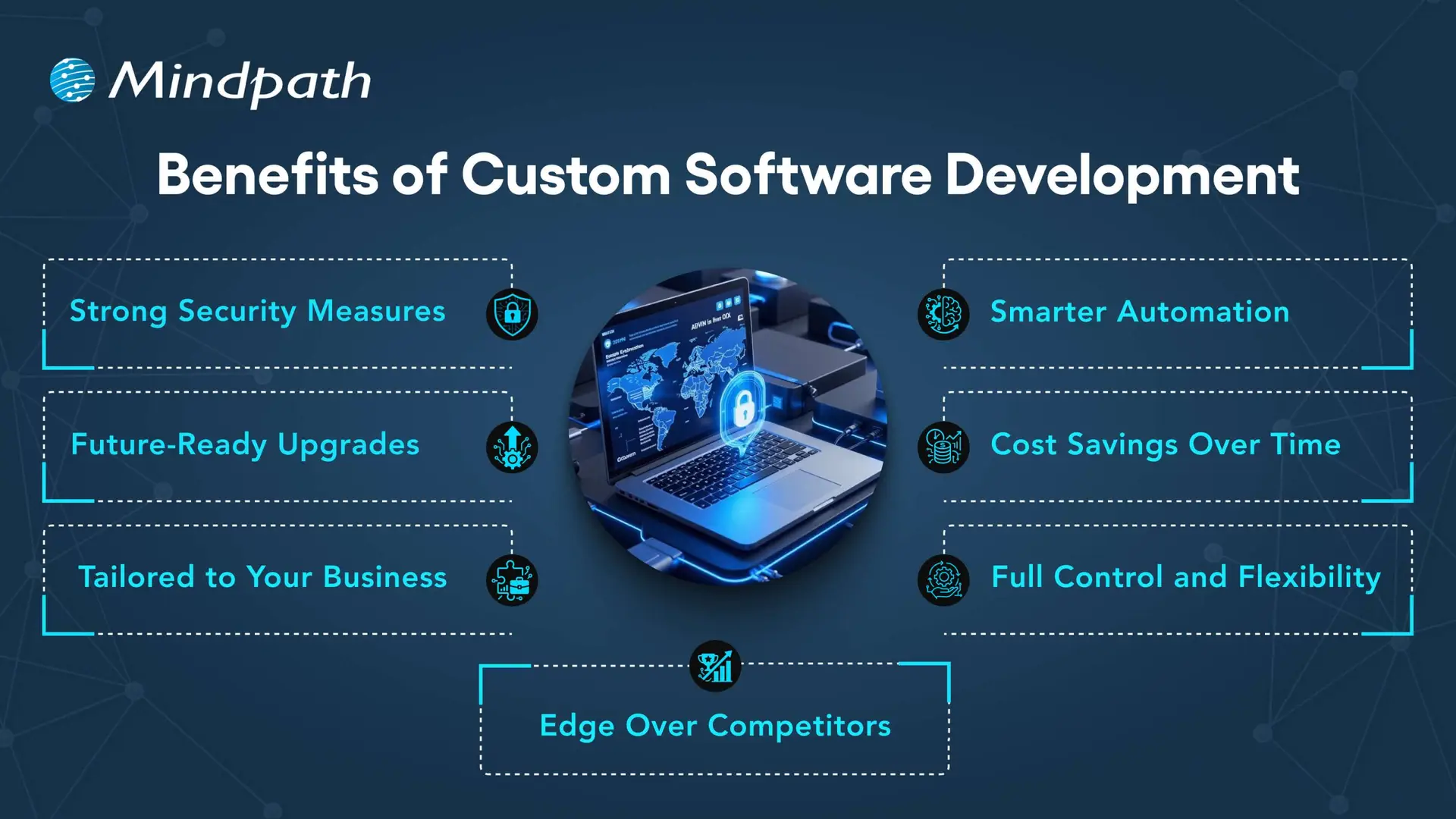
1. Strong Security Measures
Every day, businesses deal with the threat of crime, and good protection is necessary. With custom solutions, businesses can create the security features that fit their unique needs.
2. Smarter Automation
Repetitive work that wastes time is unnecessary. Automated workflows make everything more efficient, giving teams more time to focus on innovative opportunities.
3. Future-Ready Upgrades
Technology will continue to change, and existing systems are often outdated. A custom solution is easy to upgrade, so businesses can stay up to date.
4. Cost Savings Over Time
It’s common to think of generic tools as the less costly option, but they come with hidden costs. A custom-built system can expand with the business and reduce your long-term costs.
5. Tailored to Your Business
Every company has its own workflows, and off-the-shelf, one-size-fits-all tools rarely truly fit. Custom software design considers workflows and goals to create solutions tailored to specific needs.
6. Full Control and Flexibility
Companies have the decision on how their software evolves. From additional feature requests to maintenance, a company is in control of all aspects of software.
7. Edge Over Competitors
To be different, you need unique solutions. Custom software development allows companies to create custom tools that enhance their efficiency and develop stronger customer relationships.
Curious how businesses are building world-class software teams without geographical limits? Explore how our offshore software development can deliver skilled talent and cost-effective solutions.
Step-by-Step Custom Software Development Process
Custom software development has a well-defined process to deliver the best quality product. Using the proper methodology, a custom software development process business makes certain that everything is completed to specific objectives for each project. Here is the process:
1. Requirements and Planning
The process begins with identifying and researching the client’s needs to lay the right framework. The team documents goals, scope, and technology decisions in order to have a clear foundation. During this clarity stage, teams quickly put together custom-made software with a common understanding.
2. UX/UI & System Design
Once they define the requirements, designers and architects start creating wireframes, prototypes, and system architecture for the solution. They start defining the database structure, user experience (UX), and technical workflow in order to ensure everything flows and goes according to plan. Designers create all custom software to be easy to use, scalable, and low-risk.
3. Development Execution
Developers write code based on the approved design and requirements. They develop using agile and best practices and build the functional modules incrementally. Organizations will receive reliable solutions designed to promote their long-term success.
4. Testing & Quality Assurance
Testing validates both functional and performance on devices, platforms, and use cases. Testers perform unit, integration, and regression tests to detect any issues as soon as possible. This step guarantees quality standards in custom software development solutions before delivery.
5. Deployment & Continuous Support
Once testing verifies quality, the team deploys the software on-premises or in cloud environments. The team will continually provide updates, fixes, and improvements to help maintain the effectiveness of the system. We will perform a continuous improvement process to generate value and to prolong the entire application lifecycle.
Concerned about risks that could slow down your custom software build? Explore the major custom software development mistakes that can disrupt progress and find out how to avoid them.
Key Factors to Consider When Building Custom Software
When it comes to building a custom piece of software, it’s more than just writing the code. It’s important to pay attention to the factors that drive the success and make sure your software aligns with your vision of the future in your business.
1. Build vs Buy Decision
Evaluate if building from scratch or buying ready-made solutions best supports your custom software development goals.
2. In-House Team or Outsourcing
Choose between in-house development and outsourcing based on expertise, resources, and project scope.
3. Right Development Methodology
Select the right approach, like Agile or Waterfall, to match your project’s complexity and goals.
4. Focus on User Experience
Design software with intuitive navigation, usability, and efficiency to boost adoption
5. Scalability and Future Growth
Plan for growth by ensuring the custom software development solution can scale easily as your business expands and technology evolves.
Trying to understand the common pitfalls in creating custom software? Check out our blog to learn the essential custom software development dos and don’ts that every business should follow for a smooth process.
Ready to Transform Your Business with Custom Software?
Custom software development continues to be the core driver of innovation, growth, and competitive advantage. By focusing on tailored solutions, businesses overcome unique challenges, streamline operations, and stay prepared for the future. With the right approach, companies build systems that scale seamlessly, improve efficiency, and deliver long-term results in today’s fast-moving digital world.
Partnering with a trusted custom software development company gives you access to expert guidance, advanced technologies, and proven strategies. At Mindpath, our custom software development services empower businesses to create secure, scalable, and future-ready solutions. From strategy to execution, we ensure every step adds measurable value, helping organizations achieve their vision with confidence and clarity.

Think about the potential of AI in business strategy, accelerating your organization with enhanced insights and improved decisions. Imagine having intelligent tools to assess complex data, identify unseen patterns, and let your team have more freedom to genuinely innovate and grow. By adopting the right mindset, companies today are giving themselves a true competitive advantage with AI and changing every aspect of their operations daily.
This intelligent technology is helping companies find new opportunities, create more relevant customer experiences, and briskly adapt to changes in market needs. Embedding artificial intelligence benefits organizations to yield positive results. When used prudently, AI becomes a trusted partner in increasing efficiencies and establishing long-term, viable success.
In this article, you will learn about how AI can transform your strategy and scale your business. Let’s dive in!
Want to enhance your business strategy with artificial intelligence? Mindpath AI development services have a combination of providing strategic insights with hands-on expertise to provide intelligent growth across your organization.
What is an AI Business Strategy?
A business strategy is like an explicit blueprint that directs a company toward its goals. It answers important questions about where a business wants to go, how it plans to get there, and what makes it different from the rest of the marketplace. A clear strategy helps everyone understand the overall objective of the business and keeps colleagues headed in the right direction while working together.
Bringing AI into the plan strengthens the marketing strategy. An artificial intelligence strategy or AI strategy for business growth means using artificial intelligence to better facilitate your business objectives. This could mean improving customer service, making more effective decisions with your data, or even many other entirely distinct initiatives. The aim is to leverage smart tools to execute better, smarter, faster, while staying ahead of your competition.
Also Read: AI in E-Commerce
Benefits of an AI Business Strategy
Having an AI business strategy can open up new opportunities and make your company more competitive. Here are some key benefits that show why investing in AI is worth it:
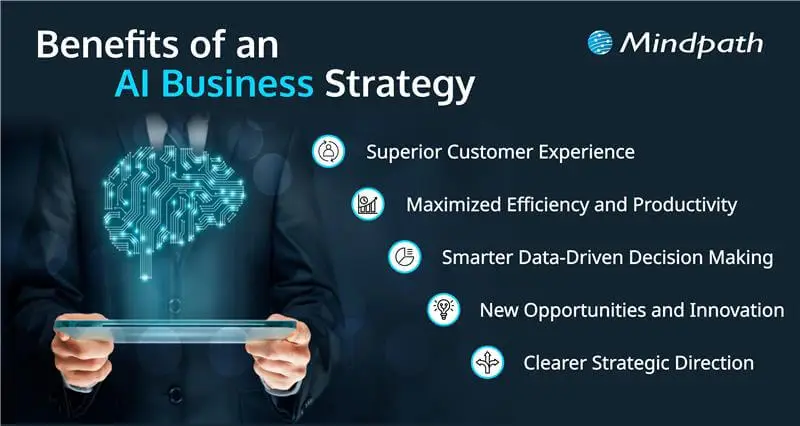
1. Maximized Efficiency and Productivity
AI can take care of repetitive work, so teams can spend more time on creative ideas and solving problems. It makes daily tasks easier and quicker, which improves workflow in every department. By spotting delays and gaps in processes, AI helps companies get things done faster. This boost in productivity helps businesses stay competitive. Companies can do more with less time and effort when using AI in business.
2. Smarter Data-Driven Decision Making
Using AI in business helps leaders make better decisions based on real data. AI tools can study huge amounts of information and find trends or risks that people might miss. This means managers can act faster and with more confidence. Predictive tools even help businesses see what customers might want next. Smart decision-making is key to staying ahead in a changing market.
You can learn more about how AI can transform decision-making in our guide, Power of AI in Decision-Making.
3. New Opportunities and Innovation
AI encourages companies to try new ideas and find fresh ways to earn money. It supports innovation by helping teams develop new products or enter new markets. With AI, companies can test different ways to work and reach more people. This can create new income streams and keep a business strong in tough markets. Staying open to new ways of working keeps the company growing.
4. Superior Customer Experience
AI for customer service makes it easier to understand what customers like and want. Businesses can offer more personal services, like tailored suggestions or special offers. Chatbots and AI tools give customers quick answers, anytime they need help. This keeps people happy and more likely to come back. Good customer service is always important, and digital transformation with AI makes it even better.
5. Clearer Strategic Direction
AI business strategies help companies plan for the future with clear data. Teams can set better goals because they know what is working and what needs to be changed. AI tools keep an eye on the market and help businesses adjust plans when needed. This makes it easier to stay on track even if things shift. A strong strategy backed by AI keeps everyone moving in the same direction.
How to Build an AI Business Strategy?
Building an AI business strategy takes careful planning and clear goals. Here are some practical steps to help you get started the right way:
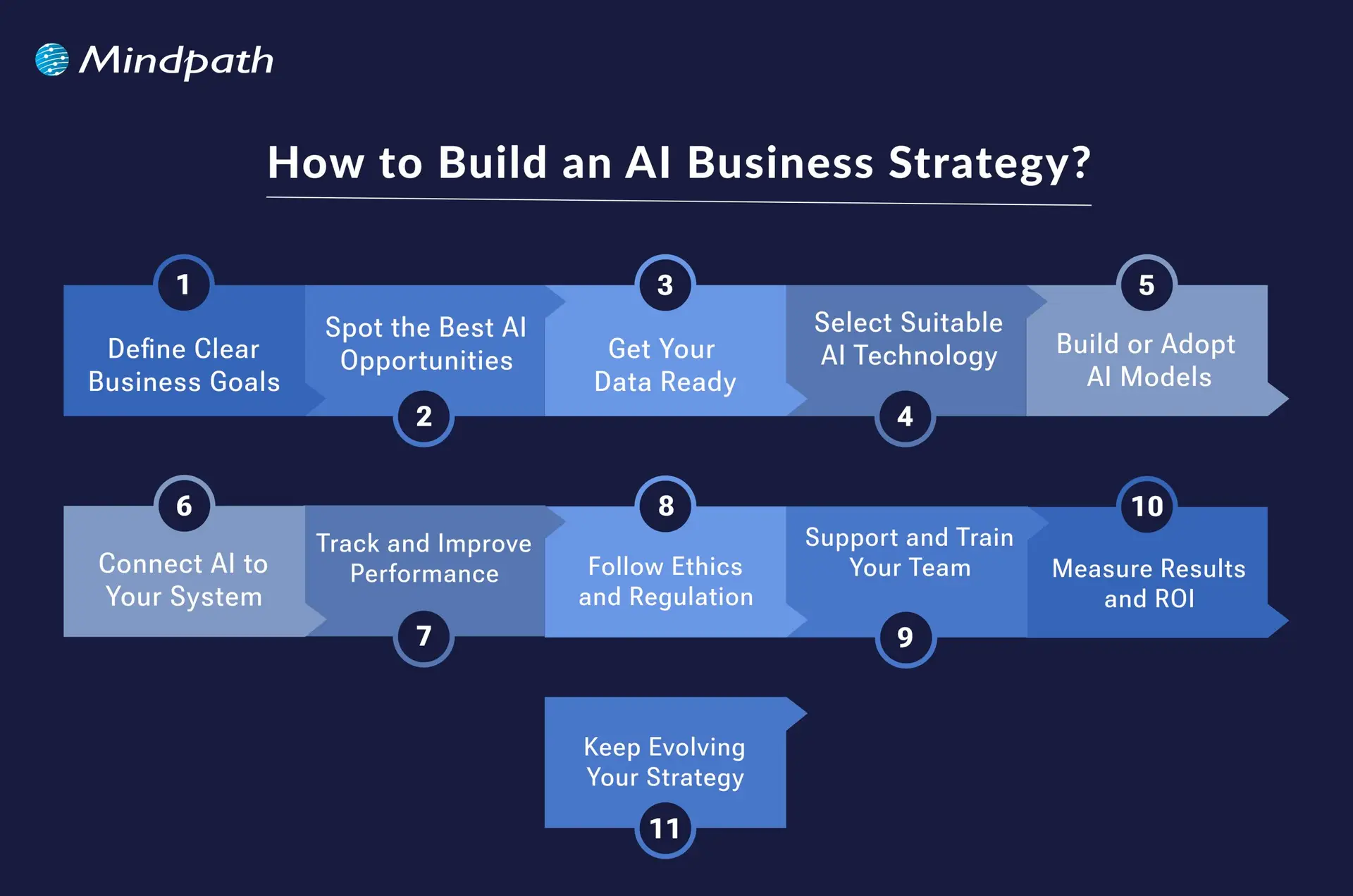
1. Define Clear Business Goals
Start by deciding what you want to achieve with AI, like increasing sales, lowering costs, or improving customer service. Clear goals strategized by the expert AI consultant help you focus your efforts where they matter most. Knowing what you want makes it easier to pick the right AI tools later. A strong direction keeps your entire team aligned and motivated.
2. Spot the Best AI Opportunities
Look at your daily operations and see where AI can add the most value. This might be in customer support, marketing, supply chain, or product development. Finding the right areas will help you get quick wins and build confidence. Prioritizing these areas makes your investment more effective.
3. Get Your Data Ready
Good data is the foundation for AI success. Collect useful data from different parts of your business and make sure it’s accurate and well-organized. Clean and reliable data will help your AI tools work properly. Better data means better insights and fewer errors down the road.
4. Select Suitable AI Technologies
Explore the AI tools that match your goals and the type of data you have. This could include machine learning, chatbots, or automation software. Choose technologies that are practical and align with your strategy. Pick tools that your team can actually use and manage well.
5. Build or Adopt AI Models
Develop AI models that fit your business needs, either with your own experts or trusted partners. Some companies build custom models, while others use ready-made solutions. Test your models to make sure they perform well in real-world situations. Good models help you solve problems faster and smarter.
Ready to adopt the recent AI trends into your business? Read our detailed blog on Top AI trends, which provides a deeper understanding of how to implement AI into your business for future growth.
6. Connect AI to Your Systems
Make sure your new AI tools work smoothly with your current software and workflows. This may need teamwork between IT, data, and business teams. Good integration helps people use AI with less hassle. Seamless systems keep operations running without major disruptions.
7. Track and Improve Performance
Keep an eye on how your AI strategy is working post-implementation. Use regular checks to fix any issues and update the system with fresh data. A little maintenance keeps your strategy useful and accurate over time. Monitoring helps you spot new opportunities for improvement too.
8. Follow Ethics and Regulations
Think about the rules and responsibilities that come with using AI. Protect customer privacy and make sure your AI solution doesn’t create unfair bias. Stay up to date with local and international laws. Acting responsibly builds trust with customers and partners.
9. Support and Train Your Team
Help your team learn how AI fits into their work. Offer training so they feel comfortable using new tools and workflows. Encourage them to ask questions and share feedback. Well-trained employees make AI adoption smoother and more effective.
10. Measure Results and ROI
Decide which numbers will show if AI is really helping your business. This might be cost savings, higher sales, or better customer feedback. Keep tracking these results over time to see progress. Proving ROI makes it easier to get support for future AI projects.
11. Keep Evolving Your Strategy
Treat your AI business strategy as a work in progress. Keep testing, learning, and improving how you use AI as your goals change. Regular updates keep you competitive in a fast-changing market. A flexible approach helps you make the most of every opportunity.
Planning to leverage the power of artificial intelligence, understanding the technologies that drive it has become a crucial advantage. To dive deeper into the tools and technologies behind AI innovation, explore our detailed guide on the AI programming languages.
Ready to Transform Your Business with AI?
Adopting AI in business strategy helps your company make smarter choices, improve operations, and deliver better customer experiences. By understanding your goals and using AI wisely, you can drive innovation and stay ahead of the competition. Start with clear steps, keep learning, and stay flexible. This approach ensures that AI becomes a real advantage for your business growth.
At Mindpath, our AI development services are designed to help you unlock real results with confidence. We create solutions that match your unique needs, from custom AI models to smooth system integration. Our team works closely with you to ensure your strategy delivers value today and in the future. Let’s build an AI-powered roadmap for your success.
Frequently Asked Questions
1. How can small businesses start using AI without a huge budget?
Small businesses can begin with simple AI tools like chatbots, automated emails, or data analysis platforms. Start with one business problem instead of changing everything at once. Many affordable AI solutions today are scalable, making it easier to grow gradually without large upfront investments.
2. What challenges do companies usually face when adopting AI?
The biggest challenges are poor data quality, lack of skilled teams, and unclear business goals. Some companies also struggle with employee resistance to change. Proper planning, training, and choosing the right AI partner can make adoption much smoother and more successful.
3. How long does it take to see results from an AI strategy?
The timeline depends on the type of AI solution and business goals. Some companies notice improvements in productivity and customer support within a few months. Larger AI transformations may take longer, especially when they involve multiple departments and system integrations.
4. Can AI replace employees completely in business operations?
AI is designed to support employees, not completely replace them. It handles repetitive tasks and data-heavy work so teams can focus on creativity, strategy, and customer relationships. Businesses that combine human skills with AI usually achieve better results than relying only on automation.
5. How do businesses know if their AI strategy is actually working?
Businesses should track measurable outcomes like cost savings, faster processes, customer satisfaction, or increased sales. Regular performance reviews help identify what is working and what needs improvement. A successful AI strategy should create visible value for both the business and its customers.

Did you notice how quickly the business environment is shifting for small enterprises? Business owners are seeking better ways to operate their business, acquire customers, and outpace the competition. That is where the role of emerging technology for small businesses becomes crucial. These technologies are no longer considered unattainable, but they are important considerations in your daily routine. If you’re trying to understand how to keep up with the pace, you’re already on the right path.
This transition isn’t merely an upgrade of tools. It’s a change in how small businesses think, plan, and grow. Through artificial intelligence, automation, and cloud services, these technologies are evolving the way companies can more efficiently make the moves toward enhanced workflows, laterally engage new markets, and leverage a better use of resources. What once seemed complex or expensive is now easier to adopt and use. In this blog, we’ll look at how these emerging technologies are shaping a stronger and smarter future for small businesses.
Adopting the right technologies can be challenging for small businesses. At Mindpath, we provide IT Consulting Services that help small and growing businesses harness emerging technologies.
Importance of Emerging Technologies for Small Businesses
Emerging technologies in business are becoming very important for small businesses that want to grow and stay competitive. These tools help small teams work faster, reduce costs, and serve customers better. These technologies make everyday tasks easier and help businesses manage more with less effort. For small businesses, this means saving time, avoiding manual errors, and focusing more on customer needs and business goals.
As the market keeps changing, small businesses must keep up with new trends and tools. Using the right technology helps improve service, increase profits, and make smarter decisions. It also helps small businesses compete with larger companies by giving them the same tools to operate smoothly and efficiently. In today’s fast-moving world, using the right technologies is a good idea and important for growing and staying successful.
Want to stay ahead in a rapidly evolving business landscape? Discover how digital transformation for businesses enables small businesses to adopt emerging technologies and unlock new growth opportunities.
Impact of Emerging Technologies on Small Businesses
The future of small businesses is being shaped by constant changes in technology. As digital tools become more advanced, the impact of emerging tech on local businesses is becoming harder to ignore. Here are some key areas where this shift is starting to make a difference.
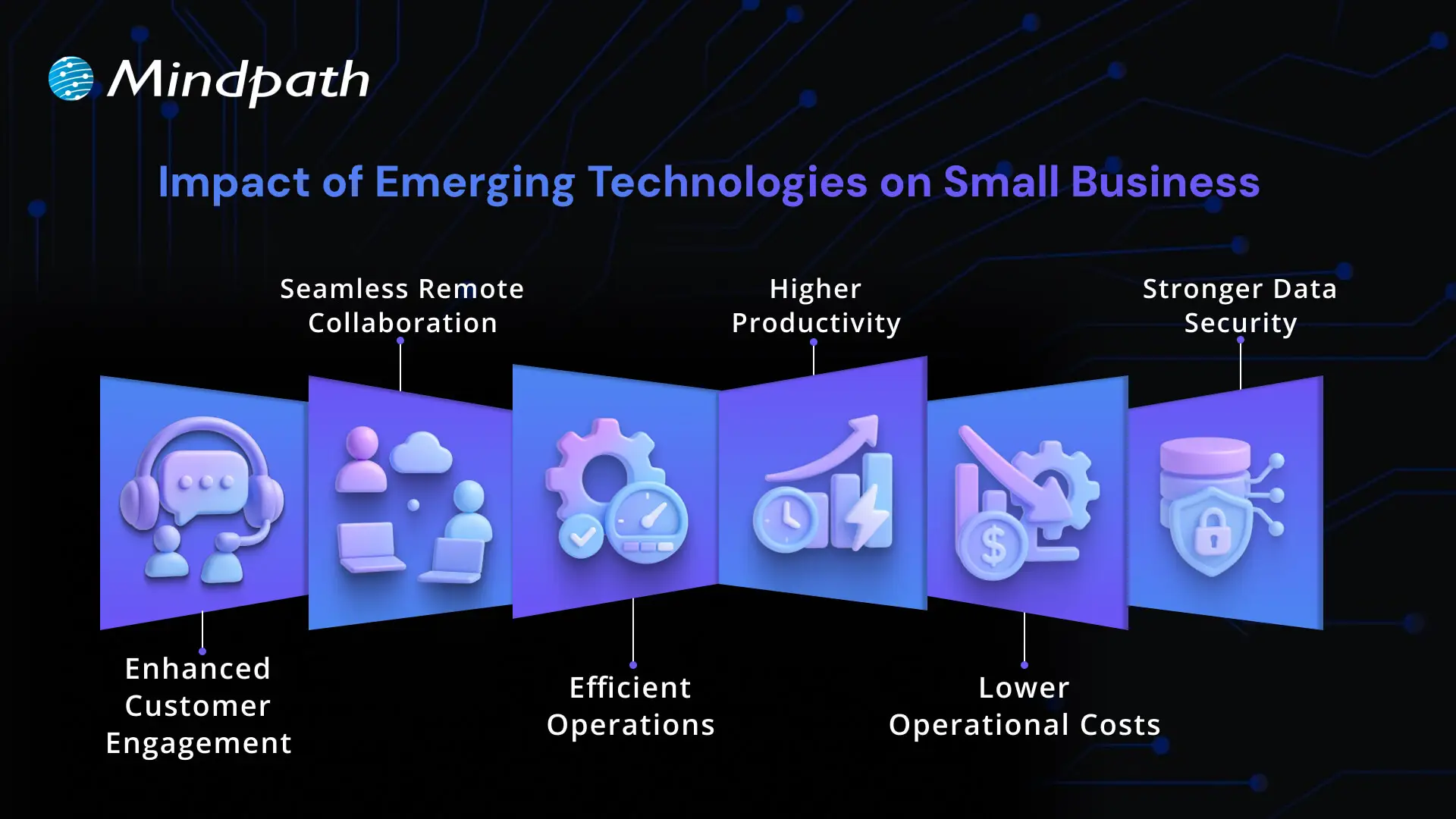
1. Enhanced Customer Engagement
Emerging technologies for small businesses are changing how they talk to their customers. Tools like live chat, easy websites, and chatbots help give quick answers. These tools also help businesses know what their customers like or need. This builds stronger trust and long-term relationships.
2. Seamless Remote Collaboration
Digital transformation for small businesses makes it simple for teams to work from different places. Online tools help people talk, share work, and stay connected. This solves the problem of working across locations. It keeps everyone on the same page and helps the business run better.
3. Efficient Operations
New technology helps small businesses work better every day. Tools like AI and cloud systems reduce the time spent on manual tasks. This means fewer errors and quicker results. Emerging technologies for small businesses help manage operations smoothly and save time.
4. Higher Productivity
How technology is changing small businesses can be seen in faster and more efficient work. New tools help track inventory, manage customers, and understand buying habits. This improves decision-making and cuts down on mistakes. Businesses save time and get better results.
5. Lower Operational Costs
New tech helps small businesses save money and stay efficient. Automation tools reduce extra work and help finish tasks quickly. Online platforms for sales and support are more affordable now. This helps businesses grow while using fewer resources.
6. Stronger Data Security
Small businesses worry about keeping customer data safe. With new tech tools like secure cloud storage, that’s easier to do. These tools help prevent online threats and protect payment details and private information. This keeps the business and its customers safe and confident.
Curious how AI can give your small business a competitive edge? Learn about the Future of AI and how emerging technologies are reshaping growth, efficiency, and innovation for businesses like yours.
Top Emerging Technologies for Small Businesses
Emerging technologies in business are opening new opportunities for small companies to grow, compete, and serve their customers better. Here are some of the top technologies that are helping small businesses work smarter and achieve more:
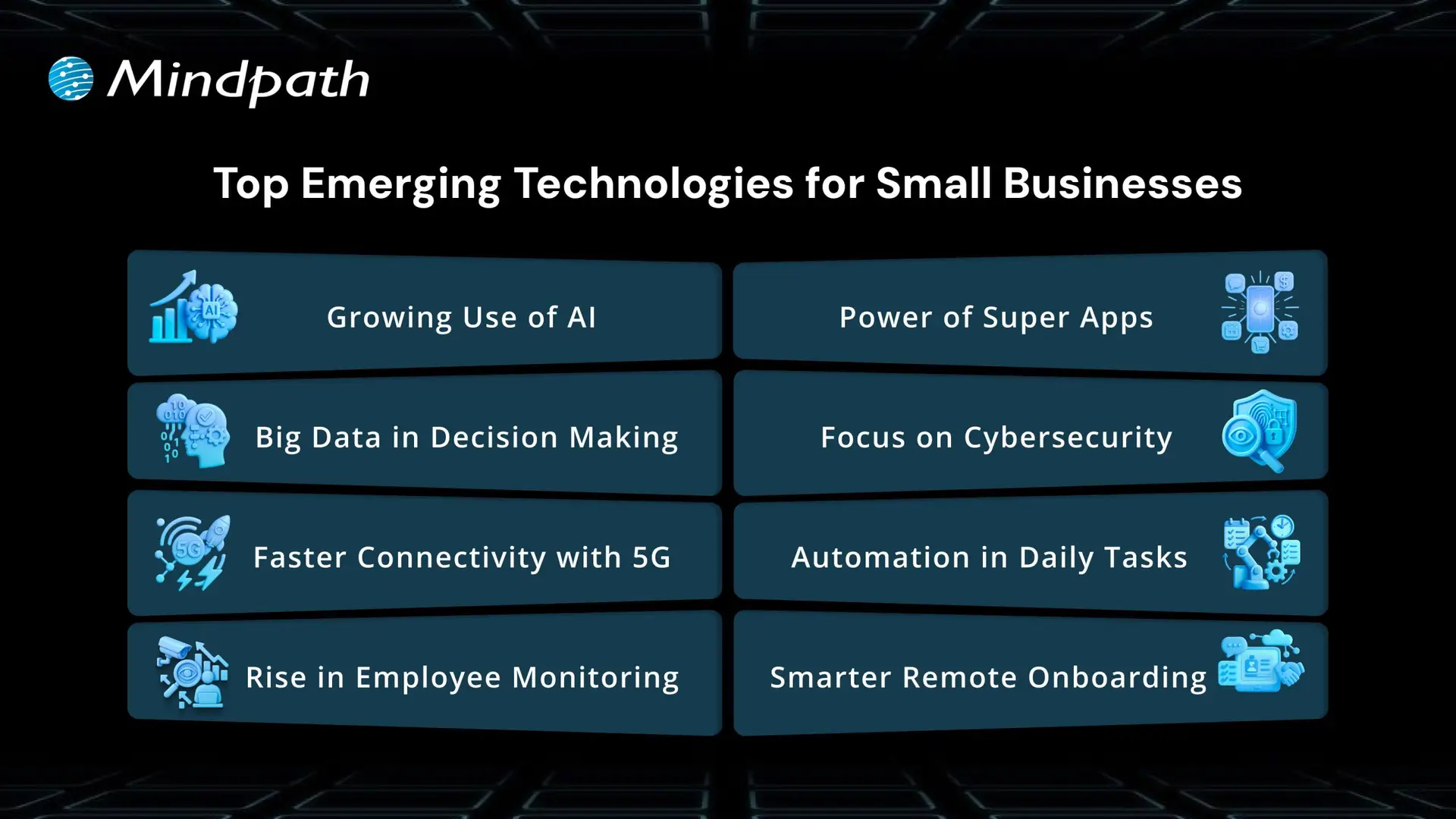
1. Growing Use of AI
AI for small businesses is becoming easier to use and more helpful. It’s already improving customer service, reducing errors, and saving time in industries like retail and insurance. Businesses are seeing a quick return on their AI investments through features like chatbots and fraud detection. This highlights how AI for customer services and other emerging technologies are making small business operations more affordable and practical.
2. Big Data in Decision Making
Big data is helping small businesses understand their market and make better decisions. Many companies are already seeing increased profits through the use of data tools. This shows that data is not just for large enterprises anymore. Small businesses can now use insights to improve planning and stay ahead.
3. Faster Connectivity with 5G
5G brings faster data, less delay, and better connections for devices. It helps small businesses use more smart tools and supports the growing number of IoT devices. As 5G becomes more available, small businesses can expect smoother communication and faster service. This will push emerging technologies for small businesses into more areas of daily work.
4. Rise in Employee Monitoring
As hybrid work grows, more companies are using employee monitoring software. It helps track productivity and improve communication between remote teams. With higher demand since the pandemic, businesses now rely on these tools to manage their teams better. These systems are becoming a core part of small business technology trends.
5. Power of Superapps
Superapps combine many tools into one, helping businesses manage tasks more easily. They solve problems like software not syncing and reduce wasted time. Small businesses can benefit from apps that handle messaging, scheduling, and customer data all in one place. This kind of smart unification improves efficiency and teamwork.
6. Focus on Cybersecurity
Many small businesses still believe they won’t face cyberattacks, but the risk is growing fast. New threats require better protection for data and systems. By leveraging AI in cybersecurity, businesses can detect threats faster, respond more effectively, and strengthen their overall security posture. More businesses are now focusing on backup plans and stronger security tools. Acting early helps avoid major problems later.
7. Automation in Daily Tasks
More businesses are turning to automation to reduce workload and save money. It helps with tasks like pricing, inventory, and customer service. Even with fewer workers, companies can still run smoothly and meet their goals. Automation is becoming a must-have for efficiency and smart growth.
8. Smarter Remote Onboarding
Remote onboarding is now a key step for hiring and welcoming new team members. Businesses are using technology to make new hires feel connected and supported. Software helps introduce the company culture and build the right relationships. This helps companies keep talent and improve their team experience from day one.
Looking to scale your tech capabilities without breaking the budget? Learn about the key benefits of hiring remote developers and how they can help small businesses adopt emerging technologies faster and smarter.
Power Your Business Growth with Smart Tech
The future belongs to small businesses that move with change. By adopting emerging technologies for small businesses, you work smarter, cut waste, and serve customers better. These tools help you compete, make faster decisions, and grow with confidence. What once felt out of reach is now practical, scalable, and ready for you to use as you plan the next step.
Mindpath helps you turn tech goals into real progress. Our team guides your choices, sets up the right tools, and trains your people to use them well. We focus on clear steps, measurable results, and support that grows with you. Let’s map your priorities and launch changes that deliver value fast for lasting growth and stronger customer results in practice.
DevOps trends are evolving rapidly, helping businesses improve workflows and deliver value faster. Whether you’re managing a tech team or scaling operations, staying updated on the latest DevOps practices is essential for long-term success.
Finding the answer to this question involves understanding the trends that affect how we run businesses in the real world. DevOps best practices today are designed to bring automation, cloud-native tools, or security-first approaches to solve the problems we face in modern situations.
Being aware of what’s meaningful and useful can help your team be more effective while accelerating time to market. In this blog, we will examine key trends and look at how they can create real results for your organization.
As businesses embrace DevOps in 2026, the need for expert guidance becomes crucial. At Mindpath, our DevOps Consultation & Implementation services ensure organizations can adopt the right strategies and technologies to stay competitive.
Understanding DevOps: A Quick Dive-in
DevOps is a software development approach that brings development and IT operations teams together to improve collaboration, automate tasks, and deliver software faster. It helps businesses identify issues early, streamline workflows, and improve efficiency.
With DevOps, teams collaborate across coding, testing, deployment, and maintenance. Automation reduces manual errors, while integrating security throughout the development process helps protect applications. This approach enables businesses to release reliable software faster while maintaining system stability and security.
Here are some of the benefits that DevOps can offer:
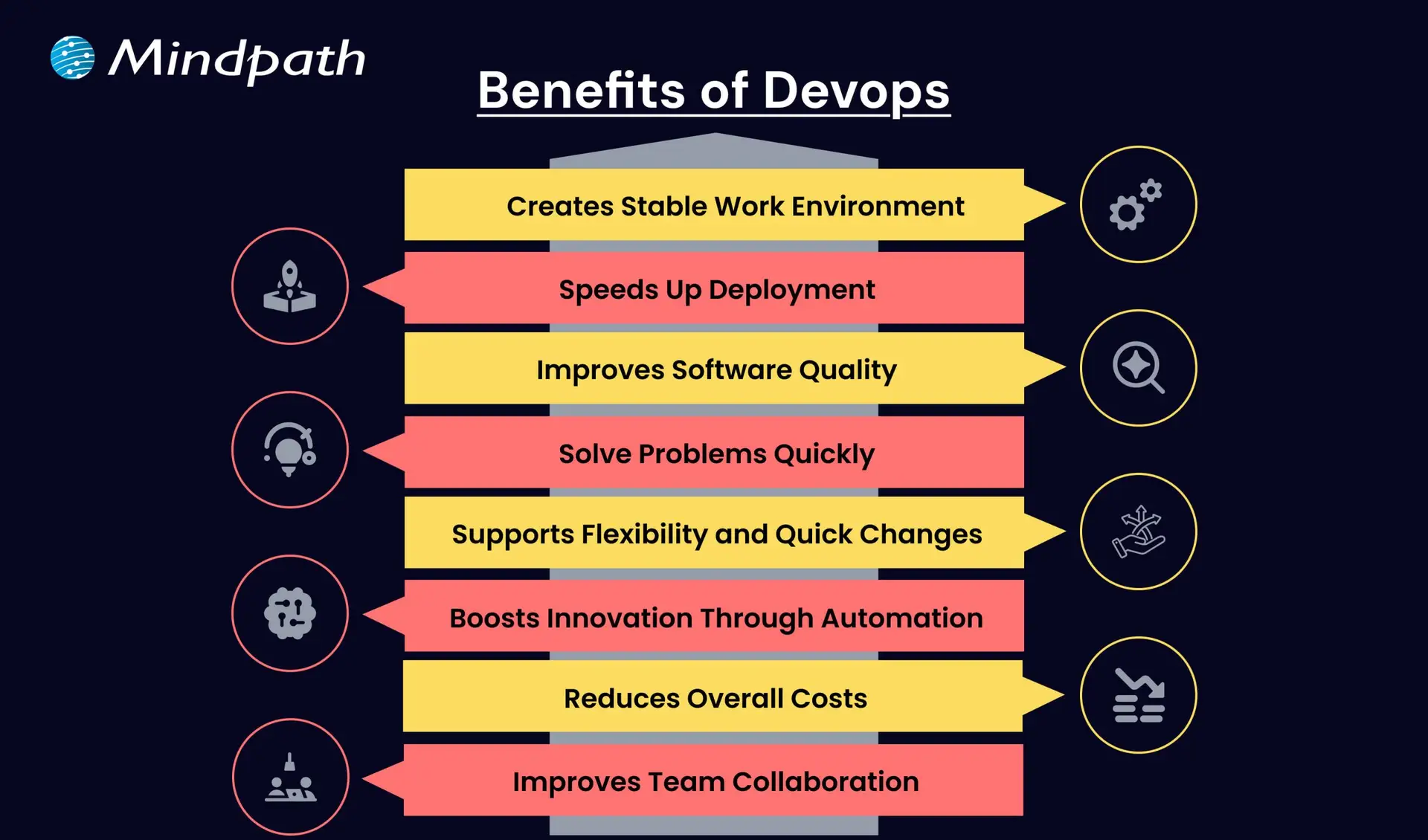
1. Creates a Stable Work Environment
DevOps helps teams handle changes easily without stress. It brings a better balance to daily work and keeps operations running smoothly.
2. Speeds Up Deployment
DevOps allows faster software releases with fewer delays. This helps businesses deliver new features quickly and stay ahead in the market.
3. Improves Software Quality
With regular testing and feedback, DevOps helps catch bugs early. Teams can focus on creating better products with fewer errors.
4. Solve Problems Quickly
DevOps uses monitoring tools to spot issues fast. Smaller and frequent updates make fixing problems easier and more reliable.
5. Supports Flexibility and Quick Changes
DevOps builds a flexible work style where teams can respond to change easily. It helps businesses adapt to market needs faster.
6. Boosts Innovation Through Automation
By reducing manual tasks, DevOps gives teams more time for new ideas. This leads to faster improvements and better products.
7. Reduces Overall Costs
DevOps combines tasks and reduces the need for rework. This saves time, uses resources better, and cuts down project costs.
8. Improves Team Collaboration
DevOps encourages better teamwork and shared goals. Clear communication between teams leads to faster decisions and stronger results.
Aiming to enhance operational efficiency and reduce development risks? Check out our blog on DevOps Challenges and Solutions to discover proven approaches that improve performance, stability, and cross-team cooperation.
Top DevOps Trends 2026
As technology continues to evolve, companies are rethinking how they build, test, and deliver software. DevOps trends for businesses in 2026 show a clear shift toward smarter tools, stronger collaboration, and faster delivery. By following the latest DevOps transformation strategies, organizations can stay ahead and build systems that are both efficient and future-ready.
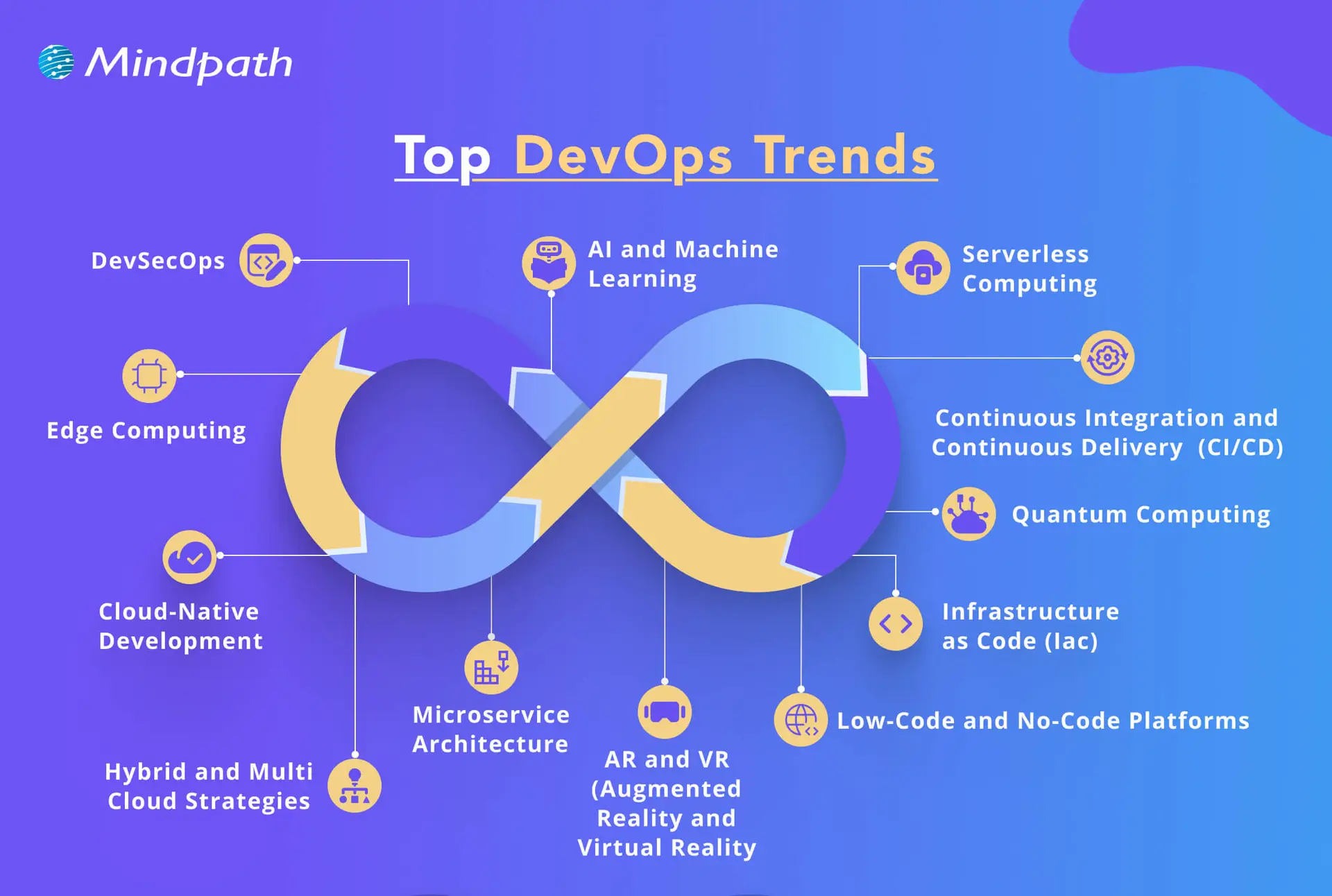
1. DevSecOps
DevSecOps is becoming a key part of DevOps innovation, where security is built into every stage of the development process. Instead of adding security at the end, teams now include it early to catch risks before they grow. This trend helps businesses create safer applications by using automated testing and continuous monitoring within the DevOps workflow.
2. AI and Machine Learning
AI and machine learning is one of the latest DevOps trends, helping teams work faster and smarter. These technologies support intelligent monitoring, find unusual behavior in systems, and give early warnings before issues grow. By using data to guide decisions, DevOps teams can improve system performance and reduce downtime.
3. Serverless Computing
Serverless computing is becoming a popular trend in DevOps for business success because it removes the need to manage servers. It allows teams to focus only on writing code, which speeds up development and reduces overhead. This approach also helps businesses save costs by using resources only when needed, making operations more efficient.
4. Continuous Integration and Continuous Delivery (CI/CD)
Continuous Integration and Continuous Delivery (CI/CD) is a key DevOps trend that helps teams deliver software faster and with fewer errors. It allows developers to regularly merge code changes, test them automatically, and deploy updates smoothly. This approach improves software quality and supports a steady flow of new features to users.
5. Infrastructure as Code (IaC)
Infrastructure as Code is a growing trend that helps teams manage infrastructure through written code instead of manual steps. It ensures consistency across development, testing, and production, reducing errors and saving time. As one of the leading DevOps tools and technologies, it allows automated setup and easy tracking of changes in infrastructure.
6. Microservices Architecture
Microservices architecture is a DevOps approach where an application is built using many small, separate services. Each service handles a specific function and can be updated or scaled on its own without affecting the rest of the system. This makes the software more flexible, easier to manage, and better at handling changes or failures.
7. Cloud-Native Development
Cloud-native development is a modern way of building applications that fully uses the power of cloud computing. It is one of the key DevOps trends helping businesses create software that can easily grow, move, and adapt to changing needs. By using containers and microservices, teams can build flexible and efficient systems that are ready for fast updates and smooth scaling.
8. Edge Computing
Edge computing is a growing part of modern DevOps trends that focuses on processing data close to where it is created. This reduces delays and improves the speed of applications by handling data locally instead of in a central server. It also helps save bandwidth and supports real-time decision-making, making systems faster and more efficient.
9. Hybrid and Multi-Cloud Strategies
Hybrid and multi-cloud strategies are important DevOps trends that give businesses more flexibility and control over their cloud usage. By using services from different cloud providers, teams can choose the best tools and features for each task. This approach improves performance, reduces risk, and avoids being tied to one provider.
10. Low-Code and No-Code Platforms
Low-code and no-code platforms are shaping the future of DevOps by making application development easier and faster. These tools allow non-developers to build and launch apps with simple interfaces, helping teams save time. By handling basic tasks through these platforms, developers can focus on more complex work and boost overall productivity.
11. Quantum Computing
Quantum computing is an emerging part of DevOps trends with the potential to solve complex problems much faster than traditional systems. Although still in the early stages, it may one day help teams handle advanced computing tasks more efficiently. As the technology grows, it could bring powerful new capabilities to DevOps in areas like testing, simulation, and optimization.
12. AR and VR (Augmented Reality and Virtual Reality)
Augmented Reality and Virtual Reality are becoming new DevOps trends that support better training, simulation, and team collaboration. These technologies create realistic, hands-on experiences that help teams learn and solve problems more effectively. AR and VR also improve remote teamwork by making interactions more engaging and productive.
Looking to combine fast DevOps practices with automated security checks? Check out our blog on DevOps vs DevSecOps to understand how DevSecOps adds proactive, automated safeguards to every stage of your pipeline.
Is Your Business Ready to Benefit from the Latest DevOps Trends?
DevOps trends continue to shape how businesses grow through faster delivery, better collaboration, and smarter tools. Staying updated helps teams move quickly, improve software quality, and remain competitive in a rapidly changing market. By understanding and applying these trends, companies can build stronger systems and create real value with every software release.
At Mindpath, we offer expert DevOps services that help businesses streamline processes, boost collaboration, and deliver software faster. Our team uses modern tools and proven strategies to support automation, cloud-native development, and continuous delivery. Contact us and we’ll guide you through each stage with clear planning, smooth implementation, and reliable support tailored to your business goals.


React is one of the most powerful and useful JavaScript libraries that developers around the world are using to build amazing web applications. ReactJS allows developers to create fast, interactive user interfaces for websites and apps, and has even improved their workflows. When you have the intention to progress your skills or improve your existing projects, a React roadmap can help you navigate what to learn next. Rather than blindly choosing where to begin and what is most important, a roadmap allows you to advance in your learning with confidence and real intent.
React trends in 2026 are expanding forward with new capabilities such as server components, rendering methods, and development tools, to make learning React more valuable for new and expert users. Seeing how to use your time wisely and knowing what you may look at for a specific reason helps to save you time, but also helps to make modern applications. In this blog, you will discover a step-by-step process of learning, which can simplify mastering and using React in a project. Let’s get started!
If you’re planning to leverage React in your next project, our ReactJS development services can help you in creating modern, scalable web applications meeting your business goals.
Need for React Roadmap
It’s essential to have a clear learning plan when starting with React. A ReactJS roadmap for beginners allows you to learn complex subjects such as JSX, components, state, and hooks by breaking these subjects down into smaller, more manageable pieces. Having step-by-step tasks gives you a foundation and keeps a focus on what matters. Instead of doing random tutorials every day, you have a learning path that makes sense and keeps your learning organized and flowing.
With new features and developments coming in the future of React, it’s good to be prepared. Having a React developer roadmap can give you a path of what you can learn and when you can learn it. This can help you eliminate confusion and wasted time. Roadmaps can often have actual projects where you actually perform them as a learning experience. This kind of experience will only help you to grow and develop your learning experience and skills, but it will also keep you motivated because you are able to see your progress clearly on your journey!
Planning to improve user engagement and deliver smoother interactions on your platform? Learn how the benefits of ReactJS development services help businesses create more responsive apps.
Key Concepts to Master Before Learning ReactJS
Before diving into React, it’s helpful to understand some core web development concepts that make learning smoother and more effective. These basics form the starting point of any React roadmap and give you the confidence to build with React efficiently.
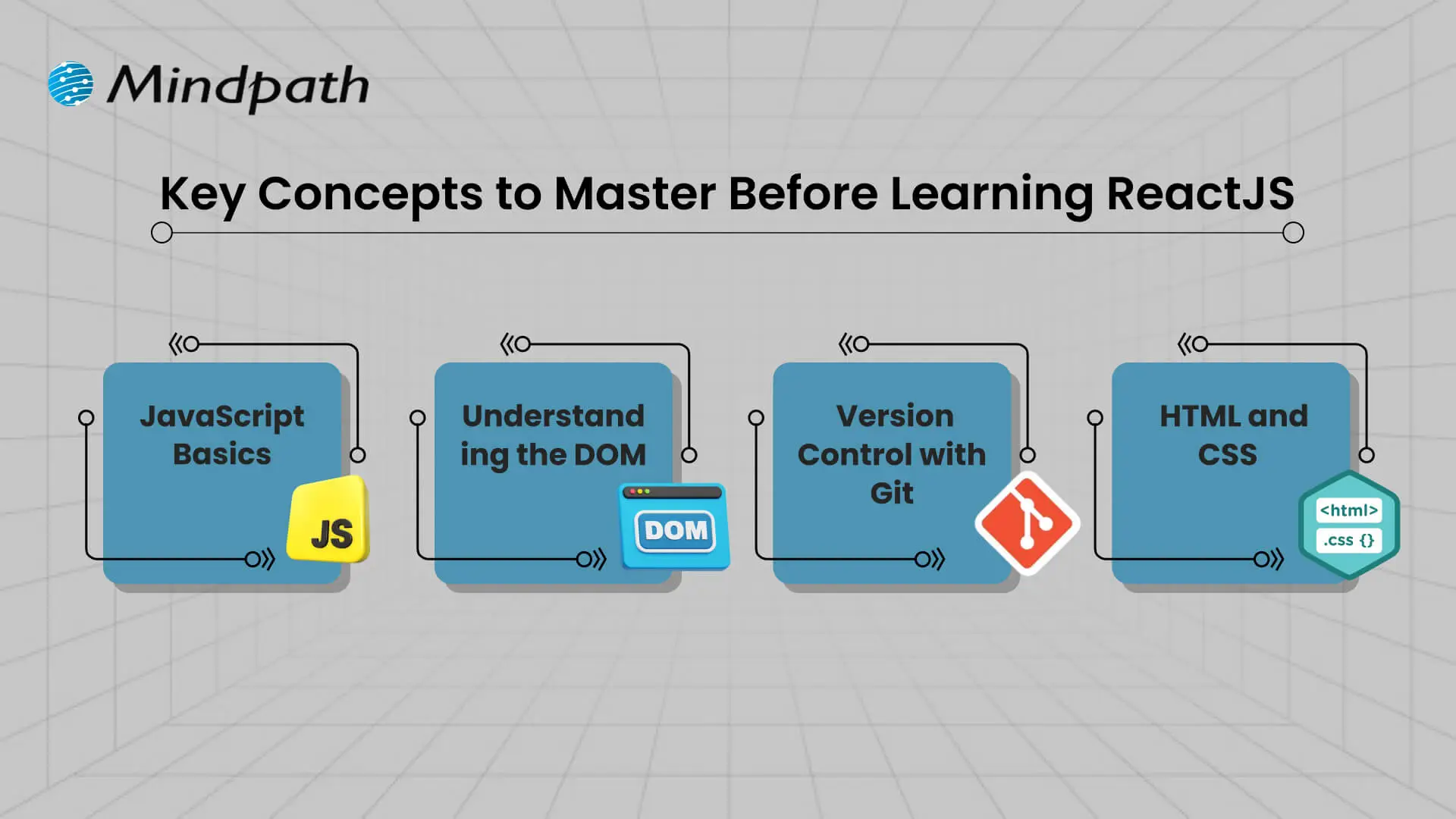
1. JavaScript Basics
It is important for you to understand variables, functions, arrays, and objects in JavaScript. These are the building blocks for the logic and data in React.
2. Understanding the DOM
It is important for you to understand what the browser is doing in terms of displaying things and changing things via the DOM. React uses the DOM structure to show on the screen and make changes to it easily and efficiently.
3. Version Control with Git
It is important for you to understand how to track and manage your changes in your projects, via version control, specifically with Git. It is a vital part of a real-world React application, especially when working with a team.
4. HTML and CSS
Learning the fundamentals of HTML for structuring web pages and CSS for styling them is important. Understanding layouts related to flexbox or grids is necessary for developing responsive user interfaces in React.
Curious to identify which technology aligns best with your development team’s strengths? Read about the practical implications of choosing React vs Vue for your business projects.
ReactJS Roadmap 2026
To become a skilled React developer in 2026, it’s important to follow a clear and practical learning path. This React tutorial, based on the latest ReactJS roadmap 2026, will guide you through the key topics to focus on at each stage of your journey.
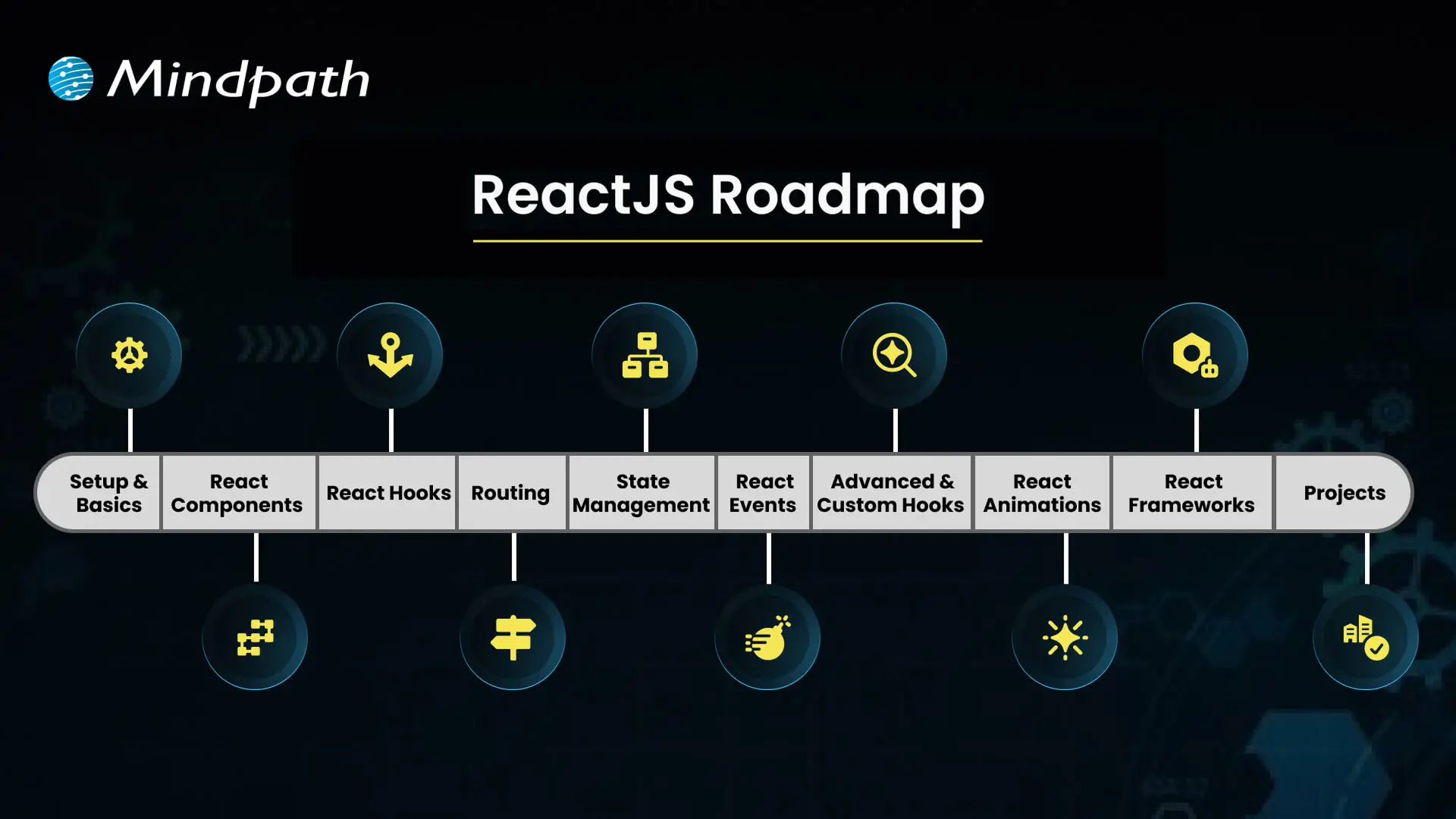
1. Setup & Basics
Start by setting up your environment with tools like Node.js and npm to begin working with React. Learn how JSX works and how it allows writing HTML-like code inside JavaScript, which is essential in any React roadmap.
2. React Components
Understand the structure and role of components, which form the UI of any React application. Functional components, props, and state are core parts of this architecture, making them a key focus in the front-end roadmap.
3. React Hooks
Hooks let you use features like state and lifecycle in functional components without writing classes. Mastering built-in hooks such as useState, useEffect, and useContext is crucial in any modern React Roadmap.
4. Routing
Routing allows smooth navigation between pages in single-page applications using tools like React Router. It enhances user experience by loading components based on the URL, as commonly seen in apps.
5. State Management
State holds the data that drives your UI and updates the app when changes. Techniques like React Context API and Redux help manage local and global states effectively within your project.
6. Event Handling
React handles user actions such as clicks, form submissions, and scrolls through event handlers. Learning how to work with these events improves interactivity and responsiveness in your application.
7. Advanced & Custom Hooks
Explore patterns like component composition, higher-order components, and custom hooks to reuse complex logic. These advanced topics align with current React trends and best practices.
8. React Animations
Animations create smooth transitions and improve the user experience using tools like Framer Motion or React Spring. These libraries offer a flexible way to add motion to your interface.
9. React Frameworks
Explore frameworks built on top of React, such as Next.js and Gatsby, that enhance app performance and SEO. These tools are often mentioned in ReactJS blogs for speeding up development.
10. Projects
Apply what you learn by building real-world applications that solve problems and test your skills. Project-based learning is a major part of the React tutorial approach and strengthens your understanding of concepts in the JavaScript roadmap.
Looking for ways to improve user engagement and overall app performance? Read the top reasons to choose ReactJS for app development and see why it’s preferred by many leading businesses.
Ready to Start Your React Journey?
Following a structured React roadmap helps you learn React with purpose and confidence. This blog covered everything from the basics to advanced tools and trends that matter in 2026. By focusing on key concepts, building projects, and staying updated, you’ll be better prepared to grow as a skilled React developer in today’s fast-moving web world.
This React roadmap is just the beginning. At Mindpath, we bring these React concepts to life through modern and scalable solutions built by expert developers. Our ReactJS development services align perfectly with what you’ve explored in this blog, delivering clean architecture, smart component reuse, and performance-focused interfaces that work seamlessly across devices. Let us help you turn learning into real results through expert-driven development.
Imagine this: your company is moving so fast, but your off-the-shelf software can’t keep pace. There are bottlenecks in your processes, your teams are slowing down, and your customers can feel the gulf. Here’s where the custom software development benefits can make a difference. You get tools that will be designed and built for your business goals. No extra features that you don’t need, and no limits that constrain you. It’s like you’re developing a system that scales with your growth, not against it. It’s smart, flexible, and designed for your journey.
As more organizations acknowledge the value of custom technology, businesses are increasingly demanding custom solutions to meet their specific requirements and functionality. Custom software solutions enable consistency and quality for your operational tasks, enhance the experience for your customers, and increase productivity for your team. Unlike off-the-shelf software, which offers limited flexibility and options for your business, custom solutions not only evolve with your organization but can reduce loss of time and expense in the long run. The benefits are real and tangible. In this blog, we will examine the top ten benefits of custom software development for growing businesses.
At Mindpath, our custom software development services are designed to help growing businesses build scalable, secure, and high-performing software solutions.
What is Custom Software Development?
Custom software development is the process of designing, building, deploying, and maintaining software solutions specifically tailored to a business’s unique requirements. Unlike off-the-shelf software sold to a wide audience, custom solutions are built from scratch to adapt to your exact workflows, rather than forcing your business to adapt to the software. A custom-built solution helps overcome specific challenges, streamline important processes, and exceed business goals. The overall process includes planning, designing, developing, testing, deploying, and maintaining to ensure long-term continued use.
Interestingly, Grand View Research reports substantial growth in the custom software development market. According to the reports, its market value was USD 43.16 billion in 2024, and it is projected to grow to USD 146.18 billion by 2030 at a CAGR of 22.6%, from 2025. This growth in market size represents an increase in demand for digital solutions that are flexible and designed for the unique needs of organizations. The enterprise software segment represented over 60% of the market, while cloud deployment comprised 57%, all showing a movement toward systems that can be scaled and accessed remotely. Large enterprises made up more than 60% of the total revenue in the market.
Top 10 Benefits of Custom Software Development
Picking the right software that meets the needs of your business is becoming increasingly important. If you are considering custom software development benefits for businesses, here are some of the greatest advantages that make it a brilliant and future-proof solution.
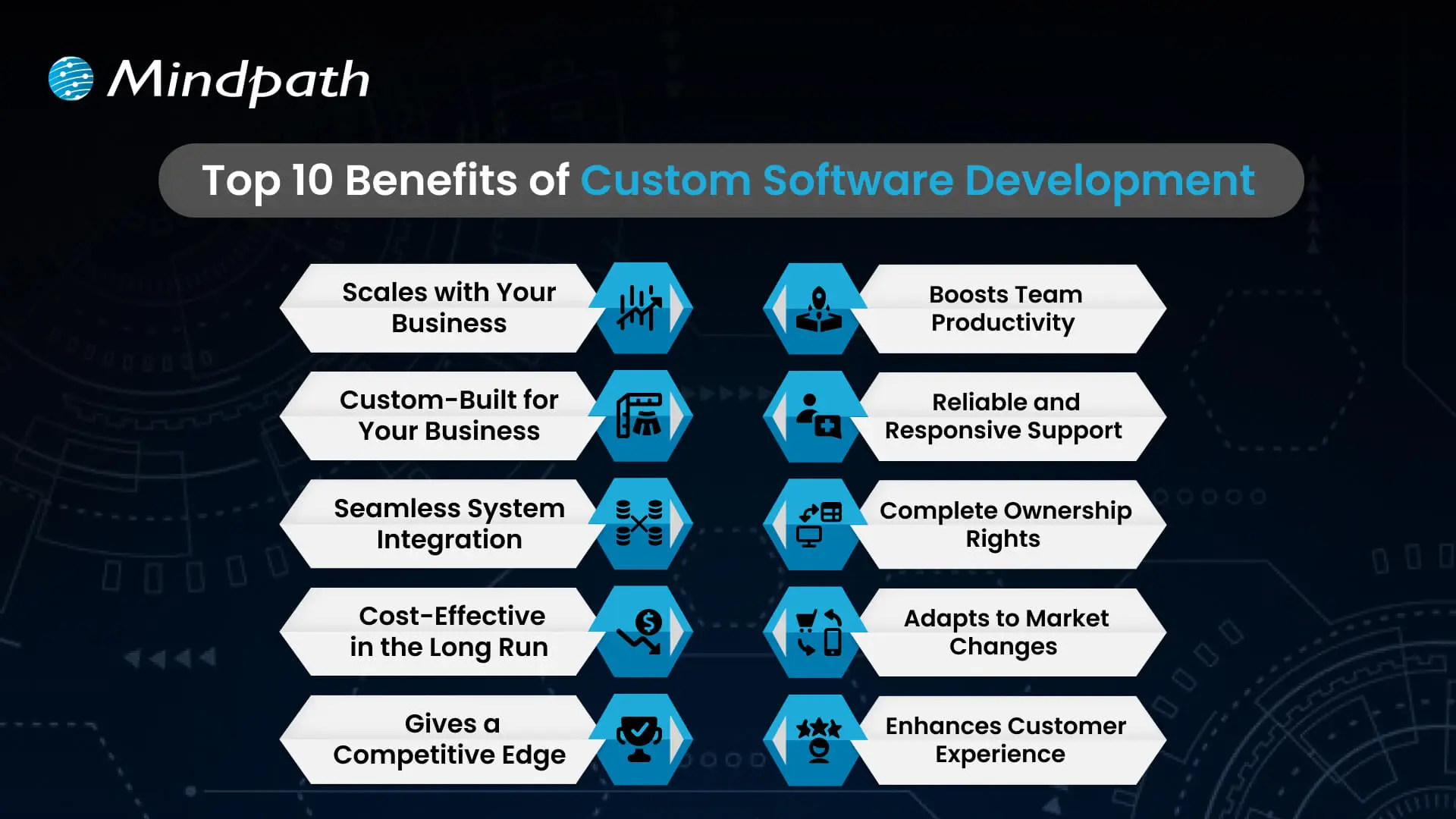
1. Scales with Your Business
One of the important custom software development benefits is that it grows as your business expands. Whether you open new locations or add services, customized software can easily adapt to your changing needs. It removes the limitations of ready-made tools that often require costly upgrades. With flexible and scalable features, your software stays aligned with your business goals.
2. Custom-Built for Your Business
Custom software is designed to match your specific workflows, goals, and daily operations. It helps avoid the inefficiencies that come with generic tools that don’t align with how you work. From logistics to finance, every feature is built to support what your business truly needs. This leads to better performance, less waste, and smoother processes across teams.
3. Seamless System Integration
Custom software works smoothly with your current tools and platforms. It helps different systems share data without the need for manual updates. This reduces errors and saves time across departments. The result is a more connected and efficient business operation.
4. Cost-Effective in the Long Run
A major custom software development benefit is reduced long-term costs. Unlike off-the-shelf tools, there are no ongoing license fees or expensive upgrades. You pay for what your business needs, and it stays efficient as you grow. Over time, this leads to better value and lower total cost of ownership.
5. Gives a Competitive Edge
Using custom software for a small business helps you create unique features that set you apart from others. It allows you to offer better user experiences and services tailored to your audience. This can increase customer loyalty and build a stronger brand. Staying ahead with the right technology gives your business a clear competitive advantage.
Wondering what it really takes to develop software that perfectly aligns with your business’s unique needs and goals? Explore the detailed custom software development process to see how thoughtful steps provide smooth execution and successful outcomes.
6. Boosts Team Productivity
Custom software streamlines your workflows by removing repetitive tasks and simplifying daily operations. It helps each team work faster and with fewer errors. When tools are designed for specific roles, employees can focus more on results than on fixing problems. This leads to better performance and a more efficient workplace.
7. Reliable and Responsive Support
With custom software, you get direct support from the team that understands your system inside out. This ensures quick responses and accurate fixes when issues arise. This custom software development benefits results in reduced downtime and improved reliability. Your business stays on track with expert help tailored to your specific setup.
8. Complete Ownership Rights
With custom software, your business has full control over features, updates, and improvements. You don’t have to rely on outside vendors or wait for scheduled upgrades. You can make changes anytime to match your growing needs. This gives you the freedom to make fast decisions and stay in control.
9. Adapts to Market Changes
Custom software allows your business to respond quickly when market demands shift. You can add new features or make changes without delay. This helps you stay competitive and meet customer expectations in real time. Being able to adapt fast keeps your business strong and relevant.
10. Enhances Customer Experience
Custom software allows you to create features that match your customers’ needs, making their experience smoother and more personal. This leads to higher satisfaction and stronger customer loyalty. It lets you design every interaction to reflect your brand and serve your audience better. It turns regular experiences into memorable ones that keep customers coming back.
Trying to understand the common pitfalls in creating custom software? Check out our blog to learn the essential custom software development dos and don’ts that every business should follow for a smooth process.
Looking to Build Software That Fits Your Business?
Custom software brings real value by helping your business grow, cut costs, and work more efficiently. It supports your goals with flexible tools that fit how you operate. Every custom software development benefit contributes to improving your team’s workflow and customer experience. Choosing the right solution now means fewer challenges and better results in the future.
At Mindpath, we offer expert custom software development services tailored to your business. As a trusted custom software development company, we build tools that match your goals and grow with you. From design to long-term support, our team works closely with you to deliver strong, flexible, and reliable solutions that keep your operations smooth and ready for the future.
Whenever you are creating a tailored solution for your business, it is very important to clearly understand how the development process will be structured. The custom software development process clearly guides you in turning your ideas into a usable working solution. Every step matters – from understanding the requirements, conceptualizing the software, determining the specifications, and creating software that supports your goals. You will get to know what is to come, how teams will work together, and what to expect at every step as your project moves forward in purpose and clarity.
A thorough comprehension of how this process works gives you a better sense of clarity and confidence as you engage with the project. You will be able to understand each phase clearly and watch your vision come together step by step. Upon having this understanding, it is very easy and clear to collaborate with your development team. In this blog, you’ll go through the whole process and will understand how the custom software will come to life, step by step.
At Mindpath, we offer custom software development services to turn your vision into reality by guiding you through every step. Contact us today for a solution that turns your ideas into real-world project.
Importance of Custom Software Development for Businesses
Custom software development is valuable because it provides businesses with tools made solely for them. Unlike off-the-shelf software, custom software solutions fit unique business requirements and methods. This leads to improved performance, increased efficiencies, and better results. It also minimizes unnecessary rework, saving time and money, and allowing companies to be more efficient overall.
Custom software is scalable with your business. You will be able to add features or alter functionality based on your requirements. This adjustable system uniquely supports a company’s long-term goals and puts you ahead of your competitors. Custom software solutions offer a better experience for both the user and employees, which supports increased productivity and satisfaction.
Understanding the Custom Software Development Process
It is essential to know about the process to be followed prior to starting a software project. By getting familiar with the software development process steps, you can be an active participant and an advantageous decision-maker throughout the project. By understanding the process, you will also ensure value delivery by building software with clear goals, planning, and execution.
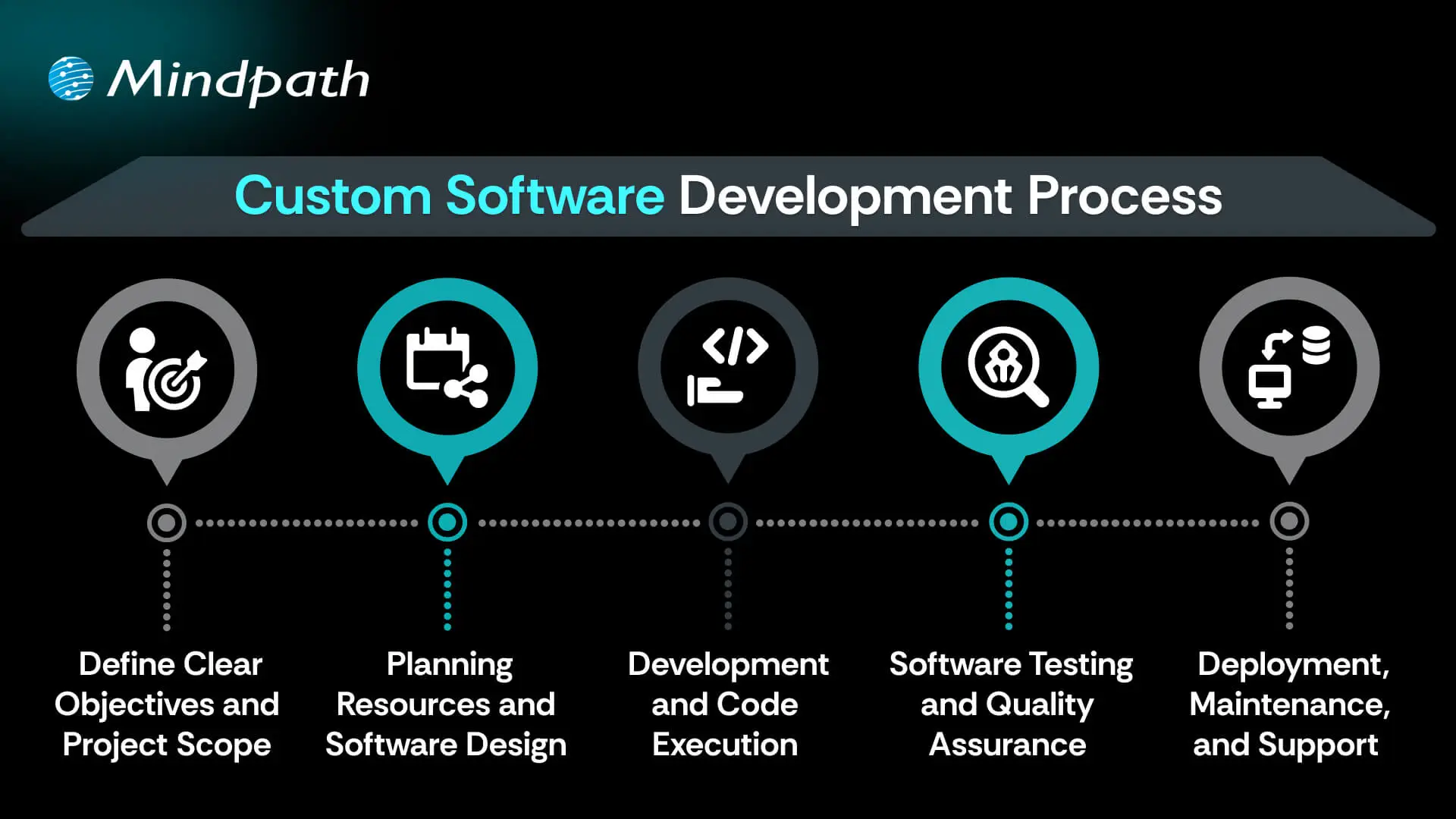
1. Define Clear Objectives and Project Scope
The custom software development process begins by defining your goals and understanding what the software must achieve. This includes identifying the target users, the problem it solves, and how it should perform differently from existing tools. A detailed list of features and expected outcomes is prepared. Both functional and non-functional requirements are clearly documented. This step sets the direction and purpose for everything that follows.
2. Planning Resources and Software Design
Planning involves creating a detailed timeline, setting milestones, and organizing resources for development. Budgets, risks, and deliverables are clearly outlined to avoid delays or extra costs. During software development design, wireframes and prototypes are created to visualize the interface and user flow. The architecture is also planned, including system components and how they will interact. Technologies such as programming languages, frameworks, and databases are chosen here.
3. Development and Code Execution
At this point in the custom software development process, the programmers will begin the actual coding based on the approved designs. The developers will prepare technical infrastructure with tools, servers, and version control. The front-end, back-end, and database modules are built and integrated together. Each piece of software functionality is developed based on the description created in the design documents. The functionality is translated into active, live software with working features to start testing.
Curious how software functions seamlessly from the user interface to the server? Explore the role of frontend and backend to understand how both sides work together to deliver smooth, secure, and engaging digital experiences.
4. Software Testing and Quality Assurance
After the software is developed, it will go through a series of testing strategies to check for quality and reliability. The first step, or unit testing, will cover each feature and try to eliminate some early problems. Then the following step, called integration testing, will check the work of modules and ensure they work as a system. Once that’s complete, the next phase is system testing, which ensures all performance, security, usability, and reliability aspects are achieved and validated prior to the release of the product.
5. Deployment, Maintenance, and Support
In the final step of the custom software development process, the solution moves to a live environment for end users. The deployment may include installing the software on servers, setting up databases, and giving users access. After launch, the software is continuously monitored for issues. Maintenance includes fixing bugs, adding new features, and updating it for better performance. Ongoing support keeps the software running smoothly over time.
Concerned about risks that could slow down your custom software build? Explore the major custom software development mistakes that can disrupt progress and find out how to avoid them.
Real-World Examples of Customized Software
Below are six real-world customized software examples that demonstrate how businesses are navigating unique challenges by investing in custom software to create a digital solution. These tools have been developed to improve usability, performance, and long-term sustainability.
1. Uber
Uber constructed a custom ride-booking system complete with GPS tracking, so you know where your ride is located, secure payment options, and updates on the driver’s progression. The app shifted transportation in cities globally.
2. Netflix
Netflix utilizes AI-based recommendation engines and adaptive streaming systems to provide an overall personalized viewing experience through a fully custom platform.
3. Amazon
Amazon uses custom software to manage inventory, predict customer preferences, and allow one-click ordering for a fast and reliable purchasing experience.
4. Airbnb
Airbnb built a custom platform for travelers to pay securely, check real-time availability, and search by location for hosted accommodations around the globe.
5. Tesla
Tesla uses customized software for its smart vehicles to drive the autopilot capabilities, over-the-air updates, and real-time diagnostics to enable sophisticated performance.
6. Starbucks
Starbucks utilizes a custom application to allow customers to mobile order, encrypt reward tracking, and offer options for contactless payments, making the product experience more convenient and helping to cultivate loyalty.
Curious how different kinds of software are built to serve unique business and user needs? Discover the various types of software development to understand how each one contributes to creating powerful digital solutions.
Ready to Create Software That Aligns with Your Business?
Custom software development is the process of creating digital solutions that fulfill your specific business goals. From clarifying your vision to deploying the software and providing ongoing support, every step of the official custom software development process undergoes proper plan and execution. The final outcome of custom software typically entails better efficiency, enhanced experiences for users, and long-term growth through technology that suits your needs.
As a premier custom software development company, we at Mindpath specialize in providing full-spectrum custom software development services that suit your specific business. Our team expertly develops scalable, secure, and simple solutions that integrate well into your workflows and future goals. Partner with us to turn your ideas into powerful, high-performance software built for results.