Home

Key Benefits of Agile Methodology Every Business Should Know

Key Benefits of Agile Methodology Every Business Should Know

Join our Newsletter!

Benefits of agile methodology

Approaching software development without a flexible mindset can often result in delays and stress. This is where the benefits of agile methodology come into play. Agile allows a team to react quickly to change, provide value continuously, and maintain common goals. Agile fosters teamwork, quick delivery, and incremental updates. If you ever find that you are constantly feeling stuck or that things are moving too slowly, then Agile can provide a steady flow that will keep things moving forward and adjust its plans accordingly.

Agile offers structure while maintaining flexibility. Project work is broken down into smaller bits and allows for feedback and change along the way. This helps keep developers, testers, and clients engaged through the process. People can track progress more easily and receive results faster. Agile doesn’t just focus on completing tasks, but on building something useful at every step. This blog highlights some of the primary benefits of Agile that many of today’s teams prefer to embrace.

Explore how custom software development services using agile methodologies elevate your business performance. Reach us at Minpath, and we will provide expert guidance to you every step of the way.

What is Agile Methodology?

Agile methodology is an adaptive and collaborative method of software development based on the principles set forth in the values of the Agile Manifesto. Agile focuses on teamwork, the ability to adapt, continuous improvement, and the delivery of working software in small, manageable pieces. An agile team is self-organized and can adapt quickly to changes during the development life cycle. So, what is the main objective of agile methodology? It is to be responsive and provide value more quickly.

Agile focuses on helping teams select tools and techniques for their goals rather than abiding by a single standardized process. Each project can look a little different, but they all follow the same Agile principles by planning in short iterative cycles, soliciting feedback, and adjusting from there. Ultimately, Agile allows teams to deal with uncertainty during a project in order to improve at every turn.

Types of Agile Methodologies

Agile provides several methodologies that adhere to its fundamental principles; however, they differ in structure and practice. Each is intended to foster teamwork, speed, and flexibility in its own unique way.
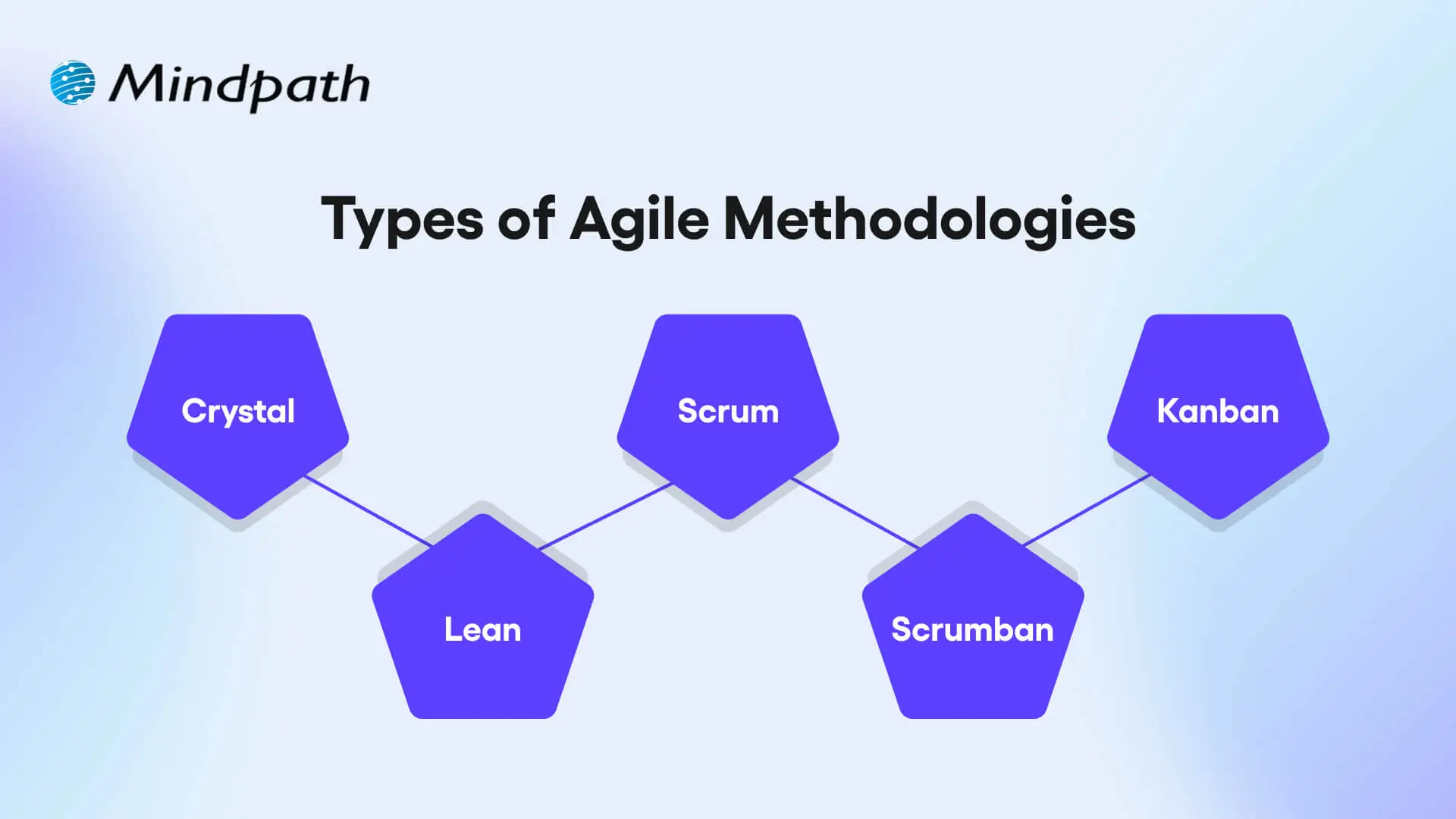
Types of Agile Methodologies

1. Crystal

Crystal is a lightweight agile methodology that encourages rapid delivery of working software, communication with customers, reducing risks, and frequent releases. It is flexible with respect to team size and project complexity, and it promotes collaboration and communication to improve team and customer feedback.

2. Scrum

Scrum is a prescribed agile framework that arranges work into fixed-length sprints, which allow the team the opportunity to inspect how much work was done so far and adjust based on that. The goal is to enhance visibility, facilitate some level of collaboration consistently, and have continuous improvement as the team works through it with prescribed roles and ceremonies.

3. Kanban

The kanban approach is concerned with delivering work continuously and has a strong lean focus on improving the process. The visual workflow helps teams find bottlenecks, work on reducing cycle times, and allows managing work to be simplified using boards and cards.

4. Lean

Lean focuses on maximizing customer value by eliminating waste and improving efficiency throughout the development process. It supports fast delivery, strong team collaboration, and quick response to feedback.

5. Scrumban

Scrumban fuses the structured planning of Scrum with the visual task management of Kanban to allow flexible value-based delivery. It is an adaptable and process-focused method that allows teams to incorporate regular updates, rapid releases, clear task ownership, and adaptability as project needs change.

Wondering how Agile practices fit into the bigger picture of building high-impact web applications, our web app development roadmap outlines the full step-by-step journey from planning to deployment.

Top Benefits of Agile Methodology

Agile provides a modern approach for the management of software projects, which is focused on flexibility, collaboration, and rapid delivery. Here are some important agile software development benefits that aid teams in creating better products with better timeliness.
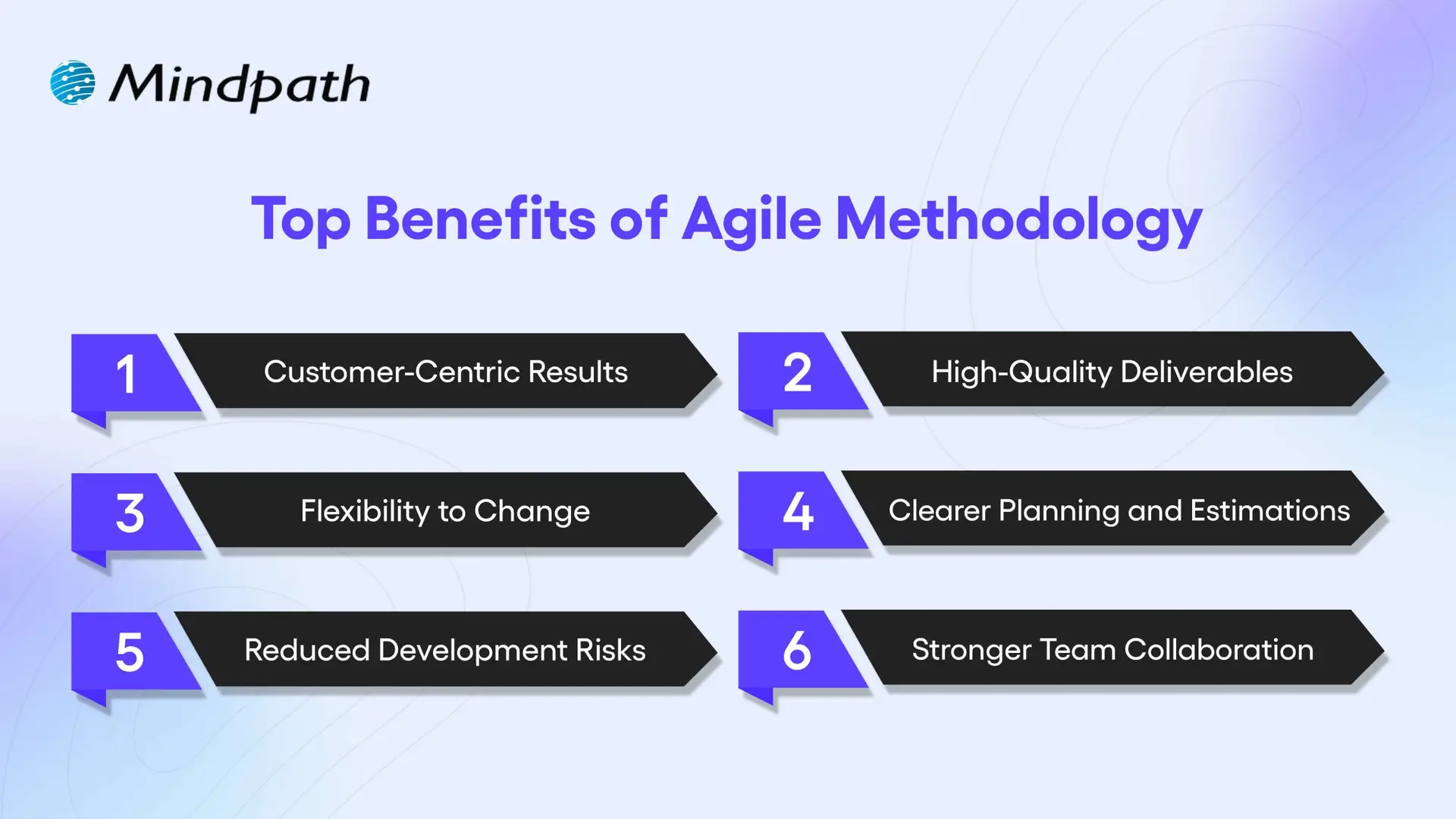
Top Benefits of Agile Methodology

1. Customer-Centric Results

Agile methodologies promote regular feedback and involvement from customers in every aspect of development, leading to products that can be tailored to more accurately fit the needs of the user. One of the key agile software development advantages is that this increases customer satisfaction (as perceived by customers during development) and trust moving forward.

2. High-Quality Deliverables

With every sprint of work teams are testing and improving their work. You will note that the ongoing improvement is one of the key benefits of agile software development, and it helps teams develop stable and reliable products. Solving problems early is part of the workflow.

3. Flexibility to Change

Agile teams can quickly adjust plans in response to new feedback or ever-changing goals, and ease of change is one of the greatest strengths of agile software development. The essence of agility is the ability to stay aligned with business needs without spending unnecessary time or going off track.

4. Clearer Planning and Estimations

Agile operates within short, structured cycles, which allow for considerably improved estimation of timelines and budgets. This is one of the most important benefits of agile software development, especially for project managers whose primary goal is to solicit the meters for project planning in the most effective way possible. Predictable progress encourages smarter decisions.

5. Reduced Development Risks

Frequent reviews and updates allow teams to catch issues early when they are still not serious problems. This built-in risk control offered by agile is of major benefit to agile project success. Agile provides full visibility into work progressing at all times.

6. Stronger Team Collaboration

Agile encourages daily stand-ups, a routine dialogue, and real-time feedback/updates. This collectively helps with teamwork, collaboration, and confusion regardless of role. Better communication is one of the fundamental advantages of agile methodology and contributes to an easier, smoother project flow.

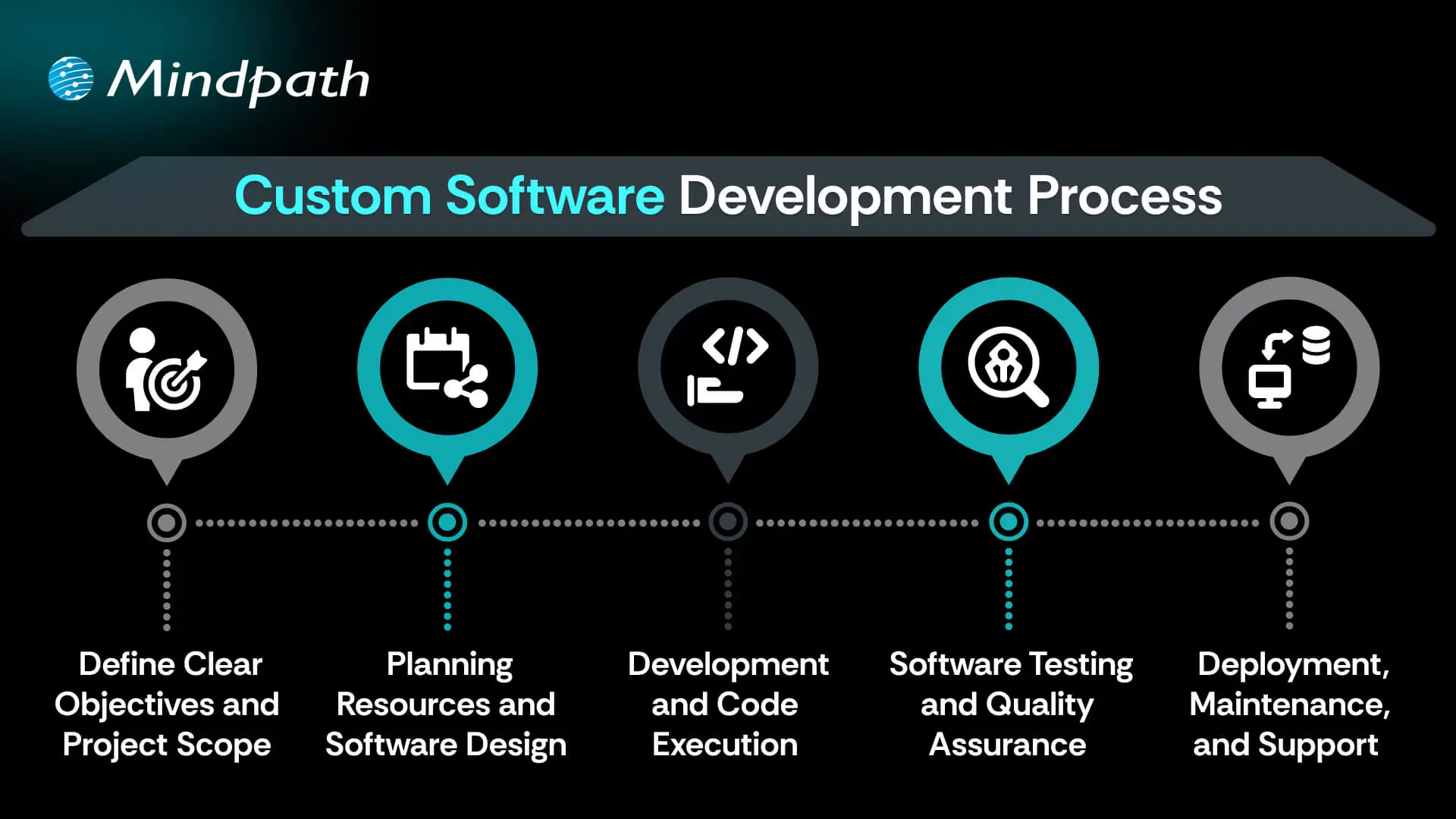
Want to know how businesses turn ideas into scalable software solutions? Explore the custom software development process and the role Agile plays in efficient execution.

Ready to Embrace the Agile Advantage?

Agile has changed the way modern teams build software by promoting collaboration, speed, and flexibility. The benefits of agile methodology include higher customer satisfaction, better product quality, reduced risk, and smoother workflows. By using short cycles and continuous feedback, Agile helps teams deliver faster, smarter, and with greater confidence, making it a preferred choice for many development teams today.

Want to apply these custom software development benefits to your next project? At Mindpath, we offer custom software development services built around proven agile methodologies. Contact us and our team will help you with clear communication, flexible planning, and faster delivery that meets your business goals. With Mindpath, you get tailored solutions that revolve around your business requirements and deliver long-term value with every sprint.


Frequently Asked Questions

1. Is Agile methodology suitable only for software development projects?

No, Agile is used in many industries beyond software development, including marketing, healthcare, education, and product management. Any team that needs flexibility, faster delivery, and continuous improvement can benefit from adopting Agile practices in their workflow.

2. How long does it take for a team to adapt to Agile?

The transition time depends on team size, experience, and project complexity. Some teams adapt within a few weeks, while others may need a few months to fully understand Agile practices and build a smooth collaborative workflow.

3. Can Agile work for large enterprise projects?

Yes, Agile works well for both small and large projects. Large enterprises often use scaled Agile frameworks to manage multiple teams while maintaining collaboration, transparency, and faster delivery across complex projects and departments.

4. What tools are commonly used in Agile project management?

Teams often use tools like Jira, Trello, Asana, and Azure DevOps to manage Agile workflows. These tools help track tasks, manage sprints, monitor progress, and improve communication between developers, testers, and stakeholders.

5. How does Agile improve communication between clients and development teams?

Agile encourages regular meetings, sprint reviews, and continuous feedback throughout the project. This keeps clients involved in decision-making, improves transparency, and helps development teams stay aligned with changing business expectations and project goals.

Support Is One Click Away

Featured Posts

Related Post

full stack vs traditional web development

The dynamic digital landscape calls for new approaches to traditional tasks such as web development. Is full-stack development the ideal alternative to traditional web development? Interestingly, the answers to such questions will paint full-stack development as the right choice. However, it is important to know that a full-stack vs traditional web development comparison also highlights their individual strengths.

Experts have pointed out that web development will not rely on one specific approach replacing the other. The full-stack approach has gained popularity for its efficiency and versatility, while traditional web development is useful for specific projects. Let us learn more about the differences between full-stack and traditional web development.

Curious about how full-stack development can elevate your projects? Explore our full stack development services to get guidance and support across every layer of the application development.

Fundamental Difference between Full Stack and Traditional Development

The best way to draw predictions about the future of web development starts with an understanding of the two predominant approaches. Traditional web development has been the fortress of specialists and focuses on two distinct domains, frontend and backend development.

1. Frontend Development

The primary focus of frontend development for a web application is the visual appeal of the application. Frontend developers create aesthetically appealing designs and responsive layouts for the web application interface. The skills required to become a frontend developer include knowledge of HTML, CSS, and JavaScript. Each tool serves a distinct functionality in the web development process. For instance, HTML helps in structuring web content while CSS is useful for styling. Frontend developers must also know how to use frameworks like React and Vue.js for creating functional interfaces from design ideas.

2. Backend Development

The traditional web development process is incomplete without backend development, which deals with the server-side operations. Backend developers create the foundation for the frontend of the web applications with the help of logic and database management. Developers can write backend logic with languages like Java, Ruby, Python, PHP, and Node.js. The notable tools for database management include MongoDB, MySQL, and PostgreSQL. Some of the other notable responsibilities of backend developers include API creation, data storage, and security of web applications.

3. Full Stack Software Development

The full-stack approach to web development follows a holistic approach that combines frontend and backend development. Every full-stack development specialist can manage the complete web development process, starting from ideation to creating the server logic and deploying the application. Full-stack developers use their comprehensive set of skills to contribute value in projects that demand resource optimization. The most noticeable advantage of full-stack development is the ability to bridge the gap between functionality and design.

Why is the Full Stack Approach Becoming Popular?

The review of differences between full-stack and traditional development can start with an impression of the advantages of full-stack development. The full-stack vs traditional development debate emphasizes how full-stack enhances efficiency, speed, versatility, and cost-efficiency. Businesses can complete full-stack projects with a single developer managing different aspects of the project. Full-stack developers can use their broad skill set to adapt to different project requirements and add value in different stages of the development process.

Another prominent highlight of the full-stack approach to web development is the holistic understanding of the project. Full-stack developers don’t view a project from distinct client-side and server-side perspectives. On the contrary, they know how the client-side and server-side work, which helps them make better architectural decisions. The holistic understanding of the project also helps full-stack developers achieve seamless integration and troubleshoot issues with ease.

The growing popularity of full-stack development in 2025 also depends on the benefit of cost-efficiency. Full-stack developers are a more economical choice than hiring different professionals for frontend and backend development. Smaller projects or startups can capitalize on this advantage and deliver desired results within a limited budget.

Is Traditional Web Development Still Relevant?

The advantages of the full-stack approach to web development may have you thinking that traditional development is not relevant. However, traditional web development is still useful in various scenarios for its distinct benefits. For instance, the full-stack vs traditional web development debate draws attention towards the effectiveness of traditional development in projects that demand deep specialization. In traditional development, developers can focus on specializing in a specific area, thereby earning the skills required to deliver high-quality output in their tasks.

Traditional web development is more suitable for use cases that involve highly complex architectures, niche performance requirements, and microservices. Larger organizations prefer to have different professionals for frontend and backend development, as it helps in establishing clear responsibilities. It is extremely helpful in situations when the organization has to scale up larger projects. Traditional web development puts multiple specialists to work on different parts of an application, thereby enabling efficient scaling.

Planning to validate your product idea quickly? Learn how hiring a full-stack developer for MVP accelerates development and increases success rates.

Unraveling the Negative Aspects of Frontend and Backend Development

Almost every discussion on the differences between full-stack and traditional web development emphasizes their advantages. However, the frontend vs backend vs full stack debate must also focus on the negative aspects to draw a balanced comparison. The following sections describe the prominent setbacks of full-stack and traditional web development.

1. Full Stack Development

The foremost setback of the full-stack approach to web development is the lack of specialized expertise in a specific area, such as complex database optimization. As a result, full-stack developers might struggle to manage different elements of a project simultaneously. The complex coding processes in the full-stack approach might require a high level of expertise for effective coordination between different stacks. Most important of all, juggling between frontend and backend development responsibilities can be a significantly challenging task.

2. Traditional Development

The disadvantages of the conventional web development approach include slower development cycles and higher costs. Businesses that choose traditional approaches to build web applications will have to hire multiple specialists, which can be expensive. The development speed also decreases in traditional web development due to the need for handoffs between teams and multiple dependencies. Furthermore, the need for seamless coordination also creates more communication overhead that may ultimately lead to potential misunderstandings and bottlenecks.

Looking for a cost-effective way to build your next web project? Explore how hiring a freelance full-stack developer benefits your business and enhances your digital presence.

Will the Future Rely on Full Stack or Traditional Web Development?

The full-stack and traditional web development comparison reveals that each approach has distinct strengths and setbacks. Many people think that full-stack will ultimately replace traditional web development for good. On the contrary, the future of web and software development is more likely to embrace a hybrid model. The hybrid model will blend the best of full-stack and traditional web development to make web development more efficient.

The web development industry will look for full-stack developers to manage end-to-end solutions, streamline development processes, and reduce overheads. On the other hand, specialization from dedicated frontend and backend developers will remain crucial for highly complex applications.

Trends in the Future of Web Application Development

The future of web application development will also embrace many other trends that will shape new avenues for developing applications. One of the most prominent additions among modern web development trends is the potential for including AI and machine learning in web development workflows. The two technologies can help in generating code automatically, integrating smart features in applications, and enhancing the UI/UX designs.

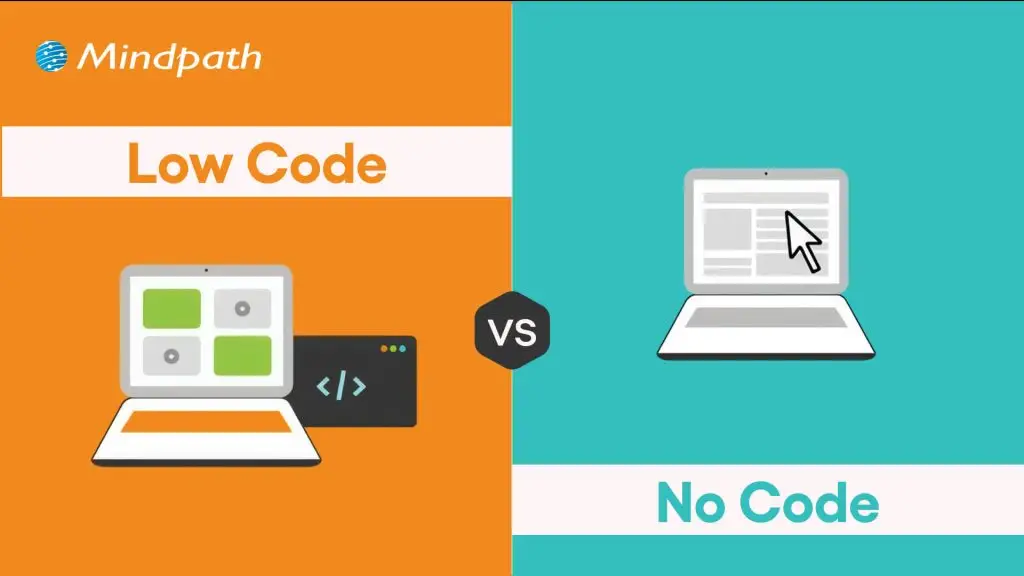
Low-code or no-code platforms can be the ideal alternative to full-stack or traditional development for simpler projects. These platforms can help professional developers reduce the need for extensive manual coding and emphasize strategic tasks such as API integration or creating custom features.

Ready to modernize your development approach for competitive advantage? Discover how full-stack development for web projects accelerates delivery and improves performance.

Which Web Development Approach Is Right for Your Next Project?

The insights on the differences between full-stack web development and traditional development reveal that both of them are essential for web development. Contrary to common assumptions, the future of web application development will not prefer a full-stack approach over traditional web development. As a matter of fact, businesses will choose the hybrid approach that offers the best of both web development approaches.

At Mindpath, our expertise in full-stack development has helped us serve multiple clients. We can claim to serve our clients with excellence in every stage of the web development process. Our vision to serve end-to-end IT solutions with complete transparency helps us earn the trust of our clients. Reach out to our consultants and discover the ideal solution to develop your next web project.

Frequently Asked Questions

1. How do you decide which approach suits your web project best?

Start by evaluating project complexity, budget, and timeline. Smaller projects with limited resources work well with full-stack development. Larger, performance-critical applications benefit from traditional specialist teams. Understanding your long-term maintenance needs and scalability goals before committing to either approach saves significant time, cost, and technical debt later.

2. Is full-stack vs traditional web development a debate worth having in 2026?

Yes, because businesses still make hiring and architecture decisions based on this choice daily. The answer is rarely black and white. Most successful projects in 2026 blend both approaches strategically. Understanding the strengths of each helps businesses make informed decisions rather than following trends without proper technical context.

3. Can a business switch from traditional web development to full-stack mid-project?

Switching approaches mid-project is risky and usually not recommended. It disrupts workflows, creates knowledge gaps, and increases costs significantly. The better approach is to evaluate project requirements thoroughly before development begins. If a transition is necessary, it works best at a natural project milestone rather than during active development phases.

4. How does team size influence the choice between full-stack and traditional development?

Smaller teams naturally lean toward full-stack development because one developer covering both sides reduces coordination overhead. Larger teams with clear departmental structures benefit more from traditional specialization. Team size, communication dynamics, and project complexity together determine which development approach delivers the most consistent and efficient results.

5. Will AI tools eventually make the full-stack vs traditional debate irrelevant?

AI is already automating parts of both frontend and backend development. However, strategic decision-making, architecture planning, and quality assurance still require human expertise. Rather than making the debate irrelevant, AI is reshaping both approaches simultaneously, making skilled developers in either path more productive and valuable than ever before.

Multi Cloud vs Hybrid Cloud

Deciding between multi-cloud vs. hybrid cloud strategies is becoming an important choice for organizations that want to remain agile and scalable. Every organization needs to find a way to balance flexibility, security, and performance, and this holds true with cloud architecture as well. The more complex challenge is determining which model can optimize operations while allowing the teams in the organization to innovate unhindered. As technology progresses to new heights, a strong cloud architecture can be a differentiating element within an organization’s growth.

It is essential to be certain of how both cloud models serve your business objectives and technical goals to make the better decision. It is not just an issue about infrastructure, but positioning your organization for the future and digital resilience. Understanding their differences helps organizations make confident and data-driven decisions in a world where technology changes rapidly. In this blog, we will explain some of the fundamental principles of multi-cloud and hybrid cloud so that the decision on which is best for you will be less difficult.

Want to determine which cloud strategy will be ideal for your organization? Contact us to get deeper insights and make smart business decisions that lead to future growth.

Understanding the Fundamentals of Hybrid Cloud and Multi-Cloud

A hybrid cloud is an IT architecture that combines on-premises infrastructure or private cloud environments with public cloud services such as AWS, Google Cloud, or Microsoft Azure. Organisations can house sensitive data in a private cloud to protect it, while still utilizing the on-demand, scalable, and cost-effective computing of the public cloud. Hybrid clouds offer enhanced control, resource utilisation, and performance. This approach allows organisations to efficiently manage workloads across both environments, keeping critical data secure while scaling non-sensitive operations through the public cloud.

A multi-cloud strategy is the intentional use of two or more public cloud providers, such as AWS, Microsoft Azure, and Google Cloud, to distribute workloads and achieve specific corporate objectives. In the multi-cloud vs. hybrid cloud debate, companies will tend to prefer multi-cloud solutions for flexibility, avoiding being locked into a single vendor platform, and minimizing operational risks such as downtime or loss of data. Each application in a multi-cloud environment can run on a public cloud platform or private cloud platform based on relative performance or cost needs.

Wondering how application architecture impacts multi-cloud and hybrid cloud success? Explore cloud-native development to learn how cloud-native apps improve scalability and flexibility.

Advantages of Hybrid Cloud

A hybrid cloud gives companies the right combination of flexibility and control, helping companies manage data securely and securely provide scalability and efficiency for operations.

1. Strong Security and Data Control

Hybrid cloud allows companies to maintain improved control of sensitive data and mission-critical systems. Companies can use private servers to store private information and public clouds for everyday tasks, allowing for a balance between security and freedom.

2. Smarter Cost Management

Businesses can reduce their costs by maintaining constant workloads on private systems, while variable workloads can move to the public cloud. This model allows for a pay-as-you-go system that reduces risk of overspending and improves cost optimization.

3. Faster Performance and Low Latency

Hybrid cloud enhances performance by positioning time-sensitive jobs, such as analytics or IoT applications, nearer to the end user. The configuration call for helps to reduce latency and increase response times for the users.

4. Reliable Disaster Recovery

Businesses are able to store crucial data in the public cloud while ensuring that a main version is also preserved on their premises and if there is a systems failure, they can quickly restore and resume business as usual with minor interruptions.

5. Greater Scalability on Demand

Organizations can easily scale their capacity up or down via the public cloud when they find themselves in busy periods or running promotional activities that bring in high traffic. After the busy period ends, they can scale down their capacity, so they aren’t wasting money and resources.

6. Better Compliance and Data Governance

Hybrid cloud helps companies follow data protection rules by keeping customer data on local servers. At the same time, they are still able to carry out non-sensitive work in a public cloud, thus making an informed decision on multi-cloud vs hybrid cloud.

7. Boosted Innovation and Flexibility

Teams can experiment with fresh tools and services in the public cloud without interfering with core systems. This illustrates that the difference between multi-cloud vs hybrid cloud can drive business innovation and flexibility within the digital age.

Is your cloud strategy aligned with long-term digital growth goals? Discover digital transformation for businesses to understand how the right cloud approach accelerates innovation.

Examples of Hybrid Cloud

These are some real-world hybrid cloud examples and how organizations use this approach to improve business flexibility, security, and efficiency.

1. Digital Transformation

A hybrid cloud modernizes IT systems with a remote workforce and protects data in a secure environment.

2. Disaster Recovery

Hybrid clouds help your business continue operating normally by recovering data at a fast speed in the event of outages.

3. Development and Testing

Developers develop and test apps in their public clouds, then port to private clouds.

4. Cloud Bursting

During peak traffic, additional workloads move from private clouds to public clouds without impacting performance.

5. Edge Computing

Delivers and processes data near the user, resulting in faster and lower latency experiences.

6. AI & Machine Learning

A hybrid cloud supports AI workloads with the best scalability and the security of their data.

Looking for ways to optimize costs and scale applications seamlessly in complex cloud setups? Discover serverless architecture in cloud computing to explore how serverless solutions support modern cloud architectures.

Advantages of Multi-Cloud

The following are the main benefits of a multi-cloud strategy that will help to improve business performance and facilitate better operations.

1. Business Continuity Edge

In comparing multi-cloud vs. hybrid cloud, one advantage of multi-cloud is that it allows operations to continue even if one of the providers has an outage. By spreading workloads across a combination of platforms, businesses provide continued performance and reliability.

2. Flexible Cost Management

In the hybrid cloud vs. multi-cloud comparison, another of the advantages of multi-cloud is improved cost control. This allows companies to choose the cheapest cloud provider for each workload and optimize resources effectively.

3. Customized Security Approach

Multi-cloud allows organizations to engage with providers that best suit their compliance and security requirements. This helps to ensure improved data security and better alignment with regulatory standards.

4. Independent Provider Choice

Using a multi-cloud strategy, organizations will have less reliance on one vendor. They will have the flexibility to move workloads, negotiate terms, and meet changing demand in the market.

5. Optimized Technology Access

Each cloud provider has a service that they do best, e.g., AI, analytics, or integration. Multi-cloud allows organizations to select the cream of the crop and combine them together to get the best performance and innovation.

6. Enhanced Global Reach

Multi-cloud allows applications to be deployed across multiple locations to minimize latency and enhance speed. This is especially useful for global companies that need to provide consistent, reliable speeds globally.

7. Ongoing Innovation Power

By utilizing countless ecosystems in the cloud, firms are able to engage with new, emerging technologies that give them flexibility and even a competitive advantage regarding innovation and continued growth.

Curious about where cloud adoption is heading next? Explore cloud computing trends to discover emerging technologies shaping multi-cloud and hybrid strategies.

Examples of Multi-Cloud

Here are real-world examples of multi-cloud that demonstrate how businesses use multiple providers to enhance their performance, flexibility, and reliability.

1. Specialized Services

A business may use Google Cloud for analytics and AWS or Azure for AI tools to get the best of each platform.

2. Disaster Recovery & Continuity

A financial firm can rely on OCI for core apps and IBM Cloud as a backup to ensure uninterrupted operations.

3. Cost & Performance Balance

A retailer may host its e-commerce site on one cloud and run analytics on another to save costs and improve speed.

4. Diverse SaaS Usage

An organization can follow a multi-cloud approach by using Salesforce for CRM and Workday for HR management.

5. Compliance & Data Security

A healthcare provider may store patient data in a private cloud while using a public cloud for general operations.

Looking to build healthcare software that meets strict compliance and data security standards? Explore our blog on healthcare software to discover how secure cloud-based solutions protect sensitive patient data.

Multi-Cloud vs. Hybrid Cloud: A Comparison Table

Below is a brief comparison table showcasing the primary differences between hybrid cloud and multi-cloud, so you can gauge which model may work better for your business requirements.

Aspect Hybrid Cloud Multi Cloud
Definition Combines private and public clouds to work as one integrated environment. Uses multiple public cloud providers for different workloads.
Primary Goal Balance security with scalability by keeping sensitive data on private clouds. Maximize flexibility and performance by choosing the best services from each provider.
Architecture Integrates on-premise infrastructure with one or more cloud services. Operates across multiple independent cloud platforms without tight integration.
Data Management Data moves between private and public clouds based on need. Data is distributed across several cloud platforms for specific tasks.
Security Control Offers stronger control and compliance for sensitive workloads. Security depends on each provider’s standards and your management strategy.
Cost Efficiency Reduces cost by keeping predictable workloads in private environments. Optimizes cost by comparing pricing and using best-fit providers.
Use Case Ideal for regulated industries needing data privacy and scalability. Perfect for businesses aiming for high availability and vendor flexibility.
Example A bank using private cloud for transactions and public cloud for analytics. A retailer using AWS for e-commerce, Google Cloud for data, and Azure for AI.

Ready to Choose the Right Cloud Strategy for Your Business?

Deciding between multi-cloud vs. hybrid cloud depends on your organization’s needs for flexibility, performance, and security. Both approaches empower businesses to innovate and scale effectively. Understanding their core differences helps you design a cloud strategy that aligns with your goals and builds a strong foundation for long-term digital success.

At Mindpath, we deliver expert cloud computing services to help businesses design secure and scalable environments. Our team builds tailored multi-cloud vs. hybrid cloud solutions that enhance performance, reduce costs, and boost efficiency. Partner with us to create a future-ready infrastructure that keeps your business innovative, adaptable, and competitive in a fast-changing digital world.

Frequently Asked Questions

Learn the key differences between multi-cloud and hybrid cloud strategies and discover how Mindpath’s cloud services can help.
WordPress maintenance
Is your WordPress site running as smoothly as possible? Do you know what kind of essential maintenance activities should be done on your website to keep it secure and running well? In this blog, we will explore the essential maintenance tasks that will keep your WordPress site in top shape. So, let’s dive in! 

Importance Of Website Maintenance   

Routine WordPress maintenance will help your website to be stable, secure, with better loading speed, and compatible with different browsers and devices. Regular backups guarantee that there is no loss of data in case of website crashing or malware attacks. Up-to-date plugins will ensure that slowdowns and security risks are prevented. Monitoring and analytics on user behavior help you make informed decisions and optimize your content. This provides better maintenance of your website, thus keeping it in top shape, and gives a better experience to the visitor. 

How Much Does WordPress Maintenance Cost?  

The cost of maintaining a WordPress site will be based on the size and complexity of the website. Routine maintenance in 2024 can range from as low as $5 a month to $120 per month or $40 a year to $1,200 a year. For a personal site, maintenance might be as low as $4 a month or $40 annually. Business sites usually start at about $8 per month or $80 per year. The pricing for running corporate websites is usually in the region of $12 a month or $120 yearly. The websites related to entertainment and eCommerce usually cost more, with the former starting at $16 per month and the latter at $20 a month. Routine maintenance includes updating plugins, themes, and WordPress core, managing backups, ensuring security, and keeping up performance. 

The Complete Checklist of Monthly WordPress Maintenance Tasks   

1. Optimize Your Database   

Over time, your WordPress database can become bloated with extraneous data from things like old post revisions, spammy comments, and deleted items, which slow down your site. To clean up your database, first back it up using a tool like Solid Backups to ensure all your data is safe. Then use a plugin such as WP Optimize to clear out any unnecessary data and boost database performance. Alternatively, if you know how to manipulate a database, you can clean up manually with phpMyAdmin. This method is useful when custom settings must be considered, and in all probability, it would be good to talk this over with a developer in case you are unsure. 

2. Manage Backups   

Backing up your website is something you should do regularly for safety against losses and quick recoveries in case of issues. Besides, with Solid Backups, you can configure backups automatically by using the plug-in known as UpdraftPlus. Schedule the backups frequently and let them be safely kept in the cloud, optimally. Moreover, review the process of restoration month by month to confirm that your backup procedure is working well, and in case of need, you will be in a good position to recover your site. 

3. Update WordPress Core, Plugins, And Themes   

WordPress core, theme, and plugin updating have implications for security, compatibility, and accessing new features. According to the Wordfence 2022 State of WordPress Security report, plugins in particular are a weak point, so keeping them up to date is very important. Keep checking for updates, and when found, update them one after the other. Begin with the WordPress core and then proceed to plugins and themes. Remember to always back up before doing any big update and update on a staging site so you can be sure everything works well with your current setup. 

4. Perform Security Scans   

Security scans to vulnerabilities, malware, and unauthorized access should be regularly scheduled. Run full site scans with a plugin like Shield Security, check the logs for any suspicious activity, and configure settings. You should, however, schedule these scans to run periodically, but at least revise them once a month. 

5. Analyze Site Speed   

A website’s speed has a massive impact on user experience and SEO. Among others, you can use Google PageSpeed Insights, GTmetrix, or Pingdom to check how fast your website loads. After testing, fix performance issues of your website against the results. If the speed problems continue, see if there’s a need to review and upgrade your hosting plan. 

6. Check For Broken Links   

Checking for broken links is important both for delivering a good user experience and SEO. Broken links may make visitors and search engines end up in so-called ‘dead ends,’ harming your site’s rankings and authority. Run a check using a plugin such as Broken Link Checker. Thereafter, repair or remove broken links upon finding them, possibly looking into scheduling automated checks to help identify new broken links in the future. 

7. Optimize Images   

Optimizing images will help to increase your site speed and performance radically, particularly when you have a heavy share of images on the site. Tools like Smush or ShortPixel do really well when it comes to compressing existing images. Remember the right formats—JPEG for photos and PNG for graphics where the requirement is transparency. Enable lazy loading; this defers the loading of off-screen images to further speed up page load times. 

8. Submit Your Sitemap   

Making sure that you are regularly submitting your sitemap to search engines will let them index your website in a better way and give you more exposure. Use a plugin such as Yoast SEO to create an updated sitemap, then take the time to manually submit this to search engines via their webmaster tools—like Google Search Console—to check that all your pages are correctly crawled and indexed for maximum search engine visibility. 

9. Monitor Site Performance   

Monitoring your site’s performance frequently will let you know when there is a problem. It helps in making informed decisions and will let you act swiftly. Use tools like Google Analytics and Jetpack to look through key metrics such as page views, bounce rate, and conversion rates. This setting of performance alerts about major changes or problems will let action be taken in time and thus your site runs smoothly. 

10. Test Your Forms   

Testing of forms at regular intervals is paramount to ensure that they work right and harvest data from users effectively. All forms should work well, and process input correctly. Check that email notifications are going to the right addresses, then test for user experience to make sure forms are usable, accessible, and responsive on different browsers and devices. 

11. Clear Site Cache 

It ensures that your site visitors have the most recent content. In addition, it will boost your website’s performance. Sometimes, cached data can become corrupt or outdated, causing display issues and slowing download time. Flush the server cache, then reset any plugin-built caches. Test your site for improved performance after flushing the cache. This can also be done in many ways depending on your unique setup. If you are not comfortable doing it yourself, use something like WP Super Cache and W3 Total Cache

Ready to optimize Your WordPress Experience?

Learn More About Mindpath’s Maintenance Services!

WordPress Development Services at Mindpath   

At Mindpath, we ensure your WordPress website runs at its best with comprehensive maintenance services. This includes regular updates to WordPress Core, plugins, and themes; daily backups for data security; and optimization of the performance of the site so that it loads faster. Our team conducts security scanning to save from threats, monitors and fixes broken links, and looks through analytics to bring about better user engagement. We test forms to make sure they are working well. You just focus on your business while we keep your site secure and efficient with our expert maintenance. 

Conclusion 

Maintenance, on the other hand, will ensure your WordPress site is not only smooth, safe, and high performing, but it will also be defended from many problems for the best user experience. From checking for broken links to analyzing site speed or running security scans, every step is important in keeping your website at its best. 

At Mindpath, we cut down the complexity of WordPress maintenance by offering every necessary service in one place to keep your site in top condition. Let our team take care of updates, backups, performance optimization, security checks, and more, so you can focus on growing your business while we work on keeping your website reliable and engaging. Our expert team at Mindpath makes sure your WordPress site is running at peak performance, ensuring you can get on with business and not worry about it. 

Want to achieve a Faster, Safer WordPress Site?

Find Out More About Mindpath’s Maintenance Solutions!

Ensure your WordPress site runs smoothly with essential maintenance tasks like updates, backups, security scans, and performance optimization.