
Latest Insights On

GenAI, Tech, and Digital Transformation 

Stay updated with expert insights, success stories, and real-world applications of cutting-edge technology.

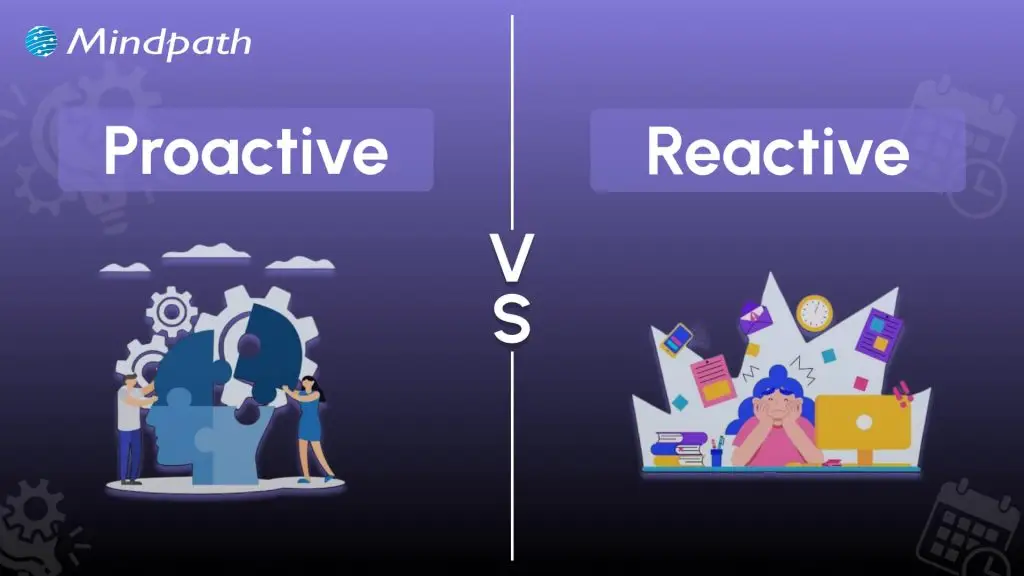
proactive vs reactive

Businesses can leverage software solutions to stay ahead of their competition in different markets. However, the risks of breakdowns in software systems present the possibilities of disruption and rising costs. The discussions around proactive vs. reactive software maintenance have been gaining attention as effective maintenance offers a strong foundation for asset management. Without an effective maintenance strategy, you can just watch your revenue slip away slowly from your hands.

Anyone is likely to have a favorite food which is like the last meal they would say no to. At the same time, it is reasonable to wonder whether you will eat only that particular meal for the rest of your life. The comparison between proactive and reactive maintenance sheds light on the fact that a specific maintenance strategy won’t work in all situations. An overview of the differences between the two software maintenance approaches will help you choose the right one.

Want to move from fixing problems to preventing them in your software systems? Mindpath’s maintance and support services provide proactive solutions that streamline maintenance and enhance performance.

Understanding the Variants of Software Maintenance

Software maintenance is an integral component of every software development lifecycle and plays a crucial role in developing more efficient software systems. You can come across questions like “What are the 4 types of software maintenance?” during your search for insights on software maintenance. 

The general variants you may come across in software maintenance include corrective maintenance, adaptive maintenance, perfective maintenance and preventive maintenance. Each variant of software maintenance aims to achieve specific goals, aligned with the needs of diverse software systems.

Different software maintenance engineers have their maintenance guidelines, which help them manage their everyday work. On the other hand, choosing one specific strategy creates restrictions for software maintenance. You can achieve better results with a strategy that blends different maintenance approaches, such as proactive and reactive maintenance.

Curious about which development approach best supports proactive and reactive maintenance strategies? Learn about the different types of software development to select the ideal methodology for your software projects.

Learning the Definition of Reactive Maintenance

The most common approach to software maintenance has always focused on maintenance efforts after identifying any error or technical problem. As a matter of fact, the reactive vs. proactive maintenance comparison revolves largely around how reactive maintenance addresses issues only after they happen. You can also describe it as a ‘fix-on-failure’ method that does not rely on oversight or anticipation of problems beforehand. Therefore, reactive maintenance results in higher downtimes and increased repair costs along with unplanned approaches to issue resolution. 

Reactive maintenance strategy also presents the risks of unprecedented operational breakdowns in software systems. It is also important to remember that reactive maintenance is the most effective solution for non-critical software systems. You can incorporate reactive maintenance in a balanced maintenance strategy to deal with systems where the consequences of failure are minimal.

Unraveling the Meaning of Proactive Maintenance

Proactive maintenance is the exact opposite of reactive maintenance and focuses on preemptive approaches to prevent breakdowns before they happen. The difference in meaning of proactive and reactive software maintenance also emphasizes how proactive maintenance relies heavily on oversight. Proactive maintenance requires predictive analytics, routine inspection and servicing for early identification of potential issues. Software maintenance companies leverage proactive maintenance to maintain seamless operations and optimal performance of software systems.  

The biggest advantage of using proactive software maintenance approach is the assurance of timely maintenance, thereby reducing the possibility of unexpected breakdowns. With the help of proactive maintenance, you can minimize downtime as well as the cost required for repairs. Most important of all, proactive maintenance plays a major role in enhancing software reliability and efficiency.     

Looking to create tailored software solutions that integrate seamlessly with your maintenance strategy? Discover how custom software development can help you build efficient, scalable, and maintainable systems.

Decoding the Differences in Proactive vs. Reactive Software Maintenance

The evolving role of software companies in defining the transition from reactive to proactive maintenance is a huge topic of discussion. You can come across the proactive versus reactive comparison for the maintenance of your existing software systems or new solutions. However, choosing one approach from the two is like taking the best pick between control and chaos. The proactive and reactive software maintenance approaches are at the two ends of a spectrum. Identifying the differences between proactive and reactive maintenance will help you prepare an effective maintenance strategy.

1. Timing of Maintenance

The timing of maintenance is a major differentiator between proactive and reactive software maintenance strategies. When do you have to implement maintenance schedules in the two distinct approaches? The reactive versus proactive debate in software maintenance emphasizes how reactive maintenance happens only after breakdown. Software maintenance teams adopt the reactive approach as a way to deploy maintenance services after a problem has occurred. Therefore, most of the reactive maintenance activities are unplanned and don’t have any specific timing. 

On the other hand, the proactive approach to software maintenance follows a specific schedule for maintenance services. The schedule for proactive maintenance may vary from one organization to another. The timing of maintenance in proactive approach focuses on allocating timelines for regular assessment and predictive analytics. Proactive maintenance also includes schedules for preventive actions that will prevent unprecedented software breakdowns.  

2. Cost of Maintenance

You can also use cost as a crucial factor to determine the best choice for software maintenance between reactive and proactive approaches. The proactive vs. reactive maintenance comparison shows that you will need a large upfront investment in proactive maintenance. You should also note the costs involved in regular assessments and advanced technology used for analytics and diagnostics. However, it offers the assurance of significant savings in the long run as you can avoid larger and unprecedented breakdowns. Without downtime and emergency repairs, proactive software maintenance helps you save a lot on long-term expenses.

The reactive approach to software maintenance does not require any upfront investments as it does not require preventive measures. You don’t have to spend money on regular inspections or other preventive measures with the reactive software maintenance approach. The decision to choose proactive or reactive software maintenance becomes easier when you learn about long-term costs of reactive maintenance. You have to deal with emergency repairs, losses due to extended downtime and service charges in reactive maintenance.   

Want to understand the investment required to maintain software proactively versus reactively? Check out insights on software development cost to plan your budget effectively for long-term savings.

3. Downtime and Impact on Operations

The losses due to downtime are one of the biggest concerns for any business owner in the digital landscape. You must know that proactive maintenance ensures maximum reduction in downtime by identifying potential issues and resolving them. The reactive vs. proactive maintenance debate tilts more towards proactive maintenance when it comes to operational stability. With proactive software maintenance, you don’t have to worry about disruptions in operation of the software. As a result, you can have more reliable and consistent software systems in your technical infrastructure.

Reactive software maintenance brings the burden of additional downtime, which may extend indefinitely in some cases. The focus on repairing software only after a breakdown is the primary culprit behind longer downtime with reactive software maintenance. You can also notice that reactive maintenance leads to unprecedented failure that may disrupt operations. The operational disruptions that come with reactive maintenance can lead to massive losses in productivity. 

4. Strategic Approach and Resources

The comparison between proactive and reactive software maintenance also draws attention towards the strategy and resources used in each approach. Proactive maintenance strategy involves comprehensive planning and clear allocation of resources. In addition, proactive maintenance also involves creating a structured plan for preventive measures. You will find a systematic strategy in proactive maintenance to keep your software working seamlessly with optimal performance levels.

The reactive and proactive maintenance debate also sheds light on how reactive software maintenance requires minimal planning. On top of it, the allocation of resources in reactive approaches for software maintenance happens on an ad-hoc basis. The unplanned strategy in reactive software maintenance leads to a rushed approach for solving software problems.

Wondering how the latest innovations can improve software maintenance and reduce downtime? Discover the current software development trends shaping proactive and reactive maintenance strategies.

You can find a brief overview of the reactive vs. proactive maintenance comparison in the following table.

Criteria Proactive Maintenance Reactive Maintenance
Timing Proactive maintenance focuses on identifying and resolving issues before they cause problems. Reactive maintenance comes to play after an issue occurs.
Cost Proactive maintenance requires larger upfront costs and delivers long-term savings. Reactive maintenance is cost-effective in the initial stages and leads to high repair costs in the long run.
Downtime and Operational Stability Proactive maintenance causes limited downtime and does not disrupt operations. Reactive maintenance causes extended downtime and disruptions in operations.
Strategic Approach and Resources Proactive maintenance requires a strategy with comprehensive planning and preventive measures with deliberate resource allocation. Reactive maintenance involves minimal planning and facilitates resource allocation on an ad-hoc basis.

Final Thoughts

The difference between proactive and reactive software maintenance reveals that you can rely on proactive maintenance for multiple benefits. However, there is no way to ignore reactive software maintenance completely. You must know that both these approaches in IT software support serve distinct benefits tailored to different maintenance requirements. With the right consultant by your side, you can identify the maintenance approach that will deliver the best results. 

Mindpath is a leading destination for software maintenance and support services in an extremely competitive digital space. We have helped thousands of business owners create a strong and appealing digital presence with our innovative solutions. Over the years, our experts have made us one of the most trusted software maintenance companies with their dedication and perfection. Reach out to us and discover the best solutions for software maintenance right now.

prototype vs. proof of concept

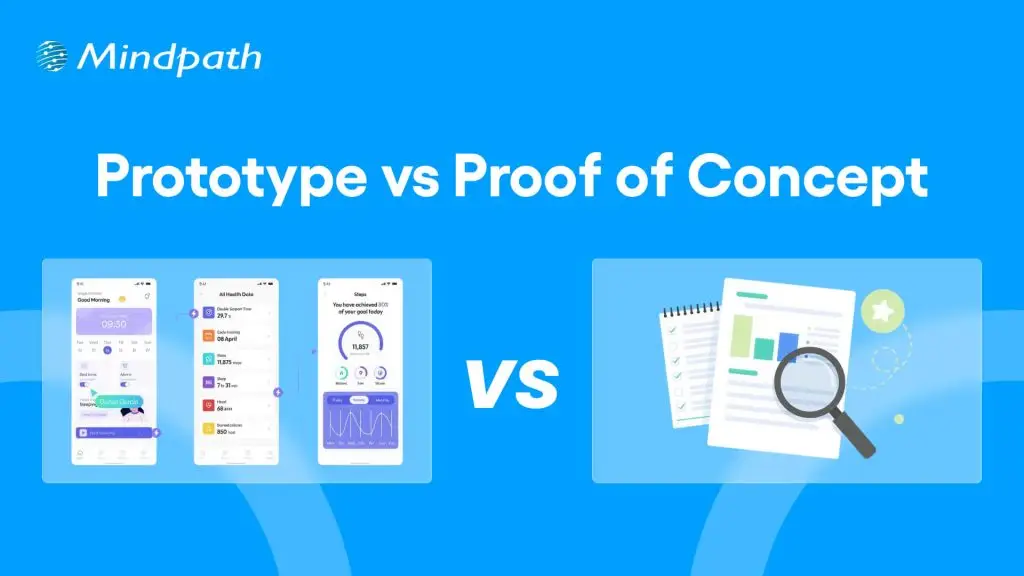
Businesses have to come up with new products to maintain their competitive edge and expand market share alongside meeting new user expectations. You may have an exciting idea for a new digital product or an application and still not be able to find how to translate the idea into a real solution. This is where you must know about the prototype vs. proof of concept debate and how to use them to validate your product ideas. 

As the competition and challenges for businesses continues growing, you need more than a brilliant idea to be successful. Business owners must understand that the transition of an idea into a full-fledged product is not a process to complete in one step but a journey. The proof of concept or POC and prototype are two distinct milestones in product development that offer methodical validation. Understanding the differences between them will empower you to navigate the journey of product development with ease.

Wondering how to validate your idea before building a full product? Mindpath offers Proof-of-Concept (POC) development services to help businesses test concepts quickly and reduce risk of investing in ideas that may not succeed.

Unraveling the Best Explanation for Proof of Concept

The most common assumption that business owners share is that a proof of concept is the same as a prototype. This assumption arises from the lack of a clear understanding of the definition of both terms. The easiest way to draw out a proof of concept vs. prototype comparison is to reflect on an ideal explanation of their definitions. Proof of concept or POC is a feasibility study that helps businesses in validating new product ideas. The primary goal of developing a POC revolves around testing the general assumptions associated with the idea and verifying whether it can be executed in the real world.

You should know that a proof of concept is not a basic version of the product you want to build with minimal features. On the contrary, it is a standalone project tailored specifically to validate a product idea. If the proof of concept delivers a negative result, then businesses can avoid spending time and money on the project. In the case of a positive result, you can have the assurance of building the complete product. The proof of concept works like an experiment where you find out whether your product idea can be technically feasible. 

Wondering how you can translate a validated concept into a full software solution? Check out MVP for software development to efficiently move from POC to a functional product.

Why Do You Need a Proof of Concept?

Many business owners may believe that investing in a proof of concept is a waste of time and resources. The difference between proof of concept and prototyping tells otherwise as there are many reasons to start a POC project. Every business owner should know that a proof of concept offers more than technical validation for their product ideas. It plays a major role in saving resources and reducing development concepts while pushing your potential for competition and innovation. 

The data and feedback obtained for your proof of concept can provide strong reasons to attract initial investment and stakeholders. Your proof of concept also serves as a useful resource to help your team understand how the product works. At the same time, it enables easier identification of bugs and risks in early stages of development. The proactive identification of risks helps you prepare the most effective mitigation strategies and accelerates time-to-market for new products.

Looking to bring your idea closer to the market while reducing risks? Learn how MVP development helps startups and businesses build products quickly after validation.

Understanding the Actual Meaning of a Prototype

Business owners are also likely to think that a prototype is similar to the minimum viable product or MVP. Even though they share some similarities, a prototype is not exactly the minimum viable product you would introduce to target users. The comparison between a proof of concept and prototype becomes easier when you know that a prototype is a visualization of how your product would look like. It is a preliminary version of your product that helps in testing the user interface and user experience with different functionalities of the product. 

The primary objective of creating a prototype for your product is to determine whether your users are having a positive experience with the product. You can rely on a prototype to understand how users will navigate your product and identify its utility. In simple words, you can think of a prototype as the first draft for your product after you validate an idea with proof of concept. Business owners should know that prototyping is a more complex and iterative process than developing a POC. The proof of concept offers technical validation for your product idea and a prototype helps you obtain initial feedback on how users feel about your product.

Curious how to transform your prototype into a product that users can interact with? Discover how to build MVP to bridge the gap between prototypes and final products.

Why Do You Need a Prototype?

People who don’t know the difference between proof of concept and prototype are likely to think that a prototype is not necessary when you have proof of concept. On the contrary, a prototype is a critical milestone in product development journeys as they help in determining potential flaws in product design. Prototyping offers immediate feedback on the reaction of your target users to the UX of a product. You can draw a similarity between POCs and prototypes in the fact that both of them save your time and resources by identifying issues in early stages of product development.

One of the significant reasons for every business owner to build a prototype is the ability to attract more early adopters and investors. The prototype serves as a better representation of how your final product will look like. As a result, investors and stakeholders can gain confidence in the market potential of your product. You can rely on a prototype to refine the product design before you move to the next step or developing the MVP.

Want to create a minimal version of your product to test in real conditions? Check out MVP for startups to validate market fit and gain early adopters efficiently.

Decoding the Differences between Proof of Concept and Prototype

The definitions of proof of concept and prototypes provide a lot of clarity on the differences between them. You can achieve a seamless shift from concept to prototype only by learning how a POC is different from prototype. Any confusion between the two terms can land you up with wasted resources and lack of direction for product development. Business owners, startup founders, development teams and product managers must know the unique role of POCs and prototypes.

1. Objectives

The foremost line of comparison between POCs and prototyping is evident in their objectives. The primary objective of a proof of concept is to validate the technical feasibility of a product idea. On the other hand, a prototype aims to test the product design and its user interface and user experience. The primary goal of a prototype is to show you how a product will look and feel.

2. Target Audience

You can expand the POC vs. prototype comparison by looking at the target audience they are intended for. The proof of concept is created for the technical stakeholders, investors and internal teams of an organization. However, the prototype is exposed to stakeholders, investors and early adopters.

3. Cost and Resources

Another critical point of difference between proof of concepts and prototypes revolves around the cost and resources required for them. In the case of a proof of concept, a business will have to incur limited expenses due to low coding and resource requirements. Developing a prototype requires more costs and resources as it involves coding and expenses on product design.

4. Expected Outcomes

The next notable aspect in the difference between POC and prototype is about the outcomes expected from them. A proof of concept will offer technical validation for a product idea and help in determining the ideal technology stack. The POC provides a clear demonstration of the feasibility of the concept you have for a product. Upon completing prototype development, you will have a visual representation of the product and a first draft for your MVP. The prototype showcases the working of a specific functionality and the UI/UX of your product.

Planning to stay ahead of design trends while developing prototypes and MVPs? Learn about the latest UX/UI design trends to enhance user experience and engagement in your product.

Here is an overview of the differences between proof of concept and prototype in a table.

Criteria Proof of Concept Prototype
Objectives Validating technical feasibility of product ideas. Testing the design and UI/UX of the product.
Target Audience Internal teams, stakeholders and investors. Stakeholders, investors and early adopters.
Cost and Resources Low costs due to limited coding and resource requirements. Higher costs than POC development due to expenses on product design and coding.
Expected Outcomes Technical validation for product idea and identifying relevant technology stack. Visual representation of the product design and its user interface and user experience.

Final Thoughts

If you want to shape your next big idea into a product that drives sustainable business, then you need a proof of concept and prototypes. Most important of all, you should understand the notable points in a prototype vs. proof of concept comparison to learn about their significance in the product development journey. An overview of their objectives, target audience and expected outcomes can help you capitalize on their value efficiently.

Mindpath is your best option when it comes to developing proof of concept and prototypes for your brilliant product ideas. We leverage years of experience and the most relevant tools to help you determine whether your idea can transform into a profitable product. Our POC development services and experts will guide you through the different stages of product development with clear roadmaps and continuous support. Reach out to us for your first consultation and turn your ideas into reality now.

Poc meaning

The fast-paced business landscape has turned into a battleground where companies of different sizes compete against each other. New product ideas that can revolutionize industries have been gaining traction and many of them have transformed into sustainable businesses. Business owners are more curious about POC meaning and how they can incorporate it into their strategies. 

The POC might sound similar to a minimum viable product that helps in creating products aligned with customer needs. On the contrary, it is a type of small experiment to find out whether your product idea will actually work. How is a POC relevant for your business? You can find the answer with a comprehensive guide on POC and how to create one.   

Want to reduce time and cost in testing your new product idea? Mindpath offers POC Development Services to create a working prototype for real-world validation.

Understanding the Definition of POC

Most of the businesses, especially startups, end up with failure in new product development due to various reasons. One of the biggest among them is ignoring the test for feasibility of their product ideas. The POC or Proof of Concept is a small experiment that helps you determine whether a product idea is viable, before you begin full-scale development. It is the ideal solution to find out if your product ideas can work as intended in the real world.

The POC is the first milestone in any product development project where you have to test one component and its feasibility. Many of you might think that this sounds similar to the definition of a MVP or minimum viable product. However, the answers to “what is proof of concept?” emphasize that it is not about selling your idea to the target audience or figuring out how to make it work.  

Developing a POC is similar to a mini experiment that does not require a huge amount of time or resources. If you have a product idea, then a POC helps you test it and find out whether you should pursue the idea. Once you find out that your POC is feasible, then you can move towards prototyping and subsequently build MVP.

Want to understand how to transform your validated idea into a functional product? Learn more about MVP development to build scalable solutions after successful validation.

POC in Context of Software Development

Software development companies are probably the first in churning out the most number of POCs for diverse projects. The meaning of proof of concept for software development points at how it helps in testing a small version of a software application. A POC used for software development focuses on testing whether a specific component works in real conditions as you want. Software POCs help development teams and product owners validate their ideas and identify challenges in the early stages of development. 

You can think of an example of software POC in the case of a fintech startup that aims to create a new AI-powered chatbot. The startup can use software POC to find out the feasibility of different features in the chatbot. It can also show whether the chatbot can effectively support users by answering common questions. 

The benefits of POC in software development also showcase that it can play a major role in reducing various risks. Early validation of functionalities and core features of software helps in checking feasibility of workflows and key functions. Development teams can use the POC to find relevant programming languages, platforms and frameworks for the software. The POC also ensures early identification of potential issues, bottlenecks and bugs in the software.

Looking to build tailored solutions once your idea is validated through a POC? Explore different types of software development to choose the best approach.

Variants of Proof of Concept in Business

The most crucial highlight about POCs is that you cannot rest with just one for a specific product idea. You can reflect on the proof of concept meaning once again to learn that it aims to validate one component at a time. Therefore, you can come across different types of POCs required for your product idea. Each type of POC focuses on validating diverse aspects of a product, ranging from market demand to technology stack. 

The common variants of POC in any project are product POC, technology POC, process POC and market POC. The product POC helps in validating the core functionality of your product and is useful for verifying your product ideas. Technology POC comes into play when you have to find whether a specific technology stack is relevant for your product. 

The search for answers to “what is proof of concept in project management?” also points at process POC. It is a crucial tool for validating the internal workflow and flexibility for operational changes in any project. Finally, you have the market POC that helps you find out whether your product idea has market potential and can garner the interest of real customers.

Curious about selecting the right technologies for different types of POCs? Discover how to choose the right tech stack to ensure efficiency and scalability in your project.

Why Should You Invest in a Proof of Concept?

Business owners, especially in the case of startups, are likely to think twice before building a POC for their next product idea. You may find the answers to “what does POC mean?” and still not understand how it adds value to your business. An overview of the benefits of POCs can help you understand why it is important for success of your project.

1. Driving Strategic Decisions

Almost every business owner who thinks about building a POC needs concrete insights on the feasibility of their product ideas. The POC for any product will offer relevant insights from users, stakeholders and technical experts that can help in driving strategic decision-making. It provides an early impression of the potential value and feasibility of projects, thereby facilitating efficient resource allocation and reducing risks. 

2. Saving Your Time and Money

Businesses should also think about developing a POC to save their valuable time and money. Early validation of key assumptions and concepts can help business owners avoid investments in ideas that won’t work in the long run. POCs help you follow a proactive approach to any project that reduces the possibilities of costly changes and futile use of resources.

3. Shaping Your Product for Target Users

The most promising aspect in answers to “What is POC?” focuses on how it helps in gaining feedback from real users. You can leverage POCs to find out whether your product solves the pain points of your target users. The POC can serve as a crucial tool for identifying the needs and preferences of your customers in early stages. As a result, you can move ahead with your project in the right direction to achieve higher market acceptance and user satisfaction. 

Wondering how real-world solutions like chatbots are validated before full-scale development? Check out an AI chatbot example to understand practical implementation using POC.

Unraveling the Ideal Steps to Create a Proof of Concept

The ability to create a POC for your project ideas is an invaluable competency in the fast-paced business landscape. You can define POC for a new product and test the idea systematically rather than depending solely on assumptions. A clearly structured approach for creating your POC can provide the flexibility and efficiency required to test your new product ideas.

1. Start with a Definition of Your POC Goals

The ideal beginning to any POC development project would focus on identification of the objectives and expected outcomes. You should also identify the financial goals and organizational objectives that you want to achieve with the product idea. It is important to have a clear outline of the problems that you want to solve with your POC.

2. Establish the Scope and Success Criteria

You should define the limitations of the POC to ensure that it focuses on evaluating a specific component of your product. Every POC project must have a clear outline of the specific features and functionalities that you want to test. In addition, you have to specify the criteria for success with measurable goals and objectives. The scope of your POC should also include definition of the different use cases and scenarios for your product.

3. Prepare the Project Team

The next thing you need after establishing the scope of a POC for your product idea is a project team. Your project team can include decision-makers, developers, project stakeholders and technical experts. It is important to define the roles and responsibilities of all team members and establish clear channels for collaboration. 

4. Create the POC and Obtain Feedback

After setting up your project team, you should execute the plan for your POC by using available resources. Once you develop proof of concept, you have to collect technical insights and feedback on it from users and stakeholders. The feedback data is an essential tool to guide informed decision-making and identifying areas for improvement.

5. Evaluating Results and Moving Ahead

The most important step in developing a POC is the analysis of feedback data. It helps in evaluation of the performance of the POC with respect to the predefined success criteria. You should document the results and recommendations for future actions. 

Planning to streamline your development process after validating your idea? Learn how agile methodology helps in iterative progress and faster product delivery.

Final Thoughts

The introduction to POC showcases how it is different from a MVP or minimum viable product. Businesses can leverage POCs to find out whether the ideas they have can actually transform into sustainable products and solutions. As a matter of fact, your POC serves as the foundation on which you can build prototypes and MVPs.

Mindpath is one of the leading solution providers for POC development services across various industries. We have created proof of concept for software with commendable results and pushed the boundaries of innovation. Our experts leverage their experience to deliver strategic POC solutions with efficient use of your resources. Consult with us and discover the optimal approach to create your first POC now.

legacy system modernization

The term legacy system modernization may seem complicated, but it is what every expanding business has to deal with. You invest in those tools that have propelled success in the past, but now they are dragging down and narrowing the scope of visibility. Teams face the challenge of manual procedures, lack of connectivity in data and increased maintenance expenses. Then what occurs when the leadership chooses to take an action and reconsider the core system?

In this case study, we examine how a strategic technology change resulted in better speed, accuracy and teamwork. Firstly, we evaluated the gaps and aligned them to business objectives. Then, we developed an effective roadmap with quantifiable outcomes. As you continue to read, you will understand how the right approach managed to turn things around and bring 40 percent efficiency gains in this blog.

Looking to turn your old systems into a real advantage? Mindpath’s legacy modernization services make it possible to upgrade and optimize your applications without losing what already works.

Understanding the Existing Legacy Environment and Core Bottlenecks

The legacy system modernization is laid on a clear understanding of the current environment. Before planning change, teams need to examine architecture, integrations, and data structure. They inspect the quality of the code, system behavior, and dependency. This action minimizes risk, safeguards business continuity, as well as informed technical decisions.

Legacy software upgrade projects start with technological mapping and discovery. Leaders evaluate work processes, ownership, and departmental impact. They also review the quality of documentation and criticality of the systems.

These are the fundamental bottlenecks of legacy environments that normally reappear in the course of this evaluation:

  • High maintenance expenses that absorb the bulk of IT budgets and require infrequent and specialized skills.
  • Lack of scalability, which inhibits performance with increased business workloads.
  • Data silos which isolate the information and introduce redundancy or inconsistency.
  • Poor security as a result of old patches and incompatible systems.
  • Integration obstacles that do not allow to connect easily with modern APIs and cloud services.
  • Key person dependency that leads to operational risk when a limited group of people has the knowledge.

Want to understand how legacy modernization can directly improve your operational efficiency? Explore the benefits of modernizing legacy systems to see how it drives real business impact.

Mindpath’s Project Brief for Legacy System Modernization

This Legacy Modernization case study centers on an education platform based in Johannesburg, South Africa. The client has been supporting pre nursery institutions and he had to modernize the current system to enhance efficiency and scale. Their previous solution was based on manual tracking and separate tools that hindered visibility and slowed administrative procedures.

The project brief was based on the creation of a SaaS platform with the help of React JS and Node JS. The aim was to digitalize the system of attendance management and monitoring of daily activities and providing the teachers and principals with a centralized dashboard. The platform had to produce weekly and monthly reports and enable long-term growth.

Key Challenges in the Existing System

As the platform continued to grow, the areas of operation became more exposed. The current system was unable to accommodate the emerging administrative requirements and reporting demands. These problems generated evident pressure towards institutional modernization.

  • The physical method of attendance tracking was time consuming and it had more human error. These inefficiencies clearly signaled the need for legacy system modernization.
  • The data of student activity were still distributed across various records. This slowed down and irregular weekly and monthly reporting.
  • Real time monitoring was lacking a centralized dashboard. Principals in schools could not have immediate access to classroom performance.
  • The current architecture was not capable of scaling as the number of students increased. There was a greater danger of system performance issues following increasing usage.
  • Obsolete work processes were a bottleneck to automation and flexibility. This slowed progress toward effective IT system modernization.

Wondering how AI can make your legacy modernization strategy more effective? Discover AI-driven legacy system modernization to achieve higher efficiency and innovation.

How Mindpath’s Legacy System Modernization Transformed Operations?

Mindpath used a methodical strategy of scalability and operational visibility in the long term. The goal was to convert existing limitations into measurable legacy modernization benefits while strengthening the platform foundation.

1. Automated Attendance Management

Mindpath has eliminated the manual attendance procedures using a digital system designed with accuracy and speed. The teachers were able to record the attendance real-time in the platform. This minimized the mistakes and enhanced the efficiency of day-to-day classrooms.

2. Centralized Activity Dashboard

An integrated dashboard offered real time access to the activities of the students. Principals and teachers got a weekly and monthly report in a single form. This enhanced openness and quicker decision making.

3. Scalable SaaS Architecture

The team rebuilt the system using a strong Application modernization strategy aligned with future growth goals. The new architecture was able to support more users without degradation in performance. This guaranteed a stable operation when the institutions were growing.

4. Data Consolidation and Reporting Accuracy

Mindpath also eradicated the issue of fragmented records of data by centralising information in a system. Reporting became systematic and simple to produce. This delivered clear legacy modernization benefits through improved data reliability.

5. Improved Administrative Control

Organized work processes optimized the exchange of information between teachers and management. The platform minimized reliance on the manual coordination. As a result, legacy system modernization directly enhanced operational control and productivity.

Wondering how businesses turn legacy challenges into measurable success? Explore the legacy modernization strategy to build a roadmap for efficiency and growth.

Measurable Outcomes and Business Impact

Mindpath’s structured legacy system modernization approach delivered clear and measurable improvements. The system was changed to automated intelligence rather than manual reliance, generating instant operational profits.

1. 40% Increase in Operational Efficiency

Computerized attendance and work processes minimized administrative workload. The teachers were able to save time each day, which was spent on engaging with the students and enhancing classroom standards.

2. Faster Report Generation

The centralized dashboard made weekly and monthly reports immediately available. School principals were able to gain real time information without time-delays in manual compiling.

3. Improved Data Accuracy

Online tracing eradicated discrepancies that occurred during manual records. Stabilized information enhanced the credibility and fortified the decision making of the institutions.

4. Scalable SaaS Growth Foundation

The new architecture provided the ability to add more users, without any performance problems. The platform is now able to take care of growth with confidence and safe and secure operations.

Planning to improve your systems with a structured approach like this case study? Discover the legacy modernization roadmap to streamline your modernization journey.

Ready to Strengthen Your Operations with Legacy System Modernization?

The case study shows the potential use of a targeted approach to change aging systems into effective digital platforms. Planning and scalable architecture result in quantifiable improvement. Legacy system modernization strengthens performance, improves visibility, and supports growth. Modernizing organizations creates a deeper operational base and helps them remain competitive in the changing markets.

Mindpath is a structured legacy modernization service provider that is based on business priorities and system complexity. The team analyses current environments, establishes effective road maps and introduces scalable solutions with the current technologies. Each interaction aims at quantifiable action, business effectiveness, and sustainability, as measured by the practical implementation and established competencies.

FAQs

1. How does legacy system modernization support long-term digital growth? 

Legacy system modernization builds a technology foundation that supports continuous innovation. It prepares businesses for automation, analytics, and cloud adoption. Instead of reacting to system failures, organizations gain control over performance and scalability. This proactive approach strengthens resilience and enables confident expansion into new services.

2. What risks should leadership consider before starting modernization?

Leaders should evaluate data migration risks, system downtime impact, and stakeholder readiness. Poor planning can disrupt daily operations. Clear communication, phased execution, and expert technical oversight reduce uncertainty. Strategic governance ensures modernization aligns with financial goals and long-term operational priorities.

3. How did Mindpath ensure alignment between business goals and technology decisions?

Mindpath began with structured discovery sessions and operational analysis. The team mapped business objectives against technical capabilities before defining the modernization roadmap. This alignment ensured each upgrade supported measurable outcomes. Clear milestones and validation checkpoints-maintained transparency throughout execution.

4. What technical advantages do React JS and Node JS provide in modernization projects?

React JS enables responsive user interfaces with efficient component reuse. Node JS supports scalable backend performance with lightweight architecture. Together, they create fast, modular SaaS platforms. This combination improves speed, flexibility, and integration readiness for modern digital ecosystems.

5. How can SaaS platforms maintain stability during phased modernization?

Phased execution reduces disruption by upgrading modules in controlled stages. Teams isolate critical services, test integrations carefully, and monitor performance continuously. This method protects user experience while improvements roll out. Strong DevOps practices and version control ensure system reliability throughout transformation.

outsource web development

In the current hyper-computing and changing digital environment, a scalable and user-friendly web presence has become a basic necessity. However, achieving it requires a strategic approach along with creative thinking. And this is where you can outsource web development to enjoy the desired results.

Key Takeaways

  • 01
    Outsourcing web development can help businesses overcome resource constraints, skill gaps, and rising operational costs.
  • 02
    Businesses can access global web development talent without the overhead of building and maintaining a large in-house team.
  • 03
    Web development outsourcing can improve flexibility, scalability, security, and time to market.
  • 04
    An experienced outsourcing partner can provide access to specialized technologies and expertise without significant internal investment.
  • 05
    Choosing the right outsourcing partner requires clear requirements, proven experience, effective communication, and regular project tracking.

Today, outsourcing web development has become a practical solution for companies. After all, it helps them innovate and efficiently scale in this expanding digital world. Furthermore, when you outsource web development to external experts, you can access specialized skills, improve delivery speed, and use internal resources more effectively. In this detailed blog, we will explore some primary reasons why you should outsource website development and how to select the right partner for long-term success.

Struggling to scale your digital presence while keeping development costs and timelines under control? Our web development services provide scalable solutions that help your business grow faster.

Scaling a Business Begins with Smarter Strategies

Scaling a business goes beyond just increasing revenue or expanding your team. It involves scaling strategically while remaining profitable and productive. However, when a company grows, it can face a few serious issues that may impede its growth.

1. Resource Constraints

Rapid growth may create considerable pressure on internal teams. Besides, it may put a strain on your budget. As a result, you may suffer from inefficiencies and burnout.

2. Skill Gaps

New technologies and project demands require expertise and experienced professionals. And your team might not have those skills yet.

3. Rising Operational Costs

Budget allocation can be affected by infrastructure improvements, regulatory compliance, and employee training.

Outsourcing offers businesses a smart way of overcoming these scaling challenges. Through collaboration with an external service provider, businesses can redistribute their resources efficiently while gaining access to specialized expertise.

Want to scale your business efficiently through outsourcing? Discover web development technologies that help you build faster and more scalable digital solutions.

In-House Web Development: Complexity and Costs

It is crucial to understand the pitfalls of managing an in-house team before delving into the reasons to outsource web development projects. The following are some common challenges you may encounter.

1. Recruitment and Training

Recruiting, training, and retaining talented employees is a costly and time-consuming process. For instance, it can take weeks to hire a senior web developer. Moreover, you will have to offer a competitive salary to retain them.

2. Heavy Overhead Costs

Besides salaries, you can face heavy overhead costs if you create an in-house team. You will have to pay for equipment, office space, training, HR resources, and more.

3. Limited Skill Set

In case a project requires a new framework, specific design expertise, or niche technology, your internal team might not have those capabilities. This can lead to delays and poor results. On the other hand, it can be time-consuming and costly to train your own team.

All these factors make outsourcing web development services an ideal solution for businesses that need specialized expertise without expanding their internal teams for every project.

Curious how leading brands stay ahead while outsourcing their web projects? Check out the latest web development trends to learn what is driving innovation and long-term growth.

Why Outsource Web Development? Strategic Benefits

So, why outsource web development? Businesses often choose outsourcing when they need specialized talent, lower development overhead, greater flexibility, faster delivery, and access to modern technologies without building everything internally.

Outsourced web development does not just help companies offload development tasks. It can also help them attain growth more efficiently and effectively by giving internal teams more time to focus on strategic business priorities.

1. Access to Global Talent

When you hire web development outsourcing companies, you get access to a wide pool of global talent. You can find highly talented and specialized professionals for different types of projects.

You can easily find proficient web developers with vast experience in different frameworks, technology stacks, AI, and more. Whether you need a Django or Python expert, a React.js specialist, or a professional UI designer, you can recruit the right expertise through an outsourced company.

2. Affordable Development

You can lower operational costs without compromising project quality when you outsource web development. It helps you take advantage of the provider’s latest infrastructure as well as expertise.

Moreover, with an outsourced web development company, you no longer have to stress about maintaining expensive software, hardware, or large in-house IT teams. You can invest the saved resources in other crucial aspects that support business expansion.

3. Flexibility and Scalability

A majority of businesses experience periods of changing demand. They have new product launches, strategic realignment, and peak seasons. Outsourcing provides businesses with the required flexibility to scale development resources as needed.

4. More Focus on Core Organizational Functions

Every hour you spend on hiring, managing, or training is an hour not invested in what makes your organization unique. When you outsource web development, you can free up your team and concentrate on core competencies.

You will get sufficient time for strategy, product innovation, market expansion, customer relationships, sales, and more. All these things can support overall business growth.

5. Better Security and Compliance

Trusted web development services prioritize industry-leading compliance and security practices, with a strong emphasis on web application security. Furthermore, they can follow established project management methodologies, such as Scrum or Agile.

With this, businesses can enhance their data security measures and ensure compliance with necessary regulatory standards while reducing the risk of security vulnerabilities.

6. Faster Time to Market

Web development companies function with established methodologies and dedicated development teams. They can start projects more quickly and complete them efficiently.

A faster time to market means you can capture market share and meet customer demands in a more efficient manner.

7. Access to New Technologies

Web development is evolving rapidly. Keeping your in-house team updated on new security protocols, best practices, and frameworks can be a significant challenge. However, an outsourcing web development firm specializes in these areas.

They can have dedicated R&D and continuous training programs to keep their teams updated. Besides, you can get access to the latest methodologies, technologies, and tools without making the same level of investment internally.

In short, outsourcing web development can strategically support business growth by offering cost efficiency, global talent, flexibility, security, and faster delivery while allowing internal teams to concentrate on core activities.

Planning to outsource your web projects for better scalability? Check out web development tools that enhance collaboration and improve project outcomes.

When Can You Opt for In-House Development?

While outsourcing web development can offer many benefits, in-house development can be the better solution in some situations.

For example, if your project is based on proprietary information and sensitive data, you may opt for in-house development to have greater control over security practices.

When your projects are closely aligned with your business strategy and require deep internal integration, in-house development may also provide better control and collaboration.

Major Considerations for Successful Outsourcing

While the business benefits of outsourcing web development are clear, successful outsourcing partnerships require a thoughtful approach. Consider these tips before choosing a web development outsourcing company.

1. Understand What You Need

It is crucial to be clear about your expectations and goals. In the absence of clear requirements, you may face delays, scope issues, or misunderstandings during development.

2. Choose the Right Partner

Remember that it is not always about the price. When looking for an agency, check its experience in the industry. Besides, ensure that the agency has a proven track record and the technical expertise required for your project.

3. Effective Communication

Have effective communication protocols and channels. The use of modern project management systems and clear reporting processes is important to ensure effective communication between your business and the outsourcing partner.

4. Keep Track of Progress

Monitor your outsourced web development projects regularly and collect relevant feedback. You should maintain transparent communication with your service provider to ensure lasting success.

Looking to scale your business faster with smarter digital solutions? Discover AI in web development to learn how automation and intelligent features can enhance your outsourcing strategy.

Want to Grow Your Business With Outsourced Web Development?

Professional web development is a strategic investment that drives business growth. It helps create high-performing, secure, and user-friendly websites, boosts customer engagement, improves search visibility, and ensures your brand stands out in a competitive digital landscape.

At Mindpath, we understand that every business has unique needs, goals, and challenges. Our professional web development services deliver tailored, scalable, and high-quality solutions designed to enhance user experience, strengthen your digital presence, and give your business a competitive edge.

professional web development

Professional website development is not just an option for businesses. It has become a strategic necessity without which businesses may struggle in the prevailing digital age. It is a must for business entities that wish to grow and thrive in the online space. A website that has been developed by professionals acts as the cornerstone of the digital presence of businesses in the highly competitive business world.

Such a website can unlock diverse, varying growth opportunities in the form of better market reach and improved customer engagement. It is high time to select the top professional web development services since these solutions can increase the credibility and accessibility of your brand significantly.

Struggling to turn your website into a powerful tool for business growth? Mindpath’s professional web development services can help you build a high-performing, user-friendly website that drives results.

An Insight into Professional Web Development Solutions

Professional web development services can provide businesses with cutting-edge and customized website solutions that are designed to enhance user experience and security. They even contribute to enhanced search engine optimization. Such services prioritize mobile compatibility along with intuitive navigation to meet the needs of current-day users. The demand for professional web development solutions has been scaling to unimaginable heights lately.

Top Benefits of Using Professional Web Development Solutions

Modern business undertakings can derive a plethora of benefits by relying on professional website development services. You need to be aware of these benefits so that you can leverage these solutions in order to unlock business growth.

1. Expanded Market Reach and Visibility

Businesses need to bear in mind that professional web development incorporates technical SEO best practices as part of a well-defined web development roadmap. These practices can ensure that your website ranks higher on search engines and becomes easily discoverable by potential customers. A reliable professional web developer knows how to break geographical barriers by creating a mobile-optimized and responsive design that caters to a major part of the web traffic. So you must surely consider seeking professional help so that the reach of your website can be extended across different platforms and device types. Furthermore, multi-platform integration can allow seamless presence across various digital touchpoints. It will help your business widen its audience base in an effective manner.

2. Better Customer Engagement

It is advisable for businesses to choose professionals who have expertise as well as experience in website development. This is because they know that user engagement and experience matter a lot for businesses. They focus on elements that can impact the level of engagement for online visitors, like intuitive navigation. These elements can serve as a catalyst and boost the level of engagement for online visitors.

Moreover, they can even motivate them in order to spend additional time on the site while exploring the offerings of the business. Professional web designers know that strategically placed call-to-action buttons can guide visitors toward desired actions, which can help boost leads as well as create new sales opportunities.​ An experienced and qualified professional website designer can certainly help your business gain an edge in the market by developing a well-functioning and highly engaging website.

Want to accelerate business growth with a more efficient development process? Discover web development tools that empower professional teams to build secure, scalable, and high performing websites.

3. Boosted SEO and Higher Conversion Rates

Professional developers and designers are capable of writing SEO-friendly code. They can implement the design practices that are aligned with the latest search engine algorithms. These steps can serve as a catalyst and enhance the visibility of your website in the online setting.

Businesses must remember that it leads to more qualified traffic directed to their site. It can thus increase the likelihood of converting visitors into customers of your business. The optimization of site speed, as well as mobile experience, can further support better search rankings. They can help reduce bounce rates, which directly impact the bottom line of business entities.

4. Scalability and Customization

A website that has been professionally developed is built with scalability in mind. This mindset allows the website to grow alongside your business. With the help of custom website development services, your website can incorporate tailored features that meet your specific needs and clearly differentiate your business from competitors.

A business must make use of top website development services, as they provide advanced functionalities in diverse areas such as e-commerce and content management. Such adaptability is key, as it can help save costs and time in the long run through the prevention of the need for frequent migrations or redesigns.

5. Enhanced Security

Today is the age of cyber threats. In such times, businesses need to develop websites that are safe and secure in nature. This is when professional web development comes into the picture, with a strong focus on web application security. These experts can make sure that the security dimension of your business website is non-negotiable.

These service providers are capable of implementing robust security protocols and tools such as HTTP encryption so that cybercriminals and online attackers will have no chance to target your business website. You need to choose professional web designing and development services as they can safeguard your business as well as customer data in an effective manner. This feature can play a key role in driving business growth.

Looking to unlock sustainable growth with a stronger digital foundation? Discover how partnering with a professional web development company can help you build scalable and high performing solutions.

6. Higher Trust and Credibility

The website of a business entity often forms the first impression in the mind of potential customers. A sleek and modern design, combined with clear security features like SSL certificates, signals to visitors that your business is trustworthy as well as professional in nature. This credibility has the potential to encourage customers to engage more confidently with your brand.

This feature can ultimately support sustained growth for your business. Businesses from diverse industries and sectors need to remember that trust is critical while developing the business website. Customers will be encouraged to visit and revisit a website if they think that it is trustworthy.

7. 24/7 Online Presence and Competitive Edge

Physical stores are bounded by working hours. However, that is not the case when it comes to a business website. A professional website has to operate around the clock so that visitors will be able to navigate the site in a seamless manner and make inquiries and sales at any time. For every business, web development is a must in the prevailing times, as most businesses now have a web presence. The ongoing availability is crucial in order to maintain competitiveness in the dynamic and volatile business arena.

In the case of smaller or newer businesses, being accessible online is extremely important in the strategic sense. This is because it can enable them to compete on a larger scale and operate in an efficient manner in the competitive space.​ If you want your business to gain a competitive edge in the volatile market setting, it is very important to choose a credible and professional web development service provider.

Curious how emerging technologies are reshaping professional websites? Check out the latest web development trends and discover what drives performance, security, and scalability.

Want a Website That Drives Growth and Outperforms Competitors?

In the highly competitive market scenario, top professional web designing solutions are the ultimate need for businesses. These services can act as a source of competitive advantage for your business. Some of the main advantages of top professional web development solutions are better market reach and visibility, along with enhanced customer engagement.

At Mindpath, we provide professional web development services that can definitely give a competitive edge to your business instantly. Our professionals know how to deliver tailored and advanced websites that are aligned with the vision of brands. If you wish your business to gain an edge over your competitors, you certainly need to strengthen your business website immediately. Step ahead and partner with a credible professional web development service provider like Mindpath to have a robust business website.

GenAI tools for teachers

The year is 2026 and AI isn’t just knocking at the doors of the education industry as it has become an integral part of the classroom, research lab, and faculty room. Educators have been burdened with expectations and exhaustion due to changing curriculum designs in different parts of the world. The arrival of GenAI tools in the education sector has marked the introduction of many new opportunities for educators.

Generative AI is gradually becoming an indispensable companion of teachers worldwide for many reasons. Most important of all, GenAI tools are not replacing the human element in the teaching experience. On the contrary, generative AI empowers teachers and helps them provide personalized learning experiences to every student. From lesson planning and content creation to assessment and student support, GenAI tools for teachers can make everyday teaching more efficient.

Key Takeaways

  • 01
    GenAI tools can help teachers reduce repetitive administrative work and spend more time interacting with students.
  • 02
    Generative AI can support lesson planning, content creation, grading, assessments, and personalized learning.
  • 03
    Tools such as ChatGPT, Gemini, Canva Magic Studio, and Magic School AI can support different classroom needs.
  • 04
    AI-powered education tools can help teachers create more interactive learning experiences and improve student engagement.
  • 05
    The right GenAI tools can complement teachers by supporting productivity, creativity, personalization, and classroom management.

Want to stay ahead in the education sector by offering smarter, more efficient solutions? Mindpath offers generative AI development services to help education businesses build custom, scalable AI tools tailored to their needs.

Understanding the Significance of Generative AI for Teachers

The biggest problem for teachers in the modern education industry is the burden of tedious and repetitive administrative tasks. Imagine the stress on teachers who have to evaluate the test papers of each student and prepare lesson plans for the next day. The use of GenAI tools for teachers can help reduce the burden of administrative tasks, especially with automated grading and generation of personalized learning materials. Generative AI tools can allow teachers to invest their efforts in interacting with students, fostering creativity, and nurturing critical thinking skills.

Teachers should understand that generative AI is not just another technological trend that will fade away with time. As a matter of fact, generative AI signifies a major paradigm shift in the domain of education. You can notice the broader impact of generative AI in education through solutions such as personalized learning at scale, automated content generation, and better student engagement. Generative AI can help learners through adaptive learning systems that align with the learning style, strengths, and weaknesses of each learner.

The reduced administrative burden on educators helps them interact directly with students and craft innovative teaching strategies. GenAI tools also help educators provide instant feedback on student assignments, thereby allowing students to learn quickly from their mistakes. Teachers can rely on generative AI to improve student engagement by creating interactive content and personalized assessments. As a result, generative AI helps educators transform learners into active participants in the learning journey.

Looking for ways to integrate cutting-edge AI into your teaching strategy? Read this blog on generative AI trends to stay ahead with the newest AI innovations.

What Are the Top Generative AI Tools for Teachers?

The blend of artificial intelligence and education brings promising results for learners as well as educators. The best GenAI tools for teachers can support lesson planning, content creation, assessments, presentations, research, grading, and student engagement. The following list of generative AI tools highlights how generative AI for teachers can support different aspects of the teaching experience.

Here are 15 GenAI and AI-powered tools that teachers can use for planning lessons, creating educational content, engaging students, assessing performance, and organizing learning resources.

1. ChatGPT

The biggest generative AI tool that attracts the attention of educators worldwide is ChatGPT. It is still one of the basic tools that transformed how we interact with artificial intelligence. Educators can trust ChatGPT for its versatility and use it as an assistant for different types of tasks. ChatGPT is one of the top AI tools in education for drafting lesson plans, summarizing research papers, or providing answers to difficult student questions. Educators can trust ChatGPT for brainstorming, content creation, and delivering responsive student support.

2. Sendsteps

Sendsteps AI is a unique platform that makes the process of creating assignments easier for learners. It relies on the power of natural language processing to understand the teacher’s instructions with accuracy. The AI tool uses teacher instructions to craft content personalized to specific needs and learning objectives of students. Educators can also use Sendsteps for creating interactive quizzes with the facility of automatic grading.

3. Google Gemini

Another big name among the best AI tools for students and teachers is Google Gemini. It stands out with multimodal capabilities that make it more versatile than text-only models. Google Gemini can generate text as well as images and audio content, thereby enhancing its versatility for classroom applications. Teachers can rely on Gemini to create lesson materials, interactive quizzes with audio prompts, and explanations of scientific concepts with diagrams.

4. Canva Magic Studio

You cannot think about AI tools in the field of education without focusing on Canva and its Magic Studio AI features. Canva is a distinct AI tool in education that allows you to create visually engaging presentations effortlessly. Teachers can also use it to craft educational videos, infographics, and interactive worksheets. The Magic Studio feature of Canva also provides personalized recommendations for content generation while creating teaching aids.

5. Quizizz

Quizizz is another generative AI platform that helps teachers create interactive quizzes. It can help teachers craft engaging quizzes, interactive lessons, and polls from different source materials. The AI tool can also help generate different types of questions, such as open-ended or multiple-choice questions. Educators can transform quizzes and assessments into fun experiences for students while obtaining an accurate impression of student performance.

6. Socrative

The list of top generative AI tools that can help teachers also includes Socrative, an AI-powered student response system. Socrative is an example of using generative AI for educators to enhance their capabilities for evaluating student assignments. Teachers can use Socrative to create open-ended questions and quizzes to collect formative assessment data. The data obtained from such tests can help teachers recognize student weaknesses and modify their teaching approaches.

7. Nearpod

Nearpod is also a useful generative AI tool for embedding open-ended questions, quizzes, and polls in presentations. Teachers can use Nearpod as one of the top education AI tools to create engaging lessons for students. The tool also provides valuable data on student performance along with creative tools for educators. These creative tools can help create interactive learning experiences that boost critical thinking and creativity among learners.

8. Flipboard

One of the interesting AI tools that teachers can use is Flipboard. It provides educators with a way to deliver education through a completely new and innovative format. Flipboard helps educators combine articles, videos, and other web content on a specific topic in the format of a digital magazine. Educators can share the digital magazines with students through links that can enhance the learning experience.

9. Magic School AI

Magic School AI is a comprehensive collection of AI tools for educators, focused on automating common classroom tasks. It is one of the best generative AI tools for creating subject-specific lesson plans, worksheets, and rubrics. Teachers can find more than 60 tools in Magic School AI for different aspects of the teaching experience.

10. Curipod

The collection of GenAI tools for education must also include Curipod for its capabilities as a lesson planning assistant. It helps make classroom learning more engaging with interactive activities. Curipod can create presentations with interactive elements to encourage student participation. Teachers can use Curipod as a trusted solution for real-time understanding of student performance and fostering active learning.

Could understanding AI applications in other industries help you choose the best tools for your classroom? Discover how generative AI in market research provides insights that can spark innovation in teaching.

11. Eduaide.AI

Eduaide.AI is one of the few generative AI tools created specifically for educators. It helps streamline lesson planning and the creation of learning resources. The AI tool can help generate lesson plans aligned with popular standards. The intuitive interface of the platform, combined with its emphasis on pedagogical support, makes it a valuable tool for educators.

12. Otter.AI

Otter.AI is another notable example of an education AI tool with distinctive features. The AI-powered transcription service leverages generative AI for real-time transcription of spoken language in class lectures or parent-teacher conferences. The tool plays a crucial role in enhancing accessibility in education and improving the efficiency of note-taking.

13. Evernote

Evernote is a comprehensive organizational tool for educators that utilizes generative AI for content curation. Teachers can use Evernote to save videos, articles, and other web content to create educational content. The AI tool helps with the effective collection and organization of research materials, creation of lesson plans, and sharing personalized learning resources with students.

14. Gradescope

Gradescope also showcases another example of using generative AI tools for learning improvement through a simpler and faster grading process. Teachers can use Gradescope for automated assessment of complex assignments such as essays, code submissions, or problem sets. The AI-powered features of the platform not only save teachers time but also support grading consistency and provide analytics for student performance.

15. Raindrop.io

Raindrop.io is another promising addition to the list of top GenAI tools in the domain of education. It is a bookmarking tool that helps teachers save and organize web content alongside creating collections of bookmarks. Teachers can share the bookmarks with learners, which may include videos, articles, or other relevant web content for future reference.

Curious about the most impactful ways generative AI is being applied across different industries and classrooms? Explore detailed generative AI use cases in our comprehensive guide to see how these tools are transforming education and beyond.

Ready to Transform Education with Generative AI?

Generative AI tools are revolutionizing education by reducing administrative burden, enabling personalized learning, and boosting student engagement. Educators can focus on creativity, critical thinking, and meaningful interactions while students enjoy adaptive and interactive learning experiences in the classroom.

At Mindpath, AI development services help education businesses build custom, scalable generative AI solutions. From automating lesson plans and grading to creating personalized learning platforms, our expert team designs tailored AI tools that empower teachers and enhance student engagement.

Custom mobile application development

Businesses today, in a fast-moving digital world, are always trying to innovate so they can stay ahead. Custom mobile application development helps drive the change in how companies interact with their customers and improve internal operations. Try to imagine having a solution that is just for your business and will improve efficiency, engagement, and accelerate growth. Developing an app with a solution for the goals of your business has become a strategic need for any business wanting to be an industry leader.

As technology develops, the demand for personalized digital experiences grows, and the expectations of customers rise. If organizations want to provide authentic value, they can no longer select a generic approach. With custom mobile application development services, organizations gain the ability to adjust quickly, have deep functionality, and create seamless experiences that genuinely resonate. In this blog, we will discuss how those applications form the basis of digital transformation and change the way businesses are operating in a connected world.

Unlock new ways of connecting with users that help your business reach greater heights with Mindpath’s mobile app development services, which provide solutions according to the individual business demands.

Overview of Custom Mobile Application Development

Custom mobile app development means developing customized mobile applications that align with the company’s unique goals and workflow. A custom mobile app development company constructs your app from the ground up, giving you total control of features, design, and experience, while they supply the solutions to maximize efficiency and growth.

The process enables organizations to provide seamless integration of the app with their current systems with full confidence in security and scalability. Throughout the process, from planning and designing to developing and supporting, every phase of the app is managed to achieve business requirements and provide a smooth, entertaining experience for users.

How Does Custom Mobile Application Development Drive Digital Transformation?

Custom mobile app development is changing the way businesses think about tech and growth. It allows organizations to embrace newer solutions to replace their technologies that serve the company’s individual goals and strategies in this digital age.
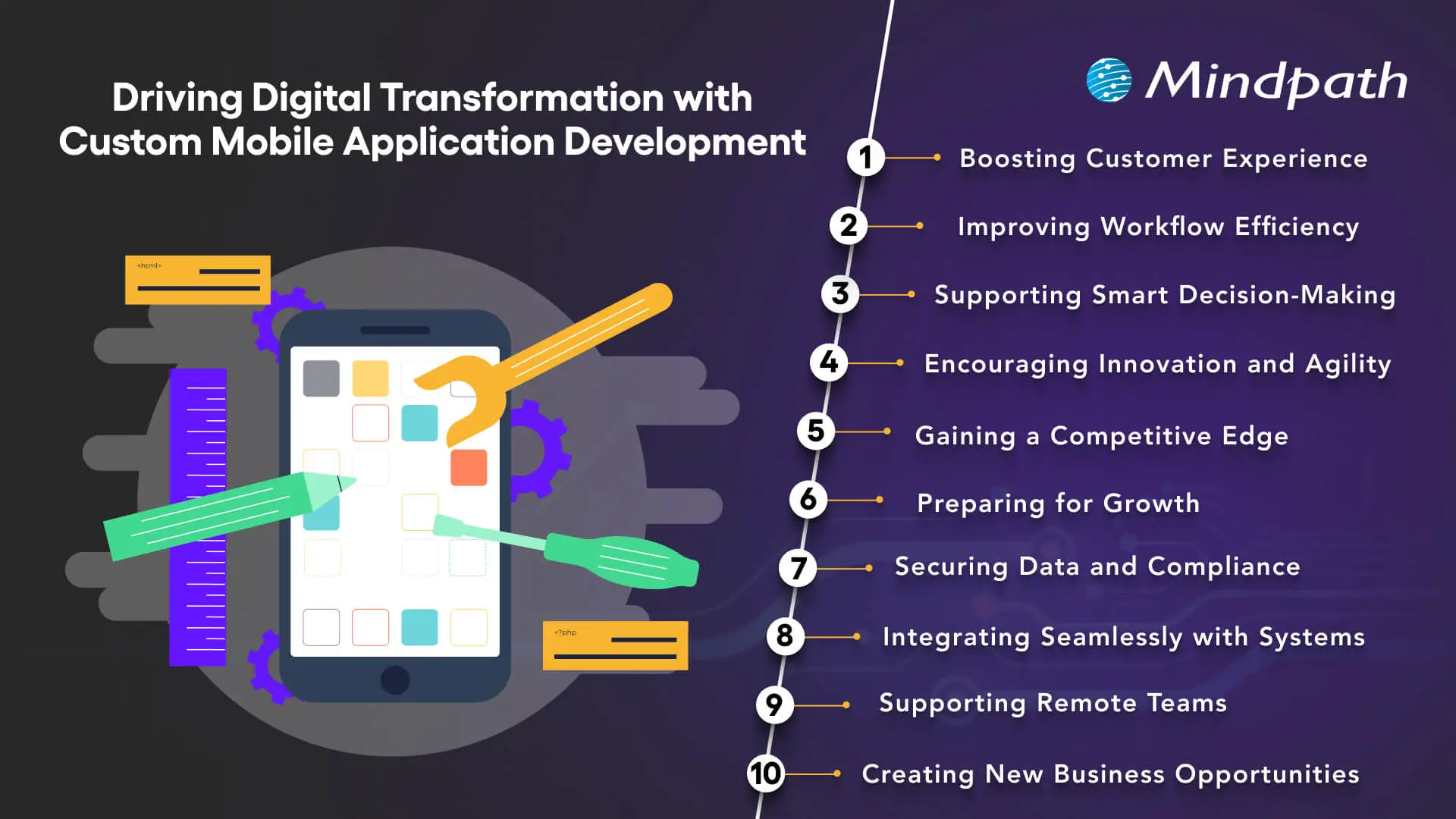
Driving Digital Transformation with Custom Mobile Application Development

1. Boosting Customer Experience

By using custom mobile application development, a company can have an app that is unique and offers a different experience for the users. These applications are the most convenient way for the customers to interact with the company, get a response, and receive the service. If a business adopts a user-centric design, it is only a matter of time before they will see their customers being more loyal and having a stronger bond with them.

2. Improving Workflow Efficiency

Personalized applications simplify core business operations through the automation of monotonous tasks and the minimization of errors. As a result, the company productivity is elevated and operational expenses are lowered. Enterprises thus become winners of facilitated work processes and a better structured system.

3. Supporting Smart Decision-Making

Custom app development enables real-time data collection and analysis. Companies have the ability to monitor consumer behavior, industry trends, and their own performance in an easy way. Such a data-driven strategy is a great source of power for decision-makers, as it enables them to take correct and prompt decisions.

Want to understand which tools and frameworks power successful mobile apps and accelerate digital transformation? Explore our detailed guide on mobile app development technologies to discover the platforms and tech stacks driving innovation.

4. Encouraging Innovation and Agility

By using tailored solutions, businesses have the possibility to create exclusive features that tackle issues directly. Such freedom from constraints promotes creativity and makes it possible for the company to adjust to the changes in the market swiftly. In other words, companies have the opportunity to be ahead of their competitors in the sense that they can try out new things and make their moves faster.

5. Gaining a Competitive Edge

Custom applications are a great way for companies to be different from the rest of the businesses by giving them exclusive features and a better user experience. Such differentiation leads to a powerful market presence. A good app is the company’s strongest weapon in the battle for customers against competitors.

6. Preparing for Growth

Custom mobile application development is a wise decision when considering business growth because it guarantees that the app will be scalable. It is very easy to add new features or make a service available to more users. The company can grow with no problem of performance or user experience being compromised.

7. Securing Data and Compliance

Custom apps may have the most sophisticated security features that are specifically tailored to meet the needs of different industries. Such features not only secure sensitive information but also help in maintaining compliance with the set regulations. Companies can go about their operations without any worries that their data is secure.

8. Integrating Seamlessly with Systems

Custom apps built using the right mobile app development tools can be linked to existing corporate software and platforms without any problems. As a result, this leads to the creation of a single digital ecosystem that spans across different tools. Information exchange between various systems becomes very easy. Hence, the mistake rate is reduced, and the speed of work is increased.

9. Supporting Remote Teams

With the help of mobile application development platforms, employees get access to tools and information from anywhere. This provision of remote access is a great boost to collaboration, which can now happen across different locations. It also allows work arrangements to be flexible. Teams are thus not being unproductive as they are not bound to a single office.

10. Creating New Business Opportunities

The creation of custom apps may result in a business gaining revenue streams through subscription fees, in-app purchases, or new digital models. Companies can now dig into newer ways of monetizing their services. By means of website and mobile app development, the business can ensure that these opportunities are indeed going in line with their overall strategy.

Looking to future-proof your mobile app strategy? Discover the latest insights in our blog on mobile app development trends to see how emerging technologies are redefining digital experiences.

Want to Drive Growth with Custom Mobile Apps?

Custom mobile application development is a powerful tool for businesses looking to innovate and stay competitive. Tailored apps improve efficiency, enhance customer experience, and provide data-driven insights that guide smarter decisions. By adopting custom solutions, organizations can drive growth, strengthen their market presence, and create seamless digital experiences that truly align with their goals.

At Mindpath, we offer professional custom mobile application development services to help businesses achieve these results. Our team builds scalable, secure, and feature-rich mobile applications that integrate smoothly with existing systems. We focus on delivering solutions that match your business needs and foster innovation. We provide a superior user experience across all platforms.
Legacy application modernization

There is need to make radical decisions in order to grow in 2026. Legacy application modernization now sits at the center of every CEO agenda. You are witnessing increasing prices, delayed launches, and systems to block innovation. So, what will you change first? Technology influences the degree, pace and consumer confidence. Consequently, leaders need to think radically about fundamental systems with expediency and conviction.

Nonetheless, the process of modernization is not a fast upgrade. It involves vision, alignment and good implementation. You would need to relate business objectives with contemporary architecture and cloud preparedness. Delay decreases the benefits as competition increases. Clearly, smart CEOs are early adopters and change agents. This blog discusses real-life tactics that help organizations grow in a scalable manner. So, keep reading further!

Want to turn legacy applications into a driver of growth and innovation? Mindpath provides legacy modernization services that help organizations modernize systems and unlock new business opportunities.

Why is Understanding Legacy Application Modernization Strategies Important?

Leaders must understand the right approach before investing in legacy application modernization. An effective plan will minimize risk, cost management, and adjust the technology to business objectives. It makes more intelligent choices, prevents interference, and long-term value. Modernization attempts to accelerate growth but lack guidelines; they tend to slack growth rather than improve it.

The world of business today is a busy environment where it is the speed and flexibility that determine the success of a business. Knowing the strategy behind legacy app modernization helps teams prioritize upgrades, strengthen security, and support innovation. It develops a blueprint to scalable systems, improved customer experience and a sustainable digital growth in competitive markets.

Key Strategies for Legacy Application Modernization

Powerful growth requires a definite course of action. Legacy application modernization strategies help businesses upgrade systems with less risk and better results. A narrow strategy makes the technology work in line with long-term objectives and innovation.

1. Refactor or Rearchitect

This is a method that re-architectures an application. Teams subdivide large systems into small and flexible services. It enhances scalability and is available with AI and real-time data tools. Many legacy modernization strategies recommend this for business-critical platforms. It drives true Legacy system transformation.

2. Rehost

Rehosting relocated applications in the cloud without altering code. It lowers data center expenditure within a short time. Companies achieve improved infrastructure and scalability. Although it does not fix deep design issues, it supports early legacy application modernization goals. It puts the systems into readiness to be improved in the future.

3. Retire

Retiring eliminates non-value-adding applications. Most organizations continue to incur the expense of unused or duplicated systems. Their closure saves on licensing and maintenance. This simple step strengthens application modernization plans. It liberates funds on high impact innovation projects.

4. Replatform

Replatforming transfers applications to the cloud with minor enhancements. Managed cloud services could replace self-managed databases in teams. This enhances performance and saves on operation. It balances cost and benefit during modernization of legacy applications. It eliminates chances of complete reconstructions.

5. Repurchase

Repurchasing involves substituting custom systems with cloud based SaaS products. Companies shift to subscription services run by reliable suppliers. This eliminates internal pressure of maintenance. It guarantees the availability of frequent updates and security patches. It supports faster legacy modernization decisions.

6. Relocate

Relocation takes virtual machines into the cloud without adjustment. It is efficient when implementing data centers of a large scale. Businesses are consistent and fast during migration. This method supports infrastructure goals in legacy application modernization programs. It keeps disruption low.

7. Retain

Retaining is maintaining the application in the existing environment. This is selected when systems continue to provide high returns to companies. It enables IT teams to work on more important upgrades. Not all systems are in need of urgent transformation. Smart legacy application modernization planning includes selective retention.

Want to ensure your modernization efforts follow a clear and structured path? Explore the legacy modernization roadmap to guide every step of your transformation journey.

Steps to Build an Effective Legacy Application Modernization Roadmap

A roadmap makes complicated upgrades into systematic improvement. The correct plan will help make sure legacy app modernization initiatives remain business-focused, budget-wise, and long-term.

Steps to Build an Effective Legacy Application Modernization Roadmap 

1. Evaluate Your Current Applications

Begin by taking a thorough analysis of your current systems. Quality of check codes, performance problems, integrations and infrastructure to identify the latent risks and areas of improvement.

2. Define Clear Business Objectives

Connect the leadership and stakeholders to the importance of modernization. Establish quantifiable objectives to ensure teams know priorities, expected results and schedules prior to technical change.

3. Select the Right Modernization Approach

Select a strategy that suits the business, e.g. rehosting, refactoring or rebuilding. The right choice reduces risk and supports long term legacy application modernization success.

4. Prioritize and Test with a Pilot

Divide the plan into achievable stages. Begin with high impact modules and put a proof of concept to confirm performance, security and scalability enhancements.

5. Execute in Controlled Phases

Move changes in steps so that there is no disruption. A structured rollout ensures stable operations and measurable value throughout the legacy application modernization journey.

Want to understand how updating legacy systems can boost business performance? Discover the benefits of modernizing legacy systems to achieve efficiency and scalable growth.

Ready to Lead Growth with a Clear Modernization Strategy?

Legacy application modernization offers CEOs the freedom to scale comfortably. It lowers the risk, enhances security and optimizes performance of the system. More significantly, it makes technology consistent with long term business objectives. The first mover companies are faster, more nimble and more trusted by their customers. An obvious guide transforms complicated systems into development drivers.

Mindpath is a reputed legacy modernization company who provide legacy modernization services that assists businesses in modernizing key systems in a clear and accurate manner. Our professionals evaluate, develop, and implement policies that facilitate creativity and business prowess. We put emphasis on quantifiable outcomes and value creation. Through Mindpath Legacy modernization services, companies create safe and scalable platforms that can support future developments.

FAQs

1. Why should CEOs prioritize Legacy application modernization in 2026?

Legacy application modernization helps CEOs reduce operational risk and unlock faster innovation. Modern systems support better decision making, improved security, and stronger customer experiences. In competitive markets, outdated platforms slow growth. A clear modernization strategy ensures technology actively drives revenue, efficiency, and long term business stability.

2. How long does a modernization initiative typically take?

Timelines depend on system complexity, business goals, and chosen strategy. Some upgrades take a few months, while large transformations may extend longer. A phased roadmap reduces disruption and delivers value early. Clear planning, executive alignment, and expert guidance help maintain speed and control.

3. What risks should businesses consider before modernization?

Companies should evaluate integration gaps, data migration challenges, security exposure, and internal skill readiness. Poor planning may lead to cost overruns or operational delays. Strong governance, stakeholder alignment, and measurable milestones reduce uncertainty. A structured roadmap ensures smoother execution and predictable outcomes.

4. How do microservices improve scalability in modernization projects?

Microservices break large systems into smaller, independent components. Teams can scale each service based on demand without affecting the entire platform. This structure improves deployment speed, fault isolation, and performance optimization. It also supports cloud environments and advanced integrations such as AI driven analytics tools.

5. How can Mindpath’s legacy modernization services support technical transformation?

Mindpath’s legacy modernization services provide structured assessments, architecture redesign, and cloud migration expertise. Their team builds scalable systems aligned with business objectives. As a trusted technology partner, Mindpath ensures secure execution, phased rollouts, and measurable performance gains across complex enterprise environments.
AI use cases 

Currently, cloud computing, data analytics, and machine learning are influencing the way companies are innovating. Do companies have the capability to leverage AI use cases to remain competitive in the market? All industries are under pressure to become efficient and customer-focused and make better decisions. Investigating these technologies stimulates novelties and challenges leaders with the need to reconsider the old methods.

With smarter systems embraced in organizations, the actual question is what AI applications are the most valuable. Is it possible to have teams that open up and simultaneously cut down on mistakes and costs? Numerous leaders are creating, trying and revising solutions every day. In this blog, we are going to examine the most successful AI business use cases that are going to transform business in 2026. So, keep reading further!

Key Takeaways

  • 01
    AI use cases help businesses automate routine work, improve decision-making, and create more efficient operations.
  • 02
    Common business applications include personalized customer journeys, predictive equipment monitoring, intelligent support, workforce planning, and content creation.
  • 03
    AI can also support security, software testing, operational intelligence, safety monitoring, and conversational product assistance.
  • 04
    Companies across retail, entertainment, automotive, technology, logistics, and other industries are applying AI to solve practical business challenges.
  • 05
    The right AI use case should connect to a clear business goal and deliver measurable improvements in efficiency, customer experience, or innovation.
Planning to adopt AI but unsure how to turn emerging use cases into measurable business outcomes? Mindpath offers end-to-end AI development services that guide you from strategy to implementation.

Why are Businesses Turning to Artificial Intelligence?

Businesses embrace the use of artificial intelligence to operate more quickly, cheaply, and make better decisions. Numerous businesses using AI automate routine work and enhance day-to-day operations. Data insights help the leaders to influence strategy and planning. McKinsey reports that about two thirds of organizations continue to test or pilot AI with careful adoption across industries.

Careful consideration of real value AI use cases has become a priority among companies. Teams make the experiences of customers personal and their supply chains efficient through intelligent systems. According to McKinsey, 64 percent of the respondents claim that AI helps support innovation goals. Companies that pair AI with their expansion policies tend to achieve greater productivity and quicker innovations and improved competitive placements.

Not sure how to move from AI ideas to real business impact? Discover the AI roadmap to check out how structured planning turns AI use cases into scalable results.

Practical AI Use Cases Driving Business Transformation

Businesses do not consider AI as an experiment anymore; they use it to solve daily problems. The current trends of many businesses utilizing artificial intelligence are based on measurable results and quicker outcomes. AI helps make smarter decisions, smoother operations and makes industry growth scalable. Below are the use cases that demonstrate how companies can transform AI strategies into real business impact.

Some of the most practical AI use cases for businesses include customer personalization, predictive maintenance, intelligent support, workforce planning, content creation, security, software testing, operational monitoring, safety management, and conversational product assistance.

1. Personalized Customer Journeys

AI assists brands to know customer preferences and behavior patterns in real time. The AI use cases in teams are used to customize recommendations and interactions. This will enhance interactivity and customer retention. The experiences offered by many companies using AI make them appear relevant and timely.

2. Predictive Equipment Monitoring

AI monitors the machine information by sensors and performance history. Such AI applications detect problems prior to failure. There is a decrease in downtime and maintenance costs incurred in business. Repairs are scheduled ahead of time and unexpected breakdowns prevented.

3. Intelligent Customer Support

AI chatbots respond to queries in real-time in digital mediums. These applications of AI decrease response time and workload. Customers are provided with regular assistance all the time. Support teams are responsive to complicated customer demands.

Looking for practical inspiration beyond theoretical AI use cases? Discover AI chatbot examples to check out how businesses are automating support, sales, and workflows.

4. Smart Workforce Planning

AI forecasts the staffing requirement based on the previous demand. AI use cases provide managers with the ability to manage workloads. Staffs are given timetables that are based on availability and capabilities. Teams do not experience staffing problems during peak times.

5. Content and Campaign Creation

AI examines trends with the purpose of recommending topical content. GenAI use cases assist teams to write articles and social posts more quickly. Marketers minimize tasks used up in repetitive work. Creative teams dwell on message and strategy.

6. Advanced User Security

AI makes authentication based on biometrics and behavioral monitoring. These AI use cases minimize fraud and unauthorized entry. Real-time systems identify the abnormal activity. The users enjoy secure and easier logins.

7. Quality Testing Automation

During development cycles, AI tests applications continuously. Enterprise AI use cases enable teams to identify defects in the beginning. Products are developed to fix bugs prior to release. Enterprises provide quality software with a reduced amount of errors.

Want to know what makes AI applications smarter behind the scenes? Check out the role of vector databases in AI applications and discover how they improve relevance and decision-making.

8. Operational Intelligence Management

AI is used to keep track of systems in order to detect problems in performance. AI use cases help teams to avoid service outages. Issues are resolved faster with the use of automated alerts. Operations continue to be stable and efficient.

9. Safety and Risk Monitoring

AI examines the surroundings based on camera and live data. There are the AI use cases that detect risks in advance of events. Companies enhance the safety conformity in operations. Simultaneously, the teams react quicker to threats.

10. Conversational Product Assistance

Artificial intelligence assistants help customers in choosing products. AI agents use cases provide real-time questions and recommendations. Customers get the correct answers immediately. Brands enhance interactivity and buying assurance.

Ready to understand what powers self-learning and action-oriented AI applications? Discover the role of AI agents to learn how they manage tasks, decisions, and execution end to end.

Real-World AI Use Cases Examples

Companies have outgrown strategy and are concerned with real achievement in their daily activities. These AI use cases demonstrate how companies use intelligence to address real-world problems in various sectors. The following are illustrative of the ways AI is providing quantifiable value to real businesses.

Real-world examples include AI-powered recommendations, autonomous driving assistance, biometric authentication, employee training, supply chain optimization, robotic process automation, and conversational customer experiences.

1. Amazon suggests products about browsing and buying history, enhancing cross-selling and upselling using the AI use cases in action.

2. Netflix applies AI to recommend films and movies according to viewing history to keep the users active and decrease churn.

3. Tesla enhances car security through the Autopilot that helps them monitor the road and drivers to avoid collisions.

3. Apple makes iPhones secure using Face ID which offers quick and smooth authentication but ensures sensitive user data remains intact.

4. Walmart trains new workers with AI, which guarantees consistency in training and leaves managers to do valuable work.

5. Coca-Cola manages logistics and inventory through AI to enhance the efficiency of the supply chain and minimize operational expenses.

6. IBM uses Robotic Process Automation on routine work, enhancing precision and allowing workers to undertake high-value tasks.

7. L’Oréal applies conversational AI to provide individual beauty tips and recommendations, which enhances engagement and purchases.

Wondering what separates traditional automation from true AI-driven transformation? Learn about AI models to check out how they power modern enterprise use cases.

Ready to Transform Your Business with AI?

AI is reshaping how companies operate, improve efficiency, and engage customers. Practical AI use cases help businesses automate tasks, enhance decision-making, and boost innovation. From personalized experiences to predictive maintenance, AI is driving measurable value. Companies adopting these technologies can grow faster, reduce costs, and stay ahead in competitive markets while building smarter and scalable operations.

At Mindpath, we offer expert AI development services to help businesses implement these solutions. Our team builds custom AI systems, chatbots, and predictive tools that fit your operations. With Mindpath, companies using artificial intelligence can automate workflows, personalize customer experiences, and improve efficiency. We guide businesses to apply AI effectively and achieve real growth through smart technology.

FAQs

1. What are common AI use cases in business?

Artificial intelligence is used to automate work, assess information, and create better customer experiences. There are numerous applications of AI use cases in many businesses aimed at efficiency. Predictive analytics, chatbots, and recommendation engines are commonly used.

2. How do businesses identify the right AI use cases?

Begin with redundant operations or data-intensive processes that reduce the speed of teams. Analyze the areas that businesses using artificial intelligence achieve the best outcomes. Focus on the high-value areas in accordance to the goals.

3. Will AI replace human jobs in companies?

AI does the routine work and human beings concentrate on strategy and creativity. AI in real life is not a substitute, but a partner. Reskilling will be fundamental due to its increasing adoption.

4. What industries lead in adopting AI technologies?

AI is applied in finance, healthcare and retail to make predictions, analyze and recommend. Enterprise AI use cases are effective in boosting efficiency and customer experience. Every industry implements AI to address certain issues.

5. How can small businesses benefit from AI adoption?

AI schedules, reports and supports small teams automatically. Companies using AI are able to conserve time and minimize errors. Smart tools allow small businesses to compete better.

outsourcing web development

In the present world, maintaining a strong online presence has become a necessity for any business. That’s where outsourcing web development can help you. As a matter of fact, this can be your most strategic growth accelerator. It is currently being used by organizations of both large and small scale to get access to global talent and unlock innovation, which keeps them on the competitive edge.

If you want to update your current website or introduce a new one, outsourcing can help you facilitate smooth management of this process, giving you time to work on other crucial issues. This post will help you know what outsourcing web development truly means and explore the 10 amazing benefits of the same.

Struggling to keep up with rising development costs, talent shortages, and faster digital demands in 2026? Mindpath’s web development services help you outsource with confidence, delivering scalable solutions that accelerate business growth.

Web Development Outsourcing- A Short Brief

In simple words, outsourcing web development is a practice of hiring an external team of professionals to handle a development project. Instead of investing in creating an in-house team, some businesses prefer to opt for outsourced web development services. The major factors that have caused this are minimized costs, shorter project durations, and the availability of specialized skills.

This will enable the businesses to concentrate on the major operations without the need to worry about web development and maintenance. It has become a norm amongst companies. Over 76 percent of the enterprises outsource their IT functions (Source: Deloitte). This is useful for startups and enterprises. 

Should You Outsource Web Development?

Still not sure if you should outsource web development? Here are some questions that can help you make a decision: 

1. Do you require any specialized skills not available in-house? 

2. Is scalability important to your business growth?

3. Do you want to speed up time-to-market and lower costs? 

If your answer is yes, you can prefer to outsource web development projects. This will offer you a perfect combination of expertise, innovation, as well as efficiency. If you are looking for some more reasons, check out the selections below, where we have covered some impressive benefits of outsourcing web development. 

Want to build a tailored digital solution that perfectly aligns with your business goals and user needs? Check out our guide on custom web development services to discover how personalized solutions can give you a competitive edge.

10 Key Advantages of Outsourcing Your Web Development

Outsourcing web development is not just about reducing costs; it’s also about working smarter without compromising quality. Read on to know the major advantages of outsourcing web development and the reasons why several businesses are drawn towards it. 

1. Access to Global and Top Talent

Outsourcing opens the door to highly experienced and skilled UX/UI designers, programmers, creative experts, project managers, and more. You are not limited by location anymore. The outsourced companies use advanced technologies such as blockchain and AI, and have skilled experts in frontend and backend development.

Based on your budget and requirements, you can outsource projects to regions well known for their tech expertise, such as Poland, Europe, or the United States. It allows you to leverage top-tier talent at competitive hourly rates.  

2. Reduced Development Cost

The most obvious advantage of outsourcing is lower web development costs. When you hire an in-house team, you will have to deal with multiple expenses. For instance, salaries, office space, software, benefits, employee training, and more.

You don’t have to worry about full-time salaries when you outsource. You only have to pay for the services you need. Besides, most outsource web development companies follow a flexible pricing structure. That can help startups and SMEs scale quickly. 

3. Fast Development Time

An experienced outsourced development team can start working on your project instantly. They have access to all web development tools and web development technologies to complete the task on time. 

Besides, they always follow streamlined workflows and agile methodologies to ensure faster prototyping and deployment. This gives you a chance to launch your website or web app faster to stay ahead of your competitors. 

4. Scale Up or Down Conveniently

The fact is, your web development needs are not constant. When you need to launch a new product, you may need a large team. And for maintenance, a few developers will be enough. Outsourcing lets you adjust your team as per your needs. 

Furthermore, scaling will be more predictable. You can plan ahead, understanding your requirements and adjusting team skills and size quickly. This is useful for seasonal companies and startups moving through a rapid growth stage. 

5. Access to The Latest Tech

Everyone is aware that technology is dynamic. It may not be easy to keep abreast with new security measures, web development trends, web development frameworks and web programming languages. However, outsourcing companies usually invest in the state-of-the-art tools and platforms.

They also assure you of working with best practices and current security features in developing your web apps. With chatbots, AI, and other high-level cybersecurity solutions, they transform your site into a masterpiece.

Curious how AI is transforming the way modern websites are built and optimized for better performance? Discover our in-depth guide on AI in web development to learn how it can enhance efficiency, personalization, and scalability.

6. Risk Mitigation

Creating a website comes with various risks, including security issues, non-compliance, and unexpected costs. These factors can easily derail your project. If you don’t want to deal with all these risks, partnering with an outsourcing company would be an ideal option. 

Trusted web development outsourcing companies practice the best security, compliance, and coding standards. In addition, their special QA teams constantly ensure your new website complies with the accessibility guidelines and performance. In addition, their SLAs or service-level agreements can be of benefit to you.

7. 24/7 Technical Support and Maintenance

A website needs to be updated as well as optimized regularly after it is developed. The majority of businesses fail to maintain their websites through their in-house team. Outsourcing provides continuous maintenance and technical support.

They keep an eye on your website, fixing things and making sure your site is equipped with the most recent laments to run without any hassle.

8. Reduced Burn Rate

You may find developing an in-house team appealing. However, it comes with major overhead. For instance, recruitment expenses, equipment leases, back-office operations, team onboarding, and more. 

For early-stage businesses or startups without consistent revenue, these expenses can inflate the burn rate. Well, outsourcing web development provides you with a leaner alternative. Pay only when you opt for their services, and you can stay financially agile. 

9. More Time for Core Operations

Web development is a process that should be carefully monitored, and it needs much of your attention. That means when done in-house, you may not get enough time for core business operations. 

By handing over the task to an external team, you can dedicate your time to other crucial things, such as sales, marketing, customer acquisition, strategic partnerships, etc. As a result, when your web app is fully developed, you will be in a good position to execute a successful launch. 

10. Enhanced Transparency and Project Management

Reputed outsourcing companies utilize modern project tracking tools, agile methodologies, and focus on transparent communication. They ensure you get regular updates and reports about your project. 

Furthermore, they ensure a smooth collaboration between you, designers, developers, and the project manager. With such facilities, you can ensure your web development aligns with the company’s vision. 

Looking to improve collaboration and speed up your web development process with a more flexible approach? Explore our detailed guide on agile methodology in web development to discover how it helps deliver faster and more efficient results.

Common Web Development Services to Outsource

You can assign the entire project or specific parts to your outsourced web development company. Here are some of the common services that are usually outsourced:

1. UI/UX Design

To develop interesting and user-friendly interfaces.

2. Web Consulting

Assists in idea validation and making web development easy.

3. Tailored Web Development

This includes both backend and frontend coding.

4. E-Commerce Development

Creating a superior online store. 

5. API Development and Integration

To create custom APIs for enhanced user experience and functionality.

6. Database Management

To design as well as manage databases in a secure manner. 

To achieve desired outcomes, outsourcing web development to an experienced and reliable company is important. 

Planning to build a successful digital product but unsure about the right steps and timeline to follow? Discover our complete web development roadmap to understand each phase and make smarter outsourcing decisions.

Ready to Kick Start Your Business Growth by Outsourcing Web Development?

Outsourcing web development is more than a cost-saving strategy. It allows businesses to access global talent, adopt the latest technologies, scale efficiently, and focus on core operations. Smart outsourcing ensures faster project delivery, improved quality, and long-term business growth.

At Mindpath, we offer end-to-end web development services tailored to your unique needs. From UI/UX design and web apps to maintenance and support, our expert team ensures seamless execution, timely delivery, and innovative solutions that help your business scale confidently and achieve measurable results.

Benefits of saas

Are you still relying on on-premise software to manage your business operations? In today’s evolving world, traditional software models are considered costly, outdated, and also challenging to maintain. The shift towards SaaS (Software as a Service) is redefining how organizations function. Besides, the benefits of SaaS are truly impressive compared to traditional models. 

As cost-efficiency, rapid deployment, and remote work become top priorities for businesses, SaaS has emerged as a crucial element of modern IT strategy. In this blog, we will discover more about it and understand what are the benefits of SaaS. Furthermore, you will understand how these tools support business operations. So, let’s dive deep into it. 

Planning to move your business to a cloud-based software model for better flexibility and cost efficiency? Mindpath’s SaaS Development Services deliver tailored solutions that improve performance, scalability, and user experience.

What is SaaS? – A Simple Explanation

Software as a Service, or SaaS, is a cloud computing model where software applications are hosted by a third-party provider and delivered over the internet, typically through a web browser. Instead of purchasing and installing software locally, users subscribe to the service and log in from any device. Service providers offer these tools on a pay-as-you-go or subscription basis, giving businesses on-demand access without having to manage infrastructure.

Some common examples of SaaS platforms are Zoom, Salesforce, Google Workspace, Mailchimp, and Shopify. Speaking about some common benefits of SaaS, these are continuous innovation, seamless collaboration, and faster deployment. 

Some key characteristics of SaaS are: 

1. Accessible from anywhere and anytime 

2. Subscription-based pricing models

3. Automatic and hassle-free updates 

4. Flexibility and scalability 

Looking to match your business needs with a skilled SaaS development provider? Check out how to choose the right SaaS development services to ensure perfect alignment.

Key Benefits of Software as a Service

Now that we have an understanding of SaaS, it’s time to explore the values SaaS platforms bring to the table. From small startups to large organizations, SaaS tools offer powerful solutions to enhance productivity and streamline multiple operations. 

Here are some impressive software as a service benefits that make these tools a crucial element of every business’s success. 

1. Cost-Efficiency

We would say this is one of the most compelling Benefits of SaaS. Opting for traditional software means you will have to invest in IT personnel, hardware, and licenses. However, SaaS tools eliminate these expenses by providing you  with: 

  • Lower initial investment

There is no need to buy expensive software licenses and hardware. 

  • Transparent billing

With different subscription models, you can plan your budget easily. 

  • Low Maintenance Costs

The service providers will handle regular patches, updates, and service maintenance. 

These things make SaaS attractive for small businesses and startups with a restricted budget.

2. Scalability- It Grows with Your Business

As your organization grows, so do your software requirements. All trusted SaaS service providers have powerful and massive IT infrastructure. This makes it highly scalable and flexible. When your business grows, you can just change your subscription plan, and you are ready to go. 

Using SaaS platforms, organizations can: 

1. Upgrade and downgrade their plats based on requirements. 

2. Add or remove users with a few simple clicks 

3. Access modern features without making any changes to the tool. 

Organizations just need to pay for the services they use, making it an adaptable solution. 

Looking to understand how different development approaches impact SaaS performance? Check out the types of software development to gain insights for building high-quality SaaS solutions.

3. Mobility and Accessibility

In this world, where global teams and remote work are the latest trends, accessibility is vital. It can be achieved through SaaS solutions. These tools are easily accessible through any device with an internet connection.  

SaaS allows employees to effortlessly collaborate from any location. Besides, the software can be accessed from smartphones, laptops, tablets, and desktops. What’s more? Multiple teams can smoothly work on the same projects simultaneously. 

This high level of accessibility enhances overall productivity while supporting an agile workforce. 

4. Reliable Data Storage and Automated Backups

As SaaS is powered by cloud technology, your data will be regularly stored and backed up. Businesses can customize their storage options based on their needs. Furthermore, they can increase or decrease the features. 

On the other hand, with SaaS tools, you don’t need to worry about running out of space. No matter what your storage requirements are, you can easily find an ideal plan that will work for your business. 

5. Hassle-Free Maintenance and Automatic Updates

Users of traditional software are well aware of the disruptive and time-intensive manual update process. One of the significant advantages of software as a service is that updates are handled by the service provider. 

Furthermore, there are other benefits to consider, such as: 

  • Continuous Improvement

Service providers regularly roll out new, advanced features along with security patches. 

  • No Manual Setup

Updates are delivered and installed by the SaaS service provider. Users don’t need to perform any action. 

  • High Uptime

All updates are deployed during off-peak hours to avoid disruption. 

It ensures that your organization has access to the latest security enhancements and features. 

6. Compatibility- Effortless Integration

Most SaaS tools utilize Application Programming Interface or API for data transfer. It makes these tools highly compatible, and they can be integrated with almost all technologies. 

Modern SaaS platforms easily connect with ERP, accounting, marketing tools, and CRM. As a result, it will be easier for you to manage and streamline repetitive tasks. The interconnected ecosystem boosts data visibility and supports informed decision-making.

7. Enhanced Security

Undoubtedly, security is a major concern for every business. And trusted SaaS providers always prioritize cybersecurity. With the best SaaS tool, you will enjoy the following security benefits: 

  • Regular Backup

Most SaaS tools support automated data backup, ensuring quick data recovery in the event of system failure. 

  • Data Encryption

SaaS providers use advanced security features to keep sensitive information protected. 

  • Compliance

These tools adhere to the major industry standards such as HIPAA, GDPR, and more. 

With the help of a SaaS provider’s expertise, your organization can attain the maximum level of security. 

Planning to create a SaaS application that perfectly fits your business needs? Discover the custom software development process to ensure your SaaS is designed for success.

8. Faster and Hassle-Free Deployment

One of the key advantages of SaaS is how quickly you can get started with it. These tools can be deployed within a few hours or days. There is no need to wait for months. You just need to sign up with the tool and start taking advantage of the features.

On the other hand, SaaS tools’ intuitive interfaces and easy-to-understand tutorials can help your team get started quickly. If deployed properly, you will be able to witness the changes within a few days. This rapid deployment supports your business’s quick digital transformation. 

9. Business Intelligence and Data Analytics

Many SaaS tools provide users with built-in analytics features. These features allow businesses to track multiple key performance indicators, evaluate operational efficiency, and monitor user behaviour. 

Moreover, these tools simplify reporting by offering actionable insights and visual dashboards. As you will have access to the latest, accurate data, making informed decisions will be easier. Whether you are refining your strategy or scaling it,  SaaS tools empower faster and smarter business moves. 

Curious about the common pitfalls businesses face with SaaS solutions? Check out the challenges of SaaS to safeguard your adoption strategy.

When to Opt for SaaS Instead of Traditional Software?

Although SaaS is not the right option for every scenario, some do. Let’s explore the key situations where SaaS may shine, with a focus on the software as a service advantages.

1. You are a Startup and Scaling Fast

SaaS allows you to launch a product faster, pay monthly, and it will scale seamlessly as you grow. It helps your team to stay lean. You don’t have to worry about lock-in or hardware investments. Just enjoy the agility. 

2. You Need Quick Deployment with Lower Upfront Costs

Ask yourself the following questions: 

  • Do you have a limited budget?
  • Do you need software that can work instantly for your business? 
  • Are you worried about costly  IT infrastructure?

If yes, SaaS is the right option for you. With this, you will get instant access along with a predictable monthly fee. The best thing is that most SaaS tools come with free trials and offer basic features for free. 

3. Your Team Needs Remote Access and Flexibility

If you are managing remote or hybrid teams, a SaaS platform can ensure smooth collaboration and access. In fact, these platforms are designed for accessibility and can keep your crucial data synchronized across devices safely. 

SaaS Readiness Checklist: Know If Your Business is Prepared

Transitioning to a cloud infrastructure doesn’t mean your organization can implement SaaS models. In fact, it has been seen that some organizations found SaaS tools unsuitable as their workflows and systems were not aligned with the cloud-based facility. 

However, if you have a robust software product, a trusted recurring payment system, and a huge customer base, then you are well-positioned to experience the Benefits of SaaS.  

When implemented properly with the help of an expert, a SaaS tool can benefit both service providers and users. It provides customers with user-friendly and seamless experiences. On the other hand, it enables your business to enhance its products and services. For a successful deployment, ensure that: 

1. Your software or product is market-ready.

2. A robust recurring payment system is in place.

3. Your existing infrastructure is compatible with the new cloud solution.

4. You have a scalable and responsive support team. 

5. Your compliance and data security protocols are robust. 

6. Your team can continuously measure as well as optimize product performance. 

If your organization aligns with these statements, then you can successfully embrace SaaS platforms and enjoy all the Benefits of SaaS. When you have a solid foundation, SaaS models can drive long-term success, customer satisfaction, and sustainable growth. 

Future Trends in SaaS

SaaS is evolving, driven by smarter cost control, industry-specific solutions, and AI. Talking about the future trends, we may expect to see a shift toward scalable, secure, and intelligent software ecosystems. 

Some major future Saas trends to consider are: 

1. AI-powered SaaS tools offering more Benefits of SaaS, including automated financial forecasting and AI-powered customer support. 

2. More sophisticated SaaS tools offering deeper compliance support, workflow alignment, and customization. 

3. No-code or low-code enablement to empower non-technical users.

4. Compliance-driven and privacy-first SaaS solutions. 

5. Increasing adoption of API-first and module SaaS tools that can help create custom stacks. 

Ready to Unlock the Full Potential of SaaS for Your Business?

SaaS is transforming the way organizations operate, offering scalability, enhanced collaboration, cost-efficiency, and robust security. By adopting SaaS solutions, businesses can streamline operations, improve productivity, and stay agile in today’s fast-evolving digital landscape.

At Mindpath, we deliver custom SaaS solutions tailored to your business needs. Our expertise ensures seamless integration, optimized workflows, and future-ready systems. Partner with us to harness the power of SaaS, maximize efficiency, and achieve measurable results while minimizing investment.

Join our Newsletter!

categories

Join the world's largest training library and unlock new opportunities!

Featured Posts

Turn Insights Into
Real Business Solutions

Exploring trends is only the beginning. Whether you’re planning AI adoption, modernizing legacy systems, or building scalable software, our experts help transform ideas into practical business outcomes.