Proof of Concept vs. Prototype: What’re the Differences?

Join our Newsletter!

Featured Posts

Support Is One Click Away

Home

Proof of Concept vs. Prototype: What’re the Differences?

prototype vs. proof of concept

Proof of Concept vs. Prototype: What’re the Differences?

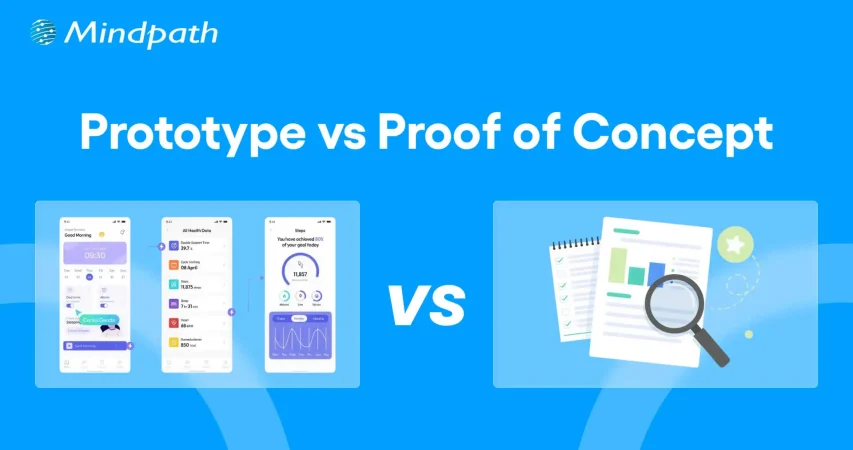
Businesses have to come up with new products to maintain their competitive edge and expand market share alongside meeting new user expectations. You may have an exciting idea for a new digital product or an application and still not be able to find how to translate the idea into a real solution. This is where you must know about the prototype vs. proof of concept debate and how to use them to validate your product ideas. 

As the competition and challenges for businesses continues growing, you need more than a brilliant idea to be successful. Business owners must understand that the transition of an idea into a full-fledged product is not a process to complete in one step but a journey. The proof of concept or POC and prototype are two distinct milestones in product development that offer methodical validation. Understanding the differences between them will empower you to navigate the journey of product development with ease.

Wondering how to validate your idea before building a full product? Mindpath offers Proof-of-Concept (POC) development services to help businesses test concepts quickly and reduce risk of investing in ideas that may not succeed.

Unraveling the Best Explanation for Proof of Concept

The most common assumption that business owners share is that a proof of concept is the same as a prototype. This assumption arises from the lack of a clear understanding of the definition of both terms. The easiest way to draw out a proof of concept vs. prototype comparison is to reflect on an ideal explanation of their definitions. Proof of concept or POC is a feasibility study that helps businesses in validating new product ideas. The primary goal of developing a POC revolves around testing the general assumptions associated with the idea and verifying whether it can be executed in the real world.

You should know that a proof of concept is not a basic version of the product you want to build with minimal features. On the contrary, it is a standalone project tailored specifically to validate a product idea. If the proof of concept delivers a negative result, then businesses can avoid spending time and money on the project. In the case of a positive result, you can have the assurance of building the complete product. The proof of concept works like an experiment where you find out whether your product idea can be technically feasible. 

Wondering how you can translate a validated concept into a full software solution? Check out MVP for software development to efficiently move from POC to a functional product.

Why Do You Need a Proof of Concept?

Many business owners may believe that investing in a proof of concept is a waste of time and resources. The difference between proof of concept and prototyping tells otherwise as there are many reasons to start a POC project. Every business owner should know that a proof of concept offers more than technical validation for their product ideas. It plays a major role in saving resources and reducing development concepts while pushing your potential for competition and innovation. 

The data and feedback obtained for your proof of concept can provide strong reasons to attract initial investment and stakeholders. Your proof of concept also serves as a useful resource to help your team understand how the product works. At the same time, it enables easier identification of bugs and risks in early stages of development. The proactive identification of risks helps you prepare the most effective mitigation strategies and accelerates time-to-market for new products.

Looking to bring your idea closer to the market while reducing risks? Learn how MVP development helps startups and businesses build products quickly after validation.

Understanding the Actual Meaning of a Prototype

Business owners are also likely to think that a prototype is similar to the minimum viable product or MVP. Even though they share some similarities, a prototype is not exactly the minimum viable product you would introduce to target users. The comparison between a proof of concept and prototype becomes easier when you know that a prototype is a visualization of how your product would look like. It is a preliminary version of your product that helps in testing the user interface and user experience with different functionalities of the product. 

The primary objective of creating a prototype for your product is to determine whether your users are having a positive experience with the product. You can rely on a prototype to understand how users will navigate your product and identify its utility. In simple words, you can think of a prototype as the first draft for your product after you validate an idea with proof of concept. Business owners should know that prototyping is a more complex and iterative process than developing a POC. The proof of concept offers technical validation for your product idea and a prototype helps you obtain initial feedback on how users feel about your product.

Curious how to transform your prototype into a product that users can interact with? Discover how to build MVP to bridge the gap between prototypes and final products.

Why Do You Need a Prototype?

People who don’t know the difference between proof of concept and prototype are likely to think that a prototype is not necessary when you have proof of concept. On the contrary, a prototype is a critical milestone in product development journeys as they help in determining potential flaws in product design. Prototyping offers immediate feedback on the reaction of your target users to the UX of a product. You can draw a similarity between POCs and prototypes in the fact that both of them save your time and resources by identifying issues in early stages of product development.

One of the significant reasons for every business owner to build a prototype is the ability to attract more early adopters and investors. The prototype serves as a better representation of how your final product will look like. As a result, investors and stakeholders can gain confidence in the market potential of your product. You can rely on a prototype to refine the product design before you move to the next step or developing the MVP.

Want to create a minimal version of your product to test in real conditions? Check out MVP for startups to validate market fit and gain early adopters efficiently.

Decoding the Differences between Proof of Concept and Prototype

The definitions of proof of concept and prototypes provide a lot of clarity on the differences between them. You can achieve a seamless shift from concept to prototype only by learning how a POC is different from prototype. Any confusion between the two terms can land you up with wasted resources and lack of direction for product development. Business owners, startup founders, development teams and product managers must know the unique role of POCs and prototypes.

1. Objectives

The foremost line of comparison between POCs and prototyping is evident in their objectives. The primary objective of a proof of concept is to validate the technical feasibility of a product idea. On the other hand, a prototype aims to test the product design and its user interface and user experience. The primary goal of a prototype is to show you how a product will look and feel.

2. Target Audience

You can expand the POC vs. prototype comparison by looking at the target audience they are intended for. The proof of concept is created for the technical stakeholders, investors and internal teams of an organization. However, the prototype is exposed to stakeholders, investors and early adopters.

3. Cost and Resources

Another critical point of difference between proof of concepts and prototypes revolves around the cost and resources required for them. In the case of a proof of concept, a business will have to incur limited expenses due to low coding and resource requirements. Developing a prototype requires more costs and resources as it involves coding and expenses on product design.

4. Expected Outcomes

The next notable aspect in the difference between POC and prototype is about the outcomes expected from them. A proof of concept will offer technical validation for a product idea and help in determining the ideal technology stack. The POC provides a clear demonstration of the feasibility of the concept you have for a product. Upon completing prototype development, you will have a visual representation of the product and a first draft for your MVP. The prototype showcases the working of a specific functionality and the UI/UX of your product.

Planning to stay ahead of design trends while developing prototypes and MVPs? Learn about the latest UX/UI design trends to enhance user experience and engagement in your product.

Here is an overview of the differences between proof of concept and prototype in a table.

Criteria Proof of Concept Prototype
Objectives Validating technical feasibility of product ideas. Testing the design and UI/UX of the product.
Target Audience Internal teams, stakeholders and investors. Stakeholders, investors and early adopters.
Cost and Resources Low costs due to limited coding and resource requirements. Higher costs than POC development due to expenses on product design and coding.
Expected Outcomes Technical validation for product idea and identifying relevant technology stack. Visual representation of the product design and its user interface and user experience.

Final Thoughts

If you want to shape your next big idea into a product that drives sustainable business, then you need a proof of concept and prototypes. Most important of all, you should understand the notable points in a prototype vs. proof of concept comparison to learn about their significance in the product development journey. An overview of their objectives, target audience and expected outcomes can help you capitalize on their value efficiently.

Mindpath is your best option when it comes to developing proof of concept and prototypes for your brilliant product ideas. We leverage years of experience and the most relevant tools to help you determine whether your idea can transform into a profitable product. Our POC development services and experts will guide you through the different stages of product development with clear roadmaps and continuous support. Reach out to us for your first consultation and turn your ideas into reality now.


Related Post

Related Post

AI implementation
Have you ever wondered how companies such as Amazon or Google come to decisions quickly and easily, and how they use technology to simplify complex tasks? The answer lies in Artificial Intelligence (AI). But how can you harness this powerful technology to transform your own business? In this blog we will explore the implementation of Artificial Intelligence which can be the solution for you. So, let us dive in! 

What is AI Implementation?   

AI implementation makes use of smart technology in making your business function better. It simply embeds AI tools into your daily activities to make them easier and more efficient. This could be anything from responding to customer inquiries to analyzing massive data or even predicting what the next possible sale to a given customer would be. Basically, this is meant to save time and improve customer service and think smarter. This way, your business will be able to grow and make your goals a reality very fast due to working smarter, not harder.  Artificial Intelligence is important in today’s world because it makes life and working procedures easy. It helps organizations in automating tasks, analyzing data, and making speedy decisions. AI improves healthcare by supporting doctors in the diagnoses of diseases and improves the customer experience within retail shops through the personalization of shopping activities. As technology grows, AI becomes even more vital in helping us innovate and stay competitive. 

AI Implementation Strategy    

1. Data Type   

If you really want to start leveraging the power of AI properly, then it becomes quite important to use the right model for your data type. Use models that treat pictures well for image data, those that understand the language for text, and those that track changes over time for time-based information such as stock prices. Using the appropriate AI model according to your data makes it work better and gives you more accurate results. 

2. Problem Complexity   

Keep in mind how complex your problem will be when using AI. Easy problems likely can be satisfactorily solved with some pre-trained model that has been set up for common issues. For more unique or complex problems, you will want an AI tailor-made for your requirements. Matching an AI model with your problem’s complexity enables much better results and effective solutions. 

3. Labeled Data  

Deep learning requires a lot of labeled data—information that has been tagged with correct answers. Check whether you have enough labeled data for the project to be executed; otherwise, you can use techniques such as transfer learning, where you get a model that is already trained on similar data. In that case, you can still have good results with limited labeled data. 

4. Managing Computational Resources  

While using AI, do not forget to think about what kind of computing power you have. Big models, like GPT-3, really eat through resources—of course, not all companies will have these resources. Therefore, ensure that your infrastructure can sustain the computing burden for the kind of AI model you intend to use. This way, it will align the needs of the model with your computing means, thus implementing both smoothly and effectively. 

5. Interpretability  

Consider the interpretability at which you need to understand how your AI model works. In domains like healthcare or finance—where models must explain their decisions to be compliant and build trust—choose AI models that are transparent enough to interpret and justify their outputs. 

Step For Successful AI Implementation   

1. Set Clear Goals and Objectives  

Clearly define what you want to achieve before implementing AI in business. Be specific on the problems that must be solved, the gains to be achieved, improve customer satisfaction, or boost productivity. Knowing the target will help in choosing the correct tools and technologies of AI for you. 

2. Find the Best Data Sources  

AI’s ability to work correctly depends on the use of relevant data sources. This can involve using either internally generated data, like customer information or financial information, or even external sources such as social media and news feeds. Ensure that data used is relevant, accurate, and up to date. 

3. Pick the Right AI Tools  

With the plethora of tools in artificial intelligence at your fingertips, select only those that work for your business. These could be machine learning, language processing, or even analytic tools. Consider things like cost, scalability, and usability in finding the right fit for your business. 

4. Create a Solid Data Plan  

AI systems require enormous amounts of data to perform well. Build a robust data plan indicating how you will collect, store, process, and analyze your data. This includes setting up data management policies, ensuring the security and privacy of your data, and architecting a data system that works for your AI needs. 

5. Invest in Training and Skill Development  

An AI business can only succeed past the tools if equipped with the right people for the job. Invest in training and education for workers so that they develop appropriate skills for working with AI. The upskilling may entail learning more about data science, machine learning, or other skills that are relevant in AI. This will equip your team to effectively use the AI system to maximize its benefits. 

6. Start with Small Projects and Expand  

AI implementations can be very complex and time-consuming. Start small, engage in doable tasks that will yield some sense of how AI works for you in business. Test it in only one area or department of your business. From the experience and confidence, you will build from these first projects, over time, you can spread AI to other areas of your business. 

7. Monitor and Adjust 

Once your AI system is in place, monitor its performance. Key metrics should be observed, which include accuracy, speed, and efficiency. Monitor user feedback and adjust your AI algorithms or data strategy accordingly. Regular adjustments help ensure that your AI will continue working effectively for you.

Ready to take your business to the next level with AI?

At Mindpath, we offer cutting-edge AI development services designed to enhance efficiency and drive innovation.

AI Development Services at Mindpath    

Enrich your business with cutting-edge AI development services at Mindpath. We deal in predictive analytics, helping you foresee future trends and make decisions in advance. Machine learning applications will let you create automated decision-making for the enhancement of operational efficiency in your business. Additionally, data-driven insights are delivered to let your business understand and act upon the data appropriately. Our Business Intelligence services turn raw data into insightful visualizations and comprehensive reports so that you have a view of the performance of your business from a bird’s eye perspective. You could, therefore, make informed decisions that would drive strategic planning and make processes optimized with data-driven intelligence.  We also offer conversational AI services in developing smart chatbots and virtual assistants that increase engagement, provide real-time support, and automate tasks to create a seamless, highly personalized experience for users. At Mindpath, our AI development services are designed to innovate efficiency in your business to make it thrive in the rapidly changing digital landscape. 

Conclusion 

Artificial Intelligence offers transformative power to any business that can innovate and adapt. It aids in understanding and implementation of artificial intelligence at each level of your journey—from defining clear goals and selecting the right tools for your job through managing data—so that you unlock new levels of efficiency and insight. The AI development services offered at Mindpath will help you harness this power by turning complex data into actionable intelligence and automating processes for fueling growth. Embrace the future of technology with AI and see your business not only competing but leading in today’s dynamic market. 

Want to see how AI can revolutionize your business?

Mindpath’s expert team is here to help you leverage advanced AI technologies for smarter decision-making and greater success.

Discover how AI can revolutionize your business with predictive analytics, machine learning, and conversational AI for smarter decisions and improved efficiency.
Wordpress vs workflow

In the year 2025, the debate of WordPress vs Webflow is hotter than ever. This is because business entities and content creators are looking for the best platform to build secure as well as SEO-friendly websites. It is true that WordPress has been dominating the CMS market thanks to its vast plugin ecosystem coupled with high flexibility. But it is essential to bear in mind that Webflow has been gaining momentum with designers as well as startups, thanks to its no-code visual editor along with built-in hosting. 

In case you are wondering, is Webflow better than WordPress? You need to look at the main difference between these tools. You need to know which one is better so that you can choose the tool that perfectly aligns with your needs. The guide breaks down everything you need to know while choosing Webflow or WordPress.

Choosing the right platform makes all the difference when it comes to performance and growth for your online presence. Explore Mindpath’s WordPress development services for expert guidance on what your business needs.

A Deep Dive into WordPress

WordPress is undoubtedly the most popular content management system in the world. It powers a large number of websites that exist in the online realm. WordPress has gained massive popularity thanks to its ease of use coupled with flexibility. It serves as an ideal tool for beginners, professionals, and businesses in the digitalized setting.  

At the core of WordPress is open-source software. It means that WordPress is free to use. Moreover, it is supported by a global community of developers. One of the biggest strengths of WordPress is its SEO-friendly structure. The novel platform generates clean and crawlable code that adds value to search engines’ index content efficiently. Users can even leverage useful plugins such as Yoast SEO and Rank Math for optimizing titles and meta descriptions that can improve the visibility in search results.

An Insight into Webflow

Webflow serves as a robust no-code website builder. It is capable of bridging the gap between design and development. Unlike conventional drag-and-drop platforms, Webflow provides a visual interface that allows users to write clean and production-ready code. This feature of Webflow certainly makes it a favorite among designers who want to have creative freedom without relying on developers.

A standout feature of Webflow that you need to be aware of is related to its design flexibility. Users have the option to create fully custom layouts as well as animations without having to write a single line of code. Webflow basically combines the best of graphic design tools along with the functionality of a content management system. For businesses that need more tailored solutions, custom WordPress development offers similar flexibility with the added power of plugins, themes, and scalability, allowing organizations to build websites that precisely meet their unique requirements. It serves as a valuable tool for businesses and startups that wish to leverage its ability to deliver professional and responsive websites effectively and efficiently.

Must Read: WordPress Developer Checklist

Comparison Between WordPress and Webflow

Now that you have an insight into Webflow WordPress, it is time to look at the difference between these novel tools. Developers as well as businesses need to understand the difference between WordPress and Webflow so that they can make a wise selection. The core differences have been presented by focusing on specific areas such as ease of use, design, customisation, and many other features. 

1. Ease of Use

Webflow offers a visual no-code editor. It is highly appealing to designers as well as marketers. In fact, it is great for rapid prototyping along with pixel-perfect layouts. On the other hand, WordPress requires setup with a theme or page builder. So beginners may take some time to learn how to use the tool. However, developers with proper knowledge and experience can get full control over the tool. Thus, while discussing Webflow vs WordPress, a major difference between them revolves around the ease of use.  

2. Design and Customization

Webflow serves as an ideal tool for making custom designs without requiring any coding. The responsive control built in can ensure that users can derive optimum value from the tool even if they have limited coding-related skills. On the other hand, WordPress has a large ecosystem of themes as well as plugins. These elements make it highly customizable in nature. But this maturity also makes it plugin-dependent at times.

3. SEO Features

Webflow provides built-in SEO tools such as meta tags and schema options. It even delivers strong performance when it comes to integrated hosting. However, WordPress relies on plugins such as Yoast SEO for advanced SEO control. Thus, this feature makes WordPress extremely powerful, which is capable of precise optimization. You need to bear in mind that, starting from Webflow to WordPress, the role of top SEO features is a must for users.

Stuck deciding whether WordPress or Drupal is a better match for your business? Our WordPress vs Drupal guide breaks down key differences to help you pick the perfect solution.

4. Security

While talking about WordPress vs Webflow, it is a must to take into account the security aspects. Webflow is certainly more secure by default in comparison to WordPress. This is mainly because it offers built-in security features such as DDoS and SSL protection. The top-notch security feature of Webflow acts as its major strength. When it comes to WordPress, the security mainly depends on users. You need to manage separate security plugins and carry out frequent maintenance in order to prevent vulnerabilities. In order to boost the level of security, you need to make sure that you, as a user, maintain cybersecurity resilience while developing your website. 

5. Performance

Webflow is capable of offering better out-of-the-box performance. This is mainly because of integrated hosting coupled with a global Content Delivery Network and clean code. On the other hand, when it comes to WordPress, its performance mainly depends on the chosen hosting and plugins. The selected theme can also impact the performance that is delivered by the tool. If you use Webflow, your website can load faster by default. But if you choose WordPress, you can rest assured about the site performance if you choose appropriate hosting. 

6. Pricing

If you are wondering – is Webflow similar to WordPress in terms of pricing, the answer is no. The pricing of WordPress is variable in nature. You may have to incur separate costs for different things, such as hosting and a domain. Similarly, the price also depends on the chosen plugins and themes. So it may seem cheaper initially, but its price may increase with additional functionality. When it comes to Webflow, the pricing is based on the all-inclusive subscription model. It can become expensive for you if you opt for higher-tier plans.  

Want to make sure your WordPress site is accessible to everyone? Check out our post on improve WordPress web accessibility to learn practical steps for making your site more inclusive and user-friendly.

WordPress vs Webflow – Comparison Table

The difference between WordPress and Webflow has been presented in the table below. You need to understand how Webflow and WordPress are different from each other so that you can choose the ideal tool wisely. The insight can surely guide you to decide which platform you intend to use to fulfil your specific needs. 

Features Webflow WordPress
Ease of Use  No Coding Knowledge needed  Coding knowledge is not strictly needed but can help for advanced customization
Design and Customization Highly flexible in nature  Availability of extensive themes for customization
SEO Features Built-in SEO tools Availability of SEO friendly structure 
Security  High security  Low security 
Performance High optimization for speed Performance depends on hosting 
Pricing Subscription-based pricing model Variable pricing model

Final Winner Between WordPress and Webflow

You must choose Webflow if you prioritize visual design control along with built-in hosting. Webflow is the better choice if you need to manage your website in a simple way. It is well-suited for small business entities as well as startups that want to launch their site quickly with a clean and modern design.

WordPress is an ideal choice for you if you are looking for scalability and advanced SEO capabilities, along with flexibility through plugins. In such cases, WordPress can certainly act as a stronger platform that can meet your needs perfectly. The platform is best-suited for enterprises and e-commerce stores that wish to have full control over SEO as well as integrations. 

Therefore, both Webflow and WordPress serve as useful tools. You need to choose between WordPress and Webflow by considering your needs. In case you are wondering – Does Webflow work with WordPress? The good news is, yes! Webflow can definitely work along with WordPress if you utilize the official Webflow Pages plugin. It will certainly allow you to build pages in Webflow while serving them on your WordPress site.

Worried about security risks and vulnerabilities on your WordPress site? Read our guide on safeguarding WordPress vulnerabilities to learn how to protect your site and keep it secure against threats.

Final Words

The emergence of WordPress and Webflow has been transformational in the prevailing business world. Both these platforms have their unique strengths and advantages. The ultimate choice between WordPress and Webflow in the year 2025 mainly depends on the goals of your website and your budget. You also need to take into consideration the long-term growth plan before making the choice between WordPress and Webflow.

If you wish to derive optimum value from WordPress, you need to partner with a reliable partner. Mindpath’s top-grade WordPress development services can certainly help you develop a world-class website. It can offer the ultimate go-to solution in terms of scalability as well as limitless customization. You can also take advantage of the advanced SEO-friendly structure in order to boost the online visibility of your website. It can certainly give an edge to businesses in the competitive business world.

Cloud Computing Attacks

Is your cloud data truly safe? As cloud computing becomes essential for businesses, the risk of cyberattacks grows. Are you aware of the vulnerabilities that hackers often exploit? How can you stay one step ahead and secure your cloud? In this blog, we will explore practical ways to protect your data and keep cyber threats at bay. 

Cloud computing refers to the ability to access a wide range of computer resources over the internet, such as data storage, virtual and physical servers, networking capabilities, software, and sophisticated technologies such as AI analytics. Instead of investing in and managing these resources themselves, customers can leverage cloud providers’ infrastructure on a pay-per-use basis, resulting in more flexibility, scalability, and cost-efficiency. This method enables firms to access high-performance tools and store on demand, reducing the need for substantial on-site equipment. 

Preventing threats to cloud computing is important because it helps keep your data, applications, and systems safe from cyberattacks. When threats aren’t controlled, hackers could access sensitive information, disrupt services, or cause data loss, which can harm a business’s reputation and lead to financial losses. By focusing on security, you can protect your information, build customer trust, and make sure that your business operations continue smoothly without unexpected interruptions. 

Let’s explore the steps on how to prevent cloud computing attacks! 

Guide to Prevent Cloud Computing Attacks

1. Use Cloud Security Posture Management (CSPM)

Cloud Security Posture Management (CSPM) tools are essential for defending against cloud computing attacks. These technologies assist you in keeping your cloud environment secure by continually scanning for security vulnerabilities and ensuring that everything adheres to the proper protocols. They can also give advice on how to resolve any issues that are discovered. One of the most effective uses of CSPM is to ensure that your cloud environment adheres to security standards at all times. These technologies can automatically assess whether your system complies with relevant laws and regulations. You can employ tools like AWS Security Hub, Google Cloud Security Command Centre, and Azure Security Centre to monitor and update your cloud security.  

2. Encrypt Data Stored and in Transit

To protect against cloud computing attacks, encrypt your data both at rest and in transit. Encryption protects your data from unauthorized access by making it unreadable to anybody without the right key. 

To protect data at rest, employ encryption tools provided by your cloud provider to safeguard information kept in databases, storage, or backups. To protect your data, AWS offers services such as AWS Key Management Service (KMS) and Amazon S3 Server-Side Encryption. Data in transit must be encrypted using secure protocols such as TLS/SSL as it flows between your systems and the cloud. This ensures that the data can’t be intercepted or altered by attackers while it’s being transmitted. By encrypting both at rest and in transit, you can greatly reduce the risk of data breaches and ensure your information stays secure. 

3. Monitor and Act on Threats

To defend your cloud from attacks, you must continually check for unexpected behavior and respond promptly to threats. Monitoring user requests and database updates can aid in identifying possible security threats before they cause damage. Start by monitoring user requests. Monitor API calls and user behaviors for signals of danger, such as a high number of unsuccessful login attempts, unusual traffic spikes, or unauthorized access attempts. Also, keep an eye on your database for any unauthorized modifications, such as efforts to steal data or edit sensitive information. 

To provide the greatest security, employ technologies like AWS CloudTrail, Azure Security Centre, or Google Cloud Security Command Centre to monitor your cloud environment in real time. These technologies allow you to view everything that is going on and immediately spot any risks. 

4. Protect Your APIs

Securing APIs is essential for securing cloud services and data. APIs serve as messengers, allowing various software programs to communicate and share information. They play a vital role in cloud computing and are frequently targeted by attackers because they can store sensitive data such as user credentials, financial information, or secret corporate information. If an API is hacked, it can pose major security concerns to the entire system. 

API gateways are an excellent solution for protecting your APIs. An API gateway manages and secures the traffic that flows to and from your APIs. It works as a filter, processing only authorized queries. You can enhance security by activating features like rate restriction, authentication and authorization checks, enforcing HTTPS, and detecting attacks patterns through the gateway. 

5. Establish Identity and Access Management (IAM)

Managing access to your cloud resources is essential for ensuring their security. Strong Identity and Access Management (IAM) procedures guarantee that only the appropriate individuals and services have access to your cloud data, and only to the level required. This helps to prevent unauthorized access and mitigates the harm if an account is hacked. 

Following the principle of least privilege is a great practice. This implies granting users and services just the rights they require to fulfil their responsibilities. By limiting access to only what is required, you lessen the likelihood of abuse if an account is hacked. It’s also important to conduct regular audits and reviews of your access policies. This ensures that access permissions are still relevant and aligned with the current roles and needs of your users. Regular checks help maintain a secure environment and quickly identify any unnecessary or outdated access. 

Also Read: DevSecOps in the Cloud: A Complete Implementation Guide

Cloud Computing at Mindpath

At Mindpath, we offer cloud computing services to help businesses manage their data, applications, and resources more easily and securely. With our cloud solutions, you can store your information safely, access powerful tools over the internet, and scale your resources as needed—all without having to manage complex hardware yourself.  Whether you’re looking to improve security, reduce costs, or increase efficiency, our cloud computing services are designed to meet your unique needs. We use the latest technologies to ensure your data is safe, accessible, and ready to support your business growth. Let us help you take advantage of the flexibility and power of the cloud. 

Final Thought!

Preventing cloud computing attacks is essential for protecting your data, apps, and company processes. Implementing strong security practices such as Cloud Security Posture Management (CSPM), encrypting data at rest and in transit, continuously monitoring for threats, securing your APIs, and managing access through Identity and Access Management (IAM) can significantly reduce the risk of cyberattacks. Mindpath is dedicated to offering safe, versatile, and scalable cloud solutions that fit your company’s requirements. With the proper cloud security measures in place, you can focus on development and innovation while ensuring your data is protected. Let us assist you in developing a robust, secure cloud infrastructure that will support business success in today’s digital environment. 

Ready to secure your cloud environment?

Partner with Mindpath for reliable, scalable cloud solutions that protect your data and drive business growth.

Learn how to prevent cloud computing attacks with practical tips on security, API protection, and IAM to safeguard your business and data.