Home

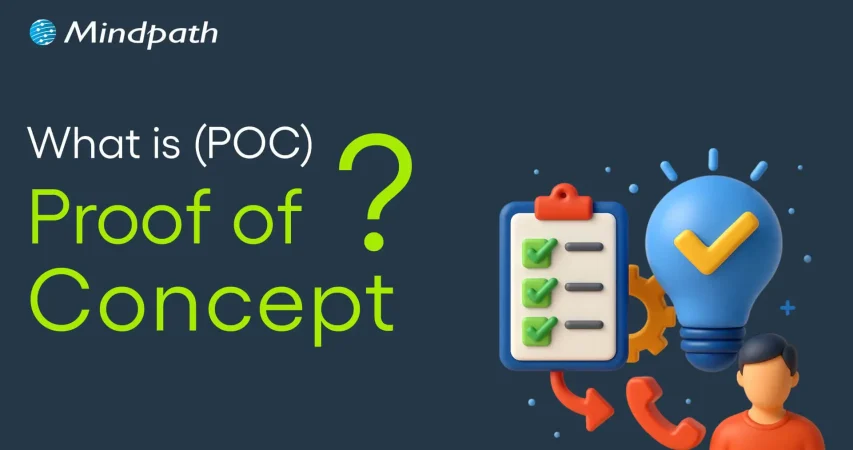
What is POC? – A Comprehensive Guide

What is POC? – A Comprehensive Guide

Lorem ipsum dolor sit amet, consectetur adipiscing elit. Ut elit tellus, luctus nec ullamcorper mattis, pulvinar dapibus leo.

Join our Newsletter!

Poc meaning

The fast-paced business landscape has turned into a battleground where companies of different sizes compete against each other. New product ideas that can revolutionize industries have been gaining traction and many of them have transformed into sustainable businesses. Business owners are more curious about POC meaning and how they can incorporate it into their strategies. 

The POC might sound similar to a minimum viable product that helps in creating products aligned with customer needs. On the contrary, it is a type of small experiment to find out whether your product idea will actually work. How is a POC relevant for your business? You can find the answer with a comprehensive guide on POC and how to create one.   

Want to reduce time and cost in testing your new product idea? Mindpath offers POC Development Services to create a working prototype for real-world validation.

Understanding the Definition of POC

Most of the businesses, especially startups, end up with failure in new product development due to various reasons. One of the biggest among them is ignoring the test for feasibility of their product ideas. The POC or Proof of Concept is a small experiment that helps you determine whether a product idea is viable, before you begin full-scale development. It is the ideal solution to find out if your product ideas can work as intended in the real world.

The POC is the first milestone in any product development project where you have to test one component and its feasibility. Many of you might think that this sounds similar to the definition of a MVP or minimum viable product. However, the answers to “what is proof of concept?” emphasize that it is not about selling your idea to the target audience or figuring out how to make it work.  

Developing a POC is similar to a mini experiment that does not require a huge amount of time or resources. If you have a product idea, then a POC helps you test it and find out whether you should pursue the idea. Once you find out that your POC is feasible, then you can move towards prototyping and subsequently build MVP.

Want to understand how to transform your validated idea into a functional product? Learn more about MVP development to build scalable solutions after successful validation.

POC in Context of Software Development

Software development companies are probably the first in churning out the most number of POCs for diverse projects. The meaning of proof of concept for software development points at how it helps in testing a small version of a software application. A POC used for software development focuses on testing whether a specific component works in real conditions as you want. Software POCs help development teams and product owners validate their ideas and identify challenges in the early stages of development. 

You can think of an example of software POC in the case of a fintech startup that aims to create a new AI-powered chatbot. The startup can use software POC to find out the feasibility of different features in the chatbot. It can also show whether the chatbot can effectively support users by answering common questions. 

The benefits of POC in software development also showcase that it can play a major role in reducing various risks. Early validation of functionalities and core features of software helps in checking feasibility of workflows and key functions. Development teams can use the POC to find relevant programming languages, platforms and frameworks for the software. The POC also ensures early identification of potential issues, bottlenecks and bugs in the software.

Looking to build tailored solutions once your idea is validated through a POC? Explore different types of software development to choose the best approach.

Variants of Proof of Concept in Business

The most crucial highlight about POCs is that you cannot rest with just one for a specific product idea. You can reflect on the proof of concept meaning once again to learn that it aims to validate one component at a time. Therefore, you can come across different types of POCs required for your product idea. Each type of POC focuses on validating diverse aspects of a product, ranging from market demand to technology stack. 

The common variants of POC in any project are product POC, technology POC, process POC and market POC. The product POC helps in validating the core functionality of your product and is useful for verifying your product ideas. Technology POC comes into play when you have to find whether a specific technology stack is relevant for your product. 

The search for answers to “what is proof of concept in project management?” also points at process POC. It is a crucial tool for validating the internal workflow and flexibility for operational changes in any project. Finally, you have the market POC that helps you find out whether your product idea has market potential and can garner the interest of real customers.

Curious about selecting the right technologies for different types of POCs? Discover how to choose the right tech stack to ensure efficiency and scalability in your project.

Why Should You Invest in a Proof of Concept?

Business owners, especially in the case of startups, are likely to think twice before building a POC for their next product idea. You may find the answers to “what does POC mean?” and still not understand how it adds value to your business. An overview of the benefits of POCs can help you understand why it is important for success of your project.

1. Driving Strategic Decisions

Almost every business owner who thinks about building a POC needs concrete insights on the feasibility of their product ideas. The POC for any product will offer relevant insights from users, stakeholders and technical experts that can help in driving strategic decision-making. It provides an early impression of the potential value and feasibility of projects, thereby facilitating efficient resource allocation and reducing risks. 

2. Saving Your Time and Money

Businesses should also think about developing a POC to save their valuable time and money. Early validation of key assumptions and concepts can help business owners avoid investments in ideas that won’t work in the long run. POCs help you follow a proactive approach to any project that reduces the possibilities of costly changes and futile use of resources.

3. Shaping Your Product for Target Users

The most promising aspect in answers to “What is POC?” focuses on how it helps in gaining feedback from real users. You can leverage POCs to find out whether your product solves the pain points of your target users. The POC can serve as a crucial tool for identifying the needs and preferences of your customers in early stages. As a result, you can move ahead with your project in the right direction to achieve higher market acceptance and user satisfaction. 

Wondering how real-world solutions like chatbots are validated before full-scale development? Check out an AI chatbot example to understand practical implementation using POC.

Unraveling the Ideal Steps to Create a Proof of Concept

The ability to create a POC for your project ideas is an invaluable competency in the fast-paced business landscape. You can define POC for a new product and test the idea systematically rather than depending solely on assumptions. A clearly structured approach for creating your POC can provide the flexibility and efficiency required to test your new product ideas.

1. Start with a Definition of Your POC Goals

The ideal beginning to any POC development project would focus on identification of the objectives and expected outcomes. You should also identify the financial goals and organizational objectives that you want to achieve with the product idea. It is important to have a clear outline of the problems that you want to solve with your POC.

2. Establish the Scope and Success Criteria

You should define the limitations of the POC to ensure that it focuses on evaluating a specific component of your product. Every POC project must have a clear outline of the specific features and functionalities that you want to test. In addition, you have to specify the criteria for success with measurable goals and objectives. The scope of your POC should also include definition of the different use cases and scenarios for your product.

3. Prepare the Project Team

The next thing you need after establishing the scope of a POC for your product idea is a project team. Your project team can include decision-makers, developers, project stakeholders and technical experts. It is important to define the roles and responsibilities of all team members and establish clear channels for collaboration. 

4. Create the POC and Obtain Feedback

After setting up your project team, you should execute the plan for your POC by using available resources. Once you develop proof of concept, you have to collect technical insights and feedback on it from users and stakeholders. The feedback data is an essential tool to guide informed decision-making and identifying areas for improvement.

5. Evaluating Results and Moving Ahead

The most important step in developing a POC is the analysis of feedback data. It helps in evaluation of the performance of the POC with respect to the predefined success criteria. You should document the results and recommendations for future actions. 

Planning to streamline your development process after validating your idea? Learn how agile methodology helps in iterative progress and faster product delivery.

Final Thoughts

The introduction to POC showcases how it is different from a MVP or minimum viable product. Businesses can leverage POCs to find out whether the ideas they have can actually transform into sustainable products and solutions. As a matter of fact, your POC serves as the foundation on which you can build prototypes and MVPs.

Mindpath is one of the leading solution providers for POC development services across various industries. We have created proof of concept for software with commendable results and pushed the boundaries of innovation. Our experts leverage their experience to deliver strategic POC solutions with efficient use of your resources. Consult with us and discover the optimal approach to create your first POC now.


Support Is One Click Away

Featured Posts

Related Post

convert html to Wordpress

The transition from purely text-based web experiences to interactive websites has been possible due to WordPress. It is the most powerful content management system that has made it easier for anyone to create and manage websites. Therefore, businesses want to convert HTML to WordPress websites and capitalize on its benefits. Does that mean an end to the dominance of HTML in website development?

HTML is still here, with HTML5 offering a promising tool to build high-quality websites without a content management system. However, the rising adoption of WordPress indicates that more people are switching to the CMS platform for its diverse advantages. You have arrived at the right place if you want to switch your HTML website to WordPress. 

Want to convert your HTML site to WordPress but don’t know where to start? Hire expert WordPress developers from Mindpath who assist every step of the way to ensure a smooth HTML to WordPress conversion.

Is it Right to Convert Your Website to WordPress?

The thought of converting your HTML website into WordPress might have given you sleepless nights. You can overcome all doubts regarding the utility of WordPress for your website by learning about its benefits. With a HTML to WordPress converter service, you can transition to a dynamic web presence. WordPress offers more flexibility for modifying the content and design of your website without coding skills. You have the final say in deciding the appearance and functionalities of your website with complete control over design and features.

The biggest strength of WordPress is dynamic content management which removes the burden of writing markups for each page. On top of it, you will find an extensive library of themes and plugins that allow you to change designs and introduce new features in your website. Another prominent reason to embrace WordPress over HTML is the support for search engine optimization with different SEO plugins. As a result, you can not only create and manage websites with WordPress but also ensure that they rank well on search engines.    

Still wondering why businesses prefer converting static HTML websites into WordPress?
Explore the key benefits of converting HTML to WordPress and discover how it improves scalability, performance, and content management.

How Can You Switch to WordPress from HTML?

Once you have decided to convert your HTML website to WordPress, you have three options. The primary objective in each process revolves around changing your HTML design to WordPress theme, which will give it the look and experience of a WordPress website. You can choose any process depending on the time you have, personal preferences, coding skills and amount of money you want to invest. 

1. Manually convert HTML websites to WordPress themes.

2. Use the WordPress Child Theme to convert HTML to WordPress.

3. Import content to WordPress from HTML sites with plugins.

Before finding the best HTML website to WordPress converter tool, you must keep some prerequisites in mind. The foremost things you need to take into account are the time and budget you have for the conversion process. If you want quick results, then hiring professional developers will help albeit with a burden on your budget. 

The other important requirements for the transition from HTML to WordPress include a code editor and hosting service. You must choose a suitable code editor that can help in modifying HTML code of your website according to WordPress guidelines. Similarly, you should pick a hosting service that fits your requirements and delivers credible services. 

Converting Your HTML Website to WordPress Manually

You are a traditionalist if you want to create a WordPress site for your HTML website from scratch. The traditional approach to converting HTML to WordPress may seem intimidating to many people. However, it is not that difficult once you know each step of the process, and you can get things done without advanced technical knowledge.

Steps to Convert Your HTML Website to WordPress Manually

Step 1: Creating the Theme Folder and Essential Files

You can begin the conversion process by creating a new theme folder on your desktop. You can follow the same process as you would for creating another directory on your system. Once you have created the theme folder, you can give it a specific name as per your requirements. 

After creating the theme folder, you must open the code editor and create different text files. You can name them as ‘style.css’, ‘index.php’, ‘sidebar.php’, ‘footer.php’, and ‘header.php’. 

The number of files you have to create in this step will depend on the features and design you want in the WordPress theme. You don’t have to do anything else with the files in the code editor now and keep the code editor open as we will need the files in the next step.

Step 2: Preparing the WordPress Style Sheet

You can start the actual preparations for converting your HTML website to WordPress with the WordPress style sheet. Do you remember the ‘style.css’ file you left open in the code editor in the first step? Open it and paste the important details in the style sheet header enclosed within “/*” and “*/”. 

Any guide on HTML to WordPress converter online will focus on the details provided in the style sheet header. The important information included in the style sheet header includes the theme name, theme URI, author name, author URI, description and version. In addition, the style sheet header must also specify license details and tags, which are crucial requirements to add your theme to the WordPress theme directory. 

After providing the essential details in the header, you have to copy and paste the CSS of your HTML website. Make sure that you save the ‘style.css’ file in the theme folder you have created and then close it. 

Is a basic WordPress setup enough to support your growing business needs?
Read more about custom WordPress development and discover how tailored solutions can enhance functionality and user experience.

Step 3: Breaking Down Your HTML Code

One of the most important things you must know about WordPress is that it leverages PHP to extract information from its database. Therefore, you have to break down the existing HTML of your website into different pieces. It will help WordPress put them together in the right way. 

This part of the process of converting HTML to WordPress may seem challenging to beginners. However, it is extremely simple as you have to copy different parts of the HTML document and paste them into different PHP files. Do you remember the PHP files created in the code editor in the first step? They will play a crucial role in this step of the HTML to WordPress conversion process.

You have to open the main file of your HTML website, or ‘index.html’, and copy its content into different PHP files. After copying, you must save the ‘index.php’ file and close it to add the theme to your WordPress website.

Step 4: Take a Screenshot and Upload the Theme

The theme screenshot is a valuable resource that offers a preview of the backend of your WordPress website. It is also important to note that the theme screenshot will also include information from the style sheet header. You cannot convert HTML site to WordPress without knowing how your website works in the WordPress backend. 

Contrary to your assumptions, you don’t have to follow a complex process to take the theme screenshot. You can open the existing HTML site in a browser and take a screenshot with any method you want. After taking the screenshot, you can use an image editing software to crop the screenshot image to 880×660 pixels. Once you save the screenshot as a ‘screenshot.png’ file in the theme folder, you can upload the theme. 

The process to upload your WordPress theme starts with the WordPress Admin Dashboard. You should access the “Appearances” section, where you will find the “Themes” option. Now, you must click on “Add New” and then choose the “Upload Themes” option. Find the theme folder and click on “Install Now,” followed by activating the theme. 

Are you unsure if your website development project is on the right track? Discover our WordPress developer checklist to ensure every critical step is covered for a smooth and successful website launch.

How Will Your WordPress Theme Become More Responsive?

Switching your HTML website to a WordPress theme alone is not enough to get the best results. Anyone who knows how to download WordPress can follow the manual process and get their website on the CMS platform. However, you must also ensure that your website will look good and function seamlessly across all devices. The solution to such problems lies in creating a responsive design, and you can make it happen with a few crucial steps.

First of all, you should choose a responsive framework like CSS or Bootstrap. These frameworks not only save your time but also ensure an effective design that aligns with tested principles. You should also use flexible images to ensure that they don’t pop out of the boxes on mobile devices. In addition, CSS media queries can help you detect small screen sizes, and you should use a mobile menu that offers clean navigation on mobile screens. 

Past the content here

Want to make sure your WordPress website runs seamlessly with the latest technology? Discover how WordPress PHP compatibility can protect your site and enhance its performance.

Final Thoughts

You have decided to convert an HTML website to WordPress to capitalize on the benefits of the most popular CMS platform. With big brands choosing WordPress for their websites, it is reasonable to pick the platform for revamping your website. The manual process of converting HTML-based websites to the WordPress theme is extremely simple and easy to follow. At the same time, you must also ensure that your new WordPress website features a responsive design and works effectively on all devices.

Mindpath has been a pioneer in helping businesses transition to WordPress from outdated formats. We are the trusted specialists in WordPress development with a successful record in empowering websites for the modern business landscape. Our expert WordPress developers conduct comprehensive site analysis and develop custom themes that align with your design needs. With Mindpath at your service, you don’t have to worry about content integration or CMS integration. Consult with our experts and switch to WordPress right now.

AI programming languages

In today’s digital world, smart phones are able to recognize voices, answer your queries with virtual assistant and can even sort your photos by location or people. All these features may seem like magic but in reality, it’s the power of artificial intelligence. From chatbots to intelligent assistants, AI is revolutionizing the way we live, work and interact. But behind all these changes lies something as crucial as AI, and they are AI programming languages.

Studying these languages is crucial for technology professionals as well as anyone interested in seeing how the future is being designed. These languages can help developers create smart systems that will be able to understand, learn and react just like humans. In this guide, we will take you through everything that you need to know about programming languages for AI. So, let’s dig in! 

Planning to elevate your business and get a personalized AI solution? At Mindpath, we offer AI development services designed to deliver solutions tailored to your business needs.

What are AI Programming Languages?

Artificial intelligence programming languages refers to the tools that are used to create smart computer languages that can think and learn just like humans. These languages help developers to build systems that can understand speech, read data, and even help in autonomous driving. Each language comes with its own tools and libraries to carry out these tasks easily. 

In programming with artificial intelligence, it’s helpful to use languages that offer strong support for tasks like data analysis and machine learning. For example, Python is well-known because it has helpful libraries such as TensorFlow and PyTorch, R is also great when you are working with statistics and data. So, these languages make it easier to build AI systems that can work well and can contribute in solving real-world problems. 

Must Read: Benefits of AI 

List of Top AI Programming Languages

When you are building smart applications, the choice of programming language plays a major role in it. But with so many options out there, it is important to learn about each and decide which one can provide what benefits. The best AI programming languages can offer the features, libraries, and flexibility needed to handle tasks like machine learning, data processing, and automation. Let’s dive deep!

Top AI Programming Languages

1. Python

Python is one of the top choices for developing smart systems due to the fact that it’s easy and beginner friendly. It’s widely used for training machine learning models, doing data analysis, and building AI tools like chatbots or image recognition apps. Being an AI coding language, Python has numerous strong libraries such as TensorFlow and PyTorch, which make complicated tasks manageable. It also enables rapid testing and development, which is useful in constructing and refining AI models. It is useful for AI in decision-making, where quick iteration on data models is crucial.

2. R

R is an excellent language to use when dealing with lots of data. It makes it easier for individuals to comprehend patterns, generate charts, and analyze results in an easy manner. It is employed by numerous scientists and developers to explore more into data and make intelligent predictions. R is also useful when creating and testing simple machine learning models. With its strong data-handling capabilities, R is particularly valuable for AI in business strategy, helping organizations analyze trends, optimize operations, and make data-driven decisions. R also has numerous tools that assist in making it simpler to verify and compare results. It gets along great with other programming languages as well, so it can be beneficial for other AI projects that require solid data analysis. 

3. Java

Java is a good option for large AI projects, particularly for businesses that require systems to function across different platforms. As an AI language, Java assists programmers in developing intelligent tools that are simple to maintain and expand. It accommodates machine learning, deep learning, and large data tasks through helpful tools and frameworks. Java is also reliable for maintaining things safe and clean, as it has the capability to delete unwanted data automatically.  

4. SQL

SQL is a helpful tool when working with a lot of structured data. It makes it easy to find, manage, and prepare data that can be used to train AI models. Since artificial intelligence needs good-quality data, SQL plays an important role in getting that data ready. It works well with other tools used in AI projects and is great for handling large datasets. As one of the trusted artificial intelligence languages, SQL is simple to use and supports many steps in the AI development process.

Curious to know how AI impacts your industry? Discover the top AI trends that drive innovation and shape the future of business.

5. Scala

Scala is a good choice for building strong AI applications, especially when dealing with big data. It can easily manage large sets of data and is made to work fast and smoothly. Scala also works well with popular tools like Apache Hadoop and Spark, which help developers build and run AI projects more easily. Since it supports multi-tasking and can run many processes at once, Scala is useful for complex AI work. It also works nicely with Java, making it even more flexible. 

6. Julia

Julia is an AI programming language known for its speed and ability to handle complex calculations. It’s great for deep data analysis and training advanced machine learning models. Julia has a user-friendly syntax which is better, making it easier to learn compared to some other languages. It also works well with languages like Python, C, and R, giving developers more flexibility. With powerful libraries, Julia is perfect for building efficient data models and neural networks. 

7. C++

C++ is a powerful language used for AI applications because it offers great performance and uses system resources efficiently. It’s great for running heavy tasks like deep neural networks quickly. Developers often choose C++ for its ability to handle complex jobs, including real-time processing and tasks like computer vision. Its speed and resource management are vital for building sophisticated systems that drive AI transforming the future of technology.

8. Haskell

Haskell is a language that focuses on writing clean and reliable code, making it ideal for AI research and building new algorithms. It is great for prototyping and teaching programming concepts. Many AI developers use Haskell for its strong typing and functional programming style, which ensures precision and reliability. Haskell is also used in roles like AI research, where its features help verify algorithms and improve safety, especially in important fields like healthcare and autonomous vehicles. 

 Important Note: Some programming languages are not the best choice for AI because they don’t have the right tools or are too slow for complex tasks. Here are a few languages that are generally avoided when building AI applications: 

  • PHP: It is mainly used for making websites and doesn’t have strong tools or libraries needed for artificial intelligence and machine learning work. 
  • Ruby: It is easy to read and write, but it runs slowly and doesn’t offer strong support for AI or machine learning tools, which makes it hard to use in real projects. 
  • C: It can be powerful, but it is too low-level for AI and needs manual memory management, which can lead to errors and unstable programs. 
  • Fortran: It is an older language that lacks modern features like dynamic memory and safety, which makes it risky and less useful for today’s AI development. 

Ready to adopt AI programming languages and transform the way websites are built? Read our blog on AI in web development to explore its impact on creating smarter, more dynamic sites.

Curious How AI Languages Are Powering Smarter Technology?

AI programming language is the key to building smart, efficient, and reliable applications. Whether it’s Python for ease, R for data analysis, or Java for large systems, each language has something unique to offer. While some languages lack the tools or speed for AI tasks, the right one can make AI development smoother and more powerful. Understanding these options helps both beginners and experts create systems that truly think, learn, and improve the way we interact with technology. 

At Mindpath, we specialize in Artificial Intelligence development, using the best programming languages like Python, Java, and more to create intelligent solutions that align with your business goals. From automating processes to enhancing user experiences and developing data-driven systems, our expert developers build AI applications tailored to deliver real-world results. 

Frequently Asked Questions

1. Which AI programming languages should beginners start with?

A good starting point is Python because it is easy to read and has strong support for AI tools and libraries. It helps beginners focus on understanding concepts like data handling and machine learning instead of struggling with complex syntax early on.

2. Why is AI programming important for future careers?

AI programming is becoming valuable because many industries now use data and automation to improve decisions and efficiency. Learning these skills can open doors to roles in technology, analytics, and innovation, making it a practical choice for long-term career growth.

3. Do all AI programming languages work the same way?

No, each language serves a different purpose. Some are better for analyzing data, while others are designed for speed or handling large systems. The choice depends on what kind of problem needs to be solved and how the AI system will be used.

4. How to choose the right AI programming languages for a project?

The right choice depends on the type of project, the amount of data, and performance needs. For example, Python is great for quick development and testing, while languages like Java or C++ are often used when stability or speed becomes more important.

5. Is learning AI programming languages difficult for non-developers?

It can feel challenging in the beginning, especially without a programming background. However, starting with basic concepts and learning step by step makes the process easier. With consistent practice and the right resources, it becomes more approachable over time.

Frontend and Backend

Creating a strong business application depends on an important understanding of how you connect the frontend and backend to develop a consistent experience for the user. Picture a user on a platform that is fast, responsive, and intuitive. At every click, scroll, and keyboard input, there are systems running in the background to simulate that experience, all while interacting with a framework and keeping the user interface interesting. Technology, in turn, must be aligned with user experience and growth expectations to ensure a platform operates without flaws while keeping users satisfied.

As businesses grow, the proportion of back-end and front-end becomes more important than ever. The front-end dictates the manner in which users experience your platform, while the back-end powers the processes that allow everything to run smoothly. Ensuring that the two work closely together enhances performance, increases efficiencies, and guarantees a consistent user experience. This blog outlines the ways that both frontend and backend can be used to build a scalable business application.

Ready to build an application that provides your business with a unique and secure digital presence from front end to back end? Mindpath offers expert full-stack development services to help you design and develop scalable web application.

What are Backend and Frontend?

The frontend is the client-side layer of an application, everything a user sees and directly interacts with, including page layouts, buttons, text, and graphics. It runs in the user’s browser or app and is responsible for visual presentation, navigation, and responsiveness across screen sizes. Frontend developers use technologies such as HTML, CSS, or JavaScript, and frameworks such as React, Angular, or Vue.js to create interactive designs and usability of the platform.

The backend is the server-side infrastructure that powers the frontend. It processes user requests, runs business logic, manages server security, and stores or retrieves data from databases. Whenever a user submits a form, logs in, or makes a purchase, the frontend sends a request to the backend, which handles it and returns the appropriate response. Backend developers use programming languages such as Python, Java, PHP, Node.js, and Ruby, along with databases such as PostgreSQL, MySQL, or MongoDB, which store user accounts, posts, product catalogs, and other persistent data. The backend layer ensures that the application functions reliably and efficiently, delivering the information the frontend needs.

How Frontend and Backend Work Together for Building Scalable Applications?

The front-end and back-end collaborate appropriately to manage both user actions and the appropriate background processes that will occur. This collaboration will promote the applications’ responsiveness and scalable properties for more users and maintain the performance expected by the user.

1. API Communication

One of the main methods by which the frontend and backend cooperate is through APIs such as REST or GraphQL. The backend thus offers the frontend certain endpoints from which it can get data or to which it can send data.

The frontend on its part, performs HTTP requests like GET, POST, and PUT to communicate with these endpoints. Such a division provides a possibility for different teams to develop the UI and business logic separately and thus more efficiently.

2. Microservices Structure

In order to handle the complexity of huge applications, an option is to split the backend into several small units referred to as microservices. Each microservice is responsible for one specific area of the application, for example, payments, user accounts, or products.

The front-end and back-end interact with each other through APIs for every service, thus being able to work on different parts at the same time. This organizational pattern allows applications to become scalable and the process of development to be more efficient.

3. Asynchronous Communication

The frontend and backend have the ability to interact asynchronously, which contributes to a better performance. In a situation where a user makes a request that takes a long time, the front end is able to give an immediate response to the user.

The backend is handling the request silently and when it is done, it sends a message to the frontend. This method is free from the problem of users having to wait for a long time and their experience is thus made better.

4. Efficient Data Handling

The data that is being transferred from the frontend to the backend and vice versa must be of the highest standard in terms of speed and efficiency. The backend is to send only the necessary data to the frontend, thus lessening the network or bandwidth usage.

One of the ways through which it is possible to load large datasets of records into small pieces is pagination. The use of JSON or some other lightweight formats is the way to shorten the response times.

5. Independent Scaling

Apps work better when the frontend and backend are allowed to scale separately as per their requirements. In such a case, the front-end servers will be able to deal with the increased traffic without inhibiting the backend services.

On the other hand, the backend can scale its database or processing power as per its needs without any intervention from the frontend. It is, therefore, a great way to ensure that performance remains steady, even at times of user activity spikes.

Ready to leverage frontend and backend roles to build scalable applications? Discover how full-stack development works together to unlock growth potential.

6. Secure Interaction

Front-end and back-end security are the basis of their cooperation. The frontend securely sends user credentials and handles authentication requests. The backend, on the other hand, is the one that verifies credentials, keeps sessions safe, and stops attacks such as SQL injection and XSS. Therefore, both sides must be in sync to keep data and users safe.

7. Centralized Data Management

Centralized state management keeps data consistent between frontend and backend. The frontend keeps API responses in a state that is shared by all components and thus accessible to them. This makes redundant API calls impossible, and all application parts having the same information and show it. Centralized data refresh the application faster and make it easier to update.

8. Performance Optimization

On the performance side, the frontend and backend teams are exerting a joint effort. Frontend developers minimize the sizes of assets, introduce lazy loading, and apply client-side caching. Backend developers optimize database queries and set up server-side caching for quicker API responses. Frequent coordination keeps the application fast and responsive.

9. Load Balancing

Load balancers are instrumental in making the frontend and backend capable of handling increased traffic efficiently. To users, the frontend with the help of the load balancer offers a single-entry point, thus giving the impression of an application that is seamless.

The backend, through the load balancer, is able to spread the incoming requests to different servers, thus sending the traffic to those servers which are the healthiest. This step not only avoids the overload of the servers but also keeps the performance at a good level and, hence, the application is able to handle sudden spikes in the number of users without crashing.

10. Centralized Logging and Monitoring

Frontends and backends through a centralized logging system can immensely improve their performance. Frontend logs are able to capture the situations of pages that take a long time to load, API calls that fail, or UI errors.

Backend logs monitor server health, API response time, and database queries. By uniting these logs, developers get the opportunity to quickly locate the problems, understand their source, and have a chance to optimize the application in terms of both reliability and speed.

Want to make sure that your applications are not only functional but also secure, compliant, and trustworthy for your users? Discover our blog on application security best practices to explore essential techniques for protecting your software and building trust.

Looking to Build Scalable Business Applications?

Understanding the role of frontend and backend is essential for building scalable, efficient, and user-friendly business applications. When the front-end and back-end work together seamlessly, applications run smoothly, respond quickly, and deliver a consistent experience. Focusing on clear communication, performance optimization, and security, ensure that your platform meets both user expectations and business growth needs effectively.

At Mindpath, we offer professional full-stack development services that ensure your application performs reliably and scales efficiently. Our team focuses on the role of frontend and backend, creating intuitive user interfaces supported by powerful backend processes. By combining technical expertise and best practices, we help businesses deliver high-quality applications that are fast, secure, and easy to manage.

Frequently Asked Questions