
Latest Insights On
GenAI, Tech, and Digital Transformation
Stay updated with expert insights, success stories, and real-world applications of cutting-edge technology.
The scope of the HR role is rapidly evolving. In fact, HR is a major contributor to the success of an organization. With time, HR’s technology is evolving too, and AI, or artificial intelligence is the most crucial development in this ongoing digital transformation.
AI in HR is driving a seismic shift in how businesses attract, screen, and develop talent by automating repetitive administrative tasks and enabling smarter, data-driven workforce decisions.
Read on to find out how it helps improve HR function and understand how AI and HR create a powerful synergy to create teams that can lead to success.
Want to modernize hiring and make smarter talent decisions? Mindpath’s AI development services help HR teams build intelligent, future-ready recruitment solutions.
What is AI in HR?
AI in HR (Artificial Intelligence in Human Resources) refers to the use of machine learning, natural language processing, and predictive analytics to automate administrative tasks, personalise the employee experience, and enable data-driven talent decisions.
It helps HR teams shift focus from manual, repetitive workflows to higher-value, people-centric initiatives, spanning recruitment, onboarding, employee engagement, and workforce planning.
Challenges of Traditional HR Before AI: Bias, Inefficiency, and Lost Talent
Before we delve into the actual power of AI in Human Resources, let’s first consider the challenges in the conventional hiring process.
1. Time Loss in Talent Sourcing
Talent sourcing requires time to check numerous resumes manually. It may cause lack of opportunities to talented applicants.
2. Interview Inconsistency
The evaluation process may be unfair and inconsistent in case of interviewer bias, variations in scoring and interview questions.
3. Bad Candidate Experience
Long application forms, slowness in responding, and impersonal communication may frustrate the candidates.
4. No Data-Driven Insights
Without accurate data, HR professionals generally depend on guesswork for their hiring strategies.
5. High Employee Turnover
Using poor screening techniques can result in wrong hires. That may lead to lower productivity, increased turnover, and recruitment expenses.
These challenges showcase the requirement for innovation. And that’s where AI in HR is offering the much-needed solutions.
Looking for ways to leverage AI to make your hiring process more efficient and future-ready? Learn how generative AI in human resources is transforming hiring practices for the future.
The Emergence of Artificial Intelligence in HR
According to a report, over 51 percent of organizations are using AI in HR in 2025 (Source: SHRM).
It provides the evident use of AI tools to streamline recruitment processes. AI tools have become a necessity regardless of whether it involves predicting candidate success or automating HR processes.
Some of the key drivers of AI Adoption in the area of human resources are:
1. Data-driven decisions
Predictive analytics assist HR professionals to analyze if the candidate is the right fit based on a variety of factors.
2. Efficiency gains
AI tools are used to automate repetitive activities e.g. resume analysis or scheduling interviews.
3. Scalability
This enables the department to handle large numbers of applications with ease.
4. Bias Reduction
AI algorithms can be trained to reduce bias in candidate screening and selection.
As long as it is used well, AI can be used to develop a more inclusive and agile workplace. The following sections will discuss how AI can impact the Human Resources positively.
Must Read: Generative AI Predictions
Generative AI for HR: A Real Game-Changer
Generative AI in HR, powered by LLMs, is now reshaping HR practices. Different tools like Jasper, HirVue, and Paradox allow HR professionals to easily create job descriptions and interview questions. It can be said that these tools offer more than just sophisticated interaction and content creation.
1. AI-Powered Job Description Creation
Creating inclusive and compelling job descriptions can take time. Well, there are multiple generative AI tools that can make it quick and easier for HR professionals. They can:
- Create quality and structured job descriptions according to the requirements of the job role to attract a pool of candidates.
- AI can scan the possible biased language and propose an inclusive phrasing.
- Such tools make sure that your job descriptions are optimized using the relevant keywords for search engines.
Automation of such tasks will enable HR teams to concentrate on other important areas other than being engaged in copywriting.
2. Effortless Talent Acquisition and Recruitment
The current AI technology can be very useful in the simplification of the recruitment process. These are tools that make a great difference in candidate sourcing, assessing, and screening. The AI tools can be employed in the recruitment process in the following ways:
- Candidate Sourcing: AI may be used to find new applicants with the required qualifications on different platforms.
- Resume Screening: AI has the ability to quickly review numerous resumes and rank the candidates based on their experience, qualifications, skills, etc.
- Chatbots: With the introduction of chatbots, the HR team will be able to automate the initial step of interaction, such as answering the frequently asked questions and assessing the capabilities of applicants to answer various questions.
- Candidate Assessments: AI-assisted tools help HR get more information regarding the skills, strengths and weaknesses of the applicants in a more comprehensive and data-driven manner.
The AI tools allow HR managers to make intelligent hiring decisions and streamline the process.
Curious how advanced AI tools can give your HR processes a competitive edge? Discover the top GenAI tools that are revolutionizing AI development and could transform hiring practices.
3. Personalized Candidate Communications
AI can be used to personalize and automate communications, such as initial outreach or sending rejection letters. This will ensure that your communication is more effective.
- Personalized Outreach Emails: Generative AI can write emails by accessing the profile of the candidate while highlighting crucial aspects of the company culture and other relevant features.
- Onboarding Materials: HR professionals are able to create personalized onboarding messages using AI tools. This helps new employees feel valued.
Other than these, AI also has the potential to be used to create customized feedback for successful and unsuccessful candidates to improve candidate experience.
4. Better Employee Engagement and Experience
The success of any organization depends on a productive and content workforce. HR teams can utilize AI-based solutions to track employee engagement and improve it. Here are some of the most effective methods HR professionals can use AI tools to enhance employee experience.
- Gathering Feedback: These tools can be used to collect feedback by sentiment analysis and survey. This will assist in gaining a breakdown of the employee engagement and morale.
- Creating Initiatives: Artificial Intelligence assists in developing employee wellness programs that suit the abilities and requirements of the employees. Such programs are capable of supporting both the mental and physical well-being.
- Potential Problems & Detection: HR professionals can detect the engagement patterns with the help of the predictive analytics. Consequently, they can sort out the problems before they impact productivity.
Simply put, you can use AI tools to ensure that your employees are motivated and valued at work.
5. Detailed HR Analytics & Reporting
By delivering real-time insight into workforce trends, AI-powered tools revolutionized strategic decision-making. These new tools will predict the trends in talents, measure the results of the HR investment, and track the progress of inclusion and diversity.
You can convert raw data to actionable intelligence and proactively align your team with organizational objectives using these systems.
Struggling to create engaging content that effectively supports your HR initiatives? Discover generative AI tools for content creation that can boost productivity and spark creativity in your workflow.
Tips to Introduce AI into HR
Although the opportunities of AI in HR are enormous, to reap the full benefits of the same, you must be able to make the implementation a success. The following are some tips that you can consider to achieve success and develop faster, more inclusive, and smarter workflows.
1. Know your Opportunities in Automation
Start with the routine jobs like screening of applications, interviews, correspondence etc.
2. Use Scalable AI Tools
Select Human Resource AI tools that are in line with the necessary data privacy regulations, like GDPR. Make sure that the tool facilitates transparent decision-making.
3. Focus on Human-Centric Approaches
AI tools should assist HR teams, and not replace them. So, make sure that you maintain a good balance between these two elements.
Exploring ways AI can enhance your hiring processes beyond traditional methods? Explore the key trends in our Generative AI Trends blog to see what’s next in HR technology.
4. Department Collaboration
Involve legal, IT, and your DIE (Diversity, Equity, and Inclusion) teams to ensure ethical and responsible deployment of AI.
5. Begin With Pilot Projects
Test Artificial Intelligence systems in certain HR activities and keep a close eye on KPIs such as candidate satisfaction, performance, time to hire, and so on.
6. Train HR Teams
Provide training required for your HR personnel to interpret insights and apply them with human judgment. In addition, keep the team aware of the current trends regarding AI in HR and new technologies.
AI-Powered HR – Future Trends
The future of AI in HR is bright and dynamic. We can witness further incorporation with other platforms, AI-supported DEI analytics, and voice-based screening. The HR department will acquire advanced tools to customise candidate journeys.
Some emerging trends to consider are:
1. Use of NLP
Natural Language Processing will enhance communication with AI systems.
2. AI-Driven DEI Analysis
Efficiently tracking diversity goals through real-time dashboards.
3. Blockchain Technology
Creating more transparent and secure HR processes.
4. Voice AI Interviews
Analyzing candidate fit through assessing sentiment, communication skills, and tone.
5. AR and VR
Enhancing candidate onboarding and training processes using Augmented Reality and Virtual Reality.
6. AI Coaching
Supporting and motivating employees’ performance and growth.
7. Ethical AI Tools
Focusing on explainable and unbiased AI models for HR.
Wondering how generative AI is changing not just hiring, but entire business processes? Discover how the generative AI revolution is transforming industries.
Create A Smarter HR Future With AI
As AI is reshaping the HR landscape, AI integration has become a crucial aspect for every business. After all, it helps businesses to create more efficient, inclusive, and strategic hiring processes. HR professionals should adapt and leverage free AI tools for HR to stay ahead.
If you are ready to take the right step and bring the power of AI to your HR practices, you can trust Mindpath. We can offer tailored AI development services that can help you optimize the hiring process. Furthermore, our generative AI solutions can help you generate job descriptions and automate onboarding. Partner with us and establish a precise, agile, and ethical foundation required to future-proof your hiring strategy.
Today, web apps have completely changed the way businesses work. Modern users expect fast, responsive, and feature-rich digital experiences, from eCommerce sites and online banking to real-time messaging and streaming services. Because of this rapid growth, developers have had to use powerful backend technologies that can handle more requests.
The PHP vs. Node.js debate is still the most talked-about topic in the development community, even though there are many other options. Over the years, both technologies have changed a lot and are now widely used to make web apps that can grow. But when developers have to choose between php and node, they often have a hard time figuring out which one is better.
So, which one should you pick for backend development in the modern age? Let’s break it down in a way that is easy to understand and useful.
Looking to implement the right backend technology with expert support? Mindpath provides professional services to help you hire expert NodeJS developers for efficient and reliable development.
A Quick Introduction to PHP and Node.js
Before we start comparing, we need to know what these technologies really are.
PHP is a scripting language that runs on servers and is made for making websites. It has been around since the middle of the 1990s and is still used by a lot of websites today. PHP is one of the most popular backend technologies because many popular platforms, like WordPress, use it a lot.
Node.js is not a programming language; it is a runtime environment. It lets developers run JavaScript on the server. This means that developers can use the same language for both the front end and the back end, which makes development easier.
The main difference between php and node js for the backend is how they handle requests and run code.
How PHP and Node.js Work?
PHP works in a way that is synchronous. This means that it only handles one request at a time. Before moving on to the next request, each one has to finish the one before it. This method is stable and works well, but it can make things run slower when there are a lot of users at once.
Node.js works in an asynchronous, non-blocking way. It can handle more than one request at once without having to wait for one process to finish. This makes Node.js very fast, especially for apps that need to work in real time.
This difference has a big effect on how well php and node work, and it has a direct effect on speed and scalability.
Benefits of PHP
Even though PHP is an older technology, it is still very useful. Many types of projects can benefit from using php.
1. Strong Ecosystem
Laravel and Symfony are two of the many frameworks that make up PHP’s huge ecosystem. It also works with popular content management systems (CMS) like WordPress and Drupal, which speeds up development.
2. Easy to Learn
The syntax of PHP is simple, which makes it easy for beginners to use. Developers can quickly make working apps without having to learn a lot.
3. Wide Hosting Support
Most hosting companies support PHP. This makes it easier and cheaper to deploy.
4. Database Flexibility
PHP works well with a lot of different databases, such as MySQL, PostgreSQL, and even NoSQL databases like MongoDB.
5. Stability and Maturity
PHP has been in development for decades and now provides a stable and reliable environment for web apps.
Benefits of Node.js
Node.js is becoming more popular because it has a modern architecture and is flexible. Node.js is great for next-generation apps because of all the good things it can do.
1. High Performance
Node.js runs code quickly thanks to Google’s V8 engine. This speeds up and makes the application more efficient.
2. Non-Blocking Architecture
Because it uses an asynchronous model, it can handle many requests at once, which makes it very scalable.
3. Full-Stack Development
JavaScript can be used for both the front end and the back end, which makes things easier.
4. Large Package Ecosystem
The npm ecosystem has thousands of libraries that make development go faster.
5. Real-Time Capabilities
Node.js is great for chat apps and live streaming platforms that need to get updates in real time.
PHP vs Node: A Detailed Comparison
When choosing a backend technology, developers often compare PHP and NodeJS based on performance, scalability, and ease of development. Both have evolved significantly and are widely used in modern web applications. Understanding their differences helps in selecting the right tool for specific project needs.
1. Speed and Performance
When talking about the speed of PHP vs. Node, performance is very important.
PHP handles requests one at a time. When there is a lot of traffic, this can make the load time longer. But newer versions, like PHP 7 and 8, have made things run much better.
Node.js can handle many requests at once because its architecture doesn’t block. This gives it an advantage in applications that need to work quickly and well.
When it comes to performance, Node.js is usually faster for tasks that involve a lot of input and output, while PHP works well in structured, content-driven apps.
2. Development and Coding Experience
When comparing PHP and Node, the experience of the developer is also important.
To use PHP, you need to know about backend concepts. It works well with traditional stacks like LAMP (Linux, Apache, MySQL, PHP). It’s simple, but you might need to use more than one technology to do it.
Node.js makes development easier by using JavaScript for the whole stack. But you need to know how to do asynchronous programming, which can be hard for beginners.
Node.js is more flexible, while PHP is easier to use and understand.
3. Functionality and Use Cases
The answer to the question of which is better, php or node js, depends on what your project needs.
PHP is best for:
- Websites that use a CMS
- Blogs and platforms for content
- Websites for eCommerce
- Web apps that are old-fashioned
Node.js is great for:
- Applications that happen in real time
- Platforms for streaming
- Microservices and APIs
- Apps that only have one page
4. Database and Ecosystem
A Comparison of Databases and Ecosystems. People often use PHP with relational databases like MySQL. It works well with traditional database systems and is used a lot in CMS platforms.
Node.js works perfectly with both SQL and NoSQL databases. Because it is based on JSON, it works especially well with MongoDB and modern application architectures.
PHP has a bigger and more developed community when it comes to its ecosystem. Node.js, on the other hand, is growing quickly and fits in with current trends in software development.
PHP vs NodeJS: Comparison Table
| Feature | PHP | NodeJS |
| Type | Server-side scripting language | Runtime environment for JavaScript |
| Execution Model | Synchronous (handles one request at a time) | Asynchronous, non-blocking (handles multiple requests at once) |
| Performance | Good, improved in PHP 7 & 8 | High performance, especially for real-time apps |
| Scalability | Moderate | Highly scalable |
| Development Style | Backend-focused (LAMP stack) | Full-stack (JavaScript for frontend & backend) |
| Ease of Learning | Easy for beginners | Slightly complex (async concepts required) |
| Best Use Cases | CMS, blogs, eCommerce, content-driven apps | Real-time apps, APIs, streaming, microservices |
| Database Support | Strong with MySQL, PostgreSQL | Works with both SQL & NoSQL (MongoDB preferred) |
| Ecosystem | Mature, stable, large community | Fast-growing, modern ecosystem |
| Real-Time Capability | Limited | Excellent (chat apps, live updates) |
Can Node.js Work with PHP?
It’s not unusual for nodejs and php to work together. A lot of apps use both technologies to take advantage of their strengths.
For instance:
- PHP can handle both CMS and server-side rendering.
- Node.js can handle real-time things like chat and alerts.
This mixed method lets developers make apps that are more flexible and can grow.
Which One Should You Choose?
There is no one right answer to the question of which is better, php or node js.
Choose PHP if:
- You are making a website with a lot of content.
- You need to be able to deploy quickly and get CMS support.
- Your project is of a small to medium size.
Choose Node.js if:
- You need something that works in real time.
- Your app needs to be able to grow quickly.
- You want a single JavaScript stack.
Node.js is often better for modern development because it is fast and can handle a lot of traffic. But PHP is still a good and cheap choice for many projects.
Ready to Choose the Right Technology?
Choosing between PHP and NodeJS ultimately depends on your project goals, scalability needs, and development preferences. Both technologies offer unique strengths, PHP provides stability and simplicity, while NodeJS delivers speed and modern performance.
Define your requirements, evaluate your priorities, and choose the technology that best aligns with your vision. Start building smarter, faster, and more efficient applications. Contact us to discuss your project needs. Our team is here to help you make informed decisions and build efficient, scalable applications tailored to your goals. Reach out today!
Artificial intelligence is changing faster than ever before, and multimodal generative AI is one of the most important new technologies that is making this happen. Unlike traditional AI systems, multimodal AI can work with more than one type of data at the same time. It can put together text, pictures, sound, and video into one structure. This change is making machines talk to people in a different way and speeding up the future of AI.
Key Takeaways
- 01
Multimodal generative AI processes and combines different data types, including text, images, audio, and video, to generate context-aware outputs. - 02
Advanced technologies like transformers, neural networks, and diffusion models enable AI systems to understand and generate content across multiple formats. - 03
Multimodal AI applications are transforming industries such as healthcare, retail, education, and customer service through smarter automation and personalized experiences. - 04
Better contextual understanding, improved user experiences, increased efficiency, and informed decision-making are among the major benefits of multimodal generative AI. - 05
High computational requirements, data privacy, biased outputs, and misinformation remain key challenges in developing reliable multimodal AI systems.
Being able to process and understand data in different formats is no longer a choice; it’s a must. Businesses and technologies are becoming more reliant on data. We can understand things better, automate things more intelligently, and talk to people more like people do with multimodal systems.
Want to automate complex processes and improve efficiency using smart technologies? Mindpath offers generative AI development services that enable seamless automation and innovation.
What is Multimodal Generative AI?
Multimodal generative AI is a kind of AI that can work with more than one type of data at the same time to make outputs. These systems take in text, pictures, and sound and mix them together to make results that are more detailed and aware of the situation.
Single-modal AI only looks at one kind of data. Multimodal generative AI models, on the other hand, use advanced architectures like transformers and neural networks to combine different data streams. They can do things like make pictures from words, talk about pictures, or look at videos and written content at the same time.
This skill is similar to how people naturally use sight, sound, and language to understand the world.
Wondering how real-world companies are applying generative AI to solve complex challenges? Discover generative AI use cases that showcase practical applications across industries.
Evolution of Multimodal Generative AI Models
Multimodal generative AI models are now possible thanks to improvements in machine learning, natural language processing, and computer vision. Old AI systems could only process a few inputs at a time. Now, though, modern models can easily handle many at once.
With the help of technologies like transformer-based architectures and diffusion models, AI can now quickly process a wide range of datasets. These models take different types of data and turn them into shared representations. This lets you make outputs in different ways.
This change fits with what is happening in AI right now, which is moving toward AI systems that can handle complicated, real-world situations.
Multimodal AI Examples in Action
There are already many powerful multimodal AI examples that are changing the way we work and live.
- AI systems that can turn written instructions into pictures
- Programs that write about pictures they see
- Voice assistants that can understand what you say and respond with pictures that make sense in the situation
- Platforms that let you mix video, audio, and text to make content
These examples show how multimodal AI tools are making it easier and faster to talk to people.
Planning to scale your content strategy using generative AI-powered tools? Check out generative AI tools for content creation to streamline and automate your workflows.
Multimodal AI Applications Across Industries
Multimodal AI apps are changing industries by making workflows smarter and helping people make better choices.
1. Health Care
Multimodal AI uses medical imaging, patient records, and clinical data to improve the accuracy of diagnoses and treatments.
2. Retail and E-commerce
With visual search tools, users can upload photos and get suggestions for products. This makes things better for users and boosts sales.
3. Education
Text, video, and audio are all used together on interactive learning platforms to help people understand and stay interested.
4. Customer Service
AI-powered assistants use Generative AI Applications to quickly and personally answer both text and voice questions.
Planning to leverage generative AI to transform your business operations and customer experiences? Explore generative AI for business to understand how intelligent automation can drive real growth.
Multimodal AI Use Cases Driving Innovation
More and more companies are using Multimodal AI Use Cases to get ahead of their competitors. Here are some important examples of use cases:
- Automatically making content like text, pictures, and videos
- Processing documents smartly
- Finding fraud by reading and looking at pictures
- Plans for marketing that are unique to each person
- Smart virtual assistants
These examples show how multimodal AI can help you get things done faster and give you useful information in the real world.
Planning to transform your enterprise operations with advanced AI solutions? Explore generative AI applications for enterprises to discover how businesses are driving efficiency and innovation.
Multimodal Generative AI Advantages
There are many reasons why more and more people are using this technology. Some of the benefits of multimodal generative AI are:
1. Enhanced Contextual Understanding
AI can make better sense of information when it has access to more than one kind of data.
2. Improved User Experience
People can talk to, type to, or send pictures to AI systems, which makes them easier to use.
3. Increased Efficiency
It saves time and money to automate hard tasks that come in different formats.
4. Better Decision-Making
Multimodal systems give us more information by looking at different kinds of data.
5. Innovation Enablement
There are now new apps that let you have immersive experiences and use AI to help you be more creative.
Looking to stay updated with the fast-changing world of generative AI? Discover generative AI trends that are redefining business and technology landscapes
Multimodal AI Agents and Tools
AI has come a long way since the rise of multimodal AI agents. These agents can see, think about, and act on a wide range of data, which makes them very adaptable.
At the same time, the ecosystem of generative AI tools is also growing. These tools are being added to different platforms, which helps businesses automate tasks, get more done, and get customers more involved.
Today’s multimodal AI tools can do things like:
- Content creation
- Data analysis
- Software development assistance
- Real-time communication
Challenges and Key AI Trends
There are a lot of good things about multimodal AI, but there are also a lot of bad things:
- High computational requirements
- Need for large, high-quality datasets
- Data privacy and ethical concerns
- Risk of bias and misinformation
But new trends in AI show that these problems are being fixed quickly. Multimodal systems are getting easier to use and more efficient thanks to better hardware, model optimization, and data generation.
Looking to understand how generative AI will impact your industry in the coming years? Explore generative AI predictions for insights into what lies ahead in the AI landscape.
The Future of AI with Multimodal Intelligence
Using a lot of different kinds of data is changing the future of AI. As multimodal systems get better, they will allow for:
- More human-like interactions
- Fully autonomous AI systems
- Seamless integration into everyday technologies
- Enhanced decision-making across industries
To summerize, multimodal generative AI will be the foundation for the next generation of smart systems. It will change how we use technology and give us new chances to come up with new ideas.
Businesses are increasingly adopting smarter ways to communicate with customers, automate routine tasks, and improve operational efficiency. This is where conversational AI is making a difference. By combining natural language processing, machine learning, and other AI technologies, businesses can create more natural interactions through chatbots, virtual assistants, and voice-based systems.
From intelligent virtual assistants to automated customer support, conversational AI use cases are expanding across industries. Organizations use these solutions to answer customer questions, recommend products, schedule appointments, qualify leads, and support employees. Understanding these applications helps businesses identify where conversational AI can create practical value.
Key Takeaways
- 01
Conversational AI uses technologies such as NLP, machine learning, and large language models to understand and respond to human language. - 02
Major conversational AI use cases include e-commerce assistance, customer support, lead generation, healthcare, banking, HR, and IT helpdesk automation. - 03
Businesses use conversational AI to automate repetitive interactions, provide personalized assistance, and improve customer engagement. - 04
Voice assistants, multilingual conversations, and generative AI are expanding how conversational AI can support customers and employees. - 05
Successful implementation requires clear use cases, reliable information, secure integrations, human escalation, and continuous performance monitoring.
What are Conversational AI Solutions?
Conversational AI solutions are artificial intelligence systems that enable people to interact with computers through natural language conversations. They power applications such as AI chatbots, virtual assistants, and voice-based systems that understand user requests and provide relevant responses through text or speech.
Unlike basic rule-based programs that depend on predefined keywords and responses, conversational AI can use natural language processing (NLP), machine learning (ML), and large language models (LLMs) to interpret user intent and conversational context. Depending on the system, it can also retrieve information from connected knowledge sources and perform specific actions through business applications.
For example, an online shopping assistant can recommend products and provide order updates, while a banking chatbot can help customers check account information or understand common banking services. These applications demonstrate how conversational AI can support different customer and employee needs.
How Does Conversational AI Work Across Industries?
Conversational AI combines multiple technologies to understand messages, process requests, and generate responses. Although the exact architecture varies between applications, most systems use the following capabilities:
1. Natural Language Processing
Natural language processing helps AI systems understand written or spoken language. It identifies the meaning of user messages and helps the system interpret different ways of expressing the same request.
2. Machine Learning
Machine learning allows AI systems to identify patterns in data and improve specific tasks through training and evaluation. It can support intent recognition, classification, personalization, and other conversational capabilities.
3. Speech Recognition
Speech recognition converts spoken language into text so voice-based assistants can process user requests. It is particularly useful for hands-free interactions, voice support, and accessibility-focused applications.
4. Context Management
Context management helps conversational systems maintain relevant information throughout an interaction. It allows the system to interpret follow-up questions and avoid treating every message as an unrelated request.
5. Natural Language Generation
Natural language generation helps the system produce understandable responses based on the user’s request and available information. Modern systems may use large language models to generate more flexible conversational responses.
Top Conversational AI Use Cases Across Industries in 2026
Conversational AI is being applied across industries to improve customer engagement, simplify operations, and provide faster access to information. Here are seven important conversational AI use cases and how businesses can apply them.
1. E-Commerce and Retail
E-commerce businesses use conversational AI to make online shopping more convenient and personalized. AI-powered conversational AI chatbots can guide customers through product discovery, answer questions, and provide assistance throughout the purchasing journey.
Some common applications include:
- Personalized product recommendations based on customer preferences and browsing behavior.
- Order tracking and delivery status updates through connected order management systems.
- Assistance with product comparisons, availability, pricing, and product specifications.
- Cart recovery messages and support during the checkout process.
- Guidance on returns, refunds, and exchange procedures.
Example: A customer visiting an online fashion store can ask an AI assistant to recommend outfits based on an occasion, budget, or preferred style. The chatbot can suggest relevant products and answer questions about sizes and availability.
2. Customer Support Automation
Customer support is one of the most common applications of conversational AI. Businesses use AI-powered chatbots to manage high volumes of customer questions and provide assistance across websites, applications, and messaging platforms.
Common applications include:
- Answering frequently asked questions about products, services, and company policies.
- Providing troubleshooting instructions for common technical issues.
- Checking support ticket status and sharing service updates.
- Collecting relevant details before transferring a request to a human agent.
- Routing complex or sensitive queries to the appropriate support team.
Example: A customer contacting a telecom provider about an internet connection issue can receive basic troubleshooting instructions through a chatbot. If the issue remains unresolved, the system can transfer the conversation to a technical support representative with the relevant details.
3. Lead Generation and Sales Qualification
Conversational AI can automate parts of the lead generation process by engaging website visitors and collecting information about their requirements. Instead of relying only on traditional contact forms, businesses can use interactive conversations to understand customer needs.
Common applications include:
- Engaging visitors through website chat and answering initial service questions.
- Collecting contact details and understanding customer requirements.
- Asking qualifying questions about budget, project scope, and purchase timelines.
- Identifying prospects who may need immediate assistance from a sales representative.
- Scheduling product demonstrations and sales consultations.
Example: A visitor exploring a software development company’s website can interact with a chatbot to explain their project requirements. The chatbot can collect relevant details, identify the service they need, and schedule a consultation with the sales team.
4. Healthcare Assistance
Healthcare organizations can use conversational AI to simplify administrative interactions and make basic healthcare information more accessible. These systems can support patients and healthcare staff, although clinical decisions and medical advice require appropriate professional oversight.
Common applications include:
- Scheduling, rescheduling, and confirming medical appointments.
- Sharing information about clinic hours, services, and appointment procedures.
- Sending appointment reminders and follow-up notifications.
- Helping patients navigate administrative processes and access approved information.
- Collecting preliminary symptom information for review by qualified healthcare professionals.
Example: A patient can use a healthcare chatbot to check available appointment slots, select a suitable time, and receive a confirmation message. The system can also send a reminder before the appointment.
Healthcare applications must follow appropriate privacy, security, and regulatory requirements. A chatbot should not replace professional diagnosis or emergency medical assistance.
5. Banking and Financial Services
Banks and financial institutions use conversational AI to make routine banking interactions more accessible and efficient. With appropriate authentication and secure system integrations, chatbots can help customers access account information and understand financial services.
Common applications include:
- Providing account balance and transaction information after authentication.
- Sharing updates about transactions, payments, and account activity.
- Answering questions about banking products, loans, and account services.
- Guiding customers through card-related requests and common banking procedures.
- Directing suspicious transaction reports or sensitive account issues to the appropriate support team.
Example: A banking customer can use a chatbot to understand recent transactions or check the status of a service request. If the customer reports a potentially unauthorized transaction, the chatbot can direct them to a secure reporting process.
Financial applications require strong identity verification, data protection, access controls, and compliance with applicable regulations. Sensitive financial actions should not rely on an unauthenticated conversation.
6. Human Resources and Employee Engagement
Human resource departments can use conversational AI to simplify recruitment, employee onboarding, and routine HR support. These tools help employees and candidates access information without requiring HR teams to manually respond to every common question.
Common applications include:
- Answering questions about leave policies, company guidelines, and employee benefits.
- Sharing onboarding instructions and required documentation.
- Helping candidates understand job requirements and application processes.
- Supporting interview scheduling and recruitment communication.
- Guiding employees through routine HR requests and internal procedures.
Example: A new employee can interact with an HR chatbot to understand onboarding steps, find company policies, and access information about required documents. This reduces repetitive administrative questions for the HR team.
7. IT and Helpdesk Automation
IT departments often receive repetitive support requests related to password resets, software access, connectivity, and troubleshooting. Conversational AI can help automate suitable requests and guide employees through predefined technical support workflows.
Common applications include:
- Guiding employees through password reset and account recovery procedures.
- Providing troubleshooting instructions for common software and connectivity issues.
- Creating IT support tickets and collecting relevant diagnostic details.
- Checking the status of existing helpdesk requests.
- Routing unresolved technical issues to the appropriate IT support team.
Example: An employee experiencing a software access issue can describe the problem to an internal IT chatbot. The chatbot can provide approved troubleshooting steps or create a helpdesk ticket if the issue requires technical investigation.
Real-World Examples of Conversational AI
Conversational AI is also visible in widely used digital assistants and voice-enabled products. These examples demonstrate how people can interact with technology using natural language instead of relying entirely on manual navigation.
| Conversational AI Example | Common Applications |
|---|---|
| Amazon Alexa | Responds to voice requests, plays music, provides information, and supports compatible smart home devices. |
| Apple Siri | Supports voice interactions such as sending messages, setting reminders, and performing device-related tasks. |
| Google Assistant | Supports voice-based searches, reminders, information requests, and connected device interactions. |
| Samsung Bixby | Helps users interact with compatible Samsung devices through voice commands and device controls. |
| Microsoft Copilot | Uses conversational AI to assist with information requests, content-related tasks, and productivity workflows. |
These products serve different purposes and offer different capabilities. They illustrate conversational interactions in consumer and productivity environments, while enterprise implementations are often customized around specific business processes, data sources, and integrations.
Key Conversational AI Trends in 2026
Conversational AI continues to evolve as businesses adopt more capable language models, voice technologies, and automated workflows. The following trends are influencing how organizations use conversational systems.
1. Generative AI-Powered Conversations
Generative AI is making conversational systems more flexible by allowing them to produce responses based on user questions and available context. Businesses can use these capabilities to support more natural interactions, summarize information, and assist with open-ended requests. Accuracy and response quality still depend on reliable information and appropriate safeguards.
2. Voice-Based AI Assistants
Voice-enabled conversational systems allow users to interact with applications without typing. Businesses can use voice assistants for customer inquiries, appointment scheduling, information retrieval, and hands-free workflows.
3. Multilingual Customer Interactions
Multilingual capabilities can help businesses communicate with customers across different languages and regions. This is especially useful for organizations serving diverse customer groups. Responses should still be tested for language accuracy, cultural context, and industry-specific terminology.
4. Omnichannel Conversational Experiences
Businesses are connecting conversational experiences across websites, mobile applications, messaging platforms, and voice channels. This can help customers continue interactions across different touchpoints while allowing support teams to access relevant conversation context.
5. AI Agents and Workflow Automation
Conversational AI is increasingly being connected with AI agents that can perform specific tasks through approved tools and business systems. Depending on permissions, these systems may retrieve information, update records, create support requests, or coordinate multi-step workflows. Human approval remains important for sensitive or high-impact actions.
How Can Businesses Choose the Right Conversational AI Use Case?
Not every business needs the same type of conversational AI solution. The right starting point depends on customer expectations, operational challenges, available data, and the tasks a business wants to automate.
1. Identify Repetitive Interactions
Review customer support tickets, employee questions, and common service requests. Identify tasks that follow predictable processes and consume significant team time.
2. Define the Expected Business Outcome
Decide whether the goal is to improve response times, qualify leads, simplify appointment scheduling, or reduce repetitive support work. A clearly defined outcome makes it easier to evaluate the solution.
3. Evaluate Data and Integration Requirements
Identify the knowledge sources and business systems the chatbot needs to access. Review data quality, access permissions, security requirements, and integration complexity before implementation.
4. Plan Human Escalation
Define when a chatbot should stop automated handling and transfer a conversation to a human. This is particularly important for sensitive requests, complex problems, and situations where the system cannot provide a reliable answer.
5. Measure and Improve Performance
Monitor metrics such as resolution rate, response time, customer satisfaction, escalation rate, and task completion. Use these results to improve the chatbot’s knowledge sources, conversation flows, and integrations.
Bottom Line
Conversational AI is creating new possibilities for businesses across e-commerce, healthcare, banking, customer support, human resources, and IT operations. Its applications go beyond answering questions. With suitable integrations, conversational systems can support customer journeys, automate routine tasks, and help employees access information more efficiently.
The most effective approach is to begin with a clearly defined business problem and select a conversational AI solution that fits the organization’s requirements. Reliable data, secure integrations, human oversight, and continuous improvement are essential for delivering useful results.
At Mindpath, we help businesses implement intelligent solutions aligned with their operational goals. Whether you are planning a customer-facing chatbot, an internal virtual assistant, or an AI-powered workflow, our AI development services can help turn your requirements into practical solutions.

Today’s digital-first world has made businesses heavily dependent on data, applications, and uninterrupted operations. However, what happens when a cyberattack occurs or a system fails unexpectedly? This is where cloud disaster recovery becomes essential. According to recent reports, the cloud disaster recovery market size is growing at a CAGR of 24.94% and is expected to reach USD 71.8 billion by 2032.
A well-planned recovery approach can help your business resume operations quickly while minimizing data loss. Therefore, having a cloud computing disaster recovery plan has become an important part of modern business continuity.
Looking for a reliable way to manage your cloud infrastructure while improving performance and reducing operational costs? At Mindpath, we offer managed cloud services that help businesses optimize, secure, and scale their cloud environments with ease.
What Does Cloud Disaster Recovery Mean?
When a business loses critical data, its operations can be affected, leading to financial losses and service disruptions. Therefore, it is important to understand why your company needs cloud disaster recovery solutions and how they can support business continuity.
- Cloud disaster recovery involves backing up data, applications, and IT infrastructure in a cloud environment so they can be restored quickly after a disruption.
- Instead of relying only on physical backup systems, businesses can use cloud-based disaster recovery services to replicate and store their systems on secure, off-site cloud servers.
- When a system failure occurs, these systems can be restored quickly, depending on the recovery strategy and infrastructure in place.
- Cloud disaster recovery helps businesses protect critical data and reduce the risk of permanent data loss.
- It works as a secondary recovery environment that can be activated when the primary systems become unavailable.
Why are Cloud Disaster Recovery Solutions Important for Your Business?
Around 72% of organizations are concerned about future cybersecurity risks related to hybrid or remote working environments. In addition, businesses of every size can face hardware failures, human errors, cyberattacks, and other disruptions. This is why a cloud computing disaster recovery plan can be valuable for business continuity.
1. Ensure Business Continuity
Downtime can directly affect revenue and customer trust. Therefore, cloud disaster recovery can help maintain business operations by restoring critical systems quickly and reducing the impact of interruptions.
2. Safeguard Critical Data
Data is essential to almost every business. For this reason, cloud computing disaster recovery helps secure backups and reduce the risk of data loss during unexpected events.
3. Strengthen Cloud Security
Modern cloud environments can include encryption, access controls, and compliance features. Together, these capabilities can strengthen your overall cloud security strategy.
Ready to strengthen your business against unexpected cloud disruptions? Check out our blog on cloud security risks to understand potential threats and how to mitigate them effectively.
4. Faster Recovery
Cloud environments can support faster recovery through automated backup and recovery processes. As a result, businesses can restore critical systems sooner and resume operations with fewer delays.
5. Improved Compliance
Many industries must follow strict data protection and security standards. Therefore, cloud disaster recovery solutions can support compliance requirements by providing appropriate security and backup capabilities.
6. Reduce Operational Disruptions
Automating backup and recovery processes can reduce manual work. In turn, this can lower the risk of human errors and help businesses respond more effectively to unexpected disruptions.
Together, these are some of the essential benefits of a disaster recovery plan that businesses should consider.
Looking to strengthen your cloud disaster recovery strategy? Learn which top cloud security tools can protect your business from data loss and cyber threats.
What are the Main Types of Disaster Recovery in Cloud Computing?
Understanding the different types of disaster recovery in cloud computing can help your business choose an approach that matches its recovery requirements, budget, and infrastructure.
1. Pilot Light
A pilot light approach maintains a minimal version of your environment in the cloud. During a major disaster, additional resources can be activated and scaled to support recovery.
2. Backup and Restore
In this approach, data is backed up periodically and restored when required. It can be cost-effective; however, the amount of potential data loss depends on the backup frequency.
3. Warm Standby
A warm standby environment is a scaled-down but functional system that runs continuously. Consequently, it can support faster recovery when the primary environment becomes unavailable.
4. Multi-Site
With a multi-site approach, fully replicated systems operate across multiple locations. This setup can support very low downtime when properly implemented.
Each approach offers a different balance of recovery speed, cost, complexity, and infrastructure requirements. Therefore, businesses should select a strategy based on their specific recovery objectives.
Want to future-proof your disaster recovery strategy with modern cloud solutions? Explore the cloud computing trends to deepen your understanding and stay ahead.
Major Disaster Recovery Strategies for Your Business
To build an effective disaster recovery strategy, businesses should identify potential risks and establish clear recovery processes. The following steps can help create a more reliable approach.
- Identify potential threats such as power failures, cyberattacks, and natural disasters. Then, determine which risks can be addressed through cloud-based disaster recovery services.
- Set clear Recovery Time Objectives (RTOs) and Recovery Point Objectives (RPOs) to define acceptable downtime and potential data loss.
- Maintain continuous and reliable data replication across multiple cloud regions where required.
- Automate recovery processes where possible to reduce manual errors and support faster execution. Regular testing is also essential.
- Choose reliable cloud-based disaster recovery solutions that meet your performance, security, and recovery requirements.
Do you know which cyber threats pose the biggest risk to your cloud infrastructure? Discover the most common cloud computing attacks and how to protect your business from them.
Cloud-Based Disaster Recovery Services vs. Traditional Techniques
Cloud-based disaster recovery services differ from traditional disaster recovery techniques in areas such as cost, recovery speed, scalability, and maintenance. The comparison below highlights the key differences.
| Elements | Cloud DR | Traditional DR |
| Cost | Pay as you use | High upfront charges |
| Recovery Speed | Faster | Slower |
| Scalability | High | Limited |
| Maintenance | Minimal | High |
Common Challenges You Might Face in Cloud Disaster Recovery
Although cloud disaster recovery offers several benefits, businesses should also consider its potential challenges. Understanding these limitations can help organizations plan their recovery strategy more effectively.
- Data privacy concerns may arise when business information is managed by third-party providers.
- Recovery operations can depend heavily on reliable internet connectivity.
- Subscription and service costs can increase based on the required infrastructure and recovery resources.
- Businesses may face additional complexity when managing multi-cloud or multi-level environments.
However, careful planning, regular testing, and the right technology partner can help businesses manage these challenges effectively.
Wondering how cloud solutions can improve your business resilience and efficiency? Check out our blog on the benefits of cloud migration to explore its advantages and real-world impact.
Best Practices for Implementing Your Cloud Disaster Recovery
To maximize the benefits of a disaster recovery plan, businesses should follow a few essential practices. First, test the recovery plan regularly and encrypt sensitive data to reduce security risks. In addition, maintain multiple backup locations and train employees on recovery procedures. Most importantly, monitor your systems continuously so that potential issues can be identified early. Together, these practices help your business stay prepared for unexpected disruptions.
Bottom Line
Cloud disaster recovery should be an important part of your business continuity strategy. From protecting critical data to supporting faster recovery, it can help modern organizations prepare for unexpected disruptions. By implementing the right IT solutions, businesses can reduce the impact of system failures and improve their ability to respond to changing risks.
Mindpath can help your business build robust and secure cloud environments. Through our cloud managed services, we provide consultation, deployment, and ongoing management to help businesses avoid unnecessary trial and error. Moreover, we help organizations remain competitive, resilient, and responsive even when unexpected disruptions occur.

If you are into IT operations, you might have noticed that there is constant pressure to deploy faster and maintain reliability across complicated IT environments. But with traditional infrastructure management, you can’t keep up with the trends. Further, manual configuration might push you out of the competition. This is where Infrastructure as Code steps in as the game changer.
The market value of IaC is ready to reach USD 1582.04 million in 2026, and it can stretch up to USD 6939.73 million by 2034. In this blog, we will further explore the importance of IaC along with its practical values in modern IT operations.
Looking to simplify infrastructure management and scale your IT operations with speed and consistency? Mindpath delivers expert DevOps services, including Infrastructure as Code (IaC), to automate provisioning and accelerate delivery.
What does Infrastructure as Code mean?
Now you might be wondering about infrastructure as code meaning. So, it is the process of managing and provisioning your infrastructure through code instead of manual procedures. It allows your developers and IT teams to define servers, databases, and networks along with other resources through scripts and configuration files.
So, instead of setting up the whole infrastructure manually, you can get it done through code. Further, the process remains automatic and consistent. This approach ensures your infrastructure environments are repeatable and version-controlled.
Why is Infrastructure as Code Important for Modern IT Operations?
Today’s modern IT operations completely depend on speed, automation, and reliability. So, IaC can help you gain these capabilities with a lot of features.
- It is capable of eliminating manual configuration errors from the beginning.
- It supports quick deployment and rapid scaling for the company’s betterment.
- You can be assured of better collaboration between your development and operations teams.
- It can be integrated seamlessly with DevOps workflows.
IaC is also a strong pillar of infrastructure as code in DevOps. Additionally, it helps organizations in implementing CI/CD pipelines while delivering software quickly and efficiently.
Struggling to manage complex infrastructure and streamline your IT operations? Check out our blog on AI in DevOps to explore how intelligent automation is transforming modern workflows.
Infrastructure as Code Benefits for Quick Development Approaches
The IaC market has been growing effectively with a CAGR of 24.39%. Here are some evident infrastructure as code benefits that your company can leverage to win the interest of the market.
1. Standardization and Consistency
IaC can help you apply the same configurations across all system environments. So, it lowers the chances of any system failures because of any misconfigurations.
2. Speed and Efficiency
When you automate the management and provisioning of your infrastructure, the time taken to configure and set up the environment will be lessened.
3. Flexibility
IaC accesses your organization to scale resources up and down as per your requirements. Further, it doesn’t require any manual interventions.
4. Better Collaboration
Infrastructure as Code enables your team to use version control systems to handle the infrastructure. This enables better collaboration.
5. Cost Efficiency
Automation can easily reduce operational charges while minimizing the chances of resource wastage. This leads to better cost management.
Ready to simplify and automate your IT infrastructure with Infrastructure as Code (IaC)? Discover DevOps trends to stay ahead with the latest innovations in modern IT operations.
Popular Infrastructure as Code Tools and Platforms
To integrate IaC effectively, companies generally rely on a series of infrastructure-as-code tools and platforms. Further, each tool serves multiple purposes, like provisioning and configuration. Some of the most commonly used tools have been listed here.
1. AWS CloudFormation
It is used for Native IaC service for AWS environments.
2. Terraform
It ensures infrastructure provisioning across multiple cloud providers.
3. Azure Resource Manager
This is Microsoft’s IaC solution.
4. Puppet
It offers infrastructure configuration and management.
These infrastructure-as-code platforms can help you standardize processes and simplify complicated IT environments.
Want to improve scalability and efficiency through Infrastructure as Code (IaC)? Check out our blog on AI tools in DevOps to learn how automation is driving smarter IT operations.
Use Cases and Infrastructure as Code Examples
Infrastructure as Code has already become an integral part of modern IT operations. Further, it has offered a wide range of applications across multiple industries.
1. Cloud Deployment
This is the best infrastructure as code example you can think of. You can use IaC to set up and handle the whole cloud environment across multiple or single clouds. With IaC, you can codify your cloud infrastructure to ensure authentic resource allocation.
2. Automated Web App Deployment
This is also another impactful use case of IaC. You can define all important components for a web app, including databases, virtual machines, load balancers, and networking configurations.
3. Security and Automation
IaC includes security configurations and regulatory rules. Therefore, you can automatically apply security policies like firewall rules.
Planning to enhance your IT operations with more scalable and automated infrastructure? Explore our blog on DevOps best practices to discover proven strategies for efficient and reliable deployments.
What are Some Infrastructure as Code Best Practices?
To completely adopt the power of IaC, you should follow some proven infrastructure as code best practices.
1. Use Version Control
Store infrastructure code in repositories like Git to trace changes and enable collaboration.
2. Keep Your Codes Modular
Break your infrastructure into reusable components for better flexibility & scalability.
3. Ensure Testing & Validation
Always test your configurations before the deployment process to avoid errors in production.
4. Use Declaration Approach
Explain the desired state of infrastructure instead of step-by-step instructions.
5. Automate the Functions
You should integrate IaC with CI/CD pipelines for effective automation while getting rid of the manual workforce.
6. Ensure Security
Apply security verification and policies within your IaC workflows for better implementation.
What is the Role of Infrastructure as Code Software in the Future?
As businesses continue adopting cloud and automation, infrastructure-as-code software will be even more essential. Some of the evident trends include increased adoption of GitOps and AI-driven infrastructure automation. Further, it will encourage security and compliance tools while allowing you to use multi-cloud and hybrid cloud management.
IaC will continue to shape the future of modern IT operations while making the system more stable and flexible.
Challenges of Adopting Infrastructure as Code
While IaC offers a number of benefits, it still holds some challenges, as given here.
- It offers a learning curve for teams that are not well aware of coding.
- It might be difficult for you to manage complex configurations across a wide range.
- You might expect risk of misconfigurations if you don’t test it properly.
- Teams can expect security alerts if the scripts are poorly written.
However, with proper planning and best practices, you can easily avoid these challenges.
Want to streamline deployment processes with Infrastructure as Code (IaC)? Check out our blog on DevOps challenges and solutions to gain insights into solving modern IT issues effectively.
Final Words
Infrastructure as Code is not an option anymore. It’s essential for organizations that want to stay ahead of the competition in the current digital landscape. By automating infrastructure management and improving consistency, you can enable faster deployments while allowing you to innovate efficiently.
You can consider the efficiency of Mindpath, which can help your company adopt IaC and modern DevOps best practices. We can help you transform your IT operations while achieving long-term success. This way, your team can easily create, manage, and scale automation across your organization.

You can’t delay your product launches, as your competitors might win the trust of your audiences before you. Yet many organizations are still dealing with long hiring cycles and limited IT skills. This is where the potential of IT staff augmentation becomes a significant inclusion. The following market is going to reach USD 857.2 billion by 2032 (Source). This is the best way to scale your teams instantly without compromising control over your project.
Traditional hiring is slow and expensive. On the other hand, outsourcing can sometimes make you lose control of your work. Staff augmentation combines flexibility that encourages direct oversight. Further, it accesses your companies to temporarily scale the teams.
Let us further discuss the diversifying role of IT staff augmentation services and how it can help your team become extensively competitive.
Need to expand your team without the long hiring cycles and overhead costs? Mindpath offers tailored staff augmentation services designed to provide on-demand expertise and boost your operational efficiency.
What is Staff Augmentation?
IT staff augmentation is simply the practice of extending your in-house IT team with external experts for a certain project or duration.
- Instead of hiring full-time employees for every role, you can bring in specialists like QA engineers, developers, DevOps engineers, etc., based on your project needs.
- This process is a bit different from traditional outsourcing, where the external professionals integrate directly into your existing teams, culture, and processes.
- The outsourced experts can use your tools while sticking to your reliable work processes. Additionally, they report everything to the head.
- This allows you to only pay for the expertise when you require it. This is also viable for industries where project workloads change, and specific technologies are needed to scale IT teams.
What are the Major Differences Between Traditional Hiring and Outsourcing?
Here, you can go through the ultimate difference between traditional hiring and outsourcing.
1. Traditional Hiring
Hiring full-time employees offers your business a sense of stability and permanence. Teams can develop a workplace culture while sharing knowledge with each other. This approach can be reliable for long-term commitment. However, it has to deal with high-cost salaries. Further, you need to train your team with efficient workshops. It can also be challenging if the role needs niche expertise.
2. Outsourcing
Outsourcing follows a different route. Here, your whole company will hand over the project or a whole business function to a third-party vendor. Moreover, outsourcing can somehow minimize the management overload. But you need to be aware of certain risks like communication gaps, misalignment in vision, and lack of transparency.
3. IT Staff Augmentation
This approach offers you a flexible staffing model while allowing your company to leverage traditional and outsourcing facilities at once. Instead of giving up a project, you will enjoy the ownership. However, you can upgrade your team by plugging in the experts as required.
Planning to choose between flexible staffing and fully managed solutions? Discover our staff augmentation vs managed services comparison to learn what works best.
How Does IT Staff Augmentation Encourage Project Scalability Solutions?
Modern projects rarely value accurate timelines. Your requirements might change, and unexpected challenges might arise. Further, a rigid structure might struggle to keep up with the speed of the projects. This is where project scalability solutions can be a great preference.
1. On-Demand Skill Access
Instead of waiting to find the right candidate, businesses can effectively onboard expert professionals for specific roles. These experts can join your company immediately to initiate the project.
2. Flexible Resource Allocation
With a flexible staffing model, you only consider the talent you need. If a certain phase of the project is complete, you can scale down the external support without cutting off the internal staff.
3. Faster Time to Market
When you can easily fill in the talent gaps and scale teams up and down, your project timelines will decrease. Further, your complicated features will be built at a time while lessening the feedback loop. In addition to this, your deployment will become much more seamless. IT staff augmentation has a direct influence on your ability to offer desirable results to your customers sooner.
4. Minimal Hiring Risks
As we have discussed earlier, traditional hiring generally includes making long-term commitments. With IT staff augmentation, you can evaluate if the performance fits in real time. If an engagement is not offering you desirable results, you can adjust it without any long-term consequences.
5. Better Innovation
Bringing in diverse talent introduces new ideas and concepts along with best practices. Moreover, new skills can increase your creativity and assist your teams in adopting modern approaches faster.
This is an effective benefit that can encourage your future projects even after the augmentation timeline ends.
Looking to speed up your hiring process while scaling projects efficiently? Check out our staff augmentation hiring guide to learn how to find the right talent faster while reducing hiring delays and improving project outcomes.
What are Some Top Staff Augmentation Benefits?
Understanding the staff augmentation benefits can help you understand why this approach has become popular in recent years.
1. Enjoy Your Access to Global Talent Pools
Staff augmentation is not limited to a certain location. You can easily access global talent pools to find eminent skills that are hard to source locally. As the current world is valuing remote work, this access expands your options.
2. Cost Efficiency
This approach allows you to invest budget in innovation instead of overhead. Full-time employee hiring includes benefits along with salaries and proper training. On the other hand, staff augmentation is a bit more reliable as you pay for what is required. This is how you can leverage innovations without going out of your budget.
3. Seamless Integration
Unlike outsourcing, where the whole project is handed over to a third party, staff augmentation empowers your internal team to stay in control. Further, the external professionals work with the internal staff to make your project result-oriented.
4. Scalability Without Ruining Quality
As your project needs have been growing, your team can extend the resources. This can help you conduct the project within the given timeline without burdening the internal team members.
Wondering how to create a smooth onboarding experience for external talent? Discover our augmentation staff onboarding guide to learn practical techniques for better integration.
Common Use Cases of Staff Augmentation
Businesses across multiple industries use IT staff augmentation in several scenarios, as listed below.
1. Quick Product Development
When you launch MVPs and new digital services, time is the most necessary asset. A flexible staffing model can help your company gather high-performance teams as soon as possible.
2. Short-Term Projects
For major initiatives like performance tuning, security audits, and QA cycles, hiring full-time employees might not make any sense. So, augmented professionals fit such temporary requirements precisely.
3. Technology Transitions
Migration to microservices or enterprise platforms often needs skills that your internal staff might not have. So, staff augmentation fills these gaps efficiently.
Planning to build a high-performing team without increasing overhead costs? Discover our cost effective IT staff augmentation blog to learn efficient scaling methods.
Best Practices for Successful IT Staff Augmentation
For IT staff augmentation to leverage real value, organizations should initiate the best practices as given below.
1. Clearly Define Your Requirements
Always be authentic about what you desire. Further, ensure the type of technologies you want to use. You need to be clear and mindful so that professionals can match your interests.
2. Select the Right Providers
Evaluate the IT staff augmentation teams based on their quality and depth of talent. Further, screen their initiation process and check their industry reputation and client feedback to scale IT teams.
3. Ensure Cultural and Communication Alignment
Soft skills matter as much as technical skills. Further, pick staff who can collaborate effectively with your team.
Ready to Scale Your Team Strategically With IT Staff Augmentation?
IT staff augmentation is not just a short-term effort. It is a long-term strategy for companies that want to stay innovative and competitive in the current age. Moreover, it offers the precise balance between cost efficiency, control, and speed. This allows your companies to prioritize growth without facing any talent shortages.
If you are ready to grow efficiently while delivering your projects confidently, explore Mindpath as your leading partner. We can help your company understand the IT staffing strategies from the core. Further, we can customize solutions that are just made for you.
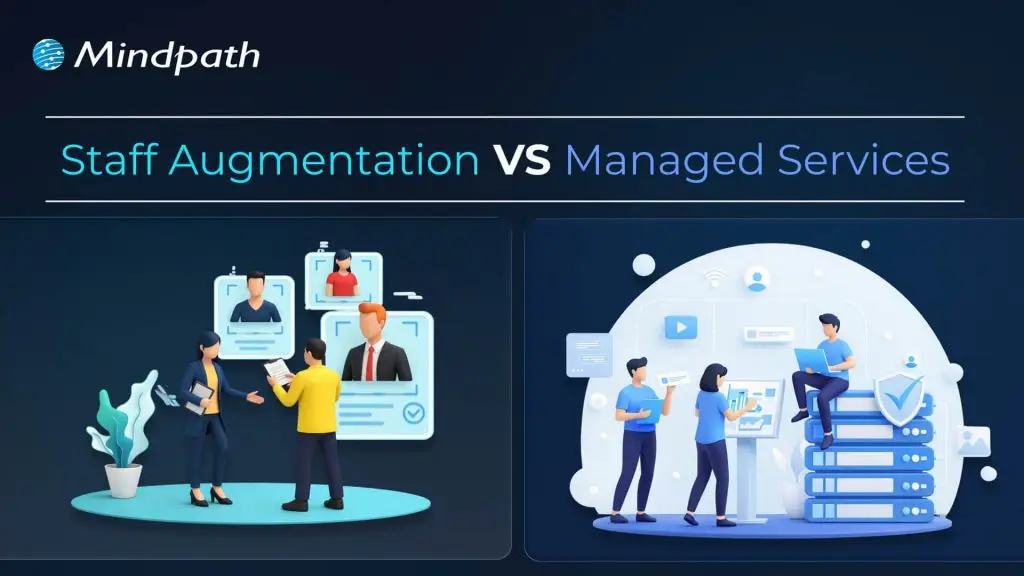
The employees of a company are no doubt the most essential assets. In the recent scenario, businesses have plenty of choices to keep their team more robust and result-oriented. With the rise of remote work and technology, you don’t need to limit your team to a certain geographic location. Further, you can leverage the excellence of the worldwide talent pool.
A number of companies are choosing to outsource their tasks and project development. In fact, the global outsourcing market size is USD 1.02 trillion, and it is going to double by 2031 (Source). In this blog, let us compare two of the most essential outsourcing approaches: staff augmentation vs managed services. This can help you pick the right service that goes well with your company’s structure.
Want a team that can help you to stay competitive with evolving project demands? At Mindpath, we offer staff augmentation services that enable you to scale your workforce efficiently and cost-effectively.
What is Staff Augmentation?
Staff augmentation is a flexible outsourcing strategy where businesses temporarily hire external professionals to fill skill gaps, meet project demands, or scale operations, without the overhead of permanent, full-time hires. The process is quick, and you can augment capacity as per your current team’s needs. You can leverage near-shore, onshore, and offshore talent and scale the team as per the demands.
- When it comes to the IT industry, businesses can use staff augmentation for multiple stages of the development process. Additionally, this includes workflow optimisation, programming, quality assurance, etc.
- This can help you overcome specific challenges while hiring key skills that your internal team may be missing.
- Talking about staff augmentation vs managed services, staff augmentation is cost-effective and offers flexibility.
- It is a temporary solution that accesses your existing team and resources, and gets the benefits of outside talent while reducing the operational charges.
What are Managed Services?
Managed services are an integral approach to software development that allows you to outsource your IT functions to a provider from another region. Moreover, your business can outsource the work virtually to managed IT services. This can include anything from data migration to cybersecurity, and much more.
- Managed service providers don’t integrate with your internal team but operate on their own.
- They can offer you a reliable quote and project timelines. After you approve them, they will start working on the designated task while maintaining continuous communication.
- The managed services model is cost-efficient as it lessens the requirement for overhead and resource management.
- Your company can prioritize other business tasks and can check on the progress instead of assessing the work on a daily basis.
Looking to stay ahead in your hiring strategy with evolving workforce models? Check out the latest staff augmentation trends to learn what’s shaping the future of talent.
What are Some Key Differences between Managed Services vs Staff Augmentation?
To get a detailed knowledge of managed services vs staff augmentation, let us go through some of its key aspects. Here is a table that highlights all the essential features that these models consist of.
| Important Features | Staff Augmentation | Managed Services |
| Benefits | Cost efficiency is one major staff augmentation benefits. | This model leverages a fixed rate and can be your long-term partner. |
| You can have access to a wide range of talented professionals. | Prevents you from the risk of managing in-house teams. | |
| It enables you to scale the team as per project demands. | Provides access to a team with expertise across multiple elements. | |
| Bridges temporary skills gaps. | Allows the internal team to prioritize core operations. | |
| Disadvantages | It is a bit risky to integrate a new team to your existing operations. | Integrating external resources might require extreme knowledge. |
| Risk of dependency on external providers for critical works. | You need to depend on the provider to drive process success. | |
| It needs a strong internal management capacity to handle the external professionals. | No control over your project, team, or the development process. | |
| Flexibility | Your teams can be scaled quickly as per the existing skills gaps. | Flexibility remains limited, and changes might give rise to additional payments. |
| Expertise | It offers access to specific skills or expertise for a required timeframe. | Offers a wide range of expertise and a supportive environment. |
| Responsibility | The client is responsible for your project’s success and workflows. | This model provider owns the project and offers a product as per the agreed requirements. |
| Focus Area | It is task-specific and viable for short-term projects. | It leveraged end-to-end solutions. |
| Customization | This model is fully customizable as per your team dynamics. | Follows the terms that is written on the agreement. |
| Best For | Quick scaling where your workload is heavy. | Suitable for long-term project commitments. |
When Should You Prefer Staff Augmentation Services?
After assessing the staff augmentation benefits and other critical factors, let us understand when you should leverage this outsourcing model.
1. Your Need is Project-Specific
If your requirement is temporary, staff augmentation can help you bring in the specialized talent for a specific time period. Further, you can easily access the services as per your project demands without seeking any long-term commitments.
2. You Need Direct Assessment
When your company has a strong team, staff augmentation allows the external team to work under your supervision. So, this ensures your priorities are fulfilled with quality. Additionally, your existing team’s capabilities will also increase with better insights.
3. You are Handling a Strict Deadline
If your project’s timeline is critical and hiring full-time employees would take too long, staff augmentation provides rapid onboarding of skilled professionals. Further, this can help you maintain your project speed.
Want to avoid common onboarding challenges with external talent? Learn through our augmented staff onboarding guide for a smoother transition.
When Should You Prefer Hiring Managed Services?
Here are the instances where managed IT services can be your utmost preference.
1. You Desire Strategic IT Management
If your organization doesn’t have the leadership to manage all its internal IT operations, managed services can access the experts to take complete responsibility. Moreover, this ensures professional oversight for better performance management. Your team gets the freedom to focus on core functionalities.
2. You Need Predictable Solutions
When your company depends on consistent system performance and reliability, managed services can deliver structured processes. So, it keeps your team balanced while lessening the operational charges. Moreover, your plans will have that strategic influence on your audience.
3. Your Company Needs Long-Term Commitments
Managed services can offer continuous expertise when it comes to fulfilling your ongoing requirements. Instead of hiring an internal team, you can get dedicated support that can encourage your overall functions.
Curious about hiring the right talent for short-term and long-term projects? Check out our staff augmentation hiring guide to learn practical hiring insights.
Cost Considerations of Both IT Outsourcing Models
It is important for you to understand that saving money is not always the primary goal. You also need to value precise creation. Here, go through the cost approaches of both the IT outsourcing models.
1. Staff Augmentation Costs
In this model, you need to pay only for the expertise you need. You can control the resource allocation, and there is no overhead of benefits, training, and recruitment. However, the charges might increase if you demand some change in the middle of your project.
2. Managed Services Costs
This model can assure you of predictable or fixed charges. It sometimes includes service level agreements for performance. The essential providers can handle multiple clients effectively. But managed services sometimes come with longer contractual commitments.
Looking to improve project delivery with the right technical expertise? Check out our IT staff augmentation guide to learn how to bring in skilled professionals.
Final Words
Staff augmentation and managed services can assist your business in completing the development projects more efficiently. However, when it comes to staff augmentation vs managed services, you need to assess their elements prior. Staff augmentation can be a great solution for businesses that need flexibility and short-term goals. On the other hand, managed services are best suited for long-term assistance.
Our experts at Mindpath can help you with both aspects. Partnering with us can offer you the support that you desire while filling the gap needed for your IT foundation.

Business and technology leaders have to deal with one of the biggest challenges that come with rapid growth, which is scalability. You have to think how to expand technical teams, accelerate product development and obtain new funding as your business grows. This is where CTOs are under pressure to rely on scalable software architecture to accommodate the new demands emerging as the business grows bigger. Do you think that scalability in 2026 is all about managing a holiday season spike in demand for your products and services?
Technology leaders have to think beyond adopting specific solutions and build architectures that can survive amidst the chaos of emerging technologies. Gartner predicted that almost 90% of organizations worldwide will have adopted hybrid cloud architectures by 2027 (Source). Do you notice that buying more servers or adopting cloud architecture will only pile up costs on a business? CTOs should think of ideal solutions that help them in scaling technology without increasing the cost burden.
Ready to scale your technology without increasing operational costs or complexity? Mindpath offers managed IT services to help you optimize infrastructure, reduce expenses, and support sustainable business growth.
Unraveling the Need to Choose an Ideal Approach for Scaling Technology
Many business leaders are worried about the ‘how’ of scaling technology and miss the ‘what’ of scaling. It is important to understand that cost-efficient tech scaling is possible only when CTOs know scaling as something more than handling an increasing amount of work. You have to focus on the difference between horizontal and vertical scaling to figure out how to achieve scaling at lower costs.
Vertical scaling is similar to buying a bigger and faster grill for your burger shop when you get more customers. Even though the new grill will work for some time, you will eventually have to need another grill to meet growing demand. On the other hand, horizontal scaling is like building ten more shops with a small machine, which offers limitless capability to deal with increasing demand.
You can consider vertical scaling as something like trying to make cars drive faster on a highway. Horizontal scaling is like adding more lanes to the highway, thereby making driving safer while reducing traffic on the highway. It definitely sounds like a recipe for long-term growth in the context of software architecture.
Defining the Mental Approach to Scaling Technology
CTOs should also think about the type of approach they want to follow for scaling technology. Most of the companies choose cloud optimization or other scalability techniques as a reactive measure. It means that organizations respond to increasing traffic or system downtime by pressurizing CTOs to bring more power. However, the reactive approach does not rely on planning and ultimately leads to a pile of unorganized resources, which increase costs.
How would a CTO think of an innovative solution to this problem? The ideal answer will come with a predictive approach to scaling technology. CTOs should assume that their software architecture will grow in future and they will focus on building architectures that can accommodate the growth naturally. It is just like building a Lego set with the help of clear instructions rather than throwing them in a pile.
The high level of planning and organization of resources in the predictive approach to scaling ensures easier management alongside reducing costs.
Planning to scale your technology infrastructure without inflating your cloud expenses? Explore our guide on cloud cost optimization to discover strategies for reducing costs while maintaining performance and scalability.
Solving the Technology Scaling Problem with Architecture
Every CTO must know that the decisions made for designing the architecture of software will have the largest impact on costs of scaling in future. Fixing the problems in a faulty architecture will be more expensive than building the right one in the first place. Which software architectures do you think will improve engineering efficiency and provide room for scaling technology at lower costs?
1. Explore the Potential of Serverless Computing
The traditional approaches to software architecture revolved primarily around renting a server and keeping it operational even when no one is using the app. Serverless computing offers a promising solution to build your software architecture in a way that delivers specific functions as services.
With serverless architecture in cloud computing, you will only have to pay when someone actually uses your app or clicks a button. If your app does not have any users, then you don’t have to pay anything, thereby saving your from costs you pay for idle time.
2. Building Smaller Components with Microservices
One of the biggest trends in software architecture that has gained traction in recent times is the use of microservices. You don’t have to build a huge and resource-intensive application with microservices. On the contrary, you build small and independent pieces for your app, which will work in unison with each other.
If one of your components is busy and experiencing more traffic, then you can focus on scaling that component alone. As a result, you will save a lot of money by avoiding the need to scale the whole application.
Looking to break down your monolithic applications for greater flexibility and scalability? Discover our guide on transitioning from monolith to microservices to explore how this approach reduces complexity and optimizes costs.
How Will Data Management Help in Scalable Software Architecture?
Databases form a huge portion of the tech stack in your software architecture. The ideal solution to achieve efficient architecture scaling with reduced costs will obviously involve choosing smarter approaches for database management. You can end up with a huge budget to achieve scalable systems design when you fail in database management. CTOs should opt for innovative approaches to manage databases to design software architecture for enhanced scalability.
1. Caching
Your app adds more to your budget every time it requests the database for information. Caching involves maintaining a ‘cheat sheet’ of the most frequently provided answers. It ensures that your app will not recalculate a complex request and ask the database for information. On the contrary, your app will look towards the cache and help you manage most of the traffic to your app.
2. Storage Tiers
Data storage takes up a lot of your budget and choosing one monolithic approach to data storage is not cost-efficient during scaling. Therefore, you should choose a mix of hot and cold storage for your data to reduce data storage fees. Hot storage is the ideal option for data required in everyday uses of your app while cold storage stores data that is required only for audits or history. You can move old data to cold storage and reduce your monthly storage fees during scaling initiatives.
Looking to build scalable and resilient applications that fully leverage the cloud? Discover our guide on cloud-native development to explore how this approach enhances performance, flexibility, and cost-efficiency.
Scaling Technology without Bankruptcy with Spot Instances
The CTO will also have to think about the financial aspects of scaling solely for performance. You can build scalable software architecture with AI resources that eat up a huge share of your scaling budget. Will it prove feasible in the long run? No. It is important to look for modern orchestration tools that consider budget as a huge constraint. For instance, configuration of Kubernetes clusters to scale up with spot instances for non-critical workloads will offer cheaper cloud capacity.
Final Thoughts
The burden of the responsibility of scaling technology has a huge impact on the decisions taken by CTOs. It is important to know that building scalable architectures from scratch is the ideal approach to scale with high costs. You can choose microservices and serverless computing to facilitate easier scalability with lower costs. Most important of all, CTOs have to choose resources that are cost-aware and provide the benefits of scaling.
Mindpath is a leading IT service provider, specializing in technology scaling solutions. We have built software architectures for diverse use cases for different organizations across industries. Our primary focus on quality alongside helping clients achieve resource efficiency makes us a reliable choice for technology scaling initiatives. Reach out to our experts and discover the ideal approach to scale technology without excessive scaling costs now.
The adoption of artificial intelligence in business functions would have sounded like a myth almost a decade ago. You will come across many organizations leading the charge by adopting AI in business functions in 2026. The curiosity to learn about AI use cases for business will also lead to thoughts about the ways in which AI brings value to business operations. According to a 2025 survey by McKinsey, almost 88% of participating organizations claimed that they used AI in one business function (Source).
The McKinsey Global Tech Agenda 2026 report also showcases that 54% of companies treat AI as their top investment (Source). The statistics for AI adoption clearly suggest that businesses see huge potential for ROI in AI use cases. According to Deloitte’s 2026 AI report, almost 42% of companies believe that they are strategically prepared for AI adoption (Source). Every business owner should know the business use cases of AI that deliver tangible improvements in their ROI.
Looking for smarter ways to enhance productivity and deliver better customer outcomes? Mindpath offers end-to-end artificial intelligence development services tailored to optimize performance and drive success.
Unravelling the Top AI Use Cases for Business with Measurable ROI
The growing use of AI in business creates big questions about the value that artificial intelligence brings to the table. Many enterprise AI examples have showcased measurable ROI albeit with modest outcomes, such as growth in capacity, productivity and efficiency. Do you want to adopt AI in business use cases that deliver measurable ROI? It is more important than ever for every business owner to identify AI use cases that improve ROI by enhancing productivity and expanding revenue opportunities.
1. Using AI for Content Generation
One of the most common use cases of AI that you will come across, even in public use, is content generation. Businesses can leverage Generative AI tools for content generation in various ways that empower content and marketing teams with significant time savings. Marketing teams can use AI tools to reduce the time required to generate marketing materials by streamlining the content creation process. On top of it, AI writing assistants serve valuable support in localizing content and creating nuanced translations.
The best example of AI success stories in streamlining marketing content creation workflows is Currys. The UK-based electronics retailer incorporated Adobe Firefly in its creative workflow for faster idea generation, iteration on campaign visuals and producing on-brand asset variants. With the help of AI, the creative team of Currys reduced content production time by almost 50%. AI also helped the marketing team of the organization reduce dependency on third-party agency costs.
2. Predictive Maintenance and Quality Control
For many years, businesses had to rely on vendor recommendations for predictive maintenance. However, vendors with years of industry experience failed to achieve precision and accuracy in predicting malfunctions. Artificial intelligence plays a major role in enhancing predictive analytics to achieve better accuracy in monitoring equipment health. AI-powered predictive maintenance systems can use sensor data, field reports, ERP logs and production records to draw precise estimates of equipment lifetime and probability of failure.
The best example of using AI to enhance predictive maintenance and quality control is Rolls-Royce. It uses a combination of AI-powered predictive analytics and digital twin technology to monitor the performance of aircraft engines and critical systems. Sensors embedded in aircraft engines send real-time data to machine learning models, which can identify subtle patterns that indicate possibility of failure. Rolls-Royce has used AI-driven predictive analytics to extend the time required between maintenance schedules by around 48%. AI has helped in reducing unplanned service events and longer engine runtimes between scheduled maintenance.
Curious how automated machine learning can simplify model building and accelerate your AI initiatives? Discover our guide on automated machine learning to explore how it helps deliver faster insights with minimal manual effort.
3. Personalizing the Customer Experience
Businesses can use AI-powered customer experiences to achieve significant improvement in sales and reducing cost to serve each customer. Personalization is no longer a luxury that brands offer to few selected customers and every customer expects it by default. One of the best examples of applied AI solutions is visible in the applications of highly personalized recommendation engines. You can utilize large language models and AI agents to facilitate real-time interactions with customers while capturing their preferences and understanding the context.
Many successful case studies of AI-powered personalization showcase positive ROI and Starbucks is one of the leading examples. Starbucks introduced Deep Brew, a machine learning platform to integrate AI in the customer experience journey. Deep Brew analyzes transaction and loyalty data to come up with personalized recommendation and offers for customers. The system takes data from the Starbucks mobile app, purchase history of customers and contextual signals to create personalized promotions and digital interactions. Starbucks has achieved a 30% ROI for AI-powered personalization and offers with Deep Brew.
4. Fraud Detection
Almost every industry that you will come across has to experience problems with fraud detection. As a matter of fact, fraud detection is not limited only to the domains of finance and banking. The list of AI use cases for business also emphasizes how artificial intelligence has become a powerful tool for fraud detection. Businesses can use generative AI platforms to detect fraud patterns in user activity and call logs with more accuracy. On top of it, AI agents can facilitate end-to-end management of fraud detection workflows and complement the work of human reviewers.
HSBC is the biggest example of companies leverage AI and machine learning systems to improve fraud detection. The leading global bank has integrated AI and machine learning in its financial crime and fraud detection operations with significant improvement over the traditional rules-based monitoring. The AI platforms of HSBC detect two to four times more suspicious activity as compared to traditional methods. At the same time, the AI systems also helped HSBC in reducing false positives by almost 60%, thereby improving focus on genuine threats.
5. Enhancing Knowledge Management
Knowledge management is probably one of the biggest concerns in everyday operations of a business in 2026. The ability to leverage AI in operations that require knowledge sharing will empower businesses to improve their ROI by significant margins. The combination of conversational AI and autonomous agents can help teams in supporting new employees with personalized assistance. New hires don’t have to rely on managers and team leaders for basic questions, thereby empowering senior employees to focus on high-priority tasks.
Morgan Stanley has implemented Morgan Stanley Assistant, an internal knowledge copilot to help financial advisors gain access to institutional knowledge. The assistant helps advisors in searching, retrieving and understanding content from the large internal database of the organization. The interesting part is that advisors can do all of these tasks directly in their workflow without manually searching through policy materials and research. Morgan Stanley has successfully expanded the scale of its assistant to help more than 16,000 financial advisors.
Looking to enhance your customer service experience with faster responses and smarter support solutions? Explore the benefits of AI for customer service to discover how it improves efficiency, personalization, and customer satisfaction.
Final Thoughts
The ability to leverage AI for transformation can be one of the biggest strengths for any business in 2026. If you are a business owner, then it is high time to think about AI as a strategic investment and not as a fancy experiment. The AI use cases for business clearly showcase the power of artificial intelligence to deliver measurable ROI. You should choose a reliable technology partner to help you embrace the power of AI for your business.
Mindpath is one of the leading platforms for AI development services with years of experience in the industry. Our team of experts specializes in creating custom AI solutions for businesses in every industry with unwavering focus on client requirements. We are committed to bring your vision to life with our distinct capabilities and industry expertise in AI. Consult with our experts to find the ideal roadmap for AI adoption now.

The digital landscape has gone beyond normal trends. 8 out of 10 users are willing to pay more for a detailed user experience. Further, research shows that around USD 1 invested in UX is supposed to bring USD 100 in return. So, any usability defect on your website is way more than just a design flaw. Your users are not just directly comparing you with your competitors. But they are comparing you to the seamless and effective digital experience they have ever experienced.
This is where the relevance of a UX audit comes into the picture. So, this process doesn’t just verify visual inconsistencies or defective navigation. In fact, it unveils hidden frictions that can make your users frustrated and abandon the site.
Ready to enhance your user experience and uncover opportunities for improvement? Contact us today to get expert guidance and start optimizing your website for better engagement and conversions.
What is a UX Audit?
A UX audit is generally known as a user experience audit. It is a systematic evaluation of digital interfaces like mobile applications, websites, or any software platforms. Further, this approach is used to identify usability issues that can affect your users’ ability to reach their goals. According to the research by the Nielsen Norman Group, an average website loses around 67% of its visitors before they reach a certain conversion point.
So, a website UX audit can help you understand what is working well and what is not. Everything is decided based on the research, data, and industry-standard UX regulations.
How is a UX Audit Different from a UI Audit?
A UI UX audit majorly prioritizes the visual design of the interface. So, it mainly includes color contrast, visual hierarchy, spacing, and all. On the other hand, a UX audit targets the entire journey of the users that includes certain factors as given below.
- Interaction flows.
- User behavior and interest.
- Clarity of the content.
- Conversion barriers.
Most of the audits combine both UX and UI elements to offer a detailed analysis of the performance of your digital product. This is why a UX and user interface audit is necessary for maximum results.
Looking to design experiences that captivate and retain users? Discover our guide on UI/UX design trends to explore approaches that boost usability and appeal.
Why You Should Conduct a User Experience Audit for Robust Digital Performance?
Investing in UX audit services offers strategic benefits to your digital product. Additionally, here are some effective UX audit benefits listed below.
1. Better Conversion Rate
It eliminates friction in major user flows like purchases, sign-ups, and form submissions. Further, it can directly boost your goal completions.
2. Encourages User Satisfaction
If your navigation remains intuitive along with clear content, your users will feel more connected to your products, and the engagement rate will increase.
3. Strong Brand Perception
A well-maintained and consistent user interface can build credibility while boosting your trustworthiness in the marketplace.
4. Data-Rich Redesigns
Insightful data from the website UX audit can value UX improvements while eliminating the guesswork. Further, it can prevent you from costly redesign mistakes.
5. Keeps You Ahead
Even a small usability improvement can keep you unique in this competitive edge. So, users are more likely to trust you over your competitors.
Looking to enhance your UX audit process with scalable and efficient tools? Discover the benefits of SaaS to explore how cloud-based solutions can streamline workflows and improve collaboration.
Who Can Benefit from a UX Audit?
No doubt, UX audits can be beneficial for anyone who is developing a SaaS product or complicated web apps. However, they are more reliable for a certain type of business, as given below.
- Organizations that are aware of their product requirements but are confused about where and how to begin.
- Businesses without any research of UX design teams and a desire to refine their UI/UX values in the digital space.
- Companies that are willing to do Agile product development want to be assured that their UC enhancements are aligned with the users’ expectations.
What are Some Efficient Types of UX Audit Techniques?
There is no one-size-fits-all approach. So, UX audits have been divided into many significant types that developers should be aware of.
1. Usability Audit
This approach goes deeper into your users’ journey to discover if they have been facing any usability issues. So, usability testing can be incorporated to analyze essential factors like interaction design, navigation flow, and overall functionality. This ensures that your users are seamlessly navigating your product without any frustration.
2. Information Architecture Audit
This type assesses the structure of your content labelled along with the product. Further, it also verifies if users can effectively locate what they require. Further, such an audit type easily reveals your content gaps along with confusing structures that can hinder the users’ journey.
3. Accessibility Audit
An accessibility audit can assure you of your product’s usability to everyone, including people who are differently abled. Additionally, this audit proves compliance with WCAG by valuing the color schemes, keyword navigation, and screen reading metrics.
4. Design Audit
This kind of UI UX audit takes care of the design components. This includes the product’s color schemes along with your brand consistency. This ensures the design aligns with your brand identity while keeping your visual experience intact. By effectively assessing each of your design references, the visual audit ensures that the visuals support usability.
5. Content Audit
Content audit includes evaluating the relevance, quality, and tone of your product content. Moreover, it ensures that the content matches the requirements of users while sticking to your brand values. By refining the content, your business can easily strengthen users’ trust while bringing clarity and engagement.
Planning to create a website that combines stunning design with seamless functionality? Discover our guide on web design and development services to explore how professional solutions can elevate your digital presence.
How to Initiate a UX Audit Thoroughly for the Best Results?
Here, you can go through the structured process to make sure your audit UX UI is efficient and result-driven. Apart from this, when you desire to carry out a UX audit, you need to consider whether it is viable for your in-house team or if you should hire an external agency.
1. Be Assured of Your Objectives
It is important to conduct a meeting with all your stakeholders. This approach can streamline your objectives while increasing conversions. You can easily enhance your user experience while addressing suitable goals. This effective alignment can help your team plan the tasks.
2. Gather Product Insights and UX Metrics
Before initiating the assignment, it is important to assess the documents, such as the goals of the product, the user journey, and the user behavior. Additionally, this can help you understand the intent behind the project.
After this phase, you need to gather all necessary performance analytics that include your users’ time spent on certain pages, clicks, and frequency. So, these relevant data can help you assess how the users are engaging with your product.
3. Perform UX Design Audit
After verifying the defective areas in your user experience, you need to apply Usability Heuristics and design principles to assess multiple design mishaps. Such a step in the UX Audit website can be used to evaluate the interface with consistent design, error prevention, flexibility, etc.
4. Run User Testing Sessions
Invite your representative users to complete the real necessary tasks. This includes observing the points of confusion and navigation errors. User testing can offer you authentic details about how your users think and behave in a real scenario.
5. Get a UX Report
Once you are done with gathering all the crucial data, it’s time for you to effectively document your findings into a structured UX audit report. The report generally includes severity rating, issues verified, evidence, expected impact, etc.
A strong report ensures your stakeholders can understand and act as per the requirements.
Planning to work with a web design firm but unsure which questions will reveal their expertise? Check out our guide on questions to ask a website design company to learn how to evaluate potential partners.
A Completely Free UX Audit Checklist
Here is a detailed UX audit checklist you can thoroughly apply to any of your interfaces.
1. Navigation and Structure
- Logical menu structure.
- Streamlined menu labels.
- Effective search functionality.
- Breadcrumbs, if necessary.
2. Visual Design and UI Elements
- Precise contrast level for readability.
- Consistent color schemes and typography.
- Clickable and attractive buttons and links.
- Intuitive and meaningful icons.
3. Content and Messaging
- CTAs are available above the fold.
- Headlines are clear and to the point.
- Body content is aligned with proper subheadings.
- No fluff and jargon.
4. Form and Crucial Inputs
- Labels are specific and goal-oriented.
- Errors are displayed clearly.
- Submit buttons should communicate actions.
5. Interaction and Feedback
- Loading times are bearable.
- User actions have confirmation.
- Interactive elements.
- No unnecessary or broken links.
6. Mobile and Responsiveness
- Buttons are spaced effectively.
- Layouts can be adjusted to all screen sizes.
- Content fits without needing any horizontal scroll.
- Navigation suits mobile devices.
7. Conversion Management
- Secondary CTAs are effective and non-intrusive.
- Primary call to action remains unique.
- Trust indicators like feedback and reviews are present.
- Funnels have minimal friction.
Wondering how much it really costs to build a professional and effective website? Discover our guide on website development cost to explore factors that impact pricing and plan your budget wisely.
Real-World UX Audit Examples
There are certain real-world UX audit examples that can deepen your understanding. Further, it can encourage you to go through the checklist for being authentic.
1. E-commerce Checkout
Many e-commerce sites abandon their purchases at the payment step. So, a UX audit checklist can help you discover unexpected shipping charges and complicated multi-step checkout. You can address this by simplifying the form while adding the progress bar.
2. SaaS Onboarding Flow
When a SaaS company discovers through session recordings and heatmaps that users drop off mid-onboarding, the audit can make you aware of a lack of a progress indicator and an inefficient CTA. You can simplify the features to improve your product’s CTA.
When Should You Conduct a UX Audit?
A UX audit can easily fix what is broken and can accelerate the experience of your users. While you can leverage a UX audit at any stage, there are some critical moments that are essential to consider.
1. Pre-launch and Redesigning
Before you go live with your product, verifying the usability issues in the early phase can minimize the risks while preventing you from costly mishaps. Further, a UX audit report can assess the current experience of your consumers while helping you track the elements that are desirable.
2. As a Critical Part of Your Ongoing Improvement
Doing UX audits twice a year might help you maintain your quality, as your users’ expectations might change with the evolving trends. Moreover, adding new functionalities and features can disturb your existing workflows. An audit can keep the user experience intact.
3. To Battle Performance Issues
Fewer session times and minimal return visits can highlight that there are some issues with your UX. So, to back up your engagement, you need to value the UX audit as very critical. If your users are not completing their key actions, an audit can help you address the real issue behind the drop-off.
4. For Strategic Insights
Comparing your user experience with your competitors can reveal gaps and opportunities. So, demonstrating a strong and effective experience can boost your business value.
How to Prioritize UX Audit Findings?
A UX audit template unveils a series of opportunities. So, value the issues as per these standards.
| Priority | Level of Impact | Implementation Effect |
| Major Fixes | High | High |
| Quick Wins | High | Low |
| Minor Improvements | Low | Low |
Challenges You Might Expect in UX Audit
Apart from a series of UX audit benefits, the process might leverage certain challenges, especially when your team depends on assumptions instead of real user data. Limited access to users and biased internal opinions can lead you towards misleading conclusions. You might face a problem in balancing business goals with your user requirements.
Looking for an UX Audit Service Provider for your Website?
A UX audit checklist can be noted as a practical tool that offers structure to your evaluation process. Further, it can help you identify areas that need improvement and help enterprise products become more user-friendly. It also aligns the user experience with your business motive and enhances the overall customer satisfaction.
If you are also ready to leverage the best of UX audit services from the professionals, Mindpath can be your reliable partner. The experts here can help you elevate your user experience and product performance to another level.
The significant impact of artificial intelligence on every industry has made every business leader think about embracing it in their enterprise strategy. CEOs want to stay updated with new trends and reduce costs by reducing dependence on manual processes. However, the AI vs automation debate has emerged as a crucial concern for business leaders. It is important to find out whether AI will deliver the benefits you want as a standalone technology or it needs seamless automation.
Is AI delivering the value that business leaders want from it? According to IDC, global spending on AI will increase by 1.7 times in the next three years. At the same time, the 2026 AI Report by Deloitte revealed that only 42% of companies believed that they have the right strategy for AI adoption (Source). Even with the growing inclination towards adopting AI technologies, only a few companies can scale beyond pilot stages. Business leaders should understand the difference between automation and AI to make the ideal decision for digital transformation.
Struggling to keep up with rapidly evolving technology and data-driven demands? At Mindpath, we offer scalable artificial intelligence development services that streamline operations and unlock new business opportunities.
Understanding Automation and Why Businesses Need It
Automation has been around for quite some time, probably before the AI revolution gained momentum. Business leaders have been investing in automation for many years and with everyone talking about AI, they want to know whether they picked the wrong technology. The fact is that a well-planned business automation strategy will trump random AI adoption any day. Automation is all about executing predefined rules with accuracy, consistency and most important of all, without fatigue.
When you implement automation in the right way, it brings discipline to all business processes at scale. All you have to do is define the workflow and automation sees that the workflow runs exactly in the same way every time. It does not falter in the event of changing volumes, operational pressure or time of the day. Business leaders embrace automation to achieve benefits like,
- Reduction in operational costs
- Significantly fewer human errors
- Predictability of outcomes
- Faster cycle times
Defining the Right Time for Business Process Automation
Automation delivers promising benefits but only when you have clear understanding of the process that you want to automate. The term ‘intelligent automation’ fits perfectly in scenarios where,
- You have a repetitive and stable process.
- The inputs for the process align with a specific format.
- The decision logic of the process is always consistent.
- You have possibility of predictable errors in the post.
If your business has to spend a lot of time in doing the same tasks repetitively, then you need automation.
Planning to implement AI in your organization but unsure how to structure a clear and effective path forward? Discover our guide on AI roadmap to explore the key steps for successful planning and execution.
Where Can You Apply Automation in Real Business Use Cases?
Business leaders wondering about the ideal use cases of automation should look for applications that deliver maximum ROI. You can leverage automation in use cases like,
1. Data Entry and Synchronization
Automation can play a vital role in enhancing tasks that require entering data and transferring data between internal systems without manual efforts.
2. File Handling and Document Management
Automation can help in reducing time required for renaming files, organizing documents and sending them to the relevant teams or systems.
3. Invoice Processing and Reconciliation
Business leaders can rely on automation for automatic extraction of standard fields, reporting mismatches and matching invoices with purchase orders.
4. Rule-based Approval Workflows
The power of automation can introduce new efficiencies that require approval for requests on the basis of value, policy rules and roles.
All the use cases of automation in business revolve around operational improvements with little to no innovation. The primary outcomes of embracing automation in business focus on reducing costs, enhancing efficiency and saving the time of teams.
Planning to implement AI in your business but unsure about the potential hurdles you might face? Discover the challenges of AI adoption to explore how to overcome barriers and ensure a successful implementation.
Artificial Intelligence and Moving Away from Rules
The role of artificial intelligence begins where you need to move beyond the ‘if-this-then-that’ logic in real business scenarios. When you have many variables, exceptions and ambiguity in the equation, it is inevitable to think how AI can add value. Businesses should integrate AI in their digital transformation roadmap to transition from following rules to thinking of possible solutions.
Automation works by following fixed instructions while AI learns from data and identifies patterns before making decisions. On top of it, AI uses the data it learns from to improve its capabilities with new interactions.
Choosing the Right Time for AI Adoption
Artificial intelligence might seem like just another trend that businesses have been pursuing for digital transformation. On the contrary, it is important to know that AI is a valuable resource to resolve bottlenecks in decision making. AI adoption is a reasonable decision in situations where,
- The decision making process depends on multiple variables.
- You don’t have static or predictable patterns in decision making.
- The system can provide more accurate outcomes as it learns and processes more data.
- The business has to make decisions at scale and in real time.
You have to understand that AI is the ideal technology to complement decision-making in scenarios where humans struggle.
Looking to reduce guesswork and make more confident business decisions? Discover our guide on AI in decision making to explore how it enables data-driven success.
Where is AI Useful in Real Business Use Cases?
Artificial intelligence has become one of the priorities of almost every business in 2026, with global spending expected to increase by huge margins. At the same time, it is reasonable to think how the AI vs automation debate turns in favor of AI in certain use cases. You will find the best business use cases of AI in the following areas,
1. Demand Forecasting
Businesses can leverage AI to predict future demand with the help of historical data, external signals and seasonality. As a result, businesses can ensure efficient inventory management and expand revenue opportunities.
2. Fraud Detection and Risk Management
AI tools can analyze transaction patterns of customers at different locations and time while evaluating behavior. It can serve as a valuable resource for flagging and prioritizing risks for the business.
3. Customer Sentiment Analysis
One of the biggest and most prolific use cases of AI in business right now is the ability to evaluate customer sentiment. Businesses can find out what their customers think about them by analyzing unstructured data from chats, emails and reviews.
4. Personalizing Customer Experiences
You will also find the ideal example of benefits of AI decision making in use cases for personalizing customer experiences. Businesses can use AI to suggest relevant products and content to their customers on the basis of use behavior insights.
5. Predictive Maintenance
Businesses should rely on AI for predictive maintenance to anticipate failures before they happen. AI tools can analyze usage and performance patterns through real-time data sourced from equipment to predict failures in advance.
The use cases of AI in business clearly show that it is the ideal option when predefined rules will fail to achieve the desired results. Business leaders can adopt AI in use cases where decision-making at scale in real-time is the biggest challenge.
Wondering how startups can benefit from AI-driven tools and automation? Explore our guide on AI solutions for small businesses and startups to discover growth-focused use cases.
Final Thoughts
Many business leaders want to find the ideal choice between AI and automation in the race for digital transformation for businesses. However, it is important to understand the differences in an AI vs automation debate to figure out that both of them complement each other. You cannot create a strong foundation for AI adoption without automation as it helps in cleaning and standardizing data and creating predictable pipelines for AI inputs.
Mindpath is a trusted AI development service provider, known for delivering solutions tailored to the vision and business goals of clients. We have created automation workflows for businesses in multiple industries and continue to grow our specialization in AI development. Consult with our experts to discover the ideal choice between AI and automation for your business now.
Join our Newsletter!
categories
Join the world's largest training library and unlock new opportunities!
Featured Posts
Turn Insights Into
Real Business Solutions
Exploring trends is only the beginning. Whether you’re planning AI adoption, modernizing legacy systems, or building scalable software, our experts help transform ideas into practical business outcomes.