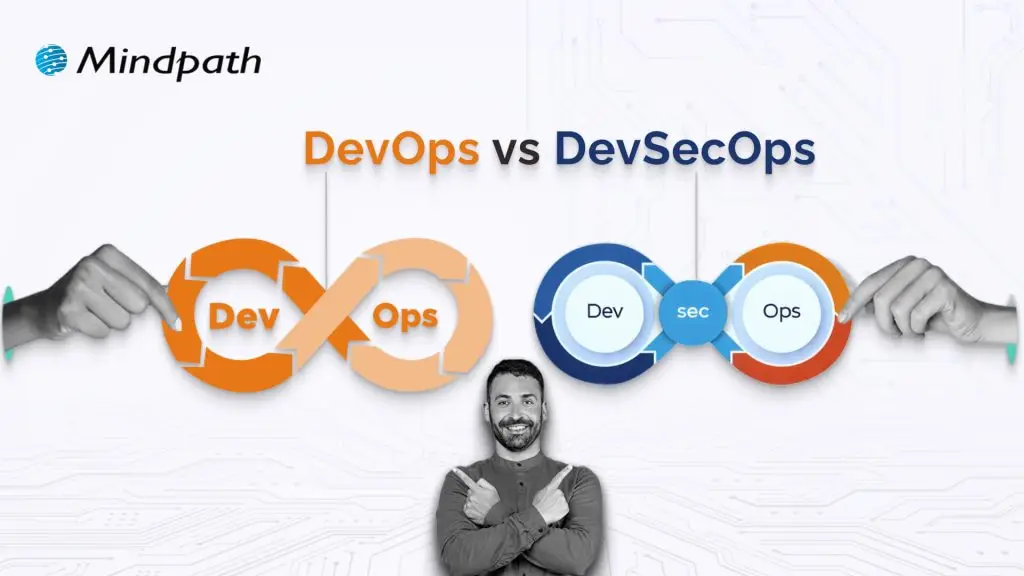
DevOps vs. DevSecOps is a topic that will often arise when companies look for better and faster software delivery. Businesses are looking to release applications and software faster than ever, but they are also mindful of the growing sophistication of security threats. So where can businesses find the balance of speed and safety? This is where the transition from DevOps to DevSecOps comes into play; the need for speed is balanced with more stringent security requirements.
In today’s fast-moving digital age, the speed of development plays an important role, but it’s hardly enough. In addition to wanting systems that develop software quickly, organizations want systems that will also withstand vulnerabilities at each stage. That is why there’s so much interest in DevSecOps. DevSecOps does not replace DevOps; it enhances it by using continuous security assessments and ongoing protection. A clear understanding of these differences allows businesses to make better choices that can balance innovation with resilience. So, keep reading further to know the difference between DevOps and DevSecOps in this blog.
Still unaware of how DevOps benefits your business? Get in touch with us to gain full insight into adopting DevOps services that makes your operations seamless.
What is DevOps?
DevOps is a collaborative software development methodology that unites an organisation’s Development (Dev) and IT Operations (Ops) teams to deliver software faster, more reliably, and at greater scale. Its foundation is automation, continuous integration (CI), and continuous delivery (CD), commonly combined as CI/CD. DevOps helps break down silos between teams, enabling shared goals while reducing risk. It simplifies processes, improves team efficiency, and aligns technology outcomes with both customer and business objectives.
Furthermore, it drives a cultural change that values accountability, empathy, and shared responsibility. With automation, fast iterations, and rapid feedback, businesses are able to deliver secure and reliable software. In addition to this, not only does the process encourage innovation and creativity, but it also gives businesses flexibility and resilience in a competitive marketplace.
Here are some of the benefits of DevOps: 
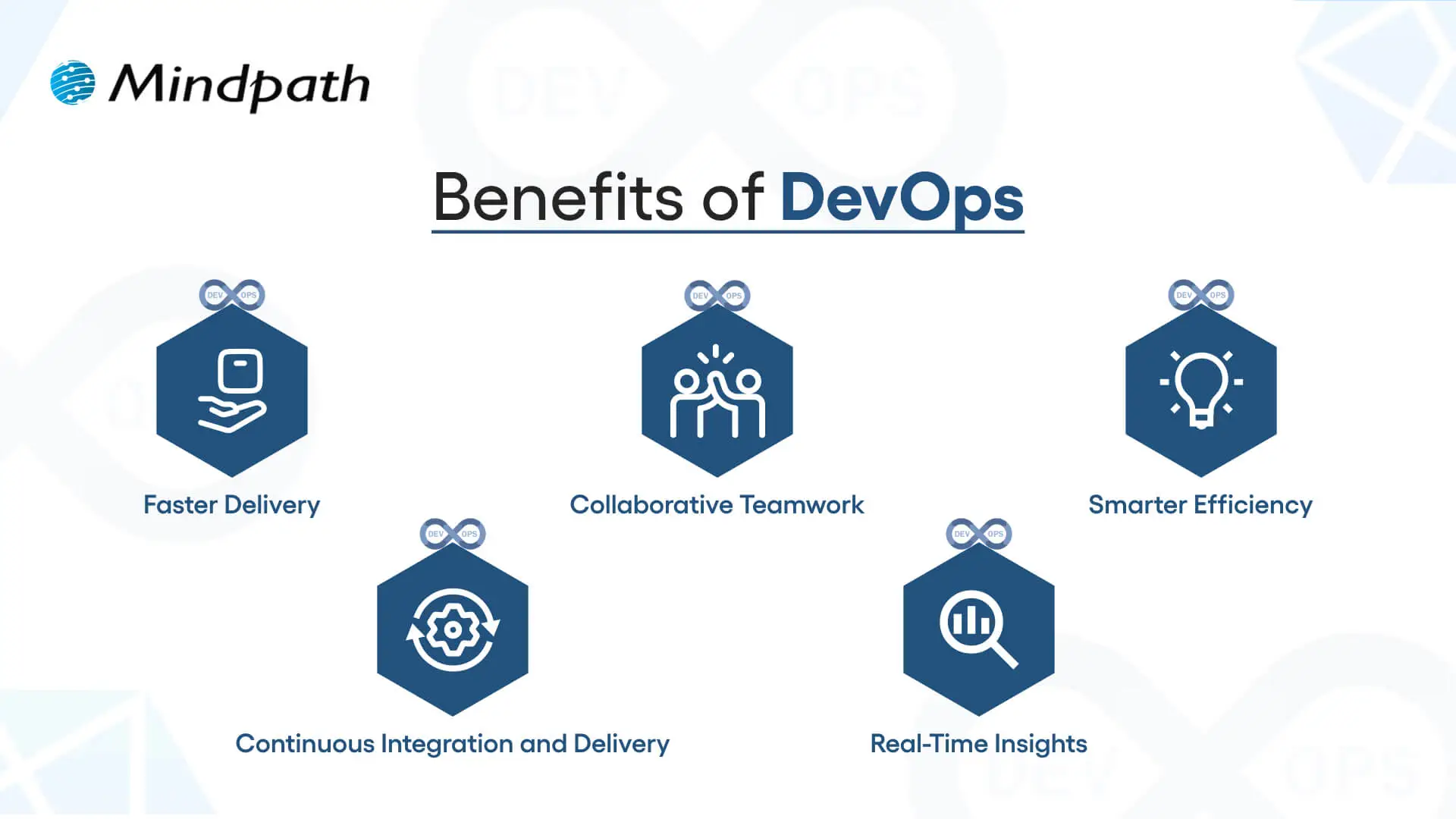
1. Faster Delivery
Development cycles can go a lot quicker with automation and simplified processes. This enhanced delivery allows more frequent releases and decreases time to market.
2. Collaborative Teamwork
Development teams, operations, and other teams are all working toward common goals. Good team collaboration eliminates silos and improves project quality.
3. Smarter Efficiency
Automation eliminates repetitive tasks and optimizes workflows. Teams have the ability to save time and focus on activity that produces value, instead of spending time on manual processes.
4. Continuous Integration and Delivery (CI/CD)
Continuous integration and continuous delivery allow for reliable and consistent deployments. Your users can get new features and fixes fast and seamlessly.
5. Real-Time Insights
Monitoring tools enable instant visibility across the ecosystem. Teams can identify problems early, troubleshoot quickly, and improve performance.
These points explain how DevOps speeds up collaboration and delivery when comparing DevOps vs. DevSecOps, while DevSecOps extends an approach that has been inherently faster approach by adding stronger security practices.
Curious how automation and modern practices can improve your DevOps pipeline? Visit our blog on DevOps Trends to discover actionable insights and emerging innovations.
What is DevSecOps?
DevSecOps (Development, Security, and Operations) is the practice of integrating automated security checks into every phase of the software development lifecycle. It unites development, security, and operations teams so they can plan, build, test, and release applications together, making security a shared responsibility from the start. In return, DevSecOps allows for faster, more reliable processes, ensuring that security is built in from the very beginning rather than added as an afterthought.
To better understand the three pillars of DevSecOps, simply think of collaboration, automation, and continuous security. Collaboration ensures that everyone is sharing the responsibility, automation introduces automated security checks into CI/CD pipelines, and continuous security ensures that monitoring is continuous. With the three pillars of DevSecOps, organizations are able to create dependable applications while implementing continuous security measures to defend them against constantly evolving threats.
Here are the benefits of DevSecOps:
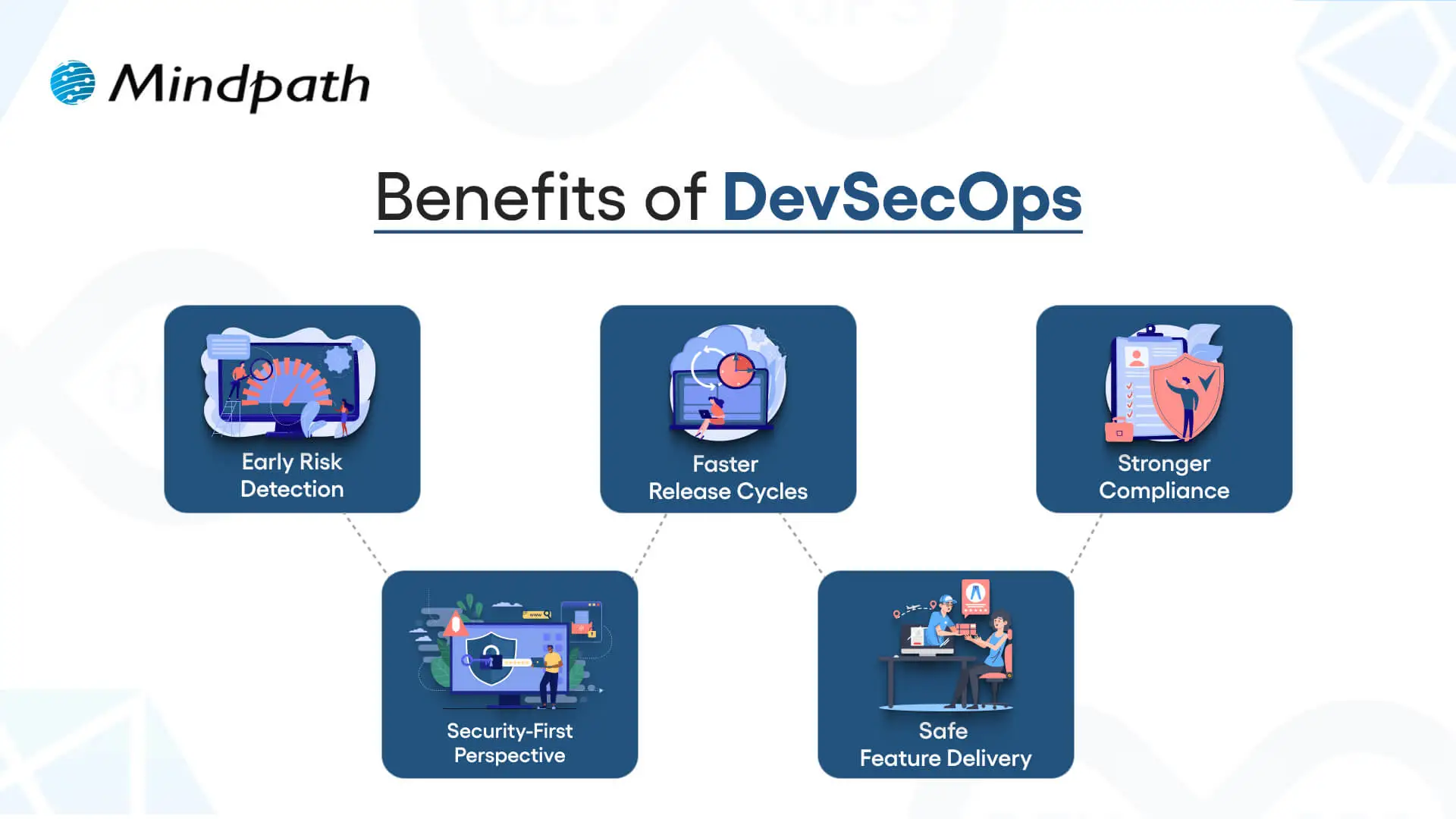
1. Early Risk Detection
DevSecOps allows for the identification of vulnerabilities during the development phase rather than at the end of the development process. Finding and remediating risk early in this way saves time and expense and means that users receive secure applications.
2. Faster Release Cycles
As teams can impact security testing in their workflow, delays are prevented, human error is removed, and developers get new features into the hands of users sooner.
3. Stronger Compliance
DevSecOps processing can assist software teams in meeting compliance obligations with strict regulatory guidelines. Automated checks and secure development practices ensure that data continues to be protected, while developers can be assured that they meet industry standards.
4. Security-First Perspective
Treating security as a shared responsibility, teams practicing DevSecOps have developers, security professionals, and operations staff collaborating to manage risks actively and ensure they minimize incidents throughout the development period.
5. Safe Feature Delivery
With DevSecOps, teams can deliver new functionality faster while also guaranteeing that security practices are undertaken throughout the development period. This can be one of the key differences in terms of DevOps vs. DevSecOps: how features are delivered.
Aiming to enhance operational efficiency and reduce development risks? Check out our blog on DevOps Challenges and Solutions to discover proven approaches that improve performance, stability, and cross-team cooperation.
DevSecOps vs. DevOps: Key Differences
DevOps vs. DevSecOps reveals how software teams value speed, teamwork, and security. While DevOps emphasizes faster delivery, DevSecOps enhances that process, making security a priority at every step of the development process.
1. Security Focus
The primary distinction between DevOps vs DevSecOps is security. DevOps puts movement between development and operations to speed up the delivery of software, but its security processes are usually significant afterthoughts. DevSecOps has security processes established from start to finish and considers them a core capability. By treating security as a core capability, vulnerabilities are eliminated upstream, so they are remedied before deployment.
2. Collaboration Culture
DevOps emphasizes collaboration between development teams and operations teams to promote continuous integration and delivery. Security is often treated as an independent effort, which creates holes in the development process. DevSecOps emphasizes the work of the security team interacting directly with developers and operations teams in every phase of development. This develops a culture of security being everyone’s responsibility.
3. Timing of Security
Conventional DevOps teams often include security at the final phase of the development cycle. If bugs occur towards the end of the process, they can delay the project significantly. DevSecOps reinforces timing by introducing a shift-left strategy with security at the beginning of the development process to build secure and reliable applications.
4. Tools and Automation
In contrast, when discussing DevOps vs. DevSecOps tools, the distinction is clear. DevOps follows automated processes for build, test, and deploy; however, normally, the security tools are still standalone. With DevSecOps, you use drive-by automated security scans, code analysis, and continuous monitoring in the CI/CD pipeline. It allows teams to detect threats in real-time without having to slow their delivery pace.
5. Salary Comparison
There is a notable salary gap when looking at DevOps vs. DevSecOps salaries in the UK. DevOps Engineers generally earn from £65,000 to £92,500+ with a difference based on skills and location, while DevSecOps Engineers receive a greater salary, with salaries for senior roles exceeding £130,000+ a year, particularly for positions based in London.
Looking to optimize your CI/CD pipeline with smarter automation and streamlined processes? Visit our blog on DevOps Best Practices to discover the strategies high-performing teams use to achieve consistent, stable releases.
DevOps vs. DevSecOps: A Comparison Table
When exploring DevOps vs. DevSecOps, it’s clear that both approaches aim to improve software delivery but take different routes to get there. This table highlights the main distinctions, making it easier to see how DevSecOps builds on DevOps with an added focus on security.
| Aspect | DevOps | DevSecOps |
| Core Goal | Focused on speeding up development and deployment cycles. | Balances speed with security to deliver safe, reliable software. |
| Team Culture | Collaboration between development and operations teams. | Shared responsibility among development, operations, and security teams. |
| Security Approach | Security checks are introduced late in the release pipeline. | Security is integrated into every stage of the development lifecycle. |
| Automation | Uses CI/CD pipelines to automate builds, tests, and deployments. | Extends CI/CD with automated security scanning and compliance checks. |
| Risk Handling | Issues are often fixed after vulnerabilities are found in production. | Risks are identified and mitigated early to prevent breaches. |
| Compliance | Handled towards the end of development, often as a final step. | Built into processes from the beginning, ensuring continuous compliance. |
| Toolset | Relies on monitoring, deployment, and collaboration tools. | Adds tools for code analysis, threat detection, and policy enforcement. |
| End Result | Delivers applications quickly but may leave gaps in security. | Produces faster releases that are also secure, compliant, and resilient. |
Which approach will drive your business forward?
The comparison of DevOps vs. DevSecOps shows that while DevOps accelerates delivery, DevSecOps ensures that speed is not achieved at the cost of security. Businesses gain the ability to innovate quickly while reducing vulnerabilities. Choosing the right model depends on priorities, but integrating security early always results in stronger, more resilient software outcomes.
At Mindpath, we offer tailored DevOps services designed to improve speed, collaboration, and reliability across your software delivery cycle. By helping teams embrace automation, modern practices, and security-focused strategies, Mindpath ensures that businesses not only accelerate development but also deliver secure, high-performing applications that stand out in today’s competitive digital market.
Frequently Asked Questions
Have you thought about how hiring a full-stack developer could impact the success of your digital initiative? In a fast-paced world like technology, companies seek the ability to manage both front-end and back-end development. What characteristics will define the best developer for your business requirements?
Key Takeaways
- 01
Full-stack developers handle both front-end and back-end development independently and efficiently. - 02
Defining clear project requirements before hiring avoids confusion and delays later. - 03
A strong portfolio reveals how a developer actually solves real-world problems. - 04
Soft skills like communication matter as much as technical expertise during hiring. - 05
Structured onboarding after hiring sets developers up for long-term project success.
That’s where careful thought comes into play. Every business has its own specific objectives. If you choose a full-stack developer without careful consideration and evaluation can lead to gaps in performance. Avoid making a rushed decision without thinking it through, and taking the time to know what is important will help you move in the right direction. So, while you start planning your next steps, let’s discuss the key things you keep in mind, so that your hiring choice actively supports growth and innovation.
Hiring full-stack developers brings end-to-end technical support to scale your business faster. Mindpath can help you get the best talent that fits your requirements.
Who is a Full-Stack Developer?
A full-stack developer is a person who can work on both the front end and back end of a website or application. The front end comprises everything that the user sees and interacts with, and the back end is part of the app that runs on the server in addition to managing the database and application logic. The combination of this front-end and back-end skill set helps to make full-stack developers more flexible and valuable in creating all types of digital experiences.
Hiring a full-stack developer means hiring a person who knows how to link the design of a site, functionality, and performance. Full-stack developers understand programming languages, frameworks, and server environments. They make sure the design runs smoothly during the entire development process. By being aware of multiple layers of development, full-stack development saves time and money while allowing businesses to deliver a more efficient product.
Responsibilities of a Full-Stack Developer
It’s important to recognize the broad spectrum of responsibility that comes with hiring a full-stack developer. The following responsibilities communicate how they join the layers of development into a smooth-flowing digital solution.
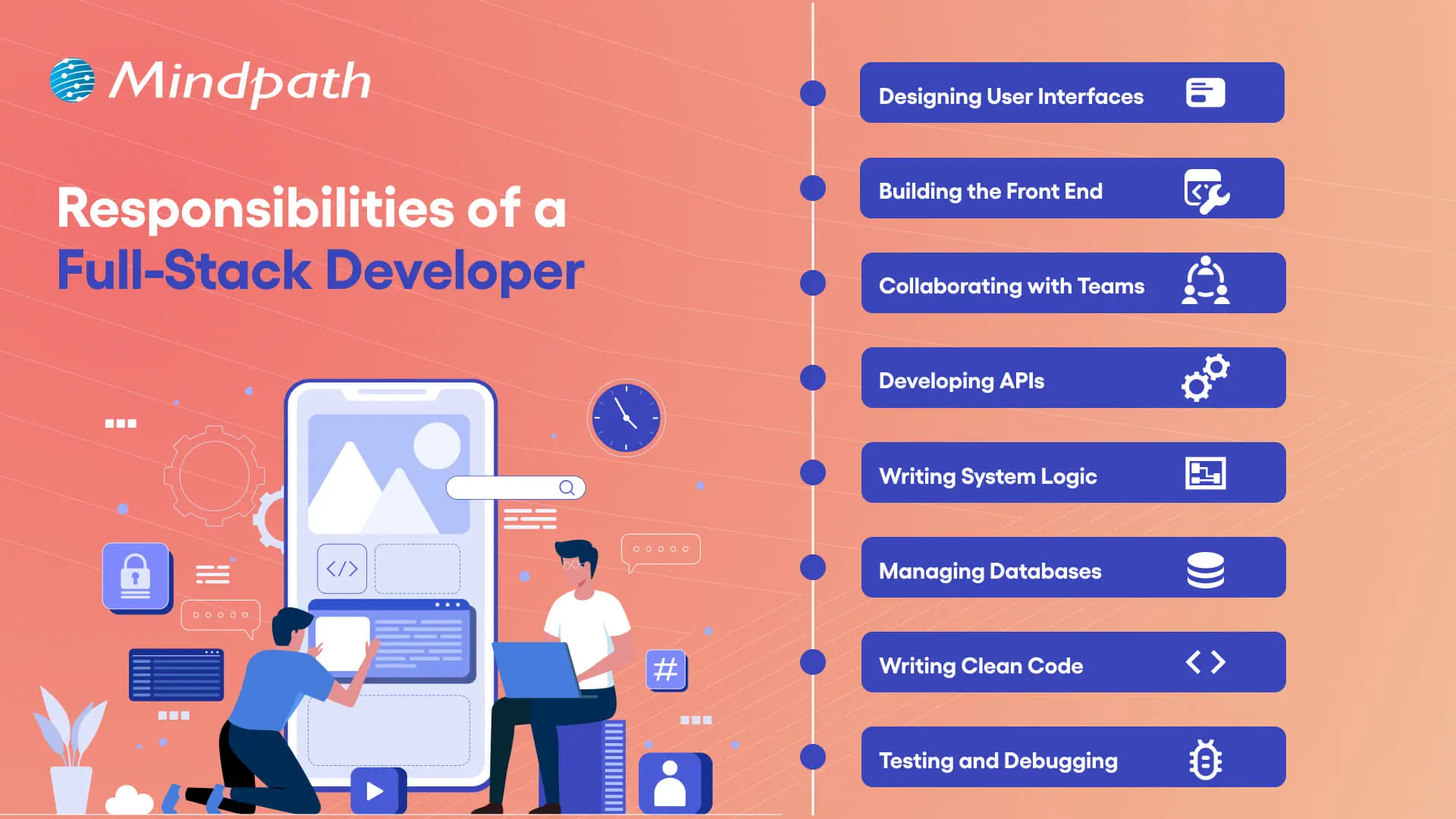
1. Designing User Interfaces
A freelance full-stack developer builds interfaces that have visual appeal and work on any device. They ensure that the website is responsive and works well for the user.
2. Building the Front End
Using HTML, CSS, and JavaScript, they build the experience that the user interacts with and engages with the visual. This allows for seamless movement through the site visually.
3. Collaborating with Teams
They collaborate with designers, managers, and stakeholders to achieve project outcomes. The benefits of collaboration can be easily seen, as it assures the application is built correctly.
4. Developing APIs
Full-stack developers are responsible for the build of APIs to interconnect systems and services. This allows the same data to move between the front end and back end.
5. Writing System Logic
They create a logic that drives the functions within an application. It responds to requests, processes data, and provides accurate results.
6. Managing Databases
A freelance full-stack developer sets up, maintains, and stores data in databases for user information. They secure data management, and they optimize the strategies for saving data.
7. Writing Clean Code
They write code that is maintainable and structured with performance in mind. Clean coding practices support a reduction in error and an increase in ease of modification.
8. Testing and Debugging
A full-stack developer tests an application to look for bugs. They debug the bugs to make sure it runs smoothly and reliably.
If you are planning to hire a full-stack developer, it is essential to understand the impact they can have on your product’s success. Explore our blog on Full Stack Developer Is Key to MVP Success to have a deeper understaning on how a full-stack developer can accelerate your MVP and give your product a competitive edge.
Essential Factors to Consider Before Hiring a Full-Stack Developer
Recruiting a full-stack developer isn’t just about evaluating technical skills. The following is a list of critical factors that will help you recruit a developer who aligns with your project needs and business objectives.
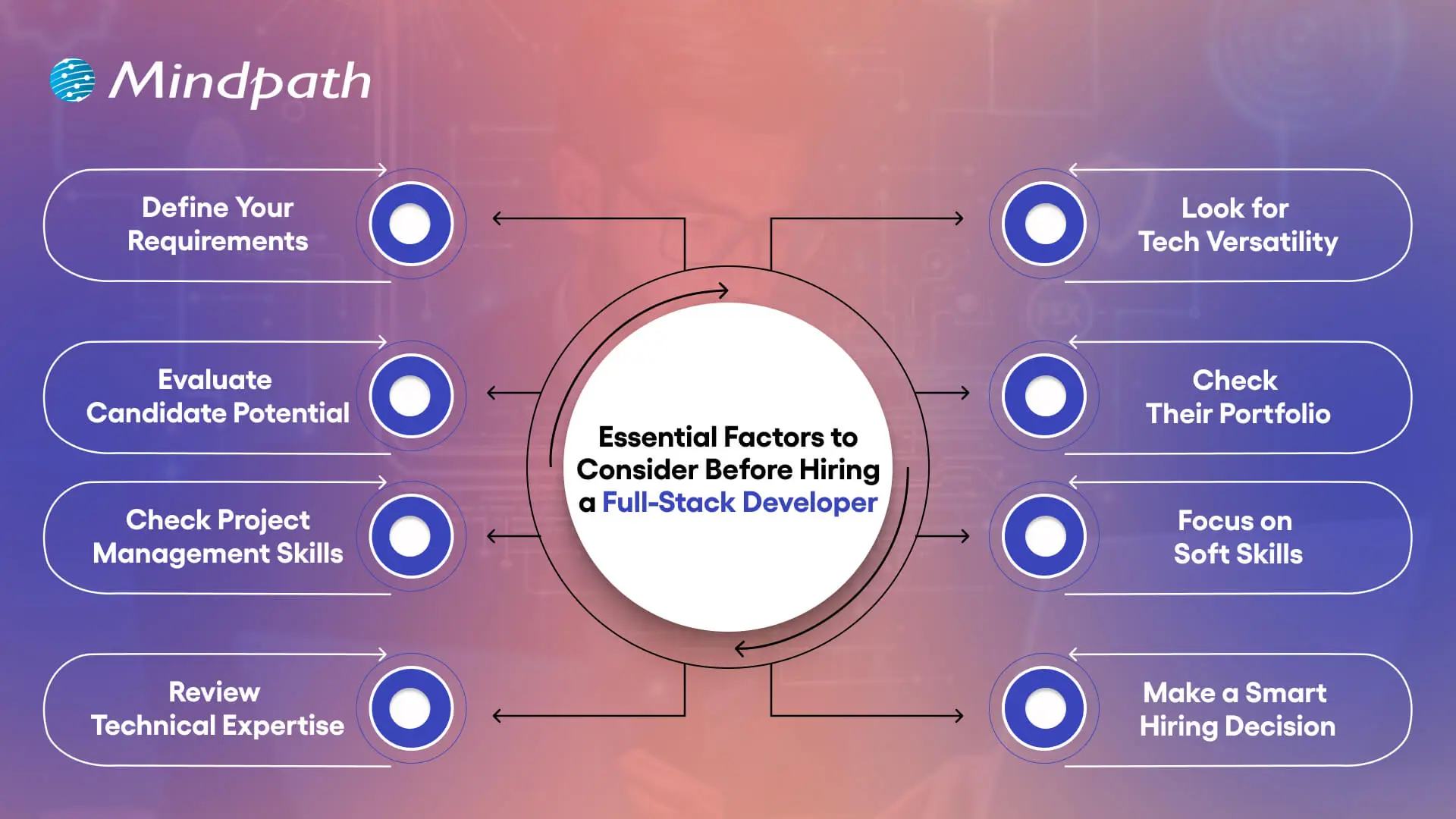
1. Define Your Requirements
It’s important to create a clear document outlining your project needs prior to hiring a full-stack developer. This ensures the full-stack developer understands the features you need and the level of design you are expecting. Clarified requirements can aid in a quicker delivery to you and avoid any confusion.
2. Evaluate Candidate Potential
An experienced full-stack web developer has industry knowledge and experience. They can quickly adapt and move between projects as needed. Their ability to jump between projects can prove valuable when a deadline is around the corner.
3. Check Project Management Skills
When you hire a full-stack developer, you’re also getting a project manager with skills that go beyond simply coding. They have the ability to plan resources, lead teams, and manage the stages of development. Because of these proficiencies, they’re often the ones leading projects.
4. Review Technical Expertise
A good developer will know the languages behind building interfaces, HTML, CSS, and JavaScript. They will also know some back-end language, such as Python, PHP, or Ruby, and database experience with something like MySQL. It is a strong combination for full-stack development.
5. Look for Tech Versatility
Ensure that when hiring a full-stack developer, you validate their experience with multiple technologies. They should have knowledge of front-end frameworks, backend frameworks, and databases. You want real project experience that demonstrates their skills.
6. Check Their Portfolio
Request past work to evaluate their capabilities. A solid portfolio can illustrate how they overcome obstacles and provide solutions. Even newbies will be able to display some ability through sample work.
7. Focus on Soft Skills
A developer should recognize business requirements as well as perform technical tasks. A developer must be able to communicate without barriers to clients and teams. Good soft skills make it easy to comply with authority.
8. Make a Smart Hiring Decision
Finding the appropriate talent for full-stack web developer jobs can be a time-consuming process. Hiring a full-stack developer through a talent agency can help alleviate risk and guarantee that developers know what they are doing.
Want to transform your business inside out? Full-stack development makes it possible by optimizing operations and speeding up product launches. Explore the Benefits of Full-Stack Development every business needs to succeed.
How to Hire a Full-Stack Developer
Selecting a full-stack developer involves an intentional process based on the right talent and your desired project specifications. The following steps will help you make a careful and confident hiring decision.
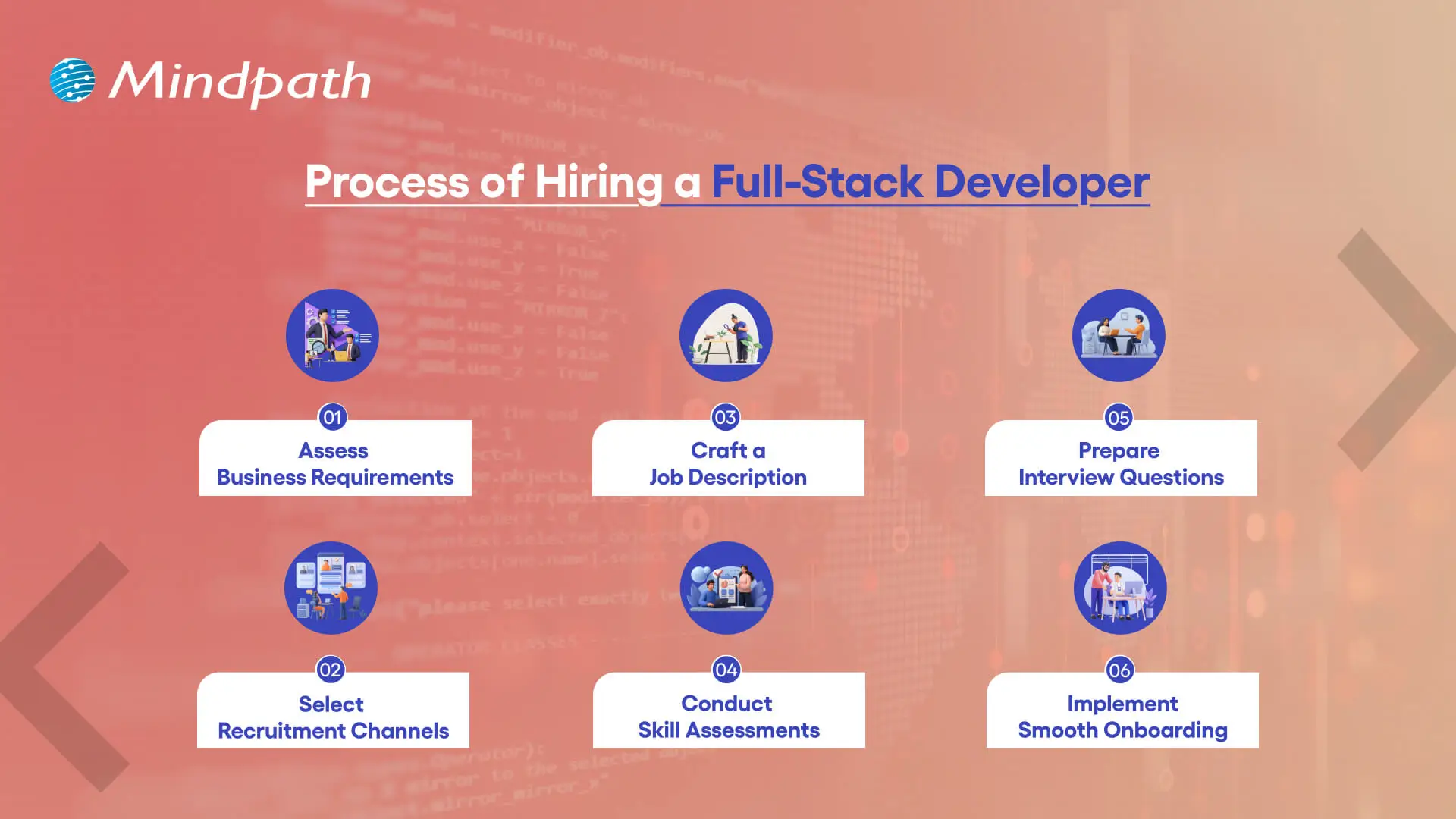
1. Assess Business Requirements
Prior to hiring a full-stack developer, make sure to define the project’s scope, budget, and timeline. Decide whether you need to hire someone full-time or if your project would require a freelance expert.
2. Select Recruitment Channels
Source candidates from networking sites, freelance platforms, and job boards. You can also connect with a full-stack development company to get the right talent.
3. Craft a Job Description
A good full-stack developer job description is a detailed description of the hard skills and tools, and the responsibilities for the job. A good job description helps you find the right candidates at a much quicker pace.
4. Conduct Skill Assessments
You can assess coding and problem-solving by utilizing structured coding tests or tasks. This method is a better hiring practice for a full-stack developer.
5. Prepare Interview Questions
Assess their familiarity with frontend, backend, and databases. A good candidate will often follow the best full-stack developer practices through good full-stack developer courses.
6. Implement Smooth Onboarding
After hiring a full-stack developer, tell them about their roles and responsibilities, the tools they will use, and the culture of the company. Successful onboarding ensures we’re setting them up for success and justifies their full-stack developer salary.
If you’re unsure whether to hire a full-time developer or a freelancer. Explore our blog on Freelance Full-Stack Developer to determine the best fit for your project’s needs.
Ready to Hire a Full-Stack Developer for Your Next Project?
Hiring a full-stack developer is a smart decision for businesses aiming to build strong digital solutions. By focusing on skills, experience, and project needs, companies can find the right professional who delivers efficient results. The right choice not only saves time and costs but also ensures long-term success in competitive markets.
At Mindpath, you can hire full-stack developers who combine technical expertise with business understanding. Our developers work on both frontend and backend with precision, helping you achieve faster and smoother project delivery. With a proven track record across industries, Mindpath offers reliable talent that aligns perfectly with your goals and drives real value.
Frequently Asked Questions
1. How does hiring a full-stack developer differ from hiring separate front-end and back-end developers?
A full-stack developer covers both sides independently, reducing communication gaps and handoff delays between teams. While specialists go deeper in one area, a full-stack developer brings broader coverage, which is often more practical and cost-effective for small to mid-sized projects with tight timelines and budgets.
2. What is the best way to evaluate a full-stack developer’s actual skill level before making a hiring decision?
Combine a portfolio review with a practical coding assessment that reflects real project scenarios. Asking candidates to explain their past decisions and how they solved specific problems often reveals more about capability and thinking style than a standard technical test alone.
3. Should a business hire a full-stack developer full-time or on a freelance basis for their project?
It depends on project length and budget. Full-time hiring suits ongoing development needs with consistent workloads. Freelance works better for short-term or specialized projects. Defining scope and timeline clearly upfront helps businesses determine which engagement model makes the most practical and financial sense.
4. How important is it for a full-stack developer to understand the business side of a project?
Very important. A developer who understands business goals makes better technical decisions that align with outcomes rather than just functionality. They communicate more clearly with stakeholders, prioritize features that deliver real value, and reduce the back-and-forth that often slows down project timelines significantly.
5. What common mistakes do businesses make when hiring a full-stack developer for the first time?
Rushing the process without defining requirements is the most common mistake. Businesses also tend to focus only on technical skills while overlooking communication, adaptability, and cultural fit. Skipping a practical assessment or portfolio review often leads to mismatched expectations and costly project corrections down the line.

The tech space is moving faster than it ever has, and businesses need professionals who are adaptable in the face of frequent change. Conversations about the qualities of a good software engineer often extend beyond coding. Businesses want engineers to contribute to real change and add some actual value through their work. The demand is not only for talent in the area of technical skills but also for people who can demonstrate impact in other areas of development.
Key Takeaways
- 01
Great software engineers combine technical skills with strong problem-solving abilities. - 02
Knowledge of software architecture helps engineers build reliable and scalable systems. - 03
Debugging and testing skills reduce surprises and improve overall software quality. - 04
Empathy and teamwork create healthier team dynamics and better project outcomes. - 05
Curiosity and willingness to learn keep engineers relevant in a fast-changing field.
At the same time, a job as a successful engineer shows far more than what a résumé can include. Simply put, this job involves constant learning, being a good team player, and being able to adapt to evolving project needs. Every organization is looking for individuals who can maintain the idea of long-term while developing ideas into effective solutions. In this blog, we look through the top qualities that describe a truly good software engineer.
To transform your idea into a powerful solution with the help of the right guidance. Contact us, and we will help you to implement the action that brings long-term success.
Why are Good Software Engineers Essential in a Company?
Good software engineers are essential to developing and sustaining the core systems that drive modern business. They design reliable, scalable responses, implement security, and develop user-friendly applications that facilitate growth. Their individual or team ability to resolve complex technical problems contributes to efficiency and drives innovation, and as such, they are a fundamental pillar of long-term success in competitive markets.
In addition to their role in custom software development, they also test, debug, and service software, while negotiating the escalating complexity of digital systems and software. By merging the business objectives with the technical implementation of the project, they can realize a project that provides real value. These roles articulate the qualities of a good software engineer and are fundamental to taking a business idea and transforming it into a meaningful and forward-looking outcome.
What are the Qualities of a Software Engineer?
When companies are looking for quality people, they will be interested in the traits of a good software engineer that extend beyond their programming capabilities. These traits combine technical skills with problem-solving, teamwork, and flexibility, making engineers quality adders to any project. Below are the key characteristics that define them.
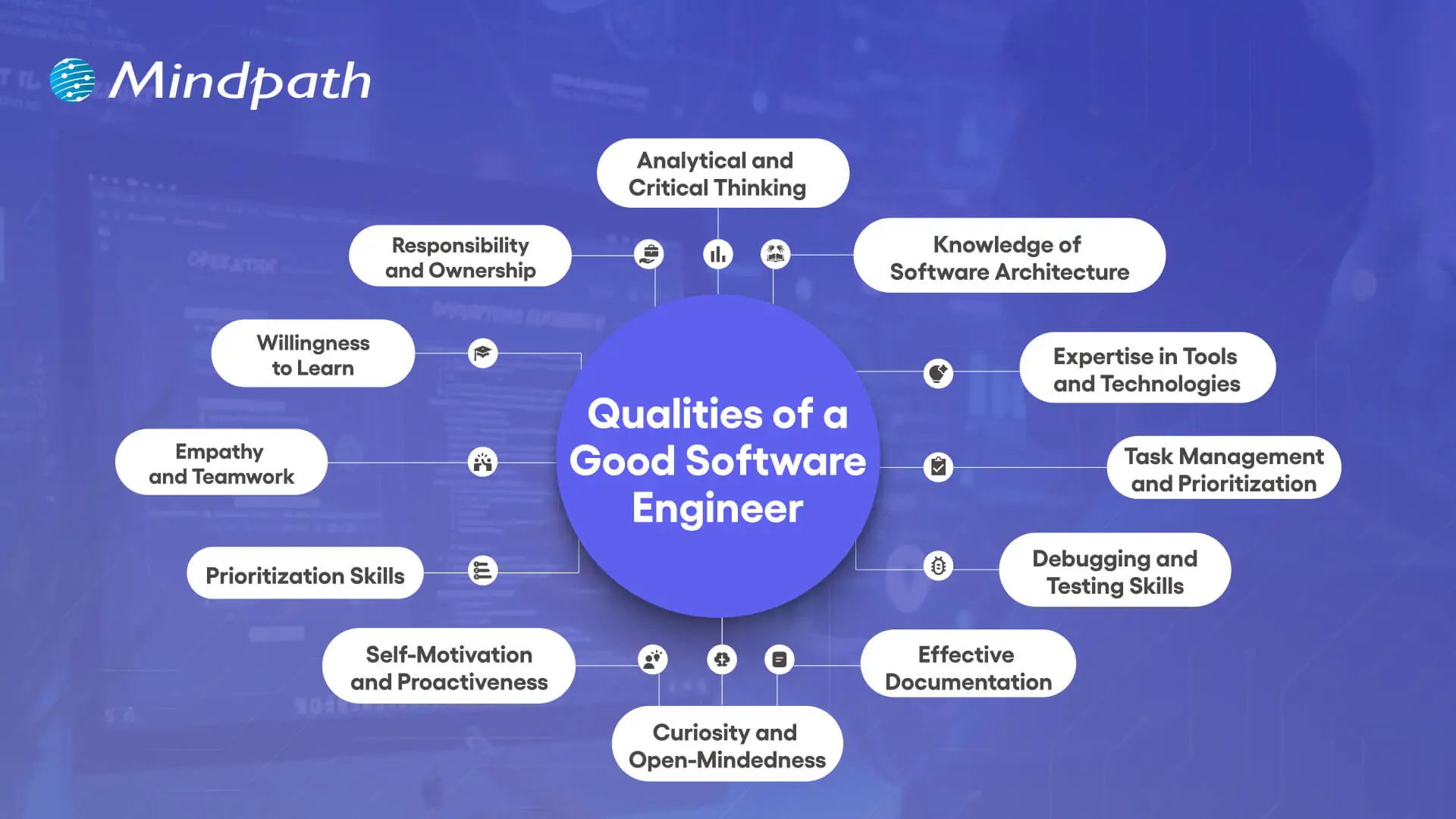
1. Analytical and Critical Thinking
A great quality of a good software engineer is having analytical and critical thinking skills. Software engineers often work on unfamiliar systems with very little direction, so understanding how to break the system down into its components is helpful in realizing how the system really works. In doing this, the software engineer can recognize large patterns, see how inputs and outputs follow, and find a way to add value to the solution.
2. Knowledge of Software Architecture
Being knowledgeable about software architecture is an important software engineering characteristic that enables solid system designs. Engineers need to understand the flow of data through a system and how each element transforms that data. That knowledge supports engineers in building robust systems by allowing them to select the best architectural pattern that will last into the future.
3. Expertise in Tools and Technologies
It is a powerful strength of a software engineer to know development tools and alternative technologies. Software engineers need to investigate new options, balance trade-offs of risks to benefits on each alternative technology, and pivot accordingly to use the development tools that best contextual fit the immediate problem. If only to remain curious and current, software engineers have the opportunity to not make archaic choices.
4. Task Management and Prioritization
Managing multiple projects effectively is a key characteristic of a software engineer. All engineers perform some form of balancing act between regular day-to-day items and urgent tasks, including outages or bug fixes. With a little planning and prioritization, engineers can respond to urgent tasks while maintaining a steady pace on all projects.
5. Debugging and Testing Skills
Debugging and testing form an essential part of the qualities of a good software engineer. Engineers often occupy their time to sustain and upgrade developed projects; thus, referencing the strengths of their debugging skills will allow them to get to the root of an issue efficiently and start unpicking it. Testing will confirm that the software is functioning according to the specifications, while it will also reduce any risk of surprises.
6. Effective Documentation
Good documentation is an often-neglected, but vital, characteristic of software engineering. Engineers who write and update their documentation when they develop and change the software make it easier for others to understand the system and maintain it later. Good documentation, where records are kept clearly and accurately, will help reduce confusion, save time, and enhance collaborative efforts across teams.
Curious about the different kinds of software a skilled engineer might work on? Explore the various types of software development and see how each requires unique skills and expertise.
7. Curiosity and Open-Mindedness
Curiosity and open-mindedness are important qualities of a good software engineer because technology moves quickly. Great engineers investigate different ways of doing things, accept new ideas, and change how they do things – every time the new way is better. This mindset propels the innovation needed to successfully help teams solve problems.
8. Self-Motivation and Proactiveness
A successful software engineer is a self-starter who is proactive in identifying threats to successful project outcomes before they turn into large problems. Successful software engineers seek out opportunities to solve problems rather than waiting for someone to instruct them or blindly ignoring a potential risk altogether. A proactive software engineer can help dramatically improve team performance and produce better long-term project outcomes.
9. Prioritization Skills
Tremendous prioritization skills are a functional strength of a software engineer. Since not every task becomes urgent, engineers must focus on how to properly handle critical issues versus long-term goals. When the decisions are made competently enough, all teams can focus on issues that need immediate resources.
10. Empathy and Teamwork
Teamwork and empathy are defining qualities of a good software engineer in collaborative environments. Clear communication, attentive listening, and being mindful to consider the viewpoint of others are important to collectively solving problems as a team. These interpersonal skills cultivate healthier team dynamics and improve the likelihood of successfully completing the project.
11. Willingness to Learn
Having humility is a powerful software engineering characteristic, as no one can know everything in such a broad discipline. Engineers who are open to feedback and learn from others use their time wisely and bolster their skills. When an engineer is humble, they help cultivate stronger, more supportive teams that drive performance.
12. Responsibility and Ownership
A positive sense of responsibility is one key qualities of a good software engineer. Engineers understand their systems very well and will have to take responsibility, whether it be for successes or failures. Being responsible for their thoughts and actions earns engineers trust among the stakeholders that will, in time, improve user experiences.
Want to see how skilled engineers turn concepts into working software? Explore the custom software development process to understand the stages that ensure quality and efficiency.
Ready to Work with Skilled Software Engineers?
The qualities of a good software engineer show how vital they are in shaping ideas into real, impactful solutions. Strong technical skills combined with collaboration, adaptability, and ownership make them essential to building reliable and scalable systems. These qualities ensure not only innovation but also long-term success in today’s competitive and constantly changing digital landscape.
At Mindpath, our custom software developers bring these qualities into every project. They combine expertise, curiosity, and responsibility to create solutions tailored to your business needs. By focusing on innovation, reliability, and long-term value, our team ensures that your ideas are developed into secure, scalable, and user-friendly software designed to drive growth and meet evolving market demands.
Frequently Asked Questions
1. How do the qualities of a good software engineer impact the success of a business project?
Engineers who combine technical depth with strong communication and ownership tend to deliver more reliable results. Their ability to spot risks early, collaborate well, and take responsibility for outcomes directly reduces project delays and helps businesses achieve their goals more consistently and efficiently.
2. Is technical expertise more important than soft skills when evaluating a software engineer?
Both matter equally in practice. Technical skills get the work done, but soft skills determine how well an engineer collaborates, communicates issues, and adapts to change. Companies that prioritize only technical ability often struggle with team friction and missed expectations, especially in complex or long-term projects.
3. How can businesses identify strong software engineering qualities during the hiring process?
Look beyond the resume by including practical assessments, real-world problem-solving scenarios, and behavioral interview questions. How a candidate explains their past decisions, handles ambiguity, and collaborates during the process often reveals more about their actual qualities than technical tests alone.
4. Can a software engineer with strong qualities make a real difference in a small business environment?
Absolutely. In smaller teams, each engineer carries more responsibility across different parts of a project. An engineer who is proactive, self-motivated, and takes full ownership can have an outsized positive impact, often driving progress that would otherwise require a much larger team to achieve.
5. How important is documentation as a quality in software engineers working on long-term projects?
It is often undervalued but critically important. Poor documentation slows down onboarding, creates confusion during handovers, and makes maintenance harder over time. Engineers who document their work clearly save teams significant time and reduce the risk of costly errors as projects grow in scale and complexity.

In today’s rapidly evolving digital world, agile methodology is changing how businesses plan, build, and deliver projects. Rather than drawn-out timelines with large cycles of progress, teams are able to move steadily through short sprints with defined goals. This process allows leaders to maintain visibility at every stage of the project while maintaining a firm hold on customers’ needs. Isn’t that what every business wants, speed with flexibility? Using this process makes projects feel lighter, more reactive and adaptive, and easier to navigate and manage, thus transforming work into a journey of growth and learning.
Key Takeaways
- 01
Agile breaks large projects into short sprints for faster, flexible delivery. - 02
Continuous customer feedback keeps development aligned with real business needs. - 03
Regular testing within each sprint improves product quality and reduces risks. - 04
Agile works best for complex projects with evolving or unclear requirements. - 05
Transparency and self-organizing teams build stronger trust and accountability throughout projects.
At its core, agile emphasizes collaboration, transparency, and continuous improvement. Because everyone knows what to expect and when, the flow of work stays uninterrupted. There is a connection between teams and their clients that helps decrease surprises and strengthen trust. Small changes are easier to accommodate after the fact than big changes once the project is underway. In this blog, we will unpack Agile in extraordinary detail, illustrating why it is more than a method and how it leads to sustainable success.
Are you looking to achieve sustainable success for your business? Contact us to choose the right direction in this fast-paced digital world, and we will guide you on how you can enhance your business performance.
What is Agile Methodology?
The agile development meaning is simple and strong: it consists of a project management approach that splits the total work into smaller pieces we can manage as sprints. Each sprint focuses on delivering a usable output in which we can be flexible and adaptive to the process. Upon completing the sprint, we review where we have gone, gather feedback, and improve the next cycle. This way we are progressing, while having clarity, with a greater velocity, while getting closer to what customers want.
The agile methodology exists with the guidance of the Agile Manifesto, a guiding document of values and principles established in 2001 by software professionals, where the key aspects of collaboration, working software, flexibility, and customer satisfaction are prioritized over formalized processes. The Agile Manifesto lays out the values, which consist of 12 principles that teams can follow to help ensure consistent efforts to deliver value.
Below are the 4 values of Agile:
1. Individuals over Processes
Agile prefers a team working together, rather than strict processes.
2. Software over Documentation
Working software is more important than paper.
3. Customers over Contracts
Customers provide feedback to the development more than the details described in the contract.
4. Changeover Plans
Adapting to change is valued more than sticking to fixed plans.
Not sure which software development approach fits your Agile project goals and business needs? Explore the key types of software development and how choosing the right path can help your Agile teams deliver better, more tailored results.
What are the 12 Principles of Agile?
The 12 Principles of Agile methodology build on the 4 core values and are used to help put them into practice in real-world projects. They provide a key for teams to focus on collaboration and flexibility, and continuously deliver value to customers.
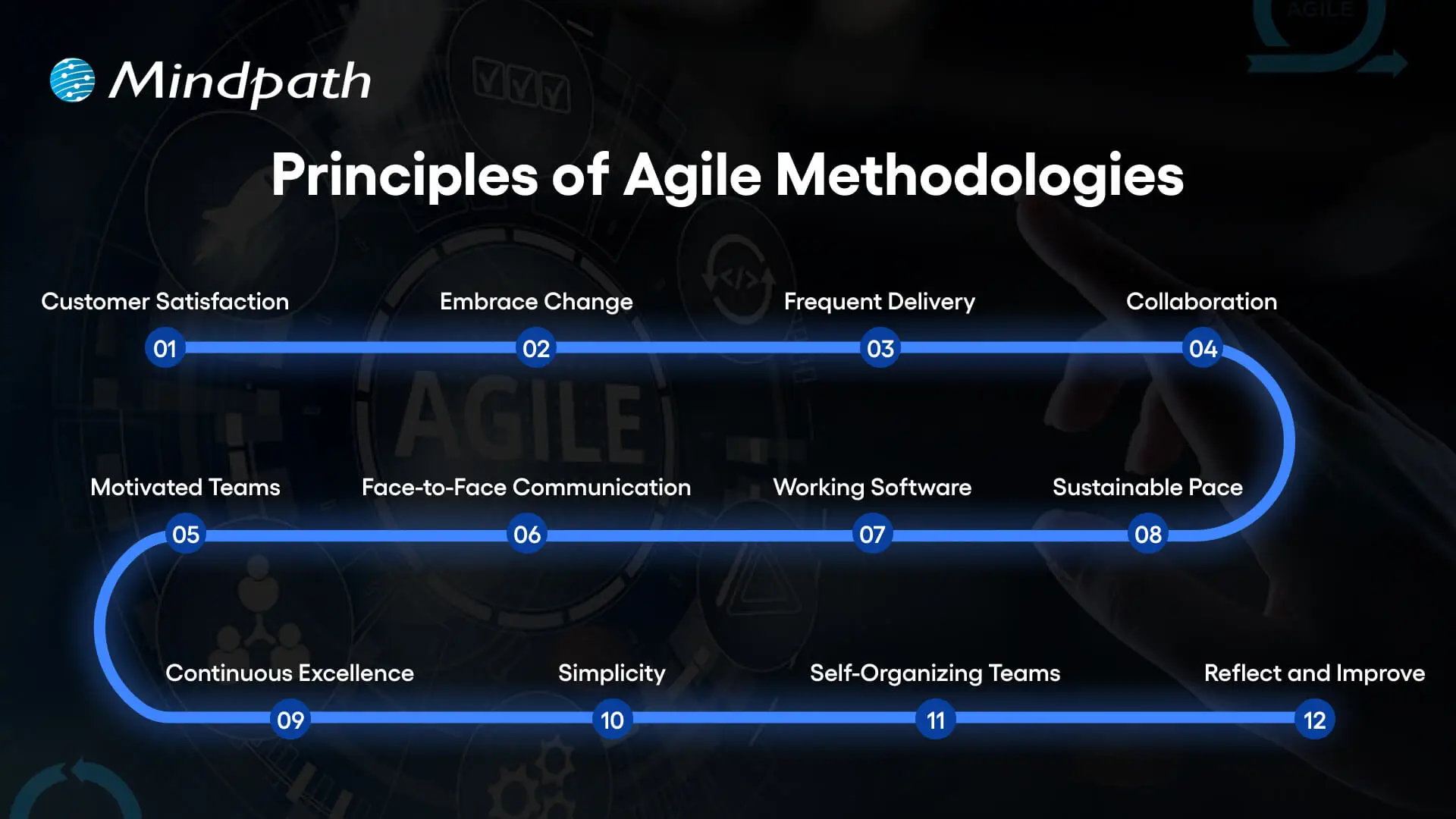
1. Customer Satisfaction
Customers should be satisfied by receiving value sooner rather than later.
2. Embrace Change
Adopt the mindset that the most valuable features might change and keep an open mind toward new needs, even late in a project.
3. Frequent Delivery
It’s important to deliver and share updates frequently to make sure that you’re showing consistent value to customers.
4. Collaboration
Remove silos and work together as a team.
5. Motivated Teams
Organize work around motivated individuals, people who are ready to work hard and have a commitment to their work.
6. Face-to-Face Communication
Conversations will make for a quicker, clearer understanding.
7. Working Software
Demonstrate progress with working software.
8. Sustainable Pace
Progress can continue if a sustainable speed is possible so that the team goes home and rests and comes back tomorrow.
9. Continuous Excellence
Strive to be smarter & faster by raising the quality.
10. Simplicity
Opt for the simplest & most effective solutions rather than the complicated & ineffective ones.
11. Self-Organizing Teams
Allow teams to organize themselves and provide real value.
12. Reflect and Improve
Regularly stop and reflect to learn and improve for value.
Curious about how Agile fits into real software build workflows from idea to launch? Learn the custom software development process to understand how Agile practices help teams stay flexible and aligned with business goals.
Advantages of Agile Methodology
Agile methodology provides a flexible approach to project management that keeps customer needs first. These are the main advantages that make it a highly-sought after strategy for modern development.
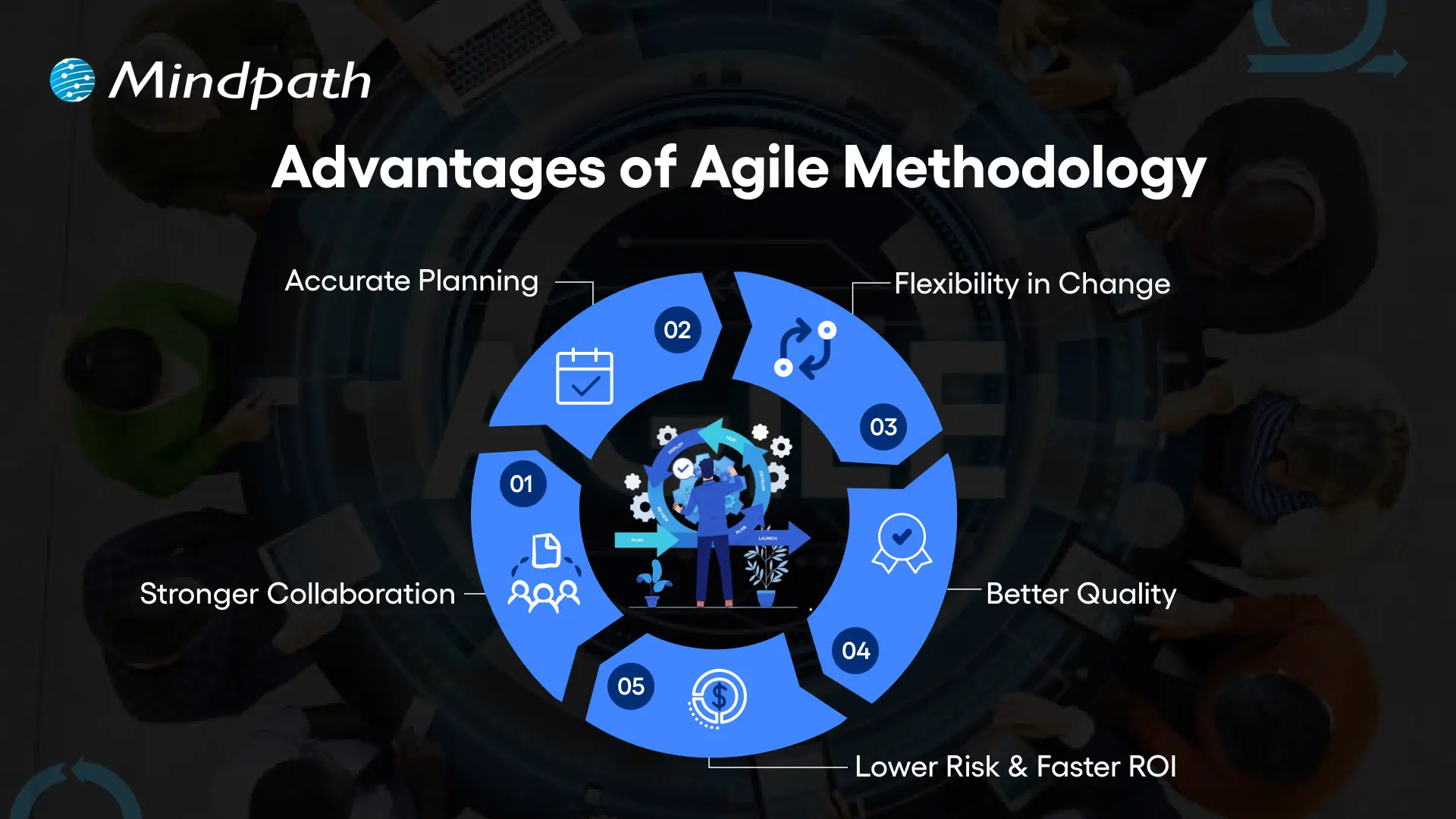
1. Stronger Collaboration
The agile methodology creates constant client involvement, building transparency, and ensuring developers stay aligned with real needs.
2. Accurate Planning
With agile, project managers can estimate costs and timelines more precisely through short, iterative sprints.
3. Flexibility in Change
Agile methodology project management allows quick adjustments to market shifts or client requirements without slowing progress.
4. Better Quality
Agile integrates continuous testing, which helps identify issues early and deliver reliable, high-performing products.
5. Lower Risk, Faster ROI
By following agile methodology practices, teams reduce risks with frequent feedback and deliver faster returns through incremental value.
Not sure how development structure impacts long-term ROI? Explore how Agile-driven SDLC models reduce rework, control costs, and deliver measurable business value.
What is the Process of Agile Methodology?
The agile methodology process emphasizes looking at projects in smaller, more manageable steps to create quick, flexible progress. The agile project methodology has teams working because of different cycles, quickly adapting to changes and delivering value in every step.
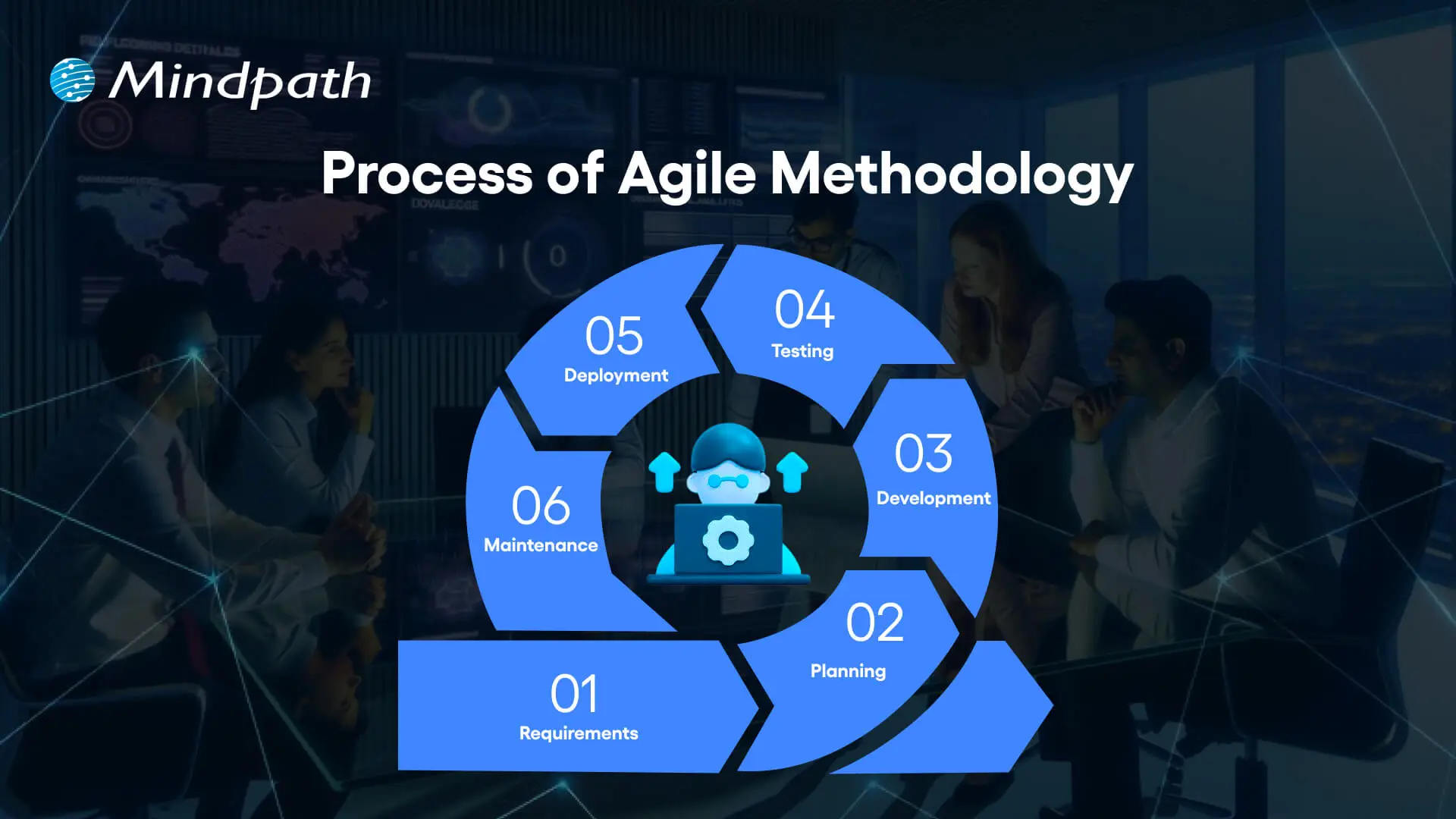
1. Requirements
Teams root through customer requirements and prioritize them against business objectives and user needs. It’s a liberation activity that sets the course of the project and a solid base for the later phases.
2. Planning
The planning phase creates a roadmap for development and delivery. Teams agree on the schedule, sprint goals, and resources within the confines of the agile framework to maintain flexibility.
3. Development
Developers develop features in short iterations using Agile methodologies. The aim is to deliver working software quickly across agile techniques; collaboration and adaptability are important.
4. Testing
Once a feature is built, the team immediately tests the feature. Testing is performed to ensure the software works properly and meets the quality expected by the customer.
5. Deployment
The product or feature is launched for actual use. Early releases will enable users to provide feedback that can inform future improvements in the agile methodology process.
6. Maintenance
Teams constantly maintain and enhance the software to meet customer requirements. In agile methodology, the maintenance step of the product becomes an evolving process within the context of ongoing agile system development.
Worried that Agile alone won’t prevent costly mistakes in your software delivery? Explore common mistakes in custom software development projects and how proper planning and Agile practices can help avoid them.
When Does Agile Deliver the Most Value?
The agile style works best for projects that need flexibility and constant advancement. Here are several examples of where it offers the most value.
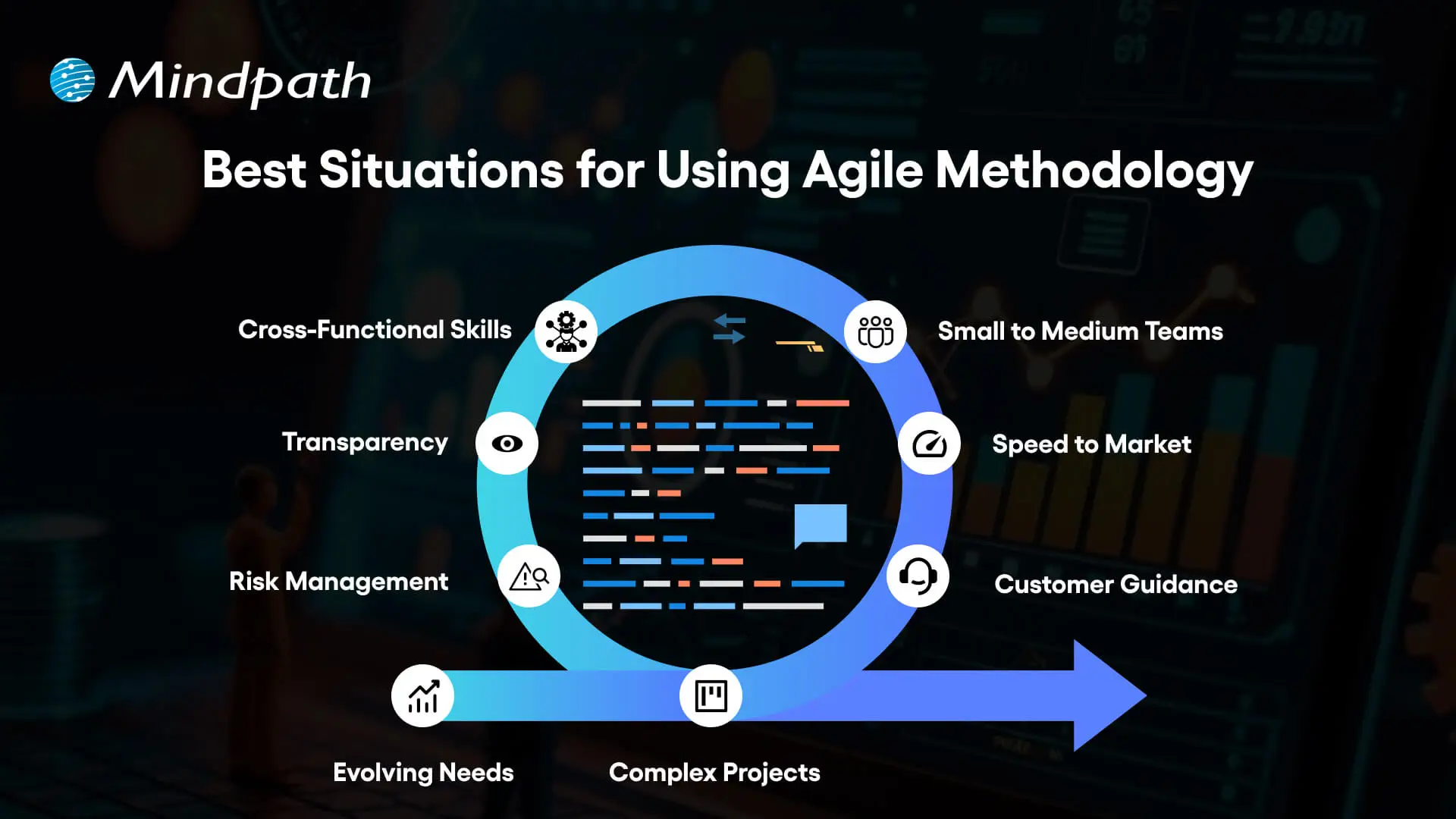
1. Evolving Needs
The agile methodology is the best option for projects with changing or ambiguous requirements because it allows teams to shift focus quickly while still maximizing delivery.
2. Complex Projects
Large and complex projects become easier to handle when broken into smaller, manageable parts. This approach reduces errors and improves coordination.
3. Customer Guidance
Regular customer feedback ensures the product meets actual needs. It creates a strong link between users and the development team.
4. Speed to Market
Short sprints make it possible to release working features quickly. This helps businesses gain a competitive edge faster.
5. Small to Medium Teams
Agile methodology works best for teams of a few to a few dozen people. It keeps communication simple and collaboration effective.
6. Cross-Functional Skills
Teams with developers, testers, and designers working together achieve higher quality. This collaboration reduces dependency on outside resources.
7. Transparency
Everyone involved can see the project’s progress clearly at all times. This openness builds trust and accountability.
8. Risk Management
Teams detect issues early and resolve them before they grow bigger. This approach reduces delays and prevents unexpected problems.
Struggling to justify the business case for investing in custom development alongside Agile practices? Discover the top benefits of custom software development and see how Agile can help you unlock scalable, tailored solutions that grow with your company.
Want to Unlock Success with Agile Methodology?
The agile methodology has transformed how businesses manage projects, deliver value, and respond to change. Focusing on flexibility, collaboration, and continuous improvement, it gives teams the tools to adapt quickly while keeping customers at the center. Its principles and processes ensure projects move smoothly, delivering higher quality outcomes and long-term success in a competitive digital landscape.
At Mindpath, we use the agile methodology to design and deliver custom software that evolves with your business. Our approach blends speed, adaptability, and technical expertise to create solutions that meet real needs. With strong collaboration and a focus on innovation, we help businesses reduce risk, accelerate growth, and achieve sustainable results through high-performing, tailored products.
Frequently Asked Questions
1. How is agile methodology different from traditional project management approaches like Waterfall?
Waterfall follows a fixed sequential process where each phase must finish before the next begins. Agile works in short cycles with continuous feedback and adjustments. This makes Agile far more flexible and responsive to change, especially in projects where requirements are likely to evolve during development.
2. Can agile methodology work effectively for non-software projects outside of technology?
Yes, Agile principles apply well beyond software. Marketing campaigns, product launches, and even operational projects benefit from iterative planning, regular feedback, and flexible execution. The core idea of delivering value in smaller steps and adapting quickly translates effectively across many different industries and project types.
3. How does agile methodology actually help reduce project costs over time?
By catching issues early through continuous testing and frequent feedback, teams avoid costly rework later. Shorter sprints also mean problems surface quickly before they grow. This combination of early detection and incremental delivery keeps budgets more predictable and reduces the financial risk of large project failures.
4. What team size works best when applying agile methodology to a development project?
Agile works best with small to medium sized teams, typically between five and fifteen people. Smaller teams communicate more easily, make faster decisions, and stay better aligned. Larger groups can still use Agile but may need additional coordination frameworks to maintain the collaboration and transparency the methodology depends on.
5. How do businesses measure whether their agile methodology implementation is actually working?
Track sprint velocity, delivery consistency, customer satisfaction scores, and defect rates over time. If teams are delivering working features regularly, adapting to feedback without major disruptions, and maintaining team morale, those are strong indicators that the Agile process is functioning well and delivering real business value.

Understanding the benefits of hiring remote developers can unlock thrilling possibilities for organizations looking to grow faster and smarter. In today’s world, companies tap into skilled workers worldwide instead of relying only on local talent. But how does the shift to remote development impact projects and teams? When organizations hire the right remote developers, they can deal with challenges more effectively, enlist more talent and expertise, and receive additional lateral thinking that may not always be available nearby.
Key Takeaways
- 01
Hiring remote developers gives businesses access to specialized global talent. - 02
Remote teams reduce operational costs through lower overhead and office expenses. - 03
Distributed teams across time zones speed up product development and launches. - 04
Flexible work arrangements improve developer retention and overall job satisfaction. - 05
Remote hiring builds diverse teams that strengthen creativity and global market insight.
At the same time, it’s not just about broadening the talent pool. Hiring remote developers allows companies to maximize savings, increase performance, and yield faster delivery speed. Isn’t that exactly what companies are looking for as they continue to modernize? With the pace of technology increasing, it’s more important than ever to tap into professionals who can adapt to change quickly and produce results. This is why businesses are employing remote teams as a sound way to grow and remain competitive. In this blog, we will outline some of the benefits that should make remote developers a consideration for any business.
Looking to scale your business that provides growth and innovation? Contact us, and we will help you explore how you can access fast and quick results.
Growing Demand for Remote Developers
The demand for remote developers is increasing rapidly with global hiring and flexible working arrangements. After COVID-19, companies learned that they could function just as well without physical workspaces, and developers discovered the advantages of flexible work. Companies now want specialized skills; they want specialized skills faster and cheaper, developers want remote or hybrid work, and specialized skill developers want fast and cheap work.
Taking everything into account, some of the key factors driving this new reality include shifting cultural dynamics post-COVID, the speed and efficiency of AI and cloud technology, and the ability to pull skills from anywhere in the world. Organizations can now create effective teams independent of place, reduce costs, and maintain a competitive position in an increasingly digital world.
Benefits of Hiring Remote Developers
Understanding the advantages of hiring dedicated developers has shown us how powerful hiring talent remotely has become. Companies can scale at an accelerated pace, reduce costs, and fill unique skills that might not exist locally. When companies find the right remote dedicated team, they can expect a well-thought-out project and long-lasting value.
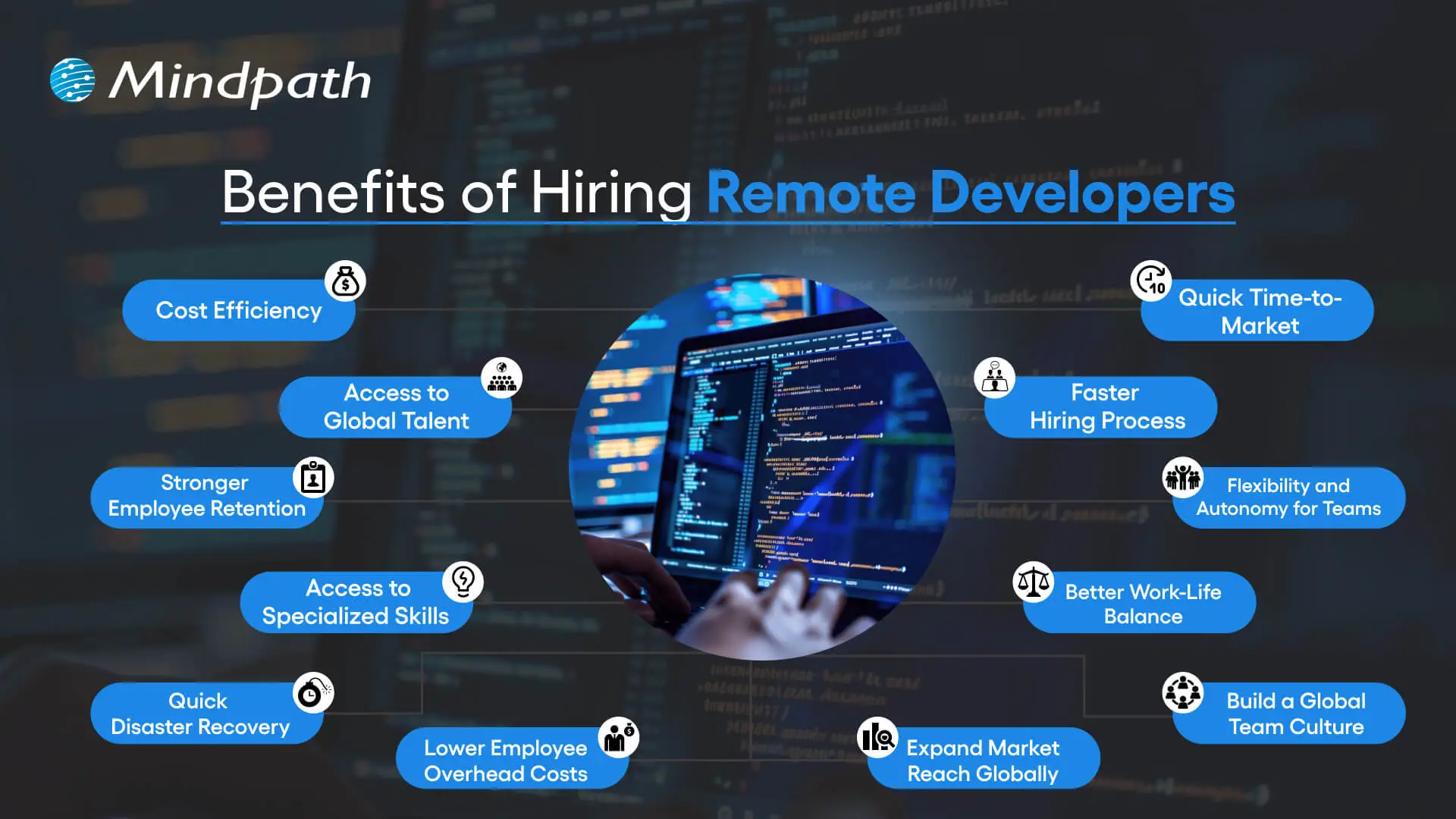
1. Cost Efficiency
Remote hiring can decrease expenses on space, utilities, and other operational costs. When hiring developers from places with lower costs of living, companies save even more on employee salaries and daily overheads, which can then be reinvested into research or innovation or even into paying for employee benefits. This enables companies to experience growth while continuing to be fiscally responsible.
2. Access to Global Talent
One of the major benefits of remote work is the opportunity to recruit talented professionals to join the team from anywhere in the world. Workers and their companies no longer have to feel restricted in the talent they can recruit, and many companies are developing diverse teams together with specialized skills and knowledge. Companies can now combine talent in technical skills, such as machine learning, with more creative areas, such as UI and UX design.
3. Stronger Employee Retention
One of the important benefits of hiring remote developers is increased employee retention, which is important for business stability. Employees have less stress from long commutes and improved work-life balance, which leads to increased job satisfaction. With higher satisfaction comes increased loyalty and lower turnover. This stability provides companies with predictable productivity, more control of expenditures, and longer-term growth.
4. Access to Specialized Skills
Remote hiring allows companies to locate developers and other providers with specialized skills that they may not have locally. Companies can search worldwide for developers skilled in machine learning, React development, healthcare technology, etc.
Even non-technology companies can find programmers and service providers in the specialized pathways without the need for in-house technical capacity. The appropriate specialized talent makes it possible to achieve quality, safety, and reliability standards for projects.
Looking for guidance on hiring specialized developers for your projects? Check out our detailed guide on hiring expert ReactJS developers to find the perfect match.
5. Quick Disaster Recovery
An additional benefit of hiring remote developers is business continuity. When a local office experiences disruption due to power outages or extreme weather, remote teams can maintain the pace of project execution. By engaging in a distributed team model, work is not curtailed at one point in the system. That is, it allows a project to better meet deadlines, reinforces trust with clients, and increases anchoring with the robustness of the overall business model and operations.
6. Lower Employee Overhead Costs
A key advantage of hiring a remote development team is the significant reduction in costs exceeding rent, utilities and office supplies. Onboarding is less expensive with remote developers because they are working off their own setups, so they will utilize minimal in-house resources. Training is also delivered through online modules, which will save costs and help keep teams up to date without wasting time.
7. Quick Time-to-Market
The biggest benefits of hiring remote developers is that it really helps to speed up product launches. As teams are already distributed around the world in different time zones, development, testing, and deployment can continue all day. This Shortens project cycles and allows businesses to meet deadlines in a timely manner. Being able to deliver faster keeps companies agile and gives them a significant competitive advantage.
8. Faster Hiring Process
Remote hiring allows companies to source and onboard the right talent quickly for projects on short notice due to access to a global talent pool. Many recruitment teams know that hiring offshore means you do not have to worry about relocation and cannot be delayed by a lengthy recruitment process. Skilled developers can start working on a project within a week. This speed allows companies more time for development, testing, and entering the market.
Need a faster way to scale your development team without long-term commitments? Discover how staff augmentation enables businesses to add skilled developers quickly while maintaining flexibility and cost efficiency.
9. Flexibility and Autonomy for Teams
One of the key advantages of employing remote developers is that it affords teams higher flexibility and autonomy in how they choose to work. Since developers can work at a time that suits them best, they produce higher-quality work.
Using this flexible work model creates lower stress, higher job satisfaction, and engagement. Businesses with flexible work models not only benefit from motivated teams but also from teams that achieve better results in less time.
10. Better Work-Life Balance
Remote developers benefit from the flexibility to have a day that will fit their personal and professional needs. This flexibility provides remote developers with the opportunity to spend time with family, for fitness, and for personal well-being, without worrying about any impact on their productivity.
As a direct result, mental and physical well-being improve, and performance at work improves as well. The benefits of hiring remote developers result in a happier team that will be focused and more efficient in tackling each project successfully.
11. Build a Global Team Culture
The benefits of hiring remote developers extend to creating a diverse team culture that blends ideas from around the world. Different perspectives and experiences lead to more creativity and stronger problem-solving. Online collaboration tools make it easy for teams to connect, share, and work together across borders. This global culture not only strengthens teamwork but also supports innovation and business growth.
12. Expand Market Reach Globally
With remote developers located across different regions, businesses gain real-time insights into diverse markets. These developers can share valuable knowledge on local consumer preferences, trends, and cultural expectations. This localized input helps tailor products or services for specific audiences more effectively. The benefits of hiring remote developers include faster, smarter market expansion with fewer blind spots.
Want to leverage remote talent for faster product launches worldwide? Explore how custom software development can help your business scale efficiently.
Ready to Experience the Benefits of Remote Working?
The benefits of hiring remote developers clearly show how powerful and practical this model has become for modern businesses. Companies gain access to global skills, improve retention, reduce overhead, and accelerate delivery. By building flexible and resilient teams, organizations can stay ahead of the competition and create sustainable growth in today’s fast-changing digital landscape.
At Mindpath, we make hiring remote developers simple and effective. Our dedicated developers bring specialized skills, innovation, and flexibility to your projects. With a focus on efficiency and quality, we help businesses scale faster, cut costs, and deliver solutions that drive real results. Partner with Mindpath and unlock the true potential of remote working.
Frequently Asked Questions
1. How does a company ensure quality control when hiring remote developers from different countries?
Setting clear expectations, using structured onboarding, and relying on regular code reviews helps maintain quality. Most companies also use project management tools and consistent check-ins to track progress, ensuring remote developers stay aligned with standards regardless of their location.
2. What time zone challenges should businesses expect when working with remote developers worldwide?
Some overlap in working hours is usually needed for real time collaboration. Many companies handle this by scheduling key meetings during shared hours and relying on asynchronous communication for the rest. Over time, distributed teams often turn time zone differences into a development advantage.
3. How can businesses protect sensitive project data when working with remote development teams?
Using secure access controls, signed confidentiality agreements, and trusted communication platforms helps protect data. Many companies also limit access based on project roles and conduct regular security audits to ensure remote developers follow proper data handling practices throughout the project lifecycle.
4. Is it harder to build long-term team culture with remote developers compared to in-office staff?
It requires more intentional effort but is far from impossible. Regular video calls, shared collaboration tools, and informal check-ins help build connection over time. Many companies find that strong remote culture actually improves trust and communication once consistent habits are established.
5. What benefits of hiring remote developers matter most for startups with limited budgets?
Cost efficiency and faster hiring stand out the most for startups. Remote hiring removes the need for office space and reduces overhead significantly. Startups also gain access to specialized skills without the pressure of long-term commitments, helping them grow without overextending their early-stage budget.

Anyone who has a HTML website might feel left out in the era of websites that load within seconds. Did you know that HTML websites were a thing when there was not content management system in the market? The transition from HTML to WordPress is no longer an option in an extremely competitive digital market. With static HTML pages, you would have to struggle to get the top ranks in search engine results.
Key Takeaways
- 01
WordPress loads faster and ranks better than static HTML websites today. - 02
Anyone can manage a WordPress site without needing advanced coding skills. - 03
Regular security updates and plugins keep WordPress websites well protected. - 04
Mobile responsive themes ensure websites perform well across all devices. - 05
Plugins let businesses add new features without relying on developers.
The biggest problem with HTML websites is that they come with duplicate code on every page, thereby making them slow. On the other hand, WordPress is faster, more secure and offers more flexibility to build any type of website. As a matter of fact, more than 43% of websites in the world run on WordPress. Let us find out why you should ditch HTML and switch to WordPress now.
Want to convert your static HTML site into a fully functional WordPress site with enhanced features and performance? Mindpath offers WordPress development services to help you build a custom website according to your business demands.
The Rise of WordPress in Website Building
WordPress started off as a blogging platform and the open source nature empowered it to transform into a website builder. Before WordPress, you would need a technical team to create a website and manage it. The search for a HTML to WordPress converter tool has been growing because WordPress has made it easier to build websites. You can now install the WordPress software and use the desired themes or plugins to develop websites with sophisticated functionalities and updated designs.
If you have been wondering whether switching to WordPress is a good decision, then you must take a look at websites powered by WordPress. Big names in the world of business such as Disney, Times Magazine, Sony Music and many others use WordPress. The versatile mix of power and simplicity with WordPress has been one of the biggest reasons for its widespread adoption.
Is WordPress a Reliable CMS for Website Building?
Giving up on HTML, which has been a trusted ally of website developers for a long time, can be difficult. However, the need to convert HTML to WordPress is growing as WordPress is the top content management system in the world right now. It works as an open-source ecosystem that offers benefits for beginners as well as experienced developers.
WordPress offers a user-friendly interface in its dashboard, which you can use to create websites from scratch. The best thing about the WordPress dashboard is that you don’t need advanced technical expertise to use it. In addition, you can also find thousands of themes and plugins in WordPress that help you customize your website the way you want.
Want to build a website that truly reflects your brand’s unique identity and goals? Explore our guide to custom WordPress development to discover how tailored solutions can enhance your site’s performance and impact.
Why Should You Choose WordPress Over HTML?
With so many powerful features, it is hard to ignore the urge to switch to WordPress right away. You should search for a HTML website to WordPress converter that makes it easier to embrace the benefits of WordPress. Don’t you know how WordPress will enhance your HTML website? An overview of the advantages of transitioning to WordPress can offer some help in finding the answer to such questions.
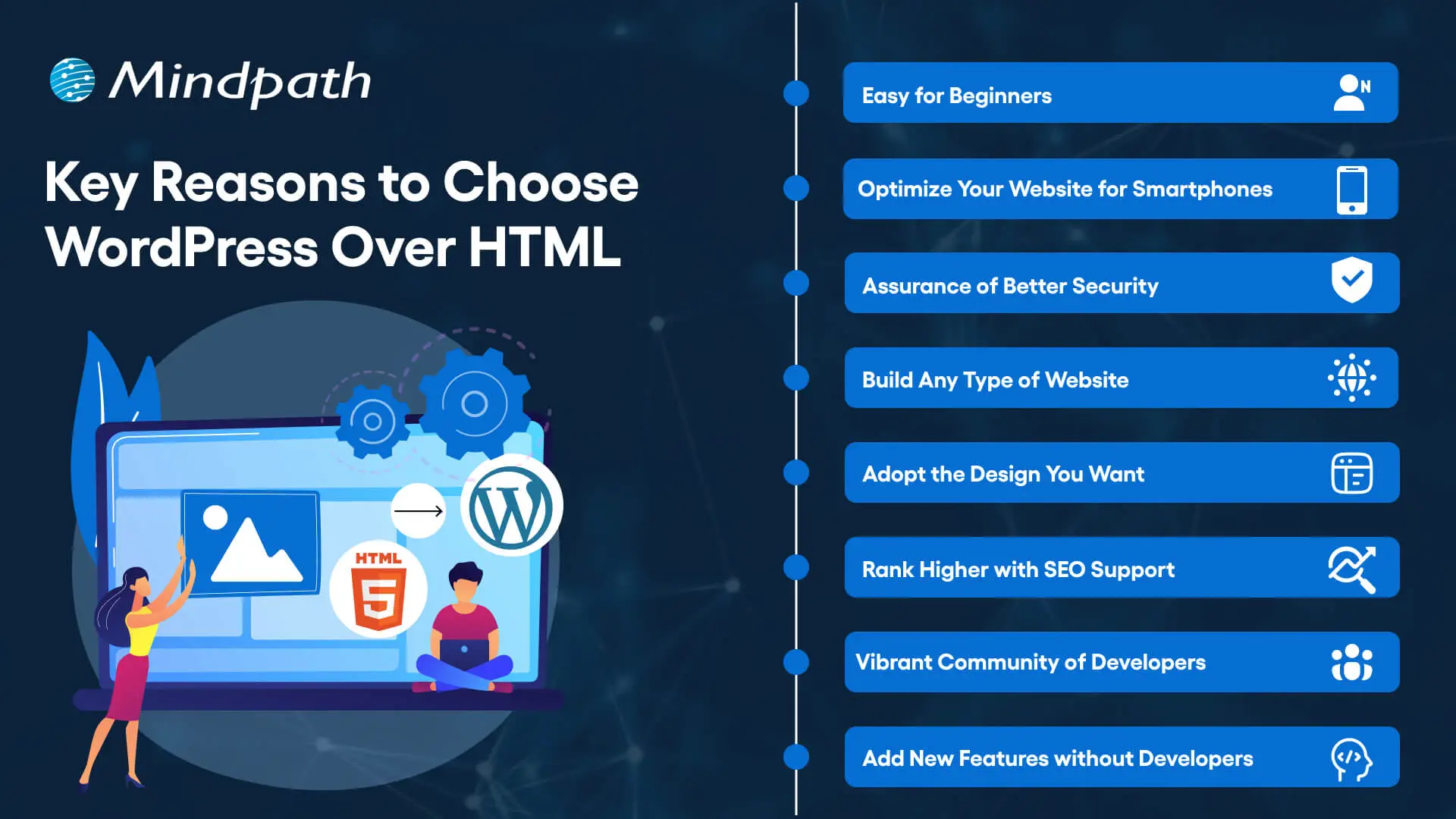
1. Easy for Beginners
The best thing about WordPress is that beginners will find it easy to use without any technical complexities. You don’t need coding skills to create your website and manage it on WordPress. The intuitive dashboard of WordPress allows you to create customized layouts, add more pages and update menus at one place.
WordPress offers better flexibility than traditional website development approaches with more control over design, content management and functionality. Furthermore, the themes and plugins offered by WordPress help you add new features without waiting for developers. In other words, anyone can build a website without technical skills when they know how to use WordPress.
2. Optimize Your Website for Smartphones
Do you know that most of the traffic to your business will come from mobile users? Many of you would need a HTML to WordPress converter online when you discover that WordPress offers mobile responsiveness. Most of the WordPress themes are tailored to function seamlessly on different screen sizes and device types.
The interesting part of mobile responsiveness with WordPress is that your website will have the same aesthetic appeal on all devices. Apart from the consistent user experience on different devices, mobile responsiveness also makes your website rank higher on Google. With a few modifications to theme files and some new WordPress plugins, your static HTML website will run seamlessly on all mobile devices.
3. Assurance of Better Security
Businesses should also trust WordPress for its commitment to safeguarding any website hosted on the platform. You will get regular security updates on WordPress, which help in combating new security threats. On top of it, WordPress also offers additional security plugins and SSL certificates to enhance your website’s security. The biggest benefit of converting HTML to WordPress is visible in the efforts made by WordPress to address emerging vulnerabilities.
You must understand that modern approaches to website security need multiple layers of protection. For instance, you will need data encryption, backup systems and malware scanning to maintain the security of your website. WordPress offers the complete package to safeguard your website from hackers and unprecedented security breaches.
4. Build Any Type of Website
In its initial days, WordPress served as a useful tool for blogging alone. The transition of WordPress to a powerful driving force behind some of the biggest websites shows how it has evolved over the course of time. You should know how to add HTML to WordPress for switching from an outdated format to a versatile toolset. You can use WordPress for any type of website, whether it is for a small business or a large corporation.
WordPress is capable of hosting e-commerce websites, communities or social media networks. Businesses can always find WordPress plugins that will make their website better. Most important of all, you don’t have to worry about adaptability when your website needs to grow alongside your business. It is definitely a huge advantage for websites in an extremely competitive business landscape.
Unsure whether your WordPress project is following the right development standards and best practices? Check out our WordPress developer checklist to make sure every essential step is covered for a smooth and successful build.
5. Adopt the Design You Want
The problem with a static HTML website is that you don’t have any control over the design once it’s published. WordPress does not let you worry about changing the design of your website according to emerging trends. When you convert a website to WordPress, you get the advantage of capitalizing on its extensive theme library. You can have a business site, blog or an ecommerce site and still ensure that their design matches with your needs and style.
The theme library of WordPress offers free and premium themes that you can choose for your website. You can also find additional themes from third-party developers and design marketplaces that bring unique features and layouts. The live previews of each theme help you check each design without affecting website functionality or content.
6. Rank Higher with SEO Support
WordPress stands out as the most popular option to create websites now because of its SEO support. What will you gain from a website that never shows up on the first page of search results? You can download WordPress and capitalize on its strong SEO foundation to ensure a higher rank on search engines. The advantages of WordPress for SEO revolve around its strict coding guidelines that call for clean and structured code.
The code is not the only thing that makes WordPress websites easier to rank on Google and other search engines. You will also find user-friendly URLs, meta-descriptions and titles to gain more visibility in search engines. On top of it, the SEO plugins on WordPress will provide a lot of support in optimizing your website.
7. Vibrant Community of Developers
The biggest strength of WordPress is its large and active community of developers. As an open-source platform, WordPress continues growing with the contributions of multiple users and developers. The community not only introduces updates to the source files but also makes WordPress more secure and updated along the lines of latest trends.
Another promising reason to convert HTML to WordPress theme for your website is the accessibility to website creation tools offered by the community. It ensures that developers alone don’t have the exclusive rights to use WordPress tools. Even a blogger or business owner can be a part of the WordPress community and capitalize on its diverse offerings.
8. Add New Features without Developers
Websites have to evolve and add new features to accommodate the emerging requirements of users. WordPress allows you to add new features to your website without the intervention of developers. The collection of powerful plugins available with WordPress can help you introduced advanced features without code changes.
Plugins are the ideal tools for adding shopping carts, contact forms and other features on WordPress websites. You can also explore custom WordPress plugins by third-party developers to enhance their websites. On top of it, you can activate or deactivate plugins as required, which offers the flexibility for customizing a website to your needs.
Final Thoughts
The decision to convert your website from HTML to WordPress should not be a difficult one, considering the benefits of WordPress. It allows anyone to create a website without technical knowledge alongside offering the flexibility to add new features. In addition, you cannot ignore the benefits of regular security updates, a supportive community and control over website design.
Mindpath specializes in converting HTML websites to WordPress for any type of website. We have years of experience in WordPress development that brings more credibility to our services. Our services for switching your website to WordPress also offer the assurance of an easy conversion procedure. If you want a website that is easier to update and maintain, then Mindpath is here to help you.
Frequently Asked Questions
1. How long does it usually take to convert an HTML website to WordPress?
The timeline depends on website size and complexity. Simple sites can be converted within a few days, while larger websites with custom features may take a few weeks to ensure everything transfers smoothly without losing existing content or functionality.
2. Will switching from HTML to WordPress affect existing search engine rankings?
A proper conversion process actually tends to improve rankings over time. WordPress offers stronger SEO support through clean code and optimization plugins. However, redirects and URL structures need careful handling during migration to avoid any temporary ranking drops.
3. Can an existing HTML website design be preserved after converting to WordPress?
Yes, the existing design can often be recreated or closely matched using custom WordPress themes. Developers can convert the original HTML layout into a WordPress theme, keeping the same look while adding the flexibility WordPress offers for future updates.
4. Is WordPress secure enough for businesses handling sensitive customer information?
WordPress provides solid security through regular updates, SSL support, and dedicated security plugins. Businesses handling sensitive data should still follow best practices like strong passwords, backups, and trusted plugins to maintain a secure and reliable website environment.
5. Does converting to WordPress require ongoing technical maintenance after launch?
Some maintenance is recommended, such as updating plugins, themes, and the WordPress core regularly. However, WordPress is designed to be manageable even for non-technical users, making routine upkeep far simpler compared to maintaining a static HTML website.

Artificial intelligence is now at the center of business decision-making, creating growth and efficiency across industries. Companies that turn to AI consulting receive better insights, more efficient systems and management, and stronger customer ties. Business leaders today operate in a world where competitors move quickly to leverage evolving technology. The advantage lies in applying AI to directly address their goals and challenges. AI transforming future where consulting provides highly technical solutions into practical applications, enabling businesses to take the next steps with confidence.
Key Takeaways
- 01
AI consultants assess data, systems, and workflows before recommending any strategy. - 02
A clear roadmap helps align AI initiatives with measurable business outcomes. - 03
Tailored AI solutions are designed to fit each company’s specific needs. - 04
Ethical governance ensures AI systems remain fair, transparent, and compliant. - 05
Training and ongoing support help teams adopt new AI workflows smoothly.
Ultimately, the biggest challenge we are facing today is implementing AI in a way that produces measurable impact. This is where consulting firms can assist, through methodologies, strategies, roadmaps, and implementation assistance. Consulting makes complexity simple and provides direction and location for leaders in a digital economy that is rapidly changing. In this guide, we’ll provide perspectives on how consulting can help your business stay relevant and future-ready.
Want to get expert guidance on how to use AI in your business to tackle your challenges? Mindpath AI Consulting Services offers personalized strategies that unlock the AI’s full potential.
What is AI Consulting?
AI consulting encompasses bringing value to businesses through AI usage. It is the combination of technical skills and industry knowledge to help organizations realize their objectives, from conceptual planning to operationalizing and managing AI solutions. AI consulting should always address how to make AI work for a particular business need.
Consultants start by investigating how a company operates, what its goals and objectives are, and its data quality. AI strategies and solutions are created and customized in a way that supports the overall goal and aspirational growth of the company.
Key Roles of an AI Consultant
The role of AI consulting firms is vital to the adoption and scaling of artificial intelligence by businesses. The consultants in these firms take on multiple roles and help businesses execute AI projects that are well-designed, actionable, and aligned with their objectives.
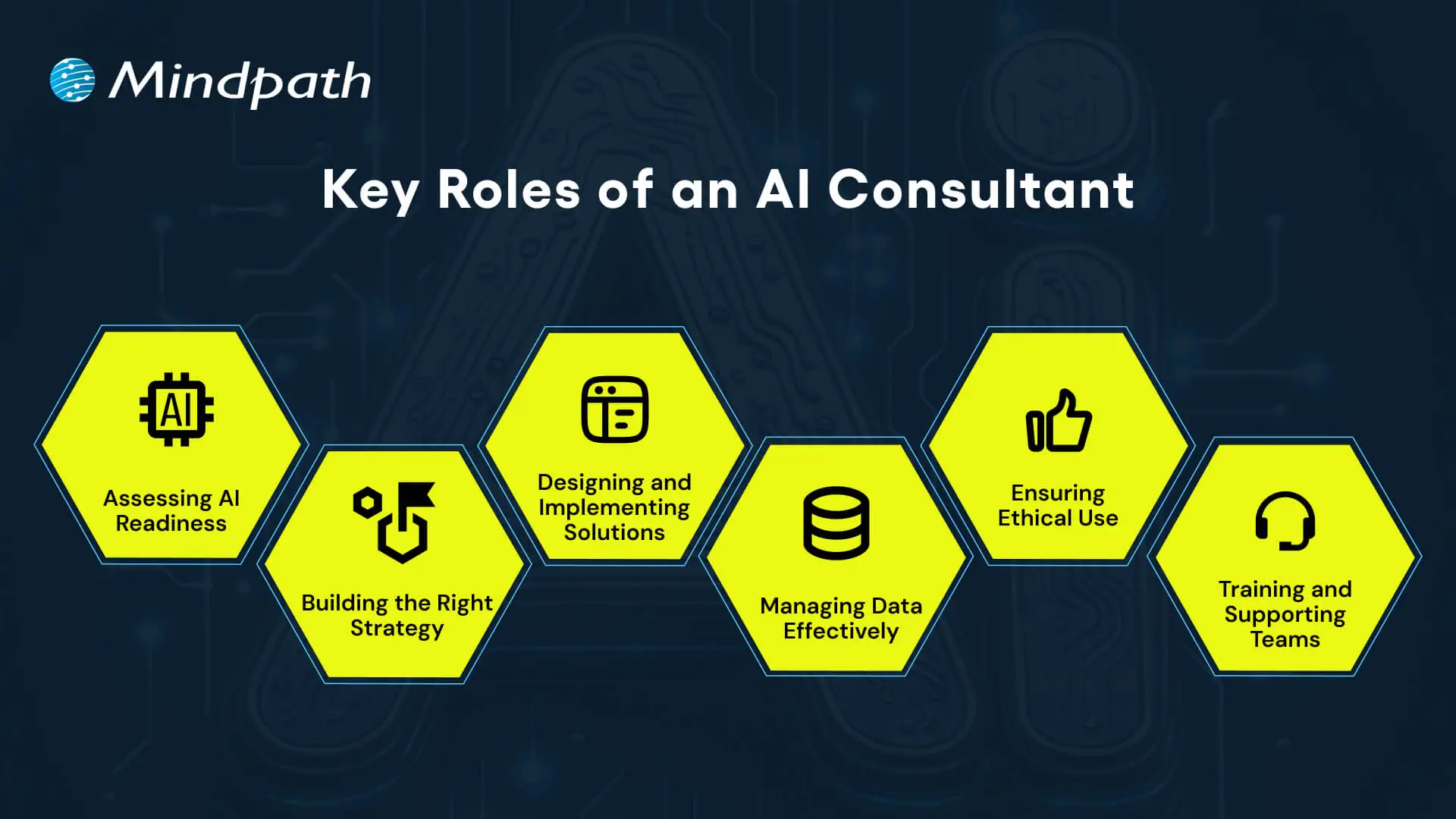
1. Assessing AI Readiness
Consultants begin by looking at a company’s current technology and the structure of its data. They examine strengths, gaps, and where AI could be optimally used. This step ensures the business is ready for AI to move forward with AI consulting.
2. Building the Right Strategy
Consultants partner with executives to harmonize AI initiatives with broader business objectives. They outline achievable outcomes, prioritize initiatives, and develop a roadmap that considers both growth and innovation. This allows companies to better understand how AI properly fits in their operating model and reduces any bias that AI strategy consulting can involve.
3. Designing and Implementing Solutions
Consultants develop AI models, tools, or applications to satisfy custom requirements. This can include customizing existing technology when that is more efficient, cost-effective or time-conserving. The consultant is the one who determines the methods used to develop and test the models to create measurable outcomes.
4. Managing Data Effectively
Consultants generally prioritize data quality, security, and organization, as those are all critical parts of any AI project. They create the actual process for collecting, organizing, and engaging with that data. If organizations can manage their data effectively, they can get actionable insights more efficiently and ultimately leverage the long-term value of AI consulting for business leaders.
5. Ensuring Ethical Use
Consultants establish boundaries and frameworks for ethical AI behavior, while assuring AI systems demonstrate fairness, transparency, and compliance. With governance in place, Artificial Intelligence consulting companies help clients build trust and reduce risk.
6. Training and Supporting Teams
Consultants will also prepare employees to use new AI systems confidently. They design and execute traineeships and develop protocols to transition through changes in workflows. This allows for a transition with less friction and allows the teams to adapt to new ways of working.
For a deeper understanding of how AI trends help businesses in achieving digital transformation. Read our blog: Top AI Trends.
AI consulting for small businesses helps with AI adoption to increase efficiency and lower costs while making more informed decisions. AI consultants will help small businesses find the best tools and strategies for their situation and growth objectives.
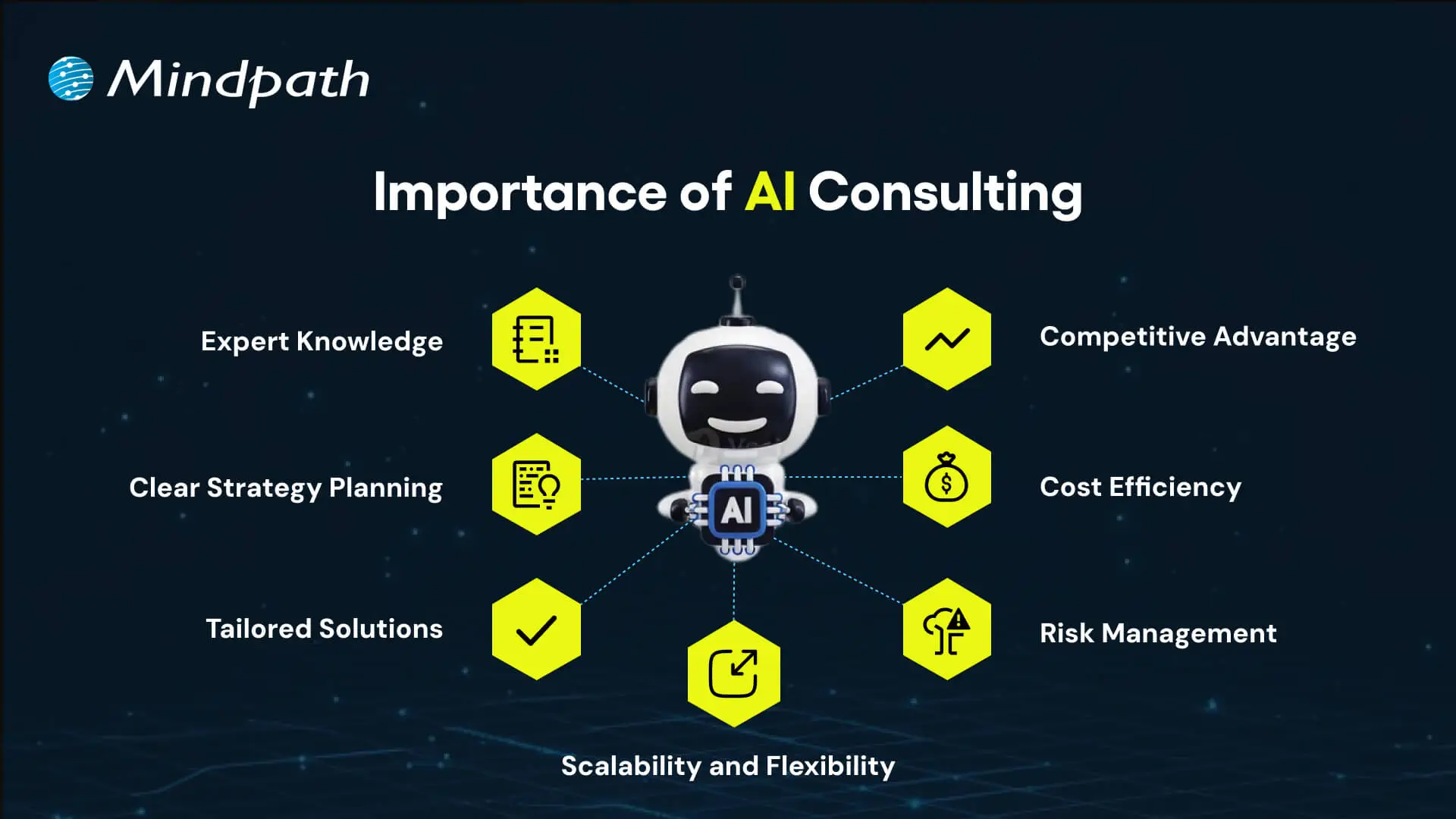
1. Expert Knowledge
AI consultants bring deep technical and industry knowledge to guide businesses to learn about and select the best AI technologies available. Such guidance will provide information to make informed decisions and help prevent expensive mistakes that will demonstrate the value of the AI consulting.
2. Clear Strategy Planning
Consultants create an actionable roadmap that aligns the business goals of AI-related projects, identify priority use cases, set measurable outcomes, and provide a path to success through AI adoption consulting. AI in business strategy leads to growth and innovation, which helps the business to stand out from its competitors.
3. Tailored Solutions
Companies are provided with AI solutions based on their needs, problems, and data context. Consultants also confirm that the AI solution can run with their process; this shows the level of expertise offered in AI implementation consulting.
4. Scalability and Flexibility
Consultants design AI systems to be highly scalable and flexible for changing conditions. They also govern projects from small pilots to full deployments while applying proven practices from AI consulting examples.
5. Risk Management
Consultants establish governance standards and monitor AI systems to support bias mitigation, data protection, and a compliant setting. This governance approach reduces risk and adds certainty to AI advancements, which aligns with the goal of AI integration consulting when done properly.
6. Cost Efficiency
The goal is to remove repetitive tasks from the shoulders of employees, reduce errors, reduce resources used, save money, become more productive, and advertise the value of AI consulting.
7. Competitive Advantage
The benefit of using AI for customer service enables organizations to innovate, streamline customer interactions, and make faster data-driven decisions. Expert teams or firms providing consultancy can help organizations stay ahead of competitors and discover new opportunities, particularly highlighting the utility of a well-developed AI consulting guide.
The Process of AI Consulting
The process of AI consulting has a structure that guides businesses from the plan to a successful and assured implementation. Each stage focuses on connecting technology to real business goals to ensure smooth and outcome-driven adoption.
1. Business Review
Consultants examine present systems, data, and workflows to observe strengths and gaps. They look at goals and challenges while creating the right path forward for AI Consulting.
2. Strategy Roadmap
Following that review, consultants synthesise work into a strategy, with priorities and measurable goals. The actual roadmap describes the roadmap for the entire AI journey.
3. Solution Planning
Consultants formulate solutions that are appropriate for business requirements and help determine the right Gen AI tools to choose. They define data requirements and provide planning methods for system integration.
4. Guided Execution
Consultants help businesses build pilot projects to test the value of solutions. They iterate the solutions before proceeding to full deployment.
5. Team Training
Consultants train employees in the use of AI tools and new workflows. They also create change management plans to ensure seamless implementation.
6. Ongoing Optimization
Consultants monitor the performance of AI systems and make adjustments if necessary. They review outcomes on a periodic basis to keep up with the constantly changing needs of the business.
AI consulting helps organizations to make smarter decisions and turn new ideas into real business results. Discover more about why organizations need AI consulting services to unlock growth in your business.
Ready to Transform Your Business with AI Consulting?
AI consulting services give businesses the expertise and structure needed to adopt artificial intelligence effectively. By evaluating, planning, and acting, companies can realize new efficiencies, enhance customer experience, and mitigate risk. When done correctly, business AI consulting navigates to make complex technologies practical and measurable, and helps organizations keep pace competitively in the rapidly changing digital economy.
At Mindpath, we deliver tailored AI consulting services designed to meet your business goals. Our experts focus on AI integration consulting to ensure solutions are scalable, ethical, and results-driven. With proven experience in business AI consulting, we provide strategies and implementation support that bring real impact. Partner with us to accelerate innovation and future growth.
Frequently Asked Questions
1. How does a business know if it is actually ready to start working with an AI consultant?
Readiness usually comes down to data quality, clear goals, and leadership buy-in. If a company has organized data and a real problem it wants AI to solve, that is often a strong starting point. A consultant can also assess readiness during the initial business review stage.
2. What is the typical timeline for seeing results after starting an AI strategy with a consulting partner?
Timelines vary depending on project complexity, but pilot projects often show early results within a few months. Full deployment and measurable business impact usually take longer, since consultants prioritize testing and refining solutions before scaling them across the entire organization for long-term reliability.
3. Can small businesses with limited budgets realistically benefit from working with an AI consultant?
Yes, many consultants offer scalable solutions designed specifically for smaller operations. Instead of large enterprise systems, small businesses often start with focused tools that improve efficiency or customer service. The goal is practical impact, not unnecessary complexity that exceeds the budget or actual business need.
4. How do consultants make sure AI systems remain ethical and fair after they are deployed?
Consultants set governance frameworks that monitor for bias, ensure transparency, and maintain compliance over time. This is not a one-time check. Ongoing monitoring and periodic reviews help catch issues early, keeping the AI system aligned with ethical standards as data and business conditions evolve.
5. What happens if a business tries to implement AI without any outside consulting support?
Without proper planning, companies often face poor data quality, unclear goals, or solutions that do not fit their actual workflow. This usually leads to wasted resources and slow adoption. Consulting helps avoid these common pitfalls by bringing structure, experience, and a tested implementation process to the project.
Building a website today is about combining design, speed, and performance, all in one place. That’s where full-stack development for web projects plays a big role, as it encompasses everything from the look of a site to how it performs. As websites grow bigger and more complex, the full-stack development approach allows teams to work smarter rather than harder and deliver stronger solutions without any delay or confusion. This is why full-stack development is an increasingly popular way to develop truly distinct web projects.
Key Takeaways
- 01
Full-stack development combines front-end and back-end work into one smooth process. - 02
Hiring one full-stack developer saves time and cost over two separate specialists. - 03
Fewer handoffs between teams lead to faster fixes and clearer communication. - 04
Full-stack developers solve problems faster by understanding the entire system together. - 05
Growing market demand makes full-stack skills valuable across nearly every industry.
By managing the front-end and back-end together, teams can react more quickly to updates and allow them to maintain their website without interruptions. In addition, it allows for greater control of the entire process, which leads to much better user experiences. Many companies are adopting this approach to develop websites that will grow and improve over time. Curious to know more? Well, in this blog, we will discuss how full-stack development is going to shape the future of web projects in detail.
Want to bring future-ready development to your business? Explore how Mindpath’s full-stack development services can help you stay ahead and provide end-to-end support.
Fundamentals of Full-Stack Development
Full-stack development means building both the front-end and the back-end of a website or app. The front part is what we interact with and see, such as buttons, images, menus, and links. The back part is what is going on behind the screen to make everything work: saving things, logging in, sending emails, etc. A full-stack developer knows how to build and manage both parts of a project, so it all works properly from beginning to end.
Companies want websites that are visually appealing, load quickly, and are easy to navigate. Most companies prefer hiring one full-stack developer rather than two separate developers (one for front-end and one for back-end) because this saves time and avoids paying for two separate developers. Full-stack developers can build complete web projects on their own. That’s why companies continue to search for strong full-stack developers that can do the full job and help make better websites quicker.
Reasons Why Full-Stack Development is the Future of Web Projects
Full-stack development makes end-to-end web development more effective by combining both the visual design and the behind-the-scenes logic into one smooth process. As we move toward full-stack development in 2025, more businesses are choosing this method for its flexibility, speed, and complete control over web projects. Here are some key reasons why:
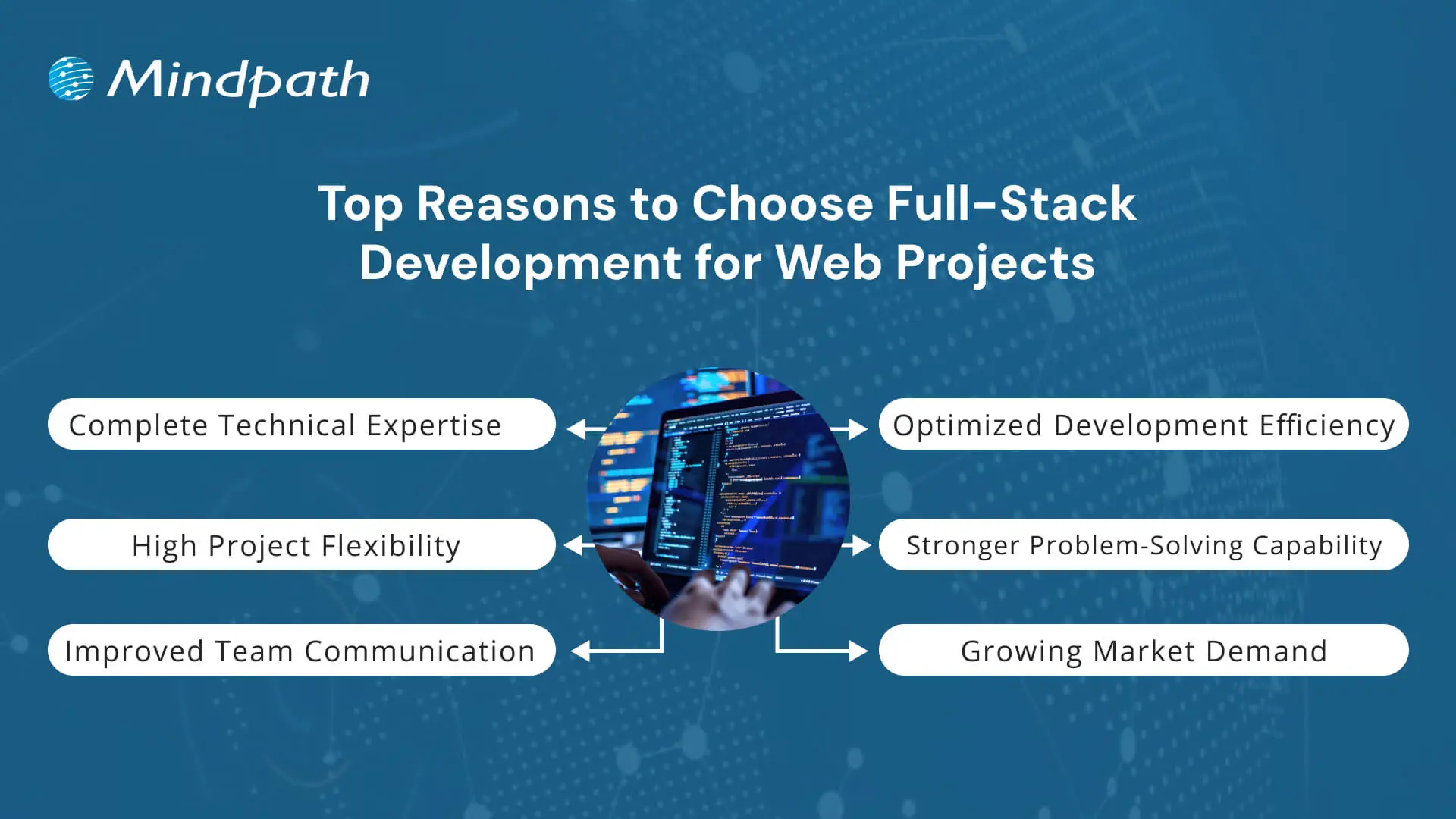
1. Complete Technical Expertise
Full-stack development for web projects requires knowledge of both front-end and back-end technologies. Developers in this field work with HTML, CSS, and JavaScript for user interfaces and use tools like Node.js or Python for server-side logic. They also manage databases such as MySQL or MongoDB to store and retrieve data efficiently. This complete skill set makes full-stack development for businesses highly practical and reliable.
2. Optimized Development Efficiency
One of the key advantages of full-stack development for web projects is the ability to complete tasks faster without needing multiple specialized developers. It reduces development time, lowers project costs, and helps deliver results more quickly. Teams can avoid delays caused by handovers between front-end and back-end teams. That’s why many companies now prefer full-stack development to keep their projects on track and within budget.
3. High Project Flexibility
Developers skilled in full-stack development can switch between tasks easily based on what the project needs. They are comfortable using different tools and frameworks and can adjust to changes without slowing down progress. This flexibility is valuable when requirements evolve or when rapid updates are needed. It also supports the use of the best tech stack for web projects tailored to each client’s goals.
4. Stronger Problem-Solving Capability
A full-stack developer understands how both the client-facing side and the server work together. This broad view helps in identifying issues quickly and finding effective solutions without back-and-forth between teams. It leads to fewer errors and a more stable final product. As a result, full-stack development for web projects brings stronger control and problem-solving to the entire build process.
5. Improved Team Communication
Fewer handoffs mean fewer communication gaps between developers and project managers. In full-stack development for web projects, one person or a small team handles most of the workflow, which keeps messaging clear and consistent. This improves team collaboration and speeds up approvals and fixes. It also supports better planning throughout the stages of full-stack web development.
6. Growing Market Demand
With digital needs growing, full-stack development has become one of the most valuable skills in the tech world. Companies are hiring developers who can handle everything from front-end to database, increasing demand across industries. It also offers room to grow in multiple areas, including project leadership and architecture, through understanding full-stack development trends. This rise is a direct result of businesses investing more in full-stack development for modern digital solutions.
Key Skills Required in a Full-Stack Web Project Team
A successful full-stack web project relies on more than just writing code. It needs the right mix of skills across the team, covering everything from design to database management for smooth and efficient web solutions. Let’s have a quick look at the skills:
1. Front-End Development
Developers need strong skills in HTML, CSS, and JavaScript to build the structure and style of web pages. Frameworks like React, Angular, or Vue.js help create dynamic and responsive user interfaces.
2. Back-End Development
Understanding server-side languages such as Node.js, Python, or Java is essential for creating logic and functionality. Frameworks like Express.js or Django support faster and more organized development.
Planning to build smarter web solutions? Discover how full-stack development with Node.js can streamline your digital growth.
3. Database Management
Developers should know how to use both SQL and NoSQL databases like MySQL, PostgreSQL, or MongoDB. Good database skills help manage, store, and retrieve data efficiently.
4. API Development
Designing RESTful APIs is important for connecting front-end and back-end systems. APIs must be secure, scalable, and easy to maintain in web projects.
5. DevOps and Deployment
Version control with Git and CI/CD tools helps automate code testing and deployment. Cloud platforms like AWS or Azure make it easier to launch and scale applications smoothly.
6. Soft Skills for Team Performance
Effective communication, adaptability, and time management help teams meet deadlines and solve problems together. These qualities support a smooth workflow in full-stack development for web projects.
Confused between full stack and traditional web development? Discover how smart businesses choose from full-stack vs traditional web development for the success of project.
Full-Stack vs Front-End and Back-End: A Comparison Table
Understanding the difference between full-stack vs front-end and back-end roles helps in choosing the right approach for a web project. Below is a comparison table that highlights their core responsibilities and capabilities.
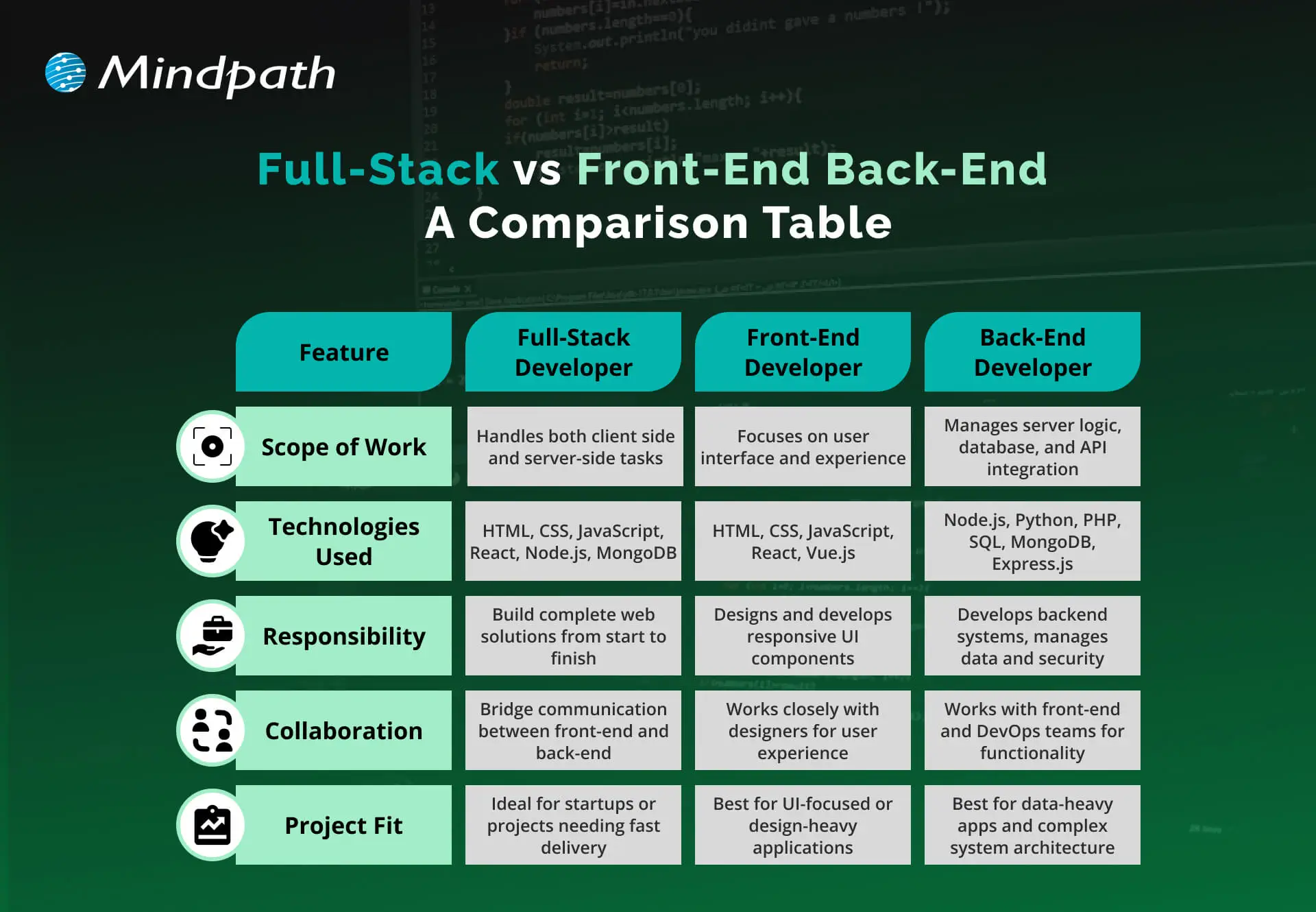
Ready to Elevate Your Next Web Project with Full-Stack Development?
Full-stack development for web projects offers a balanced, future-ready approach that blends front-end creativity with back-end power. It simplifies workflows, speeds up launches, and ensures better user experiences. As digital needs continue to evolve, adopting full-stack practices gives businesses the edge to build smarter and scale faster with fewer roadblocks.
At Mindpath, we offer full-stack development services tailored to support your business growth. Our expert full-stack developers handle everything from user interface to server-side logic, ensuring smooth performance and cohesive functionality. With deep technical knowledge and a collaborative mindset, we deliver reliable, scalable, and efficient digital solutions that meet your unique project needs.
Frequently Asked Questions
1. How does full-stack development for web projects actually save businesses money in the long run?
Hiring one developer to handle both front-end and back-end work reduces payroll costs compared to hiring two specialists. It also speeds up delivery timelines, which means projects launch faster and start generating value sooner instead of sitting in extended development cycles.
2. Is full-stack development suitable for large, complex websites or only smaller projects?
Full-stack development works well for both. Larger projects often use a small team of full-stack developers who divide responsibilities while maintaining shared knowledge of the entire system. This balance keeps even complex websites manageable without losing the speed and flexibility full-stack development offers.
3. What should businesses look for when hiring a full-stack development team for their next project?
Look for proven experience across both front-end frameworks and back-end technologies, along with database and API knowledge. Strong communication skills also matter, since full-stack teams often work with fewer handoffs, meaning clarity and collaboration directly affect how smoothly the project actually progresses.
4. How does full-stack development improve the overall user experience of a website?
When one team understands how the front-end and back-end work together, performance issues get caught earlier and fixed faster. This results in quicker load times, smoother navigation, and fewer bugs reaching the final product, all of which directly shape how users experience the website.
5. Does choosing full-stack development mean a business loses specialized expertise in certain areas?
Not necessarily. Many full-stack developers still have deeper strengths in either front-end or back-end work while maintaining solid knowledge of both. Businesses get the benefit of broad technical coverage without sacrificing quality, especially when working with experienced developers who understand the full development lifecycle.