


Latest Insights On

GenAI, Tech, and Digital Transformation 

Stay updated with expert insights, success stories, and real-world applications of cutting-edge technology.

custom mobile application development services

In an ever-quickening pace of digital development, businesses strive for differentiators that can engage their audiences in new ways. Custom mobile application development services provide the means to actually deliver, providing a way for businesses to develop apps that serve their needs perfectly. Using unique features connected to smooth user experiences, organizations build engagement, access to efficiencies, and value delivery. Have you noticed how apps designed with intention often make a bigger impact than off-the-shelf solutions?

Keeping up with mobile app development trends ensures that these custom solutions remain relevant, innovative, and aligned with evolving user expectations. These services create opportunities for organizations to reconsider customer engagement and organizational workflows in a fundamentally different way. Through dedicated solutions, organizations can have a competitive advantage and respond quickly to the changes in market demands. The custom mobile application’s ability to do so goes beyond its convenience. It helps to shape strategies, improve growth potential, and establish connections. In this blog, we are exploring the top seven industries that have benefited from custom mobile application development services and how. So, let’s dig in!

Looking to stay ahead in today’s fast-paced technology world, businesses are looking to customize apps that are tailored to meet their specific demands. Mindpath’s mobile app development services will deliver high-performing solutions that give real results.

What are Custom Mobile Application Development Services?

Custom mobile app development services involve building bespoke mobile applications tailored to specific business requirements, user workflows, and long-term goals, rather than relying on generic, off-the-shelf solutions. The process covers planning, UX/UI design, native (iOS/Android) or cross-platform (React Native/Flutter) development, quality assurance, and post-launch maintenance. The result is an application that delivers personalized user experiences, seamless integration with existing systems, and the flexibility to scale as your business evolves.

These services are developed to deliver applications that are agile, scalable, and secure. Custom solutions can effortlessly merge with an existing system and adapt to changing needs in the business. When companies invest in their respective user experience, they can enhance their engagement while properly managing sensitive information. Custom mobile app development services will provide sustainability for the long term, and a strategic and effective digital presence that supports competitiveness and adaptability.

Industries Benefiting from Custom Mobile Application Development Services

Many sectors are changing how they operate and engage customers with custom app development services. These services help businesses create mobile apps that cater to their specific goals, workflows, and the needs of their customers. Through customization, companies from many sectors can enhance efficiency, increase engagement, and achieve measurable growth.

1. E-Commerce and Retail

Custom app development services plays a significant role. It provides seamless and engaging shopping experiences to brands in the e-commerce and retail industry. Personalized recommendations, customer-friendly navigation, and secure payments are some of the app features that businesses can create to keep customers happy. Retailers not only increase customer loyalty by incorporating features such as loyalty programs and real-time updates but also can gain steady sales growth.

2. Healthcare

The healthcare industry is changing rapidly, as you would expect from a sophisticated mobile application development platform. Making use of customized healthcare apps will allow patients to have much simpler access to booking their visits and managing online consultations.

Hospitals also enjoy a more efficient patient care process. The implementation of electronic prescriptions and the employment of telemedicine innovations. All of which results in the saving of time and resources and the maintenance of high-quality care.

3. Education

One of the innovations that the education sector is adopting is the use of tailor-made mobile applications. The implementation of these applications has brought ease in the management of virtual classes, assignments, and attendance for schools, universities, and e-learning platforms.

Through the use of custom apps, education can be more stimulating, adaptable, and available to students from any location as these apps provide interactive learning experiences and instant communication.

4. Finance

One of the major trends in the finance and banking industry is the use of custom mobile application development services to revolutionize customer experience. These applications not only allow the users to carry out banking, investing, and loan activities effortlessly but also ensure that the data security is at a very high level.

Some of the latest security and convenience features, such as biometric authentication, instant payments, and personalized insights, have empowered customers to become more loyal. This makes them feel more comfortable with their financial institutions.

Looking to prioritize security in your application lifecycle? Discover useful strategies in our blog on application security best practices and explore how to make security a core part of your development roadmap.

5. Logistics and Transportation

One of the main factors for better efficiency in the logistics and transportation industry is custom application development services which develop various applications for business use. This kind of apps will allow companies to manage their routes, shipments tracking, and fleet operations. Not only in person but also in real time.

Advanced analytics and the usage of GPS as standard technology in many different fields have definitely helped in optimizing fuel consumption as well as in savings and in making sure deliveries are on time and are reliable.

6. Real Estate

Custom mobile application development services have a major impact on the real estate sector, which changes the way the market has been operating for a long time. With these new applications, end-users can go through listings, practically visit properties, and get in touch with agents at once. Thus, it speeds up and clarifies the entire process.

Apart from that, real estate companies are also benefiting from these applications. They can manage their leads more efficiently and correspond with clients comfortably. Thus making the property experience more productive and enjoyable.

7. Travel and Hospitality

Innovative custom mobile application development services have become an effective way for the travel and hospitality industry to improve customer experience. By using these apps, individuals can quickly reserve trips, keep track of their schedules and have seamless access to different departments at any time.

As a result of incorporating functionalities such as up-to-the-minute updates, location maps, and tailored gifts & services, travel companies. They have the opportunity to create customer loyalty and provide their travellers with a more exciting and integrated outing.

Curious about the tools and frameworks driving the future of mobile apps? Explore and discover key innovations in our blog on mobile app development technologies that can empower your business to build smarter, more efficient apps.

Ready to Transform Your Business with a Custom Mobile App?

Custom mobile application development services are helping industries innovate, improve customer engagement, and achieve lasting growth. Businesses across sectors now rely on tailored apps to enhance user experience, streamline operations, and stay competitive. With the right strategy and expert support, these apps can become a long-term asset for business success.

As a trusted custom mobile app development company, Mindpath delivers powerful website and mobile app development solutions designed for your unique goals. Our expert team builds secure, scalable, and user-friendly apps that help your business connect better with customers and perform efficiently. Partner with Mindpath to bring your app idea to life and move your business ahead with confidence.

website design company

Your website is the foundation of your online growth strategy, brand identity, and user experience. Whether you want to launch a new website, upgrade, or rebrand your digital presence, hiring the best website design company is a vital decision. A small mistake in this, and you would end up with a site that is unappealing, slow, and poorly optimized. 

However, with hundreds of web development agencies promising fast turnarounds and impressive designs, how do you pick the right web design company? Well, it lies in asking the right questions when hiring. 

This detailed guide breaks down the top 10 questions that you need to ask a website development company before making your final decision. Let’s get started with this. 

Want to build a high-performing website that defines uniqueness and provides you competitive advantage? Mindpath’s web development services will bring your ideas to life.

Why Choosing the Right Web Designer Partner Matters?

Selecting a professional website designer is an important decision that directly influences your business’s digital success. The right agency will be your strategic partner, helping you create a platform that can effectively drive conversions, growth, and engagement. Looking for more reasons to partner with a reliable website development company? Check the points below. 

1. SEO Optimization

Professional agencies deploy the best SEO practices into design and development, making your site attract more organic traffic and rank higher. 

2. User Experience

A certified website design company crafts intuitive navigation, responsive layouts, and fast-loading web pages to keep visitors engaged. 

3. Flexibility and Scalability

The right digital partner will offer solutions by keeping the future growth in mind. For this, they will ensure smooth integration, timely performance enhancement, and easy updates. 

4. Accessible Web Design

These experts create inclusive design and follow the POUR or Perceivable, Operable, Understandable, and Robust guidelines. That means your site will remain accessible to all audiences, including users with disabilities. 

5. Performance and Security

Professional web designers use secure coding practices. Besides, they optimize the code for speed, lowering bounce rates. It would not be wrong to say that investing in the top website design company can help you set a robust foundation for your current and future digital success. 

Want to see how AI can change the game for building and maintaining websites? Check out our post on AI in web development to learn how AI can make your site smarter, faster, and more efficient.

10 Questions to Ask a Website Design Company

Hiring a web design company is a process of choosing a strategic partner who can understand your business, long-term goals, and audience. Here are 10 questions you should ask before hiring these experts to avoid any costly mistakes in the future.

1. Do You Have Experience with My Business Type or Industry?

Remember that not all web design agencies are the same. While some specialize in service-based businesses, others are in e-commerce. By understanding an agency’s industry experience, you can decide whether they can create a site for your audience. 

Why It Matters:

  • You don’t have to spend hours explaining your business model.
  • Familiarity with necessary compliance is important.
  • Industry-specific expertise can result in a better understanding of UI/UX design trends and decisions. 

2. Do You Use Templates or Create Custom Designs? 

This question helps you analyze the agency’s design capabilities. Templates are cost-effective, but custom designs are great for uniqueness, scalability, and flexibility. Other benefits you will enjoy are: 

  • Accurate reflection of your brand identity 
  • smooth integrations and long-term growth
  •  Robust security features

3. What Are Your Strategies to Make a Site Mobile Responsive? 

Your website should look and function perfectly across desktops, tablets, smartphones, and web browsers. Ensure that their strategies include the following points: 

  • Creation of clear menus
  • Testing across various screen sizes and devices 
  • Checking compatibility with Edge, Chrome, Safari, etc.
  • Use of plugins for image optimization

4. What CMS Do You Always Recommend and Why?

The CMS, or Content Management System, decides how smoothly you can manage content, update the site, and scale. Some widely used platforms are Drupal, WordPress, Shopify, Webflow, and Joomla. With a robust CMS, you will enjoy benefits like: 

  • Solid security
  • Plugin compatibility
  • Ease of use 
  • Better SEO
  • Hassle-free integration with third-party systems

5. What is Your SEO Implementation Strategy in the Design Process?

Even though you have a great site, it will be useful if it is not ranking. An expert should implement the right SEO techniques during the design process. This may include site architecture, on-page optimization, and technical SEO. Things that you need to consider are: 

  • Core Web Vitals and mobile optimization
  • Faster loading and clearer code
  • Keyword-friendly metadata and URLs
  • Schema markup  

Ask them whether they provide a detailed SEO audit after the launch.

Must Read: WordPress vs Drupal

6. What type of Quality Assurance and Testing Method Do You Use?

Before the final launch, it is crucial to carry out rigorous testing of your site to detect bugs, layout issues, bottlenecks, and broken links. Only a trustworthy website design company will follow a structured QA process. Look at their checklist and ensure that it covers: 

  • Performance and load testing 
  • Functional testing of elements like navigation, forms, buttons, etc. 
  • Security audits 
  • Accessibility check following WCAG guidelines 

To know more, you can ask for a sample report of their previous projects.

7. Why Should I Select You Over Other Agencies?

This is a crucial question that can help you understand what sets a website design company apart. A transparent and confident agency will never fail to explain the reasons clearly. A reliable agency will highlight factors like: 

  • Their past results and expertise
  • Commitment to customer satisfaction and quality
  • Their approach aligns with your unique business goals
  • Process transparency

If they are not clear and confident while answering this question, you should look for another web design and development service provider agency.

8. What Ongoing and Website Maintenance Solutions Do You Offer?

Your website is a living asset. To keep running smoothly, they need backups, bug fixes, performance monitoring, and regular updates. So, while hiring an expert, clarify what type of support they offer and what will be billed separately. Some common support options to consider are: 

  • Plugin management
  • CMS update
  • Uptime monitoring and security patches
  • Monthly maintenance packages 
  • Performance reports 

Ask the agency about Service Level Agreements and evaluate their response times for support queries.

9. How Will You Communicate About the Project Progress?

We all know that clear communication is key to successful collaboration. So, while hiring web developers and designers, ask about the tools they use to communicate, their project management style, and the frequency of updates. Some important things to clarify are: 

  • Communication channels they use, i.e., Slack, Asana, Trello, email, etc. 
  • Point of contact (developer, designer, or project manager) 
  • Feedback and optimization protocols
  • Milestone reviews or weekly updates 

Apart from this, you should also understand how they handle unexpected delays and scope changes.

10. What Is Your Pricing Method, and What Is Covered?

Transparency in pricing can help prevent surprises in the future. So, clearly understand what is included in the service quote and what may lead to extra charges. In general, pricing models can include: 

  • Hourly billing
  • Fixed project charge
  • Monthly packages 
  • Cost of logo design, content creation, custom fonts, and custom graphics 
  • Hosting fees and domain registration

Always ask for a comprehensive quote and proposal with clear timelines, payment terms, and deliverables. 

Looking for a website that truly reflects your brand and scales with your growth? Check out our blog on the benefits of custom website development services to discover why custom development pays off in the long run.

Common Red Flags to Consider

As mentioned above, selecting the web design and development agency is a strategic decision. While asking questions, it is also crucial to understand the warning signs that may lead to issues. So, watch out for these five red flags while hiring an agency. 

1. Evasive or Vague Response

If a firm struggles to explain their web design process, gives generic answers, and doesn’t share their past work, stay away from the firm. It clearly shows a lack of transparency and experience. 

2. Overpromising

Be careful with the agencies that guarantee higher rankings, unrealistic timelines, and instant conversions without any analytics and case studies to support their claims. 

3. No Clear Timeline

A reliable website design company should clearly outline deliverables, milestones, as well as review cycles. A lack of a structured plan can lead to scope creep and delays. 

4. Not Focusing on Mobile Optimization and Accessibility

Well, these are non-negotiables when it comes to making your digital asset successful. If these are not present on your site, it may fall short on compliance reach and performance. 

5. Selection of Wrong CMC Platform

A bad agency may use a low-quality CMS, as it will be easier for them to create a beautiful website. But it would lack the features your business needs. 

Always opt for a web development company that is transparent, listens to your needs, and is committed to your long-term success. 

Want to build a complete website without coordinating with multiple developers? Explore our post on full-stack development for web projects to discover how a full-stack approach simplifies your workflow and accelerates delivery.

Make the Right Choice for a Successful Digital Future

Partnering with the right website design company sets the foundation your business needs to achieve the desired online success. By asking these questions and understanding red flags, you can make an informed decision. Remember that only the right agency can align with your business goals and develop a website that will not only look great, but also scale, perform, and convert. 

Choosing Mindpath as your website design and development partner can help you stay ahead in this competitive market. We always go beyond surface-level web design. Our experienced team combines the latest SEO strategies, an accessibility-first approach, as well as platform-specific optimization to offer websites that are high-performing and inclusive. Let Mindpath assist you with your next web development project and witness remarkable results. 

Frequently Asked Questions

agentic ai examples

Agentic AI examples show how businesses can use AI agents to plan tasks, work with connected systems, and take actions toward defined goals. Unlike AI tools that only generate content or answer questions, agentic AI systems can coordinate multiple steps, use approved tools, evaluate results, and adjust their approach when circumstances change.

Key Takeaways

  • 01
    Agentic AI systems can plan and execute multi-step tasks using approved tools, business data, and defined objectives.
  • 02
    Business use cases include customer support, cybersecurity, workflow automation, software development, sales, product planning, operations, and HR.
  • 03
    AI agents can coordinate tasks and work across connected systems, but their effectiveness depends on reliable data, permissions, and integration quality.
  • 04
    Businesses should begin with a measurable use case, evaluate the results, and expand automation only when the evidence supports it.
  • 05
    Human oversight, access controls, monitoring, and clear escalation rules are essential when AI agents can affect customers, data, or business operations.

Businesses can apply agentic AI to customer support, cybersecurity, sales, software development, human resources, and operational workflows. The right use case depends on the business problem, available data, system integrations, and the level of human oversight required. Starting with a clearly defined workflow helps organizations evaluate the technology without introducing unnecessary operational risk.

Considering AI agents for your business? Explore Mindpath’s agentic AI development services to discuss how agent-based workflows can support your operational goals.

What is Agentic AI?

Agentic AI refers to AI systems designed to pursue defined goals through a sequence of actions. Depending on their design, these systems can interpret a task, break it into smaller steps, use tools or external systems, evaluate intermediate results, and determine what to do next.

For example, a conventional AI assistant might summarize a customer complaint. An agentic workflow could classify the complaint, retrieve the relevant order information, check an approved refund policy, prepare a response, and route the case for approval when required. The agent’s actual capabilities depend on the tools, permissions, rules, and integrations configured for it.

Agentic AI often uses large language models (LLMs) for reasoning and language tasks, alongside APIs, business rules, data sources, and other software components. Some systems operate as a single agent, while others coordinate multiple specialized agents. For a broader foundation, read our guide to agentic AI and the different types and benefits of AI agents.

Why are Businesses Considering Agentic AI?

Many business processes involve more than one isolated task. Employees may need to gather information from several systems, apply policies, coordinate with colleagues, and update records before completing a workflow. Agentic AI can help coordinate parts of these processes when the required tools and permissions are available.

Potential benefits include:

  • Automating repetitive, multi-step workflows.
  • Reducing manual information gathering and handoffs.
  • Supporting faster access to relevant business information.
  • Personalizing responses based on approved customer context.
  • Coordinating tasks across connected applications.
  • Helping employees focus on exceptions, judgment, and higher-value work.

These benefits are not automatic. Results depend on process design, data quality, integration reliability, evaluation methods, and the level of autonomy granted to the system. Businesses should identify the intended outcome and establish a baseline before measuring whether an agent improves the workflow.

For a related perspective, read our guide to AI decision-making use cases to understand how AI can support business analysis and operational decisions.

8 Practical Agentic AI Examples for Businesses

The following agentic AI examples illustrate how businesses can apply goal-oriented agents to common workflows. They are practical implementation scenarios rather than claims that every organization has already deployed these systems successfully.

Use case Example agent workflow Potential business value Important control
Customer support Retrieve order information, check policies, prepare a response, and route exceptions. Faster case handling and fewer manual steps. Approval for refunds, account changes, or sensitive cases.
Cybersecurity Correlate alerts, gather evidence, assess severity, and recommend or trigger approved responses. More consistent alert triage and investigation support. Restricted permissions and approval for disruptive actions.
Enterprise workflows Extract action items from meeting notes, create tasks, and update project systems. Reduced administrative work and fewer missed handoffs. Validation of task ownership, deadlines, and updates.
Software development Inspect an issue, propose a code change, run tests, and prepare a review request. Support for repetitive engineering tasks. Code review, testing, and controlled deployment.
Sales and lead management Enrich approved lead records, prioritize prospects, and draft personalized follow-ups. Better-organized sales pipelines and reduced manual research. Data privacy and approval of customer communications.
Product roadmap planning Group customer feedback, identify recurring themes, and prepare feature recommendations. More structured product research and prioritization. Human review of recommendations and supporting evidence.
Operations and supply chains Monitor inventory signals, identify exceptions, and recommend replenishment or routing changes. Earlier visibility into operational issues. Approval for purchases and consequential operational changes.
Human resources Answer policy questions, retrieve approved documents, and coordinate routine employee requests. Reduced administrative effort and faster information access. Privacy controls and human review of employment decisions.

1. Customer Support Automation

Customer support often requires agents to retrieve information from order systems, customer relationship management platforms, knowledge bases, and service policies. An agentic AI system can coordinate these steps to help resolve routine requests without requiring an employee to handle every action manually.

For example, when a customer asks about a delayed order, an agent could retrieve the order status, check delivery information, summarize the situation, and prepare an appropriate response. If the issue requires a refund, policy exception, or sensitive account change, the workflow can request approval or transfer the case to a human representative.

This approach extends beyond the question-and-answer capabilities commonly associated with chatbots. It can be particularly useful when support requests involve several systems or steps. Businesses should measure resolution time, escalation accuracy, customer satisfaction, and the rate of incorrect actions to assess the results. Read more about AI for customer service.

2. Proactive Threat Detection and Cybersecurity

Security teams must review alerts, correlate events, investigate suspicious activity, and determine which incidents require immediate attention. Agentic AI can assist with this work by collecting evidence from approved security tools, grouping related alerts, summarizing possible causes, and recommending next steps.

For example, an agent could correlate an unusual login with other suspicious account activity, assemble relevant logs, and create an incident report for the security team. In a carefully controlled environment, it might also initiate predefined response actions when specific conditions are met.

Security-related agents should not receive unrestricted access to production systems. Organizations need role-based permissions, detailed audit logs, clear escalation rules, and testing against false positives. High-impact actions, such as disabling critical accounts or changing network configurations, may require human authorization.

3. Enterprise Workflow Automation

Enterprise processes often span collaboration platforms, project management software, document repositories, and internal business applications. An agent can help coordinate routine steps across these systems when the relevant integrations and permissions are available.

For example, after a project meeting, an agent could summarize decisions, identify action items, draft tasks, assign proposed owners based on the meeting notes, and prepare updates in a project management tool. Team members can review uncertain details before the tasks are finalized.

This type of workflow can reduce repetitive administration and improve the consistency of handoffs. Businesses should start with processes that have clear rules and measurable outcomes, then expand to more complex workflows after evaluating accuracy and reliability.

4. Software Development Assistance

Software engineering involves issue analysis, code changes, testing, documentation, debugging, and code review. Agentic AI can help coordinate parts of this lifecycle by retrieving relevant project context, proposing code changes, running approved tests, and preparing a change for developer review.

For instance, an agent could analyze a reported defect, locate the related code, propose a fix, execute an available test suite, and summarize the results. A developer would then review the changes and decide whether they are suitable for merging or deployment.

The goal is to support engineering teams, not to assume generated code is correct. Code quality checks, security scanning, automated tests, human review, and controlled deployment remain important. Organizations should evaluate accepted changes, defect rates, rework, and review time rather than relying only on the amount of code produced.

Related reading: See the benefits of custom software development when evaluating software solutions for specific business workflows.

5. Sales and Lead Conversion

Sales teams often spend considerable time researching prospects, updating records, reviewing engagement history, and preparing follow-up messages. Agentic AI can help organize these activities by combining approved customer data with defined sales workflows.

For example, an agent could review permitted CRM records, summarize a prospect’s previous interactions, identify missing information, and prepare a tailored follow-up draft. It could also flag leads that meet agreed qualification criteria and recommend which ones deserve attention first.

Sales teams should validate lead-scoring criteria and review communications before sending them when accuracy, consent, or brand reputation is at stake. Useful performance measures include qualified lead rates, follow-up completion, conversion rates, and the time representatives spend on administrative work.

6. Product Roadmap Planning

Product teams receive input from customer interviews, surveys, support tickets, usage analytics, and sales conversations. Organizing this information can be difficult when feedback is spread across different systems and stakeholders have competing priorities.

An agentic AI workflow can group related feedback, identify recurring themes, summarize supporting evidence, and prepare recommendations for product managers. It may also compare requests with existing roadmap items and highlight potential duplication.

The agent should support prioritization rather than make final roadmap decisions independently. Product teams still need to consider business strategy, development effort, technical dependencies, customer impact, and available resources. Recommendations should remain traceable to their source data so that decision-makers can assess their reliability.

7. Operations and Supply Chain Management

Operations teams coordinate inventory, suppliers, logistics, production schedules, and delivery commitments. Agentic AI can assist by monitoring approved data sources, identifying exceptions, and coordinating the next steps in a defined process.

For example, an agent could detect that inventory has fallen below a specified threshold, check recent demand and supplier lead times, prepare a replenishment recommendation, and notify the responsible team. More advanced workflows may compare delivery alternatives or flag potential disruptions for review.

The quality of these recommendations depends on the accuracy and freshness of inventory, supplier, and logistics data. Businesses should establish approval limits for purchasing and routing changes, and measure outcomes such as stockout frequency, exception resolution time, and forecast accuracy.

8. Human Resources Operations

HR teams manage recurring requests related to company policies, onboarding, internal documentation, benefits, and employee support. An agent can retrieve information from approved knowledge sources, answer routine questions, prepare documents, and coordinate administrative tasks.

For example, an onboarding agent could provide a new employee with relevant policy documents, generate a checklist, and prepare requests for access to approved systems. HR staff could review sensitive requests or exceptions before the workflow proceeds.

Employee information requires careful handling. HR agents should follow data-access restrictions, avoid exposing confidential records, and escalate sensitive matters appropriately. Decisions involving hiring, performance, compensation, or termination should not be delegated without suitable governance, legal review, and meaningful human oversight.

Agentic AI vs. Traditional Automation and Generative AI

Agentic AI, traditional automation, and generative AI can work together, but they serve different purposes. Understanding the distinctions helps businesses select an approach that fits the task rather than using autonomous agents where a simpler solution would be sufficient.

Aspect Traditional automation Generative AI Agentic AI
Primary purpose Execute predefined rules and workflows Generate text, code, images, or other content Work toward a goal through coordinated actions
Typical operation Follows configured steps Responds to instructions and context Can plan steps, use tools, and evaluate results
Adaptability Depends on the configured rules and exceptions Can adapt generated output to the prompt and context Can adjust a workflow based on observations and defined objectives
External actions Runs configured actions in connected systems Usually generates output unless connected to tools Can use authorized tools to execute multi-step tasks
Human oversight Depends on workflow design and risk Useful for reviewing generated content and decisions Should be determined by task risk, permissions, and reliability

These approaches are not mutually exclusive. A business may use traditional automation for predictable steps, generative AI to summarize information, and an agent to coordinate the workflow. In many cases, a simple rule-based process is more predictable and cost-effective than an agentic system.

How to Choose the Right Agentic AI Use Case

The best starting point is a business process with a clear objective, repeatable steps, accessible information, and a measurable outcome. A useful initial project should be valuable enough to justify implementation but limited enough to test under controlled conditions.

1. Identify a Specific Business Problem

Choose a workflow where employees spend significant time gathering information, coordinating steps, or handling routine exceptions. Document the current process and identify where delays, errors, or unnecessary handoffs occur.

2. Evaluate Data and Integrations

Determine whether the agent can access the information and tools needed to complete its task. Review data quality, API availability, system permissions, privacy requirements, and the reliability of connected services before committing to an implementation.

3. Define the Agent’s Permissions

Specify what the agent can read, create, change, or approve. Begin with limited permissions and low-impact actions. Require human approval for consequential operations such as financial transactions, access changes, sensitive customer decisions, or production deployments.

4. Set Measurable Success Criteria

Choose metrics that reflect the intended business outcome. Depending on the use case, these may include processing time, task completion rate, escalation accuracy, error rate, employee effort, or customer satisfaction. Establish a baseline before deployment so results can be compared meaningfully.

5. Test and Expand Gradually

Test the agent with representative scenarios, including ambiguous requests, missing data, incorrect tool outputs, and unexpected errors. Start with a pilot, review the results, and expand the agent’s responsibilities only when its performance and controls meet the required standards.

Challenges and Risks of Agentic AI

Agentic AI introduces additional considerations because an agent may interact with business systems and take actions rather than only generate responses. Organizations should plan for these risks before deploying agents in production workflows.

1. Data Quality and Context

Incomplete, outdated, or conflicting information can lead to poor decisions. Use approved sources, define how conflicts should be handled, and ensure the agent can recognize when it lacks sufficient information.

2. Unintended Actions

An agent may misunderstand a request, select an unsuitable action, or repeat a failed step. Restrict tool permissions, validate inputs, set execution limits, and require approval for high-impact actions.

3. Privacy and Security

Agents may access sensitive information through connected applications. Apply least-privilege access, secure credentials, protect data in transit and at rest, and maintain audit logs. Test how the system handles untrusted instructions in documents, messages, and external content.

4. Reliability and Accountability

An agent can produce incorrect results or fail when a connected service becomes unavailable. Define fallback procedures, monitor performance, preserve records of important actions, and assign clear responsibility for reviewing and correcting errors.

5. Cost and Complexity

Multi-step workflows can involve repeated model calls, tool usage, integration work, and ongoing monitoring. Estimate total operating costs and compare the results with a simpler automation option before expanding the system.

Build Smarter Business Workflows with Agentic AI

These agentic AI examples demonstrate how businesses can apply goal-oriented agents to customer support, cybersecurity, enterprise workflows, software development, sales, product planning, operations, and HR. The strongest starting point is not the most complex application, but a clearly defined problem where automation can be measured and managed responsibly.

Before deploying an agent, assess the workflow, data access, integration requirements, security controls, and need for human approval. A focused pilot can help your team determine whether agentic AI provides meaningful value compared with existing processes or simpler automation.

Mindpath supports businesses evaluating AI solutions for their operational needs. Visit our AI development services page or review our agentic AI development services to discuss a suitable approach for your business.

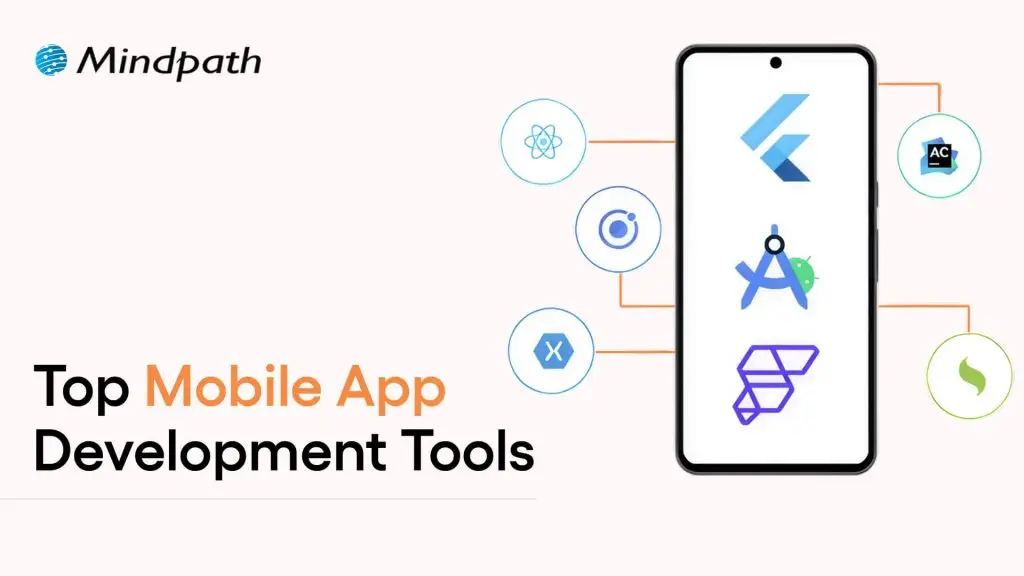
Mobile app development tools

In today’s rapid technological environment, businesses and developers are always trying to find new ways to create apps that engage users and run efficiently. This is why understanding what is mobile application development is essential. In short, mobile application development is the creation of software applications that run on mobile devices, such as smartphones and tablets, involving both creativity and technical skill. Selecting the best mobile app development tools can greatly enhance speed, quality, and innovation. The right tools will make coding, design, testing, and deployment easier for teams of people. It fosters the idea developed into a real app more quickly and effectively.

Investigation into the mobile app development ecosystem demonstrates a rapid and reliable delivery of apps to users. Tools shape the entire process, from user interface design to backend integration. This indicates that choices of tools are critical to success. The right set of tools maximizes people’s efficiency while conserving time, minimizing mistakes, and encouraging collaboration on projects. This provides support for more modern amenities. In this blog, we will highlight some of the best mobile development tools that are leading the industry today. So, keep reading further!

With advanced knowledge and expertise, Mindpath offers mobile app development services that are designed to deliver high-performing and user-centric apps, also ensure that your mobile product stands out in performance and design.

What is a Mobile App Development Tool?

A mobile app development tool is a software program, framework, or environment used to design, build, test, and deploy applications for mobile devices like smartphones and tablets. It offers developers resources such as integrated development environments, visual design interfaces, pre-built components, and code-free solutions to make the app-building process faster and easier. These tools also enable API integration, automated testing, data syncing, and analytics, all while helping teams build robust, user-friendly apps.

By employing mobile app development tools, developers can operate in a visual environment with hardware reliability and flow design. They also simplify the backend of features such as push notifications and cloud services. App development becomes equitable, faster, organized, and with fewer errors leading developers to be able to innovate and enhance quality.

Want to build a mobile app but don’t know which technology to use for better execution? Learn from the mobile app development technologies blog to understand what suits best for your business.

Top 10 Mobile App Development Tools

Selecting the appropriate mobile app development tools is essential for developing performant and conveniently accessible applications. The right development tool simplifies coding and design, enhances collaboration, and increases testing and deployment features. It helps developers bring their ideas to reality more effectively. Here is a list of some of the best mobile app development tools:

1. React Native

React Native is one of the best mobile application development frameworks for producing high-quality applications across platforms. It lets developers apply their existing expertise in JavaScript and React framework to develop native-like interactions for iOS, Android, and other platforms. The cross-platform features of React Native let developers build applications with a higher degree of speed, efficiency, and consistency while maintaining performance.

2. Ionic

Ionic is another notable cross-platform mobile app development tool that allows developers to create applications for iOS, Android, and the web, all using standard web technologies, such as HTML, CSS, and JavaScript. It offers a vast set of UI components that have been pre-designed to help you build engaging and visually enhancing applications. It allows developers to enhance their engagement in the applications while maintaining a consistent level of speed and efficiency for multi-platform development.

3. Xamarin

Xamarin is a powerful mobile app development software that provides developers the ability to build Android, iOS, and Windows apps using a single C# codebase. It integrates nicely with Microsoft Visual Studio, allowing developers to build apps more quickly and efficiently. Xamarin allows the development of high-performance apps that will feel and appear native-like while multiplexing and simplifying maintenance.

4. Flutter

Flutter is a widely used development framework by Google that enables developers to build native applications for iOS, Android, the web, and even desktop, all from a single codebase. Thanks to its large offering of fully customizable widgets, developing visually attractive, highly responsive applications is easy. Its cross-platform capability allows teams to develop applications rapidly while continuing to provide a level of consistency across devices.

5. Xcode

Xcode is a full-fledged development environment focused on developing applications on Apple devices (iOS, macOS, iPadOS, watchOS, tvOS). It is an integrated development environment (IDE) that has a structured interface, designed to create, debug, and manage a significant project effectively. Additionally, it provides support for a number of languages, enabling developers to produce the high quality of Apple’s native applications.

6. Swift

Swift is regarded as one of the top tools for mobile application development, specifically for creating apps on iOS, macOS, and watchOS. Its speed, security, and user-friendliness enable developers to build high-performance native applications easily and swiftly. Modern syntax and capabilities make Swift the preferred programming language for application development work on Apple.

7. Kotlin Multiplatform

Kotlin Multiplatform is considered one of the best tools in mobile app development because it allows developers to share code across platforms but still maintain native performance. That is, it allows you to build apps for Android, iOS, and more using a single codebase and reusing your business logic, while still using the native user interface libraries. With support from Google and a growing community, Kotlin Multiplatform is an excellent option for cross-platform mobile app development.

8. Firebase

Firebase is one of the top mobile application development tools. It supplies developers with a complete backend platform for constructing mobile applications and continually enhancing, updating, or developing for future use. It also provides high-level services such as, real-time databases, authentication, analytics, and cloud messaging to make managing a mobile app much easier. Firebase allows developers to solely focus on the front end of the mobile app. Developers use Firebase when they want a fully functioning backend infrastructure that allows for the mobile app to run smoothly.

9. Apache Cordova

Apache Cordova is a mobile app development tool that is popular among developers because it provides the framework to create cross-platform applications using standard web technologies (HTML, CSS, and JavaScript). It makes it easy to develop applications for an entire app by interfacing with native device features through a variety of plugins. Cordova supports faster development and an easy maintenance process while delivering applications that run effectively and efficiently across multiple platforms.

10. Titanium SDK

Titanium SDK is a widely used mobile application development tool framework that affords developers the ability to create native applications for iOS and Android using a single codebase in JavaScript. It also provides access to native device features and enables teams to test simultaneously across platforms. Titanium SDK helps teams iterate faster at development without sacrificing performance or consistency of mobile applications.

Curious how mobile apps can leverage AI to transform your business and stay ahead in 2025? Explore our blog on Mobile App Development Trends to discover how these innovations can enhance user experiences.

Ready to Choose the Right Mobile App Development Tool?

Selecting the right mobile app development tools can make a significant difference in creating high-quality, efficient, and engaging applications. The tools highlighted in this blog help streamline coding, design, testing, and deployment, enabling developers to deliver reliable and innovative apps faster. Choosing the right framework ensures better performance, consistency, and a smoother development process.

At Mindpath, we offer professional mobile app development services that help businesses turn their ideas into fully functional applications. Their team uses modern tools and frameworks to deliver scalable, secure, and high-performing apps for iOS, Android, and cross-platform projects. Mindpath focuses on quality, efficiency, and user experience, ensuring that your app stands out in today’s competitive market.

nodejs development services

People want apps that work faster, real-time communication, and digital solutions that can grow with their needs, so web development is changing quickly. Companies don’t want websites that stay the same all the time. They want platforms that can handle a lot of traffic, use data, and make things run smoothly. This change has made Nodejs development services one of the most popular choices in the tech world.

Node.js is very popular because it can handle many requests at once, doesn’t block, and is event-driven. More and more companies, both big and small, are paying for NodeJS development solutions to make sure their apps are up to date and meet the needs of their users.

Planning to build a high-performance application with expert support? Mindpath provides professional services where you can hire expert NodeJS developers for scalable and reliable solutions.

Businesses that want to use NodeJS development need to know what it can do for them. This article talks about why Node.js is a good choice and how it can change the way you make things.

Top Benefits of NodeJS Development Services

In today’s fast-paced digital landscape, businesses need applications that are not only fast and scalable but also capable of handling real-time interactions. This is where NodeJS development services stand out. They enable organizations to build modern, high-performance applications that align with evolving user expectations and business goals.

1. High Performance and Faster Execution

Node.js is powered by Google’s V8 engine, which compiles JavaScript into machine code for faster execution. This results in high-speed application performance, even under heavy traffic conditions. For businesses, this means improved user experience, faster load times, and reduced bounce rates.

2. Real-Time Application Capabilities

One of the biggest advantages of NodeJS development services is the ability to build real-time applications. Whether it’s chat applications, live dashboards, collaborative tools, or streaming platforms, Node.js enables instant data processing and communication, enhancing user engagement.

3. Scalability for Business Growth

Scalability is critical for any growing business. Node.js allows applications to handle multiple concurrent connections efficiently, making it ideal for platforms expecting rapid user growth. Businesses can scale horizontally without compromising performance, ensuring long-term sustainability.

4. Faster Development and Time-to-Market

With access to a vast ecosystem of libraries and reusable components through npm, developers can build applications more quickly. This significantly reduces development time, helping businesses launch products faster and stay ahead of competitors.

5. Cost Efficiency and Resource Optimization

NodeJS development services reduce overall development costs by enabling full-stack JavaScript development. This eliminates the need for separate frontend and backend teams, streamlining resources and improving productivity.

6. Flexibility with Modern Architectures

Node.js works seamlessly with microservices and cloud-based architectures. This flexibility allows businesses to build modular applications that are easy to maintain, update, and scale according to changing requirements.

7. Strong Community and Ecosystem Support

Node.js has a large and active developer community that continuously contributes to its ecosystem. This ensures access to updated tools, frameworks, and solutions, reducing development challenges and improving reliability.

NodeJS Development Solutions for Businesses

NodeJS development services are not limited to a single type of application. They are widely used across industries to create scalable and efficient digital solutions tailored to business needs.

Common Business Applications Include:

1. Real-Time Applications

Chat platforms, gaming apps, and collaboration tools.

2. Streaming Services

Video and audio streaming platforms with seamless delivery.

3. API Development

Fast and scalable APIs for web and mobile applications.

4. Microservices Architecture

Modular systems for large-scale applications.

5. Single Page Applications (SPAs)

Dynamic and responsive web applications.

By leveraging these solutions, businesses can enhance performance, improve user engagement, and streamline operations.

Role of a NodeJS Development Company

A NodeJS development company can help businesses get the most out of Node.js. These businesses have the knowledge, tools, and processes in place to ensure that apps are of the highest quality.

A business that helps people advance in their careers offers:

  • All the services for Node.js development
  • Making apps just for you
  • Using and combining APIs
  • Help and maintenance
  • Making things work better

If you hire professionals who have been doing this for a long time, you can be sure that your project will use the best methods and the newest technology.

Tips to Hire a NodeJS Development Company

Selecting the right development partner is a critical decision that directly impacts your project’s success. Here are some essential tips to guide you:

1. Assess Technical Expertise

Ensure the company has strong experience in NodeJS development and is familiar with modern tools and frameworks. Their technical capability determines the quality of the final product.

2. Review Portfolio and Case Studies

Analyze their past projects to understand their experience across industries and the complexity of solutions they have delivered.

3. Check Client Feedback and Reputation

Look for reviews, testimonials, and ratings to evaluate reliability, communication, and client satisfaction.

4. Evaluate Communication and Transparency

Effective communication is key to successful collaboration. Choose a company that provides regular updates and maintains transparency throughout the project.

5. Understand Their Development Approach

Nodejs development companies following agile methodologies can adapt quickly to changes and ensure timely delivery of projects.

6. Consider Scalability and Post-Launch Support

A good development company provides ongoing support, maintenance, and scalability options to ensure long-term success.

7. Compare Pricing and Engagement Models

Select a company that offers flexible hiring models and transparent pricing aligned with your budget and project requirements.

Future of NodeJS Development Services

The future of nodejs development services looks bright because more and more companies are using new technologies. Node.js is likely to be a big part of the future of web development because of the rise of cloud computing, microservices, and real-time apps.

It will still be useful in business because it can adapt to new needs and support architectures that can grow.

Looking to Hire a NodeJS Development Company for Your Project?

Choosing the right development partner can significantly impact your business growth and application performance. Partner with Mindpath, a trusted NodeJS development company, and work with experienced professionals who know how to build scalable, high-performing, and future-ready applications.

Take the next step today and transform your ideas into powerful digital solutions!

Hire nodeJS developer

In today’s digital-first economy, companies are always under pressure to make apps that work well, can grow, and work in real time. Backend technology is very important for success, whether a startup is making its first product or a big company is updating its old systems. Node.js is one of the most popular backend technologies for making apps that can grow and run quickly.

Because of this, businesses all over the world are looking for NodeJS developers who can use this powerful runtime environment to make apps for the web and mobile devices. You can’t just hire someone who knows Node.js. You should make a plan, decide what skills you need, think about how much it will cost, and choose the best way to hire people.

This full guide will teach you everything you need to know about hiring a Node.js developer, including why companies like Node.js, what skills to look for, how to hire someone, how much it will cost, and the best ways to make sure your project is done on time.

Looking to turn your project idea into a powerful digital solution? Mindpath provides professional services where you can hire expert NodeJS developers for scalable and customized development.

Understanding Node.js: A Brief Overview

Node.js is a free, cross-platform runtime environment that lets developers run JavaScript on the server side. It uses Google’s V8 engine and is known for being fast and able to handle a lot of connections at once.

Everyone knows that Node.js has an event-driven, non-blocking I/O architecture. It lets Node.js handle more than one request at a time without having to wait for the first one to finish. This is great for apps that need to be able to grow quickly and work in real time.

Node.js doesn’t use more than one thread like other server-side languages do. It has an event loop and a model that only uses one thread. This speeds things up and cuts down on extra work, especially for apps that do a lot of input and output, like APIs, streaming platforms, and chat apps.

Node.js also supports the idea of “JavaScript everywhere,” which means that developers can write both the front end and the back end in the same language. This makes it easier to work together, makes projects less complicated, and makes it easier to develop.

Also Read: Advantages of NodeJS 

Why Businesses Choose to Hire NodeJS Developers?

It’s not a coincidence that more and more people want Node.js; it really helps businesses. There are many good reasons for businesses to hire NodeJS developers.

1. Exceptional Scalability

Node.js can handle thousands of connections at once without getting slower. Apps stay responsive even when they’re under a lot of stress because of how they’re built. This is great for platforms that can grow, like e-commerce sites, SaaS apps, and social media sites.

2. High Performance

Node.js uses the V8 engine to turn JavaScript into machine code, which makes the program run faster. Node.js apps are popular because they are fast and responsive, which is how they work.

3. Real-Time Application Capabilities

Node.js is used a lot for chat programs, tools for working together, and online games that need to work right away. It is a great choice for apps that need live updates because it can process data right away.

4. Rich Ecosystem (NPM)

Node Package Manager (NPM) gives Node.js one of the biggest collections of open-source libraries. There are over a million packages available, so developers can save time by using pre-made modules instead of making everything from scratch.

5. Cost-Effective Development

Using Node.js can help businesses save a lot of money on development. You won’t need as many separate development teams if you use JavaScript for both the front end and the back end. Companies can also hire NodeJS developers who work from home in places where costs are lower and still get good work.

6. Strong Community Support

A lot of developers are always working on Node.js and adding to it. This makes sure you get regular updates, better security, and a lot of help and information.

Types of NodeJS Developers You Can Hire

It’s important to know what levels of experience a NodeJS developer has and what they can do for you before you hire them.

1. Junior NodeJS Developers (0 to 2 Years):

Most of the time, junior developers are new to the field and only know the basics of JavaScript and Node.js. They can do basic tasks like writing simple APIs, fixing bugs in code, and helping more experienced developers. They do best when they work on small projects or with a group.

2. Mid-Level NodeJS Developers (2–5 Years):

Mid-level developers have already built applications and navigated databases, APIs, and frameworks. They’re capable of independent work, contributing to architectural decisions, and tackling moderately complex tasks.

3. Senior NodeJS Developers (5+ Years):

Senior developers know a lot about how to build systems, improve their performance, and make them bigger. They can manage teams, choose the architecture, and make sure that development follows best practices. For big or important projects, it’s very important to hire senior developers.

Must-Have NodeJS Developer Skills

If you want to hire good NodeJS developers, you need to look at both their technical and soft skills.

1. Proficiency in JavaScript and TypeScript

Node.js is built on JavaScript, so developers need to know a lot about ES6+ features, promises, callbacks, and asynchronous programming. When you want to make apps that can grow, it’s helpful to know TypeScript.

2. Experience with Node.js Frameworks

Frameworks like Express.js, NestJS, and Koa help you build things faster. At least one of these frameworks should be known by a good developer.

3. Database Management Skills

Node.js developers should know how to use both SQL databases, like MySQL and PostgreSQL, and NoSQL databases, like MongoDB. It’s important to know how to model data and make queries work better.

4. API Development and Integration

One of the most important things Node.js developers do is build and connect RESTful APIs. Knowing GraphQL is also becoming more and more useful.

5. Understanding of DevOps and Cloud Platforms

People who work in modern development need to know how to use tools like Docker and Kubernetes, as well as cloud platforms like AWS, Azure, and Google Cloud.

6. Version Control Systems

If you want to work together on development, you need to know how to use Git and sites like GitHub or GitLab.

7. Problem-Solving and Communication Skills

You need more than just technical skills. Developers need to be able to communicate clearly, understand what the project needs, and fix problems right away.

Hiring Models: Choosing the Right Approach

When you hire dedicated NodeJS developers, it’s very important to pick the right hiring model.

1. Freelancers

Freelancers are great for short-term jobs or jobs that need to be done quickly. They might not stick around for long, but they can help you save money and give you more options.

2. In-House Developers

Full-time, in-house developers are easier to manage, talk to, and work with. But it costs more, like building things, paying people, and giving them benefits.

3. Outsourcing to Agencies

When companies outsource, they can quickly add to their teams and hire people who have already been checked out by other companies. It’s a good choice for businesses that want to focus on their main tasks.

4. Dedicated Developers

With a dedicated developer, you get the best of both worlds: they only work on your project. Many individuals opt for this approach when embarking on lengthy projects.

Step-by-Step Process to Hire NodeJS Developers

A structured hiring process makes it easier to find the right people.

Step 1: Define Your Requirements

Start by clearly outlining your project goals, scope, and expected outcomes. Identify the type of application you want to build, whether it’s a real-time platform, API, or web application. Define the required technologies, level of expertise (junior, mid, senior), and project timeline. A well-defined requirement helps you attract the right candidates and avoids confusion later in the hiring process.

Step 2: Choose the Right Hiring Model

Decide how you want to hire based on your project needs and budget. You can choose freelancers for short-term or small tasks, in-house developers for long-term collaboration, or outsource the project to a NodeJS development company for end-to-end solutions. Each model has its own advantages, so selecting the right one ensures better efficiency and cost management.

Step 3: Create a Detailed Job Description

Write a clear and comprehensive job description that includes required technical skills (JavaScript, NodeJS frameworks, APIs), experience level, roles, responsibilities, and expectations. Mention project details, work environment, and deliverables. A strong job description helps filter out unqualified candidates and attracts the right talent.

Step 4: Source Candidates Effectively

Use multiple platforms to find qualified developers. You can explore job portals, freelance platforms, LinkedIn, developer communities, and NodeJS development agencies. Leveraging different channels increases your chances of finding experienced and reliable candidates.

Step 5: Conduct Technical Screening

Evaluate candidates through coding tests, technical interviews, and portfolio reviews. Assess their understanding of NodeJS concepts, API development, database handling, and problem-solving skills. Real-world tasks or assignments can help you understand how they approach practical challenges.

Step 6: Assess Soft Skills

Technical knowledge alone is not enough. Evaluate communication skills, teamwork, adaptability, and time management. A developer with strong soft skills can collaborate effectively, understand business requirements, and contribute to a positive work environment.

Step 7: Finalize and Onboard

Once you select the right candidate, complete the hiring process with proper documentation, contracts, and onboarding. Provide clear guidelines, tools, and access to resources so they can start working efficiently. A smooth onboarding process ensures faster integration and better productivity.

Cost of Hiring NodeJS Developers

There are many things that affect the cost of hiring a NodeJS developer, such as their experience, where they live, and how you want to hire them.

1. Hourly Rates (USA)

(Based on U.S. Bureau of Labor Statistics data)

  • Junior Developers: $22–$30/hour
  • Mid-Level Developers: $30–$55/hour
  • Senior Developers: $55–$75+/hour

2. Annual Salaries (USA)

(Source: U.S. Bureau of Labor Statistics)

  • Junior: ~$48,000 – $70,000
  • Mid-Level: ~$80,000 – $110,000
  • Senior: $120,000 – $160,000+

Factors Affecting Cost

  • Developer experience
  • Project complexity
  • Geographic location
  • Engagement model

You can save a lot of money by hiring developers from India or Eastern Europe, and the work will still be good.

Where to Hire NodeJS Developers

Depending on what you need, you can hire NodeJS developers from a number of places.

1. Job Portals

LinkedIn, Indeed, and Stack Overflow are just a few of the places where you can find full-time developers.

2. Freelance Platforms

Freelancers from all over the world work on Upwork, Toptal, and Fiverr.

3. Development Agencies

Agencies often bring back developers they’ve previously collaborated with, streamlining the hiring process. This method is generally faster and less of a hassle.

4. Developer Communities

You can find good developers and see what they’ve done on GitHub, in tech forums, and at meetups.

Benefits of Hiring Dedicated NodeJS Developers

When you hire dedicated developers, you gain several advantages:

  • Full commitment to your project
  • Faster development cycles
  • Better communication and collaboration
  • Scalability and flexibility

In addition, dedicated NodeJS developers offer the following benefits:

1. Consistent focus and productivity

Dedicated developers work exclusively on your project, ensuring steady progress and minimal distractions.

2. Better understanding of your business needs

Over time, they gain deeper insights into your goals, leading to more tailored and effective solutions.

3. Improved code quality and maintainability

Continuous involvement helps maintain coding standards, resulting in cleaner and more reliable code.

4. Faster issue resolution and support

Since they are fully involved, bugs and issues are identified and resolved quickly.

5. Seamless team integration

Dedicated developers act as an extension of your in-house team, aligning with your workflows and tools.

6. Cost efficiency in the long run

Reduces overhead costs related to hiring, training, and managing multiple resources.

7. Greater control and transparency

You have direct communication and visibility over progress, timelines, and deliverables.

Dedicated developers act as an extension of your in-house team, ensuring consistent progress and high-quality results.

However, while hiring dedicated NodeJS developers, businesses should also be aware of common mistakes that can impact project success:

  • Not defining clear requirements
  • Hiring based solely on cost
  • Ignoring communication and soft skills
  • Skipping technical evaluations
  • Choosing the wrong hiring model

Avoiding these mistakes ensures that you not only hire the right talent but also maximize the benefits of working with dedicated developers.

Ready to Hire the Right NodeJS Developer for Your Project?

Choosing the right Node.js developer is a big deal; the person you pick can make or break your project’s chances. Every step of the way is important, from grasping the technology to evaluating what candidates can do and figuring out the best way to hire them.

This guide provides a comprehensive overview, helping you navigate the decision-making process: should you bring on remote NodeJS developers, assemble your own team, or outsource the project entirely?

Businesses can hire expert NodeJS developers to make high-performance, scalable apps that help them grow if they follow best practices and put quality ahead of cost.

Frontend and Backend

Building a scalable business application requires more than an attractive user interface or a powerful server. Businesses need both layers to work together effectively. The frontend and backend serve different purposes, but their integration influences application performance, security, usability, and the ability to support growing business needs.

The frontend manages what users see and interact with, while the backend handles business logic, data processing, authentication, and communication with databases and other services. When these layers are designed around clear responsibilities and reliable communication, businesses can build applications that are easier to maintain, extend, and scale.

Key Takeaways

  • 01
    The frontend delivers the user interface and interactions, while the backend manages business logic, data access, and server-side processing.
  • 02
    APIs enable the frontend and backend to exchange data and coordinate application workflows.
  • 03
    Caching, efficient data handling, asynchronous processing, and performance monitoring help applications remain responsive as usage grows.
  • 04
    Security requires coordinated controls across both layers, including server-side authorization, input validation, secure sessions, and safe data handling.
  • 05
    Choosing an appropriate architecture depends on business requirements, expected traffic, system complexity, budget, and long-term maintenance needs.
Planning a scalable business application? Explore Mindpath’s full-stack development services to discuss your application architecture, integration requirements, and development goals.

What are Frontend and Backend Development?

What Is Frontend Development?

Frontend development focuses on the parts of an application that users see and interact with. It includes page layouts, navigation, buttons, forms, dashboards, visual elements, and responsive behavior across different screen sizes.

Frontend developers use technologies such as HTML, CSS, and JavaScript, along with libraries and frameworks such as React, Angular, and Vue.js. Their work helps ensure that users can navigate the application, complete tasks, and access information through a clear and consistent interface.

For a business application, the frontend might include a customer dashboard, a product catalog, an account settings page, or an employee management interface. The design should consider usability, accessibility, responsiveness, and the needs of the intended users.

What Is Backend Development?

Backend development focuses on the server-side systems that process requests, enforce business rules, manage data, and connect applications with other services. It supports the operations users rely on when they sign in, submit a form, place an order, or retrieve information.

Backend developers may use technologies such as Node.js, Python, Java, PHP, and Ruby, alongside databases such as PostgreSQL, MySQL, and MongoDB. The appropriate technology depends on the application’s data model, performance requirements, integrations, team expertise, and operational constraints.

For example, when a customer submits an order, the backend can validate the request, check product availability, apply business rules, coordinate payment processing, and store the order record. The frontend then displays the relevant result to the customer.

To understand how the different development roles compare, read our guide to frontend vs. backend developers.

How Frontend and Backend Work Together to Build Scalable Applications

The frontend and backend communicate to turn user actions into application operations. The frontend collects input and presents results, while the backend validates requests, applies business logic, and retrieves or updates data. This interaction must be reliable, secure, and efficient if the application is expected to support more users and more complex workflows.

1. API Communication

Application programming interfaces (APIs) provide defined ways for the frontend and backend to exchange information. The frontend sends requests to backend endpoints, and the backend returns data or a response indicating the result of the operation.

REST APIs and GraphQL are two common approaches to application data communication. Depending on the requirements, systems may also use WebSockets or other communication patterns for real-time updates.

For example, an ecommerce frontend may request product information, submit cart updates, and retrieve order details through APIs. The backend checks permissions, validates input, applies business rules, and returns the appropriate response.

Clear API contracts help frontend and backend teams develop independently while reducing integration problems. Teams should document expected data formats, authentication requirements, error responses, and versioning policies.

2. Architecture That Supports Growth

An application’s architecture determines how its components are organized and how they communicate. A modular monolith can be a practical starting point for many business applications because it keeps related functionality in one deployable system while maintaining clear internal boundaries.

For more complex systems, a microservices architecture separates selected business capabilities into independently deployable services. For example, an application might have separate services for payments, user accounts, notifications, and product management.

Microservices can allow teams to scale or deploy specific services independently, but they also introduce additional operational complexity, network communication, monitoring, and data consistency challenges. Businesses should choose this approach when its benefits justify the extra effort rather than treating it as a requirement for every scalable application.

3. Asynchronous Processing

Some application operations take longer than a typical user interaction should require. Examples include generating reports, processing large files, sending bulk notifications, and running complex calculations.

Asynchronous processing allows an application to handle these tasks without making users wait for the entire operation to finish within the original request. A backend may place work in a queue and process it through a background worker while the frontend displays a pending status.

For example, a business dashboard could let a user request a large report, return a confirmation, and notify the user when the report is ready. The implementation should provide clear status updates, error handling, and a way to retry failed operations when appropriate.

4. Efficient Data Handling

The amount and structure of data exchanged between the frontend and backend can affect response times, bandwidth usage, and application responsiveness. Sending more data than a screen requires can increase processing costs and make interfaces feel slow.

Developers can improve data handling by selecting only the necessary fields, using pagination for large result sets, applying suitable filtering and sorting, and avoiding unnecessary API requests. Caching can also reduce repeated work when the data and freshness requirements allow it.

For example, an employee directory with thousands of records can return a limited page of results rather than sending every employee record to the browser. The frontend can request additional pages as users navigate the directory.

Data validation should take place on the backend even when the frontend already checks user input. Client-side validation improves usability, but it cannot replace server-side controls.

5. Scaling Frontend and Backend Resources

As an application gains users, different parts of the system may experience different types of demand. The frontend may need efficient asset delivery and content caching, while the backend may need additional processing capacity, database optimization, or more workers.

Frontend resources can often be delivered through a content delivery network (CDN), while backend services may scale by adding instances or allocating additional computing resources. Database scaling strategies depend on query patterns, data volume, consistency requirements, and the chosen database technology.

Independent scaling can help teams respond to specific bottlenecks, but it requires suitable architecture, monitoring, deployment practices, and capacity planning. A well-designed application scales according to measured demand rather than adding infrastructure without understanding the workload.

Want to understand how frontend, backend, and full-stack roles fit together? Read our guide to frontend vs. backend vs. full-stack developers.

6. Secure Communication and Access Control

Security depends on the way the frontend, backend, APIs, databases, and connected services work together. The frontend can provide a secure and understandable sign-in experience, but the backend must enforce authentication and authorization before allowing access to protected resources.

For example, hiding an administrative button in the frontend does not prevent an unauthorized user from attempting to call the underlying API. The backend must verify the user’s permissions for each protected operation.

Important practices include:

  • Use HTTPS to protect data transmitted between clients and services.
  • Validate and sanitize untrusted input at appropriate system boundaries.
  • Enforce authentication and authorization on the backend.
  • Store passwords and secrets using suitable security practices; never expose private credentials in frontend code.
  • Use parameterized database queries or equivalent protections against injection attacks.
  • Manage sessions, tokens, dependencies, and error messages carefully.
  • Log relevant security events while avoiding unnecessary exposure of sensitive information.

Security should be considered throughout development rather than added only before launch. Regular testing, dependency updates, access reviews, and incident-response planning help maintain protection as the application evolves.

For additional guidance, read our article on application security best practices.

7. State Management and Data Consistency

Frontend applications often need to manage information such as the current user, selected filters, form values, shopping cart contents, and data retrieved from APIs. State management helps components access and update the information they need in a predictable way.

For smaller applications, built-in React state and context may be sufficient. Larger applications may benefit from dedicated state management or data-fetching libraries, depending on their complexity.

It is important to distinguish temporary frontend state from persistent backend data. The frontend may cache a response or optimistically display an update, but the backend remains responsible for enforcing business rules and persisting authoritative records.

When multiple users can update the same data, the application may also need conflict handling, refresh strategies, or real-time updates to keep information consistent.

8. Performance Optimization Across Both Layers

Application performance is a shared responsibility. A frontend can be slowed by large JavaScript bundles, unoptimized images, excessive rendering, or unnecessary network requests. A backend can be slowed by inefficient database queries, expensive computations, external service delays, or insufficient capacity.

Frontend optimization may include:

  • Reducing unnecessary JavaScript and loading code when it is needed.
  • Optimizing images, fonts, and other static assets.
  • Using appropriate caching and minimizing redundant requests.
  • Measuring real user experience and addressing accessibility issues.

Backend optimization may include:

  • Analyzing database queries and adding appropriate indexes.
  • Caching frequently requested data where safe and useful.
  • Moving suitable long-running operations to background workers.
  • Setting sensible timeouts, retries, and resource limits for external services.

Teams should measure performance across the full request path. This helps them identify whether delays originate in the browser, network, API, database, or an external dependency.

Read our guide to optimizing React performance for large applications for related frontend performance considerations.

9. Load Balancing and Traffic Management

Load balancing distributes incoming requests across multiple available servers or service instances. It can help a backend handle higher traffic volumes and reduce dependence on a single instance, provided the application and its infrastructure are configured appropriately.

For example, a business application may receive a spike in traffic during a product launch or a promotional campaign. A load balancer can distribute requests across healthy backend instances while monitoring helps the team identify capacity issues.

Load balancing does not remove every bottleneck. Databases, third-party services, shared storage, and application-level limits may still constrain throughput. Businesses should combine traffic management with health checks, capacity planning, suitable caching, and performance monitoring.

10. Centralized Logging, Monitoring, and Observability

When an application spans the browser, APIs, backend services, databases, and third-party systems, identifying the cause of an issue can be difficult without coordinated monitoring.

Frontend monitoring can capture JavaScript errors, failed requests, and user-facing performance issues. Backend monitoring can track API latency, error rates, resource use, database performance, and background job failures.

Centralized logs, metrics, and distributed traces help teams follow a request across different components and identify where a failure or delay occurred. Correlation IDs can help connect related events across services.

Monitoring should also include meaningful alerts and operational procedures. Teams need to know which issues require immediate attention and how to investigate them without collecting unnecessary sensitive user data.

Frontend and Backend: Key Differences

Although frontend and backend development work closely together, their main responsibilities differ. Understanding these differences helps businesses plan teams, select technologies, and define system boundaries.

Area Frontend Backend
Primary role Presents the interface and handles user interactions. Processes requests, enforces business rules, and manages data access.
Common technologies HTML, CSS, JavaScript, React, Angular, Vue.js. Node.js, Python, Java, PHP, Ruby, and other server technologies.
Typical responsibilities Layouts, navigation, forms, accessibility, and client-side state. Authentication, authorization, APIs, business logic, and data persistence.
Performance priorities Rendering, asset delivery, responsiveness, and interaction speed. API latency, database queries, processing capacity, and service reliability.
Security responsibilities Safe interface behavior, appropriate handling of client-side data, and secure communication. Server-side access control, input validation, secrets management, and data protection.

The two layers are not completely independent. Decisions about data formats, authentication, caching, rendering, and error handling affect both. Collaboration and clear technical contracts help keep the complete application reliable.

How to Choose the Right Architecture for a Scalable Business Application?

The right architecture depends on the business problem, expected traffic, data requirements, integration needs, available skills, and budget. A small internal tool may need a straightforward application structure, while a complex enterprise platform may require separate services and more advanced operational controls.

1. Define Business and User Requirements

Identify the main workflows, user groups, integrations, data requirements, and expected usage patterns. These details help determine which frontend capabilities and backend responsibilities the application needs.

2. Select Technologies Based on Project Needs

Choose frontend frameworks, backend technologies, and databases according to the required functionality, team expertise, performance targets, and maintenance expectations. Avoid selecting a complex stack solely because it is popular.

3. Define API Contracts and Data Ownership

Document the information exchanged between the frontend and backend, including request formats, responses, errors, authentication, and versioning. Clear contracts help teams work independently and reduce integration issues.

4. Plan for Security and Reliability

Design authentication, authorization, input validation, logging, backup, recovery, and monitoring into the application. Consider how the system will handle failed requests, unavailable dependencies, and unexpected traffic.

5. Scale Based on Measured Demand

Begin with an architecture that matches current requirements while preserving practical options for growth. Use monitoring and load testing to identify bottlenecks before introducing additional infrastructure or splitting the application into multiple services.

6. Plan for Maintenance and Future Enhancements

Include testing, documentation, dependency updates, deployment practices, and ongoing support in the development plan. Maintainable code and clear ownership help businesses evolve the application without making every new feature unnecessarily difficult to deliver.

Why Full-Stack Development Can Help?

Full-stack development brings frontend and backend expertise together within a development team or individual role. This can help teams coordinate interface design, API development, data handling, and integration work across the application.

For businesses, a full-stack approach can be useful when building a new product, integrating existing systems, or extending an application with new functionality. The team still needs clear responsibilities, appropriate specialization, testing, and security reviews to ensure that both layers meet their requirements.

Read more about full-stack development and how it brings frontend and backend work together.

Looking for support across the complete application lifecycle? Explore Mindpath’s full-stack development services for help with frontend development, backend systems, API integration, and application scalability.

Final Thoughts

The frontend and backend are two essential parts of a modern business application. The frontend shapes how users interact with the product, while the backend handles data, business logic, integrations, and server-side operations. Their coordination influences usability, security, performance, and maintainability.

Businesses planning scalable applications should focus on clear API contracts, efficient data handling, appropriate architecture, coordinated security controls, and reliable monitoring. The best technical approach is the one that fits the application’s actual requirements and can evolve as those requirements change.

At Mindpath, we help businesses plan and build digital products with practical development approaches. Our full-stack development services can support projects that need coordinated frontend and backend expertise, integrations, and maintainable application architecture.

AI Redefining Job Roles in Tech

Artificial intelligence is rapidly transforming how the tech world operates, bringing a wave of changes that are reshaping the ways in which professionals work and innovate. The influence of AI redefining job roles in tech can be seen across every corner of the tech industry, where automation and human creativity are coming together to drive smarter, faster, and more efficient ways of building the future. This isn’t about replacing talent; it’s about enabling talent to reach new heights of access and productivity.

Organizations are changing rapidly, and traditional job roles are being redefined. Developers have become strategists, data analysts have become decision-makers, and engineers are collaborating more closely with advanced intelligent systems, leveraging AI in decision-making to drive smarter business outcomes. The pace of change will accelerate, and those who can adapt will lead the next generation of digital expansion. Let’s dive in and examine the impact of AI on the future of work and how it is changing the technology landscape like never before.

As AI transforms the tech workforce, businesses have more ways than ever to scale and innovate. Want to know how? Explore our AI development services to elevate productivity and stay competitive.

The Growing Influence of AI in Today’s Tech Industry

Artificial Intelligence is evolving into a transformational force in the contemporary technology sector. It will alter the ways businesses design products, optimize resource allocation for applications, and provide digital experiences. Companies are utilizing AI to not only automate tasks but also to make informed decisions and create new innovation opportunities. With the rise of AI in business strategy, organizations are now integrating intelligent systems to strengthen planning, improve efficiency, and gain a competitive edge. AI’s influence is extending into every dimension of technology.

A report published by McKinsey stated that the adoption of AI in IT functions increased from 27% to 36% in six months. The report also showed that 71% of organizations that use AI employ generative AI for at least one business function. Additionally, 38% of companies that use AI anticipate their overall workforce to remain the same over the next three years, while IT and product development teams are expected to see growth. This demonstrates the benefits of AI not just in operational efficiency but also in creating new skill-based jobs and redefining job roles in the tech sector, helping humans work more intelligently and strategically.

How is AI Changing Job Roles?

The impact of artificial intelligence on employment is changing how people do their jobs and how organizations staff their teams. It’s creating new types of opportunities, and it is changing the types of skills that matter the most in today’s tech world. Here are the differences AI is making in job roles across the industry.

1. New Opportunities in AI-Driven Careers

As artificial intelligence expands, the emergence of new specialized careers in technology is beginning to take shape. People are now working as AI trainers, data scientists, and ethics officers, among other roles. These new job roles will be open for a workforce to be smarter and more resourceful going forward.

2. Smarter Work with Automation

AI is taking over repetitive work like data entry, research, and customer support. That frees up professionals to spend more time in the day on creativity, innovation, and decision-making. The trend of AI redefining job roles in tech captures the reshaping of work toward strategic and value-added work.

3. Shifting Skills and Smarter Roles

As AI tools are getting integrated into daily operations, workers are now the ones who supervise, analyze, and enhance the results provided by AI. They are acquiring skills in data interpretation, problem-solving, and collaboration. Their changing duties, thus, emphasize the impact of technology on the restructuring of the old job models.

4. Boosting Productivity Across Teams

AI tools increase both accuracy and speed with tasks like analysis of data and performance management of systems. Teams are now able to work more successfully and with higher levels of accuracy and speed. AI redefining job roles in tech is making the workplace more task efficient and performance focused, a sign of AI transforming the future of work.

5. Growing Value of Human Skills

With AI, handling most of the technical and monotonous tasks, the qualities of creativeness and emotional intelligence have become very important. Essentially, traits such as empathy, communication, and leadership have become the main factors in one’s professional development. These proficiencies are what make it possible for people to be leaders of innovation; thus, they are‌ indispensable.

6. A Changing Job Market Landscape

Artificial ‍intelligence is changing the way companies hire employees and how the workforce is managed. With the help of AI, recruiters can find the right candidates in less time and then focus on valuable interaction with the candidates. The AI redefining job roles in tech trend is an indication that the two, people and technology, are evolving hand in hand to build up the future workforce that will be more ‌‍ ‍‌powerful.

Wondering how your business can actually implement these AI capabilities without overwhelming your team? Explore our detailed guide on AI consulting services explains how expert support can simplify adoption and accelerate results.

AI Job Roles in Tech

The increase of AI job opportunities in technology is changing how workers build careers and how innovation will occur. AI continues to expand and is also creating jobs that integrate technology, creativity, and human thinking.

1. Building Smarter Systems

Artificial intelligence (AI) engineers develop smart systems that enable businesses to become more efficient and intelligent in their processes. They build responsive solutions using machine learning and automation that will evolve and get better with time.

2. Turning Data into Decisions

Researchers and analysts work on research and analyze information gathered through AI tools. They provide companies with better decisions by leading them from complex data to business insights. Their work is essential across sectors, from finance to AI for customer services, where data-driven insights improve customer interactions.

3. Training the Machines

AI teachers and trainers help create guidelines for learning for AI systems. Their work guarantees that every algorithm works perfectly and aids actual applications.

4. Designing Better Algorithms

Algorithm engineers develop and improve algorithms that power features such as recommendations and predictions. They partner with software engineers and data scientists to implement efficient and precise models.

5. Leading AI Product Development

AI product managers handle the end-to-end development of AI solutions. They ensure those solutions support user needs, can scale across an organization’s technology stack, and support business objectives, demonstrating how AI is redefining job roles in tech and advancing growth across fields. Their contributions help drive advancements in multiple industries, including AI in e-commerce, where product managers shape smarter and more personalized shopping experiences.

Want to see how AI is reshaping not just tech jobs but also the way websites are built? Our blog on AI in Web Development breaks down how intelligent automation is transforming the entire development workflow.

Ready to Embrace the Future of AI in Tech?

Artificial intelligence has a vital role in changing the way we work, learn, and develop in the technology space. The trend of AI redefining job roles in technology shows how human creativity and machine intelligence can work together to build a smarter future. The individuals who adapt and retrain today will confidently participate in tomorrow’s digital transformation.

At Mindpath, we develop cutting-edge AI development solutions that help businesses grow faster and work smarter. Our skilled team focuses on developing intelligent systems that automate processes, apply data analysis, and improve decision-making. We help our clients leverage AI technology, allowing them to remain competitive in an ever-evolving technology-based world while achieving digital success that will last for a long time.

ai in mobile apps

Every day, AI in mobile apps revolutionizes user interaction with technology. Just think of a single application that understands your behavior, foresees your requirements, and adjusts its capabilities for a smooth and unique experience. Enterprises are equipped with smart features such as conversational agents, personalized algorithms, and speech assistants to attract user interaction in a better way. As a result, regular applications are becoming intelligent friends that facilitate actions and offer answers that are convenient and timely.

Beyond convenience, AI in application development brings innovation and returns efficiency. In a nutshell, developers can analyze real-time data, discover patterns, and tailor personalized experiences for users. This keeps them more engaged for longer periods. Companies can gain insight into users through actionable data, while users enjoy quicker, seamless, and more meaningful interactions. As the future of AI continues to unfold, this new progress opens the doors to new opportunities in retailing, healthcare, education, and entertainment. This article shall delve into the positive impacts, utilization, and practical scenarios of AI in mobile apps. So, keep reading further!

Ready to bring AI into your mobile app development, but confused about where to start? Mindpath provides full guidance on mobile app development services to help you gain user attraction and create powerful digital experiences.

Evolution of AI in Mobile App Development

AI in mobile app evolution has changed the design of simple user tools into smart, user-engagement-focused experiences. The earliest examples of AI in mobile applications were predictive text and basic speech recognition. Later, mid-level AI brought in personalized recommendations, more intelligent search functions, and AI-enabled chatbots. All these technological innovations enabled user-behavior apps to comprehend and reply to users without wasting time.

Currently, artificial intelligence in mobile applications powers advanced features such as real-time analytics, augmented reality, and the ability for apps to operate autonomously. Besides, AI dramatically simplifies the development process through automatic testing, code generation, and cross-platform integration. These innovations reflect the consistent trend of AI eventually transforming mobile into more intelligent, rapid, and personalized user experiences. Hence, app usage is becoming a natural part of daily life.

Looking to understand how mobile apps can enhance the impact of AI and unlock greater value for your business? Discover more insights in our blog on the Mobile App Development, which benefits your business by improving customer engagement and driving measurable growth.

Benefits of Artificial Intelligence in Mobile Apps

AI-enabled mobile app development is a game-changer as it opens opportunities for intuitive, personalized and efficient apps. Developers can thus use smart features to build apps that not only attract users but also make their routine tasks effortless.

1. Tailored Experiences for Users

Mobile applications powered by Artificial Intelligence will eventually have the capability to study user behavior and preferences. This allows them to offer customized content and recommendations. As a result, the applications will be more engaging. Users will also have a custom-made experience that gives them the impression that the entire thing is just for them.

2. Stronger Security Measures

AI is one of the factors that revolutionize the environment of mobile applications. It helps uncover unconventional user behaviour patterns with the aid of artificial intelligence technology. This can help prevent unauthorized access and ensure the safety of the data. If you associate with a firm that is proficient in AI app development, then you will have security protocols implemented in a proper way.

3. Instant Customer Support

AI-driven virtual assistants solve problems right away, thus increasing user delight. Consequently, the need for human support is made smaller. At the same time, the speed and correctness of the answers are maintained.

4. Smarter Search and Navigation

The power of AI allows applications to interpret voice inputs, pictures and even the users’ thoughts in order to deliver more accurate search results. Thus, users are able to locate their desired items in less time. This means the experience is more fluid and user-friendly.

5. Predicting Trends and Behavior

AI in mobile apps is capable of studying user actions that were performed in the past. It can use this information to predict their future inclinations and the general trend of the market. Thus, enterprises will be able to have a clearer vision of the suitable decisions to take. This can further promote the involvement of clients.

6. Streamlined Tasks and Efficiency

Artificial intelligence can automate the execution of monotonous operations that include scheduling, setting of reminders, data handling, and so on. This saves valuable time and eliminates errors. A company can utilize AI app ideas to create apps that are both quality-excellence and user-friendly.

Curious how mobile apps can leverage AI to transform your business and stay ahead in 2025? Explore our blog on Mobile App Development Trends to discover how these innovations can enhance user experiences.

Use Cases of AI in Mobile App Development

Artificial Intelligence is transforming how mobile applications function and enabling them to become smarter, faster, and more adaptable. The use of artificial intelligence in mobile application development is progressing. It also promotes opportunities for interesting new applications across industries.

1. Personalized Content and Recommendations

AI in mobile apps can use advanced data analytics of users’ intent and behaviors to formulate personalized content and product recommendations and offerings. By suggesting items or services they might like, apps proactively enhance user engagement and satisfaction. They also help businesses utilize data to make informed decisions.

2. Intelligent Virtual Assistants

Applications incorporate artificial intelligence technology for mobile app development, and voice assistants now exist that can take user directions. These voice assistants can help navigate tasks quickly without even using your hands. They allow faster access to information and can speed up your daily tasks.

3. Automated Task Management

AI takes over basic responsibilities, such as scheduling and reminders or the organization of emails from mobile applications. This increases efficiency and minimizes the time a user will spend on monotonous tasks.

4. Enhanced Security and Fraud Detection

AI in mobile apps identifies unusual patterns of user behaviour and prevents fraud from happening right away. Businesses can leverage advanced monitoring and threat detection functionality to safeguard sensitive information and ensure user safety.

5. Industry-Specific Smart Solutions

Artificial intelligence powers the development of applications in the healthcare, finance, and e-commerce arenas. These applications can provide personalized services, forecasts, and automation. Working with an AI application development company can help ensure applications comply with industry standards while also improving the user experience.

Want to make sure that your applications are not only functional but also secure, compliant, and trustworthy for your users? Discover our blog on application security best practices to explore essential techniques for protecting your software and building trust.

Real-World AI in Mobile Application Examples

AI in mobile apps is transforming everyday interactions by making them smarter, faster, and more intuitive. Real-world examples show how AI improves user experiences, streamlines tasks, and delivers personalized solutions across different industries.
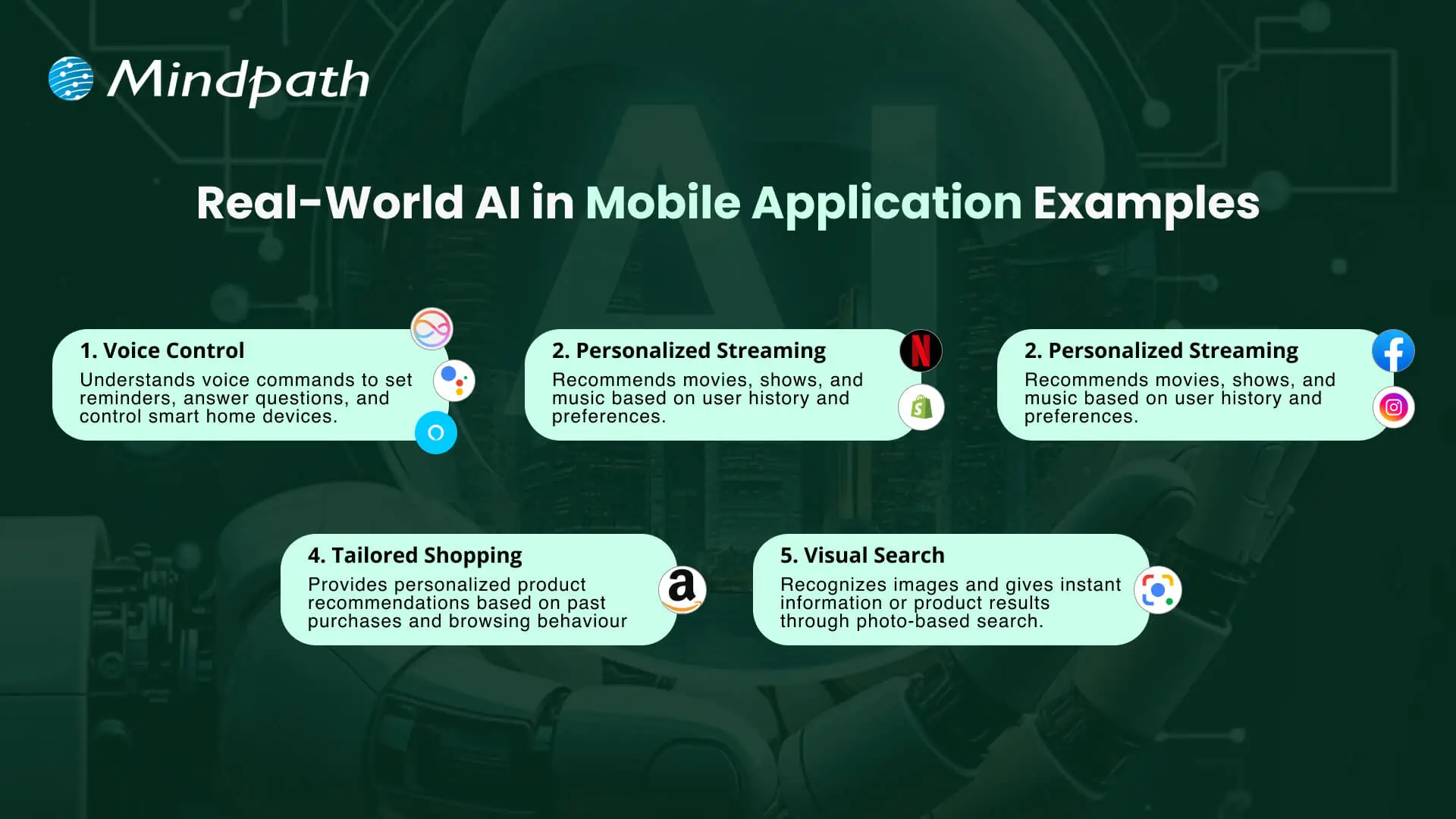
Real-World AI in Mobile Application Examples

1. Voice Control with Siri, Google Assistant, and Alexa

These virtual assistants use artificial intelligence in mobile applications to understand voice commands and perform tasks like setting reminders or controlling smart home devices.

2. Personalized Streaming on Netflix and Spotify

Streaming apps use AI in mobile apps to analyze user behavior and recommend movies, shows, or music that match individual preferences.

3. Smart Social Feeds on Facebook and Instagram

Social media platforms use AI mobile app development to personalize news feeds and suggest relevant content, friends, and groups for each user.

4. Tailored Shopping on Amazon

Amazon uses AI in mobile apps to recommend products based on browsing history and past purchases. This creates a personalized shopping experience.

5. Visual Search with Google Lens

Google Lens uses AI technology for mobile app development to recognize images and provide instant results through photo-based searches.

Want to build a mobile app but don’t know which technology to use for better execution? Learn from the mobile app development technologies blog to understand what suits best for your business.

Ready to Build Smarter Mobile Apps with AI?

The use of AI in mobile apps introduces new opportunities for businesses and users. This advancement creates great user experiences, strengthens security, and provides more effective daily interaction. As industries pursue innovation, apps will work smarter and adapt more quickly. They will also become infinitely personal, helping brands engage with users in meaningful and authentic ways.

Working with Mindpath gives organizations access to superior AI mobile application development services built for measurement. We build intelligent, fast, and user-friendly applications to support your organizational priorities. In addition, we provide a blend of strategy, innovation, and technology to design digital solutions that drive growth and maintain user engagement.

Mobile app development technologies

Mobile app development technologies are important in the fast-paced environment of technology because they define how companies engage with users and keep them engaged. Each swipe, tap, and click is based on technology that is getting faster, smarter, and more interactive. If you’ve ever noticed, some apps feel effortlessly smooth, and others do not. The difference is usually related to the frameworks and platforms chosen for the business objectives and user expectations, and understanding these technologies provides a big advantage over others.

Delving into the newest trends in mobile application development often presents a plethora of choices that can seem confusing. However, choosing the appropriate technology can improve app performance, security, and the overall user experience. Developers routinely test technologies, frameworks, languages, and software solutions to create apps that can more easily rise above the fray. In this blog, we will explore the latest trends and the specific technologies that power the successful mobile app today.

Want to use top mobile app development technologies into a functional app? Mindpath offers mobile app development services, which will turn your imagination into a fully working, high-quality app.

What are Mobile App Development Technologies?

Mobile app development technologies are the programming languages, frameworks, and tools used to design, build, and deploy software applications for smartphones and tablets. These technologies enable developers to create compatible applications that run across platforms such as Android and iOS, while determining core factors like performance, development speed, and overall project budget.

The landscape of mobile development technologies broadly falls into two primary categories: native (platform-specific) tools and cross-platform frameworks, along with supporting backend services. The combination of these tools enables the development of applications that provide rich user experiences, work with cloud services, and utilize the native features provided by the device. Choosing the appropriate technology allows developers to build all of these easily, efficiently, and in a scalable way.

Also Read: AI in Mobile Apps

Top Mobile App Development Technologies in 2026

In order to remain competitive as an app developer, it is important to stay informed about the best technology for mobile app development in 2026. The choice of development tools can positively affect the performance, usability, and scalability of modern applications.

1. Flutter 3.22

Flutter 3.22 is a highly favored mobile app development platform to help developers develop applications for mobile devices, the web, desktop, and embedded devices. It provides high-performance and smooth animations that allow applications to run quickly and feel responsive. Developers also appreciate its professionally designed UI components, making it easy for developers to create stunning and consistent user interfaces.

2. Kotlin Multiplatform Mobile (KMM)

Kotlin Multiplatform Mobile (KMM) is a mobile app development framework that allows developers to share code for Android and iOS apps. It utilizes the modern, efficient programming language Kotlin to simplify the process of creating a mobile app for two platforms at once. This translates into a significant time saving, might help to reduce errors, and assure consistent behavior across your Android and iOS devices.

3. C++

C++ is among the most robust mobile app development technologies currently available for building high-performance applications. It enables developers to take direct control of system resources, which is often favored for complex applications or graphics-intensive applications. Also, by using C++, you can rest assured your apps are running as efficiently as possible, even as they traverse between different platforms.

4. Swift

Swift, a mobile application technology developed by Apple, is for building native iOS applications. It is fast, safe, and reliable, while also allowing seamless integration into AI and machine learning. With Swift, developers can build iPhone and iPad apps that are fast, safe, and modern.

5. AR/VR Integration Tools

AR/VR integration tools are tools for mobile app development that help developers add augmented reality and virtual reality features to an app. Integrating augmented and virtual reality features into apps is a valuable way to engage users while making an experience much more entertaining or immersive. These integrations are extremely popular in gaming and even found in some education and retail apps to enhance user experiences.

Ready to build smart mobile apps, but still wondering how AI can transform your development approach? Discover our blog on the benefits of AI in mobile app development to understand how AI can reshape modern app development.

6. AI-Assisted Development Tools

AI-Assisted Development Tools refer to tools such as GitHub Copilot and Amazon CodeWhisperer that support the automation of coding tasks. They streamline developers’ efforts in application development through code suggestions, error detection, and execution of tests. The upshot is that developers can create apps faster and also more efficiently.

7. React Native

React Native is another top mobile app development technology that enables developers to create apps for both iOS and Android using JavaScript. It provides a native look and feels with one complete codebase, reducing development time and duplication of effort. Companies are drawn to React Native because of its quick development period and strong support from the community.

8. Ionic

Ionic is a hybrid app framework and is a popular option among mobile app development technologies, allowing developers to write cross-platform apps using HTML, CSS, and JavaScript. It allows developers to write one codebase to operate on multiple devices. Ionic is very much favored by developers to create efficient and visually striking apps.

9. NativeScript

NativeScript is a flexible framework that matches the up-to-date trends in mobile application development with the ability to create fully native apps using JavaScript, TypeScript, Angular, or Vue.js. With NativeScript, you have full access to the native APIs offered by the OS, meaning that your application will work and perform like a truly native solution. NativeScript enables developers to build highly efficient and rich-featured mobile applications.

10. Xamarin (.NET MAUI)

Xamarin (.NET MAUI) is a framework aligned with mobile app development trends through the creation of native apps for Android, iOS, Windows, and macOS. While using C# and the .NET ecosystem, developers can share code and have a consistent experience across all platforms. Overall, this reduces development time, and provides high-quality apps.

Want to understand where custom mobile applications are creating real competitive advantages across the market? Discover our blog on the Custom Mobile Application Development Services to uncover high-impact opportunities and emerging trends.

Ready to Build the Next Successful Mobile App?

Mobile app development technologies continue to evolve, offering smarter tools and faster frameworks to help developers create better apps. Choosing the appropriate technology guarantees improved performance, security, and scalability. With the growth of innovation, staying up to date with current tools is critical for a company to provide seamless and engaging mobile experiences.

At Mindpath, we provide expert mobile app development services intended to turn your ideas into strong digital solutions. Our experienced developers create secure, high-performing, and easy-to-use applications by applying modern tools and proven approaches. Partner with us to build an app that empowers your brand and creates long-lasting value for your users.

web design and development services

Web design and development services help businesses build websites that do more than establish an online presence. A well-planned website makes it easier for customers to understand your offerings, find relevant information, contact your team, and complete important actions. Its design, functionality, performance, and security all influence how people interact with your business.

Professional web design and development bring visual design, user experience, technical implementation, and business strategy together. Whether you need a corporate website, an e-commerce platform, or a custom web application, the right approach can support customer acquisition, operational efficiency, and long-term growth.

Key Takeaways

  • 01
    Professional web design and development services combine usability, visual consistency, and technical functionality to support business goals.
  • 02
    A responsive, accessible, and fast website helps customers navigate content and complete tasks across devices.
  • 03
    Custom functionality, secure integrations, and scalable architecture can help a website adapt as business requirements change.
  • 04
    Website performance, clear calls to action, and intuitive navigation can support lead generation and conversions, but results depend on the overall customer journey.
  • 05
    Choosing the right development partner requires evaluating technical expertise, security practices, communication, maintenance, and long-term costs.
Planning a new website or redesign? Mindpath offers web development services to help businesses build functional, responsive, and scalable digital experiences.

What are Web Design and Development Services?

Web design and development services cover the planning, design, construction, testing, launch, and ongoing improvement of websites and web applications. Web design focuses on the visual presentation and user experience, while web development implements the functionality, integrations, and technical systems that make a website work.

Depending on the project, these services may include website strategy, information architecture, UI/UX design, front-end development, backend development, content management systems, e-commerce functionality, accessibility, performance optimization, security, and ongoing maintenance.

Service area What it covers Business purpose
Website strategy Goals, audiences, requirements, and site structure Align the website with business priorities
UI/UX design Layouts, navigation, visual hierarchy, and interactions Make information and tasks easier to understand
Front-end development Responsive interfaces and browser interactions Deliver a usable customer-facing experience
Backend development Business logic, databases, APIs, and server-side functionality Support website operations and data processing
Integrations CRM platforms, payment gateways, and third-party systems Connect website activity with business workflows
Maintenance Updates, monitoring, bug fixes, and security improvements Keep the website reliable over time

The exact scope depends on the website’s complexity, business model, and technical requirements. A simple corporate website may need a different combination of services than a large e-commerce platform or an application with user accounts and complex integrations.

7 Key Benefits of Professional Web Design and Development Services

Professional web design and development can help businesses create a stronger digital presence when the website is built around clear user needs and measurable business objectives. The following benefits explain how thoughtful design and reliable engineering can support growth.

1. A Better User Experience

A website should help visitors find information and complete tasks without unnecessary effort. Professional design teams organize content, create clear navigation, establish visual hierarchy, and design interfaces around the needs of the target audience.

For example, a B2B company can organize its service pages around customer problems, explain its capabilities clearly, and make consultation requests easy to find. An e-commerce business can simplify product discovery, filtering, and checkout.

A consistent experience across mobile phones, tablets, and desktops also helps users interact with the website in the way that suits them.

Business impact: Easier navigation, fewer usability obstacles, and a clearer path from the first visit to the desired action.

2. Scalability as Your Business Grows

Business requirements change over time. A website may need additional service pages, new markets, customer portals, e-commerce capabilities, or integrations with internal systems. A suitable architecture makes these changes easier to plan and implement.

Professional developers assess expected traffic, content management needs, integration requirements, and future functionality before selecting a technical approach. Depending on the project, this may involve a content management system, a custom application architecture, or modular components that can be extended as requirements evolve.

Scalability does not mean choosing the most complex technology from the beginning. It means building an appropriate foundation that can accommodate realistic growth without unnecessary expense.

Business impact: A website that can adapt to new services, changing workflows, and additional functionality with a manageable level of rework.

3. Improved Website Performance

Website speed and responsiveness affect how easily visitors browse content, interact with forms, and complete transactions. Professional development teams can identify performance bottlenecks and address issues involving large images, excessive JavaScript, unnecessary requests, caching, and inefficient rendering.

Performance work should be based on measurement rather than assumptions. Teams can use real-user monitoring, browser tools, and Core Web Vitals reports to identify pages and interactions that need attention.

  • Optimize image dimensions and delivery formats.
  • Reduce unnecessary scripts and dependencies.
  • Use caching and content delivery techniques where appropriate.
  • Load non-essential resources only when needed.
  • Monitor loading, responsiveness, and visual stability after launch.

Business impact: Faster, more responsive experiences that help visitors complete important tasks with less friction.

Related reading: Web Development Trends shaping modern websites and digital products.

4. Stronger Security and Reliability

Websites may process contact information, customer records, account credentials, payments, and other sensitive data. Professional development practices help reduce risks through secure implementation, appropriate access controls, dependency management, and ongoing maintenance.

Security measures may include HTTPS, secure authentication, input validation, authorization checks, protected secrets, dependency updates, logging, backups, and monitoring. The specific controls depend on the application’s architecture and the sensitivity of the information it handles.

Security is not a one-time feature. Software dependencies, infrastructure, and threats change, so businesses need a plan for updates, incident response, and recovery.

Business impact: Better protection for customer information, reduced exposure to preventable vulnerabilities, and more reliable website operations.

5. Integration With Business Systems

A website becomes more useful when it connects to the systems that support daily operations. Professional development teams can integrate websites with CRM platforms, payment gateways, marketing tools, inventory systems, analytics platforms, and internal APIs when the requirements and available interfaces support those connections.

For example, a service business can send qualified form submissions to its CRM, while an online store can connect product availability and order information to inventory systems. These integrations can reduce duplicate data entry and improve visibility across business processes.

Integrations should include appropriate authentication, error handling, data validation, and monitoring. A poorly implemented connection can introduce operational risks even when the website’s interface appears to work correctly.

Business impact: More connected workflows, reduced manual administration, and better coordination between website activity and internal systems.

6. Better Lead Generation and Conversion Opportunities

A business website often supports specific actions, such as requesting a consultation, submitting an inquiry, booking a demonstration, or completing a purchase. Professional design and development help make these actions clear and reduce unnecessary steps.

Effective conversion-focused design includes relevant messaging, visible calls to action, trustworthy information, usable forms, and clear explanations of products or services. Teams can also use analytics and controlled experiments to identify where visitors abandon a journey.

A redesigned website does not automatically generate more revenue. Results depend on factors such as audience quality, offer relevance, pricing, traffic sources, sales follow-up, and the wider customer experience.

Business impact: A clearer path to inquiries and purchases, with measurable opportunities to improve conversion rates.

7. A Distinct and Consistent Brand Identity

A website communicates a company’s identity through its typography, colors, imagery, layout, content, and interactions. A consistent design system helps keep the experience recognizable across pages while supporting the brand’s positioning and communication style.

Professional design teams can create reusable components, establish visual guidelines, and ensure that service pages, landing pages, and other sections follow a consistent structure. This is particularly useful for businesses with multiple offerings or a growing content library.

Brand consistency should also support usability. Decorative elements, animations, and visual effects are most effective when they reinforce the message rather than distract from the content.

Business impact: A more recognizable digital presence and a consistent experience across important customer touchpoints.

Essential Features of an Effective Business Website

The right features depend on the website’s purpose, but most business websites benefit from a set of foundational capabilities that support usability, visibility, security, and ongoing improvement.

Feature Why it matters What to check
Responsive design Supports users across different screen sizes Navigation, content, and forms work on mobile and desktop
Accessible interface Helps people with different abilities use the website Keyboard access, labels, contrast, and semantic structure
Performance optimization Reduces delays during browsing and interactions Core Web Vitals and important user journeys
Search-friendly structure Helps search engines understand and index useful pages Titles, headings, crawlability, canonical URLs, and internal links
Security controls Protects systems and information Authentication, permissions, updates, backups, and monitoring
Analytics Helps teams understand website performance Conversion events, traffic quality, and engagement metrics
Content management Makes content updates easier Publishing workflow, permissions, and maintainability

Custom Website Development vs. Template-Based Websites

Businesses can build websites using pre-designed templates, customized content management systems, or fully custom development. The best option depends on the required functionality, budget, time frame, maintenance resources, and expected growth.

Factor Template-based approach Custom development
Initial setup Often faster when requirements match the template Usually requires more planning and implementation
Design flexibility Depends on the template and customization options Can be tailored to specific brand and user requirements
Functionality Uses available features, plugins, or extensions Can support specialized workflows and integrations
Maintenance Depends on the platform, theme, plugins, and support model Depends on architecture, documentation, and ongoing support
Best suited for Projects with common requirements and limited customization Projects with distinct requirements or specialized functionality

Custom development is not automatically better for every business. A well-maintained template-based website may be the more practical option when requirements are straightforward. Custom development becomes more valuable when standard solutions cannot adequately support the desired experience, integrations, or workflows.

For more detail, read about the benefits of custom website development services.

How to Choose the Right Web Design and Development Company

Choosing a development partner involves more than comparing portfolios or initial quotes. Businesses should evaluate whether the team understands their goals, can explain technical decisions, and has a reliable process for delivery and ongoing support.

1. Review Relevant Experience

Look for experience with projects that have similar business requirements, technical complexity, integrations, or audience needs. Ask how the team approached challenges and what evidence supports the results described in its case studies.

2. Evaluate the Discovery and Design Process

A capable partner should clarify business objectives, audience needs, functionality, content requirements, and success metrics before implementation. Wireframes and design reviews can help stakeholders identify problems before they become expensive development changes.

3. Ask About Technology and Integrations

Discuss the proposed platform, architecture, APIs, content management requirements, and future maintenance. The technology should suit the business rather than being selected simply because it is popular.

4. Check Security and Quality Assurance

Ask how the team handles testing, accessibility, performance, security updates, backups, and deployment. Clarify who is responsible for testing and how issues discovered after launch will be addressed.

5. Understand Communication and Project Ownership

Agree on project milestones, review cycles, responsibilities, documentation, source-code ownership, and handover requirements. Clear communication helps stakeholders identify risks and resolve decisions without unnecessary delays.

6. Compare Total Cost, Not Just the Initial Quote

Consider design and development, hosting, licenses, third-party services, content migration, maintenance, support, and future enhancements. A lower initial quote may not represent the lowest total cost over the website’s useful life.

Before making a decision, use this guide: Questions to Ask a Website Design Company.

Common Website Development Mistakes to Avoid

  • Starting without clear goals: Define what the website should help the business achieve before selecting features or visual styles.
  • Ignoring mobile usability: Test important pages and user journeys on different screen sizes and devices.
  • Prioritizing appearance over usability: Visual design should help users understand content and complete tasks.
  • Adding unnecessary functionality: Avoid features that introduce cost or complexity without solving a defined problem.
  • Neglecting accessibility: Include accessible navigation, meaningful labels, readable content, and keyboard support.
  • Launching without adequate testing: Check forms, integrations, links, redirects, performance, and security before release.
  • Ignoring maintenance: Plan for updates, backups, monitoring, and ongoing technical support.
  • Failing to measure results: Track relevant indicators after launch and use the findings to prioritize improvements.

How to Measure the Success of Your Business Website

A website’s effectiveness should be assessed against its intended business purpose. Traffic alone does not establish whether the site is generating qualified leads, supporting customer tasks, or contributing to revenue.

Objective Useful metrics
Generate leads Qualified inquiries, form completion rate, and cost per lead
Increase online sales Purchase conversion rate, checkout completion, and revenue
Improve usability Task completion, form errors, and user feedback
Improve performance Core Web Vitals, page loading behavior, and interaction responsiveness
Strengthen organic visibility Relevant search impressions, clicks, rankings, and organic conversions
Support operations Manual processing time, data errors, and successful system integrations

Set a baseline before making significant changes, then compare performance over an appropriate period. This makes it easier to distinguish genuine improvements from changes caused by traffic mix, seasonality, marketing activity, or other external factors.

Build a Website That Supports Your Business Goals

Professional web design and development services help businesses create digital experiences that combine usability, functionality, performance, and security. The right approach can make it easier for customers to engage with your brand, complete important tasks, and access the services they need.

Mindpath provides web development services tailored to business requirements, from customer-facing websites to more complex digital solutions. By aligning design decisions with technical requirements and measurable objectives, businesses can build a website that supports their current needs and future growth.

convert html to WordPress

Businesses often convert HTML to WordPress when they need an easier way to manage website content, update pages, add new features, and support future growth. A static HTML website can offer speed and control, but making frequent content changes may require technical assistance. WordPress provides a content management system (CMS) that allows authorized users to manage website content through an administrative dashboard.

However, converting an existing website involves more than transferring HTML files. The process may require rebuilding page templates, migrating content and media, preserving important URLs, recreating functionality, and testing the website before launch. A structured migration helps businesses retain useful website assets while preparing for future requirements.

Key Takeaways

  • 01
    Converting HTML to WordPress makes website content easier to manage and can support new business features without rebuilding every page from scratch.
  • 02
    Businesses can choose a custom WordPress theme, a suitable existing theme, or a content migration approach based on their website requirements.
  • 03
    A manual conversion involves separating reusable layouts, preparing theme files, integrating WordPress functions, and testing the new theme.
  • 04
    Preserving URLs, metadata, internal links, analytics, and redirects helps reduce avoidable SEO issues during migration.
  • 05
    Businesses should test website functionality, mobile usability, performance, security, and backups before switching the live website.

Is Converting an HTML Website to WordPress the Right Decision?

Converting an HTML website to WordPress can be useful when a business needs more control over content publishing, website maintenance, and future development. The decision should depend on the limitations of the existing website and the capabilities required from the new platform.

WordPress provides an administrative interface for managing pages, posts, media, and other content. Depending on the selected theme and plugins, businesses can also add forms, e-commerce features, marketing integrations, and custom functionality.

An HTML website may still be suitable when its content rarely changes, its functionality is limited, and the current setup meets performance and maintenance requirements. Migration is worth considering when the existing approach creates recurring work or prevents the business from implementing necessary improvements.

When Should a Business Consider HTML-to-WordPress Migration?

Business requirement How WordPress may help
Frequent content updates Authorized team members can update pages and publish articles through the CMS.
Growing website content Reusable templates and content management features can make larger websites easier to maintain.
New website functionality Themes, plugins, integrations, and custom development can support additional features.
Marketing campaign management Teams can manage landing pages and website content without editing every HTML file manually.
E-commerce requirements WooCommerce can add product catalogs, checkout functionality, and online order management.
Centralized website management Content, media, users, and selected site settings can be managed through the WordPress dashboard.

Before deciding, review the existing website’s size, functionality, content structure, technical dependencies, and SEO performance. These details help determine whether a complete migration, a partial rebuild, or improvements to the existing website will provide the most practical outcome.

For more information about the business benefits, read our guide to the benefits of converting HTML to WordPress.

Three Ways to Convert HTML to WordPress

The best conversion method depends on the existing website design, the number of pages, the required functionality, the available budget, and the team’s technical experience. Businesses can choose from three common approaches.

1. Build a Custom WordPress Theme

A custom theme converts the existing website’s design into WordPress-compatible templates. The process involves separating shared layouts, preparing theme files, integrating WordPress functions, and connecting the templates to manageable content.

This approach provides greater control over the website’s design and functionality. It is suitable for businesses that want to retain an established visual identity while introducing a more flexible content management system.

2. Rebuild the Website Using an Existing Theme or Page Builder

Businesses can choose an appropriate WordPress theme or a page builder such as Elementor and recreate their existing layouts within that system. This can reduce the amount of custom theme development required when the website’s design and functionality fit the selected solution.

The team should still review layout differences, responsive behavior, performance, accessibility, and the amount of customization required. A ready-made theme may not be the most efficient option when the existing design depends on complex or highly specialized functionality.

3. Import Content Into WordPress

A content migration approach transfers existing HTML page content, text, images, and other supported assets into WordPress. Depending on the number of pages and their structure, this may involve manual transfer, a migration tool, or a custom import script.

Importing content does not automatically convert an entire HTML website into a working WordPress theme. The destination website still needs an appropriate design, templates, navigation, and any required functionality.

Which Conversion Method Should You Choose?

Approach Best suited for Key consideration
Custom theme development Businesses that need to retain a specific design or support custom requirements Requires development, testing, and ongoing maintenance.
Existing theme or page builder Websites whose layouts and functionality fit an available WordPress solution Customization limits and performance should be evaluated.
Content import Websites with substantial content that needs to move into WordPress Content transfer alone does not recreate the complete website.

A child theme is another option when customizing an existing WordPress theme. However, it is not a standalone conversion method for a static HTML website. A child theme extends a compatible parent theme and is useful when the selected parent theme already provides a suitable foundation.

Businesses that need tailored layouts or functionality can review custom WordPress development before selecting an approach.

What You Need Before Converting HTML to WordPress

Preparing the existing website before migration helps prevent missing content, broken links, and avoidable launch delays. Complete these checks before changing the live website.

  • Back up the existing website: Keep copies of HTML files, CSS, JavaScript, images, documents, and any server-side components.
  • Prepare a URL inventory: Record existing page URLs, titles, metadata, canonical tags, and important internal links.
  • Review website functionality: Document contact forms, search features, account areas, integrations, and other interactive elements.
  • Choose WordPress hosting: Confirm that the hosting environment supports the required WordPress and PHP versions, database, storage, and traffic.
  • Set up a development environment: Build and test the new website on a local installation or staging environment before launch.
  • Choose a conversion method: Decide whether to develop a custom theme, rebuild the layouts with an existing theme, or import the content.
  • Plan the migration schedule: Assign responsibilities for development, content checks, SEO validation, testing, and launch approval.

Businesses should also identify the people responsible for domain access, hosting, analytics, and website administration. These accounts and assets should remain accessible to the organization throughout the migration.

How to Convert HTML to WordPress Manually: Step-by-Step Guide

Manual conversion is useful when the business wants to retain its existing design while making the website manageable through WordPress. The following process describes how to build a basic classic WordPress theme from an existing HTML layout. More complex websites may require custom post types, additional templates, plugins, or specialized development.
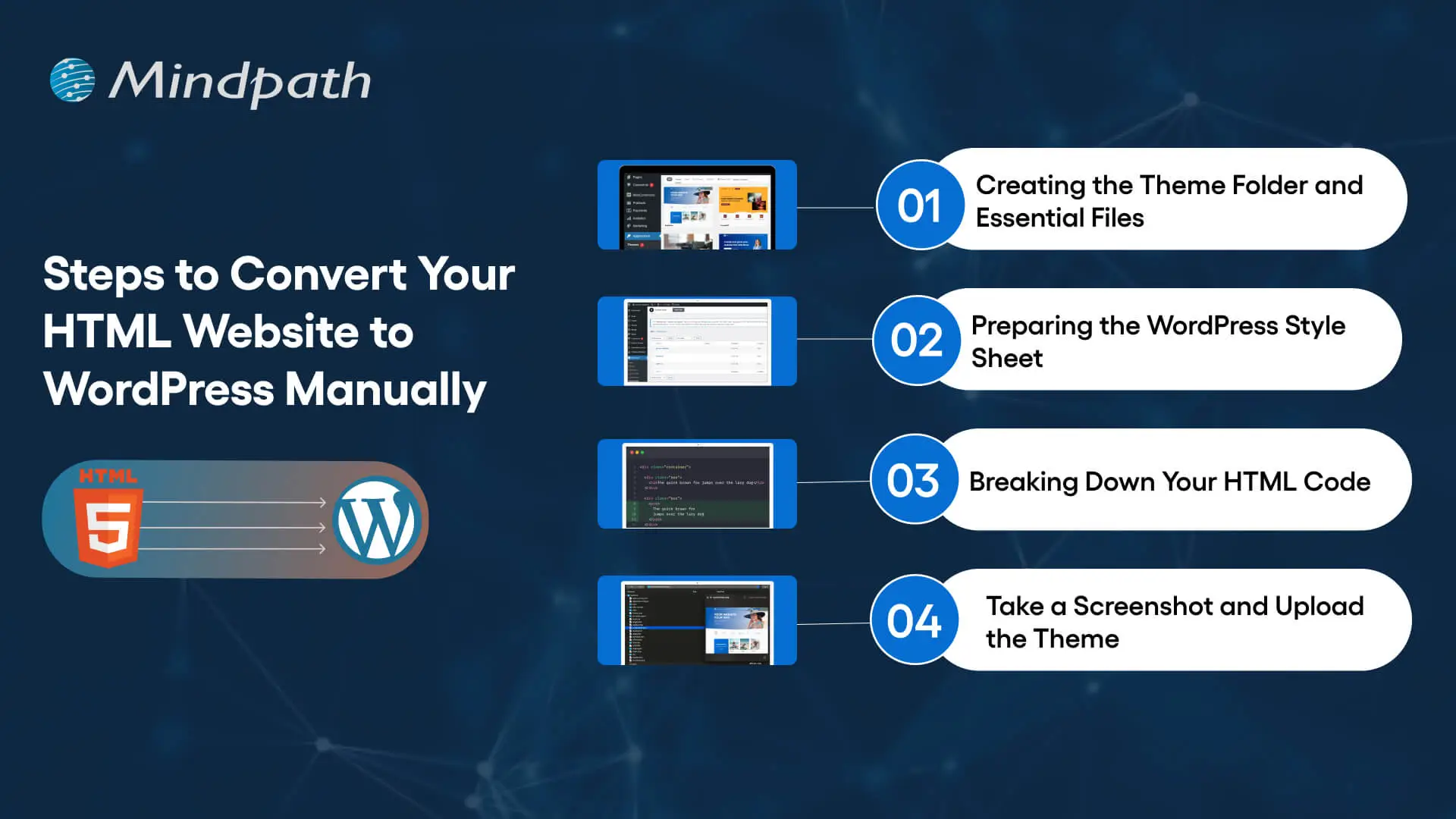
Steps to convert an HTML website into a WordPress theme

Step 1: Create the WordPress Theme Folder and Essential Files

Start by creating a dedicated folder for the custom theme inside the WordPress installation’s wp-content/themes/ directory. Use a descriptive folder name, such as business-custom-theme.

A basic classic theme can begin with the following files:

  • style.css for theme information and stylesheet rules.
  • index.php as the required fallback template for a classic theme.
  • header.php for the shared header and opening page structure.
  • footer.php for the shared footer and closing page structure.
  • functions.php for registering theme features, loading assets, and adding theme functionality.
  • front-page.php when a dedicated homepage template is needed.
  • page.php for standard static pages.
  • single.php for individual blog posts when the website publishes articles.

Additional files may be required depending on the design and content structure. For example, archive templates can control category or post listing pages, while custom templates can support specialized landing pages.

Step 2: Prepare the WordPress Theme Stylesheet

Open style.css and add the theme header information. WordPress uses this information to identify the theme in the administration dashboard.

/*
Theme Name: Business Custom Theme
Description: A custom theme converted from an existing HTML website.
Version: 1.0
Text Domain: business-custom-theme
*/

Replace the example name and description with details relevant to your project. Then transfer the existing website’s CSS rules into the stylesheet, adjusting selectors where necessary to work with the new WordPress markup.

Avoid copying every style without reviewing it. Duplicate rules, fixed-width layouts, and styles that depend on the original HTML structure may cause problems after the templates are reorganized.

Step 3: Separate the Existing HTML Into Reusable Templates

Review the original HTML files and identify elements that appear across multiple pages, such as the header, navigation, footer, and shared scripts. Move these elements into the corresponding WordPress template files instead of repeating the same markup across every page.

For example, the header template can contain the document structure, site branding, navigation, and opening layout. The footer template can contain footer content and the closing structure. WordPress template functions can then include these shared files in the main templates.

A basic template structure can use the following functions:

<?php get_header(); ?>

<main id="main-content">
    <!-- Add the page-specific template markup here. -->
</main>

<?php get_footer(); ?>

This is a structural example, not a complete website template. The page-specific markup must still be integrated with WordPress content, navigation, and the required theme functions.

Step 4: Connect the Templates to WordPress Content

A static HTML page contains content directly in its markup. In WordPress, content can be managed through the dashboard and displayed using template functions or the WordPress Loop.

For example, a basic page or post template can retrieve its content through the Loop:

<?php if ( have_posts() ) : ?>
    <?php while ( have_posts() ) : the_post(); ?>

        <h1><?php the_title(); ?></h1>

        <div class="entry-content">
            <?php the_content(); ?>
        </div>

    <?php endwhile; ?>
<?php endif; ?>

This example displays the title and content for the queried WordPress page or post. Additional template logic may be needed for featured images, custom fields, navigation, pagination, or other website features.

When moving a large website, decide which content should become WordPress pages, blog posts, or custom post types. This makes future content management easier and reduces the risk of treating every page as a manually maintained template.

Step 5: Load CSS, JavaScript, and Images Correctly

The existing HTML website may use stylesheets, JavaScript files, fonts, icons, and images stored in different directories. Update their paths and load theme assets through WordPress where appropriate.

For a classic theme, stylesheets and scripts can be registered or enqueued in functions.php. This helps WordPress manage dependencies and avoids hardcoding asset paths throughout the templates.

Review image paths, responsive image behavior, script dependencies, and any third-party services. Test navigation menus, interactive elements, forms, and other functionality that depends on JavaScript.

Step 6: Add WordPress Theme Features

Register the theme features required by the website. Depending on the project, these may include featured images, custom logos, navigation menus, title tags, and other supported capabilities.

Use WordPress functions for features that WordPress already manages. For example, register navigation menus rather than permanently hardcoding every navigation link when the business needs to manage them through the dashboard.

If the website uses custom fields, third-party APIs, contact forms, or e-commerce features, configure the appropriate plugins or custom development. Confirm that the implementation follows security and data-handling requirements.

Step 7: Create the Theme Preview and Activate the Theme

A theme screenshot can provide a visual preview in the WordPress administration interface. Save an appropriate image as screenshot.png in the theme folder. Check the current WordPress theme documentation for supported dimensions and formats.

Once the theme files are ready, open the WordPress dashboard and navigate to Appearance and then Themes. The theme should appear if its files and stylesheet header are valid. Preview it where the setup supports previewing, and activate it only after completing the initial checks.

Do not activate an unfinished theme on the live business website. Use a staging environment to verify templates, content, navigation, forms, and integrations before switching production traffic to the new site.

Step 8: Make the WordPress Website Responsive

The converted website should work across mobile phones, tablets, laptops, and desktop screens. Reusing the original HTML and CSS does not automatically guarantee responsive behavior in the new theme.

Use flexible layouts, appropriate CSS media queries, responsive images, readable typography, and accessible navigation. Test menus, buttons, forms, tables, and other interactive elements at different viewport sizes.

Check whether page builder styles, plugin interfaces, or custom components introduce layout problems. Also review keyboard navigation, focus states, contrast, and form labels to improve accessibility.

Step 9: Test the Website Before Launch

Once the theme is functional, compare the new WordPress website with the original HTML version. Confirm that the required design elements, content, images, and functionality have been preserved or intentionally improved.

  • Check important pages and navigation links.
  • Submit forms and test integrations.
  • Verify image loading and responsive layouts.
  • Review browser console errors and server-side errors.
  • Check page performance and Core Web Vitals.
  • Verify page titles, meta descriptions, canonical tags, and indexing settings.
  • Confirm that analytics and conversion tracking work correctly.
  • Test backups and confirm that the team can restore the site if needed.

For a more detailed quality review, refer to the WordPress developer checklist.

How to Protect SEO During an HTML-to-WordPress Migration

Changing a website’s CMS can affect its search visibility if URLs, page content, metadata, redirects, or indexing settings change unexpectedly. A migration plan should therefore include SEO checks before and after launch.

1. Preserve Existing URLs Where Possible

Keep existing URLs when they remain appropriate for the new website. If a URL must change, map the old address to the most relevant new page using a permanent redirect, usually a 301 redirect. Avoid redirecting every retired URL to the homepage when a more relevant destination exists.

2. Retain Important Page Content and Metadata

Record important headings, page titles, meta descriptions, canonical tags, image alt text, and structured data before migration. Recreate the relevant elements in WordPress and check that they render correctly on the final pages.

3. Review Internal Links and Media

Update internal links where page locations change. Check images, downloadable files, embedded media, and other assets to ensure they load correctly. Broken internal links and missing media can create usability problems and weaken the quality of the migration.

4. Check Indexing and XML Sitemaps

Verify that important pages are accessible to search engines and that production pages do not retain accidental noindex directives from the staging environment. Review the XML sitemap and canonical tags, and ensure that the sitemap lists the correct preferred URLs.

5. Monitor Search Performance After Launch

Use Google Search Console and website analytics to monitor indexing, organic traffic, landing-page performance, and conversion activity. Investigate unexpected changes, crawl errors, redirect problems, and missing pages after launch.

A technically sound migration helps reduce avoidable SEO risks, but it cannot guarantee that rankings or organic traffic will remain unchanged.

Common HTML-to-WordPress Migration Mistakes

A migration can create problems when the team focuses only on transferring the design. Businesses should address the following issues during planning and testing.

  • Copying the entire HTML page into one template: This can prevent content from being managed properly and create duplicated layouts across pages.
  • Ignoring existing URLs: Unplanned URL changes can lead to broken links and lost search traffic.
  • Forgetting website functionality: Forms, search, interactive elements, and third-party integrations need to be rebuilt or reconfigured.
  • Using unnecessary plugins: Excessive or poorly maintained plugins can add complexity and introduce security or compatibility risks.
  • Skipping mobile testing: A desktop layout may not work well on smaller screens after conversion.
  • Launching without backups: A verified backup and recovery process helps protect business data and website availability.
  • Testing only the homepage: Service pages, blog posts, forms, archives, and other important page types also need validation.

Convert Your HTML Website to WordPress With a Clear Plan

Converting HTML to WordPress can give a business more control over content management and create room for new website capabilities. The most suitable approach depends on the existing design, content structure, required functionality, technical resources, and long-term business goals.

Before migration, back up the existing website, document its URLs and functionality, choose the right conversion method, and prepare a testing plan. After development, validate the new website across devices, preserve important SEO elements, and monitor performance following launch.

Businesses that need support with theme development, content migration, or specialized functionality can review Mindpath’s expert WordPress developers. A properly scoped migration can help align the website with current operational needs while preparing it for future improvements.


Join our Newsletter!

categories

Join the world's largest training library and unlock new opportunities!

Featured Posts

Turn Insights Into
Real Business Solutions

Exploring trends is only the beginning. Whether you’re planning AI adoption, modernizing legacy systems, or building scalable software, our experts help transform ideas into practical business outcomes.