
Latest Insights On

GenAI, Tech, and Digital Transformation 

Stay updated with expert insights, success stories, and real-world applications of cutting-edge technology.

cloud native development

Cloud-native development is redefining the way organizations are evolving in the digital-first world. It enables teams to develop applications that are resilient, can be easily updated, and allow sophisticated scaling without compromising development speed. An increasing number of organizations are gravitating towards a cloud-native approach to meet the modern-day demands for agility, innovation, and customer experience. If your organization values being competitive and evolving at the speed the digital world enables, but not constrained by legacy solutions, cloud-native development could be the evolution opportunity you are seeking.

This method of breaking up large applications into smaller constituents via microservices allows organizations the opportunity to manage and improve everything much easier. With new technologies enabling containers and automation, organizations with the right supporting tools are able to deliver, test, and fix features faster than ever. It is no longer just about trying to keep pace; it is about leading a system that embraces change. In this blog post, we will discuss how cloud-native development enables organizations to scale up their businesses with greater control, pace, and certainty. So, let’s explore!

Looking to elevate your business with Cloud-Native Development? Contact us, and our experts will turn your ideas into high-performing cloud-native solutions.

What Is Cloud Native?

Cloud-native computing is a way of building and running applications that are built for the cloud. Cloud-native development provides developers with a way to build software that is flexible, adaptable, and able to handle dramatic change without breaking the overall architecture. Instead of building one huge system or application, the developer builds the application in independent pieces called microservices that work together. This approach allows for building and testing in more manageable pieces over time.

According to MarketsandMarkets, the cloud native applications market is expected to grow from USD 5.9 billion in 2023 to USD 17.0 billion by 2028. This shows that more companies are choosing this method to stay competitive and meet user demands. Tools like containers and automation help developers launch updates quickly without stopping the service. Cloud native makes it possible to move faster, reduce costs, and build stronger, more reliable software.

Components of Cloud-Native Development

Cloud-native relies on a set of modern tools and practices that work together to build fast, flexible, and reliable applications. Here are the key components that make this approach effective:

1. Containers

Containers bundle code with everything it needs to run, making apps work smoothly across different environments. Tools like Kubernetes and Amazon ECS manage these containers to help with deployment, scaling, and maintenance. They are a key part of cloud native technologies, ensuring consistency and efficiency.

2. APIs

APIs, or Application Programming Interfaces, allow different software parts to communicate with each other. In cloud native development, microservices rely on APIs to share data and functions. This setup is lightweight and uses fewer resources compared to traditional systems.

3. Microservices

Microservices are small, independent parts of an application that work separately but communicate with each other using APIs. They are easy to update without affecting the whole system, which makes the app more stable. This structure supports cloud native development by making applications easier to build, test, and scale.

4. CI/CD Pipelines

CI/CD pipelines are used to automate the process of building, testing, and deploying code. They allow developers to work faster and reduce errors by using shared code repositories and automated workflows. This approach plays an important role in the cloud native landscape.

5. DevOps

DevOps brings together development and operations teams to automate and streamline the app development process. It helps in delivering software quickly and reliably with a focus on collaboration. DevOps practices are essential in the cloud native landscape to keep up with modern development needs.

Struggling with speed, collaboration, or automation in DevOps? Our DevOps Challenges and Solutions blog explains how modern businesses address these issues.

Benefits of Cloud Native Development

Cloud-native approach offers clear advantages that go beyond just building applications differently. These benefits are helping businesses improve the way they deliver, manage, and scale digital solutions across industries.

1. Reduced Operational Costs

Using open-source tools and serverless models helps cut down infrastructure and licensing costs. Businesses only pay for what they use, saving money and resources.

2. Effortless Scaling and Deployment

Cloud-native workflows automate how apps and infrastructure are deployed. With container orchestration, apps scale easily based on real-time demand.

3. Modernized Legacy Applications

Older apps can be updated to work better with modern cloud systems. Cloud-native development makes it easier to improve and connect them with new projects.

4. Greater Development Flexibility

Containers package apps with everything they need to run across different setups. This gives developers the freedom to build without being tied to one system.

5. Efficient Microservice Management

Kubernetes helps manage and scale container-based apps more efficiently. It simplifies deploying microservices while ensuring better performance.

6. Improved Application Stability

Cloud systems stay available even when one part fails. Microservices architecture ensures the app keeps working smoothly without full downtime.

7. Aligned Tech and Business Goals

A product-based approach aligns tech efforts with business goals. It boosts teamwork and supports faster responses to changing needs.

8. Boosted DevOps Efficiency

Cloud-native practices help speed up development, testing, and deployment. This leads to quicker, more reliable updates with fewer manual steps.

9. Low-Code and No-Code

Low-code and no-code platforms allow more people to build apps with simple tools. This makes development faster and less dependent on technical teams.

10. Minimized Vendor Lock-In

Cloud-native applications can run across multiple cloud platforms. This gives businesses the freedom to switch providers and avoid getting locked in.

Want to know what’s next for the cloud in 2025? Read our blog on Cloud Computing Trends to discover the technologies and innovations shaping the future of business.

Best Practices for Cloud-Native Development

To get the most out of cloud-native development, it’s important to follow proven methods that support speed, reliability, and scalability. These best practices help teams build stronger applications while keeping systems flexible and efficient.

1. Use Containers Effectively

Containers package apps with their dependencies, making them easy to run across different environments. This boosts reliability and simplifies deployment, helping teams work faster and more efficiently.

2. Take Ownership of Products

Following a product-focused mindset gives teams control over development from start to finish. It encourages innovation and quality, aligning with the goals of the cloud native foundation.

3. Automate CI/CD Pipelines

Continuous Integration and Continuous Deployment (CI/CD) automate testing and delivery, reducing errors and saving time. This helps teams release updates faster with higher confidence.

4. Build with Microservices

Microservices divide the application into smaller, focused services that can be built, deployed, and managed independently. This structure improves fault tolerance, speeds up development, and supports scalable cloud native solutions.

5. Apply Infrastructure as Code (IaC)

IaC lets teams manage infrastructure with code, allowing easy updates, version control, and automation. It brings consistency and reduces the chances of manual errors during setup or changes.

6. Focus on Resilience and Fault Tolerance

Design apps to handle failure using retries, timeouts, and automated recovery. This ensures your cloud native applications stay stable and available during unexpected problems.

Want to cut costs and speed up app deployments? Read our blog on Serverless Architecture in Cloud Computing to see how your business can scale efficiently.

Unlocking the Power of Cloud-Native Development

Cloud-native development is helping businesses move faster, scale smarter, and build more resilient applications. From modernizing legacy systems to enabling flexible and efficient operations, it’s shaping the future of digital transformation. By adopting the right strategies and tools, organizations can respond to change with greater confidence and deliver value to customers more effectively.

At Mindpath, we help businesses transform their software approach with our expert cloud-native development services. From planning architecture to seamless deployment, our team supports every step. We simplify operations, modernize infrastructure, and create scalable applications that align with your goals. With Mindpath, you build software that’s fast, flexible, and ready for what’s next.

Frequently Asked Questions

1. How is cloud-native development different from traditional application development?

Cloud-native development focuses on building applications specifically for cloud environments using microservices, containers, and automation. Traditional development often relies on monolithic systems that are harder to scale and update. This modern approach allows faster releases, better resilience, and easier scalability across environments.

2. What kind of businesses benefit the most from cloud-native development?

Businesses that require scalability, frequent updates, and high availability benefit the most. This includes startups, SaaS companies, and enterprises handling dynamic workloads. It is especially useful for organizations aiming to innovate quickly and deliver consistent digital experiences across multiple platforms.

3. Is migrating to cloud-native architecture a complex process?

Migration can be complex depending on existing systems and architecture. It often involves breaking down monolithic applications, adopting new tools, and retraining teams. A phased approach, starting with smaller components, helps reduce risk and ensures smoother transition without disrupting ongoing operations.

4. How does cloud-native development improve application reliability?

Cloud-native systems are designed with fault tolerance in mind. If one microservice fails, others continue to function without affecting the entire application. Features like automated scaling, monitoring, and self-healing systems help maintain performance and ensure minimal downtime for users.

5. What skills are important for teams working with cloud-native technologies?

Teams need skills in containerization, microservices architecture, cloud platforms, and automation tools. Knowledge of CI/CD pipelines, DevOps practices, and infrastructure as code is also important. Continuous learning is essential as cloud-native technologies evolve rapidly and require up-to-date expertise.

Discover the power of cloud-native development! Learn its benefits and how it helps businesses enhance security, efficiency, and performance.
digital transformation for businesses

Do you think about your company’s future and ask yourself what digital transformation for businesses means? If so, you’re not alone! Many business owners and leaders are trying to figure out how they will continue to be relevant and competitive in a world that is constantly changing. Digital transformation is changing how you work, how you serve and support customers, and how your team grows. So why is it so important?

Digital transformation for businesses impacts every area of a business, from routine activities to strategic targets. It allows you to work smarter, make better decisions, and respond rapidly to changing customer demands. Adopting digital tools and an alternative mindset can help businesses maximise productivity and create new opportunities. Understanding the process is a prerequisite to helping your business flourish in today’s environment. In this blog, you’ll discover how.

Implementing digital transformation in your business can be challenging; you need expert guidance. Partnering with Mindpath will help you in exploring personalized strategies that will reshape your business. Contact us to start your transformation journey.

What is Digital Transformation?

Digital transformation is the use of modern technology across all areas of a business to change how it works inside and how it connects with customers. It can involve updating old systems, adding new tools, and finding better ways to get work done. Companies take this step to keep up with industry changes and market trends. It is a serious shift in how work is planned and delivered every day.

The digital transformation process requires the involvement of people at every level, from leaders to staff. It is not a single project but an ongoing effort, as technology and business needs keep evolving. Companies must stay open to new ideas and improvements to remain competitive. Digital transformation helps an organization stay prepared and flexible in a fast-changing world. It is a commitment to keep moving forward.

Curious which technologies can give small businesses a competitive edge? Explore emerging technologies for small businesses to see the innovations driving digital transformation.

Why is Digital Transformation Important?

Digital transformation is important because it helps companies keep up with changes in their industry and meet customer needs in new ways. It improves how businesses work by using smarter tools and systems, which makes daily tasks more organized and efficient. Focusing on digital transformation for small businesses can help smaller companies compete with bigger ones and stay prepared for what’s next.

One big reason companies choose digital transformation is to replace outdated manual work with better technology. This makes daily tasks easier and helps the whole company run more smoothly. According to digital transformation McKinsey research, 68% of people said they transform their operations mainly to modernize how they work. A clear plan helps every company adapt and stay ready for what comes next.

What are the 4 Types of Digital Transformation?

There are different ways a company can approach digital transformation depending on its goals and needs. Here are four main types of digital transformation every business should know about:
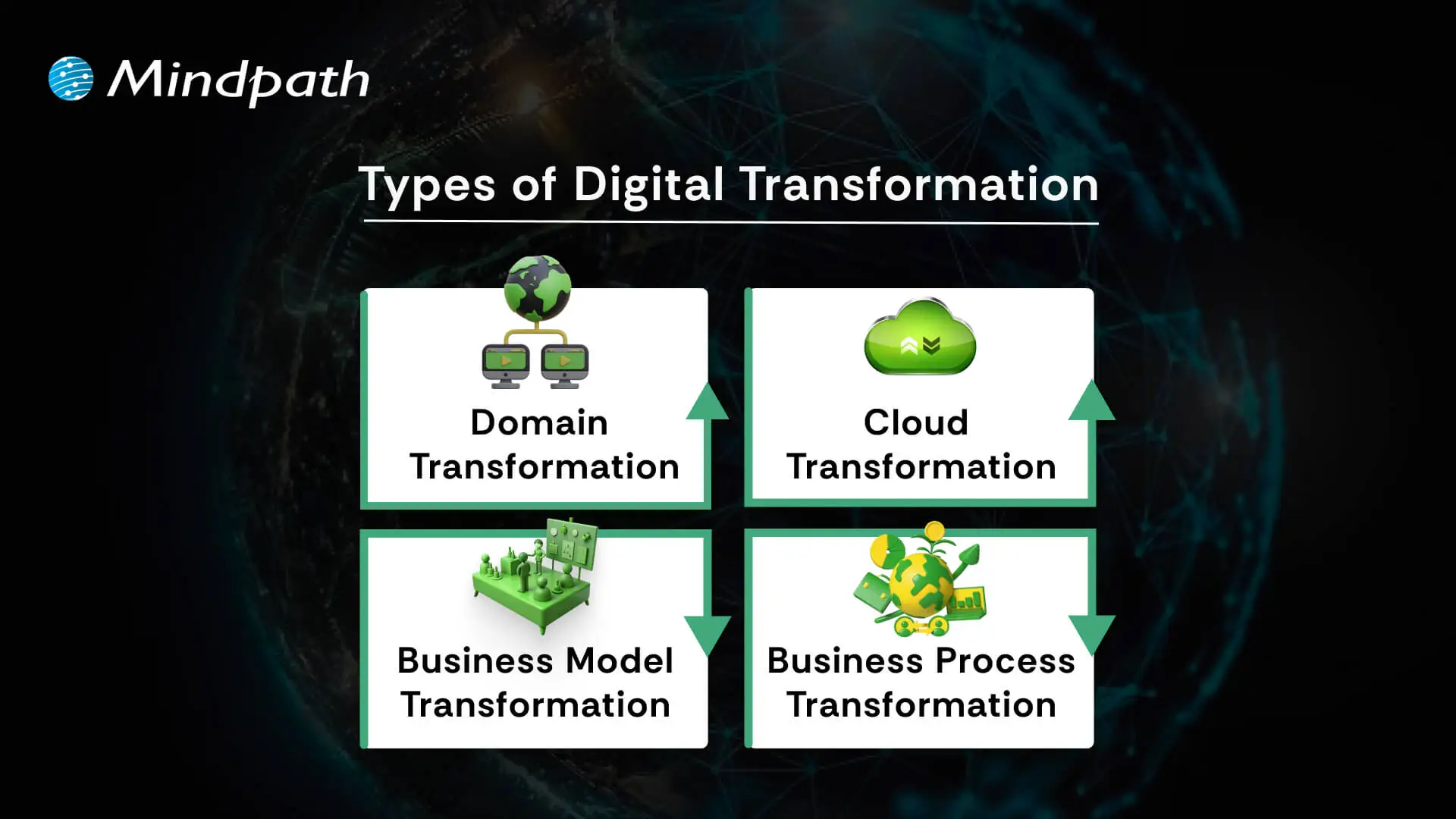
4 types of digital transformation

1. Domain Transformation

Domain transformation happens when a company enters a new market beyond its usual industry. This is often made possible by advanced digital transformation technologies.

2. Cloud Transformation

Cloud transformation moves data and systems to the cloud for better access and storage. Companies can choose public, private, or hybrid models for flexibility.

3. Business Model Transformation

Business model transformation means changing how a product or service is delivered by using modern digital tools. It’s a smart move within any digital transformation framework.

4. Business Process Transformation

Business process transformation improves how work gets done inside the company. It’s a big step in digital transformation for business success.

Benefits of Digital Transformation for Businesses

Digital transformation helps companies improve how they work and respond to changing demands. Below are some of the main benefits it can offer:

1. Cost Savings

One of the biggest advantages of digital transformation for businesses is saving money by removing outdated processes. With better systems in place, companies can spot problems sooner and use resources more wisely.

2. Better Customer Experiences

When processes run smoothly and technology is up to date, customers enjoy faster service and better support. Digital transformation for businesses also makes it easier to adapt based on customer feedback.

3. Support for Sustainability

Modern tools help companies design products and processes that use less energy and fewer materials. This cuts down waste and supports long-term environmental goals.

4. Faster Processes and Higher Productivity

When companies use smart tools and automation, everyday tasks become quicker and more accurate. This gives employees more time to focus on work that adds real value instead of getting stuck on repetitive jobs.

5. Valuable Data Insights

Digital transformation for businesses makes it easier to collect useful data and turn it into insights that help leaders make better choices. This way, different departments can understand trends and work together with clear, reliable information.

6. New Business Models

Following a clear digital transformation roadmap lets companies create fresh ways to reach customers and stay ahead in the market. New ideas and flexible services open the door to growth and higher revenue.

7. Strong Profit and Growth Potential

Companies that have a solid digital transformation strategy often see steady profit growth because they work more efficiently and serve more people. It also helps them expand into new areas over time.

8. Strong Competitive Edge

Digital transformation for businesses helps them stand out with fresh ideas and unique services. Companies that keep innovating stay ahead of the competition and handle change more easily.

9. Quick Adaptation to Change

Digital transformation for businesses gives them the tools to adjust plans when the market changes suddenly. This helps keep things running smoothly and protects the company’s future.

10. Simple Compliance and Regulations

Smart systems help track the right data to meet industry rules and quality standards. This makes it easier to share reports and pass audits without extra stress.

What are the 5 Main Areas of Digital Transformation?

Every successful digital transformation covers key parts of a business to make sure changes bring real value. Here are the five main areas of digital transformation that companies focus on:
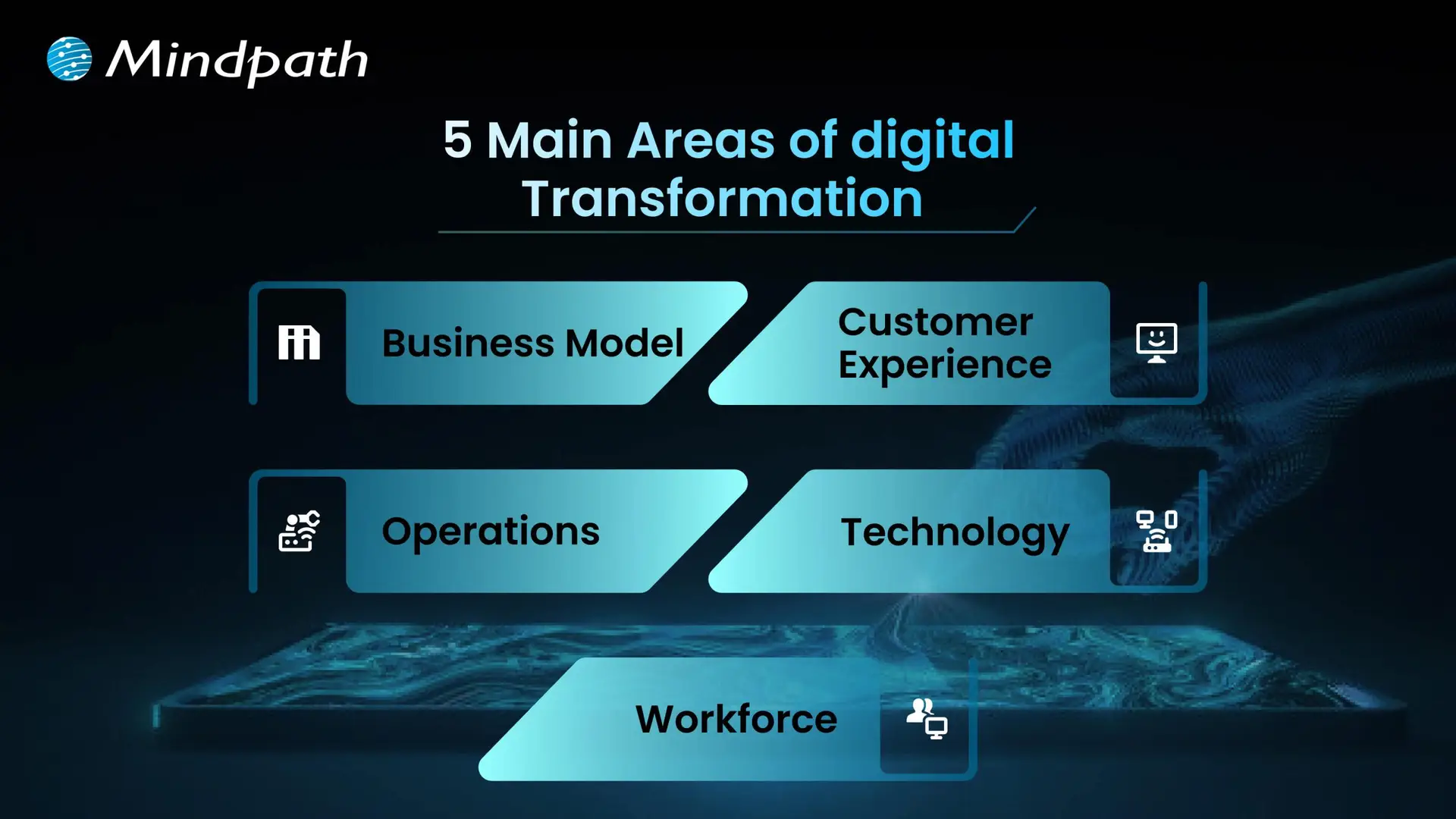
5 main areas of digital transformation

1. Business Model

Digital transformation often means rethinking how a business makes and delivers its products or services. Companies may find new ways to earn revenue using online platforms or new technologies. This helps them stay competitive and reach more people.

2. Customer Experience

Customer experience means using technology to make every interaction better for your customers. This could be through faster service, easier online tools, or more personal communication. The goal is to keep customers happy and loyal to your business.

3. Operations

Improving operations means making everyday work run more smoothly with digital tools. Automation and better systems help teams save time and avoid mistakes. This keeps the business running efficiently and ready for growth.

4. Technology

Every digital transformation depends on using the right technology, like cloud services, AI, or smart data tools. These tools help companies collect information, solve problems, and create new ideas. Staying updated with technology is key to long-term success.

5. Workforce

Employees need the skills to work well with new digital systems. Companies should train their teams and encourage learning new things regularly. This builds a flexible workforce that can handle changes and keep the business moving forward.

Real-world Examples of Digital Transformation

Knowing about real Digital transformation examples makes it easier to understand how technology can truly change a business. Here are some real-world cases that show what’s possible when companies embrace digital transformation.
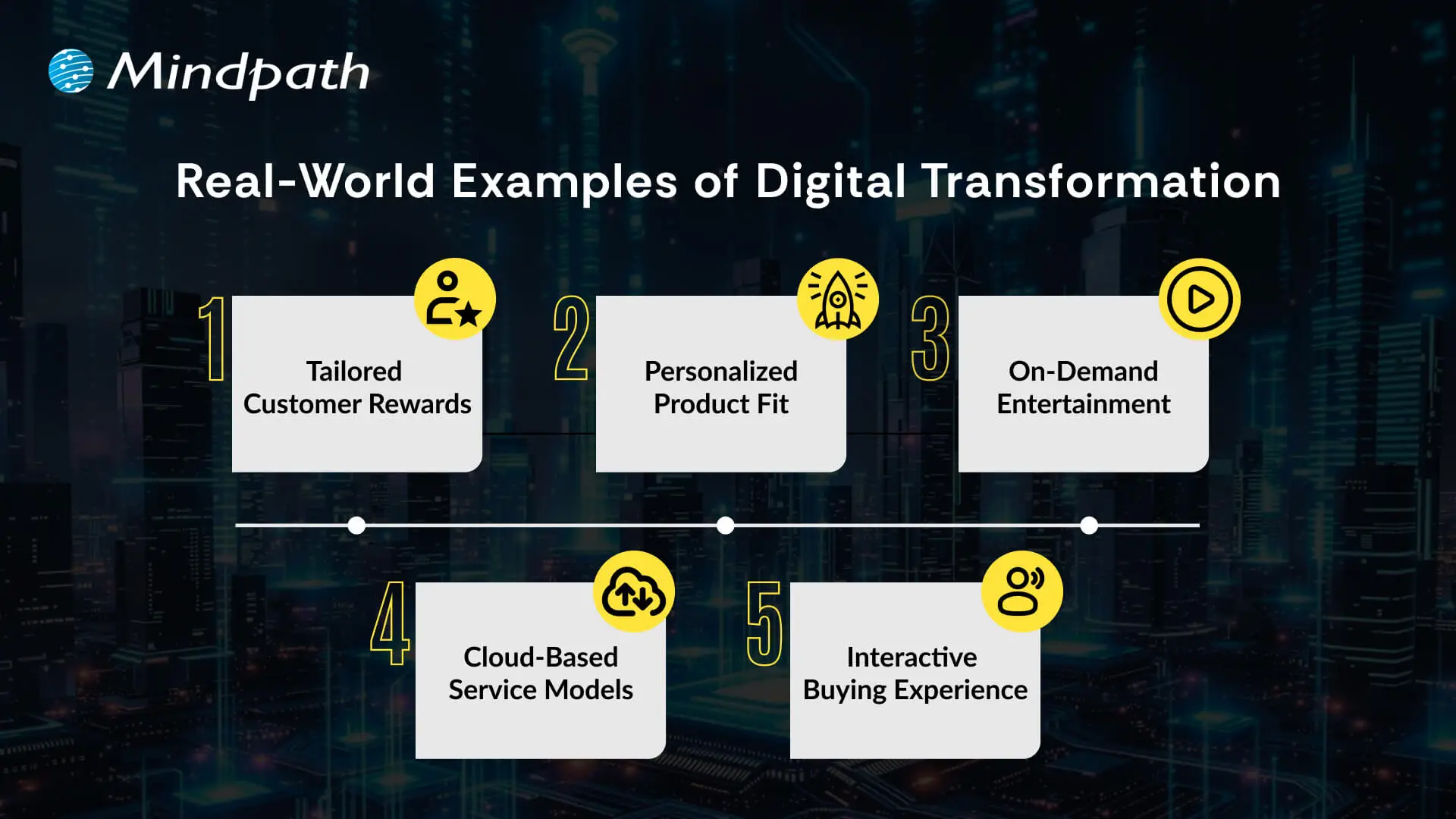
Real World exmaples of Digital Transformation

1. Tailored Customer Rewards

Starbucks uses AI in its app to create rewards and suggestions that feel personal to each customer. This digital approach keeps customers happy and loyal to the brand.

2. Personalized Product Fit

Nike’s SNKRS app and foot scan tool help customers find shoes that fit perfectly. This smart use of technology makes shopping easier and gives Nike useful data for better designs.

3. On-Demand Entertainment

Netflix changed how people enjoy movies by moving from renting DVDs to streaming online. This gave people freedom to watch what they want, when they want, without late fees.

4. Cloud-Based Service Models

Adobe transformed from selling boxed software to offering cloud subscriptions like Creative Cloud and Document Cloud. This makes their tools easier to use and keeps customers updated with the latest features.

5. Interactive Buying Experience

Audi introduced Audi City, a digital showroom where people explore cars using large screens and virtual tools. This makes the car-buying process modern, fun, and more convenient in small spaces.

Ready to Future-Proof Your Business?

Digital transformation for business helps you stay competitive, meet customer needs, and grow in a fast-changing world. Using AI and business technology together lets you work smarter, adapt quickly, and make better choices every day. Embracing this change now opens the door for fresh ideas and keeps your company strong in any market.

At Mindpath, we empower you to develop a clear approach to digital transformation by bridging people, processes, and technology. Our experts will guide you through every step of the journey and will ensure your team is employing the best tools to drive ongoing digital transformation. Let’s make your organization agile, productive, and ready for growth using intelligent digital solutions tailored specifically to you.

Explore how digital transformation reshapes businesses, boosts efficiency, enhances customer experiences, and drives sustainable growth for success.
serverless architecture in cloud computing

Have you heard a lot about serverless architecture in cloud computing and are still unsure of what it is? If so, you’re not alone. Many developers, startups, and business owners wonder how this model works and how their approach to building and deploying apps will change with it. So, what is the hype about, and why is it catching everyone’s attention in 2026?

Serverless architecture in cloud computing is a smarter way of providing a scalable application without the hassle of server management. With serverless computing, you rely on the cloud provider to do all the provisioning, scaling, and maintenance, leaving you to deal with just the code and get features delivered faster. Since more companies are evolving into modern cloud solutions, serverless is becoming a common approach to delivering applications. In this blog, we will cover everything you need to know. So, let’s dig in!

Ready to transform your cloud infrastructure with serverless architecture? Connect with us, and our team will guide you from planning to deployment, ensuring maximum efficiency and scalability.

What is Serverless Architecture in Cloud Computing?

Serverless architecture in cloud computing is a modern way to bring software to market. Rather than having to manage a server’s infrastructure, developers develop and run applications without having to deal with the environment. The developer doesn’t need to worry about servers, updates, scaling, and instead just writes code and deploys. The cloud provider takes away all of the backend tasks, such as server provisioning, maintenance and scaling, making the team’s development as a whole faster without focusing on technology-driven software engineering.

In a serverless model, application code is decomposed into independent functions, commonly known as Function as a Service (FaaS). Each function performs a specific function with the ability to respond to events such as HTTP requests or file uploads. Once the application is deployed, the cloud provider executes the function when required. If no servers are available, the provider spins one up for you automatically. Developers do not take part in this process; it is handled for them on their behalf without the developers noticing.

Fundamental Concepts in Serverless Computing Architecture

To understand how serverless computing truly works, it’s important to grasp its core principles. Here are the fundamental concepts that define serverless architecture and how they support modern application development:

1. Cold Start

If a function hasn’t run in a while, it might take longer to start up. This is called a cold start.

2. Warm Execution

When a function runs quickly because it was recently used, it’s called a warm execution.

3. Invocation

Every time a serverless function runs, it’s called an invocation.

4. Duration

This is the total time a function takes to run from start to finish.

5. Orchestration

Orchestration means managing how different serverless functions work together in a sequence.

6. Function-as-a-Service (FaaS)

FaaS lets developers write small functions that run automatically when certain events happen.

7. Event

An event is what triggers a function to run, like an HTTP request or file upload.

8. Stateless

Serverless functions don’t remember anything from one run to the next.

Ever wondered how cloud apps grow without server management? Read our blog on Cloud-Native Development to see how it powers agile and resilient serverless architectures.

Advantages of Serverless Architecture

Serverless architecture helps businesses build and deploy apps faster with less infrastructure management. According to Grand View Research, the global serverless architecture market was valued at USD 9.42 billion in 2023 and is expected to grow at a 28.2% CAGR from 2024 to 2030. Here are some key advantages that make serverless a popular choice in cloud computing today:

1. Cost-Effective Usage Model

Serverless platforms charge only for actual function execution time. There are no costs for idle servers, making it highly economical, especially for applications that run on demand or infrequently.

2. Faster Time-to-Market

Cloud functions enable developers to build and deploy features quickly. This rapid development approach helps businesses stay agile and respond faster to market needs.

3. Auto Scaling Capabilities

Applications built on cloud functions can easily scale up or down based on real-time user demand. This automatic scaling ensures performance stays smooth during traffic spikes without any manual effort.

4. Simplified Backend Management

With serverless architecture in cloud computing, developers no longer need to manage servers, updates, or scaling. It allows teams to focus on development while the cloud provider handles operations behind the scenes.

5. Modular and Clean Code

Each function in a serverless setup performs a specific task, promoting modular design. This leads to easy maintenance, especially when working with components like a serverless database or microservices.

6. Ideal for Event-Based Solutions

Serverless architecture in cloud computing supports event-driven applications, making it perfect for real-time analytics, chatbots, IoT, and more. It allows seamless integration with tools that react instantly to user actions or data changes.

How do teams deploy serverless apps faster and more reliably? Explore our DevOps blog to learn how automation and collaboration make it possible.

Serverless Architecture Use Cases

Serverless architecture in cloud computing is changing the way developers build and manage applications. It’s perfect for handling tasks that run occasionally or need to scale quickly without manual setup. Here are some common and practical use cases:

1. Automated CI/CD Workflows

Serverless tools help speed up software delivery by automating tasks. For example, pushing code can trigger a function to build the app or run tests right away.

2. Scalable APIs

You can use serverless Lambda with tools like Amazon API Gateway to build RESTful APIs. These APIs grow with your traffic, so you never have to worry about performance limits.

3. Event-Driven Actions

Serverless architecture in cloud computing is ideal for user actions that trigger automated tasks. For example, when someone signs up, it can update a serverless database and send a welcome email using cloud functions.

4. Background Processing

Serverless functions are great for behind-the-scenes work like video processing or updating product details. These tasks run in the background without slowing down the main app.

5. Flexible Growth

With serverless architecture in cloud computing, teams can move parts of an app one step at a time. It’s easy to expand later by adding more functions or connecting to a serverless database.

6. Smarter Security Tasks

Cloud functions can check new containers for security risks or support safer login methods. They’re also useful for things like two-factor authentication and SSH key validation.

Securing serverless applications can be challenging, how is it done? Discover about DevSecOps to see how security is built into every stage of cloud development.

What is the Difference Between Serverless Architecture and Cloud Architecture?

While both serverless architecture and cloud architecture use cloud environments to run applications, they differ in how infrastructure is managed and how applications are built. Here’s a quick comparison to help you understand the key differences between the two:

Aspect Cloud Architecture Serverless Architecture
Definition A broad model where computing resources are delivered over the internet. A model where apps run without managing servers directly.
Infrastructure Management Developers may manage virtual machines or containers or use managed services. All server management is handled by the cloud provider.
Scalability Manual or auto-scaling needs to be configured. Automatically scales based on demand.
Cost May include fixed costs for allocated resources, even if unused. Pay only for the time and resources your code actually uses.
Development Focus Requires DevOps involvement for setup, monitoring, and updates. Developers focus only on writing and deploying code.
Flexibility Offers a range of service models like IaaS, PaaS, and SaaS with customizable resources. Designed for small, modular functions that respond to specific events.
Examples AWS (EC2, S3), Microsoft Azure (VMs), Google Cloud (Compute Engine) AWS Lambda, Azure Functions, Google Cloud Functions

Is Your Business Ready to Go Serverless in the Cloud?

Serverless architecture in cloud computing offers a powerful way to build fast, scalable, and cost-efficient applications. With no server maintenance to worry about, developers can focus fully on innovation. As businesses aim for agility and flexibility in 2026, serverless becomes the smart choice for modern app development and digital transformation.

At Mindpath, we offer expert cloud computing services tailored to your business goals. From setting up serverless frameworks to managing cloud resources and infrastructure, we help you scale with ease. Partner with us to streamline your operations and deliver high-performing cloud-based solutions with confidence.

Frequently Asked Questions

1. When does serverless architecture make the most sense for a business?

Serverless architecture works best for applications with unpredictable traffic, event-driven workflows, or rapid scaling needs. It is especially useful for startups and growing platforms that want to reduce infrastructure management while focusing on faster development and efficient resource utilization.

2. Does serverless architecture completely eliminate the need for backend management?

Serverless reduces infrastructure management, but backend responsibilities still exist. Developers must manage application logic, APIs, databases, and integrations. Monitoring performance, handling errors, and ensuring security remain important to maintain a reliable and scalable application environment.

3. How does serverless impact application performance during high traffic?

Serverless platforms automatically scale based on demand, allowing applications to handle sudden traffic spikes efficiently. However, performance can sometimes be affected by cold starts. Proper architecture design and optimization strategies help ensure consistent and smooth performance even under heavy loads.

4. Is serverless architecture suitable for large and complex applications?

Serverless can support complex applications, but it requires careful planning. Breaking applications into smaller, independent functions improves scalability and maintainability. For highly complex systems, a hybrid approach combining serverless with traditional cloud services may offer better flexibility and control.

5. What should be considered before adopting serverless architecture?

It is important to evaluate factors like application type, execution frequency, cost patterns, and vendor dependency. Understanding limitations such as cold starts, debugging complexity, and monitoring challenges helps in making informed decisions and ensures successful adoption of serverless architecture.

Discover the benefits of serverless architecture, from cost savings to faster development, and learn how Mindpath can help your business thrive.
DevOps for businesses

Managing the challenge of digital transformation in a rapidly evolving business landscape has become significantly difficult for every business owner. The necessity of DevOps for businesses is clearly visible in the fact that businesses must embrace adaptability and innovation to deliver value to their customers. DevOps aims to address the inefficiencies associated with traditional methodologies for software development and IT operations.

The biggest problem with the conventional approaches to software development and IT operations was that both of them were isolated from each other. DevOps offered a solution to the problem by promoting collaboration between the two teams. An overview of DevOps fundamentals and its benefits can help you learn about its actual potential.

Unlock the full potential of your software development in your business with Mindpath’s DevOps service. Contact us to get expertise on how to optimize development workflows and enhance collaboration between your teams.

Understanding the Basics of DevOps

Before discovering the utility of DevOps for business, it is important to understand its meaning and fundamental concepts. The adoption of DevOps for enterprise applications has become a necessity for every business owner due to the setbacks of the old ways. The traditional approach invited conflicts between the software development and IT operations teams, which had different priorities. While the development team focused on faster release of new features, the operations team emphasized reliability and stability.

DevOps helped in bridging the gap between the development and IT operations teams by ensuring alignment of their goals. How does DevOps achieve such an impressive feat? DevOps is more than just an amalgamation of ‘development’ and ‘operations’ as it represents a cultural philosophy that helps in streamlining and automation of software delivery. The distinctive collection of tools and set of practices followed in DevOps make it different from other approaches to software development.

You can notice the direct impact of DevOps business benefits through the example of an orchestra. What will happen if every musician in the orchestra is a specialist and works independently? On the contrary, an orchestra where collaboration is the norm will encourage musicians to share notes and work with each other to deliver their best performance. DevOps also aims to bring software developers and operations engineers on the same page in a similar manner to ensure that businesses deliver high-quality and reliable software.

Looking to optimize your CI/CD pipeline with smarter automation and streamlined processes? Visit our blog on DevOps Best Practices to discover the strategies high-performing teams use to achieve consistent, stable releases.

Foundations of DevOps

The best way to measure the significance of DevOps in the modern technological landscape involves understanding its core principles. Interestingly, every successful DevOps transformation initiative showcases the impact of the CALMS principles. CALMS stands for culture, automation, lean, measurement, and sharing, all of which represent the core principles of DevOps. The following sections will help you discover the significance of each principle in the world of DevOps.

1. Culture

Culture is undoubtedly the most crucial aspect in DevOps as it fosters a culture of collaboration, shared responsibility, communication, and empathy. The principle promotes an environment where team members don’t blame and learn from failures.

2. Automation

The second principle, i.e., automation, aims to address the issues emerging from repetitive manual tasks that are prone to errors. Automation in DevOps encompasses automated builds, testing, infrastructure provisioning, deployment, and monitoring.

3. Lean Principles

DevOps also adopts lean principles to reduce waste and enhance the value of every project. The common approaches to align with lean principles include streamlining all workflows, reducing bottlenecks, and ensuring continuous process improvement with data and feedback.

4. Measurement

Measurement is a crucial principle in every DevOps strategy for business applications as it offers comprehensible insights into performance. DevOps needs metrics and data not only to track performance but also to identify potential areas for improvement. Some of the notable metrics used in DevOps include mean time to recovery, change failure rate, lead time for changes, and deployment frequency.

5. Sharing

The final addition among DevOps principles, which showcases why it is important for businesses, is sharing. DevOps calls for real-time knowledge sharing and transparency between development and IT operations teams. Sharing in DevOps entails the use of shared tools, collective problem-solving, and open communication to foster collective intelligence.

Aiming to reduce risks while accelerating releases through automation? Explore our DevSecOps Guide to discover practical strategies that combine automated security with efficiency and collaboration.

Is DevOps Beneficial for Businesses?

Any business owner reading about DevOps right now is likely to be worried about the benefits it will bring to their business. Once you find out how DevOps helps businesses, you can discover why it is a productive approach to stay relevant in the digital landscape. DevOps can unlock new avenues for the success of businesses with the following benefits.

1. Faster Software Delivery

Speed is the key differentiator between successful and failed businesses in the era of digital transformation. DevOps accelerates the complete software delivery pipeline from conceptualization to production by leveraging continuous integration and continuous delivery practices. The CI/CD practices help in automatically building, testing, and releasing code changes more frequently. As a result, DevOps can ensure that new features, updates, and bug fixes can reach customers in a few hours or days. Businesses can rely on DevOps practices to achieve a competitive edge and adapt quickly to market changes.

2. Better Product Quality

The strategic benefits of DevOps for businesses also focus on enhancing product quality and reliability. DevOps combines continuous monitoring with automated testing and deployment to create high-quality software. Most of the business use cases of DevOps benefit from the proactive identification of issues in the early phases of development. Businesses can also rely on continuous feedback loops that empower teams to identify and address problems quickly, thereby ensuring more stable applications.

3. Efficiency and Cost Reduction

You can notice how early identification of errors in the development phase can help a business reduce costs with DevOps. At the same time, you must know that DevOps automation helps in reducing the workload on human resources. Business owners can use their valuable personnel to focus on more strategic and innovative work rather than wasting time on repetitive tasks. On top of it, streamlined processes also help in reducing waste and optimizing the allocation of resources. The outcomes of these changes will translate into huge amounts of savings in the long run.

4. Enhanced Security and Compliance

Security and compliance are the key requirements to become a trustworthy business in the eyes of customers and governments. Interestingly, the benefits of DevOps for startups and giant corporations emphasize how security has become an integral component of DevOps. The seamless integration of security practices in all stages of the development lifecycle, including coding, testing, and deployment, strengthens security. Some of the notable security practices integrated with DevOps include vulnerability scanning, compliance policies and automated security checks. The security measures not only reduce risks but also help in maintaining compliance with relevant regulations.

5. Collaboration and Agility

The most noticeable benefit of DevOps is the unification of software development and IT operations teams. Developers and operations engineers work in collaboration and share knowledge and tools, thereby reducing friction, blame games, and misunderstandings. As a result, DevOps creates a more productive and cohesive work environment. The advantages of collaboration, complemented with DevOps practices like containerization, help in enhancing the scalability of infrastructure and applications. Therefore, DevOps can allow a business to adapt quickly to changing demands, such as entry into new markets or a sudden rise in user traffic.

Aiming to optimize your DevOps strategy this year? Explore our blog on DevOps Trends to see which practices and technologies are helping organizations accelerate releases and reduce risks.

Identifying the Challenges for DevOps Adoption

The advantages of DevOps for businesses have provided a clear glimpse of its potential to drive a business towards success. On the other hand, adopting DevOps also brings some formidable challenges to the table. DevOps is not only about adopting new tools, practices, or methodologies but also a strategic shift for the whole organization. Some of the common challenges for DevOps include cultural resistance, lack of clear vision, legacy systems, and lack of skills.

Each challenge presents distinct setbacks and demands unique solutions with a carefully planned strategy. For instance, cultural resistance is the biggest obstacle that can create further problems without training and upskilling employees. Similarly, the lack of a clear vision for adopting DevOps will create difficulties in identifying the ideal metrics for success. On top of it, legacy systems will not welcome DevOps instantly, and the integration of DevOps practices in such systems will take a lot of time.

Business owners can address these challenges by fostering a culture of continuous learning and improvement. Investments in training and upskilling employees with the necessary skills and knowledge can pay off in the long run. In addition, the success of DevOps solutions for business growth depends significantly on the selection of the right tools. Most important of all, business leaders must also showcase active interest in driving cultural change and allocating relevant resources for DevOps projects.

Are You Prepared to Transform Your Development Process with DevOps?

The examples of businesses that have successfully adopted DevOps can provide a clear impression of the utility of DevOps. Many readers might have assumed that DevOps is a recent technological innovation due to its futuristic vision. As a matter of fact, the outline of DevOps business benefits is long enough for any business owner to ignore. The principles of DevOps not only improve the quality of software development but also the agility of a business.

Do you want to stay ahead of your competition in embracing DevOps? We at Mindpath help businesses streamline their software development pipelines with automation and collaboration without an extensive overhaul. Our world-class DevOps services offer a promising solution to every business owner seeking a reliable platform to capitalize on an innovative approach to software delivery. Consult with our experts and discover the best strategy to adopt DevOps advantages in your organization now.

Discover DevOps for businesses – enhancing collaboration, reducing costs, and driving innovation for faster, high-quality software delivery.
DevOps challenges

DevOps has played a crucial role in transforming conventional approaches to software development. Businesses utilize DevOps to ensure faster software delivery with improved quality and better collaboration between development and operations teams. However, the discussions about DevOps challenges don’t come into the limelight, with most of the emphasis being on the benefits of DevOps.

Most of the teams working with the DevOps approach experience many struggles and roadblocks, which can be frustrating at times. Awareness of the prominent challenges for DevOps and their solutions can help a business owner find the best strategic approach for DevOps implementation. This post will help you discover some of the prominent challenges in DevOps and their potential solutions.

Don’t know how to tackle the challenges in the DevOps process? Mindpath offers DevOps Consultation & Implementation services, where our experts provide practical strategies to help you move forward and streamline your operations. 

Why does DevOps Face Challenges?

The most common answers to “What is DevOps?” paint it as a combination of software development and IT operations. However, you need to dive a little deeper to understand what DevOps actually entails. DevOps is not about introducing a new department in the organization or bringing a specific set of tools for better results. As a matter of fact, DevOps is a paradigm shift that requires businesses to change how they think about collaboration and communication.

You can notice that success in DevOps initiatives is more about the cultural and philosophical shift rather than the technical aspects. Even with the undeniable benefits of DevOps attracting the eyes of business owners, there is no way to ignore the challenges. Many organizations fail in DevOps implementation due to their inability to recognize the challenges that are not purely technical.

Exploring the Most Prominent DevOps Challenges

The utility of DevOps is clearly evident in the different advantages like faster time to market, easier recovery from incidents, reduced deployment failures, and enhanced efficiency. However, a lack of awareness of the challenges with DevOps can lead businesses to waste resources and end up with substandard results. The following sections will help you learn about the most critical challenges for DevOps implementation.

1. Cultural Resistance and Fragmentation

The most prominent challenge for DevOps is the cultural shift that comes with it. The traditional approach to software development involved development and operations teams working in silos. Both teams had different goals, mindsets, and metrics for the same project, thereby leading to conflict. For instance, developers focus on faster delivery and innovation, while the operations team emphasizes stability above everything.

The fundamental difference between the two teams can create problems in the adoption of the DevOps methodology for new projects. One of the notable problems that arises from differences between the development and operations teams is the ‘us vs. them’ mentality. In addition, professionals in both teams accustomed to traditional workflows will showcase resistance to new tools and practices. Furthermore, the lack of active involvement of leadership also creates difficulties for the cultural shift required in DevOps.

2. Complexity of Tools and Integration Process

Any business that wants to embrace DevOps can capitalize on a wide range of tools for every phase of the software development lifecycle. You can find DevOps tools for almost everything, including CI/CD, security, version control, and monitoring. The assurance of access to so many tools offers the flexibility to choose any tool according to your needs. At the same time, it also creates challenges for DevOps projects as choosing the right tools can be a considerably daunting task. Some businesses end up adopting a lot of tools that don’t align with each other, thereby leading to inefficiencies.

Businesses have to face difficulties in achieving seamless integration between different DevOps tools. On top of it, DevOps teams must learn about a wide range of tools, which calls for investing a lot of time in training. The challenges due to the complexity of tools also focus on the inconsistencies in development, testing and production environments that lead to deployment failures.

Looking to optimize your CI/CD pipeline with smarter automation and streamlined processes? Visit our blog on DevOps Best Practices to discover the strategies high-performing teams use to achieve consistent, stable releases.

3. Lack of Attention to Security

The next prominent challenge for businesses in the adoption of DevOps is the lack of attention to security. Since DevOps aims at ensuring faster software delivery, most of the focus of DevOps solutions is on speed. However, businesses forget about security until the final stages of the software development cycle. Pushing security to the later stages of development as an afterthought is responsible for many challenges in DevOps. One of the most critical outcomes of ignoring security till the last stage of development focuses on compliance issues. Without integrating security practices from the beginning, any DevOps initiative is likely to face regulatory penalties.

The delayed attention to security results in the discovery of bugs and errors in the final stages of development. As a result, businesses have to spend more resources and time fixing such errors. The possibilities of bugs passing undetected through different stages of development can lead to the creation of insecure code. The problems arising from insecure code, such as data loss and breaches, can damage the reputation of an organization.

4. Rigidity of Legacy Systems

Most of the organizations embracing DevOps work with legacy systems and applications in their infrastructure. The adoption of DevOps for businesses with legacy systems is a daunting task, as the old systems were not designed for agile paradigms. You can think of monolithic architectures that involve large and tightly coupled applications, which create difficulties in frequent modification, testing, and deployment.

The automation-first principle in DevOps is not applicable in legacy processes that rely heavily on manual configuration and deployment. Businesses have to go through nightmares to discover the complex dependencies in legacy systems during transformation efforts. At the same time, businesses must also remember that older systems have more security vulnerabilities, making it difficult to integrate them into a DevOps pipeline.

Planning to integrate security into your DevOps workflow? Explore our blog on DevSecOps to learn how automated security checks and continuous monitoring strengthen every stage of development.

Discovering the Ideal Solutions to DevOps Challenges

The insights on challenges for DevOps reveal that adopting a unified approach to development and IT operations is not easy. However, businesses can overcome these challenges by following a holistic approach to address the limitations of people, processes, and technology. The following sections offer an overview of some of the proven solutions to the challenges of DevOps implementation.

1. Culture of Collaborating and Sharing Responsibility

The foremost addition among the biggest DevOps trends points to efforts to break down silos and establish cross-functional teams. DevOps initiatives require shared goals around desired business objectives rather than focusing on KPIs of individual departments. Business owners must foster open communication and transparency between teams to create new paths for collaboration and knowledge sharing. Most important of all, leaders must showcase active participation in the projects and communicate with team members. When all team members share the same goals and responsibilities, the chances of cultural resistance and conflicts are reduced by a huge margin.

2. Adoption of Standardized Combination of Tools

The large assortment of tools for DevOps is obviously one of the most complex challenges for business owners. However, the solution suggests that adopting a standard set of tools with a thoughtful approach can prevent confusion. For instance, businesses must identify the critical areas for automation while choosing DevOps services and select tools that perform the best in the concerned areas. Most important of all, businesses must choose tools that facilitate easier integration with existing systems. Platforms such as Azure DevOps or GitLab can be the best picks for DevOps with their integrated version control, project management, and CI/CD capabilities.

3. Security from Early Stages

Another proven solution to a formidable DevOps challenge is the adoption of security as a shared responsibility in all stages of the development cycle. Integration of security practices and tools in the early stages of development can involve scanning the source code during development and testing applications to identify vulnerabilities in the running state. DevOps teams should also use techniques like software composition analysis to recognize and resolve open-source vulnerabilities. The other proven solutions to embrace security in the early stages include automated security checks for CI/CD pipelines and security training.

Looking to combine fast DevOps practices with automated security checks? Check out our blog on DevOps vs DevSecOps to understand how DevSecOps adds proactive, automated safeguards to every stage of your pipeline.

Want to Simplify DevOps and Achieve Faster Time to Market?

The overview of the notable DevOps challenges and the solutions recommended for them showcases that embracing DevOps is not easy. On the other hand, a holistic and strategic approach to fighting against the challenges can help businesses embrace DevOps easily. The right DevOps strategy will not only ensure faster time to market but also achieve new benchmarks of competitive advantage.

We at Mindpath have been serving our clients with end-to-end IT solutions, including DevOps services tailored to their needs and vision. Our experts have the experience required to understand the client’s vision and offer relevant solutions. Talk to our DevOps consultants and discover the ideal way to make the most of DevOps benefits now.

Discover key DevOps challenges and effective solutions to streamline development and operations, and boost deployment efficiency.
generative AI for customer service

In the technology-driven era, the customer service landscape has undergone a transformational change.  A key technology that has been serving as a catalyst is generative AI. The rising popularity of generative AI for customer service is evident, as about 65 % of leaders in customer service intend to leverage the technology along with conversational AI to boost customer satisfaction. 

The emergence of Gen AI has been nothing short of transformational for businesses. One of the main areas that has witnessed a remarkable change because of Gen AI is customer service. The novel technology has undoubtedly broadened the boundaries of customer support. Business entities across diverse industries can focus on enhancing customer experience with AI, especially generative AI. Let’s explore how modern businesses can capitalize on Generative AI in customer service.

If you are looking to leverage the user experience with the use of Gen AI. Contact us to unlock the full potential of Gen AI in enhancing your customer support and delivering personalized services.

An Insight into Generative AI

Before answering the question – How generative AI is improving customer service, it is crucial to have clarity on Gen AI. Generative AI refers to the specific branch of Artificial Intelligence that is capable of creating new content in the form of text, audio, video, and image formats. The output of Generative AI mainly depends on the type of data that it has been trained on.

In recent years, Generative AI has undoubtedly been considered a major breakthrough in the AI landscape. It has not only expanded the boundaries of Artificial Intelligence but also redefined how individuals and businesses interact with AI technology. The functionality of generative AI is not restricted to generating new content. It can also generate chat responses, create deepfakes, and personalize interactions.

Wondering how artists and creators are adapting to AI? Discover how Generative AI is changing the creative industry, and see how automation and imagination now work together.

Role of Generative AI in Customer Service

Customer service is the specific domain where companies offer support and assistance to their customers. The assistance could be offered prior to, during, or after the purchase of their offering. Regardless of the timing of such service, the role of customer service is indispensable since it can have a major influence on the overall experience and satisfaction of customers. At present, the customer service arena has undergone revolutionary change thanks to the adoption of Gen AI by businesses.

Generative AI for customer service has been a boon in the business world. It has certainly equipped businesses to automate their customer service function. As a result, the overall efficiency of business entities to promptly respond to the queries and concerns of their customers has increased significantly. Today, the role of GenAI customer service is of high strategic importance for businesses. By leveraging the core capabilities of Generative AI, businesses are able to redefine how they deliver support to their customers.

Curious about how generative AI is applied in real-world scenarios? Explore Generative AI Use Cases to discover how businesses leverage AI for content, design and innovation.

Key Benefits of Generative AI-based Customer Service

The strategic deployment of Generative AI technology in a customer service setting can give rise to a host of benefits for businesses.  In order to take advantage of the novel technology in an optimum manner, it is a must for businesses to understand its potential at an in-depth level. Some of the major benefits that can arise for businesses by integrating generative AI in customer service include:

1. Prompt Response

By integrating Gen AI-powered customer service, businesses are able to promptly respond to the concerns or queries of their customers. Customers do not have to wait for long hours to get support from businesses. Gen AI undoubtedly empowers businesses to respond to their customers instantly. Moreover, thanks to the use of Gen AI in customer support, businesses are able to offer 24/7 assistance to their customers. This automatically increases the overall convenience of customers and strengthens their association with businesses.  

2. Personalization of Interactions

One of the chief benefits of gen AI in customer support is that it facilitates personalization. As a result, business entities can tailor the interaction to meet the exact needs of their customers. Generative AI technology is basically capable of accessing customer data and past interactions, thereby personalizing the conversations. The integration of Generative AI for chatbots has been revolutionary since it has taken personalization to the next level. Thus, in the competitive business environment, businesses are able to have meaningful conversations as well as interactions with their customers.  

3. Better Productivity of Customer Service Agents

One of the benefits of AI in support teams revolves around the higher productivity of agents. Thanks to the automation of conversations with customers, the workload of customer service agents has significantly reduced. Therefore, they are able to focus on complex interactions and deliver value to customers. Moreover, the possibility of customer service agents suffering from burnout and fatigue can also be significantly reduced.

4. Downside of Gen AI in Customer Service

Although Generative AI technology has been disrupting customer service like no other technology, it has also given rise to a few concerns. In order to get a holistic insight into the potential of Gen AI, it is crucial to take into consideration its shortcomings. By having a comprehensive insight into these next-gen customer service solutions, businesses can leverage the novel technology in an optimal manner.

5. Hallucinations 

One of the major shortcomings revolves around hallucinations. There may be a number of occasions when Gen AI may generate inaccurate or counterfeit responses that may seem plausible. However, due to their inaccuracy, the risk of misinformation may arise. Furthermore, customers may be on the receiving end because of this particular flaw. In sensitive industries such as healthcare or finance, it may act as a major hindrance for both businesses and customers.

6. Absence of domain knowledge

Another downside that businesses need to take into consideration is the lack of domain knowledge. Unless and until companies fine-tune Gen AI prior to its implementation, there may arise knowledge-related gaps. Due to such gaps, Gen AI may not be able to address complex queries that may be asked by customers. As a result, the results may not be relevant and useful for customers.  

7. High reliance on automation

The excessive reliance on automation has the potential to affect the personalization component of the interaction. When customers may expect to get empathetic and emotionally sensitive responses, generative AI may not be the ideal customer service solution to meet their needs. As a result, the issue relating to emotional disconnect may arise, diminishing customer satisfaction.  

It is imperative for businesses to take into account the positives as well as the negatives of Gen AI. It can certainly create an opportunity for businesses to capitalize on the core capabilities of Gen AI and redefine how they deliver customer service. As a result, they can strategically leverage Gen AI to strengthen their association with their target audience.

Trying to keep up with rapid AI advancements? Read Generative AI Revolution to learn how this transformation is redefining business and creativity.

Looking to Redefine Your Customer Experience with AI?

The customer service realm has undergone a dynamic change in recent years due to the adoption of Generative AI by businesses. Even though Gen AI is still in its nascent stage, it holds immense promise, especially in the customer service setting. It is essential to bear in mind the associated benefits as well as drawbacks of the generative AI technology.

The novel technology has given rise to a plethora of opportunities for firms to redefine how they interact and engage with their customers while extending customer support to them. In order to leverage Generative AI, you can choose Mindpath as your success partner. The novel digital solutions offered by the company can help businesses take advantage of Gen AI capabilities and enhance their customer service. Thus, businesses across diverse industries and sectors can strategically deploy Gen AI to reshape their customer interactions.

Frequently Asked Questions

1. How does generative AI handle complex or sensitive customer queries?

Generative AI can manage many queries effectively, but complex or sensitive issues often require human involvement. It works best when combined with human oversight, where AI handles routine interactions and escalates critical or nuanced cases to trained support professionals for accurate resolution.

2. What type of data is required to make generative AI effective in customer service?

Generative AI relies on high-quality, structured, and relevant data such as past customer interactions, FAQs, and product information. Well-prepared data ensures accurate responses, better personalization, and improved reliability, making it essential for delivering consistent and meaningful customer support experiences.

3. How can businesses maintain trust while using generative AI in customer interactions?

Trust can be maintained by ensuring transparency, accuracy, and clear communication. Informing users when they are interacting with AI, regularly monitoring responses, and providing easy access to human support helps build confidence and ensures a reliable customer experience.

4. What measures can reduce errors or hallucinations in generative AI responses?

Regular model monitoring, fine-tuning with domain-specific data, and implementing validation layers can significantly reduce errors. Combining AI outputs with predefined rules or human review ensures more accurate and dependable responses, especially in scenarios where precision is critical.

5. How does generative AI scale customer support operations effectively?

Generative AI can handle a large number of simultaneous interactions without delays, making it highly scalable. It allows businesses to manage increasing customer demands efficiently while maintaining response speed and consistency, without the need to proportionally increase support staff.

Discover how Generative AI is revolutionizing customer service with automation, efficiency, enhancing customer experience and more.
progressive web apps

Businesses are rethinking how they deliver digital experiences as more customers browse, shop, and interact with services on mobile devices. Progressive web apps (PWAs) offer one way to meet these expectations by combining the accessibility of a website with selected capabilities commonly associated with mobile applications.

A well-designed PWA can load quickly, adapt to different screen sizes, support installation on compatible devices, and provide access to selected content when a network connection is unavailable. These capabilities can help businesses reduce friction for users without automatically requiring separate native applications for every platform. The right approach depends on the product’s requirements, audience, and technical constraints.

Key Takeaways

  • 01
    Progressive web apps combine web accessibility with selected app-like capabilities, including installation on supported devices.
  • 02
    Responsive design, caching, and performance optimization can help PWAs deliver reliable experiences across devices and network conditions.
  • 03
    PWAs can simplify distribution and maintenance, but development costs and platform capabilities depend on the project’s requirements.
  • 04
    Brands such as Starbucks, Flipkart, Pinterest, and Uber are frequently discussed in connection with PWA strategies and mobile web experiences.
  • 05
    Businesses should evaluate offline needs, device support, security, integrations, and user expectations before choosing a PWA.
Planning a mobile-first digital product? Contact Mindpath to discuss your web application requirements and evaluate an approach suited to your business goals.

What Is a Progressive Web App?

A Progressive Web App (PWA) is a web application built with web technologies that can provide selected app-like features on compatible browsers and devices. Users access it through a URL, and depending on the browser and platform, they may be able to install it on their device for convenient access.

Unlike a traditional native application, a PWA can deliver its core experience through the web. Developers can use responsive layouts to support different screen sizes, service workers to manage selected background tasks and caching, and web app manifests to describe how an installable application should appear when launched.

Offline access is possible when developers deliberately cache the necessary resources or data. However, not every PWA works fully offline, and features such as installation, push notifications, and background processing vary across browsers and operating systems.

How Does a PWA Work?

A progressive web app combines several web technologies and development practices to provide a reliable experience. The exact implementation depends on the application, but common components include:

  • Responsive web design: Adapts the interface to different screen sizes, including mobile phones, tablets, and desktops.
  • Service workers: Run separately from the main page and can manage caching, network requests, and certain background capabilities where supported.
  • Web app manifest: Provides information such as the application’s name, icons, display preferences, and launch behavior for supported installation experiences.
  • HTTPS: Provides an encrypted connection and is required for service workers in normal production environments.
  • Caching and performance optimization: Help reduce repeat loading times and can make selected resources available during network interruptions.

Together, these components help developers build web applications that feel more integrated with a device while remaining accessible through a browser. The benefits depend on the quality of the implementation and the capabilities available on the user’s platform.

Related reading: ReactJS for Progressive Web App Development covers ReactJS in the context of PWA development.

Benefits of Progressive Web Apps

Progressive web apps can be a practical option for businesses that want to improve their mobile web experience without maintaining separate native applications for every use case. Their value depends on the target audience, required functionality, and how the application is designed.

Key benefits of progressive web apps, including accessibility, responsive design, and performance

1. Potentially Lower Development and Maintenance Costs

A PWA can allow a business to maintain one primary web application instead of building separate applications for every platform. This can reduce duplicated development and maintenance work when the required features can be delivered effectively through the web.

However, cost savings are not guaranteed. Complex integrations, device-specific functionality, performance requirements, and browser compatibility testing can still require substantial development effort. Businesses should compare the total cost of ownership against the requirements of their proposed solution.

2. Responsive Experiences Across Devices

Responsive design allows a PWA to adapt its layout and interactions to different screen sizes. Users can access the same service through compatible mobile browsers, tablets, laptops, and desktop computers without needing a separate interface for every device category.

For example, an online retailer can provide product listings, filters, account access, and checkout through a responsive web experience. The design should still be tested on real devices to ensure that navigation, forms, and other essential tasks work well on smaller screens.

3. Updates Through the Web

Businesses can update the web application without requiring users to download every release through an app store. When users access the updated application, they can receive the latest content and functionality according to the application’s caching and update strategy.

Developers must still manage cached resources, service worker updates, and release compatibility carefully. A poorly configured cache can cause users to see outdated assets or encounter inconsistent behavior during a deployment.

4. Convenient Access and Installation

Users can visit a PWA through a direct URL, making it easy to share through messages, email, or other digital channels. On supported browsers and devices, users may also be able to install the application or add it to their home screen.

Installation behavior is not identical across all platforms. Businesses should test how their target users access and install the application rather than assuming that every browser offers the same prompt or installation process.

5. Easier Sharing and Distribution

A PWA can be distributed through an ordinary web link. Customers do not necessarily need to search an app store before opening the service, which can simplify access from campaigns, social media posts, search results, and existing websites.

This distribution model can be especially useful for content platforms, retail experiences, booking systems, and other services where a direct link helps users reach a specific page or task.

6. Selected App-Like Capabilities

Depending on browser and operating system support, PWAs can offer features such as home-screen installation, caching for offline access, and push notifications. These capabilities can make a web application more convenient for repeat visitors.

The available features and permission requirements vary across platforms. Businesses should also use notifications responsibly, obtain permission where required, and provide a clear benefit to users instead of treating notifications as a guaranteed way to increase engagement.

Related reading: Application Security Best Practices outlines important considerations for protecting web and mobile applications.

Real-World Examples of Progressive Web Apps

Several well-known brands have been associated with progressive web app strategies or app-like mobile web experiences. These examples illustrate different product goals, from mobile shopping to content discovery and customer ordering. The precise capabilities of each service can change over time, so historical case studies should not automatically be treated as descriptions of its current implementation.

Examples of brands associated with progressive web apps and mobile web experiences

1. Starbucks

Starbucks has been widely cited as an example of PWA-based ordering experiences. A mobile web ordering interface can help customers browse products, customize orders, and access relevant store information without first installing a separate application.

For businesses considering a similar approach, the key lesson is to make the main customer journey straightforward. Product selection, customization, location details, and checkout should work smoothly on mobile devices and under realistic network conditions.

2. Flipkart

Flipkart’s Progressive Web App, commonly discussed as Flipkart Lite, became a notable example of using mobile web technology to reach shoppers. An app-like web experience can help customers browse products and access shopping features through a browser, including in situations where users prefer not to install a full native application.

For e-commerce businesses, this approach highlights the importance of keeping product discovery, category navigation, and shopping flows usable on mobile devices. Performance and low-bandwidth behavior should be measured rather than assumed.

3. Walmart

Walmart operates digital shopping experiences across web and mobile platforms. Retailers such as Walmart illustrate why a consistent shopping journey matters: customers need to search products, review availability, manage their carts, and complete transactions across different devices.

Before describing a specific current Walmart feature as PWA-powered, verify the implementation against a current technical or company source. The broader lesson for retailers is to prioritize performance, accessibility, and a reliable checkout process.

4. Pinterest

Pinterest has been cited as an example of an app-like mobile web experience designed to make visual content accessible through the browser. For a discovery platform, an effective mobile web interface needs to support image loading, scrolling, navigation, and sharing without making the experience unnecessarily heavy.

Businesses building content-heavy websites can apply the same principle by optimizing image sizes, limiting unnecessary scripts, and testing how the page performs on mobile networks.

5. Twitter Lite

Twitter Lite was a widely discussed example of a lightweight, mobile-focused web experience. Its historical use case demonstrated the value of reducing data usage and simplifying access for people using mobile devices or slower network connections.

The service and its branding have changed since that period, so historical performance claims should be verified before being used as current statistics. The practical takeaway remains relevant: lighter pages and efficient resource loading can improve usability on constrained connections.

6. Uber

Uber has also been associated with lightweight web experiences that help users access key ride-booking functions through a browser. This type of interface can be useful when a user needs a service quickly or is using a device where installing an application is inconvenient.

For booking and on-demand services, a PWA project should focus on a clear user journey, reliable form handling, secure account access, and dependable connections to location and payment services where required. Whether a PWA can meet those requirements depends on the specific device capabilities and integrations involved.

Planning your application architecture? Read How to Choose the Right Tech Stack for a Web App to understand the factors that influence technology selection.

Progressive Web Apps vs. Native Mobile Apps

A PWA and a native mobile app can both provide useful digital experiences, but they differ in distribution, implementation, and access to device features. The right choice depends on the functionality the business needs and the expectations of its users.

Factor Progressive Web App Native Mobile App
Access Typically accessed through a web URL and may be installable on supported devices. Usually installed through a platform’s app distribution system or another supported installation method.
Development approach Can share a web codebase across multiple device categories. May require platform-specific development or a cross-platform framework.
Updates Web content and application resources can be updated through a managed web deployment process. Updates generally follow the app’s release and distribution process, although details vary.
Offline support Possible for resources and data deliberately cached or stored by the application. Can be designed for offline use, depending on the application.
Device integration Depends on browser and operating system support for the required web APIs. Can offer broader or more direct access to platform capabilities, subject to permissions and platform rules.
Best fit Experiences where web reach, shareable URLs, and cross-device access are priorities. Products that depend on specific native capabilities or platform-level integration.

A PWA is not automatically cheaper or better than a native app. Teams should compare performance requirements, device integrations, security, accessibility, distribution, and ongoing maintenance before deciding which approach best fits the product.

When Should a Business Consider a PWA?

A progressive web app can be a strong candidate when a business wants to improve its mobile web experience, make services accessible through a URL, or support selected app-like features without building separate native applications for every platform.

  • E-commerce: Product discovery, category browsing, account access, and checkout.
  • Content platforms: Articles, media libraries, and other experiences where direct linking and responsive layouts matter.
  • Booking services: Appointment scheduling, reservations, and other browser-based workflows.
  • Customer portals: Account dashboards and self-service functions that work across device categories.
  • Field and operational tools: Selected workflows that may need access to cached resources during network interruptions.

A native application or hybrid approach may be more appropriate when a product relies heavily on platform-specific functionality, extensive background processing, specialized hardware access, or integrations that are not adequately supported by browsers on the target devices.

Important Considerations Before Building a PWA

1. Browser and Device Compatibility

PWA capabilities differ across browsers and operating systems. Before development, identify the target devices and verify support for installation, notifications, background behavior, and any required web APIs.

2. Offline Data and Caching Strategy

Offline functionality requires deliberate planning. Teams should decide which resources and data can be stored locally, how cached content is refreshed, and what users should see when a request cannot be completed without a network connection.

3. Security and Privacy

PWAs should use secure connections, appropriate authentication, safe storage practices, and carefully controlled permissions. Sensitive information should not be placed in client-side storage without evaluating the risks, and service workers should be managed as part of the application’s security and deployment process.

4. Performance and Accessibility

A PWA should be tested on lower-powered devices and slower networks, not just modern desktop hardware. Optimize images, scripts, and other resources; provide accessible controls; and measure real user performance to identify issues that affect the customer journey.

5. Integrations and Maintenance

Applications may depend on payment services, analytics, customer relationship management systems, APIs, or other business tools. Validate the required integrations early, and plan for browser updates, dependency maintenance, monitoring, and compatibility testing after launch.

Conclusion: Are Progressive Web Apps Right for Your Business?

Progressive web apps offer a practical way to combine the reach of the web with selected app-like capabilities. Responsive layouts, installation on supported devices, carefully implemented caching, and efficient loading can help businesses provide convenient mobile experiences while maintaining a web-based delivery model.

However, a PWA is not the right solution for every product. Businesses should assess device support, offline requirements, security, performance, integrations, and user expectations before choosing between a PWA, native application, or another architecture.

At Mindpath, we help businesses evaluate and build digital solutions around their product requirements. Our web development team can discuss your application goals, technical constraints, and options for delivering a responsive digital experience.

full stack development trends

The full-stack development landscape is changing rapidly, and 2026 is already showing great possibilities for new ideas and better tools. Getting familiar with the newest full-stack development trends can help developers, startups, and businesses create smarter solutions. User needs are increasing, along with the requirement for flexible and efficient development solutions, which means teams are taking a fresh look at how they build, test, and scale applications. Knowing how to navigate these changes can have a significant impact next time whenever you develop a new item or launch a new product.

With speed, scalability, and seamless user experience as the new focus, developers are integrating advanced front-end technologies with back-end solutions to develop modern digital products. With cloud platforms available everywhere and low-code solutions evolving more rapidly, full-stack development is moving to a whole new level.  These solutions are transforming processes that not only save time but also improve quality and naturally foster greater teamwork. In this blog, we will provide further insight into the most important trends shaping full-stack development in 2026.

Want to stay ahead in this competitive market requires the right expertise. Mindpath’s Full Stack Development Services offer comprehensive solutions tailored to modern business needs.

Understanding Full-Stack Development

Full-stack development refers to building both the front-end and back-end of a software application. Let’s dive in to understand! Every application has two main sections. The front-end is what users see and interact with, like buttons, images, and forms. The backend encompasses all the activities that take place in the background – saving data, running logic, interacting with other systems, etc.

Each side requires different skill sets and tool sets. Full-stack development combines both sides into one process. Full-stack development enables developers to create complete applications and allows us to develop the application seamlessly from the user interface through the server and database. This means that the application includes both of those components as one shared system, which makes development more efficient and organized.

Ready to level up your development strategy? Explore this blog highlighting the major benefits of full-stack development in building robust and efficient applications.

Some advantages of full-stack development include:

1. A full-stack developer saves money by doing both front-end and back-end work, minimizing the need for multiple specialists.

2. They speed up the development process by working across the entire tech stack, ensuring faster delivery and smooth collaboration.

3. With strong knowledge of current tools and trends, they support modern full-stack development by integrating advanced features like AI and responsive design.

4. Full-stack developers take full ownership of the codebase, simplifying responsibility and streamlining debugging.

5. They deliver well-rounded, quality solutions by working across the UI, backend logic and business processes, database activities and data expansion, and testing.

6. They even provide ongoing support and maintenance, which ensures long-term stability, security, and enhancement.

Thinking about improving your web application strategy? Explore full stack-development for web projects and learn how integrated development drives efficiency.

Top Full-Stack Development Trends 2026

As technology continues to grow, developers are embracing smarter tools and faster methods to build complete applications. The emerging trends in full-stack development are shaping how teams work, improve performance, and deliver better user experiences in 2026. Here are the top trends to watch:
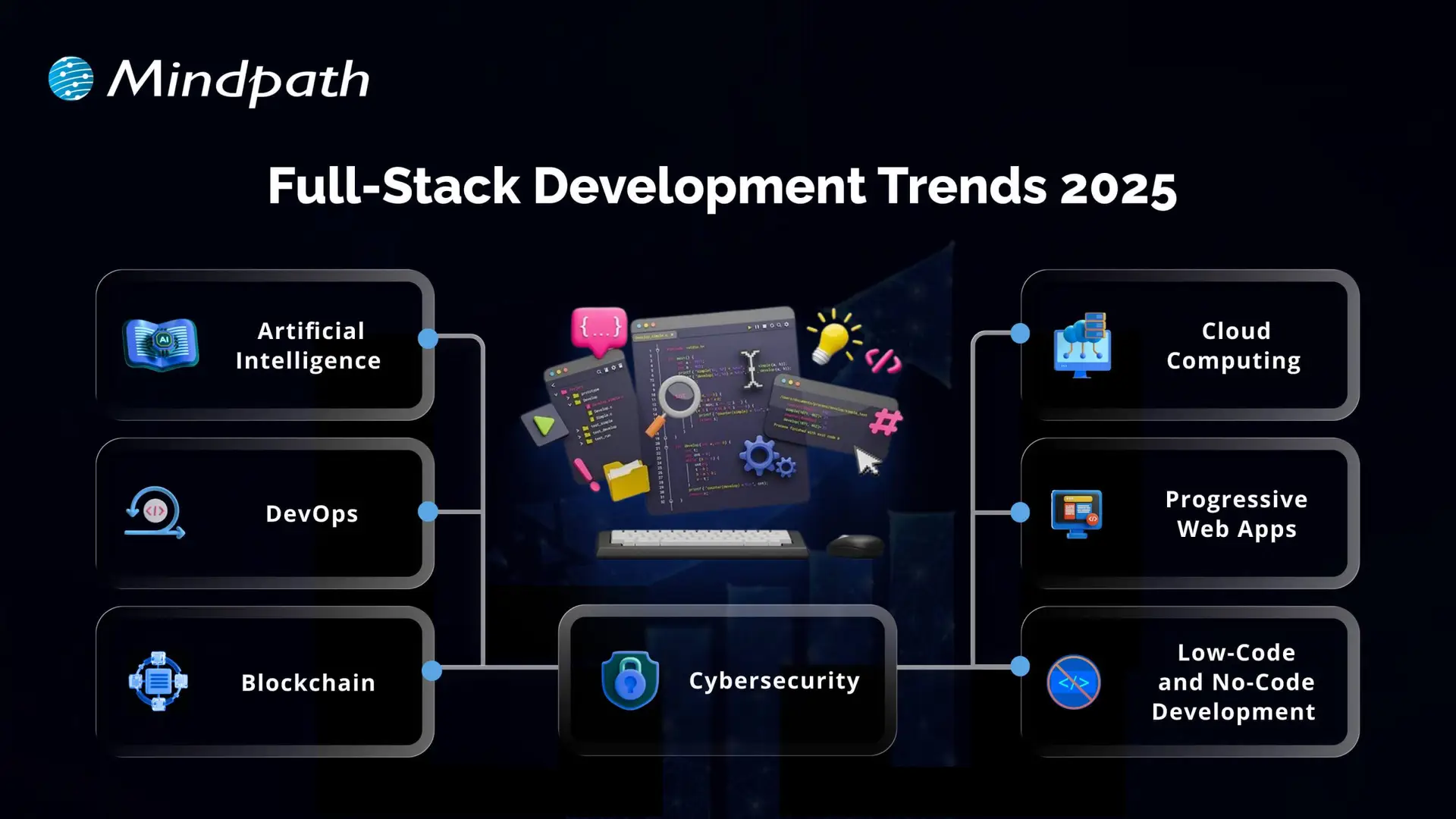
Full-Stack Development Trends 2025

1. Artificial Intelligence

Artificial Intelligence is one of the key full-stack development trends shaping how modern applications are built. It helps solve complex problems faster and allows systems to work without human interruption. Full-stack developers are well-suited for AI roles because they understand both design and logic, making it easier to build intelligent solutions. As the future of full-stack development evolves, AI will play a major role in improving performance and user experience.

2. Cloud Computing

Cloud computing is a fast-growing technology that allows access to data storage, processing power, and other resources over the internet. It supports the future tech stack for developers by offering flexibility, easy scaling, and pay-as-you-go pricing. Full-stack cloud developers are in demand to build and manage cloud-based applications that support collaboration and performance. To grow in this area, developers should understand IaaS, PaaS, SaaS and gain hands-on experience with platforms like AWS, Azure, and Google Cloud.

Also Read: Cloud Computing Trends

3. DevOps

DevOps is a practice that combines development and operations to improve how software is built, tested, and deployed. It helps teams work better together and use tools like continuous integration and delivery to release updates faster. DevOps plays an important role in improving application speed, quality, and reliability. As part of full-stack development trends, it supports the demand for efficient workflows and strong collaboration in building modern applications.

4. Progressive Web Apps

Progressive Web Apps (PWAs) are web applications that offer an app-like experience using modern browser features. They work offline, load quickly, send push notifications, and can be installed on devices without using much storage. As part of web development trends 2026, PWAs help businesses reach more users, especially on mobile, while keeping development simple and cost-effective. Their flexibility and performance make them a smart choice for companies looking to improve user experience.

5. Blockchain

Blockchain is a secure and transparent technology that stores data across a network of computers, making it difficult to change or hack. It is widely used in industries like finance and healthcare to protect transactions and manage decentralized systems. As part of full-stack development trends and the latest trends in web development, blockchain allows developers to build safer and more reliable applications. To work in this area, full-stack developers need skills in decentralized tools, enterprise systems, and Web3 architecture.

Must Read: AI in Cybersecurity

6. Cybersecurity

Cybersecurity is the practice of protecting systems, networks, and applications from online threats like malware, phishing, and DDoS attacks. It has become a key part of full stack development trends as developers need to build secure applications from the ground up. Companies are now including cybersecurity in their future tech stack for developers to keep data and systems safe. Full-stack developers aiming to work in this field should learn network security, web application security, cryptography, and secure coding practices.

7. Low-Code and No-Code Development

Low-code and no-code development platforms allow users to build websites and apps with minimal or no programming skills. These tools are growing as part of full stack development trends because they save time, reduce costs, and make development accessible to more people. While they are great for simple projects, they may not be suitable for complex or large-scale solutions. As part of the trends in software development, LCNC tools offer fast results and full-stack capabilities for quick product launches.

Curious about how development roles differ in modern projects? Explore Front End vs Back End vs Full Stack Developer to see how each contributes to building applications.

Ready to Leverage Full-Stack Development Trends for Your Next Project?

Full-stack development trends are shaping how modern applications are built, improved, and maintained. With advancements like AI, cloud, DevOps, and PWAs, developers and businesses can achieve faster, smarter, and more secure results. Staying updated with these trends will help you build stronger digital products that meet the growing demands of users in 2026 and beyond.

At Mindpath, we offer expert full-stack development services tailored to your business goals. Our skilled developers handle everything from front-end design to back-end logic, delivering complete, scalable solutions. If you’re looking to hire full-stack developers who understand the latest tools and technologies, our team is here to help you build your web and mobile applications with confidence and efficiency.

hiring full stack developer for MVP

The scale of innovation in the modern business landscape is growing consistently, calling for more efficient approaches to create digital solutions. Businesses choose to build MVPs or Minimum Viable Products before investing a huge amount in production. The benefits of hiring full-stack developer for MVP development have been drawing the limelight towards full-stack development services. 

Some business owners think about the possible ways in which full-stack developers can help with MVP development. With full-stack developers, businesses don’t have to hire multiple developers or set up a perfect team to create their MVP. Let us learn about the different ways in which full-stack development services contribute to the success of MVP.

Are you looking to turn your MVP idea into a market-ready product? Mindpath’s Full Stack Development Services will give you access to versatile developers who can handle both front-end and back-end seamlessly.

The Rise of Full Stack Developers

Full-stack development has emerged as one of the prominent alternatives to traditional development approaches. Businesses that have to hire full-stack developer for MVP development must know what a full-stack developer brings to the table. You must notice the term “full-stack” to understand the role of full-stack developers. It represents the complete technology stack or collection of technologies used to create a functional application. Full-stack developers are professionals who have expertise in frontend and backend development.

The versatility of full-stack developers empowers them to bridge the gap between what users see in an application and the underlying infrastructure that powers the application. On top of it, full-stack development also requires knowledge of other aspects such as version control, API integration, and database management. Businesses can find different technology stacks for full-stack development, like MERN, MEAN, LAMP, and Python-based stacks. Every technology stack offers a combination of powerful technologies used to create intuitive applications. 

Advantages of Creating a Minimum Viable Product (MVP)

The Minimum Viable Product or MVP is a trending buzzword in the digital landscape and a strategic solution for efficient product development. Imagine a situation in which a business has invested thousands of dollars in developing an app without a MVP. What will the business do if the target customer base of the organization does not like the app? The business would end up losing the money it invested in the app. 

Let us assume another scenario in which companies hire full-stack developer to create an MVP before rolling an app into production. The MVP is a minimal version of the software or application with limited features for the early adopters. Businesses create MVPs to test their digital products in the early stages of development and learn from the feedback of users to create effective solutions. The following advantages of a MVP will help you understand its significance in the dynamic business landscape.

1. Faster and Cost-Effective Development

One of the prominent advantages of MVPs is the assurance of faster time to market for new digital products and services. MVP focuses on achieving rapid deployment with essential features to gain an early advantage in the target market. 

Businesses can create MVPs without spending a lot on developing a product with full features and gather user feedback. As a result, the MVP can help in testing concepts and identifying the strengths and weaknesses of the application without unwanted expenses.

2. Risk Mitigation from User Feedback

The most distinctive highlight of MVP app development is the opportunity to interact directly with early adopters. Their feedback can help a business find valuable insights into the preferences, pain points, and requirements of users. Developers can use the feedback to ensure that the final product meets user expectations. Interestingly, MVP development involves continuous testing, feedback, and refinement to create more user-friendly and robust applications.

Feedback from users with a minimalistic version of the final product helps in reducing risks for businesses. For instance, business owners don’t have to invest extensively in concepts that their target audience does not like. Early feedback from users helps in identifying potential issues and implementing necessary modifications to reduce risks. 

3. Competitive Edge in the Market

The Minimum Viable Product also helps a business measure market interest and demand for their digital product. It can validate innovative ideas, while negative feedback opens new possibilities for timely modifications before investing a lot in app development. 

The ability to introduce a unique product in the market with limited features allows a business to gain a competitive advantage. Businesses can leverage MVPs to showcase their presence and build brand awareness before competitors jump in. On top of it, the MVP also offers an easy way to generate initial revenue that can be used to support product enhancements and development costs.

Want to stay ahead of the competition and build a truly impactful MVP? Discover the latest Full Stack Development Trends to leverage cutting-edge technologies, streamline development, and maximize your product’s success

Why Should You Hire Full Stack Developers for MVPs?

If the MVP is an important concern for businesses, then they might need specialists for the same. Is MVP development with full-stack developers a feasible choice for your business? The following benefits of working with full-stack developers will help you understand why they are the ideal choices for MVP projects. 

1. Cost Reduction

The cost of a MVP project is significantly less than that of a full-fledged development project. Interestingly, full-stack developers can reduce the cost of MVP development further with their versatility in frontend and backend technologies. Businesses don’t have to hire multiple specialists, thereby reducing the overall development costs. Startups and small enterprises can make the most of this advantage to create impactful MVPs with limited resources.

2. Faster Development

Hiring a full-stack developer is also a proven solution for accelerating the development process. Full-stack developers can contribute to the MVP success strategy with their expertise in frontend and backend domains to ensure seamless integration of all essential components. The streamlined development process supports faster iterations and offers flexibility for refining the product on the basis of users’ feedback. The speed of MVP development helps companies in validating innovative ideas and approving them for production to gain a competitive advantage.

3. Versatile Skillset

Full-stack developers are the ideal picks for MVP development due to their ability to make informed decisions according to the complete development stack and business goals. You can rely on them for end-to-end implementation, starting from creating interactive user interfaces to designing robust server-side architectures. The versatility of full-stack developers also empowers them to switch roles in the MVP development project without conflicts.

4. Lesser Communication Overhead

The next prominent advantage of hiring a full-stack developer for MVP is the assurance of efficient communication. Businesses don’t have to invest a lot of time in communicating with multiple specialists for a MVP project. If a business hires specialists for frontend and backend development, then it will have to monitor their work. On the contrary, full-stack development requires communicating only with a single person. The straightforward communication helps in reducing the possibilities of errors and increases the chances of overall success of the MVP project.

5. Easier Maintenance

With full-stack developers, businesses can avoid all worries about maintenance of the MVP project. Full-stack developers can leverage their expertise in different technologies to address the maintenance requirements, such as bug fixes, updates, and enhancements. On top of it, full-stack developers can implement changes quickly while ensuring compatibility and consistency between different development phases. 

6. Quicker Prototyping

If you have an innovative idea for an app and fail to develop it before your competitor, then you might lose the competitive edge. The value of full-stack development for startups, especially in the case of MVP development, is visible in faster prototyping. Businesses could build working prototypes for their innovative ideas and allow stakeholders to interact with the product. Faster prototyping helps in making necessary changes in the early stages of development and gives opportunities to outsmart the competition.

If you’re not sure what skills to look for in a full-stack developer, start by understanding the key factors that make one successful. Discover Things to Consider Before Hiring a Full Stack Developer to see what expertise can help your MVP stand out.

Challenges of Hiring Full Stack Developers for MVP Projects

The advantages of working with full-stack developers on MVP projects showcase why you need one right now. At the same time, business owners must pay attention to the challenges of hiring full-stack developers. For instance, it is difficult to find full-stack developers with the exact skills required for your MVP development projects. 

Businesses can capitalize on all the benefits of full-stack development only if they hire developers with experience in handling frontend and backend development. It is also important to know that full-stack developers are better picks for small and medium-sized projects. However, hiring only one full-stack developer for large and complex projects may not be the best choice for a business owner.         

Ready to Build Your MVP with the Right Full-Stack Team?

The decision to bring a full-stack developer into your workforce for MVP development is right for many reasons. For starters, you can build the Minimum Viable Product quickly and obtain user feedback to implement relevant modifications in the early stages. On the other hand, choosing a full-stack developer may be one of the toughest challenges for business owners.

At Mindpath, we offer full-stack development services personalized to align with client requirements and vision. We have helped multiple clients bring their vision to reality in the form of intuitive, user-friendly, and robust applications. Our experience and commitment to serving the best results in MVP development make us the best pick for startups and big corporations. Find the ideal resources to create your next MVP project right now.

Frequently Asked Questions

1. When is the right time to hire a full-stack developer for an MVP project?

The ideal time is during the early planning or prototype stage. Bringing in a full-stack developer early helps shape the product architecture, avoid rework, and ensure smooth development from the start, leading to faster validation and more efficient use of resources.

2. How can a full-stack developer support better product decisions during MVP development?

A full-stack developer understands both user-facing features and backend logic, which helps in making balanced decisions. This ensures that features are not only functional but also scalable, improving the overall quality and usability of the MVP from the beginning.

3. What should be evaluated before selecting a full-stack developer for an MVP?

It is important to assess practical experience, familiarity with relevant technology stacks, and the ability to handle end-to-end development. Strong problem-solving skills and an understanding of business goals also play a key role in ensuring successful MVP delivery.

4. How does working with a full-stack developer impact long-term product growth?

A well-built MVP creates a strong foundation for future development. A full-stack developer ensures clean architecture and scalable code, making it easier to expand features, handle increased users, and adapt to changing business needs without major redevelopment.

5. Can a full-stack developer manage changes effectively during MVP iterations?

Yes, full-stack developers are well-equipped to handle frequent changes during MVP cycles. Their ability to work across different layers of the application allows quicker updates, smoother adjustments, and better alignment with user feedback throughout the development process.

ReactJS for Progressive Web App development

Creating applications that are fast, dependable, and smooth on all devices is important for every company today, right? So, when you think of building something like that, ReactJS for Progressive Web App development may be a wise option for you. It allows you to create applications that give the experience of a native application without the cost or intricacy. There are many modern companies already using this approach to enhance performance and keep users invested with consistent user experiences.

ReactJS offers speed, flexibility, and user-centric features that are perfectly aligned with progressive web app goals. ReactJS has reusable components and fast rendering, making it easy for developers to build responsive and high-performance apps. PWAs built with ReactJS are responsive and load fast, work offline, and allow a smooth mobile experience that users will enjoy. In this blog, we will examine the top reasons why ReactJS is great for developing PWAs.

Looking to engage users with fast and seamless web applications? At Mindpath, we offer ReactJS development services where our experts help you create user-focused Progressive Web Apps that give users a smooth digital experience.

Understanding the Fundamentals of PWAs

Progressive Web Apps (PWAs) are modern web applications that function like mobile apps. With a PWA, you can open it in a web browser, but it behaves like a real app on your phone or computer. They are designed to function seamlessly across all devices (smartphones, tablets, or desktops), which is nicer than having separate mobile websites, apps, and desktop apps.

Progressive Web Apps are created using HTML, CSS, and JavaScript. They are fast to load; they work when users are offline and can send push notifications. They also allow access to certain phone functionality, such as the camera or location. PWAs can help businesses save time and money since they must build one app that can work everywhere.

Looking for specialists who can handle complex front-end challenges in your business? Learn why partnering with an expert React Development Company is a smart move.

Advantages of Using ReactJS for Progressive Web App development

Using ReactJS for PWA development is a great choice for creating secure and fast web applications. With the growing ReactJS trends, developers hope that they can deliver seamless and user-friendly experiences. Here is how ReactJS is perfect for your PWAs.
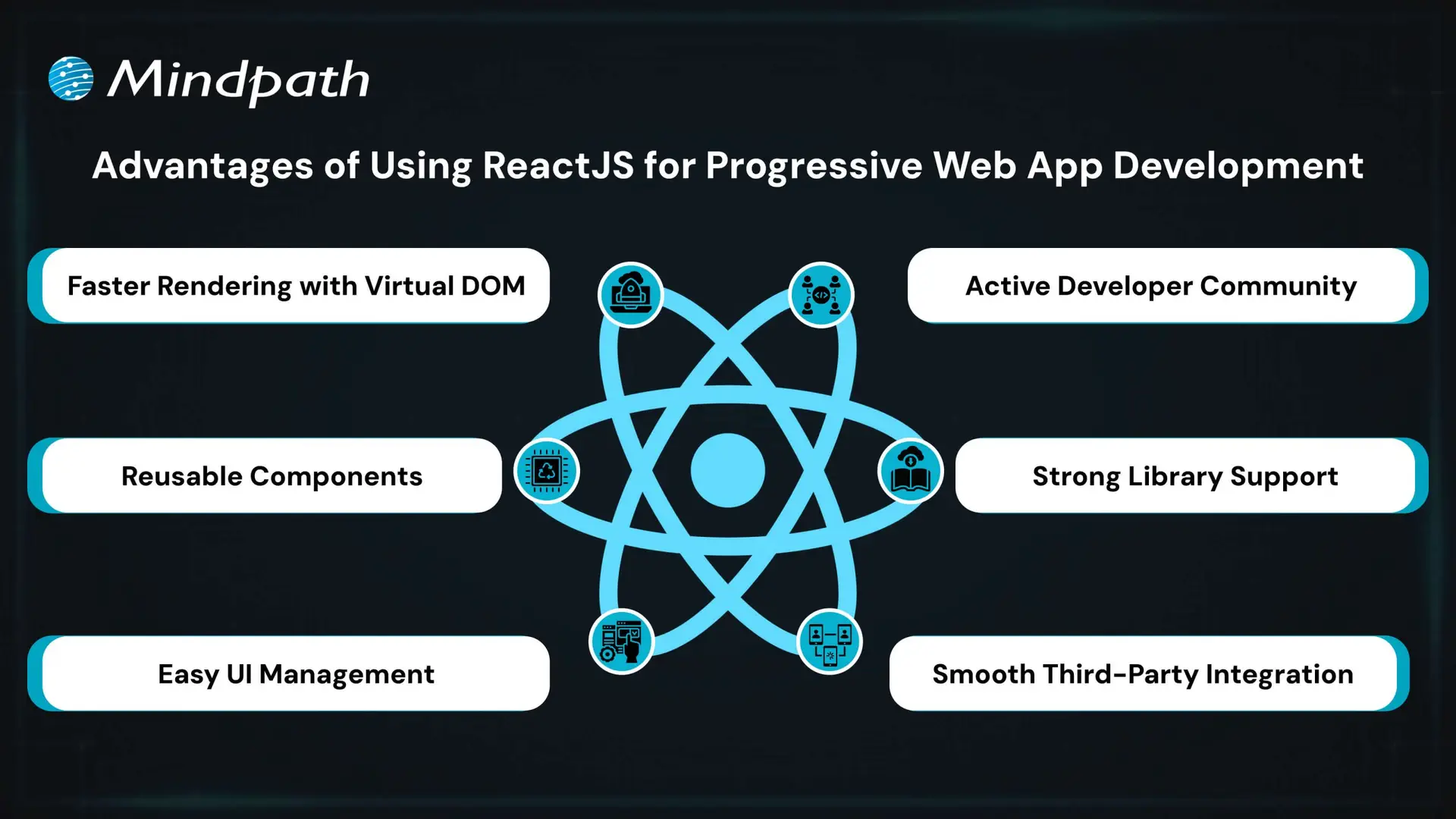
Advantages of Using ReactJS for Progressive Web App development

1. Faster Rendering with Virtual DOM

React uses a Virtual DOM to update only the parts of the page that change. This speeds up performance and ensures a smooth user experience. It’s ideal for building fast and responsive ReactJS PWA solutions.

2. Reusable Components

React’s component-based structure allows developers to reuse code across the app. This makes it easier to manage the app and scale it as it grows. It’s a key reason why teams choose ReactJS for progressive web app development.

3. Easy UI Management

React follows a declarative style for creating user interfaces. This makes it simple to manage and update interactive elements in the app. It helps deliver a smooth and engaging ReactJS progressive web app experience.

4. Active Developer Community

React has a strong global community that shares solutions, tools, and tutorials. This support helps developers solve problems faster and stay updated. It also contributes to the future of ReactJS in modern web development.

5. Strong Library Support

React has many libraries like React Router and Redux that simplify routing, data flow, and offline features. These tools help developers add advanced features to PWAs with less effort. They make building a PWA with React more efficient and reliable.

6. Smooth Third-Party Integration

React works well with tools needed for Progressive Web Apps, such as service workers and web app manifests. These tools help enable offline access, background syncing, and “Add to Home Screen” functionality. This makes it easier to implement full PWA capabilities when building with React.

Want to keep your large React app fast and responsive as it scales? Discover the best practices for optimizing React performance for large applications.

Steps to Set Up a React PWA

Getting started with React is a smart move when building modern web apps that work offline and feel like native apps. If you’re planning to use React for progressive web app development, here are the key steps to set it up properly.
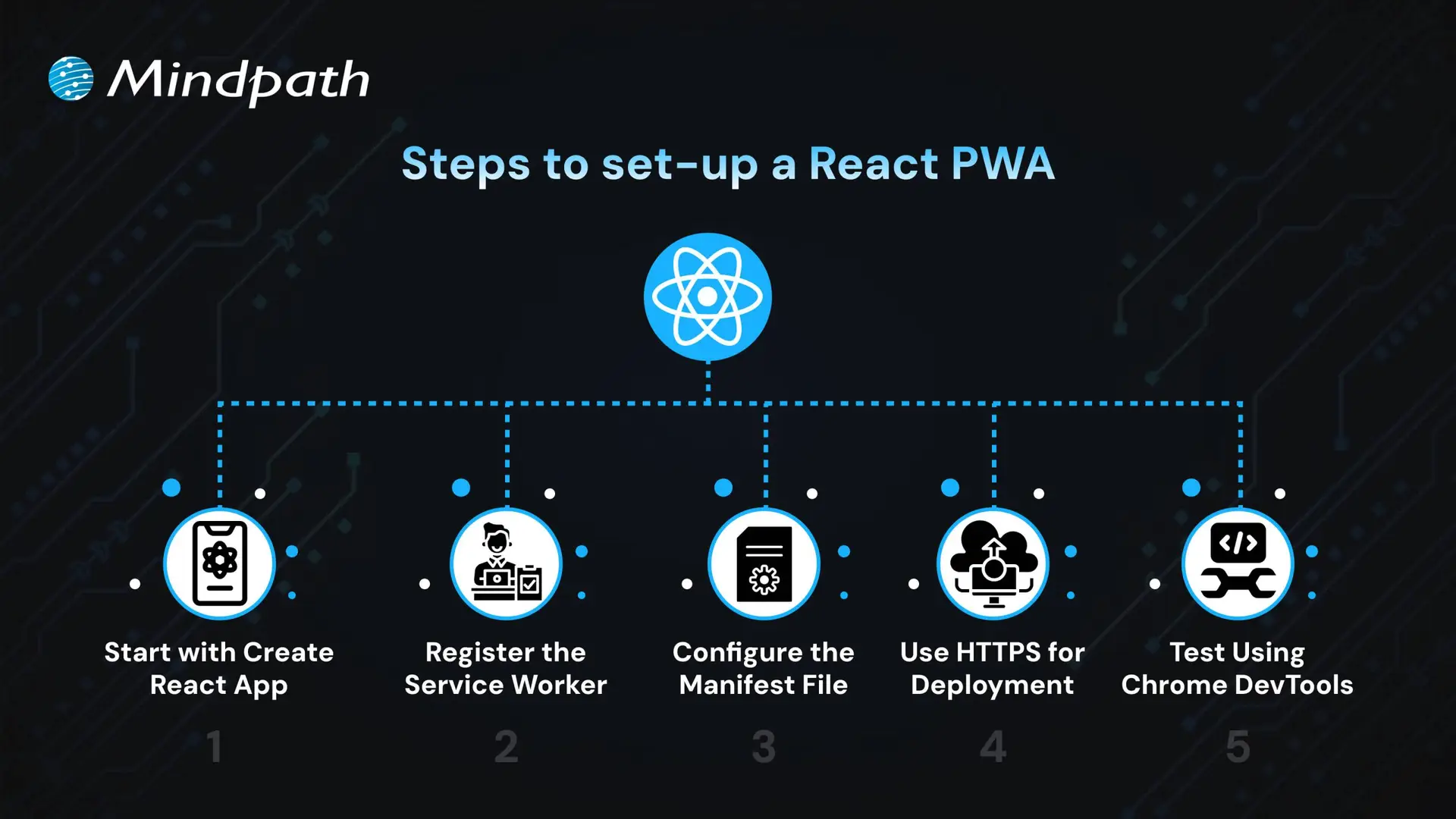
Steps to Set Up a React PWA

1. Start with Create React App

The easiest way to begin is by using Create React App, which includes built-in support for PWAs. It sets up a basic structure with everything needed for ReactJS PWA development, including service workers and a manifest file. CRA also optimizes the build process, making your app production-ready. This setup ensures you have a strong foundation to build a scalable and responsive PWA.

2. Register the Service Worker

To activate offline support, register the service worker by calling ‘serviceWorkerRegistration.register()’. This enables background caching, which is key to building a progressive web app with React that works without an internet connection. A registered service worker allows the app to cache assets and serve them even when the network is unavailable. It also helps improve performance by reducing server requests, ensuring a better user experience in the future of web development.

3. Configure the Manifest File

Update the manifest.json file in the public folder to define your app’s name, icons, theme color, start URL, and display mode. These settings control how your app appears when installed on a device. A properly configured manifest ensures your PWA looks and feels like a native app. This also helps in enabling features like splash screens and full-screen display, supporting the growth of progressive web apps with React development.

4. Use HTTPS for Deployment

For security, PWAs must be served over HTTPS. Local development through CRA handles this, but for live deployment, ensure your server uses a valid HTTPS setup. A secure context is required for service workers and features like push notifications. Using HTTPS also improves user trust and SEO performance.

5. Test Using Chrome DevTools

Use Chrome DevTools to inspect and test your PWA setup. You can verify service worker status, cached files, and manifest settings. Lighthouse audits can also help you improve your app based on best practices for React for progressive web app development. Testing ensures your PWA meets performance, accessibility, and usability standards.

Seeking a development approach that reduces complexity while enhancing functionality? Read why React Web Development is ideal for modern projects.

Ready to Build a Powerful PWA with ReactJS?

ReactJS offers all the essential tools to build fast, reliable, and interactive web apps that feel like native experiences. Its reusable components, strong ecosystem, and smooth performance make it a top choice for modern applications. Choosing ReactJS for progressive web app development is a future-focused decision that brings real value to your business.

At Mindpath, we deliver expert ReactJS development services tailored to your goals. We build responsive, scalable, and feature-rich PWAs with smooth offline access and high performance. Our experienced team uses the latest tools and trends to create apps users love. Partner with Mindpath and bring your next ReactJS PWA to life with speed and quality.
Discover why ReactJS is perfect for Progressive Web App (PWA) development. Learn how Mindpath can help you build high-quality PWAs.
Node js libraries for AI

Businesses increasingly use artificial intelligence to improve customer experiences, automate workflows, and build more capable digital products. For teams working with JavaScript, Node.js libraries for AI provide practical ways to connect applications with machine learning models, language-processing tools, and generative AI services without rebuilding the entire technology stack.

The right approach depends on what you want to build. Some libraries support machine learning directly in JavaScript, others provide natural language processing or computer vision features, and AI service SDKs connect applications to hosted models through APIs. Understanding these differences helps development teams choose tools that fit their technical requirements, budget, and deployment environment.

Key Takeaways

  • 01
    Node.js supports AI integration through JavaScript machine learning libraries, specialized NLP tools, and SDKs for hosted AI services.
  • 02
    TensorFlow.js, Natural, and Compromise serve different needs, from model execution to text processing and language analysis.
  • 03
    AI service SDKs connect Node.js applications to hosted models, while local libraries may support inference or model development in JavaScript.
  • 04
    Library selection should account for maintenance status, compatibility, performance, licensing, privacy, and deployment requirements.
  • 05
    Businesses can combine Node.js with AI APIs or specialized model services to build chatbots, recommendations, document workflows, and other AI-enabled features.
Planning an AI-powered application? Mindpath’s AI integration services can help you evaluate integration options based on your product requirements and existing technology stack.

Why Integrate AI into Node.js Applications?

Node.js is a JavaScript runtime commonly used to build APIs, backend services, real-time applications, and web application infrastructure. Its event-driven, non-blocking I/O model can help applications manage many concurrent network operations, including requests to external AI services.

Node.js can integrate with AI in several ways. Developers can execute compatible models with JavaScript libraries, call hosted AI models through APIs, or connect to a separate inference service written in another language. The best option depends on model requirements, latency expectations, infrastructure, and the amount of control the application needs.

JavaScript’s broad use across web development can also make it convenient for teams that want to share familiar language and tooling across frontend and backend work. However, demanding model training or specialized inference workloads may be better suited to dedicated machine learning frameworks or services.

Here are some potential benefits of integrating AI into Node.js applications:
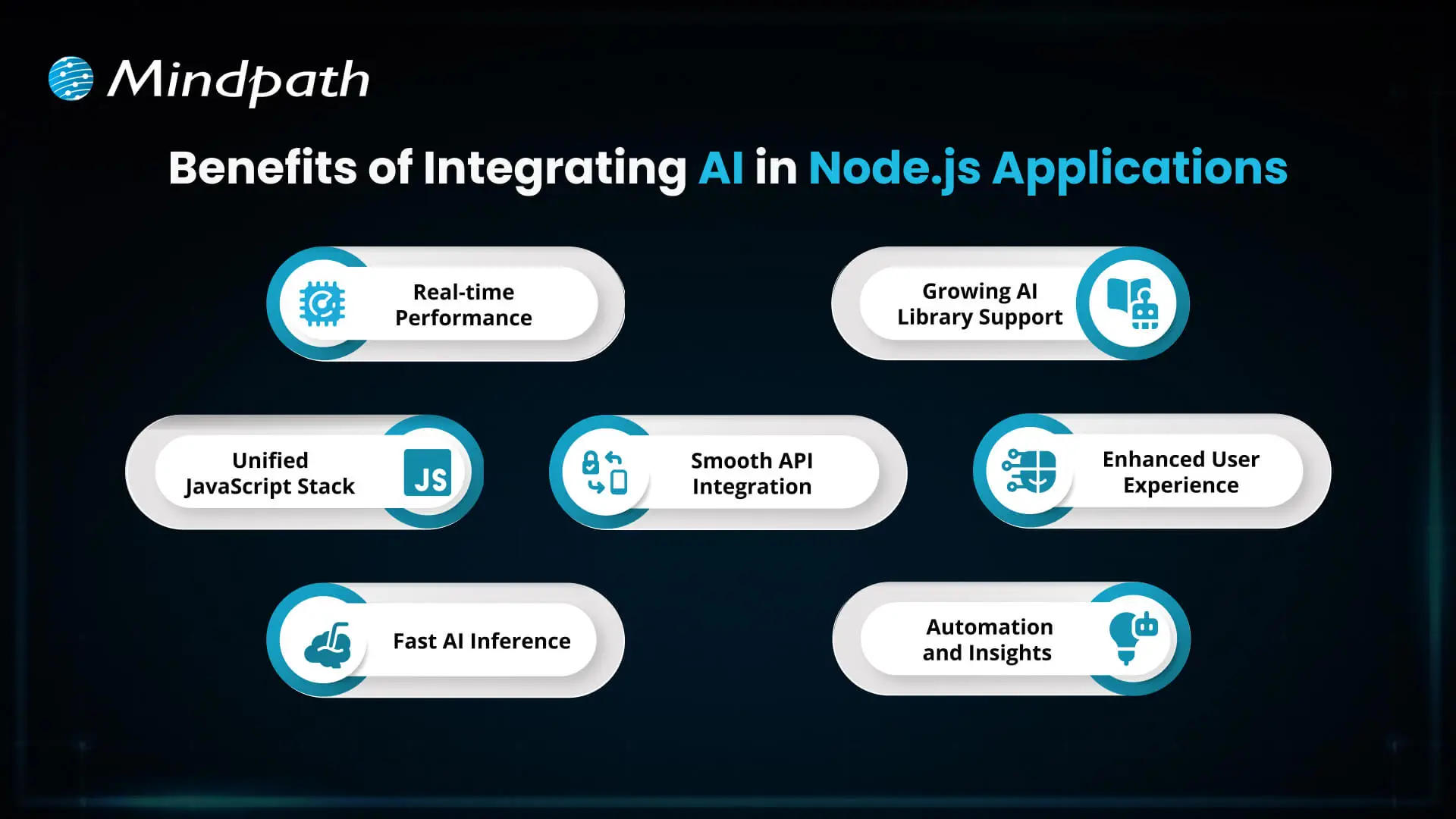
Benefits of integrating AI into Node.js applications

1. Responsive AI Features

Node.js can manage application requests and communicate with AI services asynchronously. This is useful for features such as chat interfaces, recommendation APIs, and automated document processing. Actual response times depend on the model, network, infrastructure, and application design.

2. A Familiar JavaScript Stack

Teams already using JavaScript can integrate AI functionality into their Node.js backend without necessarily introducing a separate application layer for every feature. This can simplify some development workflows, although specialized models may still require Python-based services or other infrastructure.

3. Flexible Model Execution

Depending on the model and runtime, developers can run compatible inference workloads in JavaScript or send requests to an external model endpoint. Performance should be benchmarked against the actual workload instead of assuming that Node.js or any particular library will automatically provide faster inference.

4. Integration with Existing Systems

Node.js applications can connect AI services to databases, customer relationship management platforms, content systems, and internal APIs. This makes it possible to incorporate AI into existing workflows rather than treating it as an isolated feature.

5. A Range of AI Libraries and Services

The JavaScript ecosystem includes machine learning libraries, natural language processing tools, computer vision packages, and SDKs for hosted AI services. Each category serves a different purpose, so developers should select tools based on their intended functionality and ongoing support.

6. More Context-Aware User Experiences

AI features can support conversational assistance, personalized recommendations, classification, and content analysis. Their usefulness depends on data quality, model selection, testing, and appropriate safeguards for the application.

7. Workflow Automation

AI integration can help automate tasks such as categorizing incoming requests, extracting information from documents, and routing customer queries. Teams should keep validation, monitoring, and human review in place where mistakes could have significant consequences.

Related reading: Top Node.js Libraries covers additional tools for building Node.js applications.

Top Node.js Libraries for AI Integration

There is no single best AI library for every Node.js project. Some tools provide machine learning capabilities, others focus on text processing or computer vision, and some help applications communicate with external AI platforms. The following options cover different use cases and should be evaluated for current maintenance, compatibility, and licensing before adoption.
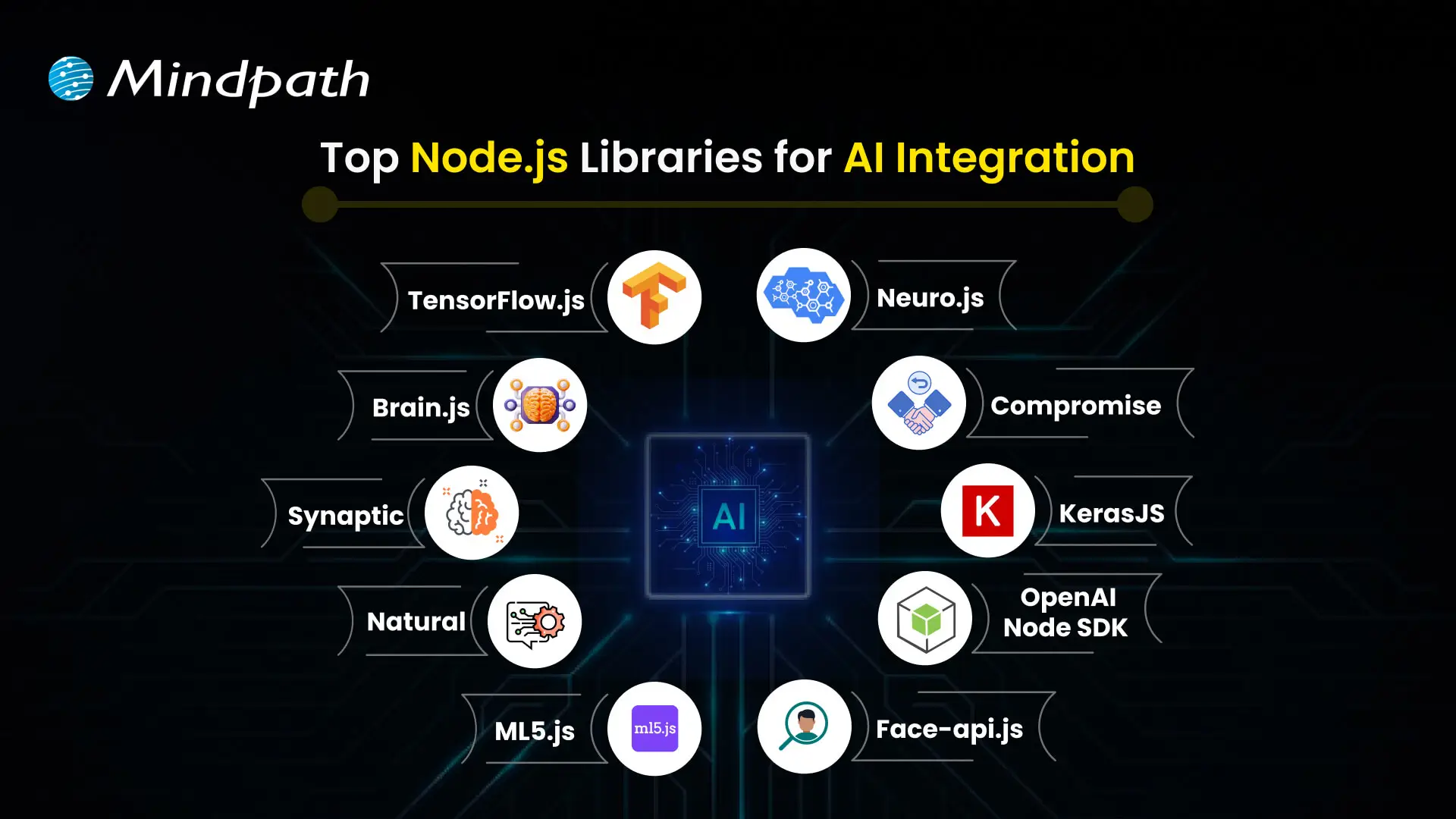
Node.js libraries and tools used for AI integration

1. TensorFlow.js

Best for: JavaScript-based machine learning and model inference.

TensorFlow.js provides tools for developing, training, and running machine learning models in JavaScript. It supports browser-based use and Node.js environments, with capabilities that depend on the selected backend and model.

Developers can use it for suitable classification, prediction, and computer vision workloads. Before using it in production, evaluate model compatibility, runtime performance, hardware support, and whether a JavaScript-based implementation meets the project’s needs.

2. Brain.js

Best for: Smaller neural network experiments and learning projects.

Brain.js is a JavaScript library for working with neural networks. It can be useful for learning the basics of neural network development and experimenting with comparatively straightforward problems.

It is not a replacement for every modern machine learning framework. Review its current maintenance status, supported operations, and performance limitations before selecting it for a business-critical application.

3. Synaptic

Best for: Exploring neural network architectures in JavaScript.

Synaptic is a JavaScript neural network library that has been used for building and experimenting with network architectures. It may be relevant for educational work or existing projects that already depend on it.

Because library maintenance and ecosystem compatibility can change, check the repository, recent releases, documentation, and dependencies before using Synaptic in a new production system. For larger or more specialized workloads, compare it with actively supported alternatives.

4. Natural

Best for: Traditional natural language processing in Node.js.

Natural is a JavaScript natural language processing library that provides utilities for tasks such as tokenization, stemming, classification, and other text-processing operations. It can be useful when an application needs language-processing functionality without relying on a large generative AI model for every task.

Potential use cases include categorizing support messages, processing text, and building rule-based or statistical language workflows. Verify language support and the availability of the required algorithms for your specific application.

5. ml5.js

Best for: Accessible machine learning experiments and creative projects.

ml5.js provides a higher-level interface to selected machine learning capabilities, with a focus on making machine learning more approachable for creative coding and educational projects. It builds on web machine learning technologies and can simplify certain model-based interactions.

Its suitability for a Node.js backend depends on the specific feature and runtime support. Check the current documentation before assuming that a browser-focused example will work unchanged in a server environment.

6. Neuro.js

Best for: Evaluating existing JavaScript machine learning projects.

Neuro.js has been associated with JavaScript machine learning and intelligent application development. Its relevance to a new project depends on the current state of its repository, documentation, dependencies, and supported use cases.

Before choosing it for a production application, verify that it is actively maintained and meets your security, compatibility, and performance requirements. If those requirements are not met, consider a better-supported library or a hosted AI service.

7. Compromise

Best for: Lightweight English-language text analysis.

Compromise is a JavaScript library for processing and analyzing natural language. It can help applications identify and work with elements such as nouns, verbs, dates, and other text structures using lightweight language-processing techniques.

It is useful for selected text-processing tasks, but it is not a general-purpose machine learning framework or a substitute for a large language model. Check its current language coverage and capabilities against your requirements.

8. Keras.js

Best for: Assessing existing projects that use browser-based model execution.

Keras.js was developed to run certain trained neural network models in JavaScript environments, particularly in the browser. It may be relevant when maintaining an older project that already uses it.

For new projects, carefully verify its current maintenance, compatibility with modern model formats, and supported runtime. Teams should compare it with actively supported alternatives before committing to it for a production deployment.

9. OpenAI Node.js SDK

Best for: Connecting Node.js applications to OpenAI APIs.

The OpenAI Node.js SDK is a client library for communicating with OpenAI services from JavaScript and TypeScript applications. It can be used to integrate supported API capabilities into applications, depending on the models and endpoints available to the account.

Typical use cases include conversational interfaces, text generation, structured outputs, and other supported model capabilities. The SDK itself is not a local machine learning framework; model processing takes place through the relevant OpenAI service.

Keep API credentials on the server, handle errors and rate limits, and review usage costs, data-handling requirements, and the current API documentation before deployment.

10. face-api.js

Best for: Evaluating face-detection and facial-analysis functionality in existing JavaScript projects.

face-api.js provides JavaScript implementations for selected face-detection and facial-analysis tasks built on TensorFlow.js. It has been used in browser and Node.js projects, although setup requirements and compatibility depend on the runtime and model configuration.

Before using it in a new application, check maintenance activity, supported dependencies, model compatibility, and performance. Facial data is sensitive, so any deployment should also address consent, privacy, security, and applicable legal requirements.

Need help selecting a production-ready AI stack? Read about web performance with Node.js development services and consider how application architecture affects your AI workloads.

How to Choose the Right Node.js AI Library

Choosing a library should begin with the business problem, not the popularity of a package. A chatbot, a document classification workflow, and a custom image model can require very different tools and infrastructure.

1. Define the AI Use Case

Determine whether your application needs text analysis, generative AI, image processing, recommendations, prediction, or another capability. A clearly defined use case makes it easier to shortlist appropriate libraries and test their results.

2. Decide Between Local Models and Hosted AI APIs

Local inference may offer greater control over execution and data flow, but it also requires suitable model support, compute resources, deployment planning, and maintenance. Hosted APIs can simplify access to capable models, but introduce external dependencies, usage costs, latency considerations, and provider-specific data policies.

3. Check Maintenance and Compatibility

Review release activity, issue handling, documentation, supported Node.js versions, dependency health, licensing, and security advisories. A library that works for a prototype may not be the right choice for a system that needs long-term support.

4. Test Performance with Realistic Workloads

Benchmark latency, throughput, memory usage, and operating costs with representative data. For API-based AI, measure network and provider response times as well as the time spent in your own application. For local inference, test the model and runtime on the hardware intended for deployment.

5. Plan Security, Privacy, and Monitoring

Assess whether the application processes personal, confidential, or regulated information. Apply appropriate access controls, protect credentials, validate model outputs, and log operational metrics without unnecessarily exposing sensitive data. Add human review where an incorrect AI result could create material risk.

Common Business Use Cases for Node.js AI Integration

Node.js can act as the application layer that connects AI capabilities with business data, user interfaces, and operational systems. Examples include:

  • Customer support assistants: Connect chat interfaces to an AI API and approved knowledge sources, with escalation paths for complex requests.
  • Document processing: Extract, classify, or summarize information from business documents using suitable models and validation steps.
  • Recommendation features: Combine product or user data with a suitable recommendation model or external service.
  • Text classification: Categorize messages, feedback, or support tickets using traditional NLP tools or machine learning models.
  • Workflow automation: Route requests, extract fields, and prepare suggested actions while retaining appropriate approval and audit controls.
  • Computer vision applications: Connect compatible image-processing models or services to a Node.js API for supported visual tasks.

These are implementation patterns, not guarantees of business results. The appropriate model, data source, evaluation process, and system design depend on the application’s goals and constraints.

Why Work with a Node.js and AI Integration Partner?

Choosing a library is only one part of building a dependable AI-enabled application. Production systems also require architecture planning, API integration, authentication, data handling, error management, performance testing, deployment, and ongoing monitoring.

A development partner can help assess whether a hosted model, JavaScript library, or separate inference service is appropriate for the project. This evaluation can reduce avoidable integration work and ensure that the technical approach matches the business requirements.

When evaluating a development partner, ask how they handle model evaluation, API security, cost controls, data privacy, observability, and maintenance. Request a clear implementation scope and measurable acceptance criteria rather than relying on broad claims about AI capabilities.

Looking for support with your project? Explore Mindpath’s Node.js development services to discuss your application architecture, integrations, and development requirements.

Conclusion

Node.js libraries for AI give development teams several ways to add intelligent capabilities to JavaScript applications. Tools such as TensorFlow.js, Natural, and Compromise support different types of local processing, while the OpenAI Node.js SDK connects applications to hosted AI services. Other libraries may be useful for existing projects, but their current maintenance and compatibility should be checked before adoption.

The right choice depends on your business use case, model requirements, data policies, performance targets, and long-term maintenance needs. A well-planned integration should include testing, security controls, monitoring, and a clear way to measure whether the feature meets its intended purpose.

At Mindpath, we support businesses building and integrating digital solutions. Visit our Node.js development services page to discuss your project requirements and explore an implementation approach aligned with your business goals.


Discover top Node.js libraries for AI integrations and learn to enhance your applications with machine learning, NLP, and more.
Artificial intelligence is changing how people interact with technology, access information, and complete everyday tasks. From AI-powered assistants to systems that analyze complex datasets, AI is becoming part of business operations, education, healthcare, and digital services. These developments offer new ways to improve efficiency, support creativity, and make informed decisions.

Key Takeaways

  • 01
    The future of AI will influence how businesses operate, people learn, and teams make decisions.
  • 02
    Generative AI, AI agents, machine learning, and multimodal systems are expanding the ways people use AI.
  • 03
    AI can support creativity, accessibility, cybersecurity, sustainability, and personalized services.
  • 04
    Businesses should connect AI initiatives to measurable goals, reliable data, and clear operational needs.
  • 05
    Responsible AI adoption requires human oversight, data protection, transparency, and ongoing evaluation.

The future of AI will depend not only on advances in technology but also on how people and organizations choose to use it. Businesses must evaluate where AI can create value, while addressing challenges such as data privacy, bias, security, and the need for human oversight. Understanding these opportunities and limitations can help organizations prepare for an increasingly AI-driven world.

Planning to integrate AI into your business? Mindpath provides artificial intelligence development services to help organizations evaluate, develop, and implement AI-powered solutions.

The Evolution of Artificial Intelligence

Artificial intelligence refers to computer systems designed to perform tasks that typically require human cognitive abilities, such as recognizing patterns, understanding language, generating content, and supporting decisions. Modern AI includes several approaches, including machine learning, deep learning, natural language processing, and generative AI.

AI has developed through decades of research and technological progress. Alan Turing’s work in the 1950s helped shape early discussions about machine intelligence. Researchers subsequently developed symbolic reasoning methods and expert systems, which used rules and structured knowledge to solve specific problems.

As computing power, data availability, and machine learning techniques improved, AI systems became capable of handling more complex tasks. Deep learning advanced applications such as image recognition, speech processing, and language understanding. More recently, large language models and generative AI have made it possible to produce text, images, code, and other content from user instructions.

Today’s AI systems vary considerably in capability. Some perform narrowly defined tasks, while others can assist with multiple related activities. Their usefulness depends on the quality of the model, the data and tools available, the task being performed, and the level of human supervision.

Related reading: AI for customer service explains how AI can support customer interactions and service workflows.

How AI Will Shape the Future

The future of AI will involve more than automating repetitive tasks. AI systems can support human creativity, help organizations analyze information, personalize digital experiences, and identify patterns that may be difficult to recognize manually. The following areas illustrate where these capabilities can make a difference.

1. Supporting Human Creativity and Productivity

AI tools can help writers develop outlines, designers generate concepts, and developers draft or review code. By assisting with repetitive or time-consuming activities, these tools can give people more time to focus on judgment, creative direction, and complex problem-solving.

However, AI-generated work still requires review. Human expertise remains important for verifying accuracy, maintaining originality, understanding context, and ensuring that the final output meets business or customer requirements.

2. Improving Decision-Making

AI can process large datasets, identify patterns, and generate forecasts that support business planning. Organizations can use these capabilities to analyze customer behavior, evaluate operational performance, identify potential risks, and compare possible courses of action.

AI in decision-making can help teams assess information more efficiently, but recommendations should be evaluated against reliable data and relevant business context. Human decision-makers remain accountable for consequential choices.

3. Personalizing Education and Learning

AI-powered educational tools can adjust practice activities, provide feedback, and recommend learning materials based on a student’s progress. Conversational interfaces can also help learners ask questions and receive explanations at their own pace.

These capabilities may make learning more flexible, but they do not replace teachers or educational judgment. Learning platforms should protect student data, check generated information for accuracy, and account for differences in accessibility and learning needs.

4. Making Digital Experiences More Accessible

AI can support accessibility through speech recognition, text-to-speech tools, automated captions, image descriptions, and language translation. These features can help people interact with digital products in ways that better suit their needs.

Accessibility tools should be tested with people who use them. AI-generated captions, descriptions, and translations may contain errors, so critical information should have appropriate review and alternative access options.

5. Supporting Sustainability and Resource Efficiency

AI can help organizations analyze energy consumption, forecast equipment maintenance needs, optimize logistics, and identify opportunities to reduce material waste. Predictive models and digital twins can also support simulations of operational changes before they are implemented in real environments.

The environmental value of an AI system depends on its implementation and actual outcomes. Organizations should assess energy use, infrastructure requirements, data quality, and measurable resource savings rather than assuming that AI automatically produces sustainable results.

6. Strengthening Cybersecurity and Risk Detection

AI systems can analyze network activity, flag unusual behavior, prioritize security alerts, and help security teams investigate potential threats. These capabilities can improve how organizations identify and respond to suspicious activity.

AI is also used by attackers to develop more convincing phishing messages and automate certain malicious activities. Businesses should combine AI-assisted security with access controls, monitoring, incident response procedures, and regular security reviews.

7. Improving Access to Information and Services

AI assistants and chatbots can answer common questions, guide users through processes, and help customers find relevant information. When connected to approved knowledge sources and business systems, they can also support tasks such as service requests and information retrieval.

Organizations should define which tasks an AI assistant can handle, when it must escalate a request, and how users can reach a human representative. These safeguards are particularly important when requests involve sensitive information or complex decisions.

8. Accelerating Collaboration and Innovation

AI can support collaboration by summarizing documents, organizing research, generating product concepts, and helping teams compare design or development options. AI agents may also coordinate multiple steps in a workflow when provided with suitable tools, permissions, and instructions.

Effective collaboration requires clear responsibilities and review processes. Teams should verify outputs, restrict access to sensitive systems, and monitor automated actions before allowing AI to perform higher-impact tasks independently.

Related reading: Generative AI use cases covers practical ways organizations can apply generative AI across different workflows.

Emerging AI Technologies Shaping the Future

Several areas of AI development are expanding what software can do. Their business value depends on the problem being solved, the maturity of the technology, and the safeguards used during implementation.

AI technology What it does Potential applications
Generative AI Creates content such as text, images, code, and summaries from prompts or other inputs. Content assistance, prototyping, software development, and knowledge work.
AI agents Use models and tools to carry out sequences of tasks toward a defined goal, subject to their permissions and controls. Workflow coordination, research assistance, and selected customer service tasks.
Multimodal AI Processes or combines different data types, such as text, images, audio, and video. Document analysis, accessibility, media understanding, and interactive assistants.
Retrieval-augmented generation (RAG) Uses retrieved information from selected sources to provide context for generated responses. Internal knowledge assistants, document search, and support systems.
Predictive machine learning Uses historical data and learned patterns to estimate outcomes or classify information. Demand forecasting, anomaly detection, maintenance planning, and risk analysis.

These technologies can be combined, but they are not interchangeable. For example, a predictive model may be better suited to forecasting demand, while a retrieval-augmented system may be more appropriate for answering questions using company documentation. Choosing the right approach starts with defining the task and evaluating the available data.

Strategic Approaches to an AI-Driven Future

Organizations need a practical strategy to turn AI capabilities into useful business outcomes. A successful approach begins with a defined problem, a manageable scope, and clear expectations about performance, cost, risk, and human involvement.

1. Define Clear Business Objectives

Identify a specific problem that AI could help solve, such as reducing manual data entry, improving search across internal documents, or assisting customer support teams. Define the existing process and establish baseline measurements before introducing a new solution.

2. Start With a Focused Pilot

Test the proposed solution on a limited workflow before expanding it across the organization. Use a representative dataset, define success criteria, and collect feedback from the people who will use the system. A pilot can reveal limitations before the business commits to a larger rollout.

3. Prepare Data and Integrations

AI systems need suitable data, secure access, and reliable connections to the systems they use. Review data quality, ownership, permissions, and retention requirements. For systems that retrieve internal information, make sure access controls also apply to the information returned by the AI.

4. Develop AI Skills Across Teams

Help employees understand what AI systems can and cannot do. Training should cover effective use, output verification, privacy, security, and escalation procedures. Teams responsible for building and maintaining AI solutions may also need specialized technical and governance skills.

5. Make Responsible AI Part of the Process

Establish policies for data protection, transparency, bias assessment, human review, and accountability. The level of oversight should reflect the potential consequences of an incorrect or inappropriate output. Sensitive or high-impact decisions may require stronger controls and additional expert review.

6. Measure Results and Improve Continuously

Evaluate AI using measures that relate directly to the original business objective. Depending on the application, these may include task completion time, error rates, customer satisfaction, operating cost, adoption, or the accuracy of generated responses.

Monitor performance after launch because data, user needs, and underlying models can change. Establish a process for investigating failures, collecting feedback, updating systems, and deciding when human intervention is necessary.

Building an AI roadmap? Review top AI trends and AI programming languages to understand relevant developments and technical options.

Challenges That Could Shape the Future of AI

AI creates opportunities, but its adoption also introduces technical, operational, and ethical challenges. Addressing these issues early helps organizations make more informed decisions about where and how to deploy AI.

Challenge Why it matters Practical response
Inaccurate outputs AI can generate plausible but incorrect information or recommendations. Validate important outputs, use trusted sources, and define review requirements.
Privacy and data security Improper handling of personal, confidential, or regulated information can create risk. Apply access controls, data minimization, approved tools, and retention policies.
Bias and fairness Data and model behavior can produce uneven outcomes for different groups. Evaluate representative cases, test for disparate outcomes, and review decisions.
Integration and cost AI systems can require infrastructure, maintenance, monitoring, and process changes. Estimate total operating costs and test integrations before scaling.
Overreliance on automation Users may accept outputs without checking context or accuracy. Set clear responsibility, escalation paths, and human oversight for important tasks.

Responsible AI is an ongoing process rather than a one-time technical check. Organizations should revisit their controls as applications evolve, usage expands, and new risks emerge.

Ready to Prepare Your Business for the Future of AI?

Artificial intelligence is influencing how organizations develop products, support customers, analyze information, and improve everyday workflows. Its long-term value will depend on selecting appropriate use cases, combining technology with human expertise, and addressing risks through responsible implementation.

Mindpath helps businesses assess and implement AI solutions aligned with their operational needs. Our AI development services can support organizations looking to build practical, scalable applications with appropriate attention to data, security, and business objectives.

Explore how is AI transforming future, impacting data privacy, job markets, and business automation. Learn about Mindpath’s AI Services.

Join our Newsletter!

categories

Join the world's largest training library and unlock new opportunities!

Featured Posts

Turn Insights Into
Real Business Solutions

Exploring trends is only the beginning. Whether you’re planning AI adoption, modernizing legacy systems, or building scalable software, our experts help transform ideas into practical business outcomes.