
Latest Insights On
GenAI, Tech, and Digital Transformation
Stay updated with expert insights, success stories, and real-world applications of cutting-edge technology.
Business data holds valuable insights, but poor quality, scattered records, and inconsistent formats can make those insights difficult to unlock. When businesses introduce AI without addressing these issues, even capable models can produce unreliable results. The real challenge is making existing data accurate, relevant, and usable for meaningful business decisions.
Key Takeaways
- 01
Assess existing data sources to identify gaps, inconsistencies, and information needed for specific AI applications. - 02
Clean and validate records to improve data reliability and reduce misleading AI outputs. - 03
Transform business data using suitable encoding, feature engineering, and formatting techniques. - 04
Prepare documents for AI retrieval using text extraction, chunking, embeddings, and metadata. - 05
Maintain reliable data pipelines with automated quality checks, governance, and continuous performance monitoring.
Data preparation for AI helps bridge this gap by turning raw information into reliable inputs for AI applications. From correcting data inconsistencies to organizing documents for generative AI applications, each step influences the quality of the outcome. In this blog, we will cover the practical steps to prepare business data for AI and build a reliable foundation for long-term success.
Need support with your AI data strategy?
Our AI data consulting services can help organizations prepare their data foundations and move forward with greater confidence.
Understanding Your Business Data Before AI Implementation
Before preparing data for AI, businesses need a clear picture of the information they already have. Customer records, sales reports, transaction histories, and support conversations often sit across different platforms. Understanding where this data lives and how it is maintained helps identify what is useful, what needs improvement, and what is missing.
Start by reviewing your data sources, formats, volume, and frequency of updates. Exploratory data analysis (EDA) can reveal missing values, unusual patterns, inconsistent entries, and relationships between variables. These findings help teams assess whether the available information can support the intended AI application.
Business goals should guide this assessment. For example, a retailer planning to forecast product demand needs reliable sales history, inventory records, and information about seasonal promotions. Missing or inconsistent records could affect the quality of its predictions.
This initial review also helps teams identify access restrictions, data ownership issues, and gaps in historical records. These factors matter when planning AI-driven data analytics and deciding which datasets are suitable for a specific use case. A focused assessment gives businesses a practical starting point and prevents time and resources from being spent preparing irrelevant information.
How to Prepare Business Data for AI Applications?
Once businesses understand their existing data, the next step is to improve its quality and consistency. Data collected across different systems often contains missing values, duplicate entries, outdated records, or conflicting formats. Addressing these issues early helps AI models work with dependable information and reduces the risk of misleading results.
The following practices make data preparation for AI more effective:
1. Handle Missing Values
Identify incomplete records and decide whether to fill gaps, retain them with appropriate indicators, or remove affected entries. The right choice depends on the data and its intended use.
2. Correct Inconsistent Formats
Standardize dates, currencies, measurement units, naming conventions, and data types so information from different sources can work together.
3. Remove Duplicate Records
Find repeated entries without accidentally deleting legitimate transactions or multiple interactions associated with the same customer.
4. Identify Errors and Outliers
Investigate unusual values before removing them. An unexpected transaction or sudden change in demand may reflect a genuine business event rather than a data error.
5. Apply Validation Rules
Check required fields, acceptable value ranges, and relationships between connected records. Repeat these checks whenever new data enters the system.
6. Maintain Data Traceability
Document where information comes from and how it has been changed. This helps teams investigate unexpected AI outputs and maintain confidence in the underlying data.
Steps to Make Business Data AI-Ready Through Transformation
With data cleaned and validated, the next step is to transform it into a format that suits the intended AI application. Raw information often needs restructuring before a model can identify patterns, make predictions, or generate useful responses. The right transformations depend on the data type, the model, and the business objective.
The key steps to make business data AI-ready include:
1. Standardize Numerical Data
Adjust the scale of numerical values when needed. For example, a machine learning model analyzing customer age and annual income may benefit from scaling because these variables have very different ranges.
2. Encode Categorical Information
Convert fields such as product categories, customer segments, and payment methods into representations that the selected model can process.
3. Create Meaningful Features
Derive useful variables from existing records. A retailer, for instance, can calculate average monthly sales or purchase frequency to help a forecasting or customer behaviour model identify relevant patterns.
4. Structure Data for Training
Organize records into suitable training, validation, and test datasets. Keep information that would not have been available at prediction time out of the training process to prevent data leakage.
5. Preserve Relevant Context
Retain important relationships between fields and records instead of flattening the dataset in ways that remove useful business information.
Preparing Unstructured Data for AI Applications
Structured data, such as sales figures and customer records, is only one part of a business’s information. Emails, PDFs, contracts, product manuals, and support conversations often contain valuable context that AI systems can use. However, this information needs additional processing before it can support reliable search, analysis, or generative AI applications.
Key considerations when preparing data for AI include:
1. Extract Text from Documents
Use parsing tools to retrieve content from PDFs, Word files, and emails. Apply optical character recognition (OCR) to scanned documents and images containing text.
2. Remove Irrelevant Content
Eliminate repeated headers, broken characters, and redundant material while preserving important details and the original meaning.
3. Divide Content into Meaningful Chunks
Split lengthy documents into smaller, related sections. Appropriate chunk sizes help retrieval systems find relevant information without losing essential context.
4. Generate Embeddings for Semantic Search
Convert text into numerical representations that help systems identify content with similar meanings. This is particularly useful for embeddings and retrieval-augmented generation (RAG).
5. Preserve Metadata and Permissions
Retain details such as document source, date, category, and access restrictions so AI systems can retrieve relevant information without exposing unauthorized content.
Building a Reliable Data Pipeline for AI
Once structured and unstructured data are prepared, businesses need a reliable way to keep that information updated and consistent. A one-time cleanup cannot account for new records, changing business requirements, or unexpected changes in data formats. A well-designed data pipeline automates recurring tasks and maintains data quality as AI applications evolve.
Key elements of a reliable pipeline include:
1. Automate Data Ingestion
Collect information from business applications, databases, APIs, and document repositories through scheduled or event-driven workflows.
2. Run Continuous Quality Checks
Validate incoming records for missing fields, duplicates, format changes, and inconsistent values before they reach AI systems.
3. Establish Data Governance
Define data ownership, access permissions, retention rules, and privacy requirements to protect sensitive business information.
4. Monitor Data Freshness and Drift
Track how frequently datasets are updated and identify changes that could affect model performance.
5. Maintain Data Lineage
Record where information originates and how it moves through the pipeline, making errors easier to investigate.
6. Design for Future Growth
Build infrastructure that can accommodate additional data sources, increasing volumes, and new AI use cases without requiring a complete redesign.
Businesses can use AI data engineering services to build and maintain these pipelines, integrate disconnected systems, and establish dependable data workflows that support their growing AI requirements.
Measuring Data Quality and AI Readiness
A reliable data pipeline helps maintain consistency, but businesses also need to measure whether their data is ready to support the intended AI application. Regular evaluation helps teams identify weaknesses early, prioritize improvements, and understand how data quality affects model performance.
Businesses can assess their progress through a few practical measures:
1. Data Completeness
Track the percentage of records containing all required fields for the intended use case.
2. Data Accuracy
Compare selected records against trusted sources to identify incorrect values and inconsistencies.
3. Data Freshness
Measure how recently information was updated, particularly for applications that depend on current business data.
4. Model Performance
Evaluate relevant metrics, such as forecast error, precision, recall, or retrieval relevance, based on the AI application.
5. Business Impact
Monitor changes in decision-making time, manual effort, prediction reliability, or customer support efficiency.
Ready to Make Your Business Data AI-Ready?
Successful AI adoption begins with reliable data. From assessing existing records and correcting inconsistencies to transforming information and maintaining quality, data preparation for AI helps businesses build dependable applications. A structured approach allows teams to reduce data-related risks, improve model performance, and make informed decisions as their AI needs grow.
Mindpath offers AI development services to help businesses build practical, scalable AI applications backed by reliable data infrastructure. Our AI data consulting services and data engineering expertise help organizations prepare their data foundations and move forward with greater confidence. Connect with Mindpath to discuss your AI goals.
Businesses invest in AI models to improve decisions, automate workflows, and drive growth, yet many projects struggle with unreliable outputs and delayed deployments. The underlying issue often lies in inadequate data engineering for AI, where inconsistent records, disconnected systems, and poor data quality prevent even well-designed models from delivering dependable results.
Key Takeaways
- 01
Poor data quality leads to unreliable AI predictions, inaccurate outputs, and delays in project deployment. - 02
Automated data pipelines improve data consistency, accessibility, and reliability throughout the AI development process. - 03
Strong data governance protects sensitive information and supports trustworthy AI outputs. - 04
Early collaboration between data engineers and AI teams reduces rework and infrastructure problems. - 05
Reliable data engineering helps control maintenance costs and supports scalable AI development.
Successful AI initiatives require reliable data pipelines, consistent information, and infrastructure that supports changing business needs. Without these foundations, model performance and long-term scalability remain difficult to maintain. In this blog, we examine why AI projects fail without proper data engineering, and the practical steps businesses can take to build reliable, AI-ready data foundations.
Why Data Quality Determines AI Success?
AI models rely on accurate, complete, and consistent information to produce reliable results. When datasets contain missing values, duplicate records, or outdated details, predictions become less dependable. Strong data quality for AI helps businesses improve model accuracy and make better informed decisions. AI data analytics services can also help businesses turn reliable data into actionable insights.
Even advanced algorithms cannot compensate for fundamental data problems. Effective data engineering for AI prepares information before it reaches a model, reducing errors and helping AI systems perform consistently across real-world business scenarios.
1. Incomplete Data
Missing records can weaken predictions and limit model reliability.
2. Inconsistent Formats
Conflicting data structures make integration and analysis difficult.
3. Outdated Information
Old records can lead to inaccurate forecasts and recommendations.
4. Biased Datasets
Unrepresentative information can produce unfair or misleading outcomes.
5. Incorrect Labels
Poorly labeled training data can reduce model accuracy.
6. Duplicate Records
Repeated information can distort patterns and affect model performance.
Common Data Engineering Gaps That Derail AI Projects
AI projects often encounter problems when data infrastructure cannot support the demands of model development and deployment. Disconnected systems, manual data preparation, and unreliable pipelines make it difficult for teams to access accurate information when needed.
Understanding how poor data affects AI model performance helps businesses identify weaknesses before they become costly setbacks. Common data engineering gaps include:
1. Fragmented Data Sources
Information stored across disconnected systems creates inconsistencies and limits accessibility.
2. Manual Data Processing
Repetitive tasks increase the risk of human error and delay development.
3. Unreliable Data Pipelines
Failed transfers and delayed updates leave AI models working with incomplete information.
4. Limited Real-Time Processing
Outdated data affects applications that depend on timely insights.
5. Weak Data Documentation
Missing context makes datasets harder to understand, validate, and maintain.
6. Poor Scalability
Infrastructure that cannot handle growing data volumes slows AI deployment and increases maintenance effort.
How to Build an AI-Ready Data Foundation?
Building a reliable data foundation starts with understanding what an AI application needs to work effectively. Businesses should identify relevant data sources, define quality standards, and establish processes that keep information accurate, accessible, and consistent throughout the project lifecycle. These requirements should be considered when planning an AI roadmap.
1. Identify Data Requirements
Determine which datasets the AI application needs and how frequently they must be updated.
2. Integrate Data Sources
Connect relevant systems and standardize formats to create consistent, usable datasets.
3. Automate Data Pipelines
Use ETL or ELT processes to collect, transform, and deliver data with minimal manual effort.
4. Implement Quality Checks
Validate incoming records, detect anomalies, and address missing or duplicate information before it reaches the model.
5. Choose Suitable Storage
Select databases, data warehouses, or data lakes based on the application’s requirements and expected data volumes.
6. Monitor Pipeline Performance
Track data freshness, processing failures, and quality issues to maintain dependable operations.
For businesses without sufficient in-house expertise, AI data engineering services can help establish suitable infrastructure, automate data workflows, and prepare datasets for AI development. The goal is to build a foundation that supports current requirements while accommodating future growth. These foundations also support the development of reliable AI software applications.
Data Governance and Security Must Be Built In
A reliable data foundation also requires clear rules for how information is collected, accessed, stored, and maintained. Without proper governance, businesses risk exposing sensitive information, using outdated records, or losing visibility into how data reaches their AI models.
This is why data engineering for AI must include security and accountability alongside data preparation. Understanding why data engineering is important for AI projects also means recognizing the need for trustworthy information throughout the AI lifecycle.
1. Data Lineage
Track where information originates and how it changes during processing.
2. Access Controls
Restrict sensitive datasets to authorized users and applications.
3. Privacy and Compliance
Apply relevant data protection requirements when handling personal or confidential information.
4. Data Ownership
Assign clear responsibilities for maintaining datasets and resolving quality issues.
5. Ongoing Monitoring
Review data access, pipeline activity, and potential security risks regularly.
Align Data Engineering with AI and Business Goals
Data engineering works best when it begins alongside AI planning. When data engineers, data scientists, and business teams collaborate early, they can identify data requirements, address technical limitations, and build infrastructure around specific business objectives. This reduces rework and keeps development focused on practical outcomes.
For example, a predictive maintenance system needs reliable equipment readings and historical failure records, while an AI-powered knowledge assistant requires organized documents, regular updates, and appropriate access permissions. Teams developing knowledge assistants can also evaluate RAG vs. fine-tuning when considering their AI implementation approach.
Businesses should focus on these key areas:
1. Define Business Objectives
Identify the specific problem the AI application must solve.
2. Identify Data Requirements
Determine which datasets are needed and whether they are reliable and accessible.
3. Coordinate Technical Teams
Involve data engineers and AI developers early to prevent integration issues.
4. Choose Suitable Infrastructure
Select tools and pipelines that match the application’s data needs.
5. Plan for Ongoing Maintenance
Establish responsibilities for monitoring data quality and updating pipelines.
Businesses with limited internal expertise can consider AI consulting services to assess their infrastructure and address technical gaps. Experienced professionals can help establish reliable pipelines and prepare data for AI deployment.
How Better Data Engineering Improves AI Project ROI?
Reliable data infrastructure reduces time spent fixing errors, preparing datasets, and maintaining pipelines. Businesses can measure its impact through practical indicators:
1. Data Preparation Time
Track hours spent cleaning and organizing datasets.
2. Pipeline Reliability
Monitor failures, delays, and data quality issues.
3. Development Timelines
Measure delays caused by data-related problems.
4. Model Performance
Compare results after improving data quality.
5. Maintenance Costs
Track resources needed to maintain data pipelines.
6. Integration Speed
Measure how quickly new data sources become usable.
Businesses can use data engineering services for AI or hire AI data engineers to address infrastructure gaps and support sustainable AI development. Reliable monitoring and deployment practices, including those covered in MLOps strategies for automating model deployment, can help teams manage AI systems throughout their lifecycle.
Is Your Business Ready to Scale AI?
Successful AI projects require reliable data, well-maintained pipelines, and infrastructure aligned with business goals. Data engineering for AI helps businesses address these foundations before data issues affect model performance, deployment timelines, and long-term maintenance.
Businesses can take these steps to prepare for AI adoption:
- Audit existing data: Identify quality issues, disconnected systems, and missing information.
- Review data pipelines: Check reliability, automation, and scalability.
- Strengthen governance: Establish clear data access, ownership, and security policies.
- Plan for growth: Ensure infrastructure can support future AI workloads.
- Seek expert guidance: Use data engineering consulting to identify gaps and build a practical improvement roadmap.
Mindpath helps businesses build dependable data foundations through data engineering and AI services tailored to their technical needs and business objectives.
SaaS development cost can vary significantly depending on product complexity, technical requirements, and business goals. While a basic application may require a modest initial investment, platforms with advanced integrations, stringent security requirements, and complex workflows demand greater resources. Understanding these cost drivers helps businesses set realistic budgets and make informed development decisions.
Key Takeaways
- 01
SaaS development costs depend on product complexity, features, technology choices, and team expertise. - 02
Starting with an MVP helps validate demand before investing in advanced features. - 03
Infrastructure, security, and maintenance contribute to the total cost of ownership. - 04
Clear requirements and contingency planning help prevent unexpected expenses and budget overruns. - 05
Comparing development models and pricing structures helps businesses make informed investment decisions.
Several factors influence the final investment, including feature scope, team expertise, infrastructure, and ongoing maintenance. Without careful planning, overlooked requirements and unexpected expenses can push projects beyond budget. In this blog, we’ll examine the key factors affecting SaaS development cost and practical steps businesses can take to manage expenses and plan their budgets effectively.
Plan Your SaaS Development Budget?
Mindpath provides tailored SaaS development services to help businesses turn product ideas into scalable applications.
How Much Does It Cost to Develop a SaaS Product in 2026?
The SaaS development cost depends on its functionality, technical complexity, and expected user base. A basic product with essential features requires less development effort than a platform with advanced integrations, automated workflows, and complex data processing. The following estimates provide a general starting point for businesses planning a SaaS application in 2026.
| SaaS Product Type | Estimated Development Cost (USD) | Typical Scope |
|---|---|---|
| Basic MVP | $15,000–$30,000 | User authentication, core features, basic dashboard, and essential integrations |
| Feature-Rich MVP | $30,000–$60,000 | Custom workflows, subscription management, reporting, and third-party integrations |
| Mid-Level SaaS Platform | $60,000–$140,000 | Advanced permissions, analytics, automation, and expanded integrations |
| Complex Enterprise SaaS | $140,000–$300,000+ | Multi-tenant architecture, complex business logic, advanced security, and scalability features |
These figures are indicative planning estimates, not fixed industry rates. Actual SaaS development cost varies based on team location, hourly rates, technology choices, testing requirements, and project scope. They generally represent initial development expenses rather than ongoing hosting, maintenance, or third-party service charges.
For startups, beginning with a minimum viable product (MVP) can help validate demand before committing to a larger investment. A production-ready MVP should include reliable core functionality, essential security controls, appropriate testing, and a stable deployment process. Businesses can then prioritize additional features based on user feedback and measurable product needs. This approach helps control initial spending while creating a practical foundation for future growth.
What Factors Affect SaaS Development Cost?
Several factors determine the budget required to build a SaaS product. The most important ones include:
1. Feature Complexity
Basic features such as user registration and dashboards require less development effort. Advanced analytics, automation, and custom workflows increase engineering and testing time.
2. UI/UX Design
Standard layouts can keep design costs manageable. Custom interfaces, interactive dashboards, and accessibility requirements need additional planning and implementation.
3. Technology Stack
The choice of programming languages, frameworks, databases, and cloud services affects development effort. Specialized technologies may require experienced developers and additional integration work.
4. Development Team
Team size, experience, and location influence hourly rates and project expenses. An experienced team can help reduce costly rework through better planning and implementation.
5. Third-Party Integrations
Payment gateways, CRM systems, and external APIs can extend product capabilities. Integration complexity, licensing, and usage fees can increase the overall budget.
6. Security and Scalability
Data encryption, access controls, and secure authentication require careful implementation. Products designed for growing user traffic may also need more sophisticated infrastructure and performance testing.
7. Testing and Maintenance
Quality assurance helps identify defects before launch and improves product reliability. Ongoing maintenance, updates, and bug fixes add to the total cost of ownership.
Understanding these factors helps businesses estimate how much it costs to develop a SaaS product in 2026 based on their actual requirements. Defining priorities early makes it easier to allocate resources, avoid unnecessary features, and keep development aligned with the available budget.
Development Team, Timeline, and Pricing Models
The development team’s structure and working model have a direct impact on the cost to build a SaaS product. Businesses can choose an in-house team, outsource development, or combine internal staff with external specialists based on their budget, technical requirements, and delivery goals.
1. In-House Development
Hiring full-time developers provides greater control over product decisions and daily collaboration. However, salaries, recruitment, benefits, and infrastructure can make this option expensive.
2. Outsourced Development
Partnering with a SaaS development company gives businesses access to experienced developers without building an entire team internally. The overall cost depends on the provider’s rates, project scope, and required expertise.
3. Hybrid Development
An internal team can manage product strategy while external developers handle specialized engineering tasks. This approach offers flexibility but requires clear ownership and consistent communication.
4. Project Timelines
Shorter deadlines may require additional developers or parallel workstreams, increasing the initial investment. A realistic schedule allows sufficient time for development, testing, and deployment.
The pricing model also matters. Fixed-price contracts work well when requirements are clearly defined, while time-and-materials arrangements offer greater flexibility when product needs may change. Before selecting a model, businesses should compare deliverables, payment terms, testing coverage, and post-launch support rather than evaluating quotes on price alone. Businesses considering outsourced software development should also evaluate communication, delivery expectations, and the scope of ongoing support.
Infrastructure, Security, and Ongoing SaaS Costs
Infrastructure and security decisions influence both the initial SaaS development cost and the expenses a business must manage after launch. Choosing the right setup helps maintain performance, protect customer data, and support growth without investing in unnecessary resources.
1. Cloud Hosting and Scalability
Cloud platforms provide computing power, databases, storage, and monitoring based on application needs. Costs increase as user traffic, data volume, and processing requirements grow. Appropriate cloud and DevOps services can help businesses manage infrastructure and deployment requirements.
2. Security and Compliance
Encryption, secure authentication, access controls, and vulnerability testing help protect sensitive information. Applicable requirements, such as GDPR or HIPAA, can add implementation, documentation, and auditing expenses.
3. Maintenance and Updates
SaaS products need regular bug fixes, security patches, dependency updates, and performance improvements. Businesses should account for these recurring expenses when calculating the total cost of ownership.
4. Backup and Disaster Recovery
Automated backups, data restoration procedures, and recovery infrastructure help minimize disruption after unexpected failures. The required storage capacity and recovery targets can increase infrastructure expenses.
5. Monitoring and Performance Optimization
Application monitoring helps identify errors, slow response times, and resource bottlenecks before they affect users. Ongoing optimization may require additional engineering hours and monitoring tools.
These are important SaaS development factors because they affect reliability and long-term operating expenses, not just the initial build. Understanding what factors affect SaaS development cost helps businesses choose infrastructure, security measures, and operational tools that match their requirements, budget, and anticipated growth.
Hidden Costs That Can Increase Your SaaS Budget
The initial development estimate may not cover every expense required to launch and maintain a reliable product. During SaaS application development, overlooked requirements, additional testing, and changes to the original scope can increase the final budget.
1. Scope Creep
Adding features after development begins can extend timelines and increase engineering costs. Define essential requirements early and evaluate each new request against the available budget.
2. Quality Assurance and Testing
Functional, security, compatibility, and performance testing require dedicated time and resources. Skipping these activities can lead to expensive fixes after launch.
3. Third-Party APIs and Licenses
External services may charge subscription fees, transaction fees, or usage-based rates. Review pricing limits and renewal terms before integrating them into your product.
4. Data Migration
Moving existing customer records or business data into a new platform may require data cleaning, mapping, and validation. Complex migrations can increase development effort and require additional testing.
5. Deployment and Release Management
Production configuration, domain setup, monitoring, and deployment pipelines can add to the initial investment. Planning these requirements early helps prevent last-minute expenses.
Ready to Plan Your SaaS Development Budget?
Understanding SaaS development cost helps businesses make informed decisions about product scope, technology, infrastructure, and long-term maintenance. A clearly defined MVP, realistic timeline, and transparent budget can reduce unexpected expenses while creating a reliable foundation for future growth.
Mindpath provides tailored SaaS development services to help businesses turn product ideas into scalable applications. Our team supports technical planning, custom development, and deployment based on your requirements.
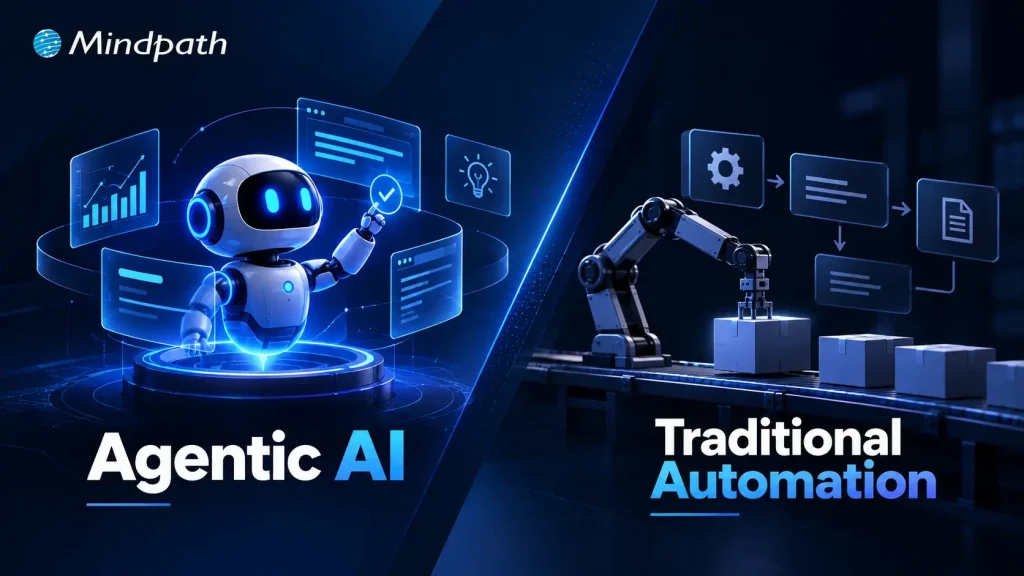
A workflow can run perfectly for years until one unexpected exception exposes its limits. That is where the difference between agentic AI vs traditional automation becomes important. Automation follows defined rules and paths, while agentic AI can interpret context, make decisions, and adapt its actions as conditions change.
Key Takeaways
- 01
Traditional automation works best for predictable, repetitive, and rule-based business processes. - 02
Agentic AI handles workflows requiring reasoning, adaptability, and context-based decisions. - 03
AI agents can manage unstructured information, exceptions, multiple systems, and complex objectives. - 04
Businesses should choose technology based on workflow requirements rather than replacing automation unnecessarily. - 05
A hybrid approach can combine automation for routine tasks with AI agents for complex decisions.
The real question is not which technology is better, but which one fits the work. Businesses need to understand where predictable automation delivers greater efficiency and where autonomous decision-making creates measurable value. In this blog, we compare both approaches to help you choose the right one for your business workflows.
Need the right AI approach for your workflow?
Explore Mindpath’s AI development services to design, build, and deploy intelligent solutions aligned with your business goals.
What is Agentic AI?
Agentic AI refers to AI systems that can pursue a defined goal by interpreting information, making decisions, using tools, and adjusting their actions based on what happens next. Instead of relying entirely on a fixed sequence, an AI agent can determine the next appropriate step within a given set of boundaries.
In a business environment, an agent might review customer information, search internal knowledge, interact with business applications, analyze the results, and decide whether to complete a task or escalate it to a person.
Key advantages of agentic AI include:
1. Adaptive Execution
Adjusts actions when conditions or requirements change.
2. Contextual Decisions
Uses available information to determine the next step.
3. Exception Handling
Can assess situations that fall outside standard workflows.
4. Multi-step Execution
Coordinates several actions toward a single business goal.
5. Tool Interaction
Can work with APIs, databases, software platforms, and other business systems.
What is Traditional Automation?
Traditional automation uses predefined rules, triggers, and workflows to complete specific tasks without requiring manual intervention at every stage. The process is designed in advance, and the system executes those instructions consistently whenever the required conditions are met.
For example, an automated workflow can receive an invoice, check predefined criteria, send it to the appropriate approver, update a database, and trigger a notification. The workflow performs each action according to the logic established by the business.
Key advantages of traditional automation include:
1. Predictable Execution
Follows established workflows consistently.
2. Fast Processing
Handles repetitive tasks efficiently at scale.
3. Cost Efficiency
Reduces manual effort for routine processes.
4. Process Consistency
Applies the same rules across every transaction.
5. Easy Control
Gives businesses clear visibility into predefined actions and outcomes.
Agentic AI vs Traditional Automation: The Core Difference
The agentic AI vs traditional automation comparison becomes clearer when you look at how each system handles work after the initial instruction. Traditional automation is designed around known rules and predictable paths. Agentic AI is designed to work toward an outcome, making context-based decisions when the path changes.
The biggest difference is how much flexibility the system has during execution. An automated workflow generally does what it was programmed to do. An AI agent can assess the current situation, choose an action, observe the result, and determine what should happen next.
| Capability | Traditional Automation | Agentic AI |
|---|---|---|
| Primary approach | Executes predefined instructions | Works toward a defined goal |
| Decision logic | If/then rules and fixed conditions | Context-based reasoning and planning |
| Workflow path | Predetermined sequence | Can change based on circumstances |
| Input handling | Best with structured inputs | Can interpret structured and unstructured inputs |
| Exception handling | Follows predefined exception rules | Can assess unfamiliar situations |
| Adaptability | Changes require workflow updates | Can adjust actions within defined boundaries |
| Task planning | Business defines the sequence | Agent can determine the next step |
| Tool usage | Specific integrations trigger specific actions | Can select and use available tools based on the task |
| Retries | Usually follow programmed retry logic | Can reassess why an action failed and try another path |
| Escalation | Triggered by predefined conditions | Can escalate when it cannot confidently proceed |
| Human involvement | Often required for predefined exceptions | Can operate independently while keeping humans in the loop |
| Best suited for | Repetitive, predictable processes | Variable, multi-step, decision-heavy work |
When Traditional Automation Is Still the Better Choice?
Agentic AI can handle complex workflows, but that does not mean every business process needs an AI agent. When to use agentic AI instead of traditional automation depends largely on how predictable the work is. If a process follows clear rules, receives structured inputs, and produces consistent outcomes; traditional automation is often simpler, faster, and easier to control.
Traditional automation is usually the better fit when:
1. Rules Are Clearly Defined
The process can be mapped using fixed conditions and actions.
2. Tasks Are Repetitive
High-volume activities follow the same sequence every time.
3. Inputs Are Structured
Data comes in predictable formats that require little interpretation.
4. Consistency Is Critical
Every transaction needs to follow the same approved process.
5. Exceptions Are Limited
Unusual cases can be handled through predefined rules or human escalation.
When Agentic AI Creates More Value?
Agentic AI becomes valuable when a workflow cannot be mapped into a fixed sequence of rules. Businesses may know the outcome they want, but the steps required to reach it can change with each situation. That is where AI agents can interpret context, evaluate options, and determine what action should come next.
Businesses can build AI agents for business when their workflows involve:
1. Unstructured Information
Emails, documents, conversations, and other inputs need interpretation.
2. Dynamic Decisions
The next action depends on what the system discovers during execution.
3. Multiple Systems
A task requires information or actions across CRM, databases, APIs, or business applications.
4. Complex Objectives
The desired outcome is clear, but the exact execution path is not.
5. Frequent Exceptions
Unusual cases require contextual decisions rather than another fixed rule.
Choosing the Right Approach for Your Workflow
The right choice between agentic AI vs traditional automation depends on the kind of work you want to automate. If the steps are clear and repeatable, traditional automation is usually enough. If the workflow changes often and needs decisions, agentic AI can be a better fit. Some workflows can also use both.
| If your workflow is | Best approach | Why |
|---|---|---|
| Repetitive and predictable | Traditional automation | Follows fixed rules quickly and consistently |
| Based on clear business rules | Traditional automation | Easy to control, monitor, and audit |
| High-volume and structured | Traditional automation | Handles routine work efficiently |
| Unstructured or variable | Agentic AI | Can interpret changing information |
| Dependent on decisions | Agentic AI | Can assess context before acting |
| Spread across multiple systems | Agentic AI | Can coordinate different tools and actions |
| Partly predictable, partly complex | Hybrid approach | Uses automation for routine steps and AI for decisions |
For agentic AI vs automation for business processes, the goal should be to choose the simplest approach that can reliably achieve the desired outcome. You do not need an AI agent where a straightforward automated workflow already works well.
What to Consider Before Deploying AI Agents?
Understanding how agentic AI works is an important first step before introducing agents into a business workflow. The system needs clear goals, access to relevant information, defined boundaries, and a reliable way to handle situations it cannot resolve.
Before deployment, businesses should consider:
1. Business Goal
Define the specific outcome the agent needs to deliver.
2. Data Quality
Make sure the agent can access accurate and relevant information.
3. Permissions
Control which systems, data, and actions the agent can access.
4. Human Oversight
Set clear points for review and escalation.
5. Integration
Connect the agent with the tools already used by the business.
6. Performance
Measure accuracy, task completion, failures, and business impact.
An experienced AI agent development company can help assess these requirements and design an architecture around the workflow. Businesses that plan to hire AI agent developers should also look for experience in integrations, security, agent evaluation, and production deployment.
Which Approach Is Right for Your Business?
The choice between agentic AI vs traditional automation depends on the workflow, not the technology trend. Traditional automation remains ideal for predictable tasks, while agentic AI fits work requiring reasoning, adaptability, and dynamic decisions. The strongest strategy often combines both to create efficient, practical, and scalable business workflows.
Mindpath helps businesses identify where AI can create meaningful operational value and build solutions around those opportunities. Our agentic AI development services cover strategy, agent development, integrations, and deployment, helping businesses introduce AI agents with the right architecture, controls, and business objectives.
At some point, every growing AI initiative runs into the same question: should we keep using an API or build something of our own? The LLM vs API decision is rarely as simple as comparing model capabilities. Cost, data control, latency, customization, and the demands of the application can all change the answer.
Key Takeaways
- 01
Choose between an LLM and API based on business requirements, cost, control, and performance. - 02
Custom LLMs make sense when standard APIs cannot meet critical business requirements. - 03
Self-hosted models offer greater control over data, infrastructure, latency, and model behavior. - 04
Custom LLM development requires investment in data, compute, engineering, deployment, and ongoing maintenance. - 05
Evaluate total ownership costs before replacing an API with a custom or self-hosted LLM.
Building a custom LLM can sound like the logical next step when an API starts falling short, but it can also introduce significant engineering and operational overhead. In many cases, RAG, fine-tuning, or a self-hosted model can address the real limitation without training a model from scratch. In this blog, we’ll look at when each approach makes sense, what it really costs, and how to choose based on business value.
Mindpath’s custom LLM development services help businesses design, customize, deploy, and optimize models around their specific data, workflows, performance goals, and infrastructure requirements.
What is a Custom LLM?
A custom LLM is a language model adapted or developed for a specific business requirement instead of relying entirely on a general-purpose model. Customization can involve fine-tuning an existing open-weight model, training it on specialized datasets, or building a model architecture for highly specific workloads. The goal is to make the model more effective for particular tasks, terminology, workflows, or operational constraints.
The key point is that custom LLM development does not always mean training a foundation model from scratch. A company may customize an existing model when that delivers the required performance with less investment.
Common benefits of custom LLM and considerations include:
1. Domain specialization
Handles industry-specific language, terminology, and workflows more consistently.
2. Greater control
Organizations can have greater control over model behavior, deployment, and infrastructure.
3. Data governance
Self-hosted deployments can provide stronger control over sensitive data and processing environments.
4. Predictable performance
A specialized model can be optimized for defined business tasks and response patterns.
5. Infrastructure demands
Self-hosting requires suitable compute, deployment architecture, monitoring, and MLOps capabilities.
6. Ongoing maintenance
Model evaluation, updates, security, and performance monitoring remain the organization’s responsibility.
What is an Off-the-Shelf API?
An off-the-shelf API provides businesses with access to a pre-trained LLM through a provider-managed interface. Instead of developing, training, and operating the underlying model, the application sends prompts or structured requests to the provider and receives generated responses. This makes it possible to add language capabilities to an application without taking responsibility for the model’s underlying infrastructure, training pipeline, or serving environment.
Key benefits and considerations include:
1. Faster deployment
Teams can integrate established models without building model infrastructure.
2. Lower initial investment
Training and infrastructure requirements are largely handled by the provider.
3. Managed scalability
Providers manage the computing resources needed to serve changing demand.
4. Model access
Businesses can use increasingly capable models without developing them internally.
5. Usage-based costs
Expenses generally increase with model usage, context size, and request volume.
6. Limited control
Businesses have less control over the underlying model, infrastructure, updates, and provider policies.
Mindpath’s custom LLM development services help businesses design, customize, deploy, and optimize models around their specific data, workflows, performance goals, and infrastructure requirements.
Explore Custom AI Development →
LLM vs API: How Do the Tradeoffs Compare?
The custom LLM vs API decision becomes clearer when you look beyond model quality. An API gives a team quick access to a capable model without requiring it to manage GPUs, deployment, scaling, or model operations. A self-hosted approach offers greater control, but that control comes with infrastructure, engineering, security, and maintenance responsibilities.
The right choice therefore depends on what the business is trying to optimize. A hosted API may be the practical option when speed and simplicity matter, while a self-hosted model can become attractive when data control, predictable workloads, latency, or specialized performance are more important.
| Decision Factor | Off-the-Shelf LLM API | Self-Hosted / Custom LLM |
|---|---|---|
| Time to Market | Fast integration using existing models | Longer setup, testing, and deployment |
| Upfront Investment | Lower initial investment | Higher engineering and infrastructure costs |
| Model Control | Limited control over underlying model | Greater control over model and deployment |
| Customization | Prompting, RAG, tools, and provider options | Fine-tuning, model selection, and deeper customization |
| Data Control | Governed by provider architecture and policies | Greater control over data location and processing |
| Infrastructure | Provider manages compute and serving | Organization manages compute and serving |
| Scalability | Provider handles infrastructure scaling | Team must plan and manage capacity |
| Latency | Depends on provider, network, and model | Greater ability to optimize serving and placement |
| Cost at Scale | Usage costs can rise with volume | Higher fixed costs, with potential advantages at predictable scale |
| Maintenance | Lower operational responsibility | Requires ongoing MLOps, monitoring, updates, and security |
| Vendor Dependency | Higher dependency on provider pricing and availability | Greater architectural independence |
| Best Fit | Fast-moving, general-purpose AI applications | Specialized, sensitive, high-volume, or highly controlled workloads |
For organizations comparing self-hosted LLM vs API options, the biggest consideration is often not which model produces better response in isolation. It is which architecture delivers the required performance while keeping the total cost and operational complexity under control.
When Should a Company Build a Custom LLM?
The right time to consider custom LLM development is when an API creates a measurable limitation that simpler approaches cannot solve. The local LLM vs API decision should be driven by business requirements, data control, performance, and long-term economics.
1. Specialized Domain Performance
General models consistently struggle with highly specialized terminology, workflows, or task-specific requirements.
2. Strict Data Control
Sensitive information must remain within a controlled infrastructure rather than being processed through an external provider.
3. Predictable High Volume
Large, consistent workloads make API usage costs difficult to justify over the long term.
4. Latency Requirements
Applications require faster and more predictable inference than a third-party API can reliably provide.
5. Deep Customization
Prompting, RAG, or standard fine-tuning cannot deliver the required level of model behavior or task performance.
6. Infrastructure Ownership
The business needs greater control over deployment, model versions, inference infrastructure, and operational policies.
7. Provider Dependency
Long-term reliance on external pricing, model changes, rate limits, or availability creates unacceptable business risk.
8. Strategic Model Ownership
AI is becoming a core product capability where controlling the underlying model can create meaningful technical or commercial advantage.
How Much Does Custom LLM Development Cost?
The cost of custom LLM development depends heavily on the model approach, data requirements, infrastructure, and level of customization involved. In LLM vs API comparison, businesses should evaluate total cost of ownership rather than comparing API fees with development costs alone.
Key cost factors include:
1. Model Development
Fine-tuning or deeper model customization requires specialized ML engineering and evaluation.
2. Data Preparation
Cleaning, structuring, labeling, and validating domain-specific datasets can become a significant part of the investment.
3. Compute Infrastructure
Training and inference require GPUs, storage, networking, and supporting infrastructure.
4. Engineering Expertise
ML engineers, data engineers, MLOps specialists, and application developers may all contribute to the project.
5. Deployment Model
Self-hosted environments require ongoing infrastructure, monitoring, security, and optimization.
| Development Approach | Typical Cost Range | What Drives the Cost | Best Fit |
|---|---|---|---|
| API Integration | $15K–$80K | Integration, prompts, testing, application development | Fast AI launches and general-purpose applications |
| RAG Development | $50K–$150K | Data pipelines, retrieval, evaluation, security | Business knowledge and document-heavy applications |
| Fine-Tuned LLM | $100K–$300K+ | Data preparation, training, evaluation, engineering | Specialized tasks and domain-specific behavior |
| Self-Hosted Open Model | $150K–$750K+ | Model customization, GPUs, deployment, MLOps | High-volume or data-sensitive workloads |
| Custom-Trained LLM | $500K–$1.5M+ | Training data, compute, ML engineering, infrastructure | Strategic use cases requiring deep model ownership |
When Should You Hire Custom LLM Developers?
Building a custom LLM requires expertise across model engineering, data pipelines, infrastructure, evaluation, and deployment. Businesses should consider it when the technical complexity and operational responsibility go beyond what their existing AI team can efficiently manage.
1. Specialized Model Expertise
Bring in experienced developers when model selection, fine-tuning, evaluation, or optimization requires deeper ML expertise.
2. Complex Data Pipelines
External expertise can help when large, fragmented, or sensitive datasets need to be prepared for training or fine-tuning.
3. Production Deployment
Custom models need reliable serving, monitoring, scaling, security, and MLOps practices beyond initial development.
4. Performance Optimization
Experienced teams can optimize inference speed, memory usage, model quality, and infrastructure costs for production workloads.
5. Limited Internal Expertise
Hiring specialists can accelerate development when building an in-house AI team would take significantly longer or require substantial recruitment costs.
Is a Custom LLM the Right Investment for Your Business?
The LLM vs API decision should come down to business value, not the appeal of owning a model. APIs, RAG, fine-tuning, self-hosting, and custom models each have a place. The right approach is the one that solves your performance, cost, security, and scalability requirements without adding unnecessary complexity.
At Mindpath, we provide custom LLM development services covering model customization, data engineering, deployment, evaluation, and optimization. As a custom LLM development company, we help businesses build practical AI systems aligned with their technical requirements, workflows, and long-term goals.
A machine learning model can achieve strong results in development and still struggle once exposed to live data. What is MLOps becomes an important question when deployment brings data drift, versioning gaps, monitoring challenges, security concerns, and inconsistent model performance. MLOps in AI addresses these operational complexities systematically.
Key Takeaways
- 01
MLOps connects machine learning development with reliable production operations and continuous model management. - 02
Production AI needs monitoring, versioning, validation, retraining, security, and scalable deployment workflows. - 03
The MLOps lifecycle helps teams continuously develop, deploy, monitor, and improve machine learning models. - 04
Automation and version control improve reproducibility while reducing manual effort across machine learning workflows. - 05
Strong MLOps practices help organizations build reliable, observable, and maintainable AI systems in production.
Production AI requires continuous oversight across data, models, infrastructure, and deployment pipelines. A reliable MLOps approach connects development with operational processes, helping teams validate, deploy, monitor, and improve models throughout their lifecycle. It treats machine learning as a continuously managed system rather than a one-time deployment. In this blog, we examine how MLOps supports reliable production AI.
Ready to build reliable AI systems for production?
Mindpath provides MLOps consulting and development support to help businesses build scalable, monitored, and production-ready machine learning workflows.
What is MLOps in AI?
MLOps is a set of practices that applies software engineering and operational discipline to machine learning workflows. It connects data preparation, model development, testing, deployment, monitoring, and retraining into a continuous process. This helps teams manage models consistently as data, infrastructure, and production requirements change over time.
In MLOps in AI, the focus extends beyond getting a model into production. Teams need version control for datasets and models, automated validation, reproducible training pipelines, deployment workflows, observability, and governance. These capabilities create a controlled MLOps lifecycle, allowing engineering teams to identify performance issues, respond to data changes, and update models without disrupting production systems.
Why Does MLOps Matter for Production AI?
A model’s performance in a controlled development environment does not guarantee reliable behavior in production. Live data changes, infrastructure scales, and business requirements evolve. MLOps development services help teams build the operational foundation required to manage these changes while keeping machine learning workflows consistent and measurable.
Key areas where MLOps supports production AI include:
1. Reliable Deployment
Automated pipelines move validated models into production with consistent release processes.
2. Continuous Monitoring
Teams can track model performance, latency, errors, data drift, and infrastructure health after deployment. AI model monitoring helps maintain visibility into model behavior after deployment.
3. Data Quality Control
Validation workflows identify unexpected changes in incoming data before they affect predictions. Strong data engineering and AI practices can support reliable data workflows throughout the model lifecycle.
4. Model Versioning
Teams can track models, datasets, configurations, and experiments to maintain reproducibility.
5. Automated Retraining
Defined triggers can initiate retraining when performance or data conditions require an updated model. AI model fine-tuning can also support model improvement when updated requirements or data conditions require changes.
6. Scalable Operations
Standardized workflows make it easier to manage multiple models, environments, and production workloads.
7. Security and Governance
Access controls, audit trails, validation gates, and model lineage support responsible AI operations.
These capabilities explain how MLOps helps deploy AI models in production while creating a repeatable foundation for continuous model management.
Understanding the MLOps Lifecycle
The MLOps lifecycle provides a structured path for moving machine learning models from development into reliable production environments. Understanding what is MLOps becomes clearer when the lifecycle is viewed as a continuous loop, where models are developed, deployed, monitored, and improved based on real-world performance.
1. Data Preparation
Teams collect, clean, validate, and version datasets before using them for model training.
2. Model Development
Engineers train models, run experiments, evaluate results, and track configurations for reproducibility. AI development practices help teams structure model development around specific business and technical requirements.
3. Testing and Validation
Models undergo technical and business validation before they are approved for production deployment.
4. Deployment
Validated models are packaged and released through automated deployment pipelines across the required environments.
5. Monitoring
Production systems track accuracy, latency, errors, data drift, resource usage, and other operational signals.
6. Retraining
New data and monitoring results help determine when a model requires retraining or replacement.
7. Governance
Teams maintain model lineage, access controls, documentation, approvals, and auditability throughout the lifecycle.
MLOps vs DevOps: What Changes in Machine Learning?
MLOps builds on many DevOps principles, but machine learning introduces additional dependencies that traditional software delivery does not have. Alongside application code and infrastructure, teams must manage training data, model artifacts, experiments, and changing model behavior. AI in DevOps can further extend these workflows by applying AI capabilities to development and operational processes.
1. Development Assets
DevOps primarily manages application code, while MLOps manages code, datasets, models, features, and configurations.
2. Testing
Software testing focuses on application behavior, while MLOps also validates data quality, model performance, and training outcomes.
3. Deployment
DevOps automates application releases, while MLOps supports repeatable model packaging, validation, deployment, and rollback.
4. Monitoring
Traditional monitoring tracks applications and infrastructure; MLOps also monitors prediction quality, data drift, model behavior, and inference latency.
5. Version Control
MLOps requires traceability across datasets, model versions, experiments, and code to maintain reproducibility.
6. Continuous Improvement
MLOps incorporates retraining and model evaluation because production data and model performance can change over time.
This is why DevOps best practices can provide a foundation, while MLOps implementation services typically extend existing DevOps capabilities rather than treating machine learning deployment as a standard software release process.
MLOps Best Practices for Reliable AI Systems
Successful production AI depends on how consistently teams apply MLOps practices across data, models, infrastructure, and monitoring. The following MLOps best practices can help engineering teams build machine learning systems that remain reproducible, observable, and easier to maintain.
1. Version critical assets
Track datasets, source code, models, configurations, and experiment results to maintain reproducibility.
2. Automate ML pipelines
Automate data validation, training, testing, deployment, and retraining wherever practical.
3. Validate before deployment
Establish automated quality and performance checks before promoting a model into production.
4. Monitor continuously
Track model quality, data drift, latency, failures, resource usage, and other production signals.
5. Define retraining triggers
Use measurable changes in data or model performance to determine when retraining is required.
6. Maintain model lineage
Record how data, code, experiments, and model versions connect across the MLOps lifecycle.
7. Build security into workflows
Apply appropriate access controls, audit trails, environment separation, and governance throughout the pipeline.
8. Design for rollback
Maintain previous model versions so teams can quickly restore a stable version when production issues occur.
How MLOps Helps Deploy AI Models in Production?
A production deployment requires more than moving a trained model onto a server. Teams need repeatable release processes, validation, monitoring, and recovery mechanisms to keep AI systems dependable after launch. MLOps helps deploy AI models in production by connecting these operational requirements into a controlled workflow.
1. Automated Model Packaging
Standardized pipelines package models with their dependencies and required configurations for consistent deployment.
2. Pre-Deployment Validation
Automated checks evaluate model quality, data compatibility, and operational requirements before release.
3. Controlled Releases
Teams can use staged deployments, approval gates, and rollback mechanisms to reduce risks during model updates.
4. Production Monitoring
Monitoring tracks inference latency, errors, resource consumption, data drift, and model performance.
5. Scalable Infrastructure
Deployment workflows can support changing inference workloads while maintaining predictable resource utilization.
6. Feedback Loops
Production signals can flow back into training pipelines to support model improvement and retraining. AI data analytics can help teams turn production data into actionable insights for ongoing model and business improvements.
7. Traceable Releases
Versioned models, datasets, and configurations make it easier to identify what changed when production behavior shifts.
Is Your AI Ready for Production with MLOps?
Understanding what is MLOps helps teams see why production AI needs continuous monitoring, automated deployment, version control, retraining, and governance. A structured MLOps approach connects these processes, helping organizations maintain reliable, scalable, and observable machine learning systems as production requirements evolve.
Mindpath provides MLOps consulting services and MLOps development services to help businesses design, implement, and manage production-ready machine learning workflows. Build reliable AI operations with the right architecture, automation, monitoring, and lifecycle management.
Your cloud bill rarely explodes overnight. More often, it creeps up through idle environments, oversized workloads, growing data stores, and services that quietly consume resources long after they are needed. For startups, startup cloud costs can become difficult to predict without disciplined FinOps and effective cloud budget management built into everyday engineering decisions.
Key Takeaways
- 01
FinOps gives startups better visibility and accountability over growing cloud infrastructure spending. - 02
Regular cost reviews help identify idle resources, overprovisioning, and inefficient cloud usage. - 03
Cloud optimization should support performance, reliability, and product growth alongside cost efficiency. - 04
Unit cost metrics connect infrastructure spending with customers, transactions, workloads, and business growth. - 05
Startups can begin FinOps with simple budgets, ownership, alerts, and regular usage reviews.
The goal is not to make every workload cheaper; it is to make every infrastructure decision more intentional. Teams need to know what they are spending, why they are spending it, and whether that spend supports product growth. In this blog, we explore how startups can build practical FinOps practices to control cloud costs without compromising performance, reliability, or speed.
Looking to build scalable infrastructure with better cost visibility? Mindpath helps startups plan and optimize AI, data, and cloud workloads for sustainable growth.
What is FinOps and Why Does It Matter for Startups?
FinOps is a way of managing cloud spending by bringing engineering, finance, and product decisions closer together. Instead of treating the cloud bill as a finance issue, teams use usage and cost data to understand how infrastructure decisions affect the business.
For a startup, this matters because cloud usage can change quickly. A new feature may require additional compute, a growing user base can increase database and storage costs, or a development environment may continue running even when nobody is using it. FinOps helps teams identify these patterns before they become persistent expenses.
The goal is not simply to spend less. Cutting resources too aggressively can affect application performance, reliability, or developer productivity. Effective FinOps focuses on getting the right value from cloud infrastructure by connecting spending with actual workload requirements.
A practical FinOps approach gives teams three things:
1. Visibility
Know where cloud spending is going.
2. Accountability
Connect costs with teams, workloads, or environments.
3. Optimization
Continuously identify opportunities to improve efficiency.
This makes cloud spending part of regular technical decision-making rather than something teams investigate only after receiving an unexpected bill.
Where Startup Cloud Costs Actually Come From?
Cloud spending rarely comes from one obvious source. It usually builds across multiple services as the application grows, new environments are added, and infrastructure becomes harder to track. A startup may have reasonable costs for each workload individually, yet still face a surprisingly large monthly bill when those workloads are combined.
1. Compute Resources
Virtual machines, containers, serverless workloads, and autoscaling resources can consume significant capacity as traffic changes.
2. Storage
Databases, object storage, backups, snapshots, and retained logs continue growing as applications generate more data.
3. Data Transfer
Moving data between services, regions, or external systems can introduce costs that are easy to overlook during architecture planning.
4. Idle Resources
Development, testing, staging, and temporary environments can remain active even when they are not being used.
5. Overprovisioning
Teams may allocate more CPU, memory, or storage than a workload consistently requires to avoid performance issues.
6. Pricing Choices
Relying entirely on flexible pricing can become expensive when usage becomes stable and predictable.
This is where FinOps becomes more than a cost-cutting exercise. By connecting cloud usage with ownership, workload requirements, and business priorities, FinOps helps teams understand which costs are necessary, which are inefficient, and where cloud optimization can make a measurable difference.
How to Build a Practical FinOps Workflow?
A useful FinOps workflow does not require a dedicated finance team or a complicated governance structure. Startups can begin with a simple process that gives engineers and product teams a clearer view of how infrastructure decisions affect startup cloud costs. The important part is making cost review a regular engineering practice.
A practical workflow can include:
1. Create Cost Visibility
Track spending across cloud services, applications, environments, and workloads to identify the areas driving the bill.
2. Assign Ownership
Use tags, projects, accounts, or cost centers to connect infrastructure spending with the team or workload responsible for it.
3. Set Budgets and Alerts
Establish spending thresholds and configure alerts for unusual usage or unexpected increases before they become significant expenses.
4. Review Usage Regularly
Compare actual consumption with expected workloads. Look for idle resources, unusual usage patterns, and capacity that consistently exceeds requirements.
5. Forecast Upcoming Spend
Factor planned releases, user growth, new workloads, and infrastructure changes into future cloud cost expectations.
6. Optimize Continuously
Right size resources, automate unnecessary capacity, review storage, and reconsider pricing options as usage patterns become clearer.
The process should evolve with the startup. Early on, a monthly review may be enough. As workloads and teams grow, more frequent monitoring and automated controls can help maintain visibility without adding unnecessary operational overhead.
7 Practical Ways Startups Can Optimize Cloud Costs
FinOps helps startups turn cloud cost control into a continuous practice. These optimization actions can be built into regular engineering and infrastructure reviews without adding unnecessary complexity.
1. Rightsize Resources
Match compute, memory, and storage capacity with actual usage.
2. Automate Idle Resources
Schedule non-production environments to shut down when they are not needed.
3. Optimize Storage
Remove unnecessary data and apply suitable retention and storage policies.
4. Review Pricing Models
Use commitments for predictable workloads and flexible pricing where usage remains uncertain.
5. Apply Autoscaling
Adjust infrastructure capacity according to actual workload demand.
6. Add FinOps Guardrails
Use budgets, alerts, tagging, and policies to keep spending visible and accountable.
7. Review Architecture Regularly
Reassess infrastructure decisions as workloads, traffic, and product requirements change.
The FinOps principle is simple: optimize resources based on usage, business value, and workload requirements, rather than reducing infrastructure costs blindly.
How FinOps Helps Startups Balance Cost with Growth
FinOps helps startups control cloud spending without putting necessary growth infrastructure at risk. The focus is on making spending decisions based on usage, business priorities, and measurable value rather than reducing costs across the board.
1. Track Cost Against Growth
Compare cloud spending with users, transactions, revenue, or workload growth.
2. Protect Critical Workloads
Avoid reducing resources that directly support performance, reliability, or customer experience.
3. Plan for Demand
Align infrastructure capacity with expected product launches, traffic increases, and seasonal workloads.
4. Measure Unit Costs
Monitor metrics such as cloud cost per customer or transaction to understand efficiency.
5. Separate Essential Spend
Distinguish production and revenue-supporting workloads from temporary or non-critical resources.
6. Review Scaling Decisions
Use actual usage data to determine when additional capacity is necessary or can be reduced.
7. Include FinOps in Planning
Consider expected infrastructure costs when teams plan new features, products, and technical initiatives.
8. Optimize Continuously
Revisit cloud spending as workloads, usage patterns, and business priorities change.
FinOps Metrics and Tools Startups Actually Need
Startups do not need a complex FinOps setup to gain control over cloud spending. The priority is to establish enough visibility to connect infrastructure usage with costs, ownership, and business activity.
| FinOps Area | What to Track | Why It Matters |
|---|---|---|
| Cost visibility | Spend by service and environment | Identifies major cost drivers |
| Budget control | Actual spend vs. budget | Highlights unexpected increases |
| Forecasting | Expected monthly spend | Supports infrastructure planning |
| Resource efficiency | Usage vs. allocated capacity | Helps identify waste |
| Unit economics | Cost per customer or transaction | Connects cloud spend with growth |
| Accountability | Spend by team or workload | Establishes clear ownership |
| Alerts | Unusual usage or spending | Enables faster action |
Common FinOps Mistakes Startups Should Avoid
FinOps for startups works best when cost management becomes part of everyday cloud operations. However, teams can easily create gaps when cloud spending grows faster than their processes.
1. No Clear Cost Ownership
Without assigning spending to teams, workloads, or environments, unexpected costs can be difficult to investigate.
2. Ignoring Idle Resources
Unused development, testing, and staging resources can continue generating recurring charges.
3. Skipping Usage Reviews
Allocated capacity can remain unchanged even when actual workload requirements fall.
4. Treating FinOps as Finance-Only
Cloud costs are strongly influenced by engineering and architecture decisions, so technical teams need visibility into spending.
5. Optimizing Without Context
Reducing resources without considering performance, reliability, or product requirements can create operational issues.
6. Committing Too Early
Long-term pricing commitments can become restrictive when a startup’s workload is still changing rapidly.
7. Reacting to Bills
Waiting for a high monthly bill before investigating costs makes optimization more difficult.
8. Overcomplicating the Process
Startups can begin with basic visibility, ownership, budgets, and regular reviews before introducing advanced FinOps processes.
How Can FinOps Make Startup Cloud Costs More Predictable?
FinOps gives startups a practical way to understand, manage, and optimize cloud spending as infrastructure grows. With clear ownership, usage visibility, budgets, and continuous optimization, teams can control waste while keeping resources aligned with product performance, reliability, and growth.
Mindpath AI development services help startups build scalable AI and cloud infrastructure with cost efficiency in mind. From architecture planning and data engineering to AI workloads and cloud optimization, Mindpath helps teams create infrastructure that supports sustainable growth without unnecessary complexity.
Modern IT teams don’t struggle to collect operational data. They struggle to make sense of it. A single incident can trigger hundreds of alerts across monitoring tools, leaving engineers to sort through noise before they can even start fixing the problem.
Key Takeaways
- 01
DevOps improves software delivery through collaboration, automation, CI/CD, and continuous monitoring. - 02
AIOps applies AI to analyze operational data, detect patterns, and support faster incident response. - 03
AIOps and DevOps address different needs but can work together across modern IT environments. - 04
Successful AIOps adoption depends on reliable data, strong observability, integration, governance, and human oversight. - 05
Organizations can introduce AIOps gradually by applying AI to specific operational use cases.
DevOps gave teams the pipelines, automation, and collaboration to release software quickly and reliably. But faster delivery also means more services, more deployments, and more data to interpret. That’s why AIOps vs DevOps has become an important question for IT teams. DevOps speeds up how software is built and shipped, while AIOps uses AI to cut through alert noise, find root causes, and respond faster. In this blog, we’ll explore how the two differ and how an AI DevOps approach can bring them together.
Ready to build more intelligent IT operations?
Mindpath helps businesses apply AI to operational workflows, data, monitoring, and automation.
What Is DevOps?
DevOps is a software development and operations approach that brings teams, processes, and technologies together across the application lifecycle. It focuses on improving collaboration, automating repetitive tasks, and creating consistent workflows for building, testing, deploying, and maintaining applications.
By integrating development and operations practices, DevOps helps teams release software more frequently while maintaining reliability and operational control. It also supports continuous feedback, infrastructure automation, and faster responses to issues across development and production environments.
Key features and benefits of DevOps:
1. Continuous Integration and Delivery
2. Automated Testing and Deployments
3. Infrastructure and Configuration Automation
4. Faster Software Release Cycles
5. Improved Collaboration Across Teams
6. Continuous Monitoring and Feedback
What Is AIOps?
AIOps applies artificial intelligence and machine learning to IT operations, helping teams analyze the large volumes of data generated by applications, infrastructure, networks, and monitoring systems. It combines operational data with intelligent analysis to identify patterns and surface relevant insights.
AIOps can correlate events across multiple systems, detect unusual behavior, support root-cause analysis, and automate selected operational responses. This helps IT teams handle complex environments with greater visibility while reducing the manual effort involved in monitoring and incident investigation.
Key features and benefits of AIOps:
1. Intelligent Event Correlation
2. Anomaly and Pattern Detection
3. Automated Alert Analysis
4. Faster Root-Cause Investigation
5. Predictive Operational Insights
6. Automated Incident Response
7. Reduced Alert and Operational Noise
AIOps vs DevOps: What Is the Difference?
AIOps and DevOps both aim to improve IT operations, but they address different aspects of the technology lifecycle. DevOps focuses on collaboration, automation, and software delivery, while AIOps uses AI-driven analysis to make IT operations more intelligent and responsive.
| Area | DevOps | AIOps |
|---|---|---|
| What it is | A culture and set of practices that unites development and operations | An approach that applies AI/ML to IT operations data |
| Core objective | Ship software faster and more reliably | Detect, diagnose, and resolve operational issues faster |
| Main question it answers | “How do we build and release this efficiently?” | “What is going wrong, why, and what should we do?” |
| Where it operates | Build → test → deploy → operate | Monitor → detect → analyze → respond |
| Type of automation | Rule-based and scripted (pipelines, IaC, deployments) | Adaptive and data-driven (correlation, anomaly detection, suggested or automated remediation) |
| Data used | Code, build logs, pipeline results, deployment history | Logs, metrics, traces, events, alerts, and tickets at large scale |
| How decisions are made | Predefined workflows and thresholds | Learned patterns and statistical models |
| Typical use cases | CI/CD, infrastructure automation, release management | Alert noise reduction, anomaly detection, root-cause analysis, predictive alerts |
| Example tools | Jenkins, GitHub Actions, GitLab CI, Terraform, Ansible, Kubernetes | Dynatrace, Datadog, Splunk, PagerDuty, BigPanda |
| Key metrics | Deployment frequency, lead time, change failure rate | MTTD, MTTR, alert volume, false-positive rate |
| Primary users | Developers, DevOps and platform engineers | SREs, IT operations, NOC and incident response teams |
| AI dependency | Not required | Central to the approach |
| Main limitation | Struggles to interpret huge, noisy operational data manually | Depends on data quality and needs human validation |
What Should Organizations Consider Before Adopting AIOps?
AIOps works best when organizations have the right operational foundation in place. AI-driven analysis depends on the quality of the data, systems, and workflows available to it. Before adoption, teams should assess how their existing IT environment can support intelligent analysis and automation.
1. Data Quality
AI is only as good as its input. Are logs, metrics, and events consistent and complete?
2. Observability
Observability provides context for accurate analysis. Do we have visibility across apps, infrastructure, and services?
3. Tool Integration
Integration enables cross-system analysis. Can monitoring, cloud, and ITSM tools share data?
4. Security and Governance
Security and governance help prevent unsafe automated actions. Do AI actions follow our access controls and policies?
5. Human Oversight
Human oversight keeps risk under control. Which actions are automated and which need approval?
6. Team Readiness
Team readiness drives trust and adoption. Do engineers know how to validate AI-generated insights?
AIOps adoption should therefore align with the organization’s existing DevOps practices and operational maturity. Starting with well-defined use cases, reliable data, and controlled automation can help teams introduce AI into IT operations without disrupting established processes.
How DevOps and AIOps Work Together?
The need for AIOps generally becomes clearer as IT environments grow in scale and complexity. Teams managing distributed applications, cloud infrastructure, multiple monitoring systems, and high volumes of operational data may need capabilities that extend beyond conventional DevOps automation.
For organizations building an AI DevOps strategy, AIOps can complement existing processes by adding intelligence to monitoring, incident analysis, and operational decision-making. The approach can be particularly relevant when teams face recurring incidents, excessive alert volumes, fragmented operational data, or increasing pressure to respond quickly.
1. Handle Growing Operational Data
Analyze large volumes of logs, metrics, events, and traces.
2. Reduce Alert Overload
Identify relationships between related events and focus attention on significant issues.
3. Improve Incident Response
Provide additional context during investigation and troubleshooting.
4. Manage Complex Environments
Connect operational signals across cloud, applications, infrastructure, and services.
5. Extend Automation
Support intelligent actions alongside established DevOps workflows.
| Lifecycle Stage | DevOps Contribution | AIOps Contribution |
|---|---|---|
| Build and test | Automated CI pipelines and testing | Flags patterns in failed builds or flaky tests |
| Deploy | Automated, repeatable releases | Detects anomalies right after a release |
| Monitor | Dashboards, alerts, and feedback loops | Correlates events across systems and reduces noise |
| Incident response | Runbooks, on-call processes, rollbacks | Suggests probable root cause and triggers low-risk fixes |
| Improve | Post-incident reviews and process updates | Surfaces recurring issues and trends |
The decision does not have to be framed as AIOps vs DevOps. DevOps can remain the foundation for software delivery and automation, while AIOps adds intelligence where operational complexity demands deeper analysis and faster response.
Building an Intelligent IT Operations Strategy
Building intelligent IT operations is not about replacing existing DevOps practices with AI. It involves strengthening the operational foundation first, then introducing AI where it can provide meaningful analysis, automation, and decision support.
| Step | Action | Example | Success Metric |
|---|---|---|---|
| Strengthen DevOps | Standardize CI/CD, IaC, and workflows | Unified pipeline templates | Deployment frequency, change failure rate |
| Improve observability | Centralize logs, metrics, traces, and events | One monitoring platform or data layer | Coverage of monitored services |
| Connect data | Integrate cloud, app, and ITSM tools | Alerts linked to tickets and deployments | Reduction in data silos |
| Introduce AI selectively | Start with one use case | Event correlation for one service | Alert volume reduction |
| Automate carefully | Begin with low-risk, repetitive actions | Auto-restart a failed service | MTTR, automation success rate |
| Measure and refine | Review outcomes regularly | Monthly incident trend review | MTTD, MTTR, recurring incidents |
This approach allows organizations to introduce AIOps gradually while building on established DevOps processes. The result is a more connected operating model where automation handles defined workflows and AI helps teams interpret complex operational signals.
How Can Your Team Combine AIOps and DevOps?
The AIOps vs DevOps discussion shows that both approaches address different operational needs. DevOps establishes efficient delivery and automation practices, while AIOps adds AI-driven analysis to complex IT environments. Together, they can help teams improve visibility, respond to incidents faster, and build more intelligent operational workflows.
At Mindpath, our AI development services help businesses apply AI across operational workflows, data environments, and business processes. From AI strategy and data engineering to intelligent automation, we help teams build practical AI capabilities aligned with their technical requirements and operational goals.

Choosing between Cursor vs GitHub Copilot is becoming less straightforward as AI coding tools take on larger parts of the development workflow. Developers are no longer comparing simple autocomplete features. They are evaluating how effectively an AI tool can understand a codebase, modify multiple files, reason through problems, and support day-to-day engineering work.
Key Takeaways
- 01
Cursor focuses on an AI-first coding environment, while Copilot integrates AI into existing development environments. - 02
Both tools now support code generation, editing, chat, debugging, and agentic development workflows. - 03
Cursor suits developers seeking deeper codebase interaction and multi-file AI-assisted development. - 04
GitHub Copilot fits teams wanting AI assistance within familiar IDEs and GitHub workflows. - 05
Security, usage, project complexity, and team adoption matter when selecting an AI coding tool.
The real distinction now lies in how AI fits into the development environment. Cursor takes an AI-first approach, while GitHub Copilot brings AI capabilities into familiar editors and the broader GitHub ecosystem. Both support code generation, chat, editing, and agentic workflows, but they shape the developer experience differently. In this blog, we compare their capabilities, workflows, pricing, limitations, and practical use cases to help you understand which approach fits your development environment.
Looking for the right AI coding workflow?
We help teams evaluate AI development tools and build practical workflows around their engineering needs.
How Cursor and GitHub Copilot Approach AI-Assisted Development?
The biggest difference between these two AI coding tools is how deeply AI is embedded into the development environment. Both can generate code, explain functions, suggest fixes, and work across larger development tasks, but the surrounding workflow is different.
1. Cursor: An AI-First Development Environment
Cursor is built around the idea that AI should be a core part of the coding environment rather than an additional assistant. Developers can use its agent capabilities to understand a repository, plan changes, edit multiple files, run commands, and iterate on the result.
This approach becomes particularly useful when a task involves several connected parts of a codebase. Instead of asking for individual code snippets, developers can give the agent a broader objective and let it work across relevant files while maintaining repository context. Developers still need to review the generated changes, especially when the task involves business logic, dependencies, or production-critical code.
2. GitHub Copilot: AI Within Existing Development Environments
GitHub Copilot takes a more integrated approach. It brings AI assistance into established development environments, including VS Code, Visual Studio, JetBrains IDEs, and other supported editors.
Its capabilities extend well beyond inline suggestions. Developers can use Copilot for coding assistance, chat, code edits, debugging, code review, and agentic tasks. Its connection with GitHub also makes it a natural fit for teams already managing repositories, pull requests, issues, and development workflows within the GitHub ecosystem.
The distinction, therefore, is less about which tool has AI capabilities and more about where AI sits in the developer’s workflow. Cursor makes AI the center of the coding environment, while Copilot embeds AI into an environment many teams already use.
Cursor vs GitHub Copilot: Key Differences at a Glance
The differences become clearer when the tools are compared across the tasks developers handle every day. Cursor AI and GitHub Copilot overlap in code generation, chat, editing, and agentic development, but their approach to context, IDE integration, repository work, and developer interaction varies.
| Feature | Cursor | GitHub Copilot |
|---|---|---|
| Development environment | AI-first code editor | AI assistant integrated into existing IDEs |
| Codebase context | Designed for deep repository-level context | Provides workspace and repository context across supported environments |
| Agentic workflows | Agents can plan, edit files, run commands, and iterate | Agent mode can analyze tasks, make changes, run commands, and iterate |
| Multi-file editing | Strong focus on coordinated changes across files | Supported through editing and agent workflows |
| Model selection | Offers access to multiple AI models | Provides model options depending on plan and feature |
| GitHub integration | Supports GitHub alongside other development tools | Deep integration with GitHub repositories and workflows |
| Code review | Supports AI-powered code review through its development tools | Provides Copilot code review capabilities |
| IDE flexibility | Primarily centered around the Cursor editor | Available across several established IDEs |
| Team management | Team and enterprise administration features | Business and Enterprise administration features |
| Workflow approach | AI is deeply embedded into the coding experience | AI is layered into an existing development workflow |
Where Cursor and GitHub Copilot Fit in the Development Workflow?
Feature lists rarely show how an AI coding tool performs during actual development. The better comparison is how each fits into common engineering tasks, especially when the work moves beyond generating individual code snippets.
1. Code Completion and Routine Coding
GitHub Copilot can provide inline suggestions while developers work in their existing IDE. Cursor offers similar assistance, with AI deeply integrated into its editor and surrounding workflow.
2. Refactoring and Multi-File Changes
Cursor is designed for tasks that require broader codebase interaction, including coordinated changes across multiple files. Copilot’s agent mode can also handle multi-step coding tasks within supported environments.
3. Debugging and Testing
Both tools can explain errors, suggest fixes, generate tests, and assist with debugging. Developers still need to validate changes because AI-generated fixes can introduce incorrect assumptions or unexpected behavior.
4. Greenfield Development
Cursor can support building a new application through agent-driven planning, file creation, and implementation. Copilot can assist throughout the same process while keeping developers within their preferred IDE and GitHub workflow.
5. Working With Existing Codebases
For unfamiliar or complex repositories, context becomes critical. Cursor emphasizes repository-level understanding, while Copilot can use workspace and repository context to assist with existing projects.
Pricing, Security, and Team Adoption
When evaluating Cursor vs GitHub Copilot, teams should look beyond subscription costs. Usage, security, existing workflows, and adoption effort can all affect the decision.
1. Pricing
Both offer individual, team, and enterprise plans, with costs varying based on usage and available AI features.
| Factor | Cursor | GitHub Copilot |
|---|---|---|
| Starting approach | AI-first editor | AI inside existing IDEs |
| Individual use | Free and paid plans | Free and paid plans |
| Team use | Team and Enterprise plans | Business and Enterprise plans |
| AI usage | Varies by plan and model usage | Varies by plan and AI credits |
| Security controls | Team and Enterprise controls | Business and Enterprise controls |
| Workflow adoption | May require switching editors | Works with supported existing IDEs |
2. Security
Teams should review data handling, retention, access controls, and governance before using either tool with proprietary code. These considerations are also relevant when applying AI safety and alignment principles to development workflows.
3. Team Adoption
Copilot can fit naturally into existing IDE and GitHub workflows. Cursor may require a shift toward an AI-first coding environment.
Strengths and Limitations of Cursor and GitHub Copilot
Both tools can accelerate development, but AI-generated code still needs developer review. Their strengths become clearer when looking at control, context, reliability, and everyday usability.
1. Cursor AI Strengths
- Strong codebase context
- Multi-file editing
- Agent-driven workflows
- Flexible model selection
- AI-first developer experience
2. Cursor AI Limitations
- Requires adopting its editor
- Higher usage can increase costs
- Complex changes still need careful review
3. GitHub Copilot Strengths
- Works across popular IDEs
- Strong GitHub integration
- Easy workflow adoption
- Code completion and chat
- Agentic development support
4. GitHub Copilot Limitations
- Capabilities vary across IDEs
- Usage limits depend on the plan
- Generated code still requires validation
For both tools, productivity gains depend heavily on task complexity, codebase quality, and how effectively developers review AI-generated changes. This broader role of AI in engineering is also reflected in AI in software engineering.
Which AI Coding Tool Is Better?
The right choice depends on how your team already builds, reviews, and maintains software. Key factors include the development environment, project complexity, team workflow, and level of AI involvement.
1. Cursor May Fit Teams That:
- Prefer an AI-first coding environment
- Work frequently across multiple files
- Need deeper codebase interaction
- Want flexible model choices
- Use agentic workflows extensively
2. GitHub Copilot May Fit Teams That:
- Prefer their existing IDE
- Already rely heavily on GitHub
- Need broad IDE support
- Want minimal workflow disruption
- Need AI assistance across established development processes
Need the Right AI Coding Workflow for Your Team?
Cursor vs GitHub Copilot comes down to how developers want AI integrated into their daily work. Cursor centers the experience around an AI-first editor, while Copilot brings AI into established development environments. Project complexity, existing tools, security needs, and team preferences should guide the final decision.
Mindpath helps businesses evaluate and implement AI-driven development workflows aligned with their engineering goals. Our AI development services cover AI strategy, development, model integration, fine-tuning, and AI agent development to help teams build practical, scalable solutions.
AI integration cost is rarely a fixed figure. It depends on the use case, existing technology stack, data readiness, integrations, security requirements, and business scale. A simple AI feature connected through an existing API can require a very different budget than a complex enterprise AI system spanning multiple applications, data sources, and workflows.
Key Takeaways
- 01
AI integration budgets vary based on use case, data readiness, integrations, security, infrastructure, and business scale. - 02
Initial development costs are only part of the investment required to operate AI systems successfully. - 03
Data preparation, legacy integrations, security, API usage, and infrastructure can create unexpected expenses. - 04
Recurring costs include model usage, cloud resources, monitoring, maintenance, optimization, and technical support. - 05
Phased implementation and continuous cost monitoring can help businesses manage AI spending and reduce budget overruns.
The initial development budget is only part of the equation. Model usage, cloud infrastructure, monitoring, maintenance, security, and ongoing optimization can continue adding costs after deployment. For technology leaders, understanding these factors early helps prevent unrealistic estimates and poorly scoped AI initiatives. In this blog, we break down the key costs businesses should consider when planning AI integration in 2026.
Not sure what your AI integration could cost?
We help businesses scope AI projects, identify cost drivers, and plan practical implementation strategies.
What is Included in AI Integration Cost?
AI integration involves more than connecting an AI model to an existing application. The overall budget covers the technical work required to make the system useful, secure, reliable, and compatible with existing business processes. The scope can include several layers, depending on the project.
Common one-time costs include:
1. Discovery and Architecture
Defining the use case, technical architecture, workflows, and integration requirements.
2. Data Preparation
Cleaning, structuring, transforming, and connecting the data required by the AI system.
3. Development and Integration
Connecting AI capabilities with applications, databases, APIs, CRM, ERP, or internal tools.
4. Testing and Deployment
Validating accuracy, security, performance, and reliability before production use.
These initial costs are only one part of the budget. Businesses also need to account for recurring expenses such as model or API usage, cloud infrastructure, monitoring, maintenance, security updates, and ongoing optimization.
How Much Does AI Integration Cost in 2026?
There is no standard price for AI integration. The budget changes significantly based on the number of systems involved, data complexity, security requirements, user volume, and the level of customization required. The ranges below can serve as practical planning estimates.
| Business / Project Scale | Typical 2026 Budget | Common Scope | Cost Complexity |
|---|---|---|---|
| Small AI Integration | $10K–$30K | AI chatbot, single API, basic workflow automation | Low |
| Mid-Size Integration | $30K–$100K | Multiple APIs, document processing, custom workflows | Moderate |
| Complex AI Implementation | $100K–$250K+ | Advanced data pipelines, custom AI workflows, several business systems | High |
| Enterprise AI | $250K–$1M+ | Large-scale AI platforms, governance, security, multiple departments | Very High |
These figures are illustrative planning ranges, not fixed market prices. A mid-size project with clean data and existing infrastructure could cost less than a smaller project involving legacy systems, complex integrations, or strict security requirements.
What Factors Increase AI Integration Cost?
Several technical factors can significantly change the final project budget. The complexity often comes from the environment surrounding the AI rather than the model itself.
1. Data Readiness
Incomplete, inconsistent, or poorly structured data requires additional engineering before it can support reliable AI workflows.
2. Integration Complexity
Connecting AI with CRMs, ERPs, databases, internal applications, legacy systems, and third-party APIs increases development effort.
3. Model Requirements
A basic API-based model has different infrastructure and development needs than RAG and fine-tuning, or agentic AI workflows.
4. Security and Compliance
Sensitive data may require encryption, access controls, audit logs, private deployments, and additional security testing.
5. Infrastructure
Cloud compute, storage, databases, vector databases, networking, and monitoring can add both implementation and operational expenses.
6. Specialized Expertise
AI engineers, data engineers, solution architects, and security specialists may be required for complex implementations.
The biggest cost increases often occur when these requirements are discovered late. Defining the architecture, data requirements, integration scope, and security expectations early can make the budget far more predictable.
Hidden Costs That Can Increase AI Integration Cost
The initial AI implementation cost does not always reflect the full investment required to move an AI system into production. Some expenses appear during integration, scaling, or ongoing operations and can affect the final budget.
1. Data Cleanup
Business data may require cleaning, restructuring, labeling, or enrichment before it can support reliable AI workflows.
2. Legacy Integration
Older systems may need custom connectors, middleware, or additional development to work with modern AI tools.
3. API Usage
The API integration cost can increase with request volume, connected services, data transfer, and usage-based pricing.
4. Security Requirements
Encryption, access controls, compliance checks, audit trails, and security testing can add development effort.
5. Infrastructure Scaling
Growing usage can increase spending on compute, storage, databases, networking, and other cloud resources.
6. Monitoring and Maintenance
Production AI systems require performance monitoring, testing, updates, troubleshooting, and ongoing optimization.
7. Employee Adoption
Training, documentation, workflow changes, and technical support may be needed for successful adoption.
Accounting for these expenses early gives businesses a clearer view of their total AI investment. It also helps teams distinguish the initial project budget from the ongoing costs required to operate and scale the system.
What are the Ongoing Costs After AI Integration?
Launching an AI system is only the beginning of the investment. Once it is in production, businesses need to budget for the resources required to keep it accurate, available, secure, and cost-efficient as usage grows.
Key recurring expenses can include:
1. Model and API Usage
Costs can increase with higher request volumes, larger inputs, and frequent model calls.
2. Cloud Infrastructure
Compute, storage, databases, networking, and supporting services contribute to monthly operating expenses.
3. Monitoring
Production systems need monitoring for performance, latency, errors, usage patterns, and unexpected outputs.
4. Model Optimization
Prompts, retrieval pipelines, workflows, or models may need periodic improvements as requirements change.
5. Maintenance
Integrations can require updates when connected applications, APIs, or business processes change.
6. Support and Security
Ongoing technical support, vulnerability management, access reviews, and compliance activities can add operational costs.
Businesses should therefore calculate total cost of ownership, rather than evaluating an AI project only by its initial development price. Tracking these recurring expenses against measurable outcomes also makes it easier to determine if the system is delivering the expected business value.
How to Build a Realistic AI Integration Budget?
A practical AI budget starts with the business problem, not the technology. Before selecting a model or development approach, teams should establish what the system needs to achieve and what resources are already available.
A simple budgeting process can include:
1. Define the Use Case
Identify the workflow, users, expected outcomes, and measurable business goals.
2. Map the Technical Scope
List the applications, APIs, databases, data sources, and workflows that need to connect with the AI system.
3. Assess Data Readiness
Determine whether existing data is accessible, structured, secure, and suitable for the intended application.
4. Select the Implementation Approach
Compare existing AI platforms, custom development, and hybrid approaches based on technical requirements and internal capabilities. A build vs buy AI assessment can help frame this decision.
5. Separate Initial and Recurring Costs
Account for development, integration, and deployment separately from API usage, infrastructure, maintenance, and support.
6. Plan for Contingencies
Reserve part of the budget for unexpected data, integration, security, or infrastructure requirements.
7. Use Phased Implementation
Start with a defined scope, measure results, and expand the system after validating its performance and business value. Businesses considering in-house vs outsourcing AI development can also factor internal expertise and long-term maintenance into this planning process.
How Should Your Business Budget for AI Integration?
AI integration requires a budget that accounts for development, data preparation, integrations, infrastructure, security, and ongoing operations. AI integration cost varies with every project, making it important to assess the use case, technical readiness, implementation scope, and recurring expenses before committing to an investment.
Mindpath AI development services help businesses plan and build AI systems around their specific workflows and technical requirements. Our team supports AI architecture, data engineering, integrations, RAG development, fine-tuning, and AI agent development, helping businesses move from planning to production with a practical roadmap.
Choosing between AI agents vs RPA is becoming a practical automation decision for businesses. RPA remains effective for predictable, rule-driven workflows, while AI agents can handle tasks that require context, interpretation, and changing inputs. The right approach depends on how the process operates and what the automation needs to accomplish.
Key Takeaways
- 01
RPA suits stable, repetitive workflows with clear rules and predictable outcomes. - 02
AI agents handle dynamic processes requiring context, interpretation, and decision-making. - 03
Process stability, data quality, security, and integration needs influence automation choices. - 04
RPA and AI agents can complement each other within a broader automation strategy. - 05
Automation success depends on measurable business outcomes, proper governance, and ongoing maintenance.
A workflow with fixed rules may benefit from structured automation, while a process involving multiple systems, exceptions, or judgment may need a more adaptive approach. Understanding these differences helps teams avoid automating the wrong process with the wrong technology. In this blog, we compare AI agents and RPA to help businesses identify the right fit for different automation needs.
Ready to build smarter business automation? Mindpath offers AI Development Services to help businesses build scalable AI-powered automation solutions.
What are AI Agents?
AI agents are software systems designed to achieve specific goals by understanding information, making decisions, and taking actions. They can work across multiple steps, use connected tools, and adjust their actions based on context instead of following one fixed workflow.
For businesses exploring AI automation, agents can support processes that involve unstructured data, changing conditions, and decisions. They are useful when a task requires the system to understand what is happening and determine the next appropriate action.
1. Interpret Natural Language and Unstructured Information
2. Make Context-Based Decisions Within Defined Boundaries
3. Work Across Multiple Applications and Tools
4. Adapt Actions When Process Conditions Change
5. Support Research, Customer Service, Analysis, and Workflow Orchestration
What is RPA?
RPA, or Robotic Process Automation, uses predefined rules and workflows to automate repetitive digital tasks. It follows configured instructions to interact with software applications, move information, and complete routine operations consistently without requiring the reasoning capabilities associated with AI agents.
RPA works particularly well for structured processes where inputs, actions, and expected outcomes are predictable. In the AI agents vs RPA discussion, RPA remains relevant for high-volume tasks that follow stable rules and require reliable execution.
1. Follow Predefined Rules and Workflows
2. Automate Repetitive, Structured Tasks
3. Transfer Data Between Business Applications
4. Execute High-Volume Processes Consistently
5. Support Tasks Such as Data Entry, Invoice Processing, Reporting, and Record Updates
AI Agents vs RPA: Key Differences
AI agents and RPA can both automate business processes, but they approach automation differently. The key differences become clearer when you look at how each technology handles decisions, data, process changes, and execution.
1. Decision-Making
RPA follows predefined rules, while AI agents can interpret context and determine the next action.
2. Process Flexibility
RPA works best with stable workflows, while AI agents can handle greater process variation.
3. Data Handling
RPA is suited to structured data, while AI agents can work with documents, conversations, and other unstructured information.
4. Task Execution
RPA repeats configured actions, while AI agents can coordinate multiple steps toward a defined goal.
5. Human Involvement
RPA typically escalates predefined exceptions, while AI agents may require human oversight for complex or high-impact decisions.
6. Maintenance
RPA workflows need rule updates, while AI agent systems require monitoring of models, prompts, tools, and policies.
The following comparison highlights the practical differences between RPA vs AI across common business automation requirements:
| Comparison Factor | RPA | AI Agents |
|---|---|---|
| How it works | Executes predefined rules and step-by-step workflows | Understands a goal, evaluates context, and determines actions |
| Decision-making | Executes actions based on predefined rules and conditions. | Makes context-based decisions within defined boundaries |
| Type of work | Repetitive, predictable, rule-based tasks | Dynamic, multi-step, judgment-based tasks |
| Data handled | Structured data such as forms, fields, and spreadsheets | Structured and unstructured data such as documents, emails, and conversations |
| Response to changes | Requires workflow or rule changes | Can adapt its actions based on changing context |
| Task complexity | Best for individual or clearly defined workflows | Can coordinate multiple tasks toward a broader goal |
| System interaction | Performs configured actions in specific applications | Can use multiple tools, APIs, databases, and applications |
| Typical example | Copying invoice data into an accounting system | Reviewing an invoice, identifying an issue, checking related records, and deciding the next workflow |
| Human oversight | Mainly required when predefined exceptions occur | Often required for approvals, sensitive actions, or uncertain decisions |
| Best suited for | Stable processes with clear rules and predictable outcomes | Processes requiring interpretation, adaptability, and contextual decision-making |
Where RPA and AI Agents Fit Best?
The right automation approach depends on the nature of the process. RPA is well suited to workflows that follow consistent steps and produce predictable outcomes. AI agents are better suited to processes where information changes, exceptions occur, or actions depend on context.
RPA works well for:
1. RPA Works Well for Repetitive Tasks With Clearly Defined Steps
2. RPA Works Well for Structured Data Entry and Transfer
3. RPA Works Well for Recurring Reporting and Record Updates
4. RPA Works Well for Rule-Based Invoice and Document Processing
5. RPA Works Well for High-Volume Workflows With Predictable Outcomes
AI agents work well for:
1. AI Agents Work Well for Processes Involving Unstructured Information
2. AI Agents Work Well for Tasks Requiring Interpretation and Contextual Decisions
3. AI Agents Work Well for Workflows With Frequent Changes or Exceptions
4. AI Agents Work Well for Multi-Step Processes Involving Different Tools and Systems
5. AI Agents Work Well for Research, Analysis, Customer Interactions, and Task Coordination
This distinction helps businesses build intelligent automation around actual process requirements instead of applying the same technology to every workflow. Stable and predictable tasks can remain rule-driven, while more dynamic processes can use AI agents where adaptability and contextual decision-making add value.
Business Value of AI Agents and RPA
Automation should be evaluated by the business value it creates, not simply by the number of tasks it can perform. RPA can reduce manual effort in repetitive workflows, improve process consistency, and handle high transaction volumes. AI agents can extend automation into processes that require interpretation, coordination, and contextual decisions.
The value also depends on the process being automated. RPA can deliver measurable efficiency when workflows are stable and rules are clear. AI agents can support productivity in more variable processes by handling information, coordinating tasks, and assisting employees with decision-heavy work. In the AI agents vs RPA comparison, factors such as implementation effort, maintenance, scalability, error handling, and oversight should all be considered.
1. Operational Efficiency
Automate repetitive work and reduce manual processing time.
2. Error Reduction
Apply consistent processes and reduce avoidable manual mistakes.
3. Employee Productivity
Free teams to focus on higher-value activities.
4. Scalability
Handle increasing workloads without proportionally increasing manual effort.
5. Cost Management
Evaluate automation costs against process volume, complexity, and maintenance needs.
6. Process Consistency
Standardize routine activities across teams and business functions.
What to Consider Before Choosing an Automation Approach?
Choosing an automation technology starts with understanding the process itself. A workflow may look suitable for automation but still require significant preparation before implementation. Process stability, data quality, system dependencies, and the level of human judgment involved can all affect the right approach.
Businesses should also consider how the automation will be governed after deployment. Access permissions, data security, auditability, human oversight, and ongoing maintenance become increasingly important as automation takes on more complex responsibilities.
1. Process Stability
Determine whether the workflow follows consistent steps or changes frequently.
2. Data Quality
Check whether the required data is accurate, accessible, and structured appropriately.
3. Integration Complexity
Identify the applications, APIs, databases, and legacy systems involved.
4. Security
Define what information the automation can access and which actions it can perform.
5. Governance
Establish permissions, approval controls, monitoring, and audit trails.
6. Human Oversight
Decide which actions require review or approval before execution.
7. Maintenance
Plan for workflow updates, system changes, performance monitoring, and exception handling.
Which Automation Approach Fits Your Business Best?
RPA works well for stable, repetitive workflows governed by clear rules, while AI agents are suited to dynamic processes that require context, interpretation, and decision-making. The right choice depends on process complexity, data, risk, and desired outcomes. In many cases, combining both can create a practical and scalable automation strategy.
Mindpath helps businesses identify suitable automation opportunities and build AI-powered workflows aligned with their operational goals. Our AI development services cover AI agents, data engineering, RAG, model fine-tuning, and related capabilities needed to move from automation planning to production.
What happens when a production model starts making weaker predictions despite passing every pre-deployment test? Changing data patterns, evolving user behavior, feature inconsistencies, and shifting business conditions can gradually affect performance. AI model monitoring gives engineering teams continuous visibility into these changes before they become costly production issues.
Key Takeaways
- 01
Continuous monitoring helps identify production issues before they affect business operations. - 02
Clear baselines make meaningful changes in model behavior easier to detect. - 03
Monitoring data quality and drift helps maintain consistent model performance. - 04
Effective alerts connect detected issues with clear ownership and timely action. - 05
AI monitoring should support retraining, rollback, validation, and long-term lifecycle decisions.
That visibility helps teams understand what changed, where performance is slipping, and when intervention is needed. By tracking model behavior alongside data quality, drift, operational signals, and real-world outcomes, teams can respond before small deviations become production failures. In this blog, we explore the best practices for building reliable monitoring into production AI systems.
Ready to build and operate reliable production AI systems? Mindpath offers AI Development Services to help businesses build scalable and production-ready AI solutions.
What is AI Model Monitoring?
AI model monitoring is the continuous process of observing a deployed model to understand how it performs in real-world conditions. It tracks changes in predictions, input data, output patterns, accuracy, latency, and other signals that can indicate emerging problems after deployment.
Unlike offline evaluation, which measures a model against a fixed test dataset, production monitoring observes how the model behaves as real data and usage patterns change. This ongoing visibility helps engineering teams identify performance issues, investigate their causes, and maintain dependable AI systems over time.
Why Does AI Model Monitoring Matter?
Effective monitoring gives teams the visibility needed to maintain model reliability while production conditions continue to evolve.
1. Detects Performance Changes
Identifies declining accuracy or unexpected prediction patterns early.
2. Reveals Data Issues
Highlights missing values, anomalies, schema changes, and unusual input distributions.
3. Identifies Model Drift
Shows when production data or model behavior moves away from established baselines.
4. Improves Operational Visibility
Tracks latency, failures, throughput, and resource usage alongside model metrics.
5. Supports Faster Response
Gives teams evidence needed to investigate, retrain, roll back, or review a model.
6. Connects AI to Outcomes
Helps teams understand how model behavior affects customer experiences and business processes.
Best Practices for AI Model Monitoring in Production
Reliable monitoring starts with the right signals, clear baselines, and defined actions. A practical approach to model performance monitoring helps teams spot changes early and maintain consistent production behavior.
1. Define the Right Production Metrics and Baselines
Effective monitoring starts with clear metrics and reliable baselines. Teams should track signals that reflect model quality, data health, operational performance, and business impact.
- Model quality
Accuracy, precision, recall, F1 score, or task-specific metrics.
- Data quality
Missing values, anomalies, schema changes, and distribution shifts.
- Prediction behavior
Confidence scores, output patterns, and prediction frequency.
- Operational health
Latency, throughput, errors, and resource usage.
- Business impact
Conversion rates, customer outcomes, or process-specific KPIs.
Baselines provide a reference point for identifying meaningful changes without creating unnecessary alerts.
2. Monitor Data Quality and Model Drift
Production data can change quietly and affect model behavior over time. Monitoring input distributions, missing values, feature patterns, and prediction changes helps teams identify model drift before it affects critical workflows.
AI monitoring tools can automate these checks and flag unusual patterns against established baselines. Teams can then investigate the underlying data or model changes before deciding on actions such as retraining or rollback.
- Data drift
Detects changes in production input distributions.
- Concept drift
Identifies changes in the relationship between inputs and outcomes.
- Performance decay
Flags declining model quality over time.
- Feature anomalies
Highlights unexpected values or sudden distribution changes.
- Drift alerts
Notifies teams when defined thresholds are exceeded.
3. Build Reliable Alerts and Response Workflows
AI model monitoring becomes useful when detected issues lead to clear action. Teams should define alert thresholds, severity levels, and ownership so production changes can be investigated without unnecessary delays.
A simple response workflow can include:
- Detect
Identify unusual model or data behavior.
- Alert
Route the issue to the responsible team.
- Investigate
Check data, features, model versions, and recent changes.
- Act
Retrain, roll back, adjust, or send cases for manual review.
- Document
Record the issue, response, and outcome for future analysis.
Clear runbooks and ownership also reduce alert fatigue and keep production incidents manageable.
4. Extend Monitoring to AI Agents and LLM-Based Systems
AI agents and LLM applications require broader monitoring because their behavior depends on prompts, context, tools, and multi-step interactions. Teams need visibility across the entire execution flow, not only the underlying model.
Key signals include:
- Response quality
Relevance, accuracy, and task completion.
- Tool usage
Successful calls, failures, and unexpected actions.
- Runtime behavior
Latency, token usage, and execution patterns.
- Safety controls
Guardrail failures, policy violations, and risky outputs.
- User feedback
Ratings, corrections, and recurring failure patterns.
Teams evaluating AI agent behavior can also consider dedicated AI agent testing practices to identify issues before they affect production users.
5. Connect Monitoring to the Model Lifecycle
Monitoring should feed directly into model lifecycle decisions. Production signals can show when a model needs investigation, validation, retraining, rollback, or eventual retirement.
A practical lifecycle looks like:
Monitor → Investigate → Validate → Retrain → Test → Deploy → Monitor
- Retraining
Consider when performance declines consistently.
- Validation
Test updated models against current production conditions.
- Rollback
Restore a previous version when serious issues emerge.
- Version tracking
Maintain visibility across deployed model versions.
- Retirement
Remove models that no longer meet operational or business requirements.
A structured MLOps approach can help connect model deployment, monitoring, and lifecycle management.
6. Avoid Common AI Monitoring Mistakes
Even well-designed monitoring can become ineffective when teams track the wrong signals or lack clear response processes. Avoiding these common gaps keeps AI model monitoring focused and actionable.
- Tracking too many metrics
Creates noise and alert fatigue.
- Ignoring baselines
Makes meaningful changes harder to identify.
- Overlooking model drift
Allows changing data patterns to affect predictions unnoticed.
- Weak alerting
Delays investigation when critical thresholds are crossed.
- Poor data lineage
Makes it difficult to trace the source of production issues.
- Monitoring too late
Leaves gaps between deployment and reliable production oversight.
7. Choose AI Monitoring Tools That Fit Your Production Stack
The right tools should fit the model architecture, data environment, and operational workflow. Teams should prioritize capabilities that make monitoring easier to manage as deployments grow.
Look for:
- Drift detection
Identify changes in data and model behavior.
- Real-time monitoring
Track production signals as they occur.
- Pipeline integration
Connect monitoring with existing ML workflows.
- Alert management
Route critical issues to the right teams.
- Model tracking
Maintain visibility across versions and deployments.
- Scalability
Support cloud, on-premises, and hybrid environments.
How Can You Keep AI Models Reliable in Production?
AI model monitoring helps teams maintain reliable production systems as data, user behavior, and operating conditions change. By establishing meaningful metrics, detecting drift, creating clear response workflows, and connecting monitoring with the model lifecycle, teams can identify issues early and keep AI performance aligned with real-world requirements.
Mindpath AI development services help businesses build and operate production-ready AI systems with the right monitoring, data engineering, model lifecycle, and cloud capabilities. Our team can help establish practical monitoring frameworks that improve visibility, support faster response, and keep AI systems dependable as they scale.
Join our Newsletter!
categories
Join the world's largest training library and unlock new opportunities!
Featured Posts




Turn Insights Into
Real Business Solutions
Exploring trends is only the beginning. Whether you’re planning AI adoption, modernizing legacy systems, or building scalable software, our experts help transform ideas into practical business outcomes.