
Latest Insights On
GenAI, Tech, and Digital Transformation
Stay updated with expert insights, success stories, and real-world applications of cutting-edge technology.
Imagine you’ve got an idea for a custom LLM-powered app. Maybe you want to automate customer support, build an AI assistant, or transform how your team works. But here’s what stops most entrepreneurs and business leaders cold: they don’t really know how much LLM-powered app development costs actually impact their budget. The price tag feels mysterious, unpredictable, and frankly, intimidating.
Key Takeaways
- 01
LLM app costs vary based on complexity, integrations, infrastructure, and scale. - 02
SMBs can start AI projects with manageable budgets and phased investments. - 03
API-based models offer faster deployment and lower upfront development costs. - 04
RAG solutions improve AI performance without expensive model fine-tuning requirements. - 05
Careful planning and cost optimization help maximize long-term AI value.
Good news: you’re definitely not alone. Hundreds of companies across the UK, US, Europe, Australia, and Canada wrestle with this exact question daily. They want real answers, not guesswork. They need clarity on what drives costs when building AI solutions. We’ve analyzed the numbers, industry benchmarks, and actual project data. Ready to cut through confusion? Everything unfolds in this blog.
Ready to build a custom LLM-powered application? Explore Mindpath’s AI development services to create scalable, intelligent solutions tailored to your business needs.
Why Can’t Businesses Ignore LLM-Powered App Development Anymore?
AI stopped being a trend years ago. Every competitor is moving forward with intelligent apps while you’re watching from the sidelines. Companies that skip LLM-powered app development risk becoming irrelevant faster than you’d think.
The payoff is real and measurable. Better customer service, faster workflows, and smarter operations aren’t theoretical anymore. Your team knows what needs fixing. AI solves it. LLM development pricing makes sense when the alternative is falling behind.
Here are the 5 reasons why AI integration is no longer negotiable:
1. Massive Productivity Gains
Your team does less tedious work today. Real-time returns show up immediately.
2. Enhanced Customer Retention
Support gets faster and smarter simultaneously. Customers notice better service instantly.
3. Hyper Efficiency in Workflows
Humans focus on strategic work instead. Automation handles repetitive stuff every day.
4. Rapid Market Growth
The AI space is expanding aggressively right now. Early movers have significant advantages.
5. Competitive Positioning in Your Industry
Your competitors are already building AI solutions. LLM-powered app development cost becomes minimal when you’re losing market share.
Key Factors Driving LLM-Powered App Development Costs
1. Model Architecture & Selection
API models keep your initial costs down. Custom models demand expensive computing power.
2. Data Preparation & Management
Building clean data takes real time. Proprietary knowledge needs special architecture setup.
3. System Integration & Infrastructure
Enterprise systems integration requires custom backend work. Self-hosted models need serious cloud infrastructure.
4. Regulatory Compliance & Security
Regulated industries need advanced protection standards.
5. Inference & Ongoing Maintenance
LLM token costs scale with user volume. Models need constant monitoring and optimization
LLM App Development Pricing for Different Business Scenarios
Every business is different, so your AI app development cost varies wildly depending on what you’re actually building. Let’s break down real pricing for the scenarios most companies face today.
1: Basic AI Chatbot or MVP
Build Cost: $20,000–$50,000 with a 2-4 month development timeline. Ideal for customer support, lead qualification, and knowledge retrieval. Running costs typically range from $50–$500 per month, while LLM Fine Tuning Cost remains minimal.
2: Mid-Level Business Assistant
Build Cost: $50,000–$150,000 with a 4–8 month implementation timeline. Includes custom dashboards, workflow automation, and business system integrations. Running costs generally range from $500–$5,000 per month.
3: Complex Enterprise AI
Build Cost: $150,000–$500,000+ with development timelines exceeding 9 months. Building LLM-powered applications at enterprise scale requires private infrastructure and compliance measures. Running costs can range from $5,000–$40,000+ per month.
How Much Should SMBs Budget for an LLM-Powered Application?
LLM-powered automation for SMBs is becoming more affordable and accessible than ever before. Understanding the expected budget helps businesses plan smarter investments and avoid unnecessary development expenses.
1. Proof of Concept & Business Analysis ($3,000 – $15,000)
Every successful AI project starts with validating the idea before full-scale development begins. This stage helps businesses identify valuable use cases, assess feasibility, and reduce the risk of costly changes later.
2. Data Preparation & Ingestion ($5,000 – $30,000)
AI systems perform only as well as the data they receive. Preparing, cleaning, and organizing business documents ensures the model can deliver accurate and relevant responses.
3. Application & Integration Development ($5,000 – $40,000)
This phase focuses on building the user experience and connecting AI with existing business systems. It often includes interfaces, workflows, databases, and Retrieval-Augmented Generation (RAG) capabilities.
4. API Usage Costs ($200 – $2,000/month)
Many SMBs choose cloud-based AI models because they eliminate large infrastructure investments. Costs increase with application usage, making scalability easier to manage during growth.
5. Infrastructure for Self-Hosted Deployments ($3,000 – $15,000/month)
Businesses requiring complete control over data may choose private model hosting environments. This approach increases the LLM-Powered App Development Cost but provides stronger privacy, security, and customization options.
6. Vector Database Hosting ($500 – $5,000/month)
Vector databases allow AI applications to search and retrieve business knowledge efficiently. They play a critical role in improving response accuracy and delivering context-aware answers.
7. AI Gateway & Observability ($0 – $300/month)
Monitoring tools help organizations track model performance, usage patterns, and operational expenses. Early visibility into system behavior prevents unexpected costs and improves reliability.
8. Maintenance & Updates ($1,000 – $5,000/month)
AI applications require continuous optimization to maintain performance as business needs evolve. Regular updates, prompt improvements, and data management ensure long-term value from the investment.
API vs Self-Hosting: Which Option Delivers Better Long-Term Value?
The initial development budget is only part of the investment. Businesses must also evaluate ongoing operational expenses, scalability requirements, security needs, and long-term maintenance costs before choosing an AI deployment strategy.
The right choice depends on how frequently the application is used, the level of data privacy required, and the organization’s growth plans. Understanding both approaches helps businesses avoid unexpected costs as their AI adoption expands.
| Factor | API-Based Models | Self-Hosted Models |
| Upfront Cost | Low initial spend | High setup cost |
| Monthly Cost | Usage-based pricing | Fixed infrastructure cost |
| Deployment Time | Weeks to launch | Months to deploy |
| Data Privacy | Shared environment | Full data control |
| Maintenance | Provider managed | In-house management |
| Best For | SMBs, startups | Large enterprises |
How to Reduce LLM-Powered App Development Costs?
Building an LLM-powered application does not always require a large budget. With the right strategy, businesses can reduce development expenses while still creating a reliable and scalable AI solution. Here are some practical ways to control costs:
1. Start with an MVP
Validate ideas early before investing heavily in full development.
2. Use API-Based Models
Reduce infrastructure costs with ready-to-use cloud AI services.
3. Implement RAG First
Improve responses using business data without expensive model training.
4. Reuse Existing Data
Leverage current business information to reduce preparation expenses significantly.
5. Prioritize High-Impact Use Cases
Focus resources on projects delivering maximum business value first.
6. Scale Infrastructure Gradually
Expand resources only when application demand and usage increase.
7. Optimize Prompts Regularly
Improve output quality while lowering token consumption and costs.
8. Partner with Experts
Avoid costly mistakes through experienced AI development guidance.
Ready to Build an AI Solution That Fits Your Budget?
Understanding the budget to build LLM-powered app in 2026 helps businesses make smarter technology investments. From development and infrastructure to maintenance and scaling, knowing the cost factors allows you to plan effectively and build AI solutions that support long-term business growth.
At Mindpath, we provide AI development services tailored to your business goals and budget. Our team helps organizations build scalable LLM-powered applications, from MVPs to enterprise solutions, with the right strategy, technology, and support for successful implementation.
Frequently Asked Questions
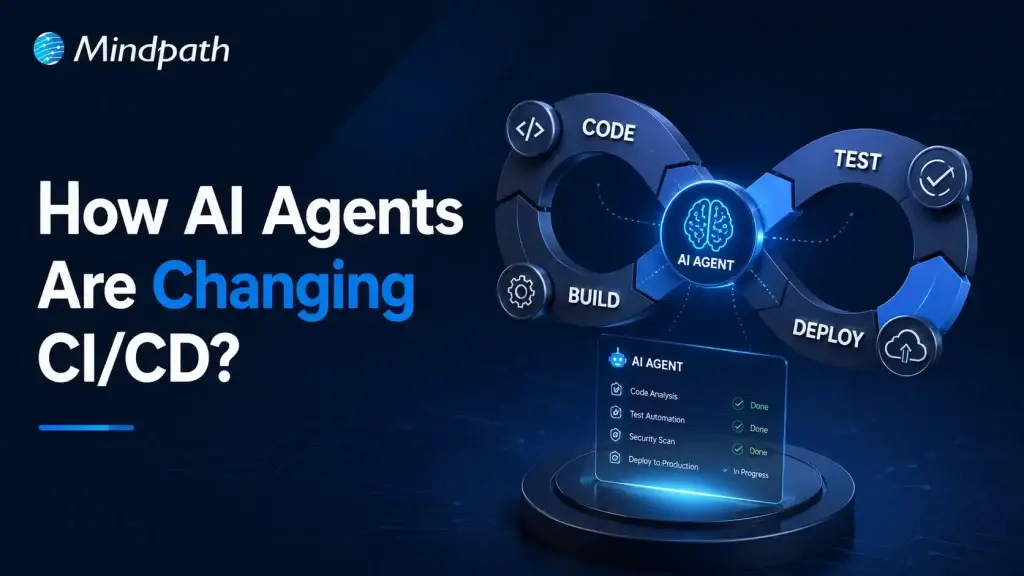
Modern software teams push updates faster than ever, yet speed alone no longer defines success. AI Agents in CI/CD Pipelines are changing how teams build, validate, and release software with greater accuracy and consistency. As delivery cycles grow more demanding, many organizations now look beyond traditional automation. They want systems that can analyze, decide, and act intelligently throughout development workflows.
Key Takeaways
- 01
AI agents improve CI/CD workflows through faster analysis, smarter decisions, and automated actions. - 02
Automated code reviews help developers identify quality issues and security risks earlier. - 03
Intelligent testing reduces maintenance work while improving test coverage and pipeline speed. - 04
Predictive insights help teams detect deployment risks before they affect production environments. - 05
AI-driven monitoring and rollbacks support reliable releases and faster incident recovery.
As a result, AI-driven development practices continue to gain momentum across modern engineering teams. Developers now expect faster feedback, stronger code quality, and smoother releases without increasing operational pressure. At the same time, businesses seek reliable ways to improve delivery performance and reduce costly errors. In this blog, we will explore how AI agents are reshaping CI/CD workflows and driving smarter software delivery.
Planning to integrate AI agents into your CI/CD pipeline? Mindpath provides AI Agents development services that improve development efficiency, reduce errors, and accelerate release cycles.
What are AI Agents in CI/CD Pipelines?
AI agents in CI/CD pipelines are intelligent systems that help automate and improve software delivery processes. Powered by large language models and machine learning, they analyze pipeline activities, identify issues, and support faster decisions throughout the AI agents’ software development lifecycle.
Unlike traditional automation tools that follow fixed rules, AI agents can learn from data and adapt to changing conditions. They monitor workflows, recommend improvements, and respond to problems in real time, helping teams maintain efficient, reliable, and scalable CI/CD operations.
What are the Key Functionalities of AI Agents in CI/CD Pipelines?
AI agents bring intelligence and adaptability to every stage of the CI/CD process. They go beyond traditional automation by analyzing data, making decisions, and continuously improving workflow efficiency.
The following functionalities highlight how AI agents help development teams deliver software faster, improve quality, and reduce operational challenges across modern CI/CD pipelines.
1. Autonomous Failure Analysis
AI agents quickly analyze logs, test results, and system activity when failures occur. They identify the root cause faster, helping teams resolve issues without lengthy investigations.
2. Self-Healing Test Execution
AI agents adjust tests automatically when minor UI or code changes appear. This reduces unnecessary test failures and keeps pipelines running smoothly.
3. Intent-Driven Test Generation
Developers can describe testing requirements using simple language. AI agents convert those requirements into executable test cases with minimal manual effort.
4. Proactive Risk and Anomaly Detection
AI agents monitor build history, code changes, and error patterns continuously. They detect potential risks early and alert teams before problems escalate.
5. Intelligent Test Selection and Parallelization
AI agents identify which tests relate to specific code changes. They run only the necessary tests and optimize execution time across the pipeline.
6. Automated Security and Compliance
AI agents scan applications for vulnerabilities and policy violations automatically. They help teams maintain security standards and support compliance requirements.
7. Auto-Remediation and Rollbacks
AI agents respond quickly when deployment issues or production incidents occur. They can initiate corrective actions, perform rollbacks, and support faster recovery.
Why are Traditional CI/CD Pipelines No Longer Enough?
1. Limited Infrastructure Awareness
Complex cloud environments require deeper context than scripts provide.
2. Struggles with AI-Generated Changes
High-volume code updates overwhelm traditional review workflows.
3. Security Risks Increase
Broad credentials create larger attack surfaces across pipelines.
4. Tight System Coupling
Connected processes reduce flexibility and slow scaling efforts.
5. Lack of Intelligent Decision-Making
Static rules cannot adapt to changing development conditions.
How Do AI Agents Improve Modern CI/CD Workflows?
AI Agents for DevOps bring intelligence to software delivery by continuously analyzing data, automating decisions, and responding to issues in real time. Instead of relying only on predefined rules, they help teams optimize workflows, improve code quality, reduce deployment risks, and accelerate release cycles across modern CI/CD environments.
1. Automated Code Review
AI Agents in CI/CD Pipelines analyze code changes and identify bugs, security gaps, and coding issues automatically. They provide instant feedback, helping developers improve code quality before merging changes.
2. Intelligent Test Case Generation
AI agents create test cases based on application logic, requirements, and code changes. This reduces manual effort and strengthens DevOps and test automation practices.
3. Smarter Software Testing
Modern AI software testing tools use AI agents to execute, optimize, and maintain tests continuously. They improve test coverage while reducing repetitive testing tasks.
4. Self-Healing Test Automation
AI agents detect minor application changes and automatically update affected test scripts. This keeps automated testing reliable and reduces maintenance workloads.
5. Predictive Failure Detection
AI agents analyze historical pipeline data, build logs, and deployment patterns. They identify risks early and help teams prevent failures before production releases.
6. Intelligent Deployment Management
AI agents evaluate deployment readiness using performance metrics, test results, and risk indicators. They support safer releases by recommending the best deployment actions.
7. Continuous Monitoring and Incident Response
AI agents monitor applications and infrastructure after deployment in real time. They quickly detect anomalies, investigate issues, and support faster resolution.
8. Automated Rollbacks and Pipeline Optimization
When deployments cause problems, AI agents can trigger rollback actions automatically. They also analyze pipeline performance and recommend improvements for faster software delivery.
Ready to Build Smarter CI/CD Pipelines with AI?
AI agents in CI/CD pipelines help teams improve code quality, strengthen testing, and manage deployments with greater confidence. They bring faster insights to complex delivery workflows while reducing repetitive work. As software releases become more frequent, intelligent automation can help organizations maintain speed, reliability, and control.
At Mindpath, we provide AI Agent development services that help businesses build practical, scalable, and secure solutions. Our team can support your journey with AI agents in CI/CD that align with your development workflows, testing needs, and deployment goals.
Frequently Asked Questions
Every business will approach a stage where its web app demands more. Users desire more intelligent features and competitors continue to move forward. This is where the AI integration services will be a crucial business decision. So, you begin to ask the real questions. How much time will this require? What will be the actual cost?
Key Takeaways
- 01
AI integration timelines range from 2 weeks to over 12 months depending on complexity. - 02
Basic AI features start at $5,000 while enterprise builds exceed $100,000 easily. - 03
Clean, structured data is essential before any AI integration project truly begins. - 04
Choosing a partner with domain experience and compliance knowledge protects your entire investment. - 05
AI integration is an ongoing commitment requiring regular maintenance, monitoring, and model retraining.
Well, most teams don’t consider these questions. The process of integration can range significantly across different tech stacks. App cost can vary significantly based on where your app is today. There’s also a tendency to have results that don’t quite match the original set-up. It isn’t a warning. It’s just how effective AI implementation is in real-world scenarios. Here in this blog, we delve into everything and make it very clear; leaving you to plan smarter and move forward with real confidence. So, let us read further and know more!
Planning to add AI to your existing application? Explore our AI Integration Services for seamless AI solutions tailored to your business goals.
What Are AI Integration Services and Why Do Businesses Need Them?
AI integration involves integrating intelligent features within your current web application. It brings AI to your actual data, workflows, and user interactions. This makes AI app integration more effective than standalone applications. Your app begins to generate more intelligent results according to the actual business context.
Using an AI tool is not the same as integrating an AI tool. True integration is when AI is integrated within your systems on an ongoing basis. It reads real-time data, aids decision-making, and automates repetitive tasks naturally. Companies that use AI effectively grow in leaps and bounds and run with much greater efficiency.
Let us look at some of the real reasons why businesses need AI integration services:
1. Process Automation
AI automates repetitive actions such as data entry. Teams save hours and concentrate on strategic work. Accuracies of human errors have tremendously decreased during daily operations.
2. Smarter Decision-Making
AI can quickly and accurately analyze large amounts of data. Leaders get real-time insights for better business decisions. Intuition and speculation are replaced with certainty and facts.
3. Elevated Customer Experience
Customers can interact with AI chatbots at any time of day. Customized suggestions lead to higher user satisfaction and engagement. All interactions are more relevant and timely.
4. Predictive Analytics and Growth
Businesses predict the future trends before they actually occur. Teams make early adaptations and maintain a competitive edge. Planning and inventory management are much more accurate.
5. Cost Reduction and Efficiency
Efficient workflows save a lot of unnecessary operational costs. Errors reduce and overall productivity significantly increases. The greater the efficiency, the more powerful the ROI.
Core Features of AI Integration at a Glance
1. AI-Powered Virtual Assistants
Routine queries are taken care of by intelligent chatbots and provide support 24/7.
2. In-App Copilots
Contextual AI helps users, creates content, and condenses reports in a flash.
3. Semantic Search
AI knows what users want and brings up relevant information each time.
4. Intelligent Document Processing
OCR and AI automatically read data from any invoice, PDF, or forms.
5. Recommendation Engines
AI provides product and content recommendations tailored to the user’s activity.
6. Fraud Detection
AI identifies unusual transactions and intrusions as they occur.
How Long Does AI Integration Into an Existing Web App Take?
The timeline for AI integration services varies from one organization to another. Everything is based on your project scope, tech stack, and approach. Let us have a look at it in detail:
1. Basic AI Integration (2 to 8 Weeks)
Teams integrate existing APIs such as GPT seamlessly and efficiently. Testing of UI changes and responses takes one to four weeks.
2. Moderate AI Implementation (3 to 6 Months)
Custom AI solutions delve into your business logic. It takes several months for data cleaning, model embedding and accuracy testing.
3. Enterprise AI Transformation (6 to 12+ Months)
Specialized models are constructed and trained from scratch. Compliance validation and secure deployment add significantly to the deployment timelines for enterprises.
What Is the Real Cost of AI Integration Services for Web Apps?
Most businesses underestimate the real AI implementation cost from the start. Your stack, complexity, and chosen approach shape every dollar spent.
1. Chatbots and Customer Support ($5,000 – $30,000)
Teams wire pre-trained APIs into existing interfaces relatively quickly. Costs cover conversation design, testing, and API connection work.
2. Recommendation Engines and Smart Search ($15,000 – $50,000)
Lightweight models track behavior and deliver personalized suggestions efficiently. Data volume and complexity define the final AI integration cost.
3. Advanced Automation and Predictive Analytics ($30,000 – $100,000+)
Fine-tuned models process proprietary data with much higher accuracy. NLP and predictive logic require significantly more development investment overall.
4. Data Preparation and System Integration
Dirty data breaks AI-powered web applications before they even launch. Connecting AI to legacy systems adds $10,000 to $50,000 easily.
5. Testing, Validation and Maintenance
AI outputs need far more manual testing than standard development. Plan to spend 15% to 25% annually on model upkeep.
AI Technologies Work Best for Web App Integration
1. Large Language Models (LLMs)
Tools like OpenAI and Gemini power smart, context-aware web interactions.
2. Intelligent Chatbots and Assistants
Conversational agents automate support workflows and execute in-app actions efficiently.
3. Semantic Search Engines
NLP-driven search understands actual user intent beyond basic keyword matching.
4. Vector Databases
Tools like Weaviate deliver ultra-fast content recommendations using mathematical data representations.
5. Computer Vision and Cognitive APIs
Pre-built APIs automate image tagging, visual search, and media moderation instantly.
6. Predictive Analytics Platforms
Google Vertex AI and SageMaker forecast demand and identify key behavioral trends.
How Do You Choose the Right AI Integration Partner?
Choosing the right AI integration services partner shapes your entire project outcome. The wrong choice costs you time, money, and serious technical debt.
1. Domain and Industry Experience
Choose AI consulting services partners with proven experience in your specific industry.
2. Technical Stack Proficiency
Confirm expertise in Python, TensorFlow, React, AWS, and Azure development.
3. Custom AI Software Development
Strong partners build tailored models using your data, not generic tools.
4. Data Privacy and Compliance
Verify SOC 2 audits, OAuth 2.0 protocols, and strict ethical AI standards.
5. Transparent Communication
Your partner should explain timelines, risks, and progress in plain language.
6. Ongoing Support and Roadmapping
AI software development needs continuous monitoring, retraining, and long-term scalability planning.
Is Your Web App Ready to Integrate AI?
AI integration is no longer optional for growing businesses. Your competitors are already moving faster with smarter apps. The right strategy, timeline, and budget make all the difference. Now is the right time to act with full clarity and confidence.
At Mindpath, we provide AI development services that fit your exact business needs. Our team handles everything from planning to deployment and beyond. We help you move faster, spend smarter, and build better. Contact us to turn your web app into a truly intelligent product today.
Frequently Asked Questions
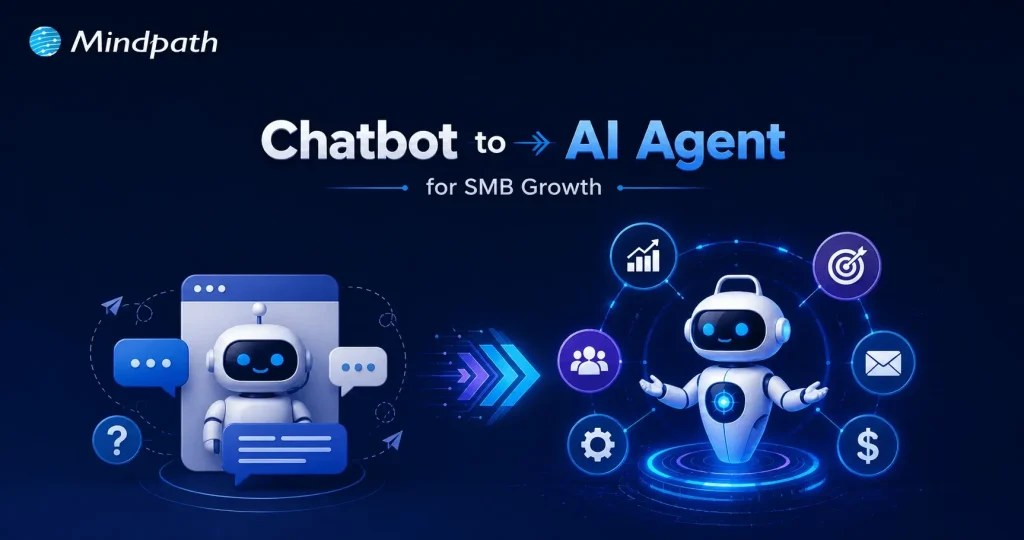
Businesses today move fast. Customer expectations move even faster. The old model of deploying a simple chatbot to handle FAQs and call it “AI adoption” no longer cuts it in 2026. The real shift happening right now is the leap from chatbots to agentic AI, and it is reshaping how small and mid-sized businesses operate, compete, and grow. This is no longer a futuristic concept. It is an active, measurable business decision.
Key Takeaways
- 01
Agentic AI executes complete workflows autonomously, while chatbots only answer questions. - 02
SMBs adopting agentic AI gain a measurable competitive edge over slower-moving peers. - 03
Agents integrate directly with your existing tools, eliminating manual hand-offs entirely. - 04
No-code platforms make agentic AI deployment accessible for non-technical SMB founders today. - 05
Starting with one repetitive task is the smartest and fastest path to implementation.
So, think about this for a moment. Your competitors are not just automating conversations anymore. They are automating decisions, workflows, and outcomes. Agentic AI does not wait for instructions at every step. It reasons, plans, and acts autonomously across your entire business stack. SMBs that recognize this shift early will set the pace. Those that wait will spend the next few years catching up. In this blog, we break down exactly what this transition means, why it matters deeply for your business, and how you can start making it work today.
Looking to move beyond basic chatbots? Our Agentic AI development services help businesses build intelligent AI agents that deliver real business value.
How Does Agentic AI Differ from a Chatbot?
A chatbot is a rule-based conversational tool. It responds to queries, retrieves information, and operates within predefined boundaries. Agentic AI is an autonomous intelligence system. It receives a high-level goal, reasons through complexity, and executes multi-step tasks across tools, APIs, and workflows independently.
Consequently, the evolution from chatbots to agentic AI represents a fundamental shift in capability. A chatbot delivers an answer. An agent delivers an outcome. It plans, decides, coordinates across systems, and completes entire business processes without requiring human intervention at each step.
Let’s have a glance at the key difference through this table:
| Category | Agentic AI | Chatbot |
| Primary Purpose | Works toward a goal and completes tasks from start to finish. | Answers questions and responds to user messages. |
| Autonomy | Can make decisions, plan actions, and work with minimal human input. | Requires continuous user prompts and instructions. |
| Task Execution | Handles complex, multi-step workflows and can adapt when situations change. | Typically manages simple conversations or predefined tasks. |
| Tool & System Access | Uses APIs, databases, business software, browsers, and other tools to perform actions. | Mostly provides information; limited ability to take real actions. |
| Memory & Context | Maintains task history, user preferences, and long-term context across interactions. | Usually remembers only the current conversation session. |
| Outcome | Delivers completed results (e.g., creates reports, books meetings, processes requests). | Delivers responses, suggestions, or information only. |
Why are SMBs Choosing Agentic AI Over Traditional Chatbots in 2026?
SMBs are not adopting agentic AI out of curiosity. They are doing it because the gap between a chatbot to AI agent is now a gap between falling behind and staying competitive. The business case is clear, measurable, and growing stronger every quarter. Here are the reasons why SMBs are making the switch right now.
1. Always-On Execution
Agentic AI operates continuously across time zones without failing. It handles complex, multi-threaded tasks around the clock, functioning truly as a 24/7 digital employee for your business.
2. End-to-End Automation
Unlike AI chatbots for customer service that stop at answering queries, agents take direct action. One agent can check inventory, process a return, and update your CRM automatically without a single human hand-off.
3. Autonomous Problem Solving
Agents use a built-in reasoning layer to break high-level goals into actionable steps. They analyze context in real time and respond decisively without waiting for human instruction at every turn.
4. Deep System Integration
Agents connect directly via API to your existing tech stack, including Slack, Google Drive, and inventory systems. They pull data, update records, and execute changes securely across your entire business infrastructure.
5. Real Cost Savings
Running an agentic workflow costs a fraction of a full-time employee’s salary. SMBs consistently recover significant operating capital monthly while eliminating the inefficiencies tied to manual staff time.
6. Dynamic Adaptability
Traditional chatbot flows break the moment a variable changes. The shift from chatbots to agentic AI means your system now adapts in real time, handles ambiguity, and course-corrects when processes go wrong.
7. No-Code Deployment
Advanced no-code platforms allow non-technical SMB founders to build and launch role-specialized agents quickly. You do not need a large in-house IT team to start seeing immediate, measurable value.
8. Scalability Without Hiring
Agentic workflows allow SMBs to handle sudden spikes in traffic or rapid business expansion confidently. You scale operations without the immediate pressure to hire, onboard, and train new employees.
Must-Know Insights on SMBs Using AI
- Over 75% of SMBs actively use or experiment with AI today.
- 97% of SMBs using voice AI agents report direct revenue increases.
- Gartner predicts 25% of all IT work will run on AI agents by 2030.
- 91% of SMBs adopting AI report measurable revenue gains consistently.
- Growing SMBs lead AI adoption at 83%, far ahead of stagnant peers.
How to Transition Your SMB from a Chatbot to Agentic AI in 2026?
Making the switch sounds complex, but it does not have to be. Most SMBs already have the tools and workflows needed to start deploying conversational AI agents today. Here is exactly how you move from intention to implementation.
1. Start Small
Identify one high-value, repetitive task your team handles manually every day. Build your first agent around that single workflow before expanding further.
2. Map the Workflow
Write down every trigger, system, and decision rule a human follows to complete the task. This plain-language process becomes the core instruction set for your agent.
3. Connect Your Stack
A customer service agentic AI chatbot without tool access is simply a smarter chatbot. Equip your agent with API connections to the software your team already uses daily.
4. Set Human Guardrails
Identify every point in the workflow where an agent mistake would carry significant cost. Program the agent to pause and request human approval at each of those critical steps.
5. Pick Your Platform
The transition from chatbots to agentic AI no longer requires a large technical team. Explore no-code and low-code visual builder platforms to design and deploy workflows without writing a single line of code.
Is Your Business Ready to Move Beyond the Chatbot?
The shift from chatbots to agentic AI is not a distant trend. It is happening right now, and SMBs that act early will hold a serious competitive edge. The technology is accessible, the results are proven, and the window to move first is still open.
At Mindpath, we provide AI development services that help SMBs make this transition confidently. We build, integrate, and deploy agentic solutions tailored to your exact business needs. Let us help you move from conversation to action, starting today.
Frequently Asked Questions
Small businesses today lose countless productive hours to tasks that AI automation for small businesses can now handle faster, smarter, with around the clock intelligence, and speed. The majority of SMBs are still dealing with many morning hours spent in the inbox, updating spreadsheets by hand, or following up. AI agents have smoothly transcended the “experimental” phase. Now they take over entire business processes end to end without any human.
Key Takeaways
- 01
AI automation moves beyond rule-based scripts by learning, adapting, and solving problems independently. - 02
SMBs that automate high-impact workflows first gain measurable results within weeks. - 03
AI agents work around the clock, handling leads, support, and scheduling without human supervision. - 04
Starting with one workflow is enough. You scale automation gradually as confidence builds. - 05
The right AI tools reduce overhead, improve accuracy, and free your team for strategic work.
The question isn’t if AI can aid your business. It already assists thousands such as you. But then the question becomes, what workflows are best to streamline first that you can feel the impact right away? Certain automations can save hours each day. Others avoid unnecessary mistakes that are expensive. Some even enhance the customer experience in a single night! So, in this blog, we will explore the 10 business workflows that every SMB should consider automating with AI agents today. Let us keep reading further to know more!
Ready to automate more than just a few tasks? Explore our AI Development Services to build custom AI agents that streamline your business workflows.
What is AI Automation? A Quick Overview
AI automation involves using AI technology to handle tasks that would otherwise demand human cognition, such as decision-making, interpreting complex information, and grasping context. It does not require rules to learn and adapt to new situations; it handles exceptions on its own. It is more of a thinking system than a programmed script.
Once business is familiar with how it works, the process makes their adoption choices smarter. AI-powered business automation combines Robotic Process Automation with advanced cognitive technologies. In machine learning, patterns are identified and predictions made. It has Natural Language Processing, which is the ability to read and write human language. Computer vision is the ability to process visual information, such as in the reading of documents and images.
Why Should Small Businesses Automate Business Workflows with AI Agents Right Now?
The timing has never been better. AI automation for small businesses has moved from expensive enterprise territory to accessible, plug-and-play solutions any team can adopt today. SMBs that automate now gain a serious competitive edge before the window narrows.
1. 24/7 Customer Support
AI agents for small businesses instantly respond to customer queries, qualify leads, and book appointments around the clock. You never need to manage night shifts or miss a potential sale again.
2. Massive Time Savings
Automating repetitive tasks saves professionals an average of 2.25 hours daily, freeing roughly 11 hours every week. Your team redirects that time toward strategic planning and revenue-generating work.
3. Autonomous Problem-Solving
Agentic AI handles unpredictable tasks intelligently, learns from real data, and adapts to changing workflows over time. It goes far beyond following rigid, pre-set rules.
4. Drastically Lower Overhead
AI agents transform SMBs by taking over data entry, invoicing, and scheduling without costly human errors. This directly reduces the pressure to hire additional administrative staff.
5. Data-Driven Insights
AI quickly analyzes sales trends, tracks inventory, and forecasts customer demand in real time. This helps you make smarter decisions faster than your competitors ever could.
10 Business Workflows Every SMB Should Automate with AI Agents Right Now
Not every automation delivers equal value. The smartest move is starting with workflows that drain your team’s time and directly impact revenue. Here are the ten workflows where AI agents for SMB businesses create the fastest, most measurable results.
1. Lead Qualification
When a new lead submits a form, an AI agent enriches their data, scores purchase intent, and routes them to the right sales rep instantly. Platforms like Clay or HubSpot AI make this ai agents for automating business workflow a plug-and-play reality for growing teams.
2. Support Triage
An AI agent reads incoming messages across email, WhatsApp, and social media, resolves common Tier-1 queries, and escalates complex issues to human agents. Tools like Intercom and Zendesk AI handle this autonomously, cutting response times dramatically.
3. Invoice Reconciliation
Invoices arrive in different formats, and an AI agent extracts line-item data, matches it against purchase orders, and pushes approved invoices directly into your accounting software. Make combined with AI document extractors handles this entire cycle without human intervention.
4. Cold Outreach
A sales agent researches target accounts, writes hyper-personalized cold emails referencing recent company news, and schedules follow-ups based on recipient engagement automatically. Apollo.io and Lindy.ai are strong AI workflow automation tools built precisely for this use case.
5. Meeting Intelligence
An AI agent joins your virtual meetings, transcribes conversations in real time, and creates assignable tasks directly inside your project management board. Otter.ai and ClickUp Brain eliminate the need for anyone to take manual notes ever again.
6. Reputation Management
Every time a customer leaves a review on Google, Yelp, or Facebook, an AI agent analyzes the sentiment and crafts a context-aware response within minutes. Birdeye or Zapier-based workflows make this one of the smartest wins in AI automation for small businesses.
7. HR Onboarding
An internal AI agent answers policy questions around the clock, automates software account provisioning, and collects onboarding paperwork without HR lifting a finger. Microsoft 365 Copilot Studio and Siit handle this seamlessly across growing teams.
8. Content Repurposing
Upload a blog post, podcast, or YouTube video and an AI agent generates summaries, pulls key quotes, and formats tailored content for X, Instagram, and LinkedIn automatically. Jasper AI and Hootsuite turn one piece of content into a full week of social posts.
9. Ad Management
Marketing agents continuously analyze campaign performance across Google and Meta, reallocating budgets toward top-performing creatives and audience segments in real time. Madgicx and native ad platform AIs maximize your return on ad spend without daily manual oversight.
10. Admin Assistance
An AI agent accesses your inbox, identifies high-priority meetings, coordinates across time zones, and updates your calendar without back-and-forth emails. This workflow alone gives busy founders back hours every single week.
Ready to Put AI Agents to Work for Your Business?
The ten workflows above are not future possibilities. They are working solutions that SMBs actively use today. AI automation for small businesses is no longer optional. It is the difference between scaling efficiently and falling behind competitors who have already made the move.
At Mindpath, we provide AI development services that help small businesses design, build, and deploy intelligent agents tailored to their exact workflows. We turn complexity into clarity. Contact us today, and we will help you automate smarter and grow faster.
Frequently Asked Questions
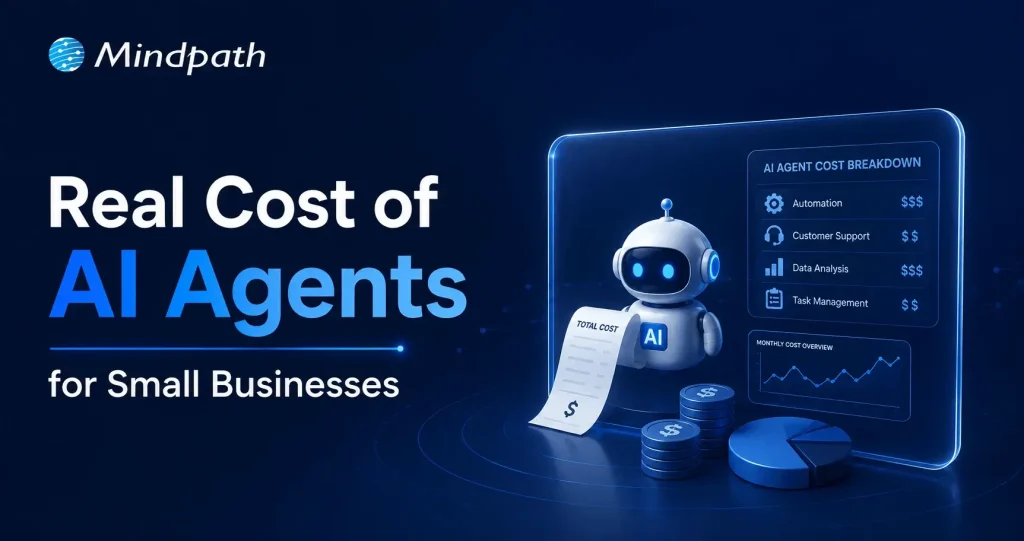
Small businesses today are watching AI agents handle customer queries, automate workflows, and close sales round the clock. Exciting? Absolutely. But many business owners jump in without truly understanding the cost to build an AI agent. That gap between excitement and reality often leads to budget overruns. So, let’s talk numbers, trade-offs, and what actually goes into building one.
Key Takeaways
- 01
The cost to build an AI agent ranges from $3,000 to $50,000 upfront. - 02
Complexity, integration, and data readiness are the biggest cost drivers. - 03
Hidden costs like token bloat and API fees catch most small businesses off guard. - 04
Starting with one narrow task keeps your budget controlled and ROI measurable. - 05
Consistent maintenance and prompt tuning protect your long-term agent investment.
Furthermore, the pricing rarely tells the full story. Vendors show you the entry plan; they rarely show you integration fees, maintenance costs, or what happens when your agent scales. Every layer adds up quietly. In this blog, we break down every real cost involved so you can plan smarter, spend better, and build an AI agent that actually works for your business. So, let us read further and know more!
Looking for a cost-effective way to implement AI? Our Agentic AI development services help businesses build scalable AI solutions with measurable ROI.
What Factors Influence the Cost to Build an AI Agent?
Building an AI agent is never one flat price. Implementing an AI agent cost shifts dramatically based on what you need, how complex your workflows are, and which technology stack your team chooses. Several moving parts quietly push the budget up or down. Understanding these factors upfront saves you from nasty surprises later. Let’s break down exactly what drives the cost.
1. Scope and Complexity
Rule-based chatbots follow fixed scripts and cost far less to build. True agentic AI that reasons, plans, and adapts autonomously demands significantly more development effort and budget.
2. Integrations and Tooling
Every external system your agent connects to, such as your CRM, ERP, or payment gateway, adds development time. Giving the agent capabilities like web browsing or database querying also requires rigorous security testing.
3. Data Readiness and Preparation
Unstructured or siloed data needs heavy cleanup before your agent can use it effectively. Setting up vector databases and memory architecture to support long-term recall adds another layer to your AI automation cost.
4. Technology Stack
Your choice between proprietary LLMs, open-source models, and no-code builders directly shapes both upfront and recurring costs. Custom frameworks like LangChain offer more control but require significantly more development time.
5. Security and Compliance
Regulated industries like healthcare and finance carry strict compliance requirements including HIPAA and GDPR. Penetration testing, security audits, and data privacy measures push the AI automation cost noticeably higher.
6. Maintenance and Continuous Training
Launching your agent is only the starting point. Production environments demand ongoing prompt tuning, knowledge updates, and performance monitoring throughout the agent’s entire lifecycle.
What Is the Actual Cost to Build an AI Agent for Small Businesses?
The AI customer service agent cost for small businesses ranges from $3,000 to $50,000 upfront. Monthly maintenance and token fees add $50 to $1,000 more.
1. Cost Breakdown by Agent Type
Costs vary widely depending on complexity and autonomy level. Here is what each tier typically costs small businesses today.
2. Off-the-Shelf Configured Agents: $3,000 – $10,000+
No coding is needed here. You pay for prompt setup, branding, and basic routing configuration.
3. Basic Custom Agents (MVP): $10,000 – $25,000
These agents handle customer support, lead qualification, and simple automation. They connect to your website or one external API.
4. Mid-Level and Internal Agents: $25,000 – $50,000+
These require multi-step planning and deep CRM integration. Human-in-the-loop oversight adds complexity and cost.
5. Ongoing Operational Costs
Building the agent covers only the starting investment. Monthly operational costs keep it running and improving.
6. API and Token Usage: $20 – $500+ Per Month
Usage costs depend on query volume and your chosen LLM. OpenAI, Anthropic, and Gemini all price differently.
7. Cloud Hosting: $50 – $300 Per Month
This covers serverless functions and knowledge base storage. Costs scale as your agent handles more traffic.
8. Maintenance: 15% – 30% of Build Cost Annually
Regular updates, bug fixes, and prompt refinements are essential. Strong ROI of AI agent development depends heavily on consistent maintenance investment.
Hidden Costs of AI Agents Nobody Talks About
1. Agentic Token Bloat
Reasoning loops silently stack up your LLM API charges.
2. AI Drift Maintenance
Changing business rules add 15-20% to annual build costs.
3. System Integration and API Fees
Custom API connections cost $25,000 to $75,000 additionally.
4. Debugging and Monitoring
Silent agent failures waste valuable developer time and money.
How Can Small Businesses Reduce the Cost to Build an AI Agent?
Building an AI agent does not have to drain your budget. Smart planning and the right approach can significantly cut costs without compromising on quality or performance.
1. Leverage No-Code Agent Builders
Skip expensive developer fees with visual drag-and-drop platforms. Non-technical staff can build and integrate agents independently and affordably.
2. Mix Models and Use Open-Source
Avoid paying GPT-4 prices for every routine task. Smaller open-source models like Llama 3 cut token costs significantly.
3. Start With a Single Narrow Task
Target one high-volume process like scheduling or email replies. This keeps your initial AI agent ROI for small businesses measurable and clear.
4. Run in Parallel First
Test your agent alongside existing workflows for four to six weeks. This catches errors before full deployment and protects your investment.
5. Optimize Your Prompt Engineering
Well-structured prompts use fewer tokens and reduce unnecessary back-and-forth. This directly lowers how much does an AI agent cost per month operationally.
Is the Cost to Build an AI Agent Worth It for Your Small Business?
For most small businesses, the answer is yes. The cost to build an AI agent pays back quickly through saved labor, faster response times, and scalable automation. Start small, measure results, and expand only where it genuinely moves your bottom line.
At Mindpath, we provide AI development services tailored specifically for small business budgets and goals. We help you skip the guesswork, avoid hidden costs, and build agents that actually deliver results. Let us help you make the right investment from day one. Contact us today for a free consultation, and discover how the right AI solution can help your business save time, reduce costs, and grow with confidence.
Frequently Asked Questions
A scrappy 5-person start-up just secured its first client, one that was previously reserved for a corporation with thousands of workers. How did that happen? AI agents for small businesses are now filling in this void by taking care of customer support, sales follow-up, or general day-to-day tasks without requiring a large workforce. Owners are now investing in strategy and growth, while relieving themselves of the grunt work. In this rapidly changing landscape, smaller players have a fighting chance at the big leagues.
Key Takeaways
- 01
AI agents help small businesses operate efficiently without expanding their workforce. - 02
Routine tasks can be automated, giving teams more time for growth. - 03
Small businesses can compete with larger companies through smarter operations. - 04
AI improves customer service, marketing, sales, and daily business management. - 05
Affordable tools make AI adoption easier for businesses of all sizes.
It’s not that they’re looking to replace people. It’s all about providing small teams the firepower that larger teams have been using for years. The tasks that used to take whole departments are now accomplished in the background quietly, thus freeing up time for what matters. Owners are not bogged down with repetitive work and can concentrate on relationships, creativity and large decisions. In this blog, we’ll explore in depth how it works and what it means to businesses that are ready to compete smarter, not harder. So, let’s keep reading further!
Want to level the playing field with larger competitors? Discover how our AI development services can help you leverage AI for faster growth and efficiency.
Why Small Businesses Are Adopting AI Agents Faster Than Ever?
AI agents for small businesses are becoming more cost-effective and user-friendly, accelerating the adoption of AI agents among small businesses. They are user-friendly and can be used by the owners to automate the scheduling, invoicing, and customer service tasks without hiring additional employees or experts.
Small business AI automation also creates equality in the competitive landscape, enabling smaller teams to compete with larger ones. Today, this is accelerating quickly and across industries, as owners save time, reduce expenses and concentrate on growth by letting computers handle the repetitive tasks.
Key Factors Driving the Adoption of AI Agents for Small Businesses
1. Instant Scalability
Quickly and effortlessly increase your capacity as your business grows without adding new staff.
2. 24/7 Customer Engagement
Always available to your customers while providing fast, on-point answers.
3. Data-Driven Decision Support
Provides analytical information that subsequently helps in better decision-making.
4. Hyper-Efficiency and Cost Savings
Getting rid of monotonous tasks through automation and cutting down on the overall expenses.
5. No-Code Accessibility
Enables straightforward AI integration without needing any technical knowledge.
How Small Businesses Are Using AI Agents to Compete with Larger Enterprises?
The rise in adoption has led businesses to leverage AI agents in innovative ways to boost productivity, enhance customer experiences, and accelerate growth. Here are some of the most helpful applications of AI agents in small businesses today.
1. Always-On Support
AI agents for small businesses can handle customer inquiries, order updates, and support requests on various channels without delay. This enables small businesses to provide a credible service level at all times, with no compromise on customer satisfaction.
2. Smart Lead Generation
Businesses can leverage autonomous AI agents to help them find leads, validate contact details, and tailor outreach efforts, saving hours of manual research. This helps smaller sales teams produce more opportunities and compete with larger sales teams.
3. Personalized Marketing
AI-powered tools look at customer behavior, preferences, and buying history to craft highly relevant marketing campaigns. Businesses can use AI for small businesses to provide personalized experiences, leading to better engagement, conversion rates, and customer loyalty.
4. Content Scaling
It can be difficult to produce content regularly when you’re working with limited resources and a small team. AI agents can generate blog posts, social media posts, emails, and promotions from just one piece, ensuring businesses stay active on various platforms.
5. Predictive Planning
AI agents continually assess sales trends, seasonal demand, and business metrics, helping to guide more intelligent decision-making. This allows businesses to minimize waste, prevent stock shortages and make better financial decisions.
6. Smarter Hiring
The process of recruiting can be a time-consuming task, including resume screening, candidate evaluation, and onboarding. AI automation for small businesses streamlines these processes, making it easier to hire the right people and concentrate on creating better experiences in the workplace.
7. Rapid Execution
In most cases, small businesses realize an edge when they are able to start following up on new opportunities quickly. By streamlining repetitive tasks, AI agents can lower operational delays, allowing businesses to navigate market shifts and customer expectations more quickly.
8. Financial Automation
Manual handling of invoices, payments, and financial records can lead to unwarranted administration. AI agents perform these tasks in the background, increasing accuracy and freeing up business owners’ time for growth-focused initiatives.
Must-Know Insights
- 38% to 78% of small and medium businesses (SMBs) use or are trying out AI tools and autonomous agents.
- According to businesses, there has been a 133% rise in productivity as a result of AI-led automation.
- The use of AI can lead to a 25%-30% decrease in the costs of running a business.
- AI support available 24/7 helps attract more sales and enhance the level of customer satisfaction.
- On average, companies make $3.70 for every dollar they invest in AI.
Popular AI Agent Examples Small Businesses Are Using Today
The growing popularity of AI agents for small businesses comes from their ability to solve real business challenges without adding complexity. Here are some popular AI agent examples that small businesses are using today to save time, improve efficiency, and stay competitive in a fast-moving market.
1. Sales & Outreach
These AI-powered business tools help businesses find potential customers and manage outreach more efficiently. Small teams can spend less time prospecting and more time closing deals.
2. Customer Support
Customer inquiries can be handled quickly and consistently throughout the day. This improves customer satisfaction while reducing pressure on support teams.
3. Admin & Scheduling
Daily tasks like scheduling meetings and managing emails become easier to handle. Teams stay organized and can focus on higher-value work.
4. Content Marketing
One piece of content can be turned into multiple formats for different channels. This helps businesses maintain a strong online presence with less effort.
5. Finance & Invoicing
Routine financial tasks such as invoicing and payment tracking can be managed automatically. This saves time and helps keep business records accurate.
Ready to Give Your Small Business a Competitive Edge?
The adoption of AI agents for small businesses is changing how companies operate, grow, and compete. By automating routine work, improving customer experiences, and supporting smarter decisions, small teams can achieve more while focusing their energy on strategic business goals.
At Mindpath, we provide AI development services that help businesses build practical and scalable solutions tailored to their needs. Whether you want to automate workflows, improve customer engagement, or increase operational efficiency, our team can help you turn AI opportunities into measurable business results.
Frequently Asked Questions
The AI chatbot market is all set to grow incredibly at a rate of 23% annually. Further, the global market is expected to reach USD 15.5 billion by 2028. Around 78% of companies use AI in at least one of their integral business functions. Along with all the other dominated industries, the education sector is also undergoing a major digital change. One of the biggest drivers behind this growing shift is the rise of AI chatbots in education.
A series of chatbots has been effectively embraced in the learning environment. Moreover, it is changing how you learn and interact. Let us further explore the AI chatbot in the education industry in a better form. Additionally, let us highlight how this massive change has become a successful addition to a learner’s life.
Want to deliver 24/7 student support while optimizing academic and administrative processes? Mindpath offers custom AI development services that empower educational organizations with intelligent, scalable solutions tailored to their needs.
What is the Role of Artificial Intelligence in Education?
The role of artificial intelligence in education is way more than just automation. AI accesses smarter and data-rich learning ecosystems where students receive customized support. Further, educators can prioritize teaching instead of focusing on repetitive tasks.
- AI-powered systems, like educational chatbots, use natural language processing to understand and respond to queries in real time.
- Such systems can work as your virtual assistants, support agents, and tutors. Further, they are available 24/7.
- This way, AI in education is not just boosting efficiency but also improving the overall learning experience.
The Common Usage of AI Chatbots in Education
Chatbots in education are considered to be intelligent software programs curated to simulate human-like conversations with your users. They can assist your students while automating your overall institutional workflows. Further, you can get instant information to strengthen your decision-making abilities.
These AI-powered chatbot solutions are mainly used for student support and query resolution. They have also shown incredible results in admissions and enrollment assistance. AI chatbots can also assist you with course recommendations and feedback gathering. So, AI in the education sector is acting as a bridge between human interaction and technologies.
What exactly is a chatbot, and how does it work in transforming industries like education? Discover the fundamentals and real-world applications of chatbots in this comprehensive guide.
What are Some Benefits of AI Chatbots in the Education Industry?
Let’s break down the essential benefits of AI chatbots in the education industry in a more precise way.
1. 24/7 Availability
Unlike people who can assist for some hours a day, chatbots are available 24/7 to serve you quickly. They can assist you with any of your queries. This ensures that you can have the proper access to information at any time of the day.
2. Cost Saving
Chatbots work as a valuable assistance by managing repetitive tasks while saving your time for more essential tasks. This way, you can reduce your staff hiring for small tasks while sticking to cost-efficiency.
3. Self-Learning Mechanism
There is no need to initiate training for the chatbot consistently to get the desirable answers and to fuel its database. It consists of a self-learning algorithm, and it needs minimal effort to make it think and act like human beings.
4. Minimal Administrative Burden
Managing a series of administrative tasks can waste most of your essential time. So, an AI-powered chatbot can ease your tasks by automating them. This includes answering the queries of students and handling admission queries. It can also schedule your classes. This allows teachers and administrators to prefer delivering quality education instead of being worried about their routine work.
5. Better Results
With the inclusion of AI chatbots in education, learners can customize their learning process to suit their personal requirements. Moreover, chatbots are capable of tracing progress while offering you better study materials. They can also offer you genuine feedback on your performance.
6. Aligned Communication
Effective communication is the core of an educational environment. Conversational AI chatbots can effectively align your communication between teachers, students, and other administrative staff. From sending essential announcements to resolving questions, chatbots can ensure your information flow remains authentic.
7. Data Rich Insights
Another essential advantage of AI in the education sector is the potential to go through a bulk of essential data. Additionally, chatbots can assess your learning patterns and engagement levels to create valuable insights. Educational institutions can use such content to strengthen their curriculum.
Ready to enhance learning experiences with AI-powered solutions? Check out our blog on Generative AI in education to explore its benefits, features, and real-world applications.
AI Chatbot Examples in the Education Sector
There are several AI chatbot examples that highlight how institutions are benefiting through this futuristic feature.
| AI Chatbot Examples | |
| Virtual Tutors | You can gain subject-oriented guidance and aligned explanations. |
| Campus Assistants | It offers updates on your current schedules and deadlines. |
| Admission Bots | It can help you with course selection and your eligibility criteria. |
| Language Learning Bots | Practice conversation to make it effective in the real time. |
Incredible Features Your AI Chatbot Should Consist Of
Here are some essential features that your AI chatbot must adopt in the education industry.
1. Multi-Language Support
This feature lets you bypass the language barrier and allows learners to communicate and learn in their preferred languages.
2. Progress Assessment
This essential feature can help you track the learning progress of your students. Further, it can help you learn new trends in education and analyze the competitiveness of the market.
3. Consider Privacy
Make sure to integrate data protection and gather minimal data from the users to run your software.
Curious about how technology is transforming the future of learning? Discover the applications of AI in education and explore their real-world impact on modern learning environments.
What is the Future of AI in the Education Sector?
The future of automation in the education sector looks promising. As per the reports of Gartner, 25% of companies will include chatbots as their main customer service tool by next year. With advancements in machine learning & NLP, chatbots are becoming more intelligent & human-like.
- Voice-enabled AI assistants.
- Integration with Learning Management Systems.
- Predictive analytics for student success.
- AI-driven career guidance.
Challenges of Using AI Chatbots in Education
While the benefits of AI chatbots in education are significant, you might experience certain challenges, as given here.
- Concerns related to privacy.
- Extreme dependency on AI tools.
- Authenticity of the data.
- Need for human assistance.
Ready to Get the Benefits of AI in Education Industry?
AI chatbots in education have become extremely vital and are quickly adopted in the learning environment. It is simply changing the way students learn and interact. Starting from personalizing the learning assistance to enabling automation, chatbots are helping institutions create more efficient and student-centric systems.
If your organization is ready to extend its features through AI, consider Mindpath as your convenient partner. We offer advanced AI development services that can help your educational institute scale precisely. We can help you integrate chatbot systems curated for modern learning environments.
Frequently Asked Questions
More and more businesses are moving toward web apps that can grow and work well in order to stay competitive in the digital world. Microservices, cloud-native apps, and real-time communication are now essential technologies. This change has made it even more important to hire Node.js Developer experts who can build backend systems that are quick, effective, and easy to expand.
Node.js is a popular technology for modern development because it is event-driven and doesn’t block. Businesses of all sizes, from small ones to big ones, are hiring Node.js developers to make apps that can handle a lot of users and real-time interactions.
But when you hire a developer, you shouldn’t just look for someone with good technical skills. It takes a clear understanding of what the project needs, an evaluation of skills, and making sure that the work is in line with business goals. This guide will show you the best way to find and hire Node.js developers.
Looking to find the perfect Node.js developer without going through a lengthy hiring process? Mindpath provides professional services to help you hire expert NodeJS developers quickly and efficiently.
Why Node.js is Popular for Modern Development
Before we talk about how to hire people, let’s talk about why node js is so popular for web development.
Node.js makes it easier for developers to do their jobs because they can use JavaScript on both the front end and the back end. Its I/O model is asynchronous and non-blocking, which means that apps can handle many requests at once. This makes it great for real-time apps like chat platforms, streaming services, and tools for working together.
Node.js helps companies like Netflix, LinkedIn, and PayPal make their systems work better and grow. There is a growing need for skilled nodejs developers to work in all kinds of businesses because so many people use it.
Understanding the Role of a Node.js Developer
A Node.js developer is responsible for writing the server-side logic, managing databases, and making sure that the front-end and back-end systems work well together. When you hire dedicated Node.js developers, you’re basically paying for people who know how to build scalable architectures and make your apps run better.
Some of the things they have to do are:
- Creating RESTful APIs
- Adding services from other businesses
- Running databases, both SQL and NoSQL
- Making sure the app is safe and works well
- Collaborating with frontend developers
If you know what this job involves, you can tell your development team what you need.
Looking to understand what makes Node.js a top choice for modern backend development? Discover the key advantages of NodeJS that support scalability and performance.
Skills to Look for in a Node.js Developer
Checking the skills of Node.js developers is one of the most important parts of the hiring process. A good developer should be able to fix things and know a lot about tech.
1. Core Technical Skills:
Most of the time, Node.js developers need to know how to do these things:
- Good at programming in JavaScript and asynchronous
- Familiarity with Node.js frameworks like Express.js
- Used microservices and RESTful APIs
- Knowing how to work with databases like MySQL, MongoDB, or PostgreSQL
- Knowing how to use Git and other version control systems
2. Backend Expertise:
Some of the most important skills for a good Node.js backend developer are:
- Planning how the server-side will work
- Creating and linking APIs
- Making things work better
- Best ways to keep things safe
3. Soft Skills:
You need more than just technical skills to finish a project well. You also need to be able to talk to people, work with them, and be open to change.
Want to speed up development and improve backend functionality with the right tools? Discover essential Node.js libraries that help developers build scalable applications faster.
Benefits of Hiring a Node.js Developer
Node.js developers have a lot of useful skills that make them good for projects that use modern technology.
1. High Performance and Scalability
Node.js developers can make apps that can handle a lot of requests at once, which means they will work well even when there is a lot of traffic.
2. Faster Development
Using JavaScript all the way through the stack speeds up development and makes it easier for teams to work together.
3. Cost Efficiency
You can save money by hiring Node.js developers because they make development easier and cut down on the number of technologies you need.
4. Real-Time Capabilities
Node.js is great for apps that need to change in real time, like chat apps and dashboards that show live data.
5. Strong Ecosystem
The npm ecosystem has thousands of libraries that you can use to speed up and improve your development work.
Wondering how businesses build scalable and reliable digital products? Discover how to create high-performing apps with NodeJS experts that support long-term growth.
Hiring Models to Hire NodeJS Developer
Companies that want to hire a Node.js developer can choose from a number of hiring models based on what they need.
1. In-House Developers:
You have more control and it’s easier to work together when you hire full-time developers, but it may cost more.
2. Freelancers:
Freelancers are great for short-term projects, but they might not be able to work on them for a long time.
3. Dedicated Developers:
Dedicated nodejs developers will only work on your project, which will make them more productive and reliable.
4. Remote Developers:
You can hire Node.js developers from anywhere in the world, which is often cheaper.
Curious why many companies choose experienced teams over individual developers? Checkout why businesses prefer NodeJS development companies for consistent and high-quality results.
Working with a Node.js Development Company
It may be easier to find workers if you work with a Node.js development company. These companies have experienced developers, proven workflows, and solutions that can grow with your needs.
They also offer full Node.js development services, which include:
- Creating and building apps
- Putting APIs together
- Help and upkeep
- Making things work better
This method is great for businesses that want a complete solution without having to hire and manage their own staff.
Tips for Hiring the Right Node.js Developer
You need a plan to find the right people. Here are some helpful tips for hiring Node.js developers who will do a good job.
1. Define Your Project Requirements
Before you start hiring, you need to know exactly what you want to get out of the project, what technical skills you need, and what the final product should look like.
2. Evaluate Technical Skills
Check out how well they know Node.js and how much experience they have in the real world. Look at the tools they’ve used and the projects they’ve worked on.
3. Conduct Technical Interviews
Ask them questions about asynchronous programming, API design, and performance optimization to find out how much they know.
4. Check Portfolio and Experience
Check out their previous work to see what they can do with Node.js for web development and back-end systems.
5. Consider Cultural Fit
Make sure that the way the developer talks and works fits in with the way your team does things.
6. Test Problem-Solving Ability
Being able to solve problems in the real world is often more important than knowing a lot about theory.
Planning to hire the right developer without facing costly mistakes later? Read about the essential factors to consider while hiring NodeJS developer for better decision-making.
Challenges in Hiring Node.js Developers
Many companies want to hire NodeJS developers, but they may run into issues like:
- There aren’t enough developers with experience
- A lot of companies want the best workers
- It’s hard to judge someone’s technical skills
- Leading teams that work from home well
You need a clear plan for hiring and ways to judge candidates that you can trust to deal with these issues.
Want to build faster and more efficient applications that handle high user demand smoothly? Explore how to increase web performance with NodeJS to deliver better user experiences.
Future Outlook of Node.js Development
The need for Node.js developers will probably grow as more and more businesses use modern web technologies. Even though microservices, serverless architecture, and cloud computing are becoming more popular, Node.js is still a great choice for scalable backend development.
Companies that pay for Node.js development services can make apps that are more flexible and ready for the future.
Looking to Hire a Node.js Developer for Your Project?
Finding the right Node.js developer is key to building scalable and high-performing applications. Whether you’re hiring in-house, remotely, or through a development company, focus on skills, experience, and alignment with your business goals.
Review candidates carefully, choose the right hiring model, and build a team that delivers quality results.
Get started today and hire the right Node.js developer to drive your project forward, or partner with Mindpath, a trusted Node.js development company that delivers skilled developers and scalable solutions tailored to your business needs.
FAQs:
1. What skills does a Node.js developer need?
A Node.js developer should know a lot about JavaScript, have used frameworks like Express.js, and know a lot about APIs, databases, and programming that doesn’t happen at the same time.
2. Why should I hire a Node.js developer?
Node.js developers help make apps that can grow and work well, with shorter development cycles and the ability to work in real time.
3. Can you hire a Node.js developer who works from home?
Yes, companies can hire Node.js developers from other countries to get the best workers and save money.
5. What are the benefits of hiring Node.js developers?
Some of the benefits are faster development, the ability to grow, lower costs, and access to modern tools and frameworks.
6. Should I hire a company that makes Node.js or a freelancer?
Freelancers are good for small tasks, but a Node.js development company is better for big, hard-to-build apps.
The scope of the HR role is rapidly evolving. In fact, HR is a major contributor to the success of an organization. With time, HR’s technology is evolving too, and AI, or artificial intelligence is the most crucial development in this ongoing digital transformation.
AI in HR is driving a seismic shift in how businesses attract, screen, and develop talent by automating repetitive administrative tasks and enabling smarter, data-driven workforce decisions.
Read on to find out how it helps improve HR function and understand how AI and HR create a powerful synergy to create teams that can lead to success.
Want to modernize hiring and make smarter talent decisions? Mindpath’s AI development services help HR teams build intelligent, future-ready recruitment solutions.
What is AI in HR?
AI in HR (Artificial Intelligence in Human Resources) refers to the use of machine learning, natural language processing, and predictive analytics to automate administrative tasks, personalise the employee experience, and enable data-driven talent decisions.
It helps HR teams shift focus from manual, repetitive workflows to higher-value, people-centric initiatives, spanning recruitment, onboarding, employee engagement, and workforce planning.
Challenges of Traditional HR Before AI: Bias, Inefficiency, and Lost Talent
Before we delve into the actual power of AI in Human Resources, let’s first consider the challenges in the conventional hiring process.
1. Time Loss in Talent Sourcing
Talent sourcing requires time to check numerous resumes manually. It may cause lack of opportunities to talented applicants.
2. Interview Inconsistency
The evaluation process may be unfair and inconsistent in case of interviewer bias, variations in scoring and interview questions.
3. Bad Candidate Experience
Long application forms, slowness in responding, and impersonal communication may frustrate the candidates.
4. No Data-Driven Insights
Without accurate data, HR professionals generally depend on guesswork for their hiring strategies.
5. High Employee Turnover
Using poor screening techniques can result in wrong hires. That may lead to lower productivity, increased turnover, and recruitment expenses.
These challenges showcase the requirement for innovation. And that’s where AI in HR is offering the much-needed solutions.
Looking for ways to leverage AI to make your hiring process more efficient and future-ready? Learn how generative AI in human resources is transforming hiring practices for the future.
The Emergence of Artificial Intelligence in HR
According to a report, over 51 percent of organizations are using AI in HR in 2025 (Source: SHRM).
It provides the evident use of AI tools to streamline recruitment processes. AI tools have become a necessity regardless of whether it involves predicting candidate success or automating HR processes.
Some of the key drivers of AI Adoption in the area of human resources are:
1. Data-driven decisions
Predictive analytics assist HR professionals to analyze if the candidate is the right fit based on a variety of factors.
2. Efficiency gains
AI tools are used to automate repetitive activities e.g. resume analysis or scheduling interviews.
3. Scalability
This enables the department to handle large numbers of applications with ease.
4. Bias Reduction
AI algorithms can be trained to reduce bias in candidate screening and selection.
As long as it is used well, AI can be used to develop a more inclusive and agile workplace. The following sections will discuss how AI can impact the Human Resources positively.
Must Read: Generative AI Predictions
Generative AI for HR: A Real Game-Changer
Generative AI in HR, powered by LLMs, is now reshaping HR practices. Different tools like Jasper, HirVue, and Paradox allow HR professionals to easily create job descriptions and interview questions. It can be said that these tools offer more than just sophisticated interaction and content creation.
1. AI-Powered Job Description Creation
Creating inclusive and compelling job descriptions can take time. Well, there are multiple generative AI tools that can make it quick and easier for HR professionals. They can:
- Create quality and structured job descriptions according to the requirements of the job role to attract a pool of candidates.
- AI can scan the possible biased language and propose an inclusive phrasing.
- Such tools make sure that your job descriptions are optimized using the relevant keywords for search engines.
Automation of such tasks will enable HR teams to concentrate on other important areas other than being engaged in copywriting.
2. Effortless Talent Acquisition and Recruitment
The current AI technology can be very useful in the simplification of the recruitment process. These are tools that make a great difference in candidate sourcing, assessing, and screening. The AI tools can be employed in the recruitment process in the following ways:
- Candidate Sourcing: AI may be used to find new applicants with the required qualifications on different platforms.
- Resume Screening: AI has the ability to quickly review numerous resumes and rank the candidates based on their experience, qualifications, skills, etc.
- Chatbots: With the introduction of chatbots, the HR team will be able to automate the initial step of interaction, such as answering the frequently asked questions and assessing the capabilities of applicants to answer various questions.
- Candidate Assessments: AI-assisted tools help HR get more information regarding the skills, strengths and weaknesses of the applicants in a more comprehensive and data-driven manner.
The AI tools allow HR managers to make intelligent hiring decisions and streamline the process.
Curious how advanced AI tools can give your HR processes a competitive edge? Discover the top GenAI tools that are revolutionizing AI development and could transform hiring practices.
3. Personalized Candidate Communications
AI can be used to personalize and automate communications, such as initial outreach or sending rejection letters. This will ensure that your communication is more effective.
- Personalized Outreach Emails: Generative AI can write emails by accessing the profile of the candidate while highlighting crucial aspects of the company culture and other relevant features.
- Onboarding Materials: HR professionals are able to create personalized onboarding messages using AI tools. This helps new employees feel valued.
Other than these, AI also has the potential to be used to create customized feedback for successful and unsuccessful candidates to improve candidate experience.
4. Better Employee Engagement and Experience
The success of any organization depends on a productive and content workforce. HR teams can utilize AI-based solutions to track employee engagement and improve it. Here are some of the most effective methods HR professionals can use AI tools to enhance employee experience.
- Gathering Feedback: These tools can be used to collect feedback by sentiment analysis and survey. This will assist in gaining a breakdown of the employee engagement and morale.
- Creating Initiatives: Artificial Intelligence assists in developing employee wellness programs that suit the abilities and requirements of the employees. Such programs are capable of supporting both the mental and physical well-being.
- Potential Problems & Detection: HR professionals can detect the engagement patterns with the help of the predictive analytics. Consequently, they can sort out the problems before they impact productivity.
Simply put, you can use AI tools to ensure that your employees are motivated and valued at work.
5. Detailed HR Analytics & Reporting
By delivering real-time insight into workforce trends, AI-powered tools revolutionized strategic decision-making. These new tools will predict the trends in talents, measure the results of the HR investment, and track the progress of inclusion and diversity.
You can convert raw data to actionable intelligence and proactively align your team with organizational objectives using these systems.
Struggling to create engaging content that effectively supports your HR initiatives? Discover generative AI tools for content creation that can boost productivity and spark creativity in your workflow.
Tips to Introduce AI into HR
Although the opportunities of AI in HR are enormous, to reap the full benefits of the same, you must be able to make the implementation a success. The following are some tips that you can consider to achieve success and develop faster, more inclusive, and smarter workflows.
1. Know your Opportunities in Automation
Start with the routine jobs like screening of applications, interviews, correspondence etc.
2. Use Scalable AI Tools
Select Human Resource AI tools that are in line with the necessary data privacy regulations, like GDPR. Make sure that the tool facilitates transparent decision-making.
3. Focus on Human-Centric Approaches
AI tools should assist HR teams, and not replace them. So, make sure that you maintain a good balance between these two elements.
Exploring ways AI can enhance your hiring processes beyond traditional methods? Explore the key trends in our Generative AI Trends blog to see what’s next in HR technology.
4. Department Collaboration
Involve legal, IT, and your DIE (Diversity, Equity, and Inclusion) teams to ensure ethical and responsible deployment of AI.
5. Begin With Pilot Projects
Test Artificial Intelligence systems in certain HR activities and keep a close eye on KPIs such as candidate satisfaction, performance, time to hire, and so on.
6. Train HR Teams
Provide training required for your HR personnel to interpret insights and apply them with human judgment. In addition, keep the team aware of the current trends regarding AI in HR and new technologies.
AI-Powered HR – Future Trends
The future of AI in HR is bright and dynamic. We can witness further incorporation with other platforms, AI-supported DEI analytics, and voice-based screening. The HR department will acquire advanced tools to customise candidate journeys.
Some emerging trends to consider are:
1. Use of NLP
Natural Language Processing will enhance communication with AI systems.
2. AI-Driven DEI Analysis
Efficiently tracking diversity goals through real-time dashboards.
3. Blockchain Technology
Creating more transparent and secure HR processes.
4. Voice AI Interviews
Analyzing candidate fit through assessing sentiment, communication skills, and tone.
5. AR and VR
Enhancing candidate onboarding and training processes using Augmented Reality and Virtual Reality.
6. AI Coaching
Supporting and motivating employees’ performance and growth.
7. Ethical AI Tools
Focusing on explainable and unbiased AI models for HR.
Wondering how generative AI is changing not just hiring, but entire business processes? Discover how the generative AI revolution is transforming industries.
Create A Smarter HR Future With AI
As AI is reshaping the HR landscape, AI integration has become a crucial aspect for every business. After all, it helps businesses to create more efficient, inclusive, and strategic hiring processes. HR professionals should adapt and leverage free AI tools for HR to stay ahead.
If you are ready to take the right step and bring the power of AI to your HR practices, you can trust Mindpath. We can offer tailored AI development services that can help you optimize the hiring process. Furthermore, our generative AI solutions can help you generate job descriptions and automate onboarding. Partner with us and establish a precise, agile, and ethical foundation required to future-proof your hiring strategy.
Frequently Asked Questions
Today, web apps have completely changed the way businesses work. Modern users expect fast, responsive, and feature-rich digital experiences, from eCommerce sites and online banking to real-time messaging and streaming services. Because of this rapid growth, developers have had to use powerful backend technologies that can handle more requests.
The PHP vs. Node.js debate is still the most talked-about topic in the development community, even though there are many other options. Over the years, both technologies have changed a lot and are now widely used to make web apps that can grow. But when developers have to choose between php and node, they often have a hard time figuring out which one is better.
So, which one should you pick for backend development in the modern age? Let’s break it down in a way that is easy to understand and useful.
Looking to implement the right backend technology with expert support? Mindpath provides professional services to help you hire expert NodeJS developers for efficient and reliable development.
A Quick Introduction to PHP and Node.js
Before we start comparing, we need to know what these technologies really are.
PHP is a scripting language that runs on servers and is made for making websites. It has been around since the middle of the 1990s and is still used by a lot of websites today. PHP is one of the most popular backend technologies because many popular platforms, like WordPress, use it a lot.
Node.js is not a programming language; it is a runtime environment. It lets developers run JavaScript on the server. This means that developers can use the same language for both the front end and the back end, which makes development easier.
The main difference between php and node js for the backend is how they handle requests and run code.
How PHP and Node.js Work?
PHP works in a way that is synchronous. This means that it only handles one request at a time. Before moving on to the next request, each one has to finish the one before it. This method is stable and works well, but it can make things run slower when there are a lot of users at once.
Node.js works in an asynchronous, non-blocking way. It can handle more than one request at once without having to wait for one process to finish. This makes Node.js very fast, especially for apps that need to work in real time.
This difference has a big effect on how well php and node work, and it has a direct effect on speed and scalability.
Benefits of PHP
Even though PHP is an older technology, it is still very useful. Many types of projects can benefit from using php.
1. Strong Ecosystem
Laravel and Symfony are two of the many frameworks that make up PHP’s huge ecosystem. It also works with popular content management systems (CMS) like WordPress and Drupal, which speeds up development.
2. Easy to Learn
The syntax of PHP is simple, which makes it easy for beginners to use. Developers can quickly make working apps without having to learn a lot.
3. Wide Hosting Support
Most hosting companies support PHP. This makes it easier and cheaper to deploy.
4. Database Flexibility
PHP works well with a lot of different databases, such as MySQL, PostgreSQL, and even NoSQL databases like MongoDB.
5. Stability and Maturity
PHP has been in development for decades and now provides a stable and reliable environment for web apps.
Benefits of Node.js
Node.js is becoming more popular because it has a modern architecture and is flexible. Node.js is great for next-generation apps because of all the good things it can do.
1. High Performance
Node.js runs code quickly thanks to Google’s V8 engine. This speeds up and makes the application more efficient.
2. Non-Blocking Architecture
Because it uses an asynchronous model, it can handle many requests at once, which makes it very scalable.
3. Full-Stack Development
JavaScript can be used for both the front end and the back end, which makes things easier.
4. Large Package Ecosystem
The npm ecosystem has thousands of libraries that make development go faster.
5. Real-Time Capabilities
Node.js is great for chat apps and live streaming platforms that need to get updates in real time.
PHP vs Node: A Detailed Comparison
When choosing a backend technology, developers often compare PHP and NodeJS based on performance, scalability, and ease of development. Both have evolved significantly and are widely used in modern web applications. Understanding their differences helps in selecting the right tool for specific project needs.
1. Speed and Performance
When talking about the speed of PHP vs. Node, performance is very important.
PHP handles requests one at a time. When there is a lot of traffic, this can make the load time longer. But newer versions, like PHP 7 and 8, have made things run much better.
Node.js can handle many requests at once because its architecture doesn’t block. This gives it an advantage in applications that need to work quickly and well.
When it comes to performance, Node.js is usually faster for tasks that involve a lot of input and output, while PHP works well in structured, content-driven apps.
2. Development and Coding Experience
When comparing PHP and Node, the experience of the developer is also important.
To use PHP, you need to know about backend concepts. It works well with traditional stacks like LAMP (Linux, Apache, MySQL, PHP). It’s simple, but you might need to use more than one technology to do it.
Node.js makes development easier by using JavaScript for the whole stack. But you need to know how to do asynchronous programming, which can be hard for beginners.
Node.js is more flexible, while PHP is easier to use and understand.
3. Functionality and Use Cases
The answer to the question of which is better, php or node js, depends on what your project needs.
PHP is best for:
- Websites that use a CMS
- Blogs and platforms for content
- Websites for eCommerce
- Web apps that are old-fashioned
Node.js is great for:
- Applications that happen in real time
- Platforms for streaming
- Microservices and APIs
- Apps that only have one page
4. Database and Ecosystem
A Comparison of Databases and Ecosystems. People often use PHP with relational databases like MySQL. It works well with traditional database systems and is used a lot in CMS platforms.
Node.js works perfectly with both SQL and NoSQL databases. Because it is based on JSON, it works especially well with MongoDB and modern application architectures.
PHP has a bigger and more developed community when it comes to its ecosystem. Node.js, on the other hand, is growing quickly and fits in with current trends in software development.
PHP vs NodeJS: Comparison Table
| Feature | PHP | NodeJS |
| Type | Server-side scripting language | Runtime environment for JavaScript |
| Execution Model | Synchronous (handles one request at a time) | Asynchronous, non-blocking (handles multiple requests at once) |
| Performance | Good, improved in PHP 7 & 8 | High performance, especially for real-time apps |
| Scalability | Moderate | Highly scalable |
| Development Style | Backend-focused (LAMP stack) | Full-stack (JavaScript for frontend & backend) |
| Ease of Learning | Easy for beginners | Slightly complex (async concepts required) |
| Best Use Cases | CMS, blogs, eCommerce, content-driven apps | Real-time apps, APIs, streaming, microservices |
| Database Support | Strong with MySQL, PostgreSQL | Works with both SQL & NoSQL (MongoDB preferred) |
| Ecosystem | Mature, stable, large community | Fast-growing, modern ecosystem |
| Real-Time Capability | Limited | Excellent (chat apps, live updates) |
Can Node.js Work with PHP?
It’s not unusual for nodejs and php to work together. A lot of apps use both technologies to take advantage of their strengths.
For instance:
- PHP can handle both CMS and server-side rendering.
- Node.js can handle real-time things like chat and alerts.
This mixed method lets developers make apps that are more flexible and can grow.
Which One Should You Choose?
There is no one right answer to the question of which is better, php or node js.
Choose PHP if:
- You are making a website with a lot of content.
- You need to be able to deploy quickly and get CMS support.
- Your project is of a small to medium size.
Choose Node.js if:
- You need something that works in real time.
- Your app needs to be able to grow quickly.
- You want a single JavaScript stack.
Node.js is often better for modern development because it is fast and can handle a lot of traffic. But PHP is still a good and cheap choice for many projects.
Ready to Choose the Right Technology?
Choosing between PHP and NodeJS ultimately depends on your project goals, scalability needs, and development preferences. Both technologies offer unique strengths, PHP provides stability and simplicity, while NodeJS delivers speed and modern performance.
Define your requirements, evaluate your priorities, and choose the technology that best aligns with your vision. Start building smarter, faster, and more efficient applications. Contact us to discuss your project needs. Our team is here to help you make informed decisions and build efficient, scalable applications tailored to your goals. Reach out today!
FAQs:
1. What is the biggest difference between PHP and Node.js?
PHP is a scripting language that runs on the server, while Node.js is a runtime environment that runs JavaScript on the server.
2. Which is faster, PHP or Node.js?
Node.js is usually faster because it doesn’t block other code from running while it runs.
3. Is Node.js a better choice than PHP for backend development?
Node.js is better for apps that need to work in real time and grow, while PHP is best for websites that are mostly about content.
4. Is it possible to use Node.js and PHP together?
Yes, a lot of apps use both Node.js and PHP to take advantage of the best parts of each.
5. What are the advantages of using Node.js and PHP?
Node.js is fast and can handle a lot of traffic, while PHP is simple, stable, and has a lot of support.
Artificial intelligence is changing faster than ever before, and multimodal generative AI is one of the most important new technologies that is making this happen. Unlike traditional AI systems, multimodal AI can work with more than one type of data at the same time. It can put together text, pictures, sound, and video into one structure. This change is making machines talk to people in a different way and speeding up the future of AI.
Being able to process and understand data in different formats is no longer a choice; it’s a must. Businesses and technologies are becoming more reliant on data. We can understand things better, automate things more intelligently, and talk to people more like people do with multimodal systems.
Want to automate complex processes and improve efficiency using smart technologies? Mindpath offers generative AI development services that enable seamless automation and innovation.
What is Multimodal Generative AI?
Multimodal generative AI is a kind of AI that can work with more than one type of data at the same time to make outputs. These systems take in text, pictures, and sound and mix them together to make results that are more detailed and aware of the situation.
Single-modal AI only looks at one kind of data. Multimodal generative AI models, on the other hand, use advanced architectures like transformers and neural networks to combine different data streams. They can do things like make pictures from words, talk about pictures, or look at videos and written content at the same time.
This skill is similar to how people naturally use sight, sound, and language to understand the world.
Wondering how real-world companies are applying generative AI to solve complex challenges? Discover generative AI use cases that showcase practical applications across industries.
Evolution of Multimodal Generative AI Models
Multimodal generative AI models are now possible thanks to improvements in machine learning, natural language processing, and computer vision. Old AI systems could only process a few inputs at a time. Now, though, modern models can easily handle many at once.
With the help of technologies like transformer-based architectures and diffusion models, AI can now quickly process a wide range of datasets. These models take different types of data and turn them into shared representations. This lets you make outputs in different ways.
This change fits with what is happening in AI right now, which is moving toward AI systems that can handle complicated, real-world situations.
Multimodal AI Examples in Action
There are already many powerful multimodal AI examples that are changing the way we work and live.
- AI systems that can turn written instructions into pictures
- Programs that write about pictures they see
- Voice assistants that can understand what you say and respond with pictures that make sense in the situation
- Platforms that let you mix video, audio, and text to make content
These examples show how multimodal AI tools are making it easier and faster to talk to people.
Planning to scale your content strategy using generative AI-powered tools? Check out generative AI tools for content creation to streamline and automate your workflows.
Multimodal AI Applications Across Industries
Multimodal AI apps are changing industries by making workflows smarter and helping people make better choices.
1. Health Care
Multimodal AI uses medical imaging, patient records, and clinical data to improve the accuracy of diagnoses and treatments.
2. Retail and E-commerce
With visual search tools, users can upload photos and get suggestions for products. This makes things better for users and boosts sales.
3. Education
Text, video, and audio are all used together on interactive learning platforms to help people understand and stay interested.
4. Customer Service
AI-powered assistants use Generative AI Applications to quickly and personally answer both text and voice questions.
Planning to leverage generative AI to transform your business operations and customer experiences? Explore generative AI for business to understand how intelligent automation can drive real growth.
Multimodal AI Use Cases Driving Innovation
More and more companies are using Multimodal AI Use Cases to get ahead of their competitors. Here are some important examples of use cases:
- Automatically making content like text, pictures, and videos
- Processing documents smartly
- Finding fraud by reading and looking at pictures
- Plans for marketing that are unique to each person
- Smart virtual assistants
These examples show how multimodal AI can help you get things done faster and give you useful information in the real world.
Planning to transform your enterprise operations with advanced AI solutions? Explore generative AI applications for enterprises to discover how businesses are driving efficiency and innovation.
Multimodal Generative AI Advantages
There are many reasons why more and more people are using this technology. Some of the benefits of multimodal generative AI are:
1. Enhanced Contextual Understanding
AI can make better sense of information when it has access to more than one kind of data.
2. Improved User Experience
People can talk to, type to, or send pictures to AI systems, which makes them easier to use.
3. Increased Efficiency
It saves time and money to automate hard tasks that come in different formats.
4. Better Decision-Making
Multimodal systems give us more information by looking at different kinds of data.
5. Innovation Enablement
There are now new apps that let you have immersive experiences and use AI to help you be more creative.
Looking to stay updated with the fast-changing world of generative AI? Discover generative AI trends that are redefining business and technology landscapes
Multimodal AI Agents and Tools
AI has come a long way since the rise of multimodal AI agents. These agents can see, think about, and act on a wide range of data, which makes them very adaptable.
At the same time, the ecosystem of generative AI tools is also growing. These tools are being added to different platforms, which helps businesses automate tasks, get more done, and get customers more involved.
Today’s multimodal AI tools can do things like:
- Content creation
- Data analysis
- Software development assistance
- Real-time communication
Challenges and Key AI Trends
There are a lot of good things about multimodal AI, but there are also a lot of bad things:
- High computational requirements
- Need for large, high-quality datasets
- Data privacy and ethical concerns
- Risk of bias and misinformation
But new trends in AI show that these problems are being fixed quickly. Multimodal systems are getting easier to use and more efficient thanks to better hardware, model optimization, and data generation.
Looking to understand how generative AI will impact your industry in the coming years? Explore generative AI predictions for insights into what lies ahead in the AI landscape.
The Future of AI with Multimodal Intelligence
Using a lot of different kinds of data is changing the future of AI. As multimodal systems get better, they will allow for:
- More human-like interactions
- Fully autonomous AI systems
- Seamless integration into everyday technologies
- Enhanced decision-making across industries
To summerize, multimodal generative AI will be the foundation for the next generation of smart systems. It will change how we use technology and give us new chances to come up with new ideas.
FAQs:
1. What does “multimodal generative AI” mean?
It is an AI system that can read and write different kinds of data, like text, pictures, sound, and video.
2. What are some multimodal AI examples?
AI image generators, voice assistants that show you pictures, and tools that look at both text and pictures are some examples.
3. What are multimodal generative AI advantages?
Some of them are better understanding, a better user experience, more efficiency, and making better choices.
4. What are multimodal AI applications?
Multimodal AI applications refer to how AI systems use multiple types of data (such as text, images, audio, and video) to perform tasks. These are applied across various industries, including healthcare, education, retail, customer service, and content creation.
5. How does multimodal AI impact the future of AI?
It makes AI systems that are more advanced and human-like, and it encourages new ideas in many areas.
Join our Newsletter!
categories
Join the world's largest training library and unlock new opportunities!
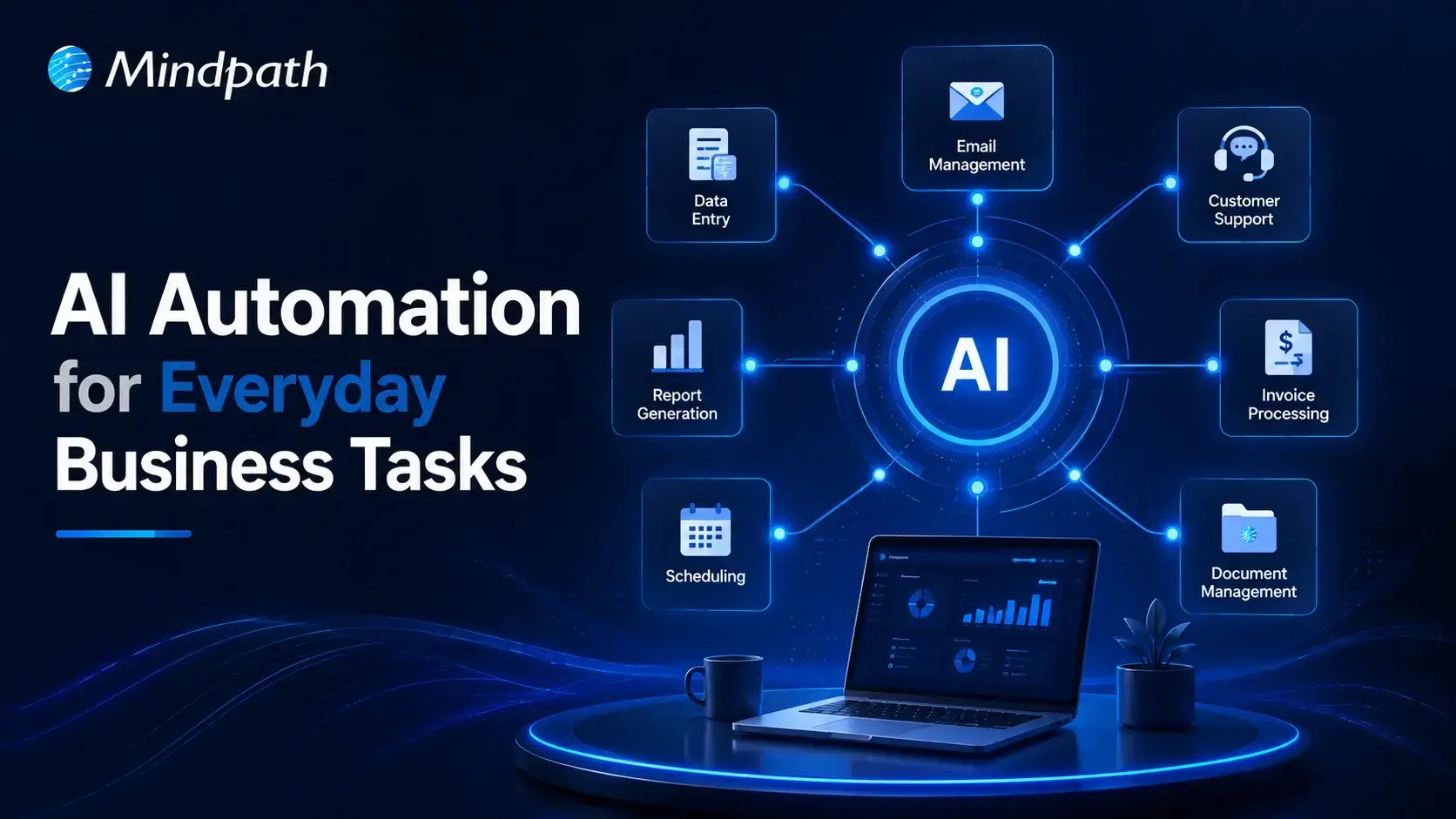
Turn Insights Into
Real Business Solutions
Exploring trends is only the beginning. Whether you’re planning AI adoption, modernizing legacy systems, or building scalable software, our experts help transform ideas into practical business outcomes.