AI Agent ROI helps businesses understand whether an AI investment creates measurable value beyond general efficiency claims. Instead of relying on assumptions, leaders can evaluate cost savings, productivity gains, revenue impact, and other business outcomes against the investment required to build and operate AI agents.
An AI agent ROI calculator provides a structured way to estimate this value. By entering implementation costs, operating expenses, expected time savings, adoption rates, and financial benefits, businesses can assess whether a proposed AI initiative is worth pursuing.
Key Takeaways
- 01
AI Agent ROI measures the financial and operational value generated compared with the cost of implementing and maintaining AI agents. - 02
A reliable ROI calculation considers development, integration, infrastructure, maintenance, employee training, and ongoing usage costs. - 03
Businesses should measure productivity, cost avoidance, processing time, error reduction, customer satisfaction, and revenue contribution. - 04
Clear performance baselines, realistic assumptions, user adoption, and accurate attribution make ROI estimates more reliable. - 05
Focused pilot projects and ongoing performance tracking help businesses validate AI investments before scaling them.
A clear measurement approach also helps businesses decide which use cases deserve investment and which need refinement. This guide explains how an AI Agent ROI calculator works, which inputs to consider, and how to connect AI performance with measurable business outcomes.
What Is AI Agent ROI?
AI Agent ROI measures the business value generated by an AI agent compared with the investment required to develop, deploy, integrate, and maintain it. It helps organizations understand whether an AI solution produces enough financial or operational benefits to justify its total cost.
Unlike basic software automation, AI agents may handle multi-step tasks, interact with business systems, retrieve information, and perform actions within defined permissions. Their value can therefore extend beyond direct cost savings to include improved employee productivity, faster workflows, reduced errors, better customer experiences, and additional revenue opportunities.
A useful ROI assessment connects these outcomes with measurable business indicators. This allows decision-makers to compare expected and actual performance and determine whether to pilot, expand, or improve an AI initiative.
How Does an AI Agent ROI Calculator Work?
An AI agent ROI calculator estimates the financial return of an AI initiative by comparing its expected benefits with its total costs over a defined period. The quality of the estimate depends on using realistic data, consistent measurement periods, and clearly documented assumptions.
AI Agent ROI Formula
A commonly used formula for calculating return on investment is:
ROI (%) = [(Total Benefits – Total Costs) / Total Costs] × 100
For an AI agent project, total benefits may include measurable labor savings, reduced operating expenses, cost avoidance, and additional revenue attributable to the solution. Total costs should include implementation and ongoing operating expenses for the same measurement period.
For example, assume a business estimates that an AI agent will generate $60,000 in measurable benefits during its first year. The total implementation and operating costs for that year are estimated at $40,000.
- Total benefits: $60,000
- Total costs: $40,000
- Net benefit: $60,000 – $40,000 = $20,000
- Estimated ROI: ($20,000 / $40,000) × 100 = 50%
In this example, the estimated first-year ROI is 50%. Actual results may differ depending on implementation progress, adoption, usage, and realized business benefits. The calculation should also avoid counting the same benefit more than once.
Key Inputs for an AI Agent ROI Calculator
To estimate ROI, collect the following information before entering figures into a calculator:
| Input | What to Include | Why It Matters |
|---|---|---|
| Development costs | Agent design, development, testing, and configuration | Establishes the initial investment |
| Integration costs | Connecting the agent with CRM, ERP, databases, and other systems | Accounts for implementation effort |
| Platform and infrastructure | Cloud hosting, model usage, APIs, and software subscriptions | Measures recurring technology expenses |
| Maintenance and monitoring | Updates, troubleshooting, evaluation, and ongoing support | Captures operational costs over time |
| Employee time savings | Hours saved on the workflows handled by the agent | Estimates potential productivity benefits |
| Adoption rate | Percentage of eligible tasks or users actually using the agent | Adjusts projected benefits to reflect real usage |
| Revenue impact | Additional revenue reasonably attributable to AI-supported activities | Measures potential financial contribution |
Use the same time period for benefits and costs. For example, a first-year ROI calculation should include first-year operating expenses and benefits rather than comparing one-time implementation costs with several years of projected savings.
1. Define the Baseline
Record current operating costs, processing time, workload, error rates, and service performance before implementing the AI agent. These baseline figures provide a reference point for measuring actual changes.
2. Add Implementation Costs
Include development, integration, platform fees, data preparation, testing, employee training, and deployment expenses. Also account for the internal time spent managing the project.
3. Estimate Time Savings
Calculate how many hours the AI agent is expected to save across the targeted workflows. Consider the number of tasks, average time per task, and expected automation rate. Apply a realistic adoption estimate rather than assuming every eligible task will be automated.
4. Measure Financial Benefits
Estimate measurable labor savings, reduced operating expenses, cost avoidance, and revenue effects. Distinguish between actual cash savings and employee capacity released for other work. Time saved does not automatically become a financial saving unless it reduces costs or is productively redeployed.
5. Account for Adoption
Adjust projected benefits based on how frequently employees and teams are expected to use the agent. Adoption may depend on usability, training, workflow fit, and employee confidence in the system.
6. Compare Against Existing Processes
Evaluate the AI solution against the current manual process or existing automation. Compare total costs, processing time, error rates, quality, and operational requirements to understand whether the new approach provides additional value.
7. Test Different Scenarios
Compare conservative, expected, and optimistic outcomes. Change assumptions such as adoption, task volume, operating costs, and time saved to see how sensitive the ROI estimate is to different business conditions.
8. Calculate Net Value
Subtract the total costs from the estimated benefits over the selected period. Calculate ROI using the formula above and document the assumptions behind the result so that future performance can be compared with the original estimate.
Measuring the Business Value of AI Agents
Measuring AI impact requires businesses to connect performance improvements with clear operational and financial outcomes. The AI agent development cost should be compared with measurable changes in productivity, efficiency, quality, and revenue.
| Metric | What to Measure | Business Value |
|---|---|---|
| Productivity | Time saved on repetitive tasks and additional work completed | Higher employee capacity |
| Cost avoidance | Reduced manual effort, outsourcing, or operating expenses | Potentially lower business costs |
| Cycle time | Time required to complete a process | Faster operations |
| Error reduction | Changes in mistakes, rework, and failed transactions | Better quality and fewer avoidable losses |
| Customer satisfaction | Customer feedback, response times, and resolution rates | Improved customer experience |
| Revenue contribution | Revenue influenced by AI-supported activities | Potential financial growth |
Businesses should separate direct savings from indirect benefits when calculating ROI. Direct savings, such as a reduction in external service costs, are generally easier to quantify. Improvements in customer experience, employee capacity, and decision-making may require longer-term measurement.
Choose a small set of KPIs that reflect the actual purpose of the AI agent. For a customer support agent, response time and resolution rate may matter most. For a finance workflow, processing cost, exception rate, and invoice turnaround time may be more relevant.
Where Do AI Agents Create Measurable Business Impact?
Different business functions can generate different types of value from AI agents. Tracking the right outcomes for each use case makes AI Agent ROI easier to understand and connect with business goals.
1. Customer Support
AI agents can handle routine queries, retrieve relevant information, and assist with support workflows. Businesses can measure their impact through response times, resolution rates, cost per interaction, escalation rates, and customer satisfaction.
2. Sales Operations
AI agents can qualify leads, update customer records, summarize interactions, and support repetitive sales tasks. Relevant measures include time spent on administrative work, lead response time, qualified opportunities, and conversion rates.
3. Finance
AI agents can support invoice processing, transaction checks, document handling, and financial reporting. Businesses can track processing time, exception rates, manual review effort, and the cost of handling transactions.
4. IT Operations
AI agents can assist with ticket classification, troubleshooting, knowledge retrieval, and routine system tasks. Useful metrics include ticket resolution time, first-response time, escalation rates, and repetitive work handled.
5. Supply Chain
AI agents can monitor workflows, identify potential delays, summarize operational information, and support decisions across supply chain activities. Businesses can measure processing time, inventory exceptions, order delays, and planning efficiency.
6. Internal Knowledge Work
AI agents can help employees retrieve information, summarize documents, and complete routine research tasks. Relevant measures include search time, task completion time, employee usage, and the quality of retrieved information.
The value will vary across use cases because each process has different costs, workloads, risks, and performance goals. Businesses should measure outcomes against a clear baseline to identify where AI creates the strongest return.
Common Barriers to Proving AI Agent ROI
Calculating AI ROI can become difficult when businesses lack reliable data, clear benchmarks, or a consistent measurement process. Several practical barriers can affect the accuracy of expected returns.
1. Unclear Baselines
Without accurate pre-implementation data, businesses cannot confidently compare performance improvements. Record current costs, workload, processing time, and quality before introducing an AI agent.
2. Weak Data Quality
Incomplete or inconsistent data can produce unreliable calculations and misleading ROI estimates. Review the data used for both baseline and post-implementation measurement.
3. Integration Complexity
Connecting AI agents with existing systems can increase costs, timelines, and implementation effort. AI integration services can help businesses connect AI solutions with existing applications and workflows.
4. Orchestration Challenges
Complex workflows may involve multiple agents, tools, and business systems. This can make it harder to identify which improvements came from the AI solution and which resulted from other process changes.
5. Limited User Adoption
Low employee adoption can reduce expected benefits and create a gap between projected and actual returns. Training, workflow alignment, and clear usage guidelines can help address this challenge.
6. Difficult Attribution
Revenue growth or productivity gains may involve several tools, teams, and process changes. Businesses should define how benefits will be attributed to the AI agent and avoid counting the same improvement more than once.
7. Changing Operating Costs
Model usage, infrastructure, maintenance, monitoring, and support costs can change over time. Include these recurring expenses in ROI reviews instead of relying only on the initial project estimate.
Addressing these barriers requires realistic assumptions, consistent tracking, and clearly assigned ownership. This makes ROI estimates more reliable and helps businesses evaluate AI performance over time.
How to Turn AI Agent ROI Into a Business Case
A strong ROI calculation becomes useful when businesses can connect the results to clear investment decisions. Use the following steps to turn measured outcomes into a practical business case.
1. Define the Business Goal
Connect the AI initiative to a specific operational, financial, or customer outcome. Examples include reducing invoice processing time, improving support response times, or increasing the capacity of a sales team.
2. Document Your Assumptions
Record the expected costs, savings, adoption rates, task volumes, and revenue effects behind the calculation. Make assumptions visible so stakeholders can review and challenge them.
3. Compare Different Scenarios
Review conservative, expected, and optimistic outcomes before making an investment decision. Scenario analysis helps businesses understand how changes in adoption, costs, or usage can affect the expected return.
4. Set Measurable Success Metrics
Define KPIs for productivity, cost savings, quality, cycle time, customer experience, or revenue. Assign a measurement method and reporting frequency to each KPI.
5. Assign Clear Ownership
Give specific teams responsibility for tracking costs, monitoring performance, and reporting business outcomes. Clear ownership makes it easier to identify issues and act on the results.
6. Start With a Focused Pilot
Test one well-defined use case before committing to a broader implementation. A pilot provides real usage data and helps validate whether the expected benefits are achievable.
7. Plan for Scaling
Identify the technology, integration, training, security, and operational requirements needed to expand the solution. Include the additional costs of scaling in future ROI estimates.
8. Establish Governance and Review
Set regular reviews for performance, costs, security, reliability, and business outcomes. Define when human approval is required and how errors or unexpected agent actions will be handled.
9. Update the ROI Model
Revisit the original assumptions as actual performance data becomes available and business conditions change. Compare projected and realized benefits to improve future investment decisions.
Ready to Measure the Real Value of AI Agents?
AI Agent ROI becomes meaningful when businesses use clear inputs, realistic assumptions, and metrics connected directly to business goals. An ROI calculator can help leaders estimate implementation costs, operating expenses, productivity gains, and potential financial benefits before committing to a larger investment.
Start with a focused use case where outcomes can be measured against an existing baseline. Track performance over time, account for adoption and ongoing costs, and update your estimates with actual results. This creates a stronger foundation for evaluating business value and deciding whether to scale an AI initiative.
Mindpath helps businesses plan, develop, and implement AI solutions aligned with measurable business outcomes. Our AI development services can support strategy, implementation, integration, and performance measurement to help organizations turn AI investments into sustainable value.
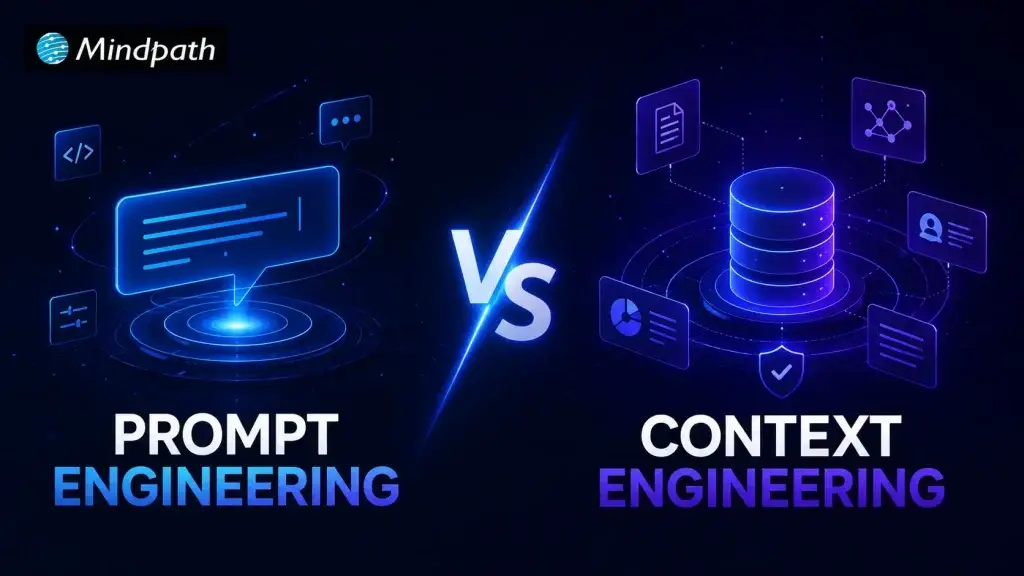
What happens when an AI model has the right instructions but lacks the information needed to act on them? This is where Context Engineering becomes important. As AI systems take on complex tasks, developers need to think beyond prompts and focus on what information models receive.
Key Takeaways
- 01
Prompt engineering improves AI responses by providing clear, specific, and well-structured instructions. - 02
Context engineering gives models relevant information needed to understand tasks and situations better. - 03
Prompt and context engineering work together to improve accuracy across complex AI workflows. - 04
MCP can connect AI applications with external tools, systems, and relevant business information. - 05
The right approach depends on data needs, task complexity, security, scalability, and maintenance requirements.
Prompt engineering still plays an important role in shaping AI responses, but modern systems need deeper context to make informed decisions. This shift is especially important for AI agents working with business data, tools, and changing information. In this blog, we will explore how both approaches differ and work together. Let’s keep reading further!
Ready to build AI systems that can work with reliable business context? Mindpath offers RAG Development Services to help businesses connect AI applications with relevant data and deliver more context-aware responses.
Understanding Both Approaches
Both approaches help developers get better results from AI, but they solve different problems. One improves the instructions, while the other improves the information available to the model.
1. Prompt Engineering
Prompt engineering is about writing clear instructions that guide an AI model toward the desired response. It involves choosing the right wording, adding useful constraints, setting expectations, and giving examples when needed. A well-crafted prompt helps the model understand the task, follow the intended direction, and produce more consistent results.
Here are the benefits it offers:
- Clear Instructions: Gives models a direct understanding of what needs completing.
- Better Outputs: Reduces vague responses by setting specific expectations upfront.
- Greater Control: Helps developers guide tone, format, reasoning, and response style.
- Faster Iterations: Makes it easier to test, refine, and improve outputs.
- Task Specific: Works well for focused tasks with clearly defined goals.
- Easy Adoption: Requires minimal changes to existing AI development workflows.
Challenges To Watch For
- Maintaining consistent outputs across different model versions.
- Managing complex instructions without making prompts overly lengthy.
- Preventing ambiguous wording from producing unexpected responses.
- Testing prompts across varied inputs and edge cases.
- Updating instructions when business requirements or workflows change.
2. Context Engineering
Context engineering focuses on selecting and organizing the information an AI model needs before responding. This can include documents, conversation history, business data, tools, user details, and retrieved information. The goal is to give the model relevant context at the right time, helping it respond with greater awareness.
Here are the benefits it offers:
- Relevant Knowledge: Provides information directly connected to the current task.
- Better Decisions: Gives AI systems stronger grounds for making informed decisions.
- Fewer Hallucinations: Reduces unsupported responses by supplying reliable information.
- Dynamic Responses: Allows models to work with changing information and situations.
- Agent Support: Helps AI agents understand tasks, tools, users, and environments.
- Scalable Workflows: Supports complex systems that depend on multiple information sources.
Challenges To Watch For
- Selecting relevant information from multiple available data sources.
- Keeping retrieved information accurate, current, and properly structured.
- Managing token limits while preserving essential context.
- Preventing sensitive information from entering unintended model interactions.
- Maintaining retrieval systems as business data continuously evolves.
Prompt vs Context Engineering: A Key Difference
The difference becomes clearer when we look at how AI context shapes the model’s understanding. While prompts guide the response, context gives the model the information it needs to respond appropriately.
| Comparison Point | Prompt Engineering | Context Engineering |
|---|---|---|
| Primary Focus | Shapes instructions given to the AI model | Shapes information available to the AI model |
| Main Purpose | Guides the model toward a specific response | Helps the model understand the situation |
| Information Used | Instructions, examples, rules, and constraints | Data, documents, memory, history, tools, and APIs |
| Scope | Usually focused on a specific task | Often supports entire workflows and systems |
| Data Dependency | Can work with limited external information | Often depends on relevant external information |
| Information Retrieval | Information is usually provided within prompts | Information can be retrieved dynamically when needed |
| Role in AI Agents | Defines tasks, goals, and expected behavior | Provides knowledge, state, tools, and situational awareness |
| Maintenance | Requires refining instructions as needs change | Requires managing sources, retrieval, memory, and context quality |
| Best For | Content generation, classification, summarization, and focused tasks | Customer support, knowledge systems, RAG pipelines, and AI agents |
Where Each Approach Fit in AI Workflows?
Both approaches have a place in modern AI workflows, but their roles are different. The right approach depends on what the system needs to understand, produce, or act on.
1. Where Prompt Engineering Fits?
Prompt engineering works best when the task is clearly defined and the desired output can be guided through instructions.
- Content Creation: Guides AI to follow a specific tone, structure, format, or writing style.
- Task Automation: Gives models clear steps for completing repetitive and predictable tasks.
- Data Analysis: Directs AI to identify patterns, summarize findings, or explain results.
- Customer Queries: Helps define how AI should respond to common and straightforward questions.
- Creative Work: Controls ideas, language, tone, and presentation across different creative tasks.
2. Where Context Engineering Fits?
Context engineering becomes valuable when AI needs information from different sources to understand the situation before responding.
- Customer Support: Combines customer history, product information, and previous interactions for relevant responses.
- Knowledge Retrieval: Supplies models with relevant documents instead of relying on general model knowledge.
- AI Agents: Gives agents access to business data, tools, memory, and information needed for decisions.
- Business Workflows: Connects AI with relevant systems, records, policies, and operational information.
- Dynamic Tasks: Provides updated information when decisions depend on changing business conditions.
Key Implementation Considerations
Choosing between prompt and context engineering depends on how your AI system handles information, tasks, and changing requirements. A practical implementation should consider the following factors before deciding how much weight to give each approach.
1. Token Limits
Prompts need to stay focused because unnecessary instructions can consume valuable tokens. Context also needs careful filtering, since sending too much information can increase costs and distract the model from relevant details.
2. Data Freshness
Prompts may need regular updates when instructions, rules, or business requirements change. Context engineering can pull fresher information from connected sources, but those sources must remain accurate and up to date.
3. Retrieval Accuracy
Prompt engineering can specify exactly what information the model should consider during a task. Context engineering depends on retrieving the right information, making search quality and retrieval accuracy important for reliable results.
4. System Integration
Prompts can define how an AI system should interact with connected applications and tools. Context engineering can bring information from those systems into the workflow, with protocols such as MCP helping AI applications connect with external tools and data.
5. Security and Access
Prompts should avoid exposing sensitive information unnecessarily and should clearly define permitted actions. Context engineering requires stronger controls around which users, systems, and agents can access specific data.
6. Maintenance
Prompt based systems often require ongoing testing and refinement as model behavior or requirements change. Context based systems also require maintaining data sources, retrieval pipelines, memory, and connected tools.
7. Latency and Cost
Well-structured prompts can reduce unnecessary processing by keeping instructions concise and focused. Context engineering may increase processing requirements when systems retrieve, filter, and pass additional information to the model.
Ready to Build AI Systems That Understand More?
Prompt engineering and context engineering solve different parts of the AI development challenge. Prompts shape how models respond, while context gives them the information needed to understand each situation. As AI workflows become more complex, combining both approaches can improve accuracy, consistency, and decision making across modern applications and AI agents.
Mindpath helps businesses build AI solutions that combine intelligent prompts with reliable context, connected data, and practical workflows. Our AI development services support RAG, AI agents, MCP integrations, and custom AI systems designed for real business needs. Partner with us if you are looking to build an AI solution that can understand your data and act with confidence. Contact Mindpath to discuss your AI requirements.
What happens when an enterprise AI system reaches production before the business is truly ready? Small gaps in data, security, infrastructure, or ownership can quickly turn into costly problems. An enterprise AI deployment checklist helps teams catch these gaps early and create a smoother path to production.
Key Takeaways
- 01Define clear business goals, ownership, and success measures before starting enterprise AI deployment.
- 02Validate data quality, infrastructure, access controls, and production requirements before moving AI systems into production.
- 03Build security, governance, compliance, monitoring, and rollback controls into the deployment process.
- 04Track technical performance, operational costs, and business value to measure AI success after deployment.
- 05Standardize deployment practices to scale AI securely across teams, systems, and business workflows.
Enterprise AI deployment needs careful planning because production systems must support real users, business workflows, sensitive information, and changing demands. A structured checklist brings these moving parts together and gives teams a practical way to review readiness before launch. In this blog, we explore the key areas every enterprise should review before deploying AI. Let’s keep reading further!
Why Enterprise AI Needs a Deployment Checklist?
Enterprise AI systems influence business decisions, workflows, customer experiences, and sensitive data. A deployment checklist gives teams a clear process for reviewing critical requirements before launch, helping them identify gaps that could affect performance, security, compliance, or business outcomes.
It also creates consistency across AI projects by giving technical and business teams shared expectations. As deployments become more complex, a checklist makes responsibilities clearer, reduces avoidable errors, and helps organizations establish a stronger foundation for reliable and scalable AI adoption.
An AI deployment checklist is important because it helps teams:
- Reduce deployment risks by identifying technical and operational gaps early.
- Strengthen security by reviewing access, data protection, and control requirements.
- Improve consistency by following a standard process across AI deployments.
- Clarify ownership by assigning responsibilities before the system reaches production.
- Support compliance by documenting governance and regulatory requirements.
- Measure readiness by validating performance, infrastructure, and business requirements.
- Prepare for scale by creating processes that can support future AI deployments.
Enterprise AI Deployment Readiness Checklist
A clear enterprise AI roadmap gives teams direction as they move toward an important stage of AI adoption. The following checklist brings together the key areas that deserve attention before moving forward.
1. Preparing the Business Case and Objectives
Before starting AI implementation, enterprises need a clear reason for investing in the technology. Defining the expected outcome, business owner, target users, and success measures helps teams stay focused and gives every stakeholder a shared understanding of what the deployment should achieve.
- Define the business problem the AI solution is expected to address.
- Assign clear ownership across business, technical, and operational teams.
- Set measurable outcomes that show whether the deployment is successful.
- Identify key stakeholders who influence adoption, approval, and ongoing use.
- Establish ROI targets based on expected business value and costs.
2. Assessing Data and Infrastructure Readiness
Strong data and reliable infrastructure create the foundation for successful AI implementation. Before deployment, teams should confirm that production data is accurate, accessible, protected, and ready for use. They should also verify that the technical environment can support expected workloads, integrations, and future requirements.
- Validate data quality for accuracy, completeness, consistency, and relevance.
- Check pipeline reliability to ensure data reaches AI systems consistently.
- Review access controls and limit data access to authorized users and systems.
- Apply data masking where sensitive or confidential information requires protection.
- Confirm versioning and infrastructure for models, data, compute resources, and production platforms.
3. Designing Security, Governance, and Compliance
A strong AI Deployment Checklist should cover the controls that keep enterprise AI secure, accountable, and compliant. Before launch, teams need clear ownership, defined policies, and safeguards that continue throughout the AI lifecycle. These measures help reduce exposure while supporting responsible and controlled AI use.
- Assign ownership for the AI system, data, security, and ongoing decisions.
- Define lifecycle controls for development, approval, deployment, updates, and retirement.
- Maintain audit trails to track important system activity, changes, and decisions.
- Apply responsible AI practices covering privacy, fairness, transparency, and model behavior.
- Align with requirements from applicable regulations and internal enterprise policies.
4. Building a Repeatable Deployment Process
A structured AI rollout process helps teams move from testing to production with fewer surprises. Instead of relying on individual judgment at every stage, organizations can use consistent checks to validate readiness, monitor performance, and respond quickly when something goes wrong after launch.
- Validate model readiness against agreed performance, quality, and reliability requirements.
- Complete release testing across workflows, integrations, security, and expected production conditions.
- Set monitoring and alerts for performance changes, errors, usage, and unusual behavior.
- Define rollback procedures so teams can quickly restore a stable version when required.
- Document release approvals to reduce human error and maintain accountability throughout deployment.
5. Measuring Performance, Cost, and Business Value
An AI system should continue proving its value after deployment. Teams need to track technical performance, operational costs, and business outcomes together to understand what is working and where improvements are needed. Regular reviews help keep AI investments aligned with changing business priorities and expected ROI.
- Track technical performance through accuracy, response quality, latency, reliability, and error rates.
- Monitor operational costs including infrastructure, model usage, maintenance, and support expenses.
- Measure business outcomes against the objectives and baseline established before deployment.
- Set review schedules to identify performance gaps, rising costs, or changing business needs.
- Optimize continuously by improving models, workflows, infrastructure, and resource usage based on results.
6. Scaling AI Across the Enterprise
As AI adoption grows, organizations need a consistent approach for expanding successful solutions across teams and workflows. An AI Deployment Checklist helps maintain common standards while new use cases are introduced, ensuring integrations, governance, user readiness, and performance remain aligned as adoption increases.
- Integrate existing systems with enterprise applications, APIs, data platforms, and business workflows.
- Enable teams through practical training, clear responsibilities, and ongoing technical support.
- Extend governance with consistent approval, security, monitoring, and lifecycle practices across deployments.
- Standardize deployment processes so teams can replicate successful AI solutions efficiently.
- Improve continuously using user feedback, performance data, business results, and changing requirements.
Common Enterprise AI Deployment Mistakes to Avoid
Enterprise AI deployments can lose momentum when teams focus heavily on the technology but overlook preparation and ongoing management. Recognizing common mistakes early helps organizations address weak points before they affect users, operations, security, or business outcomes.
1. Starting without clear objectives
Teams may deploy AI without defining what success should look like. This makes business impact difficult to measure and justify.
2. Ignoring data readiness
Poor quality or inconsistent data can affect AI performance from the beginning. Teams should validate data before moving into production.
3. Leaving ownership unclear
AI projects can stall when no one is accountable for key decisions or issues. Clear business and technical ownership keeps deployment responsibilities defined.
4. Skipping security and governance
Missing controls can expose sensitive data and create compliance risks. Security and governance should be addressed before the system goes live.
5. Neglecting post-launch monitoring
AI performance can change as data, users, and business conditions change. Regular monitoring helps teams identify problems and improve the system over time.
Ready to Make Your Enterprise AI Deployment More Reliable?
Enterprise AI deployment becomes easier to manage when every critical area is reviewed before launch. From business objectives and data readiness to security, governance, monitoring, and scalability, a structured checklist helps teams reduce risks and create a repeatable path toward reliable AI adoption. It also keeps technology decisions connected to measurable business outcomes.
Mindpath helps enterprises turn AI initiatives into secure, scalable, and production-ready solutions through our expert AI development services. Our team supports businesses across AI strategy, development, integration, deployment, and ongoing optimization. By combining technical expertise with business-focused planning, Mindpath helps organizations move from AI ideas to solutions that deliver practical value. Contact us to discuss your enterprise AI requirements.
Frequently Asked Questions
What happens when an AI agent makes the wrong decision, uses the wrong tool, or triggers an incorrect business action? Unlike traditional software, AI agents can respond differently to similar situations, making AI Agent Testing essential before they enter critical enterprise workflows.
Key Takeaways
- 01
AI Agent Testing helps identify workflow, decision-making, tool usage, and response issues before deployment. - 02
Strong test cases should cover routine scenarios, edge cases, failures, and unexpected user inputs. - 03
Enterprise validation must address security, privacy, compliance, integrations, performance, and operational risks. - 04
LLM evaluation combines automated metrics, tracing, performance checks, and human review for reliable results. - 05
Continuous monitoring and regression testing help maintain reliability as AI systems evolve after deployment.
As businesses rely on AI agents for customer service, operations, analytics, and automation, small errors can create larger business risks. Testing must go beyond checking outputs and examine how agents reason, act, use tools, and respond to unexpected situations. In this blog, we explore practical ways to validate AI agents before deployment.
Understanding AI Agent Testing
Testing an AI agent checks how an agent behaves while completing tasks, making decisions, using tools, and responding to changing inputs. Traditional software testing often focuses on predefined outputs and fixed rules. AI agents need broader evaluation because their actions can change based on context, instructions, and available information.
A reliable testing process examines the agent at every important stage of a workflow. This includes understanding user intent, planning the next step, selecting the right tool, processing retrieved information, and delivering an accurate response. It also checks whether the agent can recover when something goes wrong.
For enterprise AI, testing should also consider reliability, security, accuracy, latency, and consistency. An agent may produce a convincing response while still using incorrect data or taking an inappropriate action. AI QA therefore needs to evaluate the complete workflow rather than focusing only on the final response.
What Should AI Agents Be Tested For?
Testing should examine the complete behavior of an AI agent, not simply whether the final response looks correct. Different evaluation areas help teams identify weaknesses that may otherwise appear only after deployment.
- Decision making: Check whether the agent chooses appropriate actions based on the available information.
- Tool selection: Verify that the correct tools, APIs, and business systems are used for each task.
- Response accuracy: Ensure responses are relevant, factually correct, and aligned with approved business information.
- Task completion: Measure whether the agent successfully completes the intended workflow without unnecessary steps.
- Error handling: Test how the agent responds when information is missing, tools fail, or requests fall outside its capabilities.
- Security behavior: Check whether the agent respects permissions and avoids exposing restricted or sensitive information.
- Consistency: Run similar scenarios repeatedly to identify unpredictable or changing behavior.
How to Test AI Agents Before Deployment
Effective testing requires a structured process that checks how the agent performs across different situations and business conditions. The following steps explain how enterprises can build reliable evaluations and identify risks before deployment.
1. Building a Foundation for Evaluation
Before an AI agent testing in real workflows, teams need a clear evaluation foundation. A structured test set helps identify expected behavior and makes it easier to compare performance across different versions.
- Create golden test cases: Define reliable examples with expected actions, responses, and outcomes.
- Test common scenarios: Check whether the agent completes common tasks accurately and efficiently.
- Include edge cases: Test unusual inputs, incomplete information, unexpected requests, and workflow interruptions.
- Add adversarial scenarios: Challenge the agent with misleading prompts, conflicting instructions, and unsafe requests.
- Validate real workflows: Use realistic data flows, user interactions, and system integrations within a controlled environment.
- Document failure conditions: Record where the agent fails, why it fails, and what successful behavior should look like.
- Repeat critical tests: Run the same scenarios after updates to identify regressions before deployment.
2. Measuring Performance and Behavior
Testing an AI agent should go beyond checking whether it produces a correct final answer. Teams need to understand how the agent reaches that outcome, how reliably it uses available tools, and how it responds when conditions change.
- Track task accuracy: Measure whether the agent completes tasks correctly and delivers relevant results.
- Monitor tool usage: Check whether the agent selects the right tools and uses them correctly.
- Evaluate response quality: Assess accuracy, relevance, clarity, and consistency across different inputs.
- Use tracing: Review the agent’s actions, tools, decisions, and workflow steps to identify failures.
- Measure performance: Track response time, task completion rates, errors, and reliability across repeated tests.
- Apply LLM evaluation: Use structured metrics and automated evaluations to assess responses at scale.
- Include human review: Let domain experts assess complex decisions, reasoning quality, safety, and business suitability.
3. Navigating Enterprise Specific Challenges
Testing an AI agent in an enterprise environment brings challenges that simple test environments may overlook. Agents often interact with sensitive information, business systems, and processes where a small mistake can create operational or compliance risks.
- Protect sensitive data: Use anonymized or masked data when testing agents with confidential enterprise information.
- Check security controls: Verify permissions, authentication, access limits, and protection against unauthorized actions.
- Test compliance requirements: Ensure agent behavior follows industry regulations, internal policies, and governance standards.
- Replicate integrations: Test connections with CRMs, ERPs, databases, APIs, and legacy systems before production.
- Use controlled environments: Create sandbox environments that reflect real workflows without affecting live operations.
- Test failure scenarios: Check how agents respond when systems fail, data is unavailable, or tools return errors.
- Balance realism and safety: Use realistic workflows and conditions while keeping sensitive systems isolated during evaluation.
4. Selecting the Right Tools and Frameworks
The right tools and frameworks can make AI testing more consistent, measurable, and easier to scale. Instead of choosing a platform based only on features, enterprises should consider how well it fits their workflows, technical maturity, and evaluation requirements.
| Capability | Why It Matters |
|---|---|
| Tracing | Helps teams review agent actions, tools, and workflow decisions. |
| Evaluation | Measures response quality, task accuracy, and agent reliability. |
| Test Automation | Enables repeatable testing across large sets of scenarios. |
| Metric Tracking | Makes performance changes easier to identify and compare. |
| Integration Support | Connects testing with existing enterprise systems and workflows. |
| Scalability | Supports growing testing needs as more agents enter production. |
| Monitoring | Helps identify performance issues and unexpected behavior after deployment. |
5. Preparing for Safe Deployment
Passing initial tests does not mean an AI agent is ready for production. Before deployment, teams should review test results, address recurring failures, and establish safeguards that continue working after the agent goes live.
- Review evaluation results: Use LLM evaluation findings to identify accuracy, consistency, and behavioral issues before release.
- Run regression tests: Retest critical workflows after every significant model, prompt, tool, or system update.
- Deploy gradually: Start with limited users or controlled workflows before expanding the agent across the organization.
- Monitor production behavior: Track errors, unexpected actions, response quality, latency, and task completion after deployment.
- Create rollback protocols: Prepare clear procedures for disabling or reverting the agent when serious failures occur.
- Collect user feedback: Use real user experiences to identify gaps that controlled testing may not reveal.
- Build continuous improvement: Turn production insights into new test cases and repeat the evaluation cycle regularly.
Ready to Validate Your AI Agents Safely?
Reliable AI agents need structured validation before they become part of critical enterprise workflows. From building realistic test cases to evaluating decisions, tool usage, security, and performance, AI Agent Testing helps teams identify weaknesses before they affect users or business operations. Continuous monitoring then keeps that reliability intact after deployment.
Mindpath helps enterprises build and validate AI solutions with structured testing strategies, expert evaluation, and practical deployment guidance. Our team can help you assess agent behavior, strengthen AI QA processes, and prepare AI systems for reliable production use. For support with enterprise AI implementation and validation, contact us to discuss your requirements.
Businesses are increasingly adopting AI voice agent development to automate customer conversations, manage incoming and outgoing calls, and improve response times. Unlike traditional phone systems that rely on fixed menus and predefined responses, AI voice agents can interpret spoken requests, understand conversational context, and respond naturally. They can also connect with business systems to complete tasks such as booking appointments, qualifying leads, and retrieving customer information.
Key Takeaways
- 01
AI voice agents understand spoken requests and automate conversations beyond traditional phone menus. - 02
Custom voice agents combine speech recognition, AI models, voice generation, and business integrations. - 03
Development costs depend on features, integrations, call volume, security, and technical complexity. - 04
Voice agents can support customer service, sales, scheduling, healthcare, finance, and internal workflows. - 05
Planning, testing, monitoring, and human escalation help make voice automation more reliable.
A custom AI voice agent can support customer service, sales, appointment scheduling, healthcare communication, and internal operations. However, the investment and delivery time depend on the agent’s capabilities, conversation complexity, integrations, voice technology, and security requirements. This guide explains how AI voice agents work, how to build one, what development may cost, how long implementation can take, and where businesses can use voice automation.
What Is AI Voice Agent Development?
AI voice agent development is the process of building software that can communicate with people through spoken conversations. These systems use artificial intelligence to recognize speech, interpret user requests, generate relevant responses, and perform actions based on the conversation.
For example, a customer calling a service business could ask to reschedule an appointment. Instead of navigating a phone menu or waiting for an available representative, the caller can explain the request naturally. The voice agent can understand the intent, check the scheduling system, confirm available slots, and update the appointment if the required integration and permissions are in place.
A custom voice agent typically combines speech recognition, natural language processing, large language models, text-to-speech technology, and business system integrations. These capabilities are closely related to conversational AI and large language models, which help systems understand requests and generate context-aware responses.
AI Voice Agents vs. Traditional IVR Systems
Traditional interactive voice response (IVR) systems generally guide callers through predefined menus. Users may need to press numbers or say specific commands to reach the right department. AI voice agents provide a more flexible conversational experience by interpreting natural language and responding according to the caller’s intent.
| Comparison | Traditional IVR | AI Voice Agent |
| Interaction | Menu-based options and predefined commands | Natural spoken conversations |
| Understanding | Recognizes specific inputs or keywords | Interprets intent and conversational context |
| Flexibility | Follows predefined call paths | Can handle varied requests within its configured scope |
| Business actions | Usually routes calls or provides fixed information | Can perform tasks through connected systems and APIs |
| Complex requests | Often transfers callers to a representative | Can manage supported multi-step requests or escalate to a human |
Key Features of AI Voice Agents
Modern AI voice agents combine multiple technologies to understand callers and respond in real time. The features included in a solution depend on the business use case, expected call volume, and level of automation required.
- Speech recognition: Converts spoken language into text so the system can process caller requests. Recognition quality can vary with accents, background noise, and call quality.
- Natural language understanding: Identifies the caller’s intent and extracts relevant information, such as dates, names, order numbers, or service requirements.
- Natural voice responses: Uses text-to-speech technology to convert generated responses into spoken audio.
- Context awareness: Maintains relevant information from earlier parts of a conversation so callers do not need to repeat every detail.
- Business system integration: Connects with CRM, ERP, scheduling, payment, and other platforms to retrieve information or complete authorized tasks.
- Call automation: Handles supported customer queries, appointment requests, follow-ups, and repetitive communication workflows.
- Human handoff: Transfers a conversation to a human representative when a request is outside the agent’s scope, requires approval, or cannot be resolved reliably.
- Monitoring and analytics: Tracks call outcomes, task completion, transfers, errors, and other performance indicators.
These capabilities help businesses automate repetitive interactions while maintaining a path to human support when a conversation needs additional attention.
How Does an AI Voice Agent Work?
An AI voice agent processes a conversation through a series of connected components. The exact architecture varies by solution, but a typical system includes telephony, speech recognition, an AI processing layer, business integrations, and voice generation.
- Call connection: A telephony provider or communication platform connects the caller to the voice agent.
- Speech-to-text: The caller’s speech is converted into text using an automatic speech recognition system.
- Intent and context processing: The AI processing layer interprets the request, identifies relevant context, and determines the next step.
- Business logic and integrations: The system calls approved APIs or business applications when it needs to retrieve information or perform an action.
- Response generation: The AI generates a response based on the conversation, available information, and configured business rules.
- Text-to-speech: The response is converted into audio and played to the caller.
- Monitoring or escalation: The system records relevant outcomes and transfers the call when human assistance is required.
For a real-time experience, these components need to work together with low latency. The system should also handle interruptions, unclear speech, unexpected questions, and connection failures without leaving callers stuck in an incomplete conversation.
How to Build a Custom AI Voice Agent?
Building a custom voice agent requires more than selecting an AI model. The solution needs to reflect actual customer interactions, connect with the right business systems, and operate reliably under real call conditions. The following stages provide a practical development approach.
1. Define Business Requirements and Use Cases
Start by identifying the calls and workflows the agent should handle. Define whether it will answer incoming calls, contact customers, qualify leads, schedule appointments, or support internal operations. Document common questions, expected caller responses, business rules, and situations that require human assistance.
2. Choose the Technology Stack
Select the speech recognition technology, AI models, text-to-speech solution, telephony provider, APIs, and cloud infrastructure required for the use case. Evaluate each option based on language support, response speed, reliability, integration requirements, expected usage, and operating costs. Also consider the appropriate IT development approach for building, deploying, and maintaining the solution.
3. Design Conversation Flows
Create conversation flows for common requests and less predictable situations. Define how the agent should greet callers, ask follow-up questions, confirm important information, handle unclear responses, and close conversations. Include fallback responses and clear escalation paths rather than allowing the agent to guess when it lacks reliable information.
4. Integrate Business Systems
Connect the voice agent to the systems it needs to perform business tasks. Depending on the use case, this may include CRM platforms, appointment calendars, order management systems, payment services, or internal databases. Apply appropriate permissions and validation before allowing the agent to access information or make changes.
5. Train and Test the Agent
Test the agent using realistic conversations, different accents, background noise, incomplete requests, interruptions, and unexpected questions. Review whether it understands caller intent, provides accurate information, follows business rules, and transfers conversations appropriately. Testing should also cover response latency, concurrent calls, API failures, and recovery from errors.
6. Deploy and Monitor Performance
Deploy the solution with monitoring, logging, access controls, and a process for reviewing failed interactions. Use augmented analytics and operational reporting to identify recurring issues, improve conversation flows, and evaluate performance. Continue optimizing the system as customer needs and business workflows change.
A structured development process helps businesses move beyond basic call handling and build voice agents that can complete defined tasks within existing workflows.
How Much Does It Cost to Build a Custom AI Voice Agent?
The cost of custom AI voice agent development depends on the solution’s complexity, required features, integrations, AI and voice technologies, and development effort. A basic agent that answers common questions generally requires less work than an enterprise solution that manages multiple workflows, connects with several business systems, and supports high call volumes.
The following ranges are indicative estimates from the source draft. They should not be treated as verified market averages, fixed vendor rates, or a Mindpath quotation. Actual project pricing should be confirmed through a requirements assessment and delivery estimate.
| AI Voice Agent Type | Typical Features | Indicative Development Cost |
| Basic Voice Agent | FAQs, basic call handling, and simple responses | $5,000–$15,000 |
| Business Voice Agent | Lead qualification, appointment booking, and CRM integration | $15,000–$40,000 |
| Advanced Voice Agent | Multiple workflows, advanced integrations, and context awareness | $40,000–$100,000 |
| Enterprise Voice Agent | Complex workflows, multiple integrations, analytics, security, and scalability | $100,000–$250,000+ |
Factors That Affect AI Voice Agent Development Cost
- Conversation complexity: Agents handling simple FAQs require fewer conversation paths than systems managing multi-step requests, exceptions, and complex business rules.
- AI and voice technology: Speech recognition, language model, and text-to-speech choices can affect development and ongoing usage costs.
- Business integrations: Connecting the agent to CRM, ERP, scheduling, payment, or custom applications adds integration and testing work.
- Call volume and duration: The number of concurrent calls, average call length, and total monthly usage can influence telephony and AI service expenses.
- Performance requirements: Low response latency, high availability, and support for peak traffic may require additional infrastructure and engineering.
- Security and privacy: Access controls, data retention, encryption, audit requirements, and applicable industry obligations can affect architecture and implementation.
- Maintenance and optimization: Monitoring, model or prompt updates, integration changes, testing, and operational support contribute to ongoing costs.
Businesses should evaluate the complete cost of ownership rather than focusing only on the initial development estimate. Telephony, speech processing, AI usage, infrastructure, monitoring, and maintenance may continue to generate costs after deployment. Security requirements should also be considered as part of the solution design. See cybersecurity considerations for businesses when planning a secure implementation.
How Long Does It Take to Develop an AI Voice Agent?
The development timeline depends on the number of workflows, integration requirements, testing scope, and level of customization. A focused prototype may take less time than a production-ready solution that needs to connect with several business systems and support complex conversations.
The following timeline estimates are retained from the source draft. They are planning estimates rather than guaranteed delivery commitments. Some activities may overlap, while additional requirements or integration dependencies can extend the schedule.
| Development Stage | Key Activities | Indicative Timeline |
| Planning and Discovery | Requirements, use cases, workflows, and technology selection | 1–2 weeks |
| Prototype Development | Basic conversation flow, voice interface, and initial AI setup | 2–4 weeks |
| Integration and Development | CRM, APIs, business systems, and custom workflows | 3–8 weeks |
| Testing and Optimization | Accuracy, conversations, edge cases, and performance testing | 2–4 weeks |
| Deployment | Production setup, monitoring, and final configuration | 1–2 weeks |
If each stage is completed sequentially, the estimates add up to approximately 9–20 weeks. Actual delivery may be shorter or longer depending on overlapping activities, team availability, integration access, testing requirements, and stakeholder feedback.
For an AI voice agent for a small business, the timeline may be shorter when the solution handles a limited number of workflows and requires fewer integrations. Multilingual support, complex call routing, custom business logic, high availability, and additional security requirements can increase development time.
AI Voice Agent Use Cases Across Industries
AI voice agents can support different industries by automating repetitive conversations and connecting callers with relevant business information. Their role depends on the tasks they are authorized to perform and the systems they can access.
1. Customer Support
Voice agents can answer frequently asked questions, provide service information, check request status, and handle routine support queries. When a problem needs investigation or personal attention, the agent can transfer the conversation to a human representative.
2. Sales and Lead Qualification
Sales teams can use voice agents to contact prospects, ask qualifying questions, capture contact details, and identify potential customer requirements. The agent can then route qualified leads to the appropriate sales representative.
3. Appointment Scheduling
Businesses can automate appointment bookings, confirmations, cancellations, and reminders. When connected to a scheduling platform, the agent can check availability and update appointments based on defined business rules.
4. Healthcare Communication
Healthcare organizations can use voice agents for appointment reminders, basic administrative queries, follow-up communication, and other defined patient communication workflows. Sensitive information should be handled through appropriate privacy and security controls, with human assistance available for clinical or complex requests.
5. Banking and Financial Services
Voice agents can support routine account queries, transaction information, and customer service requests. Workflows involving personal or financial information should include appropriate identity verification, access restrictions, and escalation procedures.
6. E-commerce
E-commerce businesses can use voice agents to answer product questions, provide order updates, share delivery information, and support post-purchase queries. Integration with order management and customer support systems can help the agent retrieve relevant information.
7. Internal Business Operations
Organizations can use internal voice agents to answer employee questions, retrieve approved information, initiate workflow requests, and support routine administrative tasks. Access should be limited according to employee roles and permissions.
How to Measure AI Voice Agent Performance
Launching a voice agent is only one part of implementation. Businesses should measure whether it is resolving requests accurately, providing a useful caller experience, and supporting the intended operational goals.
- Task completion rate: Measures how often the agent successfully completes the intended task.
- Call transfer rate: Tracks how frequently conversations are escalated to human representatives and why transfers occur.
- First-call resolution: Measures whether a caller’s request is resolved during the initial interaction.
- Response latency: Measures the time callers wait for the agent to respond.
- Speech recognition accuracy: Helps identify problems with accents, background noise, or misunderstood information.
- Call abandonment rate: Tracks how often callers end a conversation before completing their request.
- Cost per resolved interaction: Evaluates the operating cost associated with successfully handled conversations.
- Customer satisfaction: Uses feedback or post-call surveys to understand the caller experience.
These measurements should be reviewed together. For example, a low transfer rate is not necessarily a positive result if the agent is failing to resolve requests correctly. Businesses should balance automation, accuracy, customer experience, and operating cost.
Best Practices for Building a Reliable AI Voice Agent
- Start with a focused use case: Automate a well-defined workflow before expanding the agent’s responsibilities.
- Set clear boundaries: Define what the agent can answer, which actions it can perform, and when it must escalate a request.
- Protect customer information: Apply suitable access controls, data handling policies, and retention practices.
- Design for interruptions and errors: Make it possible for callers to correct information, repeat requests, or speak to a human.
- Test with real-world conditions: Evaluate different accents, noisy environments, call quality, and unexpected conversation paths.
- Monitor after launch: Review failed interactions, response times, call outcomes, and customer feedback to identify improvements.
- Plan for ongoing costs: Include telephony, AI usage, infrastructure, maintenance, and monitoring in the operating budget.
Ready to Build a Custom AI Voice Agent for Your Business?
Custom AI voice agents can help businesses automate routine conversations, improve response times, and support customer-facing and internal workflows. The right solution depends on business objectives, conversation complexity, integration requirements, call volume, and security needs. A focused implementation plan can help organizations build voice automation that is practical, reliable, and scalable.
Mindpath helps businesses develop AI solutions tailored to their workflows and operational requirements. From planning and AI integration to deployment and ongoing optimization, our AI development services can support the development of custom voice agents designed around specific business needs. Contact Mindpath to discuss your AI voice agent requirements.
Artificial intelligence is becoming a strategic investment for businesses seeking better efficiency, faster decisions, and sustainable growth. However, understanding AI costing remains essential before committing resources to an AI initiative. A clear view of development, infrastructure, data, integration, and operational expenses help businesses create realistic budgets and avoid unexpected financial pressure.
Key Takeaways
- 01AI costing should include development, infrastructure, data, and maintenance.
- 02Clear objectives help businesses create realistic AI budgets.
- 03Hidden AI costs can affect long-term investment decisions.
- 04AI investments should align with measurable business outcomes.
- 05Regular budget reviews support sustainable AI growth.
Effective AI adoption requires more than allocating funds for technology development. Businesses must evaluate their objectives, expected returns, scalability needs, and ongoing operational requirements before investing. A structured budgeting approach helps decision makers prioritize valuable use cases while controlling unnecessary expenses.
In this blog, we will explore the key costs, planning considerations, hidden expenses, and investment strategies businesses should understand before budgeting for AI.
Ready to turn your AI idea into a cost-effective solution? We offers custom AI development services to help businesses build scalable solutions aligned with your goals and budget.
What Does AI Costing Actually Include?
AI costing covers the full investment required to develop, deploy, and maintain an AI solution, including technology, data, infrastructure, security, integrations, and ongoing maintenance.
Costs vary based on the solution’s complexity, data needs, business goals, and scale. Understanding these factors helps businesses set realistic budgets and make informed AI investment decisions.
Key Factors That Influence AI Costing
- Business requirements: Complex business objectives usually require more planning and development resources.
- Data readiness: Poor quality or unstructured data can increase preparation and management costs.
- Solution complexity: Advanced AI applications often require specialized development and testing.
- System integration: Connecting AI with existing CRM, ERP, or business applications can add implementation costs.
- Infrastructure: Computing, storage, APIs, and cloud services contribute to ongoing expenses.
- Security and compliance: Businesses may need additional controls to protect sensitive information and meet regulatory requirements.
- Maintenance and scaling: AI systems require monitoring, updates, optimization, and additional resources as usage grows.
What Are the Main Costs of Implementing AI in Business?
The cost of implementing AI in business depends on the solution, technology, data, and resources required. Effective AI budget planning helps businesses account for these expenses before implementation begins.
1. AI Strategy and Planning
Businesses need to identify the right AI use case and define clear objectives. Strategy and feasibility planning help align the investment with business goals.
2. Data Preparation and Management
AI requires clean, structured, and relevant data to deliver reliable results. Data cleaning, labeling, storage, and governance can add to the overall investment, especially when leveraging augmented analytics for deeper insights.
3. AI Development and Customization
Development costs depend on the type and complexity of the AI solution. Custom applications, AI agents, and model customization generally require greater development resources, including hiring specialized developers.
4. Integration With Existing Systems
AI solutions often need to connect with existing business systems and applications. APIs, databases, CRM, ERP, and security integrations can increase implementation costs, particularly when aligning with modern IT infrastructure.
5. Infrastructure and Cloud Services
AI applications require computing power, storage, and other infrastructure resources. Cloud usage and API consumption can also create recurring operational expenses.
6. Maintenance and Optimization
AI systems require continuous monitoring, updates, testing, and performance improvements. Businesses should include these recurring expenses when calculating their overall AI budget.
How to Plan an AI Budget for Your Business?
Knowing how to plan an AI budget helps businesses control spending while keeping their AI initiatives aligned with measurable goals. A structured approach also makes AI investment planning easier by showing where resources are needed at each stage.
1. Define Your Business Objective
Start by identifying the specific business problem AI should solve. A clear objective helps determine the right technology and required investment.
2. Choose the Right AI Use Case
Prioritize use cases that offer measurable business value. Starting with a focused use case can help control initial spending and validate results.
3. Assess Your Data Readiness
Evaluate the quality, availability, and structure of your existing data. This helps identify additional data preparation costs before development begins.
4. Estimate Initial and Recurring Costs
Calculate development, integration, infrastructure, and deployment expenses. Also include recurring costs such as cloud usage, maintenance, and support.
5. Set a Realistic Contingency Budget
AI projects can encounter unexpected technical or operational requirements. Keeping a contingency amount helps manage these expenses without disrupting the project.
6. Define Expected ROI
Set measurable outcomes before approving the investment. These can include cost savings, productivity improvements, faster processes, or increased revenue.
7. Plan for Future Scaling
Consider how costs may change as users, data, and AI workloads increase. A scalable budget helps businesses expand their AI capabilities without major financial disruptions.
What Hidden Costs of AI Should Businesses Consider?
AI costing should account for expenses that may appear after implementation. Understanding the hidden costs of AI helps businesses create a more realistic budget.
1. Employee Training
Teams may need training to use new AI tools effectively. This can add training and productivity costs.
2. Data Improvement
Existing business data may require cleaning or restructuring. Additional data work can increase implementation expenses.
3. Security and Compliance
AI systems may require stronger security controls and compliance measures. These requirements can add development and operational costs.
4. Ongoing Maintenance
AI solutions need regular monitoring, updates, and optimization. These recurring expenses should remain part of the long-term budget.
5. Third-Party Services
AI applications may depend on external APIs, models, or cloud platforms. Usage-based charges can increase as adoption grows.
6. Change Management
Employees may need support when workflows change after AI adoption. Proper change management can improve adoption and reduce implementation challenges.
7. Scalability Costs
Growing usage can increase computing, storage, and infrastructure requirements. Businesses should account for these expenses when planning future AI expansion.
How Does AI Investment Planning Support Better Business Decisions?
AI investment planning helps businesses allocate resources based on expected value, business priorities, and long-term requirements. It allows decision makers to evaluate AI opportunities before committing significant resources.
1. Prioritize High Value Use Cases
Invest in AI initiatives that address important business challenges. This helps direct budgets toward measurable outcomes.
2. Start With a Focused Investment
Begin with a manageable AI initiative before expanding across the organization. Early results can guide future investment decisions.
3. Balance Initial and Recurring Costs
Consider development expenses alongside infrastructure, maintenance, and usage costs. This provides a more accurate view of the total investment.
4. Align Investment With Business Goals
AI spending should support clear organizational objectives. This keeps technology investments connected to business growth.
5. Evaluate Scalability
Consider future users, data volumes, and operational requirements before selecting a solution. A scalable approach can reduce the need for costly redevelopment later.
6. Review Investment Performance
Track business outcomes against the original investment goals. Regular reviews help identify where additional funding can create greater value.
AI Budget Planning Across Different Project Stages
AI budgets change as a project moves from initial planning to full-scale deployment. Businesses should review AI costing at every stage to maintain better control over their overall investment.
| Project Stage | Key Budget Areas | Business Focus |
| Discovery | Strategy, research, and feasibility | Identify the right AI opportunity |
| Proof of Concept | Development, data, and testing | Validate the solution and its potential |
| Development | AI development, integration, and security | Build a reliable business solution |
| Deployment | Infrastructure, training, and implementation | Introduce AI into daily operations |
| Scaling | Cloud usage, maintenance, and optimization | Support growing business requirements |
| Continuous Improvement | Monitoring, updates, and enhancements | Improve performance and long-term value |
Ready to Build a Smarter AI Budget?
Effective AI budget planning helps businesses control costs, prioritize valuable use cases, and align AI investments with measurable goals for sustainable growth. Mindpath helps businesses build practical, scalable AI solutions aligned with their goals and budgets, from strategy and development to integration, deployment, and optimization.
Frequently Asked Questions
Every business leader today is asking the same question in some form: how do we bring AI agents into our workflows without breaking what already works? This is exactly where LangChain AI agent development enters the conversation. As companies move past simple chatbots and into agents that can plan, reason, and take action, choosing the right framework becomes a decision that shapes the entire product roadmap.
Key Takeaways
- 01 LangChain simplifies complex agent workflows. It reduces the need to build custom logic for memory, tools, and multi-step reasoning from scratch.
- 02 It fits best when tasks involve multiple steps. Simple single-response bots rarely need it, but workflows involving tools, memory, and data retrieval benefit significantly.
- 03 Multi agent architecture supports scalability. Splitting tasks across specialized agents improves accuracy and makes systems easier to manage as they grow.
- 04 Use cases span far beyond customer support. Businesses are applying it to document processing, internal knowledge assistants, and workflow automation across departments.
- 05 The right framework depends on your actual needs. LangChain works well for teams that want faster development without sacrificing flexibility or control.
Not every project needs the same tools, and not every AI initiative should default to the most popular option on the market. Some businesses need speed; others need control, and many need both at once. In this blog, we are going to explore when LangChain genuinely makes sense for your business and when it might not be the right fit.
Looking to build scalable AI agents with LangChain? At Mindpath, we provide AI agent development services that integrate seamlessly with your existing business systems.
How AI Agents are Shaping Business in 2026?
In 2026, AI agents can understand context, retrieve live data, use external tools, and make decisions with minimal human input. Frameworks like LangChain help developers build these complex workflows by connecting LLMs with memory, tools, APIs, and decision logic, making it easier to develop reliable AI agents beyond simple prompt-and-response interactions.
What is the LangChain Framework and How Does It Work?
LangChain is a toolkit that connects prompts, AI models, memory, and external data sources to build AI agents. It breaks tasks into smaller steps, helping agents select tools, retrieve relevant information, and generate accurate responses while reducing the need for custom code.
1. Chains Connect Logic in Sequence
A chain links one action to the next, so the output of a search step can feed directly into a summarization step without manual handoffs.
2. Memory Keeps Context Alive
The framework can retain earlier parts of a conversation, which means the agent does not lose track of what a user already said.
3. Tool Integration Extends Capability
LangChain lets an agent call APIs, databases, or search engines, turning it from a text generator into something that can actually perform tasks.
4. Prompt Templates Standardize Behavior
Teams can define reusable prompt structures, which keeps agent responses consistent across different use cases.
Key LangChain Use Cases Businesses Are Adopting
Once a team understands the basics, the next question is usually where it actually fits into daily operations. There are several langchain use cases that have become common across industries, and most of them share one thing in common: they involve multiple steps that would be difficult to manage with a single prompt alone.
1. Customer Support Automation
Agents can pull order details, check policies, and respond with accurate, personalized answers instead of generic scripted replies.
2. Internal Knowledge Assistants
Employees can ask questions and get answers pulled directly from internal documents, wikis, or databases, cutting down time spent searching.
3. Document Processing and Summarization
Long contracts, reports, or research papers can be broken down, analyzed, and summarized in a fraction of the time it would take a person.
4. Data Retrieval and Analysis Agents
Businesses use LangChain to connect language models with structured data sources, allowing agents to answer questions that require real-time information.
5. Workflow Automation Across Tools
Agents can trigger actions in other software, such as updating a CRM record or sending a notification, based on a single instruction.
When to Use LangChain for AI Agent Development?
Deciding when to use LangChain really comes down to the complexity of what you are trying to build. A simple FAQ bot does not need this level of infrastructure. But once a project involves multiple tools, ongoing context, or decision-making across several steps, LangChain starts to make a lot more sense.
1. Your Project Needs Multiple Tools
If your agent has to search, calculate, and then write a response, LangChain manages that coordination cleanly.
2. You Need Memory Across Interactions
Businesses building assistants that remember previous conversations benefit from LangChain’s built-in memory handling.
3. You Are Integrating With Several Data Sources
When an agent needs to pull from a database, an API, and a document store in one flow, LangChain simplifies that connection.
4. You Expect the System to Scale
As agent complexity grows, LangChain’s modular structure makes it easier to add new capabilities without rewriting everything.
5. Your Team Wants Faster Development Cycles
Because so many components already exist, teams often build and test working prototypes much faster than building everything from the ground up.
Understanding LangChain Multi-Agent Architecture
As businesses take on more ambitious projects, a single agent handling everything often becomes a bottleneck. This is where langchain multi agent architecture becomes relevant. Instead of one agent trying to do research, analysis, and writing all at once, the work gets split across specialized agents that each handle a specific part of the task and then hand off their results to the next one.
1. Specialized Roles Improve Accuracy
A research agent focused only on gathering data tends to perform better than one agent trying to do everything at once.
2. Parallel Processing Saves Time
Multiple agents can work on different parts of a task simultaneously instead of waiting in a single sequence.
3. Easier Debugging and Monitoring
When something goes wrong, it is far easier to trace the issue back to one specific agent rather than digging through a single massive workflow.
4. Better Scalability for Complex Systems
As business needs grow, new agents can be added to the architecture without disrupting the ones already working well.
This kind of setup is becoming increasingly common for businesses that are serious about long-term LangChain AI agent development, especially when the use case involves research, reporting, or any workflow with distinct stages.
Is LangChain the Right Choice for Your Business?
Choosing a framework is never just about following what is popular. It comes down to what your business actually needs to accomplish, how complex your workflows are, and how much your team wants to build versus manage.
LangChain has earned its place as one of the strongest options for teams building agents that need to reason, remember, and act across multiple steps. For businesses working on genuine LangChain AI agent development rather than a simple one-off script, it offers a level of structure and flexibility that is hard to match with a lighter tool.
At Mindpath, we work closely with businesses to design and build AI agents that fit their actual operations, not a generic template. Whether you need a single well-trained assistant or a full multi-agent system handling different parts of your workflow, our team brings the technical depth to build it right. We provide AI agent solutions that are tailored to your data, your tools, and your goals, so the technology actually solves the problem you started with.
Sales teams today are under constant pressure to move faster, respond quicker, and convert more leads without burning out their staff. This is where AI sales automation comes in, helping businesses handle repetitive tasks, qualify leads, and guide prospects through the funnel without needing constant manual input.
Key Takeaways
- 01
AI agents automate lead scoring, follow-ups, and meeting scheduling, allowing sales teams to focus on closing more deals. - 02
AI for sales prospecting identifies high-quality leads faster by analyzing large volumes of customer data. - 03
Automated sales workflows improve response times and reduce missed follow-ups throughout the sales funnel. - 04
AI-powered sales funnels engage prospects 24/7, keeping leads active and improving conversion opportunities. - 05
Continuous AI learning helps optimize sales performance and improve funnel efficiency over time.
From automated follow-ups to smarter lead scoring, AI is changing how sales funnels operate at every single stage. In this blog, we are going to explore how AI can automate your sales funnel and what that actually means for your business in 2026.
Want to automate your sales funnel and close more deals with less manual effort? At Mindpath, we offer AI agent development services that streamline lead generation, automate follow-ups, and help businesses increase conversions with intelligent AI agents.
What are AI Agents and How are They Helping Sales Teams in 2026?
AI agents are software programs built to carry out tasks on their own, based on rules, data, and learning patterns, without needing a person to guide every step. In 2026, these agents have moved well beyond simple chatbots. They now sit inside CRMs, email platforms, and scheduling tools, working quietly in the background to move deals forward.
For sales teams, this means an AI agent can read incoming leads, understand their intent, respond with relevant information, and even schedule a call, all while a sales representative is busy elsewhere. This shift is a big part of why AI sales automation has become such a common term in boardrooms this year. Businesses are no longer asking whether they should adopt it; they are asking how fast they can roll it out.
How Does AI Sales Automation Streamline Lead Generation and Prospecting?
Finding the right leads used to take hours of manual research and cold outreach. AI has changed that by doing the heavy lifting in the background, so sales representatives can focus on actual conversations instead of searching for names.
1. Smarter Lead Scoring
AI tools rank leads based on their likelihood to convert. This helps sales teams spend their time on prospects who are actually ready to buy.
2. AI for Sales Prospecting at Scale
AI can scan thousands of profiles, websites, and public data points in minutes. This gives reps a steady stream of qualified prospects without the manual grind.
3. Predictive Intent Tracking
AI studies browsing behavior, email opens, and website visits to flag buying signals. Reps get notified the moment a lead shows real interest.
4. AI Based Lead Generation From Multiple Channels
AI pulls leads from social media, forms, and third-party databases into one place. This removes the need to manually check five different tools every morning.
Automating Sales Workflows With AI
Once a lead enters the funnel, there is a lot that needs to happen correctly and on time. Missed follow ups and slow responses are two of the biggest reasons deals fall through, and this is exactly where automation earns its keep.
1. Automated Qualification Questions
AI chatbots ask the right questions upfront to filter serious buyers from casual browsers. This saves reps from wasting time on leads that were never going to convert.
2. Sales Process Automation for Follow Ups
AI sends timely, personalized follow-up emails based on where a lead is in the funnel. No prospect slips through the cracks because someone forgot to check in.
3. Smart Meeting Scheduling
AI agents coordinate calendars and book meetings without the usual back and forth emails. This alone saves reps several hours every single week.
4. Deal Stage Tracking
AI updates CRM records automatically as a deal moves forward. Sales managers get a real time, accurate view of the pipeline at all times.
Building an Automated Sales Funnel That Works Round the Clock
A funnel that only works during business hours is a funnel that is leaving money on the table. AI removes that limitation by keeping every stage of the funnel active, even when the sales team has logged off for the day.
1. 24/7 Lead Engagement
Chatbots and AI agents respond to inquiries instantly, no matter the time zone or hour. Prospects get answers immediately instead of waiting until the next morning.
2. Automated Sales Funnel Nurturing
AI sends the right content to the right lead at the right stage, without a human triggering it manually. This keeps prospects warm until they are ready to talk.
3. Sales Workflow Management Software Integration
AI connects with existing tools, so data flows smoothly between marketing, sales, and support teams. Nothing gets lost between departments anymore.
4. Continuous Learning and Optimization
AI studies what worked and what did not, then adjusts messaging and timing automatically. The funnel keeps getting sharper the longer it runs.
Ready to Automate Your Sales Funnel With AI?
AI is no longer a nice to have for sales teams; it is quickly becoming the backbone of how modern funnels operate. From the first touchpoint with a lead to the final signed deal, AI sales automation is helping businesses respond faster, work smarter, and close more deals with fewer resources stretched thin. Companies that adopt this early are already seeing shorter sales cycles and happier sales teams who spend less time on admin work.
At Mindpath, we build AI development services designed around how your sales team actually works, not a generic template pulled off a shelf. Whether you need help with lead scoring, automated follow-ups, or a fully connected sales workflow, our team can design and deploy an AI agent that fits directly into your existing systems. If you are ready to see what a smarter, automated funnel looks like for your business, we would love to show you.
Rising operational expenses are pushing companies of every size to rethink how they run their day-to-day processes. More organizations are now turning to AI agents for cost reduction, using intelligent automation to cut down manual effort, reduce errors, and get more done with the resources they already have.
Key Takeaways
- 01
AI agents go beyond basic automation. They make context aware decisions and adapt over time, which gives them an edge over traditional rule-based systems. - 02
Savings come from more than one place. Reduced labor hours, fewer errors, round the clock availability, and smarter use of people all add up to lower operational costs. - 03
Process automation creates department wide impact. From customer support to supply chain, AI agents streamline entire workflows instead of just isolated tasks. - 04
Cost optimization is not a one-time fix. AI agents keep learning from operations and tend to surface new efficiency gains as time goes on. - 05
Choosing the right implementation approach makes a real difference. Businesses that plan carefully and start with their biggest cost centers tend to see faster, more lasting results.
From customer support to supply chain management, these digital workers are quietly reshaping how businesses spend and save. In this blog, we are going to explore how AI agents are helping companies reduce costs, improve efficiency, and stay competitive in 2026.
Are rising operational costs slowing your business growth? At Mindpath, we provide AI agent development services that help organizations automate business processes, reduce operational expenses, and improve long-term efficiency with customized AI development solutions.
Why Businesses are Adopting AI Agents for Cost Reduction in 2026?
AI agents are software programs built to perform tasks on their own, make decisions, and interact with systems or people without constant supervision. Unlike traditional automation tools that follow rigid, preset rules, AI agents can understand context, learn from data, and adjust their actions as conditions change.
In 2026, businesses are no longer treating AI agents as experimental tools. They are being deployed across finance, HR, IT support, sales, and operations to handle repetitive, time consuming work. This shift is a major driver of AI for operational efficiency, freeing up teams to focus on strategic work while agents manage the routine execution. As adoption grows, companies are realizing that the savings go well beyond simple task automation. They extend into smarter decision-making, faster turnaround times, and leaner day-to-day operations.
What makes this moment different from earlier waves of automation is how accessible it has become. Cloud infrastructure, affordable computing power, and more capable AI models have made it possible for mid-sized and even small businesses to deploy agents that were once out of reach for anyone but large enterprises. As a result, most leadership teams have stopped asking whether they should use AI agents and started asking which processes to automate first.
How AI Agents Improve Business Efficiency and Reduce Costs?
Efficiency sits at the heart of nearly every cost saving strategy, and this is exactly where AI agents make the biggest difference. Using AI agents for business efficiency allows companies to remove bottlenecks and cut down the time spent on manual, repetitive work.
Here is how they help:
1. Faster Task Completion
AI agents can process requests, generate reports, and complete workflows in minutes instead of hours, which directly cuts down on labor hours spent on routine work.
2. Fewer Human Errors
Automated agents follow the same logic every time, so the risk of costly mistakes drops and there is less rework to pay for down the line.
3. Round the Clock Availability
Unlike human teams, AI agents can keep working through the night without overtime pay, so productivity does not have to pause when the office closes.
4. Better Use of People
When agents handle the routine work, employees get more time for the tasks that actually need human judgment, and that raises overall output without hiring more staff.
5. Room to Grow
AI agents can take on a heavier workload without a matching jump in cost, which makes it easier for a business to scale without its budget scaling right along with it.
These improvements add up over time. A single automated workflow might only save a few hours a week on its own, but once agents are working across several departments, the combined effect on productivity and cost becomes significant enough to shape overall business strategy.
AI Agents for Process Automation Across Business Functions
Process automation is one of the clearest places where businesses see a return on their AI investment. Deploying AI agents for process automation lets companies streamline entire workflows instead of just automating one task here and there.
Some of the most useful applications include:
1. Customer Support
AI agents can answer common questions, route tickets, and follow up with customers instantly, which means fewer support staff are needed to keep response times fast.
2. Finance and Invoicing
Agents can process invoices, catch discrepancies, and manage approvals on their own, cutting down manual accounting hours and reducing payment delays.
3. HR and Onboarding
From answering employee questions to handling paperwork, agents make HR workflows simpler and take a real chunk out of the administrative load.
4. IT Support and Monitoring
AI agents can spot issues, send alerts, and resolve common problems before a person ever has to step in, which keeps downtime and support costs down.
5. Supply Chain Coordination
Agents can track inventory, forecast demand, and trigger reorders automatically, helping businesses avoid both wasted stock and costly shortages.
What these examples have in common is that AI agents rarely replace just one step in a process. They tend to connect several steps into one coordinated flow, and that is what allows businesses to save money at the level of the whole process rather than one task at a time.
AI Cost Optimization: Smarter Ways to Reduce Business Costs with AI Agents
Beyond automation, AI cost optimization is about using data and intelligence to make smarter financial decisions across the business. AI agents for cost reduction really prove their worth here, moving from simply executing tasks to actively helping manage costs.
A few ways AI agents support cost optimization:
1. Predictive Spend Analysis
Agents can study historical data to forecast expenses and flag anything unusual early, helping teams catch budget problems before they grow.
2. Vendor and Contract Management
AI agents can review contracts, compare vendor pricing, and point out better deals, which puts businesses in a stronger position when negotiating.
3. Energy and Infrastructure Monitoring
In IT heavy environments, agents can fine-tune server usage and cloud resource allocation, which cuts unnecessary infrastructure spending directly.
4. Less Manual Reporting
Agents can build real-time financial dashboards without anyone entering data by hand, which saves reporting time and speeds up decisions.
5. Ongoing Improvement
AI agents learn from the operations they run and often surface new efficiency gains over time, so the savings tend to compound rather than stay flat.
Understanding how to reduce business costs with AI agents really comes down to identifying which repetitive, data heavy, or decision-driven processes can be handed over to intelligent systems and doing that in a structured way rather than all at once. Businesses that start with a clear audit of their biggest cost centers tend to see faster, more lasting results than those that automate without much of a plan.
Ready to Cut Costs with AI Agents?
The evidence is hard to ignore. Businesses that adopt intelligent automation are seeing real reductions in operational spending, faster workflows, and fewer costly mistakes. AI agents for cost reduction are not a futuristic idea anymore. They are a practical strategy that companies across industries are already using to stay lean and competitive in 2026.
At Mindpath, we help businesses design and implement AI agent solutions built around their specific operational challenges. Whether that means automating customer support, streamlining finance workflows, or optimizing IT infrastructure, our team works closely with you to find the right opportunities and build agents that deliver real, measurable savings. If you are ready to see what AI agents can do for your business, Mindpath is here to help you get started.
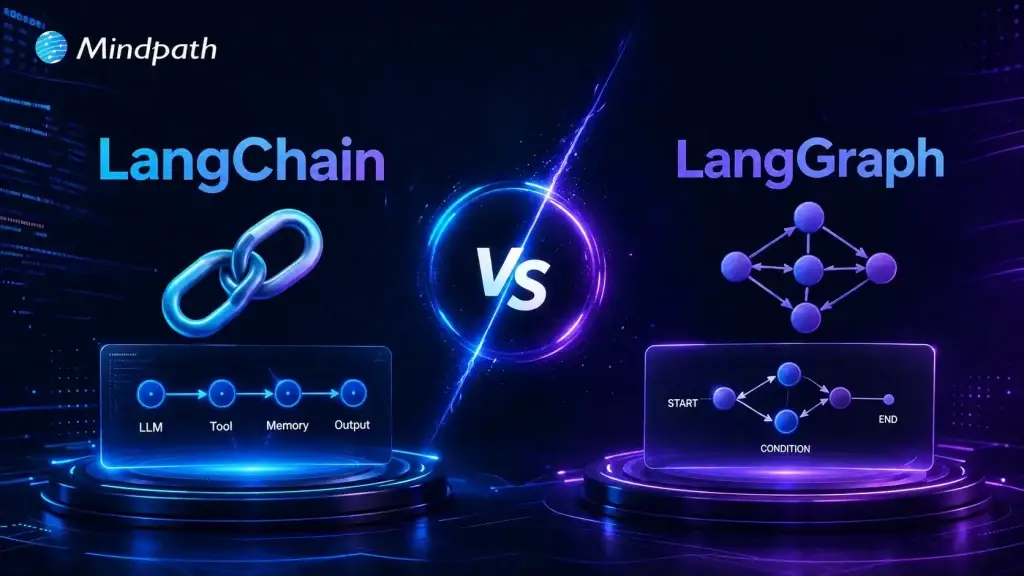
Enterprise AI is rapidly evolving from simple chatbots to intelligent systems that automate workflows, coordinate AI agents, and support business decisions. As organizations build more advanced AI applications, choosing the right framework becomes essential. The discussion around LangChain vs LangGraph is growing because each framework is designed to solve different enterprise AI challenges and development requirements.
Key Takeaways
- 01
Choose frameworks based on business needs, not popularity. - 02
LangChain simplifies building AI applications with reusable components. - 03
LangGraph supports complex, stateful, multi-agent AI workflows. - 04
Both frameworks serve different enterprise AI development requirements. - 05
Combining both frameworks delivers greater flexibility for enterprise AI.
While LangChain focuses on building AI applications with structured workflows, LangGraph is designed for stateful, multi-agent orchestration and complex decision-making. Understanding their differences helps enterprises select the right framework for long-term scalability and performance. In this blog, we will compare LangChain vs LangGraph and help you choose the best fit for enterprise AI.
Looking to build enterprise AI applications that align with your business goals? At Mindpath, we offer AI development services that help businesses design, develop, and deploy scalable AI solutions using frameworks like LangChain and LangGraph for intelligent automation and enterprise workflows.
What is LangChain? An Overview
LangChain is an open-source framework that helps developers connect large language models with external tools, business data, APIs, and memory. The LangChain framework for AI agents simplifies building intelligent, task-driven applications.
It provides reusable components for prompt management, retrieval, tool integration, and workflow creation. This modular approach enables developers to build scalable AI applications that can perform complex business tasks with greater efficiency.
Core Components of LangChain
- Models: Connects applications with different large language models seamlessly.
- Prompt Templates: Creates consistent, reusable prompts using dynamic input variables.
- Chains: Combines multiple AI tasks into structured sequential workflows.
- Memory: Maintains conversation context across multiple user interactions effectively.
- Indexes and Retrievers: Retrieves relevant business data for accurate AI responses.
- Agents: Enables AI to choose tools and execute tasks.
Advantages of LangChain
- Faster Development: Accelerates AI application development using reusable framework components.
- Easy Model Switching: Switches between AI models with minimal code changes.
- Private Data Integration: Connects securely with enterprise data using RAG techniques.
- Context and Memory: Preserves conversation history for better contextual AI responses.
- Autonomous Workflows: Automates complex tasks through intelligent AI agent workflows.
Drawbacks at a Glance
- Over-Abstraction: Hides application logic behind multiple framework layers.
- Limited Control: Reduces flexibility for implementing custom AI workflows.
- Frequent Updates: Breaking changes increase maintenance and upgrade complexity.
- Difficult Debugging: Complex stack traces make troubleshooting production issues harder.
What is LangGraph? An Overview
LangGraph is an open-source framework for building stateful AI applications using graph-based workflows. It enables LangGraph multi agent orchestration, allowing multiple AI agents to collaborate, share context, and complete complex tasks.
Instead of linear workflows, LangGraph uses interconnected nodes and persistent state to manage decisions and long running processes. This architecture makes it well suited for enterprise AI applications requiring reliability, scalability, and workflow control.
Core Components of LangGraph
- State: Stores shared application data across workflow execution steps.
- Nodes: Execute individual tasks, logic, or external tool operations.
- Edges: Connect nodes to define workflow execution sequence clearly.
- Conditional Edges: Route execution dynamically based on current application state.
- Checkpointing: Saves workflow state for recovery and debugging purposes.
- START and END: Define workflow entry and completion points clearly.
Advantages of LangGraph
- Cyclical Workflows: Supports loops, retries, and dynamic workflow execution paths.
- Persistent State Management: Maintains shared state throughout entire workflow execution.
- Human-in-the-Loop: Enables user reviews before critical workflow decisions.
- Multi-Agent Coordination: Orchestrates multiple AI agents working toward shared goals.
- Built-in Checkpointing: Automatically saves workflow progress for seamless recovery.
Drawbacks at a Glance
- Overkill for Simple Tasks: Adds unnecessary complexity for straightforward AI applications.
- Steep Learning Curve: Requires understanding graphs, states, and workflow architecture.
- Maintenance Burden: Complex state management increases long term maintenance efforts.
- Ecosystem Friction: Frequent updates may introduce compatibility and integration challenges.
LangChain Vs LangGraph: A Comparison Table
Understanding the difference between LangChain vs LangGraph helps enterprises select the right framework for their AI requirements. While both support AI application development, they differ in architecture, workflow design, scalability, and enterprise capabilities. The comparison below highlights their key differences.
| Feature | LangChain | LangGraph |
|---|---|---|
| Primary Purpose | Build LLM applications using reusable AI components. | Orchestrate complex, stateful AI agent workflows. |
| Architecture | Linear chains and pipelines. | Graph based architecture with nodes and conditional edges. |
| Workflow Type | Sequential execution. | Non linear execution with loops and branching. |
| State Management | Limited by default, requires additional handling. | Persistent state maintained throughout execution. |
| AI Agent Support | Supports single and simple tool using agents. | Designed for advanced multi agent orchestration. |
| Decision Making | Best for straightforward task execution. | Supports dynamic decision-making during workflows. |
| Control Flow | Fixed execution sequence. | Flexible routing based on workflow state. |
| Human in the Loop | Requires custom implementation. | Native support for approvals and interruptions. |
| Checkpointing | Not available by default. | Built in checkpointing and workflow recovery. |
| Memory Handling | Conversation memory through integrated components. | Shared workflow state across every execution step. |
| Complex Workflow Support | Moderate. | Excellent for enterprise grade AI automation. |
| Scalability | Suitable for small to medium AI applications. | Built for long running, scalable enterprise systems. |
| Development Speed | Faster for prototypes and MVPs. | Slower initial setup but stronger production control. |
| Learning Curve | Easier for beginners and AI developers. | Steeper due to graph concepts and state management. |
| Debugging | Can become difficult in larger applications. | Easier with checkpoints, traces, and workflow visibility. |
| Integration | Extensive integrations with models, vector databases, APIs, and tools. | Uses the same ecosystem while adding orchestration capabilities. |
| Enterprise Use Cases | Chatbots, RAG applications, document search, AI assistants. | Multi-agent systems, autonomous workflows, compliance processes, enterprise automation. |
| Best For | Rapid AI application development with minimal complexity. | Mission critical AI systems requiring reliability and orchestration. |
| Typical Business Choice | Organizations launching AI products quickly. | Enterprises deploying production ready AI agents at scale. |
Which Is Better: LangChain or LangGraph?
There is no universal winner in the LangChain vs LangGraph comparison because each framework is built for different enterprise AI requirements. The right choice depends on your application complexity, workflow design, scalability needs, and long term business goals.
When to Use LangChain?
Choose LangChain if your organization needs:
- AI chatbots and virtual assistants
- RAG based knowledge retrieval applications
- Rapid prototyping and faster development
- Sequential AI workflows with minimal orchestration
- Flexible integration with LLMs, APIs, and vector databases
When to Use LangGraph?
Choose LangGraph if your organization needs:
- Multi agent AI systems with shared responsibilities
- Long running, stateful AI workflows
- Human approval and compliance checkpoints
- Dynamic routing, loops, and conditional execution
- Enterprise grade automation requiring reliability and scalability
For organizations building advanced autonomous AI systems, LangGraph is often the best framework for AI agents. However, many enterprises achieve the best results by combining LangChain for application development with LangGraph for orchestration and workflow management.
Which Framework Should Enterprises Choose for AI?
Choosing the right framework depends on your enterprise AI goals, workflow complexity, and scalability requirements. Instead of asking is LangGraph better than LangChain, organizations should evaluate which framework aligns with their application architecture, operational needs, and long-term AI strategy for maximum business value.
At Mindpath, we build enterprise AI solutions tailored to your business requirements, from intelligent assistants to advanced multi agent systems. Our AI development experts help organizations design, develop, integrate, and scale secure AI applications using the right frameworks for long term success.
Every successful AI solution begins with a strong idea, but not every idea is worth building. The ability to validate AI product ideas before investing in development helps businesses reduce risk, avoid unnecessary costs, and focus on solving real market problems.
Key Takeaways
- 01Confirm real customer demand before committing budget to AI development.
- 02Talk to potential users early to validate the problem, not just the idea.
- 03Test with a simple MVP before building a full-scale solution.
- 04Prioritize user actions over opinions when reading validation signals.
- 05Check data availability and AI costs before finalizing your investment decision.
As AI adoption continues to grow, organizations are under pressure to launch innovative products quickly. However, speed without validation often leads to solutions that fail to meet customer expectations or generate business value. A structured validation process ensures that an AI product addresses genuine user needs, fits market demand, and delivers measurable outcomes before significant resources are committed.
The challenge is that AI products require more than technical feasibility. They must combine reliable data, practical use cases, customer demand, and a sustainable business model. Understanding how to validate a product idea helps businesses make informed decisions with confidence. So, in this blog, you will learn the essential steps, proven validation methods, and practical strategies for evaluating AI product ideas before development begins. So, let us read more to learn!
Ready to turn your validated AI product idea into a scalable, market-ready solution? Mindpath offers expert AI development services to help startups and enterprises design, build, and deploy custom AI applications with confidence.
Why is It Essential to Validate AI Product Ideas Before Development?
AI innovation creates exciting opportunities, but successful products begin with strong product idea validation, not assumptions. Every concept should prove its value before development starts.
A structured product idea validation process helps businesses understand market demand, technical feasibility, and commercial viability before investing significant time and resources.
1. Verify Real Market Demand
An innovative AI solution has little value if it does not solve a meaningful customer problem. Validation helps businesses confirm that their target audience is actively looking for a solution and is willing to adopt or pay for it. This reduces the chances of launching products with limited market acceptance.
2. Reduce Financial Risk
Building AI products often involves significant investment in infrastructure, model training, integrations, and skilled talent. Validating the idea early helps identify weak concepts before major expenses occur, allowing organizations to allocate budgets more effectively.
3. Test Technical Feasibility
Not every business problem can be solved with existing AI technologies. Validation determines whether available models, data quality, and technical capabilities can deliver the expected results. It also highlights limitations that may require alternative approaches before development begins.
4. Control Development and Operational Costs
AI products can generate substantial ongoing expenses through API usage, cloud infrastructure, model inference, and data processing. Early validation provides realistic cost estimates, helping businesses evaluate whether the expected return justifies long-term operational spending.
5. Save Engineering Time
Development teams can spend months building sophisticated AI features that users ultimately ignore. Validation identifies the highest value use cases first, allowing teams to focus only on capabilities that solve real customer challenges and deliver measurable business outcomes.
6. Build Confidence Among Investors and Stakeholders
Validated ideas supported by customer research, pilot testing, or early adoption demonstrate lower business risk. This evidence strengthens stakeholder confidence, improves funding opportunities, and provides a stronger foundation for product development decisions.
Key Steps to Validate AI Product Ideas Effectively
A systematic validation process helps transform promising concepts into practical business opportunities. Following the right steps reduces uncertainty and supports smarter product decisions before development begins.
1. Define the Core Problem
Start by identifying the exact business or customer problem instead of focusing on the AI solution. Validate that the challenge is recurring by reviewing user discussions, reviews, forums, and industry conversations.
2. Speak With Potential Users
Interview your target audience to understand how they currently solve the problem. Focus on listening to their experiences instead of promoting your product idea.
3. Evaluate the Market
Research existing competitors, their pricing, and feature offerings to identify market gaps. Also assess whether enough potential customers face the problem to justify building a solution.
4. Check Technical Feasibility
Determine whether quality data is available and whether current AI technologies can deliver accurate results. Early feasibility testing prevents investing in ideas that are technically difficult to execute.
5. Test With a Simple MVP
Build a lightweight prototype, landing page, or product mockup instead of a complete application. Measure user interest through sign-ups, demo requests, or other early engagement signals.
6. Measure Results and Improve
Track user behavior, feedback, and adoption metrics to understand what works. A strong product validation process uses these insights to refine the idea before full-scale development begins.
Best Practices to Validate an AI Product Idea Before Investing
A few habits consistently separate teams that build the right thing from teams that build something impressive but unwanted.
1. Start with the Cost of Being Wrong
Know what six months of wasted development actually costs you. That number changes how seriously you take validation.
2. Check if the Data Actually Exists
If the data you need is messy, missing, or hard to access, that’s a real build risk, not a minor detail to sort out later.
3. Price Out the AI Itself
Model calls, inference, and cloud usage can quietly eat margins that looked fine on paper. Run the numbers early.
4. Test the Outcome, Not the Technology
People don’t care that it’s AI. They care if it saves them time, money, or hassle. Keep the test focused there.
5. Decide Your Bar for Success Upfront
Agree on what result would actually justify moving forward, whether that’s sign-ups, paid pilots, or repeat usage, before you start testing.
6. Watch Behavior More Than Opinions
What people say and what they actually do are often different. Give more weight to real actions like sign-ups than to praise.
7. Look Across Multiple Users
One excited user is a nice conversation. Several unrelated users with the same problem are closer to a market.
8. Keep a Record of Everything You Learn
Interview notes, test results, and feedback come in handy the moment someone questions the decision to move forward, including your future self.
Common Pitfalls to Avoid When Trying to Validate AI Product Ideas
Avoiding common validation mistakes helps businesses make better product decisions. These pitfalls can lead to wasted investment, delayed launches, and poor market adoption.
1. Prioritizing Technology Over Problems
Build solutions for customer needs, not impressive AI capabilities.
2. Ignoring Simpler Alternatives
Choose AI only when it provides clear business value.
3. Relying on Biased Feedback
Gather honest insights from potential customers, not close contacts.
4. Misreading Interest Signals
Focus on buying intent instead of likes or page visits.
5. Overlooking Error Impact
Measure how AI mistakes affect users and business outcomes.
6. Assuming Data Is Ready
Validate data quality before starting AI product development.
Are You Ready to Validate Your AI Product Idea and Move Forward?
Building an AI product without proper validation increases risk, cost, and uncertainty. Understanding how to validate an idea for a startup helps businesses confirm market demand, assess technical feasibility, and make informed investment decisions before beginning full-scale development.
If you are planning to build an AI solution, Mindpath can help transform your concept into a market-ready product. Our AI consulting services help businesses with validation, strategy, MVP development, and scalable AI solutions that deliver measurable business value.

Businesses of every size now recognize artificial intelligence as a practical tool for improving operations and customer experiences. However, many smaller organizations assume that successful AI adoption requires hiring expensive specialists and building dedicated internal teams before starting their transformation journey.
Key Takeaways
- 01
SMBs can successfully adopt AI without hiring dedicated in-house AI specialists. - 02
Focusing on one high-impact business challenge can deliver faster, measurable AI results. - 03
Experienced AI development partners can simplify implementation, deployment, maintenance, and long-term optimization. - 04
Cloud-based AI platforms can reduce infrastructure costs while supporting secure and scalable deployments. - 05
Regular monitoring, updates, and optimization help AI solutions remain accurate, reliable, and valuable over time.
The reality looks different today because experienced technology partners, cloud platforms, and ready-to-use AI services can simplify implementation. As a result, AI for small and medium businesses has become more accessible through outsourcing. Organizations can deploy practical AI solutions without maintaining large in-house AI departments.
Need AI expertise without building an in-house team? Mindpath Tech offers AI development services to help SMBs build and deploy scalable AI solutions without the extra hiring costs.
Why Are SMBs Investing in AI Today?
Small and medium businesses face increasing pressure to improve productivity while controlling costs and maintaining competitive customer experiences. At the same time, AI offers practical opportunities to automate repetitive work, analyze business data, and support faster decision-making across different business functions.
Moreover, recent advances in cloud computing, large language models, and managed AI platforms have reduced implementation complexity. Instead of building everything internally, businesses can work with specialized development partners that provide technical expertise throughout the project lifecycle.
- 80% to 89% of SMBs use AI daily. (Forbes)
- 50% to 68% of marketing teams automate content creation with AI. (Booth Associates LLC)
- AI software spending continues to grow as SMBs prioritize scalable generative AI solutions. (Gartner)
Why Are In-House AI Teams No Longer Essential?
Many organizations believe AI success depends on hiring data scientists, machine learning engineers, and AI architects. While these professionals remain valuable, modern AI development also offers alternative approaches that can reduce staffing requirements.
1. Cloud AI Platforms Simplify Development
Leading cloud providers offer managed AI services that require less infrastructure management. Therefore, businesses can focus on solving operational problems instead of maintaining complex technical environments.
2. Pre-Trained AI Models Reduce Development Time
Modern foundation models already understand language, documents, and many business workflows. As a result, developers can customize existing models instead of building entirely new systems.
3. Experienced AI Partners Provide Specialized Expertise
External AI specialists bring implementation experience across different industries and business environments. This can reduce learning curves and, in turn, help improve project quality.
4. Scalable Engagement Lowers Operational Costs
Companies can pay for the expertise they need during planning, development, deployment, and optimization. Therefore, they can avoid the ongoing cost of maintaining a permanent in-house AI team.
5. Faster Deployment Improves Business Value
Established AI development processes can shorten implementation timelines while reducing technical risks. Consequently, businesses can begin evaluating measurable improvements sooner.
6. Ongoing Support Remains Available
Reliable AI development partners can continue monitoring, updating, and optimizing AI systems after deployment. This allows internal teams to focus on core business activities instead of managing complex AI maintenance.
What Challenges Do SMBs Face Without AI?
Many businesses delay AI adoption because they believe limited resources prevent successful implementation. However, understanding these challenges helps organizations choose practical solutions instead of postponing innovation.
1. Limited Technical Expertise
Most businesses lack experienced AI professionals within their existing technology teams. Recruiting specialized talent can require significant investment and lengthy hiring processes.
2. Budget Constraints
Building internal AI capabilities involves recruitment, infrastructure, training, and software licensing expenses. Therefore, smaller organizations often prefer predictable, project-based investments.
3. Unclear Implementation Strategy
Many businesses understand AI’s potential but struggle to identify suitable business problems. Without clear planning, projects can face delays and deliver limited business outcomes.
4. Data Preparation Challenges
Business information frequently exists across multiple systems with inconsistent formats and quality. As a result, preparing reliable data requires structured planning before implementation begins.
5. Integration with Existing Systems
AI solutions must connect with existing business applications and operational workflows. Otherwise, poor integration can reduce adoption and overall business value.
6. Long-Term Maintenance Concerns
AI systems require monitoring, updates, and performance improvements after deployment. For this reason, many organizations worry about supporting these responsibilities internally.

How Can SMBs Build AI Solutions Without an Internal AI Team?
Building AI successfully starts with solving real business challenges instead of simply following technology trends. Therefore, a structured implementation approach can help businesses reduce risks while achieving measurable operational improvements.
1. Identify a High-Value Business Problem
Begin with one operational challenge that can create measurable business impact.
- Focus on Repetitive Tasks
Automation can deliver faster improvements with lower implementation complexity. - Measure Business Impact
Select problems affecting costs, productivity, customer service, or revenue. - Avoid Overly Complex Projects
Smaller projects can reduce implementation risks and accelerate business learning. - Gather Stakeholder Input
Teams can identify existing workflow challenges and improvement opportunities. - Define Success Metrics
Establish measurable business outcomes before development begins.
2. Partner with an Experienced AI Development Company
External expertise can reduce technical complexity while accelerating implementation.
- Access Experienced Specialists
Proven experts can help businesses avoid common implementation mistakes. - Receive Strategic Guidance
Experienced partners can recommend practical AI approaches based on business needs. - Reduce Recruitment Costs
Businesses can avoid the cost of permanent specialized hiring. - Improve Project Quality
Established development practices can support reliable business solutions. - Gain Ongoing Technical Support
Expert assistance can continue after successful deployment.
3. Start with Cloud-Based AI Services
Cloud platforms can simplify deployment while reducing the need for upfront infrastructure investments.
- Lower Initial Costs
Businesses can avoid purchasing expensive computing infrastructure. - Scale When Required
Resources can increase as business requirements grow. - Improve Reliability
Cloud providers maintain secure and highly available environments. - Deploy Faster
Existing AI services can shorten implementation timelines. - Simplify Maintenance
Infrastructure management remains largely handled by the cloud provider.
4. Build an MVP Before Expanding
Start small before investing in broader organizational automation. This approach allows businesses to test an AI solution and learn from early results.
- Validate Business Value
Early feedback can confirm practical business benefits. - Reduce Implementation Risks
Smaller deployments can identify improvement opportunities quickly. - Collect Employee Feedback
Users can provide valuable recommendations for future enhancements. - Improve Adoption
Teams can become comfortable using AI gradually. - Expand Strategically
Successful pilots can guide future AI investments with greater confidence.
5. Continuously Optimize AI Performance
AI implementation should be treated as an ongoing business improvement process rather than a one-time project.
- Monitor Performance Regularly
Review business outcomes using measurable performance indicators. - Update Business Data
Fresh information can help maintain AI accuracy over time. - Refine Workflows
Operational improvements can increase long-term business value. - Strengthen Governance
Maintain responsible AI usage through clear internal policies. - Plan Future Expansion
Successful projects can create opportunities across additional departments.
What AI Solutions Deliver the Greatest Value for SMBs?
Not every AI project requires significant investment or complex technical implementation. Instead, the best AI solutions for small businesses focus on improving everyday operations while delivering measurable value within practical implementation timelines.
1. Customer Support Chatbots
Automate customer interactions, answer common questions, and provide faster support around the clock.
2. AI Document Processing
Extract, organize, and process invoices, contracts, forms, and business documents with greater accuracy and efficiency.
3. Predictive Analytics
Analyze historical business data to identify trends, forecast demand, optimize inventory, and support better decision-making.
4. Intelligent Sales and Marketing Automation
Automate lead qualification, personalized campaigns, customer segmentation, and follow-up activities to improve sales and marketing efficiency.
5. AI-Powered Knowledge Management
Centralize business information and provide employees with faster access to accurate answers through AI-powered search.
6. Workflow Automation
Streamline repetitive processes across finance, HR, operations, and customer service to improve productivity and reduce manual work.
Together, these AI solutions demonstrate how AI for small and medium businesses can deliver measurable value without requiring extensive in-house technical expertise. In practice, organizations can implement AI by partnering with experienced technology providers that manage planning, development, deployment, and ongoing optimization.
Ready to Build AI Without an Internal AI Team?
Artificial intelligence is no longer limited to large enterprises with dedicated research teams and extensive technology budgets. Today, AI for small and medium businesses enables organizations to automate operations, improve productivity, and deliver better customer experiences by working with experienced AI development companies.
Looking to build AI solutions without expanding your internal team? Mindpath offers AI consulting services that help SMBs design, develop, deploy, and optimize customized AI solutions aligned with their business goals. Our experienced AI specialists deliver secure, scalable, and cost-effective AI applications that support innovation while reducing implementation complexity and long-term operational risks.