
Latest Insights On
GenAI, Tech, and Digital Transformation
Stay updated with expert insights, success stories, and real-world applications of cutting-edge technology.
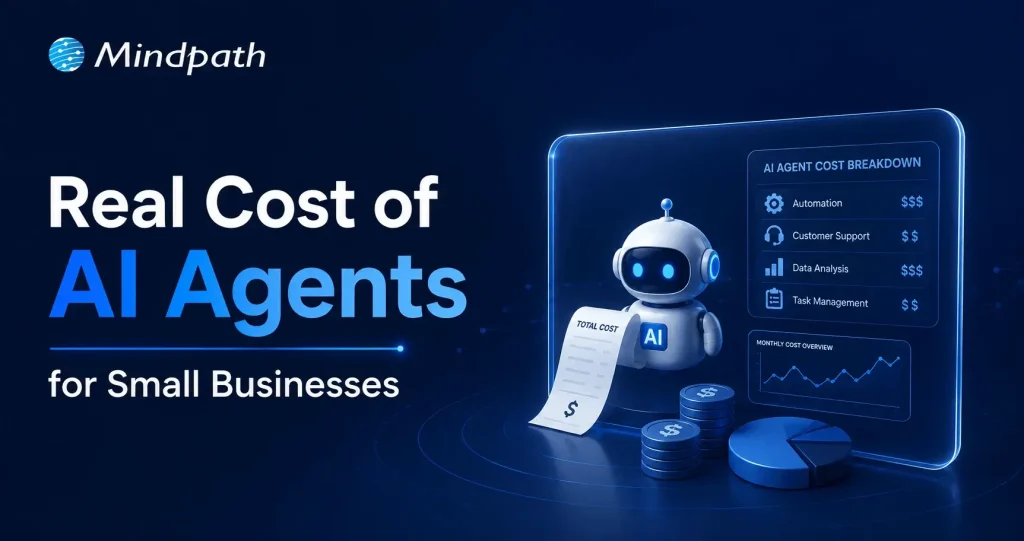
Small businesses today are watching AI agents handle customer queries, automate workflows, and close sales round the clock. Exciting? Absolutely. But many business owners jump in without truly understanding the cost to build an AI agent. That gap between excitement and reality often leads to budget overruns. So, let’s talk numbers, trade-offs, and what actually goes into building one.
Key Takeaways
- 01
The cost to build an AI agent ranges from $3,000 to $50,000 upfront. - 02
Complexity, integration, and data readiness are the biggest cost drivers. - 03
Hidden costs like token bloat and API fees catch most small businesses off guard. - 04
Starting with one narrow task keeps your budget controlled and ROI measurable. - 05
Consistent maintenance and prompt tuning protect your long-term agent investment.
Furthermore, the pricing rarely tells the full story. Vendors show you the entry plan; they rarely show you integration fees, maintenance costs, or what happens when your agent scales. Every layer adds up quietly. In this blog, we break down every real cost involved so you can plan smarter, spend better, and build an AI agent that actually works for your business. So, let us read further and know more!
Looking for a cost-effective way to implement AI? Our Agentic AI development services help businesses build scalable AI solutions with measurable ROI.
What Factors Influence the Cost to Build an AI Agent?
Building an AI agent is never one flat price. Implementing an AI agent cost shifts dramatically based on what you need, how complex your workflows are, and which technology stack your team chooses. Several moving parts quietly push the budget up or down. Understanding these factors upfront saves you from nasty surprises later. Let’s break down exactly what drives the cost.
1. Scope and Complexity
Rule-based chatbots follow fixed scripts and cost far less to build. True agentic AI that reasons, plans, and adapts autonomously demands significantly more development effort and budget.
2. Integrations and Tooling
Every external system your agent connects to, such as your CRM, ERP, or payment gateway, adds development time. Giving the agent capabilities like web browsing or database querying also requires rigorous security testing.
3. Data Readiness and Preparation
Unstructured or siloed data needs heavy cleanup before your agent can use it effectively. Setting up vector databases and memory architecture to support long-term recall adds another layer to your AI automation cost.
4. Technology Stack
Your choice between proprietary LLMs, open-source models, and no-code builders directly shapes both upfront and recurring costs. Custom frameworks like LangChain offer more control but require significantly more development time.
5. Security and Compliance
Regulated industries like healthcare and finance carry strict compliance requirements including HIPAA and GDPR. Penetration testing, security audits, and data privacy measures push the AI automation cost noticeably higher.
6. Maintenance and Continuous Training
Launching your agent is only the starting point. Production environments demand ongoing prompt tuning, knowledge updates, and performance monitoring throughout the agent’s entire lifecycle.
What Is the Actual Cost to Build an AI Agent for Small Businesses?
The AI customer service agent cost for small businesses ranges from $3,000 to $50,000 upfront. Monthly maintenance and token fees add $50 to $1,000 more.
1. Cost Breakdown by Agent Type
Costs vary widely depending on complexity and autonomy level. Here is what each tier typically costs small businesses today.
2. Off-the-Shelf Configured Agents: $3,000 – $10,000+
No coding is needed here. You pay for prompt setup, branding, and basic routing configuration.
3. Basic Custom Agents (MVP): $10,000 – $25,000
These agents handle customer support, lead qualification, and simple automation. They connect to your website or one external API.
4. Mid-Level and Internal Agents: $25,000 – $50,000+
These require multi-step planning and deep CRM integration. Human-in-the-loop oversight adds complexity and cost.
5. Ongoing Operational Costs
Building the agent covers only the starting investment. Monthly operational costs keep it running and improving.
6. API and Token Usage: $20 – $500+ Per Month
Usage costs depend on query volume and your chosen LLM. OpenAI, Anthropic, and Gemini all price differently.
7. Cloud Hosting: $50 – $300 Per Month
This covers serverless functions and knowledge base storage. Costs scale as your agent handles more traffic.
8. Maintenance: 15% – 30% of Build Cost Annually
Regular updates, bug fixes, and prompt refinements are essential. Strong ROI of AI agent development depends heavily on consistent maintenance investment.
Hidden Costs of AI Agents Nobody Talks About
1. Agentic Token Bloat
Reasoning loops silently stack up your LLM API charges.
2. AI Drift Maintenance
Changing business rules add 15-20% to annual build costs.
3. System Integration and API Fees
Custom API connections cost $25,000 to $75,000 additionally.
4. Debugging and Monitoring
Silent agent failures waste valuable developer time and money.
How Can Small Businesses Reduce the Cost to Build an AI Agent?
Building an AI agent does not have to drain your budget. Smart planning and the right approach can significantly cut costs without compromising on quality or performance.
1. Leverage No-Code Agent Builders
Skip expensive developer fees with visual drag-and-drop platforms. Non-technical staff can build and integrate agents independently and affordably.
2. Mix Models and Use Open-Source
Avoid paying GPT-4 prices for every routine task. Smaller open-source models like Llama 3 cut token costs significantly.
3. Start With a Single Narrow Task
Target one high-volume process like scheduling or email replies. This keeps your initial AI agent ROI for small businesses measurable and clear.
4. Run in Parallel First
Test your agent alongside existing workflows for four to six weeks. This catches errors before full deployment and protects your investment.
5. Optimize Your Prompt Engineering
Well-structured prompts use fewer tokens and reduce unnecessary back-and-forth. This directly lowers how much does an AI agent cost per month operationally.
Is the Cost to Build an AI Agent Worth It for Your Small Business?
For most small businesses, the answer is yes. The cost to build an AI agent pays back quickly through saved labor, faster response times, and scalable automation. Start small, measure results, and expand only where it genuinely moves your bottom line.
At Mindpath, we provide AI development services tailored specifically for small business budgets and goals. We help you skip the guesswork, avoid hidden costs, and build agents that actually deliver results. Let us help you make the right investment from day one. Contact us today for a free consultation, and discover how the right AI solution can help your business save time, reduce costs, and grow with confidence.
A scrappy 5-person start-up just secured its first client, one that was previously reserved for a corporation with thousands of workers. How did that happen? AI agents for small businesses are now filling in this void by taking care of customer support, sales follow-up, or general day-to-day tasks without requiring a large workforce. Owners are now investing in strategy and growth, while relieving themselves of the grunt work. In this rapidly changing landscape, smaller players have a fighting chance at the big leagues.
Key Takeaways
- 01
AI agents help small businesses operate efficiently without expanding their workforce. - 02
Routine tasks can be automated, giving teams more time for growth. - 03
Small businesses can compete with larger companies through smarter operations. - 04
AI improves customer service, marketing, sales, and daily business management. - 05
Affordable tools make AI adoption easier for businesses of all sizes.
It’s not that they’re looking to replace people. It’s all about providing small teams the firepower that larger teams have been using for years. The tasks that used to take whole departments are now accomplished in the background quietly, thus freeing up time for what matters. Owners are not bogged down with repetitive work and can concentrate on relationships, creativity and large decisions. In this blog, we’ll explore in depth how it works and what it means to businesses that are ready to compete smarter, not harder. So, let’s keep reading further!
Want to level the playing field with larger competitors? Discover how our AI development services can help you leverage AI for faster growth and efficiency.
Why Small Businesses Are Adopting AI Agents Faster Than Ever?
AI agents for small businesses are becoming more cost-effective and user-friendly, accelerating the adoption of AI agents among small businesses. They are user-friendly and can be used by the owners to automate the scheduling, invoicing, and customer service tasks without hiring additional employees or experts.
Small business AI automation also creates equality in the competitive landscape, enabling smaller teams to compete with larger ones. Today, this is accelerating quickly and across industries, as owners save time, reduce expenses and concentrate on growth by letting computers handle the repetitive tasks.
Key Factors Driving the Adoption of AI Agents for Small Businesses
1. Instant Scalability
Quickly and effortlessly increase your capacity as your business grows without adding new staff.
2. 24/7 Customer Engagement
Always available to your customers while providing fast, on-point answers.
3. Data-Driven Decision Support
Provides analytical information that subsequently helps in better decision-making.
4. Hyper-Efficiency and Cost Savings
Getting rid of monotonous tasks through automation and cutting down on the overall expenses.
5. No-Code Accessibility
Enables straightforward AI integration without needing any technical knowledge.
How Small Businesses Are Using AI Agents to Compete with Larger Enterprises?
The rise in adoption has led businesses to leverage AI agents in innovative ways to boost productivity, enhance customer experiences, and accelerate growth. Here are some of the most helpful applications of AI agents in small businesses today.
1. Always-On Support
AI agents for small businesses can handle customer inquiries, order updates, and support requests on various channels without delay. This enables small businesses to provide a credible service level at all times, with no compromise on customer satisfaction.
2. Smart Lead Generation
Businesses can leverage autonomous AI agents to help them find leads, validate contact details, and tailor outreach efforts, saving hours of manual research. This helps smaller sales teams produce more opportunities and compete with larger sales teams.
3. Personalized Marketing
AI-powered tools look at customer behavior, preferences, and buying history to craft highly relevant marketing campaigns. Businesses can use AI for small businesses to provide personalized experiences, leading to better engagement, conversion rates, and customer loyalty.
4. Content Scaling
It can be difficult to produce content regularly when you’re working with limited resources and a small team. AI agents can generate blog posts, social media posts, emails, and promotions from just one piece, ensuring businesses stay active on various platforms.
5. Predictive Planning
AI agents continually assess sales trends, seasonal demand, and business metrics, helping to guide more intelligent decision-making. This allows businesses to minimize waste, prevent stock shortages and make better financial decisions.
6. Smarter Hiring
The process of recruiting can be a time-consuming task, including resume screening, candidate evaluation, and onboarding. AI automation for small businesses streamlines these processes, making it easier to hire the right people and concentrate on creating better experiences in the workplace.
7. Rapid Execution
In most cases, small businesses realize an edge when they are able to start following up on new opportunities quickly. By streamlining repetitive tasks, AI agents can lower operational delays, allowing businesses to navigate market shifts and customer expectations more quickly.
8. Financial Automation
Manual handling of invoices, payments, and financial records can lead to unwarranted administration. AI agents perform these tasks in the background, increasing accuracy and freeing up business owners’ time for growth-focused initiatives.
Must-Know Insights
- 38% to 78% of small and medium businesses (SMBs) use or are trying out AI tools and autonomous agents.
- According to businesses, there has been a 133% rise in productivity as a result of AI-led automation.
- The use of AI can lead to a 25%-30% decrease in the costs of running a business.
- AI support available 24/7 helps attract more sales and enhance the level of customer satisfaction.
- On average, companies make $3.70 for every dollar they invest in AI.
Popular AI Agent Examples Small Businesses Are Using Today
The growing popularity of AI agents for small businesses comes from their ability to solve real business challenges without adding complexity. Here are some popular AI agent examples that small businesses are using today to save time, improve efficiency, and stay competitive in a fast-moving market.
1. Sales & Outreach
These AI-powered business tools help businesses find potential customers and manage outreach more efficiently. Small teams can spend less time prospecting and more time closing deals.
2. Customer Support
Customer inquiries can be handled quickly and consistently throughout the day. This improves customer satisfaction while reducing pressure on support teams.
3. Admin & Scheduling
Daily tasks like scheduling meetings and managing emails become easier to handle. Teams stay organized and can focus on higher-value work.
4. Content Marketing
One piece of content can be turned into multiple formats for different channels. This helps businesses maintain a strong online presence with less effort.
5. Finance & Invoicing
Routine financial tasks such as invoicing and payment tracking can be managed automatically. This saves time and helps keep business records accurate.
Ready to Give Your Small Business a Competitive Edge?
The adoption of AI agents for small businesses is changing how companies operate, grow, and compete. By automating routine work, improving customer experiences, and supporting smarter decisions, small teams can achieve more while focusing their energy on strategic business goals.
At Mindpath, we provide AI development services that help businesses build practical and scalable solutions tailored to their needs. Whether you want to automate workflows, improve customer engagement, or increase operational efficiency, our team can help you turn AI opportunities into measurable business results.
The AI chatbot market is all set to grow incredibly at a rate of 23% annually. Further, the global market is expected to reach USD 15.5 billion by 2028. Around 78% of companies use AI in at least one of their integral business functions. Along with all the other dominated industries, the education sector is also undergoing a major digital change. One of the biggest drivers behind this growing shift is the rise of AI chatbots in education.
A series of chatbots has been effectively embraced in the learning environment. Moreover, it is changing how you learn and interact. Let us further explore the AI chatbot in the education industry in a better form. Additionally, let us highlight how this massive change has become a successful addition to a learner’s life.
Want to deliver 24/7 student support while optimizing academic and administrative processes? Mindpath offers custom AI development services that empower educational organizations with intelligent, scalable solutions tailored to their needs.
What is the Role of Artificial Intelligence in Education?
The role of artificial intelligence in education is way more than just automation. AI accesses smarter and data-rich learning ecosystems where students receive customized support. Further, educators can prioritize teaching instead of focusing on repetitive tasks.
- AI-powered systems, like educational chatbots, use natural language processing to understand and respond to queries in real time.
- Such systems can work as your virtual assistants, support agents, and tutors. Further, they are available 24/7.
- This way, AI in education is not just boosting efficiency but also improving the overall learning experience.
The Common Usage of AI Chatbots in Education
Chatbots in education are considered to be intelligent software programs curated to simulate human-like conversations with your users. They can assist your students while automating your overall institutional workflows. Further, you can get instant information to strengthen your decision-making abilities.
These AI-powered chatbot solutions are mainly used for student support and query resolution. They have also shown incredible results in admissions and enrollment assistance. AI chatbots can also assist you with course recommendations and feedback gathering. So, AI in the education sector is acting as a bridge between human interaction and technologies.
What exactly is a chatbot, and how does it work in transforming industries like education? Discover the fundamentals and real-world applications of chatbots in this comprehensive guide.
What are Some Benefits of AI Chatbots in the Education Industry?
Let’s break down the essential benefits of AI chatbots in the education industry in a more precise way.
1. 24/7 Availability
Unlike people who can assist for some hours a day, chatbots are available 24/7 to serve you quickly. They can assist you with any of your queries. This ensures that you can have the proper access to information at any time of the day.
2. Cost Saving
Chatbots work as a valuable assistance by managing repetitive tasks while saving your time for more essential tasks. This way, you can reduce your staff hiring for small tasks while sticking to cost-efficiency.
3. Self-Learning Mechanism
There is no need to initiate training for the chatbot consistently to get the desirable answers and to fuel its database. It consists of a self-learning algorithm, and it needs minimal effort to make it think and act like human beings.
4. Minimal Administrative Burden
Managing a series of administrative tasks can waste most of your essential time. So, an AI-powered chatbot can ease your tasks by automating them. This includes answering the queries of students and handling admission queries. It can also schedule your classes. This allows teachers and administrators to prefer delivering quality education instead of being worried about their routine work.
5. Better Results
With the inclusion of AI chatbots in education, learners can customize their learning process to suit their personal requirements. Moreover, chatbots are capable of tracing progress while offering you better study materials. They can also offer you genuine feedback on your performance.
6. Aligned Communication
Effective communication is the core of an educational environment. Conversational AI chatbots can effectively align your communication between teachers, students, and other administrative staff. From sending essential announcements to resolving questions, chatbots can ensure your information flow remains authentic.
7. Data Rich Insights
Another essential advantage of AI in the education sector is the potential to go through a bulk of essential data. Additionally, chatbots can assess your learning patterns and engagement levels to create valuable insights. Educational institutions can use such content to strengthen their curriculum.
Ready to enhance learning experiences with AI-powered solutions? Check out our blog on Generative AI in education to explore its benefits, features, and real-world applications.
AI Chatbot Examples in the Education Sector
There are several AI chatbot examples that highlight how institutions are benefiting through this futuristic feature.
| AI Chatbot Examples | |
| Virtual Tutors | You can gain subject-oriented guidance and aligned explanations. |
| Campus Assistants | It offers updates on your current schedules and deadlines. |
| Admission Bots | It can help you with course selection and your eligibility criteria. |
| Language Learning Bots | Practice conversation to make it effective in the real time. |
Incredible Features Your AI Chatbot Should Consist Of
Here are some essential features that your AI chatbot must adopt in the education industry.
1. Multi-Language Support
This feature lets you bypass the language barrier and allows learners to communicate and learn in their preferred languages.
2. Progress Assessment
This essential feature can help you track the learning progress of your students. Further, it can help you learn new trends in education and analyze the competitiveness of the market.
3. Consider Privacy
Make sure to integrate data protection and gather minimal data from the users to run your software.
Curious about how technology is transforming the future of learning? Discover the applications of AI in education and explore their real-world impact on modern learning environments.
What is the Future of AI in the Education Sector?
The future of automation in the education sector looks promising. As per the reports of Gartner, 25% of companies will include chatbots as their main customer service tool by next year. With advancements in machine learning & NLP, chatbots are becoming more intelligent & human-like.
- Voice-enabled AI assistants.
- Integration with Learning Management Systems.
- Predictive analytics for student success.
- AI-driven career guidance.
Challenges of Using AI Chatbots in Education
While the benefits of AI chatbots in education are significant, you might experience certain challenges, as given here.
- Concerns related to privacy.
- Extreme dependency on AI tools.
- Authenticity of the data.
- Need for human assistance.
Ready to Get the Benefits of AI in Education Industry?
AI chatbots in education have become extremely vital and are quickly adopted in the learning environment. It is simply changing the way students learn and interact. Starting from personalizing the learning assistance to enabling automation, chatbots are helping institutions create more efficient and student-centric systems.
If your organization is ready to extend its features through AI, consider Mindpath as your convenient partner. We offer advanced AI development services that can help your educational institute scale precisely. We can help you integrate chatbot systems curated for modern learning environments.
More and more businesses are moving toward web apps that can grow and work well in order to stay competitive in the digital world. Microservices, cloud-native apps, and real-time communication are now essential technologies. This change has made it even more important to hire Node.js Developer experts who can build backend systems that are quick, effective, and easy to expand.
Node.js is a popular technology for modern development because it is event-driven and doesn’t block. Businesses of all sizes, from small ones to big ones, are hiring Node.js developers to make apps that can handle a lot of users and real-time interactions.
But when you hire a developer, you shouldn’t just look for someone with good technical skills. It takes a clear understanding of what the project needs, an evaluation of skills, and making sure that the work is in line with business goals. This guide will show you the best way to find and hire Node.js developers.
Looking to find the perfect Node.js developer without going through a lengthy hiring process? Mindpath provides professional services to help you hire expert NodeJS developers quickly and efficiently.
Why Node.js is Popular for Modern Development
Before we talk about how to hire people, let’s talk about why node js is so popular for web development.
Node.js makes it easier for developers to do their jobs because they can use JavaScript on both the front end and the back end. Its I/O model is asynchronous and non-blocking, which means that apps can handle many requests at once. This makes it great for real-time apps like chat platforms, streaming services, and tools for working together.
Node.js helps companies like Netflix, LinkedIn, and PayPal make their systems work better and grow. There is a growing need for skilled nodejs developers to work in all kinds of businesses because so many people use it.
Understanding the Role of a Node.js Developer
A Node.js developer is responsible for writing the server-side logic, managing databases, and making sure that the front-end and back-end systems work well together. When you hire dedicated Node.js developers, you’re basically paying for people who know how to build scalable architectures and make your apps run better.
Some of the things they have to do are:
- Creating RESTful APIs
- Adding services from other businesses
- Running databases, both SQL and NoSQL
- Making sure the app is safe and works well
- Collaborating with frontend developers
If you know what this job involves, you can tell your development team what you need.
Looking to understand what makes Node.js a top choice for modern backend development? Discover the key advantages of NodeJS that support scalability and performance.
Skills to Look for in a Node.js Developer
Checking the skills of Node.js developers is one of the most important parts of the hiring process. A good developer should be able to fix things and know a lot about tech.
1. Core Technical Skills:
Most of the time, Node.js developers need to know how to do these things:
- Good at programming in JavaScript and asynchronous
- Familiarity with Node.js frameworks like Express.js
- Used microservices and RESTful APIs
- Knowing how to work with databases like MySQL, MongoDB, or PostgreSQL
- Knowing how to use Git and other version control systems
2. Backend Expertise:
Some of the most important skills for a good Node.js backend developer are:
- Planning how the server-side will work
- Creating and linking APIs
- Making things work better
- Best ways to keep things safe
3. Soft Skills:
You need more than just technical skills to finish a project well. You also need to be able to talk to people, work with them, and be open to change.
Want to speed up development and improve backend functionality with the right tools? Discover essential Node.js libraries that help developers build scalable applications faster.
Benefits of Hiring a Node.js Developer
Node.js developers have a lot of useful skills that make them good for projects that use modern technology.
1. High Performance and Scalability
Node.js developers can make apps that can handle a lot of requests at once, which means they will work well even when there is a lot of traffic.
2. Faster Development
Using JavaScript all the way through the stack speeds up development and makes it easier for teams to work together.
3. Cost Efficiency
You can save money by hiring Node.js developers because they make development easier and cut down on the number of technologies you need.
4. Real-Time Capabilities
Node.js is great for apps that need to change in real time, like chat apps and dashboards that show live data.
5. Strong Ecosystem
The npm ecosystem has thousands of libraries that you can use to speed up and improve your development work.
Wondering how businesses build scalable and reliable digital products? Discover how to create high-performing apps with NodeJS experts that support long-term growth.
Hiring Models to Hire NodeJS Developer
Companies that want to hire a Node.js developer can choose from a number of hiring models based on what they need.
1. In-House Developers:
You have more control and it’s easier to work together when you hire full-time developers, but it may cost more.
2. Freelancers:
Freelancers are great for short-term projects, but they might not be able to work on them for a long time.
3. Dedicated Developers:
Dedicated nodejs developers will only work on your project, which will make them more productive and reliable.
4. Remote Developers:
You can hire Node.js developers from anywhere in the world, which is often cheaper.
Curious why many companies choose experienced teams over individual developers? Checkout why businesses prefer NodeJS development companies for consistent and high-quality results.
Working with a Node.js Development Company
It may be easier to find workers if you work with a Node.js development company. These companies have experienced developers, proven workflows, and solutions that can grow with your needs.
They also offer full Node.js development services, which include:
- Creating and building apps
- Putting APIs together
- Help and upkeep
- Making things work better
This method is great for businesses that want a complete solution without having to hire and manage their own staff.
Tips for Hiring the Right Node.js Developer
You need a plan to find the right people. Here are some helpful tips for hiring Node.js developers who will do a good job.
1. Define Your Project Requirements
Before you start hiring, you need to know exactly what you want to get out of the project, what technical skills you need, and what the final product should look like.
2. Evaluate Technical Skills
Check out how well they know Node.js and how much experience they have in the real world. Look at the tools they’ve used and the projects they’ve worked on.
3. Conduct Technical Interviews
Ask them questions about asynchronous programming, API design, and performance optimization to find out how much they know.
4. Check Portfolio and Experience
Check out their previous work to see what they can do with Node.js for web development and back-end systems.
5. Consider Cultural Fit
Make sure that the way the developer talks and works fits in with the way your team does things.
6. Test Problem-Solving Ability
Being able to solve problems in the real world is often more important than knowing a lot about theory.
Planning to hire the right developer without facing costly mistakes later? Read about the essential factors to consider while hiring NodeJS developer for better decision-making.
Challenges in Hiring Node.js Developers
Many companies want to hire NodeJS developers, but they may run into issues like:
- There aren’t enough developers with experience
- A lot of companies want the best workers
- It’s hard to judge someone’s technical skills
- Leading teams that work from home well
You need a clear plan for hiring and ways to judge candidates that you can trust to deal with these issues.
Want to build faster and more efficient applications that handle high user demand smoothly? Explore how to increase web performance with NodeJS to deliver better user experiences.
Future Outlook of Node.js Development
The need for Node.js developers will probably grow as more and more businesses use modern web technologies. Even though microservices, serverless architecture, and cloud computing are becoming more popular, Node.js is still a great choice for scalable backend development.
Companies that pay for Node.js development services can make apps that are more flexible and ready for the future.
Looking to Hire a Node.js Developer for Your Project?
Finding the right Node.js developer is key to building scalable and high-performing applications. Whether you’re hiring in-house, remotely, or through a development company, focus on skills, experience, and alignment with your business goals.
Review candidates carefully, choose the right hiring model, and build a team that delivers quality results.
Get started today and hire the right Node.js developer to drive your project forward, or partner with Mindpath, a trusted Node.js development company that delivers skilled developers and scalable solutions tailored to your business needs.
FAQs:
1. What skills does a Node.js developer need?
A Node.js developer should know a lot about JavaScript, have used frameworks like Express.js, and know a lot about APIs, databases, and programming that doesn’t happen at the same time.
2. Why should I hire a Node.js developer?
Node.js developers help make apps that can grow and work well, with shorter development cycles and the ability to work in real time.
3. Can you hire a Node.js developer who works from home?
Yes, companies can hire Node.js developers from other countries to get the best workers and save money.
5. What are the benefits of hiring Node.js developers?
Some of the benefits are faster development, the ability to grow, lower costs, and access to modern tools and frameworks.
6. Should I hire a company that makes Node.js or a freelancer?
Freelancers are good for small tasks, but a Node.js development company is better for big, hard-to-build apps.
The scope of the HR role is rapidly evolving. In fact, HR is a major contributor to the success of an organization. With time, HR’s technology is evolving too, and AI, or artificial intelligence is the most crucial development in this ongoing digital transformation.
AI in HR is driving a seismic shift in how businesses attract, screen, and develop talent by automating repetitive administrative tasks and enabling smarter, data-driven workforce decisions.
Read on to find out how it helps improve HR function and understand how AI and HR create a powerful synergy to create teams that can lead to success.
Want to modernize hiring and make smarter talent decisions? Mindpath’s AI development services help HR teams build intelligent, future-ready recruitment solutions.
What is AI in HR?
AI in HR (Artificial Intelligence in Human Resources) refers to the use of machine learning, natural language processing, and predictive analytics to automate administrative tasks, personalise the employee experience, and enable data-driven talent decisions.
It helps HR teams shift focus from manual, repetitive workflows to higher-value, people-centric initiatives, spanning recruitment, onboarding, employee engagement, and workforce planning.
Challenges of Traditional HR Before AI: Bias, Inefficiency, and Lost Talent
Before we delve into the actual power of AI in Human Resources, let’s first consider the challenges in the conventional hiring process.
1. Time Loss in Talent Sourcing
Talent sourcing requires time to check numerous resumes manually. It may cause lack of opportunities to talented applicants.
2. Interview Inconsistency
The evaluation process may be unfair and inconsistent in case of interviewer bias, variations in scoring and interview questions.
3. Bad Candidate Experience
Long application forms, slowness in responding, and impersonal communication may frustrate the candidates.
4. No Data-Driven Insights
Without accurate data, HR professionals generally depend on guesswork for their hiring strategies.
5. High Employee Turnover
Using poor screening techniques can result in wrong hires. That may lead to lower productivity, increased turnover, and recruitment expenses.
These challenges showcase the requirement for innovation. And that’s where AI in HR is offering the much-needed solutions.
Looking for ways to leverage AI to make your hiring process more efficient and future-ready? Learn how generative AI in human resources is transforming hiring practices for the future.
The Emergence of Artificial Intelligence in HR
According to a report, over 51 percent of organizations are using AI in HR in 2025 (Source: SHRM).
It provides the evident use of AI tools to streamline recruitment processes. AI tools have become a necessity regardless of whether it involves predicting candidate success or automating HR processes.
Some of the key drivers of AI Adoption in the area of human resources are:
1. Data-driven decisions
Predictive analytics assist HR professionals to analyze if the candidate is the right fit based on a variety of factors.
2. Efficiency gains
AI tools are used to automate repetitive activities e.g. resume analysis or scheduling interviews.
3. Scalability
This enables the department to handle large numbers of applications with ease.
4. Bias Reduction
AI algorithms can be trained to reduce bias in candidate screening and selection.
As long as it is used well, AI can be used to develop a more inclusive and agile workplace. The following sections will discuss how AI can impact the Human Resources positively.
Must Read: Generative AI Predictions
Generative AI for HR: A Real Game-Changer
Generative AI in HR, powered by LLMs, is now reshaping HR practices. Different tools like Jasper, HirVue, and Paradox allow HR professionals to easily create job descriptions and interview questions. It can be said that these tools offer more than just sophisticated interaction and content creation.
1. AI-Powered Job Description Creation
Creating inclusive and compelling job descriptions can take time. Well, there are multiple generative AI tools that can make it quick and easier for HR professionals. They can:
- Create quality and structured job descriptions according to the requirements of the job role to attract a pool of candidates.
- AI can scan the possible biased language and propose an inclusive phrasing.
- Such tools make sure that your job descriptions are optimized using the relevant keywords for search engines.
Automation of such tasks will enable HR teams to concentrate on other important areas other than being engaged in copywriting.
2. Effortless Talent Acquisition and Recruitment
The current AI technology can be very useful in the simplification of the recruitment process. These are tools that make a great difference in candidate sourcing, assessing, and screening. The AI tools can be employed in the recruitment process in the following ways:
- Candidate Sourcing: AI may be used to find new applicants with the required qualifications on different platforms.
- Resume Screening: AI has the ability to quickly review numerous resumes and rank the candidates based on their experience, qualifications, skills, etc.
- Chatbots: With the introduction of chatbots, the HR team will be able to automate the initial step of interaction, such as answering the frequently asked questions and assessing the capabilities of applicants to answer various questions.
- Candidate Assessments: AI-assisted tools help HR get more information regarding the skills, strengths and weaknesses of the applicants in a more comprehensive and data-driven manner.
The AI tools allow HR managers to make intelligent hiring decisions and streamline the process.
Curious how advanced AI tools can give your HR processes a competitive edge? Discover the top GenAI tools that are revolutionizing AI development and could transform hiring practices.
3. Personalized Candidate Communications
AI can be used to personalize and automate communications, such as initial outreach or sending rejection letters. This will ensure that your communication is more effective.
- Personalized Outreach Emails: Generative AI can write emails by accessing the profile of the candidate while highlighting crucial aspects of the company culture and other relevant features.
- Onboarding Materials: HR professionals are able to create personalized onboarding messages using AI tools. This helps new employees feel valued.
Other than these, AI also has the potential to be used to create customized feedback for successful and unsuccessful candidates to improve candidate experience.
4. Better Employee Engagement and Experience
The success of any organization depends on a productive and content workforce. HR teams can utilize AI-based solutions to track employee engagement and improve it. Here are some of the most effective methods HR professionals can use AI tools to enhance employee experience.
- Gathering Feedback: These tools can be used to collect feedback by sentiment analysis and survey. This will assist in gaining a breakdown of the employee engagement and morale.
- Creating Initiatives: Artificial Intelligence assists in developing employee wellness programs that suit the abilities and requirements of the employees. Such programs are capable of supporting both the mental and physical well-being.
- Potential Problems & Detection: HR professionals can detect the engagement patterns with the help of the predictive analytics. Consequently, they can sort out the problems before they impact productivity.
Simply put, you can use AI tools to ensure that your employees are motivated and valued at work.
5. Detailed HR Analytics & Reporting
By delivering real-time insight into workforce trends, AI-powered tools revolutionized strategic decision-making. These new tools will predict the trends in talents, measure the results of the HR investment, and track the progress of inclusion and diversity.
You can convert raw data to actionable intelligence and proactively align your team with organizational objectives using these systems.
Struggling to create engaging content that effectively supports your HR initiatives? Discover generative AI tools for content creation that can boost productivity and spark creativity in your workflow.
Tips to Introduce AI into HR
Although the opportunities of AI in HR are enormous, to reap the full benefits of the same, you must be able to make the implementation a success. The following are some tips that you can consider to achieve success and develop faster, more inclusive, and smarter workflows.
1. Know your Opportunities in Automation
Start with the routine jobs like screening of applications, interviews, correspondence etc.
2. Use Scalable AI Tools
Select Human Resource AI tools that are in line with the necessary data privacy regulations, like GDPR. Make sure that the tool facilitates transparent decision-making.
3. Focus on Human-Centric Approaches
AI tools should assist HR teams, and not replace them. So, make sure that you maintain a good balance between these two elements.
Exploring ways AI can enhance your hiring processes beyond traditional methods? Explore the key trends in our Generative AI Trends blog to see what’s next in HR technology.
4. Department Collaboration
Involve legal, IT, and your DIE (Diversity, Equity, and Inclusion) teams to ensure ethical and responsible deployment of AI.
5. Begin With Pilot Projects
Test Artificial Intelligence systems in certain HR activities and keep a close eye on KPIs such as candidate satisfaction, performance, time to hire, and so on.
6. Train HR Teams
Provide training required for your HR personnel to interpret insights and apply them with human judgment. In addition, keep the team aware of the current trends regarding AI in HR and new technologies.
AI-Powered HR – Future Trends
The future of AI in HR is bright and dynamic. We can witness further incorporation with other platforms, AI-supported DEI analytics, and voice-based screening. The HR department will acquire advanced tools to customise candidate journeys.
Some emerging trends to consider are:
1. Use of NLP
Natural Language Processing will enhance communication with AI systems.
2. AI-Driven DEI Analysis
Efficiently tracking diversity goals through real-time dashboards.
3. Blockchain Technology
Creating more transparent and secure HR processes.
4. Voice AI Interviews
Analyzing candidate fit through assessing sentiment, communication skills, and tone.
5. AR and VR
Enhancing candidate onboarding and training processes using Augmented Reality and Virtual Reality.
6. AI Coaching
Supporting and motivating employees’ performance and growth.
7. Ethical AI Tools
Focusing on explainable and unbiased AI models for HR.
Wondering how generative AI is changing not just hiring, but entire business processes? Discover how the generative AI revolution is transforming industries.
Create A Smarter HR Future With AI
As AI is reshaping the HR landscape, AI integration has become a crucial aspect for every business. After all, it helps businesses to create more efficient, inclusive, and strategic hiring processes. HR professionals should adapt and leverage free AI tools for HR to stay ahead.
If you are ready to take the right step and bring the power of AI to your HR practices, you can trust Mindpath. We can offer tailored AI development services that can help you optimize the hiring process. Furthermore, our generative AI solutions can help you generate job descriptions and automate onboarding. Partner with us and establish a precise, agile, and ethical foundation required to future-proof your hiring strategy.
Today, web apps have completely changed the way businesses work. Modern users expect fast, responsive, and feature-rich digital experiences, from eCommerce sites and online banking to real-time messaging and streaming services. Because of this rapid growth, developers have had to use powerful backend technologies that can handle more requests.
The PHP vs. Node.js debate is still the most talked-about topic in the development community, even though there are many other options. Over the years, both technologies have changed a lot and are now widely used to make web apps that can grow. But when developers have to choose between php and node, they often have a hard time figuring out which one is better.
So, which one should you pick for backend development in the modern age? Let’s break it down in a way that is easy to understand and useful.
Looking to implement the right backend technology with expert support? Mindpath provides professional services to help you hire expert NodeJS developers for efficient and reliable development.
A Quick Introduction to PHP and Node.js
Before we start comparing, we need to know what these technologies really are.
PHP is a scripting language that runs on servers and is made for making websites. It has been around since the middle of the 1990s and is still used by a lot of websites today. PHP is one of the most popular backend technologies because many popular platforms, like WordPress, use it a lot.
Node.js is not a programming language; it is a runtime environment. It lets developers run JavaScript on the server. This means that developers can use the same language for both the front end and the back end, which makes development easier.
The main difference between php and node js for the backend is how they handle requests and run code.
How PHP and Node.js Work?
PHP works in a way that is synchronous. This means that it only handles one request at a time. Before moving on to the next request, each one has to finish the one before it. This method is stable and works well, but it can make things run slower when there are a lot of users at once.
Node.js works in an asynchronous, non-blocking way. It can handle more than one request at once without having to wait for one process to finish. This makes Node.js very fast, especially for apps that need to work in real time.
This difference has a big effect on how well php and node work, and it has a direct effect on speed and scalability.
Benefits of PHP
Even though PHP is an older technology, it is still very useful. Many types of projects can benefit from using php.
1. Strong Ecosystem
Laravel and Symfony are two of the many frameworks that make up PHP’s huge ecosystem. It also works with popular content management systems (CMS) like WordPress and Drupal, which speeds up development.
2. Easy to Learn
The syntax of PHP is simple, which makes it easy for beginners to use. Developers can quickly make working apps without having to learn a lot.
3. Wide Hosting Support
Most hosting companies support PHP. This makes it easier and cheaper to deploy.
4. Database Flexibility
PHP works well with a lot of different databases, such as MySQL, PostgreSQL, and even NoSQL databases like MongoDB.
5. Stability and Maturity
PHP has been in development for decades and now provides a stable and reliable environment for web apps.
Benefits of Node.js
Node.js is becoming more popular because it has a modern architecture and is flexible. Node.js is great for next-generation apps because of all the good things it can do.
1. High Performance
Node.js runs code quickly thanks to Google’s V8 engine. This speeds up and makes the application more efficient.
2. Non-Blocking Architecture
Because it uses an asynchronous model, it can handle many requests at once, which makes it very scalable.
3. Full-Stack Development
JavaScript can be used for both the front end and the back end, which makes things easier.
4. Large Package Ecosystem
The npm ecosystem has thousands of libraries that make development go faster.
5. Real-Time Capabilities
Node.js is great for chat apps and live streaming platforms that need to get updates in real time.
PHP vs Node: A Detailed Comparison
When choosing a backend technology, developers often compare PHP and NodeJS based on performance, scalability, and ease of development. Both have evolved significantly and are widely used in modern web applications. Understanding their differences helps in selecting the right tool for specific project needs.
1. Speed and Performance
When talking about the speed of PHP vs. Node, performance is very important.
PHP handles requests one at a time. When there is a lot of traffic, this can make the load time longer. But newer versions, like PHP 7 and 8, have made things run much better.
Node.js can handle many requests at once because its architecture doesn’t block. This gives it an advantage in applications that need to work quickly and well.
When it comes to performance, Node.js is usually faster for tasks that involve a lot of input and output, while PHP works well in structured, content-driven apps.
2. Development and Coding Experience
When comparing PHP and Node, the experience of the developer is also important.
To use PHP, you need to know about backend concepts. It works well with traditional stacks like LAMP (Linux, Apache, MySQL, PHP). It’s simple, but you might need to use more than one technology to do it.
Node.js makes development easier by using JavaScript for the whole stack. But you need to know how to do asynchronous programming, which can be hard for beginners.
Node.js is more flexible, while PHP is easier to use and understand.
3. Functionality and Use Cases
The answer to the question of which is better, php or node js, depends on what your project needs.
PHP is best for:
- Websites that use a CMS
- Blogs and platforms for content
- Websites for eCommerce
- Web apps that are old-fashioned
Node.js is great for:
- Applications that happen in real time
- Platforms for streaming
- Microservices and APIs
- Apps that only have one page
4. Database and Ecosystem
A Comparison of Databases and Ecosystems. People often use PHP with relational databases like MySQL. It works well with traditional database systems and is used a lot in CMS platforms.
Node.js works perfectly with both SQL and NoSQL databases. Because it is based on JSON, it works especially well with MongoDB and modern application architectures.
PHP has a bigger and more developed community when it comes to its ecosystem. Node.js, on the other hand, is growing quickly and fits in with current trends in software development.
PHP vs NodeJS: Comparison Table
| Feature | PHP | NodeJS |
| Type | Server-side scripting language | Runtime environment for JavaScript |
| Execution Model | Synchronous (handles one request at a time) | Asynchronous, non-blocking (handles multiple requests at once) |
| Performance | Good, improved in PHP 7 & 8 | High performance, especially for real-time apps |
| Scalability | Moderate | Highly scalable |
| Development Style | Backend-focused (LAMP stack) | Full-stack (JavaScript for frontend & backend) |
| Ease of Learning | Easy for beginners | Slightly complex (async concepts required) |
| Best Use Cases | CMS, blogs, eCommerce, content-driven apps | Real-time apps, APIs, streaming, microservices |
| Database Support | Strong with MySQL, PostgreSQL | Works with both SQL & NoSQL (MongoDB preferred) |
| Ecosystem | Mature, stable, large community | Fast-growing, modern ecosystem |
| Real-Time Capability | Limited | Excellent (chat apps, live updates) |
Can Node.js Work with PHP?
It’s not unusual for nodejs and php to work together. A lot of apps use both technologies to take advantage of their strengths.
For instance:
- PHP can handle both CMS and server-side rendering.
- Node.js can handle real-time things like chat and alerts.
This mixed method lets developers make apps that are more flexible and can grow.
Which One Should You Choose?
There is no one right answer to the question of which is better, php or node js.
Choose PHP if:
- You are making a website with a lot of content.
- You need to be able to deploy quickly and get CMS support.
- Your project is of a small to medium size.
Choose Node.js if:
- You need something that works in real time.
- Your app needs to be able to grow quickly.
- You want a single JavaScript stack.
Node.js is often better for modern development because it is fast and can handle a lot of traffic. But PHP is still a good and cheap choice for many projects.
Ready to Choose the Right Technology?
Choosing between PHP and NodeJS ultimately depends on your project goals, scalability needs, and development preferences. Both technologies offer unique strengths, PHP provides stability and simplicity, while NodeJS delivers speed and modern performance.
Define your requirements, evaluate your priorities, and choose the technology that best aligns with your vision. Start building smarter, faster, and more efficient applications. Contact us to discuss your project needs. Our team is here to help you make informed decisions and build efficient, scalable applications tailored to your goals. Reach out today!
Artificial intelligence is changing faster than ever before, and multimodal generative AI is one of the most important new technologies that is making this happen. Unlike traditional AI systems, multimodal AI can work with more than one type of data at the same time. It can put together text, pictures, sound, and video into one structure. This change is making machines talk to people in a different way and speeding up the future of AI.
Being able to process and understand data in different formats is no longer a choice; it’s a must. Businesses and technologies are becoming more reliant on data. We can understand things better, automate things more intelligently, and talk to people more like people do with multimodal systems.
Want to automate complex processes and improve efficiency using smart technologies? Mindpath offers generative AI development services that enable seamless automation and innovation.
What is Multimodal Generative AI?
Multimodal generative AI is a kind of AI that can work with more than one type of data at the same time to make outputs. These systems take in text, pictures, and sound and mix them together to make results that are more detailed and aware of the situation.
Single-modal AI only looks at one kind of data. Multimodal generative AI models, on the other hand, use advanced architectures like transformers and neural networks to combine different data streams. They can do things like make pictures from words, talk about pictures, or look at videos and written content at the same time.
This skill is similar to how people naturally use sight, sound, and language to understand the world.
Wondering how real-world companies are applying generative AI to solve complex challenges? Discover generative AI use cases that showcase practical applications across industries.
Evolution of Multimodal Generative AI Models
Multimodal generative AI models are now possible thanks to improvements in machine learning, natural language processing, and computer vision. Old AI systems could only process a few inputs at a time. Now, though, modern models can easily handle many at once.
With the help of technologies like transformer-based architectures and diffusion models, AI can now quickly process a wide range of datasets. These models take different types of data and turn them into shared representations. This lets you make outputs in different ways.
This change fits with what is happening in AI right now, which is moving toward AI systems that can handle complicated, real-world situations.
Multimodal AI Examples in Action
There are already many powerful multimodal AI examples that are changing the way we work and live.
- AI systems that can turn written instructions into pictures
- Programs that write about pictures they see
- Voice assistants that can understand what you say and respond with pictures that make sense in the situation
- Platforms that let you mix video, audio, and text to make content
These examples show how multimodal AI tools are making it easier and faster to talk to people.
Planning to scale your content strategy using generative AI-powered tools? Check out generative AI tools for content creation to streamline and automate your workflows.
Multimodal AI Applications Across Industries
Multimodal AI apps are changing industries by making workflows smarter and helping people make better choices.
1. Health Care
Multimodal AI uses medical imaging, patient records, and clinical data to improve the accuracy of diagnoses and treatments.
2. Retail and E-commerce
With visual search tools, users can upload photos and get suggestions for products. This makes things better for users and boosts sales.
3. Education
Text, video, and audio are all used together on interactive learning platforms to help people understand and stay interested.
4. Customer Service
AI-powered assistants use Generative AI Applications to quickly and personally answer both text and voice questions.
Planning to leverage generative AI to transform your business operations and customer experiences? Explore generative AI for business to understand how intelligent automation can drive real growth.
Multimodal AI Use Cases Driving Innovation
More and more companies are using Multimodal AI Use Cases to get ahead of their competitors. Here are some important examples of use cases:
- Automatically making content like text, pictures, and videos
- Processing documents smartly
- Finding fraud by reading and looking at pictures
- Plans for marketing that are unique to each person
- Smart virtual assistants
These examples show how multimodal AI can help you get things done faster and give you useful information in the real world.
Planning to transform your enterprise operations with advanced AI solutions? Explore generative AI applications for enterprises to discover how businesses are driving efficiency and innovation.
Multimodal Generative AI Advantages
There are many reasons why more and more people are using this technology. Some of the benefits of multimodal generative AI are:
1. Enhanced Contextual Understanding
AI can make better sense of information when it has access to more than one kind of data.
2. Improved User Experience
People can talk to, type to, or send pictures to AI systems, which makes them easier to use.
3. Increased Efficiency
It saves time and money to automate hard tasks that come in different formats.
4. Better Decision-Making
Multimodal systems give us more information by looking at different kinds of data.
5. Innovation Enablement
There are now new apps that let you have immersive experiences and use AI to help you be more creative.
Looking to stay updated with the fast-changing world of generative AI? Discover generative AI trends that are redefining business and technology landscapes
Multimodal AI Agents and Tools
AI has come a long way since the rise of multimodal AI agents. These agents can see, think about, and act on a wide range of data, which makes them very adaptable.
At the same time, the ecosystem of generative AI tools is also growing. These tools are being added to different platforms, which helps businesses automate tasks, get more done, and get customers more involved.
Today’s multimodal AI tools can do things like:
- Content creation
- Data analysis
- Software development assistance
- Real-time communication
Challenges and Key AI Trends
There are a lot of good things about multimodal AI, but there are also a lot of bad things:
- High computational requirements
- Need for large, high-quality datasets
- Data privacy and ethical concerns
- Risk of bias and misinformation
But new trends in AI show that these problems are being fixed quickly. Multimodal systems are getting easier to use and more efficient thanks to better hardware, model optimization, and data generation.
Looking to understand how generative AI will impact your industry in the coming years? Explore generative AI predictions for insights into what lies ahead in the AI landscape.
The Future of AI with Multimodal Intelligence
Using a lot of different kinds of data is changing the future of AI. As multimodal systems get better, they will allow for:
- More human-like interactions
- Fully autonomous AI systems
- Seamless integration into everyday technologies
- Enhanced decision-making across industries
To summerize, multimodal generative AI will be the foundation for the next generation of smart systems. It will change how we use technology and give us new chances to come up with new ideas.
Businesses are becoming keen on smarter ways to engage their customers and streamline their overall operations. This is where conversational AI has stepped in as a foremost option. As per the reports of McKinsey, around 78% of companies have integrated conversational AI into at least one of their major operational areas. Further, most of them are achieving steady returns and better efficiency. According to the recent reports, around 80% of organizations are planning to adopt AI-integrated solutions for customer service improvement.
So, starting from intelligent virtual assistants to automated customer support, conversational AI use cases have been rapidly growing across industries. But what exactly makes this technology so superior in the recent age? Let’s find out the reason in this blog along with its major use cases.
Looking to leverage AI to automate processes, enhance decision-making, and drive business growth? At Mindpath, we offer AI development services that help businesses build intelligent, scalable solutions tailored to their unique needs.
What are Conversational AI Solutions?
Conversational AI is a major subset of artificial intelligence that enables natural and human-like interactions between humans and computers through technologies like AI agents and virtual assistants. Unlike rigid, rule-based programs, it uses natural language processing (NLP), machine learning (ML), and large language models (LLMs) to understand context, retain dialogue history, and respond to both text and voice inputs conversationally.
Further, it mimics natural human-like conversations. Conversational AI solutions have made a significant impact in multiple industries while easing customer servicing efforts.
How Does Conversational AI Work for Multiple Industries?
If you have ever thought, “How does conversational AI work?”, it adopts the relevance of multiple technologies as listed here.
- Natural Language majorly helps AI to understand your language and the intent of your customers.
- Machine learning enables you to assess the past interactions of the customers while improving them for the betterment.
- Speech recognition can convert your voice into text through voice-based assistants.
- Context management ensures the conversations are error-free and maintains human-like emotions.
Top Conversational AI Use Cases that Are Benefiting Industries
You will be going through some of the most relevant conversational AI examples and applications in this section. Additionally, these use cases have been leveling up the operations and engagement.
1. E-commerce
When we think of e-commerce trends, conversational AI chatbots can be very prominent. Additionally, it improves customer satisfaction by helping them with the purchase.
- AI chatbots offer personalized product recommendations based on your user behavior & assist them with order tracking.
- Further, it helps with recovering the carts by helping customers in real-time.
- By offering real-time assistance during checkout, it can boost conversions.
2. Customer Support Automation
This is one of the most adopted conversational AI applications. Businesses use AI-powered chatbots to manage high-volume customer queries quickly and conveniently. Moreover, these chatbots can instantly answer your queries while eliminating common issues.
- It sends complicated tasks to human agents where it needs more factual assessment.
- This feature decreases response time while supporting you throughout the journey.
3. Lead Generation
Conversational AI can easily automate the lead generation process.
- AI bots can catch the attention of users through interactive conversations. Further, it gathers necessary data for future usage.
- It assesses responses and can identify high-quality leads and prioritize them for the sales team.
- This ensures that your business can focus its efforts on prospects with higher conversion potential. Further, it can save your time and overall sales efficiency.
4. Healthcare Assistance
Conversational AI is broadening engagement while making medical assistance accessible to many patients at a time. This is one of the incredible benefits of conversational AI for business.
- AI systems can help you with appointment scheduling & symptom assessments.
- Offer mental health support through guided conversations.
- Such tools can ease the stress of healthcare practitioners & can offer needed assistance to patients.
- Moreover, they ensure continuous assessment & follow-ups. This way, your healthcare delivery will be much more efficient & result-oriented.
5. Banking and Financial Services
Financial organizations are using conversational AI to offer secure, fast, and efficient customer interactions.
- AI chatbots can handle tasks like checking account balances and offering transaction updates. Moreover, it can make you aware of fraudsters in real-time.
- These features can satisfy your customers while making you follow strict regulations.
- By automating your routine banking efforts, you can minimize the operational charges while making the digital experience error-free.
6. Human Resource
HR departments are mainly using conversational AI to streamline recruitment and employee engagement processes. Further, AI chatbots can screen candidates while scheduling their interviews at their convenience.
- The tools can help your team with HR related questions, such as onboarding steps and leave policies.
- This can also ease the burden of administrative workload while improving the hiring process.
- It also keeps the discussion between the candidates and the employees clear.
7. IT and Helpdesk Automation
Conversational AI is mainly used in IT support to automate repetitive and time-consuming tasks.
- AI bots can easily erase technical glitches and can guide your users through complete solutions. Further, it can help with password resetting and instant support.
Want to see how evolving AI trends are enhancing the capabilities of conversational AI? Discover the top AI trends that are driving innovation and growth.
Real-World Adoptions of Conversational AI
Here are some top conversational AI examples across multiple industries throughout the world.
| Real-world Examples of Conversational AI | |
| Amazon Alexa | It can answer your queries, play music and manage smart home devices. |
| Apple Siri | It is only available on iOS devices and employs voice interactions to send messages or schedule reminders. |
| Google Assistant | It can promptly follow your voice to execute tasks like sending text messages. |
| Cortana | It is Microsoft’s personal productivity assistant that executes a series of functions. |
| Samsung’s Bixby | Bixby can perform multiple functions like fetching location-specific weather updates, sending messages and much more. |
Conversational AI Industry Trends
The conversational AI industry is evolving rapidly, shifting through valuable advancements. Some of the major trends have been given here.
- Conversational AI is acquiring more power by adopting generative AI tools.
- Virtual assistants have been growing in number. Around 69% of companies claimed that these assistants have helped them improve their customer service.
- Multilingual conversations have also been drawing the attention of customers from any cultural background.
Bottom Line
Conversational AI has given rise to a new era of possibilities across major industries. Its integration into the sectors has majorly changed how businesses engage with customers and streamline their internal operations. Conversational AI solutions are helping businesses operate more efficiently with advanced inclusions.
If you also want to unlock such opportunities, Mindpath stands out as a prominent choice. With our AI development services, companies can seamlessly implement conversational AI into their workflows while staying ahead in the digital world.
Frequently Asked Questions

Today’s digital-first world has made businesses heavily depend on data, applications, and uninterrupted operations. But have you ever thought about what will happen if a cyberattack happens or your system fails to perform as expected? This is where cloud disaster recovery becomes a crucial inclusion. As per the recent reports, the cloud disaster market size is growing at a CAGR of 24.94% and is expected to reach USD 71.8 billion by 2032.
A detailed recovery approach can ensure your business can bounce back quickly with minimal data loss. So, understand that a cloud computing disaster recovery plan has become a necessity.
Looking for a reliable way to manage your cloud infrastructure while improving performance and reducing operational costs? At Mindpath, we offer managed cloud services that help businesses optimize, secure, and scale their cloud environments with ease.
What Does Cloud Disaster Recovery Mean?
When a business loses its data, its operations will be affected, resulting in huge losses. So, it is necessary to understand the importance of and why your company needs cloud disaster recovery solutions.
- The process refers to backing up data, applications, and IT infrastructure in a cloud environment so you can revive them quickly even after a disruption.
- Instead of depending on physical backup systems, businesses can use cloud-based disaster recovery services to replicate and store their systems in secure and off-site cloud servers.
- In case of any failure, you can easily revive these systems within minutes.
- Cloud-related disaster recovery plays an important role in ensuring your company can save integral data from loss.
- It is like investing in your secondary storage that can be easily activated when required.
Why are Cloud Disaster Recovery Solutions Important for Your Business?
Around 72% of organizations are worried about their future cybersecurity risks arising due to hybrid or remote working facilities. So, every business, regardless of its size, faces risks of hardware failures and human errors. Here is why a cloud computing disaster recovery plan is important.
1. Ensure Business Continuity
Your downtime directly hampers your revenue and customers’ trust. So, cloud DR can help you maintain operations by quickly restoring the systems while lessening the chances of more interruptions.
2. Safeguards Critical Data
Data is considered to be essential for your company. So, cloud computing disaster recovery secures your backups and eliminates the chances of data loss during any mishaps.
3. Strengthens Cloud Security
Modern cloud solutions involve encryption, access control, and compliance features. All these elements can easily encourage your overall cloud security for businesses.
Ready to strengthen your business against unexpected cloud disruptions? Check out our blog on cloud security risks to understand potential threats and how to mitigate them effectively.
4. Faster Recovery
Cloud environments can maintain your speed. Moreover, automated systems ensure quick recovery times. This enables your business to meet regulations while resuming delays without any inconveniences.
5. Improved Compliance
Many industries need strict data protection standards. So, cloud DR solutions can help your business meet the regulatory requirements by offering proper built-in security.
6. Lessens Operational Disturbances
By automating your backup and recovery processes, It can reduce manual operations. Further, this reduces the chances of human errors while preventing your operations from unexpected events.
These are some of the essential benefits of a disaster recovery plan that you should be aware of.
Looking to strengthen your cloud disaster recovery strategy? Learn which top cloud security tools can protect your business from data loss and cyber threats.
What are the Eminent Types of Disaster Recovery in Cloud Computing?
Understanding the types of disaster recovery in cloud computing can help your business pick the right strategies, as given here.
1. Pilot Light
This is a minimal version of your environment that runs in the cloud and is ready to scale during a serious disaster.
2. Backup and Restore
This data is periodically backed up and restored when required. Further, it is cost-effective, and it results in some data loss depending on your backup frequency.
3. Warm Standby
It is a scaled-down and fully functional system that runs continuously while allowing faster recovery.
4. Multi-Site
Fully replicated systems run at a time across multiple locations, ensuring near-zero downtime.
Each type comes with a different level of recovery speed, cost, and complexity.
Want to future-proof your disaster recovery strategy with modern cloud solutions? Explore the cloud computing trends to deepen your understanding and stay ahead.
Major Disaster Recovery Strategies for Your Businesses
To initiate effective disaster recovery strategies, you need to be aware of some steps as listed in this section.
- Understand your potential threats like power failures, cyberattacks, and natural disasters. Moreover, verify which type of disaster can be avoided effectively through cloud-based disaster recovery services.
- Set clear Recovery Time Objectives and Recovery Point Objectives to determine your acceptable downtime and data loss.
- Ensure continuous and error-free data replication across several cloud regions.
- An automated recovery process can easily minimize manual errors while guaranteeing faster execution. So, regular testing should be on your list.
- Always pick reliable cloud-based disaster recovery solutions for better performance and security.
Do you know which cyber threats pose the biggest risk to your cloud infrastructure? Discover the most common cloud computing attacks and how to protect your business from them.
Cloud-Based Disaster Recovery Services vs. Traditional Techniques
Here you can go through a detailed comparison between cloud-based disaster recovery services and traditional techniques that were used before.
| Elements | Cloud DR | Traditional DR |
| Cost | Pay as you use | High upfront charges |
| Recovery Speed | Faster | Slower |
| Scalability | High | Limited |
| Maintenance | Minimal | High |
Common Challenges You Might Face in Cloud Disaster Recovery
While disaster and recovery are the most essential parts of your business, cloud-based disaster recovery can offer you a series of benefits. However, it comes with potential challenges you also need to be aware of.
- Data privacy challenges when handing it over to third-party providers.
- Highly relies on internet speed.
- Your company needs to process high subscription charges.
- You might deal with complexities in multi-level environments.
However, these challenges and risks can be easily eliminated with the right planning and partners.
Wondering how cloud solutions can improve your business resilience and efficiency? Check out our blog on the benefits of cloud migration to explore its advantages and real-world impact.
Best Practices for Implementing Your Cloud Disaster Recovery
To maximize the benefits of a disaster recovery plan, you need to follow certain practices. Always test your plan and encrypt the sensitive data to prevent it from breaches. Further, maintain multiple backup locations and train employees on recovery procedures. Most importantly, always monitor your systems. These practices ensure that your business is always prepared to handle unexpected disruptions with the right approaches.
Bottom Line
Cloud disaster recovery should be a must for your business. Starting from saving your data to providing you security, it keeps your modern organization aligned. By implementing the right it solutions, you can easily prevent your company’s future from uncertainties.
Mindpath can be your ultimate hub to help your business build robust and secure cloud environments. With our cloud managed services, we provide precise consultation, deployment, and ongoing management to avoid trial-and-error methods. Moreover, we empower your organization to stay competitive and responsive even in high-risk situations.
FAQs
What is Cloud Disaster Recovery?
Cloud disaster recovery is known to be a solution that stores and restores your business data and applications in the cloud. Moreover, it ensures quick recovery and fewer disturbances during unexpected events.
Why Does My Business Need a Disaster Recovery Plan?
A disaster recovery plan can help your business be prepared for cyberattacks, system failures, and natural disasters.
Is Cloud Disaster Recovery Necessary for Small Businesses?
Cloud-based disaster recovery is highly preferable for small businesses due to its cost-efficiency. Moreover, it accesses enterprise-level protection without heavy investments.
What are Some Common Risks Eliminated Through Disaster and Recovery Planning?
Disaster and recovery planning generally covers cyberattacks, human errors, and hardware failures. Further, it ensures your businesses can recover quickly from any type of unexpected disturbances.
How Secure are Cloud-Based Disaster Recovery Services?
Cloud-based disaster recovery services deliver strong security features like access controls, security, and compliance regulations. These measures can help you protect sensitive business data from unauthorized access.

If you are into IT operations, you might have noticed that there is constant pressure to deploy faster and maintain reliability across complicated IT environments. But with traditional infrastructure management, you can’t keep up with the trends. Further, manual configuration might push you out of the competition. This is where Infrastructure as Code steps in as the game changer.
The market value of IaC is ready to reach USD 1582.04 million in 2026, and it can stretch up to USD 6939.73 million by 2034. In this blog, we will further explore the importance of IaC along with its practical values in modern IT operations.
Looking to simplify infrastructure management and scale your IT operations with speed and consistency? Mindpath delivers expert DevOps services, including Infrastructure as Code (IaC), to automate provisioning and accelerate delivery.
What does Infrastructure as Code mean?
Now you might be wondering about infrastructure as code meaning. So, it is the process of managing and provisioning your infrastructure through code instead of manual procedures. It allows your developers and IT teams to define servers, databases, and networks along with other resources through scripts and configuration files.
So, instead of setting up the whole infrastructure manually, you can get it done through code. Further, the process remains automatic and consistent. This approach ensures your infrastructure environments are repeatable and version-controlled.
Why is Infrastructure as Code Important for Modern IT Operations?
Today’s modern IT operations completely depend on speed, automation, and reliability. So, IaC can help you gain these capabilities with a lot of features.
- It is capable of eliminating manual configuration errors from the beginning.
- It supports quick deployment and rapid scaling for the company’s betterment.
- You can be assured of better collaboration between your development and operations teams.
- It can be integrated seamlessly with DevOps workflows.
IaC is also a strong pillar of infrastructure as code in DevOps. Additionally, it helps organizations in implementing CI/CD pipelines while delivering software quickly and efficiently.
Struggling to manage complex infrastructure and streamline your IT operations? Check out our blog on AI in DevOps to explore how intelligent automation is transforming modern workflows.
Infrastructure as Code Benefits for Quick Development Approaches
The IaC market has been growing effectively with a CAGR of 24.39%. Here are some evident infrastructure as code benefits that your company can leverage to win the interest of the market.
1. Standardization and Consistency
IaC can help you apply the same configurations across all system environments. So, it lowers the chances of any system failures because of any misconfigurations.
2. Speed and Efficiency
When you automate the management and provisioning of your infrastructure, the time taken to configure and set up the environment will be lessened.
3. Flexibility
IaC accesses your organization to scale resources up and down as per your requirements. Further, it doesn’t require any manual interventions.
4. Better Collaboration
Infrastructure as Code enables your team to use version control systems to handle the infrastructure. This enables better collaboration.
5. Cost Efficiency
Automation can easily reduce operational charges while minimizing the chances of resource wastage. This leads to better cost management.
Ready to simplify and automate your IT infrastructure with Infrastructure as Code (IaC)? Discover DevOps trends to stay ahead with the latest innovations in modern IT operations.
Popular Infrastructure as Code Tools and Platforms
To integrate IaC effectively, companies generally rely on a series of infrastructure-as-code tools and platforms. Further, each tool serves multiple purposes, like provisioning and configuration. Some of the most commonly used tools have been listed here.
1. AWS CloudFormation
It is used for Native IaC service for AWS environments.
2. Terraform
It ensures infrastructure provisioning across multiple cloud providers.
3. Azure Resource Manager
This is Microsoft’s IaC solution.
4. Puppet
It offers infrastructure configuration and management.
These infrastructure-as-code platforms can help you standardize processes and simplify complicated IT environments.
Want to improve scalability and efficiency through Infrastructure as Code (IaC)? Check out our blog on AI tools in DevOps to learn how automation is driving smarter IT operations.
Use Cases and Infrastructure as Code Examples
Infrastructure as Code has already become an integral part of modern IT operations. Further, it has offered a wide range of applications across multiple industries.
1. Cloud Deployment
This is the best infrastructure as code example you can think of. You can use IaC to set up and handle the whole cloud environment across multiple or single clouds. With IaC, you can codify your cloud infrastructure to ensure authentic resource allocation.
2. Automated Web App Deployment
This is also another impactful use case of IaC. You can define all important components for a web app, including databases, virtual machines, load balancers, and networking configurations.
3. Security and Automation
IaC includes security configurations and regulatory rules. Therefore, you can automatically apply security policies like firewall rules.
Planning to enhance your IT operations with more scalable and automated infrastructure? Explore our blog on DevOps best practices to discover proven strategies for efficient and reliable deployments.
What are Some Infrastructure as Code Best Practices?
To completely adopt the power of IaC, you should follow some proven infrastructure as code best practices.
1. Use Version Control
Store infrastructure code in repositories like Git to trace changes and enable collaboration.
2. Keep Your Codes Modular
Break your infrastructure into reusable components for better flexibility & scalability.
3. Ensure Testing & Validation
Always test your configurations before the deployment process to avoid errors in production.
4. Use Declaration Approach
Explain the desired state of infrastructure instead of step-by-step instructions.
5. Automate the Functions
You should integrate IaC with CI/CD pipelines for effective automation while getting rid of the manual workforce.
6. Ensure Security
Apply security verification and policies within your IaC workflows for better implementation.
What is the Role of Infrastructure as Code Software in the Future?
As businesses continue adopting cloud and automation, infrastructure-as-code software will be even more essential. Some of the evident trends include increased adoption of GitOps and AI-driven infrastructure automation. Further, it will encourage security and compliance tools while allowing you to use multi-cloud and hybrid cloud management.
IaC will continue to shape the future of modern IT operations while making the system more stable and flexible.
Challenges of Adopting Infrastructure as Code
While IaC offers a number of benefits, it still holds some challenges, as given here.
- It offers a learning curve for teams that are not well aware of coding.
- It might be difficult for you to manage complex configurations across a wide range.
- You might expect risk of misconfigurations if you don’t test it properly.
- Teams can expect security alerts if the scripts are poorly written.
However, with proper planning and best practices, you can easily avoid these challenges.
Want to streamline deployment processes with Infrastructure as Code (IaC)? Check out our blog on DevOps challenges and solutions to gain insights into solving modern IT issues effectively.
Final Words
Infrastructure as Code is not an option anymore. It’s essential for organizations that want to stay ahead of the competition in the current digital landscape. By automating infrastructure management and improving consistency, you can enable faster deployments while allowing you to innovate efficiently.
You can consider the efficiency of Mindpath, which can help your company adopt IaC and modern DevOps best practices. We can help you transform your IT operations while achieving long-term success. This way, your team can easily create, manage, and scale automation across your organization.
FAQs
What Does Infrastructure as Code Mean in Simple Terms?
IaC is a way to manage and set up your IT infrastructure using code instead of manual processing. It helps with automating tasks like making your deployments faster.
What are Some of the Most Adopted Infrastructure as Code Tools?
Some of the most widely used Infrastructure as Code tools include AWS CloudFormation, Azure Resource Manager, Terraform, etc.
How can Infrastructure as Code Improve My IT Operations?
IaC can improve your modern IT operations by automating the infrastructure provisioning while reducing the chances of human errors.
Is IaC Difficult to Learn for Beginners?
It might feel challenging in the initial days, especially for non-developers. But with basic knowledge of scripting, you can easily learn IaC.
When Should I Start Using IaC?
You should consider using IaC if you handle multiple environments or face frequent deployment challenges.

You can’t delay your product launches, as your competitors might win the trust of your audiences before you. Yet many organizations are still dealing with long hiring cycles and limited IT skills. This is where the potential of IT staff augmentation becomes a significant inclusion. The following market is going to reach USD 857.2 billion by 2032 (Source). This is the best way to scale your teams instantly without compromising control over your project.
Traditional hiring is slow and expensive. On the other hand, outsourcing can sometimes make you lose control of your work. Staff augmentation combines flexibility that encourages direct oversight. Further, it accesses your companies to temporarily scale the teams.
Let us further discuss the diversifying role of IT staff augmentation services and how it can help your team become extensively competitive.
Need to expand your team without the long hiring cycles and overhead costs? Mindpath offers tailored staff augmentation services designed to provide on-demand expertise and boost your operational efficiency.
What is Staff Augmentation?
IT staff augmentation is simply the practice of extending your in-house IT team with external experts for a certain project or duration.
- Instead of hiring full-time employees for every role, you can bring in specialists like QA engineers, developers, DevOps engineers, etc., based on your project needs.
- This process is a bit different from traditional outsourcing, where the external professionals integrate directly into your existing teams, culture, and processes.
- The outsourced experts can use your tools while sticking to your reliable work processes. Additionally, they report everything to the head.
- This allows you to only pay for the expertise when you require it. This is also viable for industries where project workloads change, and specific technologies are needed to scale IT teams.
What are the Major Differences Between Traditional Hiring and Outsourcing?
Here, you can go through the ultimate difference between traditional hiring and outsourcing.
1. Traditional Hiring
Hiring full-time employees offers your business a sense of stability and permanence. Teams can develop a workplace culture while sharing knowledge with each other. This approach can be reliable for long-term commitment. However, it has to deal with high-cost salaries. Further, you need to train your team with efficient workshops. It can also be challenging if the role needs niche expertise.
2. Outsourcing
Outsourcing follows a different route. Here, your whole company will hand over the project or a whole business function to a third-party vendor. Moreover, outsourcing can somehow minimize the management overload. But you need to be aware of certain risks like communication gaps, misalignment in vision, and lack of transparency.
3. IT Staff Augmentation
This approach offers you a flexible staffing model while allowing your company to leverage traditional and outsourcing facilities at once. Instead of giving up a project, you will enjoy the ownership. However, you can upgrade your team by plugging in the experts as required.
Planning to choose between flexible staffing and fully managed solutions? Discover our staff augmentation vs managed services comparison to learn what works best.
How Does IT Staff Augmentation Encourage Project Scalability Solutions?
Modern projects rarely value accurate timelines. Your requirements might change, and unexpected challenges might arise. Further, a rigid structure might struggle to keep up with the speed of the projects. This is where project scalability solutions can be a great preference.
1. On-Demand Skill Access
Instead of waiting to find the right candidate, businesses can effectively onboard expert professionals for specific roles. These experts can join your company immediately to initiate the project.
2. Flexible Resource Allocation
With a flexible staffing model, you only consider the talent you need. If a certain phase of the project is complete, you can scale down the external support without cutting off the internal staff.
3. Faster Time to Market
When you can easily fill in the talent gaps and scale teams up and down, your project timelines will decrease. Further, your complicated features will be built at a time while lessening the feedback loop. In addition to this, your deployment will become much more seamless. IT staff augmentation has a direct influence on your ability to offer desirable results to your customers sooner.
4. Minimal Hiring Risks
As we have discussed earlier, traditional hiring generally includes making long-term commitments. With IT staff augmentation, you can evaluate if the performance fits in real time. If an engagement is not offering you desirable results, you can adjust it without any long-term consequences.
5. Better Innovation
Bringing in diverse talent introduces new ideas and concepts along with best practices. Moreover, new skills can increase your creativity and assist your teams in adopting modern approaches faster.
This is an effective benefit that can encourage your future projects even after the augmentation timeline ends.
Looking to speed up your hiring process while scaling projects efficiently? Check out our staff augmentation hiring guide to learn how to find the right talent faster while reducing hiring delays and improving project outcomes.
What are Some Top Staff Augmentation Benefits?
Understanding the staff augmentation benefits can help you understand why this approach has become popular in recent years.
1. Enjoy Your Access to Global Talent Pools
Staff augmentation is not limited to a certain location. You can easily access global talent pools to find eminent skills that are hard to source locally. As the current world is valuing remote work, this access expands your options.
2. Cost Efficiency
This approach allows you to invest budget in innovation instead of overhead. Full-time employee hiring includes benefits along with salaries and proper training. On the other hand, staff augmentation is a bit more reliable as you pay for what is required. This is how you can leverage innovations without going out of your budget.
3. Seamless Integration
Unlike outsourcing, where the whole project is handed over to a third party, staff augmentation empowers your internal team to stay in control. Further, the external professionals work with the internal staff to make your project result-oriented.
4. Scalability Without Ruining Quality
As your project needs have been growing, your team can extend the resources. This can help you conduct the project within the given timeline without burdening the internal team members.
Wondering how to create a smooth onboarding experience for external talent? Discover our augmentation staff onboarding guide to learn practical techniques for better integration.
Common Use Cases of Staff Augmentation
Businesses across multiple industries use IT staff augmentation in several scenarios, as listed below.
1. Quick Product Development
When you launch MVPs and new digital services, time is the most necessary asset. A flexible staffing model can help your company gather high-performance teams as soon as possible.
2. Short-Term Projects
For major initiatives like performance tuning, security audits, and QA cycles, hiring full-time employees might not make any sense. So, augmented professionals fit such temporary requirements precisely.
3. Technology Transitions
Migration to microservices or enterprise platforms often needs skills that your internal staff might not have. So, staff augmentation fills these gaps efficiently.
Planning to build a high-performing team without increasing overhead costs? Discover our cost effective IT staff augmentation blog to learn efficient scaling methods.
Best Practices for Successful IT Staff Augmentation
For IT staff augmentation to leverage real value, organizations should initiate the best practices as given below.
1. Clearly Define Your Requirements
Always be authentic about what you desire. Further, ensure the type of technologies you want to use. You need to be clear and mindful so that professionals can match your interests.
2. Select the Right Providers
Evaluate the IT staff augmentation teams based on their quality and depth of talent. Further, screen their initiation process and check their industry reputation and client feedback to scale IT teams.
3. Ensure Cultural and Communication Alignment
Soft skills matter as much as technical skills. Further, pick staff who can collaborate effectively with your team.
Ready to Scale Your Team Strategically With IT Staff Augmentation?
IT staff augmentation is not just a short-term effort. It is a long-term strategy for companies that want to stay innovative and competitive in the current age. Moreover, it offers the precise balance between cost efficiency, control, and speed. This allows your companies to prioritize growth without facing any talent shortages.
If you are ready to grow efficiently while delivering your projects confidently, explore Mindpath as your leading partner. We can help your company understand the IT staffing strategies from the core. Further, we can customize solutions that are just made for you.
The employees of a company are no doubt the most essential assets. In the recent scenario, businesses have plenty of choices to keep their team more robust and result-oriented. With the rise of remote work and technology, you don’t need to limit your team to a certain geographic location. Further, you can leverage the excellence of the worldwide talent pool.
A number of companies are choosing to outsource their tasks and project development. In fact, the global outsourcing market size is USD 1.02 trillion, and it is going to double by 2031 (Source). In this blog, let us compare two of the most essential outsourcing approaches: staff augmentation vs managed services. This can help you pick the right service that goes well with your company’s structure.
Want a team that can help you to stay competitive with evolving project demands? At Mindpath, we offer staff augmentation services that enable you to scale your workforce efficiently and cost-effectively.
What is Staff Augmentation?
Staff augmentation is a flexible outsourcing strategy where businesses temporarily hire external professionals to fill skill gaps, meet project demands, or scale operations, without the overhead of permanent, full-time hires. The process is quick, and you can augment capacity as per your current team’s needs. You can leverage near-shore, onshore, and offshore talent and scale the team as per the demands.
- When it comes to the IT industry, businesses can use staff augmentation for multiple stages of the development process. Additionally, this includes workflow optimisation, programming, quality assurance, etc.
- This can help you overcome specific challenges while hiring key skills that your internal team may be missing.
- Talking about staff augmentation vs managed services, staff augmentation is cost-effective and offers flexibility.
- It is a temporary solution that accesses your existing team and resources, and gets the benefits of outside talent while reducing the operational charges.
What are Managed Services?
Managed services are an integral approach to software development that allows you to outsource your IT functions to a provider from another region. Moreover, your business can outsource the work virtually to managed IT services. This can include anything from data migration to cybersecurity, and much more.
- Managed service providers don’t integrate with your internal team but operate on their own.
- They can offer you a reliable quote and project timelines. After you approve them, they will start working on the designated task while maintaining continuous communication.
- The managed services model is cost-efficient as it lessens the requirement for overhead and resource management.
- Your company can prioritize other business tasks and can check on the progress instead of assessing the work on a daily basis.
Looking to stay ahead in your hiring strategy with evolving workforce models? Check out the latest staff augmentation trends to learn what’s shaping the future of talent.
What are Some Key Differences between Managed Services vs Staff Augmentation?
To get a detailed knowledge of managed services vs staff augmentation, let us go through some of its key aspects. Here is a table that highlights all the essential features that these models consist of.
| Important Features | Staff Augmentation | Managed Services |
| Benefits | Cost efficiency is one major staff augmentation benefits. | This model leverages a fixed rate and can be your long-term partner. |
| You can have access to a wide range of talented professionals. | Prevents you from the risk of managing in-house teams. | |
| It enables you to scale the team as per project demands. | Provides access to a team with expertise across multiple elements. | |
| Bridges temporary skills gaps. | Allows the internal team to prioritize core operations. | |
| Disadvantages | It is a bit risky to integrate a new team to your existing operations. | Integrating external resources might require extreme knowledge. |
| Risk of dependency on external providers for critical works. | You need to depend on the provider to drive process success. | |
| It needs a strong internal management capacity to handle the external professionals. | No control over your project, team, or the development process. | |
| Flexibility | Your teams can be scaled quickly as per the existing skills gaps. | Flexibility remains limited, and changes might give rise to additional payments. |
| Expertise | It offers access to specific skills or expertise for a required timeframe. | Offers a wide range of expertise and a supportive environment. |
| Responsibility | The client is responsible for your project’s success and workflows. | This model provider owns the project and offers a product as per the agreed requirements. |
| Focus Area | It is task-specific and viable for short-term projects. | It leveraged end-to-end solutions. |
| Customization | This model is fully customizable as per your team dynamics. | Follows the terms that is written on the agreement. |
| Best For | Quick scaling where your workload is heavy. | Suitable for long-term project commitments. |
When Should You Prefer Staff Augmentation Services?
After assessing the staff augmentation benefits and other critical factors, let us understand when you should leverage this outsourcing model.
1. Your Need is Project-Specific
If your requirement is temporary, staff augmentation can help you bring in the specialized talent for a specific time period. Further, you can easily access the services as per your project demands without seeking any long-term commitments.
2. You Need Direct Assessment
When your company has a strong team, staff augmentation allows the external team to work under your supervision. So, this ensures your priorities are fulfilled with quality. Additionally, your existing team’s capabilities will also increase with better insights.
3. You are Handling a Strict Deadline
If your project’s timeline is critical and hiring full-time employees would take too long, staff augmentation provides rapid onboarding of skilled professionals. Further, this can help you maintain your project speed.
Want to avoid common onboarding challenges with external talent? Learn through our augmented staff onboarding guide for a smoother transition.
When Should You Prefer Hiring Managed Services?
Here are the instances where managed IT services can be your utmost preference.
1. You Desire Strategic IT Management
If your organization doesn’t have the leadership to manage all its internal IT operations, managed services can access the experts to take complete responsibility. Moreover, this ensures professional oversight for better performance management. Your team gets the freedom to focus on core functionalities.
2. You Need Predictable Solutions
When your company depends on consistent system performance and reliability, managed services can deliver structured processes. So, it keeps your team balanced while lessening the operational charges. Moreover, your plans will have that strategic influence on your audience.
3. Your Company Needs Long-Term Commitments
Managed services can offer continuous expertise when it comes to fulfilling your ongoing requirements. Instead of hiring an internal team, you can get dedicated support that can encourage your overall functions.
Curious about hiring the right talent for short-term and long-term projects? Check out our staff augmentation hiring guide to learn practical hiring insights.
Cost Considerations of Both IT Outsourcing Models
It is important for you to understand that saving money is not always the primary goal. You also need to value precise creation. Here, go through the cost approaches of both the IT outsourcing models.
1. Staff Augmentation Costs
In this model, you need to pay only for the expertise you need. You can control the resource allocation, and there is no overhead of benefits, training, and recruitment. However, the charges might increase if you demand some change in the middle of your project.
2. Managed Services Costs
This model can assure you of predictable or fixed charges. It sometimes includes service level agreements for performance. The essential providers can handle multiple clients effectively. But managed services sometimes come with longer contractual commitments.
Looking to improve project delivery with the right technical expertise? Check out our IT staff augmentation guide to learn how to bring in skilled professionals.
Final Words
Staff augmentation and managed services can assist your business in completing the development projects more efficiently. However, when it comes to staff augmentation vs managed services, you need to assess their elements prior. Staff augmentation can be a great solution for businesses that need flexibility and short-term goals. On the other hand, managed services are best suited for long-term assistance.
Our experts at Mindpath can help you with both aspects. Partnering with us can offer you the support that you desire while filling the gap needed for your IT foundation.
Frequently Asked Questions
Join our Newsletter!
categories
Join the world's largest training library and unlock new opportunities!
Featured Posts


Turn Insights Into
Real Business Solutions
Exploring trends is only the beginning. Whether you’re planning AI adoption, modernizing legacy systems, or building scalable software, our experts help transform ideas into practical business outcomes.