
Latest Insights On
GenAI, Tech, and Digital Transformation
Stay updated with expert insights, success stories, and real-world applications of cutting-edge technology.

Education technology is changing how schools, universities, training providers, and EdTech businesses deliver learning experiences. From online learning platforms and Learning Management Systems (LMS) to virtual classrooms and AI-powered learning applications, educational software helps organizations improve accessibility, automate administrative tasks, and create personalized learning experiences.
Key Takeaways
- 01
Define your project goals, target users, budget, and essential features before hiring education software developers. - 02
Evaluate developers based on their technical skills, EdTech experience, portfolio, and understanding of learning requirements. - 03
Prioritize data security, accessibility, scalability, and user-friendly design when developing education software. - 04
Choose between in-house developers, freelancers, and a software development partner based on your project scope and long-term requirements. - 05
Consider ongoing maintenance, system integration, and performance monitoring to keep your education platform reliable.
However, building a successful education platform requires more than selecting the right technology. You need developers who understand your business objectives, user expectations, data protection requirements, and the technical challenges of the education industry.
If you plan to hire education software developers, evaluating their experience, technical expertise, and development approach is essential. The right development team can help you turn an idea into a secure, scalable, and user-friendly digital learning solution.
Ready to build your education software solution? Contact Mindpath to discuss your project requirements and development options.
This guide explains how to identify, evaluate, and hire the right education software developers for your project.
Why Should You Hire Education Software Developers?
Education software developers build digital solutions that support teaching, learning, student management, and educational administration. Their expertise helps institutions and EdTech companies develop software that addresses specific operational and learning needs.
Here are some common solutions they can develop:
1. Learning Management Systems (LMS)
Platforms for course delivery, assessments, student progress tracking, and learning management.
2. eLearning applications
Web and mobile applications featuring interactive lessons, video lectures, quizzes, and digital resources.
3. School management software
Systems for admissions, attendance, examinations, timetables, fee management, and parent communication.
4. Virtual classroom platforms
Applications supporting live classes, collaboration, video conferencing, and online discussions.
5. AI-powered education platforms:
Solutions offering personalized learning recommendations, intelligent tutoring, and automated educational support.
6. Educational analytics dashboards
Tools that help educators understand student engagement, learning progress, and performance trends.
Hiring experienced developers helps you align these features with your users’ needs instead of investing in unnecessary functionality.
7 Expert Strategies to Hire Education Software Developers
1. Define Your Project Requirements Clearly
Before starting the hiring process, identify the problem your education software should solve. A clear project scope helps you find developers with relevant experience and estimate the resources required.
Start by answering these questions:
- Who will use the platform: students, teachers, administrators, or corporate learners?
- Will you build a new application or improve an existing system?
- Do you need a web application, mobile application, or both?
- Which features are essential for the first release?
- Does the platform require integration with existing LMS, CRM, payment, or student information systems?
- What are your budget, timeline, and long-term goals?
For example, an online learning startup may prioritize course creation, video streaming, quizzes, and subscription payments. A school may need attendance tracking, examination management, and parent communication.
Document these requirements before interviewing developers. This makes it easier to assess whether their experience matches your project.
2. Evaluate Technical Skills and EdTech Experience
Technical expertise is one of the most important factors when hiring education software developers. However, the right skills depend on your application’s requirements and architecture.
Consider evaluating developers across the following areas:
- Frontend development: React, Angular, Vue, JavaScript, and responsive interface development.
- Backend development: Node.js, Python, Java, PHP, or other technologies appropriate for your project.
- Database management: PostgreSQL, MySQL, MongoDB, and data modeling.
- Cloud infrastructure: Cloud hosting, deployment, monitoring, and application scalability.
- API integration: Connecting learning platforms with payment gateways, video services, identity providers, and external systems.
- Mobile development: Native Android and iOS development or cross-platform frameworks, when required.
Beyond programming skills, developers should understand learning workflows, user roles, course management, assessments, and student progress tracking.
Ask candidates to explain how they would approach a project similar to yours. Their answers can reveal how well they understand both the technical and educational aspects of the solution.
3. Review Portfolios and Previous Projects
A developer’s portfolio provides practical evidence of their experience. Review projects that demonstrate their ability to build applications with similar functionality, complexity, and user requirements.
When evaluating portfolios, look for:
- Previous LMS or eLearning platform development.
- Experience with school administration or student management systems.
- Responsive interfaces for mobile, tablet, and desktop users.
- Integration with third-party applications and APIs.
- Evidence of performance optimization and scalable architecture.
- Examples of ongoing maintenance or platform modernization.
Ask developers to describe their role in each project, the challenges they encountered, and how they addressed them.
You should also request a demonstration when possible. A working application can reveal usability issues and technical limitations that a portfolio description alone may not show.
4. Assess Security, Privacy, and Accessibility Knowledge
Education platforms often process student profiles, assessment results, contact details, and other sensitive information. Security and privacy should therefore be considered from the beginning of development.
When you hire education software developers, assess their ability to implement:
- Role-based access control and secure authentication.
- Encryption for data in transit and, where appropriate, at rest.
- Secure API design and input validation.
- Backup, recovery, and incident response procedures.
- Data retention and deletion policies.
- Appropriate privacy and regulatory requirements for the markets you serve.
For example, US-based education projects may need to consider FERPA requirements when applicable. Projects serving children or users in other regions may also need to assess relevant child privacy and data protection laws.
Accessibility is equally important. Developers should understand keyboard navigation, readable contrast, captions for multimedia, accessible forms, and screen-reader compatibility. WCAG provides established guidance for making digital experiences more accessible.
Ask candidates how they test security and accessibility rather than relying solely on claims that their software is secure or compliant.
5. Test Problem-Solving and Communication Skills
A technically skilled developer must also communicate clearly, understand requirements, and solve practical problems.
Use structured interviews and practical assessments to evaluate candidates.
For example, ask a candidate to explain how they would:
- Design a course management dashboard for teachers.
- Handle thousands of concurrent learners during an online examination.
- Integrate an existing LMS with a payment gateway.
- Prevent unauthorized access to student records.
- Improve the loading speed of a video-based learning platform.
A short, realistic coding task or architecture discussion can help you evaluate technical judgment. Avoid relying entirely on theoretical interview questions.
Communication is particularly important when working with remote developers or an external development partner. Establish expectations for project updates, documentation, meetings, issue tracking, and feedback before development begins.
6. Compare Hiring Models and Development Costs
There is no single hiring model that works for every education software project. The right option depends on the complexity of your requirements, available resources, and expected development duration.
| Hiring model | Best suited for | Key consideration |
|---|---|---|
| In-house developers | Long-term internal product development | Recruitment and ongoing employment costs |
| Freelance developers | Specific tasks or smaller projects | Coordination and availability |
| Dedicated development team | Continuous development with flexible capacity | Requires active project management |
| Software development company | End-to-end development and technical guidance | Evaluate delivery processes and project experience |
When comparing costs, look beyond the initial development quote. Include design, testing, cloud infrastructure, third-party services, security reviews, maintenance, and future enhancements.
Request a detailed proposal that separates essential features from optional additions. This helps you prioritize a minimum viable product (MVP) and expand the platform based on user feedback.
7. Check Scalability, Integration, and Post-Launch Support
Your education platform may start with a small group of users and expand to multiple schools, universities, or markets. The software architecture should support growth without unnecessary complexity.
Before hiring, ask developers how they will approach:
- Application performance as user numbers increase.
- Integration with existing educational systems.
- Database optimization and data migration.
- Automated testing and deployment.
- Monitoring, backups, and disaster recovery.
- Software updates, bug fixes, and technical support.
Post-launch support is especially important because learning platforms require regular improvements, security updates, and compatibility checks.
Agree on maintenance responsibilities, response times, documentation, source code ownership, and service expectations before signing a contract.
What Questions Should You Ask Before Hiring Education Software Developers?
Use these questions to compare candidates or development partners:
- Have you developed an LMS, eLearning platform, or school management application?
- Which technologies would you recommend for our project, and why?
- How will you protect student information and manage user permissions?
- How will you test application performance, accessibility, and security?
- Can your solution integrate with our existing educational systems?
- What development methodology and project reporting process do you follow?
- Who will own the source code and intellectual property?
- What support and maintenance services are available after launch?
Evaluate answers based on practical examples, transparent processes, and how closely they match your requirements.
How Mindpath Can Help You Hire Education Software Developers
Mindpath provides education software development services for organizations looking to build or modernize digital learning solutions. Its services include custom eLearning platforms, Learning Management Systems, school management software, platform modernization, and third-party system integration.
The team works with technologies including React, Angular, Node.js, Python, Java, and database platforms such as PostgreSQL and MongoDB, depending on project requirements.
Mindpath can support your project through:
- Custom education software development: Build solutions around your institution’s or business’s workflows.
- LMS and eLearning development: Create platforms for course delivery, assessments, and learner engagement.
- School management systems: Digitize administrative and academic operations.
- System integration: Connect education applications with relevant third-party tools.
- Platform modernization: Improve existing applications, interfaces, and technical architecture.
- Ongoing support: Maintain and enhance software as user requirements evolve.
If you are planning an education software project, begin with clearly defined requirements and a prioritized feature list. This will help you assess the skills you need and choose an appropriate development approach.
Explore Mindpath’s education software development services to learn more about available solutions.
Conclusion
Hiring the right education software developers is an important step toward building a reliable and effective digital learning platform. Clear requirements, relevant technical expertise, proven project experience, security awareness, and effective communication should guide your decision.
You should also evaluate accessibility, integration requirements, scalability, and post-launch support before committing to a development partner.
Whether you are building a new eLearning application, upgrading an LMS, or developing school management software, selecting a team that understands your goals can help reduce development risks and create a better experience for learners and educators.
Mindpath offers education software development services to help organizations plan, develop, and maintain digital learning solutions tailored to their needs.
Managing legal cases, preparing documents, tracking deadlines, and communicating with clients can consume significant time for law firms. When these activities depend on spreadsheets, emails, and disconnected applications, teams may struggle to maintain accurate records and coordinate their work efficiently.
Key Takeaways
- 01
Legal software solutions help law firms manage cases, documents, deadlines, billing, and client communication from a centralized platform. - 02
Custom legal software development allows firms to build features around their specific workflows and operational needs. - 03
AI-powered tools can assist with document review, contract analysis, legal research, and repetitive administrative tasks. - 04
Data security, access control, and regulatory requirements should be considered when selecting legal technology. - 05
The right legal software development partner can help law firms improve efficiency, client experience, and long-term scalability.
Legal software solutions help address these challenges by bringing essential legal operations into a connected digital environment. From case management and document automation to client portals and AI-assisted research, modern legal technology helps attorneys organize their work and reduce repetitive administrative tasks.
For law firms, corporate legal departments, and legal technology businesses, investing in the right software can support more efficient workflows and better client service. This guide explores the main types of legal software, their benefits, essential features, and how to choose the right solution.
Looking to transform your ideas into intelligent software? Mindpath provides expert AI Development Services to help businesses build scalable, efficient, and innovative AI-powered solutions.
What are Legal Software Solutions?
Legal software solutions are digital tools designed to support legal professionals in managing everyday legal and administrative activities. These applications can help organize case information, prepare documents, manage contracts, track billable hours, and maintain communication with clients.
For example, a law firm handling multiple corporate cases can use legal case management software to organize client records, assign tasks, and monitor deadlines. It can also store relevant documents in one place, making information easier to access.
Depending on business requirements, firms can choose ready-made applications or invest in custom legal software development. Custom solutions are particularly useful when existing tools cannot support specialized workflows, integrations, or reporting requirements.
Types of Legal Software Solutions
1. Legal Case Management Software
Legal case management software helps attorneys organize cases from initial client intake to final resolution. It centralizes important information, including case status, client details, assigned team members, upcoming deadlines, and related documents.
Automated reminders and task assignments help legal teams stay organized. As a result, they can reduce the risk of overlooking important activities and manage their caseloads more effectively.
2. Legal Document Management Software
Legal professionals handle contracts, agreements, evidence, research files, and confidential client records. To manage these documents efficiently, legal document management software provides a structured way to store, search, access, and share information.
Additionally, useful features include version control, permission-based access, document search, secure sharing, and automated document generation. As a result, legal teams can find the correct information more easily while maintaining better control over sensitive files.
3. Contract Management Software
Contract management software supports the creation, review, approval, signing, and renewal of contracts. It can help businesses monitor contractual obligations, identify important dates, and standardize document workflows.
AI-assisted contract analysis can also help flag specific clauses or inconsistencies for human review. However, attorneys should verify the findings before making legal decisions.
4. Legal Billing and Practice Management Software
Billing and practice management tools help firms track billable hours, prepare invoices, manage expenses, and monitor payments. Some platforms also provide reports on workload, outstanding invoices, and matter profitability.
By connecting billing with case management, law firms can reduce duplicate data entry and improve financial visibility. This makes it easier to monitor financial performance alongside daily legal operations.
5. AI-Powered Legal Software
AI in legal technology can support document summarization, contract review, legal research, and information retrieval. These tools can help professionals process large volumes of information more efficiently.
However, AI-generated results may contain errors or unsupported statements. Confidentiality controls, reliable source verification, and attorney oversight are essential when using AI for legal work.
Benefits of Custom Legal Software Development
1. Improved Operational Efficiency
Custom legal software can automate repetitive activities such as document generation, task assignments, appointment scheduling, and routine notifications. This allows legal professionals to spend more time on research, strategy, and client relationships.
By reducing manual work, firms can organize their processes more consistently. They can also minimize repetitive data entry and improve the flow of information across teams.
2. Better Collaboration
A centralized platform helps attorneys, paralegals, administrators, and clients access relevant information according to their permissions. Shared case records and task updates can improve coordination across departments and office locations.
Teams can also track progress without relying entirely on separate emails or spreadsheets. This creates a clearer view of responsibilities and upcoming tasks.
3. Enhanced Client Experience
Client portals can provide secure document sharing, appointment requests, billing information, and case updates. Better access to information can reduce unnecessary follow-ups and help clients understand the progress of their matters.
In addition, consistent communication helps clients stay informed throughout the legal process. Firms can use these tools to provide a more organized and accessible service experience.
4. Stronger Data Security
Legal organizations manage confidential information that requires careful protection. Custom applications can incorporate encryption, role-based access controls, multifactor authentication, audit logs, and secure backups.
Security requirements should be based on the firm’s risk profile, applicable privacy laws, and contractual obligations. Regular reviews can also help identify vulnerabilities and maintain appropriate access controls.
5. Greater Flexibility and Scalability
As a legal practice grows, its technology requirements may change. Custom software can be designed to support additional users, new practice areas, specialized workflows, and integrations with existing business systems.
This flexibility helps organizations adapt without relying entirely on manual workarounds. It also provides room to introduce new features as business needs evolve.
Essential Features to Look for in Legal Software
Before choosing a solution, consider whether it includes the following capabilities. The right combination will depend on your firm’s workflows, team size, and security requirements.
- Centralized case management: Organize case records, tasks, contacts, and deadlines.
- Document automation: Generate standardized documents using approved templates.
- Deadline tracking: Schedule hearings, filing dates, contract renewals, and reminders.
- Secure client portals: Share updates and documents with authorized clients.
- Billing and reporting: Track time, invoices, expenses, and operational performance.
- System integrations: Connect with email, calendars, accounting tools, and document platforms.
- AI-assisted workflows: Support document analysis and information retrieval with appropriate human review.
- Security and auditability: Apply access restrictions and maintain records of important actions.
The best feature set depends on the size of the organization, the type of legal work it performs, and its existing technology infrastructure. Evaluating these requirements early can help prevent unnecessary costs and functionality gaps.
How to Choose the Right Legal Software Development Company
Selecting a reliable legal software development company requires more than comparing prices or feature lists. You need a partner who understands your operational challenges and can translate them into a practical software solution.
Start by identifying the problems your team wants to solve. Next, evaluate the developer’s experience in custom software development, data security, system integration, and user-friendly application design.
Ask potential partners about their development process, testing standards, maintenance services, and ability to support future upgrades. Request a prototype or demonstration when possible, and confirm how confidential information will be handled.
It is also important to establish measurable goals. For example, a firm might track document processing time, missed deadlines, administrative workload, client response times, or billing accuracy before and after implementation.
Finally, consider using a phased rollout rather than introducing every feature at once. This allows teams to test essential functionality, gather feedback, and address usability issues before expanding the solution across the organization.
Why Choose Mindpath for Legal Software Development Services?
Mindpath helps businesses explore tailored software solutions aligned with their operational requirements. For legal organizations, the right development approach can bring case management, document workflows, client communication, and business processes into a more connected environment.
By focusing on usability, integration, scalability, and appropriate security controls, a development partner can help transform complex manual processes into efficient digital workflows. This can also create a stronger foundation for future improvements.
Whether you are planning a legal management platform, a client-facing application, or an AI-enabled legal tool, defining your requirements clearly is the first step toward a successful implementation. A well-planned solution should address current challenges while allowing room for future growth.
Looking to modernize your legal operations? Connect with Mindpath to discuss software development solutions tailored to your business needs.
Conclusion
Legal software solutions help modern law firms organize cases, manage documents, improve collaboration, and deliver a more consistent client experience. The right platform can also reduce repetitive work and provide better visibility into daily operations.
Before investing in new technology, evaluate your workflows, security requirements, integration needs, and long-term goals. While ready-made tools may suit standard requirements, custom legal software development can provide greater flexibility when specialized processes demand a tailored approach.
With a clear implementation strategy and the right technology partner, legal organizations can build a more secure, efficient, and scalable digital practice.
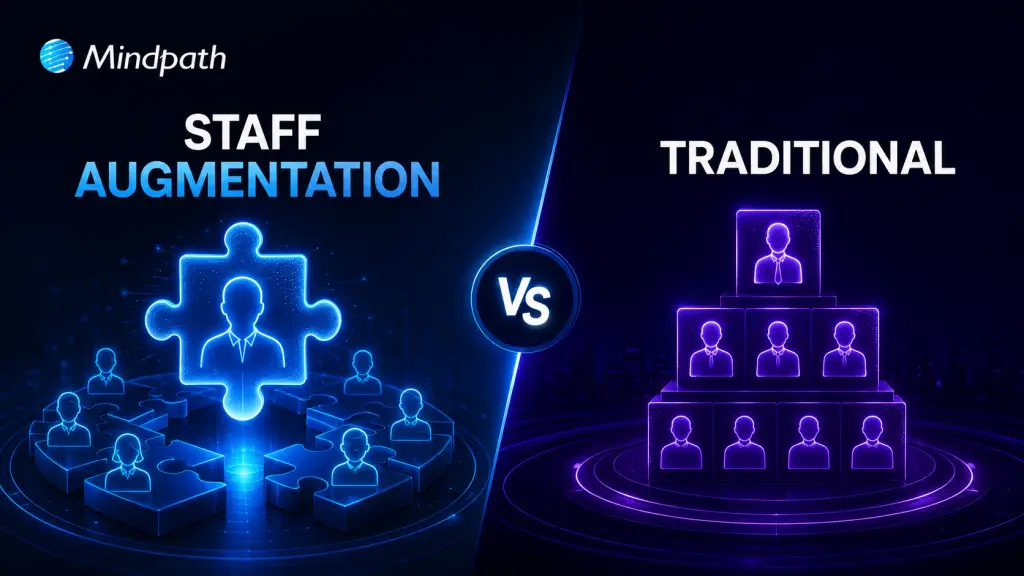
IT staff augmentation offers a flexible, scalable, and cost-effective alternative to traditional hiring models. It enables businesses to quickly access specialized talent, adapt to changing project needs, and optimize resource allocation without long-term commitments. This approach enhances operational efficiency, speeds up hiring processes, and supports strategic growth in dynamic markets.
Are you struggling to find the right talent for your IT projects or facing challenges with traditional hiring processes? Traditional hiring could take months, but what if there was a faster, more flexible solution? Now, with IT staff augmentation, you may satisfy your project goals fast and effectively without the long-term commitment and expense associated with traditional employment.
In today’s fast-changing business environment, companies need to scale quickly and adapt to project demands. IT staff augmentation allows businesses to add skilled professionals to their existing teams without long-term hiring commitments, making it easier to adjust resources as project needs change.
What are the traditional hiring models?
Traditional hiring models cover a range of techniques used by businesses to onboard new staff members. Here’s a short breakdown:
1. Direct Hiring
This is the most popular approach used by businesses to hire people directly for full- or part-time jobs. It includes posting job positions, evaluating applications, setting up interviews, and choosing job applicants.
2. Temporary Hiring
Businesses employ people to do certain tasks or for a set amount of time. Temporary hires are made by the company itself or through employment agencies to cover short-term positions like project-based labour or seasonal labour.
3. Contractual Hiring
Contractual hiring is employing individuals or businesses under a formal contract to do certain activities or projects. Contractors may labour for a certain amount of time until the project is finished, and they are normally compensated for their services in accordance with the conditions specified in the contract.
4. Freelancers or Independent Contractors
Businesses employ independent contractors or freelancers on a project-by-project basis. They work for themselves and supply specialized knowledge or services on demand, frequently from a distance. They are not employees.
Drawbacks of traditional hiring models
Despite being frequently employed, traditional employment strategies include several drawbacks that businesses need to consider:
1. Time and Resource Inefficiency
It might take a while and a lot of resources to advertise job positions, evaluate applications, hold interviews, and decide who gets hired. This inefficiency frequently leads to protracted spells of unemployment, which affects output and pushes back project deadlines.
2. Cost Implications
Conventional hiring includes indirect costs like pay, benefits, and overhead related to permanent workers in addition to direct expenditures like advertising, onboarding charges, and recruiting agency fees (if applicable). Budgetary constraints may be strained by these costs, especially if turnover rates are significant or if highly skilled personnel require premium pay.
3. Rigidity in Staffing
In traditional models, once employed, workers usually commit to long-term jobs that might not match project-specific requirements or changing corporate demands. This lack of adaptability may cause resources to be overextended during peak hours or underutilized during off-peak hours, which would reduce overall operating efficiency.
4. Skills and Expertise Gaps
Access to the knowledge or abilities required for specialized projects or cutting-edge technology could not always be ensured by traditional recruiting practices. Talent with specialized skills may be difficult for organizations to find and keep, which might impede innovation and competitiveness in quickly changing sectors.
Overview of IT Staff Augmentation
IT staff augmentation is a flexible outsourcing model that helps businesses quickly add skilled IT professionals to their existing teams. Instead of hiring full-time employees, companies bring in experts on a temporary or project basis to fill skill gaps and meet project goals. These professionals are typically hired through staffing agencies, freelancers, or direct contracts based on the specific expertise needed.
Key Benefits of IT Staff Augmentation
1. Flexibility and Scalability
Two key benefits of hiring more IT professionals are flexibility and scalability. IT staff augmentation lets companies quickly bring in skilled experts when needed without making long-term hiring commitments. This helps businesses adapt to changing project demands while keeping work on track. It also allows companies to scale their teams up or down as projects change, reducing costs and making it easier to expand into new markets when needed.
2. Cost-Effectiveness
Staff augmentation is a cost-effective way to access specialized talent without the high costs of traditional hiring. It reduces recruitment, onboarding, and long-term employee expenses like benefits and office space. Companies can also scale their workforce based on project needs, helping them manage budgets more efficiently.
3. Access to Specialized Talent
Access to specialized talent helps companies quickly bring in expertise they don’t have in-house. By hiring skilled professionals through agencies or direct contracts, businesses can handle technical or short-term projects without making long-term hires. This approach improves project outcomes, drives innovation, and helps companies stay competitive in fast-changing industries.
4. Faster Hiring Process
IT staff augmentation helps companies hire skilled professionals much faster than traditional recruitment. With access to pre-screened talent, businesses can quickly fill roles, start projects sooner, meet deadlines, and stay flexible while reducing hiring delays and maintaining quality.
Choosing Between IT Staff Augmentation and Traditional Hiring
| Criteria | IT Staff Augmentation | Traditional Hiring |
| Flexibility | High – Can scale up/down as needed | Low – Fixed, long-term commitments |
| Cost | Cost-effective, reduced overhead | Higher costs, including benefits and office space |
| Time to Hire | Fast – Quick onboarding with pre-vetted candidates | Slow – Lengthy recruitment and onboarding process |
| Access to Talent | Access to specialized, global talent quickly | Limited to available local talent |
| Project Adaptability | Easily adapt to changing project needs | Rigid, less adaptable to project changes |
| Commitment | Short-term or project-based | Long-term employment contracts |
Conclusion
In conclusion, IT staff augmentation helps businesses stay flexible, scale teams quickly, and access specialized talent without the commitment of traditional hiring. It improves efficiency, optimizes resources, and keeps companies competitive in a fast-changing market.
Whether you need to scale for a new project or hire specialized IT talent, Mindpath offers flexible staffing solutions tailored to your needs. Contact us today to learn how we can support your business.
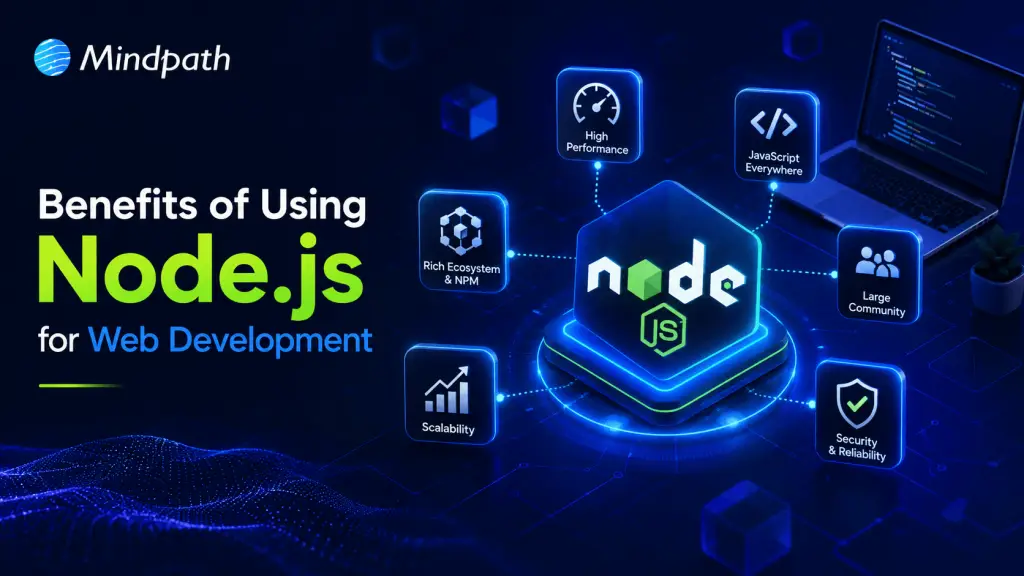
Node.js stands at the forefront of web development, seamlessly integrating frontend and backend tasks with its JavaScript foundation. Its event-driven architecture and expansive npm ecosystem enable rapid development of scalable applications. Backed by a thriving community, Node.js continues to redefine digital landscapes, making it the premier choice for innovative, high-performance web solutions.
Are you curious about the tools that power some of the most efficient and dynamic web applications today? If you’re in the web development space, you have probably heard of Node.js. But what makes Node.js stand out among the myriads of options available? Let’s explore why Node.js might just be the game-changer you’ve been searching for.
In this blog, let’s dive deep into the advantages of Node.js to uncover how it enhances application performance, scales seamlessly to meet growing demands, and streamlines development processes.
An Overview of Node.js
Node.js is a web development platform that is revolutionizing the way applications are developed and distributed on the internet. It is a standout force in the dynamic field of online development. Node.js, which leverages the widely used JavaScript language, enables developers to easily integrate the frontend and backend development processes. Node.js development services benefit from its lightweight, event-driven design, which is very useful in the modern digital environment.
It makes it possible to develop scalable, highly responsive apps that can manage several connections at once. Because of its effectiveness, Node.js is the best option for real-time applications where responsiveness is crucial, such chat platforms, online games, and collaboration tools. Additionally, Node.js encourages creativity by streamlining the development process. Its robust package and library ecosystem, made possible by npm (Node Package Manager), speeds up development and enables programmers to take advantage of pre-existing tools for a range of features. This feature improves web applications’ scalability and maintainability while also saving time and resources.
Key Benefits of using Node.js
1. High Performance
Node.js development services achieves great performance because of its non-blocking, event-driven architecture, which enables it to handle several requests concurrently without waiting for prior actions to finish. In real-time applications where responsiveness is essential, this efficiency is crucial. Node.js translates JavaScript straight into machine code by using the V8 JavaScript engine, which is well-known for its speed and optimization. This leads to quicker execution times.
The core of Node.js’s ability to provide great performance across a range of applications is this Google-developed engine. For example, Node.js is used by PayPal and LinkedIn because it can easily handle large amounts of traffic and provides real-time updates.
2. Scalability
Node.js excels in scalability because of its unique architecture and features designed for large-scale applications. Because of its event-driven, non-blocking architecture, Node.js servers can process several requests at once without experiencing I/O operation blocking. Applications that need to manage massive data streams in real-time or serve a high number of concurrent users must have this capacity.
Node.js is lightweight and efficient, allowing it to scale horizontally across multiple cores or servers, enhancing its scalability. Because Node.js is an asynchronous programming language, developers may leverage its ease of deployment across distributed systems to maximize resource consumption and maintain excellent performance even under severe loads.
3. Efficient Development Process
By using JavaScript for both frontend and backend development, Node.js streamlines the development workflow and lowers the learning curve for developers who are already familiar with JavaScript, enabling an efficient development process.
By writing code for the complete stack using a single language, developers can increase code reuse and reduce the amount of time they spend moving between multiple programming languages.
The strong npm (Node Package Manager) module ecosystem of Node.js is another element that makes development easier. A sizable collection of reusable tools and libraries that make typical development tasks easier are provided by npm. Third-party modules are simple for developers to incorporate into their projects, which shortens development timeframes and eliminates the need to create essential features from scratch.
4. Rich Ecosystem
Node.js has a rich ecosystem, which increases its attractiveness and usability in modern web development. The largest open-source library ecosystem in the world, npm (Node Package Manager) is at the center of this ecosystem. With more than a million packages, modules, and tools covering almost every facet of application development, npm provides developers with an extensive repository.
With the help of this large library of npm packages, developers may speed up development processes by using pre-made solutions for typical tasks like database integration, testing frameworks, UI components, and authentication.
5. Strong Community Support
Strong community support is one of Node.js’s greatest assets and is essential to its expansion, uptake, and continuous improvement. This dynamic group of contributors, enthusiasts, and developers works together to enhance Node.js, exchange information, and offer helpful resources to other developers.
The accessibility and inclusion of the Node.js community is one of its main advantages. Developers of all skill levels, from beginners to seasoned professionals, are welcomed and encouraged to participate. A large number of people contribute to the ecosystem by making npm packages, frameworks, tools, and instructional materials. This collaborative effort ensures that Node.js remains innovative, responsive to industry trends, and capable of addressing evolving development challenges.
Case Study and Success Stories
Node.js development service has shown its mettle in a number of well-known applications, showcasing its adaptability and reliable performance in a variety of sectors.
Walmart, a massive retailer, is the subject of an interesting case study. The company used Node.js to improve its online shopping experience. By choosing to hire Node.js developers for their backend services, Walmart improved page load speeds and overall site performance, which raised consumer happiness and increased sales conversions
Similarly, Netflix has streamlined its content delivery systems with Node.js, guaranteeing millions of consumers globally a flawless streaming experience. These triumphs demonstrate the tactical benefit of working with a professional Node.js development services firm. Through these collaborations, companies may efficiently utilize Node.js’s capabilities, utilizing its event-driven, non-blocking design to create scalable, high-performance apps that satisfy the demands of the contemporary digital landscapes.
How to Hire Node.js Developer
1. Define Project Requirements
Clearly outline the skills and experience needed, such as JavaScript proficiency, knowledge of asynchronous programming, and experience with frameworks like Express.js. Understanding why hire NodeJS developers can help ensure you bring in the right talent to leverage these skills for your project’s success.
2. Draft a Detailed Job Description
Highlight the required technical skills and any additional qualifications, including database management or API development experience.
3. Conduct Thorough Technical Interviews
Assess problem-solving abilities, Node.js knowledge, and hands-on skills through technical interviews and coding challenges.
4. Evaluate Cultural Fit and Communication Skills
Ensure candidates can collaborate effectively and fit well with your team dynamics, especially if working in a remote environment.
5. Check References and Past Work
Validate reliability and performance by checking references and reviewing past work experiences.
Conclusion
Conclusively, Node.js emerges as a key component of contemporary web development, presenting unmatched advantages including high performance, scalability, a productive development process, an extensive ecosystem, robust community support, and proven performance in the real world. Node.js stays ahead of the curve as web development patterns change over time, adding new features and developing its ecosystem. Adopting Node.js enables companies to develop and prosper in a cutthroat online marketplace while also ensuring reliable and scalable systems.
At Mindpath, we specialize in leveraging Node.js to drive transformative solutions for businesses of all sizes. Whether you’re looking to optimize performance, scale your applications, or innovate with new features, our expertise in Node.js development services can empower your digital journey. What are you waiting for? Contact us today to explore how we can help you harness the full potential of Node.js.
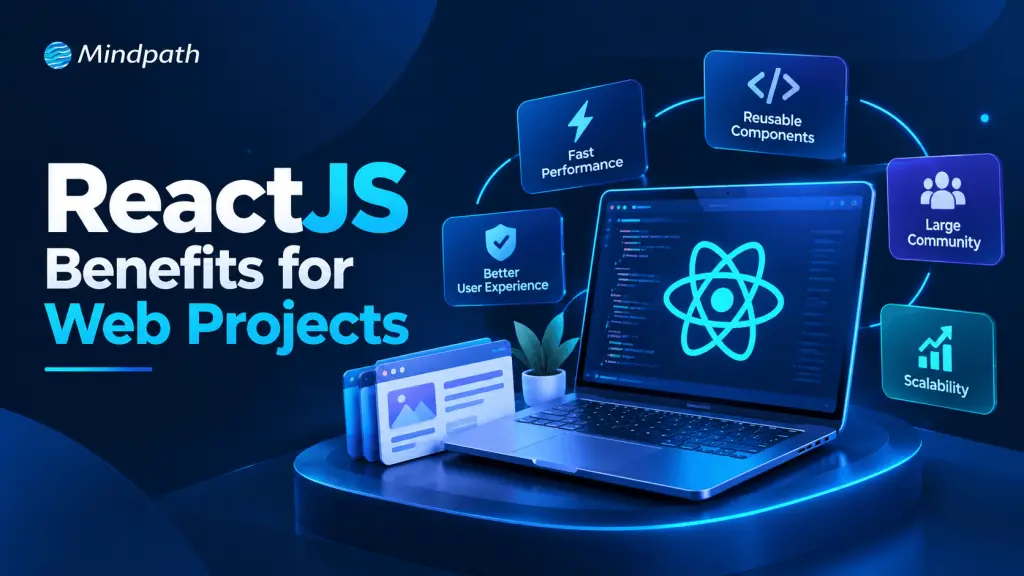
Choosing the right technology is essential for building a website or web application that delivers a smooth user experience and supports business growth. ReactJS is a popular JavaScript library that helps developers create interactive, flexible, and maintainable user interfaces.
Key Takeaways
- 01
ReactJS enables developers to build interactive and dynamic user interfaces. - 02
Reusable components help reduce development time and simplify maintenance. - 03
React supports scalable web applications through its modular architecture. - 04
Server-side rendering and static generation can improve content accessibility for search engines. - 05
React integrates with APIs, third-party tools, and other development technologies.
From e-commerce websites to SaaS platforms and enterprise applications, ReactJS supports different types of web projects. Its reusable components, flexible architecture, and extensive ecosystem make it a practical choice for businesses that want to build modern digital products.
In this guide, we explore the top 10 ReactJS benefits for web projects, including performance, scalability, SEO capabilities, and development efficiency.
Planning your next web project? Connect with Mindpath to discuss your requirements and explore a ReactJS solution aligned with your business goals.
What is ReactJS?
ReactJS, commonly called React, is an open-source JavaScript library maintained by Meta and the React community. It is designed to build user interfaces using reusable components.
Instead of creating an entire interface as one large unit, developers can divide it into smaller elements such as navigation bars, product cards, forms, dashboards, and buttons.
React is commonly used to build single-page applications (SPAs), e-commerce platforms, SaaS products, interactive dashboards, and enterprise web applications.
According to the official React documentation, developers can combine individual components to create complete application screens and user interfaces.
Top 10 ReactJS Benefits for Web Projects
1. Improved User Interface Performance
Performance is an important factor in delivering a positive user experience. React updates the interface when application data changes and uses reconciliation to determine which parts of the UI need updating.
This approach can help developers build responsive applications with interactive features.
For example, an e-commerce website can use React to update product filters, shopping cart quantities, and product information without requiring a full-page reload for every interaction.
However, actual performance depends on factors such as component design, JavaScript bundle size, API response times, and rendering strategy.
2. Reusable Components for Faster Development
One of the major ReactJS benefits for web projects is its component-based architecture.
Developers can create reusable components and use them across different pages or sections of an application. Common examples include:
- Navigation menus
- Contact forms
- Product cards
- Pricing tables
- Buttons and call-to-action sections
- Dashboard widgets
Reusing components reduces repetitive coding and helps maintain a consistent design. It can also simplify updates because a shared component can be improved without separately rebuilding every instance.
3. Better Scalability for Growing Applications
Businesses often need to expand their websites as their products, services, and customer requirements grow.
React’s modular structure helps developers organize interfaces into manageable components. This makes it easier to introduce new features, update existing sections, and maintain larger applications.
For example, a SaaS business can begin with a basic dashboard and later add reporting, user management, billing, and integrations.
Scalability still requires good architecture, efficient data management, testing, and appropriate infrastructure.
4. SEO Support Through Server-Side Rendering
Search engine visibility is important for websites that depend on organic traffic. React can support SEO-friendly implementations through server-side rendering (SSR) and static site generation (SSG), depending on the framework and project setup.
These approaches can deliver meaningful HTML content to the browser before client-side JavaScript finishes executing.
For SEO, developers should also ensure that important content, titles, meta descriptions, canonical tags, internal links, and structured data are implemented correctly.
Important: React does not automatically improve search rankings. SEO performance depends on crawlability, indexability, content quality, rendering, page experience, and other ranking factors.
5. Strong Ecosystem and Community Support
React has an extensive ecosystem of libraries, development tools, learning resources, and community contributions.
Developers can use suitable tools for routing, forms, testing, state management, UI design, and performance analysis.
This ecosystem helps teams solve common development problems and choose tools that fit their project requirements.
Businesses should still evaluate library maintenance, compatibility, security, and long-term support before adding third-party dependencies.
6. Flexibility for Different Types of Projects
React is not limited to a specific industry or website type. It can be used to develop:
- E-commerce platforms
- SaaS applications
- Business dashboards
- Educational portals
- Healthcare applications
- Customer relationship management systems
- Interactive web portals
Its flexibility allows development teams to build interfaces that match different business goals.
React can also work alongside existing back-end technologies, databases, and APIs, making it suitable for projects with varied technical requirements.
7. Easier Maintenance and Code Management
Maintaining a website becomes more challenging as its features increase. React’s component-based approach helps developers separate interface elements into smaller, manageable units.
When a specific section requires an update, developers can often work on the relevant component rather than modifying the entire interface.
Clear component responsibilities, reusable logic, consistent coding standards, and automated testing further improve maintainability.
For businesses, this can make ongoing updates, bug fixes, and feature improvements more manageable.
8. Integration With APIs and Third-Party Services
Modern web applications often rely on external services for payments, customer management, analytics, authentication, and other business functions.
React can connect with APIs to display dynamic data and support interactions between the user interface and back-end systems.
For example, a business dashboard can retrieve sales data from an API and present it through interactive charts and reports.
Secure integration requires appropriate authentication, data validation, authorization, and server-side protection. Sensitive credentials should not be exposed in front-end code.
9. Support for Mobile App Development
Businesses that want both web and mobile applications may also consider React Native.
React and React Native share some development concepts, including component-based design, but they serve different purposes. React is used for web interfaces, while React Native is designed for native mobile applications.
Some business logic and development knowledge may be reusable across the two platforms, although web components cannot automatically be used as native mobile components.
This relationship can help organizations plan a broader digital product strategy while selecting the appropriate technology for each platform.
10. Helpful Developer Tools and Debugging
React Developer Tools helps developers inspect component hierarchies and understand how React applications behave.
These tools can support troubleshooting, component analysis, and performance investigation.
Combined with browser developer tools, testing frameworks, and monitoring solutions, they help development teams identify problems and improve application quality.
For businesses, effective debugging and testing can reduce maintenance difficulties and support more reliable releases.
When Should You Choose ReactJS for Your Web Project?
ReactJS is a strong option when your project requires interactive interfaces, reusable components, frequent UI updates, or a flexible architecture.
It can be particularly useful for:
- SaaS products: Interactive dashboards, user accounts, and subscription management.
- E-commerce websites: Product filtering, cart interactions, and dynamic shopping experiences.
- Enterprise applications: Modular interfaces for complex business workflows.
- Customer portals: Personalized information and self-service functionality.
- Data-driven platforms: Dashboards that display frequently updated information.
For simple, mostly static websites, a traditional or static-site approach may be more cost-effective. The best technology depends on the project’s functionality, budget, performance requirements, team expertise, and maintenance needs.
How Can MindpathTech Help With ReactJS Development?
Choosing ReactJS is only one part of building a successful web application. Businesses also need the right architecture, user experience, security practices, performance optimization, and ongoing support.
Mindpath provides ReactJS development services to help businesses build custom web applications based on their requirements.
Whether you are developing a SaaS platform, upgrading an existing application, or building an interactive business portal, an experienced development team can help evaluate your requirements and select an appropriate implementation strategy.
Conclusion
The ReactJS benefits for web projects make it a practical technology for businesses seeking interactive, flexible, and maintainable web applications. Reusable components, a broad ecosystem, and support for different rendering strategies provide developers with useful options for building modern digital experiences.
However, the success of a ReactJS project depends on more than the technology itself. A clear development strategy, user-focused design, strong technical implementation, and ongoing optimization are essential for achieving business goals.
If you are planning to build or upgrade a web application, explore how Mindpath’s ReactJS development expertise can help turn your requirements into a scalable digital solution.
Businesses today must make decisions faster while managing changing customer expectations, market competition, and operational challenges. Traditional decision-making methods often rely on historical reports, manual analysis, and individual experience. Although these methods remain valuable, they may not provide the speed and insights businesses need in a rapidly changing market.
Key Takeaways
- 01
AI helps businesses analyze data, automate routine decisions, and identify patterns. - 02
Predictive analytics helps organizations forecast demand, customer behavior, and potential risks. - 03
Cloud computing enables teams to access business information and collaborate more efficiently. - 04
IoT and digital twins support real-time monitoring and operational planning. - 05
Cybersecurity and responsible AI practices are essential for trustworthy decisions.
This is where upcoming technologies are creating new opportunities. Artificial intelligence (AI), predictive analytics, cloud computing, the Internet of Things (IoT), and digital twins are helping organizations analyze information, identify risks, and make more informed decisions.
Looking to Make Smarter Business Decisions? Discover how AI, predictive analytics, and modern software solutions can help your team improve efficiency and identify new opportunities.
In 2026 and beyond, businesses can gain a competitive advantage by combining these technologies with reliable data, human expertise, and clear business objectives.
1. Artificial Intelligence and Machine Learning
Artificial intelligence and machine learning are among the most influential upcoming technologies for business decision-making. They enable organizations to analyze large datasets, recognize patterns, and generate recommendations that support strategic planning.
For example, a retail company can use AI to understand purchasing behavior, forecast product demand, and recommend suitable inventory levels. Similarly, a financial services company can identify unusual transactions and assess potential risks.
Machine learning models can also improve their predictions as they receive relevant, high-quality data and are properly evaluated.
Business benefits:
- Faster data analysis and reporting
- Improved demand forecasting
- Better customer personalization
- Early identification of potential risks
Businesses should remember that AI recommendations depend on data quality, model performance, and the context in which they are used. Human review remains important for high-impact decisions.
2. Predictive Analytics and Advanced Data Analytics
Predictive analytics uses historical data, statistical techniques, and machine learning to estimate what may happen in the future. It helps businesses move beyond understanding past performance toward anticipating possible outcomes.
For example, a manufacturing company can predict equipment maintenance requirements before a breakdown occurs. A marketing team can estimate which customer segments are more likely to convert, helping it allocate campaign budgets more effectively.
Advanced analytics can also help leadership teams compare different scenarios before investing in a new product, entering a market, or changing prices.
Business benefits:
- More informed strategic planning
- Better resource allocation
- Reduced operational uncertainty
- Improved sales and demand forecasting
To get reliable results, organizations need accurate data, appropriate analytical models, and regular performance monitoring.
3. Generative AI and Agentic AI
Generative AI creates content, summarizes information, and answers questions using patterns learned from data. Businesses can use it to summarize reports, analyze customer feedback, prepare research briefs, and support internal knowledge management.
Agentic AI takes this further by enabling AI systems to plan and execute sequences of tasks toward a defined goal, within configured permissions and safeguards.
For example, an AI agent could monitor inventory data, identify a potential shortage, compare approved supplier options, and recommend a purchase order for human approval.
These capabilities can reduce manual work and help teams respond more quickly to changing conditions. However, autonomous actions require clear permissions, monitoring, and escalation rules.
Business benefits:
- Faster access to business insights
- Automated routine workflows
- Improved internal knowledge sharing
- More efficient operational planning
Businesses should begin with low-risk use cases and measure accuracy, time savings, and business outcomes before expanding AI automation.
4. Cloud Computing and Real-Time Data Platforms
Cloud computing allows businesses to access computing resources, applications, and data over the internet without managing all infrastructure themselves.
Cloud-based platforms help organizations bring information from different departments into a more accessible environment. Decision-makers can review sales performance, financial indicators, customer activity, and operational metrics without waiting for multiple manual reports.
When combined with real-time data processing, cloud platforms can support faster responses to changing business conditions.
For example, an e-commerce business can monitor product demand and inventory levels across locations and adjust replenishment plans when necessary.
Business benefits:
- Flexible and scalable infrastructure
- Easier access to business information
- Improved collaboration across teams
- Faster reporting and operational responses
Businesses must also consider cloud costs, access controls, data privacy, and integration with existing systems.
5. Internet of Things (IoT)
The Internet of Things connects physical devices, sensors, and equipment to systems that collect and exchange data. This allows businesses to monitor operations and use real-time information to make decisions.
For example, logistics companies can use connected sensors to monitor vehicle locations and shipment conditions. Manufacturers can track equipment performance and detect unusual operating patterns.
IoT data becomes more valuable when combined with analytics and AI, allowing organizations to identify problems and respond before they significantly affect operations.
Business benefits:
- Real-time operational visibility
- Predictive maintenance
- Improved supply chain monitoring
- Better asset utilization
Successful IoT adoption requires reliable connectivity, secure devices, effective data management, and integration with business applications.
6. Digital Twins and Business Simulation
A digital twin is a virtual representation of a physical asset, process, or system that uses relevant data to reflect its condition and behavior.
Businesses can use digital twins to understand performance, test scenarios, and evaluate potential changes before implementing them in the real world.
For example, a manufacturing company can simulate production-line changes to estimate their impact on output, costs, and equipment utilization. A logistics organization can model warehouse operations to identify potential bottlenecks.
Digital twins can help decision-makers compare alternatives without immediately changing live operations.
Business benefits:
- Better operational planning
- Scenario testing and simulation
- Early identification of inefficiencies
- Improved maintenance and resource planning
The accuracy of a digital twin depends on the quality, frequency, and relevance of the data used to maintain it.
7. Business Intelligence and Decision Intelligence
Business intelligence (BI) tools transform business data into dashboards, reports, and visual insights. Decision intelligence combines data, analytical methods, business rules, and decision processes to help organizations choose appropriate actions.
For example, a management team can use BI dashboards to track revenue, customer acquisition costs, and sales performance. Decision intelligence can help the team evaluate different pricing strategies or identify which business actions are most likely to achieve a defined objective.
These technologies are particularly useful when organizations need to connect insights with practical decisions rather than simply produce more reports.
Business benefits:
- Clearer performance monitoring
- Faster identification of business trends
- Better comparison of possible actions
- Improved alignment between data and business goals
Organizations should establish consistent performance metrics and ensure that decision-makers understand the assumptions behind analytical recommendations.
8. Cybersecurity and Responsible AI Governance
As businesses adopt more connected and intelligent systems, protecting information becomes essential. Cybersecurity technologies help detect suspicious activity, manage access, and reduce the risk of unauthorized data use.
Responsible AI governance complements cybersecurity by establishing policies for data use, model evaluation, human oversight, and accountability.
For example, a company using AI to evaluate customer applications should test its system for accuracy and unfair outcomes, protect sensitive information, and provide appropriate human review.
Business benefits:
- Better protection of business data
- Reduced technology and compliance risks
- More accountable AI-assisted decisions
- Greater trust among customers and employees
Security and governance should be included during technology planning rather than added after implementation.
How Can Businesses Adopt Upcoming Technologies Successfully?
Adopting every new technology is neither practical nor necessary. Businesses should select solutions based on their current challenges, available resources, and long-term goals.
A practical adoption strategy includes these steps:
1. Identify a business problem
Determine whether the priority is reducing costs, improving customer experience, forecasting demand, or increasing productivity.
2. Evaluate data readiness
Check whether the required data is accurate, accessible, secure, and sufficiently complete.
3. Choose a suitable technology
Compare solutions based on functionality, integration, scalability, security, and total cost of ownership.
4. Start with a pilot project
Test the solution in a limited business process before deploying it across the organization.
5. Measure performance
Track relevant indicators such as decision time, forecast accuracy, operating costs, error rates, or customer conversion.
6. Scale responsibly
Expand successful projects while maintaining employee training, security controls, and regular performance reviews.
The goal is not simply to introduce new software. It is to improve the quality, speed, and consistency of business decisions.
The Future of Technology-Driven Business Decision-Making
The future of business decision-making will increasingly depend on connected data, intelligent automation, and systems that help organizations understand possible outcomes.
Recent industry analysis from Gartner highlights AI agents, stronger data context, and integrated data and analytics platforms as important developments for 2026. These trends indicate that businesses are moving beyond isolated analytics tools toward more connected decision-making systems.
However, technology alone does not guarantee better decisions. Organizations still need reliable data, skilled employees, transparent processes, and clear accountability.
Businesses that combine technological innovation with practical planning will be better positioned to respond to market changes, identify opportunities, and make informed strategic choices.
Conclusion
Upcoming technologies are changing how businesses collect information, evaluate risks, forecast outcomes, and plan for growth. AI, predictive analytics, cloud computing, IoT, digital twins, and decision intelligence each offer different opportunities to improve business performance.
The right approach is to begin with a clear business objective, select a suitable technology, and measure its impact before scaling.
Mindpath helps businesses explore and develop technology solutions aligned with their operational needs and digital transformation goals. If your organization is planning to modernize its systems or build AI-powered applications, connect with our team to discuss your requirements.
Businesses are constantly looking for smarter ways to improve customer experience, reduce operational costs, and deliver faster services. This is where conversational AI is becoming increasingly important. From answering customer questions to automating business workflows, AI-powered conversations are changing how companies interact with customers.
Key Takeaways
- 01
Agentic AI is helping businesses automate multi-step tasks beyond answering questions. - 02
AI chatbots are becoming more personalized and context-aware. - 03
Voice AI and multilingual assistants are improving customer communication. - 04
Multimodal AI enables systems to understand text, voice, images, and documents. - 05
Data privacy, human supervision, and reliable responses remain essential for successful AI adoption.
The conversational AI trends for 2026 focus on more intelligent, personalized, and action-oriented experiences. Unlike traditional chatbots that follow predefined scripts, modern conversational AI solutions can understand natural language, use business information, and support more complex requests.
Want to automate workflows, improve decision-making, and accelerate business growth with AI? At Mindpath, our AI development services help businesses build intelligent, scalable solutions aligned with their goals.
For example, an AI assistant can help a customer compare products, check an order status, and initiate a support request within the same conversation.
Let’s explore seven conversational AI trends businesses should understand in 2026.
7 Major Conversational AI Trends for 2026
1. Agentic AI Is Moving Beyond Traditional Chatbots
One of the biggest conversational AI trends in 2026 is the growing use of agentic AI. Traditional chatbots mainly answer questions, while AI agents can work toward a goal by completing multiple connected tasks.
For example, an AI agent in an e-commerce business could check product availability, recommend alternatives, retrieve order information, and initiate a return request.
Businesses can use agentic AI to automate customer support, sales assistance, appointment scheduling, and internal operations. However, sensitive actions should include appropriate permissions, verification, and human approval.
2. Personalized AI Conversations Are Becoming More Important
Customers expect businesses to understand their needs instead of providing generic responses. AI-powered virtual assistants can use permitted customer information, conversation history, and preferences to deliver more relevant support.
For example, an online shopping assistant can recommend products based on a customer’s stated budget and preferences. A banking assistant can explain relevant account services after securely verifying the customer.
This trend can improve customer engagement, satisfaction, and conversion opportunities. Businesses should use personalization responsibly, follow data protection requirements, and avoid collecting unnecessary personal information.
3. Voice AI Assistants Are Improving Customer Support
Voice AI assistants are making it easier for customers to interact with businesses without typing messages or navigating complicated menus.
Modern voice AI can recognize spoken language, understand requests, and generate spoken responses. Depending on the system, it can also transfer conversations to human agents when necessary.
Businesses can use voice AI for appointment booking, frequently asked questions, order updates, and after-hours customer support.
As speech recognition and response generation improve, companies can create more natural voice experiences. However, accuracy, background noise, accents, and response delays still need careful testing.
4. Multimodal Conversational AI Is Expanding
Multimodal AI allows systems to process different types of information, including text, voice, images, and documents. This makes conversational AI more useful for situations where customers need to share more than a written question.
For example, a customer can upload a product image and ask for similar items. A technical support assistant could analyze a screenshot of an error message and suggest troubleshooting steps.
These conversational AI applications can support retail, healthcare administration, education, manufacturing, and IT services.
Businesses adopting multimodal AI should evaluate data accuracy, file security, accessibility, and the limitations of AI-generated answers before deploying it at scale.
5. Generative AI Chatbots Are Becoming More Context-Aware
Generative AI chatbots use large language models (LLMs) to understand questions and produce natural-language responses. In 2026, businesses are increasingly interested in connecting these systems to approved company information.
One useful approach is retrieval-augmented generation (RAG). It retrieves relevant information from trusted sources before generating an answer.
For example, a customer support chatbot can use a company’s product documentation, return policies, and FAQs to answer questions more accurately.
This approach can reduce unsupported answers, provided the underlying information is reliable and the system retrieves the correct sources. Regular content updates, testing, and monitoring remain essential.
6. Multilingual Conversational AI Is Supporting Global Businesses
Businesses serving international customers need to communicate across different languages and regions. Multilingual conversational AI can help customers receive support in their preferred language.
For example, an online service provider can use an AI assistant to answer common questions in English, Hindi, Spanish, or other supported languages.
This can improve accessibility and help businesses provide consistent support across markets.
However, translation quality, cultural context, regional terminology, and language-specific testing are important. Human review may be necessary for legal, financial, medical, or other high-impact conversations.
7. AI Security and Human-AI Collaboration Are Becoming Priorities
As conversational AI becomes more closely connected to business systems, security and accountability become increasingly important.
Organizations need to protect customer data, control system access, monitor AI responses, and establish clear escalation processes. Human supervision is especially important when an AI system handles sensitive information or makes decisions that could significantly affect customers.
For example, a customer service chatbot can answer routine questions automatically while transferring billing disputes or unusual requests to a human representative.
The most effective conversational AI strategy is not always full automation. It is a balanced approach that combines AI efficiency with human judgment, transparent processes, and measurable business outcomes.
How Can Businesses Prepare for Conversational AI in 2026?
Businesses should begin by identifying repetitive customer interactions and workflows that could benefit from automation.
A practical implementation approach includes:
- Identify use cases: Start with FAQs, lead qualification, appointment booking, or order tracking.
- Choose the right technology: Evaluate conversational AI platforms based on integration, accuracy, scalability, and cost.
- Connect reliable data: Use approved company information to provide relevant answers.
- Protect customer information: Implement access controls, privacy safeguards, and appropriate human oversight.
- Measure performance: Track resolution rate, response time, customer satisfaction, qualified leads, and cost per interaction.
Starting with a focused use case makes it easier to measure results before expanding conversational AI across the organization.
Conclusion
The conversational AI trends for 2026 highlight a shift from simple question-answering chatbots toward intelligent assistants that understand context, support multiple communication channels, and help complete business tasks.
Agentic AI, voice assistants, personalization, multimodal capabilities, and secure AI integration offer businesses new opportunities to improve customer experiences and operational efficiency.
However, successful implementation depends on more than choosing an advanced AI model. Businesses also need reliable data, thoughtful workflows, strong security, and clear performance goals.
Eliza, the first ever publicly demonstrated chatbot, was created using a rule-based approach in the 1960s. With the onset of artificial intelligence and big data, these chatbots have now become advanced with capabilities like providing information and feedback, clear doubts, etcetera, and are transforming the face of education in the best possible way.
Artificial intelligence (AI) provides advanced education solutions and is being leveraged at scale by various institutions to achieve their digital transformation goals. This is evident with the growing demand for AI-driven online learning platforms with AI in education market revenue unanticipated to cross $20billion by 2027.
AI Chatbots In Education – The Need Of The Hour.
In a 2016 interview, Microsoft founder Bill Gates pointed out the relevance of AI in improving the quality and effectiveness of personalized teaching approaches.
“The idea that you could talk to an [virtual] advisor that would understand different misconceptions and arbitrary linguistics around it, that’ll certainly come in the next decade. And they’ll be a very nice supplement”– Bill Gates.
Truly so, after almost half a decade, AI chatbots are being instrumental in helping institutions provide interactive, streamlined, and personalized learning environments for students.
Conversational AI or AI chatbots are a subset of AI solutions. It is constantly explored to fill the gaps between teaching and learning, and achieve seamless education at all levels.
How do AI Chatbots Help In Teaching And Learning?
AI chatbots use natural language processing(NLP) to decode the intent and keywords according to a specific algorithm, and perform a set of functions.
NLP is among the most promising branches of AI which uses data science to facilitate interaction of humans and computers. The effectiveness of NLP in making computers as smart as people, fueled its growth, with the NLP market anticipated to reach $28.6 billion in 2026.
The AI chat bot processes a set of commands to understand the questions and offer appropriate answers to the same. It can either be in the form of text, or audio-video, pictures, etc. In the educational realm, this proves to be an interactive way for institutions, both online and offline, to create intuitive and interactive classrooms.
Impact of AI Chatbots on Education
The new-age technology has seemingly replaced the physical library with search engines and created virtual classrooms that have students from different parts of the world.
Apart from these visible technological advancements, conversational AI is also driving the future of eLearning and has already shown signs of transformation in the education realm. As students gain more easy access to high-speed internet and mobile devices, the use-cases of such modern technology also increase.
Let us now look at how AI chatbots are changing the landscape of the traditional education system.
1. Enhanced Personalized Learning
Personalized learning promotes self-advocacy skills in students. It helps them to focus on their flaws and empower their skills. It involves creating a learning structure that is tailored to each student’s abilities in a way that motivates them. This way, teachers can ensure every student learns together but at their learning rate.
However, in a traditional classroom, providing such assistance can be an excruciating task for the teachers. With AI-enabled chatbots, it is easy to optimize teaching as per the learning abilities of each student. It ensures every student continues to follow the curriculum but at their own pace.
AI chatbots interact with students and understand their specific needs via a set of standard text, audio, and video messages. These chatbots use their inference to create a personalized curriculum that matches their needs.
2. Smart And Quick Feedback
Feedback whether from a student or a teacher is effective only if it specifically addresses the areas of improvement. Conventionally, feedback would be in the form of written applications or online forums that take time to process and produce relevant results.
With the power of AI, an interactive way to understand the point of view of a student or teacher through surveys is now possible. The AI chatbot automatically cumulates and analyses the responses and publishes the results, making the whole process simple and fast. It provides results on time which the institutions can use to amend their teaching or administrative ways.
For students, detailed feedback from teachers is a comprehensive way to explore their inner strengths and flaws as a learner. For teachers, such feedback is an effective means to understand their student’s expectations and improve their teaching methods accordingly.
3. Improved Student Engagement
Effective student engagement involves developing the knowledge absorbing skills of students by imbibing a positive thirst to learn new things. AI chatbots break the long lectures into small text or interactive media messages so that it looks like a virtual chat room. This way the tedious lecturers transform into an interactive learning experience.
Many universities have deployed chatbots to streamline student-teacher communication.
For instance, the University of Murcia, Spain rolled out AI chatbots to answer queries from students regarding matters of campus and field of study. The chatbot successfully answered with 91% accuracy to around 38,708 questions.
4. Better Teaching Assistance
AI chatbots are dedicated virtual teaching assistants that are available 24/7 to help students with clearing the concepts. It also helps teachers to evaluate test papers and detect plagiarism and grammar issues.
With AI chatbots, teachers can optimize their tasks and leverage the time in creating strategies that impart quality education to their students.
5. Better Student Support
As technology advances, AI chatbots are being trained to provide more personalized counseling sessions to students and guide them to choose the best course. The AI chatbots mainly focus on three factors responsible for higher student persistence as perceived by Vincent Tinto, University Professor of Sociology (emeritus) at Syracuse University- students’ self-efficacy, sense of belonging and perceived value of the curriculum.
AI chatbots with human monitoring can also be used for improving on-campus mental health counseling, and help students manage their stress efficiently.
Bottom Line
The education industry is now witnessing a major paradigm shift from traditional ways of teaching. Even though no AI chatbot can replace a passionate and dedicated teacher, it can surely improve the quality of the overall learning experience.
Choosing the right chatbot is crucial in determining the effectiveness of AI-based tutoring. eBotify has all the elements that make it a perfect choice to deploy as a virtual administrative, teaching, and student assistant.
Contact us with your requirements and our technical team will provide the solutions for you right away!
Join our Newsletter!
categories
Join the world's largest training library and unlock new opportunities!
Featured Posts
Turn Insights Into
Real Business Solutions
Exploring trends is only the beginning. Whether you’re planning AI adoption, modernizing legacy systems, or building scalable software, our experts help transform ideas into practical business outcomes.