
Latest Insights On

GenAI, Tech, and Digital Transformation 

Stay updated with expert insights, success stories, and real-world applications of cutting-edge technology.

AI Integration Cost

AI integration cost is rarely a fixed figure. It depends on the use case, existing technology stack, data readiness, integrations, security requirements, and business scale. A simple AI feature connected through an existing API can require a very different budget than a complex enterprise AI system spanning multiple applications, data sources, and workflows.

Key Takeaways

  • 01
    AI integration budgets vary based on use case, data readiness, integrations, security, infrastructure, and business scale.
  • 02
    Initial development costs are only part of the investment required to operate AI systems successfully.
  • 03
    Data preparation, legacy integrations, security, API usage, and infrastructure can create unexpected expenses.
  • 04
    Recurring costs include model usage, cloud resources, monitoring, maintenance, optimization, and technical support.
  • 05
    Phased implementation and continuous cost monitoring can help businesses manage AI spending and reduce budget overruns.

The initial development budget is only part of the equation. Model usage, cloud infrastructure, monitoring, maintenance, security, and ongoing optimization can continue adding costs after deployment. For technology leaders, understanding these factors early helps prevent unrealistic estimates and poorly scoped AI initiatives. In this blog, we break down the key costs businesses should consider when planning AI integration in 2026.

Not sure what your AI integration could cost?

We help businesses scope AI projects, identify cost drivers, and plan practical implementation strategies.

Plan Your AI Integration →

What is Included in AI Integration Cost?

AI integration involves more than connecting an AI model to an existing application. The overall budget covers the technical work required to make the system useful, secure, reliable, and compatible with existing business processes. The scope can include several layers, depending on the project.

Common one-time costs include:

1. Discovery and Architecture

Defining the use case, technical architecture, workflows, and integration requirements.

2. Data Preparation

Cleaning, structuring, transforming, and connecting the data required by the AI system.

3. Development and Integration

Connecting AI capabilities with applications, databases, APIs, CRM, ERP, or internal tools.

4. Testing and Deployment

Validating accuracy, security, performance, and reliability before production use.

These initial costs are only one part of the budget. Businesses also need to account for recurring expenses such as model or API usage, cloud infrastructure, monitoring, maintenance, security updates, and ongoing optimization.

How Much Does AI Integration Cost in 2026?

There is no standard price for AI integration. The budget changes significantly based on the number of systems involved, data complexity, security requirements, user volume, and the level of customization required. The ranges below can serve as practical planning estimates.

Business / Project Scale Typical 2026 Budget Common Scope Cost Complexity
Small AI Integration $10K–$30K AI chatbot, single API, basic workflow automation Low
Mid-Size Integration $30K–$100K Multiple APIs, document processing, custom workflows Moderate
Complex AI Implementation $100K–$250K+ Advanced data pipelines, custom AI workflows, several business systems High
Enterprise AI $250K–$1M+ Large-scale AI platforms, governance, security, multiple departments Very High

These figures are illustrative planning ranges, not fixed market prices. A mid-size project with clean data and existing infrastructure could cost less than a smaller project involving legacy systems, complex integrations, or strict security requirements.

What Factors Increase AI Integration Cost?

Several technical factors can significantly change the final project budget. The complexity often comes from the environment surrounding the AI rather than the model itself.

1. Data Readiness

Incomplete, inconsistent, or poorly structured data requires additional engineering before it can support reliable AI workflows.

2. Integration Complexity

Connecting AI with CRMs, ERPs, databases, internal applications, legacy systems, and third-party APIs increases development effort.

3. Model Requirements

A basic API-based model has different infrastructure and development needs than RAG and fine-tuning, or agentic AI workflows.

4. Security and Compliance

Sensitive data may require encryption, access controls, audit logs, private deployments, and additional security testing.

5. Infrastructure

Cloud compute, storage, databases, vector databases, networking, and monitoring can add both implementation and operational expenses.

6. Specialized Expertise

AI engineers, data engineers, solution architects, and security specialists may be required for complex implementations.

The biggest cost increases often occur when these requirements are discovered late. Defining the architecture, data requirements, integration scope, and security expectations early can make the budget far more predictable.

Hidden Costs That Can Increase AI Integration Cost

The initial AI implementation cost does not always reflect the full investment required to move an AI system into production. Some expenses appear during integration, scaling, or ongoing operations and can affect the final budget.

1. Data Cleanup

Business data may require cleaning, restructuring, labeling, or enrichment before it can support reliable AI workflows.

2. Legacy Integration

Older systems may need custom connectors, middleware, or additional development to work with modern AI tools.

3. API Usage

The API integration cost can increase with request volume, connected services, data transfer, and usage-based pricing.

4. Security Requirements

Encryption, access controls, compliance checks, audit trails, and security testing can add development effort.

5. Infrastructure Scaling

Growing usage can increase spending on compute, storage, databases, networking, and other cloud resources.

6. Monitoring and Maintenance

Production AI systems require performance monitoring, testing, updates, troubleshooting, and ongoing optimization.

7. Employee Adoption

Training, documentation, workflow changes, and technical support may be needed for successful adoption.

Accounting for these expenses early gives businesses a clearer view of their total AI investment. It also helps teams distinguish the initial project budget from the ongoing costs required to operate and scale the system.

What are the Ongoing Costs After AI Integration?

Launching an AI system is only the beginning of the investment. Once it is in production, businesses need to budget for the resources required to keep it accurate, available, secure, and cost-efficient as usage grows.

Key recurring expenses can include:

1. Model and API Usage

Costs can increase with higher request volumes, larger inputs, and frequent model calls.

2. Cloud Infrastructure

Compute, storage, databases, networking, and supporting services contribute to monthly operating expenses.

3. Monitoring

Production systems need monitoring for performance, latency, errors, usage patterns, and unexpected outputs.

4. Model Optimization

Prompts, retrieval pipelines, workflows, or models may need periodic improvements as requirements change.

5. Maintenance

Integrations can require updates when connected applications, APIs, or business processes change.

6. Support and Security

Ongoing technical support, vulnerability management, access reviews, and compliance activities can add operational costs.

Businesses should therefore calculate total cost of ownership, rather than evaluating an AI project only by its initial development price. Tracking these recurring expenses against measurable outcomes also makes it easier to determine if the system is delivering the expected business value.

How to Build a Realistic AI Integration Budget?

A practical AI budget starts with the business problem, not the technology. Before selecting a model or development approach, teams should establish what the system needs to achieve and what resources are already available.

A simple budgeting process can include:

1. Define the Use Case

Identify the workflow, users, expected outcomes, and measurable business goals.

2. Map the Technical Scope

List the applications, APIs, databases, data sources, and workflows that need to connect with the AI system.

3. Assess Data Readiness

Determine whether existing data is accessible, structured, secure, and suitable for the intended application.

4. Select the Implementation Approach

Compare existing AI platforms, custom development, and hybrid approaches based on technical requirements and internal capabilities. A build vs buy AI assessment can help frame this decision.

5. Separate Initial and Recurring Costs

Account for development, integration, and deployment separately from API usage, infrastructure, maintenance, and support.

6. Plan for Contingencies

Reserve part of the budget for unexpected data, integration, security, or infrastructure requirements.

7. Use Phased Implementation

Start with a defined scope, measure results, and expand the system after validating its performance and business value. Businesses considering in-house vs outsourcing AI development can also factor internal expertise and long-term maintenance into this planning process.

How Should Your Business Budget for AI Integration?

AI integration requires a budget that accounts for development, data preparation, integrations, infrastructure, security, and ongoing operations. AI integration cost varies with every project, making it important to assess the use case, technical readiness, implementation scope, and recurring expenses before committing to an investment.

Mindpath AI development services help businesses plan and build AI systems around their specific workflows and technical requirements. Our team supports AI architecture, data engineering, integrations, RAG development, fine-tuning, and AI agent development, helping businesses move from planning to production with a practical roadmap.

AI Agents vs RPA

Choosing between AI agents vs RPA is becoming a practical automation decision for businesses. RPA remains effective for predictable, rule-driven workflows, while AI agents can handle tasks that require context, interpretation, and changing inputs. The right approach depends on how the process operates and what the automation needs to accomplish.

Key Takeaways

  • 01
    RPA suits stable, repetitive workflows with clear rules and predictable outcomes.
  • 02
    AI agents handle dynamic processes requiring context, interpretation, and decision-making.
  • 03
    Process stability, data quality, security, and integration needs influence automation choices.
  • 04
    RPA and AI agents can complement each other within a broader automation strategy.
  • 05
    Automation success depends on measurable business outcomes, proper governance, and ongoing maintenance.

A workflow with fixed rules may benefit from structured automation, while a process involving multiple systems, exceptions, or judgment may need a more adaptive approach. Understanding these differences helps teams avoid automating the wrong process with the wrong technology. In this blog, we compare AI agents and RPA to help businesses identify the right fit for different automation needs.

Ready to build smarter business automation? Mindpath offers AI Development Services to help businesses build scalable AI-powered automation solutions.

What are AI Agents?

AI agents are software systems designed to achieve specific goals by understanding information, making decisions, and taking actions. They can work across multiple steps, use connected tools, and adjust their actions based on context instead of following one fixed workflow.

For businesses exploring AI automation, agents can support processes that involve unstructured data, changing conditions, and decisions. They are useful when a task requires the system to understand what is happening and determine the next appropriate action.

1. Interpret Natural Language and Unstructured Information

2. Make Context-Based Decisions Within Defined Boundaries

3. Work Across Multiple Applications and Tools

4. Adapt Actions When Process Conditions Change

5. Support Research, Customer Service, Analysis, and Workflow Orchestration

What is RPA?

RPA, or Robotic Process Automation, uses predefined rules and workflows to automate repetitive digital tasks. It follows configured instructions to interact with software applications, move information, and complete routine operations consistently without requiring the reasoning capabilities associated with AI agents.

RPA works particularly well for structured processes where inputs, actions, and expected outcomes are predictable. In the AI agents vs RPA discussion, RPA remains relevant for high-volume tasks that follow stable rules and require reliable execution.

1. Follow Predefined Rules and Workflows

2. Automate Repetitive, Structured Tasks

3. Transfer Data Between Business Applications

4. Execute High-Volume Processes Consistently

5. Support Tasks Such as Data Entry, Invoice Processing, Reporting, and Record Updates

AI Agents vs RPA: Key Differences

AI agents and RPA can both automate business processes, but they approach automation differently. The key differences become clearer when you look at how each technology handles decisions, data, process changes, and execution.

1. Decision-Making

RPA follows predefined rules, while AI agents can interpret context and determine the next action.

2. Process Flexibility

RPA works best with stable workflows, while AI agents can handle greater process variation.

3. Data Handling

RPA is suited to structured data, while AI agents can work with documents, conversations, and other unstructured information.

4. Task Execution

RPA repeats configured actions, while AI agents can coordinate multiple steps toward a defined goal.

5. Human Involvement

RPA typically escalates predefined exceptions, while AI agents may require human oversight for complex or high-impact decisions.

6. Maintenance

RPA workflows need rule updates, while AI agent systems require monitoring of models, prompts, tools, and policies.

The following comparison highlights the practical differences between RPA vs AI across common business automation requirements:

Comparison Factor RPA AI Agents
How it works Executes predefined rules and step-by-step workflows Understands a goal, evaluates context, and determines actions
Decision-making Executes actions based on predefined rules and conditions. Makes context-based decisions within defined boundaries
Type of work Repetitive, predictable, rule-based tasks Dynamic, multi-step, judgment-based tasks
Data handled Structured data such as forms, fields, and spreadsheets Structured and unstructured data such as documents, emails, and conversations
Response to changes Requires workflow or rule changes Can adapt its actions based on changing context
Task complexity Best for individual or clearly defined workflows Can coordinate multiple tasks toward a broader goal
System interaction Performs configured actions in specific applications Can use multiple tools, APIs, databases, and applications
Typical example Copying invoice data into an accounting system Reviewing an invoice, identifying an issue, checking related records, and deciding the next workflow
Human oversight Mainly required when predefined exceptions occur Often required for approvals, sensitive actions, or uncertain decisions
Best suited for Stable processes with clear rules and predictable outcomes Processes requiring interpretation, adaptability, and contextual decision-making

Where RPA and AI Agents Fit Best?

The right automation approach depends on the nature of the process. RPA is well suited to workflows that follow consistent steps and produce predictable outcomes. AI agents are better suited to processes where information changes, exceptions occur, or actions depend on context.

RPA works well for: 

1. RPA Works Well for Repetitive Tasks With Clearly Defined Steps

2. RPA Works Well for Structured Data Entry and Transfer

3. RPA Works Well for Recurring Reporting and Record Updates

4. RPA Works Well for Rule-Based Invoice and Document Processing

5. RPA Works Well for High-Volume Workflows With Predictable Outcomes

AI agents work well for: 

1. AI Agents Work Well for Processes Involving Unstructured Information

2. AI Agents Work Well for Tasks Requiring Interpretation and Contextual Decisions

3. AI Agents Work Well for Workflows With Frequent Changes or Exceptions

4. AI Agents Work Well for Multi-Step Processes Involving Different Tools and Systems

5. AI Agents Work Well for Research, Analysis, Customer Interactions, and Task Coordination

This distinction helps businesses build intelligent automation around actual process requirements instead of applying the same technology to every workflow. Stable and predictable tasks can remain rule-driven, while more dynamic processes can use AI agents where adaptability and contextual decision-making add value.

Business Value of AI Agents and RPA

Automation should be evaluated by the business value it creates, not simply by the number of tasks it can perform. RPA can reduce manual effort in repetitive workflows, improve process consistency, and handle high transaction volumes. AI agents can extend automation into processes that require interpretation, coordination, and contextual decisions.

The value also depends on the process being automated. RPA can deliver measurable efficiency when workflows are stable and rules are clear. AI agents can support productivity in more variable processes by handling information, coordinating tasks, and assisting employees with decision-heavy work. In the AI agents vs RPA comparison, factors such as implementation effort, maintenance, scalability, error handling, and oversight should all be considered.

1. Operational Efficiency

Automate repetitive work and reduce manual processing time.

2. Error Reduction

Apply consistent processes and reduce avoidable manual mistakes.

3. Employee Productivity

Free teams to focus on higher-value activities.

4. Scalability

Handle increasing workloads without proportionally increasing manual effort.

5. Cost Management

Evaluate automation costs against process volume, complexity, and maintenance needs.

6. Process Consistency

Standardize routine activities across teams and business functions.

What to Consider Before Choosing an Automation Approach?

Choosing an automation technology starts with understanding the process itself. A workflow may look suitable for automation but still require significant preparation before implementation. Process stability, data quality, system dependencies, and the level of human judgment involved can all affect the right approach.

Businesses should also consider how the automation will be governed after deployment. Access permissions, data security, auditability, human oversight, and ongoing maintenance become increasingly important as automation takes on more complex responsibilities.

1. Process Stability

Determine whether the workflow follows consistent steps or changes frequently.

2. Data Quality

Check whether the required data is accurate, accessible, and structured appropriately.

3. Integration Complexity

Identify the applications, APIs, databases, and legacy systems involved.

4. Security

Define what information the automation can access and which actions it can perform.

5. Governance

Establish permissions, approval controls, monitoring, and audit trails.

6. Human Oversight

Decide which actions require review or approval before execution.

7. Maintenance

Plan for workflow updates, system changes, performance monitoring, and exception handling.

Which Automation Approach Fits Your Business Best?

RPA works well for stable, repetitive workflows governed by clear rules, while AI agents are suited to dynamic processes that require context, interpretation, and decision-making. The right choice depends on process complexity, data, risk, and desired outcomes. In many cases, combining both can create a practical and scalable automation strategy.

Mindpath helps businesses identify suitable automation opportunities and build AI-powered workflows aligned with their operational goals. Our AI development services cover AI agents, data engineering, RAG, model fine-tuning, and related capabilities needed to move from automation planning to production.

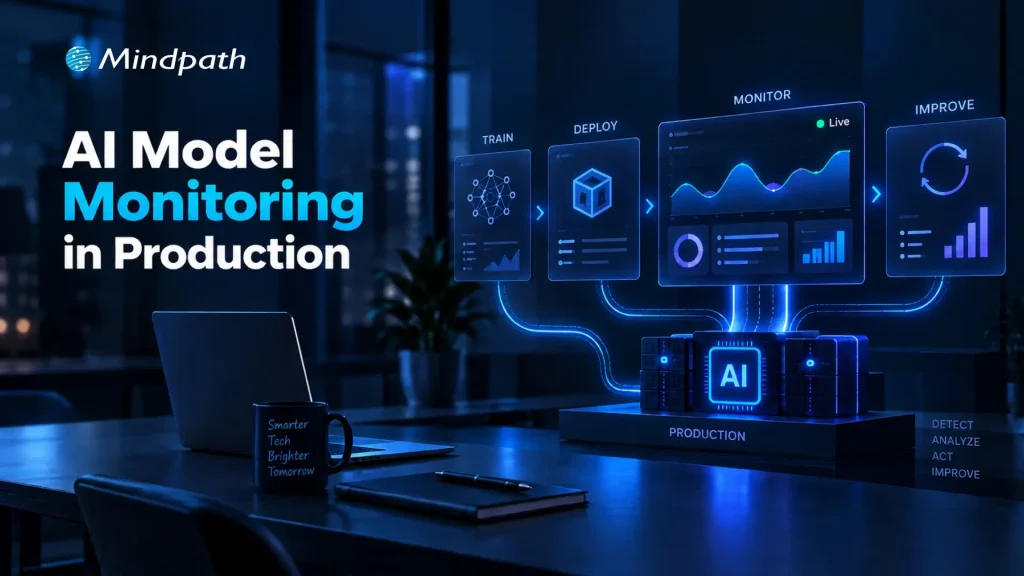
AI Model Monitoring in Production

What happens when a production model starts making weaker predictions despite passing every pre-deployment test? Changing data patterns, evolving user behavior, feature inconsistencies, and shifting business conditions can gradually affect performance. AI model monitoring gives engineering teams continuous visibility into these changes before they become costly production issues.

Key Takeaways

  • 01
    Continuous monitoring helps identify production issues before they affect business operations.
  • 02
    Clear baselines make meaningful changes in model behavior easier to detect.
  • 03
    Monitoring data quality and drift helps maintain consistent model performance.
  • 04
    Effective alerts connect detected issues with clear ownership and timely action.
  • 05
    AI monitoring should support retraining, rollback, validation, and long-term lifecycle decisions.

That visibility helps teams understand what changed, where performance is slipping, and when intervention is needed. By tracking model behavior alongside data quality, drift, operational signals, and real-world outcomes, teams can respond before small deviations become production failures. In this blog, we explore the best practices for building reliable monitoring into production AI systems.

Ready to build and operate reliable production AI systems? Mindpath offers AI Development Services to help businesses build scalable and production-ready AI solutions.

What is AI Model Monitoring?

AI model monitoring is the continuous process of observing a deployed model to understand how it performs in real-world conditions. It tracks changes in predictions, input data, output patterns, accuracy, latency, and other signals that can indicate emerging problems after deployment.

Unlike offline evaluation, which measures a model against a fixed test dataset, production monitoring observes how the model behaves as real data and usage patterns change. This ongoing visibility helps engineering teams identify performance issues, investigate their causes, and maintain dependable AI systems over time.

Why Does AI Model Monitoring Matter?

Effective monitoring gives teams the visibility needed to maintain model reliability while production conditions continue to evolve.

1. Detects Performance Changes

Identifies declining accuracy or unexpected prediction patterns early.

2. Reveals Data Issues

Highlights missing values, anomalies, schema changes, and unusual input distributions.

3. Identifies Model Drift

Shows when production data or model behavior moves away from established baselines.

4. Improves Operational Visibility

Tracks latency, failures, throughput, and resource usage alongside model metrics.

5. Supports Faster Response

Gives teams evidence needed to investigate, retrain, roll back, or review a model.

6. Connects AI to Outcomes

Helps teams understand how model behavior affects customer experiences and business processes.

Best Practices for AI Model Monitoring in Production

Reliable monitoring starts with the right signals, clear baselines, and defined actions. A practical approach to model performance monitoring helps teams spot changes early and maintain consistent production behavior.

1. Define the Right Production Metrics and Baselines

Effective monitoring starts with clear metrics and reliable baselines. Teams should track signals that reflect model quality, data health, operational performance, and business impact.

  • Model quality

Accuracy, precision, recall, F1 score, or task-specific metrics.

  • Data quality

Missing values, anomalies, schema changes, and distribution shifts.

  • Prediction behavior

Confidence scores, output patterns, and prediction frequency.

  • Operational health

Latency, throughput, errors, and resource usage.

  • Business impact

Conversion rates, customer outcomes, or process-specific KPIs.

Baselines provide a reference point for identifying meaningful changes without creating unnecessary alerts.

2. Monitor Data Quality and Model Drift

Production data can change quietly and affect model behavior over time. Monitoring input distributions, missing values, feature patterns, and prediction changes helps teams identify model drift before it affects critical workflows.

AI monitoring tools can automate these checks and flag unusual patterns against established baselines. Teams can then investigate the underlying data or model changes before deciding on actions such as retraining or rollback.

  • Data drift

Detects changes in production input distributions.

  • Concept drift

Identifies changes in the relationship between inputs and outcomes.

  • Performance decay

Flags declining model quality over time.

  • Feature anomalies

Highlights unexpected values or sudden distribution changes.

  • Drift alerts

Notifies teams when defined thresholds are exceeded.

3. Build Reliable Alerts and Response Workflows

AI model monitoring becomes useful when detected issues lead to clear action. Teams should define alert thresholds, severity levels, and ownership so production changes can be investigated without unnecessary delays.

A simple response workflow can include:

  • Detect

Identify unusual model or data behavior.

  • Alert

Route the issue to the responsible team.

  • Investigate

Check data, features, model versions, and recent changes.

  • Act

Retrain, roll back, adjust, or send cases for manual review.

  • Document

Record the issue, response, and outcome for future analysis.

Clear runbooks and ownership also reduce alert fatigue and keep production incidents manageable.

4. Extend Monitoring to AI Agents and LLM-Based Systems

AI agents and LLM applications require broader monitoring because their behavior depends on prompts, context, tools, and multi-step interactions. Teams need visibility across the entire execution flow, not only the underlying model.

Key signals include:

  • Response quality

Relevance, accuracy, and task completion.

  • Tool usage

Successful calls, failures, and unexpected actions.

  • Runtime behavior

Latency, token usage, and execution patterns.

  • Safety controls

Guardrail failures, policy violations, and risky outputs.

  • User feedback

Ratings, corrections, and recurring failure patterns.

Teams evaluating AI agent behavior can also consider dedicated AI agent testing practices to identify issues before they affect production users.

5. Connect Monitoring to the Model Lifecycle

Monitoring should feed directly into model lifecycle decisions. Production signals can show when a model needs investigation, validation, retraining, rollback, or eventual retirement.

A practical lifecycle looks like:

Monitor → Investigate → Validate → Retrain → Test → Deploy → Monitor

  • Retraining

Consider when performance declines consistently.

  • Validation

Test updated models against current production conditions.

  • Rollback

Restore a previous version when serious issues emerge.

  • Version tracking

Maintain visibility across deployed model versions.

  • Retirement

Remove models that no longer meet operational or business requirements.

A structured MLOps approach can help connect model deployment, monitoring, and lifecycle management.

6. Avoid Common AI Monitoring Mistakes

Even well-designed monitoring can become ineffective when teams track the wrong signals or lack clear response processes. Avoiding these common gaps keeps AI model monitoring focused and actionable.

  • Tracking too many metrics

Creates noise and alert fatigue.

  • Ignoring baselines

Makes meaningful changes harder to identify.

  • Overlooking model drift

Allows changing data patterns to affect predictions unnoticed.

  • Weak alerting

Delays investigation when critical thresholds are crossed.

  • Poor data lineage

Makes it difficult to trace the source of production issues.

  • Monitoring too late

Leaves gaps between deployment and reliable production oversight.

7. Choose AI Monitoring Tools That Fit Your Production Stack

The right tools should fit the model architecture, data environment, and operational workflow. Teams should prioritize capabilities that make monitoring easier to manage as deployments grow.

Look for:

  • Drift detection

Identify changes in data and model behavior.

  • Real-time monitoring

Track production signals as they occur.

  • Pipeline integration

Connect monitoring with existing ML workflows.

  • Alert management

Route critical issues to the right teams.

  • Model tracking

Maintain visibility across versions and deployments.

  • Scalability

Support cloud, on-premises, and hybrid environments.

How Can You Keep AI Models Reliable in Production?

AI model monitoring helps teams maintain reliable production systems as data, user behavior, and operating conditions change. By establishing meaningful metrics, detecting drift, creating clear response workflows, and connecting monitoring with the model lifecycle, teams can identify issues early and keep AI performance aligned with real-world requirements.

Mindpath AI development services help businesses build and operate production-ready AI systems with the right monitoring, data engineering, model lifecycle, and cloud capabilities. Our team can help establish practical monitoring frameworks that improve visibility, support faster response, and keep AI systems dependable as they scale.

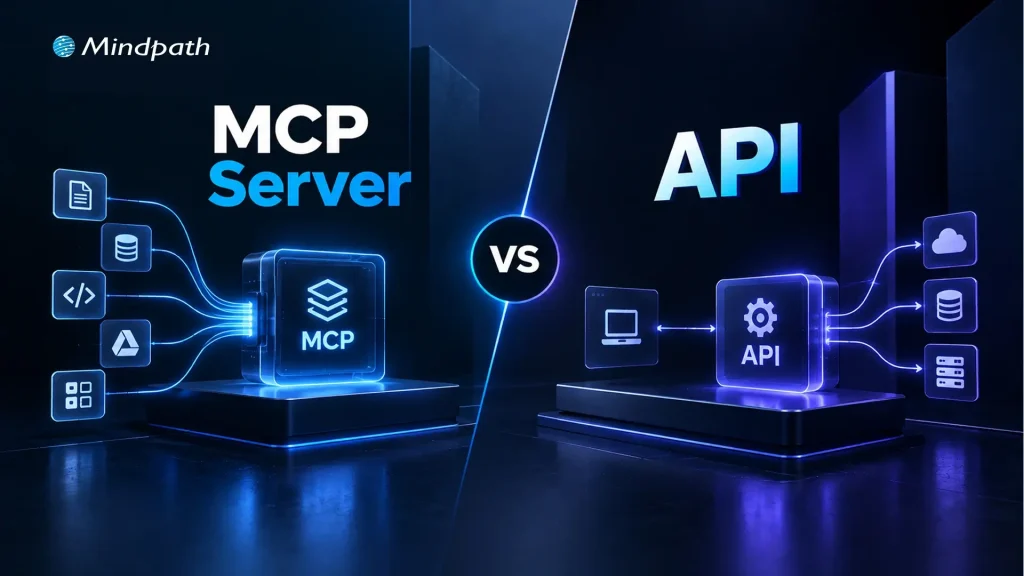
MCP Server vs API

As AI agents move beyond answering questions to using tools, accessing data, and triggering actions, MCP vs API has become an important architecture discussion. An MCP server and traditional APIs can both connect AI systems with external capabilities, but they approach AI integrations from different layers and serve different interaction models.

Key Takeaways

  • 01
    APIs provide structured access to specific services, data, and application functions.
  • 02
    MCP gives AI applications a standardized way to discover and use tools.
  • 03
    MCP and APIs serve different roles and can work together within the same architecture.
  • 04
    APIs suit predictable workflows, while MCP supports more dynamic agent-driven interactions.
  • 05
    Choosing between MCP and API depends on system requirements, workflows, and existing architecture.

The distinction matters when designing systems that need reliable access to business applications, databases, and third-party services. Understanding where APIs fit, where MCP adds value, and how the two can work together helps teams build cleaner and more adaptable agent architectures. In this blog, we will compare MCP and APIs and explain where each approach fits best.

Ready to build AI systems that connect smoothly with your existing tools and services? Mindpath offers AI Integration Services to help businesses connect AI with their existing technology stack.

What is an API?

An API, or Application Programming Interface, is a defined way for one software system to communicate with another. It exposes specific operations or data through endpoints that an application can call using structured requests. The API handles the underlying business logic and returns a predictable response, allowing developers to connect services without accessing their internal implementation.

APIs are widely used across modern software architectures, including AI applications. An AI system can use an API to retrieve customer records, query a database, process payments, or trigger an action in another application. The developer typically determines which endpoint to call, what parameters to send, and how the returned data should be handled.

Key features of APIs: 

1. Defined Endpoints

Expose specific operations or resources through structured interfaces.

2. Request-response Model

Process an application request and return a structured result.

3. Authentication

Control access using methods such as API keys, OAuth, or tokens.

4. Predictable Interactions

Follow documented rules for parameters, methods, and responses.

5. System Integration

Connect applications, services, databases, and third-party platforms.

6. Developer-controlled Workflows

Let developers determine when and how each API operation is used.

What Is an MCP Server?

An MCP server is a system that exposes tools, resources, and other capabilities to an AI application through the Model Context Protocol. Instead of requiring an AI application to handle every integration through separate, custom logic, an MCP server provides a standardized way to make external capabilities available to an MCP client.

In the MCP vs API discussion, the key difference is the interaction model. An API typically gives a developer a defined endpoint to call, while an MCP server presents capabilities in a format designed for AI applications to discover and use within an agent workflow. This can help AI agents work with business systems, files, databases, and external services through a consistent interface.

Key features of MCP servers: 

1. Tool Access

Expose specific actions that an AI application can invoke when needed.

2. Resource Access

Provide structured access to relevant data and external information.

3. Capability Discovery

Allow the client to understand which tools and resources are available.

4. Standardized Communication

Use a common protocol for communication between MCP clients and servers.

5. Controlled Access

Define which capabilities and data an AI application can access.

6. Agent-oriented Integration

Support AI workflows where the model needs to interact with external tools and information.

MCP vs API: What Is the Difference?

MCP and APIs can both connect software with external capabilities, but they are designed around different interaction patterns. An API gives an application a defined interface for requesting data or triggering specific operations. MCP provides a standardized way for AI applications to discover and interact with tools and resources.

The difference becomes clearer when an AI system needs to move beyond a fixed set of developer-defined calls. An AI API can efficiently support predictable operations, while MCP can help an AI application identify available capabilities and use them as part of an agent-driven workflow.

1. Purpose

APIs expose application functionality, while MCP structures access to tools and resources for AI applications.

2. Primary Consumer

APIs are commonly consumed by applications and developers, while MCP is designed around AI clients and agents.

3. Discovery

APIs generally depend on documentation and predefined integration logic; MCP supports standardized capability discovery.

4. Interaction

APIs typically follow explicit requests and responses, while MCP supports AI-driven tool and resource interactions.

5. Workflow Control

API workflows are usually defined by application logic, while MCP can support dynamic tool selection within agent workflows.

6. Integration Approach

APIs can connect systems directly, while MCP can provide an agent-facing layer over existing services.

Comparison Area API MCP
Primary Role Connects applications with specific services or functions Connects AI applications with tools, resources, and capabilities
Core Interface Endpoints, methods, parameters, and responses Tools, resources, prompts, and protocol-defined interactions
Typical Consumer Developers and software applications AI applications, assistants, and agents
Capability Discovery Usually handled through API documentation or application logic Capabilities can be exposed and discovered through the protocol
Interaction Pattern Application sends a predefined request AI application can select and invoke an available capability
Workflow Control Primarily defined by application code Can support dynamic, agent-driven workflows
Data & Actions Exposes specific data or operations Makes selected data and actions available to AI applications
Integration Layer Often serves as the direct service integration layer Can act as an AI-facing layer over existing services and APIs
Best Fit Predictable application workflows and system integrations Agentic workflows requiring access to multiple tools or resources
Relationship Can function independently or underneath other systems Can work alongside APIs rather than replacing them

How Do MCP and APIs Work Differently in AI Integrations?

The difference between MCP vs APIs becomes clearer when looking at how an AI system actually interacts with external capabilities. With a traditional API, the application usually knows the endpoint, required parameters, authentication method, and expected response before the workflow begins. The developer defines this logic and controls when the API is called.

With MCP, the interaction can be structured around capabilities available to the AI application. An MCP client connects to an MCP server, which exposes relevant tools and resources. The AI application can then use those capabilities as part of an agent workflow, while the underlying implementation remains behind the server interface.

A Typical API Workflow 

1. Identify the Service

The developer selects the required API and reviews its documentation.

2. Define the Request

Application logic specifies the endpoint, parameters, and authentication.

3. Send the Request

The application calls the API when the workflow reaches the relevant step.

4. Process the Response

The returned data is handled according to predefined application logic.

5. Continue the Workflow

The application determines the next operation based on the response.

A Typical MCP Workflow 

1. Connect the Client

The AI application establishes a connection with the MCP server.

2. Expose Capabilities

The server makes relevant tools and resources available to the client.

3. Understand Available Tools

The AI application can identify capabilities exposed through the server.

4. Invoke a Capability

The agent can use an appropriate tool as part of its task.

5. Use the Result

The returned information can inform subsequent steps in the AI workflow.

Which Approach Fits Your System Best?

APIs provide structured access to specific services, data, and operations, while MCP provides a standardized way for AI applications to discover and use tools and resources. Understanding this difference helps teams choose an approach that matches their architecture, workflow requirements, and intended system behavior.

Choosing between MCP and API can shape how effectively your AI system interacts with existing capabilities. Mindpath AI development services help businesses evaluate these architectures and build practical AI solutions around their technical requirements, existing systems, and long-term development goals.

AI API Integration

Businesses are under pressure to do more with the systems they already have. Replacing a CRM, ERP, or support platform just to add AI is rarely practical. AI API integration offers another path: connect AI directly to existing workflows to automate tasks, accelerate decisions, and create more value from technology investments already in place.

Key Takeaways

  • 01
    AI APIs connect intelligent capabilities with existing business applications and workflows.
  • 02
    Businesses can add AI without replacing established technology systems.
  • 03
    Choosing the right AI capability depends on specific business goals and data.
  • 04
    Secure architecture helps manage data, performance, costs, and scalability.
  • 05
    Phased implementation makes AI integration easier to test, measure, and expand.

But adding an AI API is not as simple as connecting two systems. Businesses must consider data, security, compatibility, performance, and scalability before AI can work reliably in day-to-day operations. In this blog, we will explore how businesses can integrate AI APIs with existing systems effectively. Let’s begin!

Ready to connect AI with your existing business systems? Mindpath offers AI Integration Services to help businesses connect AI capabilities with existing applications and workflows.

Understanding AI APIs and System Integration

Businesses often have valuable data, established workflows, and critical applications they cannot afford to replace. AI APIs provide a practical way to add intelligence to this existing infrastructure. They act as a bridge between business applications and AI services, allowing systems such as CRMs, ERPs, and support platforms to send data to AI models and use the results within existing workflows.

Most AI services use endpoints through a REST API for AI models, with requests and responses commonly exchanged in JSON. This lets development teams integrate capabilities such as summarization, classification, content generation, and information extraction without building models from scratch. The business can focus its resources on connecting AI to the right processes while keeping its existing technology foundation intact.

Choosing the Right AI Capabilities for Your Business

AI integration creates value when the capability solves a specific business problem, rather than when AI is added simply because it is available. Before choosing an API, businesses should identify the task, the people using it, the data involved, and the outcome they want to improve.

Some practical capabilities include:

1. Text generation

Create product descriptions, emails, reports, or internal content faster.

2. Summarization

Turn lengthy documents, meetings, or customer conversations into concise insights.

3. Classification

Categorize support tickets, customer feedback, documents, or incoming requests automatically.

4. Image recognition

Extract information from images, forms, invoices, or visual content.

5. Recommendations

Personalize products, content, or actions based on customer and business data.

6. Forecasting

Analyze historical information to support demand, sales, or operational planning.

The right AI API for business should fit the existing workflow, data environment, and technical requirements. Starting with one clearly defined use case also makes it easier to measure results before expanding the integration.

How Does AI API Integration Fits into Existing Systems?

Choosing the right AI capability is only the first step. The next question is how that capability will fit into the systems and workflows already running across the business. AI API integration works best when businesses map where AI can add value without creating unnecessary changes to existing applications or processes.

A practical integration should consider:

1. Existing systems

Identify the CRM, ERP, support tools, databases, and applications AI needs to connect with.

2. Data flow

Define what information AI receives, how it is processed, and where the output goes.

3. Integration layer

Use middleware, adapters, or API gateways when direct connections are difficult, especially with legacy systems.

4. Security

Protect API credentials and control which systems and users can access AI services.

5. Performance

Account for response times, API limits, traffic volumes, and expected workloads.

6. Scalability

Design the integration so new AI capabilities and business systems can be added without major rework.

This approach helps businesses introduce AI without disrupting established operations while creating a reliable foundation for future use cases.

How to Integrate AI APIs Into Business Systems?

Once the right AI capability and integration architecture are identified, businesses can move toward implementation. A structured approach helps development teams connect AI without disrupting existing workflows. This becomes particularly important when businesses need to connect AI to legacy systems, where older applications may lack modern API support.

Here are eight practical steps for integrating an AI API:

1. Define the Business Use Case

Start with one specific workflow and identify the task AI will improve. Define the expected outcome, users, data requirements, and measurable success criteria before development begins.

2. Select the Right AI API

Compare available APIs based on capability, output quality, pricing, latency, documentation, security requirements, and usage limits. The selected API should fit both the business objective and technical environment.

3. Map Existing Systems

Identify the applications, databases, workflows, and integration points involved in the process. For legacy applications, determine if middleware, adapters, or an API gateway is needed to establish communication.

4. Configure API Authentication

Set up secure authentication using API keys, tokens, or other supported methods. Credentials should be stored securely and access should follow the principle of least privilege.

5. Build and Validate Data Flows

Define how data will move between the business system and the AI API. Validate request payloads, data formats, permissions, and sensitive information before sending data to the model.

6. Add Error and Rate-Limit Handling

AI APIs can experience timeouts, service errors, or usage limits. Build retries, timeout controls, rate-limit handling, logging, and fallback workflows so temporary failures do not disrupt business operations.

7. Test With Realistic Workloads

Test the integration using representative data and expected traffic levels. Evaluate response accuracy, latency, security, system stability, and how AI outputs affect the downstream workflow.

8. Roll Out and Monitor Gradually

Begin with a controlled deployment instead of connecting AI across every workflow at once. Monitor API usage, costs, performance, output quality, and user adoption before expanding to additional systems and use cases.

Securing and Managing AI API Integrations

Connecting an AI API to a business system also means giving AI access to business data. That makes security and governance a core part of the integration, not an afterthought. Businesses need controls that protect sensitive information while keeping AI services reliable, cost-efficient, and aligned with internal policies.

Key areas to manage include:

1. Secure authentication

Protect API keys, tokens, and service credentials through secure storage and controlled access.

2. Data privacy

Limit the information sent to AI services and apply appropriate controls to sensitive or personally identifiable information.

3. Access controls

Define which applications, teams, and users can access specific AI capabilities and data.

4. Audit logging

Track API requests, system activity, errors, and AI outputs to support monitoring and accountability.

5. Output controls

Validate AI-generated results before they trigger important business actions or enter downstream systems.

6. Performance monitoring

Track response times, failure rates, API usage, and output quality to identify issues early.

7. Cost management

Monitor request volumes, token usage, and model selection to prevent unexpected API expenses.

8. Fallback mechanisms

Maintain alternative workflows when an AI service becomes unavailable or produces an unusable response.

Measuring the Value of Artificial Intelligence API Integration

AI integration should deliver measurable business value, not simply add another technology layer. After deployment, teams should track how the integration affects workflows, users, costs, and outcomes.

Useful metrics include:

1. Time saved

Measure reductions in manual work and processing time.

2. Accuracy

Track the quality and consistency of AI outputs.

3. Adoption

Monitor how frequently employees or customers use the integrated capability.

4. Cost efficiency

Compare API and implementation costs with operational savings.

5. Business impact

Measure improvements in customer satisfaction, productivity, or process efficiency.

Once results are clear, businesses can expand the integration to additional workflows and systems while using the initial learnings to guide future AI initiatives.

AI API Integration Challenges and How to Avoid Them

Artificial intelligence API integration can deliver strong business value, but common technical and operational challenges can slow adoption. Planning for these issues early helps teams build integrations that remain reliable as usage grows.

1. Poor data quality

Clean and validate data before sending it to AI APIs.

2. Legacy compatibility

Use middleware or adapters to connect older systems.

3. Security gaps

Apply strong authentication, access controls, and data protection.

4. API dependency

Design flexible integrations to reduce vendor lock-in.

5. High latency

Choose suitable models and optimize request and response flows.

6. Unexpected costs

Monitor API usage, token consumption, and request volumes.

7. Unreliable outputs

Add validation and human review for critical workflows.

8. Scaling issues

Test higher workloads before expanding across business systems.

Comparing AI API Options for Business Integration

Businesses can choose different approaches based on their requirements for control, cost, scalability, and maintenance.

AI API Provider Core Strength Ideal Business Use Case Key Technical Highlight
OpenAI API Advanced language and reasoning models AI agents, automation, content workflows Strong tools, structured outputs, long context
Anthropic Claude API Long-context reasoning and analysis Document analysis, coding, research workflows Large context windows, strong reasoning capabilities
Google Gemini API Multimodal AI and data processing Video, audio, document-heavy applications Large context, multimodal model capabilities
Groq Fast, low-latency inference Real-time chat and voice applications High-speed inference across supported models
SiliconFlow Flexible multi-model AI infrastructure Multi-model applications and AI platforms Unified access to multiple AI models
AWS Bedrock Managed enterprise AI infrastructure Regulated workloads and AWS environments Multiple models with AWS governance controls
Azure OpenAI Enterprise AI within Azure Microsoft-based business applications Azure security, compliance, and integration capabilities

Ready to Connect AI With Your Existing Systems?

AI API integration gives businesses a practical way to add intelligence without replacing established systems. With the right use case, architecture, security controls, and implementation approach, organizations can build reliable AI-powered workflows that improve efficiency, decision-making, and business performance.

Mindpath AI development services help businesses connect AI capabilities with existing applications and workflows. From integration planning and API development to AI implementation, we help businesses build scalable integrations aligned with their technical and business requirements.

AI Software Development

Software teams are entering a new phase where ideas can move toward working products with remarkable speed. AI software development is reshaping how teams plan, prototype, code, test, and deploy applications. But faster execution alone does not guarantee better software. Teams still need structure, technical judgment, and clear ownership.

Key Takeaways

  • 01
    AI can accelerate software development across planning, coding, testing, and deployment.
  • 02
    AI helps teams turn software ideas into working prototypes faster.
  • 03
    Human review remains essential for code quality, security, and technical decisions.
  • 04
    A structured AI development process helps teams scale AI adoption effectively.
  • 05
    Successful AI development balances automation with clear ownership, testing, and governance.

The real opportunity lies in combining AI capabilities with disciplined development practices. Teams can reduce repetitive work, validate ideas earlier, and improve delivery workflows while keeping quality and security under control.

In this blog, we will explore how AI software development takes an idea from concept to production in 2026.

Ready to turn your software idea into a production-ready AI solution? Mindpath offers AI Development Services to help businesses design, build, and scale AI-driven software.

What is AI Software Development?

AI software development refers to using artificial intelligence across different stages of building software, including planning, coding, testing, debugging, documentation, and deployment.

In 2026, this can involve AI coding assistants, AI agents, automated testing tools, and intelligent development workflows that help teams complete repetitive and time-consuming tasks more efficiently.

Unlike traditional development, where most tasks depend entirely on manual execution, AI-supported workflows can assist developers with generating code, identifying potential issues, creating test cases, and improving existing code.

Developers still define requirements, make architectural decisions, validate outputs, and take responsibility for the final product. The goal is not to remove human involvement, but to make the development process more efficient, consistent, and scalable.

Let’s look at how AI software development differs from traditional development:

Area Traditional Development AI Software Development
Planning Mostly manual requirements and task planning AI assists with requirements, user stories, and task breakdown
Coding Developers write most code manually AI can generate, explain, and refine code
Testing Test cases are created and maintained manually AI can generate tests and identify potential issues
Debugging Developers investigate issues manually AI helps analyze errors and suggest fixes
Documentation Often created separately after development AI can generate and update documentation during development
Code Review Primarily handled through developer reviews AI can provide an additional review layer before human approval
Deployment Teams manage defined CI/CD workflows AI can assist with deployment checks, monitoring, and automation
Human Role Developers execute and validate most tasks Developers guide, review, validate, and make key technical decisions

What are the Key Benefits of AI Software Development?

AI software development brings intelligence into different stages of the development lifecycle. It helps teams handle repetitive work, accelerate delivery, and make development workflows more responsive. Its value comes from using AI where it can support developers without removing the need for technical judgment and human review.

Key benefits include:

1. Faster Development

AI can generate code, documentation, test cases, and development tasks, reducing repetitive effort.

2. Rapid Prototyping

Teams can turn ideas into functional prototypes quickly and validate concepts earlier.

3. Improved Testing

AI can identify potential issues, generate test scenarios, and support continuous quality checks.

4. Smarter Debugging

Development teams can use AI to analyze errors and suggest possible fixes faster.

5. Workflow Automation

AI can automate routine development activities across coding, testing, documentation, and deployment.

6. Scalable Development

AI-supported workflows can help teams manage larger development workloads without increasing manual effort at the same pace.

7. Enterprise Readiness

Enterprise AI development can incorporate stronger security, governance, access controls, monitoring, and compliance requirements into AI-driven software workflows.

How Does AI Support Software Building and Testing?

Once a prototype is validated, the next stage is turning it into reliable, production-ready software. AI can support developers across coding, testing, debugging, and review, helping teams reduce repetitive work while keeping technical decisions under human control.

As part of a structured AI development process, teams can use AI for:

1. Code Generation

Create initial code, functions, components, and APIs based on defined requirements.

2. Code Refactoring

Identify repetitive or inefficient code and suggest cleaner implementation approaches.

3. Test Creation

Generate unit tests, test cases, and scenarios that cover different application behaviors.

4. Debugging Support

Analyze errors, trace potential causes, and suggest possible fixes for developer review.

5. Code Review

Detect potential bugs, inconsistencies, security concerns, and maintainability issues before approval.

6. Documentation

Generate technical documentation, code explanations, and development notes alongside implementation.

7. Developer Assistance

Help developers understand unfamiliar code, explore implementation options, and resolve routine development tasks faster.

How Do You Move AI-Driven Software into Production Safely?

After development and testing, the software needs to move through deployment without compromising security, reliability, or performance.

AI software development can support this stage by helping teams automate deployment checks, review configurations, monitor application behavior, and identify potential issues before they affect users.

A structured production workflow should include:

1. Deployment Checks

Validate builds, configurations, dependencies, and release requirements before deployment.

2. Security Validation

Scan code and dependencies for vulnerabilities and enforce established security standards.

3. Automated Monitoring

Track application performance, errors, usage patterns, and unusual behavior after release.

4. Access Controls

Restrict sensitive systems, data, and deployment actions based on defined roles and permissions.

5. Human Approval

Keep critical release decisions under appropriate developer, security, or engineering review.

6. Continuous Improvement

Use production feedback and monitoring data to identify issues and improve future releases.

What Challenges Can Teams Face with AI Software Development?

AI can speed up many development tasks, but introducing it into existing workflows can create new challenges. Teams may see quick gains in code generation while facing additional review, testing, security, or integration work.

Understanding these issues helps organizations use AI where it creates measurable value instead of adding unnecessary complexity.

Some common challenges include:

1. Code Quality

AI-generated code can contain errors, inefficient logic, or implementation choices that require developer review.

2. Security Risks

Generated code may introduce vulnerabilities or rely on outdated or unsuitable dependencies.

3. Context Gaps

AI tools may lack the business, technical, or architectural context needed for complex decisions.

4. Review Overhead

Developers may spend additional time validating, testing, and correcting AI-generated outputs.

5. Tool Sprawl

Using too many disconnected AI tools can create inconsistent workflows and increase management effort.

6. Unclear Results

Faster code generation does not always translate into faster releases or better software.

7. Over-Reliance

Teams can become dependent on AI suggestions without developing sufficient review and validation practices.

How Can Teams Build a Repeatable AI Development Process?

A successful AI development process needs clear stages, defined responsibilities, and review points that keep AI use practical and controlled.

Instead of allowing developers to use AI tools independently, teams can establish guidelines for selecting tools, handling data, reviewing outputs, testing generated code, and approving production releases.

A repeatable approach can include:

1. Define Use Cases

Identify development tasks where AI can reduce repetitive effort or improve productivity.

2. Set Tool Guidelines

Choose AI tools based on security, integration, reliability, cost, and development requirements.

3. Establish Review Gates

Define where developers must review AI-generated code, tests, documentation, and technical decisions.

4. Protect Development Data

Set clear rules for source code, customer information, credentials, and other sensitive data.

5. Track Quality

Measure defects, review effort, testing results, deployment frequency, and maintainability alongside development speed.

6. Refine Workflows

Review outcomes regularly and adjust AI usage based on developer feedback and project requirements.

Ready to Turn Your Software Ideas Into Production?

AI can accelerate software development when teams combine automation with clear processes, testing, security, and human oversight. A structured approach helps businesses move ideas through prototyping, development, and deployment while maintaining quality and control throughout the lifecycle.

Mindpath AI development services help businesses design, build, and scale AI-driven software with practical engineering expertise. As an AI software development company, Mindpath supports teams in turning ideas into reliable, production-ready applications.

small language models vs large language models
Businesses want AI that delivers strong results without creating unnecessary costs, complexity, or infrastructure demands. Small language models vs LLM has therefore become an important discussion for teams planning AI adoption. While SLMs offer speed and efficiency for focused tasks, LLMs provide broader capabilities for complex business requirements.

Key Takeaways

  1. SLMs suit focused tasks requiring speed and efficiency.
  2. LLMs handle complex workloads requiring broader capabilities.
  3. Model size alone does not determine business value.
  4. SLMs can reduce infrastructure and inference costs.
  5. Hybrid models can balance cost, speed, and accuracy.

Choosing the right model depends on the workload, data, accuracy expectations, deployment environment, response speed, and budget. A larger model may offer greater flexibility, but a smaller one can be more practical for specific applications. This blog compares both approaches to help businesses make informed AI decisions.

Understanding Both Small and Large Language Models

Small language models (SLMs) are compact AI models designed to handle specific tasks with fewer computational resources. Their focused architecture can deliver faster responses, lower infrastructure requirements, and more efficient deployment. Businesses can use SLMs for tasks such as classification, summarization, document processing, internal knowledge queries, and workflow automation where highly specialized performance matters.

Large language models (LLMs) are built with significantly larger parameter sets and broader training capabilities. They can understand diverse instructions, manage complex context, generate detailed content, and support advanced reasoning across different business scenarios. For LLM vs SLM for business, the right choice depends on the complexity of the workload, expected performance, deployment requirements, and available budget.

The key difference is not simply model size. It is how effectively each model matches the task it needs to perform. An SLM can be highly effective for a focused workflow, while an LLM can provide greater flexibility for applications requiring broader capabilities. Businesses can also explore this large language model guide to understand LLM capabilities in greater detail.

How Do Language Models Work?

Language models learn patterns in text and use those patterns to generate relevant responses based on the input they receive. During training, a model processes large amounts of data and adjusts its parameters to recognize relationships between words, concepts, and context. During inference, it uses this learned knowledge to predict and generate an appropriate output.

The main difference between small and large models comes from their scale, training approach, and resulting capabilities. SLMs generally use fewer parameters and require less computing power, making them suitable for focused tasks. LLMs use larger architectures that can handle broader context, complex instructions, and diverse workloads. However, model size alone does not determine performance. Data quality, fine-tuning, retrieval, prompting, and evaluation also influence how effectively a model performs for a business use case.

Businesses considering model customization can also explore RAG vs fine-tuning to understand different approaches for improving AI performance.

Lightweight AI Models vs Large Language Models: Key Business Differences

Choosing between SLMs and LLMs requires looking beyond model size. The small language models vs LLM decision should consider how each option performs against practical business requirements such as speed, accuracy, infrastructure, privacy, and customization.

1. Performance and Accuracy

LLMs generally have an advantage when applications require complex reasoning, broad knowledge, or varied instructions. SLMs can deliver strong results for narrowly defined tasks, especially when they are trained or fine-tuned for a specific business domain.

2. Speed and Latency

Smaller models typically need fewer computational resources, which can support faster responses. This makes SLMs useful for high-volume applications where even small delays can affect user experience or operational efficiency.

3. Infrastructure Requirements

LLMs often require greater memory and computing capacity for deployment and scaling. SLMs can operate with lighter infrastructure, making them attractive for businesses with limited resources or applications that need local or edge deployment.

4. Privacy and Control

Businesses handling sensitive information may prefer architectures that provide greater control over where data is processed. Smaller models can support private or controlled deployments, although security ultimately depends on the complete AI architecture, data practices, and access controls.

5. Customization

SLMs can be highly effective when a business has a clearly defined use case. Fine-tuning or domain adaptation can help optimize them for specialized tasks, while LLMs provide broader capabilities when applications need to support many different types of requests.

The better choice depends on the workload. Businesses should evaluate actual performance, operating costs, infrastructure needs, and business outcomes instead of assuming that the largest model will deliver the best overall value. An AI readiness checklist can also help businesses assess their requirements before selecting an AI approach.

Small Language Models vs Large Language Models: Comparison

Factor Small Language Models (SLMs) Large Language Models (LLMs)
Model Size Smaller and task-focused Larger with broader capabilities
Performance Strong for specific workloads Strong for complex, diverse workloads
Response Speed Generally faster Can require more processing time
Infrastructure Lower compute and memory requirements Higher infrastructure requirements
Operating Cost Typically lower at scale Typically higher at scale
Accuracy High for well-defined tasks Better suited to complex and varied tasks
Customization Easier to optimize for specific use cases Broad customization across diverse applications
Privacy & Deployment Well suited to controlled or local environments Often requires more robust deployment infrastructure
Scalability Efficient for high-volume, repetitive tasks Better for applications with varied and growing demands
Best For Classification, extraction, summarization, focused automation Complex assistants, reasoning, content generation, broad AI applications

Small Language Model vs LLM Cost: What Should Businesses Consider?

Cost can vary significantly based on model size, usage volume, hosting, and infrastructure. The small language models vs LLM decision should therefore consider total operating cost, not model pricing alone.

1. Compute Requirements

SLMs generally require lower computing resources than LLMs, which can make them more practical for workloads where infrastructure efficiency is a priority.

2. Infrastructure Cost

SLMs generally require lower infrastructure resources, while LLMs often require more powerful computing capacity for deployment and scaling.

3. Inference Cost

SLMs can have lower inference costs for many high-volume tasks. LLMs can cost more when workloads require larger amounts of computation.

4. Hosting

SLMs can run on lighter infrastructure, making them suitable for certain controlled or local environments. LLMs often need more powerful compute to maintain expected performance.

5. Scaling Cost

Smaller models can be more economical for repetitive, high-volume workloads. LLM costs can increase significantly as usage grows, particularly for resource-intensive applications.

6. Fine-Tuning

Fine-tuning can be practical for SLMs when the objective is to optimize performance for a focused task. LLM fine-tuning may require greater compute resources depending on the model and approach.

7. Operational Cost

SLMs generally consume fewer resources, while LLMs can require greater infrastructure and operational capacity.

8. Best Cost Advantage

SLMs can offer a strong cost advantage for high-volume, specialized tasks. LLMs can justify higher costs when advanced reasoning, flexibility, or broader capabilities directly support valuable business outcomes.

The most cost-effective option depends on the workload. An SLM can reduce recurring compute expenses, while an LLM may justify its higher cost when advanced reasoning, flexibility, or broader capabilities directly support business value. Businesses can also explore the cost of AI agents to better understand how AI architecture can affect operating expenses.

Small Language Model vs LLM for Business: Which Use Cases Fit Each?

The right model depends on what the business needs the AI system to accomplish. SLMs are often effective for focused, repetitive workloads, while LLMs are better suited to applications that require broader knowledge, complex reasoning, and flexible interactions.

1. When Small Language Models Make Sense

  1. Text classification: Categorize customer requests, documents, or internal records.
  2. Information extraction: Identify names, dates, entities, and other structured information.
  3. Summarization: Condense reports, tickets, meeting notes, and internal documents.
  4. Workflow automation: Handle predictable steps within business processes.
  5. Internal knowledge tasks: Answer focused questions using company-specific information.
  6. High-volume processing: Manage repetitive requests where speed and operating cost matter.

These use cases can benefit from efficient models that deliver consistent performance without requiring the broader capabilities of a large model. Businesses can also explore relevant AI use cases for business when identifying opportunities for specialized AI models.

2. When Large Language Models Make Sense

  1. Complex reasoning: Analyze situations that require multiple steps or broader context.
  2. Customer-facing assistants: Handle diverse questions and changing conversation flows.
  3. Content generation: Create detailed marketing, business, technical, or creative content.
  4. Coding assistance: Support development tasks across multiple programming languages and frameworks.
  5. Complex document analysis: Understand and connect information across lengthy or varied documents.
  6. General-purpose AI applications: Support multiple business functions through a single flexible model.

LLMs can be valuable when applications need to support diverse requirements through a flexible model. Businesses integrating AI into existing systems can also review AI integration in business for additional considerations.

3. When a Hybrid Approach Works Better

Businesses do not always need to choose one model for every task. A hybrid architecture can route simple requests to an SLM while sending complex or uncertain queries to an LLM. This approach can help balance cost, speed, accuracy, and capability as AI workloads grow.

Which Language Model Is Right for Your Business?

Choosing between an SLM and an LLM should start with the business problem, not the model’s size. Small models can deliver speed, efficiency, and lower costs for focused workloads, while LLMs offer broader capabilities for complex applications. The right choice depends on performance needs, data, infrastructure, scalability, and long-term business value.

Mindpath AI development services help businesses select, build, fine-tune, and optimize AI models around their specific requirements. From model selection and fine-tuning to RAG development and AI application development, Mindpath helps create AI architectures that balance performance, cost, security, and scalability.

AI Model Risk Management

AI systems can make high-impact decisions at remarkable speed, but their reliability depends on factors that are easy to overlook. Poor training data, hidden bias, model drift, weak validation, or unclear accountability can turn a promising AI system into a business and compliance risk. AI model risk management gives organizations a structured way to identify these weaknesses early, establish appropriate controls, and maintain confidence in model-driven decisions.

Key Takeaways

  1. AI model risks can emerge even when models perform well.
  2. Clear ownership strengthens accountability across the model lifecycle.
  3. Risk classification helps prioritize controls for high-impact models.
  4. Continuous monitoring catches drift and unexpected model behavior.
  5. Responsible AI requires governance, validation, and human oversight.

The challenge is not simply building a model that performs well during development. Teams must also understand how it behaves under changing conditions, who is accountable when something goes wrong, and how its decisions can be reviewed and justified. This makes risk management an ongoing discipline spanning development, deployment, governance, and monitoring. In this blog, we will explore the core practices for building safer, more reliable AI systems.

Looking to build safer and more reliable AI systems? Mindpath provides AI Development Services to help businesses design, develop, and implement AI solutions with reliability and responsible development in mind.

What is AI Model Risk Management?

AI model risk management is the structured process of identifying, assessing, controlling, and monitoring risks associated with an AI model throughout its lifecycle. It covers the decisions made before development, the way a model is trained and validated, how it performs in production, and what happens when its behavior changes or produces an unacceptable outcome. The objective is not to eliminate every possible risk, but to understand the risks well enough to apply controls that match their potential impact.

AI model risk differs from traditional software risk because model behavior is influenced by data and statistical patterns rather than only predefined rules. A conventional application may produce an incorrect result because of a coding defect. An AI model can produce unreliable results even when the underlying code works as intended because its training data is incomplete, biased, outdated, or poorly representative of real-world conditions. Its performance can also shift as users, inputs, or operating environments change.

Teams therefore need to assess several interconnected risk categories, including the following:

1. Data Risk

Inaccurate, incomplete, biased, or poorly governed data can undermine model outcomes. Data quality issues can affect training, validation, and production performance, making strong data controls an essential part of AI model risk management.

2. Performance Risk

A model may perform well in testing but fail under real-world conditions or unfamiliar inputs. Performance should therefore be evaluated across realistic scenarios and monitored after deployment to identify unexpected degradation.

3. Bias and Fairness Risk

Uneven outcomes across user groups can create ethical, legal, and reputational consequences. Organizations should evaluate models for potential bias and assess whether outcomes remain appropriate across relevant populations and use cases.

4. Explainability Risk

Limited visibility into model reasoning can make important decisions difficult to review or challenge. Where AI systems influence high-impact decisions, organizations need appropriate explanations and documentation to support accountability.

5. Security and Robustness Risk

Models may be manipulated, exposed to adversarial inputs, or behave unpredictably under abnormal conditions. Security and robustness controls help organizations reduce the likelihood and impact of these risks.

6. Compliance and Governance Risk

Weak documentation, unclear ownership, or inadequate controls can create regulatory and accountability gaps. Governance requirements should therefore be established throughout the AI model lifecycle.

Building a Governance Framework

Before organizations define individual controls, they need a governance structure that establishes who owns AI risk, how it is assessed, and when a model can move into production. A governance framework creates consistency across AI projects and gives technical, legal, security, and business teams a shared basis for evaluating risk.

The NIST AI Risk Management Framework provides a useful reference for organizing these responsibilities around identifying, assessing, and managing AI risks.

A strong governance structure typically clarifies the following areas:

1. Accountability

Assign clear ownership for each model, including responsibility for approval, monitoring, and responding to incidents.

2. Model Inventory

Maintain a central record of AI models, their intended uses, data sources, owners, versions, and deployment environments.

3. Risk Classification

Group models according to factors such as business impact, decision sensitivity, data exposure, and potential harm.

4. Defined Policies

Establish organizational requirements for development, validation, documentation, security, privacy, and responsible AI practices.

5. Approval Workflows

Set clear review gates before development, deployment, major model changes, or expansion into new use cases.

6. Cross-Functional Review

Bring relevant stakeholders together so technical performance is considered alongside legal, security, operational, and ethical concerns.

7. Documentation Standards

Keep consistent records of model purpose, limitations, testing results, assumptions, decisions, and ownership throughout the lifecycle.

8. Regulatory Alignment

Map internal governance requirements against applicable regulations and recognized frameworks to maintain a defensible approach to AI oversight.

These foundations make AI model risk management an organizational responsibility rather than an isolated task handled by the data science team. They also provide the structure needed to evaluate models consistently as AI adoption expands across different functions and use cases.

Best Practices for AI Model Risk Management

Strong controls should cover the full AI lifecycle, not only model development. The NIST AI Risk Management Framework provides a useful foundation for organizing these practices around trustworthy, accountable, and measurable AI.

1. Establish Clear Risk Ownership

AI model risk management works best when accountability is assigned before a model reaches production.

  • Define who owns the model, data, validation, approval, and ongoing monitoring.
  • Assign escalation paths for incidents, performance degradation, and unexpected outputs.
  • Involve technical, legal, security, compliance, and business teams for high-impact use cases.
  • Set approval authority according to the model’s potential business and user impact.

2. Classify Models by Risk

Not every AI model needs the same level of scrutiny. A risk-based classification helps organizations focus resources where failures could cause the greatest harm.

  • Categorize models using factors such as decision impact, data sensitivity, autonomy, and user exposure.
  • Apply stronger controls to models involved in financial, employment, healthcare, or other high-impact decisions.
  • Define minimum validation and documentation requirements for each risk tier.
  • Reassess the classification when the model, data, or use case changes.

3. Strengthen Data Controls

Model reliability starts with the quality and suitability of its underlying data.

  • Check datasets for missing values, inconsistencies, outdated records, and potential sources of bias.
  • Assess whether training data adequately represents the populations and scenarios the model will encounter.
  • Track data lineage so teams can identify where critical inputs originated.
  • Document important dataset characteristics, limitations, and processing decisions.

4. Validate Before Deployment

A strong validation process should challenge a model beyond its standard accuracy score. These AI safety best practices help identify weaknesses that conventional testing may overlook.

  • Test accuracy, robustness, fairness, and reliability against predefined acceptance criteria.
  • Use edge cases and realistic scenarios to expose failure modes.
  • Conduct independent reviews for high-risk models.
  • Test how the model behaves when inputs are incomplete, unusual, or outside its intended scope.
  • Require documented approval before production deployment.

5. Build Responsible AI Controls

Responsible AI practices should be embedded into model development rather than added after deployment.

  • Evaluate models for discriminatory or disproportionately harmful outcomes.
  • Define clear limitations and situations where human intervention is required.
  • Provide appropriate explanations for decisions that materially affect users.
  • Establish processes for users or affected parties to raise concerns or challenge outcomes.
  • Record ethical considerations alongside technical performance results.

6. Integrate Governance and Ethics

Effective AI governance and ethics connect technical controls with organizational accountability.

  • Create policies covering acceptable AI use, model approval, data handling, monitoring, and incident response.
  • Maintain a centralized inventory of models and their owners.
  • Keep consistent records of assumptions, testing results, known limitations, and approvals.
  • Review governance requirements as regulations, business objectives, and AI capabilities evolve.

7. Monitor Models Continuously

Deployment is the beginning of operational risk management, not the end. AI model risk management should continue through regular monitoring and revalidation.

  • Track performance, data drift, output quality, fairness indicators, and unusual behavior.
  • Establish thresholds that trigger investigation or model review.
  • Capture user feedback and production incidents as evidence for ongoing improvement.
  • Revalidate models after significant changes to data, algorithms, integrations, or business use.
  • Retire or replace models that consistently fall outside approved risk limits.

Is Your Team Ready to Manage AI Model Risk?

Building reliable AI requires more than strong model performance. Effective governance, disciplined data practices, rigorous validation, human oversight, and continuous monitoring help organizations identify risks before they affect customers, operations, or business decisions. A structured approach also makes it easier to respond when models behave unexpectedly and maintain trust as AI systems evolve.

Mindpath’s AI development services help businesses build and strengthen AI systems with risk, reliability, and responsible development in mind. From AI strategy and model development to RAG, fine-tuning, data engineering, and AI governance, our team helps organizations establish practical controls across the AI lifecycle. Partner with Mindpath to build AI systems designed for dependable, responsible, and production-ready performance.

Agentic AI Architecture

Agentic AI Architecture defines how autonomous AI systems understand goals, plan actions, use tools, and complete tasks with limited human intervention. Unlike basic AI applications, these systems can make decisions across multiple steps while responding to changing context. As businesses adopt autonomous workflows, understanding their architecture becomes essential for building reliable, scalable, and controlled AI solutions.

Key Takeaways

  1. Agentic AI systems can plan, reason, use tools, and complete tasks with limited human intervention.
  2. Architecture combines models, memory, planning, tools, orchestration, interfaces, and guardrails for reliable performance.
  3. Single agent and multi agent patterns suit different levels of workflow complexity and coordination.
  4. Building autonomous systems requires careful model selection, integrations, memory, evaluation, orchestration, and deployment controls.
  5. Production systems need security, reliability, observability, governance, cost management, and appropriate human oversight.

This autonomy depends on how different architectural components work together. Models provide reasoning, memory preserves context, tools connect systems, and orchestration manages actions across workflows. Poor architectural choices can create unreliable behavior, unnecessary costs, and security risks. In this blog, we will explore the components, patterns, development process, use cases, and production considerations behind autonomous AI systems.

Ready to build a reliable agentic AI solution? Mindpath offers Agentic AI Development Services to help businesses design autonomous systems around their specific operational requirements.

What are Agentic AI Systems?

Agentic AI systems can interpret objectives, evaluate available information, plan actions, and execute tasks across multiple steps. Unlike conventional chatbots that mainly respond to prompts, agent-based AI systems can decide what action should follow based on context and progress. This enables AI to handle dynamic tasks where predefined instructions cannot cover every situation.

At a basic level, these systems follow a perceive, plan, and act cycle. The system first gathers information from users, data sources, or connected tools. It then determines the next suitable action before executing it and assessing the result. This cycle can repeat until the defined objective is completed, or human intervention becomes necessary. Businesses exploring practical applications can also review agentic AI examples to understand where autonomous workflows can create value.

Core Building Blocks of Agentic AI Architecture

An effective Agentic AI Architecture combines several components that give autonomous systems the ability to reason, remember, act, and remain controlled. Each layer has a specific role in converting a business objective into reliable actions.

1. Reasoning engine

Interprets context, evaluates information, and determines suitable actions.

2. Memory

Stores relevant short term and long term context for continuity.

3. Planning

Breaks complex objectives into manageable steps and adjusts plans when conditions change.

4. Tools

Connects the system with APIs, databases, applications, and other business systems.

5. Environment interfaces

Allow the system to observe external data and interact with its operating environment.

6. Orchestration

Coordinates models, tools, memory, workflows, and multiple tasks across the system.

7. Guardrails

Apply permissions, policies, validation, and human oversight to control autonomous actions.

These components work together rather than operating as isolated layers. For example, memory can provide context to the reasoning engine, while tools allow the system to act on that reasoning and orchestration determines how each step fits into the larger workflow.

Common Agentic Architecture Patterns

Different agentic ai architecture patterns suit different levels of task complexity, autonomy, and coordination. Choosing the right pattern helps organizations balance performance, scalability, cost, and control. The broader landscape of AI agent types and benefits can also help teams evaluate which approach best fits a specific business workflow.

1. Single Agent

One agent handles reasoning, planning, tool use, and task execution. Best for focused workflows with limited dependencies.

2. Multi-Agent

Multiple specialized agents collaborate on different responsibilities. Useful when tasks require distinct expertise or parallel processing.

3. Hierarchical

A supervisory agent coordinates specialized agents and assigns tasks based on the overall objective. Suitable for complex enterprise workflows.

4. Retrieval Augmented

The system retrieves relevant information from trusted knowledge sources before reasoning. Effective for knowledge intensive tasks requiring current or domain specific information.

5. Tool-using

The agent dynamically selects APIs, databases, software, or other tools to complete actions. Ideal for workflows requiring interaction with external systems.

How Autonomous AI Systems Are Built?

Building autonomous AI systems requires a structured approach that connects reasoning, context, actions, and control. An AI agent orchestration architecture helps coordinate these components so the system can execute tasks consistently across different tools and workflows. Teams planning broader AI adoption can also use an AI roadmap to align architecture decisions with business goals and implementation priorities.

1. Define the Objective

Establish the business goal, expected outcomes, boundaries, and level of autonomy required.

2. Select the Model

Choose a reasoning model based on task complexity, accuracy, latency, and operational requirements.

3. Add Memory

Determine what context the system should retain and how that information will be retrieved.

4. Connect Tools

Integrate APIs, databases, applications, and other systems required for task execution.

5. Design Orchestration

Coordinate reasoning, tool calls, memory, workflows, and decision points across the system.

6. Evaluate Behavior

Test task completion, reliability, failure handling, latency, and unexpected actions before deployment.

7. Deploy with Controls

Introduce monitoring, permissions, audit trails, human oversight, and safeguards for production use.

Choosing the Right Agentic AI Components

Selecting the right components is a critical part of how to build an AI agent that performs reliably in real business environments. Within Agentic AI Architecture, each component should match the system’s objectives, data requirements, integration needs, and expected level of autonomy.

  • Model selection: Choose a model based on reasoning ability, response quality, latency, context handling, and deployment requirements.
  • Memory system: Select memory based on how much context the agent needs to retain and retrieve during tasks.
  • Tool access: Provide only the APIs, databases, and applications required for the agent’s responsibilities.
  • Orchestration layer: Use orchestration to manage task sequences, tool calls, decisions, retries, and coordination between components.
  • Integration needs: Ensure the architecture can securely connect with existing business systems without creating unnecessary dependencies.
  • Control mechanisms: Add permissions, validation, monitoring, and human approval where autonomous actions could create operational risk.

Integration is particularly important when autonomous systems need to work with existing applications and data. A well-planned AI integration strategy for business can help teams connect agent workflows with existing operational systems while maintaining appropriate controls.

Single Agent vs Multi Agent Architecture

The choice between a single agent and multiple specialized agents depends on task complexity, coordination requirements, and operational control. Understanding single agent vs multi agent architecture helps organizations select a design that delivers the required capabilities without introducing unnecessary architectural complexity.

Architecture Best suited for Key advantage Main consideration
Single Agent Focused, well defined workflows Simpler development and management Can become difficult to manage as responsibilities grow
Multi Agent Complex workflows with specialized tasks Enables specialization and parallel execution Requires stronger coordination and monitoring
Hierarchical Large workflows with multiple dependencies Centralized task delegation and control Adds orchestration complexity
Tool Using Tasks requiring external systems Enables direct interaction with business tools Requires secure tool permissions and validation
Retrieval Augmented Knowledge intensive workflows Grounds responses in relevant information Depends on retrieval quality and data freshness

For workflows that require several specialized agents to collaborate, multi-agent AI systems provide a useful architectural direction. The right choice should still be based on the workflow rather than adopting multiple agents simply because the technology is available.

Important Considerations for Production

A production ready Agentic AI Architecture must account for how the system behaves under real workloads, unexpected inputs, and operational constraints. Strong reasoning alone is insufficient. Organizations need controls that keep autonomous actions secure, observable, reliable, and aligned with business policies.

  • Security: Protect models, data, credentials, APIs, and connected systems from unauthorized access.
  • Reliability: Design for failures, tool errors, incomplete information, retries, and unexpected agent behavior.
  • Observability: Track decisions, tool calls, latency, errors, and outcomes to identify issues quickly.
  • Cost: Monitor model usage, tool calls, infrastructure consumption, and workflow complexity.
  • Governance: Establish clear policies for data access, permissions, compliance, and accountability.
  • Human oversight: Require human approval for sensitive, high impact, or irreversible actions.
  • Risk reduction: Use guardrails, validation checks, restricted permissions, testing, and continuous evaluation before expanding autonomy.

Security and responsible deployment should remain part of the architecture from the beginning. Teams can also review Mindpath’s guidance on AI safety and responsible AI development when defining safeguards for autonomous systems.

Ready to Build a Reliable Agentic AI System?

Agentic AI architecture brings reasoning, memory, planning, tools, orchestration, and safeguards together to create systems that can work toward defined goals. The right architecture helps businesses achieve greater autonomy while maintaining reliability, security, and control. Careful design remains essential as AI systems take on increasingly complex business responsibilities.

Mindpath’s AI development services help businesses design and implement intelligent systems around their specific operational requirements. From architecture planning and model selection to integrations, evaluation, and deployment, Mindpath can support teams in building reliable AI solutions that are practical, scalable, and ready for real-world use.

AI Agent ROI

AI Agent ROI helps businesses understand whether an AI investment creates measurable value beyond general efficiency claims. Instead of relying on assumptions, leaders can evaluate savings, productivity gains, revenue impact, and other outcomes against implementation costs.

Key Takeaways

  • 01
    AI Agent ROI measures financial and operational value against the costs of implementing and maintaining AI solutions.
  • 02
    A reliable ROI calculator combines costs, time savings, adoption rates, revenue effects, and realistic business assumptions.
  • 03
    Businesses should track productivity, cost avoidance, cycle time, errors, customer satisfaction, and revenue contribution.
  • 04
    Clear baselines, quality data, user adoption, and accurate attribution make AI ROI estimates more reliable.
  • 05
    Focused use cases, measurable outcomes, and ongoing tracking help businesses build stronger AI investment decisions.

A clear measurement approach also helps businesses decide which use cases deserve investment and which need refinement. In this blog, we explain how an AI agent ROI calculator can measure business impact using practical inputs, realistic assumptions, and relevant business metrics.

Ready to measure the real value of your AI investment? Mindpath offers AI development services to help businesses plan, implement, integrate, and measure AI solutions aligned with measurable business outcomes.

What AI Agent ROI Means for Business?

AI Agent ROI measures the business value generated by an AI system compared with the investment required to build, deploy, and maintain it. It looks beyond basic cost savings to show how AI can improve productivity, speed up decisions, support revenue growth, and reduce operational risks.

Unlike traditional software ROI, AI Agent ROI can include value from systems that handle changing tasks, support employees, and make decisions within defined boundaries. Businesses can measure labor savings, reduced errors, faster workflows, improved customer experiences, and revenue opportunities to understand the wider impact.

A strong ROI assessment should connect these outcomes with clear financial and operational measures. This helps leaders understand where AI creates measurable business value and provides a stronger basis for deciding whether to pilot, scale, or improve an AI initiative.

How an AI Agent ROI Calculator Works?

An AI agent ROI calculator combines project costs, expected benefits, and business assumptions to estimate the potential return. The calculation becomes more useful when businesses use realistic data instead of broad estimates.

1. Define the baseline

Record current costs, processing time, workload, error rates, and performance before implementation.

2. Add implementation costs

Include development, integration, platform fees, data preparation, monitoring, and ongoing maintenance.

3. Estimate time savings

Calculate how much employee time the system can save across the targeted workflows.

4. Measure financial benefits

Compare expected savings, cost avoidance, and revenue effects against the investment.

5. Account for adoption

Adjust projections based on how quickly employees and teams are expected to use the system.

6. Compare automation ROI

Evaluate how the AI solution performs against existing automation or manual processes.

7. Test different scenarios

Compare conservative, expected, and optimistic outcomes to understand how assumptions affect results.

8. Calculate net value

Subtract total implementation and operating costs from the estimated business benefits over a defined period.

Measuring the Business Value of AI Agents

Measuring AI impact requires businesses to connect performance improvements with clear business outcomes. The AI implementation cost should be compared with measurable changes in productivity, efficiency, quality, and revenue.

Metric What to Measure Business Value
Productivity Time saved on repetitive tasks Higher employee output
Cost avoidance Reduced manual work and operating expenses Lower business costs
Cycle time Time required to complete processes Faster operations
Error reduction Changes in mistakes and rework Better quality and lower losses
Customer satisfaction Changes in satisfaction or response times Improved customer experience
Revenue contribution Revenue influenced by AI supported activities Stronger financial returns

Businesses should separate direct savings from indirect benefits when calculating ROI. Direct savings are easier to quantify, while improvements in customer experience, employee capacity, and decision making may require longer term tracking. Regular measurement helps confirm whether the expected value continues to justify the investment.
ai agent roi

Where AI Agents Create Measurable Impact?

Different business functions can generate different types of value from AI agents. Tracking the right outcomes for each use case makes AI Agent ROI easier to understand and connect with business goals.

1. Customer support

AI agents can handle routine queries, reduce response times, and help support teams manage higher request volumes.

2. Sales operations

They can qualify leads, update customer records, and reduce time spent on repetitive sales tasks.

3. Finance

AI agents can support invoice processing, transaction checks, and financial reporting to reduce manual effort.

4. IT operations

They can assist with ticket management, troubleshooting, and routine system tasks, improving response and resolution times.

5. Supply chain

AI agents can monitor workflows, identify delays, and support faster decisions across supply chain operations.

6. Internal knowledge work

They can help employees find information, summarize documents, and complete routine research tasks more efficiently.

The value will vary across use cases because each process has different costs, workloads, risks, and performance goals. Businesses should measure outcomes against a clear baseline to identify where AI creates the strongest return.

Common Barriers to Proving AI Agent ROI

Calculating AI ROI can become difficult when businesses lack reliable data or clear benchmarks. Several practical barriers can affect the accuracy of expected returns and make results harder to defend.

1. Unclear baselines

Without accurate pre- implementation data, businesses cannot confidently compare performance improvements.

2. Weak data quality

Incomplete or inconsistent data can produce unreliable calculations and misleading ROI estimates.

3. Integration complexity

Connecting AI agents with existing systems can increase costs, timelines, and implementation effort. AI integration services can support businesses in connecting AI solutions with existing systems and workflows.

4. Orchestration challenges

Complex workflows may involve multiple systems, making it harder to identify which improvements come from AI.

5. Limited user adoption

Low employee adoption can reduce expected benefits and create a gap between projected and actual returns.

6. Difficult attribution

Revenue growth or productivity gains may involve several tools and processes, making direct AI impact harder to isolate.

7. Changing costs

Model usage, infrastructure, maintenance, and monitoring costs can change over time and affect projected returns.

Addressing these barriers requires realistic assumptions, consistent tracking, and clearly assigned ownership. This makes ROI estimates more reliable and helps businesses evaluate AI performance over time.

How to Turn AI Agent ROI Into a Business Case?

A strong ROI calculation becomes useful when businesses can connect the results to clear investment decisions. Use the following checklist to turn measured outcomes into a practical business case:

1. Define the business goal

Connect the AI initiative to a specific operational, financial, or customer outcome.

2. Document assumptions

Clearly record expected costs, savings, adoption rates, and revenue effects behind the calculation.

3. Compare scenarios

Review conservative, expected, and optimistic outcomes before making investment decisions.

4. Set success metrics

Define measurable KPIs for productivity, cost savings, quality, cycle time, or revenue.

5. Assign ownership

Give specific teams responsibility for tracking results and reporting performance.

6. Start with a focused pilot

Test one measurable use case before committing to broader implementation.

7. Plan for scaling

Identify the technology, integration, training, and operational requirements needed for expansion.

8. Build governance

Establish regular reviews for performance, costs, security, risks, and business outcomes.

9. Update the ROI model

Revisit assumptions as real performance data becomes available, and business conditions change.

Ready to Measure the Real Value of AI Agents?

AI Agent ROI becomes meaningful when businesses use clear inputs, realistic assumptions, and metrics that connect directly to business goals. A simple calculator can help leaders estimate costs, savings, productivity gains, and revenue impact before committing to a larger investment.

Start with a focused use case where outcomes are easy to measure and compare against an existing baseline. Track performance over time, adjust assumptions with real data, and use the results to guide future investment decisions. This creates a stronger foundation for measuring business value and scaling successful initiatives.

Mindpath helps businesses plan, develop, and implement AI solutions aligned with measurable business outcomes. Our AI development services can support strategy, implementation, integration, and performance measurement to help organizations turn AI investments into sustainable value.
Prompt Engineering vs Context Engineering

What happens when an AI model has the right instructions but lacks the information needed to act on them? This is where Context Engineering becomes important. As AI systems take on complex tasks, developers need to think beyond prompts and focus on what information models receive.

Key Takeaways

  • 01
    Prompt engineering improves AI responses by providing clear, specific, and well-structured instructions.
  • 02
    Context engineering gives models relevant information needed to understand tasks and situations better.
  • 03
    Prompt and context engineering work together to improve accuracy across complex AI workflows.
  • 04
    MCP can connect AI applications with external tools, systems, and relevant business information.
  • 05
    The right approach depends on data needs, task complexity, security, scalability, and maintenance requirements.

Prompt engineering still plays an important role in shaping AI responses, but modern systems need deeper context to make informed decisions. This shift is especially important for AI agents working with business data, tools, and changing information. In this blog, we will explore how both approaches differ and work together. Let’s keep reading further!

Ready to build AI systems that can work with reliable business context? Mindpath offers RAG Development Services to help businesses connect AI applications with relevant data and deliver more context-aware responses.

Understanding Both Approaches

Both approaches help developers get better results from AI, but they solve different problems. One improves the instructions, while the other improves the information available to the model.

1. Prompt Engineering

Prompt engineering is about writing clear instructions that guide an AI model toward the desired response. It involves choosing the right wording, adding useful constraints, setting expectations, and giving examples when needed. A well-crafted prompt helps the model understand the task, follow the intended direction, and produce more consistent results.

Here are the benefits it offers:

  • Clear Instructions: Gives models a direct understanding of what needs completing.
  • Better Outputs: Reduces vague responses by setting specific expectations upfront.
  • Greater Control: Helps developers guide tone, format, reasoning, and response style.
  • Faster Iterations: Makes it easier to test, refine, and improve outputs.
  • Task Specific: Works well for focused tasks with clearly defined goals.
  • Easy Adoption: Requires minimal changes to existing AI development workflows.

Challenges To Watch For

  • Maintaining consistent outputs across different model versions.
  • Managing complex instructions without making prompts overly lengthy.
  • Preventing ambiguous wording from producing unexpected responses.
  • Testing prompts across varied inputs and edge cases.
  • Updating instructions when business requirements or workflows change.

2. Context Engineering

Context engineering focuses on selecting and organizing the information an AI model needs before responding. This can include documents, conversation history, business data, tools, user details, and retrieved information. The goal is to give the model relevant context at the right time, helping it respond with greater awareness.

Here are the benefits it offers:

  • Relevant Knowledge: Provides information directly connected to the current task.
  • Better Decisions: Gives AI systems stronger grounds for making informed decisions.
  • Fewer Hallucinations: Reduces unsupported responses by supplying reliable information.
  • Dynamic Responses: Allows models to work with changing information and situations.
  • Agent Support: Helps AI agents understand tasks, tools, users, and environments.
  • Scalable Workflows: Supports complex systems that depend on multiple information sources.

Challenges To Watch For

  • Selecting relevant information from multiple available data sources.
  • Keeping retrieved information accurate, current, and properly structured.
  • Managing token limits while preserving essential context.
  • Preventing sensitive information from entering unintended model interactions.
  • Maintaining retrieval systems as business data continuously evolves.
context engineering vs prompt engineering

Prompt vs Context Engineering: A Key Difference

The difference becomes clearer when we look at how AI context shapes the model’s understanding. While prompts guide the response, context gives the model the information it needs to respond appropriately.

Comparison Point Prompt Engineering Context Engineering
Primary Focus Shapes instructions given to the AI model Shapes information available to the AI model
Main Purpose Guides the model toward a specific response Helps the model understand the situation
Information Used Instructions, examples, rules, and constraints Data, documents, memory, history, tools, and APIs
Scope Usually focused on a specific task Often supports entire workflows and systems
Data Dependency Can work with limited external information Often depends on relevant external information
Information Retrieval Information is usually provided within prompts Information can be retrieved dynamically when needed
Role in AI Agents Defines tasks, goals, and expected behavior Provides knowledge, state, tools, and situational awareness
Maintenance Requires refining instructions as needs change Requires managing sources, retrieval, memory, and context quality
Best For Content generation, classification, summarization, and focused tasks Customer support, knowledge systems, RAG pipelines, and AI agents

Where Each Approach Fit in AI Workflows?

Both approaches have a place in modern AI workflows, but their roles are different. The right approach depends on what the system needs to understand, produce, or act on.

1. Where Prompt Engineering Fits?

Prompt engineering works best when the task is clearly defined and the desired output can be guided through instructions.

  • Content Creation: Guides AI to follow a specific tone, structure, format, or writing style.
  • Task Automation: Gives models clear steps for completing repetitive and predictable tasks.
  • Data Analysis: Directs AI to identify patterns, summarize findings, or explain results.
  • Customer Queries: Helps define how AI should respond to common and straightforward questions.
  • Creative Work: Controls ideas, language, tone, and presentation across different creative tasks.

2. Where Context Engineering Fits?

Context engineering becomes valuable when AI needs information from different sources to understand the situation before responding.

  • Customer Support: Combines customer history, product information, and previous interactions for relevant responses.
  • Knowledge Retrieval: Supplies models with relevant documents instead of relying on general model knowledge.
  • AI Agents: Gives agents access to business data, tools, memory, and information needed for decisions.
  • Business Workflows: Connects AI with relevant systems, records, policies, and operational information.
  • Dynamic Tasks: Provides updated information when decisions depend on changing business conditions.

Key Implementation Considerations

Choosing between prompt and context engineering depends on how your AI system handles information, tasks, and changing requirements. A practical implementation should consider the following factors before deciding how much weight to give each approach.

1. Token Limits

Prompts need to stay focused because unnecessary instructions can consume valuable tokens. Context also needs careful filtering, since sending too much information can increase costs and distract the model from relevant details.

2. Data Freshness

Prompts may need regular updates when instructions, rules, or business requirements change. Context engineering can pull fresher information from connected sources, but those sources must remain accurate and up to date.

3. Retrieval Accuracy

Prompt engineering can specify exactly what information the model should consider during a task. Context engineering depends on retrieving the right information, making search quality and retrieval accuracy important for reliable results.

4. System Integration

Prompts can define how an AI system should interact with connected applications and tools. Context engineering can bring information from those systems into the workflow, with protocols such as MCP helping AI applications connect with external tools and data.

5. Security and Access

Prompts should avoid exposing sensitive information unnecessarily and should clearly define permitted actions. Context engineering requires stronger controls around which users, systems, and agents can access specific data.

6. Maintenance

Prompt based systems often require ongoing testing and refinement as model behavior or requirements change. Context based systems also require maintaining data sources, retrieval pipelines, memory, and connected tools.

7. Latency and Cost

Well-structured prompts can reduce unnecessary processing by keeping instructions concise and focused. Context engineering may increase processing requirements when systems retrieve, filter, and pass additional information to the model.

Ready to Build AI Systems That Understand More?

Prompt engineering and context engineering solve different parts of the AI development challenge. Prompts shape how models respond, while context gives them the information needed to understand each situation. As AI workflows become more complex, combining both approaches can improve accuracy, consistency, and decision making across modern applications and AI agents.

Mindpath helps businesses build AI solutions that combine intelligent prompts with reliable context, connected data, and practical workflows. Our AI development services support RAG, AI agents, MCP integrations, and custom AI systems designed for real business needs. Partner with us if you are looking to build an AI solution that can understand your data and act with confidence. Contact Mindpath to discuss your AI requirements.
Enterprise AI Deployment Checklist

What happens when an enterprise AI system reaches production before the business is truly ready? Small gaps in data, security, infrastructure, or ownership can quickly turn into costly problems. An enterprise AI deployment checklist helps teams catch these gaps early and create a smoother path to production.

Key Takeaways

  • 01Define clear business goals, ownership, and success measures before starting enterprise AI deployment.
  • 02Validate data quality, infrastructure, access controls, and production requirements before moving AI systems into production.
  • 03Build security, governance, compliance, monitoring, and rollback controls into the deployment process.
  • 04Track technical performance, operational costs, and business value to measure AI success after deployment.
  • 05Standardize deployment practices to scale AI securely across teams, systems, and business workflows.

Enterprise AI deployment needs careful planning because production systems must support real users, business workflows, sensitive information, and changing demands. A structured checklist brings these moving parts together and gives teams a practical way to review readiness before launch. In this blog, we explore the key areas every enterprise should review before deploying AI. Let’s keep reading further!

Ready to make your enterprise AI deployment more reliable? Mindpath offers AI Consulting Services to help businesses plan, deploy, and scale AI solutions around clear business goals. 

Why Enterprise AI Needs a Deployment Checklist?

Enterprise AI systems influence business decisions, workflows, customer experiences, and sensitive data. A deployment checklist gives teams a clear process for reviewing critical requirements before launch, helping them identify gaps that could affect performance, security, compliance, or business outcomes.

It also creates consistency across AI projects by giving technical and business teams shared expectations. As deployments become more complex, a checklist makes responsibilities clearer, reduces avoidable errors, and helps organizations establish a stronger foundation for reliable and scalable AI adoption.

An AI deployment checklist is important because it helps teams:

  • Reduce deployment risks by identifying technical and operational gaps early.
  • Strengthen security by reviewing access, data protection, and control requirements.
  • Improve consistency by following a standard process across AI deployments.
  • Clarify ownership by assigning responsibilities before the system reaches production.
  • Support compliance by documenting governance and regulatory requirements.
  • Measure readiness by validating performance, infrastructure, and business requirements.
  • Prepare for scale by creating processes that can support future AI deployments.
Enterprise ai deployment checklist

Enterprise AI Deployment Readiness Checklist

A clear enterprise AI roadmap gives teams direction as they move toward an important stage of AI adoption. The following checklist brings together the key areas that deserve attention before moving forward.

1. Preparing the Business Case and Objectives

Before starting AI implementation, enterprises need a clear reason for investing in the technology. Defining the expected outcome, business owner, target users, and success measures helps teams stay focused and gives every stakeholder a shared understanding of what the deployment should achieve.

  • Define the business problem the AI solution is expected to address.
  • Assign clear ownership across business, technical, and operational teams.
  • Set measurable outcomes that show whether the deployment is successful.
  • Identify key stakeholders who influence adoption, approval, and ongoing use.
  • Establish ROI targets based on expected business value and costs.

2. Assessing Data and Infrastructure Readiness

Strong data and reliable infrastructure create the foundation for successful AI implementation. Before deployment, teams should confirm that production data is accurate, accessible, protected, and ready for use. They should also verify that the technical environment can support expected workloads, integrations, and future requirements.

  • Validate data quality for accuracy, completeness, consistency, and relevance.
  • Check pipeline reliability to ensure data reaches AI systems consistently.
  • Review access controls and limit data access to authorized users and systems.
  • Apply data masking where sensitive or confidential information requires protection.
  • Confirm versioning and infrastructure for models, data, compute resources, and production platforms.

3. Designing Security, Governance, and Compliance

A strong AI Deployment Checklist should cover the controls that keep enterprise AI secure, accountable, and compliant. Before launch, teams need clear ownership, defined policies, and safeguards that continue throughout the AI lifecycle. These measures help reduce exposure while supporting responsible and controlled AI use.

  • Assign ownership for the AI system, data, security, and ongoing decisions.
  • Define lifecycle controls for development, approval, deployment, updates, and retirement.
  • Maintain audit trails to track important system activity, changes, and decisions.
  • Apply responsible AI practices covering privacy, fairness, transparency, and model behavior.
  • Align with requirements from applicable regulations and internal enterprise policies.

4. Building a Repeatable Deployment Process

A structured AI rollout process helps teams move from testing to production with fewer surprises. Instead of relying on individual judgment at every stage, organizations can use consistent checks to validate readiness, monitor performance, and respond quickly when something goes wrong after launch.

  • Validate model readiness against agreed performance, quality, and reliability requirements.
  • Complete release testing across workflows, integrations, security, and expected production conditions.
  • Set monitoring and alerts for performance changes, errors, usage, and unusual behavior.
  • Define rollback procedures so teams can quickly restore a stable version when required.
  • Document release approvals to reduce human error and maintain accountability throughout deployment.

5. Measuring Performance, Cost, and Business Value

An AI system should continue proving its value after deployment. Teams need to track technical performance, operational costs, and business outcomes together to understand what is working and where improvements are needed. Regular reviews help keep AI investments aligned with changing business priorities and expected ROI.

  • Track technical performance through accuracy, response quality, latency, reliability, and error rates.
  • Monitor operational costs including infrastructure, model usage, maintenance, and support expenses.
  • Measure business outcomes against the objectives and baseline established before deployment.
  • Set review schedules to identify performance gaps, rising costs, or changing business needs.
  • Optimize continuously by improving models, workflows, infrastructure, and resource usage based on results.

6. Scaling AI Across the Enterprise

As AI adoption grows, organizations need a consistent approach for expanding successful solutions across teams and workflows. An AI Deployment Checklist helps maintain common standards while new use cases are introduced, ensuring integrations, governance, user readiness, and performance remain aligned as adoption increases.

  • Integrate existing systems with enterprise applications, APIs, data platforms, and business workflows.
  • Enable teams through practical training, clear responsibilities, and ongoing technical support.
  • Extend governance with consistent approval, security, monitoring, and lifecycle practices across deployments.
  • Standardize deployment processes so teams can replicate successful AI solutions efficiently.
  • Improve continuously using user feedback, performance data, business results, and changing requirements.

Common Enterprise AI Deployment Mistakes to Avoid

Enterprise AI deployments can lose momentum when teams focus heavily on the technology but overlook preparation and ongoing management. Recognizing common mistakes early helps organizations address weak points before they affect users, operations, security, or business outcomes.

1. Starting without clear objectives

Teams may deploy AI without defining what success should look like. This makes business impact difficult to measure and justify.

2. Ignoring data readiness

Poor quality or inconsistent data can affect AI performance from the beginning. Teams should validate data before moving into production.

3. Leaving ownership unclear

AI projects can stall when no one is accountable for key decisions or issues. Clear business and technical ownership keeps deployment responsibilities defined.

4. Skipping security and governance

Missing controls can expose sensitive data and create compliance risks. Security and governance should be addressed before the system goes live.

5. Neglecting post-launch monitoring

AI performance can change as data, users, and business conditions change. Regular monitoring helps teams identify problems and improve the system over time.

Ready to Make Your Enterprise AI Deployment More Reliable?

Enterprise AI deployment becomes easier to manage when every critical area is reviewed before launch. From business objectives and data readiness to security, governance, monitoring, and scalability, a structured checklist helps teams reduce risks and create a repeatable path toward reliable AI adoption. It also keeps technology decisions connected to measurable business outcomes.

Mindpath helps enterprises turn AI initiatives into secure, scalable, and production-ready solutions through our expert AI development services. Our team supports businesses across AI strategy, development, integration, deployment, and ongoing optimization. By combining technical expertise with business-focused planning, Mindpath helps organizations move from AI ideas to solutions that deliver practical value. Contact us to discuss your enterprise AI requirements.

Frequently Asked Questions

Join our Newsletter!

categories

Join the world's largest training library and unlock new opportunities!

Featured Posts

Turn Insights Into
Real Business Solutions

Exploring trends is only the beginning. Whether you’re planning AI adoption, modernizing legacy systems, or building scalable software, our experts help transform ideas into practical business outcomes.



