Home

Implementing AI: Transforming Your Business with Smart Solutions

Implementing AI: Transforming Your Business with Smart Solutions

Lorem ipsum dolor sit amet, consectetur adipiscing elit. Ut elit tellus, luctus nec ullamcorper mattis, pulvinar dapibus leo.

Join our Newsletter!

AI implementation
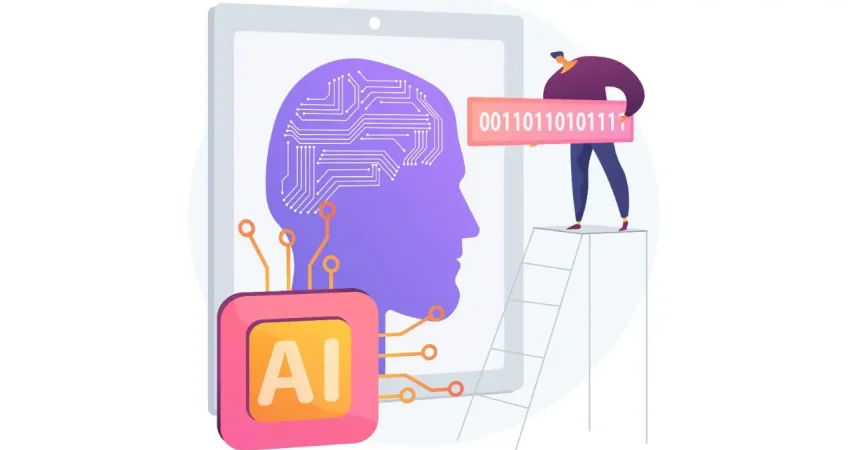
Have you ever wondered how companies such as Amazon or Google come to decisions quickly and easily, and how they use technology to simplify complex tasks? The answer lies in Artificial Intelligence (AI). But how can you harness this powerful technology to transform your own business? In this blog we will explore the implementation of Artificial Intelligence which can be the solution for you. So, let us dive in! 

What is AI Implementation?   

AI implementation makes use of smart technology in making your business function better. It simply embeds AI tools into your daily activities to make them easier and more efficient. This could be anything from responding to customer inquiries to analyzing massive data or even predicting what the next possible sale to a given customer would be. Basically, this is meant to save time and improve customer service and think smarter. This way, your business will be able to grow and make your goals a reality very fast due to working smarter, not harder.  Artificial Intelligence is important in today’s world because it makes life and working procedures easy. It helps organizations in automating tasks, analyzing data, and making speedy decisions. AI improves healthcare by supporting doctors in the diagnoses of diseases and improves the customer experience within retail shops through the personalization of shopping activities. As technology grows, AI becomes even more vital in helping us innovate and stay competitive. 

AI Implementation Strategy    

1. Data Type   

If you really want to start leveraging the power of AI properly, then it becomes quite important to use the right model for your data type. Use models that treat pictures well for image data, those that understand the language for text, and those that track changes over time for time-based information such as stock prices. Using the appropriate AI model according to your data makes it work better and gives you more accurate results. 

2. Problem Complexity   

Keep in mind how complex your problem will be when using AI. Easy problems likely can be satisfactorily solved with some pre-trained model that has been set up for common issues. For more unique or complex problems, you will want an AI tailor-made for your requirements. Matching an AI model with your problem’s complexity enables much better results and effective solutions. 

3. Labeled Data  

Deep learning requires a lot of labeled data—information that has been tagged with correct answers. Check whether you have enough labeled data for the project to be executed; otherwise, you can use techniques such as transfer learning, where you get a model that is already trained on similar data. In that case, you can still have good results with limited labeled data. 

4. Managing Computational Resources  

While using AI, do not forget to think about what kind of computing power you have. Big models, like GPT-3, really eat through resources—of course, not all companies will have these resources. Therefore, ensure that your infrastructure can sustain the computing burden for the kind of AI model you intend to use. This way, it will align the needs of the model with your computing means, thus implementing both smoothly and effectively. 

5. Interpretability  

Consider the interpretability at which you need to understand how your AI model works. In domains like healthcare or finance—where models must explain their decisions to be compliant and build trust—choose AI models that are transparent enough to interpret and justify their outputs. 

Step For Successful AI Implementation   

1. Set Clear Goals and Objectives  

Clearly define what you want to achieve before implementing AI in business. Be specific on the problems that must be solved, the gains to be achieved, improve customer satisfaction, or boost productivity. Knowing the target will help in choosing the correct tools and technologies of AI for you. 

2. Find the Best Data Sources  

AI’s ability to work correctly depends on the use of relevant data sources. This can involve using either internally generated data, like customer information or financial information, or even external sources such as social media and news feeds. Ensure that data used is relevant, accurate, and up to date. 

3. Pick the Right AI Tools  

With the plethora of tools in artificial intelligence at your fingertips, select only those that work for your business. These could be machine learning, language processing, or even analytic tools. Consider things like cost, scalability, and usability in finding the right fit for your business. 

4. Create a Solid Data Plan  

AI systems require enormous amounts of data to perform well. Build a robust data plan indicating how you will collect, store, process, and analyze your data. This includes setting up data management policies, ensuring the security and privacy of your data, and architecting a data system that works for your AI needs. 

5. Invest in Training and Skill Development  

An AI business can only succeed past the tools if equipped with the right people for the job. Invest in training and education for workers so that they develop appropriate skills for working with AI. The upskilling may entail learning more about data science, machine learning, or other skills that are relevant in AI. This will equip your team to effectively use the AI system to maximize its benefits. 

6. Start with Small Projects and Expand  

AI implementations can be very complex and time-consuming. Start small, engage in doable tasks that will yield some sense of how AI works for you in business. Test it in only one area or department of your business. From the experience and confidence, you will build from these first projects, over time, you can spread AI to other areas of your business. 

7. Monitor and Adjust 

Once your AI system is in place, monitor its performance. Key metrics should be observed, which include accuracy, speed, and efficiency. Monitor user feedback and adjust your AI algorithms or data strategy accordingly. Regular adjustments help ensure that your AI will continue working effectively for you.

Ready to take your business to the next level with AI?

At Mindpath, we offer cutting-edge AI development services designed to enhance efficiency and drive innovation.

AI Development Services at Mindpath    

Enrich your business with cutting-edge AI development services at Mindpath. We deal in predictive analytics, helping you foresee future trends and make decisions in advance. Machine learning applications will let you create automated decision-making for the enhancement of operational efficiency in your business. Additionally, data-driven insights are delivered to let your business understand and act upon the data appropriately. Our Business Intelligence services turn raw data into insightful visualizations and comprehensive reports so that you have a view of the performance of your business from a bird’s eye perspective. You could, therefore, make informed decisions that would drive strategic planning and make processes optimized with data-driven intelligence.  We also offer conversational AI services in developing smart chatbots and virtual assistants that increase engagement, provide real-time support, and automate tasks to create a seamless, highly personalized experience for users. At Mindpath, our AI development services are designed to innovate efficiency in your business to make it thrive in the rapidly changing digital landscape. 

Conclusion 

Artificial Intelligence offers transformative power to any business that can innovate and adapt. It aids in understanding and implementation of artificial intelligence at each level of your journey—from defining clear goals and selecting the right tools for your job through managing data—so that you unlock new levels of efficiency and insight. The AI development services offered at Mindpath will help you harness this power by turning complex data into actionable intelligence and automating processes for fueling growth. Embrace the future of technology with AI and see your business not only competing but leading in today’s dynamic market. 

Want to see how AI can revolutionize your business?

Mindpath’s expert team is here to help you leverage advanced AI technologies for smarter decision-making and greater success.


Support Is One Click Away

Featured Posts

Related Post

augmented staff onboarding

Businesses are in constant need of scaling their IT workforce in the current scenario. This is why many organizations have turned to staff augmentation. It is a viable approach to bring in the external IT experts to work along with your internal teams. As per recent ISACA studies, around 75% of employees are prioritizing hybrid work environments. This has made IT staff augmentation even more powerful.

However, simply hiring augmented professionals is not enough. Without a structured approach, even the most talented developers might struggle to integrate properly with your workflow. In this guide, we will go through some practical steps for staff augmentation onboarding. This can help you successfully adopt remote or hybrid teams while maintaining precise collaboration.

Need a cost-effective way to scale your team with qualified IT talent on demand? At Mindpath, we offer flexible staff augmentation services to help businesses hire top-tier developers and specialists without long-term commitments.

What is Augmented Staff Onboarding and How It Can Upgrade Your Operations?

IT staff augmentation is all about hiring experts temporarily from a third-party organization. Further, the extended team will help your business grow while accelerating the project workflow. They will work under your management while filling the skill gaps.

With proper augmented staff onboarding, you can easily tackle the risks and expenses related to traditional hiring models. A company leveraging these services will match you with all the resources you require for a limited timeframe. Here are the benefits that make staff augmentation an attractive prospect.

1. Minimal Cost

If we compare it to full-scale hiring, augmented staff is a much more budget-friendly solution. Your vendor will cover their recruitment charges and benefits. However, the pricing structure completely depends on the region or the offshore companies you are selecting.

2. Outstanding Productivity

Unlike freelancers or outsourced teams, integrating augmented teams can be managed in real time. You can collaborate with them and encourage your productivity.

3. Global Pool of Talent

With IT staff augmentation, you are breaking the limits of the local talent pool. Further, casting a wider net offers you a better chance of finding skills that exactly match your business objectives.

For your knowledge, an effective onboarding process can upgrade your business productivity by 70%. Organizations with a streamlined onboarding process can boost new hire retention by 82%.

Want to stay ahead of evolving workforce strategies and technology demands? Discover the latest staff augmentation trends that are transforming how businesses scale teams and adopt hybrid work models.

A Detailed Step-by-Step IT Staff Onboarding Process

Integrating augmented professionals into your team needs more than an orientation meeting. So, here is a structured approach to ensure seamless integration of augmented teams into your existing workforce.

1. Define the Roles and Project Expectations

Before the augmented team starts working on your project, you should clearly define your expectations. Moreover, you need to be precise about your project goals and milestones. Make the experts know their individual responsibilities and reporting structure.

Clear expectations can eliminate any type of confusion while allowing your team members to start contributing faster. In the recent scenario, average tech skills are becoming outdated. So, identify their gaps and bring in experts who can make an immediate impact.

2. Prepare the Technical Environment

One of the biggest onboarding delays happens when new employees wait to access new tools and systems. So, before your staff augmentation onboarding, make sure they have access to development environments and other collaboration tools. They should also be aware of your security credentials and permissions.

Offering access to project management tools and collaboration platforms ensures everyone can trace the task and can update the feedback in real time. The new team should be responsible enough to immediately begin exploring the system architecture and your project structure.

3. Conduct a Structured Orientation Session

Orientation can be tagged as the first official step in the remote team onboarding. So, this session should introduce augmented staff to the company’s mission and culture.

You should be vocal about your company’s goals and values. Further, you can discuss the overview of your products or services. Give an introduction to key stakeholders and be sure about the project timelines.

You can also schedule a one-on-one session with the managers or team leads to explain the expectations. This approach will ensure augmented professionals completely understand the bigger picture.

Planning to streamline your recruitment process and onboard experts faster? Check out how staff augmentation hiring enables businesses to quickly integrate skilled professionals into their teams.

4. Introduce Augmented Staff to Your Internal Team

A major challenge in staff augmentation is generating a sense of belonging. So, if your external professionals are not feeling connected enough, the overall collaboration can suffer.

You can introduce your team members through virtual team meetings. Further, you can make informal introductions with your major stakeholders. This is one of the major steps in staff augmentation onboarding as it encourages collaboration.

5. Assign a Mentor or Guide

Assigning a mentor can speed up the learning process. The mentor can help the new members understand the internal workflows. Further, they can answer queries regarding the tools or other internal systems.

A dedicated point of contact can minimize communication gaps, and the augmented staff will also understand who to approach when they find something challenging. This approach can encourage productivity while strengthening collaboration between the internal and external teams.

A professional point of contact can easily fill in the communication gaps, and the external staff will also understand who to contact when they face any issues. This step can upgrade your productivity while strengthening the collaboration efforts.

6. Regarding a Clear Communication Channel

Communication is the backbone of successful staff augmentation onboarding. So, when your team works across multiple regions or time zones, clear communication becomes essential.

To ensure clear communication, define your communication protocols and response expectations. Conduct a meeting and use an individual collaboration platform to assess the doubts of your team. Your organization should also welcome queries and concerns of the augmented staff. In this way, professionals will feel comfortable sharing their innovations or ideas.

Want to optimize your team collaboration while keeping operational costs under control? Discover how cost effective IT staff augmentation helps businesses maintain efficiency and productivity without increasing hiring expenses.

7. Provide Training and Resources

Even experienced professionals or IT specialists need time to understand a company’s internal systems. So, your stretched team should have proper access to your documentation process.

Continuous training and workshops can upgrade the knowledge while making your team understand the overall project environment.

8. Verify Performance and Progress

Your onboarding process shouldn’t be for the first weeks. You should acknowledge continuous feedback to make your external staff know your project needs. Your managers should also check the performance of your team every week. Assess their work and give them reviews for better work processing.

These sessions can help you identify early opportunities to improve collaboration and overall productivity.

9. Follow up on the Onboarding Process

Your business should assess the importance of the onboarding process. Most importantly, consider the concerns and feedback of your internal team. Companies that refine their onboarding strategies over time can scale their augmented teams more effectively while increasing productivity.

Wondering which workforce model best fits your business needs and long-term goals? Learn the key differences between staff augmentation vs managed services to make a more informed decision.

Conclusion

If your business needs quick and scalable IT talent, staff augmentation can be an ideal solution. However, your IT staff onboarding process should be streamlined enough. It can simplify the process while making your augmented teams match the existing workflows.

Companies like Mindpath can help your business upgrade its IT capabilities. Our expert team leverages efficient strategies and streamlined staff augmentation. Our approaches have already been beneficial for many industry leaders. We can be your perfect match for fulfilling the digital transformation your company demands.

Discover best practices for onboarding augmented IT staff, from identifying team needs to seamless integration, ensuring success.
Devops vs devsecops

DevOps vs. DevSecOps is a topic that will often arise when companies look for better and faster software delivery. Businesses are looking to release applications and software faster than ever, but they are also mindful of the growing sophistication of security threats. So where can businesses find the balance of speed and safety? This is where the transition from DevOps to DevSecOps comes into play; the need for speed is balanced with more stringent security requirements.

In today’s fast-moving digital age, the speed of development plays an important role, but it’s hardly enough. In addition to wanting systems that develop software quickly, organizations want systems that will also withstand vulnerabilities at each stage. That is why there’s so much interest in DevSecOps. DevSecOps does not replace DevOps; it enhances it by using continuous security assessments and ongoing protection. A clear understanding of these differences allows businesses to make better choices that can balance innovation with resilience. So, keep reading further to know the difference between DevOps and DevSecOps in this blog.

Still unaware of how DevOps benefits your business? Get in touch with us to gain full insight into adopting DevOps services that makes your operations seamless.

What is DevOps?

DevOps is a collaborative software development methodology that unites an organisation’s Development (Dev) and IT Operations (Ops) teams to deliver software faster, more reliably, and at greater scale. Its foundation is automation, continuous integration (CI), and continuous delivery (CD), commonly combined as CI/CD. DevOps helps break down silos between teams, enabling shared goals while reducing risk. It simplifies processes, improves team efficiency, and aligns technology outcomes with both customer and business objectives.

Furthermore, it drives a cultural change that values accountability, empathy, and shared responsibility. With automation, fast iterations, and rapid feedback, businesses are able to deliver secure and reliable software. In addition to this, not only does the process encourage innovation and creativity, but it also gives businesses flexibility and resilience in a competitive marketplace.

Here are some of the benefits of DevOps: 

1. Faster Delivery

Development cycles can go a lot quicker with automation and simplified processes. This enhanced delivery allows more frequent releases and decreases time to market.

2. Collaborative Teamwork

Development teams, operations, and other teams are all working toward common goals. Good team collaboration eliminates silos and improves project quality.

3. Smarter Efficiency

Automation eliminates repetitive tasks and optimizes workflows. Teams have the ability to save time and focus on activity that produces value, instead of spending time on manual processes.

4. Continuous Integration and Delivery (CI/CD)

Continuous integration and continuous delivery allow for reliable and consistent deployments. Your users can get new features and fixes fast and seamlessly.

5. Real-Time Insights

Monitoring tools enable instant visibility across the ecosystem. Teams can identify problems early, troubleshoot quickly, and improve performance.

These points explain how DevOps speeds up collaboration and delivery when comparing DevOps vs. DevSecOps, while DevSecOps extends an approach that has been inherently faster approach by adding stronger security practices.

Curious how automation and modern practices can improve your DevOps pipeline? Visit our blog on DevOps Trends to discover actionable insights and emerging innovations.

What is DevSecOps?

DevSecOps (Development, Security, and Operations) is the practice of integrating automated security checks into every phase of the software development lifecycle. It unites development, security, and operations teams so they can plan, build, test, and release applications together, making security a shared responsibility from the start. In return, DevSecOps allows for faster, more reliable processes, ensuring that security is built in from the very beginning rather than added as an afterthought.

To better understand the three pillars of DevSecOps, simply think of collaboration, automation, and continuous security. Collaboration ensures that everyone is sharing the responsibility, automation introduces automated security checks into CI/CD pipelines, and continuous security ensures that monitoring is continuous. With the three pillars of DevSecOps, organizations are able to create dependable applications while implementing continuous security measures to defend them against constantly evolving threats.

Here are the benefits of DevSecOps:

Benefits of DevSecOps

1. Early Risk Detection

DevSecOps allows for the identification of vulnerabilities during the development phase rather than at the end of the development process. Finding and remediating risk early in this way saves time and expense and means that users receive secure applications.

2. Faster Release Cycles

As teams can impact security testing in their workflow, delays are prevented, human error is removed, and developers get new features into the hands of users sooner.

3. Stronger Compliance

DevSecOps processing can assist software teams in meeting compliance obligations with strict regulatory guidelines. Automated checks and secure development practices ensure that data continues to be protected, while developers can be assured that they meet industry standards.

4. Security-First Perspective

Treating security as a shared responsibility, teams practicing DevSecOps have developers, security professionals, and operations staff collaborating to manage risks actively and ensure they minimize incidents throughout the development period.

5. Safe Feature Delivery

With DevSecOps, teams can deliver new functionality faster while also guaranteeing that security practices are undertaken throughout the development period. This can be one of the key differences in terms of DevOps vs. DevSecOps: how features are delivered.

Aiming to enhance operational efficiency and reduce development risks? Check out our blog on DevOps Challenges and Solutions to discover proven approaches that improve performance, stability, and cross-team cooperation.

DevSecOps vs. DevOps: Key Differences

DevOps vs. DevSecOps reveals how software teams value speed, teamwork, and security. While DevOps emphasizes faster delivery, DevSecOps enhances that process, making security a priority at every step of the development process.

1. Security Focus

The primary distinction between DevOps vs DevSecOps is security. DevOps puts movement between development and operations to speed up the delivery of software, but its security processes are usually significant afterthoughts. DevSecOps has security processes established from start to finish and considers them a core capability. By treating security as a core capability, vulnerabilities are eliminated upstream, so they are remedied before deployment.

2. Collaboration Culture

DevOps emphasizes collaboration between development teams and operations teams to promote continuous integration and delivery. Security is often treated as an independent effort, which creates holes in the development process. DevSecOps emphasizes the work of the security team interacting directly with developers and operations teams in every phase of development. This develops a culture of security being everyone’s responsibility.

3. Timing of Security

Conventional DevOps teams often include security at the final phase of the development cycle. If bugs occur towards the end of the process, they can delay the project significantly. DevSecOps reinforces timing by introducing a shift-left strategy with security at the beginning of the development process to build secure and reliable applications.

4. Tools and Automation

In contrast, when discussing DevOps vs. DevSecOps tools, the distinction is clear. DevOps follows automated processes for build, test, and deploy; however, normally, the security tools are still standalone. With DevSecOps, you use drive-by automated security scans, code analysis, and continuous monitoring in the CI/CD pipeline. It allows teams to detect threats in real-time without having to slow their delivery pace.

5. Salary Comparison

There is a notable salary gap when looking at DevOps vs. DevSecOps salaries in the UK. DevOps Engineers generally earn from ÂŁ65,000 to ÂŁ92,500+ with a difference based on skills and location, while DevSecOps Engineers receive a greater salary, with salaries for senior roles exceeding ÂŁ130,000+ a year, particularly for positions based in London.

Looking to optimize your CI/CD pipeline with smarter automation and streamlined processes? Visit our blog on DevOps Best Practices to discover the strategies high-performing teams use to achieve consistent, stable releases.

DevOps vs. DevSecOps: A Comparison Table

When exploring DevOps vs. DevSecOps, it’s clear that both approaches aim to improve software delivery but take different routes to get there. This table highlights the main distinctions, making it easier to see how DevSecOps builds on DevOps with an added focus on security.

Aspect DevOps DevSecOps
Core Goal Focused on speeding up development and deployment cycles. Balances speed with security to deliver safe, reliable software.
Team Culture Collaboration between development and operations teams. Shared responsibility among development, operations, and security teams.
Security Approach Security checks are introduced late in the release pipeline. Security is integrated into every stage of the development lifecycle.
Automation Uses CI/CD pipelines to automate builds, tests, and deployments. Extends CI/CD with automated security scanning and compliance checks.
Risk Handling Issues are often fixed after vulnerabilities are found in production. Risks are identified and mitigated early to prevent breaches.
Compliance Handled towards the end of development, often as a final step. Built into processes from the beginning, ensuring continuous compliance.
Toolset Relies on monitoring, deployment, and collaboration tools. Adds tools for code analysis, threat detection, and policy enforcement.
End Result Delivers applications quickly but may leave gaps in security. Produces faster releases that are also secure, compliant, and resilient.

Which approach will drive your business forward?

The comparison of DevOps vs. DevSecOps shows that while DevOps accelerates delivery, DevSecOps ensures that speed is not achieved at the cost of security. Businesses gain the ability to innovate quickly while reducing vulnerabilities. Choosing the right model depends on priorities, but integrating security early always results in stronger, more resilient software outcomes.

At Mindpath, we offer tailored DevOps services designed to improve speed, collaboration, and reliability across your software delivery cycle. By helping teams embrace automation, modern practices, and security-focused strategies, Mindpath ensures that businesses not only accelerate development but also deliver secure, high-performing applications that stand out in today’s competitive digital market.

Frequently Asked Questions

tech stack for web app success

Have you ever asked yourself what makes a web application run perfectly while another one continues to crash, raise issues, or slow down? The answer often relates to tech stack alternatives. Think of technology stack choices as the foundation and building blocks of your project. They can make your web application more robust or scalable, and easier or harder to maintain. So, how do you know which technologies should run your next big idea? It’s a decision that impacts the success of your project.

The options can seem endless, but if you understand your desired outcomes and the function of every piece of the technology stack, then this decision doesn’t need to feel too overwhelming. When you pick the right combination of tools, you could save yourself a lot of time and money. In this blog, we are going to explain the basics/fundamentals for web application tech stacks, highlight important considerations, and hopefully help you feel confident in regard to choosing the right technology stack for your web application project. So, let’s explore!

Planning to build a new web application? Mindpath’s web development services will help you in choosing the right tech stack and developing applications as per your business needs.

What is a Technology Stack?

A technology stack, or tech stack, is a combination of tools, frameworks, and programming languages that work together to build and run a web application. It serves as the base for your project. Each part of the stack reflects a specific function. Whether handling user actions or managing data behind the scenes, and effectively, they all need to work together if your application is going to function well.

Finding the right combination will have a significant effect on how your application performs and compounds. A prudent choice will allow you to build an organized, flexible, and scalable web application that you can easily maintain and grow as your needs change.

Key Factors to Consider While Choosing the Right Tech Stack

Choosing the right tech stack for web development is one of the most important things you’ll do to ensure the success of your project. The tools and technologies you decide to use will dictate how your application performs, scales, and is kept secure. Here are some key factors to keep in mind while selecting the best tech stack for web development.

Key Factors to Consider While Choosing the Right Tech Stack

1. Know Your Team’s Expertise

Look at what technologies your team already knows well. Using familiar tools can help you develop faster and avoid extra training costs. Make sure the tech stack matches your team’s size and experience to keep the project on track.

2. Budget and Licensing Costs

Think about any licensing fees for paid tools and compare them with free, open-source options. Remember to plan for costs related to maintenance, updates, and security. Also, include cloud service expenses that may grow as your project expands.

3. Development Speed

Getting your product ready fast can be a big advantage, especially for new businesses. Choosing proven frameworks and useful libraries can help your team build features quickly. This saves time and lets you focus on improving your web app for users.

4. Security and Compliance

Prioritizing security is essential, especially if your application handles sensitive data. Choose a tech stack that supports robust security features and aligns with industry regulations. This will help protect user information and maintain compliance as your project grows.

5. Maintenance and Support

Choose technologies that have strong community or vendor support so you can get help when needed. A reliable tech stack with regular updates will make it easier to fix issues and improve your application over time. This helps you avoid unexpected costs and keeps your project stable in the long run.

6. Performance and Scalability

Make sure your tech stack can handle the speed and load your application needs. If you expect real-time processing or heavy traffic, choose tools that keep response times fast. This helps your web app run smoothly as more users come on board.

7. Integration with Third-Party Services

Check that your tech stack works well with the third-party services your app needs. Good API compatibility makes it easier to connect features like payments, analytics, or social media. This saves time and helps your app deliver a smooth user experience.

8. Community and Documentation

Choose technologies with an active developer community and plenty of shared resources. Strong documentation makes it easier for your team to build, test, and maintain your web application. This support can save time and help solve issues more quickly.

Wondering how your tech stack fits into the bigger picture of web app development? Explore our comprehensive Web App Development Roadmap for 2026 to see how each decision impacts your project’s success.

Top 8 Tech Stack Examples

Exploring technology stack examples can help you see what works best for different types of projects. Here are some of the most popular examples to consider in 2026.

Top 8 Tech Stack Examples  

1. MERN Stack

MERN includes MongoDB, Express.js, React, and Node.js for flexible, dynamic sites. It’s widely chosen as a modern web application stack for responsive interfaces.

2. LAMP Stack

The LAMP stack combines Linux, Apache, MySQL, and PHP to build reliable, cost-effective websites. It is one of the oldest and most trusted web stacks in use today.

3. .NET Stack

The .NET stack is known for secure, large-scale enterprise applications. Many companies choose this web dev stack for its strong integration with Microsoft tools.

4. MEAN Stack

The MEAN stack uses JavaScript across MongoDB, Express.js, Angular, and Node.js. This tech stack for web development is popular for real-time and single-page apps.

5. Ruby on Rails Stack

Ruby on Rails offers a simple, clean approach for rapid web projects. This technology stack example is still a favorite for startups and MVPs.

6. Python-Django Stack

The Python-Django stack helps developers build powerful sites quickly. Many prefer this as a flexible web development stack with great community support.

7. JAM stack

JAM stack uses JavaScript, APIs, and Markup to deliver fast static sites. It is considered one of the best tech stacks for web development for content-heavy projects.

8. Serverless Stack

Serverless architecture removes the need to manage servers directly. It’s a growing example of a tech stack that cuts costs and improves scalability.

Not sure if your business really needs a custom web application? Discover the key signs that your business needs a custom web application that indicate it’s time to invest in a tailored solution for your needs.

Need Help Choosing the Right Tech Stack for Your Web Project?

Selecting the right tech stack for web development shapes how well your application performs, scales, and adapts over time. By knowing your goals, team strengths, and key factors like security, costs, and integrations, you can make informed choices that save you time and money. A thoughtful approach will help you build a reliable, future-ready web application that supports your business growth.

At Mindpath, we help you build secure, high-performing web applications with the best-fit tech stack for your needs. Our experts offer end-to-end web application development services, covering design, development, testing, and support. We make sure your solution stays flexible, scalable, and easy to maintain as your business grows. Let’s create a web app that works for you.

Frequently Asked Questions

1. How do you choose the right tech stack for a web application without overcomplicating the decision?

Start with three clear questions: What does the application need to do, who will build it, and what is the budget? Matching the tech stack to team expertise, project complexity, and long-term scalability requirements eliminates most confusion. Overthinking the decision often leads to choosing unnecessarily complex technologies that slow development considerably.

2. Can switching tech stacks midway through a web project cause serious problems?

Significantly yes. Changing the tech stack mid-development typically means rebuilding foundational components, retraining the team, and resetting timelines entirely. The cost and disruption are rarely justified unless the original choice was fundamentally flawed. Making a thoroughly researched decision before development begins is always far more efficient than course-correcting later.

3. Is an open-source tech stack always better than a paid licensed one?

Not necessarily. Open-source stacks eliminate licensing fees but may require more internal expertise for maintenance, security patching, and troubleshooting. Paid stacks often include vendor support and compliance features that save time in regulated industries. The right choice depends entirely on team capability, budget structure, and specific application requirements.

4. How does the tech stack choice directly affect a web application’s long-term scalability?

Certain technologies handle growing traffic and expanding features far more gracefully than others. A stack chosen purely for rapid initial development may create serious performance bottlenecks as user numbers increase. Evaluating scalability requirements honestly at the planning stage prevents expensive infrastructure overhauls that become necessary when applications grow beyond their original technical foundations.

5. Does the size of a developer community really matter when selecting a technology stack?

Considerably more than most people initially expect. An active community means readily available documentation, faster bug fixes, regular framework updates, and easier access to experienced developers when hiring. Technologies with shrinking or inactive communities gradually become liabilities, making maintenance harder and recruitment significantly more difficult as fewer developers maintain proficiency in them.