







Latest Insights On

GenAI, Tech, and Digital Transformation 

Stay updated with expert insights, success stories, and real-world applications of cutting-edge technology.

generative ai tools for content creation

Did you ever wish you could brainstorm new concepts, create beautiful visuals, or write codes without any creative personnel or technical expertise? Now that there are well-developed generative AI tools for content creation and code generation, this is not a dream anymore. These smart tools are enabling users to develop quality content and working code in a matter of minutes. Whether it is writing blogs or coming up with generative code snippets, these tools are aiding productivity and creativity in industries.

All you need is the right tool to witness the magic. Here, in this blog, you will learn about generative AI for code generation and content development. In addition to that, we will discuss some of the most essential aspects that will allow you to select a generative AI tool without any confusion.

Want to improve your business content creation and coding capabilities without increasing the workforce? Mindpath’s Generative AI development services build custom GenAI solutions that deliver consistency and measurable results.

What are Generative AI Tools?

Generative AI tools are software applications powered by machine learning models that create new content, such as text, images, audio, video, and code, in response to user prompts. Popular examples include ChatGPT, Midjourney, and Claude. Gen AI is changing creative work by automating repetitive processes, and since these tools are trained on huge amounts of data, they can generate context-aware content that benefits teachers, marketers, developers, and designers alike.

Here is how generative AI can help in code and content creation.

1. Produce beautiful marketing images.

2. Write social posts, emails and articles.

3. Computerize routine development processes.

4. Write code using various languages.

Whether you are a marketer who wants to optimize the content or a developer who needs to quickly get the code finished, generative AI can serve as your creative partner.

Wondering where generative AI is making the biggest impact? Discover generative AI use cases to explore real-world applications across industries.

Let’s now learn about the most popular generative AI tools for content creation and code generation and know how to select the appropriate one for your business. 

Generative AI Tools for Content Creation

Generative AI has enabled more scalable, faster, and smarter content creation processes across industries. Here are some popular tools assisting with ideation, editing, and drafting. 

1. Copy.ai

It generally focuses on generating short-form content. Businesses can use it to generate taglines, headlines, and relevant email subject lines. Copy.ai is an ideal option for quick ideation and A/B testing across multiple campaigns. 

2. Jasper

This AI-based tool is an advanced writing assistant that is developed for sales teams, marketers, and brands in need of conversion-driven and persuasive content. It comes with built-in templates as well as SEO integration. Jasper can assist you with the social media posts, landing pages, and advertising.

3. Hypotenuse AI

This tool specializes in generating e-commerce-focused content and product descriptions. It is also able to develop SEO-friendly blogs depending on the nature of your brand so that you can gain organic traffic. Using this, you can maintain a consistent brand tone for your marketing content.

4. ChatGPT

This versatile tool is an excellent option for long-form writing, conversational content, and brainstorming. It is flexible in style and tone, and is therefore excellent for emails, product description, and blogging.

Wondering how tools like ChatGPT generate human-like responses? Explore the Large Language Models (LLM) guide to understand the technology powering content and code creation.

Wondering which AI tool is best for content creation? Well, that entirely depends on your requirement. You should choose generative AI tools for content creation considering your audience base, content format, workflow requirement, and platform. 

Top Generative AI Tools For Code Generation

AI coding tools are not here to replace developers; they are here to enhance their efficiency and capabilities. Well, if you want to experience it, here are some of the best generative AI tools for code generation that you can try. 

1. Tabnine

It is a deep-learning code assistant and can easily adapt to every developer’s style. The platform supports IDEs and multiple languages. Besides, it offers privacy-first deployment along with team-based training. With this tool, you can ensure context-aware code generation. 

2. Qodo

It is an AI-based code quality platform, which provides comprehensive test cover, compliance, and code integrity. It can easily be incorporated into CI pipelines, JetBrains, VS Code, and IDEs. Qodo also promotes features like code explanation, SDLC coverage, and automated test development.

3. GitHub Copilot

This tool is built in with Visual Studio Code and provides smart code completion, automatic snippet generation and real-time suggestions. It supports several programming languages and assists programmers to code more quickly and with minimum errors.

4. Replit

It is a browser-based coding platform that offers AI-powered contextual code generation and auto-completion. In addition, it is also capable of detecting errors and breaks down complicated code snippets efficiently with a reasonable explanation. Replit also supports real-time collaboration and rapid prototyping.

Interested in AI-powered image and media generation? Explore our Stability AI guide to see how Stability AI tools support creative workflows.

Tips to Choose the Right Generative AI Tools

Selecting the best generative AI tools for your needs requires a strategic approach. After all, not all the tools are the same, and one tool can’t fulfil all your wishes. However, you don’t have to worry at all, as here we have listed down some useful tips that will help you make an informed decision. 

1. Know Your Goals

Always begin by learning about the core objectives. Understand whether you need a tool for editing multimedia, writing SEO-optimized content, or generating code. With a clear goal, it will be easier for you to match tools to particular tasks. 

2. Pilot Various Tools

Extensively test multiple AI tools and compare their output quality, feature alignment, and usability. Piloting can help you find out which tools perfectly fit your existing workflows and adapt to your technical and creative style. 

3. Customization and Training

Opt for generative AI tools that allow quick tuning, model training, and brand voice adaptation. Flexibility in customization ensures the results are consistent and relevant.

4. Integration Compatibility

While searching for generative AI tools for content creation, you should ensure that they will integrate with your existing tools, like IDEs, CMS, etc. A seamless integration will reduce friction and increase productivity while supporting your future scalability. 

5. Support and Community

Some tools can be a little challenging to get started with. However, a tool with strong documentation and active forums will be easy to use. A growing community will accelerate learning and help you troubleshoot different issues. 

Keep these points in mind and align your organizational goals with the tool’s capabilities to find the best solutions. Only the right one can help enhance creativity as well as productivity. 

Want to stay ahead of emerging AI innovations? Check out generative AI trends to learn what’s shaping the future of AI tools.

Challenges and Considerations in Gen AI

As generative AI platforms become essential to code and content creation, many ethical considerations and challenges demand attention. Read to know more about this.

1. Ownership Conflict

One of the major concerns is ownership. Who truly owns AI-generated outputs- the developer, the platform, or the users? We all know that the current legal frameworks are not designed for technological innovation. This has created confusion around licensing, distribution rights, and copyright. Every organization should establish transparent internal policies that clearly state ownership. 

2. Ethical Grey Zones

Generative AI tools are trained on massive datasets, and that data may carry bias, cultural blind spots, and misinformation. Without proper oversight, those flaws can be seen in outputs. Organizations should consider ethical AI and focus more on fairness, transparency, and, of course, accountability. Speaking about the responsible use of models, it includes proper auditing models, flagging problematic content, and aligning outputs with societal values. 

3. Human Judgment Still Matters

Undoubtedly, generative AI tools have impressive capabilities. However, they are not infallible. These tools can misinterpret prompts, offer irrelevant content, and hallucinate facts. That’s why human oversight will remain essential for quality checks. Editorial review, domain expertise, and critical thinking are irreplaceable. 

4. Access Gaps

Powerful AI tools often need significant resources such as financial investment, computing power, and technical expertise. This may create obstacles for small creators and teams. Eliminating such issues is important for equitable innovation. Affordable pricing, inclusive design, and open-source models can lead to vast adaptation. 

Addressing these issues will ensure that generative AI tools evolve responsibly and can benefit various users. 

Wondering how businesses can adopt generative AI responsibly? Discover generative AI for business to learn strategies that balance innovation, cost, and accessibility.

Generative AI Tools – What’s There in the Future?

The future of generative AI tools for content and code creation is evolving rapidly. The trends indicate more accessible, intelligent, as well as collaborative experiences.  In the future we shall be able to observe:

  • Stunning multimodality features combining images, audio, code, and text generation.
  • More developed and elaborate fine-tuning of industry-specific code standards and writing.
  • The risk of errors will be reduced as AI will be able to comprehend context on a profound level.
  • AI will function as a technical and creative partner, helping businesses boost productivity. 
  • AI-powered content and code creation will become more accessible to small businesses, startups, and non-technical users. 

Curious how generative AI is reshaping business operations? Explore our generative AI revolution blog to see how it is transforming content creation and the future.

Generative AI Tools- Driving Innovation in Code and Content

Generative AI tools for content creation and code generation are transforming the way developers and businesses operate. These tools are driving high-speed innovation, increasing the power of creativity, and improving quality. Whether you need to write interesting marketing copy or just want to automate some of your coding tasks, these tools can help you with this seamlessly.

Mindpath’s AI development services have been leading this revolution and assisting businesses in embracing the potential of generative AI. Using our experience in offering tailored AI solutions and fine-tuning, you can have your AI tools aligned per your specific needs. With us, you can strategically select the best generative AI tools for content creation or code generation. Shine out in this changing online scenario with us!

Stability AI guide

In this generative AI revolution, one name that stands out as a leader of open-source AI models is Stability AI. The company has introduced many powerful AI models that have completely changed the way of generating digital content. This Stability AI guide explains what the platform is, how its models work, and how they can be used for digital content creation.

Key Takeaways

  • 01
    Stability AI provides open-source AI models for generating images, audio, text, video, and 3D content.
  • 02
    Stable Diffusion is one of Stability AI’s best-known models for creating images from text prompts.
  • 03
    Stability AI models can be accessed through hosted platforms, browser-based interfaces, or local installations.
  • 04
    Different Stability AI models support use cases ranging from image generation and language tasks to 3D and audio creation.
  • 05
    Businesses and creators can use Stability AI to produce digital content, automate creative workflows, and explore new AI-powered possibilities.

If you are looking to explore the most powerful, flexible, and accessible toolkit to create audio, videos, images, and more, this Stability AI guide is for you. Read on to find out what it is and the various models offered by Stability AI. Besides, here you will find the answer to an important question: “How can I use Stability AI?”

Want to explore Stability AI but need guidance on turning its capabilities into real business value? Mindpath provides end-to-end AI development services that bring your AI ideas to life with reliable, future-ready solutions.

What is Stability AI?

Let’s start this Stability AI guide by understanding the basics – what Stability AI is. Stability AI is a renowned company that was established in 2019. It strives to provide powerful and open-source AI models to perform different tasks. The brand is known for its Stable Diffusion model, a powerful image generation model.

Different from other platforms, Stability AI releases the source code and the weights of their models, as it emphasizes openness. This has made it a top choice among startups, hobbyists, and artists. Developers can easily fine-tune and build upon various models offered by Stability AI. The product portfolio of Stability AI expands beyond just image creation. The ecosystem includes multiple models for all types of digital content.

So, how does Stability AI work? Its models learn patterns from datasets and use those learned patterns to generate content based on user inputs.

How Does Stability AI Work?

In general, Stability AI creates as well as trains various foundational models, or we can say large neural networks. These models can generate content based on the patterns they have learned from different datasets. All these models are trained utilizing diffusion techniques, and the most popular of these is Stable Diffusion.

It basically starts with random noise. Next, by reversing the diffusion process, it eliminates the noise for generating realistic images that are based on the prompts of the user. For language-related tasks, Stability AI has advanced models such as StableVicuna and Stable LM. Stability AI wants to make modern AI technologies easier to access by making AI models open-source and offering comprehensive documentation.

Want to know what makes generative AI models so powerful? Discover the attention mechanism to learn how neural networks focus on important information during generation.

Understanding Various Stability AI Models

In order to maximize the use of Stability AI, it is essential to learn about its fundamental models. After all, these models are the basis of the incredible functionality of this platform. Continue reading this Stability AI guide and explore the key models. This will assist you in choosing the right one for your needs.

1. Stable Diffusion 3.5

This represents the ability of Stability AI to create an image based on text. This model produces high-quality and detailed images based on the user’s prompt. It is available in different sizes, like Medium, Turbo, and Large. It demonstrates a perfect combination of speed and quality. Whether you need an AI model for concept design, artwork, social media posts and product mockups, you can count on it.

2. Stable Diffusion XL

Even though it is an old model, it can still produce high-resolution and large images without compromising detail. It balances between quality and performance. This is the reason why this model is still being used by many workflows and community UIs.

3. Stable LM 2 12B

It is one of the popular Stability AI models, well-known for various types of natural language processing tasks. It supports 12 billion parameters and performs efficiently for tasks like question answering and text generation, as well as summarization.

4. Stable Point Aware 3D

We can say that it is a groundbreaking AI model for quick yet efficient 3D content generation. It can convert 2D images into detailed 3D models. It has made 3D modelling more accessible and easier than before. This model is valuable for industrial design, VR/ AR and gaming industries.

5. Stable Audio Open 1.0

This particular model lets users to create sound effects, instrumental tracks and music using text prompts. Using this, you can produce original audio content without worrying about royalty constraints. As the model is open-source, you can also fine-tune it for different projects.

You don’t need to learn about all these models at once. Just begin with Stable Diffusion as it is simple to learn.

Curious how generative AI models like Stability AI actually work? Read the Large Language Model (LLM) guide to gain clear insights into how these models process data and generate intelligent outputs.

How Can I Use Stability AI?

Stability AI can be used through hosted platforms, browser-based interfaces, or local installations. The right approach depends on your technical skills, desired level of control, and available computing resources.

1. Utilizing a Hosted Platform

This is the most convenient and quickest method of using Stability AI. You don’t have to deal with configuring the tools or downloads. All you have to do is use platforms such as DreamStudio or others using Stability AI models.

You can sign up for an account with platforms like Sinkin AI, Playground AI, DreamStudio, Childdrop or Invoke AI. Then, type your text prompt and click on the Generate button to view the result.

It is an ideal method if you want to learn the potential of Stability AI without developing any technical skills.

2. Online UI Built on Stable Diffusion

Do you want to have better control without dealing with code? There are many third-party websites offering easy-to-use interfaces developed on Stable Diffusion. These sites provide you with advanced features such as upscaling, guidance scale, negative prompts and more.

The best part is that you still don’t have to worry about local installation and spending money on high-end GPUs.

3. Run Stability AI Models Locally

This approach should be used when a user has a strong GPU and decent technical abilities. With this method, you can run AI models on your own system. It gives you maximum control, and you can switch between various models as per your needs.

Furthermore, you can even find-tune models and add LoRA. What’s more? Once configured, you can use features like outpainting, inpainting and more.

Local installation can be challenging and has a steeper learning curve. But in the long run, you will find it more secure, fast as well as highly customizable.

In short, as a beginner, you can prefer to follow the first two methods. After developing the required skills and knowledge, you can install the models locally and enjoy more creative possibilities.

Looking to customize AI models for your projects? Read OpenAI’s Fine-Tuning API tutorial to discover techniques for fine-tuning AI models and improving performance.

Real-World Stability AI Examples

Let’s end this Stability AI guide with some Stability AI examples that show the ways businesses and individuals are utilizing Stability AI.

1. For Creators

Using Stability AI image generator, creators can generate album covers, concept arts, book illustrations and more. The media tools make it easy to create unique visuals for digital campaigns and branding.

2. For Businesses

Organizations can use Stability AI to automate various tasks and save resources as well as time. Stability AI enables the creation of quality digital content, whether it is a video or a prototype design of a new product. These examples clearly show that you don’t need to be a technically skilled individual to leverage the power of Stability AI. It is one of the most effective AI solutions for small businesses, helping them streamline operations and create professional content without heavy technical expertise.

Want to understand how AI agents improve the performance of Stability AI? Explore the role of AI Agents to see how they guide generative processes and expand what Stability AI can achieve.

Ready to Explore the Full Potential of Stability AI?

Stability AI makes generative technology more accessible with powerful open-source models for images, audio, text, and 3D content. From beginners to businesses, anyone can create, experiment, and innovate by choosing the right tools, platforms, and workflows.

At Mindpath, we provide expert AI development services to help you turn Stability AI capabilities into real business outcomes. From model integration to deployment and optimization, our team ensures scalable, efficient, and future-ready solutions. Partner with us to build smarter AI-driven solutions.

ai solutions for small businesses

AI solutions for small businesses help owners and startup teams automate routine work, improve customer communication, analyze business information, and create content with fewer manual steps. These solutions range from ready-to-use AI applications to custom systems integrated with a company’s existing software. The right choice depends on the business problem, available budget, team capacity, and data requirements.

Key Takeaways

  • 01
    AI solutions for small businesses can support content creation, customer service, marketing, bookkeeping, reporting, and routine workflow automation.
  • 02
    The main benefits include reduced manual effort, more consistent workflows, faster access to information, and better support for business decisions.
  • 03
    Tools such as ChatGPT, Microsoft 365 Copilot, HubSpot AI, Canva Magic Studio, and customer support platforms serve different business needs.
  • 04
    Businesses should compare features, pricing, integrations, privacy controls, and expected value before selecting an AI solution.
  • 05
    Starting with a measurable, low-risk use case helps small teams test AI, review the results, and expand adoption responsibly.

Small businesses do not need to build a complex AI system to benefit from the technology. They can begin with focused tasks such as drafting emails, organizing customer enquiries, summarizing documents, analyzing sales data, or preparing marketing content. By selecting tools that solve specific problems and measuring their results, smaller teams can evaluate AI’s value before making a larger investment.

Looking to apply AI to your business workflows? Mindpath’s AI development services can help you evaluate suitable solutions and plan an implementation aligned with your business goals.

What are AI Solutions for Small Businesses?

AI solutions for small businesses are tools and applications that use artificial intelligence to assist with specific business activities. Depending on the product, they may generate text, summarize information, answer customer questions, classify documents, analyze data, recommend actions, or automate parts of a workflow.

These solutions include ready-to-use software, AI features built into existing business platforms, and custom applications developed for particular requirements. A small retailer might use AI to prepare product descriptions, while a professional services firm could use it to summarize documents or organize client enquiries. A startup with more specialized needs might integrate an AI model with its customer relationship management system or internal knowledge base.

The objective is not to introduce AI into every process. It is to identify tasks where AI can provide practical value while maintaining appropriate human review, data protection, and quality standards. Businesses can begin with AI for customer service or other focused applications before considering more advanced implementations.

Benefits of AI Solutions for Small Businesses and Startups

Small businesses often work with limited budgets and lean teams. AI can help address some operational constraints by assisting with repetitive tasks and making business information easier to use. The actual benefits depend on the chosen tool, the process being improved, and how effectively the solution is implemented.

1. Increased Productivity

AI writing assistants, summarization tools, and workflow applications can help employees complete routine tasks with fewer manual steps. For example, a team member could use AI to prepare a first draft of a proposal, summarize a lengthy report, or organize notes from a meeting.

Employees should still review the output for accuracy and relevance. Measuring time saved and the amount of rework required can help businesses determine whether the tool improves productivity.

2. Improved Customer Engagement

AI can support customer communication by helping businesses draft personalized messages, answer common questions, summarize support conversations, and organize incoming requests. AI-enabled chatbots can also handle selected routine enquiries when connected to reliable information sources.

Businesses should make it easy for customers to reach a human representative when an issue is sensitive, complex, or outside the system’s capabilities. Customer satisfaction and resolution quality are more useful measures than automation volume alone.

3. Automation of Repetitive Tasks

AI-enabled applications can assist with tasks such as scheduling, document classification, data extraction, email drafting, and processing routine enquiries. When connected to business software, they may help coordinate multiple steps in a workflow.

Not every repetitive task requires AI. Fixed, predictable processes may be better suited to conventional automation. Businesses should choose the simplest approach that reliably addresses the problem.

4. Better-Informed Business Decisions

AI-powered analytics tools can help business owners summarize sales records, identify patterns, compare performance indicators, and prepare forecasts. These insights can support decisions about inventory, marketing campaigns, staffing, and customer retention.

AI-generated analysis should be checked against the underlying data and business context. Owners remain responsible for interpreting results and considering factors the system may not capture. Read our guide to AI decision-making use cases for related applications.

5. More Consistent Marketing and Content

AI tools can help small teams generate content outlines, prepare social media drafts, rewrite product descriptions, and adapt messages for different channels. They can also support brainstorming and editing when a business has limited in-house marketing resources.

Human review remains important for factual accuracy, brand voice, originality, and audience relevance. AI-generated content should reflect the company’s expertise and actual offerings rather than relying on generic material.

6. Support for Business Growth

As a business grows, the volume of customer enquiries, transactions, documents, and internal coordination can increase. Suitable AI tools may help a small team manage some of this additional work without immediately adding manual steps to every process.

Growth still depends on product quality, customer demand, sound operations, and effective management. AI can support these activities, but it does not guarantee revenue growth or eliminate the need for skilled employees.

For a broader view of business applications, read our article on the benefits of artificial intelligence.

11 AI Solutions Small Businesses Can Consider

The right AI tool depends on the work a business needs to improve. Some applications focus on writing and content creation, while others support customer service, marketing, accounting, analytics, or online store management. The following options reflect the tools covered in this guide; available features, product names, integrations, and plans may change over time.

Tool Primary use Potential business application What to evaluate
ChatGPT Writing, analysis, brainstorming, and general assistance Drafting emails, preparing outlines, summarizing documents, and organizing ideas Output accuracy, data handling, and suitability for the task
Microsoft 365 Copilot Assistance within supported Microsoft applications Working with documents, email, meetings, and business data Plan availability, application support, and organizational permissions
HubSpot AI Marketing, sales, and CRM assistance Supporting outreach, CRM workflows, and customer communication Existing CRM setup, feature availability, and pricing
Shopify Sidekick Assistance for Shopify merchants Supporting store-related tasks and understanding store information Shopify plan, supported capabilities, and store requirements
Grammarly Writing and communication support Reviewing grammar, clarity, tone, and professional messages Language support, integrations, and data policies
Canva Magic Studio Visual design and content creation Preparing marketing graphics, social content, and presentations Design requirements, brand consistency, and usage rights
Bookkeeping.ai Bookkeeping-related assistance Supporting transaction organization and financial workflows Accounting integrations, accuracy, and review requirements
Zendesk AI Customer service and support workflows Supporting ticket classification, responses, and service operations Support volume, integration needs, and plan availability
Tableau Pulse Business intelligence and metric insights Reviewing business performance and key indicators Data sources, analytics requirements, and licensing
Buffer Social media management Planning posts and coordinating social media activity Supported channels, scheduling needs, and available AI features
Lumen5 Video content creation Turning written material into video content Video formats, branding needs, licensing, and plan limits

1. ChatGPT

ChatGPT can assist small businesses with drafting content, brainstorming ideas, summarizing information, analyzing supported data, and preparing customer communication. For example, a business owner could use it to draft a product description, organize a meeting agenda, or create an initial response to a frequently asked question.

The tool is most useful when employees provide clear context, review the output, and adapt it to the business’s needs. Sensitive customer information and confidential company data should only be shared in accordance with the organization’s privacy requirements and the tool’s applicable data controls.

2. Microsoft 365 Copilot

Microsoft 365 Copilot brings AI assistance into supported Microsoft applications and workflows. Depending on the plan and configuration, businesses may use it to help draft documents, summarize meetings, work with email, or analyze information in supported applications.

It may be useful for small teams that already rely on Microsoft 365. Before adopting it, businesses should review licensing, supported features, data access permissions, and how the tool works with their existing documents and collaboration practices.

3. HubSpot AI

HubSpot offers AI capabilities across parts of its customer relationship management, marketing, sales, and service platform. Depending on the available features and plan, businesses can use AI assistance to support content creation, customer communication, sales workflows, and the organization of CRM information.

For a small business managing leads and customer relationships, the main consideration is how well the platform fits its current sales process. Review available integrations, automation limits, data quality requirements, and pricing before moving essential workflows into a new system.

4. Shopify Sidekick

Shopify Sidekick is an AI assistant designed for Shopify merchants. Depending on the supported capabilities, it can help store owners work with store information, understand business activity, and carry out selected store-management tasks.

An online retailer should assess whether the available features address its actual needs, such as managing product information or reviewing store performance. Verify the current availability and scope of features for the store’s plan before relying on them in daily operations.

5. Grammarly

Grammarly provides writing assistance that can help businesses improve grammar, clarity, tone, and professional communication. It may be useful when preparing proposals, customer emails, internal documents, and marketing copy.

Writing assistance can reduce editing effort, but it cannot replace subject-matter review. Employees should confirm names, figures, contractual details, and other important information before sending or publishing a document.

6. Canva Magic Studio

Canva Magic Studio provides AI-powered features for supported design and content workflows. Small businesses can use available capabilities to help prepare social media graphics, presentations, promotional materials, and other visual assets.

These tools can help teams produce initial design concepts, but the results should be checked for brand consistency, readability, factual accuracy, and appropriate use of visual assets. Important brand materials may still require review by a professional designer.

7. Bookkeeping.ai

Bookkeeping.ai is a bookkeeping-focused option to evaluate when looking for support with financial administration. Depending on its current capabilities and integrations, a tool in this category may help organize transaction information, support reconciliation workflows, or prepare financial summaries.

Financial records require a high degree of accuracy. Before adopting any bookkeeping tool, verify its supported accounting systems, data security practices, audit trail, and review process. Reconciliation results, tax-related information, and financial reports should be checked by a qualified person where appropriate.

8. Zendesk AI

Zendesk offers AI capabilities for customer service workflows. Depending on the configuration and plan, these may support ticket classification, response assistance, customer self-service, and other support operations.

Businesses with recurring customer enquiries can assess whether these features reduce manual triage and help representatives resolve cases efficiently. They should also define escalation rules for sensitive issues, complaints, and requests that require human judgment.

9. Tableau Pulse

Tableau Pulse is designed to help users engage with business metrics and data insights through supported analytics capabilities. Small businesses with organized sales, marketing, or operational data may use business intelligence tools to review performance and identify areas that need attention.

The usefulness of analytics depends on accurate data, well-defined metrics, and appropriate interpretation. Businesses should confirm that the product fits their data sources, licensing requirements, reporting needs, and level of analytical complexity.

10. Buffer

Buffer helps businesses organize and schedule social media content across supported platforms. Its available AI-assisted features may help users brainstorm ideas or prepare and adapt post drafts.

For a small marketing team, the main benefit is having a more organized publishing workflow. Content should still be reviewed for accuracy, brand voice, platform requirements, and relevance to the intended audience.

11. Lumen5

Lumen5 is a video creation platform that can help turn written material into video content using supported templates and media features. Small businesses may evaluate it when adapting blog posts, scripts, or other content into videos for marketing and communication.

Before choosing a video tool, assess the available formats, editing controls, branding options, media licensing, and export limits. Generated videos should be reviewed for visual consistency, captions, factual accuracy, and accessibility.

For more content-focused options, read our guide to generative AI tools for content creation.

How to Choose the Right AI Solution for Your Small Business

The best AI solution is not necessarily the one with the largest feature set. Small businesses should choose tools based on their most pressing needs, existing systems, budget, and ability to maintain the solution over time.

1. Identify a Specific Business Problem

Start by identifying a task that consumes time, creates avoidable errors, or delays customer service. Examples include drafting routine emails, sorting enquiries, preparing reports, or organizing product information. Define what a successful improvement would look like before choosing a tool.

2. Compare Features and Total Cost

Compare the features required for the task rather than paying for capabilities the team may not use. Consider subscription costs, usage limits, setup time, integration expenses, training, and ongoing maintenance when estimating the total cost of adoption.

3. Check Integrations and Compatibility

An AI tool is easier to adopt when it works with the software the business already uses. Check whether it integrates with existing email, accounting, CRM, e-commerce, or collaboration systems. Also consider whether information can be exported if the business changes tools later.

4. Review Privacy and Security

Understand what information the tool processes, how data is stored, who can access it, and what controls are available. Avoid entering sensitive business, financial, employee, or customer information into a service without reviewing its data handling practices and the business’s obligations.

5. Test Before Expanding

Run a small pilot with a defined workflow and a limited group of users. Compare the results with the existing process, including time required, error rates, output quality, and user experience. Expand adoption only when the results justify the cost and the risks are adequately managed.

How Small Businesses Can Implement AI Step by Step

A practical implementation process helps small teams move from experimentation to reliable use without committing to a large project too early.

1. Document the Current Workflow

Record how the task is completed today, who is involved, which systems are used, and where delays or errors occur. This provides a baseline for evaluating whether AI improves the process.

2. Select a Low-Risk Use Case

Choose a task where errors can be identified and corrected easily, such as preparing internal summaries or drafting marketing content. Keep a human reviewer involved while the team evaluates the output.

3. Configure the Tool and Set Guidelines

Define the information employees can use, the tasks the AI may support, the outputs that need review, and the situations that require escalation. Provide examples and instructions that help employees use the tool consistently.

4. Train Employees and Review Results

Show employees how to use the tool, recognize unreliable output, protect confidential information, and report problems. Collect feedback from the people using the system and compare performance with the original baseline.

5. Expand Based on Evidence

If the pilot produces meaningful improvements, consider applying the approach to similar tasks. Review the cost, accuracy, employee experience, and operational risks before expanding to more complex workflows or introducing greater automation.

Challenges of Using AI in Small Businesses

AI tools can be accessible, but adoption still involves practical considerations. Recognizing these challenges early can help small businesses select suitable applications and avoid unnecessary expense.

1. Cost and Subscription Management

Multiple subscriptions, usage-based charges, integrations, and training can increase the total cost of adoption. Businesses should review recurring expenses and confirm that the solution provides enough value to justify its ongoing cost.

2. Accuracy and Reliability

AI-generated text, analysis, or recommendations can contain errors or omit important context. Establish review procedures for customer-facing content, financial information, legal documents, and other outputs where mistakes could have significant consequences.

3. Privacy and Data Protection

Small businesses may handle confidential client records, financial information, or employee data. Review the provider’s data practices, set appropriate access controls, and ensure that employees understand what information can be entered into AI tools.

4. Employee Training and Adoption

A tool may not deliver value if employees do not understand how to use it or when to question its output. Provide practical training, clear usage guidelines, and a process for sharing feedback and resolving problems.

5. Choosing the Right Level of Automation

Not every task should be automated completely. Begin with AI assistance or draft generation when human judgment is important. Allow systems to take actions only when permissions, testing, monitoring, and recovery procedures are appropriate for the task.

The Future of AI Solutions for Small Businesses

AI tools continue to develop across content creation, analytics, customer support, workflow automation, and business software. Small businesses may increasingly encounter AI features built directly into applications they already use, reducing the need to adopt a separate tool for every task.

AI agents may also help coordinate multiple steps across connected systems, while low-code and no-code platforms can make selected workflows easier to configure. However, more advanced capabilities may introduce additional costs, integration requirements, and governance needs.

Rather than adopting technology based on predictions alone, businesses should evaluate new features against real operational needs. Tools that fit existing processes, protect business data, and deliver measurable improvements are more useful than systems selected simply because they are new.

For a related topic, read our guide to conversational AI and its role in customer communication.

Choose AI Solutions That Support Your Business Goals

AI solutions for small businesses can support everyday work across customer service, marketing, content creation, reporting, and operations. The most effective approach is to start with a clear business problem, choose a tool that fits the team’s requirements, and measure whether it improves the existing process.

As requirements become more specialized, businesses may need integrations or custom AI applications that connect their data, workflows, and existing systems. A planned approach helps teams balance potential benefits with cost, reliability, privacy, and ongoing maintenance.

Mindpath provides AI development services for businesses evaluating tailored AI solutions. Discuss your goals and technical requirements to determine whether an existing tool, an integration, or a custom application is the right fit.

Web development technologies
Web development involves more than building a website. It includes creating digital experiences that help businesses serve customers, support internal operations, and deliver services efficiently. The right web development technologies can help organizations build websites and web applications that meet their performance, usability, security, and growth requirements.

Key Takeaways

  • 01
    Web development technologies include the languages, frameworks, architectures, and tools used to build and maintain websites and web applications.
  • 02
    AI, headless CMS, progressive web apps, serverless computing, and WebAssembly support different website and application requirements.
  • 03
    Front-end and back-end frameworks should be selected according to project complexity, performance, integrations, and team expertise.
  • 04
    Businesses should evaluate accessibility, security, scalability, maintenance costs, and compatibility before adopting new technologies.
  • 05
    The right technology stack supports business goals when it is backed by clear requirements, testing, and ongoing performance monitoring.

In 2026, technologies such as artificial intelligence, modern JavaScript frameworks, headless content management systems, serverless platforms, and progressive web apps offer different ways to build digital products. However, no single technology is the best choice for every project. The right combination depends on the business problem, application complexity, existing systems, budget, and development team’s expertise.

This guide covers important web development technologies, compares popular front-end and back-end frameworks, and explains how businesses can select a technology stack that supports their objectives.

Planning a new website or web application? Mindpath’s web development services can help you evaluate technical options and build a solution aligned with your business requirements.

What are Web Development Technologies?

Web development technologies are the programming languages, frameworks, libraries, protocols, services, and tools used to build, deploy, and maintain websites and web applications.

These technologies work together across different layers of an application. HTML defines page structure, CSS controls presentation, and JavaScript supports interactive behavior in the browser. Back-end technologies handle application logic, data processing, authentication, and communication with databases or external services. Protocols such as HTTP and HTTPS enable communication between browsers and servers.

Modern web projects may also use APIs, content management systems, cloud infrastructure, testing tools, analytics platforms, and security services. Choosing suitable technologies helps businesses balance development effort, user experience, maintainability, and long-term operating costs.

Major Web Development Trends to Consider in 2026

Technology choices are influenced by changes in user expectations, development practices, and business requirements. The following trends are useful considerations when planning a website or web application.

  • Performance and efficiency: Lightweight interfaces, efficient data requests, caching, and performance monitoring help improve responsiveness.
  • Accessible user experiences: Semantic HTML, keyboard navigation, readable content, and assistive technology support help make websites usable by more people.
  • Scalable architectures: Modular applications, suitable cloud services, and well-designed APIs can support changing traffic and feature requirements.
  • AI-assisted experiences: AI can support search, content workflows, personalization, and selected customer interactions when implemented with appropriate controls.
  • Security and privacy: Secure authentication, dependency management, data protection, and ongoing testing are essential throughout development.
  • Resource-efficient development: Efficient code, optimized assets, and appropriate infrastructure can reduce unnecessary processing and resource use.

These trends should inform technology decisions rather than dictate them. A small business website may need a simple content management system, while a complex enterprise application may require a more specialized architecture.

Building a tailored digital product? Read about custom web application development to understand how application requirements influence architecture and implementation.

Key Web Development Technologies in 2026

The following technologies address different parts of the web development process. Their suitability depends on the features required, the systems involved, and the resources available to maintain the application.

1. Artificial Intelligence and Machine Learning

Artificial intelligence and machine learning can support selected development tasks and add intelligent features to web applications. AI-assisted tools can help developers draft code, generate test cases, explain existing code, and identify potential issues. These outputs still require technical review and testing.

Within applications, machine learning can support recommendations, classification, forecasting, anomaly detection, and personalization. Technologies and libraries such as TensorFlow.js and scikit-learn serve different use cases, depending on where the model runs and the language or environment being used.

Businesses should assess data quality, privacy, operating costs, accuracy, and human oversight before adding AI features. AI is most useful when it addresses a clearly defined problem rather than being included simply because it is available.

Related reading: AI in web development.

2. Headless CMS Architecture

A headless content management system separates content management from the presentation layer. Content can be managed centrally and delivered to websites, applications, or other supported channels through APIs.

This approach allows teams to choose a front-end framework independently of the content management system. For example, a headless WordPress setup can deliver content through the WordPress REST API to a front end built with a framework such as Next.js or Vue.

A headless architecture can be useful when a business needs multiple publishing channels, a highly customized interface, or greater control over front-end implementation. It also introduces additional considerations, including preview workflows, caching, hosting, and the technical resources needed to maintain separate systems.

Related reading: Programming languages and their evolution.

3. Progressive Web Apps

Progressive web apps (PWAs) use web technologies to deliver app-like experiences through a browser. Depending on browser and platform support, they can offer installation, offline functionality, caching, and notifications.

PWAs can be useful for businesses that want to provide convenient access across devices without maintaining a separate native application for every platform. Service workers can support selected offline and caching behaviors, while HTTPS helps protect data in transit.

However, installation and notification capabilities vary by browser and operating system. Businesses should verify platform requirements and test the experience on the devices their audiences use.

Related reading: Progressive web apps.

4. Jamstack Architecture

Jamstack is an architectural approach that emphasizes decoupled front ends, APIs, and prebuilt markup where appropriate. Many Jamstack sites serve pre-rendered pages through a content delivery network and use APIs or server-side functions for dynamic functionality.

This architecture can be suitable for marketing websites, documentation, content-heavy websites, and landing pages. Pre-rendering and caching can reduce server work for repeat requests and help improve delivery performance.

Dynamic features such as personalized dashboards, transactions, or frequently changing content may require additional services. Businesses should evaluate the full architecture, including rendering strategy, API dependencies, caching, and operational complexity.

5. Serverless Platforms and Edge Computing

Serverless platforms allow developers to deploy functions or application components without directly managing the underlying server infrastructure. Cloud providers handle much of the provisioning and scaling, while developers remain responsible for application logic, configuration, security, and cost management.

Services such as AWS Lambda and Microsoft Azure Functions can support event-driven workflows, API endpoints, scheduled tasks, and selected back-end operations. Serverless systems can reduce infrastructure management, but execution limits, cold starts, service dependencies, and pricing need to be evaluated.

Edge computing places certain processing or content delivery functions closer to users or data sources. Depending on the architecture, this can reduce latency for suitable tasks. It does not automatically reduce every application’s cost or improve every type of workload.

Related reading: The role of edge computing.

Security must be considered across the entire stack. Review application security best practices when planning a web or mobile application.

6. HTMX

HTMX extends HTML with attributes that allow developers to make HTTP requests and update parts of a page without writing large amounts of custom JavaScript. It can work well with server-rendered applications that return HTML fragments.

Potential use cases include forms, internal dashboards, administrative interfaces, and applications with server-driven interactions. HTMX may simplify some front-end workflows, but it does not replace JavaScript in every situation. Highly interactive interfaces may still need additional client-side logic.

7. WebAssembly

WebAssembly (Wasm) is a binary instruction format that enables supported code to run in compatible environments, including web browsers. It can be useful for computationally intensive tasks such as image processing, simulations, audio processing, and selected graphics applications.

WebAssembly can complement JavaScript when a workload benefits from compiled code or an existing library written in another language. It is not a universal replacement for JavaScript, and performance depends on the workload, implementation, and interaction with browser APIs.

8. Motion UI and Interface Animation

Motion design uses transitions, animation, and visual feedback to help users understand how an interface behaves. Examples include showing that a form has been submitted, indicating a change in navigation state, or helping users understand the relationship between interface elements.

Animations should support usability rather than distract from content or slow down important tasks. Developers should consider reduced-motion preferences, accessibility, device performance, and the impact of animation on page responsiveness.

Related reading: ReactJS web development.

Popular Front-End Web Development Frameworks

Front-end frameworks and tools help developers build interfaces, manage components, organize code, and optimize development workflows. The following options serve different purposes and should not all be treated as direct substitutes.

Technology Primary purpose Suitable use cases
React JavaScript library for building component-based user interfaces. Interactive dashboards, complex interfaces, and single-page applications.
Next.js React framework with routing and multiple rendering options. Content-driven websites, e-commerce platforms, and full-stack React applications.
Vue.js Progressive JavaScript framework for building interfaces. Interactive features, web applications, and projects that benefit from gradual adoption.
Svelte UI framework that compiles components into optimized JavaScript. Interactive applications where a compiler-based component approach fits the project.
Tailwind CSS Utility-first CSS framework for styling interfaces. Consistent design systems, responsive layouts, and rapid UI implementation.
Vite Development server and build tool for modern web projects. Fast local development and production builds for supported front-end frameworks.
Framer Visual website design and publishing platform. Marketing sites and visually driven websites that fit its platform capabilities.

For example, React can be used to build interface components, Next.js can provide application-level features around React, and Tailwind CSS can handle styling. Vite serves a different role as a build tool. Teams should select a combination that meets the project’s rendering, deployment, accessibility, and maintenance needs.

Popular Back-End Web Development Technologies

Back-end technologies handle application logic, data access, authentication, integrations, and communication between services. The right option depends on the complexity of the application, performance requirements, available expertise, and the systems it needs to connect with.

Technology Primary purpose Suitable use cases
Node.js JavaScript runtime for server-side applications. APIs, real-time applications, and I/O-heavy services.
Express.js Minimal web framework for Node.js. HTTP APIs, web servers, and lightweight back-end services.
Laravel PHP framework with common web application features. Business applications, APIs, and database-driven websites.
Ruby on Rails Full-stack web framework with convention-based development. Data-driven web applications and early-stage product development.
Go Programming language suited to concurrent and networked services. APIs, cloud services, and microservices.
Spring Boot Java framework for building stand-alone, production-oriented applications. Enterprise applications, APIs, and service-based systems.
Supabase Backend platform built around PostgreSQL and related services. Applications needing database, authentication, storage, and API capabilities.

These options have different operating models. Node.js and Go are runtimes or languages, while Express.js, Laravel, Rails, and Spring Boot provide frameworks. Supabase is a managed backend platform rather than a traditional back-end framework. Understanding these distinctions helps teams make more accurate technology comparisons.

Related reading: Improving web performance with Node.js development.

How to Choose the Right Web Development Technology Stack

A technology stack should support the product’s requirements and the team’s ability to build, operate, and maintain it. Consider the following factors before making a decision.

1. Define the Business and Technical Requirements

Identify the main purpose of the website or application, its target users, essential features, expected traffic, and integration requirements. A content-focused website and a real-time collaboration platform have different architectural needs.

2. Evaluate Performance and Scalability

Consider page loading, response times, data processing, traffic patterns, and future growth. Select technologies that meet realistic performance requirements, and validate them with testing rather than relying only on framework popularity.

3. Check Compatibility and Integration Needs

Review how the proposed stack will connect with existing databases, APIs, identity providers, content systems, and business applications. Verify that supported integrations meet security and data-handling requirements.

4. Assess Security and Accessibility

Evaluate authentication, authorization, input validation, dependency management, and data protection. For the front end, consider semantic markup, keyboard navigation, readable contrast, and assistive technology compatibility from the beginning.

5. Consider Developer Expertise and Support

Assess the team’s experience, documentation quality, available libraries, community resources, and long-term maintenance requirements. A technically capable framework may still be a poor fit if the organization cannot support it reliably.

6. Compare Total Cost of Ownership

Account for development, hosting, licensing, third-party services, testing, maintenance, monitoring, and future upgrades. Open-source software may reduce licensing costs, but it still requires implementation and operational resources.

7. Test Before Committing

Build a small proof of concept when important requirements are uncertain. Test the riskiest integrations, performance constraints, or user interactions before committing to a large implementation.

Need a structured plan for your project? Read Mindpath’s web development roadmap for guidance on planning and delivering a web application.

Why Web Development Technologies Matter for Business Growth

Technology choices affect more than the development process. They influence how customers use a digital product, how easily a business can introduce new features, and how much effort is required to maintain the system.

  • Better user experiences: Responsive interfaces, accessible design, and reliable performance help users complete tasks more easily.
  • Operational efficiency: APIs, automation, and integrated workflows can reduce repetitive manual work.
  • Search visibility: Crawlable content, suitable rendering, clear information architecture, and strong performance can support SEO.
  • Scalable delivery: Suitable infrastructure and application architecture can help a product accommodate growth.
  • Improved maintainability: Well-structured code, automated testing, and supported dependencies make changes easier to manage.
  • Informed decisions: Analytics and appropriate monitoring help teams evaluate how the product performs against business objectives.

These benefits depend on implementation quality and ongoing management. Choosing a modern framework alone does not guarantee higher conversions, better rankings, or lower costs. Businesses should measure results against a clear baseline and improve the application as user needs change.

Build a Business-Ready Website With the Right Technology Stack

Web development technologies provide the foundation for websites and applications that support customer experiences, business processes, and digital services. From front-end frameworks and back-end platforms to AI, serverless computing, and modern content architectures, each option serves a different purpose.

The right approach starts with clear business requirements and considers performance, security, accessibility, integration, scalability, and long-term maintenance. Careful selection and ongoing evaluation help organizations build digital products that can adapt as their needs evolve.

Mindpath provides web development services to help businesses plan and build websites and web applications aligned with their goals. Our approach focuses on choosing suitable technologies, designing effective user experiences, and building maintainable solutions for evolving business requirements.

To keep your technology strategy aligned with changing needs, read our guide to web development trends.

Web design trends

In 2026, web design trends are redefining what modern websites look and feel like. Designers are moving beyond conventional layouts, blending user-centric principles with bold aesthetics — from kinetic typography and immersive 3D elements to AI-driven personalization and accessibility-first standards. The goal is to craft websites that are not just beautiful, but also interactive, human-centric, and memorable.

As technology advances and expectations of users evolve, staying ahead of new trends in web design is crucial for businesses to stand out. Whether you are optimizing your local business site or creating a new one, these top web design trends in 2026 will surely trigger ideas and enhance your digital experience. Keep reading to explore some leading web design trends that are set to define modern websites with Mindpath. 

If you are looking to implement these latest modern web design trends in your business, you require expertise. Mindpath offers web development service that helps you stay ahead of your competitors and deliver a website tailored to your business needs by turning your ideas into reality.

Focus On Smart Design For A Smarter Web

In 2026, web design is no longer a choice between personality and performance: it is a combination of both. Modern web design balances high-speed performance with immersive, human-centric storytelling. Designers are leveraging design systems and frameworks that deliver super-fast load times without sacrificing brand storytelling, visual impact, or interactive depth.

This shift has created a new era where creative expression and technical precision go hand in hand. Websites are getting smarter, emotionally resonant and leaner, resulting in a digital experience where design creates a lasting impression and functionality drives engagement. 

Wondering who can bring these design trends to life? Discover our website design company blog to see how the right team can turn trends into impactful websites.

Let’s talk about the trends that businesses need to focus on to achieve designs that deliver. 

21 Web Design Trends to Consider in 2026

Trends in web design are driven by advanced technologies and a desire to develop sites that are highly functional, interactive, memorable, and have elements to showcase a brand’s identity authentically. From sustainable designs to hyper-personalized interfaces, here are 21 web design trends to consider. 

1. Expressive Fonts and Maximalist Typography

Typography is a major visual element in every website. Businesses can expect to see layered, bold, and oversized text that will be the centerpiece of a web page. Besides, web designers are now creating playful, custom typefaces along with high-contrast pairings for a powerful statement. 

2. Micro Animations/ Interactions

Small details can make a huge impact. Micro interactions can help reinforce actions and guide users. For example, button ripples, hover effects, form feedback, or loading indicators. These are subtle yet powerful and can enhance the overall user experience.  

3. Experimental Navigation

Are you still using dropdown and hamburger menu designs? Well, it’s time to take a break. 2026’s trending web designs focus on scroll-as-navigation, gesture-based, and radial navigation styles, increasing engagement. 

4. Brutalist Designs with Some Modern Twists

A reaction template-driven, overly polished designs, brutalism is back, but with a modern twist. This modern style features unpolished, raw elements, bold typography, subtle animations, and pops of color. This design can be an ideal way to add a unique attitude and authenticity to websites. 

5. Illustration-led Web Design

This is gaining popularity among web designers in 2026 for conceptual clarity, quick load times, as well as brand originality. Utilizing illustrations offers a visually engaging alternative to heavy images, making them an excellent choice for service-based websites. 

6. Immersive Scrolling

Most websites are now becoming cinematic due to the integration of scroll-triggered animations. As users move down pages, elements zoom or fade in, crafting a narrative-like or dynamic user journey. With this, you can make a simple scrolling into an immersive experience. 

7. Dark Mode and Custom Palettes

Dark mode has become a standard design, but designers are tweaking it to add more effects. You can now see custom dark mode and palettes that utilize rich grays along with muted tones, offering a more branded and sophisticated experience while reducing strain on the eyes. 

8. Monochromatic Design

It is a simple yet powerful visual approach that utilizes a single base color and its different tones, tints, and shades throughout websites. Such designs emphasize cohesion, elegance, and simplicity. The distraction factors will be less as it creates a unified aesthetic. 

9. Hyper-Personalized Interfaces

Inclusion of machine learning and AI in web design has enabled a new level of customization. Websites will adapt their layout and content to every user, providing them with dynamic content and tailored recommendations based on their browsing history.   

10. Sustainable Web Design Trends

In 2026, the focus will be more on developing environmentally-friendly websites. While designing and developing websites, developers would prioritize eco-friendly hosting providers, accessibility, and streamlined code. These things help lower carbon emissions related to the internet. 

Curious how AI is transforming modern web experiences? Explore our AI in Web Development blog to learn how smart features enhance usability and performance.

11. Sci-Fi Gaming and Futuristic UI Aesthetics

Website interfaces inspired by sci-fi films and games are getting popular.  How about HUD-style overlays, neon glows, glitchy transitions, etc.? These designs can create high-tech and bold digital experiences. 

12. Bento Grid Layouts

Influenced by the elegance of the Japanese bento box, this design utilizes a modular grid of boxes. These layouts offer an efficient and clean way to organize information in a structured way. These website layout ideas are an ideal option for complex content websites and portfolios. 

13. Neumorphism Web Design Trends

It combines flat and skeuomorphism design using minimal contrast and soft shadows for a monochromatic and clean look. It suits web apps but requires proper handling of UX to avoid usability problems. 

14. Power of White Space in Web Design

Emphasizing negative space in a web design can enhance focus and clarity by balancing content with open, clean areas. Strategic use of typography and spacing boosts readability, creates an intuitive experience, and guides user attention. You can consider Apple.com as an example. 

15. Custom Mouse and Cursors Interactions

Custom cursors can play a major role in branding. Designers use them to instill interactive flair and personality, with responsive shapes, sparkly trails, brand logos, and more. It may look simple, but it works well in making a website look unique. 

16. 3D Elements

Another popular modern web design that can make your site look stunning is the use of 3D elements. From interactive product demonstrations to full-screen 3D backgrounds, these elements add realism and depth, making your site more immersive and captivating. 

17. Smart and Dynamic Videos

Videos on websites are becoming ambient design elements. They are generally looped seamlessly, silent, and optimized for faster performance. By using videos on homepages, you can make the website engaging without reducing the site’s speed. 

18. Gamified Designs

When talking about 2026’s web design trends, we can’t ignore these designs. These designs add game-like elements to websites, like challenges, rewards, or points, enticing visitors to spend more time on websites. 

19. Combining Photos with Graphical Elements

Web designers are getting creative by combining photography with beautiful graphical overlays. For instance, elements like arrows, doodles, or collage elements can add a unique layer of creativity. 

20. Detailed Footers in Web Design Trends

Enhanced footers are now redefining web design and development trends. A footer has evolved from a basic contact section into a content-rich, dynamic section, playing a crucial role in brand storytelling. Check out the website of 360gardalife for inspiration. 

21. Collage-Like Scrapbook Layouts

These layouts create an asymmetrical, layered, and handcrafted feel. These designs mimic a scrapbook with text and images scattered in a compelling way. With it, you can add an artistic, human touch while avoiding those rigid grid systems. 

Planning a new web application for your business? Discover our Web App Development Roadmap blog to understand each stage and avoid common pitfalls.

Top Modern Website Design Examples

Are you searching for the best web design inspiration? Well, here are some modern website design examples you should check out. 

1. Stripe

Utilizes minimal UI, geometric shapes, and interactive visuals to craft a conversion-focused and sleek website.

2. Apple

The design combines 3D product previews, cinematic storytelling, seamless transitions, etc., for better user engagement. 

3. Spotify

Combines animated CTAs, dark mode, and bold colors to provide users with an immersive and personalized music discovery platform.

4. Mantis Pro

A perfect combination of high-contrast visuals, bold fonts and amazing layouts while emphasizing speed and performance. 

5. Datel

Includes layers, visuals, scroll animations, and modern typography that clearly highlight the brand’s product innovation and tech-forward approach. 

6. Velux

The design has interactive sliders, soft gradients, and natural imagery that help the brand support its vision, i.e., promoting sustainability.

These cool website designs clearly showcase how their functionality and design can be combined to craft memorable user experiences. 

Looking to make your website more engaging and user-friendly? Read about UI/UX Design Trends to learn what design elements boost interaction and retention.

Website Design Trend: More Innovations in the Future

Whether you are creating a new website or planning to revamp the existing one, here are some future-forward website design trends that you should consider. 

1. Voice User Interface

Voice search and commands integration streamline navigation and offer users hands-free browsing, enhancing accessibility.

2. AI-Powered Design

Various AI tools personalize content, optimize UX, and automate layouts, making a website faster, and smarter.  

3. IoT

Websites connected with smart devices can offer real-time data, personalized automation and remote-control features. 

4. Accessibility-First Design

Focus on inclusive designs to ensure easy access for every user, including people with disabilities, through keyboard navigation, alt text, and readable fonts. 

5. Minimalistic Design

The best web design utilizes strategic whitespace, focused content, and a clean layout to enhance readability, mobile performance while reducing load time

6. Integration of Blockchain

This will ensure enhanced security and transparency for identity verification and transactions on modern websites. 

7. 3D Visuals

3D elements add visual depth, interactivity, and realism, especially for immersive storytelling and product showcases. 

Apart from these web design trends, collaboration between developers and designers is vital. This will help you ensure that your new website is not just visually great, but also secure, high-performing and stable. 

Looking for the right team to bring your web ideas to life? Read our Website Development Company blog to see what to look for before hiring.

Create Web Designs that Move your Business Forward

The future of web design is an exciting combination of purpose, interactivity, sustainability, and authenticity. By incorporating these 21 web design trends 2026, businesses can craft a website that will not just look incredible, but also create an effective and engaging experience. 

For businesses looking to translate trending website designs into a visually appealing and high-performing website, partnering with an expert is crucial. This is where they can count on Mindpath. We offer web development services that integrate advanced technologies, a customer-centric approach, bespoke web design solutions, and follows the latest web development trends to create websites that every business needs. Let us craft digital experiences for businesses that engage, inspire, as well as convert. 

Frequently Asked Questions

Large language models

Artificial intelligence has become one of the trending topics of discussion in the domain of technology, largely due to LLMs. Large language models or LLMs have made it possible to talk with AI and complete different types of actions, such as generating content or writing code. The impact of LLMs has not only redefined the conventional norms for interacting with technology but also provided new perspectives on information processing. Therefore, more people want to learn about LLMs and how they work. Let us discover how LLMs have become a powerful force in the AI landscape with an overview of their fundamentals.

Want to turn the power of LLMs into real business value? Discover Mindpath’s LLM Development Services to develop intelligent applications that automate workflows, enhance customer experiences, and improve productivity.

What are Large Language Models?

The obvious questions on the mind of any beginner are “What are Large Language Models?” and how they work. You can think of them as AI models which use deep learning, a sophisticated form of machine learning that leverages neural networks. Neural networks are a type of computational system designed along the lines of the human brain, with the interconnected layers represented neurons. LLMs rely on deep learning as it helps in finding intricate patterns in massive training datasets.

The definition in any Large Language Models beginner guide also focuses on the size of LLMs. You must know that the “Large” in LLMs is not an exaggeration as LLMs are built by training on large amounts of data. The data used to train LLMs is obtained from various sources, including the internet, books and many other sources of information. The large amount of training data ensures that LLMs have capabilities for recognizing, translating, predicting and generating human-like text.

Want to customize a large language model for your specific use case? Explore our OpenAI Fine-Tuning API tutorial to learn how to fine-tune LLMs for better accuracy and performance.

How Do Large Language Models Work?

The features of LLMs create questions about the special component that makes them so powerful. Most of the answers to “what is LLM?” focus on the transformer architecture and the attention mechanism. Transformer architecture refers to a neural network design created to process sequential data like text. Conventional models experienced troubles in learning the long-range dependencies in sentences. However, transformers changed the game by introducing the self-attention mechanism.

Almost every LLM definition sheds light on the impact of the self-attention mechanism on the working of LLMs. Self-attention mechanism of transformer architecture measures the significance of different words in a sentence with respect to each other, irrespective of their position. It helps in improving contextual understanding, which serves useful in generating coherent and relevant text.

The design of the transformer architecture involves an encoder and decoder. The encoder transforms the input text into numerical representations, which capture the syntax and semantic meaning of the input text. Subsequently, the decoder uses the numerical representation to craft the output sequence, on the basis of the context offered by the encoder.

Curious how large language models understand context and relationships between words? Discover our attention mechanism explained blog to learn the core concept that powers modern LLMs.

How Do LLMs Learn to Respond to Instructions?

Do LLMs work only with the data used for their training? The basic explanation for LLM means that it uses massive amounts of data in its training. However, it is only the initial stage of training, where the LLM gains general understanding of language from different datasets. The process is known as pre-training and involves subjecting an AI model to unsupervised learning. Pre-training empowers AI models to predict the next word in a sentence based on the preceding words. The pre-training process helps the LLM in understanding grammar, factual knowledge, statistical patterns and syntax of language.

Another crucial process that you may come across in a large language model tutorial is fine-tuning. Once the pre-training process is complete, you can use fine-tuning to prepare the model for domain-specific tasks. Fine-tuning involves the use of smaller datasets focused on the corresponding domain to optimize language models for certain tasks. For instance, you can fine-tune an LLM to serve support for medical diagnosis or creation of legal document summaries.

Prompt engineering is also another notable element in the world of LLMs as it focuses on creating effective instructions. You can take any introduction to LLMs and find insights on the significance of prompt engineering. The best thing about prompt engineering is that you can craft effective instructions to draw desired outputs from LLMs. With prompt engineering, you can teach language models how to work on new tasks without an extensive overhaul.

Concerned about how AI will impact careers and job roles in technology? Explore how AI is redefining job roles in tech to learn how professionals can adapt and stay competitive.

Key Concepts of Large Language Models

As a beginner, you must know some of the most crucial concepts required to work with LLMs. The essential concepts related to LLMs that you should learn before using the models include tokens, embeddings, context window, temperature and model parameters. Let us discover more about the significance of these concepts for LLMs.

1. Tokens

A review of different examples of LLMs will help you know that language models break down text into smaller units. The small units or tokens can be words or characters in the sentence, represented as numbers. Tokens help language models understand natural language and respond to user queries.

2. Embeddings

Embeddings are the numerical representation of tokens, which capture their semantic meaning. Words with similar meaning will have embeddings close to each other in a multi-dimensional space. The embeddings help the model understand the context and relationship between different words in text.

3. Model Parameters

Another important addition among concepts of LLM for beginners points at model parameters. The model parameters are the weights and biases in a neural network, capable of encoding the complete knowledge of the model. New LLMs come with billions and some with trillions of parameters. Adding more parameters improves the performance of LLMs albeit with the burden of increasing demand for computational resources.

4. Context Window

The context window represents the maximum amount of text that the model can evaluate at once. You can think of the context window of a LLM as its short-term memory as the model does not take information outside the context window for the current processing step.

5. Temperature

The description of different large language models examples also showcases the importance of temperature for language models. Temperature is responsible for determining the level of creativity and randomness in the output of language models. Lower temperatures lead to creation of deterministic models while higher temperature introduces more randomness, leading to creative responses. However, higher temperature also means that the responses may be less predictable.

Looking for efficient ways to adapt large language models without high computational costs? Explore our Low-Rank Adaptation (LoRA) blog to learn how lightweight fine-tuning improves LLM performance.

Real-World Applications of LLMs

The popularity of LLMs can be attributed to the growing number of their use cases in the real world. As the capabilities of LLMs continue to expand and evolve, they can serve as key ingredients for innovation in any industry. The following real-world applications of LLMs can help you measure their significance in the domain of technology.

1. Customer Support Chatbots

One of the notable examples which serve the ideal answer to ‘why are large language models’ is the broad range of advanced chatbots and virtual assistants. LLMs can power chatbots to provide automated and personalized customer support anytime. The capabilities of language models help chatbots in answering complex queries and streamlining customer service operations through contextual understanding and sentiment analysis.

2. Content Generation

LLMs are also popular in the field of content generation, ranging from essays to marketing materials. You can find examples of language models like ChatGPT serving millions of users with content creation benefits. Language models can accelerate the content creation process by providing ideas, initial drafts or even creating new content from scratch.

3. Coding

The use cases of LLMs in the real world also draw attention towards their applications in generating code. One of the notable examples of language models used in code generation is GitHub Copilot. It uses language models to provide real-time coding suggestions and generate complex programs, thereby improving developer efficiency.

4. Education and Professional Training

LLMs are becoming more important in the domain of education and training as they can offer personalized learning experiences. AI chatbots in the field of education can not only generate educational content but also provide personalized explanations. Language models can offer the benefit of adaptive learning systems that teach according to the expertise of learners.

5. Business Operations

With the consistently increasing levels of sophistication in deep learning models, LLMs will offer stronger foundation for improving productivity in business operations. LLM-based tools can help businesses address different issues, such as improving employee efficiency, summarizing meetings and automating routine, repetitive tasks. Language models will define the future of competitive advantage by facilitating workflow streamlining in different departments.

Curious about the real impact of AI chatbots on customer engagement and sales? Discover AI chatbot examples that increased conversions to learn how intelligent chatbots drive measurable results.

Do LLMs Have Limitations?

Yes, language models also have limitations such as lack of access to knowledge, computational resources, AI hallucination and biases. LLMs cannot deliver relevant responses when they don’t have the data required for pre-training or fine-tuning. At the same time, you cannot trust the responses of pre-trained LLMs which do not update their knowledge base.

Language models, especially the ones relying on deep learning, require high-end computational resources. As a result, implementing LLMs comes at a significant cost. On top of it, you cannot undermine the threat of AI bias and hallucinations that might lead to discriminatory or completely irrelevant output.

Transform Business Innovation with Large Language Models

The fundamentals of LLMs reveal that they are an integral component of the modern AI landscape. During the process of understanding large language models, you can learn how they work with the transformer architecture. On top of it, the introductory guide on LLMs revealed the essential concepts, such as context window, tokens and embeddings. Mindpath’s AI development services support businesses in applying LLM technology effectively to create intelligent solutions.

Discover the basics of Large Language Models (LLMs) and how Mindpath can help you build a customized AI solution to enhance efficiency and drive innovation.
hire reactjs developers

The significance of a robust online presence for any business extends beyond just adapting to new trends. Businesses that offer intuitive and dynamic user interfaces in their web and mobile apps stand out of the crowd. You can hire React JS developers and capitalize on the power of the most popular open-source JavaScript library in the world. The extensive ecosystem and innovative features of React JS have made it one of the top favorites of developers for creating high-performance web applications. Let us learn why React JS developers are the best picks for your next web project.

If you are looking for ReactJS experts for your next project, Mindpath ReactJS development services will assist you in achieving business goals.

Why is ReactJS the Preferred Choice for Modern Web Development?

The first thing that you might want to know before you hire React developers is the reason to choose React. You can find multiple libraries and frameworks for web projects with various features to craft responsive and dynamic applications. What makes React JS a special choice? React JS offers a wide range of benefits for creating robust web applications, whether it is a single-page website or a comprehensive enterprise-level solution.

The popularity of ReactJS web development has increased due to its features, such as virtual DOM, declarative nature and component-based architecture. Developers can work on individual components without continuity issues and reusable code ensures cost-effectiveness. Furthermore, the ease of use in ReactJS makes it easier to learn for developers as compared to other frameworks.

Another reason to trust ReactJS for your next web project is the flexibility for mobile development. You can hire React Native developer and create mobile apps to attract more users for your web project. React developers can use their expertise to work with React Native easily and offer the advantage of cross-platform development.

Want to understand how much your business should invest in skilled ReactJS talent? Learn the real cost of hiring ReactJS developers to make informed financial decisions.

Top Reasons to Hire ReactJS Developers

The rapidly evolving domain of web development calls for special attention to selecting the right technology stack. ReactJS is one of the most powerful tools in web development with a diverse array of features. On top of it, you should hire react developer because you need the right talent to help you make the most of the advantages of ReactJS. The following advantages of working with ReactJS developers can help you understand why you need to hire one now.

1. Faster and Efficient Development

The best thing about hiring React developers is the assurance of faster development with precision. ReactJS developers can use their knowledge of the component-based architecture of the JavaScript library to create reusable component for web applications. The ReactJS developer job description does not focus on reinventing the wheel for every new feature or update. On the contrary, ReactJS developers can utilize a library of carefully designed components to reduce development time.

The focus on speed in ReactJS does not imply that you might have to compromise with efficiency. On the contrary, you can find more efficient development lifecycles with the consistency in different areas of web applications. ReactJS developers can harness these features of React to help you transform promising ideas into tangible applications at faster pace.

2. High-Performance Applications

Businesses should actively seek React developer hiring platforms to seek the best talent for creating high-performance web projects. Users need lightning-fast applications which load within seconds and offer a seamless user experience. React developers can use the virtual DOM feature of ReactJS to create high-performance applications. The virtual DOM is a virtual representation of the UI of an application that helps in identifying the minimum changes required before updates to the actual browser DOM.

React developers can use the virtual DOM feature to ensure that only the relevant parts of a web application are updated rather than the entire application. As a result, the web app can offer higher responsiveness and performance. Users can experience fluid interactions and seamless transition even in complex and data-intensive applications. With applications that offer higher performance, any business could rely on ReactJS developers to achieve higher user retention and lower bounce rates.

Also Read: ReactJS Trends

3. New Prospects for Scalability

Scalability has been one of the biggest challenges for any business that works on web projects. It is important to remember that every business is a constantly evolving and growing entity. As your business grows, your web applications must also reflect the changes. The biggest reason to trust a React JS developer in 2025 is their ability to build scalable web applications. React developers can leverage features like the modular structure and efficient state management to enhance scalability of your apps.

Developers can use ReactJS to create applications that can manage increased traffic and accommodate new features without affecting their performance. As a result, your web application powered by ReactJS can cater to an expanding user base without a complete makeover. React developers have the talent to build applications with a long-term vision to ensure that the apps deliver desired returns as the business grows.

4. Code Quality and Maintenance

Some business owners might assume that they can use the services of React developers to create web applications and be done with them. However, the best platforms for React JS development services not only focus on creating high-performance apps but also pay attention to their maintenance. Professional React developers follow an organized approach to development of your web application. The developers comply with best practices for writing clean and modular code with clear documentation.

Apart from ensuring high code quality, React developers also take care of maintenance for your web applications. Interestingly, the commitment to code quality plays a vital role in enhancing maintenance and long-term health of your application. Cleaner code is easier to debug and offers new developers an advantage by helping tem catch up with the project easily. The emphasis on maintenance reduces future technical debt and enhances the agility of web applications.

Want to ensure your React apps run smoothly even under heavy traffic and complex operations? Learn the best techniques to optimize ReactJS performance for scalable and efficient development.

5. Capitalize on New Technologies

Another crucial reason to choose experienced React developers is their ability to capitalize on new technologies. You must know that the domain of web development is expanding and evolving with the rise of new methodologies and technologies. The advantage of choosing developers from platforms that offer ReactJS services is the ability of the developers to navigate through emerging advancements.

As you come across new updates in the React ecosystem, experienced developers can help you make the most of them for your web project. For example, the React ecosystem has recently introduced the Context API and Hooks. On top of it, ReactJS has also introduced the Next.js framework for server-side rendering and generating static sites. Developers from trusted React development companies can work with these new technologies due to their continuous efforts in upskilling.

6. Art of Creating Unique User Experiences

You cannot miss the capabilities of React developers to create unique and appealing user experiences while creating web applications. Businesses know that a good web application does not boast of a lot of features. On the contrary, an expert ReactJS developer will aim to offer the best feeling and experience to users. React developers can leverage their skills to create visually stunning and intuitive user interfaces that capture the attention of users.

The ability of developers to understand subtle nuances of user interaction helps them translate design ideas into dynamic components for web applications. As a result, the web apps created by React developers can respond seamlessly to different user actions. The intuitive user experiences feel natural and establish the foundation for stronger connection between users and a business.

7. Knowledge of a Large and Growing Community

The general assumption while hiring React developers is that you will hire only one developer. Interestingly, you bring a lot more to the table when you hire React developers as they have the power of collective intelligence. ReactJS has one of the biggest and most active developer communities with an extensive network of developers constantly involved in sharing knowledge, solutions and best practices.

The strength of the community empowers React developers to tackle complex challenges or special requirements in web projects. With the assurance of faster problem-solving and continuous innovation, React developers can offer cutting-edge solutions and the wealth of collective intelligence and experience.

8. Focus on Core Activities

While the web application project is one of the priorities for a business, it is not the only activity business owners should be worried about. Hiring the best React JS development services ensures that business owners get more time for core business activities. If you manage an in-house team of developers, then you will have to take out some time to supervise their work. On the other hand, a professional development company can take the burden off your shoulders.

ReactJS developers can help you have the peace of mind you need while creating a new web application. With experts on the job, you can worry about other things such as marketing and sales strategies for web applications. The expertise of a React developer can help you capitalize on emerging innovations and architectural patterns to create modern and secure apps. That’s something every business owner will want while beginning a new web project.

Looking to future-proof your web applications with a technology that scales as your business grows? Discover the strategic top reasons to choose ReactJS for Progressive Web App development for business owners.

Build Better Applications When You Hire ReactJS Developers

The decision to choose a professional developer from a ReactJS development company might be the best one for business owners. Experienced developers working with professional development companies can bring a treasure trove of knowledge and skills to your web project. Learn more about the best practices to pick a React developer to translate your ideas into high-performance web applications.

travel technology

Technology has helped in transforming various industries, including finance, retail, and tourism. The advent of travel technology has created new opportunities to enhance the value propositions in tourism, alongside enhancing productivity. Which technology has had the biggest influence on the travel and tourism industry? You can find the answers to this question in an overview of the top technological trends in tourism.

The transformative impact of different technologies has created endless possibilities for enhancing guest experience and customer service. With the adoption of technology in travel and tourism, businesses can find an effective solution to add value to the lives of customers. Let us learn about the top technology trends that have the potential to revolutionize tourism. 

Technology is redefining the travel experience, and businesses must adopt these technologies to stay ahead in the competitive market. Mindpath’s services in AI development, custom chatbots, and web development will support your business journey towards digital transformation.

What is Travel Technology?

Travel technology refers to the use of digital tools, software, artificial intelligence, automation, and connected platforms that improve travel planning, booking, customer service, and operational efficiency. It enables travel agencies, hotels, airlines, and tourism businesses to deliver personalized experiences while reducing manual processes and improving business performance.

The travel and tourism industry came to a halt for almost a year in response to the global pandemic in 2020. However, change was inevitable, and the tourism industry recognized the importance of embracing technology and digital transformation like other sectors. The introduction of tech in tourism brought a new wave of opportunities to address existing flaws and pursue innovation in delivering better customer experiences. 

According to the World Travel and Tourism Council, the total global economic contribution of the tourism sector is expected to be almost $11.7 trillion in 2025 (Source). For an industry with such potential, technology is no longer a luxury as organizations compete with each other to achieve an advantage. 

The basic premise of travel technology involves the use of IT, e-commerce, and other technologies in the domain of travel and tourism. It primarily aims at enhancing the customer experience while assisting businesses and employees in the tourism and hospitality sector.

One of the best examples of the use of technology in the domain of travel and tourism points at mobile apps for booking trips online. The apps not only provide an easy solution to book tickets and hotels but also represent a shift towards technology-driven experiences in tourism.

Struggling to keep up with changing traveler expectations and digital innovation? Explore our blog digital transformation for businesses to learn how technology drives efficiency, personalization, and growth.

Why Travel Technology is Essential for Modern Tourism?

The example of online booking apps in the travel and tourism sector is not the only instance of the use of technology in the industry. As companies embrace technology in the tourism industry in various forms, it is reasonable to wonder about its relevance. How will technology help in the travel, tourism, and hospitality sector? Technology can help in streamlining and automating processes that require consistent human involvement. As a result, businesses can reduce costs and staffing requirements while achieving better financial results.

The impact of technology in the domain of travel and tourism is also evident in easier access to advanced data insights. With the help of technology, businesses can collect huge amounts of data to improve informed decision-making. In-depth understanding of customer behavior and market trends can help a business create better strategies. The use of technology in the tourism industry will also create the ideal grounds for continuous innovation. Businesses in travel and tourism can leverage technology to stay relevant and attract new customers with improved experiences.   

Curious which technologies help travel apps scale and perform globally? Discover our blog mobile app development technologies to learn how modern development stacks support innovation in the travel industry.

Top Travel Technology Trends to Watch

The utility of technology in the travel and tourism sector is not limited to booking apps. You can find different technologies in the tourism industry making waves with their ability to revolutionize travel experiences. What are the notable tech trends that will have a significant impact on tourism? The following technology trends will stand out as the biggest contenders for transforming the travel and tourism sector.

1. Sustainable Technology

The growing awareness of the environmental impact of tourism has led many people to think of sustainable solutions. Therefore, travel and tourism companies have to think of innovative technological solutions that have minimal impact on the environment. 

Sustainability will be one of the keywords for tourism technology of the future, as evident in the existing customer behavior trends. For instance, more travelers prefer eco-friendly destinations and use technology for all travel-related needs that reduce the wastage of natural resources.

2. Artificial Intelligence

If you take a look around in the modern technological landscape, AI might be the brightest trend you will notice among other technologies. Artificial intelligence has redefined the benchmarks of efficiency in the approaches to embracing technology in the travel industry with its diverse capabilities. AI and machine learning can bring a lot of benefits to travel and tourism businesses in customer service, demand forecasts, and service recommendations. 

Many companies in the travel and tourism sector leverage AI and ML to predict customer demand and offer personalized recommendations. How would you feel if a travel operator recommends hotels and restaurants that serve your favorite food? AI can also help travel and tourism companies in the form of chatbots and smart virtual assistants. The AI-powered solutions can not only answer customer queries but also offer personalized itineraries and travel plans.

3. Augmented and Virtual Reality

The evolution of virtual reality and augmented reality has offered new ways to experience the world around us, along with virtual worlds. AR/VR technologies provide one of the most promising examples of the potential of travel industry technology to offer better customer experiences. Augmented reality helps in changing how travellers think about their experiences before booking their vacations or business trips. 

The best example of using AR/VR technologies is evident in the case of some airline companies that help passengers experience the in-flight facilities before boarding the flight. Travellers can also get 360-degree virtual tours of hotels or travel destinations while sitting in their homes with AR/VR technologies. Augmented and virtual reality will emerge as the most powerful marketing tools for travel and tourism companies.     

Also Read: Top AI Trends

4. Hyper-Personalization

Another big trend that redefines the utility of technology in tourism is hyper-personalization. The emphasis on hyper-personalization has increased significantly as travel and tourism companies want to deliver exactly what their customers want. Artificial intelligence has made this easier as innovative AI solutions can help in personalizing travel experiences to varying degrees of customer satisfaction.

Travel and tourism companies can leverage AI to generate personalized recommendations and plans for their customers. Custom AI tools can help travel operators find insights from analysis of past behavior, weather conditions, and preferences of travelers. The extensive use of information technology for tourism has enabled easier access to huge collections of user data. Subsequently, those insights can help the companies recommend personalized travel plans that improve customer satisfaction while achieving business efficiency.

5. Voice Search and Voice Control

Voice assistants are one of the prominent highlights in the existing tech landscape. The growing dependence on voice assistants for search is one of the travel tech trends that is hard to ignore. Almost half of all travelers search for travel accommodations and book tickets through voice commands. It is just a matter of time before voice search and voice control become the norm in tourism and hospitality.

Voice search has already become an attractive feature in hotels that allow guests to control room temperature and adjust lighting. You can expect this technology to grow in the future and promote innovations in the travel industry while attracting new customers. Voice assistants in hotel rooms can also help customers request hotel services without interacting with the front desk, thereby improving their experience.

6. Generative AI

The utility of generative AI in travel and tourism also deserves special mention among notable tech trends in the industry. Generative AI can blend tourism and technology in an intuitive manner with the help of language models like ChatGPT. Travel and tourism companies can use ChatGPT or similar tools to create new content for their marketing efforts. On top of it, the language models can help companies provide prompt replies to customer queries and enhance customer satisfaction.

The significance of generative AI in strengthening the technology tourism connection is visible in its different use cases. One of the foremost outcomes of adopting generative AI tools in tourism is the assurance of better productivity. For instance, generative AI tools can help companies with booking and reservations, alongside providing personalized solutions to customer queries.

Wondering how travel businesses can leverage AI beyond basic automation? Learn from our blog about generative AI use cases in diverse industries to see how intelligent content and virtual assistants drive engagement.

Build Better Customer Experiences with Travel Technology

The top tech trends in travel and tourism showcase that customer experience is the biggest goal of the industry’s transformation. Artificial intelligence, AR/VR, sustainable technology, and voice control are a few of the notable trends that will shape the future of travel technology and the industry itself. Without effective solutions to tap into these technologies, your business is not going anywhere. What do you think is the biggest tech trend that your travel and tourism business should be capitalizing on?

We, at Mindpath, specialize in services for AI development, custom chatbot development, and custom web development. Our end-to-end IT solutions cater to the needs of various sectors, including the travel and hospitality industry. Over the years, our experts have looked at the evolution of technology and the tourism industry from close quarters. We have created many customer success stories with our strategic approach to every project. Contact us to discover the next big tech trend for your travel and tourism company now.

Cyber Security for business 

You depend on computer systems to manage business, data storage, and customer services on a daily basis, isn’t it? Cyber security for business now plays a critical role in keeping everything stable and secure. Nevertheless, not every organization realizes how rapidly risks develop and to what extent they could influence development. In that case, is your business ready to face the threats that continuously evolve in size and complexity?

Simultaneously, companies seek to develop, innovate, and remain competitive continuously. Thus, security can no longer remain in the background as a fundamental role. Instead, it requires a more agile, responsive strategy that complies with the business objectives. In this blog, you will discover how the contemporary strategies are defining the tougher protection and smarter decision-making. So, let’s dive in!

Planning to build a security infrastructure that’s monitored, maintained, and always ready for emerging threats? Mindpath offers end-to-end managed IT services that cover security protocols and 360-degree infrastructure monitoring for businesses of every size.

What is Cyber Security?

Cyber security for business focuses on protecting systems, networks, and critical data from digital threats. It assists organizations to avoid unauthorized entry, loss of data and disruption of operations. Today, businesses are dependent on effective security measures to protect sensitive data, uphold trust, and guarantee a smooth business process in an increasingly interconnected and risk-based world.

Concurrently, business cyber security requires a multi-layered structure that incorporates people, procedures, and high-tech systems. In addition, companies enhance greater security defenses in instances where they integrate security measures with business operations. With the increasing complexity of threats, businesses should remain vigilant, operate fast and provide a higher level of protection to ensure long-term stability and ensure growth that is safe.

What is the Importance of Cyber Security for Businesses?

There is an increasing trend in cyber risks as companies increase the reliance on digital systems and data. Therefore, everyorganization requires high levels of protection to prevent disruption and retain confidence. The following are the main reasons why cyber security is one of the most important aspects of growth and stability protection.

1. Securing Critical Business Data

Companies need to secure confidential data including personal information and financial data of customers. Strong Business data security helps prevent breaches that lead to losses and damage. In addition, a focused approach to data protection in cyber security keeps valuable assets safe and reliable.

2. Ensuring Smooth Business Continuity

Cyber threats have the potential to disrupt day-to-day activities and reduce productivity. As a result, a strong cyber security for business strategy helps avoid downtime and keeps systems running. This enables teams to operate without interruption and be able to remain on a steady performance.

3. Meeting Compliance Requirements

Companies have to take stringent measures on keeping their customer and company data secure. For this reason, security practices can be used to address these standards and mitigate legal risks. This will guarantee easier operations without fines and legal regulations.

4. Strengthening Customer Confidence

Customers want businesses to ensure that their personal information is always safeguarded. Moreover, good security administration develops trust and is responsible. This results in long-term relationships and an improved customer loyalty.

5. Gaining a Competitive Edge

Organizations having high levels of security are distinguished in the competitive market. Consequently, they minimize risks and emphasize more on growth and innovation. This brings a stable situation where long-term business success can occur.

Modern Cyber Security Approaches for Businesses

Cyber threats keep changing and pushing the conventional security measures. Therefore, organizations can no longer afford to rely on passive methods of protection. Here are the modern approaches that strengthen cyber security for business.

1. Building Employee Awareness

The employees are important to recognize the risks and avoid threats. For example, frequent training enhances the quality of decision-making and minimizes errors. This directly strengthens Cyber Security for business by minimizing human-related risks.

2. Applying Strong Access Controls

Companies need to restrict the access to sensitive data in accordance with the roles. As a result, implementation of controlled access minimizes the possibilities of misuse both internal and external. This approach builds a stronger foundation for IT Security across systems.

3. Using Strong Passwords and Authentication

Secure passwords are used to secure systems against intrusion. In addition, multi-factor authentication involves an additional authentication process. These steps follow essential cybersecurity best practices and improve overall protection.

4. Keeping Systems Updated and Backed Up

Periodic fixes address the security lapses and enhance performance of the system. Meanwhile, important data is safeguarded through backups in case of unforeseen circumstances. They assist one another to ensure uniform and stable operations.

5. Creating Adaptive Security Policies

The security policies should be modified with the varying technologies and threats. Therefore, exceptional guidelines make the employees stick to the proper practices. This guarantees greater organization and discipline in the organization.

6. Working Closely with IT Teams

Business executives have to collaborate with IT departments to control risks. Furthermore, teamwork enhances the speed of response in case of security situation. This further supports Cyber Security for business in a structured way.

7. Monitoring Third-Party Access

Third-party users may bring risks to business systems. For this reason, tracking their activity assists in detection of abnormal behavior at an early stage. This limits possibility of data breach and misuse of the systems.

8. Conducting Regular Security Audits

Audits in security assist in determining the loopholes in the systems. In addition, they offer precise lessons in order to enhance protection initiatives. Frequent audits help businesses to remain safe and legal.

9. Promoting Continuous Security Training

Constant learning ensures that employees are kept abreast of the emerging threats. As a result, it creates awareness and enhances security practices. This develops a powerful and insecure working culture.

Ready to Strengthen Your Business Security Today?

Cyber threats are constantly increasing and weighing down on all organizations. Therefore, organizations need to take decisive and concrete measures to remain secure. An excellent Cyber security solution can minimize the risks and enhance stability. It also helps in improved decision making and long-term development. Ultimately, companies can secure data, preserve trust, and run their operations without challenges in an evolving rapid digital environment with the right approach.

At Mindpath, we provide quality cybersecurity services to meet the needs of current business. Our specialists aim at developing powerful strategies that safeguard systems and information. In addition, we assist companies in enhancing security, minimizing risks, and remaining ready against the changing threats. Having a pragmatic and outcome-driven strategy, Mindpath can help organizations create a secure and confident future.

react architecture 

Strong react architecture is the first step in building powerful digital products. It is also on a daily basis that the modern apps require speed, flexibility, as well as clean structure. So, what makes the complex applications continue to run smoothly as they increase? Intelligent architecture decisions determine performance, maintainability, and future growth. Thus, the need to know this basis becomes critical to serious business success.

Since user demands are increasing, the dispersed development is costly to roadblock and restrict innovation. A scalable approach ensures that the components are organized, data flows are clear, and teams are productive. Then, what is the secret to successful businesses creating React applications that can actually be maintained? In this blog, we will explore the react components architecture strategies behind scalable React applications. So, keep reading further!

Ready to turn your React architecture knowledge into a live, high-performing application built for scale? Explore Mindpath’s React development services and see how our expert team builds clean, modular, and future-ready solutions tailored to your business goals.

What is React Architecture and Why Does It Matter?

The react architecture is the intelligent architecture of a React application. It structures the code into reusable units that perform particular duties. This design ensures that the interface is clean, modular and simpler to construct. Having a clear data flow and logical design, developers build apps that remain organized as the complexity increases.

The significance of react scalable architecture is that it informs scalable and maintainable development. In the absence of adequate structure, large projects usually get confusing and difficult to operate. Proper architectural planning enhances performance, facilitates teamwork, and minimizes errors. It assists companies to create trusted applications that are easily adapted with changes in user requirements and capabilities.

Core Principles of React Architecture for Scalable Development

Developing scalable applications requires very solid structural foundations. Having clear principles enables teams to build faster, still keep quality, and reduce complexity.

Now, let’s look at the main principles that determine effective and future-proof React development.

1. Separation of Concerns

Do not mix UI, business logic, and data layers together. This results in a cleaner code base and also contributes to a more scalable react architecture that is easier to maintain.

2. Unidirectional Data Flow

Data flows from a parent component to a child component in a definite sequence. Hence making it simpler to identify changes and fix bugs.

3. Component-Based Modularity

Simply create reusable components which each have a single, well-defined responsibility. This way, you can keep your application flexible and well-organized.

4. Co-location

Keep related files together with their components. This practice not only makes the codebase clearer but also helps in managing project complexity.

5. Encapsulation via Module Boundaries

Only share the essential information between modules. This not only safeguards the structure but also makes the systems more manageable.

Key Features of a Strong React Architecture

A robust application framework is one of the great enablers of expansions, speed, and long-term stability. In fact, the proper basis goes hand-in-hand with boosting a team’s productivity and the quality of code.

Check below for the major characteristics that render feature-based architecture react a bigger scale and easier to handle.

1. Feature-Based Structure

Organizing code based on business features instead of file types is a good approach. Besides keeping projects nicely structured, it also allows easy scaling. React architecture patterns are more efficient when members of different teams can work on features independently.

2. Smart File Placement

Teams can locate related files very close to their main components to improve clarity and save on development time. With less confusion, programmers can work faster by navigating projects easily.

3. Clear Module Access

Have a single public entry point for each feature. This not only safeguards your internal code but also keeps your modules well-ordered. Besides that, it will make the whole system easier to maintain over time.

4. Layered State Management

Manage state according to its purpose and scope. For better control, keep local, server, and global data very separate. React clean architecture naturally leads to lesser complexity.

5. Separate Logic and UI

Separating business logic from visual components makes testing easier and improves code reusability. It will also result in neat development workflows.

6. Custom Hooks for Logic

Custom hooks are a good idea to implement reusable logic effectively. With components primarily responsible for rendering, hooks can handle the behavior part. This leads to simpler code overall.

7. Container and UI Split

There are two layers: one is responsible for data, and the other is oriented towards the presentation. The former deals with the application logic, and the latter is primarily focused on the look and feel. As a result, applications become cleaner and more flexible.

8. Centralized Service Layer

Separate API calls into one specific service section. This will enhance security, error management, and uniformity. Besides, it will help to keep the components cleaner.

React Architecture Best Practices for Scalable Applications

Developing scalable applications successfully entails doing a lot more than simply writing good code. Well-thought-out and intelligent ways of doing things lead to more robust systems, better performance, as well as easier expansion.

Below are the best practices that assist developers in creating dependable and scalable React applications.

1. Use Feature-Based Folder Structure

Instead of categorizing code based on file types, organize it according to business features. This helps in making the large applications scalable and easier to maintain.

2. Follow Single Responsibility Principle

A component is ideal for handling only one aspect of the task. This leads to cleaner, simpler and more reliable code.

3. Separate Logic and UI

Avoid mixing business logic with UI components. As a result, it will be easier to test, reuse, and have long-term flexibility.

4. Keep State Local

Put state in the nearest place to its actual user. Doing so lowers the complexity and prevents unnecessary global dependencies.

5. Apply Code Splitting

Load only the components required for your task at the moment. It will make the application faster and cut down the initial loading time drastically.

6. Use Type Safety

TypeScript aids in identifying bugs at an early stage of development. Thus enhancing your code quality and making really reliable applications.

Ready to Strengthen Your React Application for Future Growth?

Strong react architecture creates the foundation for scalable, maintainable, and high-performing applications. With the right structure, businesses improve development speed, reduce complexity, and build products that adapt smoothly to changing user needs.

At Mindpath, we provide ReactJS development services focused on scalable solutions, clean code, and long-term success. Our experts build powerful applications using smart react architecture strategies that support business growth.

Chatbot examples

AI chatbots are molding the future of customer engagement in 2026 by providing accuracy and efficacy. The real-life chatbot examples demonstrate how intelligent systems analyze user interactions, offer relevant and timely recommendations, and aid in decision-making as it unfolds.

Organizations that are leveraging these types of solutions notice concrete results in user satisfaction and conversions. This clearly shows that AI chatbot assistants can convert complex customer journeys into simple, actionable experiences.

These examples of chatbots have also shown us the benefits of predictive insights and targeted communication. When brands effectively leverage AI chatbots, they minimize friction in their customer journey, maximize retention, and achieve measurable growth.

By looking at these real-life use cases, we can evaluate the strategies we can adopt to improve digital experiences and obtain better data-driven results. So, keep reading this blog as we are going to showcase real-life examples of AI chatbots that have aided businesses in increasing conversion.

Market Demand of AI Chatbots

According to Fortune Business Insights, the global AI chatbot market is growing rapidly, from USD 9.90 billion in 2026 to USD 65.94 billion by 2032, a CAGR of 31.1%. Customer demand for instant service, cost savings through automation, advances in NLP, wider industry adoption, and the rise of generative AI with human-like conversations are driving this growth.

These important figures illustrate the strong market demand: Outgrow says that sales through chatbots are up 67%, Tidio states that 62% of users prefer to chat rather than wait for a human agent, Master of Code says 26% of sales transactions begin with a bot, and 35% of leaders said that they closed sales because of digital assistants.

Outgrow also states that 57% of businesses have seen better ROI, and that 45% of businesses have seen reduced response time through chatbots. Looking at these numbers, it shows that AI chatbot examples are demonstrating how businesses can become more efficient, collaborative, and create greater sales.

How AI Chatbots Increase Conversions?

Do chatbots really increase conversions? Businesses worldwide are beginning to embrace AI chatbots to transform customer experiences and make them smoother, faster, and more personalized. Here are the insights that demonstrate that chatbots are very much influencing conversions.
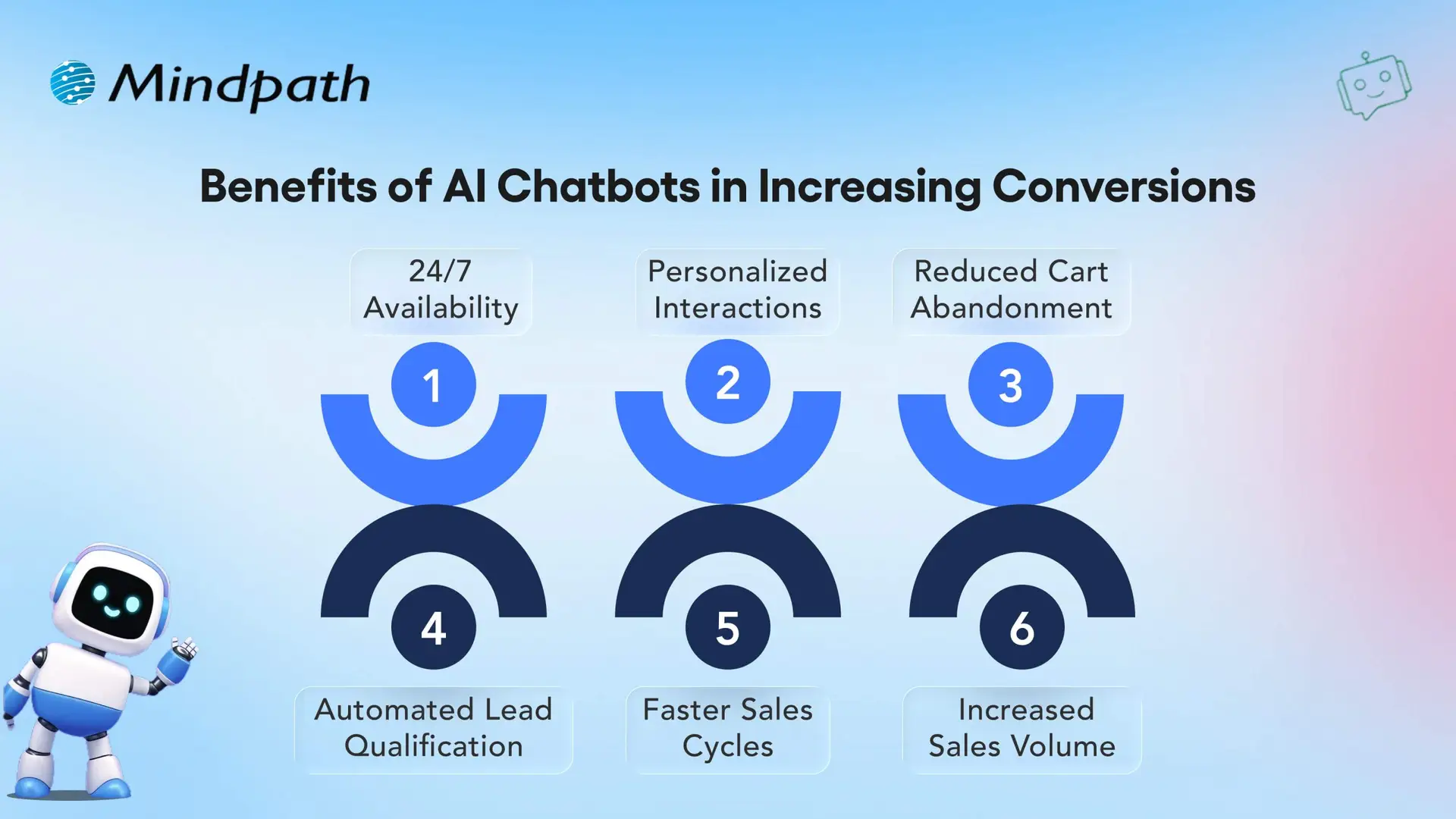
Benefits of AI Chatbots in Increasing Conversions

1. 24/7 Availability

AI chatbots are always-on and provide 24/7 access for customers to quickly find answers for whoever, whenever they want assistance. Being constantly available keeps customers engaged and increases the likelihood of execution of a purchase.

2. Personalized Interactions

Real-world Chatbot examples illustrate how AI reads customer engagement data to provide personalized recommendations, product suggestions, etc. This personalization creates more meaningful conversations and promotes higher conversion rates.

3. Reduced Cart Abandonment

AI chatbots minimize cart abandonment by helping consumers through checkout and by answering last-minute questions. This kind of assistance is simple, but improves selling and makes customers feel good about purchasing.

4. Automated Lead Qualification

Chatbot applications can qualify leads with the right questions and key details. The sales team will not have to waste time with any unqualified prospects.

5. Faster Sales Cycles

Utilizing conversational AI for business growth by speeding up the sales process, provides immediate support and follow-ups to customers. The quickness is what allows businesses to turn a lead into a customer quickly and effectively.

6. Increased Sales Volume

Successful chatbot examples illustrate how AI recommends products, engages customers, and inspires repeat purchases. These real-world examples show businesses can also drive revenues while lower acquisition costs.

Want to reduce operational costs while improving customer engagement? Discover how conversational AI chatbots streamline business operations and drive efficiency across teams.

10 Real-life Examples of AI Chatbots

Real-life examples of artificial intelligence chatbots highlight how companies are using artificial intelligence (AI) to innovate the way that organizations interact with potential and current customers. More and more companies are turning to chatbots for lead generation and conversions, thus effectively proving their worth as tools for enhancing sales and ultimately customer experience.
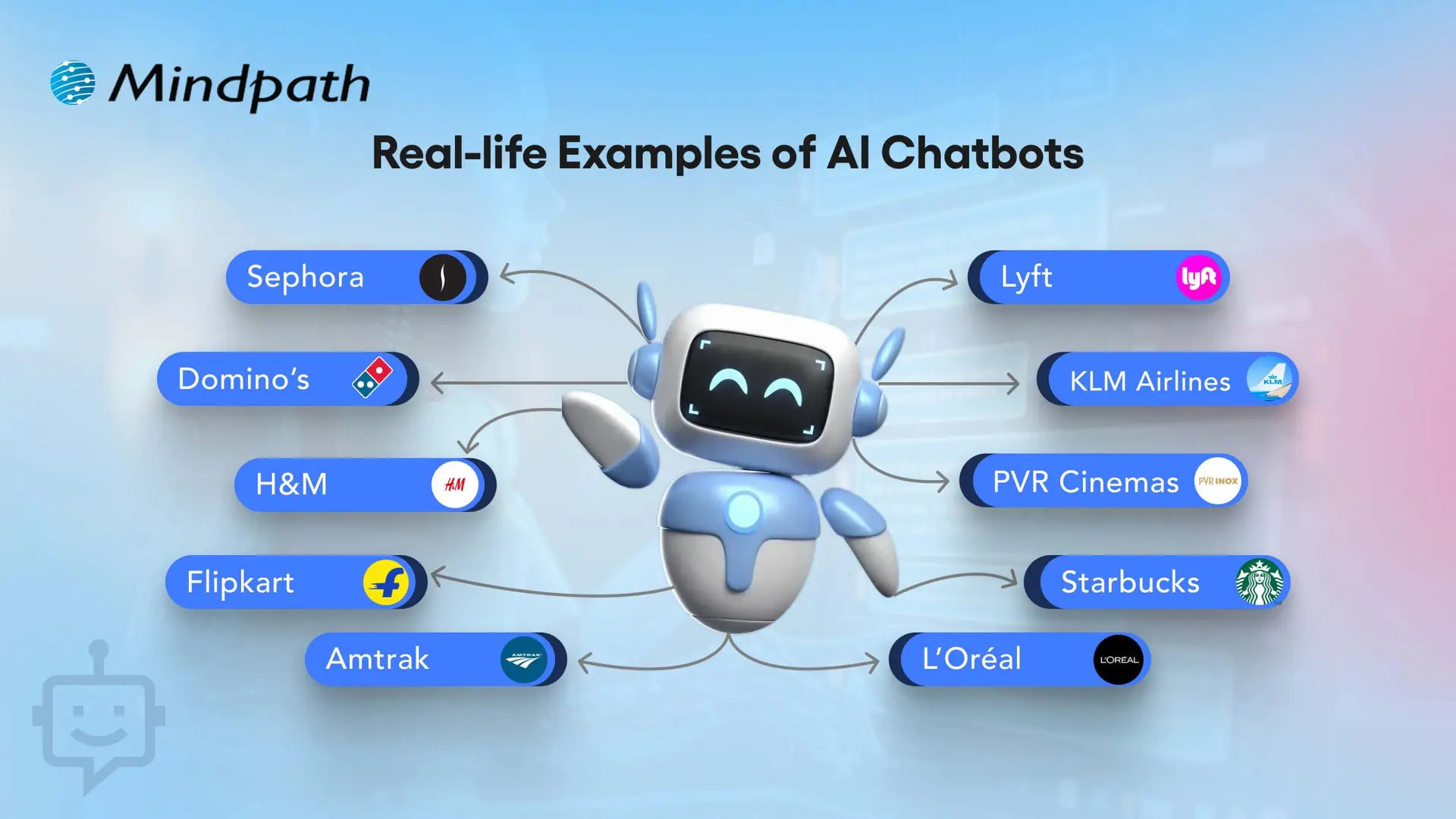
10 Real-life Examples of AI Chatbots

1. Sephora – Personalized Shopping Assistant

Sephora utilizes an AI chatbot to assist customers in selecting makeup and skincare products, to support customers based on their preferences. This chatbot example assists shoppers in finding the right products, much quicker than a human, resulting in higher conversions overall. This video definitely ranks as one of the best chatbot examples in the retail world.

2. Domino’s – Easy Food Ordering

Domino’s has incorporated a chatbot that allows the customers to order pizza directly through a messaging app. This practical application of chatbot makes ordering easy while also cutting down on wait time and increases customer satisfaction. It is one of the most effective AI chatbots that increased sales in the food industry.

3. H&M – Style Recommendations

H&M has a chatbot that suggests clothing based on user style preferences. These website-chatbot examples improve the shopping experience by making it more personal. It shows how real-life examples of AI chatbots in business can drive higher engagement.

4. Flipkart – Seamless E-commerce Recommendations

Flipkart’s chatbot provides personalized product suggestions based on browsing history and preferences. This example of chatbots enhances shopping experiences, boosts conversions, and increases customer satisfaction. It is among the best AI chatbot examples in online retail.

5. Amtrak – Julie Virtual Assistant

Amtrak’s virtual assistant Julie answers millions of passengers queries every year. These examples of chatbots on websites save time for both customers and staff. The company reported significant cost savings and better chatbot ROI examples.

6. Lyft – Ride Booking Made Easy

Lyft allows users to book rides via its chatbot on Messenger or Slack. This real-life example of AI chatbots in business shows how brands can remove friction in customer journeys. It directly improves bookings and conversions.

7. KLM Airlines – Travel Assistant

KLM Airlines uses a chatbot to provide booking confirmations, flight updates, and boarding passes. This website chatbot example streamlines travel support. It is one of the AI chatbots that increased sales through seamless customer care.

8. PVR Cinemas – Movie Booking Assistant

PVR Cinemas uses a chatbot to help customers check movie schedules, book tickets, and view offers instantly. This chatbot example simplifies the booking process, improves customer engagement, and drives higher ticket sales. It is one of the best AI chatbot examples in the entertainment and cinema industry.

9. Starbucks – Coffee Ordering Chatbot

Starbucks has a chatbot that lets customers place their orders ahead via mobile. This application of chatbot reduces wait time and encourages repeat purchases. It’s among the strongest chatbot ROI examples in food service.

10. L’Oréal – Beauty Genius for Personalized Shopping

L’Oréal launched ‘Beauty Genius’, an AI chatbot that gives personalized beauty tips and product recommendations. It uses AI and AR to analyze selfies and suggest the best skincare and makeup from over 750 products. This chatbot improves customer engagement and drives more conversions for the brand.

Looking for AI systems that can plan and act independently for your business? Discover Agentic AI to learn how intelligent agents are transforming decision-making and workflow automation.

Want to Transform Your Business with Chatbot Solutions?

AI chatbots play a vital role in boosting sales, improving efficiency, and creating better customer experiences. These chatbot examples highlight how leading brands use AI to personalize interactions, reduce friction, and drive measurable growth. By learning from real-life cases, your business can adopt similar strategies to maximize ROI and conversions.

At Mindpath, we specialize in developing bespoke chatbot solutions designed to align with your unique business needs. Our tailored approach ensures your chatbot goes beyond generic automation and instead creates real value through seamless user journeys. With expertise in crafting solutions inspired by the best chatbot examples, we help you enhance engagement, streamline processes, and accelerate business growth.

Web development roadmap

Producing impactful online experiences begins with a clearly defined web development roadmap. The ultimate goal is to create an application where every click, scroll, and animation feels natural and engaging. You are not simply building webpages; you are creating experiences that resonate with people and enable ideas to be expressed, although it is an endless process that presents incredible skills to learn, tools to manipulate, and decisions that will define how your web applications will perform, appear, and feel.

Every step of this journey adds a new dimension to your skills and perspectives. From planning your layouts, designing usable interactions, creating activities, and optimizing the performance, all are built to produce something fantastic. The web development roadmap acts like a compass, guiding you towards building valuable applications for users that “stand out” in a digital moving landscape.

If you are planning to build an ultimate web app development? Mindpath’s web app development services will bring expertise and deliver digital solutions that enhance your business performance.

Understanding the Basics of Web Development

Web development is the act of developing and maintaining websites and web applications. It involves tasks like coding, design, testing, and maintaining that ensure everything is performing as it should for the user. All of these different platforms allow businesses, educational entities, governments, and other organizations to distribute information, market and sell products, provide services, and communicate with others online. Well-developed websites and web applications improve user experience, improve accessibility to information, and support business objectives, which is why they play a major role in achieving success in presently shared digital and real-world spaces.

Collectively, Business Insight Research has valued the global web development market at USD 70.6 billion in 2024, which is expected to grow to USD 141.49 billion by 2033, with a CAGR of 8.03% between 2025 and 2033. The growth is attributed to the proliferation of the internet, smartphones, and e-commerce. The globalization of business has led organizations to invest in professionals to create websites that are visually appealing, fast, and have a highly navigable experience to stay profitable.

Here are the three types of Web Development
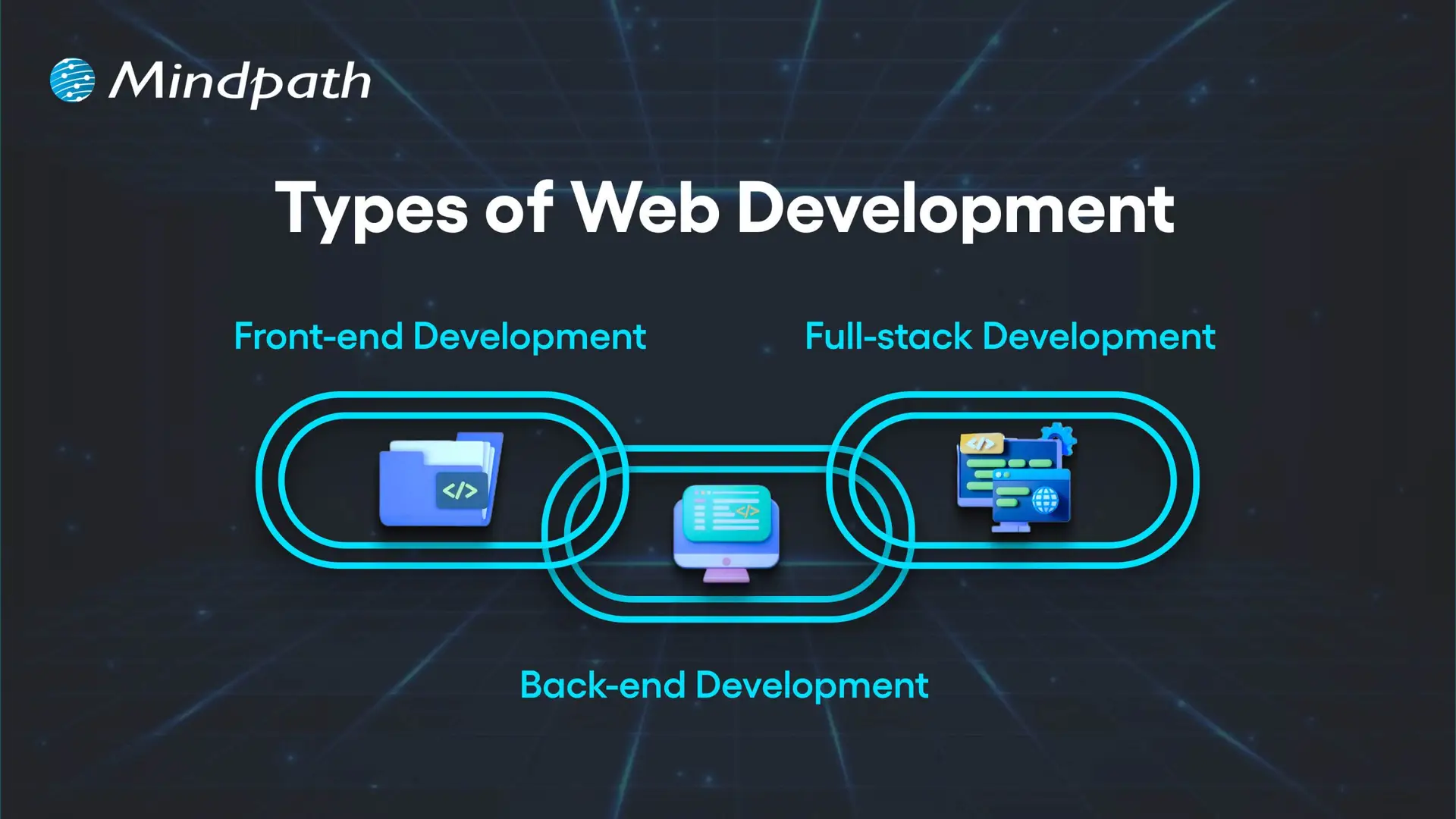
Types of Web Development

1. Front-end Development

Front-end development refers to all the content and elements that appear on the screen in a web browser. Developers using HTML, CSS, and JavaScript create page layouts, decorative elements, and interactive front-end functionality. The purpose of each front-end web page is to be visually appealing, responsive, and usable. Understanding this part is essential in any web development roadmap.

2. Back-end Development

Back-end development refers to everything that happens server-side in order for a website to run properly. Developers will work with data, databases, and user authentication and will largely be responsible for connecting the front-end to the server through application programming interfaces (API). Essentially, back-end development means processing data, executing business logic, and making sure everything is secure.

3. Full-stack Development

Full-stack development encompasses both front-end and back-end development as a way to build fully operating web apps. Developers take on user interface design, server-side, database operation, and everything in between. In this, developers are able to drive every aspect of a project and maximize consistency in integrating the interface visited by a user and the underlying system.

Curious how a web application actually works behind the scenes? Explore the role of frontend and Backend to understand how both layers drive performance and user experience.

What are the 7 Stages of Web Development?

Web development is a precise discipline as it transforms ideas into interactive digital experiences. In web development, everything is sequenced and implemented purposefully, which culminates in a well-polished, functional product that leaves an impression. Each stage is dependent on the prior stage, which allows web developers to build a website or web application for a target audience. Grasping these stages is an essential step in building a successful web development roadmap.
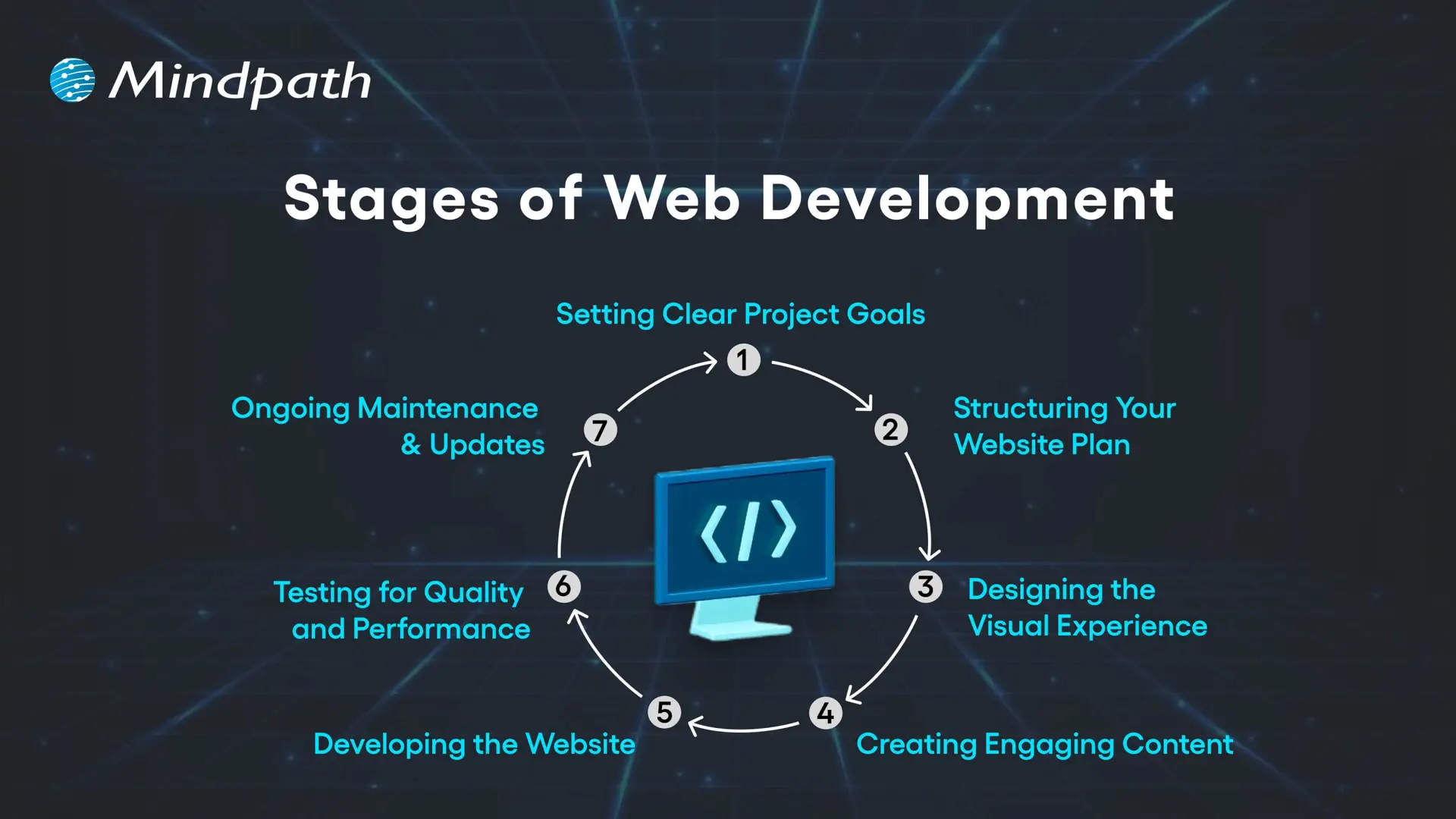
Stages of Web Development

1. Setting Clear Project Goals

Identifying the purpose of your site is the first step, as well as how it will serve your audience. You need to identify your business goals, unique value proposition, audience preferences, and competitive space. A clear vision is the basis of the whole web development plan.

2. Structuring Your Website Plan

Developing a full model for your website will include solid materials such as sitemaps and wireframes. The sitemap will tell you how pages are linked, while the wireframes provide a visual representation of how you want the major elements of your site structured and what areas they will fill. Getting this correct will help ensure that your website navigation, layout, and the way users will travel around the site are thought out in a solid manner from the start.

3. Designing the Visual Experience

At this stage, we start to think about site aesthetic and brand elements, color, typeface, imagery, and iconography. The design must remain uniform across channels to build brand awareness. User user-friendly and aesthetically pleasing design can draw people in and build trust!

4. Creating Engaging Content

At this stage, you’ll develop content for landing pages, product descriptions, blogs, images, videos, etc., in more detail. Content not only needs to align with the needs and questions of your audience, but content also provides engagement opportunities. Keywords will be employed, and if we do this strategically, we can improve reach and connect with specific traffic that can bring targeted traffic to your site.

5. Developing the Website

Once everything about your design and content has been established, developers will start building the front end (client side) and back end (server side) of your website. Their job is to code your site, code in your required functionalities, and build a technical foundation on which the site can grow as needed. It is essential that you have the technical foundation in place, as having the right technical foundation allows your site to function seamlessly while hopefully supporting businesses in their growth.

6. Testing for Quality and Performance

Everything on your website needs to work correctly before the site launches. Prior to launch, the site must be tested on different devices and different browsers. This testing will include broken link checking, speed optimization, and mobile responsiveness. Testing is considered a crucial step in the process to ensure that the user experience is flawless when the user first experiences the website.

7. Ongoing Maintenance & Updates

Once a website is launched, it must be updated on a regular basis to remain useful, secure, and on trend. Updating a website can mean a lot of things and can include adding content, fixing bugs, adding features or functionality, and backing up. Frequent maintenance will keep you more competitive and help with longer-term success. Mastering these stages plays a vital role in shaping a clear and effective web development roadmap.

Is your web application prepared to handle modern security threats? Explore application security best practices for Web and Mobile Apps to learn how to protect your data, users, and business operations.

Web Development Roadmap 2026: A Step-by-Step Guide

A website development roadmap is a structured plan that outlines the stages, tasks, and goals involved in building and launching a website. This web development roadmap for beginners explains what a website roadmap is by showing how each step connects, helping you create a professional, user-friendly site that meets your goals and performs well in 2026.
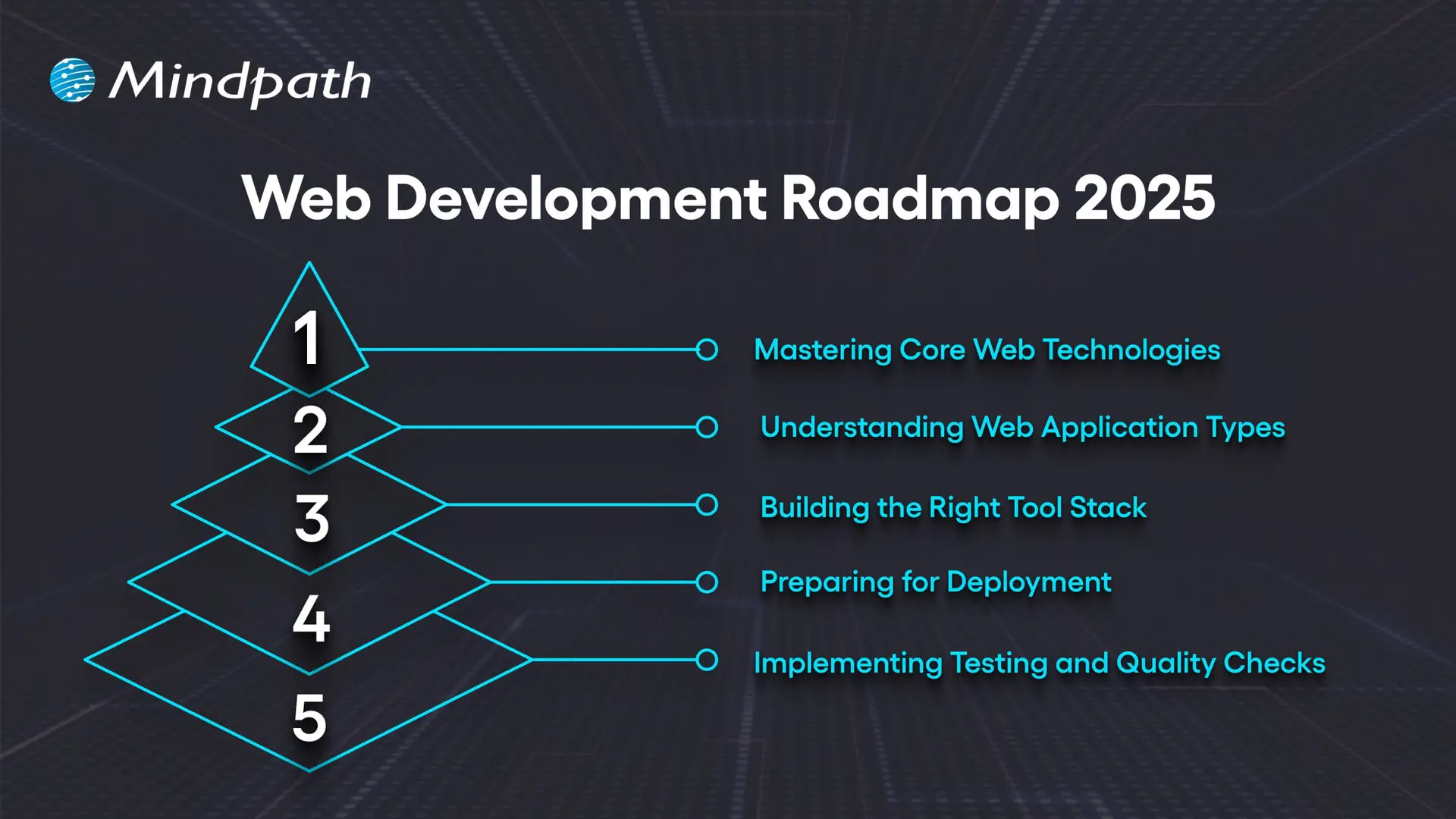
Web Development Roadmap 2025

1. Mastering Core Web Technologies

The important first part of the web development roadmap is getting familiar with the core technologies that underpin the internet. HTML provides the structure, CSS provides the layout, and JavaScript provides interactivity to web pages. Developers should be familiar with some protocols like HTTP/HTTPS, FTP, and TCP/IP that define how data is transferred between the server and the browser. The basics of accessibility, usability, and web semantics are important to know to create accessible, well-structured websites. The fundamentals are the starting point for anyone on the roadmap.

2. Understanding Web Application Types

Before you start building, it’s a good idea to understand the different kinds of web applications and their use cases. Static HTML pages indicate fixed content. Dynamic pages have content that changes based on user interaction. Server-side applications deliver content through languages like PHP, Python, and Java.

Single-page applications provide fast and fluid experiences, with only slight page reloads. Progressive web apps provide offline capabilities and app-like experiences. Hybrid apps combine web and native features. Understanding these types of web applications familiarizes web developers with the appropriate way to develop for each available project.

3. Building the Right Tool Stack

A complete full-stack web development roadmap involves selecting the proper tool set to orchestrate front- and back-end work simultaneously. For the front end, tools like React, Angular, and Vue.js facilitate responsive and interactive interfaces supported by a variety of CSS pre-processors like Sass for long-term maintainability. For the back end, languages like Java, Python, and PHP power the application logic supported by frameworks like Express.js and Django.

Databases like MySQL and MongoDB facilitate data storage. APIs link the client and server, which helps decouple the presentation of data and business logic. There are many elements that the client and server need against the tool stack for productivity, scaling, and performance.

4. Preparing for Deployment

Deployment refers to the process of making your application available to users on the internet. While the use of Git version control helps keep track of application code changes, Docker guarantees the environment in which we run applications will be consistent. Orchestration tools such as Kubernetes are used to serve developer needs when we are doing large deployments.

Most CI/CD pipelines, like Jenkins and GitLab CI, work together to automate the build and release process for applications. Many providers in the cloud space, such as AWS, Azure, and Google Cloud, give us secure environments where our products can be built and serve to scale with ease. Finally, monitoring tools will allow a web developer to track the service performance and ensure their application is performing as expected post-launch.

5. Implementing Testing and Quality Checks

Testing is vital in web development because it ensures that the website is functioning across devices, browsers, and user conditions. Testing types include unit tests, which test individual items (API, elements, etc at the component level) integration testing, which tests that the pieces of the application work together correctly, and end-to-end testing, such as Cypress or Selenium, which will simulate user behaviors to verify a complete workflow. Accessibility testing is a type that checks that the website can be accessed by individuals with disabilities, and performance testing looks to see how quickly the site responds and how it responds under heavy load conditions.

Periodic testing is an essential factor of this process that leads to quality and reliability in the web. The integration testing tests the pieces of the application work together correctly; and end-to-end testing, such as Cypress or Selenium, which will simulate user behaviors to verify a complete workflow.

Not sure which technologies are right for your web app? Explore the tech stack for your web app success to make informed decisions that drive growth and reliability.

Want to Turn Your Web Development Roadmap into a Success Story?

Following a clear web development roadmap ensures you move through each stage with purpose and precision. It helps align design, functionality, and performance to create websites that truly serve their audience. By mastering core technologies, understanding application types, and implementing strong testing, you build projects that are scalable, secure, and ready for long-term success.

At Mindpath, we create websites that are fast, secure, and built to grow with your business. Our web development services cover everything from front-end design to back-end functionality, ensuring a seamless user experience. We specialize in custom web applications, e-commerce platforms, CMS solutions, API integrations, and performance optimization. With a focus on scalability, usability, and innovative design, we turn your ideas into high-performing digital solutions that engage users and deliver results.


Join our Newsletter!

categories

Join the world's largest training library and unlock new opportunities!

Featured Posts

Turn Insights Into
Real Business Solutions

Exploring trends is only the beginning. Whether you’re planning AI adoption, modernizing legacy systems, or building scalable software, our experts help transform ideas into practical business outcomes.


