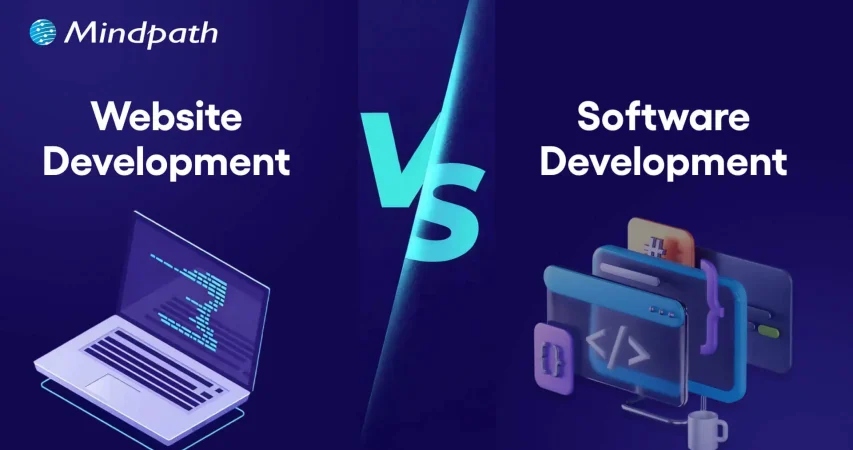
Web Development vs Software Development

Join our Newsletter!

Featured Posts

Support Is One Click Away

Home

Web Development vs Software Development

web development vs software development

Web Development vs Software Development

You are a business owner preparing your digital strategy and have difficulty finding the ideal option for software and web development. The web development vs software development comparison might be difficult to understand for a layman without technical expertise. One of the common misconceptions about the two terms is that they both mean the same thing.

Business owners must recognize the differences between software development and web development to pick the ideal approach for their digital strategy. Web development is all about establishing the online presence of a business. On the other hand, software development deals with creating customized software solutions for different needs. A deep dive into the comparison between web development and software development can help you understand which one is right for you.

Looking for the right software development partner to bring your ideas to life? Mindpath’s software development services offer end-to-end solutions tailored to your business goals, from strategy and design to development and deployment.

Fundamental Difference between Web and Software Development

The emerging requirements of the digital landscape have had businesses thinking about the best ways to reach their target audience. As the software development vs web development debate becomes a focal point of discussion, it is important to understand how they are different from each other. With an overview of the definition of the two terms, you can find a starting point to compare them.

What is Web Development?

You will get no prizes for guessing that web development is the process of creating websites. Web development involves creating everything from the server logic and databases to the visual elements that make a website attractive. Without websites, businesses will struggle to have an online presence and showcase their brand. 

You can identify the difference between a software developer and a web developer from the primary components involved in website development. Web developers have to address the requirements of frontend and backend development alongside a content management system for websites. 

Frontend development focuses on the part of a website that users see, including the layout, design, text, images, and buttons. The significance of backend development is evident from the fact that it involves the creation of the server logic and databases. Another crucial component in web development projects points to content management systems or CMS platforms. The intuitive interface of CMS tools offers easy solutions for managing and updating the content of a website.  

What is Software Development?

The next prominent approach for your digital strategy is software development. As the name implies, software development focuses on the complete development lifecycle from ideation to the deployment and maintenance of a project. You can notice the difference between a web developer and a software developer from the fact that software developers have more responsibilities. The scope of tasks in software development is bigger as it requires the creation of custom solutions to deal with specific business needs.

Software developers can create mobile apps, complex software systems for large organizations, or custom internal software. The solutions created by software developers serve distinct goals for businesses. For instance, mobile apps serve as effective tools to reach the target audience of a business and enhance customer engagement. On the other hand, custom internal software solutions can help businesses manage different business functions with ease.

Must Read: Types of Software Development

Diving Deeper into the Web Development vs Software Development Debate

The overview of web development and software development reveals the fundamental difference between the two terms. The following sections will provide a more detailed comparison between web development and software development on the basis of different factors.

1. Objectives of the Process

One of the foremost pointers for differentiating web development from software development is the objective of the process. What do the two development approaches help you achieve? The answer will help you take the best pick from a web developer vs software developer comparison. Web development focuses primarily on establishing an online presence for your organization and showcasing your brand. It is one of the most common approaches to drive customer engagement through intuitive web apps or websites.

Software development process, on the other hand, focuses on addressing specific business problems with custom solutions. Businesses can rely on software development to create software for managing different business functions or custom internal software that can be deployed on various platforms. The primary objectives of software development revolve around enhancing productivity and streamlining operations.    

2. Complexity of the Process

The next point in the comparison between web development and software development focuses on their complexity. In the case of web development, you can rely on templates or content management systems for creating web apps. 

Software development requires the creation of fully customized solutions according to the requirements of the business. Developers can create software solutions from scratch by using the client’s requirements as their reference. 

3. Maintenance Requirements

Another prominent aspect in the software developer vs web developer comparison is their responsibility for maintenance. Web developers can address the maintenance requirements through continuous security updates and frequent modifications to content. In addition, web developers also take care of the maintenance of web apps by updating the design according to the latest trends.

The responsibilities of maintenance in software development focus on introducing new features and bug fixes. Apart from addressing the errors in the functionalities of software solutions, a software developer also takes care of performance improvements.

Want technology that truly supports your business rather than slowing it down? Discover the key custom software development benefits that help companies optimize operations and innovate faster.

4. Technology Stack

The review of differences between software and web development will also draw attention towards the technology stack required for the two approaches. It is one of the biggest factors in a web development vs software development comparison, and also determines the complexity. The technology stack for website development involves frontend and backend frameworks with CMS platforms. The notable frontend frameworks include HTML, JavaScript, React, Angular, and CSS, while backend frameworks include Python, Ruby, and PHP. Some of the popular CMS platforms for web development include Joomla, WordPress, and Drupal.

For software development, the tech stack includes programming languages, cloud platforms, and databases. The most commonly used languages in software development are Java, Python, Swift, and Ruby. Software developers can use SQL or NoSQL database management systems and one of the big cloud platforms, such as AWS, Google Cloud, or Microsoft Azure.

5. Cost of Development

The most crucial pointer in the comparison between web development and software development is the development cost. You can determine whether you need a web developer or a software developer by identifying the type of project. At the same time, you must also take your budget into account before making the final choice. Web development requires a lower initial cost, primarily due to the use of templates. You can also choose a custom design for web development, which may increase the development cost. However, you will have to invest more in continuous updates of the website or web app to adapt to user requirements.

Software development costs are generally higher than those of web development projects due to many reasons. Building a custom software solution requires a lot of development time, which will lead to the consumption of more resources. On top of it, software development projects are more complex than web development projects, thereby increasing the costs. Most important of all, the customization of software solutions according to business requirements will also add more costs to the project.

Ever wondered why some websites just feel effortless while others fall flat? Discover the hidden benefits of custom website development services that turn a simple site into a powerful, user-friendly business tool.

Here is an overview of the web development vs software development comparison in a table.

Criteria Web Development Software Development
Objectives of the Process Web development focuses on building your online presence and showcasing your brand. Software development aims to resolve specific business issues and improve productivity.
Complexity Web development is a simple process with the use of templates and CMS tools. Software development is extremely complex and requires creating custom solutions from scratch.
Maintenance Requirements Maintenance tasks in web development involve ongoing updates for security, content modifications, and changes in design. Maintenance tasks in software development focus on introducing new features, performance improvements, and fixing bugs.
Technology Stack The technology stack for web development includes frontend and backend development frameworks alongside CMS platforms. The technology stack for software development includes programming languages, cloud platforms, and database management systems.
Cost of Development The initial cost of web development is lower than software development. The cost of software development is higher due to the complexity and customization needs.

Final Thoughts

The differences between software development and web development showcase that each approach has its distinctive advantages. You might face the web developer vs software engineer dilemma while thinking about resource requirements for your next project. The final choice will ultimately depend on the requirements and scope of your project. For instance, a new e-commerce business should look for web development to establish its online presence. On the other hand, a healthcare organization will need a software developer to create an ERP system.

At Mindpath, we have been delivering trust and efficiency in our expert, world-class software development services for every client. Our focus on understanding the client’s vision and requirements empowers us to deliver competent solutions that stand out in a crowded digital landscape. We have a team of dedicated experts in web development and software development, thereby offering you a one-stop solution. Pick the best talent for your next development project from our team and gain the momentum you need in this digital world now.

Related Post

Explore how generative AI is transforming finance with innovations in automation, fraud detection, and more for enhanced security.

Related Post

conversational AI use cases

Businesses are becoming keen on smarter ways to engage their customers and streamline their overall operations. This is where conversational AI has stepped in as a foremost option. As per the reports of McKinsey, around 78% of companies have integrated conversational AI into at least one of their major operational areas. Further, most of them are achieving steady returns and better efficiency. According to the recent reports, around 80% of organizations are planning to adopt AI-integrated solutions for customer service improvement.

So, starting from intelligent virtual assistants to automated customer support, conversational AI use cases have been rapidly growing across industries. But what exactly makes this technology so superior in the recent age? Let’s find out the reason in this blog along with its major use cases.

Looking to leverage AI to automate processes, enhance decision-making, and drive business growth? At Mindpath, we offer AI development services that help businesses build intelligent, scalable solutions tailored to their unique needs.

What are Conversational AI Solutions?

Conversational AI is known to be a major subset of artificial intelligence that enables you to have human-like interactions between humans and computers. It uses natural language processing and machine learning to access machines to understand processes and respond to human language.

Further, it mimics natural human-like conversations. Conversation AI solutions have made a significant impact in multiple industries while easing the customer servicing efforts.

How Does Conversational AI Work for Multiple Industries?

If you have ever thought, “How does conversational AI work?”, it adopts the relevance of multiple technologies as listed here.

  • Natural Language majorly helps AI to understand your language and the intent of your customers.
  • Machine learning enables you to assess the past interactions of the customers while improving them for the betterment.
  • Speech recognition can convert your voice into text through voice-based assistants.
  • Context management ensures the conversations are error-free and maintains human-like emotions.

Top Conversational AI Use Cases that Are Benefiting Industries

You will be going through some of the most relevant conversational AI examples and applications in this section. Additionally, these use cases have been leveling up the operations and engagement.

1. E-commerce

When we think of e-commerce trends, conversational AI chatbots can be very prominent. Additionally, it improves customer satisfaction by helping them with the purchase.

  • AI chatbots offer personalized product recommendations based on your user behavior & assist them with order tracking.
  • Further, it helps with recovering the carts by helping customers in real-time.
  • By offering real-time assistance during checkout, it can boost conversions.

2. Customer Support Automation

This is one of the most adopted conversational AI applications. Businesses use AI-powered chatbots to manage high-volume customer queries quickly and conveniently. Moreover, these chatbots can instantly answer your queries while eliminating common issues.

  • It sends complicated tasks to human agents where it needs more factual assessment.
  • This feature decreases response time while supporting you throughout the journey.

3. Lead Generation

Conversational AI can easily automate the lead generation process.

  • AI bots can catch the attention of users through interactive conversations. Further, it gathers necessary data for future usage.
  • It assesses responses and can identify high-quality leads and prioritize them for the sales team.
  • This ensures that your business can focus its efforts on prospects with higher conversion potential. Further, it can save your time and overall sales efficiency.

4. Healthcare Assistance

Conversational AI is broadening engagement while making medical assistance accessible to many patients at a time. This is one of the incredible benefits of conversational AI for business.

  • AI systems can help you with appointment scheduling & symptom assessments.
  • Offer mental health support through guided conversations.
  • Such tools can ease the stress of healthcare practitioners & can offer needed assistance to patients.
  • Moreover, they ensure continuous assessment & follow-ups. This way, your healthcare delivery will be much more efficient & result-oriented.

5. Banking and Financial Services

Financial organizations are using conversational AI to offer secure, fast, and efficient customer interactions.

  • AI chatbots can handle tasks like checking account balances and offering transaction updates. Moreover, it can make you aware of fraudsters in real-time.
  • These features can satisfy your customers while making you follow strict regulations.
  • By automating your routine banking efforts, you can minimize the operational charges while making the digital experience error-free.

6. Human Resource

HR departments are mainly using conversational AI to streamline recruitment and employee engagement processes. Further, AI chatbots can screen candidates while scheduling their interviews at their convenience.

  • The tools can help your team with HR related questions, such as onboarding steps and leave policies.
  • This can also ease the burden of administrative workload while improving the hiring process.
  • It also keeps the discussion between the candidates and the employees clear.

7. IT and Helpdesk Automation

Conversational AI is mainly used in IT support to automate repetitive and time-consuming tasks.

  • AI bots can easily erase technical glitches and can guide your users through complete solutions. Further, it can help with password resetting and instant support.

Want to see how evolving AI trends are enhancing the capabilities of conversational AI? Discover the top AI trends that are driving innovation and growth.

Real-World Adoptions of Conversational AI

Here are some top conversational AI examples across multiple industries throughout the world.

Real-world Examples of Conversational AI
Amazon Alexa It can answer your queries, play music and manage smart home devices.
Apple Siri It is only available on iOS devices and employs voice interactions to send messages or schedule reminders.
Google Assistant It can promptly follow your voice to execute tasks like sending text messages.
Cortana It is Microsoft’s personal productivity assistant that executes a series of functions.
Samsung’s Bixby Bixby can perform multiple functions like fetching location-specific weather updates, sending messages and much more.

Conversational AI Industry Trends

The conversational AI industry is evolving rapidly, shifting through valuable advancements. Some of the major trends have been given here.

  • Conversational AI is acquiring more power by adopting generative AI tools.
  • Virtual assistants have been growing in number. Around 69% of companies claimed that these assistants have helped them improve their customer service.
  • Multilingual conversations have also been drawing the attention of customers from any cultural background.

Bottom Line

Conversational AI has given rise to a new era of possibilities across major industries. Its integration into the sectors has majorly changed how businesses engage with customers and streamline their internal operations. Conversational AI solutions are helping businesses operate more efficiently with advanced inclusions.

If you also want to unlock such opportunities, Mindpath stands out as a prominent choice. With our AI development services, companies can seamlessly implement conversational AI into their workflows while staying ahead in the digital world.

FAQs

Are Chatbots and Conversational AI Similar?

Chatbots are generally common applications, whereas conversational AI is the major underlying technology that empowers them.

What are Some Evident Applications of Conversational AI?

Conversational AI works with NLP and ML to understand the users’ requirements. It also offers accurate responses in real-time for better engagement.

Which Industries Utilize Conversational AI the Most?

The conversational AI industry is widely adopted in the e-commerce sector. It is also widely adopted in the healthcare and banking industries.

How Long Does It Takes to Integrate Conversational AI Systems?

The timeline for the implementation varies depending on the approach, along with the complexity of your use cases.

Is Conversational AI Safe for Handling Sensitive Data?

When it is implemented correctly on a secure platform, conversational AI is completely safe with sensitive information.

Html to Wordpress

Anyone who has a HTML website might feel left out in the era of websites that load within seconds. Did you know that HTML websites were a thing when there was not content management system in the market? The transition from HTML to WordPress is no longer an option in an extremely competitive digital market. With static HTML pages, you would have to struggle to get the top ranks in search engine results.

The biggest problem with HTML websites is that they come with duplicate code on every page, thereby making them slow. On the other hand, WordPress is faster, more secure and offers more flexibility to build any type of website. As a matter of fact, more than 43% of websites in the world run on WordPress. Let us find out why you should ditch HTML and switch to WordPress now.

Want to convert your static HTML site into a fully functional WordPress site with enhanced features and performance? Mindpath offers WordPress development services to help you build a custom website according to your business demands.

The Rise of WordPress in Website Building

WordPress started off as a blogging platform and the open source nature empowered it to transform into a website builder. Before WordPress, you would need a technical team to create a website and manage it. The search for a HTML to WordPress converter tool has been growing because WordPress has made it easier to build websites. You can now install the WordPress software and use the desired themes or plugins to develop websites with sophisticated functionalities and updated designs.

If you have been wondering whether switching to WordPress is a good decision, then you must take a look at websites powered by WordPress. Big names in the world of business such as Disney, Times Magazine, Sony Music and many others use WordPress. The versatile mix of power and simplicity with WordPress has been one of the biggest reasons for its widespread adoption.      

Is WordPress a Reliable CMS for Website Building?

Giving up on HTML, which has been a trusted ally of website developers for a long time, can be difficult. However, the need to convert HTML to WordPress is growing as WordPress is the top content management system in the world right now. It works as an open-source ecosystem that offers benefits for beginners as well as experienced developers.

WordPress offers a user-friendly interface in its dashboard, which you can use to create websites from scratch. The best thing about the WordPress dashboard is that you don’t need advanced technical expertise to use it. In addition, you can also find thousands of themes and plugins in WordPress that help you customize your website the way you want.

Want to build a website that truly reflects your brand’s unique identity and goals? Explore our guide to custom WordPress development to discover how tailored solutions can enhance your site’s performance and impact.

Why Should You Choose WordPress Over HTML?

With so many powerful features, it is hard to ignore the urge to switch to WordPress right away. You should search for a HTML website to WordPress converter that makes it easier to embrace the benefits of WordPress. Don’t you know how WordPress will enhance your HTML website? An overview of the advantages of transitioning to WordPress can offer some help in finding the answer to such questions.

Key Reasons to Choose WordPress Over HTML

1. Easy for Beginners

The best thing about WordPress is that beginners will find it easy to use without any technical complexities. You don’t need coding skills to create your website and manage it on WordPress. The intuitive dashboard of WordPress allows you to create customized layouts, add more pages and update menus at one place. 

WordPress offers better flexibility than traditional website development approaches with more control over design, content management and functionality. Furthermore, the themes and plugins offered by WordPress help you add new features without waiting for developers. In other words, anyone can build a website without technical skills when they know how to use WordPress.   

2. Optimize Your Website for Smartphones

Do you know that most of the traffic to your business will come from mobile users? Many of you would need a HTML to WordPress converter online when you discover that WordPress offers mobile responsiveness. Most of the WordPress themes are tailored to function seamlessly on different screen sizes and device types. 

The interesting part of mobile responsiveness with WordPress is that your website will have the same aesthetic appeal on all devices. Apart from the consistent user experience on different devices, mobile responsiveness also makes your website rank higher on Google. With a few modifications to theme files and some new WordPress plugins, your static HTML website will run seamlessly on all mobile devices.

3. Assurance of Better Security

Businesses should also trust WordPress for its commitment to safeguarding any website hosted on the platform. You will get regular security updates on WordPress, which help in combating new security threats. On top of it, WordPress also offers additional security plugins and SSL certificates to enhance your website’s security. The biggest benefit of converting HTML to WordPress is visible in the efforts made by WordPress to address emerging vulnerabilities.

You must understand that modern approaches to website security need multiple layers of protection. For instance, you will need data encryption, backup systems and malware scanning to maintain the security of your website. WordPress offers the complete package to safeguard your website from hackers and unprecedented security breaches.

4. Build Any Type of Website

In its initial days, WordPress served as a useful tool for blogging alone. The transition of WordPress to a powerful driving force behind some of the biggest websites shows how it has evolved over the course of time. You should know how to add HTML to WordPress for switching from an outdated format to a versatile toolset. You can use WordPress for any type of website, whether it is for a small business or a large corporation.

WordPress is capable of hosting e-commerce websites, communities or social media networks. Businesses can always find WordPress plugins that will make their website better. Most important of all, you don’t have to worry about adaptability when your website needs to grow alongside your business. It is definitely a huge advantage for websites in an extremely competitive business landscape.

Unsure whether your WordPress project is following the right development standards and best practices? Check out our WordPress developer checklist to make sure every essential step is covered for a smooth and successful build.

5. Adopt the Design You Want

The problem with a static HTML website is that you don’t have any control over the design once it’s published. WordPress does not let you worry about changing the design of your website according to emerging trends. When you convert a website to WordPress, you get the advantage of capitalizing on its extensive theme library. You can have a business site, blog or an ecommerce site and still ensure that their design matches with your needs and style. 

The theme library of WordPress offers free and premium themes that you can choose for your website. You can also find additional themes from third-party developers and design marketplaces that bring unique features and layouts. The live previews of each theme help you check each design without affecting website functionality or content.  

6. Rank Higher with SEO Support

WordPress stands out as the most popular option to create websites now because of its SEO support. What will you gain from a website that never shows up on the first page of search results? You can download WordPress and capitalize on its strong SEO foundation to ensure a higher rank on search engines. The advantages of WordPress for SEO revolve around its strict coding guidelines that call for clean and structured code.

The code is not the only thing that makes WordPress websites easier to rank on Google and other search engines. You will also find user-friendly URLs, meta-descriptions and titles to gain more visibility in search engines. On top of it, the SEO plugins on WordPress will provide a lot of support in optimizing your website.

7. Vibrant Community of Developers

The biggest strength of WordPress is its large and active community of developers. As an open-source platform, WordPress continues growing with the contributions of multiple users and developers. The community not only introduces updates to the source files but also makes WordPress more secure and updated along the lines of latest trends. 

Another promising reason to convert HTML to WordPress theme for your website is the accessibility to website creation tools offered by the community. It ensures that developers alone don’t have the exclusive rights to use WordPress tools. Even a blogger or business owner can be a part of the WordPress community and capitalize on its diverse offerings.

8. Add New Features without Developers

Websites have to evolve and add new features to accommodate the emerging requirements of users. WordPress allows you to add new features to your website without the intervention of developers. The collection of powerful plugins available with WordPress can help you introduced advanced features without code changes. 

Plugins are the ideal tools for adding shopping carts, contact forms and other features on WordPress websites. You can also explore custom WordPress plugins by third-party developers to enhance their websites. On top of it, you can activate or deactivate plugins as required, which offers the flexibility for customizing a website to your needs. 

Unsure if your current security measures are enough to protect your WordPress site? Our safeguarding WordPress vulnerabilities guide can help you strengthen your defenses and protect your business.

Final Thoughts

The decision to convert your website from HTML to WordPress should not be a difficult one, considering the benefits of WordPress. It allows anyone to create a website without technical knowledge alongside offering the flexibility to add new features. In addition, you cannot ignore the benefits of regular security updates, a supportive community and control over website design. 

Mindpath specializes in converting HTML websites to WordPress for any type of website. We have years of experience in WordPress development that brings more credibility to our services. Our services for switching your website to WordPress also offer the assurance of an easy conversion procedure. If you want a website that is easier to update and maintain, then Mindpath is here to help you.

healthcare software

Ever pondered how doctors can diagnose faster now-a-days? Or what helps hospitals and clinics to carry out all the operations smoothly? What’s powering the virtual health check-ups? Well, the answer to all these questions in your mind lies in one powerful solution and that is healthcare software. In this blog, we will walk you through the top 20 types of healthcare software in 2026. 

Before learning about the types, let us learn what is the meaning of healthcare software and some of its benefits. 

Looking to reduce manual errors and speed up patient care? Mindpath’s Healthcare Software Development Services build intelligent systems that enhance decision-making and patient satisfaction.

What is Healthcare Software?

Healthcare software is a software that is created to help hospitals, clinics, doctors and patients in managing health related tasks smoothly. It assists in various tasks like booking appointments, keeping digital health records of patients, sending reminders, managing billing process and even making sure medicines get delivered on time. This kind of software makes it easier for the medical staff to focus on their work and help patients to get better care, both in person as well as online. 

The majority of people often get confused between medical software and healthcare software. Medical software is mainly used with medical devices to check and analyze a patient’s health which helps to decide the right treatment. On the other hand, healthcare software mainly focuses on improving the daily operations in healthcare and making patient experience organized and smoother. 

The demand for software in healthcare industry is growing rapidly around the world. According to Dimension Market Research, the global healthcare software as a service market was projected to reach about USD 36.8 billion and experts believe that this number will keep going up every year by around 10.9%, and by 2033, it can reach USD 93.4 billion which indicates that more hospitals and clinics are using this software to make their healthcare better and easier for everyone. 

healthcare software as a service

Benefits of Healthcare Software

Now that we have an idea about the definition of healthcare software and what it can do to the industry, let us know about some of its benefits: 

1. Boost Hospital Operations

It helps hospitals run more smoothly by making tasks like scheduling, billing, and patient record-keeping much faster and easier for staff. 

2. Better Data Handling

Doctors and nurses can quickly access up-to-date patient information, which helps them make better and faster decisions during treatment. 

3. Cost-Effective

By reducing paperwork and cutting down on mistakes, hospitals can save a lot of time and money in their daily operations. 

4. Easy Bookings for Patients

Patients can easily book their appointments online without the stress of long phone calls or waiting in line. 

5. Improve Patient Care from Anywhere

Even if someone lives far from a hospital, they can still talk to their doctor through video calls and get care from the comfort of home. 

6. Easy Monitoring and Health Tracking

Health apps and reminders make it easier for patients to take their medicine on time and keep track of how they’re feeling every day. 

Curious how AI is transforming industries and healthcare? Explore Generative AI use cases across diverse sectors and see how it’s reshaping healthcare platforms.

Let us come to our main topic now, the types of healthcare software: 

Top Healthcare Software in 2026

Having the best healthcare software is very important for making daily tasks easier in clinics, hospitals and labs. Today, many types of software in hospitals help doctors, nurses, and patients to work together and smoothly. Let’s have a look at some of them: 

1. Electronic Health Record (EHR) Software

EHR software stores patient data like medications, procedures, and doctor notes which helps doctors make better decisions and often includes billing features and a patient portal for easy access to health records and prescriptions. 

2. Medical Diagnosis Software

Medical diagnosis software allows doctors to share anonymized patient records to fill information gaps and improve diagnoses. It often uses AI to analyze data and suggest probable diagnoses. There are apps available for individuals to help users assess if they need medical attention. 

3. Medical Imaging Software

Medical imaging software processes MRI/CT/PET scans and creates 3D models. It helps with human anatomy modeling for individual patients, like creating a 3D print of teeth for orthodontics, or designing medical equipment such as artificial limbs. 

4. Medical Research Software

Medical research software aids in education and sharing research within the medical community. It trains healthcare professionals and supports diagnoses by referencing external cases, while also streamlining research processes to reduce costs and improve financial outcomes. 

5. Appointment Scheduling (Booking) Software

This software helps healthcare facilities manage appointments online. It allows patients to schedule appointments through an app or website, with email notifications and automatic reminders for both doctors and patients about upcoming appointments. 

6. Medical Database Software

This medical computer software stores data by disease, not by patient. It helps doctors make better treatment decisions by comparing similar cases and supports learning by offering access to detailed clinical case histories. 

7. Telemedicine Software

Telemedicine software lets doctors see patients online through apps or browsers. Some tools also offer e-prescriptions and billing. It’s super convenient for both patients and doctors, which is why it’s growing fast in the healthcare world. 

8. E-prescribing Software

E-prescribing software helps doctors manage prescriptions easily. They can track, renew, or cancel them digitally. It also connects with national drug databases, making the whole process quicker, safer, and more accurate for both doctors and patients. 

9. Medical Billing Software

Medical billing software helps hospitals manage invoices, payments, and other financial tasks. It’s often built into larger systems like EHRs, making it easier for accounting teams to handle everything in one place, quickly and accurately. 

10. Medical Equipment Management Software

Medical equipment management software helps clinics avoid manual tracking by automating maintenance schedules and sending inventory alerts. It keeps everything running smoothly and reduces the risk of missing important upkeep. 

Must Read:  Hospital Management System Guide

11. Hospital Management Software

Hospital management software helps hospitals handle daily tasks like billing, accounting, patient management, inventory, bed management and others. It automates these operations to make hospital workflows smoother and more efficient for staff and administrators. 

12. Mobile Health (mHealth) Apps

mHealth apps make healthcare easier by helping patients book appointments, pay bills, and consult doctors online. They connect with EHR systems, so doctors can see medical records during virtual visits, improving care and saving time. 

13. Laboratory Information Management Systems (LIMS)

LIMS helps labs track samples, manage test data, and stay compliant with regulations. It reduces errors, speeds up processing, and keeps lab operations smooth, making sure patients get accurate and timely results. 

14. Personal Health Record Software (medical diaries)

Personal Health Record software, like the Tulipa app for Parkinson’s disease, allows patients to track symptoms, medication, and treatments. It helps generate health reports for doctor visits and alerts healthcare providers if a patient’s condition worsens. 

15. Radiology Information System (RIS)

A Radiology Information System (RIS) manages and stores radiology images and results. It works alongside PACS to streamline radiology department operations, ensuring efficient image storage and integration with EHR/EMR systems for enhanced patient care. 

16. ERP System

An ERP system for healthcare focuses on operational management, optimizing financial, supply chain, and human resources processes. It supports strategic planning, including expansions and mergers, without directly managing patient-facing tasks or data. 

17. Pharmacy Management Software

Pharmacy management software helps control and monitor inventory by classifying medicines, ensuring adequate stock, and avoiding shortages. It also supports drug price management and integrates with prescription systems for seamless access to medication information. 

18. Clinical Trial Management Software

Clinical trial management software records all the information related to the trials, such as patient information, study files, and approval from regulatory bodies. It is utilized mostly in top-class hospitals undertaking large-scale research to maintain compliance and proper trial management. 

19. Health Tracking Apps

Health tracking apps assist users in tracking fitness, diet, stress, and sleep. Many syncs with IoT devices like FitBit or Oura Ring to collect data. They’re popular for making healthy habits easier and more trackable every day. 

20. Remote Patient Monitoring (RPM)

Remote Patient Monitoring (RPM) enables healthcare professionals to gather patient information beyond the confines of standard settings, i.e., hospitals and clinics. RPM encompasses devices like blood glucose meters and heart rate monitors, which improve post-operative care and chronic disease care. 

Looking to speed up hospital operations and reduce errors? See how AI in healthcare is making hospital management smarter and more efficient.

Ready to Revolutionize Your Healthcare Solutions?

Healthcare is changing at a lightning pace, and software is leading the charge. From helping hospitals operate more effectively to making it easier for patients to access care, healthcare software is making a difference. In 2026, these technologies will continue to expand and make care easier, quicker, and more patient centered. 

At Mindpath, we recognize the need for state-of-the-art technology in the healthcare industry. Our healthcare software development services are built to improve operations, enhance patient care, and increase overall efficiency. Let Mindpath help you empower your health care business with robust, scalable, and innovative software that keeps up with the evolving healthcare environment. Let’s create a healthier tomorrow together! 

Frequently Asked Questions

1. How do I choose the right healthcare software for my organization?

Choosing the right healthcare software depends on your facility size, patient volume, budget, and operational needs. Start by identifying workflow challenges, integration requirements, and compliance standards. Always look for scalable solutions that can grow with your organization and support future technological advancements.

2. Is healthcare software secure for storing patient information?

Yes, most modern platforms are built with strong security measures such as encryption, access controls, and regulatory compliance standards. However, healthcare providers must ensure proper implementation, regular updates, and staff training to maintain data privacy and protect sensitive patient information from cyber threats. 

3. Can small clinics afford advanced healthcare software in 2026?

Absolutely. Many healthcare software solutions are now available through cloud-based or SaaS models, making them more affordable for small clinics. These subscription-based systems reduce upfront costs and allow smaller healthcare providers to access advanced features without investing heavily in infrastructure. 

4. How does healthcare software improve patient satisfaction?

Healthcare software enhances patient satisfaction by reducing waiting times, simplifying appointment bookings, enabling digital communication, and ensuring accurate records. When systems run smoothly, patients experience faster service, clearer communication, and more personalized care throughout their treatment journey. 

5. Will healthcare software replace administrative staff in hospitals?

No, healthcare software is designed to support administrative teams, not replace them. It automates repetitive tasks like billing and scheduling, allowing staff to focus on higher-value responsibilities such as patient coordination, service improvement, and overall operational management.