Latest Insights On
GenAI, Tech, and Digital Transformation
Stay updated with expert insights, success stories, and real-world applications of cutting-edge technology.
Creating applications that are fast, dependable, and smooth on all devices is important for every company today, right? So, when you think of building something like that, ReactJS for Progressive Web App development may be a wise option for you. It allows you to create applications that give the experience of a native application without the cost or intricacy. There are many modern companies already using this approach to enhance performance and keep users invested with consistent user experiences.
ReactJS offers speed, flexibility, and user-centric features that are perfectly aligned with progressive web app goals. ReactJS has reusable components and fast rendering, making it easy for developers to build responsive and high-performance apps. PWAs built with ReactJS are responsive and load fast, work offline, and allow a smooth mobile experience that users will enjoy. In this blog, we will examine the top reasons why ReactJS is great for developing PWAs.
Looking to engage users with fast and seamless web applications? At Mindpath, we offer ReactJS development services where our experts help you create user-focused Progressive Web Apps that give users a smooth digital experience.
Understanding the Fundamentals of PWAs
Progressive Web Apps (PWAs) are modern web applications that function like mobile apps. With a PWA, you can open it in a web browser, but it behaves like a real app on your phone or computer. They are designed to function seamlessly across all devices (smartphones, tablets, or desktops), which is nicer than having separate mobile websites, apps, and desktop apps.
Progressive Web Apps are created using HTML, CSS, and JavaScript. They are fast to load; they work when users are offline and can send push notifications. They also allow access to certain phone functionality, such as the camera or location. PWAs can help businesses save time and money since they must build one app that can work everywhere.
Looking for specialists who can handle complex front-end challenges in your business? Learn why partnering with an expert React Development Company is a smart move.
Advantages of Using ReactJS for Progressive Web App development
Using ReactJS for PWA development is a great choice for creating secure and fast web applications. With the growing ReactJS trends, developers hope that they can deliver seamless and user-friendly experiences. Here is how ReactJS is perfect for your PWAs.
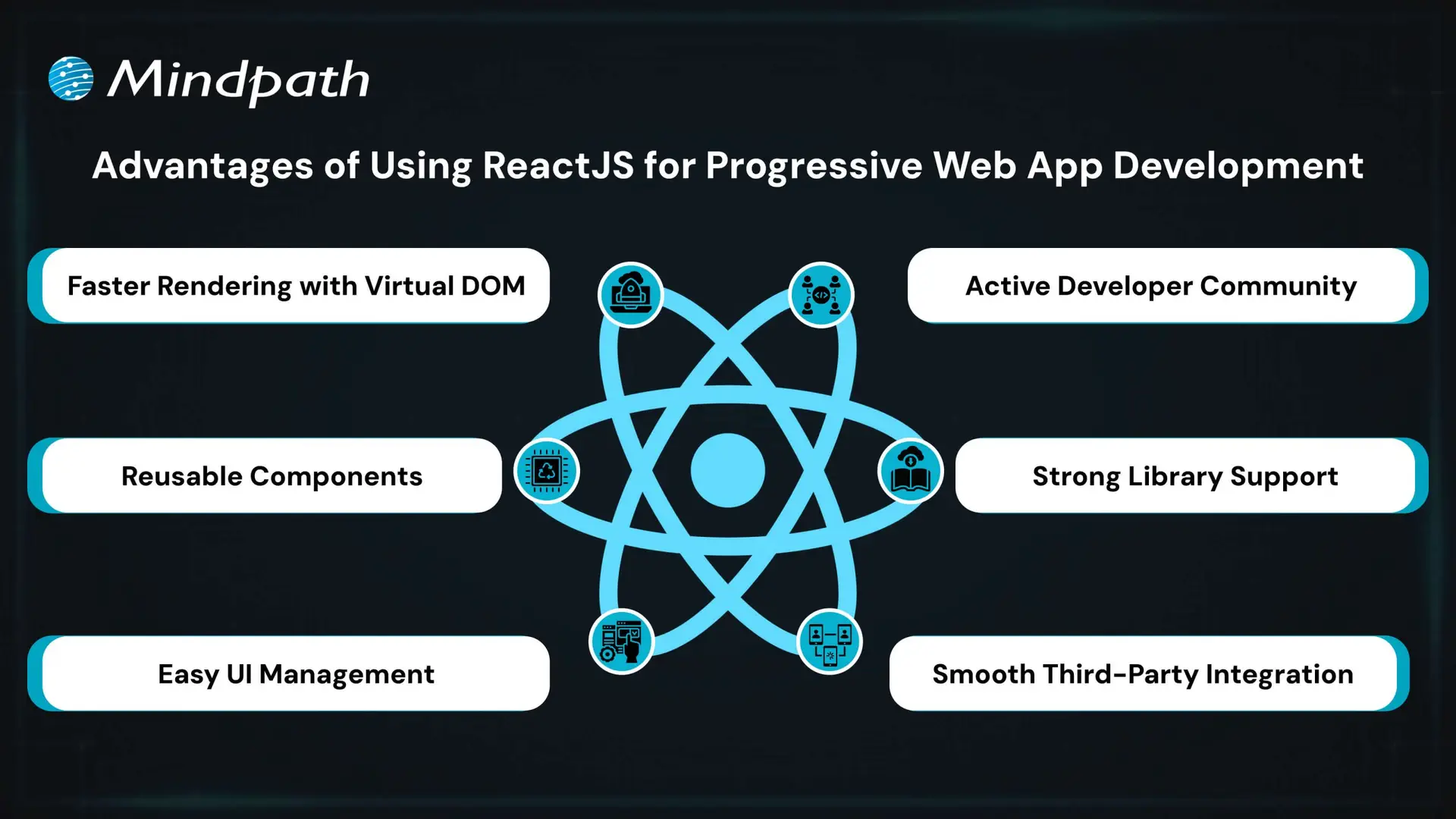
1. Faster Rendering with Virtual DOM
React uses a Virtual DOM to update only the parts of the page that change. This speeds up performance and ensures a smooth user experience. It’s ideal for building fast and responsive ReactJS PWA solutions.
2. Reusable Components
React’s component-based structure allows developers to reuse code across the app. This makes it easier to manage the app and scale it as it grows. It’s a key reason why teams choose ReactJS for progressive web app development.
3. Easy UI Management
React follows a declarative style for creating user interfaces. This makes it simple to manage and update interactive elements in the app. It helps deliver a smooth and engaging ReactJS progressive web app experience.
4. Active Developer Community
React has a strong global community that shares solutions, tools, and tutorials. This support helps developers solve problems faster and stay updated. It also contributes to the future of ReactJS in modern web development.
5. Strong Library Support
React has many libraries like React Router and Redux that simplify routing, data flow, and offline features. These tools help developers add advanced features to PWAs with less effort. They make building a PWA with React more efficient and reliable.
6. Smooth Third-Party Integration
React works well with tools needed for Progressive Web Apps, such as service workers and web app manifests. These tools help enable offline access, background syncing, and “Add to Home Screen” functionality. This makes it easier to implement full PWA capabilities when building with React.
Want to keep your large React app fast and responsive as it scales? Discover the best practices for optimizing React performance for large applications.
Steps to Set Up a React PWA
Getting started with React is a smart move when building modern web apps that work offline and feel like native apps. If you’re planning to use React for progressive web app development, here are the key steps to set it up properly.
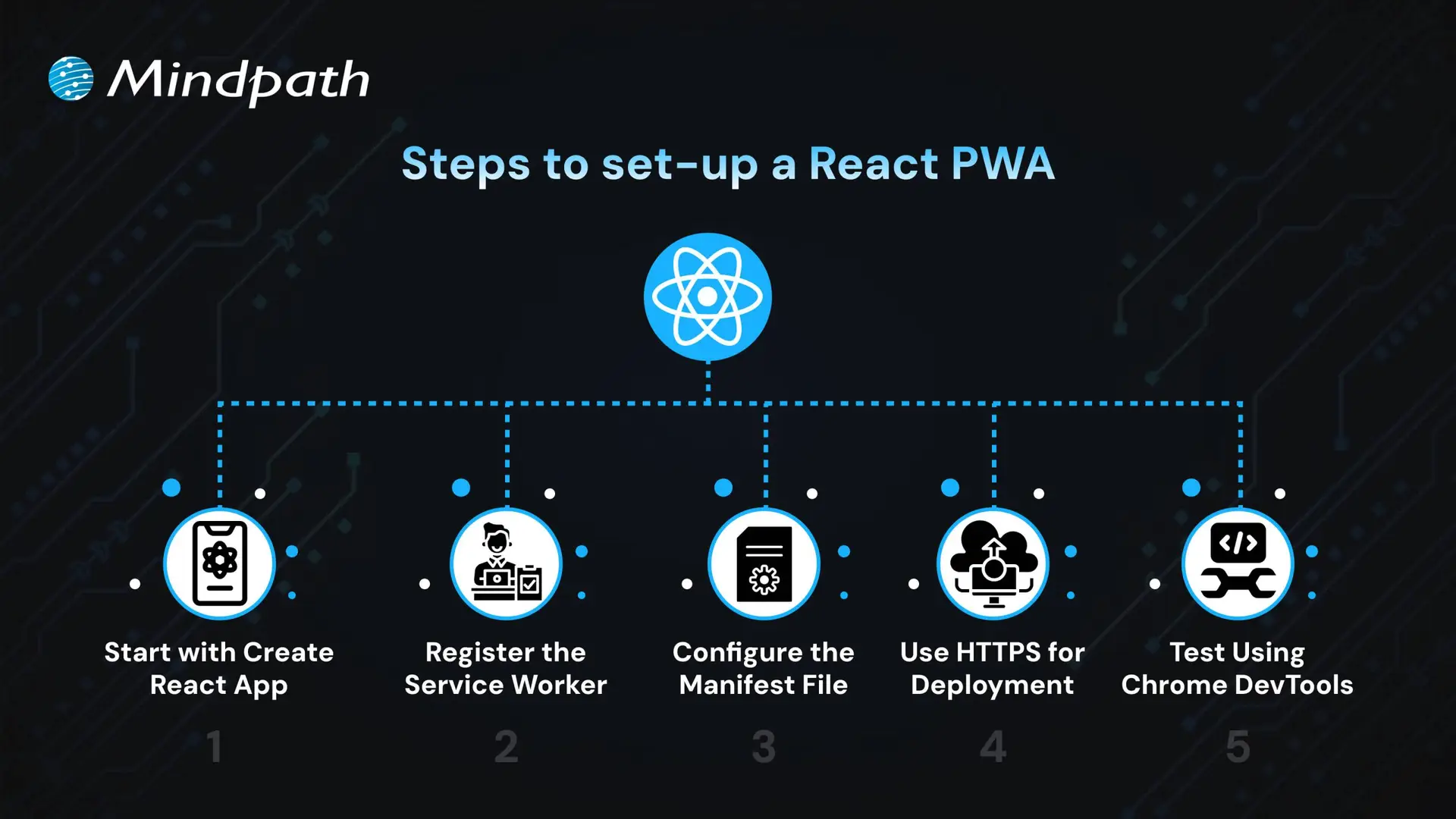
1. Start with Create React App
The easiest way to begin is by using Create React App, which includes built-in support for PWAs. It sets up a basic structure with everything needed for ReactJS PWA development, including service workers and a manifest file. CRA also optimizes the build process, making your app production-ready. This setup ensures you have a strong foundation to build a scalable and responsive PWA.
2. Register the Service Worker
To activate offline support, register the service worker by calling ‘serviceWorkerRegistration.register()’. This enables background caching, which is key to building a progressive web app with React that works without an internet connection. A registered service worker allows the app to cache assets and serve them even when the network is unavailable. It also helps improve performance by reducing server requests, ensuring a better user experience in the future of web development.
3. Configure the Manifest File
Update the manifest.json file in the public folder to define your app’s name, icons, theme color, start URL, and display mode. These settings control how your app appears when installed on a device. A properly configured manifest ensures your PWA looks and feels like a native app. This also helps in enabling features like splash screens and full-screen display, supporting the growth of progressive web apps with React development.
4. Use HTTPS for Deployment
For security, PWAs must be served over HTTPS. Local development through CRA handles this, but for live deployment, ensure your server uses a valid HTTPS setup. A secure context is required for service workers and features like push notifications. Using HTTPS also improves user trust and SEO performance.
5. Test Using Chrome DevTools
Use Chrome DevTools to inspect and test your PWA setup. You can verify service worker status, cached files, and manifest settings. Lighthouse audits can also help you improve your app based on best practices for React for progressive web app development. Testing ensures your PWA meets performance, accessibility, and usability standards.
Seeking a development approach that reduces complexity while enhancing functionality? Read why React Web Development is ideal for modern projects.
Ready to Build a Powerful PWA with ReactJS?
ReactJS offers all the essential tools to build fast, reliable, and interactive web apps that feel like native experiences. Its reusable components, strong ecosystem, and smooth performance make it a top choice for modern applications. Choosing ReactJS for progressive web app development is a future-focused decision that brings real value to your business.
At Mindpath, we deliver expert ReactJS development services tailored to your goals. We build responsive, scalable, and feature-rich PWAs with smooth offline access and high performance. Our experienced team uses the latest tools and trends to create apps users love. Partner with Mindpath and bring your next ReactJS PWA to life with speed and quality.
Businesses increasingly use artificial intelligence to improve customer experiences, automate workflows, and build more capable digital products. For teams working with JavaScript, Node.js libraries for AI provide practical ways to connect applications with machine learning models, language-processing tools, and generative AI services without rebuilding the entire technology stack.
The right approach depends on what you want to build. Some libraries support machine learning directly in JavaScript, others provide natural language processing or computer vision features, and AI service SDKs connect applications to hosted models through APIs. Understanding these differences helps development teams choose tools that fit their technical requirements, budget, and deployment environment.
Key Takeaways
- 01
Node.js supports AI integration through JavaScript machine learning libraries, specialized NLP tools, and SDKs for hosted AI services. - 02
TensorFlow.js, Natural, and Compromise serve different needs, from model execution to text processing and language analysis. - 03
AI service SDKs connect Node.js applications to hosted models, while local libraries may support inference or model development in JavaScript. - 04
Library selection should account for maintenance status, compatibility, performance, licensing, privacy, and deployment requirements. - 05
Businesses can combine Node.js with AI APIs or specialized model services to build chatbots, recommendations, document workflows, and other AI-enabled features.
Why Integrate AI into Node.js Applications?
Node.js is a JavaScript runtime commonly used to build APIs, backend services, real-time applications, and web application infrastructure. Its event-driven, non-blocking I/O model can help applications manage many concurrent network operations, including requests to external AI services.
Node.js can integrate with AI in several ways. Developers can execute compatible models with JavaScript libraries, call hosted AI models through APIs, or connect to a separate inference service written in another language. The best option depends on model requirements, latency expectations, infrastructure, and the amount of control the application needs.
JavaScript’s broad use across web development can also make it convenient for teams that want to share familiar language and tooling across frontend and backend work. However, demanding model training or specialized inference workloads may be better suited to dedicated machine learning frameworks or services.
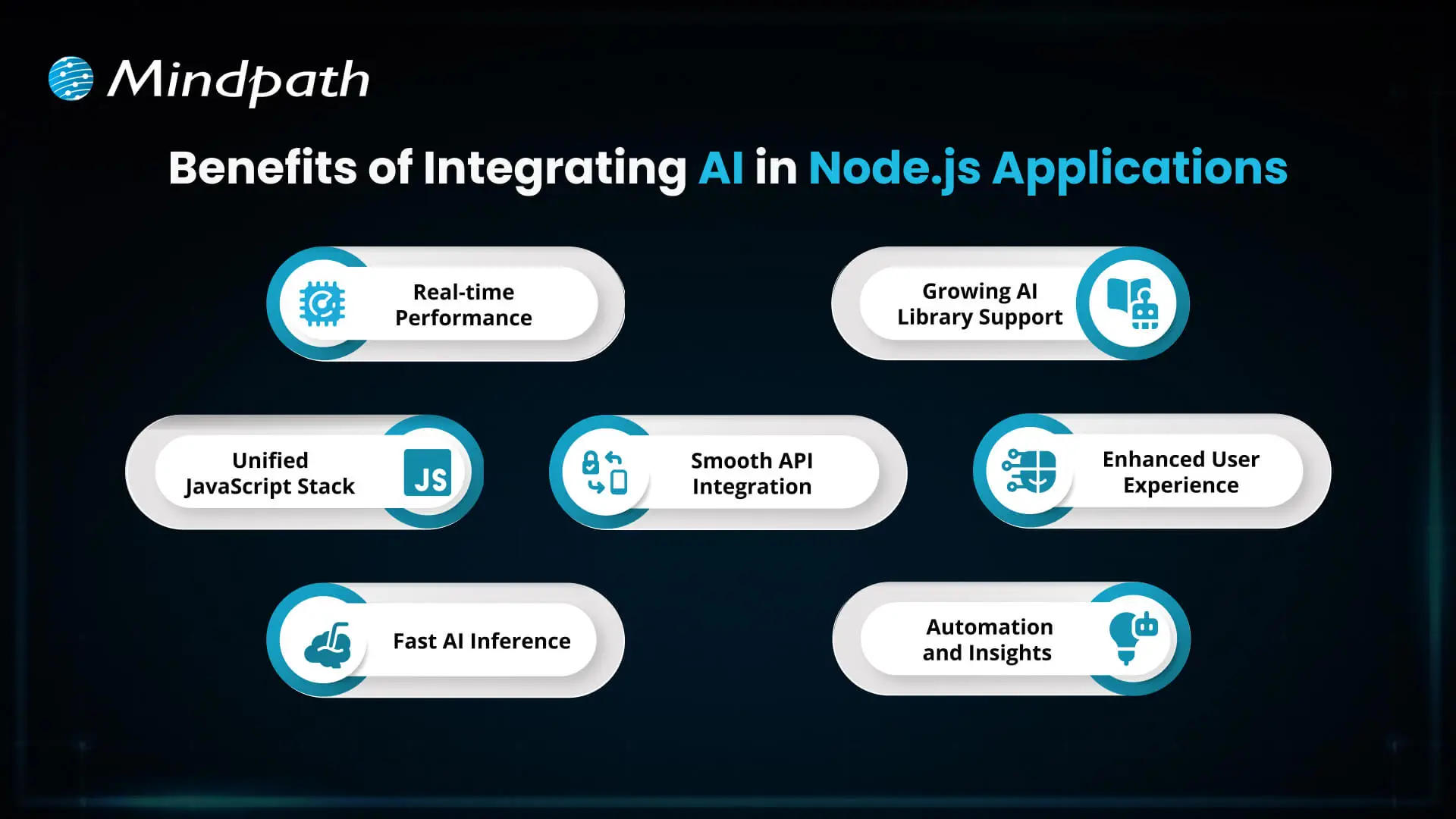
Here are some potential benefits of integrating AI into Node.js applications:
1. Responsive AI Features
Node.js can manage application requests and communicate with AI services asynchronously. This is useful for features such as chat interfaces, recommendation APIs, and automated document processing. Actual response times depend on the model, network, infrastructure, and application design.
2. A Familiar JavaScript Stack
Teams already using JavaScript can integrate AI functionality into their Node.js backend without necessarily introducing a separate application layer for every feature. This can simplify some development workflows, although specialized models may still require Python-based services or other infrastructure.
3. Flexible Model Execution
Depending on the model and runtime, developers can run compatible inference workloads in JavaScript or send requests to an external model endpoint. Performance should be benchmarked against the actual workload instead of assuming that Node.js or any particular library will automatically provide faster inference.
4. Integration with Existing Systems
Node.js applications can connect AI services to databases, customer relationship management platforms, content systems, and internal APIs. This makes it possible to incorporate AI into existing workflows rather than treating it as an isolated feature.
5. A Range of AI Libraries and Services
The JavaScript ecosystem includes machine learning libraries, natural language processing tools, computer vision packages, and SDKs for hosted AI services. Each category serves a different purpose, so developers should select tools based on their intended functionality and ongoing support.
6. More Context-Aware User Experiences
AI features can support conversational assistance, personalized recommendations, classification, and content analysis. Their usefulness depends on data quality, model selection, testing, and appropriate safeguards for the application.
7. Workflow Automation
AI integration can help automate tasks such as categorizing incoming requests, extracting information from documents, and routing customer queries. Teams should keep validation, monitoring, and human review in place where mistakes could have significant consequences.
Top Node.js Libraries for AI Integration
There is no single best AI library for every Node.js project. Some tools provide machine learning capabilities, others focus on text processing or computer vision, and some help applications communicate with external AI platforms. The following options cover different use cases and should be evaluated for current maintenance, compatibility, and licensing before adoption.
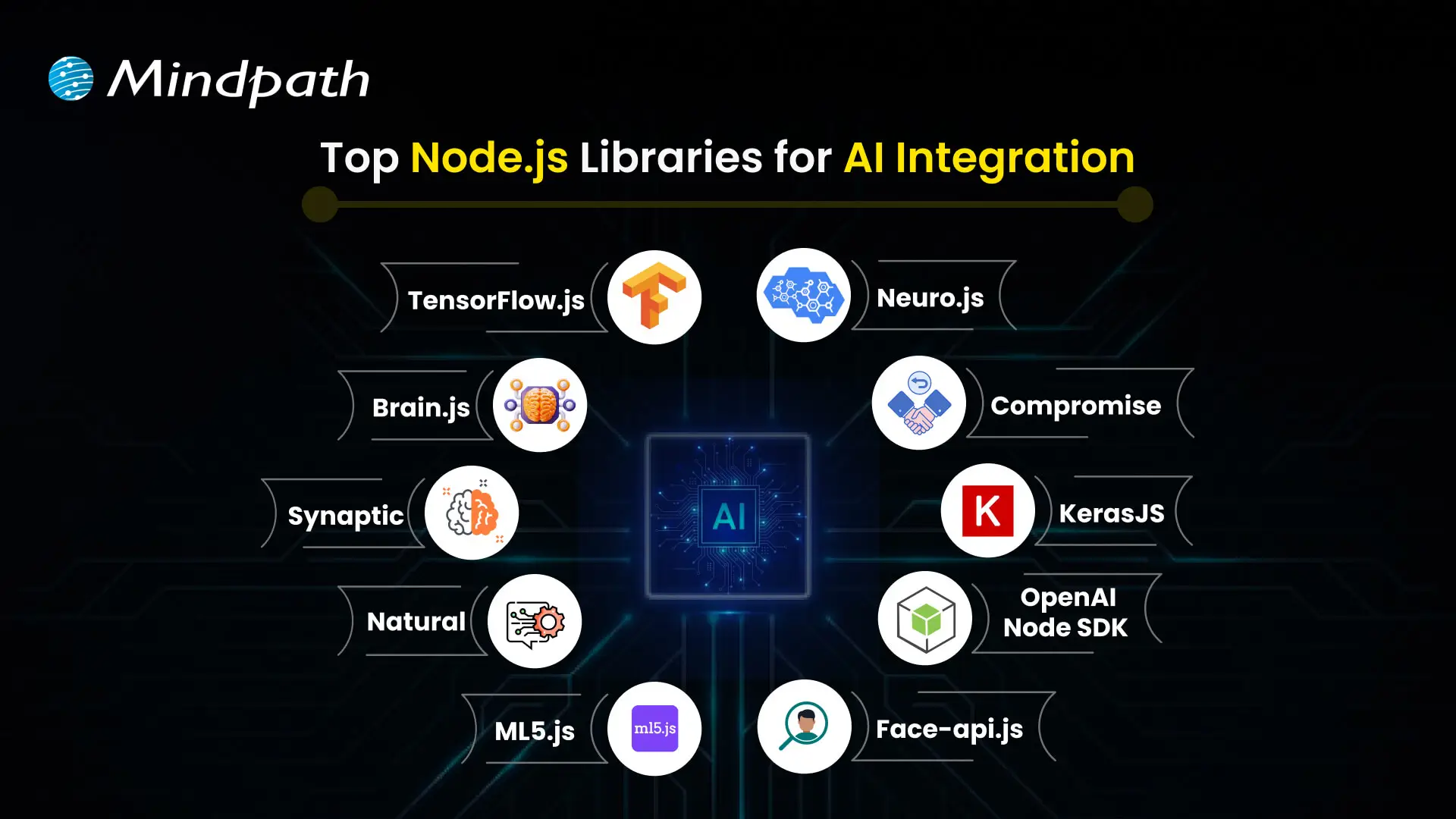
1. TensorFlow.js
Best for: JavaScript-based machine learning and model inference.
TensorFlow.js provides tools for developing, training, and running machine learning models in JavaScript. It supports browser-based use and Node.js environments, with capabilities that depend on the selected backend and model.
Developers can use it for suitable classification, prediction, and computer vision workloads. Before using it in production, evaluate model compatibility, runtime performance, hardware support, and whether a JavaScript-based implementation meets the project’s needs.
2. Brain.js
Best for: Smaller neural network experiments and learning projects.
Brain.js is a JavaScript library for working with neural networks. It can be useful for learning the basics of neural network development and experimenting with comparatively straightforward problems.
It is not a replacement for every modern machine learning framework. Review its current maintenance status, supported operations, and performance limitations before selecting it for a business-critical application.
3. Synaptic
Best for: Exploring neural network architectures in JavaScript.
Synaptic is a JavaScript neural network library that has been used for building and experimenting with network architectures. It may be relevant for educational work or existing projects that already depend on it.
Because library maintenance and ecosystem compatibility can change, check the repository, recent releases, documentation, and dependencies before using Synaptic in a new production system. For larger or more specialized workloads, compare it with actively supported alternatives.
4. Natural
Best for: Traditional natural language processing in Node.js.
Natural is a JavaScript natural language processing library that provides utilities for tasks such as tokenization, stemming, classification, and other text-processing operations. It can be useful when an application needs language-processing functionality without relying on a large generative AI model for every task.
Potential use cases include categorizing support messages, processing text, and building rule-based or statistical language workflows. Verify language support and the availability of the required algorithms for your specific application.
5. ml5.js
Best for: Accessible machine learning experiments and creative projects.
ml5.js provides a higher-level interface to selected machine learning capabilities, with a focus on making machine learning more approachable for creative coding and educational projects. It builds on web machine learning technologies and can simplify certain model-based interactions.
Its suitability for a Node.js backend depends on the specific feature and runtime support. Check the current documentation before assuming that a browser-focused example will work unchanged in a server environment.
6. Neuro.js
Best for: Evaluating existing JavaScript machine learning projects.
Neuro.js has been associated with JavaScript machine learning and intelligent application development. Its relevance to a new project depends on the current state of its repository, documentation, dependencies, and supported use cases.
Before choosing it for a production application, verify that it is actively maintained and meets your security, compatibility, and performance requirements. If those requirements are not met, consider a better-supported library or a hosted AI service.
7. Compromise
Best for: Lightweight English-language text analysis.
Compromise is a JavaScript library for processing and analyzing natural language. It can help applications identify and work with elements such as nouns, verbs, dates, and other text structures using lightweight language-processing techniques.
It is useful for selected text-processing tasks, but it is not a general-purpose machine learning framework or a substitute for a large language model. Check its current language coverage and capabilities against your requirements.
8. Keras.js
Best for: Assessing existing projects that use browser-based model execution.
Keras.js was developed to run certain trained neural network models in JavaScript environments, particularly in the browser. It may be relevant when maintaining an older project that already uses it.
For new projects, carefully verify its current maintenance, compatibility with modern model formats, and supported runtime. Teams should compare it with actively supported alternatives before committing to it for a production deployment.
9. OpenAI Node.js SDK
Best for: Connecting Node.js applications to OpenAI APIs.
The OpenAI Node.js SDK is a client library for communicating with OpenAI services from JavaScript and TypeScript applications. It can be used to integrate supported API capabilities into applications, depending on the models and endpoints available to the account.
Typical use cases include conversational interfaces, text generation, structured outputs, and other supported model capabilities. The SDK itself is not a local machine learning framework; model processing takes place through the relevant OpenAI service.
Keep API credentials on the server, handle errors and rate limits, and review usage costs, data-handling requirements, and the current API documentation before deployment.
10. face-api.js
Best for: Evaluating face-detection and facial-analysis functionality in existing JavaScript projects.
face-api.js provides JavaScript implementations for selected face-detection and facial-analysis tasks built on TensorFlow.js. It has been used in browser and Node.js projects, although setup requirements and compatibility depend on the runtime and model configuration.
Before using it in a new application, check maintenance activity, supported dependencies, model compatibility, and performance. Facial data is sensitive, so any deployment should also address consent, privacy, security, and applicable legal requirements.
How to Choose the Right Node.js AI Library
Choosing a library should begin with the business problem, not the popularity of a package. A chatbot, a document classification workflow, and a custom image model can require very different tools and infrastructure.
1. Define the AI Use Case
Determine whether your application needs text analysis, generative AI, image processing, recommendations, prediction, or another capability. A clearly defined use case makes it easier to shortlist appropriate libraries and test their results.
2. Decide Between Local Models and Hosted AI APIs
Local inference may offer greater control over execution and data flow, but it also requires suitable model support, compute resources, deployment planning, and maintenance. Hosted APIs can simplify access to capable models, but introduce external dependencies, usage costs, latency considerations, and provider-specific data policies.
3. Check Maintenance and Compatibility
Review release activity, issue handling, documentation, supported Node.js versions, dependency health, licensing, and security advisories. A library that works for a prototype may not be the right choice for a system that needs long-term support.
4. Test Performance with Realistic Workloads
Benchmark latency, throughput, memory usage, and operating costs with representative data. For API-based AI, measure network and provider response times as well as the time spent in your own application. For local inference, test the model and runtime on the hardware intended for deployment.
5. Plan Security, Privacy, and Monitoring
Assess whether the application processes personal, confidential, or regulated information. Apply appropriate access controls, protect credentials, validate model outputs, and log operational metrics without unnecessarily exposing sensitive data. Add human review where an incorrect AI result could create material risk.
Common Business Use Cases for Node.js AI Integration
Node.js can act as the application layer that connects AI capabilities with business data, user interfaces, and operational systems. Examples include:
- Customer support assistants: Connect chat interfaces to an AI API and approved knowledge sources, with escalation paths for complex requests.
- Document processing: Extract, classify, or summarize information from business documents using suitable models and validation steps.
- Recommendation features: Combine product or user data with a suitable recommendation model or external service.
- Text classification: Categorize messages, feedback, or support tickets using traditional NLP tools or machine learning models.
- Workflow automation: Route requests, extract fields, and prepare suggested actions while retaining appropriate approval and audit controls.
- Computer vision applications: Connect compatible image-processing models or services to a Node.js API for supported visual tasks.
These are implementation patterns, not guarantees of business results. The appropriate model, data source, evaluation process, and system design depend on the application’s goals and constraints.
Why Work with a Node.js and AI Integration Partner?
Choosing a library is only one part of building a dependable AI-enabled application. Production systems also require architecture planning, API integration, authentication, data handling, error management, performance testing, deployment, and ongoing monitoring.
A development partner can help assess whether a hosted model, JavaScript library, or separate inference service is appropriate for the project. This evaluation can reduce avoidable integration work and ensure that the technical approach matches the business requirements.
When evaluating a development partner, ask how they handle model evaluation, API security, cost controls, data privacy, observability, and maintenance. Request a clear implementation scope and measurable acceptance criteria rather than relying on broad claims about AI capabilities.
Conclusion
Node.js libraries for AI give development teams several ways to add intelligent capabilities to JavaScript applications. Tools such as TensorFlow.js, Natural, and Compromise support different types of local processing, while the OpenAI Node.js SDK connects applications to hosted AI services. Other libraries may be useful for existing projects, but their current maintenance and compatibility should be checked before adoption.
The right choice depends on your business use case, model requirements, data policies, performance targets, and long-term maintenance needs. A well-planned integration should include testing, security controls, monitoring, and a clear way to measure whether the feature meets its intended purpose.
At Mindpath, we support businesses building and integrating digital solutions. Visit our Node.js development services page to discuss your project requirements and explore an implementation approach aligned with your business goals.
Key Takeaways
- 01
The future of AI will influence how businesses operate, people learn, and teams make decisions. - 02
Generative AI, AI agents, machine learning, and multimodal systems are expanding the ways people use AI. - 03
AI can support creativity, accessibility, cybersecurity, sustainability, and personalized services. - 04
Businesses should connect AI initiatives to measurable goals, reliable data, and clear operational needs. - 05
Responsible AI adoption requires human oversight, data protection, transparency, and ongoing evaluation.
The future of AI will depend not only on advances in technology but also on how people and organizations choose to use it. Businesses must evaluate where AI can create value, while addressing challenges such as data privacy, bias, security, and the need for human oversight. Understanding these opportunities and limitations can help organizations prepare for an increasingly AI-driven world.
The Evolution of Artificial Intelligence
Artificial intelligence refers to computer systems designed to perform tasks that typically require human cognitive abilities, such as recognizing patterns, understanding language, generating content, and supporting decisions. Modern AI includes several approaches, including machine learning, deep learning, natural language processing, and generative AI.
AI has developed through decades of research and technological progress. Alan Turing’s work in the 1950s helped shape early discussions about machine intelligence. Researchers subsequently developed symbolic reasoning methods and expert systems, which used rules and structured knowledge to solve specific problems.
As computing power, data availability, and machine learning techniques improved, AI systems became capable of handling more complex tasks. Deep learning advanced applications such as image recognition, speech processing, and language understanding. More recently, large language models and generative AI have made it possible to produce text, images, code, and other content from user instructions.
Today’s AI systems vary considerably in capability. Some perform narrowly defined tasks, while others can assist with multiple related activities. Their usefulness depends on the quality of the model, the data and tools available, the task being performed, and the level of human supervision.
How AI Will Shape the Future
The future of AI will involve more than automating repetitive tasks. AI systems can support human creativity, help organizations analyze information, personalize digital experiences, and identify patterns that may be difficult to recognize manually. The following areas illustrate where these capabilities can make a difference.
1. Supporting Human Creativity and Productivity
AI tools can help writers develop outlines, designers generate concepts, and developers draft or review code. By assisting with repetitive or time-consuming activities, these tools can give people more time to focus on judgment, creative direction, and complex problem-solving.
However, AI-generated work still requires review. Human expertise remains important for verifying accuracy, maintaining originality, understanding context, and ensuring that the final output meets business or customer requirements.
2. Improving Decision-Making
AI can process large datasets, identify patterns, and generate forecasts that support business planning. Organizations can use these capabilities to analyze customer behavior, evaluate operational performance, identify potential risks, and compare possible courses of action.
AI in decision-making can help teams assess information more efficiently, but recommendations should be evaluated against reliable data and relevant business context. Human decision-makers remain accountable for consequential choices.
3. Personalizing Education and Learning
AI-powered educational tools can adjust practice activities, provide feedback, and recommend learning materials based on a student’s progress. Conversational interfaces can also help learners ask questions and receive explanations at their own pace.
These capabilities may make learning more flexible, but they do not replace teachers or educational judgment. Learning platforms should protect student data, check generated information for accuracy, and account for differences in accessibility and learning needs.
4. Making Digital Experiences More Accessible
AI can support accessibility through speech recognition, text-to-speech tools, automated captions, image descriptions, and language translation. These features can help people interact with digital products in ways that better suit their needs.
Accessibility tools should be tested with people who use them. AI-generated captions, descriptions, and translations may contain errors, so critical information should have appropriate review and alternative access options.
5. Supporting Sustainability and Resource Efficiency
AI can help organizations analyze energy consumption, forecast equipment maintenance needs, optimize logistics, and identify opportunities to reduce material waste. Predictive models and digital twins can also support simulations of operational changes before they are implemented in real environments.
The environmental value of an AI system depends on its implementation and actual outcomes. Organizations should assess energy use, infrastructure requirements, data quality, and measurable resource savings rather than assuming that AI automatically produces sustainable results.
6. Strengthening Cybersecurity and Risk Detection
AI systems can analyze network activity, flag unusual behavior, prioritize security alerts, and help security teams investigate potential threats. These capabilities can improve how organizations identify and respond to suspicious activity.
AI is also used by attackers to develop more convincing phishing messages and automate certain malicious activities. Businesses should combine AI-assisted security with access controls, monitoring, incident response procedures, and regular security reviews.
7. Improving Access to Information and Services
AI assistants and chatbots can answer common questions, guide users through processes, and help customers find relevant information. When connected to approved knowledge sources and business systems, they can also support tasks such as service requests and information retrieval.
Organizations should define which tasks an AI assistant can handle, when it must escalate a request, and how users can reach a human representative. These safeguards are particularly important when requests involve sensitive information or complex decisions.
8. Accelerating Collaboration and Innovation
AI can support collaboration by summarizing documents, organizing research, generating product concepts, and helping teams compare design or development options. AI agents may also coordinate multiple steps in a workflow when provided with suitable tools, permissions, and instructions.
Effective collaboration requires clear responsibilities and review processes. Teams should verify outputs, restrict access to sensitive systems, and monitor automated actions before allowing AI to perform higher-impact tasks independently.
Emerging AI Technologies Shaping the Future
Several areas of AI development are expanding what software can do. Their business value depends on the problem being solved, the maturity of the technology, and the safeguards used during implementation.
| AI technology | What it does | Potential applications |
|---|---|---|
| Generative AI | Creates content such as text, images, code, and summaries from prompts or other inputs. | Content assistance, prototyping, software development, and knowledge work. |
| AI agents | Use models and tools to carry out sequences of tasks toward a defined goal, subject to their permissions and controls. | Workflow coordination, research assistance, and selected customer service tasks. |
| Multimodal AI | Processes or combines different data types, such as text, images, audio, and video. | Document analysis, accessibility, media understanding, and interactive assistants. |
| Retrieval-augmented generation (RAG) | Uses retrieved information from selected sources to provide context for generated responses. | Internal knowledge assistants, document search, and support systems. |
| Predictive machine learning | Uses historical data and learned patterns to estimate outcomes or classify information. | Demand forecasting, anomaly detection, maintenance planning, and risk analysis. |
These technologies can be combined, but they are not interchangeable. For example, a predictive model may be better suited to forecasting demand, while a retrieval-augmented system may be more appropriate for answering questions using company documentation. Choosing the right approach starts with defining the task and evaluating the available data.
Strategic Approaches to an AI-Driven Future
Organizations need a practical strategy to turn AI capabilities into useful business outcomes. A successful approach begins with a defined problem, a manageable scope, and clear expectations about performance, cost, risk, and human involvement.
1. Define Clear Business Objectives
Identify a specific problem that AI could help solve, such as reducing manual data entry, improving search across internal documents, or assisting customer support teams. Define the existing process and establish baseline measurements before introducing a new solution.
2. Start With a Focused Pilot
Test the proposed solution on a limited workflow before expanding it across the organization. Use a representative dataset, define success criteria, and collect feedback from the people who will use the system. A pilot can reveal limitations before the business commits to a larger rollout.
3. Prepare Data and Integrations
AI systems need suitable data, secure access, and reliable connections to the systems they use. Review data quality, ownership, permissions, and retention requirements. For systems that retrieve internal information, make sure access controls also apply to the information returned by the AI.
4. Develop AI Skills Across Teams
Help employees understand what AI systems can and cannot do. Training should cover effective use, output verification, privacy, security, and escalation procedures. Teams responsible for building and maintaining AI solutions may also need specialized technical and governance skills.
5. Make Responsible AI Part of the Process
Establish policies for data protection, transparency, bias assessment, human review, and accountability. The level of oversight should reflect the potential consequences of an incorrect or inappropriate output. Sensitive or high-impact decisions may require stronger controls and additional expert review.
6. Measure Results and Improve Continuously
Evaluate AI using measures that relate directly to the original business objective. Depending on the application, these may include task completion time, error rates, customer satisfaction, operating cost, adoption, or the accuracy of generated responses.
Monitor performance after launch because data, user needs, and underlying models can change. Establish a process for investigating failures, collecting feedback, updating systems, and deciding when human intervention is necessary.
Challenges That Could Shape the Future of AI
AI creates opportunities, but its adoption also introduces technical, operational, and ethical challenges. Addressing these issues early helps organizations make more informed decisions about where and how to deploy AI.
| Challenge | Why it matters | Practical response |
|---|---|---|
| Inaccurate outputs | AI can generate plausible but incorrect information or recommendations. | Validate important outputs, use trusted sources, and define review requirements. |
| Privacy and data security | Improper handling of personal, confidential, or regulated information can create risk. | Apply access controls, data minimization, approved tools, and retention policies. |
| Bias and fairness | Data and model behavior can produce uneven outcomes for different groups. | Evaluate representative cases, test for disparate outcomes, and review decisions. |
| Integration and cost | AI systems can require infrastructure, maintenance, monitoring, and process changes. | Estimate total operating costs and test integrations before scaling. |
| Overreliance on automation | Users may accept outputs without checking context or accuracy. | Set clear responsibility, escalation paths, and human oversight for important tasks. |
Responsible AI is an ongoing process rather than a one-time technical check. Organizations should revisit their controls as applications evolve, usage expands, and new risks emerge.
Ready to Prepare Your Business for the Future of AI?
Artificial intelligence is influencing how organizations develop products, support customers, analyze information, and improve everyday workflows. Its long-term value will depend on selecting appropriate use cases, combining technology with human expertise, and addressing risks through responsible implementation.
Mindpath helps businesses assess and implement AI solutions aligned with their operational needs. Our AI development services can support organizations looking to build practical, scalable applications with appropriate attention to data, security, and business objectives.
75% of leaders believe AI gives them a major edge in making smart decisions. This highlights the growing trust leaders place in AI to improve clarity and confidence in business decisions.
AI is helping businesses plan effectively, reduce uncertainty, forecast demand, understand customers, and improve efficiency. In this blog, we’ll explore practical applications and key benefits of using AI in decision-making.
Ready to elevate your decision-making with AI? Discover how Mindpath’s advanced AI solutions can transform your business strategies and drive success.
What is AI Decision Making?
AI decision-making uses data-driven systems to analyze large volumes of information and recommend or determine actions using rules, models, and machine learning.
Unlike traditional methods, AI can process complex data quickly, identify patterns, and learn from previous decisions. This helps businesses make faster, more accurate decisions when handling large amounts of data.
Curious about bringing AI into your business but unsure how to begin? Read our blog: Is Your Business Ready for AI?
Benefits of AI in Decision Making
Using AI for decision-making is becoming a key part of how modern businesses operate. With AI adoption on the rise, it’s important to understand what makes this technology so valuable in today’s decision-making process.
1. Boost Productivity
AI works like a nonstop helper that gives decision makers quick answers and useful insights. It saves time by handling data and helps people focus on bigger tasks. With decision maker AI, you can get more done without working extra hours.
2. Lower Risks
AI benefits help in spotting problems early by studying past data and finding patterns. It can warn decision makers about things like fraud or sudden changes in the market. This helps businesses act early and avoid big mistakes.
3. Make Faster Decisions
AI looks at data quickly and gives answers in real time, helping businesses respond fast. It saves time by doing the hard work of sorting and studying information. This helps decision makers act faster and stay ahead in a fast-moving market.
4. Improve Efficiency
AI helps speed up tasks by collecting and studying data without delays. It shows decision makers the right information fast and helps fix weak spots in the process. This means teams can work better and get more done every day.
5. Ensure Consistency
AI follows the same rules every time, which helps make decisions fairer and steadier. It removes personal bias and uses data to guide choices in the same way for everyone. This helps businesses build trust and keep their work smooth and reliable.
Curious to know how AI can enhance your e-commerce strategy and give your business a competitive edge? Read our detailed blog on how AI in e-commerce is transforming the future.
Real World Use Cases of AI in Decision Making
Real-world use cases of AI in decision-making highlight how this technology supports smarter choices in everyday business. Many industries are using AI to handle complex tasks, spot patterns, and guide important decisions with greater confidence.
1. Sales
In sales, AI in business strategy studies customer data to help teams focus on the best leads and plan better strategies. It suggests the right prices, products, and ways to talk to customers based on what works best. AI also checks team performance and gives ideas to improve sales results.
2. Manufacturing
The role of AI in decision-making is helping manufacturers keep machines running smoothly by spotting problems before they happen. It also helps manage materials, workers, and production by studying live data and showing the best way to use resources. AI gives useful ideas to improve processes and keep product quality high at every step.
3. Marketing
In marketing, AI for customer service helps teams understand different customer groups and choose the best ones to focus on. It studies what people like and helps create content and ads that feel more personal and effective. By checking results from ads and social media, AI supports better decisions that improve marketing success.
4. Finance
AI helps financial experts find market trends by studying large amounts of data and giving clear insights. It also checks for possible risks and suggests safer ways to manage money and plan investments. With this support, decision makers can adjust portfolios and make smarter financial choices.
5. Customer Relationship Management
AI helps businesses understand what customers need by studying their behavior and feedback. It supports better decisions in improving service, keeping customers happy, and reducing the chance of losing them. AI also shows the best ways and times to talk to customers for stronger relationships.
6. HR Operations
AI helps HR teams find the right candidates faster by quickly checking resumes and matching skills. It also looks at how employees are doing at work and gives useful ideas to support their growth. AI suggests fair pay and benefits by studying company budgets and market trends, helping keep employees happy and motivated.
Ready to leverage the transformative power of AI? Explore our blog AI transforming the future, to learn how to create a clear strategy and successfully adopt AI technologies in your organization
Ready to Make Smarter Business Decisions with AI?
AI in decision-making is helping businesses move faster, reduce risk, and improve results. It supports better planning, smarter insights, and more consistent actions. Many industries are now using AI as a trusted tool for everyday decisions. With the right approach, AI becomes a reliable partner that helps businesses grow with confidence.
At Mindpath, we deliver AI development services tailored to your unique business goals. Our expert team builds intelligent solutions that help you work smarter and stay ahead. With a focus on innovation, performance, and simplicity, we are here to support your digital journey. Let’s build intelligent systems that shape your future.
AI trends are growing at an accelerated rate, creating new opportunities and challenges for leaders in today’s workforce. From intelligent automation to advanced data analysis, AI is delivering smarter and leaner business processes, and playing a critical role in AI in decision-making. Fascinating, isn’t it? AI now permeates companies of all sizes for improving decision-making and performance. These transitions are already contributing to how businesses will operate and compete across every industry in 2026!
It is vital to keep up with the trends in AI because they are directly relevant to how businesses grow, change, and ultimately fulfill growing expectations. The faster leaders recognize trends, the smarter they can invest and prepare their teams, in order to gain an advantage over their competitors. If you do not pay attention to these trends, you may run the risk of missing advancements in tools, significant improvements in workflows, and smart strategies.
Want to know what are the top AI trends for 2026? This blog will provide you with all the AI trends business leaders will want to be aware of and should pay particular attention to in 2026.
Wondering how to get started with AI development the right way? Our AI Development Services can help you build impactful solutions from concept to deployment.
What is Artificial Intelligence (AI)?
Artificial Intelligence (AI) is a type of technology that helps computers in thinking, learning, and making choices like people. It allows machines to use language, read information, and analyze data to give helpful responses. In business, AI is primarily being utilized to make workflow quicker and smarter.
For example, AI allows an organization to better appreciate the needs of its customers, and provide its products or services to them, when they need them, in a timelier manner. AI functions for businesses efficiently by helping cut down the time taken for a task that people typically take a lot longer to do. AI can minimize errors, take care of repeated and tedious work, and it can operate indefinitely without breaks.
It means that an organization can receive a product quicker, save time to increase productivity, and use their time to pursue other important goals. AI can also help organizations improve the quality of their products and services by being able to produce and share insights derived from their data, helping ensure smarter, and more informed decisions.
Let us know about some AI statistics that highlight how organizations are adopting and managing AI technologies in 2026:
- According to Statista, the AI market is expected to reach US$244.22 billion in 2026 and grow to US$1.01 trillion by 2031, with a CAGR of 26.60%.
- As per McKinsey AI report, more than three-quarters of organizations now use AI in at least one business function.
- An artificial intelligence survey from Forbes reveals that 25% of enterprises will deploy AI agents in 2026 to handle complex, multi-step tasks.
- Forbes also reports that 49% of tech leaders have fully integrated AI into their business strategy.
- Analytics Insight states that 80% of retail executives plan to accelerate AI adoption through automation by the end of 2026.
Is your business missing out on the advantages AI can offer? Explore the benefits of AI from increasing efficiency and cutting costs to making smarter, data-driven decisions that drive growth.
Top AI Trends for 2026
Trends in artificial intelligence are shaping how businesses operate, innovate, and grow in 2026. As more companies start using AI to improve workflows and decision-making, these key developments are driving real impact across industries.
1. AI Reasoning Gets Smarter
Among the latest developments in AI, one major shift is its growing ability to reason and make sense of complex situations. In 2026, large language models can think more like humans, helping businesses go beyond basic insights. They now support smarter planning and stronger decision-making. This means companies are using AI not just to understand data, but to act on it more confidently.
2. Generative AI Reshaping Content Strategy
The best artificial intelligence trend in 2026 is the rise of generative AI in content creation. It allows businesses to create text, visuals, and videos instantly from basic prompts. This helps teams produce more personalized content at scale without extra effort. It’s making content strategies faster, smarter, and more effective across industries.
3. AI Agents Redefining Business Efficiency
One exciting use of AI in business is the rise of intelligent AI agents that act like real team members. These smart tools handle tasks like finding new leads, managing admin work, and analyzing data in real time. By doing this, they help teams work faster and focus on bigger goals. Companies are now seeing lower costs and fewer errors due to these advanced AI systems.
4. Multi-Agent Systems Streamlining Workflows
A new shift in AI is the use of multiple agents working as a team to handle complex business tasks. Each AI agent focuses on a specific job, like customer service or finance, and they all work together smoothly. This makes it easier to automate detailed processes that once needed people to manage them. The result is faster work, better accuracy, and stronger connections between business systems.
5. Industry-Driven AI in Action
Different industries are now using AI in ways that fit their unique needs. Sectors like finance, healthcare, insurance, and manufacturing are leading the way because they already follow strong rules around data and systems. These fields need custom AI tools for tasks like managing claims, tracking supply chains, or handling appointments. Tailored AI solutions are helping these industries work faster, meet rules, and serve people better.
How is AI reshaping the way websites are built and optimized? Explore our detailed article on AI in Web Development to see how it’s driving smarter design, faster deployment, and better user experiences.
6. GPUs Powering the Future of AI
A key new technology in AI is the growing use of GPUs to run advanced models. These powerful chips help process large amounts of data quickly, which is essential for AI tasks. As AI adoption grows, the demand for GPUs is rising across both cloud and on-premise systems. They now play a central role in building fast, efficient, and scalable AI infrastructure.
7. A Shift Towards Small Language Models (SLMs)
One trend catching the eye of artificial intelligence companies to invest in is the move from large to small language models. These smaller models, called SLMs, can do many of the same tasks as LLMs but use fewer resources. They are faster, cheaper to run, and easier to manage, making them a smart choice for everyday use. With techniques like pruning and knowledge sharing, SLMs are becoming more efficient without losing quality.
8. Businesses Turn to Open-Source AI
Open-source AI is becoming a strong choice for businesses that want more freedom and flexibility. Unlike closed systems, open-source models let companies build and manage AI tools on their own, keeping data private and costs lower. They can also fine-tune models using their own data to get better results. This shift is helping more businesses create powerful AI solutions without relying on big tech providers.
9. RAG Brings More Accuracy
One growing method to reduce wrong answers from AI is called Retrieval-Augmented Generation, or RAG. It helps AI pull information from reliable and current sources, making responses more accurate. While it improves relevance, it doesn’t always provide personalized answers without added context. Still, RAG is becoming a valuable tool for businesses looking to make AI more useful and trustworthy.
10. Swarm Learning Driving AI Progress
Swarm learning is a new way for AI systems to grow by sharing what they learn with each other. Instead of learning alone, connected AIs exchange knowledge in real time. This helps them improve faster and solve problems more efficiently. It’s a smart way to build stronger AI by working as a team.
Looking for smarter ways to handle customer queries and optimize workflows? Explore our blog to see how conversational AI chatbots can transform your business.
Is Your Business Aligned with the Top AI Trends?
AI trends are reshaping how businesses grow, compete, and deliver value across every industry. From reasoning models to open-source tools and AI agents, these trends are helping companies simplify operations, improve decision-making, and stay ahead. By understanding what’s emerging in 2026, leaders can better prepare for new opportunities and future success.
At Mindpath, we offer AI development services that align with the latest AI trends and business goals. We create intelligent tools, automation systems, and custom AI models that improve decision-making and increase efficiency. Our solutions are built to fit your operations, boost productivity, and support long-term growth. With Mindpath, businesses gain reliable and future-focused AI support.
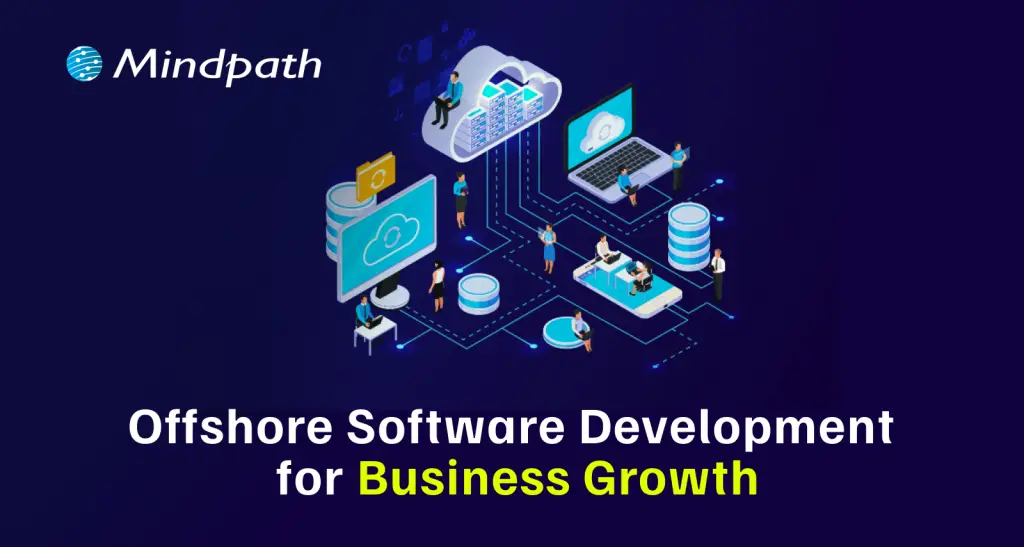
Would you like to grow your business quickly without spending a lot of money? If so, offshore software development may be an appealing option for you. Many companies today are choosing this model due to the cost-saving element, access to global talent, and keeping pace with digital technology. So, for companies that want to grow fast and provide more resources to their primary company without the pressure on their in-house or workforce, offshore development is a viable choice.
Now with this increased interest, offshore development services in 2026 are perceived as a way to stay agile and innovate faster while providing the continued influx of technology in the marketplace. Businesses of all sizes, including small startups and large enterprise clients, are increasingly leveraging offshore teams to produce robust and dependable software solutions. In this blog, we will explore why this trend is growing and how your organization can benefit from it.
Ready to take your business to the next level? Partner with Mindpath for expert offshore development services that drive innovation, efficiency, and growth. Contact Us!
What is Offshore Development?
Offshore development refers to hiring a software development team from abroad to either build or manage your software projects. It’s a form of software development outsourcing and allows companies to choose to work with teams located in different countries. It is beneficial for companies to consider going offshore for lower costs, accessing greater developer skill sets, and spending their time on their core business processes.
For instance, if a company in the UK hires a software development team from India to develop its web application, the rates in India will be cheaper than in the UK, while still maintaining high-skilled developers. Thus, using offshore development can help a company scale quickly and effectively with good quality work.
According to a Business Research Insights Survey, the software offshore market was worth roughly USD 160.9 billion in 2024, and is on track to reach USD 413 billion by 2033, with a CAGR of 11.04%.
Offshore Development Benefits for Businesses
There is a growing number of businesses opting for offshore teams to deliver their software needs. The benefits of offshore development have made it a popular option for organizations seeking smart and adaptable options for growth. Let’s have a look:
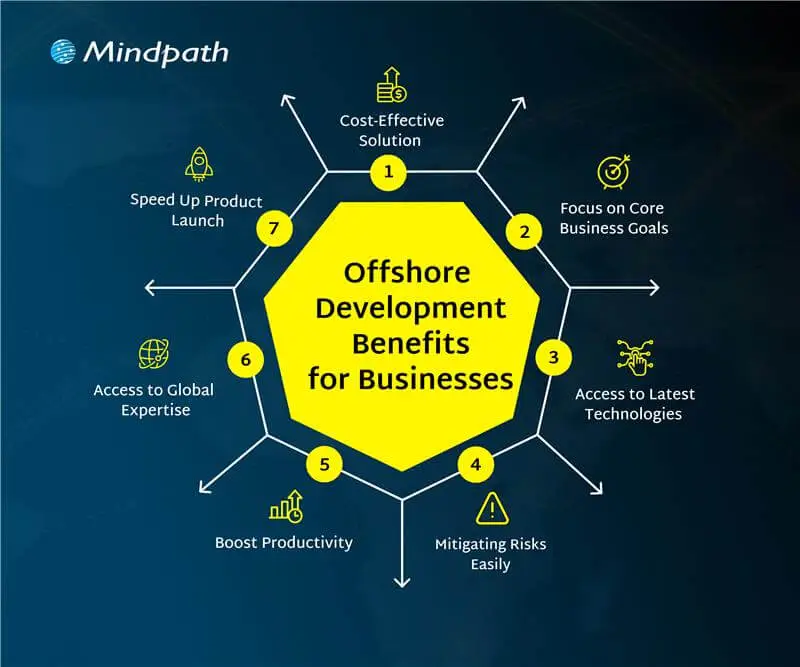
1. Cost-Effective Solution
Offshore development services help businesses lower their software development costs without losing quality. Companies can hire skilled developers from countries where salaries are more affordable compared to local markets. This approach offers a smart way to achieve cost-effective software development without compromising on results. The money saved can then be used in other important areas like marketing, research, or improving infrastructure.
2. Focus on Core Business Goals
Offshore development lets companies’ hand over routine tech tasks to external teams. This helps free up internal staff to work on more important goals and long-term plans. With fewer day-to-day responsibilities, businesses can focus better on innovation and growth. It also gives them more time to strengthen their position in the market.
3. Access to Global Expertise
Working with global software development teams allows companies to tap into a wide range of skills and knowledge. They can bring in experts who specialize in tools or technologies that are hard to find or too expensive locally. This helps businesses build better solutions and stay updated with the latest trends. It also brings fresh ideas and faster problem-solving from experienced professionals around the world.
4. Mitigating Risks Easily
Working with offshore teams helps reduce risks that may affect your local operations. This includes not just natural disasters or political changes, but also technical issues like system failures or delays in development. Offshore partners can quickly step in to handle problems and share responsibility when challenges arise. This setup keeps your projects moving and makes your business more stable and prepared.
5. Boost Productivity
Offshore teams usually have clear roles and focus on getting results. This helps manage projects better and use resources more effectively. Many offshore developers work in well-organized environments that support smooth and efficient work. As a result, they often deliver high-quality work on time and sometimes even ahead of expectations.
6. Access to Latest Technologies
Offshore teams give businesses access to modern tools like AI, cloud computing, blockchain, and IoT. Many offshore developers already have experience with these technologies and know how to use them well. This helps companies stay up to date and try new ideas without spending extra on training or new systems. It also supports faster innovation and better tech solutions.
7. Speed Up Product Launch
Tech talent outsourcing helps businesses work faster by using teams in different time zones. When one team finishes their day, the offshore team can continue the work, keeping the project going around the clock. This constant progress helps fix issues quickly and speeds up development. As a result, companies can launch their products sooner and meet deadlines with ease.
Want to know how this round-the-clock development approach works best ? Understanding the stages of the software development life cycle helps ensure offshore teams collaborate efficiently while maintaining quality and timelines.
Are you facing any confusion between offshore software development and onshore software development? Let us learn about the difference between them.
Offshore vs Onshore Development: A Comparison Table
When planning a software project, businesses often choose between offshore and onshore development based on their goals, budget, and timeline. Both options have their own advantages and challenges. The table below gives a clear comparison to help you decide which model suits your business needs best.
Factor |
Onshore Development |
Offshore Development |
| Definition | Development done by a local team | Development handled by a team in another country |
| Location | Within the same country | Access to cost-effective global locations |
| Proximity | Easy access to the team | Remote but manageable with clear planning |
| Cultural Fit | Shared work culture | Diverse perspectives and global work culture |
| Communication | Face-to-face communication possible | Efficient digital communication tools |
| Talent Base | Limited to local skills | Broader access to global tech talent |
| Language Barrier | Minimal language issues | Clear strategies help overcome language gaps |
| Time Zone | Same time zone, easy scheduling | 24/7 progress through time zone advantage |
| Work Cycle | Fixed to local business hours | Continuous work with round-the-clock development |
Looking to Scale Smartly with Offshore Software Development?
Offshore software development continues to be a smart and flexible solution for businesses in 2026. It helps reduce costs, improves access to global talent, and supports faster innovation. By using offshore teams, companies can stay competitive, scale quickly, and focus on their main business goals. No matter if you’re a startup or an established company, offshore development can support your long-term growth.
At Mindpath, we offer reliable offshore development services tailored to your business needs. Our expert teams are equipped with the latest tools and technologies to deliver high-quality solutions on time. With a focus on communication, transparency, and results, Mindpath helps you build the right IT outsourcing strategy for long-term success.
Frequently Asked Questions
1. How do offshore development services ensure quality work when teams are remote?
Offshore teams follow structured processes, regular updates, and clear communication to maintain quality. Many companies also use agile methods, testing practices, and performance tracking tools. With the right planning and collaboration, remote teams can deliver reliable and high-quality results consistently.
2. Is offshore software development suitable for small businesses or only large enterprises?
Offshore software development is suitable for both small businesses and large enterprises. Startups can benefit from lower costs and faster development, while larger companies use it to scale operations. It offers flexibility for any business aiming to grow efficiently without heavy investment in local hiring.
3. What challenges can businesses face with offshore development, and how can they manage them?
Common challenges include time zone differences, communication gaps, and cultural differences. These can be managed by setting clear expectations, using collaboration tools, and scheduling regular meetings. A well-defined workflow and strong project management help ensure smooth coordination and project success.
4. How do offshore development services help businesses stay competitive in a fast-changing market?
Offshore development services give access to global talent, faster delivery cycles, and modern technologies. This allows businesses to innovate quickly and adapt to market changes. With continuous development and cost savings, companies can focus more on strategy and stay ahead of competitors.
5. What factors should be considered before choosing an offshore development partner?
It is important to check the partner’s experience, technical expertise, communication approach, and past projects. Understanding their work process and support system is also key. Choosing the right partner ensures better collaboration, smoother execution, and long-term project success.
In a digital environment where GenAI is emerging as a new place to start innovating, we are often faced with questions like, can AI be creative? Have you ever thought about how generative AI work in creative industry today? Well, generative AI is no longer just technology; it is a creative partner. It can assist with day-to-day entries to concepts, to producing full designs or content. GenAI solutions are beginning to change how professionals will manage their work moving forward. It is creating new opportunities to bring imagination together with intelligent automation. How exciting is that, right?
As more professionals utilize AI to support their creative processes, the impact is becoming apparent across multiple industries. According to a study by The Business Research Company, the generative AI market in creative industries grew from $3.08 billion in 2024 to an expected $4.09 billion in 2025, and it’s projected to reach $12.61 billion by 2029. With open-source tools, rising interest, and cross-industry use, the landscape is evolving fast. Want to know about this in depth? In this blog, we’ll be taking a closer look at how generative AI is changing creative work and the impact it will have on the future of the industry.
Looking for ideas to reshape your business with generative AI? Unlock smarter growth, faster innovation, and personalized customer experiences with our AI-powered solutions.
What is Generative AI?
Generative AI is a type of technology that enables computers to produce new content such as text, images, music, or even computer code. Instead of just producing answers or analyzing data, generative AI will generate new content on its own by analyzing a data set or learning from examples. For companies, this opens the door for them to use generative AI to save time, produce content faster, and create even more personalized experiences for their customers. It allows teams to be more productive collaboratively and be more creatively enabled.
How does Generative AI Work?
Generative AI works by learning from large amounts of data like text, images, or audio, and then creating something new based on that learning. It uses neural networks, which are computer systems designed to understand patterns, such as how sentences are written or how pictures are formed.
These systems are trained using different types of learning methods, often with very little labeled data. This helps build foundation models that can do many tasks. Generative AI examples include tools like ChatGPT, which can write stories or articles from short prompts, and DALL·E, which creates simple images from written descriptions.
How Generative AI Work in Creative Industry?
Creative work is changing in many exciting ways with the help of GenAI. It’s helping people come up with new ideas, save time, and try things that were not possible before. If you’re curious about how does generative AI affect creativity, here are the ways it’s making the creative process easier, faster, and more inspiring.
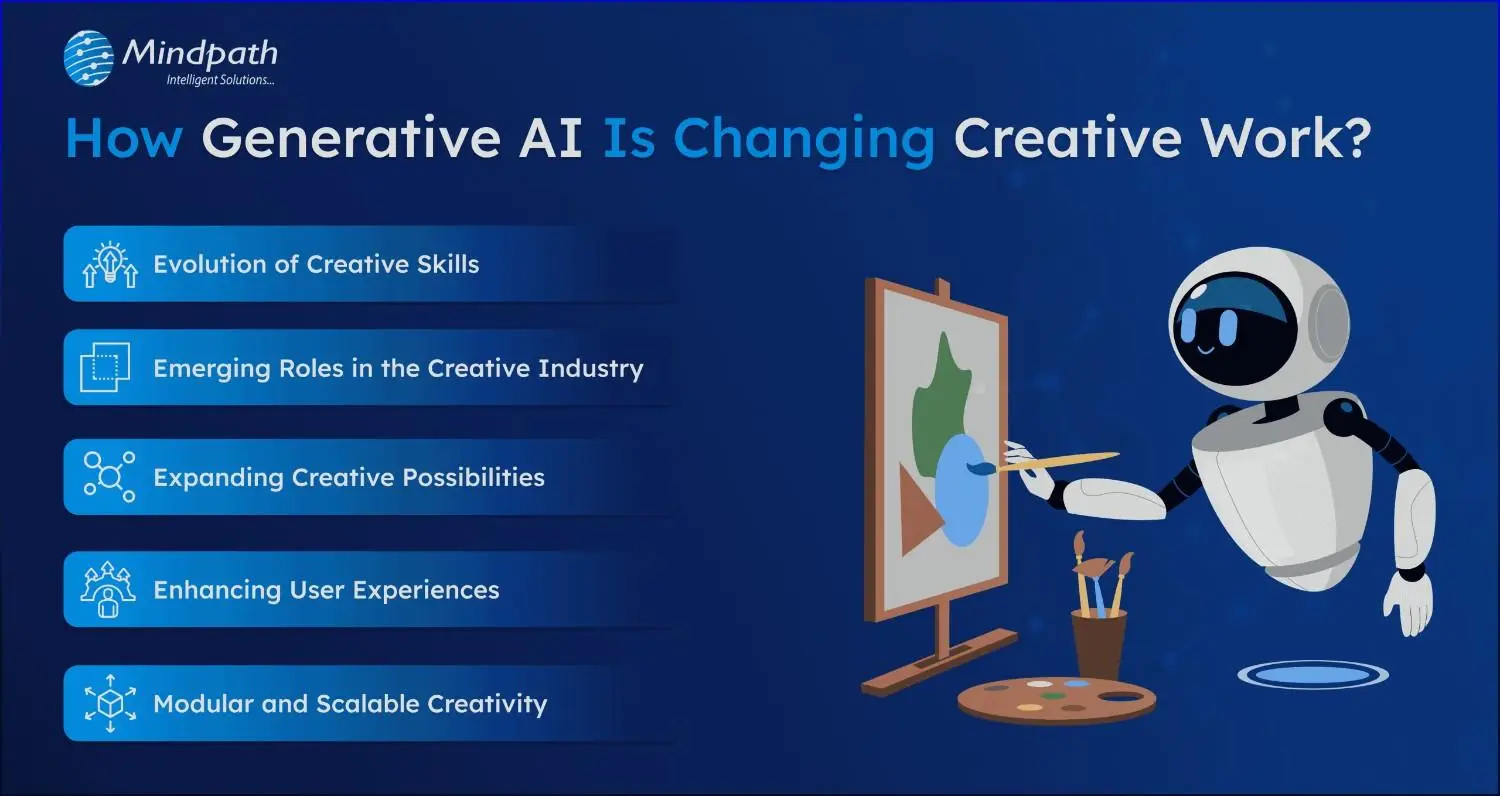
1. Evolution of Creative Skills
Today’s creative professionals need more than just talent. They also need to understand how to use generative AI tools wisely and make thoughtful, responsible choices. Skills like curation help them pick and improve AI-generated ideas, while AI fluency means knowing how to use tools like ChatGPT or DALL·E. Most importantly, they must think ethically to ensure their work respects people and values.
2. Emerging Roles in the Creative Industry
As AI becomes a regular part of creative work, new types of roles are starting to appear. These jobs mix creative thinking with technical skills, showing how generative AI work in creative industry. For example, Prompt Engineers write clear instructions to help AI create content, while AI Art Directors use AI tools to design visuals quickly. There are also roles like Synthetic Media Producers and AI UX Designers who focus on virtual content and improving user experiences.
How are different industries leveraging Generative AI today? Find out in our blog on Generative AI Use Cases across Industries—from content creation to customer service and beyond.
3. Expanding Creative Possibilities
Generative AI is removing many of the limits that once held creative ideas back. Now, artists, marketers, and musicians can quickly try out new concepts without worrying about time or cost. They can test visuals, messages, sounds, and styles almost instantly. This freedom encourages bold thinking and opens the door to more creative experiments than ever before.
4. Enhancing User Experiences
Creative work is becoming more interactive and personalized, thanks to the use of generative AI. Brands and creators are now building experiences that adapt in real time, giving users a chance to take part in the creative process. From custom storylines to co-designed fashion and dynamic game worlds, AI is adding a new layer of engagement. Rather than replacing creativity, it’s helping people bring their ideas to life in exciting new ways.
5. Modular and Scalable Creativity
Generative AI is making it easier to create content in parts, or modules, that can be reused and adapted for different needs. This helps teams customize content for various platforms and audiences without starting from scratch each time. Marketing teams can turn one idea into ads, videos, or social posts quickly. Designers and writers are now building flexible templates that save time and boost creativity.
Real-World Examples of GenAI Transforming Creative Industries
Generative AI is making a real difference in how creative work happens across different industries. Many companies and creators are already using it in ways that are smart, fast, and effective. Here are a few real-world examples showing its growing impact.
1. Entertainment Industry
GenAI is helping creators in entertainment and gaming bring stories and virtual worlds to life more quickly and creatively. Game developers are using AI to design characters, build game levels, and create realistic dialogue. It also supports features like deepfake voices and more dynamic non-player characters. In filmmaking, tools like Runway ML make it easier to edit videos and add visual effects in real time.
2. Writing and Publishing Industry
Writers are now using generative AI to boost both creativity and productivity. From coming up with ideas to drafting and editing, AI tools help simplify the writing process. Platforms like ChatGPT offer support when writers face blocks or need quick content suggestions. Publishers are also using AI to create short stories, newsletters, and SEO content at a larger scale.
3. Advertising and Sales Industry
Generative AI supports sales teams by helping them write personalized emails, prepare reports, and test different sales pitches more efficiently. It also assists in understanding products, markets, and risks by analyzing use cases and offering clear insights. Tools like ChatGPT and Gemini can explain complex visuals and data, making it easier to make informed decisions. Platforms like Jasper even help sales teams expand globally by translating content into multiple languages.
4. Marketing Industry
Marketing is one of the industries seeing the biggest impact from generative AI. It allows companies to personalize content at scale, create high-quality visuals and videos quickly, and manage large volumes of work in less time. Tools like ChatGPT, Jasper, and Einstein Copilot help with ad optimization, brand design, and social media content. These tools also support strategy by building customer profiles, analyzing competitors, and predicting market trends.
5. Media Industry
GenAI is helping media industries create content faster by assisting with writing, editing, and transcribing. News outlets use it for generating headlines, interview questions, and social media posts. Some broadcasters also use AI anchors and tools to automate simple news stories. While a few bold moves faced setbacks, many media groups now rely on AI to improve efficiency and scale content production.
Ready to Transform Your Creative Process with Generative AI?
Generative AI is transforming how creative professionals work by making tasks faster, smarter, and more flexible. It supports everything from writing and design to marketing and media. By understanding how generative AI work in creative industry, teams can unlock new levels of innovation, improve productivity, and explore fresh ideas without limits.
At Mindpath, we offer advanced Generative AI development services that help businesses simplify creative work and scale innovation with unexpected solutions. Whether you’re looking to generate content, design visuals, or build engaging user experiences, our expert team and tools are ready to support your goals. We work closely with you to deliver practical, AI-powered solutions that drive results. With Mindpath, your ideas turn into impact – faster, smarter, and with creative confidence.
Every application, server, database, and cloud workload uses computing resources. As businesses continue to move more of their operations online, the amount of processing power and infrastructure they rely on also grows. That makes energy use an important part of modern IT planning.
Energy-efficient computing is about getting the work done without using more computing power than necessary. That can mean optimizing an application, reducing unnecessary database processing, choosing the right cloud resources, improving server utilization, or replacing inefficient infrastructure. The goal is not simply to use less power. It is to make technology work more efficiently without compromising the performance a business depends on.
For enterprises, this matters for both operational and sustainability reasons. Better resource utilization can help control technology costs, while more efficient systems can support broader environmental goals. As cloud computing, AI, and data-intensive applications become part of everyday business operations, energy efficiency is becoming a more practical consideration in technology decisions.
Looking to make your technology environment more efficient? Talk to Mindpath about software, cloud, and technology solutions built around performance, scalability, and smarter resource usage.
What is Energy-Efficient Computing?
Energy-efficient computing means designing and running computing systems in a way that uses fewer energy and infrastructure resources while still delivering the required results. It applies to more than the physical devices in an IT environment. Software, databases, cloud infrastructure, servers, storage, networks, and workloads can all affect how efficiently a system operates.
Consider a cloud application that runs several servers around the clock even though most of them are only lightly used. The infrastructure is doing its job, but some of that capacity may not be necessary. The same applies to an application that repeatedly processes information that could have been cached or a database that performs expensive queries unnecessarily.
Energy-efficient computing looks at these situations and asks a simple question: can the same work be completed with fewer resources?
What Makes Computing Energy Efficient?
There is no single technology that makes a computing environment energy efficient. It usually comes from a combination of better software, appropriate infrastructure, efficient hardware, sensible workload management, and regular monitoring.
For one organization, the biggest opportunity may be cloud resource optimization. For another, it could be application modernization or database optimization. The right approach depends on how the technology environment is built and how it is being used.
How Does Energy-Efficient Computing Work?
Improving computing efficiency usually starts with understanding where resources are being consumed. A business needs to know which applications, servers, databases, and workloads are using significant processing, storage, or network capacity before it can decide what needs to change.
For example, a company may discover that some cloud resources are running continuously despite having very little activity. Another company may find that an application is making repeated API requests or processing the same information multiple times. A database may also be spending unnecessary resources on queries that could be improved through better indexing or data handling.
Once these areas are identified, teams can optimize the application, adjust infrastructure, consolidate suitable workloads, or introduce automation. The results should then be monitored to make sure the changes actually improve efficiency without affecting performance or reliability.
A Practical Approach
- Understand the current environment: Review applications, infrastructure, cloud resources, databases, storage, and workloads.
- Find areas of waste: Look for idle resources, unnecessary processing, inefficient queries, repeated operations, and over-provisioned infrastructure.
- Optimize the technology: Improve application code, databases, APIs, cloud resources, and infrastructure where appropriate.
- Match capacity to demand: Use scaling, scheduling, consolidation, or automation when workloads do not require constant capacity.
- Measure the outcome: Monitor resource usage, performance, infrastructure costs, and other relevant metrics after making changes.
Principles of Energy-Efficient Computing
Energy efficiency can be improved at several levels of an IT environment. The following areas are particularly relevant for businesses that want to reduce unnecessary computing resources without sacrificing the performance of their systems.
1. Algorithm and Code Optimization
The way software is written can affect how much computing power an application requires. Inefficient algorithms, repeated calculations, unnecessary background processes, and excessive data processing can all increase resource usage.
Developers can improve efficiency by selecting appropriate algorithms, reducing redundant operations, optimizing data processing, improving API usage, and using caching where it makes sense. These changes can also improve application performance, which means energy efficiency does not necessarily have to come at the expense of speed.
2. Efficient Hardware
Hardware remains an important part of the equation. Processors, memory, storage, networking equipment, and other components all have different performance and resource requirements.
Businesses should choose hardware based on actual workload requirements rather than simply selecting the most powerful option available. Hardware that is significantly over-sized for its workload may provide capacity that is rarely used.
3. Power and Workload Management
Not every workload needs to run at maximum capacity all the time. Systems can often be configured to respond to actual demand instead.
Autoscaling, workload scheduling, resource consolidation, and automated management can help match infrastructure capacity with usage. This is particularly useful for applications where demand changes significantly throughout the day or week.
4. Cloud Resource Optimization
Moving to the cloud does not automatically make an IT environment energy efficient. Poorly managed cloud resources can still result in unnecessary computing capacity and operating costs.
Businesses can review instance sizes, storage, databases, containers, and other cloud resources to determine whether they are being used effectively. Removing unused resources and adjusting capacity according to actual demand can make a meaningful difference to overall resource utilization.
5. Sustainable Software Development
Software architecture influences how much infrastructure an application needs. An application that performs unnecessary processing or handles data inefficiently may require more resources as usage grows.
Efficient data handling, appropriate caching, well-designed APIs, sensible architecture, and careful resource management can help applications remain efficient as they scale.
Want to explore technology strategies that can improve business efficiency? Check out emerging technologies for small businesses to see how modern technology can support more efficient IT operations.
Energy-Efficient Computing vs. Green Computing
Energy-efficient computing and green computing are closely related, but they are not exactly the same thing. Energy efficiency focuses mainly on reducing the resources required to perform computing tasks. Green computing takes a broader view of the environmental impact associated with technology.
| Energy-Efficient Computing | Green Computing |
|---|---|
| Focuses on using computing resources more efficiently. | Looks at the broader environmental impact of technology. |
| Includes software, hardware, infrastructure, and workload optimization. | Can include energy use, hardware lifecycle, materials, recycling, and electronic waste. |
| Focuses on completing required work with fewer resources. | Focuses on reducing the overall environmental impact of technology. |
| Often considers resource utilization and computing efficiency. | Can include broader sustainability and lifecycle considerations. |
Benefits of Energy-Efficient Computing
For businesses, energy efficiency is not only about environmental responsibility. It can also affect infrastructure costs, application performance, resource utilization, and the way technology is managed as the organization grows.
1. Lower Energy Consumption
When applications and infrastructure perform unnecessary work, they consume resources that may not contribute any real business value. Optimizing those workloads can reduce unnecessary processing and make better use of available computing capacity.
2. Lower IT Operating Costs
More efficient use of infrastructure can help reduce some of the ongoing costs associated with computing resources. In cloud environments, for example, removing unused resources and choosing capacity according to actual demand can help avoid unnecessary spending.
3. Better Infrastructure Utilization
Energy-efficient computing encourages businesses to understand how their infrastructure is actually being used. This can reveal systems that are underutilized, over-provisioned, or performing unnecessary work.
4. Reduced Environmental Impact
Using fewer computing resources can reduce the energy requirements associated with digital operations. When combined with responsible hardware and infrastructure practices, efficiency can become part of a wider technology sustainability strategy.
5. Easier Scaling
Efficient systems are often easier to scale because they make better use of available resources. Applications designed with sensible architecture and resource management can adapt to changing demand without automatically requiring a large increase in infrastructure.
6. Better Resource Planning
Tracking resource usage gives technology teams better information when planning infrastructure investments. Instead of relying entirely on assumptions, teams can use actual usage patterns to make decisions about capacity and modernization.
Real-World Examples of Energy-Efficient Computing
Energy-efficient computing can be applied in many different ways. The right approach depends on the technology environment, workload, and business requirements.
1. Cloud Workload Optimization
Imagine a business running several cloud servers continuously even though application demand changes throughout the day. Some of those resources may spend a significant amount of time underutilized.
Reviewing resource usage, adjusting instance sizes, using appropriate scaling, and removing resources that are no longer required can help bring infrastructure closer to actual demand.
2. Software Optimization
An application may perform the same calculation repeatedly, make unnecessary API requests, or process more information than it actually needs. Developers can review these workflows and reduce unnecessary operations.
Caching, better algorithms, more efficient data processing, and improved API design are some of the approaches that can help.
3. Database Optimization
Databases can become resource intensive when queries are poorly designed or when applications repeatedly request information that could be handled more efficiently.
Query optimization, appropriate indexing, caching, data lifecycle management, and database architecture can all contribute to more efficient data processing.
4. AI Workload Optimization
AI workloads can require substantial computing resources, depending on the model, task, and volume of requests. Businesses can look at whether every task requires the same type of model or amount of computing capacity.
Using an appropriate model for the task, reducing unnecessary model calls, improving inference workflows, and managing workloads carefully can help avoid using more computing resources than the application requires.
5. Infrastructure Consolidation
Some organizations operate separate infrastructure for workloads that could potentially share resources. Where the architecture and business requirements allow it, consolidation can improve utilization and reduce unnecessary infrastructure capacity.
How Enterprises Can Implement Energy-Efficient Computing
For an enterprise, improving energy efficiency is usually an ongoing process. It is not necessary to replace the entire technology environment at once. A more practical approach is to identify the areas where inefficient resource usage is having the greatest impact and address them gradually.
1. Start With an Infrastructure Audit
Begin by understanding what is currently running. This includes servers, cloud resources, databases, applications, storage, networking, and other infrastructure.
The goal is to create a clear picture of what resources are available, how they are being used, and where potential inefficiencies exist.
2. Identify High-Consumption Workloads
Not every application deserves the same level of attention. Look for workloads that consume significant processing, memory, storage, or network resources.
Idle infrastructure, over-provisioned resources, repeated data processing, and inefficient applications can all be candidates for optimization.
3. Optimize Applications and Databases
Review application code, database queries, APIs, data processing, and background tasks. Small changes in these areas can sometimes remove a significant amount of unnecessary work, particularly in applications with high traffic or large datasets.
4. Review Cloud Resources
Cloud environments should be reviewed regularly rather than treated as set-and-forget infrastructure. Check whether resources are appropriately sized and whether unused storage, instances, databases, or other services can be removed or adjusted.
5. Consider Legacy Modernization
Older systems can sometimes require more resources to perform tasks that newer architectures can handle more efficiently. Modernization does not always mean rebuilding everything from scratch. Depending on the application, businesses can evaluate approaches such as refactoring, replatforming, restructuring, or selective replacement.
6. Match Resources to Demand
Applications with variable demand may not need the same infrastructure capacity at all times. Scaling and workload scheduling can help align resources with actual usage when the architecture supports it.
7. Monitor the Results
Optimization should be measured after implementation. Teams should compare resource utilization, application performance, infrastructure costs, and other relevant metrics to understand whether a change actually delivered the expected result.
Want to improve IT infrastructure efficiency while preparing for changing technology requirements? Explore cloud computing trends to learn more about how modern cloud approaches can support efficient enterprise computing.
How to Measure Computing Efficiency?
It is difficult to improve efficiency if there is no way to measure it. The right metrics will depend on the organization’s infrastructure and workloads, but several measurements can provide useful insight into how efficiently computing resources are being used.
| Metric | What It Tells You |
|---|---|
| Energy Consumption | Shows how much energy is being used by computing infrastructure or a specific workload. |
| CPU Utilization | Provides insight into how much available processing capacity is actually being used. |
| Server Utilization | Helps identify infrastructure that may be underused or over-provisioned. |
| Cloud Resource Utilization | Shows whether cloud capacity is aligned with actual application demand. |
| Energy per Workload | Helps compare the resources required to complete a particular computing task. |
| Infrastructure Cost | Shows the operational cost associated with the computing resources being used. |
Energy-Efficient Computing and Modern Technology
The conversation around computing efficiency is becoming more relevant as businesses adopt cloud platforms, AI applications, distributed systems, and data-intensive software. These technologies can provide significant business value, but they also make resource planning more important.
1. AI and Computing Efficiency
AI applications can involve repeated model inference, large datasets, and specialized computing resources. Businesses should consider the actual requirements of each AI use case rather than automatically choosing the most resource-intensive option.
Model selection, inference optimization, efficient data processing, and workload management can all be considered when building AI-powered systems.
2. Cloud Computing and Resource Efficiency
Cloud platforms give businesses flexibility, but that flexibility needs to be managed carefully. Resources that are provisioned but rarely used can still contribute to unnecessary operating costs and resource consumption.
Regular reviews of cloud infrastructure, resource sizing, storage, databases, and scaling policies can help businesses keep their environments aligned with actual requirements.
3. Software Architecture and Efficiency
Architecture decisions can have a long-term effect on how much infrastructure an application requires. Efficient APIs, appropriate caching, sensible data flows, and well-designed services can reduce unnecessary processing as an application grows.
4. Legacy Technology and Modernization
Legacy applications are another area worth reviewing. Some older systems are difficult to scale or maintain efficiently because of outdated architecture and tightly connected components.
When modernization is appropriate, businesses can evaluate different approaches based on application complexity, business requirements, performance, security, scalability, and long-term maintenance needs.
Challenges of Energy-Efficient Computing
Improving computing efficiency sounds straightforward, but enterprise environments are rarely simple. Technology teams have to balance efficiency with performance, availability, security, scalability, and business requirements.
1. Legacy Infrastructure
Older systems may depend on technologies that are difficult to modify or integrate with newer infrastructure. In these cases, optimization may require careful planning rather than a quick technical change.
2. Limited Visibility
It is difficult to optimize infrastructure when teams do not have enough information about how resources are being consumed. Monitoring and observability therefore play an important role in identifying inefficient workloads.
3. Performance Trade-Offs
An efficiency improvement is only useful if the application continues to meet its business requirements. Reducing resources should not result in slower applications, poor user experiences, reduced availability, or security problems.
4. Complex Technology Environments
Enterprise environments often combine cloud services, on-premises infrastructure, SaaS applications, APIs, databases, and distributed applications. Improving efficiency requires looking at how these components work together rather than optimizing each one in isolation.
How Mindpath Helps Businesses Build Sustainable IT Solutions
Making technology more efficient is not always about replacing existing infrastructure. In many cases, the biggest improvements come from understanding how a system is being used and then making targeted changes to its software, architecture, infrastructure, or workload management.
At Mindpath, we help businesses build and modernize technology solutions with a focus on performance, scalability, and efficient resource usage. This can include software development, application modernization, cloud-focused improvements, architecture planning, and other technology initiatives based on the organization’s specific requirements.
Whether you are improving an existing application or planning a new digital product, an efficiency-focused approach can help create systems that are easier to manage, scale, and optimize over time.
If you’ve been paying attention to the tech world lately, you must have seen how the best GenAI tools are revolutionizing the way we can accomplish our jobs. Whether it is writing content in seconds or smartly developing sophisticated apps without heavy layers of coding, innumerable examples exist of how these tools are helping people do more with less effort. These AI tools are quickly becoming the new solution for developers, creators, and organizations who want to increase their speed and get better results.
The evolution of GenAI is transforming how industries approach work and innovation. Work that could take hours, and manual efforts are now being dramatically reduced to minutes through intelligent tools. Developers and organizations are employing GenAI tools in many everyday tasks. They provide efficiency, less effort, and improved outcomes. In this blog, we will showcase the most powerful GenAI tools carving the future of AI development. You’ll get a quick look at what they do and why they matter.
Looking to transform your ideas into intelligent, future-ready solutions with Generative AI? Our expert Gen AI development services help you build scalable, smart systems that drive real business impact.
What is Generative AI?
Generative AI is an intelligent technology that creates new things using AI, like text, images, video, and even code. Generative AI can move beyond simply answering questions or completing simple tasks; it is able to generate something new. This allows businesses to operate more quickly and continually come up with new ideas.
Countless organizations are now taking advantage of generative AI to save time and operational efficiencies. Businesses apply it to write emails, design graphics, make advertisements as well as create chatbots. By leveraging generative AI, businesses can reduce manual labor, have fewer errors, and provide customers with their services in a more personalized and timely manner.
Here are some advantages of generative AI for businesses:
- Creativity and Innovation – Generative AI allows businesses to develop more ideas and make new content.
- Productivity – It saves time by taking responsibility for boring, menial tasks.
- Efficiency – It allows work to be completed more quickly and with fewer errors.
- Personalized Customer Experience – Business can create more personalized and relevant content for the customer.
- Product Development – It can develop new products faster through automated coding, idea generation, and design enhancements.
- Support Service/AI chatbots – It supports customer service chatbots that are capable of answering customer questions.
- Better Decision-making – It provides some basic recommendations to businesses using data so they can make better decisions.
- Reduction in Costs – It results in cost savings through automation of tasks and improved operations.
Curious about where Generative AI is headed next? Explore the top Generative AI Trends for 2025 and stay ahead of the innovation curve.
Best Generative AI Tools Driving the Future
Generative AI tools are making a big impact by helping businesses create content, improve services, and speed up their workflows. These tools are easy to use and offer smart solutions for many daily tasks. Below is a generative AI tools list that showcases the top tools shaping the future of work and technology.
1. Gemini
Gemini is one of the best AI tools for students who need help with research, writing, and learning new topics. It works like a smart assistant that gives clear answers, supports multiple languages, and connects well with Google’s tools. It’s great for organizing ideas and understanding complex information more easily.
2. ChatGPT
ChatGPT is a helpful AI tool for writing, support, and idea generation. It can answer questions, create content, and help you think through new ideas. Whether you’re stuck on a project or need help with writing, it’s like having a smart assistant that’s ready to guide you anytime.
3. Cohere
Cohere is one of the useful generative AI tools for developers who want to build smart apps with language features. It helps create text for chatbots, search tools, and marketing content. Developers can use its API to train custom models and add natural language understanding to different types of projects.
4. GitHub Copilot
This tool is a great example of generative AI for coding, helping developers write code faster with real-time suggestions. It works smoothly with popular editors like Visual Studio Code and supports many languages. It also learns your coding style to give more personalized tips, making your development process easier and quicker.
5. AlphaCode
AlphaCode is a helpful generative AI coding tool that supports developers with tasks like writing code, fixing bugs, and learning new programming languages. It can save time by handling repetitive work and giving smart suggestions. It also helps improve code quality and makes team coding easier with shared ideas and solutions.
6. Microsoft Copilot
Microsoft Copilot is a smart assistant that helps with both coding and office work. It gives helpful code suggestions, writes documentation, and works well with tools like Visual Studio and Microsoft 365. It’s a great support tool for developers and teams who want to work faster and more efficiently.
7. Canva AI
Canva AI makes graphic design simple and fast, even if you’re not a designer. With its easy drag-and-drop setup and ready-made templates, you can create eye-catching visuals in minutes. It also gives smart design suggestions and helps keep your brand style consistent across all your projects.
8. DALL-E 2
This is one of the most creative generative AI applications, turning simple text into detailed images. You just describe what you want, and it creates visuals in different styles. It’s great for bringing ideas to life, whether you’re designing something new or showing a concept in a fun, visual way.
9. Microsoft Power Apps
This tool makes building apps easier by letting you use simple chat-like prompts instead of writing a lot of code. It helps create database layouts and app designs quickly. It’s great for teams working together and speeds up the whole process, though it works best within the Microsoft environment.
10. Turing’s CodeGen Copilot
This tool is one of the useful generative AI tools for programmers who want to save time and avoid repeating the same coding tasks. It fits well with tools like GitHub and Jira, making the workflow smoother. It helps boost productivity and lets developers focus more on creative and important work.
To explore how Generative AI is reshaping mobile and web experiences, check out our in-depth article on the Role of Generative AI in App Development. It dives into real-world applications and how this technology accelerates innovation in app design and functionality.
Want to Boost Your Workflows with the Best GenAI Tools?
GenAI tools are changing how we work, learn, and innovate. From faster coding to better customer service and content creation, these tools help users do more in less time. They are now essential for staying efficient, creative, and competitive in today’s fast-moving digital world.
Mindpath offers GenAI powered solutions to help businesses automate tasks, build smarter apps, and improve customer experience. Our expert team delivers AI tools that fit your goals, helping you reduce time, cut costs, and grow faster. Let us help you transform your business with our world-class, customised AI development services.
Just imagine, an app could build itself, suggest new features, and even write its own code. Doesn’t that sound like something out of the future? Well, it’s not just a thought, this imagination is becoming a reality with the rise of generative AI in app development. Whether you are a business owner looking to develop your next mobile app or a developer looking to become more efficient and innovate faster, generative AI is changing how we think about creating software.
Yes, you read that correctly, the use of GenAI in app development can now add creativity and efficiency into the application development process. Many developers struggle when it comes to UI development, and with the use of GenAI, it can develop interface UI components, suggest code snippets to complete a function, and even assist in application testing and performance feedback.
Curious to know more about it? In this blog, we will cover how this powerful technology is reshaping the app development process. Let us first have some ideas about generative AI
Looking to harness the power of GenAI to drive innovation and efficiency in your business? Mindpath delivers tailored AI development services to turn your ideas into intelligent, scalable solutions.
What is Generative AI?
Generative AI is a type of artificial intelligence that can create new things like text, images, music, or even computer code. It learns from a lot of information and then uses that learning to make something new. For example, it can write stories, draw pictures, or help build apps, almost like how a human would. Tools like GPT-4 can write like a person, and DALL·E can make pictures from just a few words. GenAI helps people work faster and be more creative in many fields, including app development.
GenAI learns patterns from a lot of data, like text, images or code by using a type of computer system called a neural network to understand this data and then create something new from it. That’s the basic idea behind how generative AI works. For example, it can write an article from a small text prompt or make a picture from just a few words. Tools like ChatGPT and Stable Diffusion use this technology to help people create content quickly and easily.
Benefits of Generative AI in App Development
Generative AI is significantly changing the app development landscape by increasing efficiency and enabling more innovative solutions. It allows developers to create high-quality apps faster and with greater precision. Here’s a simple look at how generative AI is transforming app development in today’s fast-moving tech world:
1. Automated Coding Assistance
AI can write code snippets or even full parts of an app based on simple descriptions from developers. This saves time and reduces mistakes, letting developers focus on more important tasks.
2. Faster Idea Generation and Prototyping
Generative AI helps speed up idea generation by analyzing existing apps and user feedback to suggest new features. It also creates quick visual designs, making it easier for developers and designers to build and improve prototypes fast.
3. Smarter Debugging and Testing
GenAI can find and fix bugs automatically while creating test cases to check the app thoroughly. This leads to better quality apps and less time spent on manual testing.
4. Optimized Resource Planning
GenAI helps teams plan their work by predicting how much time and effort tasks will need. It also spots areas where the app can run smoother, helping save resources and improve performance.
5. Tailored User Experiences
AI analyzes how users behave to create apps that feel personal and relevant to each person. It can recommend content or change the app’s design to better match user preferences.
Curious about where Generative AI is headed next? Explore the top Generative AI Trends for 2025 and stay ahead of the innovation curve.
Applications of Generative AI in App Development
AI-powered app development is transforming the software industry by introducing smarter and more efficient ways to build applications. This technology helps developers overcome challenges and speeds up the entire development cycle. By integrating GenAI, teams can deliver higher-quality apps with greater creativity and precision. Let us have a look at how developers can use this technology in app development:
1. Generating Code Faster
Generative AI helps developers by writing code from simple descriptions. It speeds up the process and cuts down on errors. Tools like GitHub Copilot and OpenAI Codex suggest ready-to-use code, saving time and effort which lets developers focus more on creative and complex parts of app building.
2. Smarter Testing and Bug Fixing
In AI-driven software development, GenAI plays a big role in making testing and bug fixing much easier. It can find problems in the code and suggest or apply fixes automatically which helps in saving time, improving code quality, and reducing the need for manual testing work.
3. Easy Content Creation and Management
AI helps create text, images, and more, making content tasks easier for developers and designers. Tools like GPT-4 and DeepArt save time by producing high-quality content fast. This keeps everything consistent and reduces the effort needed to create large amounts of content for apps.
4. Improving App Performance and Efficiency
In generative AI app development, AI tools like AI-driven profilers and automated refactoring tools can help make apps faster and smoother. They find ways to use memory and power better, which helps apps run well on all devices. These tools can also fix slow parts of the code early, leading to better performance and longer battery life.
5. Faster Prototyping and Design Ideas
GenAI helps designers quickly turn ideas into wireframes and mockups. Tools like DALL-E and Sketch2Code make it easy to create visuals from text or drawings. This speeds up the early design process and gives designers a strong starting point with fresh and creative design suggestions.
6. Smart Documentation and Information Sharing
AI makes it easy to create and update app documentation automatically. It helps write guides, manuals, and technical notes based on the code. This saves time, keeps everything accurate, and helps new developers quickly understand the project and start contributing without any confusion.
7. Creating Personalized User Experiences
Generative AI helps apps understand what users like and how they behave. It can customize content, recommendations, and even app design to fit each person. This makes apps more enjoyable and easier to use, keeping users engaged and coming back for more.
Curious about the tools powering AI? Check out our list of Top GenAI Tools that are driving the future of AI development to understand which platforms are leading the world of AI.
Want to Transform Your App with Generative AI?
Generative AI development is revolutionizing how apps are created by making the process faster, smarter, and more creative. With generative AI in app development, businesses and developers can build high-quality applications that adapt to user needs while saving time and resources. This technology is not just a trend but a powerful tool shaping the future of software creation.
If you want to leverage the full potential of GenAI in your projects, Mindpath’s GenAI solutions offer expert guidance and cutting-edge tools tailored to your unique development needs. From automating coding tasks to enhancing user experiences, Mindpath AI development services helps you innovate efficiently and stay ahead in the competitive app development landscape. Get in touch today!
Frequently Asked Questions
1. How can generative AI in app development reduce development time?
Generative AI in app development helps speed up the process by automating tasks like coding, testing, and design suggestions. It reduces manual effort and allows developers to complete projects faster while maintaining quality, making it easier to meet deadlines and deliver efficient applications.
2. Is generative AI in app development suitable for beginners or only experienced developers?
Generative AI in app development can support both beginners and experienced developers. Beginners can use it to learn faster through code suggestions and guidance, while experienced developers can improve productivity by automating repetitive tasks and focusing on more complex aspects of development.
3. What types of apps can benefit the most from generative AI?
Many types of apps can benefit, especially those that need frequent updates, personalization, or large amounts of content. Apps like e-commerce platforms, content-driven apps, and customer-focused tools gain more value as AI helps improve user experience and streamline development processes.
4. How does generative AI help improve app quality and performance?
Generative AI improves app quality by identifying bugs, suggesting fixes, and optimizing code for better performance. It also helps test different scenarios automatically, ensuring the app runs smoothly across devices while reducing the chances of errors after deployment.
5. What should businesses consider before adopting generative AI in app development?
Businesses should consider data quality, project goals, and integration with existing systems before adopting generative AI. It is also important to evaluate costs, security, and team readiness to ensure smooth implementation and long-term success with AI-driven development.
In this fast-paced world of business, companies are actively seeking smarter tools to improve customer service and communication. Chatbots are one of the most common, and a great way to get attention. If you have engaged with a virtual assistant on a website, chances are that you have seen it in action. So, what is a chatbot? You may have wondered about this when you are chatting with a brand online or if you are shopping on a website where you are getting instant replies.
As these types of digital assistants proliferate, they are quickly becoming an essential aspect of how businesses operate in 2026. With faster response times and the ability to interact with multiple customers at once, it is no surprise that chatbots are altering how companies relate to their customers. In this blog, we will provide you with everything you need to know about chatbots including benefits, features and examples of chatbots in action.
Struggling to keep up with customer queries or deliver 24/7 support efficiently? Mindpath’s GenAI-driven chatbot development services can help you manage customer service and boost business performance.
What is a Chatbot in Simple Words?
A chatbot is an artificial intelligence (AI) software application that is designed to have human-like conversations. They use natural language processing (NLP) to understand what users are stating and respond in a way that feels natural in a conversation and is helpful. They can help with answering questions, can guide the user, and can perform some tasks.
Chatbots can be a part of a website, an app, a messaging app, or a voice assistant. AI chatbots help businesses communicate with customers 24/7. They can perform tasks like making bookings, solving common problems, and providing information. AI chatbots are invaluable tools for improving customer experience and communication.
How does a Chatbot Work?
Chatbots work by using artificial intelligence and natural language processing to understand what users are saying. When someone types or speaks to a chatbot, it reads the message and tries to figure out what the person wants. It does this by matching the message with words or phrases it already knows.
Once the chatbot understands the request, it picks the most suitable response and replies to the user. Some chatbots follow simple rules, while others learn from past conversations to improve over time. This process allows chatbots to provide quick and helpful replies in a natural and professional way.
What are the Benefits of Using AI Chatbots for Businesses?
AI chatbots are now widely used by businesses to improve customer interaction and automate routine tasks. Here are some of the key benefits of chatbot technology that can help boost your business:
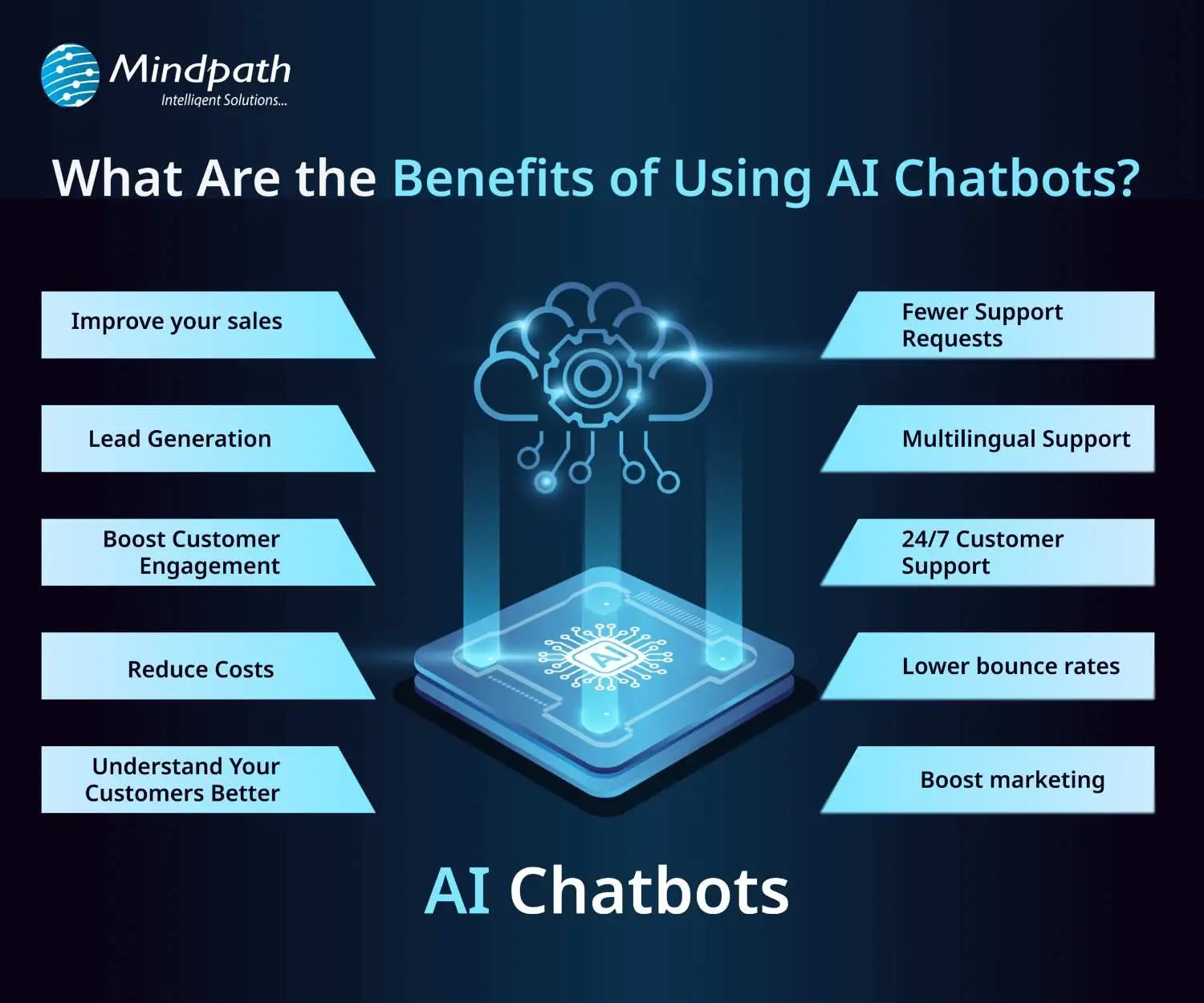
1. Improve Sales
Chatbots can increase sales by showing new products or offering special discounts to website visitors. They send helpful messages that guide users toward making a purchase. These bots also assist in product selection and order placement. This makes it easier for new visitors to become paying customers.
2. Lead Generation
Chatbots help gather leads even before a conversation starts. They ask visitors for basic details like name and email to begin the chat. They can also qualify these leads by asking relevant questions based on customer needs. This helps your sales team know who they’re speaking with and what the customer is looking for.
3. Boost Customer Engagement
Chatbots make online experiences more interactive and personal. Instead of searching through a website, users can chat and get instant answers. Bots reply with clear information based on user questions. This keeps customers engaged and helps them find what they need quickly.
4. Reduce Costs
Using chatbots is more affordable than hiring multiple support agents. They can handle many tasks like answering FAQs or booking appointments, which saves time and money. You’ll still need some team members, but bots make the process faster. This is especially helpful for managing high volumes without extra costs.
5. Understand Your Customers Better
As chatbots collect important customer data during conversations, they can also run surveys to check customer satisfaction. By reviewing these chats, businesses can find out what customers like or dislike. This feedback helps improve products and services over time.
Wondering why chatbots are becoming essential for modern businesses? Explore the top Benefits of Chatbots Every Business Leader Should Know and learn how they drive growth.
6. Fewer Support Requests
Chatbots handle many common questions, which reduces the number of queries sent to human agents. This helps agents focus on more complex issues. It also improves customer satisfaction by providing quick solutions. A chatbot for business can balance automation and personal support effectively.
7. Multilingual Support
Multilingual support allows chatbots to speak different languages. This is helpful if your business has customers from various countries. The bot can reply in the language your customer prefers. This makes a chatbot for small businesses and large companies more accessible to global audiences.
8. 24/7 Customer Support
Chatbots are always available, even when your team is offline. If someone is browsing late at night and needs help, the bot can step in. It can guide them to the right product or answer their questions. This leads to better customer service and more satisfied clients.
9. Lower Bounce Rates
Chatbots can keep users on your site longer by offering help when someone is about to leave. They provide answers or discounts that encourage people to stay. This improves your website’s engagement and SEO performance. Visitors feel supported and are more likely to explore further.
10. Boost Marketing
Marketing chatbots can suggest products, offer deals, and guide customers through the buying process. They also collect useful data for future campaigns. One of the ideas can be a spinning wheel offering discounts, which encourages users to buy. This creates an engaging and effective marketing strategy.
How can conversational AI take your customer engagement to the next level? Explore the power of Conversational AI Chatbots for Business Growth and discover how they drive results.
Real-World Use Cases of Chatbots
Chatbots are being used across many industries to simplify tasks and improve customer experiences. Here are some real-world chatbot examples that show how businesses are using them effectively for different needs.
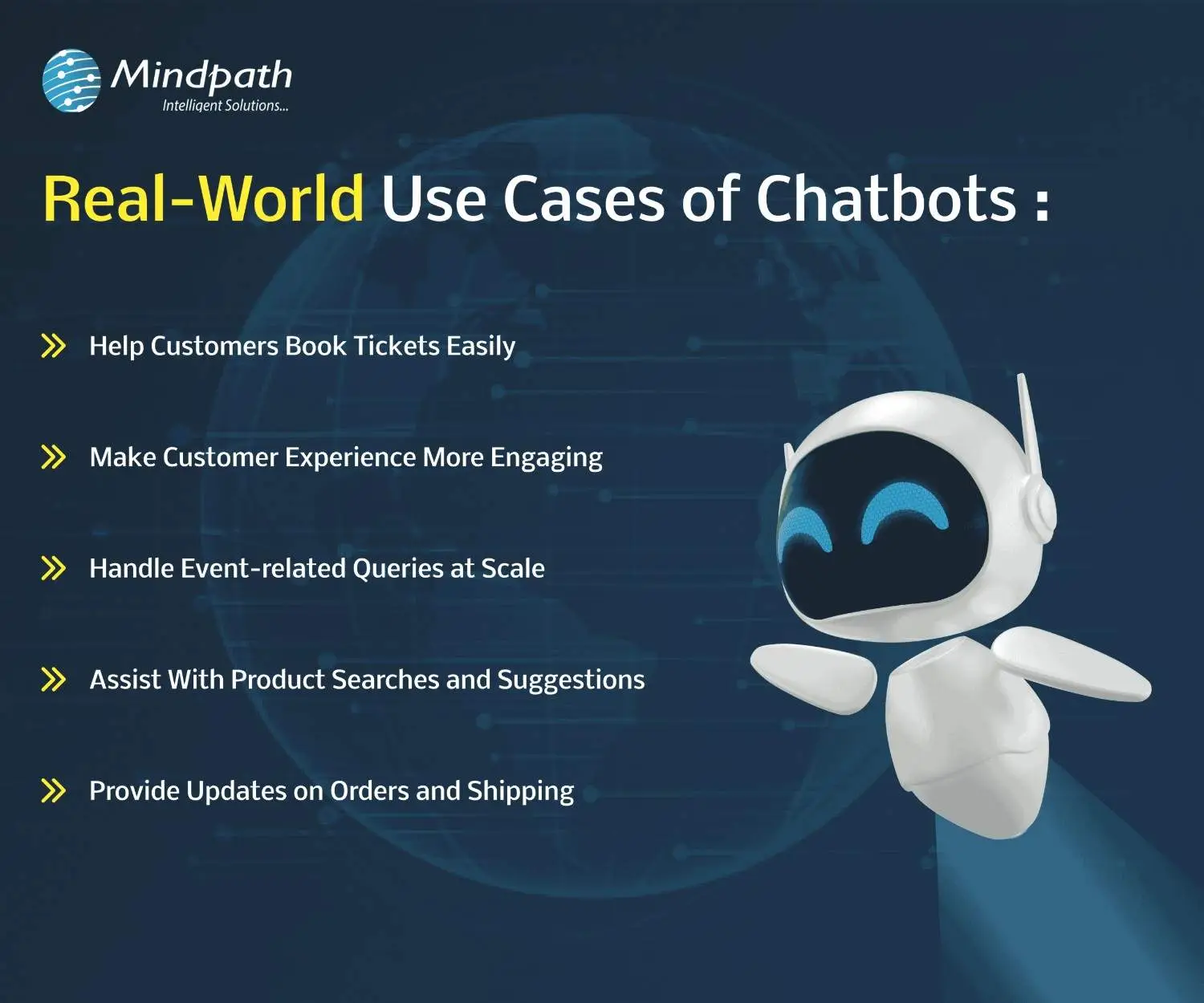
1. Help Customers Book Tickets Easily
A chatbot can answer common questions like seat availability, movie timings, and refund policies while guiding users to book tickets smoothly. PVR Cinemas uses this on their website to help visitors quickly complete bookings and check offers.
2. Make Customer Experience More Engaging
Chatbots can add personality by offering quizzes, jokes, and product suggestions in a fun and helpful way. LEGO’s chatbot Ralph helps users find the right gift through playful questions and interactive chat.
3. Handle Event-related Queries at Scale
When thousands of people need answers about an event, a chatbot can respond instantly with details like schedules, speakers, and directions. Slush uses one to manage large volumes of attendee questions efficiently on their event site.
4. Assist With Product Searches and Suggestions
A chatbot can search inventory and offer personalized product recommendations based on customer preferences. Sephora’s chatbot does this well by guiding users to suitable makeup products and checking stock availability.
5. Provide Updates on Orders and Shipping
Instead of navigating emails and websites, customers can enter their order ID in a chatbot to get instant shipping updates. H&M allows shoppers to track their deliveries directly through its chatbot.
Thinking about Using Chatbots to Elevate Customer Experience?
Chatbots are transforming how businesses interact with customers by offering fast, helpful, and personalized service. From booking tickets to answering questions, these tools simplify tasks and improve user satisfaction. With so many benefits, it’s no surprise that more companies are embracing chatbot technology to stay ahead in 2026.
At Mindpath, we offer custom chatbot development tailored to your business goals. Our chatbot development services are designed to help you improve customer interactions, increase engagement, and streamline operations. Whether you need a simple support bot or a fully integrated solution for sales, marketing, or service, our expert team builds smart, reliable chatbots that deliver real results.
Frequently Asked Questions
1. How can a chatbot improve customer experience on a website?
A chatbot improves customer experience by offering instant responses, guiding users to the right information, and reducing wait times. It creates a smooth journey by helping visitors find what they need quickly, which increases satisfaction and encourages them to stay longer on the website.
2. What is a chatbot used for in daily business operations?
A chatbot is used for handling routine tasks like answering FAQs, booking appointments, collecting customer data, and assisting with purchases. It helps teams save time by automating repetitive work while ensuring customers receive quick and consistent support throughout their interaction.
3. Can chatbots work effectively for both small and growing businesses?
Yes, chatbots are useful for both small and growing businesses. They help manage customer queries without needing a large team, making operations more efficient. As the business grows, chatbots can scale easily to handle more interactions without increasing costs significantly.
4. What should businesses consider before implementing a chatbot?
Before implementing a chatbot, businesses should define clear goals, understand customer needs, and choose the right type of chatbot. It is also important to plan integration with existing systems and ensure proper testing to deliver a smooth and effective user experience.
5. What is a chatbot’s role in improving website engagement?
A chatbot plays an important role in keeping users engaged by starting conversations, offering assistance, and providing relevant suggestions. It reduces bounce rates and encourages interaction, helping businesses create a more interactive and user-friendly website experience that keeps visitors interested.
Imagine a customer browsing your website over the weekend. An AI chatbot can answer their questions instantly, improving customer satisfaction and experience. Chatbots help businesses respond faster, guide customers, and simplify everyday tasks, making operations more efficient.
An interesting report from Tidio reveals that around 60% of B2B companies and 42% of B2C companies already use chatbot software. By 2025, this number is expected to grow by 34%. With better tools, smarter features, and clear business value, AI chatbots are turning into a must-have.
If you are curious to know what are the typical benefits of AI chatbot for business, then this blog can guide you perfectly. So, what are you waiting for? Let’s dive in!
What is a Chatbot?
A chatbot is a software application that enables a user to engage in a conversation that imitates a human. In many cases, a chatbot can engage either through text or vocal conversation. By doing this, chatbots enable customers to answer questions, resolve problems, or complete tasks much quicker. Some chatbots adhere to a pre-set script. However, many modern chatbots rely heavily on artificial intelligence (AI) and natural language processing (NLP), to understand what the user is asking, and provide a thoughtful and natural response.
To put this in perspective, let’s assume you arrive at a bank’s website and begin typing your question (example: “How can I open a savings account?”). The chatbot will not only understand that you are asking about a savings account, but also guide you through the steps to take, without the help of any human agent.
The chatbot market is growing fast. According to a study by Grand View Research, the global chatbot market size was valued at USD 7.76 billion in 2024 and is projected to reach USD 27.29 billion by 2030, growing at a CAGR of 23.3% from 2025 to 2030. This rapid growth is driven by advancements in artificial intelligence and machine learning, making chatbots smarter, faster, and more valuable for businesses across industries.
What exactly is a chatbot, and why is everyone talking about them? Explore our in-depth guide: What is a Chatbot – Everything You Need to Know.
What are the Benefits of Chatbots?
If you are wondering what are the benefits of using AI chatbot, here is the answer. AI chatbots are becoming an essential part of modern business operations. Designed to assist in day-to-day tasks, they offer practical support across various business functions.
Here are some benefits of chatbots for businesses:
1. Smart Routing for Better Support
AI chatbots can handle simple questions and tasks on their own. When the issue needs a human touch, the chatbot collects key details from the customer at the beginning. It then sends the conversation to the right agent based on who is available and best suited to help. This smooth handover saves time and makes the support experience faster and more efficient.
2. Improves with Every Interaction
AI chatbots learn from each interaction to improve their responses over time. They collect data, understand patterns, and offer more accurate and personalized replies. They also recognize when to involve a human agent. By picking up on customer emotions, they provide better and more thoughtful support.
3. Enhance Sales
One of major benefits of chatbots is its ability to support sales teams by handling routine tasks. Chatbots can collect lead details, schedule demos, and guide visitors through your website. They also help move potential customers through the sales funnel by answering questions and sharing product information. This leads to higher conversions, fewer drop-offs, and better cross-sell and upsell opportunities.
4. Cost Effective Solution
Managing costs is important for any growing business. While chatbots need some setup at first, they help save money in the long run by handling common tasks and reducing the need for extra staff. They can quickly direct conversations to the right place, making support more efficient. With easy-to-use tools like no-code builders, businesses can launch chatbots faster and start seeing results sooner.
5. Generate Leads
AI chatbots can start natural conversations that feel more personal than standard forms. Instead of sending users to fill out long details, bots gather useful customer data while answering questions in real time. They use conversational AI to understand voice or text and guide the chat smoothly. This helps capture valuable information like visited pages, cart activity, location, and user preferences, making lead generation more effective.
Benefits of Chatbot For Customers
Let us also learn about the benefits of chatbots for customers:
1. Offers Omnichannel Support
Today’s customers use many platforms to reach out; like email, social media, websites, and messaging apps. They expect smooth conversations no matter which channel they choose. AI chatbots can help by answering common questions across all platforms and keeping the conversation connected. This creates a faster, more consistent experience that meets customers where they are.
2. Provides Multilingual Support
As businesses reach global audiences, language should not be a barrier to great service. AI chatbots can offer multilingual support by asking for the customer’s language or detecting it through the conversation. They can chat naturally in multiple languages through text, voice, or messaging. This helps provide clear and friendly support to every customer, no matter where they are.
3. Delivers 24/7 Customer Service
Customers expect fast and reliable service at any time of the day. AI chatbots make this possible by offering 24/7 support without delays, even during peak hours. They handle the first interaction instantly, reducing wait times and helping customers find answers quickly. This ensures a smooth and responsive experience, no matter when the customer reaches out.
4. Create More Personalized Customer Experiences
AI chatbots can offer tailored support by using customer data from tools like CRM or marketing software. They adjust messages based on where a customer is in their journey and suggest products that match their interests. Bots can also answer questions about orders or shopping carts without asking for extra details. When used thoughtfully, this creates a smooth, human-like experience that feels personal and helpful.
5. Ensure Proactive Customer Support
AI chatbots can take the first step by reaching out to customers based on their activity on your website. They can answer common questions, guide users through tricky pages, or remind them about unfinished tasks like a full cart or pending form. This kind of timely support helps reduce drop-offs and improves customer experience. When needed, chatbots can also suggest connecting with a human agent to move things forward smoothly.
Curious about the role of conversational AI in modern business strategy? Dive into Conversational AI Chatbots for Business Growth to see how companies are using them to gain a competitive edge.
Disadvantages of AI Chatbots
While AI chatbots offer many benefits, they also come with a few limitations that businesses should be aware of. Understanding these challenges can help you use chatbots more effectively and plan for the right balance between automation and human support.
1. Struggles with Complex Questions: AI chatbots may not understand sarcasm, unclear grammar, or complicated queries, leading to wrong answers.
2. Lacks Human Emotion: Chatbots can’t show empathy or handle emotional conversations the way a human can.
3. Takes Time to Set Up: Building a chatbot with the right questions, answers, and flow can take time and effort.
4. Can Risk Data Security: If not properly protected, chatbots may expose sensitive customer information to security threats.
5. Bias Responses: If trained on biased data, chatbots can unknowingly give unfair or inappropriate responses.
6. Hallucination: Chatbots can make up answers or provide incorrect details, which can confuse or mislead users.
Ready to Experience the Real Benefits of Chatbots?
Chatbots are helping businesses respond faster, cut costs, and improve customer service. From lead generation to 24/7 support, they make things easier and quicker. While they can’t replace humans fully, they’re a smart way to enhance service and give customers a better overall experience.
At Mindpath, we offer chatbot development services built to match your needs. We create smart, easy-to-use AI bots that improve support, boost engagement, and connect smoothly across platforms. Let us help you deliver faster, better service with a solution designed just for you.
Join our Newsletter!
categories
Join the world's largest training library and unlock new opportunities!
Featured Posts
Turn Insights Into
Real Business Solutions
Exploring trends is only the beginning. Whether you’re planning AI adoption, modernizing legacy systems, or building scalable software, our experts help transform ideas into practical business outcomes.