Home

Offshore Development in 2026: A Strategic Move for Smart Enterprises

Offshore Development in 2026: A Strategic Move for Smart Enterprises

Join our Newsletter!

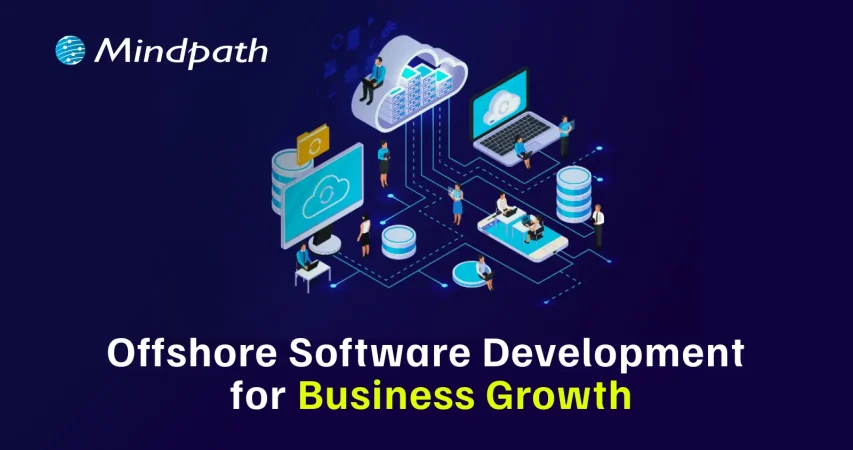
offshore software development for business growth

Would you like to grow your business quickly without spending a lot of money? If so, offshore software development may be an appealing option for you. Many companies today are choosing this model due to the cost-saving element, access to global talent, and keeping pace with digital technology. So, for companies that want to grow fast and provide more resources to their primary company without the pressure on their in-house or workforce, offshore development is a viable choice.

Now with this increased interest, offshore development services in 2026 are perceived as a way to stay agile and innovate faster while providing the continued influx of technology in the marketplace. Businesses of all sizes, including small startups and large enterprise clients, are increasingly leveraging offshore teams to produce robust and dependable software solutions. In this blog, we will explore why this trend is growing and how your organization can benefit from it.

Ready to take your business to the next level? Partner with Mindpath for expert offshore development services that drive innovation, efficiency, and growth. Contact Us!

What is Offshore Development?

Offshore development refers to hiring a software development team from abroad to either build or manage your software projects. It’s a form of software development outsourcing and allows companies to choose to work with teams located in different countries. It is beneficial for companies to consider going offshore for lower costs, accessing greater developer skill sets, and spending their time on their core business processes.

For instance, if a company in the UK hires a software development team from India to develop its web application, the rates in India will be cheaper than in the UK, while still maintaining high-skilled developers. Thus, using offshore development can help a company scale quickly and effectively with good quality work.

According to a Business Research Insights Survey, the software offshore market was worth roughly USD 160.9 billion in 2024, and is on track to reach USD 413 billion by 2033, with a CAGR of 11.04%.

Offshore Development Benefits for Businesses

There is a growing number of businesses opting for offshore teams to deliver their software needs. The benefits of offshore development have made it a popular option for organizations seeking smart and adaptable options for growth. Let’s have a look:
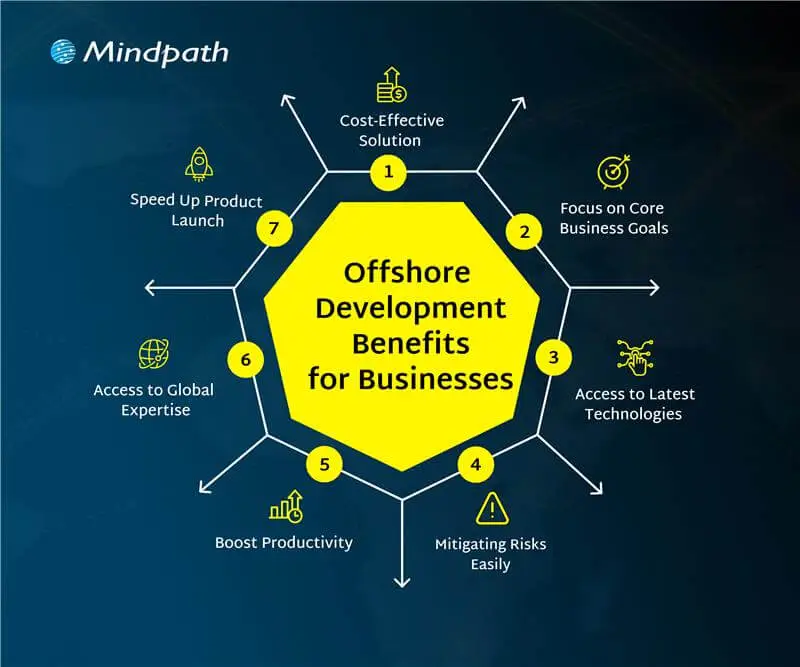
offshore development benefits for businesses

1. Cost-Effective Solution

Offshore development services help businesses lower their software development costs without losing quality. Companies can hire skilled developers from countries where salaries are more affordable compared to local markets. This approach offers a smart way to achieve cost-effective software development without compromising on results. The money saved can then be used in other important areas like marketing, research, or improving infrastructure.

2. Focus on Core Business Goals

Offshore development lets companies’ hand over routine tech tasks to external teams. This helps free up internal staff to work on more important goals and long-term plans. With fewer day-to-day responsibilities, businesses can focus better on innovation and growth. It also gives them more time to strengthen their position in the market.

3. Access to Global Expertise

Working with global software development teams allows companies to tap into a wide range of skills and knowledge. They can bring in experts who specialize in tools or technologies that are hard to find or too expensive locally. This helps businesses build better solutions and stay updated with the latest trends. It also brings fresh ideas and faster problem-solving from experienced professionals around the world.

4. Mitigating Risks Easily

Working with offshore teams helps reduce risks that may affect your local operations. This includes not just natural disasters or political changes, but also technical issues like system failures or delays in development. Offshore partners can quickly step in to handle problems and share responsibility when challenges arise. This setup keeps your projects moving and makes your business more stable and prepared.

5. Boost Productivity

Offshore teams usually have clear roles and focus on getting results. This helps manage projects better and use resources more effectively. Many offshore developers work in well-organized environments that support smooth and efficient work. As a result, they often deliver high-quality work on time and sometimes even ahead of expectations.

6. Access to Latest Technologies

Offshore teams give businesses access to modern tools like AI, cloud computing, blockchain, and IoT. Many offshore developers already have experience with these technologies and know how to use them well. This helps companies stay up to date and try new ideas without spending extra on training or new systems. It also supports faster innovation and better tech solutions.

7. Speed Up Product Launch

Tech talent outsourcing helps businesses work faster by using teams in different time zones. When one team finishes their day, the offshore team can continue the work, keeping the project going around the clock. This constant progress helps fix issues quickly and speeds up development. As a result, companies can launch their products sooner and meet deadlines with ease.

Want to know how this round-the-clock development approach works best ? Understanding the stages of the software development life cycle helps ensure offshore teams collaborate efficiently while maintaining quality and timelines.

Are you facing any confusion between offshore software development and onshore software development? Let us learn about the difference between them.

Offshore vs Onshore Development: A Comparison Table

When planning a software project, businesses often choose between offshore and onshore development based on their goals, budget, and timeline. Both options have their own advantages and challenges. The table below gives a clear comparison to help you decide which model suits your business needs best.

Factor 

Onshore Development 

Offshore Development 

Definition  Development done by a local team Development handled by a team in another country
Location Within the same country Access to cost-effective global locations
Proximity Easy access to the team Remote but manageable with clear planning
Cultural Fit  Shared work culture Diverse perspectives and global work culture
Communication Face-to-face communication possible Efficient digital communication tools
Talent Base Limited to local skills Broader access to global tech talent
Language Barrier Minimal language issues Clear strategies help overcome language gaps
Time Zone Same time zone, easy scheduling 24/7 progress through time zone advantage
Work Cycle Fixed to local business hours Continuous work with round-the-clock development

Looking to Scale Smartly with Offshore Software Development?

Offshore software development continues to be a smart and flexible solution for businesses in 2026. It helps reduce costs, improves access to global talent, and supports faster innovation. By using offshore teams, companies can stay competitive, scale quickly, and focus on their main business goals. No matter if you’re a startup or an established company, offshore development can support your long-term growth.

At Mindpath, we offer reliable offshore development services tailored to your business needs. Our expert teams are equipped with the latest tools and technologies to deliver high-quality solutions on time. With a focus on communication, transparency, and results, Mindpath helps you build the right IT outsourcing strategy for long-term success.

Frequently Asked Questions

1. How do offshore development services ensure quality work when teams are remote?

Offshore teams follow structured processes, regular updates, and clear communication to maintain quality. Many companies also use agile methods, testing practices, and performance tracking tools. With the right planning and collaboration, remote teams can deliver reliable and high-quality results consistently.

2. Is offshore software development suitable for small businesses or only large enterprises?

Offshore software development is suitable for both small businesses and large enterprises. Startups can benefit from lower costs and faster development, while larger companies use it to scale operations. It offers flexibility for any business aiming to grow efficiently without heavy investment in local hiring.

3. What challenges can businesses face with offshore development, and how can they manage them?

Common challenges include time zone differences, communication gaps, and cultural differences. These can be managed by setting clear expectations, using collaboration tools, and scheduling regular meetings. A well-defined workflow and strong project management help ensure smooth coordination and project success.

4. How do offshore development services help businesses stay competitive in a fast-changing market?

Offshore development services give access to global talent, faster delivery cycles, and modern technologies. This allows businesses to innovate quickly and adapt to market changes. With continuous development and cost savings, companies can focus more on strategy and stay ahead of competitors.

5. What factors should be considered before choosing an offshore development partner?

It is important to check the partner’s experience, technical expertise, communication approach, and past projects. Understanding their work process and support system is also key. Choosing the right partner ensures better collaboration, smoother execution, and long-term project success.


Need to Scale Your Development Team?

Access skilled software developers and accelerate product development with offshore teams.

Frequently Asked Questions

Support Is One Click Away

Featured Posts

Related Post

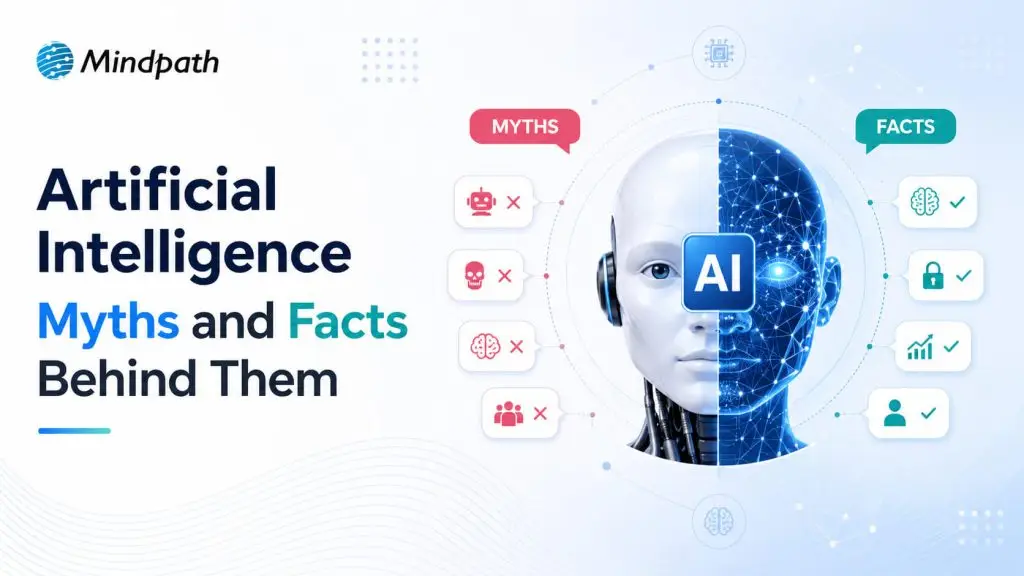
Artificial Intelligence Myths

We often hear artificial intelligence myths shaping opinions in digital discussions today. Businesses, developers, and leaders question what defines AI in real applications. There are numerous assumptions that confuse its actual ability and limits. This creates a challenge as opinions spread faster than verified facts in industries. You might find narratives about the challenges of the adoption of AI and performance.

This discussion is becoming even more significant with the reliance of organizations on AI systems nowadays. Behind such tools, people tend to question reliability, intelligence and decision making. Meanwhile, innovation is still transforming the expectations in industries today.

The lack of understanding AI can slow down the adoption process and reduce the actual growth opportunities. In this blog, we will examine AI misconceptions and what truly constitutes artificial intelligence as it is presently implemented.

Ready to move past the hype and see what AI can actually do for your business? Mindpath offers AI development services to help you build practical solutions that make a real difference.

How Artificial Intelligence Myths Begin and Spread?

The origins of AI myths is when individuals combine science fiction, cultural narratives and technical ignorance. The history of fiction and media fantasy influence the ideas of strong or intelligent machines. Poor AI knowledge also creates confusion with regard to the actual functioning of systems. Such myths regarding artificial intelligence increase more rapidly when the explanations are ambiguous or too complicated.

The myths about artificial intelligence are widely distributed via the media headlines, social platforms, and commercial hyperbole. The sensational stories tend to emphasize drastic results rather than actual applications. The absence of AI literacy reinforces misinformed notions among users as well.

Also Read: Top AI Trends 2026

Debunking AI Myths with Real Facts

Facts that are crystal clear help remove misunderstandings from true grasp of technology. Talking about AI myths vs reality reveals that people’s views are really very different from what artificial intelligence is doing nowadays in real applications.

1. AI Shows Human Emotions and Thinking

Myth: AI is able to think, feel, and respond like a human during conversations. This notion is in line with the most common artificial intelligence myths today.

Reality: AI simply analyzes patterns and probabilities in training data to produce its answers. It is neither capable of feeling emotions nor does it have a real understanding.

2. AI Creates Truly Original Ideas

Myth: AI has a deep understanding of content and can generate completely new ideas like humans. A lot of people assume that this is a fact of real artificial intelligence.

Reality: AI produces outputs based on existing data and the patterns it has learned. It cannot understand or truly create original ideas like humans.

Curious about how AI actually supports decisions without thinking like humans? Explore how AI in decision-making works in real scenarios to improve accuracy and business insights.

3. AI Learns Without Human Help

Myth: AI systems can independently learn and develop without any human ‍‌intervention. These assumptions shape many myths of AI today.

Reality: AI can only improve when the developers train and update the models with fresh data. It is entirely dependent on human guidance and programming.

4. AI Will Replace Human Intelligence Everywhere

Myth: AI will surpass human intelligence in all areas very soon. People who believe this don’t consider the practical AI benefits and risks that exist today.

Reality: AI performs specific tasks efficiently but lacks human judgment and intuition. It cannot replace overall human intelligence in real scenarios.

5. AI Always Gives Correct Answers

Myth: AI systems provide correct and trustworthy information at all times and under all circumstances. Most people are unaware of the machine learning basics in this case.

Reality: AI can generate wrong results or hallucinate during responses. It is necessary for the users to check the outputs before making any decision.

6. AI Causes Only Job Losses

Myth: AI will get rid of jobs and lead to great unemployment in all sectors. This view is often used to spread fear of technological change.

Reality: AI, on the one hand, opens up new job prospects and on the other hand modifies the nature of existing jobs in many areas. In fact, it alters the way work is done rather than completely wiping out job opportunities.

Wondering how AI is changing roles without replacing people entirely? Explore how AI is refining job roles in tech, reshaping responsibilities, and creating new opportunities.

7. AI Works Only in Technical Fields

Myth: AI is only effective in tech industries and applications. Many fail to realize AI is already so thoroughly integrated into our day-to-day living that they hardly notice it

Reality: AI is capable of making a huge impact in the sectors of healthcare, finance, education, plus a vast array of daily tools. Its deployment in multiple fields is speeding up day by day

8. AI Is Only for Experts

Myth: Only very expert professionals can make use of AI tools at work. This myth keeps regular users from adopting the technology.

Reality: User-friendly AI tools understand natural language and can be accessed through simple language commands. Anyone can use them with basic understanding and clear instructions.

Want to see how AI is being used in simple, practical ways across everyday business functions? Explore real-world AI use cases that show how accessible and impactful this technology has become.

Key AI Trends Defining What Comes Next

Key trends are shaping how technology evolves across industries today. The future of artificial intelligence will continue to influence innovation and business growth.

1. Agentic AI as Digital Work Partners

AI now handles tasks with minimal input and acts more independently. This shift changes how teams manage daily operations.

2. Industry-Specific AI Models

Businesses use focused models trained on specific data for better accuracy. These models improve performance in targeted industries.

3. Multimodal AI Capabilities

AI processes text, images, audio, and video together in real time. This enables more natural and effective user interactions.

4. Physical AI in Real Environments

AI powers robots that can sense, act, and learn in physical spaces. This expands AI use beyond digital systems.

5. AI in Software Development

Developers now guide AI to generate solutions instead of writing every line. This improves speed and efficiency in development.

6. Efficient AI Infrastructure

AI systems now focus on performance and energy efficiency. These advancements also challenge common artificial intelligence myths about resource dependency.

Planning your next move with AI, but unsure how to align it with long-term business goals? Read a structured AI roadmap to understand how to implement AI step by step with clarity.

Ready to Move Beyond Artificial Intelligence Myths?

Today, artificial intelligence myths are known to confuse and hinder informed decision-making in businesses. Knowledge of AI reality assists organizations in embracing technology with a sense of clarity and confidence. Clarity leads to superior planning, smarter investments, and practical implementation of AI in real-world applications and results.

At Mindpath, we provide AI development services that help businesses align with real AI capabilities and goals. Our experts turn ideas into practical solutions with strong results. We help you move forward with confidence by focusing on real value and measurable business impact.

Explore common myths about AI, uncover the truths behind them, and learn how Mindpath’s AI development services can transform your business.
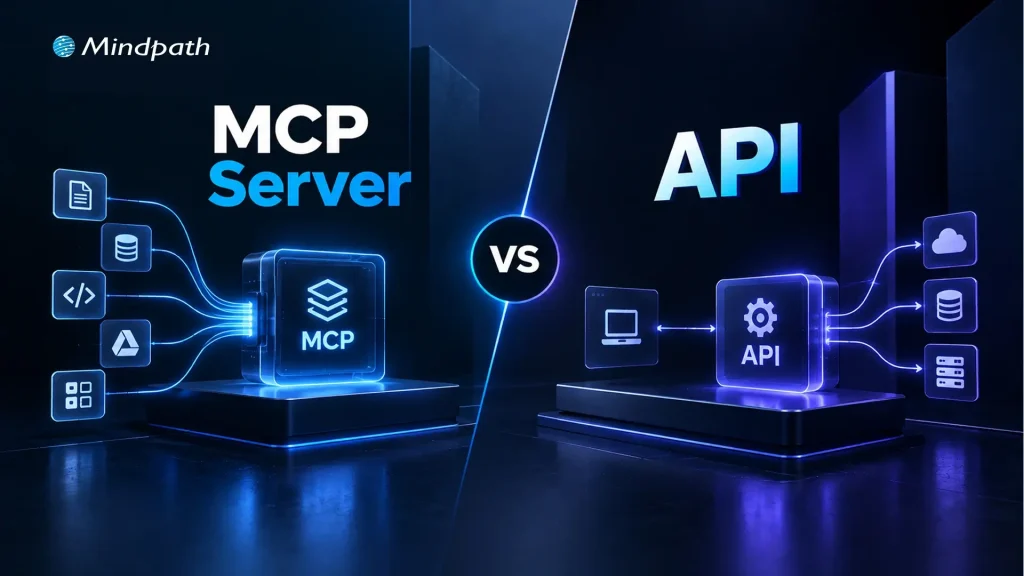
MCP Server vs API

As AI agents move beyond answering questions to using tools, accessing data, and triggering actions, MCP vs API has become an important architecture discussion. An MCP server and traditional APIs can both connect AI systems with external capabilities, but they approach AI integrations from different layers and serve different interaction models.

Key Takeaways

  • 01
    APIs provide structured access to specific services, data, and application functions.
  • 02
    MCP gives AI applications a standardized way to discover and use tools.
  • 03
    MCP and APIs serve different roles and can work together within the same architecture.
  • 04
    APIs suit predictable workflows, while MCP supports more dynamic agent-driven interactions.
  • 05
    Choosing between MCP and API depends on system requirements, workflows, and existing architecture.

The distinction matters when designing systems that need reliable access to business applications, databases, and third-party services. Understanding where APIs fit, where MCP adds value, and how the two can work together helps teams build cleaner and more adaptable agent architectures. In this blog, we will compare MCP and APIs and explain where each approach fits best.

Ready to build AI systems that connect smoothly with your existing tools and services? Mindpath offers AI Integration Services to help businesses connect AI with their existing technology stack.

What is an API?

An API, or Application Programming Interface, is a defined way for one software system to communicate with another. It exposes specific operations or data through endpoints that an application can call using structured requests. The API handles the underlying business logic and returns a predictable response, allowing developers to connect services without accessing their internal implementation.

APIs are widely used across modern software architectures, including AI applications. An AI system can use an API to retrieve customer records, query a database, process payments, or trigger an action in another application. The developer typically determines which endpoint to call, what parameters to send, and how the returned data should be handled.

Key features of APIs: 

1. Defined Endpoints

Expose specific operations or resources through structured interfaces.

2. Request-response Model

Process an application request and return a structured result.

3. Authentication

Control access using methods such as API keys, OAuth, or tokens.

4. Predictable Interactions

Follow documented rules for parameters, methods, and responses.

5. System Integration

Connect applications, services, databases, and third-party platforms.

6. Developer-controlled Workflows

Let developers determine when and how each API operation is used.

What Is an MCP Server?

An MCP server is a system that exposes tools, resources, and other capabilities to an AI application through the Model Context Protocol. Instead of requiring an AI application to handle every integration through separate, custom logic, an MCP server provides a standardized way to make external capabilities available to an MCP client.

In the MCP vs API discussion, the key difference is the interaction model. An API typically gives a developer a defined endpoint to call, while an MCP server presents capabilities in a format designed for AI applications to discover and use within an agent workflow. This can help AI agents work with business systems, files, databases, and external services through a consistent interface.

Key features of MCP servers: 

1. Tool Access

Expose specific actions that an AI application can invoke when needed.

2. Resource Access

Provide structured access to relevant data and external information.

3. Capability Discovery

Allow the client to understand which tools and resources are available.

4. Standardized Communication

Use a common protocol for communication between MCP clients and servers.

5. Controlled Access

Define which capabilities and data an AI application can access.

6. Agent-oriented Integration

Support AI workflows where the model needs to interact with external tools and information.

MCP vs API: What Is the Difference?

MCP and APIs can both connect software with external capabilities, but they are designed around different interaction patterns. An API gives an application a defined interface for requesting data or triggering specific operations. MCP provides a standardized way for AI applications to discover and interact with tools and resources.

The difference becomes clearer when an AI system needs to move beyond a fixed set of developer-defined calls. An AI API can efficiently support predictable operations, while MCP can help an AI application identify available capabilities and use them as part of an agent-driven workflow.

1. Purpose

APIs expose application functionality, while MCP structures access to tools and resources for AI applications.

2. Primary Consumer

APIs are commonly consumed by applications and developers, while MCP is designed around AI clients and agents.

3. Discovery

APIs generally depend on documentation and predefined integration logic; MCP supports standardized capability discovery.

4. Interaction

APIs typically follow explicit requests and responses, while MCP supports AI-driven tool and resource interactions.

5. Workflow Control

API workflows are usually defined by application logic, while MCP can support dynamic tool selection within agent workflows.

6. Integration Approach

APIs can connect systems directly, while MCP can provide an agent-facing layer over existing services.

Comparison Area API MCP
Primary Role Connects applications with specific services or functions Connects AI applications with tools, resources, and capabilities
Core Interface Endpoints, methods, parameters, and responses Tools, resources, prompts, and protocol-defined interactions
Typical Consumer Developers and software applications AI applications, assistants, and agents
Capability Discovery Usually handled through API documentation or application logic Capabilities can be exposed and discovered through the protocol
Interaction Pattern Application sends a predefined request AI application can select and invoke an available capability
Workflow Control Primarily defined by application code Can support dynamic, agent-driven workflows
Data & Actions Exposes specific data or operations Makes selected data and actions available to AI applications
Integration Layer Often serves as the direct service integration layer Can act as an AI-facing layer over existing services and APIs
Best Fit Predictable application workflows and system integrations Agentic workflows requiring access to multiple tools or resources
Relationship Can function independently or underneath other systems Can work alongside APIs rather than replacing them

How Do MCP and APIs Work Differently in AI Integrations?

The difference between MCP vs APIs becomes clearer when looking at how an AI system actually interacts with external capabilities. With a traditional API, the application usually knows the endpoint, required parameters, authentication method, and expected response before the workflow begins. The developer defines this logic and controls when the API is called.

With MCP, the interaction can be structured around capabilities available to the AI application. An MCP client connects to an MCP server, which exposes relevant tools and resources. The AI application can then use those capabilities as part of an agent workflow, while the underlying implementation remains behind the server interface.

A Typical API Workflow 

1. Identify the Service

The developer selects the required API and reviews its documentation.

2. Define the Request

Application logic specifies the endpoint, parameters, and authentication.

3. Send the Request

The application calls the API when the workflow reaches the relevant step.

4. Process the Response

The returned data is handled according to predefined application logic.

5. Continue the Workflow

The application determines the next operation based on the response.

A Typical MCP Workflow 

1. Connect the Client

The AI application establishes a connection with the MCP server.

2. Expose Capabilities

The server makes relevant tools and resources available to the client.

3. Understand Available Tools

The AI application can identify capabilities exposed through the server.

4. Invoke a Capability

The agent can use an appropriate tool as part of its task.

5. Use the Result

The returned information can inform subsequent steps in the AI workflow.

Which Approach Fits Your System Best?

APIs provide structured access to specific services, data, and operations, while MCP provides a standardized way for AI applications to discover and use tools and resources. Understanding this difference helps teams choose an approach that matches their architecture, workflow requirements, and intended system behavior.

Choosing between MCP and API can shape how effectively your AI system interacts with existing capabilities. Mindpath AI development services help businesses evaluate these architectures and build practical AI solutions around their technical requirements, existing systems, and long-term development goals.

Wordpress and php

In the technology-driven times, WordPress has been continuously recommending running the latest PHP versions. In fact, PHP 8.3 is now the standard for performance, security, and long-term support. It is a must for business owners to keep track of WordPress and PHP compatibility. This is because it can directly impact the performance and SEO ranking of their websites. Moreover, it can also impact customer trust, which is of high importance in the competitive business world.

Key Takeaways

  • 01
    PHP 8.3 is now the recommended standard for all WordPress websites.
  • 02
    Outdated PHP versions leave websites vulnerable to security threats and breaches.
  • 03
    Newer PHP versions deliver faster load times and better overall performance.
  • 04
    Testing updates in a staging environment prevents unexpected issues on live sites.
  • 05
    Regular backups before any PHP update protect websites from potential data loss.

As PHP evolves quickly, many sites still run outdated versions that no longer receive security updates. Hence, they face cyber risks. Businesses must comprehend the WordPress recommended PHP version and learn how to check the current WordPress PHP version. You should also possess knowledge of WordPress PHP compatibility so that you can future-proof your website. Let us discuss what business owners must know about WordPress and PHP compatibility.

Are you ready to make sure that your WordPress site works well with the newest versions of PHP and that all of your users have a good experience? Mindpath’s WordPress development services provide expert guidance to keep your site secure, fast, and highly reliable for your visitors.

What is WordPress?

WordPress is a free, open-source content management system (CMS) that allows users to build and manage websites without needing to write code. It powers over 40% of all websites on the internet, from personal blogs and portfolios to large corporate websites and e-commerce stores. Originally launched in 2003 as a simple blogging platform, WordPress has since evolved into a versatile solution used by businesses and professionals of all sizes around the world.

The CMS platform has become highly popular thanks to its open-source nature and large plugin ecosystem. Furthermore, the presence of customizable themes that allow organizations of diverse sizes to build professional websites makes it a highly popular platform in the current times. A key aspect of the success of WordPress is its compatibility with modern technologies, such as PHP, which powers its core.

What is PHP?

PHP, which stands for PHP: Hypertext Preprocessor (a recursive acronym), is one of the most widely used open-source, server-side scripting languages for web development. Unlike client-side languages like JavaScript, PHP code runs entirely on the web server, generating HTML that is sent to the user’s browser, making it ideal for dynamic and interactive websites. Since its launch, PHP has powered millions of websites and remains the backbone of popular platforms such as WordPress and Drupal. Its lightweight nature and seamless integration with HTML continue to make it an essential choice for web developers worldwide.

Over the years, PHP has undergone major transformations. It has developed from PHP 5.x to the current PHP 8.3. The latest version offers improvements in performance and security. It has numerous useful features, including Just-in-Time compilation and improved error handling. These advancements are pivotal for businesses that have WordPress sites.

Unsure which platform can better support your website’s design, features, and long-term growth? Explore our WordPress vs Webflow comparison to understand their key differences and choose the best fit for your business.

Chief PHP Versions Businesses Need to Know

PHP has been evolving quickly, and each version has new features, performance improvements, and security fixes. The business entities that use WordPress need to understand different PHP versions, as outdated versions expose websites to vulnerabilities and risks. But newer versions can deliver speed and stability to websites. The top PHP Versions that businesses must be aware of include:

  • PHP 8.5 – It is an active development branch for the upcoming PHP release. PHP 8.5 is scheduled for release in November 2025.
  • PHP 8.4 – PHP 8.4 is known as a feature-rich PHP version. It has several new features, such as asymmetric visibility, property hooks, and many more.
  • PHP 8.3 – It is the latest stable PHP version. It has introduced several enhancement features that improve type safety, developer experience, and performance.
  • PHP 8.2 – This PHP version brings significant benefits when it comes to site performance as well as health, especially in relation to speed and security.

There are other PHP versions like PHP 8.1 and PHP 8.0. Even though these versions were regarded as valuable tools for businesses before they became outdated, they give rise to security threats today. PHP 7.4 is another older version that has reached its end of life. It means that the specific version does not receive any official security updates currently.

PHP 8.3 is the latest release. At present, it is the recommended standard for WordPress websites. WordPress PHP 8.3 delivers significant performance boosts, advanced language features, and long-term support. It is essential for businesses to choose the right PHP version so that plugins, themes, and custom code can run smoothly.

The Need for WordPress and PHP Compatibility

WordPress and PHP compatibility serve as the ultimate foundation of a top-quality website. As WordPress is built on PHP, the version your site runs directly affects its speed and stability. Outdated PHP versions basically lack security patches, thereby making websites vulnerable to cyberattacks, data breaches, and compliance issues.

Another critical factor that businesses need to bear in mind revolves around performance. Newer PHP versions, such as PHP 8.3, are capable of delivering faster load times. The selection of the best PHP version for WordPress is vital to reduce server resource usage and improve scalability.

The business enterprises that rely on lead generation or content-heavy sites can tremendously benefit from the latest PHP versions for WordPress. Without the latest PHP version, a WordPress business site may become slow or unstable. It may frustrate visitors and affect their experience.

Another critical factor is compatibility, which businesses need to bear in mind. It can ensure the smooth operation of plugins and themes. If your website runs an unsupported WP PHP version, it may lead to errors and broken features. It may also lead to downtime and disrupt the experience of customers. Businesses need to choose the WordPress-recommended PHP version so that they can safeguard the functionality of their website and streamline the maintenance aspects.

Facing recurring security issues, but not sure what’s causing them? Read our safeguarding WordPress vulnerabilities guide to uncover common risks and learn how to prevent them effectively.

Procedure to Update PHP for WordPress Websites

It is a must for businesses to update the PHP version of their website. This is a key step that can help maintain security as well as compatibility. Below are the steps you must follow to update the PHP version for your website to get optimum WordPress PHP version support.

Step 1 – Current PHP Version Validation

Business owners need to check the PHP version of their business site. You can check this from the admin dashboard. In case you find that your website does not run the latest PHP version, you need to update it instantly.

Step 2 – Creating a Backup of your Website

In the next step, it is time to create a backup of your website. This step you need to take as a precautionary measure in case something goes wrong during the process. In case your hosting provider does not provide backups as part of its service, you can use plugins in order to create a full backup. You have to make sure that you capture details such as the database, themes, plugins, and media files.

Step 3 – Testing Changes in a Staging Environment

Now it is time to try the new version in the staging environment instead of going live. It serves as a reliable way of checking the compatibility between WordPress and the latest PHP version.

Step 4 – Updating the PHP Version

After verifying whether your business website works or not with the new PHP WordPress version, you need to log in to your hosting control panel. Then you must find the built-in PHP manager. The exact steps may vary depending on control panels, but they are mostly similar. Then you need to update the PHP version. After making the modification, you have to wait for the update to finish so that the upgrade can be done successfully. You need to choose the latest version so that you can get the necessary WordPress PHP support to manage your website.

Step 5 – Testing Website Functionality

After the update is over, you need to test the functionality of the live website. You have to do this in the front end as well as the back end in order to see if everything works in the desired way. You have to make sure that you review the common WordPress functions along with the plugin features.

Do you want your website to be accessible to every visitor? Learn how to improve WordPress web accessibility can help you reach more users and create an inclusive online experience.

Best Practices for Business Owners

There are certain best practices that business entities need to follow so that they can run their website smoothly while using the latest WordPress PHP versions. If you have a WordPress site for your business, you certainly need to follow these best practices.

1. Staying on Top of PHP Updates

You need to make sure that the WordPress core, plugins, and themes are current at all times. It is a must for businesses to keep a lookout for the latest PHP updates. This step can enhance the overall performance and functionality of your business website.

2. Practice of Backing Up

It is critical to back up all the necessary data before the actual update. A full site backup can ensure that your business website is in safe hands. In case things do not go according to plan, the backup can serve as a safety net.

3. Keeping Clean Code

You must ensure that if you use custom code, it must follow WordPress’s PHP coding standards. This practice is pivotal since it can prevent conflicts with core WordPress functions.

4. Testing in Staging

Many businesses may fail to realize the importance of a staging environment. However, it is essential for you to understand its significance. In fact, you need to use a staging environment in order to test updates.

Ready to upgrade your HTML site to something more powerful and manageable? Explore why converting HTML to WordPress can streamline updates and improve your online presence.

Why This Matters for Your Business?

In the digital landscape of 2026, businesses need to stay current with WordPress and PHP compatibility to ensure their success. PHP 8.3 is now the recommended version for business websites. Thus, business owners need to make the update so that they can gain the benefits relating to stronger security, better performance, and smoother functionality of the website. On the other hand, if businesses ignore PHP upgrades, their risks relating to cyberattacks and plugin conflicts increase, which can affect customer trust.

Mindpath’s WordPress development services can make PHP upgrading a simpler process for your business. Businesses can leverage the excellent services to improve the security and performance of their business website. Our experts will make sure that your website can run in an efficient manner.

Frequently Asked Questions