Home

Private AI Assistants for Enterprises: Use Cases, Security, and Deployment Options

Private AI Assistants for Enterprises: Use Cases, Security, and Deployment Options

Join our Newsletter!

Private AI Assistant for Enterprises

Employees are increasingly using AI to find information, review documents, and handle routine business tasks. However, bringing AI into everyday operations raises important questions about data privacy, access permissions, and the handling of confidential company information. A private AI assistant gives businesses a way to use AI with their internal knowledge while maintaining control over sensitive data and access.

Key Takeaways

  • 01
    Private AI assistants help businesses access internal knowledge while maintaining control over sensitive information.
  • 02
    RAG connects AI assistants with approved company documents and business data.
  • 03
    Role-based permissions, encryption, and monitoring strengthen enterprise AI security.
  • 04
    Cloud, VPC, and on-premises deployments offer different levels of control and maintenance.
  • 05
    Careful data preparation, testing, and monitoring improve assistant reliability and performance.

For enterprises, successful AI adoption requires more than choosing a capable language model. It involves secure data integration, reliable responses, clear governance policies, and the right deployment environment. Understanding these requirements helps businesses make informed decisions about implementation. In this blog, we explore the key use cases, security considerations, and deployment options for private AI assistants.

Ready to Build a Secure Private AI Assistant?
Mindpath offers custom AI development services to help businesses build secure AI assistants that connect internal knowledge and support everyday workflows.

What Is a Private AI Assistant and How Does It Work?

A private AI assistant is an AI-powered application that works with an organization’s internal data, documents, and business systems under defined security and access policies. It uses Large Language Models (LLMs) to understand employee queries and generate relevant responses. With Retrieval-Augmented Generation (RAG), it retrieves information from approved company sources before answering. Integrations with platforms such as SharePoint, CRM, ERP, and internal databases help employees access relevant business information through a single interface.

An internal AI assistant also relies on identity management and governance controls to ensure users access information according to their permissions. Administrators can monitor interactions, evaluate response quality, and manage data access. Businesses planning a custom AI development project can use these requirements to define the assistant’s functionality and architecture.

General-Purpose AI vs. Private Enterprise AI Assistant

General-purpose AI assistant Private enterprise AI assistant
Primarily handles general knowledge and connected services Uses approved organizational knowledge
Data handling follows provider and account terms Configured around organizational data policies
Offers a general user experience Supports role-based access and business workflows
Customization depends on the platform Allows tailored integrations, retrieval, and governance

Enterprise offerings such as Microsoft Copilot also provide organizational security and access controls. The actual differences depend on deployment architecture, configuration, and the level of control an organization requires.

Why Businesses are Investing in Private AI Assistants?

As AI becomes part of everyday business operations, organizations face growing concerns about protecting confidential information. IBM’s 2025 Cost of a Data Breach Report found that shadow AI increased the average cost of a data breach by $670,000 globally. This highlights the financial risks of using AI without proper oversight.

Businesses are investing in private AI assistants for four key reasons:

  • Intellectual property protection: Keep sensitive financial records, customer information, and proprietary documents under controlled access.
  • Regulatory compliance: Manage data residency, retention, privacy, and audit requirements.
  • Controlled information access: Give employees relevant information without exposing restricted company records.
  • Operational efficiency: Reduce repetitive searches, manual document reviews, and routine internal queries.

Organizations should also understand the risks of AI in cybersecurity when introducing AI into business operations.

Top Enterprise Use Cases of Private AI Assistants

Private AI assistants can support several business functions by connecting employees with relevant company information and everyday workflows. Some practical applications include:

1. Internal Knowledge Management

Employees often spend time searching through policies, SOPs, project files, and shared documents. An internal AI assistant retrieves relevant information from approved sources and provides contextual answers with document references. This helps employees find accurate information without repeatedly contacting different departments.

2. IT Helpdesk and Employee Support

IT teams handle recurring requests involving password resets, software access, troubleshooting, and system configurations. An assistant can retrieve approved troubleshooting guides, explain resolution steps, and direct complex issues to the appropriate support team.

3. Customer Support and Sales Assistance

Support representatives can use an enterprise AI assistant to retrieve product specifications, customer history, and approved response guidelines. Sales teams can also access relevant account information, product details, and previous interactions to prepare for customer conversations.

4. Data Analysis and Business Intelligence

Employees can ask questions about business performance using natural language. The assistant can translate authorized requests into governed database queries, helping teams examine sales figures, identify operational trends, and understand business reports without manually navigating multiple dashboards.

5. HR, Finance, and Compliance Operations

HR teams can use assistants to answer questions about employee policies, leave procedures, and benefits. Finance teams can retrieve financial documents and prepare reports, while compliance professionals can locate relevant contracts, regulatory records, and internal policies.

Security Architecture: How to Build a Secure Private AI Assistant

Building a secure private AI assistant requires multiple layers of protection across data, applications, and infrastructure. Each layer addresses specific risks associated with handling sensitive business information. Following established cybersecurity practices for businesses helps organizations establish a stronger security foundation.

1. Data Protection and Encryption

  • Encrypt data at rest and in transit.
  • Define data retention and deletion policies.
  • Establish clear provider agreements for data processing and model training.
  • Apply sensitive information detection and masking.

2. Identity and Access Management

  • Implement Single Sign-On (SSO) and multi-factor authentication.
  • Use Role-Based Access Control (RBAC).
  • Apply department- and user-level permissions.
  • Restrict document retrieval based on individual access rights.

3. Model and Application Security

  • Secure model hosting and API connections.
  • Validate user inputs and filter generated outputs.
  • Protect against prompt injection and unauthorized tool execution.
  • Require approval for sensitive AI-driven actions.

Organizations should also establish secure LLM hosting and API integration practices based on their data protection requirements.

4. RAG and Knowledge Base Security

  • Restrict access during document ingestion.
  • Validate sources and maintain document versions.
  • Detect malicious instructions in indexed documents.
  • Apply permission-aware retrieval and source citations.

Effective context engineering also helps manage the information supplied to AI models and maintain relevant context during interactions.

5. Monitoring, Auditing, and Governance

  • Maintain logs of prompts, responses, and system actions.
  • Monitor unusual access patterns.
  • Establish audit and retention policies.
  • Conduct regular security assessments.

Common Security Risks and Recommended Controls

Security risk Recommended control
Unauthorized data access Permission-aware retrieval
Prompt injection Input and context validation
Sensitive information exposure PII detection and redaction
Incorrect AI responses Grounding and response evaluation
Unauthorized AI actions Tool restrictions and human approval

Private AI Assistant Deployment Options: Cloud, VPC, and On-Premises

Choosing the right deployment model depends on an organization’s data sensitivity, infrastructure, security requirements, and maintenance capabilities. An enterprise AI assistant can be deployed through three primary approaches.

Factor Managed cloud Private cloud / VPC On-premises
Infrastructure Provider-managed Dedicated cloud environment Organization-managed
Control Provider-dependent Greater configuration control High infrastructure control
Scalability Generally easier Flexible Hardware-dependent
Maintenance Lower internal burden Shared responsibility Higher internal burden
Best suited for Faster adoption Sensitive workloads Strict infrastructure requirements

1. Managed Cloud

Suitable for businesses seeking faster implementation without managing underlying infrastructure, provided the provider’s security and data policies meet their requirements.

2. Private Cloud or VPC

Offers greater control over network access, infrastructure configuration, and data flows, making it suitable for sensitive business workloads.

3. On-Premises

Keeps infrastructure within organizational facilities but requires hardware investment, model management, security updates, and ongoing maintenance.

Hybrid deployment combines these approaches. Organizations can process sensitive information within their controlled environment while connecting to an approved external model endpoint under defined data protection agreements. The right choice depends on actual security needs, operational resources, and long-term costs. Businesses evaluating infrastructure changes can also review the benefits of cloud migration.

Common Challenges When Implementing a Private AI Assistant

Implementing a private AI assistant involves several practical challenges that businesses should address early.

  • Poor data quality: Outdated, duplicated, and unstructured documents reduce retrieval accuracy.
  • Complex integrations: Connecting enterprise applications requires careful API and permission management.
  • Hallucinations: AI models may generate incorrect answers despite accessing internal information.
  • Infrastructure and maintenance costs: Hosting, monitoring, security, and model updates require ongoing investment.

Proper data preparation, retrieval optimization, regular testing, and continuous monitoring help address these challenges and maintain reliable performance. Businesses can also use AI agent testing practices to evaluate response quality and system behavior.

How to Implement a Private AI Assistant: A Practical Roadmap

A structured implementation approach helps businesses avoid unnecessary complexity and achieve reliable results.

1. Identify Business Requirements

Select a specific workflow and define measurable objectives.

2. Assess Enterprise Data

Review data sources, document quality, and access permissions.

3. Choose the Architecture

Select the LLM, RAG approach, integrations, and deployment model.

4. Implement Security Controls

Configure authentication, encryption, access controls, and monitoring.

5. Test and Optimize

Evaluate accuracy, retrieval quality, response time, and operating costs.

Start with a focused pilot, validate its performance against business requirements, and gradually expand to other departments and workflows.

Ready to Build a Private AI Assistant for Your Business?

Private AI assistants help businesses make better use of internal knowledge while maintaining control over sensitive information. The right approach requires careful planning, secure data integration, suitable deployment architecture, and continuous evaluation. With these elements in place, organizations can introduce AI into everyday workflows while keeping security, reliability, and business requirements in focus.

At Mindpath, we help businesses develop a private AI assistant aligned with their data, systems, and operational needs. Our expertise in custom LLM development, RAG, AI consulting, and enterprise data engineering supports secure AI implementation. We help businesses plan, build, and optimize AI capabilities that deliver practical value as their requirements evolve.
Ready to Build Your Private AI Assistant?

Build secure AI assistants that connect your internal data.

Frequently Asked Questions

Yes, it can support different departments through dedicated knowledge sources and access permissions, allowing employees to retrieve information relevant to their responsibilities.
Document version management, scheduled data synchronization, and content validation help ensure responses rely on current and approved organizational information.
Yes, businesses can integrate compatible existing models or choose alternative models based on their infrastructure, performance, customization, and data protection requirements.
It can be configured to acknowledge missing information, request clarification, provide available source references, or escalate the query to an appropriate employee.
Businesses can track response accuracy, retrieval relevance, employee adoption, resolution rates, response time, and operating costs to evaluate its effectiveness.

Support Is One Click Away

Featured Posts

Related Post

Web development tools

In this competitive and evolving digital landscape of 2026, it has become crucial for businesses to stay ahead of the curve to make themselves competitive. Whether you are an established business that wants to scale operations or a startup launching new products, selecting the right web development tools can make or break your digital success.

Modern web app development tools are designed to enhance user experience, streamline workflows, and allow developers to create a perfect website as well as an application. In this blog, you will explore the best web dev tools that can significantly shape your business success in 2026. We will cover everything from front-end frameworks to AI-powered Web development tools and understand their importance in web development.

Looking to implement the latest web development tools to enhance your digital presence? Mindpath’s web development services can help you with professional support and customized solutions.

Importance of Modern Web Development Tools

We all know that the digital experience has become a primary touchpoint between customers and businesses. In 2026, users expect an intuitive interface, lightning-fast performance, and effortless integration. And all these things can be achieved by using the right web development tools. Here are the major benefits of using these tools:

1. Increased Productivity

By efficiently automating multiple repetitive tasks and providing users with features such as code generation, these tools can reduce development time. As a result, developers can focus on problem-solving and innovation.

2. Better Collaboration

Web development tools are designed to facilitate seamless teamwork among designers, developers, clients, and other stakeholders. This helps ensure a coordinated and cohesive web development approach.

3. Enable Scalability

Most web dev tools are designed for cloud integration and modular development. They help businesses to scale their website and apps easily based on growing demands while ensuring a consistent user experience and performance.

4. Quality and Reliability

These tools come equipped with integrated testing and debugging tools. As a result, developers can easily detect and fix errors early, leading to more reliable and stable web applications.

5. Enhanced Security

Tools like frameworks provide businesses with built-in security measures to protect web applications against threats like CSRF, XSS, and SQL injection. For example, the user authentication system of Django and the CSRF token protection feature of Laravel.

6. Cross-Platform and Cross-Browser Compatibility

Modern tools support cross-platform and responsive design features out of the box. This helps ensure a smooth user experience across multiple devices and browsers.

It can be said that web development tools are not just facilitators of design and coding. In fact, these are strategic assets that have the ability to transform how businesses approach web app development.

Now that you understand the benefits, let’s talk about the web app development tools that are the source behind these benefits and are reshaping the development process.

Wondering how to plan your web development process step by step for maximum impact? Check out the web app development roadmap for 2026 to learn how each phase fits into building a successful web application.

Top Web Development Tools to Consider in 2026

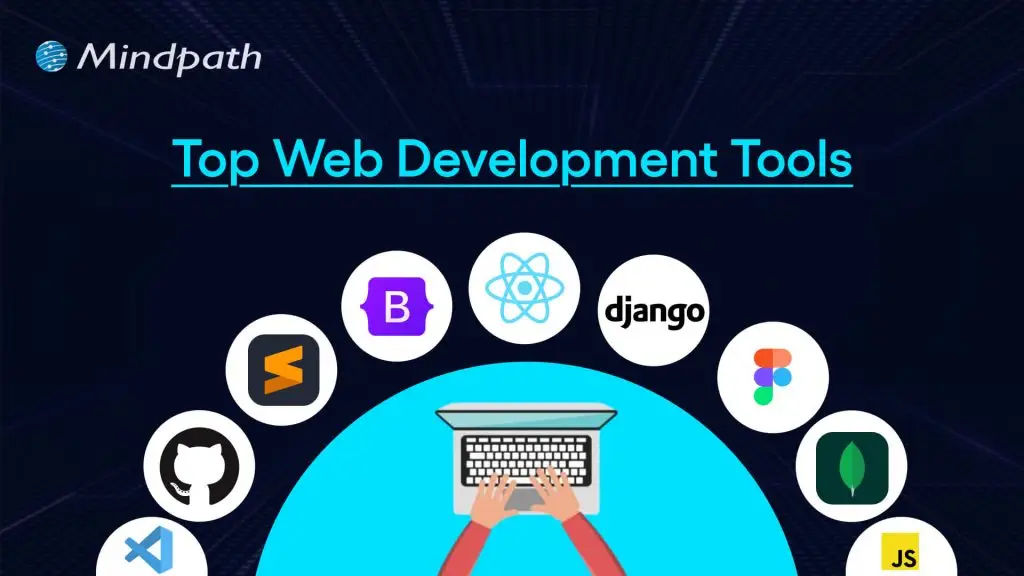
Below is the list of top tools for web development in 2026. All the tools are divided into different categories, spanning IDE, front-end, back-end, and more for an easy understanding. Have a look.

Best Front-End Tools for Web Development

Let’s begin the list with web application development tools that play an important role as they shape what customers see on a website. These tools help furnish and decorate your website with the right elements.

1. React

A product from Facebook, React is an ideal choice among developers to create complex and large-scale applications. It is based on a component-based architecture and facilitates code reusability, which is vital for long-term projects and large teams. React can handle various critical tasks such as static site generation, server-side rendering, APU routes, and more, leading to better SEO and amazing performance.

2. Vue.js

It is one of the best tools for website development and is well-known for its gentle learning curve and progressive adoption. Vue is an ideal option for businesses looking for a smooth integration of a front-end framework into their existing projects. The tool can adapt to your unique project requirements. The speed of Vue.js helps create a smooth user experience during web browsing.

3. AngularJS

Developed by Google, it offers a perfect solution for web development as well as testing. Some attractive features of AngularJS are its support for client-side Model-View-ViewModel and Model-View-Controller architectures. Besides, it also offers two-way data binding, UI with HTML, and more.

4. Svelte

If performance is your priority, then Svelte can be a game-changer for your project. It is an efficient compiler that converts code into efficient and small JavaScript bundles. That means the browser’s workload will be low, resulting in faster load times and a seamless user experience.

5. Tailwind CSS

It helps developers to create custom UI elements without spending time on writing multiple CSS codes. This eliminates issues like breakages caused by CSS code changes. Its classes are optimized for responsiveness, making it easier to develop mobile-friendly layouts.

Thinking about which frameworks or expertise your project really needs? Check out the top reasons to hire ReactJS developers for your next web project to understand why React remains a powerful choice for building responsive web apps.

Best Back-End Tools for Web Development

The back end is like the engine of your website or web apps, managing server logic, user authentication, and data. With the right back-end web development tools and technologies, you can ensure the scalability of your product.

1. Python

It is one of the easiest back-end programming languages to use, offering simple syntax and support for multiple major languages such as Java, C, and more. Besides, it can help with data analytics and visualization. What’s more? It offers robust web frameworks such as Flask and Django.

2. Node.js

For organizations creating real-time applications, microservices, and APIs, this back-end tool remains a top choice. Its non-blocking I/O and event-driven model make Node.js efficient at managing concurrent requests, which is crucial for developing data-intensive and modern web apps.

3. PHP

It can be used with multiple CMSs such as Joomla, WordPress, and more. PHP can be embedded with CSS, HTML, and other front-end systems. It supports integration for various DBs like MS SQL Server, Oracle, and MYSQL. PHP is free to use and scalable.

4. Express.js

It is one of the top-rated web development platforms created with Node.js and powered by Google V8 Engine. Using this, developers can create hybrid, multi-page, and single-page web apps. Express.js is popular for offering faster I/O, managing multiple servers, routes, and handling asynchronous requests smoothly.

Want to build a complete website without coordinating with multiple developers? Explore our post on full-stack development for web projects to discover how a full-stack approach simplifies your workflow and accelerates delivery.

Best Integrated Development Environments

For developers to handle fast development and deployment of web apps and handle large codebases, IDE web development tools and technologies play a major role. Some of the best options are:

1. Visual Studio Code

VS Code is an open-source and widely used IDE that allows developers to run and debug code. Developed by Windows, it supports multiple languages, including Python, PHP, and C++. Besides, it has built-in support for NodeJS, TypeScript, and JavaScript. Furthermore, it comes with IntelliSense to offer intelligent code recommendations.

2. GitHub’s Atom

It is an open-source desktop editor and supports multi-cursor editing, cross-platform development, and offers built-in Git control. Atom is created using HTML, Less, JavaScript, and other web technologies.

3. NetBeans

This is an excellent IDE for HTML5, CSS, PHP, and Java. The platform supports all major operating systems, such as Linux, Windows, Solaris, and Mac. NetBeans has a vast plugin support and facilitates code refactoring. Developers can use the FindBug tool to write clear code.

4. Eclipse

This free IDE for Java development supports Maven and JUnit. Besides, it comes with the necessary tools for web, testing, data, and performance. Additionally, Eclipse supports multiple plugins, languages, code refactoring, and can automate syntax validation.

5. PyCharm

It is an excellent IDE for web development projects based on Python. However, it also supports other major programming languages like Node.js, CSS, HTML, JavaScript, and more. Besides, PyCharm provides developers with out-of-the-box support for PyTorch, Gitm, FastAPI, Flask, Hugging Face, and more. It offers a detailed code analysis, an integrated unit tester, and a graphical debugger, reducing hassle for teams.

6. WebStorm

Developed by JetBrains, it is designed for web development. It can smoothly handle client-side and server-side Node.js development. Apart from JavaScript, it also supports Vue, HTML, React Native, CSS, Angular, and React. The platform offers features like auto-completion, Spy.js tools, smart code insights, and more.

Integrating CI/CD into your development cycle can boost productivity. Explore CI/CD Pipelines to discover tools and techniques for seamless automation.

Best Web App Testing and Debugging Tools

Delivering high-performing and bug-free web apps is crucial. The right testing tools can help ensure speed, quality, and compatibility across browsers and devices. Some of the best testing and debugging tools are:

1. Selenium

Selenium is a top-choice tool for automated browser testing. The tool supports various frameworks and programming languages, helping developers create test scripts for regression testing, continuous integration, and functional validation.

2. Sentry

If you are looking for a tool for real-time error tracking, Sentry would be an ideal option. It helps developers detect and fix bugs before they can affect the user experience. The tool offers real-time alerts and detailed context, reducing the effort and time required to maintain a healthy web app.

3. BrowserStack

It is a cloud-based web and app testing platform that enables teams to carry out cross-browser tests on real devices. It can also be integrated into other tools like Jenkins, Selenium, Firebase, Travis CI, Gitlab, and more. BrowserStack ensures compatibility and consistent performance across screen sizes, browser versions, and operating systems.

4. Katalon Studio

It is an all-in-one testing solution that automates the process. It supports testing of web, desktop, API, and mobile applications. With effortless CI/CD integration, built-in templates, and smart analytics, Katalon Studio simplifies testing while accelerating quality assurance workflows.

5. Lighthouse

It is an open-source website auditing tool by Google that evaluates web performance, SEO, and accessibility. After analyzing the components, it offers actionable insights to optimize site performance quality and user experience.

By integrating these tools into the workflow, you can easily detect issues early and develop trust among users, offering reliable and seamless digital experiences.

Are your web apps providing the best possible experience for users? Discover UI/UX design trends in web application development to learn how modern design trends can enhance usability and engagement.

Website Optimization and Performance Tools

In 2026, performance optimization of web apps is no longer an optional thing; it is a major priority for creating user-friendly, responsive, and fast digital experiences. Here are some tools web developer utilizes to optimize load times, diagnose issues, and optimize overall performance.

1. Google PageSpeed Insights

When talking about the best tools for website development, we can’t ignore this tool. It evaluates the content and structure of a website and offers effective suggestions to increase speed, Core Web Vitals, and mobile usability. It is an ideal tool for developers focused on performance and SEO.

2. Webpack

This is a powerful module bundler that streamlines code optimization and asset management. Webpack supports modern JavaScript frameworks and increases load times by reducing redundant code.

3. GTmetrix

GTmetrix provides developers with in-depth reports on website load behaviour, highlighting issues along with optimization opportunities. With historical tracking, performance scores, and waterfall charts, it helps optimize every layer of web applications.

Choosing the right technologies is crucial for building a high-performing web app. Explore the tech stack for your web app success to discover the best tools and frameworks for your project.

Top-Rated AI Tools For Web Development

As AI is evolving rapidly, it is changing how developers handle web development projects, making them more efficient and productive. Using these, it is possible to leverage AI to build web apps and integrate AI into the web apps.

1. GitHub Copilot

GitHub Copilot is a popular AI-powered coding assistance that provides users with real-time suggestions, code completion, and more. Created in partnership with OpenAI, it comes with a vast codebase that assists developers in writing code faster, increasing their productivity. It also streamlines the coding process.

2. Lovable

This AI-powered platform lets users create web apps and websites utilizing text prompts. That means one can create websites without any coding experience. It can generate a complete code base to create landing pages, tools, authentication systems, and dashboards. However, users with coding experience can edit the generated code to customize features and designs.

3. OpenAI Codex

Developed based on Codex-1, OpenAI Codex is designed specifically to simplify various software engineering tasks. For instance, software developers can use it to generate code or review pull requests. It can apply changes to your coding environment directly through its intelligent automation feature.

4. Wix ADI

Wix Artificial Design Intelligence has revamped the web design process. It can create customized websites automatically and quickly based on the inputs by users. First, it asks some questions to understand users’ preferences, and then, with the help of AI, it creates a fully functional website within a few minutes.

5. Applitools

This tool utilizes visual AI and automates the testing process of web applications, helping developers ensure that apps are functioning properly across different browsers and devices. Its smart mechanism compares the visual elements of an app with the baseline images and detects discrepancies.

These advanced AI-powered web development platforms simplify design, coding, and testing, making web app development smarter, more accessible, and faster.

Looking to build a website that drives engagement and conversions? Explore web design and development services to discover how professional design and development make an impact.

Top Web Development Trends to Watch Out For

Some top web development trends that may change the landscape in the future are:

1. Gesture and voice-based interfaces

2. AI-assisted development and design

3. Integration of real-time personalization systems

4. Blockchain-based user authentication

5. Massive adoption of no-code/low-code platforms

6. Increasing popularity of Headless CMSs

7. More focus on Core Web Vitals and Web performance

Businesses that are ready to embrace these changes will be able to deliver an amazing digital experience, establishing a robust online presence.

Want a web application built to match your workflow perfectly? Discover our custom web development services to learn how we create bespoke digital experiences.

Building Your Path to Digital Success in 2026

In 2026, creating a perfect website is not just about focusing on beautiful UI; it’s also about ensuring scalability, speed, seamless user experience, and selecting the right web development technologies. Whether you are creating a real-time web application or a content-rich website, choosing the right combination of developer-first technologies and front-end frameworks will be the key to success.

When it comes to creating world-class and high-performance websites, Mindpath stands out as a trusted web development company. With years of experience in this field, we combined modern design, long-term strategies, and top web development tools to offer you the solutions that can support your business growth. We have the expertise required to transform your unique digital vision into a reality. Are you planning to revamp your website or create a new one? Mindpath can be your reliable development partner in 2026.

Agentic AI Workflows

Traditional automation works well when processes follow predictable rules. However, business operations often involve changing conditions, incomplete information, and decisions that cannot be handled through fixed instructions alone. Agentic workflows help address these challenges by enabling AI agents to interpret context, select actions, and coordinate multi-step tasks within defined boundaries.

Key Takeaways

  • 01
    Agentic workflows help AI agents manage multi-step tasks and adapt to changing conditions.
  • 02
    Sequential, routing, planning, and parallel patterns address different business workflow requirements.
  • 03
    Human approval and clear permissions help control risks during sensitive business operations.
  • 04
    Reliable data, defined boundaries, and thorough testing support consistent workflow execution.
  • 05
    Monitoring performance and business outcomes helps improve workflows and guide responsible autonomy.

Building these workflows requires more than connecting AI tools. Businesses need clear objectives, reliable data, decision-making logic, and appropriate human oversight to ensure consistent execution. In this blog, we examine the design patterns, business applications, and implementation principles behind agentic workflows.

Looking to implement agentic workflows in your business?

Mindpath offers AI consulting services to help businesses identify suitable AI opportunities and design workflows aligned with their operational goals.

What Makes an Agentic Workflow Different from Traditional Automation?

Traditional automation executes predefined rules to complete repetitive tasks. AI-assisted workflows add capabilities such as interpreting documents, summarizing information, and recommending decisions. However, agentic workflows allow AI agents to choose appropriate tools, determine the next steps, and adjust their approach based on intermediate results, within established boundaries.

The key difference lies in how each approach handles decisions and changing conditions. Businesses must also determine which actions can run independently and which require human approval. Greater flexibility brings additional responsibilities for validating outputs, monitoring execution, and managing exceptions.

Capability Rule-Based Automation AI-Assisted Workflows Agentic Workflows
Decision-making Predefined rules AI-supported recommendations Context-based, bounded decisions
Adaptability Limited to configured rules Interprets variable inputs Adjusts actions based on results
Tool usage Fixed integrations AI features and connected tools Selects tools according to task needs
Human oversight Rule configuration and exception handling Often reviews AI outputs Sets autonomy limits and approval checkpoints

The right approach depends on task complexity, business risk, and the level of decision-making required.

Six Design Patterns for Building Reliable Agentic Workflows

An effective agentic AI workflow needs a structure that matches its business objective. Design patterns determine how agents process tasks, make decisions, coordinate actions, and manage exceptions. Choosing the right pattern helps businesses maintain control while improving execution.

1. Sequential Workflow Pattern

How it works: Tasks follow a defined sequence. Each stage uses the previous stage’s output.

Business example: An agent gathers customer requirements, analyzes needs, drafts proposals, and requests approval.

Design consideration: Validate outputs between stages. This prevents errors from affecting subsequent tasks.

2. Routing and Conditional Decision Pattern

How it works: An agent classifies requests and directs them to appropriate workflows or specialists.

Business example: Support requests are routed according to urgency, product, and customer impact.

Design consideration: Define clear routing criteria. Provide fallback paths for ambiguous requests.

3. Planning and Iterative Execution Pattern

How it works: An agent plans tasks, evaluates results, and adjusts subsequent actions.

Business example: An agent investigates supply delays, compares alternatives, and recommends recovery plans.

Design consideration: Limit execution steps, tool calls, and retries. Set time limits to prevent endless execution loops.

4. Parallel Execution and Aggregation Pattern

How it works: Independent tasks run simultaneously. Their results are combined into one validated output.

Business example: Agents assess vendor pricing, delivery reliability, and contract requirements concurrently.

Design consideration: Check every subtask for completion. Resolve conflicting findings before producing recommendations.

5. Supervisor and Specialized Agents Pattern

How it works: A coordinating agent delegates tasks to specialized agents and reviews their outputs.

Business example: Research, financial analysis, and compliance agents support vendor evaluations.

Design consideration: Assign distinct responsibilities to each agent. Control handoffs and validate combined results.

6. Human-in-the-Loop Approval Pattern

How it works: Work pauses when decisions require human authorization. Execution resumes after approval.

Business example: An agent recommends purchases but awaits approval before placing orders.

Design consideration: Define approval thresholds and escalation paths. Maintain audit records for consequential actions.

These patterns can operate independently or combine within larger agentic workflows, depending on task complexity and business risk. The priority is to balance autonomy with reliable execution, clear responsibilities, and appropriate oversight.

Five Business Examples of Agentic Workflows

Practical agentic workflow examples show how AI agents can coordinate business tasks, support decisions, and reduce repetitive work. Their value depends on reliable data, clear permissions, and appropriate human oversight.

1. Customer Support and Issue Resolution

AI agents classify tickets and retrieve relevant customer information. They draft responses or execute approved actions, escalating sensitive requests for review.

2. Sales Qualification and CRM Management

Agents research prospects and assess leads against predefined criteria. They update CRM records and recommend relevant follow-up actions.

3. Supply Chain and Procurement

AI agents monitor inventory, supplier updates, and pricing changes. They identify potential disruptions and recommend suitable procurement decisions.

4. Software Development and IT Operations

Agents investigate alerts, analyze logs, and run approved diagnostics. They recommend fixes while escalating risky changes for authorization.

5. Finance and Business Operations

AI agents extract invoice details and verify purchase order information. They flag discrepancies and route exceptions to authorized finance teams.

How to Design an Agentic Workflow for Your Business

Effective AI workflow automation starts with a suitable business process. A structured implementation helps businesses manage risks, maintain control, and measure results.

1. Identify a Suitable Business Process

Choose repetitive tasks involving multiple steps and decisions. Avoid processes where simpler automation already performs well.

2. Define the Agent’s Scope and Boundaries

Specify permitted actions, tools, and data access. Establish approval requirements and clear success criteria.

3. Connect Reliable Data and Business Systems

Integrate approved APIs, CRM platforms, ERP systems, and knowledge bases. Apply access controls and validate incoming data.

4. Test Before Expanding Autonomy

Evaluate accuracy, execution time, and failure recovery. Test edge cases before enabling real-world actions. A structured AI agent testing process helps identify weaknesses before workflows are deployed at scale.

5. Monitor Business Outcomes

Track completion rates, errors, costs, and processing time. Review results regularly and refine workflow logic.

Common Design Mistakes That Undermine Agentic Workflows

Poor implementation decisions can make AI workflows unreliable, expensive, and difficult to manage.

  • Excessive Autonomy: Allowing consequential actions without sufficient safeguards.
  • Unclear Responsibilities: Overlapping agents can duplicate tasks or conflict.
  • Poor Data Quality: Incomplete information can lead to incorrect decisions.
  • Missing Recovery Mechanisms: Unhandled errors can interrupt workflow execution.
  • Insufficient Monitoring: Missing logs make failures harder to investigate.
  • Unnecessary Complexity: Multiple agents can increase coordination overhead without adding value.

Reliable agentic workflows require autonomy levels and system complexity that match business needs. Clear responsibilities, validated data, recovery mechanisms, and appropriate oversight help maintain consistent execution.

How Can Your Business Put Agentic Workflows into Practice?

Successful agentic workflows depend on choosing suitable design patterns, connecting reliable data sources, and defining clear operational boundaries. Businesses should measure accuracy, efficiency, and task completion before expanding autonomy. A gradual approach helps teams identify limitations, strengthen safeguards, and establish confidence in AI-driven execution.

Mindpath helps businesses turn AI opportunities into practical implementations through AI consulting, AI agent development, data engineering, and business system integration. Our team can help design workflows aligned with your operational goals, existing infrastructure, and governance requirements.

cloud native development

Cloud-native development is redefining the way organizations are evolving in the digital-first world. It enables teams to develop applications that are resilient, can be easily updated, and allow sophisticated scaling without compromising development speed. An increasing number of organizations are gravitating towards a cloud-native approach to meet the modern-day demands for agility, innovation, and customer experience. If your organization values being competitive and evolving at the speed the digital world enables, but not constrained by legacy solutions, cloud-native development could be the evolution opportunity you are seeking.

This method of breaking up large applications into smaller constituents via microservices allows organizations the opportunity to manage and improve everything much easier. With new technologies enabling containers and automation, organizations with the right supporting tools are able to deliver, test, and fix features faster than ever. It is no longer just about trying to keep pace; it is about leading a system that embraces change. In this blog post, we will discuss how cloud-native development enables organizations to scale up their businesses with greater control, pace, and certainty. So, let’s explore!

Looking to elevate your business with Cloud-Native Development? Contact us, and our experts will turn your ideas into high-performing cloud-native solutions.

What Is Cloud Native?

Cloud-native computing is a way of building and running applications that are built for the cloud. Cloud-native development provides developers with a way to build software that is flexible, adaptable, and able to handle dramatic change without breaking the overall architecture. Instead of building one huge system or application, the developer builds the application in independent pieces called microservices that work together. This approach allows for building and testing in more manageable pieces over time.

According to MarketsandMarkets, the cloud native applications market is expected to grow from USD 5.9 billion in 2023 to USD 17.0 billion by 2028. This shows that more companies are choosing this method to stay competitive and meet user demands. Tools like containers and automation help developers launch updates quickly without stopping the service. Cloud native makes it possible to move faster, reduce costs, and build stronger, more reliable software.

Components of Cloud-Native Development

Cloud-native relies on a set of modern tools and practices that work together to build fast, flexible, and reliable applications. Here are the key components that make this approach effective:

1. Containers

Containers bundle code with everything it needs to run, making apps work smoothly across different environments. Tools like Kubernetes and Amazon ECS manage these containers to help with deployment, scaling, and maintenance. They are a key part of cloud native technologies, ensuring consistency and efficiency.

2. APIs

APIs, or Application Programming Interfaces, allow different software parts to communicate with each other. In cloud native development, microservices rely on APIs to share data and functions. This setup is lightweight and uses fewer resources compared to traditional systems.

3. Microservices

Microservices are small, independent parts of an application that work separately but communicate with each other using APIs. They are easy to update without affecting the whole system, which makes the app more stable. This structure supports cloud native development by making applications easier to build, test, and scale.

4. CI/CD Pipelines

CI/CD pipelines are used to automate the process of building, testing, and deploying code. They allow developers to work faster and reduce errors by using shared code repositories and automated workflows. This approach plays an important role in the cloud native landscape.

5. DevOps

DevOps brings together development and operations teams to automate and streamline the app development process. It helps in delivering software quickly and reliably with a focus on collaboration. DevOps practices are essential in the cloud native landscape to keep up with modern development needs.

Struggling with speed, collaboration, or automation in DevOps? Our DevOps Challenges and Solutions blog explains how modern businesses address these issues.

Benefits of Cloud Native Development

Cloud-native approach offers clear advantages that go beyond just building applications differently. These benefits are helping businesses improve the way they deliver, manage, and scale digital solutions across industries.

1. Reduced Operational Costs

Using open-source tools and serverless models helps cut down infrastructure and licensing costs. Businesses only pay for what they use, saving money and resources.

2. Effortless Scaling and Deployment

Cloud-native workflows automate how apps and infrastructure are deployed. With container orchestration, apps scale easily based on real-time demand.

3. Modernized Legacy Applications

Older apps can be updated to work better with modern cloud systems. Cloud-native development makes it easier to improve and connect them with new projects.

4. Greater Development Flexibility

Containers package apps with everything they need to run across different setups. This gives developers the freedom to build without being tied to one system.

5. Efficient Microservice Management

Kubernetes helps manage and scale container-based apps more efficiently. It simplifies deploying microservices while ensuring better performance.

6. Improved Application Stability

Cloud systems stay available even when one part fails. Microservices architecture ensures the app keeps working smoothly without full downtime.

7. Aligned Tech and Business Goals

A product-based approach aligns tech efforts with business goals. It boosts teamwork and supports faster responses to changing needs.

8. Boosted DevOps Efficiency

Cloud-native practices help speed up development, testing, and deployment. This leads to quicker, more reliable updates with fewer manual steps.

9. Low-Code and No-Code

Low-code and no-code platforms allow more people to build apps with simple tools. This makes development faster and less dependent on technical teams.

10. Minimized Vendor Lock-In

Cloud-native applications can run across multiple cloud platforms. This gives businesses the freedom to switch providers and avoid getting locked in.

Want to know what’s next for the cloud in 2025? Read our blog on Cloud Computing Trends to discover the technologies and innovations shaping the future of business.

Best Practices for Cloud-Native Development

To get the most out of cloud-native development, it’s important to follow proven methods that support speed, reliability, and scalability. These best practices help teams build stronger applications while keeping systems flexible and efficient.

1. Use Containers Effectively

Containers package apps with their dependencies, making them easy to run across different environments. This boosts reliability and simplifies deployment, helping teams work faster and more efficiently.

2. Take Ownership of Products

Following a product-focused mindset gives teams control over development from start to finish. It encourages innovation and quality, aligning with the goals of the cloud native foundation.

3. Automate CI/CD Pipelines

Continuous Integration and Continuous Deployment (CI/CD) automate testing and delivery, reducing errors and saving time. This helps teams release updates faster with higher confidence.

4. Build with Microservices

Microservices divide the application into smaller, focused services that can be built, deployed, and managed independently. This structure improves fault tolerance, speeds up development, and supports scalable cloud native solutions.

5. Apply Infrastructure as Code (IaC)

IaC lets teams manage infrastructure with code, allowing easy updates, version control, and automation. It brings consistency and reduces the chances of manual errors during setup or changes.

6. Focus on Resilience and Fault Tolerance

Design apps to handle failure using retries, timeouts, and automated recovery. This ensures your cloud native applications stay stable and available during unexpected problems.

Want to cut costs and speed up app deployments? Read our blog on Serverless Architecture in Cloud Computing to see how your business can scale efficiently.

Unlocking the Power of Cloud-Native Development

Cloud-native development is helping businesses move faster, scale smarter, and build more resilient applications. From modernizing legacy systems to enabling flexible and efficient operations, it’s shaping the future of digital transformation. By adopting the right strategies and tools, organizations can respond to change with greater confidence and deliver value to customers more effectively.

At Mindpath, we help businesses transform their software approach with our expert cloud-native development services. From planning architecture to seamless deployment, our team supports every step. We simplify operations, modernize infrastructure, and create scalable applications that align with your goals. With Mindpath, you build software that’s fast, flexible, and ready for what’s next.

Frequently Asked Questions

1. How is cloud-native development different from traditional application development?

Cloud-native development focuses on building applications specifically for cloud environments using microservices, containers, and automation. Traditional development often relies on monolithic systems that are harder to scale and update. This modern approach allows faster releases, better resilience, and easier scalability across environments.

2. What kind of businesses benefit the most from cloud-native development?

Businesses that require scalability, frequent updates, and high availability benefit the most. This includes startups, SaaS companies, and enterprises handling dynamic workloads. It is especially useful for organizations aiming to innovate quickly and deliver consistent digital experiences across multiple platforms.

3. Is migrating to cloud-native architecture a complex process?

Migration can be complex depending on existing systems and architecture. It often involves breaking down monolithic applications, adopting new tools, and retraining teams. A phased approach, starting with smaller components, helps reduce risk and ensures smoother transition without disrupting ongoing operations.

4. How does cloud-native development improve application reliability?

Cloud-native systems are designed with fault tolerance in mind. If one microservice fails, others continue to function without affecting the entire application. Features like automated scaling, monitoring, and self-healing systems help maintain performance and ensure minimal downtime for users.

5. What skills are important for teams working with cloud-native technologies?

Teams need skills in containerization, microservices architecture, cloud platforms, and automation tools. Knowledge of CI/CD pipelines, DevOps practices, and infrastructure as code is also important. Continuous learning is essential as cloud-native technologies evolve rapidly and require up-to-date expertise.

Discover the power of cloud-native development! Learn its benefits and how it helps businesses enhance security, efficiency, and performance.