Home

Professional Web Development Services for Modern Businesses

Professional Web Development Services for Modern Businesses

Join our Newsletter!

professional web development

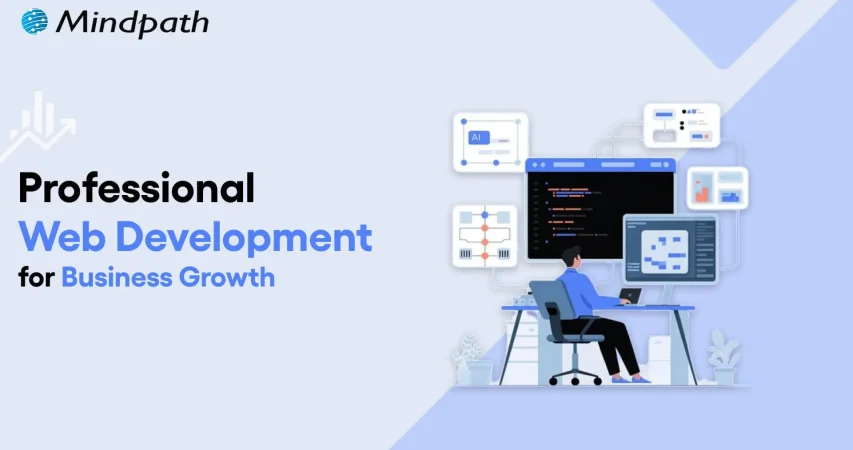
Professional website development is not just an option for businesses. It has become a strategic necessity without which businesses may struggle in the prevailing digital age. It is a must for business entities that wish to grow and thrive in the online space. A website that has been developed by professionals acts as the cornerstone of the digital presence of businesses in the highly competitive business world.

Such a website can unlock diverse, varying growth opportunities in the form of better market reach and improved customer engagement. It is high time to select the top professional web development services since these solutions can increase the credibility and accessibility of your brand significantly.

Struggling to turn your website into a powerful tool for business growth? Mindpath’s professional web development services can help you build a high-performing, user-friendly website that drives results.

An Insight into Professional Web Development Solutions

Professional web development services can provide businesses with cutting-edge and customized website solutions that are designed to enhance user experience and security. They even contribute to enhanced search engine optimization. Such services prioritize mobile compatibility along with intuitive navigation to meet the needs of current-day users. The demand for professional web development solutions has been scaling to unimaginable heights lately.

Top Benefits of Using Professional Web Development Solutions

Modern business undertakings can derive a plethora of benefits by relying on professional website development services. You need to be aware of these benefits so that you can leverage these solutions in order to unlock business growth.

1. Expanded Market Reach and Visibility

Businesses need to bear in mind that professional web development incorporates technical SEO best practices as part of a well-defined web development roadmap. These practices can ensure that your website ranks higher on search engines and becomes easily discoverable by potential customers. A reliable professional web developer knows how to break geographical barriers by creating a mobile-optimized and responsive design that caters to a major part of the web traffic. So you must surely consider seeking professional help so that the reach of your website can be extended across different platforms and device types. Furthermore, multi-platform integration can allow seamless presence across various digital touchpoints. It will help your business widen its audience base in an effective manner.

2. Better Customer Engagement

It is advisable for businesses to choose professionals who have expertise as well as experience in website development. This is because they know that user engagement and experience matter a lot for businesses. They focus on elements that can impact the level of engagement for online visitors, like intuitive navigation. These elements can serve as a catalyst and boost the level of engagement for online visitors.

Moreover, they can even motivate them in order to spend additional time on the site while exploring the offerings of the business. Professional web designers know that strategically placed call-to-action buttons can guide visitors toward desired actions, which can help boost leads as well as create new sales opportunities.​ An experienced and qualified professional website designer can certainly help your business gain an edge in the market by developing a well-functioning and highly engaging website.

Want to accelerate business growth with a more efficient development process? Discover web development tools that empower professional teams to build secure, scalable, and high performing websites.

3. Boosted SEO and Higher Conversion Rates

Professional developers and designers are capable of writing SEO-friendly code. They can implement the design practices that are aligned with the latest search engine algorithms. These steps can serve as a catalyst and enhance the visibility of your website in the online setting.

Businesses must remember that it leads to more qualified traffic directed to their site. It can thus increase the likelihood of converting visitors into customers of your business. The optimization of site speed, as well as mobile experience, can further support better search rankings. They can help reduce bounce rates, which directly impact the bottom line of business entities.

4. Scalability and Customization

A website that has been professionally developed is built with scalability in mind. This mindset allows the website to grow alongside your business. With the help of custom website development services, your website can incorporate tailored features that meet your specific needs and clearly differentiate your business from competitors.

A business must make use of top website development services, as they provide advanced functionalities in diverse areas such as e-commerce and content management. Such adaptability is key, as it can help save costs and time in the long run through the prevention of the need for frequent migrations or redesigns.

5. Enhanced Security

Today is the age of cyber threats. In such times, businesses need to develop websites that are safe and secure in nature. This is when professional web development comes into the picture, with a strong focus on web application security. These experts can make sure that the security dimension of your business website is non-negotiable.

These service providers are capable of implementing robust security protocols and tools such as HTTP encryption so that cybercriminals and online attackers will have no chance to target your business website. You need to choose professional web designing and development services as they can safeguard your business as well as customer data in an effective manner. This feature can play a key role in driving business growth.

Looking to unlock sustainable growth with a stronger digital foundation? Discover how partnering with a professional web development company can help you build scalable and high performing solutions.

6. Higher Trust and Credibility

The website of a business entity often forms the first impression in the mind of potential customers. A sleek and modern design, combined with clear security features like SSL certificates, signals to visitors that your business is trustworthy as well as professional in nature. This credibility has the potential to encourage customers to engage more confidently with your brand.

This feature can ultimately support sustained growth for your business. Businesses from diverse industries and sectors need to remember that trust is critical while developing the business website. Customers will be encouraged to visit and revisit a website if they think that it is trustworthy.

7. 24/7 Online Presence and Competitive Edge

Physical stores are bounded by working hours. However, that is not the case when it comes to a business website. A professional website has to operate around the clock so that visitors will be able to navigate the site in a seamless manner and make inquiries and sales at any time. For every business, web development is a must in the prevailing times, as most businesses now have a web presence. The ongoing availability is crucial in order to maintain competitiveness in the dynamic and volatile business arena.

In the case of smaller or newer businesses, being accessible online is extremely important in the strategic sense. This is because it can enable them to compete on a larger scale and operate in an efficient manner in the competitive space.​ If you want your business to gain a competitive edge in the volatile market setting, it is very important to choose a credible and professional web development service provider.

Curious how emerging technologies are reshaping professional websites? Check out the latest web development trends and discover what drives performance, security, and scalability.

Want a Website That Drives Growth and Outperforms Competitors?

In the highly competitive market scenario, top professional web designing solutions are the ultimate need for businesses. These services can act as a source of competitive advantage for your business. Some of the main advantages of top professional web development solutions are better market reach and visibility, along with enhanced customer engagement.

At Mindpath, we provide professional web development services that can definitely give a competitive edge to your business instantly. Our professionals know how to deliver tailored and advanced websites that are aligned with the vision of brands. If you wish your business to gain an edge over your competitors, you certainly need to strengthen your business website immediately. Step ahead and partner with a credible professional web development service provider like Mindpath to have a robust business website.


Support Is One Click Away

Featured Posts

Related Post

Legacy application modernization

There is need to make radical decisions in order to grow in 2026. Legacy application modernization now sits at the center of every CEO agenda. You are witnessing increasing prices, delayed launches, and systems to block innovation. So, what will you change first? Technology influences the degree, pace and consumer confidence. Consequently, leaders need to think radically about fundamental systems with expediency and conviction.

Nonetheless, the process of modernization is not a fast upgrade. It involves vision, alignment and good implementation. You would need to relate business objectives with contemporary architecture and cloud preparedness. Delay decreases the benefits as competition increases. Clearly, smart CEOs are early adopters and change agents. This blog discusses real-life tactics that help organizations grow in a scalable manner. So, keep reading further!

Want to turn legacy applications into a driver of growth and innovation? Mindpath provides legacy modernization services that help organizations modernize systems and unlock new business opportunities.

Why is Understanding Legacy Application Modernization Strategies Important?

Leaders must understand the right approach before investing in legacy application modernization. An effective plan will minimize risk, cost management, and adjust the technology to business objectives. It makes more intelligent choices, prevents interference, and long-term value. Modernization attempts to accelerate growth but lack guidelines; they tend to slack growth rather than improve it.

The world of business today is a busy environment where it is the speed and flexibility that determine the success of a business. Knowing the strategy behind legacy app modernization helps teams prioritize upgrades, strengthen security, and support innovation. It develops a blueprint to scalable systems, improved customer experience and a sustainable digital growth in competitive markets.

Key Strategies for Legacy Application Modernization

Powerful growth requires a definite course of action. Legacy application modernization strategies help businesses upgrade systems with less risk and better results. A narrow strategy makes the technology work in line with long-term objectives and innovation.

1. Refactor or Rearchitect

This is a method that re-architectures an application. Teams subdivide large systems into small and flexible services. It enhances scalability and is available with AI and real-time data tools. Many legacy modernization strategies recommend this for business-critical platforms. It drives true Legacy system transformation.

2. Rehost

Rehosting relocated applications in the cloud without altering code. It lowers data center expenditure within a short time. Companies achieve improved infrastructure and scalability. Although it does not fix deep design issues, it supports early legacy application modernization goals. It puts the systems into readiness to be improved in the future.

3. Retire

Retiring eliminates non-value-adding applications. Most organizations continue to incur the expense of unused or duplicated systems. Their closure saves on licensing and maintenance. This simple step strengthens application modernization plans. It liberates funds on high impact innovation projects.

4. Replatform

Replatforming transfers applications to the cloud with minor enhancements. Managed cloud services could replace self-managed databases in teams. This enhances performance and saves on operation. It balances cost and benefit during modernization of legacy applications. It eliminates chances of complete reconstructions.

5. Repurchase

Repurchasing involves substituting custom systems with cloud based SaaS products. Companies shift to subscription services run by reliable suppliers. This eliminates internal pressure of maintenance. It guarantees the availability of frequent updates and security patches. It supports faster legacy modernization decisions.

6. Relocate

Relocation takes virtual machines into the cloud without adjustment. It is efficient when implementing data centers of a large scale. Businesses are consistent and fast during migration. This method supports infrastructure goals in legacy application modernization programs. It keeps disruption low.

7. Retain

Retaining is maintaining the application in the existing environment. This is selected when systems continue to provide high returns to companies. It enables IT teams to work on more important upgrades. Not all systems are in need of urgent transformation. Smart legacy application modernization planning includes selective retention.

Want to ensure your modernization efforts follow a clear and structured path? Explore the legacy modernization roadmap to guide every step of your transformation journey.

Steps to Build an Effective Legacy Application Modernization Roadmap

A roadmap makes complicated upgrades into systematic improvement. The correct plan will help make sure legacy app modernization initiatives remain business-focused, budget-wise, and long-term.

Steps to Build an Effective Legacy Application Modernization Roadmap 

1. Evaluate Your Current Applications

Begin by taking a thorough analysis of your current systems. Quality of check codes, performance problems, integrations and infrastructure to identify the latent risks and areas of improvement.

2. Define Clear Business Objectives

Connect the leadership and stakeholders to the importance of modernization. Establish quantifiable objectives to ensure teams know priorities, expected results and schedules prior to technical change.

3. Select the Right Modernization Approach

Select a strategy that suits the business, e.g. rehosting, refactoring or rebuilding. The right choice reduces risk and supports long term legacy application modernization success.

4. Prioritize and Test with a Pilot

Divide the plan into achievable stages. Begin with high impact modules and put a proof of concept to confirm performance, security and scalability enhancements.

5. Execute in Controlled Phases

Move changes in steps so that there is no disruption. A structured rollout ensures stable operations and measurable value throughout the legacy application modernization journey.

Want to understand how updating legacy systems can boost business performance? Discover the benefits of modernizing legacy systems to achieve efficiency and scalable growth.

Ready to Lead Growth with a Clear Modernization Strategy?

Legacy application modernization offers CEOs the freedom to scale comfortably. It lowers the risk, enhances security and optimizes performance of the system. More significantly, it makes technology consistent with long term business objectives. The first mover companies are faster, more nimble and more trusted by their customers. An obvious guide transforms complicated systems into development drivers.

Mindpath is a reputed legacy modernization company who provide legacy modernization services that assists businesses in modernizing key systems in a clear and accurate manner. Our professionals evaluate, develop, and implement policies that facilitate creativity and business prowess. We put emphasis on quantifiable outcomes and value creation. Through Mindpath Legacy modernization services, companies create safe and scalable platforms that can support future developments.

FAQs

1. Why should CEOs prioritize Legacy application modernization in 2026?

Legacy application modernization helps CEOs reduce operational risk and unlock faster innovation. Modern systems support better decision making, improved security, and stronger customer experiences. In competitive markets, outdated platforms slow growth. A clear modernization strategy ensures technology actively drives revenue, efficiency, and long term business stability.

2. How long does a modernization initiative typically take?

Timelines depend on system complexity, business goals, and chosen strategy. Some upgrades take a few months, while large transformations may extend longer. A phased roadmap reduces disruption and delivers value early. Clear planning, executive alignment, and expert guidance help maintain speed and control.

3. What risks should businesses consider before modernization?

Companies should evaluate integration gaps, data migration challenges, security exposure, and internal skill readiness. Poor planning may lead to cost overruns or operational delays. Strong governance, stakeholder alignment, and measurable milestones reduce uncertainty. A structured roadmap ensures smoother execution and predictable outcomes.

4. How do microservices improve scalability in modernization projects?

Microservices break large systems into smaller, independent components. Teams can scale each service based on demand without affecting the entire platform. This structure improves deployment speed, fault isolation, and performance optimization. It also supports cloud environments and advanced integrations such as AI driven analytics tools.

5. How can Mindpath’s legacy modernization services support technical transformation?

Mindpath’s legacy modernization services provide structured assessments, architecture redesign, and cloud migration expertise. Their team builds scalable systems aligned with business objectives. As a trusted technology partner, Mindpath ensures secure execution, phased rollouts, and measurable performance gains across complex enterprise environments.

ai coding tools

Software teams now face growing pressure to deliver reliable applications within shorter development cycles. AI coding tools help developers write code, solve issues, test features, and manage repetitive tasks. They support faster decisions while allowing teams to focus on complex product requirements and customer expectations.

Key Takeaways

  • 01
    AI coding tools speed development by handling repetitive coding and testing tasks.  
  • 02
    Context-aware assistants improve code suggestions across files, repositories, and workflows.  
  • 03
    AI supports earlier detection of security, performance, and logic issues.  
  • 04
    Businesses should match AI tools with security needs and workflows.  
  • 05
    Human review ensures AI-generated code remains accurate, secure, and reliable.  

Choosing the best AI coding tools requires more than comparing autocomplete features or popular platforms. Teams must assess code quality, security, workflow compatibility, and development goals before adopting them. The right solution can improve productivity while keeping developers responsible for every important decision. In this blog, we will focus on best AI coding tools. So, let’s keep reading further in detail!

Ready to transform your AI ideas into real business outcomes? At MindPath, we offer AI Development Services that help you develop and deploy custom AI applications.

What are AI Coding Tools?

AI coding tools are software applications powered by artificial intelligence, often built on large language models. They help developers write, edit, debug, and test code more efficiently. These tools understand prompts and programming context, which reduces manual effort and improves overall development speed while maintaining structured and readable code output.

These tools change the developer role from writing every line of code manually to guiding and reviewing AI generated suggestions. They improve productivity by handling repetitive tasks and accelerating development workflows. Both beginners and experienced programmers use them to build applications faster while maintaining control over logic, structure, and final output.

Core Capabilities at a Glance

  • Code Generation: Creates functions, scripts, and interfaces from clear instructions.
  • Inline Auto-Completion: Predicts code and suggests relevant next lines instantly.
  • Refactoring and Optimization: Improves code structure, performance, readability, and maintainability.
  • Debugging and Explaining: Finds errors, suggests fixes, and explains complex code logic.
  • Security Scanning: Detects vulnerabilities and compliance concerns before deployment.

How Do AI Coding Assistants Work?

AI coding tools for enterprise use language models to understand code and developer requests. They support faster development while fitting into established engineering workflows.

1. Training and Architecture

AI coding assistants learn from large code datasets using transformer-based language models. They understand programming syntax, logic, common patterns, and code translation across languages.

2. Context Gathering

The tool analyzes open files, selected code, project structure, and diagnostic messages. Advanced tools can also use approved documentation, project wikis, and relevant technical resources.

3. IDE Integration

AI assistants connect with code editors through extensions and development protocols. They provide inline suggestions and chat support for coding, debugging, and code explanations.

4. Advanced Agentic Execution

Modern AI coding tools can plan tasks and complete multiple development actions. They can create files, run tests, fix errors, and improve legacy code with developer oversight.

What Benefits Do Businesses Gain from AI Coding Tools?

AI code generation services help businesses improve development efficiency across everyday engineering tasks. They support faster delivery, better quality control, and stronger use of technical resources.

1. Stronger Code Quality

AI helps developers detect security risks, performance issues, and logic gaps early. Teams can address these concerns before they affect production applications.

2. Better Use of Development Resources

AI handles repetitive coding patterns and reduces time spent on manual tasks. Businesses can lower operational effort and allow teams to focus on higher-value projects.

3. Faster Team Onboarding

AI explains complex code and supports developers working with legacy applications. New team members can understand project structures and contribute more quickly.

4. More Efficient Testing

AI automates unit testing and supports smoother CI/CD workflows across development pipelines. It helps teams identify issues earlier and reduce deployment-related mistakes.

5. Quicker Software Delivery

AI generates boilerplate code, scripts, and common functions within seconds. Developers can review and customize the output instead of writing every component manually.

What are the Best AI Coding Tools in 2026?

Choosing the right AI coding assistant depends on your team’s workflows, security needs, and project complexity. The best AI coding agents support coding, testing, debugging, and collaboration without disrupting existing development practices.

1. Claude Code

A command-line AI coding assistant that helps developers understand, modify, and maintain software projects using natural language instructions.

claude code

Ideal for:

  • Backend developers: Work with large codebases directly from the terminal.
  • Engineering teams: Review, refactor, and maintain complex applications more efficiently.

Core Capabilities:

  • Terminal-based workflow: Operates directly from the command line.
  • Codebase understanding: Analyzes repositories to answer development questions.
  • Code editing: Modifies files based on natural language requests.
  • Git integration: Helps review changes and work with Git repositories.
  • Debugging assistance: Identifies issues and suggests possible fixes.
  • Test support: Helps create and update tests while making code changes.

2. ChatGPT

An AI assistant that helps developers with coding, debugging, technical explanations, planning, and software design across multiple programming languages.

Chatgpt

Ideal for:

  • Developers: Solve coding problems, debug issues, and learn new technologies.
  • Software teams: Brainstorm architectures, generate documentation, and improve development workflows.

Core Capabilities:

  • Code generation: Writes code from natural language instructions.
  • Debugging support: Identifies errors and suggests possible fixes.
  • Code explanation: Explains code, algorithms, and technical concepts.
  • Documentation creation: Generates technical documentation and comments.
  • Architecture planning: Assists with system design and software planning.
  • Multi-language support: Supports a wide range of programming languages and frameworks.

3. GitHub Copilot

An AI coding assistant that provides real-time code suggestions, explanations, and development support directly within supported IDEs.

GitHub Copilot

Ideal for:

  • Developers: Write code faster with intelligent autocomplete and code generation.
  • Software teams: Improve productivity through AI-assisted coding and documentation.

Core Capabilities:

  • Inline code completion: Suggests code as you type in supported editors.
  • Copilot Chat: Answers coding questions and explains code within the IDE.
  • Code generation: Creates functions, classes, and boilerplate from prompts.
  • Code explanations: Explains unfamiliar or existing code in natural language.
  • Test generation: Assists with creating unit tests for application code.
  • Pull request support: Helps summarize and review code changes.

4. Cursor

An AI-native code editor that embeds intelligent assistance directly into your development workflow, helping you write, edit, and ship code faster.

Cursor

Ideal for:

  • Developers and engineering teams: Ship features faster across large, complex codebases
  • Beginners and designers: Turn ideas and mockups into working code with AI guidance

Core Capabilities:

  • Multi-file composer: Edits all relevant files in one go.
  • Agent mode: Autonomously plans, edits, and tests changes.
  • Tab autocomplete: Predicts and suggests full code blocks instantly.
  • Project rules: Enforce your conventions across every session.
  • Visual context: Turns UI screenshots into working interface code.
  • Live docs and web: Pulls in real-time framework and security references.

5. Windsurf

An AI-powered development environment that combines code generation, editing, planning, and debugging into a unified workflow through its Cascade AI agent.

Windsurf

Ideal for:

  • Software developers: Build, refactor, and debug applications using AI-assisted workflows.
  • Engineering teams: Collaborate on larger projects with AI support across multiple files.

Core Capabilities:

  • Cascade AI agent: Plans, edits, and executes coding tasks across multiple files.
  • Multi-file editing: Updates related files together while maintaining project context.
  • Terminal integration: Runs commands and understands terminal output within the workflow.
  • Codebase awareness: Uses the entire project as context for more relevant suggestions.
  • Context-aware chat: Answers development questions based on the active codebase.
  • Integrated debugging: Helps identify issues and suggest fixes during development.

6. Replit

A browser-based development platform that combines coding, AI assistance, collaboration, and deployment in one environment.

Replit

Ideal for:

  • Developers: Build and deploy applications without local setup.
  • Students and startups: Quickly prototype and launch software projects.

Core Capabilities:

  • Browser-based IDE: Develop applications entirely in the cloud.
  • AI coding assistant: Generates, explains, and edits code from prompts.
  • Real-time collaboration: Multiple users can work in the same project.
  • Instant deployment: Publish applications directly from the platform.
  • Multi-language support: Develop projects using numerous programming languages.
  • Integrated hosting: Run and manage applications from one workspace.

7. Qodo

An AI-powered code quality platform focused on testing, reviewing, and improving software reliability throughout development.

qodo

Ideal for:

  • Software developers: Improve code quality with AI-assisted testing and reviews.
  • Engineering teams: Maintain reliable codebases through automated quality checks.

Core Capabilities:

  • AI code reviews: Reviews pull requests and suggests improvements.
  • Test generation: Creates unit tests for existing code.
  • Code analysis: Identifies potential issues and quality concerns.
  • IDE integration: Works alongside developers during coding.
  • Pull request assistance: Helps review and validate code changes.
  • Repository awareness: Uses project context to improve recommendations.

8. Amazon Q Developer

An AI assistant for software development that helps developers build, modernize, and operate applications, especially within AWS environments.

Amazon Q Developer

Ideal for:

  • AWS developers: Build and maintain cloud applications more efficiently.
  • Enterprise teams: Modernize applications and automate development tasks.

Core Capabilities:

  • Code generation: Creates code from natural language prompts.
  • AWS expertise: Assists with AWS services and cloud development.
  • Code transformation: Helps modernize existing applications.
  • Security scanning: Detects security issues in application code.
  • IDE integration: Provides AI assistance inside supported development tools.
  • Documentation support: Generates explanations and technical documentation.

9. Tabnine

An AI coding assistant that delivers private, context-aware code completions with options for secure enterprise deployment.

Tabnine

Ideal for:

  • Professional developers: Speed up coding with personalized AI suggestions.
  • Security-focused organizations: Use AI coding assistance with private deployment options.

Core Capabilities:

  • AI code completion: Suggests context-aware code as developers type.
  • Private deployment: Supports self-hosted enterprise environments.
  • Team customization: Learns from organization-specific code patterns.
  • IDE compatibility: Integrates with popular development environments.
  • Natural language generation: Generates code from written instructions.
  • Privacy controls: Offers configuration options for enterprise security needs.

10. v0 by Vercel

An AI-powered interface generation tool that creates React-based user interfaces from natural language prompts.

Ideal for:

  • Frontend developers: Generate UI components more quickly.
  • Product designers: Turn interface ideas into working frontend code.

Core Capabilities:

  • UI generation: Creates React components from text prompts.
  • Design iteration: Refines interfaces through conversational editing.
  • Framework support: Generates components compatible with modern frontend frameworks.
  • Responsive layouts: Produce mobile-friendly interface structures.
  • Code export: Allows generated code to be used in existing projects.
  • Component customization: Updates layouts and styling through prompts.


Look at the table below to get a clear understanding of the best AI coding agents: 

AI Coding Tool  Primary Focus  Best For  Core Strength  What Makes It Different  Development Environment 
Cursor  AI-first code editing  Full-stack developers  Multi-file AI editing  Built as an AI-native editor  Desktop IDE 
Windsurf  Autonomous AI development  Large engineering teams  Cascade AI agent  Plans and executes coding tasks  Desktop IDE 
GitHub Copilot  AI pair programming  Everyday software development  Inline code completion  Deep GitHub integration  IDE extensions 
Claude Code  Terminal-based coding  Backend & DevOps teams  Repository-wide reasoning  Works directly from the CLI  Command line 
Replit  Cloud app development  Students & startups  Build and deploy in browser  No local setup required  Browser-based IDE 
Qodo  Code quality & testing  Engineering teams  AI code reviews  Focuses on testing over code generation  IDE & Git repositories 
Amazon Q Developer  AWS development  Cloud engineers  AWS-aware coding assistance  Built specifically for AWS workflows  AWS & IDEs 
Tabnine  Secure code completion  Enterprise organizations  Private AI suggestions  Self-hosted deployment available  IDE extensions 
v0 by Vercel  Frontend UI generation  Frontend developers  Prompt-to-React components  Creates production-ready UI code  Browser 
ChatGPT  General AI coding assistant  Developers of all levels  Coding, debugging & planning  Broad programming knowledge across languages  Web, desktop & IDE integrations 

How to Integrate AI Into Development Workflow?

Businesses can introduce AI into development workflows in a structured way to improve productivity without compromising code quality or control.

1. Choose Tools That Fit Your Workflow

Select AI coding tools that work smoothly with your IDE, repositories, and development processes. Use different tools for coding, planning, testing, and documentation when required.

2. Divide Work Into Clear Tasks

Give AI small, specific tasks instead of asking it to build entire applications. Clear instructions and relevant context help teams receive more accurate results.

3. Use AI Across Development Stages

Apply best AI coding agents during planning, coding, testing, documentation, and code reviews. This approach helps teams improve consistency and reduce delays across the development lifecycle.

4. Keep Developers in Control

Developers should review, test, and validate every AI-generated output before deployment. Teams must also protect sensitive data and follow security rules when using AI tools.

Ready to Strengthen Your Development Process With AI?

AI coding tools can improve development speed, testing, code quality, and team productivity when businesses implement them with a clear strategy. The right AI development service helps organizations adopt secure, scalable solutions that support their existing systems, workflows, and long-term software goals.

Mindpath helps businesses plan, build, and integrate AI-powered solutions for modern software development. Our experienced team understands your requirements, identifies practical opportunities, and develops solutions that deliver measurable value. Contact Mindpath today to discuss your AI development needs and explore the right approach for your business.

Frequently Asked Questions

AI readiness checklist

Artificial intelligence has heralded the beginning of a new era, the one of swift digital transformation with AI. The equation of AI and digital transformation has attracted the attention of businesses in almost every sector. As a matter of fact, adopting AI for digital transformation is no longer considered a luxury but a necessity. However, many business leaders feel that their organization is not ready for AI.

As artificial intelligence changes the course of digital transformation in the next few years, you cannot sit on the sidelines. Business leaders have to identify the best practices for integrating AI in their existing systems and workflows to solve real problems and create sustainable value. Let us discover a checklist to find out whether your business is “AI-ready”.

AI can revolutionize your business, but it requires the right guidance and support. Mindpath’s AI development services are designed to turn your challenges into opportunities and help you build future-ready solutions.

Why is AI Readiness Important in 2025?

No other technology trend has had a disruptive impact like artificial intelligence. The growth in demand for AI-driven digital transformation is not just an aftermath of the hype around AI. As a matter of fact, artificial intelligence has been responsible for inducing fundamental changes in the global business landscape. You can come across some of the common use cases of AI in every industry, such as automation of repetitive tasks and offering customer data analytics. 

Business owners must find the ideal solutions to harness the transformative power of AI unless they want to risk falling behind their competitors. On top of it, they must also understand that AI transformation is not just about adding new software to their workflow. It is important to acknowledge that adopting AI implies a paradigm shift in how an organization operates, competes in the market, and fosters innovation.  

Anyone cannot just introduce AI in their business and expect it to work like magic without preparing a strong foundation. The journey of AI-powered transformation of a business requires a holistic approach that blends technology with data, people, processes, governance, and strategy. When your business fulfills all the criteria of AI readiness, you can tap into the full potential of artificial intelligence.  

Why Do You Need an AI Checklist for Your Business?

The advantages of AI for businesses offer a credible set of reasons to embrace AI adoption right away. On the other hand, adopting AI directly without preparation can lead to poor implementation and wasted resources. At this point in time, you must know the answer to “What is an AI readiness checklist?” and how the checklist can help you with AI adoption. The readiness checklist can work as a manual for preparation to welcome AI into your organization. 

Business owners need the artificial intelligence readiness checklist to make smarter decisions for integrating AI in their operations and systems. Most importantly, the checklist can help in addressing most of the implementation challenges, such as resistance from teams. 

Important Points in Artificial Intelligence Readiness Checklist

The checklist to measure the AI readiness of your business might vary from source to source. However, the best AI readiness checklist is one that covers the essential facets that you must consider before embracing AI. You can use the following checklist for the critical evaluation of the preparedness of your business for artificial intelligence. 

1. Availability of Centralized and Clean Data

Data is the lifeblood of AI, and without quality data, artificial intelligence is helpless. You may have multiple artificial intelligence business ideas and still fail due to the lack of data. What is the significance of centralized and clean data? Centralization of data ensures that it is not scattered across different systems. Clean data is also essential for AI adoption as it ensures freedom from inconsistencies, duplicates, and errors in the data. 

Assume an example of an e-commerce company that wants to use AI for offering personalized product recommendations. With the browsing data, demographic information and purchase history of customers spread across different databases, the company cannot use AI to build accurate customer profiles. The same outcome is expected in cases where the data contains inaccuracies or errors. Therefore, you must check whether you have a centralized data warehouse and clean data before adopting AI.

2. Alignment of AI Use Cases and Business Goals

Businesses cannot just adopt AI without any purpose unless they want to waste resources. The AI readiness checklist for businesses also focuses on identifying clear AI use cases that directly address specific business problems. On top of it, the use cases should align with the broader strategic goals of your business. The use cases of AI in business may bring opportunities such as improving customer service, enhancing product recommendations, and automating internal communications. 

You can think of an example of a manufacturing plant that uses AI for predictive maintenance to reduce operational costs and machinery downtime. The manufacturing plant uses AI for a specific application to achieve its overall strategic goal of enhancing operational efficiency. 

3. Perception of AI by Teams in an Organization

One of the common misconceptions about AI is that it will replace humans from many jobs. On the contrary, businesses must show that AI will empower teams in an organization with diverse functionalities. Most of the guides on how to prepare for digital transformation with AI emphasize redesigning workflows where AI adds the most value for teams. If the teams in your organization perceive AI as a threat to their roles, then you might encounter trouble in AI adoption.

The best way to ensure that teams understand how AI fits into their workflows requires mapping the current process. Business leaders must recognize repetitive and data-intensive tasks that can be augmented or automated with AI. You have to make employees believe that AI is their partner to tap into the best of artificial intelligence.

4. Commitment of Leadership to AI-powered Innovation

Does your business leadership want to promote innovation with AI? The answer to such questions is crucial for business transformation using AI, as leadership plays a major role in successful AI adoption. Business leaders set the tone for AI integration initiatives and provide the strategic direction alongside access to essential resources.

Active participation of leaders in championing AI initiatives showcases the significance of AI to every member in the organization. For instance, if the CEO publicly endorses an AI-powered project and allocates a dedicated budget to the project, then they show their commitment to AI. As a result, more employees will buy into the projec,t and leaders can avoid potential roadblocks.       

5. Support for Cloud Solutions in the Technical Infrastructure

Business owners must also know that AI systems require significant amounts of computational power and data storage. Therefore, cloud-based solutions have emerged as the most beneficial components in the technical infrastructure of modern AI systems. The ideal checklist for AI-powered business transformation will ask you to prepare a robust technology infrastructure that supports cloud-based solutions.  

Let us assume that a business wants to use AI for analyzing large volumes of transaction data for fraud detection. The business owner must choose scalable cloud infrastructure like Google Cloud, Azure, or AWS that offers the flexibility and power to handle the humongous collection of transaction data. 

6. Attention to Data Privacy and Compliance Protocols

The dependency of AI on data calls for unconditional attention to the concerns of data privacy and compliance. You can guide your business through strategic AI adoption only with robust data privacy and compliance protocols. Some of the notable protocols that businesses should not ignore are GDPR and HIPAA. The primary purpose of these protocols is to ensure ethical data management and mitigation of legal risks. 

You can notice that healthcare providers using AI are the best examples of why data privacy and compliance protocols are important. For example, a healthcare institution using AI for patient diagnosis should follow strict patient data privacy rules. Protocols for secure data storage and data anonymization can safeguard sensitive information and earn the trust of users.

7. Accessibility of Ideal AI Tools and Technology Partners

The successful implementation of AI in your business operations and workflows depends a lot on the selection of the right AI tools and strategic partners. Businesses can improve their readiness for AI and automation with custom-built solutions or off-the-shelf AI platforms. Some leaders may also opt for collaborations with AI consulting firms or development services to integrate AI in their business.

What would a small e-commerce business do while implementing AI-powered personalized recommendations? A pre-built solution with AI features might be the best answer. On the other hand, a larger organization should collaborate with an AI development company to create custom solutions aligned with business requirements and goals.

8. Support for Experimentation and Agile Innovation

AI adoption is not a one-time process, as many business owners might have believed. Adopting AI in your processes and systems requires an iterative approach and calls for continuous learning and improvement. As a business leader, your digital transformation roadmap for AI must emphasize experimentation and agile methods. You must be comfortable with learning from failures and adapting your strategies according to emerging requirements.

Consider the example of a software development company that aims to use AI for optimizing code generation. The company can rely on experiments and agile approaches to test different AI models and collect feedback. Subsequently, the company can repeat the process to create more refined AI solutions.        

9. Clear Metrics to Evaluate AI Outcomes

Without the KPIs or Key Performance Indicators for your AI projects, you will be shooting in the dark. Business owners can measure the value of AI for their organization only with KPIs that will also guide improvements in their AI adoption strategy. The metrics for your AI projects must align with your business goals.

If you want to use an AI chatbot for customer service, then the KPIs will focus on the number of escalated tickets or an increase in customer satisfaction scores. A clear definition of KPIs helps businesses determine the effectiveness of AI and make data-driven decisions for improvement.

10. Willingness of Staff to Learn AI Skills

The success of your AI initiatives also depends significantly on the dedication of the workforce to learn AI skills. You cannot think about preparing your business for AI integration without resistance from employees. Therefore, you must foster a culture of continuous learning and upskilling to encourage employees to learn how to work with AI tools. 

Business owners must design special training programs to help their employees understand how to use AI-powered platforms and solutions. With a proactive approach to AI training and upskilling, your organization can harness the full power of the human element in your AI initiatives.

11. Realistic Expectations for AI Budget

The budget of a business for AI initiatives also plays a crucial role in determining the success of the initiatives. As a business owner, you must set some realistic expectations for the budget of AI projects. It will ensure that your AI project does not get derailed due to a lack of funds. 

The budget for AI adoption must include the initial development and licensing costs as well as the cost of ongoing maintenance, training, and data infrastructure. In addition, you should also pay attention to the costs of data acquisition and integration with existing systems.

12. Opportunities for Cross-Functional Collaboration

The scope of AI projects will include multiple departments, thereby calling for cross-functional collaboration. The best practices for future-proofing business with AI require business owners to understand how cross-functional collaboration can offer diverse perspectives on AI projects. 

You can promote cross-functional collaboration by developing a set of shared goals and creating open communication channels between relevant departments. Cross-functional collaboration offers a more holistic approach to AI integration while addressing the needs of every stakeholder.

13. Pilot or Prototype for AI Use Cases

Running a pilot project before full-scale deployment can help you save a lot of resources. The pilot use case or prototype for AI projects helps in testing and refining AI systems within controlled environments. For instance, you might use an AI-powered fraud detection system on a subset of transactions for the pilot use case.

The pilot use cases or prototype help in identifying potential issues, especially in the areas of model accuracy and data quality. On top of it, a successful pilot project will improve your confidence and offer valuable insights about AI systems before large-scale deployment.

14. Continuous Improvement with Feedback Loops

AI models have to go through dynamic changes as they learn from new data. Therefore, businesses must have frameworks for continuous monitoring and refining the models. Business leaders must implement feedback loops that allow AI systems to learn and evolve with time. 

The best example of continuous improvement with feedback loops is an AI-powered customer service chatbot. For instance, the chatbot can analyze user interactions, identify its weaknesses, and give that information to the model for retraining. As a result, the AI will not only provide effective answers but also adapt to new conditions and data.

15. Long-Term Roadmap for AI Adoption

The search for answers to “How can AI drive digital transformation in business?” will help you understand that AI adoption is a long-term journey. Businesses must have a long-term AI adoption roadmap to follow a strategic plan to expand their AI initiatives. The AI adoption roadmap will also guide business owners for deeper integration of AI in their business. 

The adoption roadmap must include an outline of future AI projects, planned updates, ongoing training requirements, and necessary infrastructure upgrades. With a clear roadmap, your business can follow the best strategic direction for AI investments and ensure sustained growth.

Ready to Turn Your AI Readiness Into Real Business Results?

The AI readiness checklist shows the most important things you must keep in mind while embracing AI in your business. As the popularity of artificial intelligence gains momentum, every business wants to measure its preparedness for AI. Mindpath is one of the prominent emerging leaders in end-to-end AI solution development for businesses across all industries. 

We have become the best choice for end-to-end AI development services due to our ability to articulate client requirements into tangible solutions. Our experts pay attention to client requirements, such as scalability, data privacy, and cost transparency, to help them embrace AI seamlessly in all business processes. Consult with our experts to find out the best path for integrating AI in your business systems, processes, or workflows now.

Frequently Asked Questions

1. How do you know if your business is actually ready for AI, or just thinks it is?

Readiness goes beyond having the budget or the enthusiasm. It comes down to whether your data is clean, your teams are aligned, and your goals are specific. Many businesses skip these fundamentals and struggle later when implementation begins.

2. What is an AI readiness checklist and does every business really need one?

An AI readiness checklist is essentially a structured way to evaluate whether your operations, data, people, and infrastructure can support AI adoption. Without it, businesses tend to rush in without a foundation, which leads to wasted resources and failed projects.

3. Can small businesses benefit from AI transformation, or is it mostly for large enterprises?

Absolutely, small businesses can benefit just as much. Pre-built AI tools make entry-level adoption very accessible today. Starting small with one specific use case, like customer support or inventory management, often delivers quicker results than large-scale rollouts.

4. What usually goes wrong when a company tries to adopt AI without proper preparation?

The most common problems are poor data quality, resistance from employees, and unclear goals. Teams that were never consulted during planning tend to push back hard. Without defined KPIs, there is also no way to measure whether the AI is actually working.

5. How long does it realistically take for a business to see results after adopting AI?

It depends heavily on the complexity of the use case and how prepared the organization was before starting. A focused pilot project can show measurable results within a few months, while broader transformation across departments typically takes a year or more to fully stabilize.