Home

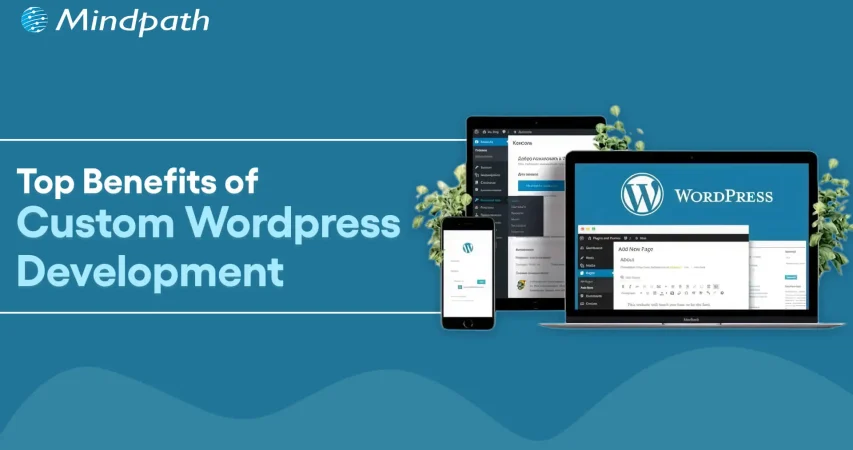
Benefits of Custom WordPress Development for Your Website

Benefits of Custom WordPress Development for Your Website

Join our Newsletter!

Custom Wordpress development

A website truly reflects your business motive and what it offers to its targeted audiences. Without a proper website, your organization can’t stand in this massive digital world. However, if you think your website is just to highlight your business, then you are misguided. As per a statistic of Stanford University, around 75% users judge the credibility of a business through their website design. So, for your long-term success, you must adopt a well-optimized website. 

This is where custom WordPress development serves uniqueness. Being the most popular software for creating websites, it powers over 43% of the internet. (Source: Click) Instead of limiting your vision to a similar theme, custom development accesses your site to be curated from the core. 

Ready to turn your website into a powerful business asset? Mindpath offers expert WordPress development services to create scalable and high-performance solutions built for your business growth.

What is Custom WordPress Development?

Custom WordPress development is the practice of building tailor-made websites, bespoke themes, and custom plugins from scratch, using WordPress as the foundation. Unlike relying on pre-existing themes that hundreds of other sites use, a custom website is architected specifically to align with your unique business workflows, design needs, and system integrations. This means every element, from backend frameworks to front-end features, is precisely crafted around your preferences, requirements, and values.

  • Pre-existing themes might be convenient for many users as they are a bit affordable. However, they come with certain risks of flexibility and generic layout. 
  • On the other hand, a custom WordPress website leverages creative freedom. You can develop your own layouts and include features that suit your interests.

How Adopting Custom WordPress Development Services Can Be Beneficial for Your Business?

Let us go through some major benefits that you can discover by choosing the custom WordPress development services. 

1. Seamless and Faster Development

You don’t require a backend in WordPress website development. Unlike traditional website creation, where every element is generated individually, WordPress sites allow you to choose a framework as per your business requirements and preferences. This enables you to quickly develop your site. With rapid development, you can also save your time and resources. 

2. Custom Theme Creation

In custom WordPress development, you can’t only transform the tagline but also change the overall appearance and functionality of your site. You can decide the changes as per the growing demand of your business. You can transform all such things by shifting the color palette, layout design, and widgets. Moreover, WordPress delivers a wide range of layouts that support multiple levels of business objectives. 

3. User-Friendly Web Designs

Ease of use is another significant factor that makes businesses prefer custom WordPress development services. It offers intuitive and straightforward operations. So, you don’t require any coding expertise to operate your business site effectively. The availability of multiple customizable plugins and themes can help you create a business site that meets your business expectations widely. 

4. Adopt Scalability

Getting a WordPress website developer can assist you in scaling your website as your company scales. You can also discover flexibility with custom WordPress development as per the dynamic nature of your company. So, be it an e-commerce or an advanced site, WordPress can help you effortlessly scale without compromising on quality. This offers you the benefit of staying relevant in such a digital era. 

5. Wonderful Designs

A pleasing, satisfying design can help your site attract prominent prospects while making your website look more professional. So, with the help of WordPress custom website design, you can easily enhance its reach while making its user interface valuable. Moreover, it puts a valuable first impression while converting your visitors into loyal customers. 

6. Social Media Handle Integrations

This is one such major value of a custom WordPress development, where your site can adopt social media implementation into your feed. This feature allows you to highlight your social accounts on your site. The valuable addition of the accounts can help you attract a larger number of visitors to your page without utilizing several media handles for your organization. 

7. Long-Term Support and Maintenance

One such overlooked advantage of a WordPress custom website is the seamless partnership and assistance you leverage. With the evolving nature of your business, your team can integrate new features and redesign without initiating it from scratch. This ensures quick integration and minimal downtime.

Looking to make your custom WordPress site usable for everyone? Explore our guide on web accessibility guidelines to learn practical ways to enhance your WordPress site and improve user experience.

What are Some Common Misconceptions People Have Regarding Custom WordPress Development?

WordPress comes with a series of features that remain unmatched. Further, a WordPress website developer can help you design a site that truly reflects your authenticity. However, there are some misconceptions that people have regarding this platform, as follows. 

1. Security Lapses

Many people consider that plugin incorporation can give rise to security threats in WordPress. However, the platform is extremely secure. Further, the platform has started investing in security releases. 

2. The Platform Is Solely for Blogs

WordPress generally powers around half of all the sites available on the internet. So, it has much more to offer beyond serving only as a blogging platform. 

3. Limited Support

This is another piece of misinformation that is spreading over the market. For your information, WordPress has a dedicated and active community of contributors who introduce new features and themes. Moreover, this community offers significant help to user challenges and fixes bugs rigorously. 

Concerned about security risks in custom WordPress development? Check out our blog on safeguarding common WordPress vulnerabilities to understand how to prevent attacks and data loss.

Who Should Opt for Custom WordPress Development Services?

A WordPress custom website is not only for tech influencers and huge corporations. It can be a smart strategy for many businesses that want to strengthen their online presence. Custom development delivers flexibility while keeping you aware of long-term values. 

1. Small Businesses

It is essential for a small business to stand out in a competitive market. So, a template website might make you go live quickly, but it doesn’t reflect any professionalism or significance. So, you should stay true to the business goals that can help you build trust while maximizing the conversion rate. 

With custom WordPress development, you can get a real and purpose-efficient site that matches your customers’ expectations. Accordingly, local SEO efforts can be included directly into your site structure. Most importantly, you can avoid the risks of basic themes along with other features.

2. E-commerce Businesses

E-commerce websites always come with complex requirements, starting from product page handling to up-to-date inventory management. So, a pre-existing layout can’t offer your customers a seamless shopping experience. But custom WordPress development can eliminate such issues with the right solutions. 

You can customize your checkout strategies and customer experience for better conversion. Further, you can integrate your site with other necessary tools. 

3. Startups

Startups always require scalability and agility. So, with your audience growth and offering shift, your website should be ready to evolve. Here, it is essential to get a flexible backend that gives you access for easy scaling and feature additions. In order to do that, you can build a site that highlights credibility and innovations. 

4. Content-oriented Platforms

Media brands, agencies, and bloggers mostly prefer publishing bulk content while handling their consistency and site performance. This is where a WordPress website developer can be your ultimate help. You can design a secure workflow that excels your editorial practices. 

Looking to get the most out of custom WordPress development for your website? Explore our guide to hire a WordPress developer and ensure your site is built for performance, security, and scalability.

Conclusion

Your site is generally the foremost impression users have of your brand. So, it shouldn’t be ordinary at all. In today’s quick digital world, where user experience, speed, and site design decide the conversions, custom WordPress development is a necessity. So, by hiring a WordPress developer and  prioritizing a custom WordPress site, you can discover a platform that understands your business terms and goals. 

If you are ready to proceed towards the next step of building a site that fuels results, it’s time for you to partner with experts who breathe WordPress. Mindpath specializes in excellent custom WordPress site development services and ultimate support. Starting from custom functionality to precise optimization, it ensures your website is up to the mark.


Need a More Flexible WordPress Site?

Build WordPress around your unique business needs.

Frequently Asked Questions

Custom WordPress development delivers unique designs, better performance, enhanced security, and tailored functionality, helping businesses create websites that align with their brand and long-term goals.
Yes. Custom WordPress websites use optimized code, faster loading speeds, and flexible SEO configurations, helping improve search engine rankings and overall user experience.
Yes. Custom WordPress development allows businesses to add new features, integrations, and functionalities without rebuilding the website, making future growth more efficient.
Custom-built websites reduce reliance on unnecessary plugins and generic code, allowing developers to implement stronger security measures tailored to your business requirements.
Custom WordPress development is ideal for startups, growing businesses, eCommerce stores, and enterprises seeking a scalable, high-performing website with unique branding and advanced functionality.

Support Is One Click Away

Featured Posts

Related Post

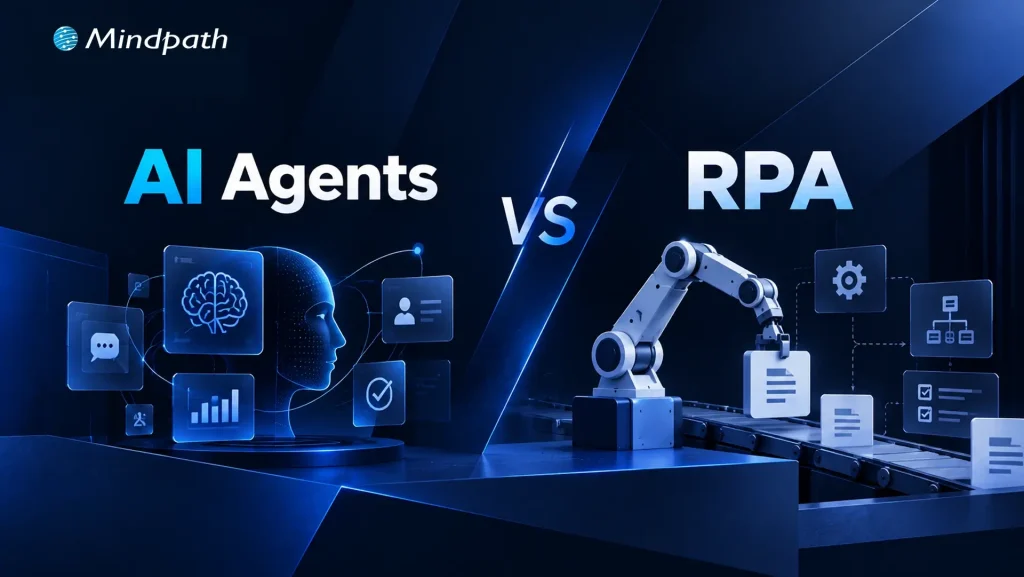
AI Agents vs RPA

Choosing between AI agents vs RPA is becoming a practical automation decision for businesses. RPA remains effective for predictable, rule-driven workflows, while AI agents can handle tasks that require context, interpretation, and changing inputs. The right approach depends on how the process operates and what the automation needs to accomplish.

Key Takeaways

  • 01
    RPA suits stable, repetitive workflows with clear rules and predictable outcomes.
  • 02
    AI agents handle dynamic processes requiring context, interpretation, and decision-making.
  • 03
    Process stability, data quality, security, and integration needs influence automation choices.
  • 04
    RPA and AI agents can complement each other within a broader automation strategy.
  • 05
    Automation success depends on measurable business outcomes, proper governance, and ongoing maintenance.

A workflow with fixed rules may benefit from structured automation, while a process involving multiple systems, exceptions, or judgment may need a more adaptive approach. Understanding these differences helps teams avoid automating the wrong process with the wrong technology. In this blog, we compare AI agents and RPA to help businesses identify the right fit for different automation needs.

Ready to build smarter business automation? Mindpath offers AI Development Services to help businesses build scalable AI-powered automation solutions.

What are AI Agents?

AI agents are software systems designed to achieve specific goals by understanding information, making decisions, and taking actions. They can work across multiple steps, use connected tools, and adjust their actions based on context instead of following one fixed workflow.

For businesses exploring AI automation, agents can support processes that involve unstructured data, changing conditions, and decisions. They are useful when a task requires the system to understand what is happening and determine the next appropriate action.

1. Interpret Natural Language and Unstructured Information

2. Make Context-Based Decisions Within Defined Boundaries

3. Work Across Multiple Applications and Tools

4. Adapt Actions When Process Conditions Change

5. Support Research, Customer Service, Analysis, and Workflow Orchestration

What is RPA?

RPA, or Robotic Process Automation, uses predefined rules and workflows to automate repetitive digital tasks. It follows configured instructions to interact with software applications, move information, and complete routine operations consistently without requiring the reasoning capabilities associated with AI agents.

RPA works particularly well for structured processes where inputs, actions, and expected outcomes are predictable. In the AI agents vs RPA discussion, RPA remains relevant for high-volume tasks that follow stable rules and require reliable execution.

1. Follow Predefined Rules and Workflows

2. Automate Repetitive, Structured Tasks

3. Transfer Data Between Business Applications

4. Execute High-Volume Processes Consistently

5. Support Tasks Such as Data Entry, Invoice Processing, Reporting, and Record Updates

AI Agents vs RPA: Key Differences

AI agents and RPA can both automate business processes, but they approach automation differently. The key differences become clearer when you look at how each technology handles decisions, data, process changes, and execution.

1. Decision-Making

RPA follows predefined rules, while AI agents can interpret context and determine the next action.

2. Process Flexibility

RPA works best with stable workflows, while AI agents can handle greater process variation.

3. Data Handling

RPA is suited to structured data, while AI agents can work with documents, conversations, and other unstructured information.

4. Task Execution

RPA repeats configured actions, while AI agents can coordinate multiple steps toward a defined goal.

5. Human Involvement

RPA typically escalates predefined exceptions, while AI agents may require human oversight for complex or high-impact decisions.

6. Maintenance

RPA workflows need rule updates, while AI agent systems require monitoring of models, prompts, tools, and policies.

The following comparison highlights the practical differences between RPA vs AI across common business automation requirements:

Comparison Factor RPA AI Agents
How it works Executes predefined rules and step-by-step workflows Understands a goal, evaluates context, and determines actions
Decision-making Executes actions based on predefined rules and conditions. Makes context-based decisions within defined boundaries
Type of work Repetitive, predictable, rule-based tasks Dynamic, multi-step, judgment-based tasks
Data handled Structured data such as forms, fields, and spreadsheets Structured and unstructured data such as documents, emails, and conversations
Response to changes Requires workflow or rule changes Can adapt its actions based on changing context
Task complexity Best for individual or clearly defined workflows Can coordinate multiple tasks toward a broader goal
System interaction Performs configured actions in specific applications Can use multiple tools, APIs, databases, and applications
Typical example Copying invoice data into an accounting system Reviewing an invoice, identifying an issue, checking related records, and deciding the next workflow
Human oversight Mainly required when predefined exceptions occur Often required for approvals, sensitive actions, or uncertain decisions
Best suited for Stable processes with clear rules and predictable outcomes Processes requiring interpretation, adaptability, and contextual decision-making

Where RPA and AI Agents Fit Best?

The right automation approach depends on the nature of the process. RPA is well suited to workflows that follow consistent steps and produce predictable outcomes. AI agents are better suited to processes where information changes, exceptions occur, or actions depend on context.

RPA works well for: 

1. RPA Works Well for Repetitive Tasks With Clearly Defined Steps

2. RPA Works Well for Structured Data Entry and Transfer

3. RPA Works Well for Recurring Reporting and Record Updates

4. RPA Works Well for Rule-Based Invoice and Document Processing

5. RPA Works Well for High-Volume Workflows With Predictable Outcomes

AI agents work well for: 

1. AI Agents Work Well for Processes Involving Unstructured Information

2. AI Agents Work Well for Tasks Requiring Interpretation and Contextual Decisions

3. AI Agents Work Well for Workflows With Frequent Changes or Exceptions

4. AI Agents Work Well for Multi-Step Processes Involving Different Tools and Systems

5. AI Agents Work Well for Research, Analysis, Customer Interactions, and Task Coordination

This distinction helps businesses build intelligent automation around actual process requirements instead of applying the same technology to every workflow. Stable and predictable tasks can remain rule-driven, while more dynamic processes can use AI agents where adaptability and contextual decision-making add value.

Business Value of AI Agents and RPA

Automation should be evaluated by the business value it creates, not simply by the number of tasks it can perform. RPA can reduce manual effort in repetitive workflows, improve process consistency, and handle high transaction volumes. AI agents can extend automation into processes that require interpretation, coordination, and contextual decisions.

The value also depends on the process being automated. RPA can deliver measurable efficiency when workflows are stable and rules are clear. AI agents can support productivity in more variable processes by handling information, coordinating tasks, and assisting employees with decision-heavy work. In the AI agents vs RPA comparison, factors such as implementation effort, maintenance, scalability, error handling, and oversight should all be considered.

1. Operational Efficiency

Automate repetitive work and reduce manual processing time.

2. Error Reduction

Apply consistent processes and reduce avoidable manual mistakes.

3. Employee Productivity

Free teams to focus on higher-value activities.

4. Scalability

Handle increasing workloads without proportionally increasing manual effort.

5. Cost Management

Evaluate automation costs against process volume, complexity, and maintenance needs.

6. Process Consistency

Standardize routine activities across teams and business functions.

What to Consider Before Choosing an Automation Approach?

Choosing an automation technology starts with understanding the process itself. A workflow may look suitable for automation but still require significant preparation before implementation. Process stability, data quality, system dependencies, and the level of human judgment involved can all affect the right approach.

Businesses should also consider how the automation will be governed after deployment. Access permissions, data security, auditability, human oversight, and ongoing maintenance become increasingly important as automation takes on more complex responsibilities.

1. Process Stability

Determine whether the workflow follows consistent steps or changes frequently.

2. Data Quality

Check whether the required data is accurate, accessible, and structured appropriately.

3. Integration Complexity

Identify the applications, APIs, databases, and legacy systems involved.

4. Security

Define what information the automation can access and which actions it can perform.

5. Governance

Establish permissions, approval controls, monitoring, and audit trails.

6. Human Oversight

Decide which actions require review or approval before execution.

7. Maintenance

Plan for workflow updates, system changes, performance monitoring, and exception handling.

Which Automation Approach Fits Your Business Best?

RPA works well for stable, repetitive workflows governed by clear rules, while AI agents are suited to dynamic processes that require context, interpretation, and decision-making. The right choice depends on process complexity, data, risk, and desired outcomes. In many cases, combining both can create a practical and scalable automation strategy.

Mindpath helps businesses identify suitable automation opportunities and build AI-powered workflows aligned with their operational goals. Our AI development services cover AI agents, data engineering, RAG, model fine-tuning, and related capabilities needed to move from automation planning to production.

React state management

React has no doubt changed the way modern web applications are created. This library has become beneficial for many high-profile companies in making their web applications efficient and user-centric. Because of its features like UI elements and component-based architecture, it handles updates effortlessly. As per the trends, React usage has significantly increased, with around 100,000 new websites for better interfaces. But if the complexities of your app grow over time, it might be challenging for you to manage the state.

Key Takeaways

  • 01
    React state management helps developers manage, share, and update dynamic data across React applications.
  • 02
    React state can be global, local, derived, or server state, depending on how and where the data is used.
  • 03
    Built-in tools such as useState and useReducer can handle many local and complex state management requirements.
  • 04
    External libraries such as Redux can help manage complex global state requirements in larger React applications.
  • 05
    Keeping state simple, splitting it logically, managing side effects, and using debugging tools can improve maintainability and scalability.

So, in this blog, we will go through an in-depth analysis of React state management. No matter if you are a beginner dealing with the struggles of uplifting your state or an experienced developer who is curious about Context API, this guide includes everything for your reference.

Want a faster, smarter web app that boosts your business? At Mindpath, we offer expert ReactJS development services to build high-performance, scalable apps tailored to your needs.

What Does ReactJS State Interprets?

A state is an essential object present in React that involves significant data related to a component. It prominently represents the components that might change with time because of some critical events. Unlike props that pass down to child components from parents, the state remains mutable, and you can manage it within the component only.

ReactJS state is a crucial fundamental for giving rise to interactive React components while enabling seamless UI whenever your data changes or adopts certain updates. State is effectively used for conditionally rendering elements or to update form inputs. Further, it traces user interactions like inputs and clicks and stores API responses. Here, you can go through some key characteristics of the state.

1. Enables Re-renders

React is capable of re-rendering a component automatically when it sees changes in the state. This ensures your UI is in sync with the core data.

2. Local Scope

State is generally local to a component, but it can be easily shared with other components with the use of props.

3. Fixed Updates

It is necessary to update the state with the usage of dedicated methods like setState or the useState hook. State objects directly mutating can lead to unpredictable attributes and bugs.

Curious about the latest trends shaping React development and how they impact your projects? Explore our in-depth guide on ReactJS trends to stay ahead and make informed decisions.

The Core Difference between State and Props

Before we move forward with state management in React, it is necessary to understand how state differs from props.

  • Props are generally read-only values that pass down from parent to child components.
  • On the other hand, the state is managed within a component and can differ over time.

While props help in passing the data down the component tree, state manages the dynamic data. Moreover, issues arise when the state needs to be shared over multiple components. This leads developers to review how it manages and structures the state precisely.

What Does State Management in React Define?

State management in React refers to how the data or state is managed, shared, or updated in your React app. Further, state management ReactJS ensures that all the valuable components are in sync with the app’s state. This assures the developers of leveraging a seamless user experience.

  • You need state management to handle dynamic data and critical UI changes.
  • This is also valuable to share your data between the components.
  • It ensures the app’s maintainability and scalability.
  • Further, it simplifies the debugging and developmental approaches.
Looking for ways to optimize your React development workflow? Explore how leveraging ReactJS and AI can transform your frontend development in our detailed guide.

What are the Essential Types of ReactJS State?

Not all states available in a React application serve the same purpose. So, it is necessary for you to understand the type of ReactJS state to choose the right one for your management strategies. This will also help you prevent unnecessary complexities when your application grows.

1. Global State

It is shared over multiple components and highlights the data that needs to be accessed throughout the application. Some prominent examples include language preferences, user data, and much more. Further, handling the global state efficiently is viable for large-scale apps, as poor management can ruin your performance.

2. Local State

This state is famous among developers as it helps them manage UI-centric aspects. Moreover, this includes handling input values. You can discover its utmost potential by using React hooks. This keeps the components intact while keeping the handling seamless.

3. Derived State

This state management React is not stored directly, but you can calculate it from the existing state or props. While it minimizes duplication, overusing this state can give rise to severe risks. Further, it makes the debugging practices more challenging.

4. Server State

This state refers to data from external APIs like reports or dashboards. Unlike UI state, server state needs precise handling of loading states along with proper synchronization and caching.

What are Some of the Best Tools for React State Management?

React includes a series of native tools that can be the legit foundation for your app’s state management. Here, you can go through the list of eminent tools that major developers use.

1. UseState

UseState is the simplest way of state management in React. It is highly beneficial for straightforward use cases where data changes within a component locally. However, with the growth of your application, handling several UseState hooks through multiple components can be challenging for you.

2. UseReducer

useReducer can offer you a seamless structure when the state logic invites a series of complexities. It gives rise to a single source of truth and predictable state transitions. Further, your complex workflows can adopt quick and impactful debugging features. useReducer is exceptionally beneficial for multi-step processes, forms, and states that heavily depend on previous values.

External Libraries for Modern React State Management

With the scaling up of applications, developers usually turn to external libraries to handle complex state requirements more efficiently. So, out of all eminent options, Redux has turned out to be a beneficial choice as it handles global state in React apps. Apart from this, it offers a centralized store and predictable state updates. If you want to build large-scale applications, Redux can be a perfect match.

Developers in the recent scenario have shifted their interest towards adopting flexible solutions that can reduce risks while encouraging scalable features. So, some alternatives that you can prefer instead of Redux include state containers and hook-based global state solutions. However, picking the solution completely depends on your team’s experience and requirements.

Wondering how mastering React’s state management can impact your project’s growth? Exploring building scalable applications with React can provide the strategies and best practices you need.

Tips for Effective State Management in React

To be assured of seamless and valuable state management in ReactJS, you need to approach the process with the right elements. Some effective steps can help you achieve better growth while managing your state precisely.

1. Start Simple

Make sure to never over-architect your application. In fact, make sure to only store values that actually change over time in your React state. Further, your computed data should be calculated when required to avoid inefficiencies of duplication. Moreover, it can reduce the chances of inconsistent data.

2. Lift State Only When Required

You must lift the state to a common parent component only when multiple components need access to similar data.

3. Logically Split State

Instead of handling one large state object, make sure to divide the state into smaller pieces. This approach offers readability while making the updates more user-centric. Moreover, you can prevent your app from uncertain side effects.

Struggling to decide which framework to use for your next web application? Read this guide to explore how ReactJS for progressive web app development complements effective state management.

4. Maintain the Side Effects Effectively

It is useful to leverage hooks like useEffect only to maintain side effects such as API calls. So, segmenting the side effects from the state logic can assure you of clean and effective components.

5. Use Debugging Tools

To keep your React state management productive, you can leverage tools like React DevTools. This is how you can monitor and debug the changes when required.

What are Some Common Mistakes that a Developer Must Avoid in React State Management?

Experienced developers might commit some mistakes while doing React state management. For your reference, we have mentioned the major ones here.

  • Mutating the state directly instead of generating new copies.
  • Storing too much state globally.
  • Making your simple state logic heavily complex.
  • Ignoring essential performance implications.

So, being aware of such challenges can help your React applications to be extremely scalable while maintaining their performance for the user base.

Curious about how efficient ReactJS app development can improve your state management strategies? Read this in-depth guide on ReactJS app development to enhance your workflow.

Conclusion

React state management is considered to be the backbone of any successful React app. So, a thoughtful approach towards state management, React combined with the right tools, can help your app to be extremely scalable and enjoyable to work with. Organizations that want to create robust React solutions benefit from teams that understand how React works.

This is where you must prioritize partnership with experienced development partners like Mindpath. Here, the professionals can incorporate their technical aspects to keep your project unique. Further, you can customize your development process to suit your business goals.

Master state management in React with this in-depth guide. Learn about local state, global state, and third-party libraries.
full stack nodejs

Companies are now seeking scalable and robust applications, which can meet both years of functional performance and user expectations. That’s when full-stack Node.js development comes into play, uniting the power of frontend and backend within a single environment. It allows developers to build faster and smarter while creating applications to remain adaptable as the business continues to grow.

In this way, constructing end-to-end solutions is more fluid and intelligent. With cohesive databases, APIs, and user interfaces integrating and interfacing, developers can automate some of the hassle proactively. Understanding full-stack Node.js ultimately gives developers an advantage to think forward as technology grows and gives organizations tangible opportunities to grow with applications that perform and scale easily. So, let’s dive in to know how this expertise truly makes a difference.

Want to build an advanced application without compromising performance? At Mindpath, our full-stack development services will help you provide the best solutions, handling both front-end and back-end with efficiency.

Understanding the Fundamentals of Full-Stack Development

Full-stack development means developing on the front end and back end of a web application. The front end refers to all the things that the user responds to and interacts with, such as buttons, layouts, designs, etc. The back end refers to all of the things that run in the background, like databases, servers, etc., and all the logic that makes it run smoothly, working together.

A full-stack developer has the capability to deal with both sides. They are capable of building UX and the technology that serves the app. This gives them agile skills that allow them to build comprehensive applications entirely from front to back.

Understanding the Basics of Node.js

Node.js is a platform that allows you to run JavaScript code in a JavaScript runtime outside of the browser. It is built on Google’s V8 engine, which is extremely fast and built to be efficient. Node.js allows developers to write server-side applications using the same exact language as for the front end, making development and management easier and smoother.

An advantage of Node.js is that it operates asynchronously, which allows tasks to not have to wait for one another to complete, meaning that applications can handle multiple requests at once. Because of this, the use of full-stack Node.js is quickly becoming a good choice when building scalable, real-time, and modern applications.

The success of using Node.js in full-stack development depends on hiring the best developer. Discover the key Factors to Consider while Hiring Node.js Developers.

Why is Node.js Important for Full-Stack Development?

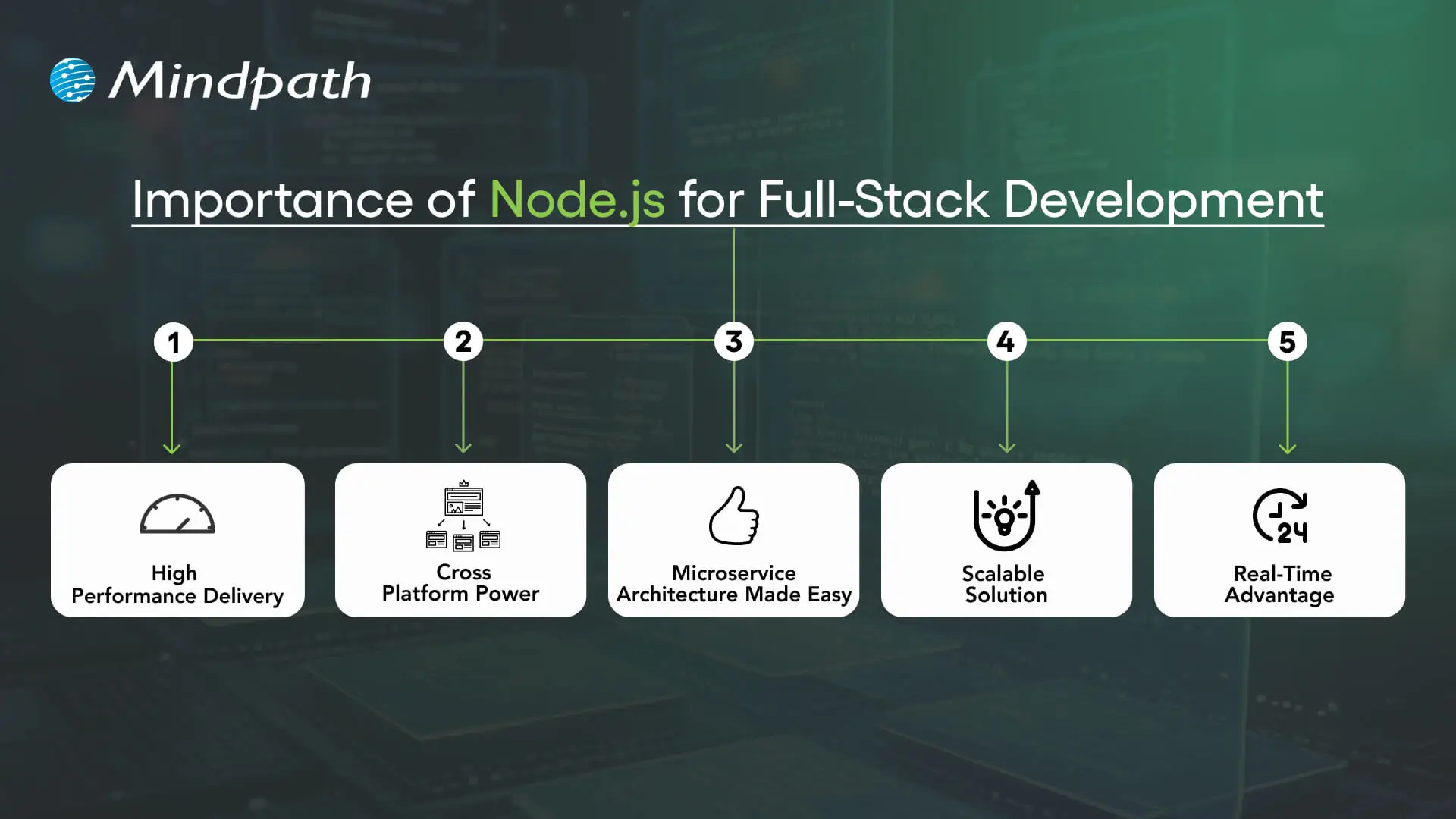
Utilizing Node.js full-stack technology is an impressive approach to developing a complete web application. Here are reasons that Node.js is a valuable technology option in the full-stack.

Importance of Node.js for Full-Stack Development

1. High Performance Delivery

Node.js utilizes a non-blocking I/O hardware model that can handle hundreds or even thousands of requests simultaneously, providing faster response times and greater user-specific.

2. Cross-Platform Power

With the Node.js full stack, developers can write mobile and desktop apps to run on Windows, macOS, Linux, and more. By relying on a single JavaScript code base, developers can save time and effort writing for multiple platforms.

3. Microservice Architecture Made Easy

Full-stack Node allows users to break one larger application down to multiple smaller independent services using infrastructure that is easier to work with. This approach lets developers build faster, stay flexible, and rely on proven solutions.

4. Scalable Solution

Full-stack Node.js is used by major players like Walmart, Uber, and Trello to handle millions of users. It helps to lower load time significantly, and it ensures your applications will scale seamlessly, as your demands increase.

5. Real-Time Advantage

When it comes to applications that leverage chat, live streaming, food delivery, or payments, Node.js full-stack is the way to go. It seamlessly provides real-time updates to keep the user engaged and connected.

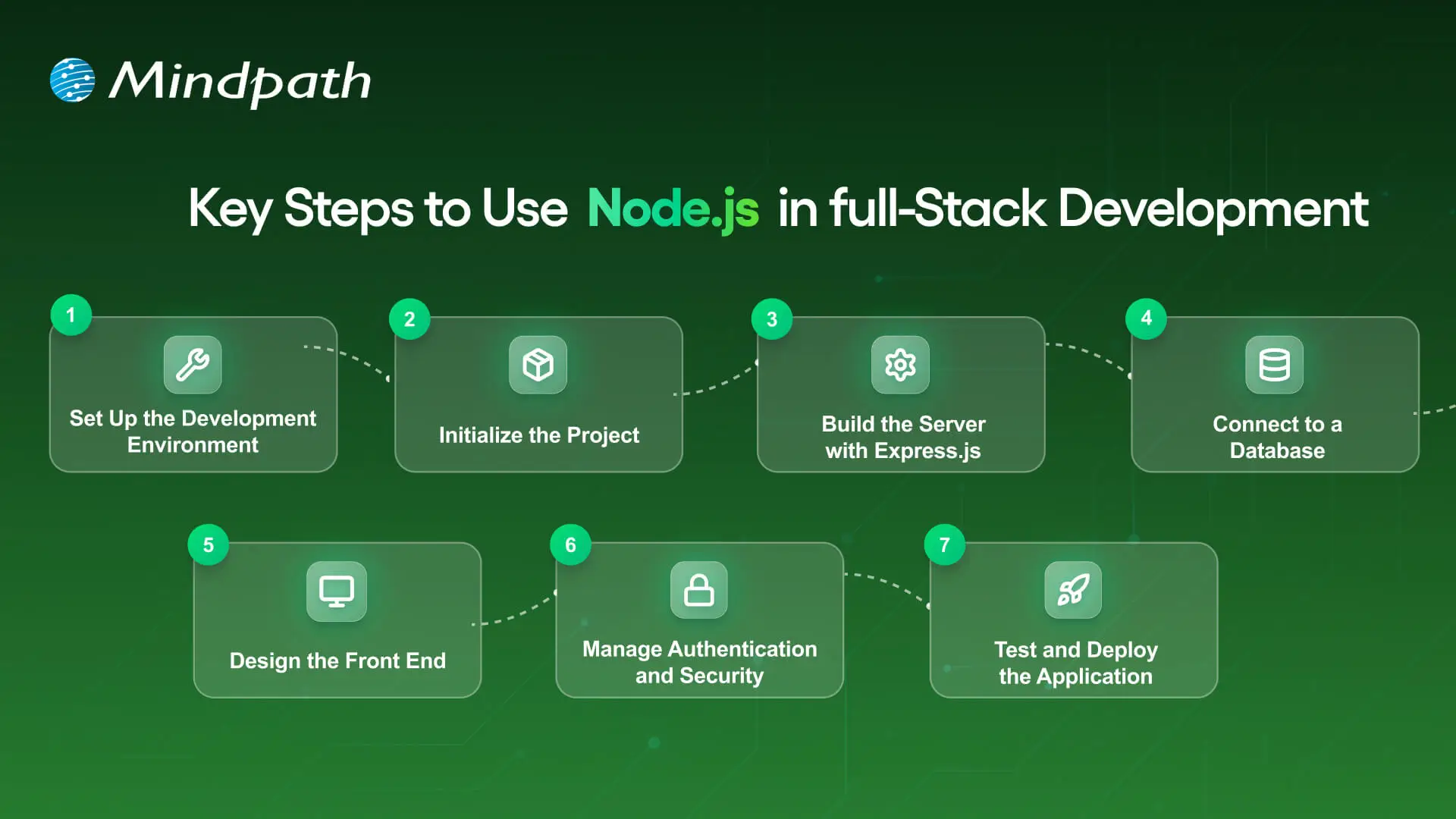
Key Steps to Use Node.js in Full-Stack Development

A full-stack Node.js developer is involved in both the front end and the back end of web application development and will work to build complete web applications. Below is a synopsis of the primary steps to utilize Node.js in full-stack development that is easy and productive.

Key Steps to Use nodejs in full stack development

1. Set Up the Development Environment

To begin your application-building experience, you will need to install Node.js and npm (Node Package Manager). These tools will allow you to execute JavaScript beyond the browser, and they will also help manage libraries with ease. Verify the setup by checking versions with simple commands in your terminal.

2. Initialize the Project

Make a new folder for your app, and use ‘npm init’ to create a ‘package.json’ file. A package.json file holds important information, such as your project name, dependencies, and scripts. It will serve as the basis for managing everything in your project.

3. Build the Server with Express.js

Install Express.js so you’ll be able to set up the backend server and handle all of the different routes. Express.js makes handling requests, responses and APIs supposedly easy. This step will ensure the backend runs appropriately with the frontend.

4. Connect to a Database

Based on your needs for this project, select a database like MongoDB or PostgreSQL. This should be paired with a Node.js library like Mongoose or Sequelize, which will allow you to connect to and perform both read and write operations on your data. At this point, you will have the ability for your application to persist and retrieve your data.

5. Design the Front-End

Build the front-end using a library such as React, Angular, or Vue. You can link the front-end through RESTful APIs or GraphQL to your Node.js back end. At this point, players will finish the bridge for a Full-stack Node.js application.

6. Manage Authentication and Security

Use libraries like Passport.js or JWT to add secure login and registration. Secure necessary paths so that any authorized user can get to those routes. You should always consider security in any Full-stack Node.js application.

7. Test and Deploy the Application

Create unit and integration tests to ensure that your application does what you intended. Deploy the application to cloud hosting solutions like Google Cloud, AWS, or Heroku. To utilize your Full-stack Node.js application’s performance tool on different scales, you should monitor its performance!

Looking to integrate AI in your Node.js projects? Explore our Ultimate Guide to Node.js Libraries for AI Integration to discover the most effective libraries for building smart, scalable, and future-ready applications.

Ready to Unlock the Power of Full-Stack Node.js?

Full-stack Node.js has proved to be a smart choice for building scalable, high-performing, and real-time applications. It unites front-end and back-end seamlessly, helping developers create complete solutions with speed and flexibility. With its ability to handle microservices, cross-platform apps, and real-time updates, it has become an essential technology for modern web development.

At Mindpath, we provide expert full-stack development services designed to match your business goals. Our skilled Node.js developers bring deep technical knowledge and practical experience to build secure, scalable, and user-friendly applications. If you are looking to transform your digital ideas into reality, hiring a Node.js expert from our team ensures growth and lasting impact.

Master full-stack development with Node.js! Its scalability, performance, and seamless frontend-backend integration.