
Latest Insights On
GenAI, Tech, and Digital Transformation
Stay updated with expert insights, success stories, and real-world applications of cutting-edge technology.
Top 10 Node.js Trends in 2024
1. AI in Node.js Development
AI is making a high impact in technology, and Node.js is no exception. Combining AI and Node.js empowers developers to build smart and efficient applications. For example, AI could help automate tasks to make your applications run smoothly and fast. You can use TensorFlow.js to bring AI capabilities natively into your Node.js applications. This could be a chat application where AI helps answer questions, or a website that uses AI to change content based on user behavior. In short, AI and Node.js are quite a powerful combination, and enable new use cases for more advanced, more highly automated applications.2. TypeScript Adoption
TypeScript is an advanced version of JavaScript, extending it with some extra features to make coding easier. It features classes and optional type checking, which has made it excellent at managing complex code. Many Node.js developers love TypeScript because it enables them to develop more reliable applications that can scale easily. TypeScript works very well with Node.js, offering improvements in code quality while reducing mistakes. Thus, it makes building and maintaining a project easy for the developer.3. Real-time Applications
Real-time applications are finding their way into many industries, from gaming to retail, due to the ability of their users to act in real time and be updated live. Node.js is an excellent choice for developing these apps since it enables a developer to handle several requests at a time with speed. As the global real-time communication market is projected to grow by 43.4% from 2020 to 2027, it is likely that more companies will turn their backs on Node.js to fulfill their real-time requirements. Real-time technologies, like social media and messaging applications, gain their importance from being so well accepted. For example, AI-powered chatbots can be integrated into websites and mobile applications for customized experiences and smoother interactions with users. Other typical Node.js uses in real-time applications include gaming online, video conferencing, instant messaging, e-commerce transactions, document sharing, and VoIP calls. A professional Node.js developer can help in the development of such complex applications, enhancing user experience, and meeting the growing demands for real-time features.4. Serverless Architecture Development
Serverless architecture is the modern pattern for building and running applications that do not require server management or infrastructure. You only pay for the computing time used, and you are freed from handling scaling and managing servers on your own. Big business names like Amazon, Google, and Microsoft propose tools that make it easier for developers to use this architecture. Node.js helps to take the lead in this tendency because it enables developers to easily write anywhere-run codes without the hassle of maintaining a server. One of the major reasons for the popularity of serverless architecture is that it speeds up time to deploy and simplifies scaling. You can put up an application within minutes, and scale to surging demand without additional resources or complex configuration changes. Basically, it lets developers focus on enhancing applications rather than managing infrastructure.5. Microservices
Microservices is a modern approach in designing software where it must be broken down into small, independent services, each handling a specific function. All these services are run independently and communicate through straightforward methods—for instance, HTTP APIs. Such design offers software development at a quicker and more flexible pace since each service is developed, tested, and updated independently. Node.js is very suitable for microservices, as it supports the creation of such small, efficient services. Nest and Express are tools for smoothing the handling of microservices with Node.js and thus help the developer to effectively construct and maintain applications. Other advantages of using microservices include faster development—which is now possible as different services can be developed by developers simultaneously, better reliability, and reduced costs by allowing to outsource complex features to the best experts. In general, combining microservices with Node.js yields an application which could be scalable, strong, and cheap.6. GraphQL Deployment in Node.js apps
GraphQL is a query language developed by Facebook in 2012 and published in 2015. It gives clients a much greater ability to reach databases more effectively, using a single endpoint rather than several and returning data in a single format. Such an approach helps clients to request exactly the data they need, thereby reducing excessive data transfer. Node.js contributes an important role to the GraphQL ecosystem by providing great support for a fast and scalable runtime environment for running GraphQL servers. Most developers use Node.js to build GraphQL APIs because it handles concurrent requests pretty well and has flawless integration with different GraphQL libraries, such as Apollo Server. This makes setting up and managing GraphQL servers easier.7. MEAN and MERN Stack
Due to the very ease of building powerful applications, MEAN and MERN stacks are very popular in web development. The MEAN stack constitutes MongoDB, Node.js, Express.js, and AngularJS. It is one of the most used cross-platform development tools for many startups and large companies, since it bundles all server-side and client-side development into one package. The MERN stack is the same, with React instead of AngularJS. MERN stands for MongoDB, Express.js, React, and Node.js. Both are easy and clear to use, making them great for any complex app. Companies like Netflix use the MERN stack to make their websites fast and user-friendly. Either way, you will be given a full set of perfectly fitted tools for web development, hence making it easier and quicker.8. Internet of Things (IoT)
The IoT is growing in terms of its deployment, with more devices connected to the internet, including home appliances, wearable technology, and health sensors. These devices can communicate and exchange data over the internet, making the system efficient and not necessarily in need of human intervention. IoT also includes innovations such as smart homes and smart cities, where devices endowed with sensors and actuators work together to provide unique functions and cooperate within the existing internet infrastructure. Node.js is suitable for IoT application development since it is light, speedy, and convenient. It’s equally popular among developers, so it will not be difficult to find professionals with experience in skillful operations.9. Cloud Computing
Cloud computing simply means the use of computer resources and data over the Internet without a personal investment in hardware or software. A movement away from traditional mainframe computing toward cloud-based services provides cost savings and efficiency by allowing users to log on to applications and files from anywhere. As more and more businesses are turning to cloud computing because of its cost-effectiveness and efficiency, Node.js is rapidly becoming one of the most preferred options in cloud solutions, like AWS Lambda and Azure Functions. Its lightweight nature and speed in execution make scaling an application easy and hassle-free. If you are developing new products or services, considering Node.js for your cloud projects can keep you flexible and efficient.10. DevOps
DevOps is a process aimed at increasing the level of interaction between software developers and IT operations teams. It concerns better communication, collaboration, and integration that makes the process of coding and deploying software faster and more efficient. By automating tasks like setting up infrastructure and deploying code, DevOps shortens the time from development to production. Node.js fits well in the DevOps environment since it supports scalable and cloud-based applications. Node.js has been developed in such a way that it would enable collaboration between different developers by allowing them to use the same JavaScript source code for server-side and client-side applications. This hence implies that using one language would allow developers to collaborate much more during the development process.Curious about the power of Node.js for your next project?
At Mindpath, we deliver cutting-edge solutions that propel your business forward with precision and speed.
Node.js Development Services at Mindpath
Mindpath designs powerful digital solutions using professional Node.js development services. With our vast experience, the team develops powerful, high-performance, scalable, and real-time applications that cater to your business. Here is the list of our services:
- Node.js Web App Development: We design and develop fast, lightweight web applications using Node.js.
- Node.js CMS Development: We create easy-to-use and manageable content management systems.
- Node.js API Development: Develop APIs that make different software systems operate flawlessly together.
- Node.js Consulting Services: Offer expert advice and aid you in maximizing the use of Node.js in your projects.
- Node.js Maintenance & Support: We support your applications on an ongoing basis to keep them up and running.
- Node.js Migration Services: We help migrate your existing applications over towards Node.js for enhanced performance.
Conclusion
Within the fast-moving digital world, Node.js is a force, a multi-purpose tool driving innovations in areas such as enhanced real-time communication, microservices that scale, and artificial intelligence integration. Remaining conversant with such trends will keep the developer at full power with Node.js in making state-of-the-art applications that can fulfill all requirements of the dynamic market today. Embracing them will not only ensure one is efficient in projects and ready for the future but also help stay ahead in a competitive tech environment.
At Mindpath, we are keen on putting the best Node.js trends into practice when developing digital solutions for our customers’ needs. High-performance, scalable, and real-time applications enable your business. We have years of experience and expertise in delivering web app development, API integration, cloud solutions, and other solutions that assure you, as our client, that our team is deeply committed to offering innovative and effective services in Node.js.
Wondering how Node.js can transform your digital strategy?
At Mindpath, our expertise in Node.js ensures scalable and innovative applications tailored to your needs.
Stuck between PHP and Node.js for your next project? The right choice shapes the success of your development journey. So, whether about speed, scalability, or a strong community to have at your back, understanding their strengths and differences will make a difference. In this blog, we will explore the key differences and strengths of these two technologies, so you can confidently choose the best fit for your needs and goals. Come! Let’s dive in!
Looking to build fast and high-performance web applications that drive business growth? At Mindpath, we offer Node.js development services, delivering secure and custom web applications tailored to your business needs.
Overview of Node.js
Node.js is a JavaScript runtime environment that helps users develop fast and scalable network applications. It has been designed to perform a lot of tasks all at once; hence, it is efficient, making it quite perfect for apps that deal with a lot of data processing quickly, like real-time apps working across different devices. Released in 2009, Node.js has risen to the very top of web development tools. It is a technology completely developed in JavaScript and, more notably, runs on many Linux-powered servers. With Node.js, you can build a wide range of applications.
Overview of PHP
PHP, or Hypertext Preprocessor, is a high-level open-source programming language used to develop server-side web applications. It was developed by Rasmus Lerdorf in 1994 and is famously known for running popular websites such as Wikipedia, Tumblr, and Facebook. PHP is a synchronous programming language which means it does only one thing at a time. On the server-side, PHP is run by an interpreter called Zend Engine, often used with web servers like Nginx and Apache.
During this process, the client-side waits for the server to finish executing the PHP script before continuing, as it doesn’t execute the next code line until the previous one is completed. PHP offers great flexibility, allowing easy integration of its code into HTML or HTML5. It also connects smoothly with various SQL databases such as MariaDB, MySQL, and PostgreSQL, making it a versatile choice for web development.
Benefits of Using Node.js
1. Fast
Node.js has gained huge popularity because it is built on Google Chrome’s V8 JavaScript Engine, which makes it super-fast. This is one of the fastest backend technologies as of today. This speed advantage allows you to create applications that are more responsive with a better user experience. It’s equally great for building real-time applications such as chatbots or gaming apps.
2. Scalable
Node.js allows you to make your applications highly scalable, and you can easily keep adding new features or functions to your application without the need to rewrite the whole code. Since Node.js is built on a non-blocking I/O model, dealing with multiple connections at the same time becomes quite easy. So, performance isn’t much of a hassle with Node.js, even with large numbers of users.
3. Large and Active Community
Being open source, Node.js has large and active developer communities in continuous improvement. This is important in the sense that you will easily find a need for help or support, and new libraries and frameworks for Node.js are continuously being developed.
4. Usability
Node.js is relatively user-friendly, especially for the developers familiar with JavaScript. That’s why many front-end developers nowadays learn Node.js to work with the backend because it’s easy to learn and use.
5. Reliable
Another great advantage of NodeJS is its reliability as NodeJS operates in a mode called “event-driven programming,” which makes the server capable of handling several requests all at once and error-free. As a result, one can be assured that your NodeJS application will be able to handle many users.
Benefits of PHP
1. Well-established
One of the big benefits of PHP is that it has stood for a long time and is well-established. Because of this, its community has many developers who constantly work to improve the language. As such, at any one time, one can easily find help or support; besides, there are always new tools and frameworks being created for PHP.
2. Efficient Performance
The most prominent reason behind the efficient performance of PHP is the opcode cache. This keeps the pre-compiled version of your code and avoids it from getting processed by PHP every time from scratch. This allows your apps to run faster and more efficiently. As a result, it provides better performance, reduces hosting costs, and gives users a smooth experience.
3. Easy to use
PHP is user-friendly, having an easy syntax that a fresher can learn quite easily. Many developers working on the front-end are now working on the backend of PHP also, because of its simplicity to work with.
4. Security
PHP has very tight security features that ensure your applications are protected. It has inbuilt protection against common threats like cross-site scripting and SQL injection attacks. Additionally, PHP supports a range of security extensions and libraries that enhance its ability to safeguard your application against various security vulnerabilities, ensuring a safer environment for your data and users.
5. Cost-Efficient
Another key advantage of PHP is its low cost. Because PHP is open source, one does not need to pay for licenses and support. It hence becomes quite cheap to operate with PHP, especially in small business settings and startups.
Node.js vs PHP: Comparison Table
| Feature | Node.js | PHP |
| Popularity | Gaining rapid popularity, especially for modern applications | Well-established, widely used for many websites |
| Performance | Extremely fast due to its efficient JavaScript engine | Generally efficient but not as fast as Node.js |
| Scalability | Excellent scalability with a non-blocking I/O model | Scalable but might require more effort for large applications |
| Community | Large and growing, with many new tools and frameworks | Large and established community |
| Ease of Use | User-friendly for those familiar with JavaScript | Simple syntax, but might be less intuitive for beginners |
| Real-Time Applications | Ideal for building real-time apps like chatbots and games | Less suited for real-time applications |
| Integration | Seamless integration with JavaScript throughout the stack | Often requires additional technologies for full stack JS |
Mindpath Node.js Development Services
At Mindpath, we specialize in creating high-performance and scalable solutions with Node.js. Our team of experienced developers is dedicated to delivering outstanding results by catering to your business needs. Be it the development of a new application or the enhancement of an existing one, our experts will help you get it right. Here’s a rundown of what our Node.js development services look like:
1. Node.js Web App Development:
Our developers create high-performance, scalable web applications using Node.js. We are committed to providing your digital appearance with an invulnerable add-on, optimized completely with the business goals, to create applications that will create a lasting impression.
2. Node.js CMS Development:
We develop custom-made content management systems to assist in the effective management of your content. Our CMS solutions are designed to simplify content management, providing you with an intuitive interface to handle all your content effortlessly.
3. Node.js API Development:
We create strong and powerful APIs that will enable other systems to be smoothly integrated. Our APIs are designed to enhance functionality and connectivity, ensuring smooth and reliable communication between different applications.
4. Node.js Consulting Services:
We assure you expert help in maximizing your business projects with Node.js potential. We provide strategic guidance and technical insights to optimize your Node.js applications, driving innovation and efficiency.
5. Node.js Maintenance & Support:
Our maintenance and support practice are continuous for on-the-go help. Our team is always ready to address any issues and provide continuous improvements, ensuring optimal performance and reliability.
6. Node.js Migration Services:
We will support you in the node .js migration of your existing applications for scalability and performance improvements. Our migration services are designed to minimize disruption and ensure a seamless transition to a more efficient and powerful platform.
Conclusion
In the debate between PHP and Node.js, each of these technologies has different advantages, targeted at other needs. The longevity and large community of PHP make it a reliable choice for most traditional web applications, while the modern architecture and speed of Node.js make it perfect for scalable, real-time applications.
As technology continues to unwind, Node.js is fast becoming the go-to technology for its performance and flexibility, especially in dynamic and data-intensive environments. At Mindpath, we use the full power of Node.js to deliver solutions that are cutting-edge and perfectly aligned with your business objectives. We make sure you leverage the strong points of Node.js by building applications that are fast, scalable, and reliable
A well-designed website helps businesses build credibility, engage visitors, and generate leads. WordPress offers the flexibility to create websites that match your brand identity, business goals, and customer expectations. With the right customization strategy, you can improve website functionality, user experience, search visibility, and conversions.
Key Takeaways
- 01
A custom WordPress website should align with business objectives and customer expectations. - 02
Choose a responsive theme and customize layouts to strengthen usability. - 03
Use plugins selectively and develop custom features when necessary. - 04
Combine technical SEO, useful content, and performance optimization to improve search visibility. - 05
Prioritize security, regular maintenance, and mobile usability.
This custom WordPress guide explains how to customize your WordPress website, choose the right tools, improve performance, and create a website that supports long-term business growth.
What Is Custom WordPress Website Development?
Custom WordPress website development involves modifying a WordPress website’s design, layout, features, and functionality to meet specific business requirements. It can include customizing an existing theme, developing a unique theme, integrating third-party tools, or building custom plugins.
For example, an e-commerce business may need advanced product filters, while a B2B company may require lead generation forms, service pages, and CRM integration.
Unlike a basic template-based website, a customized WordPress website can provide a more tailored experience for your target audience.
Want to strengthen your online presence with a custom WordPress website tailored to your business goals? Mindpath offers WordPress development services to help you build a unique, user-friendly website that stands out from the competition.
How to Customize a WordPress Website: Step-by-Step Guide
1. Choose the Right WordPress Theme
Your theme determines the website’s visual style and provides a foundation for its layout. Choose a responsive, lightweight theme that supports your business requirements.
Consider these factors when selecting a theme:
- Mobile responsiveness and accessibility.
- Design flexibility and customization options.
- Compatibility with essential plugins.
- Loading speed and ongoing support.
- Compatibility with your WordPress setup.
For more design control, block themes allow you to customize site layouts, templates, headers, and footers through the Site Editor.
2. Customize Your Website Design and Layout
Your website should reflect your brand through consistent colors, typography, imagery, and page layouts. Use the WordPress Site Editor or your theme’s customization options to modify supported design elements.
Focus on creating a clear homepage, easy-to-use navigation, well-structured service pages, and visible calls to action. Keep important information accessible so visitors can quickly understand your offerings.
A professional website design should prioritize usability rather than unnecessary visual effects.
3. Add Essential Plugins and Business Features
WordPress plugins help extend website functionality without requiring you to build every feature from scratch. Depending on your goals, you may need plugins for SEO, security, forms, analytics, caching, or e-commerce.
Before installing a plugin, check its maintenance history, compatibility, reviews, and performance impact. Avoid installing multiple plugins that perform the same task.
For advanced requirements, custom plugin development can provide business-specific functionality while keeping your website flexible.
4. Optimize Your Website for SEO
Search engine optimization helps search engines understand your content and helps potential customers discover your website.
Follow these essential WordPress SEO practices:
- Write unique, descriptive title tags and meta descriptions.
- Organize content using clear H1, H2, and H3 headings.
- Create descriptive URLs and relevant internal links.
- Optimize images with suitable file sizes and descriptive alt text.
- Maintain a logical site structure and submit an XML sitemap.
- Review indexing and search performance using Google Search Console.
For generative search visibility, provide direct answers to common questions, use accurate information, demonstrate relevant expertise, and structure content with meaningful headings and FAQs. These practices improve clarity for readers and AI systems, although they do not guarantee inclusion in AI-generated answers.
5. Improve Website Speed and Mobile Experience
Website performance affects how visitors interact with your business. Slow pages, layout shifts, and difficult mobile navigation can discourage users from exploring your services.
To improve performance, compress images, use caching where appropriate, reduce unnecessary scripts, and choose suitable hosting. Test key pages on mobile devices and monitor Core Web Vitals, including Largest Contentful Paint (LCP), Interaction to Next Paint (INP), and Cumulative Layout Shift (CLS).
A fast, responsive website makes it easier for visitors to browse content and complete important actions.
6. Strengthen Website Security and Maintenance
Security is essential for protecting business information and maintaining customer trust. Keep WordPress core, themes, and plugins updated. Use strong passwords, appropriate user permissions, regular backups, and reputable security tools.
For business-critical websites, consider staging environments to test major changes before publishing them. Schedule regular checks for broken links, outdated integrations, suspicious activity, and performance issues.
7. Add Conversion-Focused Features
A customized website should support measurable business outcomes, not just look attractive.
For lead generation, add clear calls to action, short contact forms, relevant case studies, testimonials, and service-specific landing pages. E-commerce websites may benefit from improved product pages, simplified checkout, and transparent shipping information.
Track form submissions, purchases, qualified leads, and other important events through analytics tools. Use this data to identify pages that attract visitors but fail to convert them.
Key Benefits of Custom WordPress Website Development
Custom WordPress development offers several business advantages:
- Brand consistency: Create a website aligned with your brand identity.
- Better user experience: Organize information around customer needs.
- Flexible functionality: Add features that support specific workflows.
- SEO opportunities: Improve site structure, content organization, and technical performance.
- Scalability: Extend the website as your products and services grow.
- Conversion optimization: Design user journeys around leads, sales, and other business goals.
The results depend on the quality of implementation, ongoing maintenance, and how effectively the website meets user needs.
Build a WordPress Website That Supports Your Business Goals
Your website should do more than establish an online presence. It should communicate your value, provide a smooth user experience, and turn relevant visitors into potential customers.
Mindpath can help you plan, customize, and optimize a WordPress website around your business requirements. Whether you need a website redesign, custom functionality, performance improvements, or conversion-focused development, a well-planned approach can help create a stronger digital foundation.
Technology is changing how businesses operate, serve customers, and compete in the digital marketplace. From artificial intelligence (AI) to cloud computing and cybersecurity, emerging tech trends are creating new opportunities for organizations to improve efficiency, reduce operational costs, and develop innovative products.
Key Takeaways
- 01
AI and generative AI are transforming software development, customer service, and business operations. - 02
Cloud computing provides scalable infrastructure for modern applications and AI workloads. - 03
Cybersecurity is essential for protecting business data and maintaining customer trust. - 04
IoT and predictive analytics help organizations make data-driven operational decisions. - 05
Low-code and no-code platforms can accelerate application development.
In 2026, businesses are moving beyond experimenting with new technologies toward integrating them into everyday operations. AI-powered development, intelligent automation, advanced data analytics, and secure digital infrastructure are becoming important parts of business strategy.
Understanding these tech trends helps organizations identify growth opportunities, make informed decisions, and prepare for future challenges. This guide explores the major technology trends shaping business innovation and explains how companies can use them effectively.
What Are Tech Trends?
Tech trends are emerging technologies, tools, and digital practices that influence how people and businesses work. They include developments in AI, machine learning, cloud computing, the Internet of Things (IoT), and cybersecurity.
For businesses, following technology trends is not simply about adopting the latest tools. It means identifying technologies that solve real problems, improve customer experiences, and support long-term business goals.
7 Major Tech Trends Driving Future Innovation
1. Artificial Intelligence and Generative AI
Artificial intelligence is one of the most influential tech trends transforming modern businesses. AI systems analyze data, automate repetitive tasks, generate content, and support faster decision-making.
Generative AI takes these capabilities further by creating text, images, code, and other digital outputs. Businesses can use it to improve customer support, accelerate software development, personalize marketing campaigns, and simplify internal workflows.
For example, an AI-powered customer support system can answer common questions around the clock, while AI coding assistants help developers write and review code more efficiently.
Business benefit: Increased productivity, faster processes, and more personalized customer experiences.
2. Agentic AI and Intelligent Automation
Agentic AI is an emerging technology trend that enables AI systems to plan and execute multi-step tasks with varying levels of independence. Unlike traditional automation, which follows predefined rules, AI agents can use available tools and information to work toward specific goals.
Businesses can explore AI agents for lead qualification, customer service, document processing, and workflow coordination. Human oversight remains important for sensitive decisions, financial transactions, and tasks involving confidential information.
Business benefit: Reduced manual effort, streamlined workflows, and improved operational efficiency.
3. Cloud Computing and Hybrid Cloud
Cloud computing allows businesses to access computing resources, applications, and storage over the internet without maintaining all their infrastructure locally.
Hybrid cloud combines private infrastructure with public cloud services, helping organizations balance scalability, security, and cost. Companies can use cloud platforms to support remote teams, manage growing workloads, and deploy applications more efficiently.
Cloud infrastructure also provides a foundation for AI applications that require substantial computing power and access to business data.
Business benefit: Flexible infrastructure, improved scalability, and easier application deployment.
4. Cybersecurity and AI-Powered Threat Detection
As businesses adopt more digital tools, protecting systems and customer information becomes increasingly important. Cybersecurity technologies help organizations identify vulnerabilities, monitor suspicious activity, and respond to potential threats.
AI-powered security tools can analyze network activity and identify unusual patterns that may indicate an attack. Other important practices include multi-factor authentication, encryption, regular software updates, and employee security training.
Companies should also establish clear policies for protecting data used by AI applications.
Business benefit: Reduced security risks, stronger data protection, and greater customer trust.
5. Internet of Things (IoT) and Smart Devices
The Internet of Things connects physical devices, sensors, and machines to digital systems so they can collect and exchange data.
Manufacturers can use IoT sensors to monitor equipment performance and identify maintenance requirements. Retailers can track inventory, while logistics companies can monitor shipments and storage conditions.
When combined with AI and analytics, IoT data can help businesses identify patterns and make faster operational decisions.
Business benefit: Real-time monitoring, better resource utilization, and improved operational visibility.
6. Data Analytics and Predictive Intelligence
Data analytics helps businesses convert raw information into useful insights. Predictive analytics uses historical data, statistical methods, and machine learning to estimate possible future outcomes.
Organizations can use these technologies to forecast demand, understand customer behavior, identify sales opportunities, and improve inventory planning.
For example, an e-commerce business can analyze previous purchases and seasonal patterns to estimate future product demand.
However, reliable predictions depend on accurate data, appropriate models, and regular performance evaluation.
Business benefit: Better forecasting, informed decisions, and more effective business planning.
7. Low-Code and No-Code Development
Low-code and no-code platforms enable users to build applications and automate workflows with minimal traditional programming.
Businesses can use these platforms to develop internal dashboards, customer portals, approval systems, and workflow automation solutions. They can also help teams test ideas before investing in larger software development projects.
However, organizations should evaluate security, integration capabilities, scalability, and vendor dependency before selecting a platform.
Business benefit: Faster application development, reduced development effort, and quicker experimentation.
How Can Businesses Adopt Emerging Tech Trends?
Adopting technology successfully requires more than purchasing new software. Businesses should follow a structured approach:
1. Identify business challenges
Determine whether the priority is reducing costs, generating leads, improving customer service, or increasing productivity.
2. Choose relevant technologies
Select tools that address specific challenges instead of adopting trends without a clear purpose.
3. Start with a pilot project
Test the technology on a small scale and evaluate its performance before expanding implementation.
4. Measure business outcomes
Track metrics such as time saved, conversion rates, operating costs, customer satisfaction, and return on investment.
5. Prioritize security and training
Protect sensitive information and prepare employees to use new systems effectively.
6. Improve continuously
Review results, address limitations, and adapt the technology as business requirements change.
Conclusion
Emerging tech trends are reshaping how businesses innovate, compete, and deliver value to customers. AI, intelligent automation, cloud computing, cybersecurity, and data analytics offer practical opportunities to improve efficiency and support sustainable growth.
However, the best technology strategy is not about adopting every new innovation. It is about selecting the right solutions, implementing them responsibly, and measuring their business impact.
At Mindpath, businesses can explore AI development, custom software engineering, application development, and workflow automation to support their digital transformation goals.
A WordPress website needs regular care to remain secure, fast, and reliable. Without proper maintenance, outdated plugins, broken links, security vulnerabilities, and performance issues can affect user experience and search engine visibility.
Key Takeaways
- 01
WordPress maintenance helps protect your website and maintain reliable performance. - 02
Keep WordPress core, themes, and plugins updated. - 03
Include technical SEO checks to identify indexing and crawling problems. - 04
Test forms, navigation, and conversion tracking after updates. - 05
Follow a consistent maintenance schedule to prevent avoidable issues.
WordPress maintenance involves regularly updating website software, checking security, creating backups, improving performance, and fixing technical issues. Whether you manage a business website, blog, or e-commerce store, following a structured maintenance checklist helps keep your website running smoothly.
In this guide, we explain the essential WordPress maintenance tasks every website owner should follow.
What Is WordPress Maintenance?
WordPress maintenance is the ongoing process of monitoring, updating, securing, and optimizing a WordPress website. It helps prevent technical problems, protect website data, and maintain a positive user experience.
Regular maintenance also supports SEO by helping search engines access important pages and ensuring visitors can use your website without unnecessary errors.
Why Is WordPress Website Maintenance Important?
Website maintenance is important for several reasons:
- Improved security: Updates and security checks help reduce vulnerabilities.
- Better performance: Optimizing images, caching, and database operations can improve loading speed.
- SEO health: Fixing broken links, crawl errors, and indexing issues helps search engines access your content.
- Data protection: Regular backups make recovery easier after accidental changes or technical failures.
- Better user experience: Functional navigation, contact forms, and responsive pages help visitors find information and convert.
Essential WordPress Maintenance Checklist
1. Update WordPress Core, Themes, and Plugins
Outdated software can create compatibility problems and security risks. Regularly review available updates for WordPress core, installed themes, and plugins.
Before applying major updates, create a backup and test changes on a staging website when possible. After updating, check important pages and website functionality.
2. Back Up Your Website Regularly
Backups protect your website files, database, media, and content from data loss.
Schedule backups according to how frequently your website changes. For example, an active e-commerce store may need daily backups, while a smaller business website may require less frequent backups.
Store copies in a separate, secure location and periodically test whether your website can be restored successfully.
3. Check Website Security
Security monitoring helps identify suspicious activity before it causes significant damage.
Follow these practices:
- Use strong passwords and enable two-factor authentication.
- Remove unused plugins and themes.
- Review administrator accounts and user permissions.
- Install a reputable security solution.
- Use HTTPS and monitor suspicious login attempts.
Choose plugins from trusted sources and keep them updated.
4. Improve Website Speed and Performance
A slow website can frustrate visitors and affect conversions. Review your website’s performance regularly using tools such as Google PageSpeed Insights.
Optimize large images, enable appropriate caching, reduce unnecessary scripts, and review hosting performance. Monitor Core Web Vitals, including Largest Contentful Paint (LCP), Interaction to Next Paint (INP), and Cumulative Layout Shift (CLS).
Make improvements based on measured issues rather than installing multiple optimization plugins without testing.
5. Perform Regular WordPress SEO Checks
Technical SEO should be part of your maintenance routine. Use Google Search Console and website crawling tools to identify problems that could affect organic visibility.
Check for:
- Broken internal and external links.
- Unexpected 404 errors and redirect chains.
- Incorrect canonical tags or accidental noindex directives.
- XML sitemap errors and indexing problems.
- Missing or duplicate title tags and meta descriptions.
- Mobile usability and page experience issues.
Review important landing pages after website updates to ensure they remain accessible and indexable.
6. Clean Up the WordPress Database
Over time, your database may accumulate old revisions, expired transients, spam comments, and unnecessary records. Carefully clean up redundant data to support efficient database operations.
Always back up your database before cleanup and avoid deleting records unless you understand their purpose. Database optimization should be based on actual needs, not performed blindly.
7. Test Website Functionality
A website may look normal while important features are broken. Test contact forms, navigation menus, login pages, search functionality, and checkout processes where applicable.
Check your website on mobile and desktop devices. Review analytics and conversion tracking to ensure important actions, such as form submissions and purchases, are recorded correctly.
8. Monitor Uptime and Website Errors
Uptime monitoring helps you identify when your website becomes unavailable. Review server errors, PHP warnings, SSL certificate status, and hosting resource usage.
Set up alerts for downtime and investigate recurring errors promptly. If a problem follows a plugin or theme update, restore a known-good backup or roll back the change using a safe recovery process.
WordPress Maintenance Schedule
A simple schedule makes website maintenance easier to manage.
- Weekly: Review updates, check backups, monitor security alerts, and test critical forms.
- Monthly: Review website speed, broken links, Search Console issues, and analytics data.
- Quarterly: Audit plugins and themes, review user permissions, and assess hosting and technical SEO health.
- Before major changes: Create a backup, test changes on staging, and verify important functionality after deployment.
Adjust the frequency according to website traffic, update activity, and business risk.
Keep Your WordPress Website Performing at Its Best
Consistent maintenance helps your website remain secure, functional, and ready to support your business goals. By following this checklist, you can reduce avoidable issues, improve user experience, and identify technical SEO problems before they affect performance.
Need expert help maintaining your website? Mindpath can help you explore website development, performance optimization, and technical improvements tailored to your business needs.
Businesses need websites that are fast, interactive, scalable, and easy to manage. React WordPress Integration combines React’s dynamic user interface capabilities with WordPress’s flexible content management system (CMS). This approach helps developers build modern web applications while retaining WordPress as a platform for managing website content.
Key Takeaways
- 01
React WordPress Integration combines React’s interactive frontend capabilities with WordPress content management. - 02
The REST API and GraphQL can connect WordPress content to React applications. - 03
Traditional integration suits existing websites, while headless WordPress supports independently managed frontends. - 04
SEO requires crawlable content, appropriate rendering, unique metadata, and technically correct URLs. - 05
Security, caching, accessibility, and performance testing are essential for a successful implementation.
Whether you are creating a business website, an e-commerce platform, or a content-rich web application, integrating React with WordPress can provide greater flexibility and a more engaging user experience.
What is React WordPress Integration?
React WordPress Integration is the process of connecting React, a JavaScript library for building user interfaces, with WordPress to create interactive web experiences. WordPress manages content, while React can display that content through the WordPress REST API or GraphQL.
This integration supports two common approaches: adding React components to an existing WordPress website or using WordPress as a headless CMS with a separate React frontend.
Why Integrate React with WordPress?
Combining these technologies helps businesses benefit from WordPress content management and React’s component-based development approach.
1. Improved User Experience
React enables interactive interfaces, dynamic content updates, and responsive application components. These features can make navigation, product browsing, and form interactions smoother for website visitors.
2. Flexible Content Management
WordPress allows non-technical teams to publish and update content through its familiar dashboard. React retrieves and presents that content, helping developers create custom interfaces without requiring editors to manage frontend code.
3. Scalable Web Applications
React components can be reused across different sections of an application. When combined with well-designed WordPress APIs, this approach supports maintainable development and makes it easier to expand functionality as business requirements change.
4. Better Performance Opportunities
React can support efficient interface updates, while caching, code splitting, and server-side rendering can help improve loading performance. However, performance depends on implementation, hosting, API response times, and the rendering strategy.
How Does React WordPress Integration Work?
A typical integration follows these steps:
1. Set up WordPress
Install WordPress and configure the required pages, posts, custom fields, and content types.
2. Create the React application
Build the frontend using React components and a suitable development framework.
3. Connect the API
Use the WordPress REST API or WPGraphQL to retrieve content in a structured format.
4. Display the content
Map API responses to React components, including headings, images, articles, and other page elements.
5. Optimize and test
Check responsiveness, security, accessibility, loading speed, and SEO before deployment.
For example, a React frontend can request published blog posts from the WordPress REST API and display them in a custom article listing. WordPress remains the content management platform, while React controls how visitors interact with the listing.
Popular Approaches to React WordPress Integration
1. Traditional WordPress with React Components
In this approach, React is added to selected sections of an existing WordPress theme or plugin. WordPress continues to manage page routing, templates, and most of the website.
Best for: Existing WordPress websites that need interactive features, such as calculators, filters, dashboards, or dynamic forms.
2. Headless WordPress with React
A headless architecture separates the WordPress backend from the frontend. WordPress stores and manages content, while a standalone React application retrieves it through APIs.
Best for: Custom web applications, content platforms, and digital products that require greater frontend control.
Headless development also introduces additional responsibilities, including frontend hosting, routing, content previews, API security, and cache management.
React WordPress Integration Best Practices for SEO
Integrating React and WordPress requires careful SEO planning, particularly when the frontend renders content dynamically.
1. Choose the right rendering strategy: Use server-side rendering or static generation where appropriate so important page content is available in the initial HTML.
2. Optimize page speed: Compress images, minimize unnecessary JavaScript, implement caching, and monitor Core Web Vitals.
3. Manage metadata: Ensure every indexable page has a unique title tag, meta description, canonical URL, and appropriate social sharing metadata.
4. Maintain crawlable links: Use standard HTML links and ensure important pages are accessible through internal navigation.
5. Configure XML sitemaps: Include relevant, canonical, indexable URLs in the sitemap and ensure it reflects the frontend’s actual URL structure.
6. Implement structured data: Add valid, relevant schema markup where appropriate, such as Article, Organization, or Product.
7. Test indexing: Inspect rendered HTML and use Google Search Console to identify crawling, indexing, and page experience issues.
A React website is not automatically SEO-friendly simply because it uses WordPress. Rendering, metadata delivery, URL management, and technical implementation determine how effectively search engines can access its content.
Common Challenges and How to Address Them
React WordPress Integration can introduce challenges when the frontend and backend operate separately.
1. API connectivity
Configure API access correctly and handle errors, loading states, and unavailable content.
2. Security
Use HTTPS, validate inputs, apply appropriate authentication, and never expose private credentials in frontend code.
3. SEO management
Ensure metadata, redirects, canonical URLs, and structured data remain consistent across both systems.
4. Content synchronization
Implement cache invalidation or revalidation so published WordPress changes appear on the frontend promptly.
Addressing these issues early helps reduce maintenance costs and creates a more reliable application.
Build a Modern Web Experience with Mindpath
Want to create a scalable, interactive, and SEO-friendly web application? Mindpath can help businesses plan and develop tailored web solutions aligned with their technical requirements and growth goals.
Contact Mindpath to discuss your React and WordPress development requirements and explore the right integration approach for your business.
Key Takeaways
- 01
Define clear business objectives: Identify specific business challenges and set measurable goals before starting AI implementation. - 02
Prioritize data quality: Use accurate, relevant, and well-organized data to improve AI model performance and generate reliable insights. - 03
Build a strong data strategy: Establish proper data collection, storage, security, and management practices to support successful AI adoption. - 04
Invest in employee training: Equip your workforce with the knowledge and skills required to work effectively with AI technologies. - 05
Monitor and optimize performance: Regularly track AI accuracy, efficiency, scalability, and business outcomes to ensure continuous improvement.
Artificial intelligence is transforming how businesses operate, make decisions, and serve customers. From automating repetitive tasks to analyzing large datasets, AI helps organizations improve efficiency, reduce operational costs, and identify new growth opportunities.
However, adopting AI requires more than simply purchasing software or integrating a chatbot. Businesses need a clear strategy, reliable data, the right technology, and a well-planned implementation process.
AI implementation is the process of integrating artificial intelligence technologies into business operations to solve specific problems, automate workflows, and achieve measurable business outcomes. A successful approach ensures that AI solutions support organizational goals while remaining scalable, secure, and reliable.
Businesses looking to adopt artificial intelligence can explore professional AI development services to build customized solutions aligned with their operational requirements.
Let’s explore the essential AI implementation strategies that businesses can follow to achieve long-term success.
Why Is AI Implementation Important for Businesses?
AI enables businesses to process information faster, automate routine activities, and make more informed decisions. It can also improve customer experiences through personalized recommendations and intelligent support systems.
Some important benefits include:
- Improved operational efficiency: Automate repetitive tasks and reduce manual workloads.
- Better decision-making: Analyze business data to identify patterns, trends, and opportunities.
- Enhanced customer experience: Use AI chatbots and recommendation engines to provide personalized support.
- Reduced operational costs: Optimize workflows and allocate resources more effectively.
- Business scalability: Handle increasing workloads without proportionally increasing operational resources.
For example, an e-commerce company can use AI-powered recommendation systems to suggest relevant products, while a financial organization can use machine learning to identify unusual transaction patterns.
7 Effective AI Implementation Strategies for Businesses
Implementing AI successfully requires a structured approach. Here are seven practical strategies organizations should consider.
1. Define Clear Business Goals
Start by identifying the business challenges you want AI to solve. Avoid implementing artificial intelligence simply because it is a growing technology trend.
Determine whether your organization wants to improve customer support, automate internal processes, reduce costs, or improve forecasting accuracy.
For example, a company receiving hundreds of customer inquiries daily could implement an AI chatbot to answer common questions and direct complex queries to human support agents.
Clear objectives make it easier to select appropriate AI technologies and measure project success.
2. Evaluate Your Data Infrastructure
Data is the foundation of successful AI implementation. AI models depend on relevant, accurate, and well-organized information to generate useful results.
Before starting an AI project, evaluate your existing data sources, storage systems, data quality, and accessibility.
Businesses should focus on:
- Identifying relevant internal and external data sources.
- Removing duplicate and inaccurate records.
- Establishing data collection and management processes.
- Implementing appropriate data privacy and security controls.
- Ensuring data is accessible to authorized AI systems.
A reliable data infrastructure improves model performance and helps organizations generate more meaningful insights.
3. Choose the Right AI Technology
Different business problems require different AI technologies. Selecting the right solution is essential for achieving the expected results.
Common AI technologies include:
- Machine Learning (ML): Identifies patterns and supports predictions using historical data.
- Natural Language Processing (NLP): Helps systems understand and process human language.
- Generative AI: Creates content, summaries, code, and other outputs.
- Computer Vision: Analyzes images and videos for identification and inspection.
- AI Agents: Perform multi-step tasks and interact with business tools based on defined instructions.
Evaluate technology based on business requirements, integration capabilities, implementation costs, scalability, and security.
4. Start with a Small AI Pilot Project
Implementing AI across an entire organization at once can increase costs and operational risks.
Instead, begin with a small pilot project that addresses one specific business problem. Test the solution with a limited dataset, department, or workflow before expanding it.
For example, a company can initially introduce an AI-powered support assistant for frequently asked questions. After evaluating its accuracy, response time, and customer feedback, the organization can gradually expand its capabilities.
Pilot projects help businesses identify technical limitations and understand the practical value of AI before making larger investments.
5. Prioritize Security and Responsible AI
Data security, privacy, and transparency should be considered throughout the AI implementation process.
Organizations must establish clear policies for handling sensitive information, controlling system access, and monitoring AI-generated outputs.
Important considerations include:
- Protecting confidential business and customer information.
- Identifying potential bias in AI-generated decisions.
- Maintaining human oversight for important decisions.
- Monitoring system accuracy and reliability.
- Following applicable data protection and industry regulations.
Responsible AI practices help businesses build trust and reduce potential operational and compliance risks.
6. Train Employees and Encourage AI Adoption
Technology alone cannot guarantee successful AI adoption. Employees must understand how to use AI tools effectively within their daily workflows.
Provide practical training sessions, documentation, and ongoing support to help teams understand the capabilities and limitations of AI systems.
Encourage employees to use AI as a productivity tool rather than viewing it as a complete replacement for human expertise.
A well-trained workforce can improve collaboration, reduce resistance to change, and maximize the value of AI investments.
7. Monitor Performance and Optimize Continuously
AI implementation is an ongoing process. Once a solution becomes operational, businesses must regularly evaluate its performance and identify areas for improvement.
Track relevant key performance indicators (KPIs), such as:
- Model accuracy and reliability.
- Processing time and operational efficiency.
- Customer satisfaction and engagement.
- Cost savings and return on investment (ROI).
- Task automation and productivity improvements.
Use these insights to update models, improve workflows, and address performance issues. Continuous monitoring ensures that AI solutions remain aligned with changing business requirements.
Common Challenges in AI Implementation
Although AI offers significant opportunities, businesses may encounter several challenges during adoption.
1. Poor data quality: Incomplete or inconsistent data can affect AI accuracy. Establishing proper data management practices helps address this issue.
2. High implementation costs: AI development, infrastructure, and maintenance require investment. Starting with smaller projects helps control costs.
3. Integration difficulties: Connecting AI systems with existing business applications can be complex. Choose scalable solutions with suitable APIs and integration capabilities.
4. Lack of technical expertise: Organizations may not have the required AI specialists internally. Training existing employees or collaborating with experienced AI development partners can help.
5. Resistance to change: Employees may hesitate to adopt new technologies. Clear communication and practical training encourage smoother adoption.
Conclusion
Successful AI implementation requires a combination of business strategy, quality data, suitable technology, employee training, and continuous optimization. Businesses that approach AI adoption strategically can improve operational efficiency, strengthen customer experiences, and create new opportunities for innovation.
At Mindpath, we help businesses turn AI opportunities into practical solutions through AI consulting, AI integration, machine learning, and custom AI development services. Our team can help you identify suitable use cases, develop scalable solutions, and integrate intelligent technologies into your existing business operations.
Ready to bring AI into your business? Connect with Mindpath to explore AI development solutions that support your business goals.

Technology is transforming how businesses operate, communicate, and serve customers. However, digital transformation also creates challenges, including energy consumption, electronic waste, and the environmental impact of computing infrastructure. As organizations become more dependent on digital solutions, adopting sustainable practices is becoming an important business consideration.
Key Takeaways
- 01
Sustainable technology helps businesses reduce environmental impact while improving operational efficiency. - 02
AI, cloud computing, IoT, and energy-efficient software can support more sustainable business operations. - 03
Green software development and responsible hardware management help reduce resource consumption and electronic waste. - 04
Businesses should measure energy usage, emissions, and resource efficiency to evaluate sustainability progress. - 05
A practical sustainability strategy combines suitable technology, measurable goals, and continuous improvement.
This is where sustainable technology plays a significant role. It helps organizations use digital tools, software, and infrastructure more responsibly while supporting long-term business objectives.
This sustainable technology essential guide explains what sustainable technology means, its key benefits, practical applications, and how businesses can incorporate sustainability into their technology strategies.
Ready to make sustainability a driver of business growth? Contact Mindpath to turn your sustainability goals into measurable business outcomes.
What Is Sustainable Technology?
Sustainable technology refers to the development and use of products, software, and systems that aim to minimize environmental harm, use resources efficiently, and support long-term social and economic well-being.
It includes technologies that reduce energy consumption, improve resource management, minimize waste, and help organizations monitor their environmental performance. Examples include renewable energy systems, energy-efficient data centers, smart monitoring systems, and software designed to use computing resources efficiently.
According to IBM, sustainable technology considers environmental, social, and economic factors throughout technology development and use. Read IBM’s sustainable technology guide.
Sustainable technology is not limited to manufacturing eco-friendly products. It also involves making everyday business technology more efficient, from cloud infrastructure and enterprise applications to data management and software development.
Why Is Sustainable Technology Important for Businesses?
Businesses increasingly rely on digital infrastructure to manage operations, customer relationships, and decision-making. Sustainable technology helps organizations address the environmental impact of these activities while identifying opportunities to improve efficiency.
1. Reduces Environmental Impact
Energy-efficient infrastructure, optimized software, and responsible equipment management can help reduce resource consumption and unnecessary waste.
For example, businesses can review server utilization, remove redundant computing workloads, and establish responsible electronic waste recycling practices.
2. Improves Operational Efficiency
Sustainable technology can help organizations identify inefficient processes and improve the use of existing resources. Automated systems and real-time monitoring can reduce unnecessary energy consumption, material waste, and repetitive manual work.
3. Supports Long-Term Cost Management
Cloud resource optimization, equipment reuse, and efficient software applications may reduce operating expenses over time. However, actual savings depend on implementation costs, existing infrastructure, and usage patterns.
4. Strengthens Business Responsibility
Customers, employees, investors, and business partners may consider environmental responsibility when evaluating organizations. Adopting measurable sustainability practices can help businesses demonstrate accountability and support their broader environmental, social, and governance objectives.
Key Types of Sustainable Technology
Several technology categories can help businesses improve sustainability.
1. Green Software Development
Green software development focuses on creating applications that use computing resources efficiently. Developers can optimize algorithms, reduce unnecessary processing, improve database queries, and avoid excessive data transfers.
For example, an application that processes only necessary information may require fewer computing resources than one that repeatedly performs redundant operations.
Efficient software can improve performance while potentially reducing the energy required to operate applications.
2. Cloud Computing and Energy-Efficient Infrastructure
Cloud computing allows organizations to access computing resources without maintaining all infrastructure themselves. When workloads are appropriately sized and managed, cloud services can improve resource utilization.
Businesses can support sustainable cloud computing by:
- Removing unused cloud resources.
- Scaling infrastructure according to demand.
- Monitoring server and storage utilization.
- Choosing suitable hosting and infrastructure providers.
- Evaluating energy efficiency and sustainability reporting.
Cloud migration alone does not guarantee environmental benefits. The outcome depends on workload efficiency, infrastructure choices, and how resources are managed.
3. Artificial Intelligence and Machine Learning
Artificial intelligence (AI) and machine learning can help businesses analyze large datasets, identify inefficiencies, and improve operational planning.
Common applications include energy demand forecasting, predictive maintenance, waste reduction, and supply chain optimization.
For instance, a manufacturing company could use predictive analytics to identify equipment maintenance requirements before major failures occur. This may help reduce downtime, unnecessary replacement, and material waste.
However, AI systems also consume energy and computing resources. Organizations should evaluate whether an AI solution provides meaningful benefits relative to its resource requirements.
4. Internet of Things (IoT)
IoT technology connects devices and sensors that collect information about physical environments and equipment.
Businesses can use IoT sensors to monitor electricity consumption, building temperatures, water usage, and machine performance. These insights help teams identify unusual consumption patterns and make informed adjustments.
5. Renewable Energy and Smart Energy Management
Renewable energy technologies, including solar and wind power, can help organizations reduce reliance on fossil fuels when appropriately implemented.
Smart energy management systems can monitor consumption, identify peak demand, and coordinate equipment operation. Combining these systems with energy-efficient computing infrastructure can support broader sustainability goals.
How Can Businesses Implement Sustainable Technology?
Organizations do not need to transform every system at once. A phased approach makes sustainability initiatives easier to manage and evaluate.
Step 1: Assess Current Technology Usage
Review existing applications, servers, cloud services, hardware, and data storage. Identify unused resources, inefficient processes, and equipment that consumes unnecessary energy.
Step 2: Set Measurable Sustainability Goals
Establish clear targets based on the organization’s current performance. Relevant measurements may include electricity consumption, cloud resource utilization, equipment lifespan, and electronic waste.
Step 3: Optimize Software and Infrastructure
Improve application performance, remove redundant processes, optimize databases, and right-size cloud resources. Prioritize changes that offer measurable operational improvements.
Step 4: Adopt Responsible Hardware Practices
Extend equipment lifespan through maintenance, repair, and reuse where practical. Purchase energy-efficient devices and use appropriate recycling channels for end-of-life equipment.
Step 5: Monitor Results and Improve Continuously
Track performance against a baseline and review results regularly. Where possible, measure energy and emissions directly rather than assuming that a technology change automatically improves sustainability.
Challenges of Adopting Sustainable Technology
Although sustainable technology offers potential benefits, implementation can present challenges.
- Initial investment: Infrastructure upgrades, monitoring systems, and employee training may require upfront spending.
- Legacy systems: Older applications may be difficult to optimize or integrate with newer technologies.
- Measurement difficulties: Businesses may lack reliable data about energy consumption, emissions, and supply chain impacts.
- Technical complexity: Sustainability improvements often require coordination between development, operations, procurement, and management teams.
- AI resource consumption: Advanced AI workloads can increase computing demand if they are not appropriately selected and optimized.
Businesses can address these challenges by starting with high-impact opportunities, establishing clear ownership, and measuring results before expanding their initiatives.
The Future of Sustainable Technology
Sustainable technology will continue to influence software engineering, cloud infrastructure, AI adoption, and business operations. Organizations are increasingly able to use data-driven systems to understand resource consumption and identify opportunities for improvement.
Energy-aware software development, efficient AI workloads, smart infrastructure, and circular approaches to hardware management are important areas to watch.
The most effective approach is not simply adopting the newest technology. It is selecting solutions that solve genuine business problems while considering their environmental impact throughout their lifecycle.
Conclusion
Sustainable technology provides businesses with a practical way to combine digital innovation with responsible resource management. From green software development and cloud optimization to AI-powered monitoring and IoT systems, organizations have multiple options for improving efficiency and reducing avoidable waste.
The key is to start with a clear assessment, establish measurable goals, and continuously evaluate results. By integrating sustainability into technology decisions, businesses can build more efficient digital operations and support long-term organizational resilience.
Looking to build efficient, scalable digital solutions for your business? Explore Mindpath’s AI Development Services to learn how AI-driven solutions can support business innovation and operational improvement.
Managing transportation, warehouses, inventory, and deliveries can become complicated as a logistics business grows. Disconnected systems, manual data entry, delayed shipment updates, and inefficient delivery routes can increase operational costs and affect customer satisfaction.
This is where logistics software development becomes valuable. By creating digital solutions that connect logistics operations, businesses can automate repetitive tasks, improve shipment visibility, and manage resources more efficiently.
Key Takeaways
- 01
Logistics software development helps businesses automate transportation, warehouse operations, inventory management, and delivery workflows. - 02
Custom logistics software solutions can support unique business requirements, improve visibility, and connect existing systems. - 03
Essential features include real-time shipment tracking, route optimization, inventory management, automated notifications, and reporting. - 04
AI, machine learning, and predictive analytics can help logistics companies make informed decisions and anticipate operational challenges. - 05
A successful logistics software project starts with clear business goals, suitable technology, reliable integrations, and a scalable development strategy.
Modern logistics software can support everything from fleet management and warehouse operations to last-mile delivery and supply chain analytics. With artificial intelligence (AI), cloud computing, and automation, businesses can also improve planning and respond to changing operational conditions.
For logistics providers, e-commerce companies, manufacturers, and third-party logistics (3PL) businesses, investing in the right software can create a more connected and efficient supply chain.
In this guide, we explore logistics software development, its main types, essential features, business benefits, emerging technologies, and the steps involved in building a suitable solution.
Looking to develop a scalable software solution for your business? Explore Mindpath to learn about its software development and AI development services, and discuss your project requirements with the team.
What Is Logistics Software Development?
Logistics software development is the process of designing, building, integrating, and maintaining software applications that help businesses manage the movement, storage, and delivery of goods.
These applications organize logistics activities through centralized dashboards, automated workflows, tracking systems, and data analytics.
For example, a logistics company managing multiple delivery vehicles can use custom software to assign drivers, plan routes, monitor shipments, and notify customers about delivery updates. Managers can review operational data from one platform instead of switching between multiple tools.
Depending on business requirements, logistics software may include:
- Transportation management systems (TMS)
- Warehouse management systems (WMS)
- Fleet management applications
- Inventory and order management systems
- Shipment tracking and delivery management software
- Supply chain visibility platforms
- Freight management and logistics analytics solutions
Businesses can adopt ready-made software, customize an existing platform, or invest in custom logistics software development. The right approach depends on operational complexity, integration requirements, budget, and long-term goals.
Types of Logistics Software Solutions
Different logistics businesses require different digital solutions. Understanding the main types helps organizations select the right technology for their operations.
1. Transportation Management System (TMS)
A transportation management system helps businesses plan, execute, and monitor the movement of goods.
It can support shipment scheduling, carrier selection, freight cost tracking, route planning, and delivery status monitoring.
For example, a distribution company shipping products across multiple cities can use a TMS to coordinate carriers, manage delivery schedules, and identify transportation inefficiencies.
2. Warehouse Management System (WMS)
A warehouse management system manages activities within a warehouse or distribution center.
Common capabilities include inventory tracking, receiving, picking, packing, stock transfers, and dispatch management.
A WMS helps warehouse teams maintain better inventory visibility, reduce manual errors, and process orders more consistently.
3. Fleet Management Software
Fleet management software helps companies monitor vehicles, drivers, fuel consumption, maintenance schedules, and vehicle utilization.
When integrated with GPS and telematics systems, it can provide vehicle location updates and operational information that supports better fleet planning.
This type of solution is particularly useful for transportation providers, courier businesses, and companies operating their own delivery fleets.
4. Last-Mile Delivery Software
Last-mile delivery software manages the final stage of delivering a shipment to its destination.
Features may include automated dispatching, driver applications, delivery route planning, estimated arrival times, customer notifications, and electronic proof of delivery.
These capabilities can help e-commerce businesses and delivery providers improve communication and coordinate multiple deliveries more effectively.
5. Supply Chain Management Software
Supply chain management software connects activities involving suppliers, inventory, procurement, transportation, and distribution.
It can provide a broader view of product movement and help businesses coordinate different stages of their supply chain.
When connected with enterprise resource planning (ERP), warehouse, and transportation systems, it can reduce information gaps between departments.
Essential Features of Logistics Management Software
The right features depend on the business model, operational scale, and user requirements. However, several capabilities are commonly valuable in modern logistics software solutions.
1. Real-Time Shipment Tracking
Shipment tracking provides updates about shipment locations and delivery status using carrier integrations, GPS, or other tracking data sources.
It helps logistics managers identify delays and gives customers better visibility into their orders.
2. Route Optimization
Route optimization software evaluates factors such as delivery locations, vehicle capacity, traffic information, and delivery windows to recommend efficient routes.
More efficient routes may reduce unnecessary mileage, fuel consumption, and delivery times.
3. Inventory and Order Management
Inventory management helps businesses monitor available stock, incoming shipments, outgoing orders, and stock movement.
Order management connects order processing with warehouse fulfillment and transportation, reducing the need for repetitive manual updates.
4. Automated Notifications
Automated notifications keep customers, drivers, and operations teams informed about shipment dispatch, delivery progress, delays, and completed deliveries.
These updates can reduce routine customer inquiries and improve communication.
5. Reporting and Analytics
Logistics dashboards can display key performance indicators such as on-time delivery rates, shipping costs, vehicle utilization, inventory accuracy, and order fulfillment times.
These insights help managers identify bottlenecks and make decisions based on operational data.
6. System Integration
Logistics software often needs to exchange data with ERP platforms, e-commerce stores, accounting applications, warehouse systems, carrier APIs, and customer relationship management (CRM) tools.
Reliable integrations help maintain consistent information across business systems and reduce duplicate data entry.
7. Security and Access Control
Logistics applications may handle customer details, shipment records, commercial information, and operational data.
Role-based permissions, encryption, secure authentication, backups, and appropriate monitoring help protect this information.
Benefits of Custom Logistics Software Development
Custom logistics software development can be useful when existing platforms cannot fully support a company’s workflows or integration requirements.
1. Improved Operational Efficiency
Automating repetitive activities such as dispatch assignments, shipment updates, and order processing allows teams to spend less time on manual coordination.
2. Better Supply Chain Visibility
A connected platform can provide a more complete view of shipments, inventory, vehicles, and delivery progress. This helps teams identify issues and coordinate responses more quickly.
3. Reduced Operational Waste
Route optimization, inventory visibility, and automated workflows can help businesses identify avoidable expenses and use their resources more effectively. Actual savings depend on the existing process and the quality of implementation.
4. Enhanced Customer Experience
Customers benefit from clearer shipment updates, more accurate delivery estimates, and convenient access to order information.
5. Greater Scalability
A well-designed system can accommodate additional warehouses, users, vehicles, locations, and integrations as business requirements evolve.
6. Workflow Customization
Custom software can reflect specific business rules, reporting requirements, pricing structures, and approval processes that generic tools may not support adequately.
However, custom development also requires ongoing maintenance, security updates, testing, and technical support. Businesses should evaluate these responsibilities alongside the expected benefits.
How AI Is Transforming Logistics Software Development
Artificial intelligence is expanding the capabilities of logistics management software by helping businesses analyze operational data, forecast demand, and automate selected decisions.
Here are some important applications.
1. AI-Powered Route Optimization
AI-assisted systems can evaluate historical delivery information, traffic conditions, delivery windows, and other available data to recommend suitable routes.
Depending on data quality and system capabilities, this can help dispatchers respond to changing conditions and improve delivery planning.
2. Predictive Demand Forecasting
Machine learning models can analyze historical orders, seasonal patterns, and other relevant business data to estimate future demand.
These forecasts can help businesses plan inventory levels, staffing, and transportation capacity.
3. Predictive Fleet Maintenance
When reliable vehicle and telematics data is available, predictive models can identify patterns associated with possible equipment problems.
Maintenance teams can use these insights to investigate potential issues and plan servicing before a breakdown disrupts operations.
4. Intelligent Document Processing
AI-powered document processing can extract information from invoices, shipping documents, delivery receipts, and other logistics records.
With appropriate validation and human review, this can reduce repetitive data entry and improve document processing workflows.
5. Logistics Analytics and Decision Support
AI-assisted analytics can help teams identify unusual delivery delays, changes in transportation costs, and operational patterns that require attention.
AI should support well-defined business processes rather than being added simply because the technology is available. Data quality, integration, accuracy, privacy, and human oversight remain important considerations.
Logistics Software Development Process
Building effective logistics software requires a structured approach that connects technical decisions with actual business needs.
Step 1: Identify Business Requirements
Determine the main challenges the software should solve. These might include shipment delays, poor inventory visibility, manual dispatching, or disconnected operational systems.
Define measurable objectives before selecting features.
Step 2: Select the Right Software Type
Decide whether the business needs a TMS, WMS, fleet management application, delivery platform, or an integrated solution.
Compare custom development with ready-made software to understand the cost, implementation effort, flexibility, and maintenance requirements.
Step 3: Plan Features and Integrations
Prioritize essential features for the initial release. Identify the systems, APIs, devices, and data sources the application must connect with.
Starting with a focused minimum viable product (MVP) can help businesses validate the solution before expanding its functionality.
Step 4: Design the User Experience
Create intuitive interfaces for dispatchers, warehouse staff, drivers, administrators, and customers.
Mobile usability is particularly important for drivers and field teams who may need to access information while working away from an office.
Step 5: Develop and Test the Application
Develop the software using an architecture and technology stack suited to the required functionality.
Testing should cover application performance, integration reliability, access permissions, data accuracy, security, and real-world operational scenarios.
Step 6: Deploy and Integrate
Deploy the application in the selected environment and connect it with the required business systems.
A phased rollout can help teams identify implementation issues and provide feedback before the software is introduced across the entire organization.
Step 7: Monitor and Improve
After launch, monitor system performance, user adoption, delivery KPIs, errors, and feedback.
Regular maintenance and planned improvements help keep the application reliable as business requirements change.
How to Choose the Right Logistics Software Development Company
Selecting a development partner is an important decision because logistics systems often involve complex workflows and multiple integrations.
Evaluate potential partners using the following criteria:
- Relevant technical experience: Look for experience with custom software, APIs, cloud platforms, mobile applications, and data integration.
- Understanding of logistics workflows: The team should understand the requirements of transportation, warehousing, fleet operations, or delivery management relevant to your project.
- Scalable architecture: Confirm that the proposed solution can accommodate expected business growth.
- Security practices: Ask about data protection, access control, backups, testing, and ongoing maintenance.
- Clear project communication: Ensure the development process includes defined milestones, testing procedures, documentation, and feedback cycles.
- Post-launch support: Understand how updates, technical issues, integrations, and future improvements will be handled.
Ask for relevant case studies or demonstrations where available, and evaluate whether the proposed solution addresses your specific business requirements.
Conclusion
Logistics software development helps businesses connect transportation, warehouse management, fleet operations, and delivery workflows through digital solutions designed around their needs.
From real-time shipment tracking to AI-assisted route optimization, the right capabilities can improve visibility, reduce manual work, and support more informed operational decisions.
The best solution is not necessarily the one with the most features. It is the one that solves the most important business problems, integrates reliably with existing systems, and can evolve as requirements change.
If your organization is exploring logistics software modernization, begin by identifying operational bottlenecks, defining measurable objectives, and prioritizing the features that will deliver the greatest practical value.
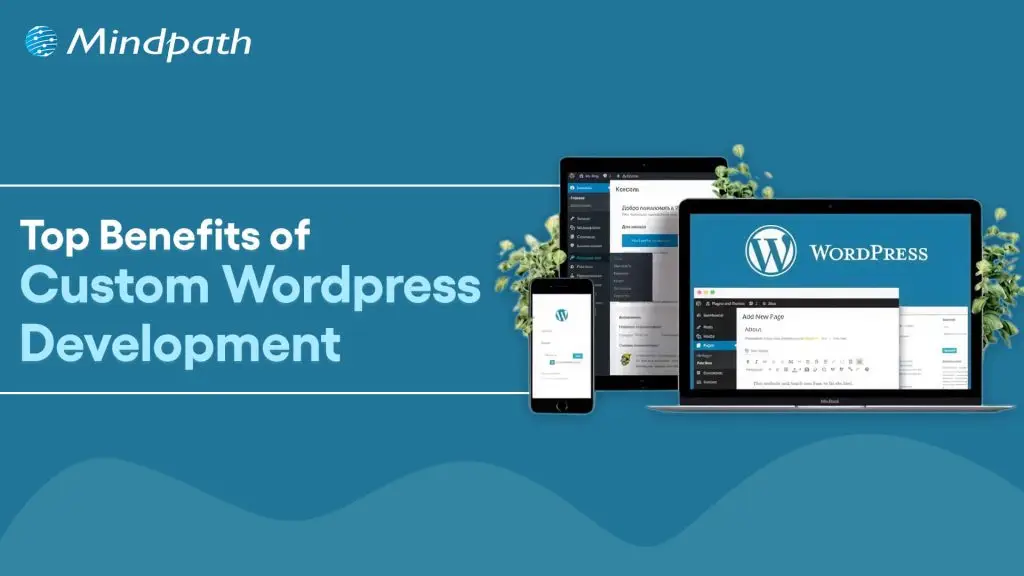
A website truly reflects your business motive and what it offers to its targeted audiences. Without a proper website, your organization can’t stand in this massive digital world. However, if you think your website is just to highlight your business, then you are misguided. As per a statistic of Stanford University, around 75% users judge the credibility of a business through their website design. So, for your long-term success, you must adopt a well-optimized website.
This is where custom WordPress development serves uniqueness. Being the most popular software for creating websites, it powers over 43% of the internet. (Source: Click) Instead of limiting your vision to a similar theme, custom development accesses your site to be curated from the core.
Ready to turn your website into a powerful business asset? Mindpath offers expert WordPress development services to create scalable and high-performance solutions built for your business growth.
What is Custom WordPress Development?
Custom WordPress development is the practice of building tailor-made websites, bespoke themes, and custom plugins from scratch, using WordPress as the foundation. Unlike relying on pre-existing themes that hundreds of other sites use, a custom website is architected specifically to align with your unique business workflows, design needs, and system integrations. This means every element, from backend frameworks to front-end features, is precisely crafted around your preferences, requirements, and values.
- Pre-existing themes might be convenient for many users as they are a bit affordable. However, they come with certain risks of flexibility and generic layout.
- On the other hand, a custom WordPress website leverages creative freedom. You can develop your own layouts and include features that suit your interests.
Must Read: WordPress and PHP Compatibility
How Adopting Custom WordPress Development Services Can Be Beneficial for Your Business?
Let us go through some major benefits that you can discover by choosing the custom WordPress development services.
1. Seamless and Faster Development
You don’t require a backend in WordPress website development. Unlike traditional website creation, where every element is generated individually, WordPress sites allow you to choose a framework as per your business requirements and preferences. This enables you to quickly develop your site. With rapid development, you can also save your time and resources.
2. Custom Theme Creation
In custom WordPress development, you can’t only transform the tagline but also change the overall appearance and functionality of your site. You can decide the changes as per the growing demand of your business. You can transform all such things by shifting the color palette, layout design, and widgets. Moreover, WordPress delivers a wide range of layouts that support multiple levels of business objectives.
3. User-Friendly Web Designs
Ease of use is another significant factor that makes businesses prefer custom WordPress development services. It offers intuitive and straightforward operations. So, you don’t require any coding expertise to operate your business site effectively. The availability of multiple customizable plugins and themes can help you create a business site that meets your business expectations widely.
4. Adopt Scalability
Getting a WordPress website developer can assist you in scaling your website as your company scales. You can also discover flexibility with custom WordPress development as per the dynamic nature of your company. So, be it an e-commerce or an advanced site, WordPress can help you effortlessly scale without compromising on quality. This offers you the benefit of staying relevant in such a digital era.
5. Wonderful Designs
A pleasing, satisfying design can help your site attract prominent prospects while making your website look more professional. So, with the help of WordPress custom website design, you can easily enhance its reach while making its user interface valuable. Moreover, it puts a valuable first impression while converting your visitors into loyal customers.
6. Social Media Handle Integrations
This is one such major value of a custom WordPress development, where your site can adopt social media implementation into your feed. This feature allows you to highlight your social accounts on your site. The valuable addition of the accounts can help you attract a larger number of visitors to your page without utilizing several media handles for your organization.
7. Long-Term Support and Maintenance
One such overlooked advantage of a WordPress custom website is the seamless partnership and assistance you leverage. With the evolving nature of your business, your team can integrate new features and redesign without initiating it from scratch. This ensures quick integration and minimal downtime.
Looking to make your custom WordPress site usable for everyone? Explore our guide on web accessibility guidelines to learn practical ways to enhance your WordPress site and improve user experience.
What are Some Common Misconceptions People Have Regarding Custom WordPress Development?
WordPress comes with a series of features that remain unmatched. Further, a WordPress website developer can help you design a site that truly reflects your authenticity. However, there are some misconceptions that people have regarding this platform, as follows.
1. Security Lapses
Many people consider that plugin incorporation can give rise to security threats in WordPress. However, the platform is extremely secure. Further, the platform has started investing in security releases.
2. The Platform Is Solely for Blogs
WordPress generally powers around half of all the sites available on the internet. So, it has much more to offer beyond serving only as a blogging platform.
3. Limited Support
This is another piece of misinformation that is spreading over the market. For your information, WordPress has a dedicated and active community of contributors who introduce new features and themes. Moreover, this community offers significant help to user challenges and fixes bugs rigorously.
Concerned about security risks in custom WordPress development? Check out our blog on safeguarding common WordPress vulnerabilities to understand how to prevent attacks and data loss.
Who Should Opt for Custom WordPress Development Services?
A WordPress custom website is not only for tech influencers and huge corporations. It can be a smart strategy for many businesses that want to strengthen their online presence. Custom development delivers flexibility while keeping you aware of long-term values.
1. Small Businesses
It is essential for a small business to stand out in a competitive market. So, a template website might make you go live quickly, but it doesn’t reflect any professionalism or significance. So, you should stay true to the business goals that can help you build trust while maximizing the conversion rate.
With custom WordPress development, you can get a real and purpose-efficient site that matches your customers’ expectations. Accordingly, local SEO efforts can be included directly into your site structure. Most importantly, you can avoid the risks of basic themes along with other features.
2. E-commerce Businesses
E-commerce websites always come with complex requirements, starting from product page handling to up-to-date inventory management. So, a pre-existing layout can’t offer your customers a seamless shopping experience. But custom WordPress development can eliminate such issues with the right solutions.
You can customize your checkout strategies and customer experience for better conversion. Further, you can integrate your site with other necessary tools.
3. Startups
Startups always require scalability and agility. So, with your audience growth and offering shift, your website should be ready to evolve. Here, it is essential to get a flexible backend that gives you access for easy scaling and feature additions. In order to do that, you can build a site that highlights credibility and innovations.
4. Content-oriented Platforms
Media brands, agencies, and bloggers mostly prefer publishing bulk content while handling their consistency and site performance. This is where a WordPress website developer can be your ultimate help. You can design a secure workflow that excels your editorial practices.
Looking to get the most out of custom WordPress development for your website? Explore our guide to hire a WordPress developer and ensure your site is built for performance, security, and scalability.
Conclusion
Your site is generally the foremost impression users have of your brand. So, it shouldn’t be ordinary at all. In today’s quick digital world, where user experience, speed, and site design decide the conversions, custom WordPress development is a necessity. So, by hiring a WordPress developer and prioritizing a custom WordPress site, you can discover a platform that understands your business terms and goals.
If you are ready to proceed towards the next step of building a site that fuels results, it’s time for you to partner with experts who breathe WordPress. Mindpath specializes in excellent custom WordPress site development services and ultimate support. Starting from custom functionality to precise optimization, it ensures your website is up to the mark.
The healthcare industry is increasingly adopting digital technologies to improve patient experiences, simplify administrative tasks, and support better access to healthcare services. From online appointment scheduling to virtual consultations and remote patient monitoring, healthcare applications are changing how patients, doctors, hospitals, and healthcare organizations interact.
Key Takeaways
- 01
Healthcare app developers build digital solutions that improve patient engagement, healthcare accessibility, and operational efficiency. - 02
Common healthcare applications include telemedicine apps, appointment booking platforms, remote patient monitoring apps, and electronic health record (EHR) systems. - 03
Data security, privacy, usability, and interoperability are essential considerations in healthcare app development. - 04
AI, cloud computing, and connected devices can support more personalized and efficient healthcare experiences. - 05
Choosing the right healthcare app development company helps businesses create scalable applications aligned with their clinical and operational requirements.
However, building a successful healthcare application requires more than technical expertise. Businesses need solutions that protect sensitive information, provide an intuitive user experience, integrate with existing healthcare systems, and support future growth.
This is where experienced healthcare app developers play an important role. They help healthcare providers, startups, hospitals, and medical technology companies transform their ideas into practical digital solutions.
In this guide, we explore healthcare app development, its benefits, essential features, emerging technologies, and the factors businesses should consider when selecting a development partner.
Ready to explore your healthcare application idea? Contact MindpathTech to discuss your software development requirements and potential next steps.
What Do Healthcare App Developers Do?
Healthcare app developers design, build, test, deploy, and maintain applications used by patients, healthcare professionals, hospitals, clinics, and other medical organizations.
Their work involves understanding healthcare workflows and translating business or clinical requirements into functional software.
Depending on the project, healthcare app developers may provide services such as:
- Healthcare mobile app development: Creating applications for Android and iOS devices.
- Custom healthcare software development: Building software around specific clinical or administrative workflows.
- Telemedicine app development: Enabling virtual consultations, video appointments, and digital communication between patients and healthcare professionals.
- EHR and EMR integration: Connecting applications with electronic health record systems where appropriate.
- Healthcare API integration: Supporting secure data exchange between applications and third-party platforms.
- AI-powered healthcare applications: Developing solutions for administrative automation, patient engagement, and selected clinical support use cases.
- Application maintenance: Updating software, improving performance, addressing vulnerabilities, and supporting new requirements.
A suitable development partner begins by understanding the intended users, business objectives, data requirements, and applicable regulations before selecting the technology stack.
Why Is Healthcare App Development Important?
Healthcare organizations often manage appointment scheduling, patient records, communication, billing, and follow-up activities across multiple systems. Well-designed applications can help simplify these processes.
1. Better Patient Engagement
Healthcare apps allow patients to access relevant services without relying entirely on phone calls or in-person visits. Features such as appointment reminders, secure messaging, digital health records, and medication reminders can make routine interactions more convenient.
2. Improved Operational Efficiency
Digital workflows can reduce repetitive administrative tasks, streamline appointment management, and help healthcare staff organize information more efficiently.
For example, an appointment management app can allow patients to select available time slots while helping clinic staff manage schedules through a centralized interface.
3. Remote Healthcare Access
Telemedicine and remote monitoring applications can help patients communicate with healthcare professionals without always traveling to a medical facility.
The suitability of remote care depends on the patient’s condition, available technology, and the healthcare professional’s judgment.
4. More Accessible Health Information
Applications that integrate with appropriate health information systems can help patients review their records, laboratory results, care instructions, and other relevant information.
Interoperability—the ability of different systems to exchange and use information—is an important consideration when developing applications for connected healthcare environments.
5. Data-Informed Decision-Making
Healthcare applications can organize operational and patient-generated information into dashboards and reports. When appropriately designed, these insights can help healthcare organizations identify workflow bottlenecks and monitor service delivery.
Types of Healthcare Applications You Can Build
Before hiring healthcare app developers, businesses should identify the type of application they need and the users it will serve.
1. Telemedicine Applications
Telemedicine apps support virtual consultations, appointment scheduling, secure communication, and follow-up interactions.
Ideal for: Clinics, hospitals, telehealth providers, and healthcare startups.
2. Patient Engagement Applications
These apps help patients manage appointments, access educational resources, receive reminders, and communicate with healthcare providers.
Ideal for: Hospitals, medical practices, and patient service platforms.
3. Remote Patient Monitoring Apps
Remote monitoring applications can collect information from connected devices, such as blood pressure monitors, glucose meters, or wearable devices, depending on the use case.
Ideal for: Healthcare providers, chronic care programs, and digital health businesses.
4. Electronic Health Record Applications
EHR-related applications help authorized users access, manage, and exchange patient information through appropriate systems and permissions.
Ideal for: Hospitals, clinics, healthcare networks, and health technology companies.
5. Healthcare Management Software
These applications support administrative activities such as appointment scheduling, staff coordination, billing workflows, inventory management, and reporting.
Ideal for: Hospitals, diagnostic centers, clinics, and healthcare service providers.
6. AI-Powered Healthcare Applications
AI-enabled applications can assist with tasks such as administrative documentation, patient support, information retrieval, and workflow automation. Clinical applications require additional validation, oversight, and risk assessment appropriate to their intended purpose.
Ideal for: Digital health startups, medical technology companies, and healthcare organizations exploring responsible AI adoption.
Essential Features of a Healthcare Application
The required features depend on the application type, intended users, and regulatory environment. However, several capabilities are commonly important.
| Feature | Purpose |
|---|---|
| User registration and authentication | Provides controlled access to the application |
| Appointment scheduling | Simplifies booking and managing appointments |
| Patient profiles | Organizes relevant user information |
| Secure messaging | Supports communication between authorized users |
| Notifications and reminders | Helps users stay informed about appointments and tasks |
| EHR or EMR integration | Enables appropriate access to health records |
| Video consultations | Supports remote communication where suitable |
| Payment integration | Enables relevant billing and payment workflows |
| Analytics dashboard | Helps monitor operational activity |
| Role-based access control | Limits access according to user responsibilities |
Healthcare businesses should prioritize features based on user needs rather than adding every possible functionality to the first release.
Security and Compliance Considerations in Healthcare App Development
Security and privacy are fundamental requirements because healthcare applications may handle sensitive personal and medical information.
Healthcare app developers should incorporate appropriate safeguards throughout the development lifecycle.
1. Data Encryption
Use suitable encryption to protect sensitive information during transmission and, where appropriate, while stored.
2. Strong Authentication and Access Control
Implement secure authentication, role-based permissions, and multifactor authentication where justified by the application’s risk profile.
3. Privacy by Design
Collect only the information necessary for the application’s purpose. Explain data collection and sharing clearly, obtain appropriate consent, and define retention and deletion practices.
4. Secure APIs and Integrations
Healthcare integrations should use appropriate authentication, authorization, monitoring, and secure data-exchange mechanisms.
5. Regulatory Assessment
Requirements depend on the application, location, data handled, and organizations involved. For example, HIPAA may apply to covered entities and their business associates in the United States. Other privacy and medical-device requirements may apply depending on the product and jurisdiction.
Developers should assess applicable obligations rather than assume that every healthcare app automatically falls under the same rules. The U.S. Department of Health and Human Services provides health app privacy and compliance resources.
Technologies Used by Healthcare App Developers
The technology stack should be selected according to project requirements, security needs, integrations, and expected scale.
- Mobile development: Native Android and iOS technologies or cross-platform frameworks.
- Web development: Modern frontend and backend technologies for patient portals and administrative dashboards.
- Cloud computing: Infrastructure and managed services for hosting, storage, monitoring, and application scaling.
- Artificial intelligence: Selected automation, information retrieval, and decision-support capabilities.
- APIs and interoperability standards: Technologies such as FHIR, where supported by the systems being integrated, to facilitate health information exchange.
- Analytics and reporting: Tools for understanding application usage, operational performance, and service delivery.
The Agency for Healthcare Research and Quality discusses interoperability considerations for patient-facing applications, including their interaction with electronic health record systems. Read its health IT interoperability resource.
How to Choose the Right Healthcare App Development Company
Selecting a development partner can influence the application’s quality, security, usability, and long-term maintenance.
Consider these factors before making a decision.
1. Relevant development experience
Review experience with mobile applications, healthcare workflows, sensitive data, and required integrations.
2. Security-first development
Ask how the team handles authentication, encryption, access controls, vulnerability testing, and incident response.
3. Integration capabilities
Confirm whether the team can work with your existing EHR, billing platform, cloud environment, and other required systems.
4. User experience
The application should be intuitive and accessible for patients, clinicians, and administrative staff.
5. Testing and quality assurance
Ask about functional, performance, usability, security, and integration testing.
6. Scalability and maintenance
Understand how the application will be updated, monitored, and expanded as requirements evolve.
7. Clear project planning
Look for transparent communication, defined deliverables, realistic timelines, and a documented development process.
A reliable healthcare app development partner should explain both the technical opportunities and the risks associated with the proposed solution.
What Is the Healthcare App Development Process?
A structured process helps reduce avoidable rework and ensures the product addresses real user needs.
1. Discovery and planning
Define business goals, target users, essential features, and regulatory considerations.
2. UI/UX design
Create user journeys, wireframes, and prototypes for the intended users.
3. Architecture and development
Select the technology stack, establish security controls, and build the application.
4. Integration
Connect relevant third-party services, devices, and healthcare information systems.
5. Testing and validation
Assess functionality, performance, accessibility, security, and integration reliability.
6. Deployment
Prepare the application for release and configure appropriate monitoring.
7. Ongoing maintenance
Address issues, release updates, monitor performance, and adapt to changing requirements.
For applications that support clinical decisions or medical-device functions, additional evidence, validation, and regulatory assessment may be necessary before deployment.
Conclusion
Healthcare applications offer opportunities to improve patient engagement, simplify administrative processes, and connect digital health services. However, successful development requires a careful balance of usability, technical reliability, data protection, interoperability, and compliance.
Experienced healthcare app developers can help businesses turn their requirements into secure, scalable digital solutions. The best starting point is to define the problem, understand the intended users, prioritize essential features, and choose a development approach that supports long-term growth.
At MindpathTech, businesses exploring custom software and AI-powered digital solutions can discuss their project requirements and identify a suitable development approach.

The legal industry is increasingly adopting technology to simplify case management, automate documentation, improve client communication, and manage compliance. However, choosing the right development team is essential to building secure, reliable, and scalable legal software.
Key Takeaways
- 01
Define your legal software requirements, target users, and business objectives before hiring developers. - 02
Evaluate technical expertise, legal technology experience, and previous projects. - 03
Prioritize data security, confidentiality, access controls, and applicable privacy regulations. - 04
Check integration capabilities, scalability, and long-term maintenance support. - 05
Compare pricing models, communication practices, and project delivery timelines.
Whether you are a law firm, a legal technology startup, or an in-house legal department, hiring legal software developers can help you create solutions tailored to your business requirements. From legal case management systems to AI-powered contract review tools, experienced developers can turn your ideas into practical digital solutions.
But how do you choose the right developers for your project?
In this guide, we will explore nine important factors to consider before hiring legal software developers, including technical expertise, data security, legal industry knowledge, development costs, and AI integration.
Ready to develop custom legal software? Connect with Mindpath to discuss your project requirements and identify the right approach for your organization.
Why is Hiring Legal Software Developers Important?
Legal professionals manage sensitive client information, complex documentation, case deadlines, contracts, and compliance requirements. Handling these activities through disconnected tools or manual processes can increase administrative workloads and create opportunities for errors.
Hiring experienced legal software developers helps organizations build technology around their actual workflows instead of forcing teams to adapt to unsuitable systems.
For example, a law firm may need software that centralizes case files, tracks hearing dates, automates document generation, and provides secure client communication. A corporate legal department may require contract lifecycle management, compliance tracking, and approval workflows.
The right development team can help create a solution that improves operational efficiency, supports informed decision-making, and delivers a better client experience.
9 Factors to Consider Before Hiring Legal Software Developers
1. Define Your Project Requirements
Before hiring developers, identify the problems your legal software should solve. A clear project scope helps you select the right technical team and avoid unnecessary development expenses.
Start by answering these questions:
- Who will use the software: lawyers, clients, administrators, or corporate legal teams?
- Which processes should it automate?
- Do you need a web application, mobile application, or complete software platform?
- Which existing systems must it connect with?
- What is your estimated budget and delivery timeline?
For example, if your primary goal is to simplify case management, your initial requirements might include case records, document storage, deadline reminders, task assignments, and reporting.
Create a list of essential and optional features. This allows developers to prioritize a minimum viable product (MVP) before expanding the software with advanced functionality.
2. Evaluate Technical Expertise
Technical expertise directly affects your software’s performance, security, usability, and ability to scale.
When hiring legal software developers, evaluate their experience with technologies relevant to your project, such as:
- Front-end and back-end development.
- Database architecture and secure data storage.
- Cloud infrastructure and deployment.
- API development and third-party integrations.
- Web and mobile application development.
- Automated testing and software maintenance.
The required technology stack depends on your application’s complexity, expected user volume, existing infrastructure, and long-term objectives.
Ask potential developers to explain how they would design your application, protect sensitive information, and handle future upgrades. Their answers can help you assess whether they understand your technical requirements.
3. Check Legal Technology Industry Experience
Legal software has specialized requirements that distinguish it from many general business applications.
Developers should understand how legal professionals manage cases, organize documents, collaborate with clients, and handle confidential information.
Relevant experience may include developing:
- Legal case management software.
- Contract management and document automation systems.
- Legal research platforms.
- Compliance management applications.
- Secure client portals.
- Legal chatbots and appointment scheduling tools.
- E-discovery and document review solutions.
Ask candidates to explain how they handled challenges in previous projects. For instance, how did they manage role-based permissions or ensure that confidential documents were accessible only to authorized users?
Industry experience can reduce the learning curve and help the team make better product decisions. However, assess demonstrated skills and project relevance rather than relying on industry experience alone.
4. Prioritize Data Security and Confidentiality
Security is one of the most important considerations when developing legal software. Applications may store privileged communications, contracts, personal information, financial records, and other confidential documents.
A security-focused development team should consider the following measures:
- Encryption for data in transit and at rest.
- Multi-factor authentication where appropriate.
- Role-based access controls and matter-level permissions.
- Secure backups and disaster recovery procedures.
- Audit logs for sensitive actions.
- Vulnerability testing and dependency updates.
- Secure development practices and incident response planning.
You should also identify the privacy and legal obligations applicable to your organization, users, and operating locations. Depending on the project, these may include requirements under GDPR, relevant US privacy laws, or India’s Digital Personal Data Protection framework.
Do not assume that a product is compliant simply because developers use encryption or host it on a reputable cloud platform. Compliance depends on the complete system, its data practices, contractual obligations, and applicable laws.
Before signing an agreement, clarify confidentiality obligations, data ownership, access permissions, breach notification responsibilities, and data deletion procedures.
5. Review Previous Projects and Client Feedback
A development company’s portfolio can reveal how effectively it handles real-world software challenges.
Review projects that are similar to your planned application in terms of complexity, functionality, security requirements, or target users.
During the evaluation process, ask for:
- Relevant project examples or demonstrations.
- References from previous clients, where available.
- Details about the development process.
- Examples of integration and security work.
- Information about post-launch support.
- Evidence of how project requirements were delivered.
Do not evaluate a team solely on attractive interfaces or marketing claims. A successful legal software solution must also be reliable, secure, maintainable, and suitable for daily professional use.
If possible, request a technical discussion or a small proof of concept to validate the team’s approach before committing to a large project.
6. Assess AI and Automation Capabilities
Artificial intelligence is creating new opportunities in legal technology. Depending on the use case, AI-powered features can help legal professionals review documents, extract contract information, summarize records, search internal knowledge bases, and automate repetitive administrative work.
When hiring legal software developers for an AI-enabled project, evaluate their experience with:
- Large language model (LLM) integrations.
- Retrieval-augmented generation (RAG) and document search.
- Contract data extraction and classification.
- Workflow automation and intelligent document processing.
- Evaluation of AI output quality.
- Privacy controls and permission-aware data retrieval.
For example, a legal document assistant could help users locate relevant clauses in a collection of contracts. However, the system should preserve document permissions, provide traceable sources where possible, and allow qualified professionals to verify important outputs.
AI-generated legal information can be incomplete, inaccurate, or outdated. Developers should build appropriate safeguards and human review into workflows that could affect legal rights or business decisions.
Choose AI features based on measurable needs rather than adding them simply because they are popular.
7. Evaluate Integration and Scalability
Legal teams often rely on multiple applications for email, calendars, document storage, billing, electronic signatures, and customer relationship management.
Your legal software should integrate with relevant systems whenever doing so improves productivity and data consistency.
Ask developers about their experience with APIs, authentication, data synchronization, error handling, and integration testing.
Scalability is equally important. Your software may eventually support more users, larger document libraries, additional offices, or new business functions.
A scalable architecture should account for:
- Increasing user traffic and data volume.
- Reliable application performance.
- Modular features and future upgrades.
- Cloud infrastructure and monitoring.
- Backup, recovery, and business continuity.
Discuss how the team will handle future growth without requiring an expensive rebuild. The goal is to create a solution that meets current requirements while allowing practical expansion.
8. Compare Development Costs and Project Timelines
The cost of hiring legal software developers depends on project complexity, required features, technology choices, team size, security requirements, integrations, and ongoing support.
A basic legal website will generally require a different investment from a custom case management platform or an AI-enabled contract analysis application. Therefore, compare proposals based on scope and deliverables rather than price alone.
Before choosing a development partner, clarify:
- Whether pricing is fixed, hourly, or milestone-based.
- Which features and deliverables are included.
- What could trigger additional costs.
- How testing and deployment are handled.
- Who owns the source code and intellectual property.
- Whether maintenance and technical support are included.
A fixed-price model may work well when requirements are clearly defined. An hourly or time-and-materials model can offer more flexibility when requirements are expected to evolve.
Request a milestone-based proposal with a realistic delivery schedule. A lower initial quote may not represent the best value if it excludes essential security work, testing, documentation, or maintenance.
9. Check Communication and Post-Launch Support
Legal software development requires continuous collaboration between business stakeholders, legal professionals, designers, and engineers.
Your development partner should communicate clearly, explain technical decisions, document requirements, and provide regular progress updates.
During the selection process, establish how the team will manage meetings, feedback, approvals, change requests, and project risks.
You should also discuss post-launch support. Software needs ongoing monitoring, security updates, bug fixes, performance improvements, and compatibility updates as business requirements change.
A reliable support arrangement should specify response times, issue priorities, maintenance responsibilities, and escalation procedures.
Clear communication and dependable support help ensure that the software remains useful after the initial development phase.
What Questions Should You Ask Before Hiring Legal Software Developers?
Before finalizing a development partner, ask questions that reveal both technical ability and business understanding.
| Question | What to evaluate |
|---|---|
| Have you developed similar legal or document-intensive applications? | Relevant experience and project fit |
| How will you protect confidential legal data? | Security architecture and access controls |
| How will the software integrate with our existing tools? | API and integration expertise |
| How will you test software quality and security? | Testing methodology and release standards |
| Can the software support future growth? | Architecture and scalability |
| What is included in your estimate? | Pricing transparency and scope |
| Who owns the source code and project deliverables? | Contractual clarity and intellectual property |
| What support do you provide after launch? | Maintenance and long-term reliability |
The answers should be specific and supported by examples, documentation, or a clear proposed development process.
How Mindpath Can Help With Legal Software Development
Building legal technology requires an understanding of both business workflows and technical requirements. Mindpath provides technology development capabilities that can support organizations planning digital solutions for legal services.
Depending on your project scope, relevant solutions may include:
1. Legal website development: Create a professional online presence with clear service information, user-friendly navigation, and convenient contact options.
2. Legal chatbot development: Automate routine inquiries, appointment scheduling, and initial client interactions, with appropriate escalation to human staff.
3. Legal case management software: Centralize case information, tasks, deadlines, and document workflows.
4. Legal application development: Build web or mobile applications around specific legal service requirements.
5. Compliance management solutions: Support compliance workflows, tracking, reporting, and internal processes.
6. Cloud migration: Help modernize existing applications and infrastructure while planning for security, availability, and operational continuity.
Every project should begin with a clear assessment of business needs, data sensitivity, integration requirements, and expected outcomes.
If you are planning to build or modernize a legal technology solution, contact Mindpath to discuss your requirements and explore a suitable development approach.
Conclusion
Hiring legal software developers is an important decision for law firms, legal technology startups, and corporate legal departments. The right team can help transform manual processes into secure, efficient, and scalable digital workflows.
Before making a decision, define your requirements, evaluate technical and industry expertise, review previous projects, prioritize data security, and assess AI capabilities where relevant. Also, compare costs transparently and confirm the availability of long-term maintenance and support.
Ultimately, the best development partner is not necessarily the cheapest or the one promising the fastest delivery. It is the team that understands your objectives, communicates clearly, builds responsibly, and can support your software as your business evolves.
Join our Newsletter!
categories
Join the world's largest training library and unlock new opportunities!
Featured Posts
Turn Insights Into
Real Business Solutions
Exploring trends is only the beginning. Whether you’re planning AI adoption, modernizing legacy systems, or building scalable software, our experts help transform ideas into practical business outcomes.