Your Go-To WordPress Maintenance Checklist: Keep Your Site Running Smoothly

Join our Newsletter!

Featured Posts

Support Is One Click Away

Home

Your Go-To WordPress Maintenance Checklist: Keep Your Site Running Smoothly

WordPress maintenance

Your Go-To WordPress Maintenance Checklist: Keep Your Site Running Smoothly

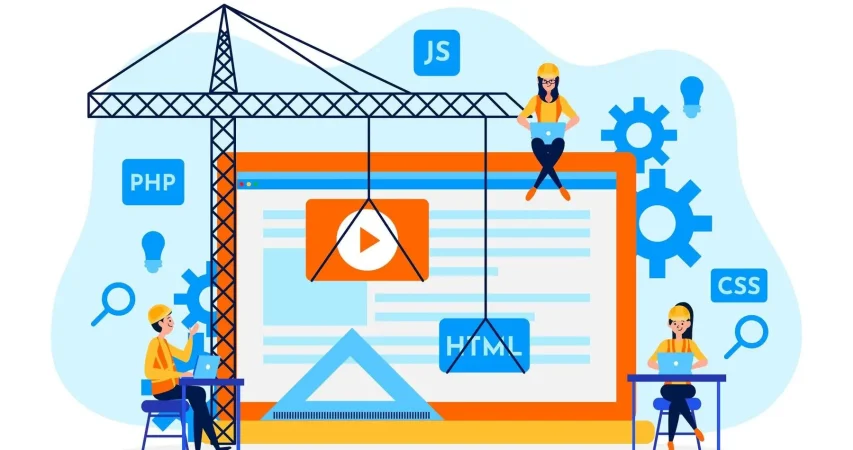
Is your WordPress site running as smoothly as possible? Do you know what kind of essential maintenance activities should be done on your website to keep it secure and running well? In this blog, we will explore the essential maintenance tasks that will keep your WordPress site in top shape. So, let’s dive in! 

Importance Of Website Maintenance   

Routine WordPress maintenance will help your website to be stable, secure, with better loading speed, and compatible with different browsers and devices. Regular backups guarantee that there is no loss of data in case of website crashing or malware attacks. Up-to-date plugins will ensure that slowdowns and security risks are prevented. Monitoring and analytics on user behavior help you make informed decisions and optimize your content. This provides better maintenance of your website, thus keeping it in top shape, and gives a better experience to the visitor. 

How Much Does WordPress Maintenance Cost?  

The cost of maintaining a WordPress site will be based on the size and complexity of the website. Routine maintenance in 2024 can range from as low as $5 a month to $120 per month or $40 a year to $1,200 a year. For a personal site, maintenance might be as low as $4 a month or $40 annually. Business sites usually start at about $8 per month or $80 per year. The pricing for running corporate websites is usually in the region of $12 a month or $120 yearly. The websites related to entertainment and eCommerce usually cost more, with the former starting at $16 per month and the latter at $20 a month. Routine maintenance includes updating plugins, themes, and WordPress core, managing backups, ensuring security, and keeping up performance. 

The Complete Checklist of Monthly WordPress Maintenance Tasks   

1. Optimize Your Database   

Over time, your WordPress database can become bloated with extraneous data from things like old post revisions, spammy comments, and deleted items, which slow down your site. To clean up your database, first back it up using a tool like Solid Backups to ensure all your data is safe. Then use a plugin such as WP Optimize to clear out any unnecessary data and boost database performance. Alternatively, if you know how to manipulate a database, you can clean up manually with phpMyAdmin. This method is useful when custom settings must be considered, and in all probability, it would be good to talk this over with a developer in case you are unsure. 

2. Manage Backups   

Backing up your website is something you should do regularly for safety against losses and quick recoveries in case of issues. Besides, with Solid Backups, you can configure backups automatically by using the plug-in known as UpdraftPlus. Schedule the backups frequently and let them be safely kept in the cloud, optimally. Moreover, review the process of restoration month by month to confirm that your backup procedure is working well, and in case of need, you will be in a good position to recover your site. 

3. Update WordPress Core, Plugins, And Themes   

WordPress core, theme, and plugin updating have implications for security, compatibility, and accessing new features. According to the Wordfence 2022 State of WordPress Security report, plugins in particular are a weak point, so keeping them up to date is very important. Keep checking for updates, and when found, update them one after the other. Begin with the WordPress core and then proceed to plugins and themes. Remember to always back up before doing any big update and update on a staging site so you can be sure everything works well with your current setup. 

4. Perform Security Scans   

Security scans to vulnerabilities, malware, and unauthorized access should be regularly scheduled. Run full site scans with a plugin like Shield Security, check the logs for any suspicious activity, and configure settings. You should, however, schedule these scans to run periodically, but at least revise them once a month. 

5. Analyze Site Speed   

A website’s speed has a massive impact on user experience and SEO. Among others, you can use Google PageSpeed Insights, GTmetrix, or Pingdom to check how fast your website loads. After testing, fix performance issues of your website against the results. If the speed problems continue, see if there’s a need to review and upgrade your hosting plan. 

6. Check For Broken Links   

Checking for broken links is important both for delivering a good user experience and SEO. Broken links may make visitors and search engines end up in so-called ‘dead ends,’ harming your site’s rankings and authority. Run a check using a plugin such as Broken Link Checker. Thereafter, repair or remove broken links upon finding them, possibly looking into scheduling automated checks to help identify new broken links in the future. 

7. Optimize Images   

Optimizing images will help to increase your site speed and performance radically, particularly when you have a heavy share of images on the site. Tools like Smush or ShortPixel do really well when it comes to compressing existing images. Remember the right formats—JPEG for photos and PNG for graphics where the requirement is transparency. Enable lazy loading; this defers the loading of off-screen images to further speed up page load times. 

8. Submit Your Sitemap   

Making sure that you are regularly submitting your sitemap to search engines will let them index your website in a better way and give you more exposure. Use a plugin such as Yoast SEO to create an updated sitemap, then take the time to manually submit this to search engines via their webmaster tools—like Google Search Console—to check that all your pages are correctly crawled and indexed for maximum search engine visibility. 

9. Monitor Site Performance   

Monitoring your site’s performance frequently will let you know when there is a problem. It helps in making informed decisions and will let you act swiftly. Use tools like Google Analytics and Jetpack to look through key metrics such as page views, bounce rate, and conversion rates. This setting of performance alerts about major changes or problems will let action be taken in time and thus your site runs smoothly. 

10. Test Your Forms   

Testing of forms at regular intervals is paramount to ensure that they work right and harvest data from users effectively. All forms should work well, and process input correctly. Check that email notifications are going to the right addresses, then test for user experience to make sure forms are usable, accessible, and responsive on different browsers and devices. 

11. Clear Site Cache 

It ensures that your site visitors have the most recent content. In addition, it will boost your website’s performance. Sometimes, cached data can become corrupt or outdated, causing display issues and slowing download time. Flush the server cache, then reset any plugin-built caches. Test your site for improved performance after flushing the cache. This can also be done in many ways depending on your unique setup. If you are not comfortable doing it yourself, use something like WP Super Cache and W3 Total Cache

Ready to optimize Your WordPress Experience?

Learn More About Mindpath’s Maintenance Services!

WordPress Development Services at Mindpath   

At Mindpath, we ensure your WordPress website runs at its best with comprehensive maintenance services. This includes regular updates to WordPress Core, plugins, and themes; daily backups for data security; and optimization of the performance of the site so that it loads faster. Our team conducts security scanning to save from threats, monitors and fixes broken links, and looks through analytics to bring about better user engagement. We test forms to make sure they are working well. You just focus on your business while we keep your site secure and efficient with our expert maintenance. 

Conclusion 

Maintenance, on the other hand, will ensure your WordPress site is not only smooth, safe, and high performing, but it will also be defended from many problems for the best user experience. From checking for broken links to analyzing site speed or running security scans, every step is important in keeping your website at its best. 

At Mindpath, we cut down the complexity of WordPress maintenance by offering every necessary service in one place to keep your site in top condition. Let our team take care of updates, backups, performance optimization, security checks, and more, so you can focus on growing your business while we work on keeping your website reliable and engaging. Our expert team at Mindpath makes sure your WordPress site is running at peak performance, ensuring you can get on with business and not worry about it. 

Want to achieve a Faster, Safer WordPress Site?

Find Out More About Mindpath’s Maintenance Solutions!
Related Post

Discover top Node.js libraries for AI integrations and learn to enhance your applications with machine learning, NLP, and more.
Discover the benefits of headless CMS for faster content delivery, personalized experiences, and seamless integration.

Related Post

CI/CD Pipelines

Continuous Integration and Continuous Deployment (CI/CD) pipelines have revolutionized modern DevOps best practices. In fact, they are the backbone of DevOps in recent years. CI/CD pipelines allow teams to release high-quality software faster and more reliably. This is possible because a CI/CD pipeline can automate the key stages of the software development lifecycle.

CI/CD Pipelines have empowered software teams and developers like never before. You need to have an in-depth understanding of what is CI/CD in DevOps, as it has been acting as a game-changer. In the business context, a CI/CD Pipeline allows faster product releases and creates value by reducing costs and streamlining the overall development process. It is time to explore what is CI/CD pipeline at a deeper level.

Want to reduce deployment delays and boost business efficiency? Mindpath’s DevOps Consultation and Implementation services streamline DevOps processes to deliver smooth and scalable software delivery.

An Insight into CI/CD Pipeline

CI,CD pipeline full form is continuous integration and continuous deployment. A CI/CD pipeline refers to a series of steps that software developers need to follow so that they can deliver a new version of a software solution. CI/CD pipelines can also be defined as the practice that focuses on improving software delivery throughout the software development lifecycle. It has been transforming the software development process through automation.

CI/CD pipeline introduces automation throughout diverse stages such as development, testing, production, and monitoring.  Teams are in a position to develop top-quality software in a fast and secure manner. The automated testing process allows the identification of dependencies and other issues at an early stage, thereby saving valuable time later. 

Ready to maximize the impact of your CI/CD workflows? Explore the benefits of DevOps to understand how it boosts performance, reduces errors, and accelerates releases.

Mechanism of CI/CD Pipeline

Now that you know CI,CD pipeline full form, and its meaning, it is time to explore its underlying mechanism. The insight can definitely help you understand how a CI/CD pipeline works. To understand how it works, you need to bear in mind that there exist three interrelated methods, including Continuous Integration, Continuous Delivery, and Continuous Deployment.

1. Continuous Integration

Continuous Integration refers to the process of fusing changes to code into a shared repository several times a day. An automated system is responsible for building the app and running tests every time the developer works on the code. CI fundamentally encompasses automated unit tests and static code analysis.

The fundamental goal at this stage is to discover issues relating to integration. In the absence of continuous integration, bugs may surface after multiple changes have been made at the time of a major release. This makes it challenging to find as well as fix them. Continuous Integration minimizes the specific threat by performing tests of every minute change in an isolated manner. 

2. Continuous Delivery

Continuous delivery lays emphasis on the automation of the process that takes place after the code passes the CI stage. CD prepares each change for release so that the deployment can be done smoothly to production at a given time. In the case of a CD pipeline, after the verification of the build, it is moved through the staging environment as well as the pre-production environment in an automatic manner.

It is essential to bear in mind that continuous delivery does not involve the deployment of code to production in an automatic way. The codebase is kept in a deployment-ready state so that software development teams will be able to release as per their need or convenience. CD enables organizations to release software more regularly. 

3. Continuous Deployment

Continuous deployment is responsible for automatically releasing code changes to end-users after passing a series of predefined tests. These predefined tests could be integration tests that test code in a copycat environment and help to ensure code integrity.

This automated process of releasing software code changes directly to the production environment after they have passed all the necessary automated tests eliminates the need for manual intervention. It enables teams to deliver updates and new features to users quickly. It also helps to fix bugs fast. Basically, it accelerates the feedback loop with customers and minimizes the risk relating to large and infrequent releases.   

Looking to understand how CI/CD pipelines are becoming smarter and more efficient? Check out the role of AI in DevOps to learn how automation and intelligence are transforming pipeline performance and reliability.

Key Benefits of CI/CD Pipeline

Now that you know what is CI/CD pipeline it is time to look at some of its key benefits. CI/CD pipeline benefits allow software teams to develop software in an agile manner while ensuring quality. Some of the top benefits include:

1. Faster Time to Market

One of the main benefits of CI/CD pipelines is that teams are able to deliver new features and fix bugs for users faster as well as more often. In fact, this is how major tech giants have been making incremental improvements in their products and creating value for their target market audience. 

With the help of CI/CD tools in DevOps businesses are able to quickly respond to user feedback and develop quality software apps. A typical CI/CD pipeline example automates the build, test, and deployment of a web application, thereby ensuring that the software is introduced in the market in a timely manner. 

2. High-Quality Codes

While releasing software, the role of proper testing is of paramount importance. Now that you know what is CI/CD in DevOps, you can say that high priority is given to testing. A central part of any CI/CD pipeline involves a series of automated tests that are run on every build. 

Automated tests ensure that teams can perform tests in a continuous manner, and the quality of software solutions can be maintained. The automated nature of tests plays a key role in enhancing the quality of code that is generated. 

3. Shorter Feedback Loops

While talking about the CI/CD pipeline example, a thing that is non-negotiable is rapid feedback. Getting feedback early ensures that teams can save sufficient time as well as effort while developing software applications. Teams are able to give frequent updates, which helps in receiving immediate feedback from the users. It thus helps to bring about appropriate changes and increase user satisfaction. 

4. Less Downtime

Even with automated testing, there is a possibility that bugs may sometimes sneak their way through production. A key benefit of using CI/CD tools in DevOps and making regular updates is that it makes it easier to locate the cause of an issue. As the commits are smaller, teams and developers can roll back the change without having to remove necessary elements. This certainly simplifies how issues are fixed and reduces the overall downtime. 

5. Better Communication and Collaboration

One of the main benefits of CI/CD pipelines revolves around improved communication and collaboration among team members. This practice enables members to function in a cohesive manner and make changes to the code. They can also respond to the queries and comments of one another in a transparent manner. The ongoing feedback loop makes sure that there is no communication gap among the team members. The rise in effectiveness in team collaboration is reflected in the ultimate software solution. 

Wondering how CI/CD pipelines are evolving in modern DevOps practices? Discover the latest DevOps trends to learn which tools, methodologies, and innovations are driving smarter and more reliable pipelines.

Final Words

In the prevailing software development arena, the concept of CI/CD pipeline has emerged as a breath of fresh air. It has shown the power that automation can bring while developing software solutions. Some of the key benefits of CI/CD pipelines that you should be aware of include high-quality code, faster time to market, and many more. The explanation of the underlying mechanism of the CI/CD pipeline is there so that you can understand how the process works. 

Mindpath’s top-grade DevOps solutions can certainly assist modern business organizations to leverage CI/CD pipelines to the fullest. Our experts will ensure that, through continuous integration and continuous delivery, your business can develop excellent software applications that can improve user satisfaction. 

Discover how CI/CD pipelines streamline software development, boost quality, and reduce costs with automated processes.
PHP & Node.JS for web development

Stuck between PHP and Node.js for your next project? The right choice shapes the success of your development journey. So, whether about speed, scalability, or a strong community to have at your back, understanding their strengths and differences will make a difference. In this blog, we will explore the key differences and strengths of these two technologies, so you can confidently choose the best fit for your needs and goals. Come! Let’s dive in! 

Overview of Node.js 

Node.js is a JavaScript runtime environment that helps users develop fast and scalable network applications. It has been designed to perform a lot of tasks all at once; hence, it is efficient, making it quite perfect for apps that deal with a lot of data processing quickly, like real-time apps working across different devices. Released in 2009, Node.js has risen to the very top of web development tools. It is a technology completely developed in JavaScript and, more notably, runs on many Linux-powered servers. With Node.js, you can build a wide range of applications.  

Overview of PHP 

PHP, or Hypertext Preprocessor, is a high-level open-source programming language used to develop server-side web applications. It was developed by Rasmus Lerdorf in 1994 and is famously known for running popular websites such as Wikipedia, Tumblr, and Facebook. PHP is a synchronous programming language which means it does only one thing at a time. On the server-side, PHP is run by an interpreter called Zend Engine, often used with web servers like Nginx and Apache. During this process, the client-side waits for the server to finish executing the PHP script before continuing, as it doesn’t execute the next code line until the previous one is completed. PHP offers great flexibility, allowing easy integration of its code into HTML or HTML5. It also connects smoothly with various SQL databases such as MariaDB, MySQL, and PostgreSQL, making it a versatile choice for web development. 

Benefits of Using Node.js    

1. Fast  

Node.js has gained huge popularity because it is built on Google Chrome’s V8 JavaScript Engine, which makes it super-fast. This is one of the fastest backend technologies as of today. This speed advantage allows you to create applications that are more responsive with a better user experience. It’s equally great for building real-time applications such as chatbots or gaming apps. 

2. Scalable   

Node.js allows you to make your applications highly scalable, and you can easily keep adding new features or functions to your application without the need to rewrite the whole code. Since Node.js is built on a non-blocking I/O model, dealing with multiple connections at the same time becomes quite easy. So, performance isn’t much of a hassle with Node.js, even with large numbers of users. 

3. Large and Active Community  

Being open source, Node.js has large and active developer communities in continuous improvement. This is important in the sense that you will easily find a need for help or support, and new libraries and frameworks for Node.js are continuously being developed. 

4. Usability  

Node.js is relatively user-friendly, especially for the developers familiar with JavaScript. That’s why many front-end developers nowadays learn Node.js to work with the backend because it’s easy to learn and use. 

5. Reliable   

Another great advantage of NodeJS is its reliability as NodeJS operates in a mode called “event-driven programming,” which makes the server capable of handling several requests all at once and error-free.  As a result, one can be assured that your NodeJS application will be able to handle many users.  

Looking for robust and real-time application solutions?

Mindpath excels in crafting tailored Node.js applications that drive business growth and innovation.

Benefits of PHP  

1. Well-established  

One of the big benefits of PHP is that it has stood for a long time and is well-established. Because of this, its community has many developers who constantly work to improve the language. As such, at any one time, one can easily find help or support; besides, there are always new tools and frameworks being created for PHP. 

2. Efficient Performance  

The most prominent reason behind the efficient performance of PHP is the opcode cache. This keeps the pre-compiled version of your code and avoids it from getting processed by PHP every time from scratch. This allows your apps to run faster and more efficiently. As a result, it provides better performance, reduces hosting costs, and gives users a smooth experience. 

3. Easy to use  

PHP is user-friendly, having an easy syntax that a fresher can learn quite easily. Many developers working on the front-end are now working on the backend of PHP also, because of its simplicity to work with. 

4. Security  

PHP has very tight security features that ensure your applications are protected. It has inbuilt protection against common threats like cross-site scripting and SQL injection attacks. Additionally, PHP supports a range of security extensions and libraries that enhance its ability to safeguard your application against various security vulnerabilities, ensuring a safer environment for your data and users. 

5. Cost-Efficient 

Another key advantage of PHP is its low cost. Because PHP is open source, one does not need to pay for licenses and support. It hence becomes quite cheap to operate with PHP, especially in small business settings and startups. 

Node.js vs PHP: Comparison Table 

Feature 

Node.js 

PHP 

Popularity 

Gaining rapid popularity, especially for modern applications 

Well-established, widely used for many websites 

Performance 

Extremely fast due to its efficient JavaScript engine 

Generally efficient but not as fast as Node.js 

Scalability 

Excellent scalability with a non-blocking I/O model 

Scalable but might require more effort for large applications 

Community 

Large and growing, with many new tools and frameworks 

Large and established community 

Ease of Use 

User-friendly for those familiar with JavaScript 

Simple syntax, but might be less intuitive for beginners 

Real-Time Applications 

Ideal for building real-time apps like chatbots and games 

Less suited for real-time applications 

Integration 

Seamless integration with JavaScript throughout the stack 

Often requires additional technologies for full stack JS 


Mindpath Node.js Development Services 

At Mindpath, we specialize in creating high-performance and scalable solutions with Node.js. Our team of experienced developers is dedicated to delivering outstanding results by catering to your business needs. Be it the development of a new application or the enhancement of an existing one, our experts will help you get it right. Here’s a rundown of what our Node.js development services look like: 

1. Node.js Web App Development: 

Our developers create high-performance, scalable web applications using Node.js. We are committed to providing your digital appearance with an invulnerable add-on, optimized completely with the business goals, to create applications that will create a lasting impression. 

2. Node.js CMS Development: 

We develop custom-made content management systems to assist in the effective management of your content. Our CMS solutions are designed to simplify content management, providing you with an intuitive interface to handle all your content effortlessly. 

3. Node.js API Development: 

We create strong and powerful APIs that will enable other systems to be smoothly integrated. Our APIs are designed to enhance functionality and connectivity, ensuring smooth and reliable communication between different applications. 

4. Node.js Consulting Services: 

We assure you expert help in maximizing your business projects with Node.js potential. We provide strategic guidance and technical insights to optimize your Node.js applications, driving innovation and efficiency. 

5. Node.js Maintenance & Support: 

Our maintenance and support practice are continuous for on-the-go help. Our team is always ready to address any issues and provide continuous improvements, ensuring optimal performance and reliability. 

6. Node.js Migration Services: 

We will support you in the node .js migration of your existing applications for scalability and performance improvements. Our migration services are designed to minimize disruption and ensure a seamless transition to a more efficient and powerful platform. 

Conclusion  

In the debate between PHP and Node.js, each of these technologies has different advantages, targeted at other needs. The longevity and large community of PHP make it a reliable choice for most traditional web applications, while the modern architecture and speed of Node.js make it perfect for scalable, real-time applications. As technology continues to unwind, Node.js is fast becoming the go-to technology for its performance and flexibility, especially in dynamic and data-intensive environments. At Mindpath, we use the full power of Node.js to deliver solutions that are cutting-edge and perfectly aligned with your business objectives. We make sure you leverage the strong points of Node.js by building applications that are fast, scalable, and reliable

Ready to elevate your application’s performance?

At Mindpath, we leverage the power of Node.js to deliver scalable and high-performing solutions.

Discover the top Node.js trends shaping digital technology in 2024, from AI and TypeScript to IoT and cloud computing. Explore how Node.js drives innovation!
Generative AI for Businesses

Are you struggling to keep your business ahead in an increasingly competitive market? Wondering how leading companies are innovating faster, reducing costs, and delivering personalized experiences? What if there was cutting-edge technology that could unlock new levels of creativity and efficiency for your business? Could Generative AI be the missing piece in your strategy for success? In this blog, we will explore how generative AI is impacting your business. So, let’s dive in! 

What is Generative AI?

Generative AI is a type of technology that employs complex algorithms to generate new and realistic material based on previously learnt data, such as writing, photos, or even noises. These algorithms function by training on massive volumes of data, allowing them to recognize patterns and produce material that appears to be unique. The most powerful types of generative AI are based on what are known as foundation models, which are trained on massive datasets without the requirement for specific labels. This enables the AI to learn in a more flexible manner and tackle a wider range of tasks. 

Why is Generative AI Important?

Generative AI is essential because it boosts creativity by creating new content based on patterns learnt from data. It also personalizes user experiences, enabling firms to adjust information to specific customer requirements and interests. Furthermore, generative AI promotes cooperation by working alongside individuals, using their talents to create greater results. This technology also speeds up procedures, increasing operational efficiency. Furthermore, its broad effect spans sectors, providing greater insights into artificial and human intelligence, propelling innovation and understanding forward. 

How Does Generative AI Impact Businesses?

1. Improved Customer Experience

Improving customer experience is a prominent application of generative AI, giving organisations a valuable tool for improving interactions. Businesses can create more engaging and rewarding consumer experiences by implementing dynamic AI agents that provide human-like replies, hence strengthening connections. 

These AI-powered chatbots, based on advanced language models, provide more nuanced and intelligent replies, enhancing interactions and making customers feel heard and understood. Beyond direct connection, generative AI is an invaluable support mechanism for customer care personnel. These AI agents use natural language processing (NLP) to listen to discussions between agents and clients, instantly collecting relevant information to help in real time. This increases service quality and cuts response time and the workload of human agents.  

2. Personalized Learning

Generative AI systems excel in adaptive learning, which enables them to constantly improve by incorporating feedback and analyzing new data. This constant modification improves their effectiveness, allowing them to offer outcomes that better match user preferences and company objectives. For example, in a corporate environment, generative AI can be used to improve marketing strategy by analyzing consumer interactions and feedback. As the system better understands client preferences and behaviors, it will create more focused and successful marketing efforts. Furthermore, it may tailor recommendations and information to particular client demands, resulting in more personalized and effective interactions. This skill not only improves the efficiency of marketing activities, but also allows organizations to remain flexible and responsive to changing market trends. 

3. Data Generation

Generative AI provides considerable data synthesis benefits. These AI algorithms can mix and interpret massive volumes of data to generate significant insights by analyzing many datasets. For example, in the financial business, generative AI can build predictive models by analyzing market patterns, customer behavior, and economic statistics. These models assist organizations in making sound investment decisions by offering a clearer view of future market movements. Generative AI, which harnesses the power of data synthesis, helps organizations in many industries to access actionable insight, offering them a competitive advantage in today’s data-rich environment. 

4. Increased Efficiency and Productivity

Generative AI improves efficiency and productivity by automating difficult and time-consuming operations, allowing firms to optimize workflows and better allocate resources. For example, in the manufacturing industry, AI can deliver optimized production plans that decrease waste and increase overall efficiency. In customer service, generative AI can assist support agents by summarizing tickets, proposing relevant replies, and selecting the best tone for conversations. This allows agents to resolve enquiries faster and more correctly, increasing productivity and enhancing customer service quality. Businesses that use generative AI can boost productivity, save operating costs, and improve performance across several departments. 

5. Reduced Time and Costs

Generative AI saves time and money by automating processes that previously needed significant human effort. For example, in architecture and design, AI can quickly generate architectural plans based on certain factors, considerably speeding up the design process and minimizing manual labor. AI can also analyze stakeholder comments and market trends to produce new product ideas and improve designs more effectively. This capacity to analyze massive amounts of data quickly not only reduces operating costs, but also shortens project timeframes and improves resource al__cpLocation, resulting in increased overall efficiency for enterprises. 

6. Boosted Creativity

Generative AI greatly increases creativity by allowing organizations to efficiently create a diverse range of interesting and unique content. In the advertising sector, for example, AI-powered solutions can create intriguing ad copy, eye-catching images, and even dynamic video material. This feature not only speeds up the creative process, but also allows firms to experiment with new thoughts and ideas without the constraints of physical labor. 

Beyond advertising, generative AI may help with a variety of creative tasks, from designing distinctive product packaging to creating interactive customer experiences.  It’s an effective tool for brainstorming and refining ideas, allowing teams to push creative limits and remain ahead of trends. By automating repetitive operations and providing new viewpoints, generative AI enables firms to sustain a steady flow of creative content while remaining competitive in a constantly evolving market. 

Generative AI Services at Mindpath

Mindpath provides a variety of services that leverage generative AI to help your business succeed.

Our artificial intelligence (AI) can generate interesting material, such as ad copy, graphics, and even motion pictures, all personalized to your specifications. This means less time spent on manual labor and more time for creativity. 

We also utilize AI to analyze data and produce valuable insights, allowing you to make better decisions. Whether you need new marketing ideas or better methods to understand your consumers, our generative AI services will help you stay competitive in today’s fast-paced environment. 

Wrapping Up!

Generative AI is a game changer for organizations, providing creative solutions for increasing creativity, streamlining processes, and improving consumer experiences. By automating complicated activities and delivering important insights, it allows businesses to cut expenses while staying competitive. As more firms use this technology, those that use generative AI will be better positioned to promote development, respond to market changes, and achieve long-term success. Embracing generative AI is more than simply a technological advancement; it is a strategic step towards a more dynamic and efficient future. At Mindpath, we offer tailored generative AI solutions that streamline processes, cut costs, and elevate customer experiences. Embrace the future with Mindpath and unlock new opportunities for growth and innovation in today’s fast-paced market. 

Ready to elevate your business with cutting-edge technology?

Discover how Mindpath’s generative AI solutions can transform your operations and drive success.

Discover how generative AI for businesses can drive innovation, efficiency, and creativity. Explore its impact in our latest blog.