Home

Unlock the Full Potential of Your WordPress Website with Customization

Unlock the Full Potential of Your WordPress Website with Customization

Join our Newsletter!

Benefits of a Custom WordPress
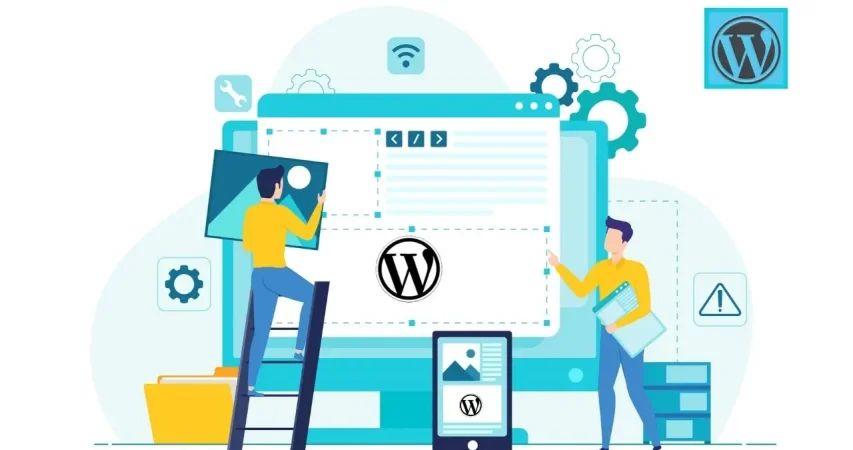
What if your website could reflect your brand’s identity and leave a lasting impression on each visitor? Customizing a WordPress site can do magic. But is all that hassle worth it? In this blog, we will explore the key benefits and see how customization can transform your online presence WordPress is a free tool for easy creation and management of websites. It is very popular, as it is easy to operate and works for a wide range of websites, starting from blogs, online stores, and business sites to creative portfolios. Even if it is developed with the help of technical tools like PHP and a MySQL database, technical knowledge is not necessary while working with it. On the other hand, this flexibility of WordPress makes it brilliant for creating everything from a small personal blog to a large business website.  Customization is key to making any WordPress website and building a site that really defines your brand and serves your purposes. It enables you to provide a much better user experience and achieve business goals by optimizing design, features, and functionalities. This personalization enables you to be different by creating a single-of-a-kind online presence for you alone, thereby drawing and interacting with your target audience in a unique manner.  Let us delve deep into the key benefits of customizing your WordPress website! 

Key Points to Consider Before Creating a Custom WordPress Website 

1. Appearance

One of the core considerations when developing a personal theme for WordPress, is the site’s appearance. This is done primarily through the theme to be used. It determines the site’s overall appearance, where the menus and widgets will be placed, and the default colors and fonts. Browse and select from over 200 themes at the WordPress theme store that’s designed for different needs, from blogging to e-commerce. WordPress Customizer makes it possible to tweak live the appearance of your website, from its title all the way to its widgets and homepage settings. For those who are not satisfied, you can use CSS to go deeper and style your theme to look truly unique.  

2. Functionality  

Your customized WordPress site can be enhanced by including plugins and widgets. Plugins add extra features to your site. By default, WordPress.com includes most necessary plugins, but on a Business or eCommerce plan on your website, you can add according to extra plugins needed for your more specific needs. Widgets serve as tools to include various components, such as recent posts, categories, or calendars, into the sidebar or widget area of the website sidebar or footer; hence, they offer a very easy way to customize and expand your site’s functionality. 

3. Search Engine Optimization

It is unquestionable that SEO features among the topmost determinants for the success of your website. It further enhances the visibility of your site, and the ranking provided on search engines. Features that make up good SEO may include responsive design and fast load times, which enhance user experience and is an advantage to search engines. With WordPress.com, for instance, you’ll have some of the best-built SEO features, such as Jetpack fast CDN, for fast loading and reliable hosting, which attests that your website is already set up to be search-friendly. Other ways to up your SEO are posting quality content and using descriptive image titles. For a Business or a plan that supports plugins, third-party SEO tools can also be used to increase the look of the site and its visibility in established search engines. 

Benefits Of Customizing Your WordPress Website  

1. Stand Out with a Unique Design 

A custom design in WordPress helps to authentically represent your brand by having a design that is consistent with its identity. This means that every single element of your website, from colors and fonts to layout and imagery, will represent the personality of your business but also its values. Distinctive design lets you stand apart from competition, building trust with visitors and communicating an image of professionalism. This enhances user experience through easier navigation and places focus on what really matters to your audience. A custom design does not only give your website that feel of eye candy, but it also fuels the growth and success of a brand. 

2. Boost Functionality and Flexibility 

A custom WordPress website can offer flexibility, unmatched in their apps, so that you will be able to add precisely the functionality and tools your business needs. Be it eCommerce integration, social media integration, or specialized functionalities— all such needs can be seamlessly met in a custom-built site. This will therefore bring more coherence and flow to the user experience since everything is designed to work in perfect coordination. By customizing your site, you will ensure it serves your business goals, is optimal in performance, and gives versatility and precision to its functionality. 

3. Scalability and Growth 

As your business grows, you need to increase the pace of your website to match. Custom WordPress sites are intrinsically scalable, therefore letting you grow and increase your site with new features and functionalities whenever required. Whether you’re increasing new product lines, integrating advanced tools, or increasing traffic capacity, a custom WordPress site will adapt without compromising on performance. Well, this scalability ensures that your website remains effective and responsive to support the evolving needs of your business and helps in maintaining a competitive edge when expanding. 

4. Improved Security 

Custom WordPress websites are more secure because you can add advanced, customized security measures to your site. In this respect, you will be at liberty to include strong security features against any threats or vulnerabilities within your custom website. This comprises custom firewalls, malware scanning, and secure authentication protocols. The greatest thing when it comes to custom security configuration on your site is the advanced safety of a website and sensitive data of users from breaches, ensuring a much safer online experience. This will help in keeping up the integrity and reliability of your site as it continues to develop and grow. 

5. Dedicated Support and Maintenance 

Many custom WordPress websites include dedicated support and maintenance that are designed to quickly troubleshoot any problems and do updates in a professional manner. You ensure that your website is at its best all the time, with very minimal downtime or disruptions. You are not only buying unique branding and advanced functionality but ongoing support and improvement when you pay for a custom WordPress site that raises your online presence. Such attention to quality and maintenance turns your website into this great asset— a scalable, secure, strong platform for business. 

Ready to transform your online presence?

Our expert WordPress developers at Mindpath will tailor a custom website that elevates your brand and drives results.

Customize Your WordPress Website at Mindpath 

The right WordPress developer will help a business owner come up with a custom website that fully answers business needs. Be it enhancing the presence of the brand, adding some unique features, or ensuring top security, accomplishment of any of these requires a skilled developer. At Mindpath, we understand the need for a custom WordPress site and know how to provide expert guidance throughout the hire. Here are the steps to hire the perfect WordPress developer at Mindpath:  

 1. Define Your Project Scope 

To begin with, engage us to outline the specific needs and goals of your project. Thereafter, we shall carry out a thorough analysis of your vision and give you an exceedingly elaborate proposal of the strategy, timeline, and cost estimates. This very distinct first step ensures that we set the right approach based on your expectations. 

2. Select Top Talent 

We will select the most appropriate WordPress developers for you according to your project requirements. You can peruse the profiles and arrange interviews, so you are 100% sure they are a good fit for your needs and the objectives of the project. This way, it will be a choice for the developers to go for, towards the delivery of services that will match your custom WordPress project. 

3. Seamless Project Launch 

Once you select your developers, we will start the project with a comprehensive kick-off. Our team will ensure there is effective communication and provide regular status updates on the development process to ensure the project will run smoothly and within the scope of your intended goals. 

 4. Detailed Ongoing Support 

Our commitment doesn’t end here. We continue the process further with support and maintenance, which includes fixing errors, performing updates, and changing things when required. It shall, therefore, be assured that it is only at the onset that you are without a custom WordPress site which is fully functional, secure, and updated in line with your growth. 

Conclusion  

Custom WordPress website development is more than having a simple digital presence. More can be done to help your brand, better user experience, and grow with the changing needs of a business. With investment in a tailored WordPress site, you open opportunities for individual design, advanced functionality focused on specific business requirements, and scalable growth at pace with success and improved safety and support in this regard will keep you strong and relevant. We at Mindpath are committed to helping you harness these benefits by walking you through every step for hiring our best WordPress developers: from the definition of your project to ongoing support. Unleash the power of customization and turn your online presence into a powerful and effective business tool. 

Want to achieve a Faster, Safer WordPress Site?

Find Out More About Mindpath’s Maintenance Solutions!

Frequently Asked Questions

Support Is One Click Away

Featured Posts

Related Post

DevOps challenges

DevOps has played a crucial role in transforming conventional approaches to software development. Businesses utilize DevOps to ensure faster software delivery with improved quality and better collaboration between development and operations teams. However, the discussions about DevOps challenges don’t come into the limelight, with most of the emphasis being on the benefits of DevOps.

Most of the teams working with the DevOps approach experience many struggles and roadblocks, which can be frustrating at times. Awareness of the prominent challenges for DevOps and their solutions can help a business owner find the best strategic approach for DevOps implementation. This post will help you discover some of the prominent challenges in DevOps and their potential solutions.

Don’t know how to tackle the challenges in the DevOps process? Mindpath offers DevOps Consultation & Implementation services, where our experts provide practical strategies to help you move forward and streamline your operations. 

Why does DevOps Face Challenges?

The most common answers to “What is DevOps?” paint it as a combination of software development and IT operations. However, you need to dive a little deeper to understand what DevOps actually entails. DevOps is not about introducing a new department in the organization or bringing a specific set of tools for better results. As a matter of fact, DevOps is a paradigm shift that requires businesses to change how they think about collaboration and communication.

You can notice that success in DevOps initiatives is more about the cultural and philosophical shift rather than the technical aspects. Even with the undeniable benefits of DevOps attracting the eyes of business owners, there is no way to ignore the challenges. Many organizations fail in DevOps implementation due to their inability to recognize the challenges that are not purely technical.

Exploring the Most Prominent DevOps Challenges

The utility of DevOps is clearly evident in the different advantages like faster time to market, easier recovery from incidents, reduced deployment failures, and enhanced efficiency. However, a lack of awareness of the challenges with DevOps can lead businesses to waste resources and end up with substandard results. The following sections will help you learn about the most critical challenges for DevOps implementation.

1. Cultural Resistance and Fragmentation

The most prominent challenge for DevOps is the cultural shift that comes with it. The traditional approach to software development involved development and operations teams working in silos. Both teams had different goals, mindsets, and metrics for the same project, thereby leading to conflict. For instance, developers focus on faster delivery and innovation, while the operations team emphasizes stability above everything.

The fundamental difference between the two teams can create problems in the adoption of the DevOps methodology for new projects. One of the notable problems that arises from differences between the development and operations teams is the ‘us vs. them’ mentality. In addition, professionals in both teams accustomed to traditional workflows will showcase resistance to new tools and practices. Furthermore, the lack of active involvement of leadership also creates difficulties for the cultural shift required in DevOps.

2. Complexity of Tools and Integration Process

Any business that wants to embrace DevOps can capitalize on a wide range of tools for every phase of the software development lifecycle. You can find DevOps tools for almost everything, including CI/CD, security, version control, and monitoring. The assurance of access to so many tools offers the flexibility to choose any tool according to your needs. At the same time, it also creates challenges for DevOps projects as choosing the right tools can be a considerably daunting task. Some businesses end up adopting a lot of tools that don’t align with each other, thereby leading to inefficiencies.

Businesses have to face difficulties in achieving seamless integration between different DevOps tools. On top of it, DevOps teams must learn about a wide range of tools, which calls for investing a lot of time in training. The challenges due to the complexity of tools also focus on the inconsistencies in development, testing and production environments that lead to deployment failures.

Looking to optimize your CI/CD pipeline with smarter automation and streamlined processes? Visit our blog on DevOps Best Practices to discover the strategies high-performing teams use to achieve consistent, stable releases.

3. Lack of Attention to Security

The next prominent challenge for businesses in the adoption of DevOps is the lack of attention to security. Since DevOps aims at ensuring faster software delivery, most of the focus of DevOps solutions is on speed. However, businesses forget about security until the final stages of the software development cycle. Pushing security to the later stages of development as an afterthought is responsible for many challenges in DevOps. One of the most critical outcomes of ignoring security till the last stage of development focuses on compliance issues. Without integrating security practices from the beginning, any DevOps initiative is likely to face regulatory penalties.

The delayed attention to security results in the discovery of bugs and errors in the final stages of development. As a result, businesses have to spend more resources and time fixing such errors. The possibilities of bugs passing undetected through different stages of development can lead to the creation of insecure code. The problems arising from insecure code, such as data loss and breaches, can damage the reputation of an organization.

4. Rigidity of Legacy Systems

Most of the organizations embracing DevOps work with legacy systems and applications in their infrastructure. The adoption of DevOps for businesses with legacy systems is a daunting task, as the old systems were not designed for agile paradigms. You can think of monolithic architectures that involve large and tightly coupled applications, which create difficulties in frequent modification, testing, and deployment.

The automation-first principle in DevOps is not applicable in legacy processes that rely heavily on manual configuration and deployment. Businesses have to go through nightmares to discover the complex dependencies in legacy systems during transformation efforts. At the same time, businesses must also remember that older systems have more security vulnerabilities, making it difficult to integrate them into a DevOps pipeline.

Planning to integrate security into your DevOps workflow? Explore our blog on DevSecOps to learn how automated security checks and continuous monitoring strengthen every stage of development.

Discovering the Ideal Solutions to DevOps Challenges

The insights on challenges for DevOps reveal that adopting a unified approach to development and IT operations is not easy. However, businesses can overcome these challenges by following a holistic approach to address the limitations of people, processes, and technology. The following sections offer an overview of some of the proven solutions to the challenges of DevOps implementation.

1. Culture of Collaborating and Sharing Responsibility

The foremost addition among the biggest DevOps trends points to efforts to break down silos and establish cross-functional teams. DevOps initiatives require shared goals around desired business objectives rather than focusing on KPIs of individual departments. Business owners must foster open communication and transparency between teams to create new paths for collaboration and knowledge sharing. Most important of all, leaders must showcase active participation in the projects and communicate with team members. When all team members share the same goals and responsibilities, the chances of cultural resistance and conflicts are reduced by a huge margin.

2. Adoption of Standardized Combination of Tools

The large assortment of tools for DevOps is obviously one of the most complex challenges for business owners. However, the solution suggests that adopting a standard set of tools with a thoughtful approach can prevent confusion. For instance, businesses must identify the critical areas for automation while choosing DevOps services and select tools that perform the best in the concerned areas. Most important of all, businesses must choose tools that facilitate easier integration with existing systems. Platforms such as Azure DevOps or GitLab can be the best picks for DevOps with their integrated version control, project management, and CI/CD capabilities.

3. Security from Early Stages

Another proven solution to a formidable DevOps challenge is the adoption of security as a shared responsibility in all stages of the development cycle. Integration of security practices and tools in the early stages of development can involve scanning the source code during development and testing applications to identify vulnerabilities in the running state. DevOps teams should also use techniques like software composition analysis to recognize and resolve open-source vulnerabilities. The other proven solutions to embrace security in the early stages include automated security checks for CI/CD pipelines and security training.

Looking to combine fast DevOps practices with automated security checks? Check out our blog on DevOps vs DevSecOps to understand how DevSecOps adds proactive, automated safeguards to every stage of your pipeline.

Want to Simplify DevOps and Achieve Faster Time to Market?

The overview of the notable DevOps challenges and the solutions recommended for them showcases that embracing DevOps is not easy. On the other hand, a holistic and strategic approach to fighting against the challenges can help businesses embrace DevOps easily. The right DevOps strategy will not only ensure faster time to market but also achieve new benchmarks of competitive advantage.

We at Mindpath have been serving our clients with end-to-end IT solutions, including DevOps services tailored to their needs and vision. Our experts have the experience required to understand the client’s vision and offer relevant solutions. Talk to our DevOps consultants and discover the ideal way to make the most of DevOps benefits now.

Frequently Asked Questions

1. Why do some DevOps implementations fail despite having the right tools?

Failure often happens when organizations focus only on tools and ignore cultural alignment. Without proper collaboration, shared goals, and leadership support, even the best tools cannot deliver results. DevOps success depends equally on mindset, communication, and well-defined processes.

2. How can organizations measure the success of their DevOps adoption?

Success can be measured through key indicators such as deployment frequency, lead time for changes, system reliability, and recovery time after failures. These metrics help assess efficiency, stability, and the overall impact of DevOps practices on business performance.

3. What role does leadership play in overcoming DevOps challenges?

Leadership plays a critical role in driving cultural change and setting clear goals. Strong leadership ensures team alignment, encourages collaboration, and supports continuous improvement. Without active involvement from leadership, DevOps initiatives may struggle to gain momentum and direction.

4. How can teams manage the transition from legacy systems to a DevOps environment?

The transition should be gradual, starting with identifying critical systems and modernizing them step by step. Breaking monolithic systems into smaller components, automating processes, and testing continuously helps reduce risks and ensures a smoother shift to DevOps practices.

5. Why is continuous learning important in a DevOps environment?

DevOps involves evolving tools, practices, and technologies. Continuous learning helps teams stay updated, adapt to changes, and improve their workflows. It also enables better problem-solving and ensures that teams can effectively handle new challenges as they arise.

Discover key DevOps challenges and effective solutions to streamline development and operations, and boost deployment efficiency.
GenAI tools for teachers

The year is 2026 and AI isn’t just knocking at the doors of the education industry as it has become an integral part of the classroom, research lab, and faculty room. Educators have been burdened with expectations and exhaustion due to changing curriculum designs in different parts of the world. The arrival of GenAI tools in the education sector has marked the introduction of many new opportunities for educators.

Generative AI is gradually becoming an indispensable companion of teachers worldwide for many reasons. Most important of all, GenAI tools are not replacing the human element in the teaching experience. On the contrary, generative AI empowers teachers and helps them provide personalized learning experiences to every student. From lesson planning and content creation to assessment and student support, GenAI tools for teachers can make everyday teaching more efficient.

Key Takeaways

  • 01
    GenAI tools can help teachers reduce repetitive administrative work and spend more time interacting with students.
  • 02
    Generative AI can support lesson planning, content creation, grading, assessments, and personalized learning.
  • 03
    Tools such as ChatGPT, Gemini, Canva Magic Studio, and Magic School AI can support different classroom needs.
  • 04
    AI-powered education tools can help teachers create more interactive learning experiences and improve student engagement.
  • 05
    The right GenAI tools can complement teachers by supporting productivity, creativity, personalization, and classroom management.

Want to stay ahead in the education sector by offering smarter, more efficient solutions? Mindpath offers generative AI development services to help education businesses build custom, scalable AI tools tailored to their needs.

Understanding the Significance of Generative AI for Teachers

The biggest problem for teachers in the modern education industry is the burden of tedious and repetitive administrative tasks. Imagine the stress on teachers who have to evaluate the test papers of each student and prepare lesson plans for the next day. The use of GenAI tools for teachers can help reduce the burden of administrative tasks, especially with automated grading and generation of personalized learning materials. Generative AI tools can allow teachers to invest their efforts in interacting with students, fostering creativity, and nurturing critical thinking skills.

Teachers should understand that generative AI is not just another technological trend that will fade away with time. As a matter of fact, generative AI signifies a major paradigm shift in the domain of education. You can notice the broader impact of generative AI in education through solutions such as personalized learning at scale, automated content generation, and better student engagement. Generative AI can help learners through adaptive learning systems that align with the learning style, strengths, and weaknesses of each learner.

The reduced administrative burden on educators helps them interact directly with students and craft innovative teaching strategies. GenAI tools also help educators provide instant feedback on student assignments, thereby allowing students to learn quickly from their mistakes. Teachers can rely on generative AI to improve student engagement by creating interactive content and personalized assessments. As a result, generative AI helps educators transform learners into active participants in the learning journey.

Looking for ways to integrate cutting-edge AI into your teaching strategy? Read this blog on generative AI trends to stay ahead with the newest AI innovations.

What Are the Top Generative AI Tools for Teachers?

The blend of artificial intelligence and education brings promising results for learners as well as educators. The best GenAI tools for teachers can support lesson planning, content creation, assessments, presentations, research, grading, and student engagement. The following list of generative AI tools highlights how generative AI for teachers can support different aspects of the teaching experience.

Here are 15 GenAI and AI-powered tools that teachers can use for planning lessons, creating educational content, engaging students, assessing performance, and organizing learning resources.

1. ChatGPT

The biggest generative AI tool that attracts the attention of educators worldwide is ChatGPT. It is still one of the basic tools that transformed how we interact with artificial intelligence. Educators can trust ChatGPT for its versatility and use it as an assistant for different types of tasks. ChatGPT is one of the top AI tools in education for drafting lesson plans, summarizing research papers, or providing answers to difficult student questions. Educators can trust ChatGPT for brainstorming, content creation, and delivering responsive student support.

2. Sendsteps

Sendsteps AI is a unique platform that makes the process of creating assignments easier for learners. It relies on the power of natural language processing to understand the teacher’s instructions with accuracy. The AI tool uses teacher instructions to craft content personalized to specific needs and learning objectives of students. Educators can also use Sendsteps for creating interactive quizzes with the facility of automatic grading.

3. Google Gemini

Another big name among the best AI tools for students and teachers is Google Gemini. It stands out with multimodal capabilities that make it more versatile than text-only models. Google Gemini can generate text as well as images and audio content, thereby enhancing its versatility for classroom applications. Teachers can rely on Gemini to create lesson materials, interactive quizzes with audio prompts, and explanations of scientific concepts with diagrams.

4. Canva Magic Studio

You cannot think about AI tools in the field of education without focusing on Canva and its Magic Studio AI features. Canva is a distinct AI tool in education that allows you to create visually engaging presentations effortlessly. Teachers can also use it to craft educational videos, infographics, and interactive worksheets. The Magic Studio feature of Canva also provides personalized recommendations for content generation while creating teaching aids.

5. Quizizz

Quizizz is another generative AI platform that helps teachers create interactive quizzes. It can help teachers craft engaging quizzes, interactive lessons, and polls from different source materials. The AI tool can also help generate different types of questions, such as open-ended or multiple-choice questions. Educators can transform quizzes and assessments into fun experiences for students while obtaining an accurate impression of student performance.

6. Socrative

The list of top generative AI tools that can help teachers also includes Socrative, an AI-powered student response system. Socrative is an example of using generative AI for educators to enhance their capabilities for evaluating student assignments. Teachers can use Socrative to create open-ended questions and quizzes to collect formative assessment data. The data obtained from such tests can help teachers recognize student weaknesses and modify their teaching approaches.

7. Nearpod

Nearpod is also a useful generative AI tool for embedding open-ended questions, quizzes, and polls in presentations. Teachers can use Nearpod as one of the top education AI tools to create engaging lessons for students. The tool also provides valuable data on student performance along with creative tools for educators. These creative tools can help create interactive learning experiences that boost critical thinking and creativity among learners.

8. Flipboard

One of the interesting AI tools that teachers can use is Flipboard. It provides educators with a way to deliver education through a completely new and innovative format. Flipboard helps educators combine articles, videos, and other web content on a specific topic in the format of a digital magazine. Educators can share the digital magazines with students through links that can enhance the learning experience.

9. Magic School AI

Magic School AI is a comprehensive collection of AI tools for educators, focused on automating common classroom tasks. It is one of the best generative AI tools for creating subject-specific lesson plans, worksheets, and rubrics. Teachers can find more than 60 tools in Magic School AI for different aspects of the teaching experience.

10. Curipod

The collection of GenAI tools for education must also include Curipod for its capabilities as a lesson planning assistant. It helps make classroom learning more engaging with interactive activities. Curipod can create presentations with interactive elements to encourage student participation. Teachers can use Curipod as a trusted solution for real-time understanding of student performance and fostering active learning.

Could understanding AI applications in other industries help you choose the best tools for your classroom? Discover how generative AI in market research provides insights that can spark innovation in teaching.

11. Eduaide.AI

Eduaide.AI is one of the few generative AI tools created specifically for educators. It helps streamline lesson planning and the creation of learning resources. The AI tool can help generate lesson plans aligned with popular standards. The intuitive interface of the platform, combined with its emphasis on pedagogical support, makes it a valuable tool for educators.

12. Otter.AI

Otter.AI is another notable example of an education AI tool with distinctive features. The AI-powered transcription service leverages generative AI for real-time transcription of spoken language in class lectures or parent-teacher conferences. The tool plays a crucial role in enhancing accessibility in education and improving the efficiency of note-taking.

13. Evernote

Evernote is a comprehensive organizational tool for educators that utilizes generative AI for content curation. Teachers can use Evernote to save videos, articles, and other web content to create educational content. The AI tool helps with the effective collection and organization of research materials, creation of lesson plans, and sharing personalized learning resources with students.

14. Gradescope

Gradescope also showcases another example of using generative AI tools for learning improvement through a simpler and faster grading process. Teachers can use Gradescope for automated assessment of complex assignments such as essays, code submissions, or problem sets. The AI-powered features of the platform not only save teachers time but also support grading consistency and provide analytics for student performance.

15. Raindrop.io

Raindrop.io is another promising addition to the list of top GenAI tools in the domain of education. It is a bookmarking tool that helps teachers save and organize web content alongside creating collections of bookmarks. Teachers can share the bookmarks with learners, which may include videos, articles, or other relevant web content for future reference.

Curious about the most impactful ways generative AI is being applied across different industries and classrooms? Explore detailed generative AI use cases in our comprehensive guide to see how these tools are transforming education and beyond.

Ready to Transform Education with Generative AI?

Generative AI tools are revolutionizing education by reducing administrative burden, enabling personalized learning, and boosting student engagement. Educators can focus on creativity, critical thinking, and meaningful interactions while students enjoy adaptive and interactive learning experiences in the classroom.

At Mindpath, AI development services help education businesses build custom, scalable generative AI solutions. From automating lesson plans and grading to creating personalized learning platforms, our expert team designs tailored AI tools that empower teachers and enhance student engagement.

ReactJS developer in California

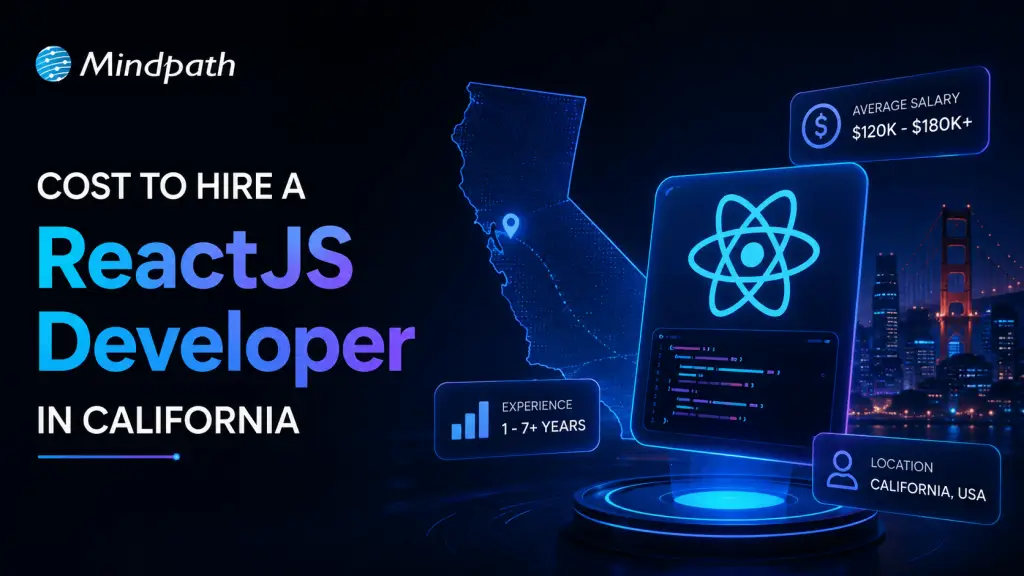
The cost to hire a ReactJS developer in California depends on several factors beyond just hourly or monthly rates. Experience, project scope, hiring model, technical expertise, and location all play an important role in determining the final cost. California remains one of the largest technology hubs in the world, making it home to highly skilled ReactJS developers, but also one of the most competitive hiring markets. Understanding these factors will help you set a realistic budget and choose the right developer for your business goals.

Key Takeaways

  • 01
    Developer experience levels directly determine hourly rates and overall React.js hiring costs.
  • 02
    California tech hubs like San Francisco typically command higher developer salaries than other cities.
  • 03
    Complex projects requiring AI or cloud integration increase development time and expenses.
  • 04
    Developers specializing in Next.js, Redux, or TypeScript often charge premium hourly rates.
  • 05
    Full-time hiring requires salary and benefits, while freelancers can reduce short-term hiring overhead.

1. Developer Experience

A developer’s experience has the biggest impact on hiring costs. Entry-level ReactJS developers are generally more affordable and are well-suited for basic website development, UI updates, or ongoing maintenance tasks. Mid-level developers bring stronger problem-solving abilities and can independently manage complex application development.

Senior ReactJS developers typically charge higher rates because they have extensive experience building scalable applications, improving performance, and solving technical challenges. If your project requires architecture planning, code optimization, or leadership, investing in an experienced developer often delivers better long-term value.

2. Location Within California

Although California offers access to exceptional tech talent, hiring costs differ by city. Developers based in technology hubs like San Francisco, San Jose, and Silicon Valley usually command higher salaries due to increased demand and higher living expenses. Cities with a lower cost of living may offer equally talented professionals at more competitive rates.

Businesses should compare talent availability, project requirements, and budget before deciding where to hire ReactJS developers in California.

3. Project Requirements and Complexity

The complexity of your project directly affects development costs. A simple business website or dashboard typically requires fewer development hours than a large enterprise application.

Projects involving features such as real-time communication, cloud integration, payment gateways, AI functionality, advanced security, or third-party API integrations require experienced ReactJS developers and additional development time. Clearly defining your project scope before hiring helps estimate costs more accurately and prevents unexpected expenses later.

4. Technical Skills and Specialized Expertise

Not every ReactJS project requires the same level of technical expertise. Developers with advanced knowledge of technologies such as Next.js, Redux, TypeScript, GraphQL, REST APIs, performance optimization, testing frameworks, and responsive UI development often charge premium rates because they can deliver faster, more scalable, and future-ready applications.

Hiring developers with the right technical skill set ensures your application performs efficiently while reducing maintenance costs over time.

5. Hiring Model

Your hiring approach significantly influences the overall investment.

  • Full-time developers are ideal for long-term projects and ongoing product development but require salaries, employee benefits, and operational costs.
  • Freelancers can be a cost-effective option for short-term projects or specific development tasks.
  • Dedicated development teams or outsourcing partners provide flexibility, faster onboarding, and access to experienced professionals without the overhead of building an in-house team.

Selecting the right hiring model depends on your project timeline, budget, and business objectives.

Hire Experienced ReactJS Developers with Mindpath

Finding skilled ReactJS developers at a competitive price doesn’t have to be difficult. At Mindpath, we help businesses hire expert ReactJS developers in California who match their technical requirements, project goals, and budget. Whether you need a dedicated developer, a complete development team, or specialized ReactJS expertise for a short-term project, we provide flexible hiring models designed to deliver quality without unnecessary costs.

Discover the ultimate guide to hiring Node.js developers in London. Learn about the skills, benefits, and cost factors involved in finding the right talent for your project.