Home

How Small Businesses Are Using AI Agents to Compete with Companies 10 Times Their Size

How Small Businesses Are Using AI Agents to Compete with Companies 10 Times Their Size

Join our Newsletter!

AI agents for small businesses

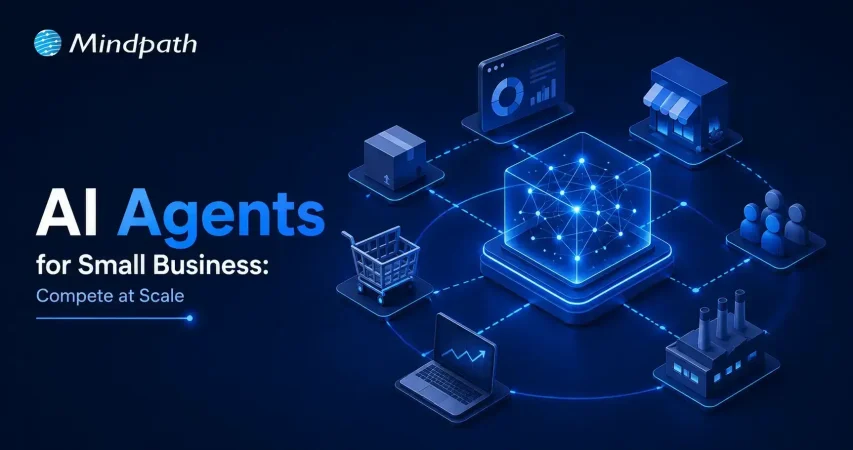
A scrappy 5-person start-up just secured its first client, one that was previously reserved for a corporation with thousands of workers. How did that happen? AI agents for small businesses are now filling in this void by taking care of customer support, sales follow-up, or general day-to-day tasks without requiring a large workforce. Owners are now investing in strategy and growth, while relieving themselves of the grunt work. In this rapidly changing landscape, smaller players have a fighting chance at the big leagues.

Key Takeaways

  • 01
    AI agents help small businesses operate efficiently without expanding their workforce.
  • 02
    Routine tasks can be automated, giving teams more time for growth.
  • 03
    Small businesses can compete with larger companies through smarter operations.
  • 04
    AI improves customer service, marketing, sales, and daily business management.
  • 05
    Affordable tools make AI adoption easier for businesses of all sizes.

It’s not that they’re looking to replace people. It’s all about providing small teams the firepower that larger teams have been using for years. The tasks that used to take whole departments are now accomplished in the background quietly, thus freeing up time for what matters. Owners are not bogged down with repetitive work and can concentrate on relationships, creativity and large decisions. In this blog, we’ll explore in depth how it works and what it means to businesses that are ready to compete smarter, not harder. So, let’s keep reading further!

Want to level the playing field with larger competitors? Discover how our AI development services can help you leverage AI for faster growth and efficiency.

Why Small Businesses Are Adopting AI Agents Faster Than Ever?

AI agents for small businesses are becoming more cost-effective and user-friendly, accelerating the adoption of AI agents among small businesses. They are user-friendly and can be used by the owners to automate the scheduling, invoicing, and customer service tasks without hiring additional employees or experts.

Small business AI automation also creates equality in the competitive landscape, enabling smaller teams to compete with larger ones. Today, this is accelerating quickly and across industries, as owners save time, reduce expenses and concentrate on growth by letting computers handle the repetitive tasks.

Key Factors Driving the Adoption of AI Agents for Small Businesses

1. Instant Scalability

Quickly and effortlessly increase your capacity as your business grows without adding new staff.

2. 24/7 Customer Engagement

Always available to your customers while providing fast, on-point answers.

3. Data-Driven Decision Support

Provides analytical information that subsequently helps in better decision-making.

4. Hyper-Efficiency and Cost Savings

Getting rid of monotonous tasks through automation and cutting down on the overall expenses.

5. No-Code Accessibility

Enables straightforward AI integration without needing any technical knowledge.

How Small Businesses Are Using AI Agents to Compete with Larger Enterprises?

The rise in adoption has led businesses to leverage AI agents in innovative ways to boost productivity, enhance customer experiences, and accelerate growth. Here are some of the most helpful applications of AI agents in small businesses today.

1. Always-On Support

AI agents for small businesses can handle customer inquiries, order updates, and support requests on various channels without delay. This enables small businesses to provide a credible service level at all times, with no compromise on customer satisfaction.

2. Smart Lead Generation

Businesses can leverage autonomous AI agents to help them find leads, validate contact details, and tailor outreach efforts, saving hours of manual research. This helps smaller sales teams produce more opportunities and compete with larger sales teams.

3. Personalized Marketing

AI-powered tools look at customer behavior, preferences, and buying history to craft highly relevant marketing campaigns. Businesses can use AI for small businesses to provide personalized experiences, leading to better engagement, conversion rates, and customer loyalty.

4. Content Scaling

It can be difficult to produce content regularly when you’re working with limited resources and a small team. AI agents can generate blog posts, social media posts, emails, and promotions from just one piece, ensuring businesses stay active on various platforms.

5. Predictive Planning

AI agents continually assess sales trends, seasonal demand, and business metrics, helping to guide more intelligent decision-making. This allows businesses to minimize waste, prevent stock shortages and make better financial decisions.

6. Smarter Hiring

The process of recruiting can be a time-consuming task, including resume screening, candidate evaluation, and onboarding. AI automation for small businesses streamlines these processes, making it easier to hire the right people and concentrate on creating better experiences in the workplace.

7. Rapid Execution

In most cases, small businesses realize an edge when they are able to start following up on new opportunities quickly. By streamlining repetitive tasks, AI agents can lower operational delays, allowing businesses to navigate market shifts and customer expectations more quickly.

8. Financial Automation

Manual handling of invoices, payments, and financial records can lead to unwarranted administration. AI agents perform these tasks in the background, increasing accuracy and freeing up business owners’ time for growth-focused initiatives.

Must-Know Insights

  • 38% to 78% of small and medium businesses (SMBs) use or are trying out AI tools and autonomous agents.
  • According to businesses, there has been a 133% rise in productivity as a result of AI-led automation.
  • The use of AI can lead to a 25%-30% decrease in the costs of running a business.
  • AI support available 24/7 helps attract more sales and enhance the level of customer satisfaction.
  • On average, companies make $3.70 for every dollar they invest in AI.

Popular AI Agent Examples Small Businesses Are Using Today

The growing popularity of AI agents for small businesses comes from their ability to solve real business challenges without adding complexity. Here are some popular AI agent examples that small businesses are using today to save time, improve efficiency, and stay competitive in a fast-moving market.

1. Sales & Outreach

These AI-powered business tools help businesses find potential customers and manage outreach more efficiently. Small teams can spend less time prospecting and more time closing deals.

2. Customer Support

Customer inquiries can be handled quickly and consistently throughout the day. This improves customer satisfaction while reducing pressure on support teams.

3. Admin & Scheduling

Daily tasks like scheduling meetings and managing emails become easier to handle. Teams stay organized and can focus on higher-value work.

4. Content Marketing

One piece of content can be turned into multiple formats for different channels. This helps businesses maintain a strong online presence with less effort.

5. Finance & Invoicing

Routine financial tasks such as invoicing and payment tracking can be managed automatically. This saves time and helps keep business records accurate.

Ready to Give Your Small Business a Competitive Edge?

The adoption of AI agents for small businesses is changing how companies operate, grow, and compete. By automating routine work, improving customer experiences, and supporting smarter decisions, small teams can achieve more while focusing their energy on strategic business goals.

At Mindpath, we provide AI development services that help businesses build practical and scalable solutions tailored to their needs. Whether you want to automate workflows, improve customer engagement, or increase operational efficiency, our team can help you turn AI opportunities into measurable business results.
Frequently Asked Questions

Not necessarily. Many solutions are available through affordable subscription plans, making them accessible even for small teams and startups. The cost is often lower than hiring additional staff for repetitive operational tasks.
The best starting point is usually time-consuming and repetitive work such as customer support, appointment scheduling, data entry, and invoice management. Automating these areas can create immediate time savings and improve overall efficiency.
The timeline depends on the use case, but many businesses notice improvements within a few weeks. Faster response times, reduced manual work, and smoother daily operations are often among the earliest benefits.
Yes. AI agents are designed to support teams by handling routine tasks and administrative work. This allows employees to focus on customer relationships, strategic planning, and other activities that require human judgment.
Start by identifying the biggest operational challenge or bottleneck. The right solution should address a specific business need, integrate with existing systems, and provide measurable improvements in productivity or customer experience.

Support Is One Click Away

Featured Posts

Related Post

Node js libraries for AI

 As we know, with Node.js libraries, adding AI to your projects is becoming easier. These Node.js libraries for AI can offer you the ability to develop apps that can think, respond, and learn over time. If you enjoy working in JavaScript and you are curious about the new AI features like chatbots, smart predictive features (like those in Google Assistant), and apps that recognize voice input, then now is your chance. You don’t need to begin from scratch. If you use the right libraries, you can build smarter apps at less cost and more value.

These Node.js AI libraries come with beginner-friendly options that are powerful enough for advanced applications. You can add new features such as understanding language, detecting images, or performing machine learning without deep knowledge of AI. They are built to seamlessly integrate into your existing Node.js stack, enabling you to save time and effort in your development workflows. In this blog post, we’ll discuss some of the best libraries to quickly get started with AI in Node.js applications.

Are you looking to elevate your business’s web development with the use of Node.js? At Mindpath, we offer Node.js development services that aim to grow your business by providing reliable and AI-powered web solutions tailored to your unique needs.

Importance of Integrating AI into Node.js Applications

Node.js is increasingly becoming a leading option for creating smart, dynamic applications because it is lightweight and driven by events. Thus, can Node.js be used for AI? Yes, it can! Developers are already using Node.js as an API or tool for AI with tools like TensorFlow.js and Natural. In the 2024 Developer Survey by Stack Overflow, JavaScript continued to be the most popular programming language, which means that Node.js is a great starting ground for AI initiatives.

Integrating Node.js with AI applications allows developers to make applications that change and adapt in real-time. The asynchronous nature of Node.js allows developers to execute several operations simultaneously, making it a good platform for artificial intelligence features like chatbots and live prediction tools. More and more AI libraries support Node.js, as development can happen more quickly. As demand for AI using more efficient and adaptable models rises, Node.js is a new practical, scalable programming option for any developer who wants to create smart digital experiences.

Let us have a quick look at the benefits of integrating AI in Node.js applications:

Benefits of Integrating AI in Node.js Applications

1. Real-time Performance

AI integration with Node.js handles real-time tasks like chatbots and fraud detection efficiently with its non-blocking, event-driven architecture. It supports thousands of concurrent requests, delivering quick and responsive AI features.

2. Unified JavaScript Stack

With Node.js AI integration, developers can use JavaScript for both frontend and backend, including AI features. This reduces context switching and makes the development process faster and more efficient.

3. Fast AI Inference

Node.js runs on the V8 engine, which ensures high-speed execution for AI models. This is perfect for real-time predictions like dynamic pricing or personalized recommendations.

4. Smooth API Integration

Node.js makes it easy to connect with external AI services and pre-trained models through APIs. It works well with AI built in other languages like Python, enabling flexibility in integration.

6. Growing AI Library Support

The Node.js ecosystem offers a wide range of AI libraries via npm, such as TensorFlow.js and ONNX.js. These tools allow developers to implement machine learning directly in JavaScript.

7. Enhanced User Experience

AI features like intelligent chat, personalization, and predictions improve how users interact with your app. Node.js helps deliver these features in a fast and seamless way.

8. Automation and Insights

AI in Node.js apps can automate repetitive tasks and analyze data in real-time. This leads to smarter applications that save time and improve performance.

Looking to streamline your web development in 2025? Check out our blog on Top 25 NodeJS Libraries in 2025 to find the best tools that will help you build powerful and efficient applications.

What are the Top Node.js Libraries for AI Integration?

Building intelligent apps is now simpler with the rise of Node.js artificial intelligence libraries that support machine learning, NLP, and smart automation. These powerful AI Node.js libraries help developers create responsive and data-driven features without complex setups. Here are some of the best Node.js libraries for AI integration:

Top Node.js Libraries for AI Integration

1. TensorFlow.js

TensorFlow.js is one of the top Node.js libraries for machine learning, allowing developers to build, train, and run models entirely in JavaScript. It works both in the browser and with Node.js, making it versatile for a wide range of projects. The library is a good example of how Node.js libraries for AI can power real-world communication tools.

2. Brain.js

Brain.js is a simple neural network library that’s ideal for beginners working on small AI projects. It uses JavaScript to make machine learning accessible without complex configuration. Found in the list of useful npm libraries, it helps developers get started quickly with AI-powered features.

3. Synaptic

Synaptic offers a flexible system for creating different types of neural networks, including feedforward and recurrent ones. It supports supervised and unsupervised learning, giving developers options based on their use case. As one of the advanced Node.js libraries for AI, it works well for experimental and custom AI models.

4. Natural

Natural is a powerful Node.js natural language processing library that provides tools like stemming, classification, tokenization, and sentiment analysis. It’s great for applications that need to work with text data in real-time. This is one of the most complete Node.js libraries for AI when it comes to language-based features.

5. ML5.js

ML5.js is built on TensorFlow.js but focuses on simplicity and creative use, making it perfect for artists, designers, and beginners. It lets you easily create interactive AI experiences on the web. As part of the growing set of npm AI tools, it balances power with ease of use.

6. Neuro.js

Neuro.js focuses on building intelligent features for chatbots and virtual assistants using JavaScript. It’s tailored for tasks in NLP and conversational AI. The library is a good example of Node.js support for AI development in real-world communication tools.

7. Compromise

Compromise is a fast and lightweight library for real-time text processing. It’s designed for performance and currently supports only English, making it efficient for many use cases. As part of the JavaScript libraries used in NLP, it’s a useful choice for developers needing quick language insights.

8. KerasJS

KerasJS is a browser-based library that allows you to run deep learning models built with Keras using JavaScript. It supports several pre-trained models like Inception v3 and ResNet, useful for tasks such as image recognition and sentiment analysis. As one of the top Node.js libraries for machine learning, it offers flexibility for deploying models in web environments, with Node.js support in CPU mode.

9. OpenAI Node SDK

The OpenAI Node SDK helps developers connect easily with models like GPT and Codex for generating text, images, and code. It simplifies integration with OpenAI services using Node.js. Available among advanced npm libraries, it enables powerful generative AI in modern apps.

10. Face-api.js

Built on TensorFlow.js, face-api.js provides tools for face recognition, detection, and expression tracking. It runs on both browsers and Node.js, making it suitable for cross-platform apps. As part of modern Node.js libraries for AI, it brings computer vision capabilities to JavaScript projects.

Choosing the right libraries is just the start; you can also enhance Web Performance with Node.js Development Services, which are built to support advanced AI workflows.

Looking to Enhance Your App with Node.js and AI?

The growth of powerful Node.js libraries for AI integration is making it easier to build applications that think, learn, and adapt. AI libraries will help a developer create smarter, faster, and more sensible digital experiences, from real-time predictions, natural language processing, to so much more. With JavaScript at the core, the path to intelligent development is now more accessible.

At Mindpath, we provide professional Node.js development services for current and future applications that are powered by AI. We build intelligent backend systems, provide seamless API integrations, and build scalable features with Node.js, and when combined with AI, we are empowered to deliver increasingly smarter solutions. If you are looking to build an application soon, then we are ready to provide fast, reliable, and intelligent solutions focused on performance and innovation.

Frequently Asked Questions

1. How should the right Node.js AI library be selected for a specific project?

The choice depends on the project’s goal, complexity, and data requirements. Lightweight libraries work well for simple tasks, while advanced frameworks are better for deep learning or large-scale models. Evaluating performance, community support, and integration flexibility helps ensure the right fit.

2. Is it necessary to have strong AI knowledge to use Node.js AI libraries effectively?

Basic understanding of AI concepts is helpful, but many Node.js libraries are designed to simplify implementation. Pre-trained models, clear documentation, and API-based integrations allow developers to add intelligent features without deep expertise in machine learning algorithms.

3. How do Node.js AI integrations handle performance in real-time applications?

Node.js supports non-blocking operations, which allows multiple processes to run simultaneously. This makes it suitable for handling real-time AI tasks like predictions or interactions, ensuring fast responses while maintaining efficiency even under high user demand.

4. What are the common challenges when integrating AI into Node.js applications?

Challenges often include managing large datasets, ensuring model accuracy, handling latency, and maintaining scalability. Proper architecture, efficient APIs, and optimized models are essential to overcome these issues and ensure smooth, reliable AI functionality within applications.

5. How secure are AI integrations in Node.js applications?

Security depends on how data is handled and processed. Using secure APIs, encrypting sensitive data, and following best practices for authentication and access control are essential. Regular monitoring and updates also help maintain the integrity and safety of AI-powered systems.

Discover top Node.js libraries for AI integrations and learn to enhance your applications with machine learning, NLP, and more.
AI and AR

In the year 2026, artificial intelligence and augmented reality are intertwined in tech. Together, these are changing the way people work, interact and experience the world. The pair of them are going strong together. It’s already impacting businesses across industries. So, the question here is: what makes this combination so effective? The answer is the way each technology enhances the other.

You see, AI at one hand does data understanding, pattern recognition and makes smart decision-making all the way. On the other hand, AR makes it possible for those AI decisions to be implemented real-time manner in our environment. Working joint, they create highly intuitive and very responsive experiences. Industries like healthcare, retail, manufacturing/education are already embracing this potential plus the potentials of the whole way new business models arise.  In this blog, we will delve into the specifics of how AI and AR are interconnected, the significance of this trend, and its impact on the future of technology.

Ready to bring the power of AI into your own business systems and workflows? Explore Mindpath’s AI development services to build intelligent, custom solutions that drive real results from day one.

Understanding the Fundamentals of AR and AI

Artificial intelligence (AI) is essentially the simulation of human intelligence in machines. Apart from merely following a set of instructions, AI is capable of learning from the data and adapting to changes. This is what powers technologies that are part of our everyday life such as speech and face recognition possibilities, as well as smart robots that keep getting smarter through the day.

Augmented reality (AR) is a technology that superimposes virtual information onto the physical world in real-time. AR is not virtual reality, it does not replace your environment. It adds to them. The user can view digital images, text, or sound overlaid on the real world using a smartphone or smart glasses. This makes every day experiences much more interactive, informative and engaging.

Want to understand what’s actually running under the hood of these intelligent systems? Read our breakdown of the top AI models powering smart decisions across industries today.

How AI and AR Work Together?

The interrelation between Artificial Intelligence and Augmented reality is that each is able to act as a remedy for their other’s disadvantages. For instance, the AI aspect of the big data, monitoring and analysis can be engaged in real-time scenario solving which helped by AR. Besides this AI is also coming up with the ability of identifying surfaces, depth, and spatial layouts. In this way, AR is enabled to precisely position the virtual objects at any physical environment.

After AI environment mapping, it is up to AR to interpret this intelligence visually. In fact, AI is not only monitoring the movements but also constantly updating the digital overlays in real time. Changes of perspective or lighting are not only sensed but are also corrected without delay. Therefore, the final product is a seamlessly integrated digital and physical world combination.

AI in AR is also capable of naturally responding to human input. It understands voice commands and hand gestures seamlessly. In addition, it tracks user habits so that each interaction is more of a live, exact, and custom experience, minus the need for any user setting.

Curious about how this technology is already saving lives and transforming clinical outcomes? Discover real-world examples of AI in healthcare and how hospitals are putting this to work.

Benefits of Combining Artificial Intelligence and Augmented Reality

Combining the power of augmented reality with AI results in a new level of functionalities that each technology alone cannot offer. Below are the main advantages of this potent combination and reasons why it will have an impact on various sectors.

1. Personalized User Experiences

AI studies the user’s ways and preferences, which is followed by the delivery of AR content specifically suited to the user even as he interacts. Consequently, each new interaction is most likely highly relevant, more intuitive, and quite helpful for the user.

2. Smarter Object Recognition

Through computer vision fueled by AI, augmented reality devices can rapidly and accurately recognize and monitor objects in the real world. This results in a consistent and authentic fusion of the digital and physical worlds that users perceive as natural.

3. Hands-Free Interaction

Gesture recognition and natural language processing give the users an additional way of interacting with AR interfaces, not only by touch of the screen, but also by gestures or voice. This turns AR applications into more versatile, most natural, and even handy in many different places.

4. Real-Time Contextual Assistance

AI provides instant help, navigational assistance, and security warnings through an AR view directly. People receive accurate data at a really suitable time, in fact, when they most require it.

5. Faster Content Creation

AI is capable of handling complicated jobs such as 3D design and data analysis by itself, which drastically cuts down the time needed for development. As a result, teams are able to create top-notch AR experiences in a more efficient way and on a bigger scale.

6. Immersive Training and Learning

With AI serving as an intelligent guide in AR simulations, it is capable of adjusting to the pace of each individual learner at the moment. As a result, training becomes more attractive, more efficient, and much simpler to remember as compared to the traditional ways.

7. Scalable Personalization

Organizations leverage artificial intelligence applications to provide customized AR experiences for their vast users. The data on how people interact is constantly enhancing the experience, and at the same time, it allows brands to gain more insights about their customers as well as to serve them better.

Looking to see how brands are already putting these benefits into action for their customers? Read how augmented reality in e-commerce is changing the way people shop online.

Real-World Applications of Artificial Intelligence and Augmented Reality

AR with AI use cases are already changing how various industries operate, train, and serve their customers. Here are the biggest real-world applications that are making this transformation happen at present.

1. Healthcare Innovation

AI and AR are changing surgeries and medical education by providing real-time 3D visual assistance. This not only allows doctors to operate more accurately but also makes learning better.

2. Retail Experiences

Retailers apply AR technology in business for virtual try-ons and product previews, which in turn builds customers’ confidence towards their shopping.

3. Smart Manufacturing

Technicians wearing AR smart glasses receive live guidance when carrying out repairs. Issue detection is also a function of AI, which helps to decrease downtime.

4. Interactive Entertainment

Filters on social media and games having AI-based AR in them become even more engaging as they turn the very places of the real world into mind-blowing digital places.

5. Navigation Support

AR tools bring visual clues and remote aids to solve issues in the shortest time. As a result, this automatically increases accuracy both in terms of navigating and giving technical assistance.

Planning to take AI even further across your business operations? Check out the most impactful generative AI use cases that enterprises are already deploying for smarter workflows and growth.

Is Your Business Ready for the Next Digital Shift?

Artificial intelligence and augmented reality together are making experiences smarter, faster, and more interactive across different industries. As these technologies continue to blend, companies that adopt them now may be able to achieve greater innovation, improved customer relationships, and sustained competitive growth.

At Mindpath, we provide AI development services to help businesses build smart digital solutions for the future of augmented reality. Our skilled team develops scalable innovations that transform advanced technology into actual business success.

Frequently Asked Questions

1. How are Artificial Intelligence and Augmented Reality changing everyday business operations?

Artificial Intelligence and Augmented Reality help businesses improve customer experiences, automate tasks, and deliver smarter real-time interactions. Together, they support better decisions, faster services, and more engaging digital solutions across industries.

2. Which industries can benefit the most from combining AI with AR technology?

Healthcare, retail, education, manufacturing, and real estate are seeing major benefits. These technologies improve training, customer engagement, operational efficiency, and visualization, making them valuable for many business models.

3. Is AI-powered AR only useful for large companies, or can smaller businesses use it too?

Small and mid-sized businesses can also use AI-powered AR through affordable apps, virtual tools, and customer engagement solutions. It offers practical ways to improve services without massive infrastructure.

4. What skills or technologies are needed to build effective AI and AR solutions?

Successful AI and AR solutions often require machine learning, computer vision, 3D design, and software development expertise. Strong planning and user-focused design also play a major role.

5. What should businesses consider before investing in AI and AR technologies?

Businesses should evaluate customer needs, budget, scalability, and long-term goals before adoption. Choosing the right use case ensures better returns and helps avoid unnecessary complexity.

Discover how AI and AR combine to revolutionize industries, enhance user experiences, and drive innovation. Read to explore the impact.
WordPress maintenance
Is your WordPress site running as smoothly as possible? Do you know what kind of essential maintenance activities should be done on your website to keep it secure and running well? In this blog, we will explore the essential maintenance tasks that will keep your WordPress site in top shape. So, let’s dive in! 

Importance Of Website Maintenance   

Routine WordPress maintenance will help your website to be stable, secure, with better loading speed, and compatible with different browsers and devices. Regular backups guarantee that there is no loss of data in case of website crashing or malware attacks. Up-to-date plugins will ensure that slowdowns and security risks are prevented. Monitoring and analytics on user behavior help you make informed decisions and optimize your content. This provides better maintenance of your website, thus keeping it in top shape, and gives a better experience to the visitor. 

How Much Does WordPress Maintenance Cost?  

The cost of maintaining a WordPress site will be based on the size and complexity of the website. Routine maintenance in 2024 can range from as low as $5 a month to $120 per month or $40 a year to $1,200 a year. For a personal site, maintenance might be as low as $4 a month or $40 annually. Business sites usually start at about $8 per month or $80 per year. The pricing for running corporate websites is usually in the region of $12 a month or $120 yearly. The websites related to entertainment and eCommerce usually cost more, with the former starting at $16 per month and the latter at $20 a month. Routine maintenance includes updating plugins, themes, and WordPress core, managing backups, ensuring security, and keeping up performance. 

The Complete Checklist of Monthly WordPress Maintenance Tasks   

1. Optimize Your Database   

Over time, your WordPress database can become bloated with extraneous data from things like old post revisions, spammy comments, and deleted items, which slow down your site. To clean up your database, first back it up using a tool like Solid Backups to ensure all your data is safe. Then use a plugin such as WP Optimize to clear out any unnecessary data and boost database performance. Alternatively, if you know how to manipulate a database, you can clean up manually with phpMyAdmin. This method is useful when custom settings must be considered, and in all probability, it would be good to talk this over with a developer in case you are unsure. 

2. Manage Backups   

Backing up your website is something you should do regularly for safety against losses and quick recoveries in case of issues. Besides, with Solid Backups, you can configure backups automatically by using the plug-in known as UpdraftPlus. Schedule the backups frequently and let them be safely kept in the cloud, optimally. Moreover, review the process of restoration month by month to confirm that your backup procedure is working well, and in case of need, you will be in a good position to recover your site. 

3. Update WordPress Core, Plugins, And Themes   

WordPress core, theme, and plugin updating have implications for security, compatibility, and accessing new features. According to the Wordfence 2022 State of WordPress Security report, plugins in particular are a weak point, so keeping them up to date is very important. Keep checking for updates, and when found, update them one after the other. Begin with the WordPress core and then proceed to plugins and themes. Remember to always back up before doing any big update and update on a staging site so you can be sure everything works well with your current setup. 

4. Perform Security Scans   

Security scans to vulnerabilities, malware, and unauthorized access should be regularly scheduled. Run full site scans with a plugin like Shield Security, check the logs for any suspicious activity, and configure settings. You should, however, schedule these scans to run periodically, but at least revise them once a month. 

5. Analyze Site Speed   

A website’s speed has a massive impact on user experience and SEO. Among others, you can use Google PageSpeed Insights, GTmetrix, or Pingdom to check how fast your website loads. After testing, fix performance issues of your website against the results. If the speed problems continue, see if there’s a need to review and upgrade your hosting plan. 

6. Check For Broken Links   

Checking for broken links is important both for delivering a good user experience and SEO. Broken links may make visitors and search engines end up in so-called ‘dead ends,’ harming your site’s rankings and authority. Run a check using a plugin such as Broken Link Checker. Thereafter, repair or remove broken links upon finding them, possibly looking into scheduling automated checks to help identify new broken links in the future. 

7. Optimize Images   

Optimizing images will help to increase your site speed and performance radically, particularly when you have a heavy share of images on the site. Tools like Smush or ShortPixel do really well when it comes to compressing existing images. Remember the right formats—JPEG for photos and PNG for graphics where the requirement is transparency. Enable lazy loading; this defers the loading of off-screen images to further speed up page load times. 

8. Submit Your Sitemap   

Making sure that you are regularly submitting your sitemap to search engines will let them index your website in a better way and give you more exposure. Use a plugin such as Yoast SEO to create an updated sitemap, then take the time to manually submit this to search engines via their webmaster tools—like Google Search Console—to check that all your pages are correctly crawled and indexed for maximum search engine visibility. 

9. Monitor Site Performance   

Monitoring your site’s performance frequently will let you know when there is a problem. It helps in making informed decisions and will let you act swiftly. Use tools like Google Analytics and Jetpack to look through key metrics such as page views, bounce rate, and conversion rates. This setting of performance alerts about major changes or problems will let action be taken in time and thus your site runs smoothly. 

10. Test Your Forms   

Testing of forms at regular intervals is paramount to ensure that they work right and harvest data from users effectively. All forms should work well, and process input correctly. Check that email notifications are going to the right addresses, then test for user experience to make sure forms are usable, accessible, and responsive on different browsers and devices. 

11. Clear Site Cache 

It ensures that your site visitors have the most recent content. In addition, it will boost your website’s performance. Sometimes, cached data can become corrupt or outdated, causing display issues and slowing download time. Flush the server cache, then reset any plugin-built caches. Test your site for improved performance after flushing the cache. This can also be done in many ways depending on your unique setup. If you are not comfortable doing it yourself, use something like WP Super Cache and W3 Total Cache

Ready to optimize Your WordPress Experience?

Learn More About Mindpath’s Maintenance Services!

WordPress Development Services at Mindpath   

At Mindpath, we ensure your WordPress website runs at its best with comprehensive maintenance services. This includes regular updates to WordPress Core, plugins, and themes; daily backups for data security; and optimization of the performance of the site so that it loads faster. Our team conducts security scanning to save from threats, monitors and fixes broken links, and looks through analytics to bring about better user engagement. We test forms to make sure they are working well. You just focus on your business while we keep your site secure and efficient with our expert maintenance. 

Conclusion 

Maintenance, on the other hand, will ensure your WordPress site is not only smooth, safe, and high performing, but it will also be defended from many problems for the best user experience. From checking for broken links to analyzing site speed or running security scans, every step is important in keeping your website at its best. 

At Mindpath, we cut down the complexity of WordPress maintenance by offering every necessary service in one place to keep your site in top condition. Let our team take care of updates, backups, performance optimization, security checks, and more, so you can focus on growing your business while we work on keeping your website reliable and engaging. Our expert team at Mindpath makes sure your WordPress site is running at peak performance, ensuring you can get on with business and not worry about it. 

Want to achieve a Faster, Safer WordPress Site?

Find Out More About Mindpath’s Maintenance Solutions!

Ensure your WordPress site runs smoothly with essential maintenance tasks like updates, backups, security scans, and performance optimization.