Home

What is Legacy Modernization – A Comprehensive Guide 

What is Legacy Modernization – A Comprehensive Guide 

Join our Newsletter!

legacy modernization

Technology is a high-paced thing, and companies are under pressure to keep up with it. Legacy Modernization has come to be a serious agenda among companies that currently use the old systems to conduct their daily operations. You may find that the performance is slowing down, maintenance costs are increasing, and security threats are increasing yearly. All these problems cause tension amongst teams and restrict innovation. Then, what actually happens when the old systems are retarding progress? And how do companies get back in control without derailing the fundamental processes?

Meanwhile, leaders desire systems that can enable development, flexibility, and more intelligent decision-making. Their goals are to enhance performance besides safeguarding the vital data and business logic. Such an equilibrium needs a good technical direction and strategy. Thus, it is critical to comprehend the acceptable strategy to achieve success in the long term. This blog will discuss all the major points of legacy modernization step by step.

Ready to move beyond outdated systems that slow down your business? Mindpath offers legacy modernization services to help you upgrade and transform legacy applications into scalable and future-ready solutions.

What is Legacy Modernization?

Legacy modernization is the strategic process of updating, re-architecting, or replacing outdated software systems to align with modern technology capabilities, security standards, and business objectives. It improves performance, security, and scalability while preserving core business logic. Businesses rely on it to remain competitive, reduce technical debt, and drive growth transforming aging systems into scalable, agile, and cost-effective solutions without disrupting day-to-day operations.

However, legacy system modernization goes beyond technical upgrades. Companies need to reconsider procedures, user experience and long term objectives. They enhance efficiency, mitigate risk and facilitate innovativeness with strategic change. An effective modernization strategy puts technology into business performance and establishes a platform to achieve the long-term digital development.

Why is Legacy Modernization Important?

Outdated systems slow progress and increase risk. The modernization of legacy applications helps businesses improve performance, security, and flexibility. Here are some of its key benefits:

1. Legacy modernization reduces high maintenance and infrastructure costs. It also reduces the reliance on the old systems and costly specialists support.

2. It enhances the rate of speed and general dependability of the system. Teams are also able to update at a higher pace and handle changes with ease.

3. It enhances security because it eliminates the risks associated with outdated software. Organizations remain updated on new compliance standards and regulations as well.

4. It improves agility and promotes inter-team innovation. Companies are able to introduce new functionality in a shorter time and react to the needs of the market.

5. Contemporary systems can easily manage increasing traffic and information. They are also compatible with cloud computing and other sophisticated analytics solutions.

6. It improves user experience by making the user interfaces and performance cleaner. There is a greater work efficiency and confidence among the employees when using the system.

Curious about the best way to transition from legacy systems to modern platforms? Check out our legacy modernization roadmap blog to uncover proven steps and strategies.

How to Modernize Legacy Applications?

Organizations must take a clear and strategic approach to legacy modernization to avoid disruption and control risk. A structured plan helps teams upgrade systems efficiently while supporting business goals and future growth.
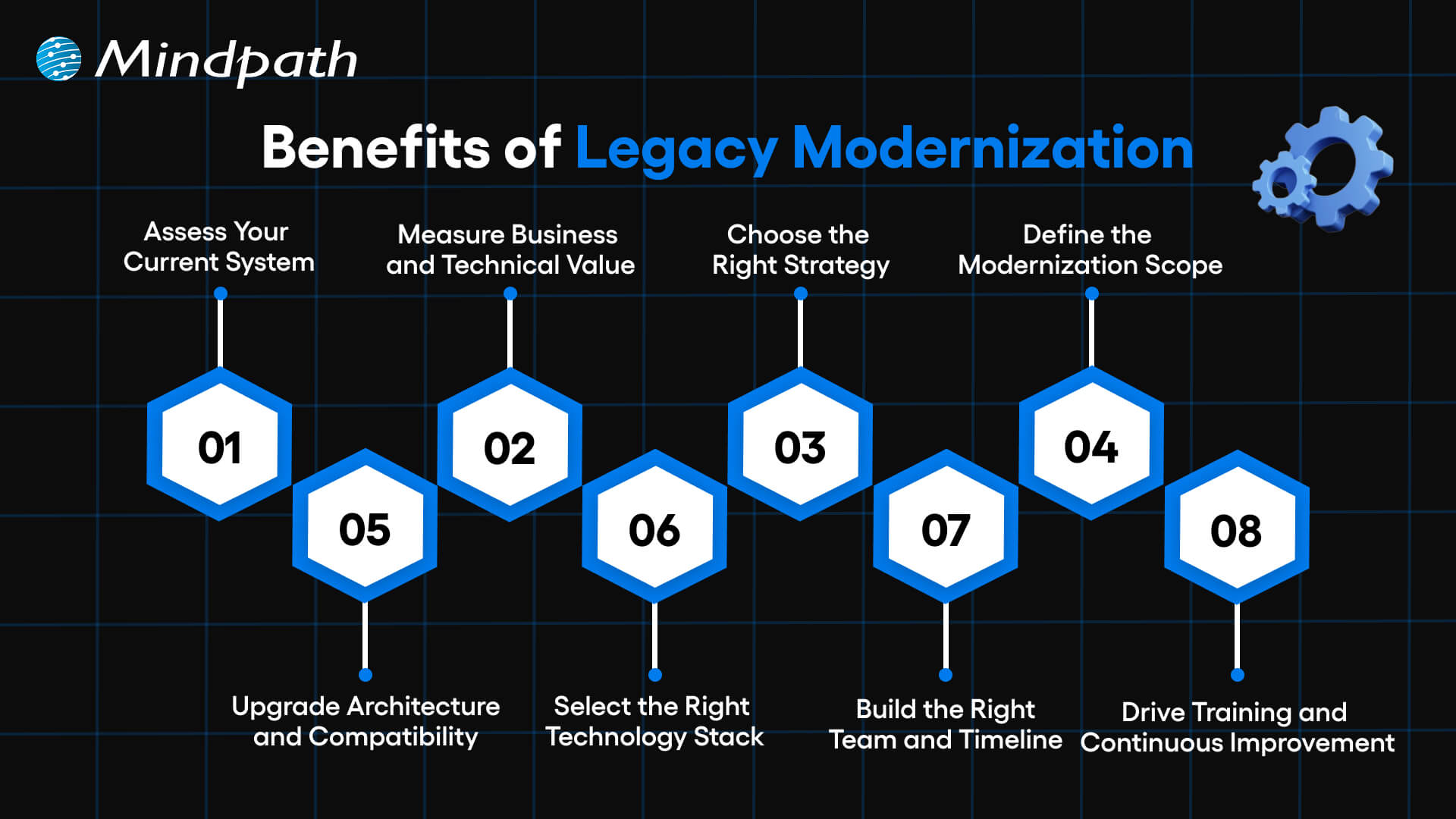
benefits of legacy modernization

1. Assess Your Current System

Evaluate your applications both business and IT. Determine deficiencies in performance, security and scalability. This step builds a strong base for legacy modernization decisions.

2. Measure Business and Technical Value

Assess business fit, agility, cost, complexity and risk. Know the amount of value each system brings in the present day. Clear insights strengthen your legacy app modernization strategy.

3. Choose the Right Strategy

Select a legacy modernization approach that aligns with business goals. Compare such options as rehost, refactor, rebuild or replace. Take the course of action that brings more quickly and reduces the risk.

4. Define the Modernization Scope

Target key points that lead to business performance. Eliminate the old and unwanted functions that complicate things. A clear scope helps teams modernize legacy applications with confidence.

5. Upgrade Architecture and Compatibility

Use scalable architecture when needed e.g. microservices. Enhance dynamism and streamline administration of the system. Enhance seamless integration with other tools/ platforms.

6. Select the Right Technology Stack

Select technologies that will be able to accommodate existing needs and expand in the future. Never act on your judgment without consulting experts. Good testing will guarantee effectiveness, protection and dependability.

7. Build the Right Team and Timeline

Create a cross functional team with established responsibilities and ownership. Develop and maintain documentation. Set realistic milestones to guide legacy modernization progress.

8. Drive Training and Continuous Improvement

Train the staff on effective use of the new system. Onboarding is encouraged by means of structured support. Continuous updates keep legacy modernization relevant and sustainable.

Want to align your legacy systems with your long-term business goals? Explore the legacy modernization strategy for business growth to build a result-driven transformation plan.

Key Challenges in Legacy Modernization

There are some valid advantages of legacy modernization, but it also possesses actual challenges. During the transition, organizations have to be ready to overcome technical, financial, and operational challenges.

1. Complex Legacy Code

Systems are difficult to comprehend and expand due to old-fashioned code and lack of documentation. Such complexity slows the development and raises its maintenance costs.

2. Integration Barriers

The old systems also fail to make connections with cloud providers and new APIs. Architecture reengineering will require teams to be mindful of downtime and the gaps in security.

3. Security and Compliance Gaps

The existing security and regulations are not met in aging systems. It is necessary that Legacy Modernization involves proactive protocols, encryption, and compliance control updates.

4. High Costs and Limited Resources

Modernization demands investment in equipment, education, and infrastructures. Lack of a proper roadmap will increase costs and strain internal resources.

5. User Resistance to Change

Employees tend to be at ease with the well-known systems. Good communication, training will enable teams to adjust to Legacy Modernization programs.

6. Performance and Scalability Limits

Old applications are unsuitable to meet the increasing data and user requirements. Legacy Modernization enhances speed, stability, as well as long term scalability.

7. Knowledge and Skill Gaps

It may be challenging to locate professionals with knowledge of old technologies. Lack of experience will put risks and time delays at a higher level and make the project more complex.

8. Data Migration Risks

Migration of mass volumes of old data can result in loss, corruption or compatibility problems. There has to be audits, backups and testing of data to ensure data integrity in Legacy Modernization.

Planning to integrate AI into your legacy infrastructure for better decision-making? Learn about AI-driven legacy system modernization to transform your systems intelligently.

8 Legacy Modernization Strategies for Modern Businesses

Companies must have a strategy in place when modernizing old systems. The right legacy modernization strategies assist in decreasing risk and faster business worth.
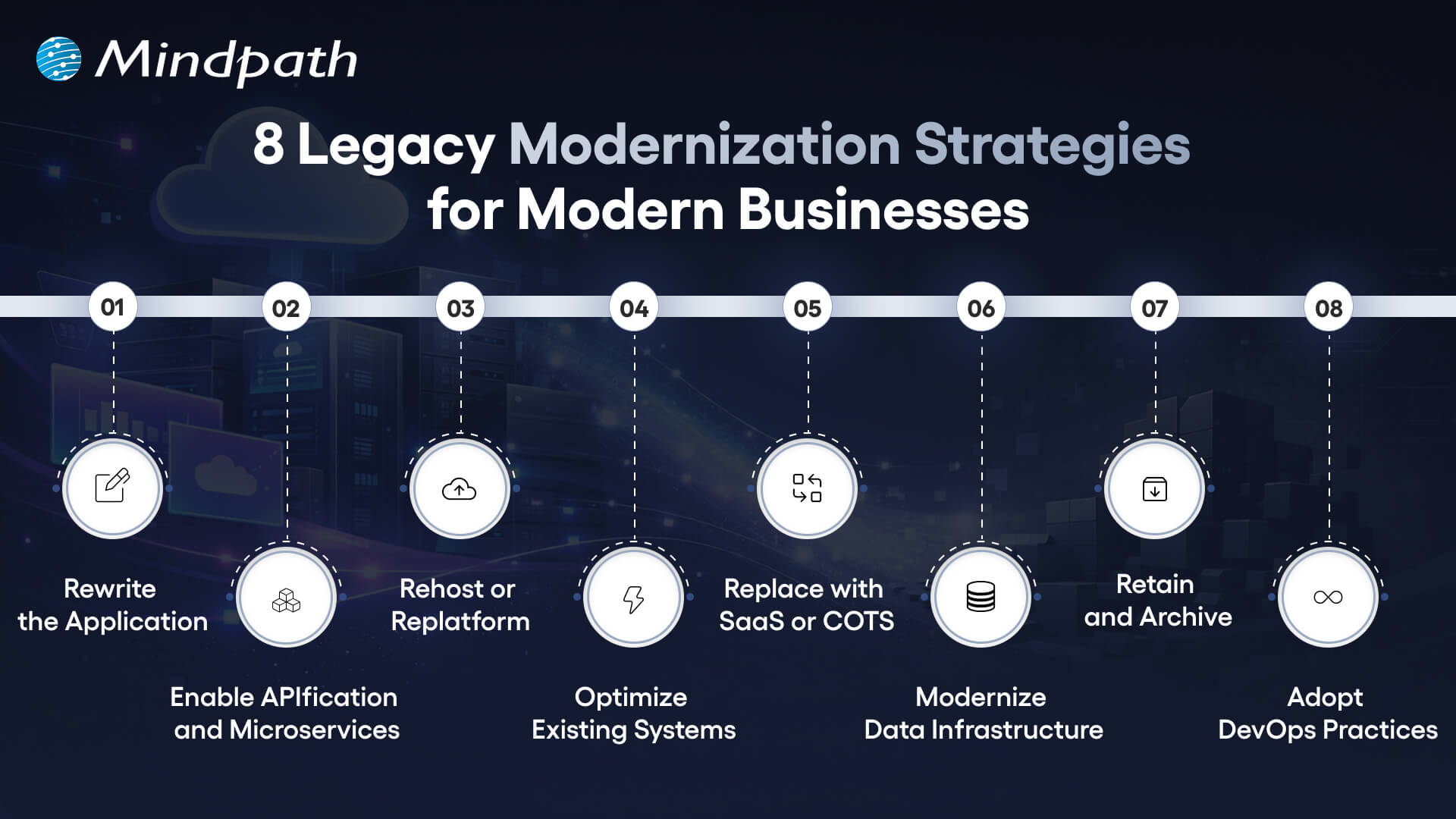
8 legacy modernization strategies for modern businesses

1. Rewrite the Application

Rewrite the old systems using new languages. This strategy will modernize the application and enhance quicker updates. It also reduces the long term maintenance.

2. Enable APIfication and Microservices

Divide monolithic systems into small services. APIs can be used to better integrate them. Innovation is accelerated through this model.

3. Rehost or Replat form

Migration to the cloud with minimal code modification. It is a move that minimizes infrastructure expenses within a very short time. The teams enhance scalability without causing much disturbance.

4. Optimize Existing Systems

Check the workloads as well as code performance gaps. Minimize the usage of infrastructure and operations expenditures. Utilize savings to finance additional upgrades.

5. Replace with SaaS or COTS

Use pre-made platforms that will satisfy business requirements. Accomplish security and compliance. Implement solutions in a shorter time and with reduced risk.

6. Modernize Data Infrastructure

Move the old databases to scaled systems. Enhance the speed, analytics, and flexibility. This step should be aligned to Legacy Modernization.

7. Retain and Archive

Retain those systems that retain the necessary value. Audits of applications that are rarely used in the archive. Unnecessary changes and risks should be avoided.

8. Adopt DevOps Practices

Implement continuous integration and testing. Publishing is faster and teamwork becomes better. Enhance the performance and stability of the systems.

Planning to enhance your modernization efforts with better automation and continuous delivery? Discover DevOps best practices to build a more agile and scalable transformation process.

Key Trends for Legacy Modernization System

Organizations are still redefining their technology environment to remain competitive. The modernization trends point to the new directions that lead to faster, smarter and more scalable transformation.
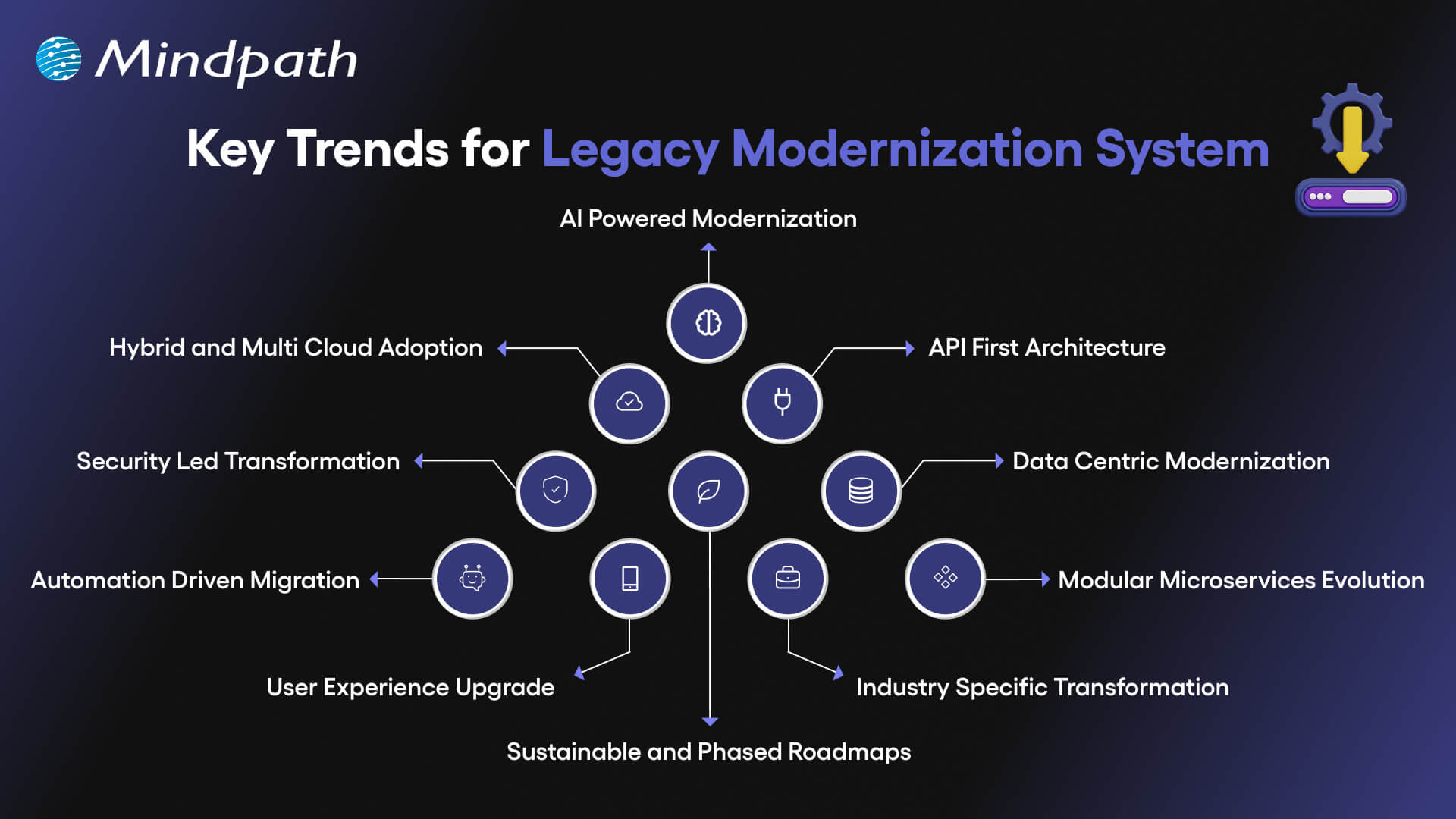
key trends for legacy modernization system

1. AI Powered Modernization

Code refactoring, re-architecture and system analysis are now assisted by AI. According to legacy modernization trends, many enterprises spend lots of money in AI. It enhances preciseness, less threat, and accelerates change.

2. Hybrid and Multi Cloud Adoption

Organizations have stopped relying on one cloud provider. They operate hybrid and multi cloud environments to be flexible and resilient. Container platforms assist systems to operate efficiently in environments.

3. API First Architecture

Enterprises substitute monolithic models with modular API based models. The APIs enhance integrations, scalability, and expedited feature upgrade. The change holds its ground in the contemporary legacy modernization patterns.

4. Security Led Transformation

The presence of stringent rules encourages companies to advance the old security checks. Zero trust models, encryption, and enhanced access management are implemented in teams. Every modernization roadmap is currently being influenced by security.

5. Data Centric Modernization

Isolated data warehouses are sent to unified lake house platforms by businesses. This measure enhances real-time understanding and information controls. Powerful data strategy is a key to successful legacy software modernization.

Curious about how AI can reduce costs and improve system capabilities? Check out the benefits of AI to transform your business operations.

6. Automation Driven Migration

Code scanning, risk detection, and recommendation are processes performed by AI-based tools. Jurisdictional testing and documentation lowers the manual work involved. These applications reduce migration time.

7. Modular Microservices Evolution

Businesses upgrade microservices using containers and orchestration technology. AI assists in tracking and optimization of working loads. This will enhance system stability and scalability.

8. User Experience Upgrade

The future UX concentrates on customization, usability, and functionality. Component based design models substitute strict legacy interfaces. These enhancements are in line with wider patterns of legacy modernization.

9. Industry Specific Transformation

Banks, healthcare providers, and manufacturers need individual solutions. Modern systems are now able to comply with strict industry rules. A strong legacy modernization framework supports niche requirements effectively.

10. Sustainable and Phased Roadmaps

Companies are ready to upgrade slowly than to rewrite everything. Planned phase will guarantee the sustainability of long term and reduce disruption. This approach makes modernization anticipative and expandable.

Want to make your legacy modernization efforts more environmentally responsible? Explore sustainable technology to build eco-friendly and future-ready systems.

Examples of Legacy Systems

Several organizations are still using the old systems to execute important activities. These are the legacy systems that are still in use and support day-to-day processes in spite of low adaptability and scalability.

1. Cloud Enablement in Financial Services

To enhance scaling and reporting, a fintech company has transferred the core systems to the cloud. This legacy modernization decreased manual labor and increased reliability.

2. Clinical Platform Enhancement

A microservices-based upgrade of an oncology system to speed up its performance. The transformations enhanced integration and helped to make medical decisions faster.

3. High-Performance Trading Systems

Microservices and automated deployments were embraced in a trading platform. This legacy modernization enabled speed and increased volume of transactions.

4. Digital Leasing Transformation

One leasing system upgraded its infrastructure to initiate operations more quickly. The upgrade made the operations less complex and efficient.

5. Smart Assessment Innovation

One of the education platforms presented AI-based grading tools. The educators used to save some time and received more rapid performance feedback.

6. Scalable K-12 Learning Infrastructure

One school system optimized its cloud environment to its maximum. The upgrade also enhanced the uptime and made the learning process stable.

Wondering how to connect legacy modernization with broader business goals? Explore about digital transformation for business to align technology with strategic growth.

Ready to Future Proof Your Business?

Legacy systems limit growth, increase risk, and slow innovation. Organizations that invest in legacy modernization improve performance, security, and scalability while reducing long term costs. A clear strategy helps teams modernize in phases and avoid disruption. With the right approach, businesses build flexible systems that support innovation, improve user experience, and create lasting competitive advantage in a fast changing digital market.

Mindpath stands as a trusted legacy modernization service provider delivering practical and scalable solutions. Our team assesses existing systems, defines a clear roadmap, and executes modernization with minimal disruption. We focus on performance, security, and cloud readiness to create measurable business value. With proven expertise and strong technology partnerships, Mindpath helps enterprises modernize confidently and achieve sustainable digital growth.


Legacy Systems Holding You Back?

Move to a modern stack with a clear, phased migration plan.

Frequently Asked Questions

Legacy modernization helps businesses upgrade aging systems to improve speed, security, and scalability. Companies adopt it to reduce operational risks and support innovation. When technology limits growth, modernization creates a strong digital foundation. It also prepares organizations to integrate cloud, data analytics, and automation effectively.
Frequent system failures, high maintenance costs, and slow feature releases signal deeper issues. If your teams struggle to scale or integrate modern tools, your systems likely restrict progress. Legacy modernization helps you overcome these limits and align technology with current business goals and customer expectations.
Mindpath’s legacy modernization services focus on strategy, assessment, and execution with minimal disruption. Our experts analyze your systems, design a practical roadmap, and implement scalable solutions. As a trusted legacy modernization company, Mindpath ensures measurable performance gains and long-term technology stability.
The right approach depends on architecture, dependencies, and business priorities. Teams may rehost applications in the cloud, refactor code into microservices, or rebuild critical components. A structured legacy modernization plan ensures integration stability, secure data migration, and improved system performance.
Teams reduce risk through phased execution, automated testing, and strong DevOps practices. Clear documentation and system audits help identify hidden dependencies early. Mindpath’s legacy modernization services follow controlled deployment models that protect data integrity and maintain operational continuity throughout the transition.

Support Is One Click Away

Featured Posts

Related Post

WordPress development services

WordPress development services help businesses build, customize, and maintain websites that support their operational goals, customer experience, and online growth. Depending on business requirements, these services can include custom website development, e-commerce functionality, third-party integrations, performance optimization, security, and ongoing maintenance.

Choosing the right solution involves more than selecting a theme or installing plugins. Businesses need a website that reflects their brand, supports their customers’ needs, performs reliably, and can adapt as the organization grows. Working with the right website development company can help align technical decisions with these goals.

Key Takeaways

  • 01
    WordPress development services cover custom websites, plugins, integrations, e-commerce, performance, security, and maintenance.
  • 02
    Businesses should select services based on their goals, website complexity, customer needs, and future growth plans.
  • 03
    A well-built WordPress website can support usability, search visibility, operational efficiency, and digital sales.
  • 04
    Businesses should evaluate security practices, performance, integration requirements, ownership, and ongoing support before choosing a development partner.
  • 05
    Regular maintenance and performance monitoring help keep a WordPress website reliable as business requirements change.

What are WordPress Development Services?

WordPress development services involve building, customizing, improving, and maintaining websites using WordPress, a content management system (CMS). These services help businesses create websites that match their brand identity, deliver the required functionality, and provide a manageable platform for publishing and updating content.

Depending on project requirements, a WordPress development team may create custom themes, develop plugins, integrate third-party systems, configure WooCommerce, improve website speed, and implement security measures. The scope can range from developing a business website to building a more complex digital platform with specialized functionality.

For example, a professional services company may need a lead-generation website with service pages and contact forms, while an online retailer may require product catalogs, payment processing, inventory integrations, and order management.

Types of WordPress Development Services Businesses Can Choose

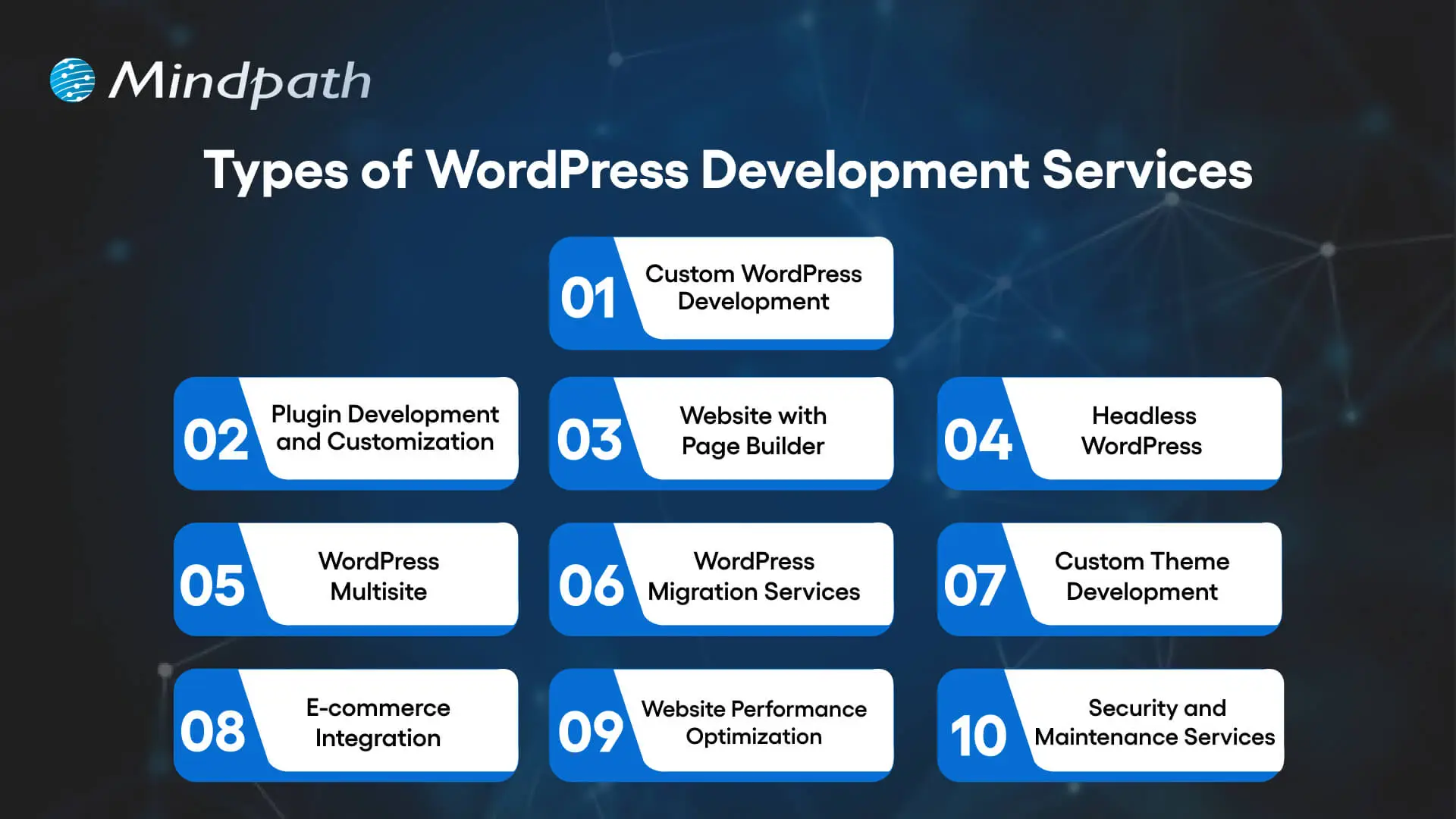
Businesses can choose individual WordPress services or combine several based on their website’s current condition and long-term goals. Understanding the main options helps organizations identify the capabilities they need before starting a project.

Types of WordPress development services for business websites

1. Custom WordPress Development

Custom WordPress development creates website functionality and layouts around specific business requirements. Instead of relying entirely on a ready-made theme, a development team can build tailored page templates, content structures, custom fields, and workflows.

Business use case: A consulting firm may need industry-specific service pages, detailed case studies, and lead forms connected to its customer relationship management (CRM) system.

Learn more about custom WordPress development and how it supports tailored website requirements.

2. Plugin Development and Customization

WordPress plugins add functionality to a website. Businesses can use existing plugins for common requirements or commission custom plugin development when their workflows need capabilities that available solutions do not adequately support.

Business use case: A company may need a custom booking workflow, a specialized reporting dashboard, or an integration between its website and an internal business application.

Before adding a plugin, businesses should evaluate its maintenance history, compatibility, security, licensing, and effect on website performance.

3. Page Builder Website Development

Page builder solutions such as Elementor, Divi, and Beaver Builder help teams create and manage page layouts through visual editing interfaces. They can be useful when marketing teams need to update landing pages and campaign content without relying on developers for every change.

Business use case: A marketing team can build campaign landing pages and update calls to action while following an established design system.

The choice of page builder should consider editing flexibility, accessibility, maintainability, and its impact on page performance.

4. Headless WordPress Development

Headless WordPress separates the WordPress content management back end from the front-end experience. WordPress manages content, while a separate front end built with technologies such as React can display that content through APIs.

This architecture can offer greater front-end flexibility and support content delivery across multiple interfaces. However, it also introduces additional development, hosting, integration, and maintenance requirements.

Business use case: An organization that delivers content across a website and other digital channels may consider headless WordPress when a traditional WordPress setup cannot meet its requirements efficiently.

5. WordPress Multisite Development

WordPress Multisite allows multiple websites to run within a single WordPress installation. It can help organizations manage related websites centrally while sharing selected administrative resources.

Business use case: A company with multiple brands, regional websites, or departmental sites may benefit from centralized administration.

Businesses should assess user permissions, plugin compatibility, content ownership, and the consequences of shared infrastructure before choosing Multisite.

6. WordPress Migration Services

WordPress migration services help businesses move a website from another CMS, hosting environment, or existing WordPress installation. A structured migration process covers content, media files, databases, redirects, integrations, and testing.

Business use case: A company moving from a legacy CMS to WordPress may need to preserve important URLs, maintain access to existing content, and reduce disruption during the transition.

Migration planning should include backups, redirect mapping, staging tests, analytics checks, and post-launch monitoring to identify issues early.

7. Custom WordPress Theme Development

Custom theme development creates the visual structure and reusable page layouts of a WordPress website. A theme can be designed around a company’s brand guidelines, content requirements, and user journeys.

Business use case: A growing company may need a consistent design across service pages, landing pages, case studies, and blog articles.

A well-structured theme can also make future design updates easier to manage, provided the implementation follows maintainable development practices.

8. E-commerce Development and WooCommerce Integration

WooCommerce extends WordPress with e-commerce capabilities. Development services can include product catalogs, shopping carts, checkout flows, payment gateways, shipping configuration, and integrations with inventory or order management systems.

Business use case: A retailer can manage products and online orders through a WordPress-based store while integrating relevant payment and fulfillment services.

Businesses should review transaction security, checkout usability, mobile performance, product management, and expected traffic before launching an online store.

9. WordPress Performance Optimization

Performance optimization improves how quickly and reliably a WordPress website loads and responds. Depending on the underlying issues, work may include image optimization, caching, database maintenance, code improvements, hosting configuration, and reducing unnecessary scripts or plugins.

Business use case: An e-commerce business experiencing slow product pages can investigate performance bottlenecks to improve browsing and checkout experiences.

Businesses can monitor Core Web Vitals, server response times, page load behavior, and real-user performance to assess improvements.

10. WordPress Security and Maintenance

Security and maintenance services help keep a WordPress website updated, monitored, and recoverable. Depending on the agreement, they may include core, theme, and plugin updates; backups; vulnerability checks; access controls; malware monitoring; and incident support.

Business use case: A business that relies on its website for leads or online sales may need scheduled maintenance, tested backups, and a defined process for resolving security or availability issues.

For additional guidance, read our resource on safeguarding against common WordPress vulnerabilities.

What Should Businesses Expect From a WordPress Development Partner?

Businesses should expect a development partner to understand their goals, define the project scope, explain technical decisions, and establish clear criteria for evaluating the finished website. The exact deliverables depend on the project, but several practices are important across most engagements.

Expectation What it should include Business value
Requirements and planning Defined scope, priorities, timelines, and acceptance criteria Reduces misunderstandings and scope-related delays
Design and usability Brand alignment, responsive layouts, accessible navigation, and clear user journeys Helps visitors find information and complete important actions
Technical development Appropriate themes, plugins, integrations, and maintainable implementation Supports required functionality without unnecessary complexity
Performance and security Testing, optimization, updates, access controls, and backup planning Reduces avoidable operational risks
SEO readiness Crawlable pages, suitable URL structures, metadata support, and redirect planning where needed Helps search engines discover and understand website content
Testing and launch Functional, mobile, browser, integration, and launch checks Helps identify issues before they affect visitors
Post-launch support Documented ownership, maintenance responsibilities, and support arrangements Makes ongoing website management more predictable

Business Benefits of Professional WordPress Development Services

Professional WordPress development can help businesses create a website that supports marketing, sales, customer service, and day-to-day operations. The value depends on how well the website is planned, implemented, and maintained.

1. Website Functionality Aligned With Business Goals

A website should support specific business objectives rather than simply look attractive. Custom page templates, forms, integrations, and content structures can help visitors find relevant information and take actions such as requesting a quote, booking a consultation, or purchasing a product.

2. Better User Experience Across Devices

Responsive design, clear navigation, readable content, and accessible interactions help people use a website across desktop, tablet, and mobile devices. A well-planned user experience can reduce friction when visitors explore services or complete important tasks.

Businesses can also review our WordPress web accessibility guidelines to understand how inclusive design practices support a wider range of users.

3. More Manageable Website Operations

WordPress provides a content management interface that allows authorized team members to update pages, publish articles, and manage media. Appropriate roles, reusable templates, and editorial workflows can reduce the effort required for routine website updates.

4. A Foundation for Search Visibility

A technically sound WordPress website can support SEO through accessible content, logical internal links, suitable page titles, descriptive metadata, mobile usability, and efficient performance. These foundations help search engines access and interpret content, although they do not guarantee higher rankings.

Businesses should also review indexing, canonical URLs, structured data where appropriate, XML sitemaps, redirects, and the quality of the content published on the website.

5. Improved Security and Reliability

A structured development and maintenance process can reduce avoidable risks associated with outdated software, excessive permissions, vulnerable plugins, and inadequate backups. Security measures should reflect the website’s functionality, data sensitivity, and business importance.

For related technical guidance, see our WordPress and PHP compatibility guide.

6. Flexibility as the Business Grows

A well-planned WordPress website can be extended as requirements change. Businesses may add new service pages, integrate marketing systems, introduce e-commerce functionality, or improve existing workflows without rebuilding the entire website for every new requirement.

The ability to scale depends on the site’s architecture, hosting resources, integration design, and the quality of its implementation.

7. Better Control Over Website Costs

The right development approach can help businesses avoid unnecessary plugins, duplicated functionality, and expensive rework. However, the total cost of ownership also includes hosting, premium extensions, maintenance, security, licensing, and future improvements.

Businesses should compare the expected long-term cost of a proposed solution rather than choosing a provider based only on the initial development quote.

How to Choose the Right WordPress Development Services

The right service provider should be able to connect technical recommendations with your business objectives. Before making a decision, evaluate the following areas.

1. Define Your Website Requirements

Identify the website’s main purpose, target audience, essential features, content needs, integrations, and expected growth. A company website, an online store, and a content-heavy publishing platform will have different technical requirements.

2. Review Relevant Experience

Look for projects that demonstrate experience with similar functionality, industry requirements, integrations, or performance challenges. Ask how the provider approached the work and how the finished website meets the original requirements.

3. Assess Technical and Security Practices

Ask about plugin selection, code quality, access permissions, backups, update procedures, testing, and recovery plans. The provider should be able to explain the approach in terms your business team can understand.

4. Confirm SEO and Performance Requirements

Discuss URL structures, redirects, mobile usability, page performance, indexing, and analytics before development begins. If the project replaces an existing website, make sure the team has a plan to preserve valuable URLs and monitor changes after launch.

5. Clarify Ownership and Ongoing Support

Confirm who owns the website code, domain, hosting account, licenses, content, and administrator credentials. Review the support agreement, maintenance schedule, response expectations, and costs for future changes.

6. Compare Scope, Not Just Price

Review each proposal against the same requirements. Compare deliverables, exclusions, testing, integrations, documentation, launch support, and post-launch services before evaluating the total price.

Businesses evaluating external partners can also read our guide to choosing the right website development company.

How Much Do WordPress Development Services Cost?

The cost of WordPress development services depends on the website’s scope, design requirements, custom functionality, integrations, migration needs, performance targets, and ongoing support. A straightforward business website generally requires a different level of effort from a custom e-commerce platform or a complex, integrated digital experience.

Cost factor What affects the cost
Design complexity Custom layouts, responsive behavior, accessibility, and design system requirements
Custom functionality Specialized workflows, custom plugins, user roles, and advanced features
Integrations CRM, payment, inventory, marketing, analytics, and other external systems
Migration requirements Content volume, URL mapping, data transformation, redirects, and testing
Performance and security Optimization, infrastructure configuration, security controls, and monitoring
Ongoing maintenance Updates, backups, troubleshooting, licenses, hosting, and support coverage

Before approving a proposal, ask for a clear breakdown of development deliverables, recurring expenses, assumptions, exclusions, and change-request costs. This helps businesses budget more accurately and compare providers on a consistent basis.

Common Mistakes to Avoid When Investing in WordPress Development

Even a well-funded website project can create avoidable problems when business requirements and technical decisions are not aligned. Businesses should watch for these common mistakes.

  • Choosing based only on the initial quote: A low upfront price may exclude testing, integrations, documentation, or maintenance.
  • Installing too many plugins: Unnecessary or poorly maintained plugins can increase complexity and security risks.
  • Ignoring performance during development: Heavy themes, oversized images, and excessive scripts can affect user experience.
  • Leaving SEO until launch: URL changes, missing redirects, and incorrect indexing settings can create avoidable search visibility issues.
  • Skipping backup and recovery planning: Businesses need a practical process for restoring the website after a failure or security incident.
  • Failing to clarify ownership: Domain access, hosting accounts, licenses, and administrator credentials should be clearly assigned.

Build a WordPress Website Around Your Business Goals

WordPress development services can help businesses build websites that support their brand, customer experience, marketing activities, and digital operations. The right approach depends on the required functionality, integration needs, security expectations, performance goals, and plans for future growth.

Before starting a project, define the outcomes your website needs to deliver and evaluate providers against those requirements. A clear scope, appropriate technical choices, thorough testing, and a practical maintenance plan can help create a website that remains useful as your business evolves.

At Mindpath’s WordPress development services, businesses can explore solutions for custom themes, plugin development, e-commerce integration, performance optimization, and website maintenance. Discuss your requirements with a development team to identify an approach that fits your website goals.

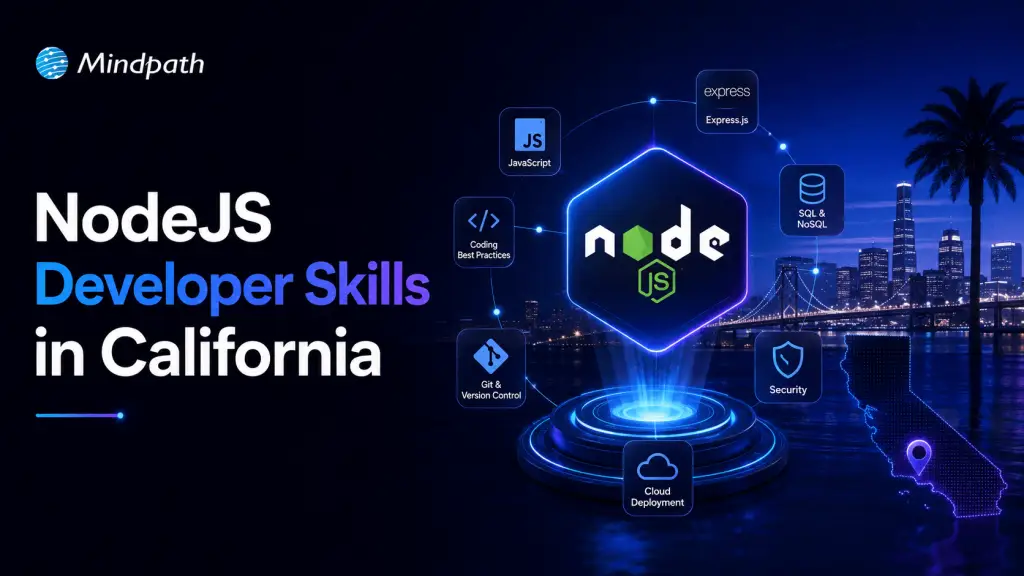
NodeJS Developer Skills in California

Hiring the right Node.js developer can make a significant difference in your application’s performance, security, and scalability. Whether you are building a SaaS platform, an eCommerce website, or an enterprise application, choosing a developer with the right technical expertise is essential.

Key Takeaways

  • 01
    Strong JavaScript and TypeScript knowledge is fundamental to Node.js development.
  • 02
    Asynchronous programming, frameworks, and API development are essential technical skills.
  • 03
    Database optimization, application security, and testing improve software reliability.
  • 04
    Cloud computing and scalability knowledge help developers build applications for growing businesses.
  • 05
    Communication, problem-solving, and practical project experience are equally important when hiring.

California has a competitive technology ecosystem, with businesses in cities such as San Francisco, Los Angeles, San Diego, and San Jose investing in modern software solutions. Therefore, understanding the essential NodeJS Developer Skills in California can help businesses identify qualified professionals who can meet their technical and business requirements.

But what should you look for when hiring a Node.js developer? Let’s explore the key technical and professional skills that matter.

Looking to hire skilled Node.js developers without a lengthy recruitment process? Mindpath makes it easy to hire expert Node.js developers with the right expertise to meet your project requirements quickly and efficiently.

Why Are Node.js Developers Important for Modern Businesses?

Node.js is an open-source, JavaScript runtime environment that allows developers to build scalable, server-side applications. Its non-blocking, event-driven architecture makes it suitable for real-time applications, APIs, SaaS platforms, and data-intensive systems.

Businesses use Node.js because it supports faster development, efficient resource utilization, and flexible application architecture. However, achieving these benefits requires developers who understand the technology beyond basic JavaScript programming.

10 Essential NodeJS Developer Skills in California to Look For

When evaluating candidates, consider the following technical and professional capabilities.

1. Strong JavaScript and TypeScript Fundamentals

JavaScript is the foundation of Node.js development. A qualified developer should understand ES6+ features, closures, prototypes, promises, object-oriented programming, and error handling.

Knowledge of TypeScript is also valuable because it introduces static typing, improves code maintainability, and helps identify errors during development.

2. Understanding of Asynchronous Programming

Node.js uses an event-driven, non-blocking I/O model to handle multiple operations efficiently.

Developers should understand:

  • Callbacks and Promises
  • Async/await functions
  • Event loop and event emitters
  • Error handling in asynchronous operations
  • Non-blocking I/O operations

These concepts help developers build responsive applications that can manage concurrent requests without unnecessary performance bottlenecks.

3. Experience with Node.js Frameworks

Framework knowledge helps developers build applications with better structure and development efficiency.

Look for experience with:

  • Express.js: A lightweight framework for building web applications and REST APIs.
  • NestJS: A structured framework suitable for scalable, enterprise-level applications.
  • Fastify: A performance-focused framework for building efficient APIs.

The right framework depends on your application’s architecture, complexity, and development requirements.

4. Database Management and Optimization

Database expertise is another important skill when evaluating Node.js developers. They should understand how to store, retrieve, manage, and secure application data.

Look for experience with SQL databases such as PostgreSQL and MySQL, along with NoSQL databases such as MongoDB.

Additional skills include database indexing, query optimization, data modeling, caching, and ORM tools such as Prisma, Sequelize, or TypeORM.

5. REST API and GraphQL Development

Modern applications depend on APIs to connect frontend interfaces, backend systems, and third-party services.

A skilled Node.js developer should be able to design, develop, test, and maintain RESTful APIs. Knowledge of GraphQL, WebSockets, API documentation, and authentication methods such as JWT and OAuth is also beneficial.

These capabilities support reliable data exchange and seamless application integration.

6. Security and Authentication Knowledge

Application security should never be overlooked. Developers must understand common security risks and implement appropriate protection measures.

Important skills include:

  • Authentication and authorization.
  • Secure password hashing.
  • Input validation and sanitization.
  • Protection against SQL injection and cross-site scripting.
  • Secure API configuration.
  • Rate limiting and access control.

Familiarity with OWASP security guidelines and secure dependency management is an added advantage.

7. Testing and Debugging Skills

Testing helps identify application issues before they affect users. Developers should understand unit, integration, and end-to-end testing.

Experience with tools such as Jest, Mocha, and Supertest can help evaluate their testing capabilities. They should also be comfortable debugging errors, analyzing application logs, and resolving performance issues.

8. Cloud Computing and Deployment Knowledge

Modern Node.js applications frequently run on cloud infrastructure. Developers should understand deployment processes and cloud-based application management.

Experience with AWS, Microsoft Azure, or Google Cloud is useful. Knowledge of Docker, CI/CD pipelines, Git, and environment configuration also helps streamline development and deployment.

9. Performance Optimization and Scalability

A good Node.js developer should know how to improve application response times and manage increasing workloads.

Look for knowledge of caching strategies, load balancing, memory management, clustering, profiling, and performance monitoring.

These skills are particularly important for businesses developing high-traffic platforms, SaaS applications, and real-time systems.

10. Communication and Problem-Solving Abilities

Technical knowledge alone is not enough. Developers must communicate clearly, understand project requirements, collaborate with cross-functional teams, and solve problems independently.

For California businesses working with remote or distributed development teams, strong communication and documentation skills are especially valuable.

How to Evaluate a Node.js Developer Before Hiring?

Before making a hiring decision, evaluate candidates through a structured process:

  1. Review their portfolio: Examine previous projects, application complexity, and technical contributions.
  2. Conduct technical interviews: Ask questions about JavaScript, asynchronous programming, databases, APIs, and security.
  3. Assign a coding assessment: Give candidates a practical task, such as developing a REST API.
  4. Evaluate problem-solving: Assess how they approach debugging, performance issues, and architectural decisions.
  5. Check communication skills: Determine whether they can explain technical concepts and collaborate effectively.

This approach helps businesses assess practical experience rather than relying only on resumes and certifications.

Looking for Skilled Node.js Developers for Your Next Project?

Finding the right development talent is an important step toward building reliable and scalable software. From backend architecture and API development to database optimization and cloud deployment, experienced Node.js developers can help turn your business requirements into functional applications.

At Mindpath, we help businesses connect with experienced development professionals who understand modern technologies and application requirements. Whether you need to develop a new application, modernize an existing platform, or extend your engineering team, our experts can support your development goals.

Discover the ultimate guide to hiring Node.js developers in London. Learn about the skills, benefits, and cost factors involved in finding the right talent for your project.
what is mlops

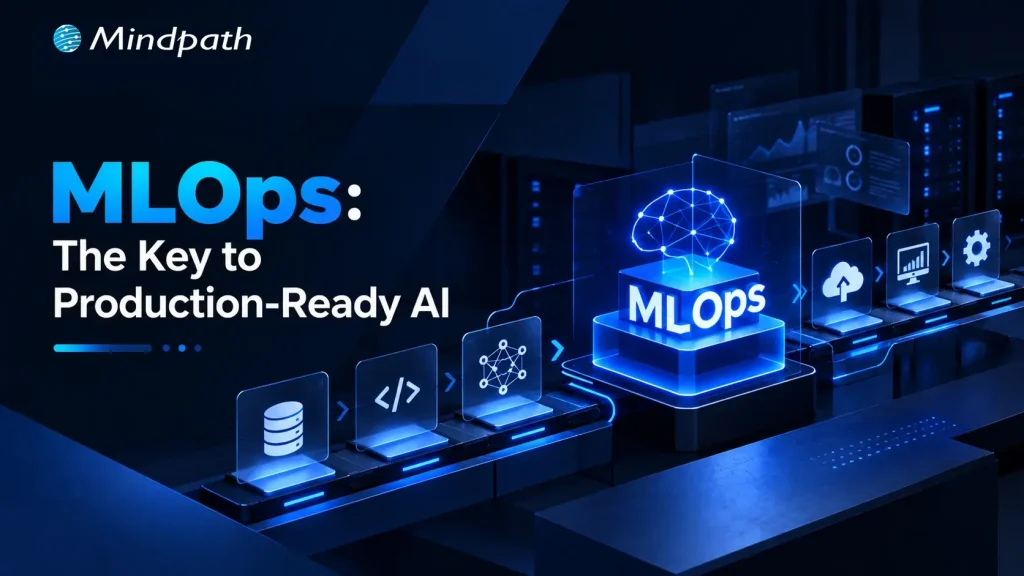
A machine learning model can achieve strong results in development and still struggle once exposed to live data. What is MLOps becomes an important question when deployment brings data drift, versioning gaps, monitoring challenges, security concerns, and inconsistent model performance. MLOps in AI addresses these operational complexities systematically.

Key Takeaways

  • 01
    MLOps connects machine learning development with reliable production operations and continuous model management.
  • 02
    Production AI needs monitoring, versioning, validation, retraining, security, and scalable deployment workflows.
  • 03
    The MLOps lifecycle helps teams continuously develop, deploy, monitor, and improve machine learning models.
  • 04
    Automation and version control improve reproducibility while reducing manual effort across machine learning workflows.
  • 05
    Strong MLOps practices help organizations build reliable, observable, and maintainable AI systems in production.

Production AI requires continuous oversight across data, models, infrastructure, and deployment pipelines. A reliable MLOps approach connects development with operational processes, helping teams validate, deploy, monitor, and improve models throughout their lifecycle. It treats machine learning as a continuously managed system rather than a one-time deployment. In this blog, we examine how MLOps supports reliable production AI.

Ready to build reliable AI systems for production?

Mindpath provides MLOps consulting and development support to help businesses build scalable, monitored, and production-ready machine learning workflows.

What is MLOps in AI?

MLOps is a set of practices that applies software engineering and operational discipline to machine learning workflows. It connects data preparation, model development, testing, deployment, monitoring, and retraining into a continuous process. This helps teams manage models consistently as data, infrastructure, and production requirements change over time.

In MLOps in AI, the focus extends beyond getting a model into production. Teams need version control for datasets and models, automated validation, reproducible training pipelines, deployment workflows, observability, and governance. These capabilities create a controlled MLOps lifecycle, allowing engineering teams to identify performance issues, respond to data changes, and update models without disrupting production systems.

Why Does MLOps Matter for Production AI?

A model’s performance in a controlled development environment does not guarantee reliable behavior in production. Live data changes, infrastructure scales, and business requirements evolve. MLOps development services help teams build the operational foundation required to manage these changes while keeping machine learning workflows consistent and measurable.

Key areas where MLOps supports production AI include:

1. Reliable Deployment

Automated pipelines move validated models into production with consistent release processes.

2. Continuous Monitoring

Teams can track model performance, latency, errors, data drift, and infrastructure health after deployment. AI model monitoring helps maintain visibility into model behavior after deployment.

3. Data Quality Control

Validation workflows identify unexpected changes in incoming data before they affect predictions. Strong data engineering and AI practices can support reliable data workflows throughout the model lifecycle.

4. Model Versioning

Teams can track models, datasets, configurations, and experiments to maintain reproducibility.

5. Automated Retraining

Defined triggers can initiate retraining when performance or data conditions require an updated model. AI model fine-tuning can also support model improvement when updated requirements or data conditions require changes.

6. Scalable Operations

Standardized workflows make it easier to manage multiple models, environments, and production workloads.

7. Security and Governance

Access controls, audit trails, validation gates, and model lineage support responsible AI operations.

These capabilities explain how MLOps helps deploy AI models in production while creating a repeatable foundation for continuous model management.

Understanding the MLOps Lifecycle

The MLOps lifecycle provides a structured path for moving machine learning models from development into reliable production environments. Understanding what is MLOps becomes clearer when the lifecycle is viewed as a continuous loop, where models are developed, deployed, monitored, and improved based on real-world performance.

1. Data Preparation

Teams collect, clean, validate, and version datasets before using them for model training.

2. Model Development

Engineers train models, run experiments, evaluate results, and track configurations for reproducibility. AI development practices help teams structure model development around specific business and technical requirements.

3. Testing and Validation

Models undergo technical and business validation before they are approved for production deployment.

4. Deployment

Validated models are packaged and released through automated deployment pipelines across the required environments.

5. Monitoring

Production systems track accuracy, latency, errors, data drift, resource usage, and other operational signals.

6. Retraining

New data and monitoring results help determine when a model requires retraining or replacement.

7. Governance

Teams maintain model lineage, access controls, documentation, approvals, and auditability throughout the lifecycle.

MLOps vs DevOps: What Changes in Machine Learning?

MLOps builds on many DevOps principles, but machine learning introduces additional dependencies that traditional software delivery does not have. Alongside application code and infrastructure, teams must manage training data, model artifacts, experiments, and changing model behavior. AI in DevOps can further extend these workflows by applying AI capabilities to development and operational processes.

1. Development Assets

DevOps primarily manages application code, while MLOps manages code, datasets, models, features, and configurations.

2. Testing

Software testing focuses on application behavior, while MLOps also validates data quality, model performance, and training outcomes.

3. Deployment

DevOps automates application releases, while MLOps supports repeatable model packaging, validation, deployment, and rollback.

4. Monitoring

Traditional monitoring tracks applications and infrastructure; MLOps also monitors prediction quality, data drift, model behavior, and inference latency.

5. Version Control

MLOps requires traceability across datasets, model versions, experiments, and code to maintain reproducibility.

6. Continuous Improvement

MLOps incorporates retraining and model evaluation because production data and model performance can change over time.

This is why DevOps best practices can provide a foundation, while MLOps implementation services typically extend existing DevOps capabilities rather than treating machine learning deployment as a standard software release process.

MLOps Best Practices for Reliable AI Systems

Successful production AI depends on how consistently teams apply MLOps practices across data, models, infrastructure, and monitoring. The following MLOps best practices can help engineering teams build machine learning systems that remain reproducible, observable, and easier to maintain.

1. Version critical assets

Track datasets, source code, models, configurations, and experiment results to maintain reproducibility.

2. Automate ML pipelines

Automate data validation, training, testing, deployment, and retraining wherever practical.

3. Validate before deployment

Establish automated quality and performance checks before promoting a model into production.

4. Monitor continuously

Track model quality, data drift, latency, failures, resource usage, and other production signals.

5. Define retraining triggers

Use measurable changes in data or model performance to determine when retraining is required.

6. Maintain model lineage

Record how data, code, experiments, and model versions connect across the MLOps lifecycle.

7. Build security into workflows

Apply appropriate access controls, audit trails, environment separation, and governance throughout the pipeline.

8. Design for rollback

Maintain previous model versions so teams can quickly restore a stable version when production issues occur.

How MLOps Helps Deploy AI Models in Production?

A production deployment requires more than moving a trained model onto a server. Teams need repeatable release processes, validation, monitoring, and recovery mechanisms to keep AI systems dependable after launch. MLOps helps deploy AI models in production by connecting these operational requirements into a controlled workflow.

1. Automated Model Packaging

Standardized pipelines package models with their dependencies and required configurations for consistent deployment.

2. Pre-Deployment Validation

Automated checks evaluate model quality, data compatibility, and operational requirements before release.

3. Controlled Releases

Teams can use staged deployments, approval gates, and rollback mechanisms to reduce risks during model updates.

4. Production Monitoring

Monitoring tracks inference latency, errors, resource consumption, data drift, and model performance.

5. Scalable Infrastructure

Deployment workflows can support changing inference workloads while maintaining predictable resource utilization.

6. Feedback Loops

Production signals can flow back into training pipelines to support model improvement and retraining. AI data analytics can help teams turn production data into actionable insights for ongoing model and business improvements.

7. Traceable Releases

Versioned models, datasets, and configurations make it easier to identify what changed when production behavior shifts.

Is Your AI Ready for Production with MLOps?

Understanding what is MLOps helps teams see why production AI needs continuous monitoring, automated deployment, version control, retraining, and governance. A structured MLOps approach connects these processes, helping organizations maintain reliable, scalable, and observable machine learning systems as production requirements evolve.

Mindpath provides MLOps consulting services and MLOps development services to help businesses design, implement, and manage production-ready machine learning workflows. Build reliable AI operations with the right architecture, automation, monitoring, and lifecycle management.