Home

 Vector Databases & Their Role in AI Applications

 Vector Databases & Their Role in AI Applications

Join our Newsletter!

role of vector database in ai application

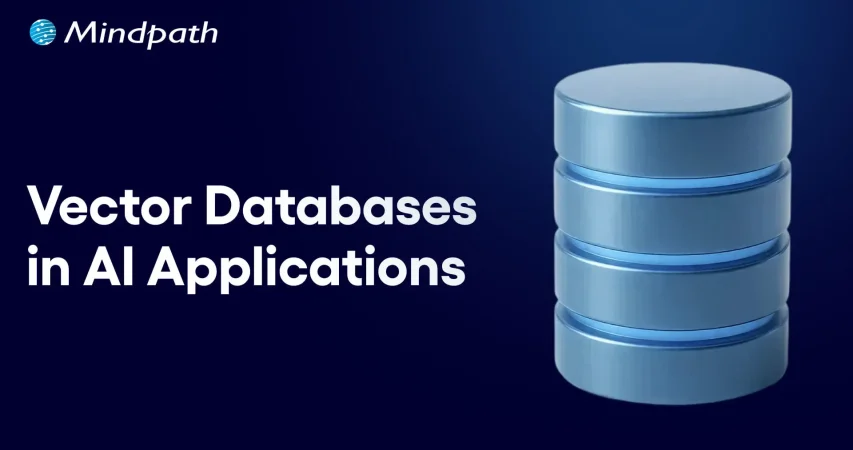
Have you ever thought to yourself about how AI can interpret images, voices, or texts so accurately? Well, it is due to the rapid growth of the role of vector databases in AI applications. Standard databases do a good job of storing structured data, while much of AI work involves dealing with complex and unstructured information. Vector databases provide methods for storing and comparing information which allow machines to recognize patterns, context, and meaning much faster and with higher accuracy.

As AI systems become more intelligent, the demand for methods to support thinking beyond the simple data is also increasing. Vector databases provide that opportunity for AI to correlate information, learn from it, and generate more impactful results. They are quickly becoming the framework of modern AI innovation. In this blog, we will take a look at the power of vector databases in AI applications and why they are a necessary future element of intelligent systems.

Looking for a way to enhance personalization with the help of AI in your apps using a vector database? Explore Mindpath’s AI development services, which provide expert guidance and knowledge on how to maximize the value of the vector database to elevate your AI capabilities.

What is a Vector Database for AI?

A vector database is a specific type of database that enables storing and searching for data represented as vectors. Vectors are sets of numbers that represent the meaning or features of data such as text, images, and audio. Instead of searching for exact matches of data, a vector database searches for similar items, based on the context, illuminating AI’s capacity to perform at a more intelligent level based on context.

In basic terms, it works like the brain of AI systems that require memory and comparison. A vector database in AI enables quick and accurate data searches among very large and complex datasets. They are often used in applications such as chatbots, recommendation engines, and image searches where the response time and clearly related results mean everything.

Curious how AI chatbots can boost engagement and revenue? Discover AI Chatbot examples to learn how vector database-driven intelligence improves customer interactions.

How Does a Vector Database Work?

Vector databases assist artificial intelligence to comprehend and look through data in terms of meaning rather than precise words. Data is stored as numbers that illustrate what the data depicts. This helps AI connect ideas, find similarities, and give more accurate and useful results.

1. Creating vector embeddings

AI models process raw data to create vectors, which are sets of numbers that represent the meaning of the data. Vectors are mechanisms for AI to understand the connections among different data points.

2. Storing and indexing vectors

The vectors are kept within a vector database, which can be indexed with smart indexing methods, such as HNSW (Hierarchical Navigable Small World) or IVF (Inverted File Index). The role of vector databases in AI applications here is to store, group, and quickly find similar data when needed.

3. Performing similarity search

When the search begins, it will convert the query into a vector, which it begins to compare to other stored vectors. The database returns the closest elements based on meaning, so the AI can accurately and relevantly respond to the user.

Looking to optimize AI models without heavy computational costs? Explore Low-Rank Adaptation (LoRA) to discover techniques that improve vector database-powered AI efficiently.

Role of Vector Database in AI Application

The importance of the vector database for the AI application is becoming more necessary and prevalent as AI works with larger and more complicated data. Below are the main ways in which it helps and enhances the AI systems.

1. Smarter Search with Meaning

An AI application that utilizes a vector database can perform searches on meaning, rather than just a specific word. It finds things that are contextually similar in vector space; this is a lot more precise and much more human-like. This is incredibly useful, because the AI system can determine what users mean, not simply what they type.

2. Supporting Retrieval-Augmented Generation (RAG)

Vector databases provide large language models with access to current facts, knowledge, and data points from the public domain. The user’s inquiry is converted to a vector, which retrieves information from data similar to that represented in the user’s question. The information and materials retrieved help the AI provide responses that are elevated in relevance and made to be factually accurate.

3. Managing Complex Data Types

The role of vector database in AI application is to be able to manage unstructured data including images, text, and audio. A vector database does this by representing the unstructured data as numerical vectors that convey meaning. This allows AI to be able to compare unstructured data types more easily.

4. Enabling Fast Similarity Search

Vector databases leverage novel algorithms to identify similar items quickly, even among massive datasets. This capability is crucial for a number of artificial intelligence (AI) applications that depend on real-time results. The vector database in the AI application in this case is to return results quickly and still maintain precision.

5. Improving Recommendations

Recommendation systems utilized vector databases to recommend similar attributes to items or products that users had liked before. AI uses patterns in the vectors and can customize content for each individual. This leads to a more meaningful and engaging experience for the user.

6. Powering Computer Vision

In computer vision, a vector database in AI helps identify and compare images or videos efficiently. It supports tasks like face recognition, image search, and visual content filtering. By finding visually similar vectors in AI systems it improves speed and accuracy.

7. Building AI Memory

The role of the vector database in AI applications is that it is a dependable memory mechanism for the AI agents. It strengthens the AI agent’s ability to store and retrieve information in support of reasoning and decision-making. Thus, vector capacity increases the multi-step capabilities of AI agents when solving complex tasks.

8. Hybrid and Refined Search

Vector databases have the ability to merge traditional filters like date or category with similarity search. This hybrid effort increases the precision and relevance of a search result. Users can quickly and clearly find exactly what they are looking for.

Wondering how AI systems focus on the most important information in complex datasets? Discover the Attention Mechanism to learn how it enhances AI performance in combination with vector databases.

Ready to Build Smarter AI Solutions with Vector Databases?

Vector databases are transforming how AI systems process and understand information. They enable faster searches, handle complex data, and make AI responses more meaningful and accurate. As technology continues to advance, the role of vector databases in AI applications will remain central to building intelligent and scalable solutions across industries.

At Mindpath, our AI development services combine the power of vector databases with advanced machine learning models to build smarter and more efficient systems. We help businesses create intelligent applications that learn, adapt, and deliver real results. Partner with us to design AI solutions that drive innovation and long-term success.


Support Is One Click Away

Featured Posts

Related Post

tech stack for web app success

Have you ever asked yourself what makes a web application run perfectly while another one continues to crash, raise issues, or slow down? The answer often relates to tech stack alternatives. Think of technology stack choices as the foundation and building blocks of your project. They can make your web application more robust or scalable, and easier or harder to maintain. So, how do you know which technologies should run your next big idea? It’s a decision that impacts the success of your project.

The options can seem endless, but if you understand your desired outcomes and the function of every piece of the technology stack, then this decision doesn’t need to feel too overwhelming. When you pick the right combination of tools, you could save yourself a lot of time and money. In this blog, we are going to explain the basics/fundamentals for web application tech stacks, highlight important considerations, and hopefully help you feel confident in regard to choosing the right technology stack for your web application project. So, let’s explore!

Planning to build a new web application? Mindpath’s web development services will help you in choosing the right tech stack and developing applications as per your business needs.

What is a Technology Stack?

A technology stack, or tech stack, is a combination of tools, frameworks, and programming languages that work together to build and run a web application. It serves as the base for your project. Each part of the stack reflects a specific function. Whether handling user actions or managing data behind the scenes, and effectively, they all need to work together if your application is going to function well.

Finding the right combination will have a significant effect on how your application performs and compounds. A prudent choice will allow you to build an organized, flexible, and scalable web application that you can easily maintain and grow as your needs change.

Key Factors to Consider While Choosing the Right Tech Stack

Choosing the right tech stack for web development is one of the most important things you’ll do to ensure the success of your project. The tools and technologies you decide to use will dictate how your application performs, scales, and is kept secure. Here are some key factors to keep in mind while selecting the best tech stack for web development.

Key Factors to Consider While Choosing the Right Tech Stack

1. Know Your Team’s Expertise

Look at what technologies your team already knows well. Using familiar tools can help you develop faster and avoid extra training costs. Make sure the tech stack matches your team’s size and experience to keep the project on track.

2. Budget and Licensing Costs

Think about any licensing fees for paid tools and compare them with free, open-source options. Remember to plan for costs related to maintenance, updates, and security. Also, include cloud service expenses that may grow as your project expands.

3. Development Speed

Getting your product ready fast can be a big advantage, especially for new businesses. Choosing proven frameworks and useful libraries can help your team build features quickly. This saves time and lets you focus on improving your web app for users.

4. Security and Compliance

Prioritizing security is essential, especially if your application handles sensitive data. Choose a tech stack that supports robust security features and aligns with industry regulations. This will help protect user information and maintain compliance as your project grows.

5. Maintenance and Support

Choose technologies that have strong community or vendor support so you can get help when needed. A reliable tech stack with regular updates will make it easier to fix issues and improve your application over time. This helps you avoid unexpected costs and keeps your project stable in the long run.

6. Performance and Scalability

Make sure your tech stack can handle the speed and load your application needs. If you expect real-time processing or heavy traffic, choose tools that keep response times fast. This helps your web app run smoothly as more users come on board.

7. Integration with Third-Party Services

Check that your tech stack works well with the third-party services your app needs. Good API compatibility makes it easier to connect features like payments, analytics, or social media. This saves time and helps your app deliver a smooth user experience.

8. Community and Documentation

Choose technologies with an active developer community and plenty of shared resources. Strong documentation makes it easier for your team to build, test, and maintain your web application. This support can save time and help solve issues more quickly.

Wondering how your tech stack fits into the bigger picture of web app development? Explore our comprehensive Web App Development Roadmap for 2026 to see how each decision impacts your project’s success.

Top 8 Tech Stack Examples

Exploring technology stack examples can help you see what works best for different types of projects. Here are some of the most popular examples to consider in 2026.

Top 8 Tech Stack Examples  

1. MERN Stack

MERN includes MongoDB, Express.js, React, and Node.js for flexible, dynamic sites. It’s widely chosen as a modern web application stack for responsive interfaces.

2. LAMP Stack

The LAMP stack combines Linux, Apache, MySQL, and PHP to build reliable, cost-effective websites. It is one of the oldest and most trusted web stacks in use today.

3. .NET Stack

The .NET stack is known for secure, large-scale enterprise applications. Many companies choose this web dev stack for its strong integration with Microsoft tools.

4. MEAN Stack

The MEAN stack uses JavaScript across MongoDB, Express.js, Angular, and Node.js. This tech stack for web development is popular for real-time and single-page apps.

5. Ruby on Rails Stack

Ruby on Rails offers a simple, clean approach for rapid web projects. This technology stack example is still a favorite for startups and MVPs.

6. Python-Django Stack

The Python-Django stack helps developers build powerful sites quickly. Many prefer this as a flexible web development stack with great community support.

7. JAM stack

JAM stack uses JavaScript, APIs, and Markup to deliver fast static sites. It is considered one of the best tech stacks for web development for content-heavy projects.

8. Serverless Stack

Serverless architecture removes the need to manage servers directly. It’s a growing example of a tech stack that cuts costs and improves scalability.

Not sure if your business really needs a custom web application? Discover the key signs that your business needs a custom web application that indicate it’s time to invest in a tailored solution for your needs.

Need Help Choosing the Right Tech Stack for Your Web Project?

Selecting the right tech stack for web development shapes how well your application performs, scales, and adapts over time. By knowing your goals, team strengths, and key factors like security, costs, and integrations, you can make informed choices that save you time and money. A thoughtful approach will help you build a reliable, future-ready web application that supports your business growth.

At Mindpath, we help you build secure, high-performing web applications with the best-fit tech stack for your needs. Our experts offer end-to-end web application development services, covering design, development, testing, and support. We make sure your solution stays flexible, scalable, and easy to maintain as your business grows. Let’s create a web app that works for you.

Frequently Asked Questions

1. How do you choose the right tech stack for a web application without overcomplicating the decision?

Start with three clear questions: What does the application need to do, who will build it, and what is the budget? Matching the tech stack to team expertise, project complexity, and long-term scalability requirements eliminates most confusion. Overthinking the decision often leads to choosing unnecessarily complex technologies that slow development considerably.

2. Can switching tech stacks midway through a web project cause serious problems?

Significantly yes. Changing the tech stack mid-development typically means rebuilding foundational components, retraining the team, and resetting timelines entirely. The cost and disruption are rarely justified unless the original choice was fundamentally flawed. Making a thoroughly researched decision before development begins is always far more efficient than course-correcting later.

3. Is an open-source tech stack always better than a paid licensed one?

Not necessarily. Open-source stacks eliminate licensing fees but may require more internal expertise for maintenance, security patching, and troubleshooting. Paid stacks often include vendor support and compliance features that save time in regulated industries. The right choice depends entirely on team capability, budget structure, and specific application requirements.

4. How does the tech stack choice directly affect a web application’s long-term scalability?

Certain technologies handle growing traffic and expanding features far more gracefully than others. A stack chosen purely for rapid initial development may create serious performance bottlenecks as user numbers increase. Evaluating scalability requirements honestly at the planning stage prevents expensive infrastructure overhauls that become necessary when applications grow beyond their original technical foundations.

5. Does the size of a developer community really matter when selecting a technology stack?

Considerably more than most people initially expect. An active community means readily available documentation, faster bug fixes, regular framework updates, and easier access to experienced developers when hiring. Technologies with shrinking or inactive communities gradually become liabilities, making maintenance harder and recruitment significantly more difficult as fewer developers maintain proficiency in them.

AI chatbots in education

The AI chatbot market is all set to grow incredibly at a rate of 23% annually. Further, the global market is expected to reach USD 15.5 billion by 2028. Around 78% of companies use AI in at least one of their integral business functions. Along with all the other dominated industries, the education sector is also undergoing a major digital change. One of the biggest drivers behind this growing shift is the rise of AI chatbots in education.

A series of chatbots has been effectively embraced in the learning environment. Moreover, it is changing how you learn and interact. Let us further explore the AI chatbot in the education industry in a better form. Additionally, let us highlight how this massive change has become a successful addition to a learner’s life.

Want to deliver 24/7 student support while optimizing academic and administrative processes? Mindpath offers custom AI development services that empower educational organizations with intelligent, scalable solutions tailored to their needs.

What is the Role of Artificial Intelligence in Education?

The role of artificial intelligence in education is way more than just automation. AI accesses smarter and data-rich learning ecosystems where students receive customized support. Further, educators can prioritize teaching instead of focusing on repetitive tasks.

  • AI-powered systems, like educational chatbots, use natural language processing to understand and respond to queries in real time.
  • Such systems can work as your virtual assistants, support agents, and tutors. Further, they are available 24/7.
  • This way, AI in education is not just boosting efficiency but also improving the overall learning experience.

The Common Usage of AI Chatbots in Education

Chatbots in education are considered to be intelligent software programs curated to simulate human-like conversations with your users. They can assist your students while automating your overall institutional workflows. Further, you can get instant information to strengthen your decision-making abilities.

These AI-powered chatbot solutions are mainly used for student support and query resolution. They have also shown incredible results in admissions and enrollment assistance. AI chatbots can also assist you with course recommendations and feedback gathering. So, AI in the education sector is acting as a bridge between human interaction and technologies.

What exactly is a chatbot, and how does it work in transforming industries like education? Discover the fundamentals and real-world applications of chatbots in this comprehensive guide. 

What are Some Benefits of AI Chatbots in the Education Industry?

Let’s break down the essential benefits of AI chatbots in the education industry in a more precise way.

1. 24/7 Availability

Unlike people who can assist for some hours a day, chatbots are available 24/7 to serve you quickly. They can assist you with any of your queries. This ensures that you can have the proper access to information at any time of the day.

2. Cost Saving

Chatbots work as a valuable assistance by managing repetitive tasks while saving your time for more essential tasks. This way, you can reduce your staff hiring for small tasks while sticking to cost-efficiency.

3. Self-Learning Mechanism

There is no need to initiate training for the chatbot consistently to get the desirable answers and to fuel its database. It consists of a self-learning algorithm, and it needs minimal effort to make it think and act like human beings.

4. Minimal Administrative Burden

Managing a series of administrative tasks can waste most of your essential time. So, an AI-powered chatbot can ease your tasks by automating them. This includes answering the queries of students and handling admission queries. It can also schedule your classes. This allows teachers and administrators to prefer delivering quality education instead of being worried about their routine work.

5. Better Results

With the inclusion of AI chatbots in education, learners can customize their learning process to suit their personal requirements. Moreover, chatbots are capable of tracing progress while offering you better study materials. They can also offer you genuine feedback on your performance.

6. Aligned Communication

Effective communication is the core of an educational environment. Conversational AI chatbots can effectively align your communication between teachers, students, and other administrative staff. From sending essential announcements to resolving questions, chatbots can ensure your information flow remains authentic.

7. Data Rich Insights

Another essential advantage of AI in the education sector is the potential to go through a bulk of essential data. Additionally, chatbots can assess your learning patterns and engagement levels to create valuable insights. Educational institutions can use such content to strengthen their curriculum.

Ready to enhance learning experiences with AI-powered solutions? Check out our blog on Generative AI in education to explore its benefits, features, and real-world applications.

AI Chatbot Examples in the Education Sector

There are several AI chatbot examples that highlight how institutions are benefiting through this futuristic feature.

 AI Chatbot Examples
Virtual Tutors You can gain subject-oriented guidance and aligned explanations.
Campus Assistants It offers updates on your current schedules and deadlines.
Admission Bots It can help you with course selection and your eligibility criteria.
Language Learning Bots Practice conversation to make it effective in the real time.

Incredible Features Your AI Chatbot Should Consist Of

Here are some essential features that your AI chatbot must adopt in the education industry.

1. Multi-Language Support

This feature lets you bypass the language barrier and allows learners to communicate and learn in their preferred languages.

2. Progress Assessment

This essential feature can help you track the learning progress of your students. Further, it can help you learn new trends in education and analyze the competitiveness of the market.

3. Consider Privacy

Make sure to integrate data protection and gather minimal data from the users to run your software.

Curious about how technology is transforming the future of learning? Discover the applications of AI in education and explore their real-world impact on modern learning environments.

What is the Future of AI in the Education Sector?

The future of automation in the education sector looks promising. As per the reports of Gartner, 25% of companies will include chatbots as their main customer service tool by next year. With advancements in machine learning & NLP, chatbots are becoming more intelligent & human-like.

  • Voice-enabled AI assistants.
  • Integration with Learning Management Systems.
  • Predictive analytics for student success.
  • AI-driven career guidance.

Challenges of Using AI Chatbots in Education

While the benefits of AI chatbots in education are significant, you might experience certain challenges, as given here.

  • Concerns related to privacy.
  • Extreme dependency on AI tools.
  • Authenticity of the data.
  • Need for human assistance.

Ready to Get the Benefits of AI in Education Industry?

AI chatbots in education have become extremely vital and are quickly adopted in the learning environment. It is simply changing the way students learn and interact. Starting from personalizing the learning assistance to enabling automation, chatbots are helping institutions create more efficient and student-centric systems.

If your organization is ready to extend its features through AI, consider Mindpath as your convenient partner. We offer advanced AI development services that can help your educational institute scale precisely. We can help you integrate chatbot systems curated for modern learning environments.

Frequently Asked Questions

What is RAG in AI

The emergence of Retrieval Augmented Generation, or RAG, has certainly expanded the boundaries of Artificial Intelligence. If you’re wondering what is RAG in AI, the RAG refers to an advanced AI technique that can significantly improve generative models. This is possible since RAG enables them to access as well as integrate external and up-to-date information.

Within a short span of time, the concept of RAG has gained massive popularity. Its popularity was magnified after 2020 when the approach was formalized by Meta AI. The current interest in RAG comes from its capability to address the major challenges associated with large language models. It is time to explore the RAG concept in detail.

Looking to build a RAG solution tailored to your business? Explore Mindpath’s RAG Development Services to create AI applications that deliver accurate, context-aware responses using your enterprise data.

What is RAG?

Before diving into the realm of Retrieval Augmented Generation, you should be able to define RAG. RAG refers to the process of optimization of the output of a large language model so that it can reference an authoritative knowledge base beyond its training data sources while giving a response.

Understanding RAG in AI is essential because it expands the capabilities of LLMs beyond their static training data. RAG enables large language models to be applicable to specific domains or an organization’s internal knowledge base, keeping responses accurate and current. A common RAG example is in healthcare, where physicians use AI systems powered by RAG to access relevant, up-to-date clinical information for more accurate medical decisions.

Features of RAG

Now that you can define RAG properly, you need to familiarize yourself with its key features. Some of the main features of Retrieval Augmented Generation are:

1. Retrieval Augmented Generation involves retrieval, augmentation, and generation of responses.

2. RAG has the potential to significantly curtail GenAI hallucinations and outdated knowledge to improve the factual accuracy of the responses.

3. Instead of solely relying on pre-existing training data, RAG enables AI models to retrieve relevant and authoritative information from external knowledge bases or databases to generate accurate and contextually rich responses.

4. The RAG process can enhance the quality of answers on the basis of the retrieved information.

Want to understand how models like RAG focus on the most relevant parts of data for accurate responses? Check out our guide on attention mechanism explained to explore how this core concept powers modern AI systems.

Importance of RAG

After knowing what is RAG in AI, it is essential to look at its significance. RAG is extremely important because it is capable of resolving the limitations of conventional large language models. In order to know RAG in AI meaning and its importance, you need to be aware of the challenges associated with traditional LLMs. The key challenges are:

1. Generating false information when there is no accurate response.

2. Generating generic or out-of-date information when users expect a specific or the latest response.

3. Creating responses from non-authoritative sources.

4. Creating inaccurate responses because of terminology confusion.

Now that you know what is RAG in AI, you can say that this process can solve some of the challenges associated with LLMs. This is because RAG redirects large language models to retrieve relevant information from authoritative and pre-determined knowledge sources. Individual users or organizations can have a greater degree of control over the generated response or output. An RAG example involves a customer chat support bot that can retrieve relevant documents to answer customer queries about a product or service.

Looking to truly understand how AI can transform everyday business operations and improve smarter decision-making? Check out the key benefits of AI to see how it drives real innovation and long-term efficiency.

Mechanism of RAG

Let’s move ahead and understand how RAG works. Knowing the underlying process relating to the RAG process is cardinal to understanding the concept thoroughly.

In the case of RAG, an information retrieval component comes into the picture, which uses user input to pull information from a new data source. Both the user query or input and the relevant information are provided to the LLM. The LLM then uses the new knowledge along with the training data for the purpose of creating better responses.

1. Steps Involved in the RAG Process

After knowing what is RAG in AI, you can understand the key steps that are involved in the RAG process. Understanding these aspects is crucial to knowing the value of RAG for enterprises as well as individual users.

2. Creating External Data

The data that is outside the original training dataset of the LLM is the external data. It may come from different data sources, such as databases or document repositories. Moreover, the external data may exist in diverse formats, such as long-form text or files. An AI technique known as embedding language models is responsible for converting data into numerical representations and storing them in a vector database.

3. Retrieval of Relevant Information

This step involves a relevancy search. It basically involves the conversion of the user’s query into a vector representation. It is then matched with the vector databases. The documents relevant to the input of the user will be returned. Mathematical vector calculations and representations help in computing as well as establishing the relevance.

4. Augmenting the LLM Prompt

At this stage, the RAG model is responsible for augmenting the user input by adding relevant retrieved data in the context. This particular step involves the use of prompt engineering techniques for communicating effectively with the LLM. The augmented prompt plays a key role since it allows LLMs to produce an accurate response to the queries made by users.

5. Updating External Data

At this point, you may wonder – What if the data becomes old or stale? In order to maintain current information for retrieval purposes, the document has to be asynchronously updated, and the embedding representation of the document has to be updated. The user can do this through automated real-time processes. It can also be done through periodic batch processing. It is a common challenge in the context of data analytics that can be solved by adopting different data-science approaches.

Wondering how modern data practices actually make AI outputs smarter and more reliable in everyday use? Explore the latest data analytics trends shaping faster and more informed decision-making.

Use Cases of RAG

In the prevailing times, the relevance of RAG for enterprises has magnified exponentially. You need to be aware of some of the real-life RAG use cases, such as:

1. Customer Support Chatbots

One of the practical use cases of RAG involves chatbots or virtual assistants. RAG can play a key role in powering chatbots so that they can provide accurate and relevant information to customers.

2. Employee Training

While talking about RAG use cases, organizations must bear in mind that they can leverage RAG in order to create systems for training assessments. The role of RAG is also crucial to offer training and education resources during the onboarding process.

3. Document Assistance

RAG’s use is immense when it comes to drafting reports and generating content summaries. Its utility is also high in the context of populating documents with up-to-date and relevant information from diverse sources.

4. Software Development

RAG can act as a useful tool for developers who develop software applications. This process can help them generate codes. It can even provide them with suitable function suggestions. They can also rely on Retrieval Augmented Generation to fix bugs by retrieving information from diverse sources like libraries.

Want to build intelligent applications that integrate RAG for enhanced performance and scalability? Explore our insights on custom software development to create AI-powered solutions tailored to your business needs.

Final Words

The emergence of Retrieval Augmented Generation has been nothing less than revolutionary in the realm of Artificial Intelligence. RAG extends the utility of LLMs with external, specific knowledge. The RAG process depends on external knowledge sources for producing accurate and context-specific responses.

One must realize the importance of Rag. The insight can help you leverage the novel concept in an optimal manner and overcome the challenges associated with LLMs. With Mindpath’s expertise in providing AI development services, your company can derive optimum value from RAG and stay ahead of its competitors at every level.