Home

Unleashing the Power of Headless CMS in Content Management

Unleashing the Power of Headless CMS in Content Management

Join our Newsletter!

Headless CMS

The digital landscape always adopts unique approaches that engage audiences widely. So, accordingly, businesses are striving to offer exceptional online experiences to be prominent in the digital world. To achieve this, a systematic content-management system can play a critical role. However, traditional CMS systems might limit your performance while restricting your content delivery over multiple channels.

Key Takeaways

  • 01
    A headless CMS separates the backend from the front end and uses APIs to deliver content across multiple platforms.
  • 02
    It gives businesses greater flexibility to create custom websites, mobile apps, and digital experiences without predefined layouts.
  • 03
    Headless CMS supports consistent content delivery across websites, mobile apps, IoT devices, and other digital channels.
  • 04
    Common use cases include custom front-end development, e-commerce, content-first integrations, IoT applications, and web applications.
  • 05
    A successful implementation involves assessing requirements, choosing the right CMS, migrating content, modeling content, and integrating APIs.

This is where a headless CMS can be a desirable option to rely upon. As per the statistics, the estimated market of headless CMS software is going to touch USD 7,113.6 million by 2035. (Source: Click) This is efficiently transforming the way businesses manage and distribute their content.

Looking for a website that attracts more customers and grows your business? At Mindpath, we offer professional web development services to build fast, secure, and high-converting websites for your business.

What is a Headless CMS, and How Does It Work?

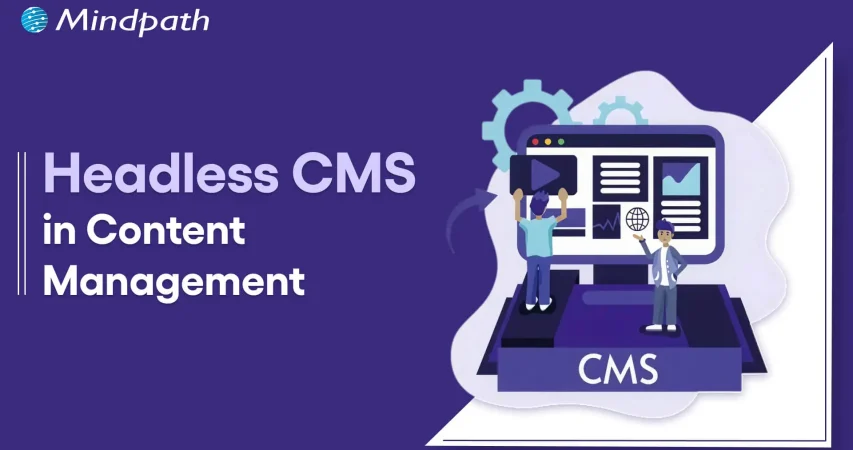
A headless CMS is known to be a content management system that generally decouples the backend from the front-end. Talking about the traditional CMS platforms, they were able to analyze how content is displayed. But a headless CMS allows developers to prefer their desired front-end technology, making the process more adaptable and versatile.

A headless CMS uses APIs to deliver content and ace its way for making your customers’ experience more user-centric. Now, you are well aware of what is a headless CMS. Further, let us learn about its working capabilities.

  • Through a headless CMS architecture, content developers can work within the backend, where they can seamlessly add, modify, or organize content as per their requirements.
  • The backend is considered to be a repository or a database. So, instead of creating HTML pages, the headless CMS offers content through APIs. This allows your developers to fetch it and display it over multiple platforms.
  • Accordingly, front-end developers can use JavaScript frameworks like Angular, React, or Vue.js to present the content in a more appealing way. This ensures your brand values have been implemented properly into the content.
Want to understand how digital transformation is changing the way businesses manage content and technology? Explore our blog on digital transformation trends to discover the key innovations driving modern digital experiences.

How a Headless Content Management System Can Be Beneficial for Your Business?

A headless content management system comes with a series of benefits that can escalate the versatility of your business in the digital landscape.

1. Efficient Omnichannel Service

A headless content management system allows your team to channelize content seamlessly through different channels. No matter if you prefer IoT devices, a website, or a mobile app, your content will remain consistent. This is how your users will love the interactive experience while fueling your brand values.

2. Enhanced Flexibility

Your business doesn’t have to work with pre-defined layouts, as a headless CMS will always help you perform uniquely. You can easily understand the power of your front-end technologies while allowing you to leverage your creativity and custom efforts.

No matter if you want a personalized website or a mobile app with a unique interface, a headless CMS platform can offer you flexibility while bringing life to your vision.

3. Offers Scalability and Keeps Your Business Future-Proof

Headless CMS offers scalability to your designs. With your business growth, you might discover new channels and technologies. So, a headless CMS makes it easier for integration. The decoupled architecture ensures your content can be efficiently distributed without disturbing your active work structure.

So, no matter if you want to diversify your product line or want to reach new markets, headless CMS can completely support your growth.

4. Better Market Delivery

With the backend and front-end separated in a headless CMS platform, it ensures your workflow is not disturbed. This allows your business to initiate rapid content updates, respond swiftly, and launch detailed campaigns faster as per the market demands.

This valuable approach offers you a great significance in the competitive edge. With better turnaround times, your business can gather better opportunities while reacting to changing trends.

5. Easy Customization

Businesses can easily personalize their content with the help of headless CMS options. This can be done to satisfy your users’ preferences and behavior. By delivering data-rich insights, you can easily target your audience segments for better reach. Further, this step can enhance your customer engagement while escalating their satisfaction rate.

For your information, personalization always breeds loyalty, and a headless CMS always equips you with tools that tailor content as per individual user requirements. Moreover, it creates memorable experiences that give rise to long-term customer relationships.

Wondering how modern technologies and strategies are reshaping the way businesses operate? Read our detailed blog on digital transformation for business to understand how it drives growth and innovation.

Where You Should Utilize a Headless CMS?

A headless CMS can be your ultimate solution for a series of scenarios, as given below. Discover where the headless CMS options can be your viable preference.

1. Custom Front-end Development

If you require a unique and custom front-end experience, a headless CMS can allow your front-end developers to effectively discover their creativity. So, your user experience and designs are not limited to any pre-built templates. It allows you to generate a unique digital experience that can make your customers happy.

2. Multi-platform Requirements

If you want your content delivery to be seamless through multiple platforms, a headless CMS architecture can be your suitable pick. It simplifies content distribution while keeping your user experience valuable over different channels.

3. Content-first Integrations

There are many organizations that desire content marketing. So, a headless CMS can easily align your content creation with its delivery. Apart from this, it accesses your markets to acknowledge engagement while your development team can handle the technical aspects.

Thinking about how emerging AI technologies can enhance your digital ecosystem alongside Headless CMS? Read about the most impactful AI trends shaping the future of technology.

4. E-commerce Applications

Headless CMS can be a suitable choice for your e-commerce platforms, where you need to endlessly update your content and products. Moreover, it allows you to initiate swift updates in your pricing, product listing, and promotional content.

5. IoT Applications

Headless CMS can easily manage and offer content to a variety of connected devices in IoT applications. It includes healthcare devices, smart applications, and even manufacturing equipment. Further, headless CMS architecture ensures real-time updates and proper content distribution to these devices.

6. Personal Web Application

Organizations that create custom web apps or websites with unique approaches and functionality requirements can adopt the values of Headless CMS. You can use APIs to access and display content as per your requirements, offering you greater flexibility in layout and designs.

Struggling to understand how modern businesses build scalable digital systems to support flexible content architectures? Read our guide on custom software development to see how businesses build future-ready platforms.

How to Implement Headless CMS with Best Practices?

Integrating a headless CMS is not random, as you need to adopt a better plan.

1. Assess Your Requirements

In the initial phase, start by identifying your content delivery needs. This might include the type of content and the number of platforms you want to target.

2. Opt for the Right CMS

Prefer a headless CMS that fulfills your business motive. You can consider elements like ease of use, scalability, content modeling ease, etc.

3. Data Migration

In the next step, you need to think about migrating your existing content to the headless CMS platform. This includes transferring all the content from your existing CMS platform to the new one.

4. Content Modeling

Next, you need to think about content modeling that can match your business’s unique requirements.

5. API Integration

There are many headless CMS platforms that offer APIs to access and further retrieve the content. So, you can develop APIs for your front-end apps.

Curious about how AI models can be trained to generate more relevant and contextual content for modern CMS platforms? Learn how OpenAI fine-tuning API works and how it can enhance your content strategy.

Conclusion

The digital landscape is changing in a blink. So, brands that can offer consistent and engaging content through multiple channels are more likely to survive in the market. So, a headless CMS platform can make your modern development teams unique by offering them the flexibility they desire.

No matter if you want to extend your digital presence or just want to elevate your engagement rate, a headless CMS can provide you with a good foundation to be successful. Here, Mindpath can be your ultimate partner. This company can help you with the best CMS implementation while keeping you ahead with your unique innovations and dedicated content.


Ready for a Flexible CMS?

Deliver content faster across multiple digital channels.

Frequently Asked Questions

A headless CMS separates content management from the presentation layer, allowing businesses to deliver the same content across websites, mobile apps, and other digital channels.
A headless CMS provides greater flexibility, easier content reuse, faster development, improved scalability, and the ability to deliver content across multiple platforms.
It depends on the project. Headless CMS platforms offer greater flexibility for multi-channel experiences, while traditional CMS solutions can be simpler for standard websites.
Yes, when properly implemented, a headless CMS can support faster experiences by allowing developers to choose optimized frontend technologies and content delivery methods.
Businesses should consider headless CMS when they need content across multiple platforms, flexible frontend development, scalable architecture, or greater control over digital experiences.

Support Is One Click Away

Featured Posts

Related Post

hiring reactjs developers

The fast-paced growth of the digital landscape has not only empowered businesses but also made them think about their online presence. Companies have been hiring ReactJS developers to capitalize on the diverse capabilities of ReactJS for creating robust user interfaces. The notable features of ReactJS include the virtual DOM, a thriving ecosystem, and modular architecture. Let us find out the important factors you must keep in mind while hiring React developers.

Want to hire ReactJS expert for your next project? Discover how Mindpath’s ReactJS development services will help you achieve your specific business goals.

What Should You Keep in Mind While Hiring ReactJS Developers?

The search for expert ReactJS developers has gained momentum as a response to more businesses turning towards online platforms. However, business owners might experience some trouble in hiring React developer as they will find it difficult to understand coding nuances and technical jargon. At the same time, finding the best React developer who can also be a cultural fit is a huge challenge.

Hiring managers must also go through a massive talent pool of React developers to find the top expert for their next web project. On top of it, employers have to look for more than just technical skills in React developers to create successful web projects. The following checklist can help you hire the best ReactJS developers for your web projects.

1. Specify the Project Requirements

One of the foremost factors to consider when hiring ReactJS developers is the outline of project requirements. You should know your project scope and complexity level to identify the ideal React developer who would align with your project vision. The project requirements should not be limited to defining the type of project, but also the timeline, desired features, budget, and complexity.

With a clear impression of these aspects of your project, you can determine the skills and experience required from candidates. For instance, you will need a junior developer for smaller tasks and a senior developer for leading initiatives to scale up web projects.

2. Never Compromise with Technical Fluency

The easiest solution to challenges in hiring expert ReactJS developers involves focusing on the technical skills of applicants. You need developers who know more than the fundamental concepts of React and have various crucial technical skills. Candidates must have strong understanding of JavaScript features such as arrow functions, closures and destructuring.

Applicants for React developer jobs should also have in-depth understanding of the important concepts in ReactJS. Some of the important React concepts include React Hooks, component lifecycle methods, virtual DOM and reconciliation. People applying for ReactJS developer jobs must also know how to work with state management libraries such as Redux.

The other crucial technical skills in a checklist for hiring ReactJS developer include fluency in HTML and CSS, version control with Git and API integration. Aspiring React developer must also know how to work with testing frameworks, build tools and package managers like NPM. Another prominent technical skill that React developers must have is performance optimization.

Want to keep your large React app fast and responsive as it scales? Discover the best practices for optimizing React performance for large applications.

3. Optimizing the Interview Process

The effectiveness of your hiring process depends a lot on the quality of the interview. If the resume serves as an advertisement, then the interview helps you test the product. Employers should divide the interview process into different stages to evaluate the distinct competencies of applicants. The best practices for hiring ReactJS developers suggest that the interview must include technical assessment, portfolio review, live coding session and behavioral interview. Each stage in the interview process will help you measure the overall proficiency of candidates rather than focusing on specific areas of expertise.

The technical assessment should have coding challenges to test the problem-solving skills and coding style of applicants. You can find out whether they use efficient algorithms, data structures and React concepts in their code. Hiring managers should choose live coding sessions in interviews for senior React developer roles. The portfolio review involves checking for active contributions of candidates on GitHub and their past projects. Employers can use the portfolio review to find out whether the applicant has problem-solving skills.

The technical assessment and portfolio review must be accompanied with behavioral interview questions. The best react developer hiring tips point out that behavioral interview questions can help you learn more about the developer. For example, you can find out how they approach complex issues, their preferred development workflow and their preferences for collaboration. The behavioral interview will help you understand the capabilities of a React developer applicant on a more personal level.

4. Don’t Forget the Soft Skills

Among the many factors that you should keep in mind while hiring React developers, the list of soft skills will never lose its significance. As a matter of fact, soft skills like communication, adaptability, problem-solving and collaboration are essential requirements for almost every job. Why are soft skills important for ReactJS developers? Soft skills serve as the catalyst for transforming a group of individuals into a powerful team.

Most of the guides on how to hire ReactJS developers also focus on other soft skills such as attention to detail, proactivity and accountability. React developers need attention to every detail of the UI development process as it can help in crafting robust and engaging user experiences. On top of it, proactivity implies that the candidate will be always ready to take initiative. At the same time, accountability can ensure that the developers take responsibility for all their actions.

5. Determine Realistic Compensation

The most crucial highlight in the hiring process is the cost of hiring ReactJS developers. Hiring managers must offer a compensation package that fits perfectly with the role and responsibilities of the developer. For example, junior developers can earn between $70,000 and $90,000 while senior developers can earn more than $150,000.

The ideal way to make sure that the candidates feel that the compensation is right involves a clear job description and smooth onboarding process. Tell the developers what they have to do on the job to make them understand why they are being paid a specific amount. In addition, try to include programs for continuous learning and growth of developers.

Looking for specialists who can handle complex front-end challenges in your business? Learn why partnering with an expert React Development Company is a smart move.

Looking to Hire a ReactJS Developer Who Truly Understands Your Business Goals?

The answers to “What are the key things to consider before hiring a ReactJS developer?” focus specifically on project requirements, technical skills, soft skills and the interview process. On top of it, determining the ideal compensation for ReactJS developers is also an important concern in the hiring process.

Do you need professional ReactJS development services for your next web application? At Mindpath Tech, we have the best developers who can handle all your frontend development needs. Our team of proficient ReactJS developers has the experience of working on multiple projects. We not only offer the assurance of efficient web development but also resourceful solutions to optimize your digital presence. Join us and work with top-tier ReactJS talent on your revolutionary web app right now.

Hiring ReactJS developers? Explore essential factors like experience, skills, and project requirements to ensure a successful collaboration.
 build vs buy ai

Businesses often begin with AI tools that save time and simplify everyday tasks. But what happens when those tools cannot understand your workflows, access the right data, or support bigger goals? The build vs buy AI decision becomes important when basic AI support no longer drives meaningful business progress.

Key Takeaways

  • 01
    Choose off-the-shelf AI when standard tools meet immediate business needs. 
  • 02
    Build custom AI agents when workflows require deeper automation and control. 
  • 03
    Evaluate data security before sharing sensitive information with external AI platforms. 
  • 04
    Consider integrations when AI must work across core business systems. 
  • 05
    Focus on long-term value, not only initial cost and deployment speed. 

The custom AI agent vs off-the-shelf choice can shape how effectively your business uses AI. One option delivers quick results, while the other can automate complex work across your systems. Seems interesting, doesn’t it? In this blog, we explore which option can unlock greater value for your business. So, let’s keep reading further in detail!

Looking for an AI agent that does more than off-the-shelf tools can offer? At MindPath, we offer AI Agent Development Services to build intelligent solutions tailored to your goals.

What Does Build vs Buy AI Mean? Core Fundamentals

Build vs buy AI describes how a business chooses to access artificial intelligence capabilities.

Building AI means creating a custom AI agent designed around a company’s specific workflows, data, systems, and business goals. The business controls how the solution works, connects it with internal tools, and shapes it to manage unique tasks that ready-made platforms may not support.

Buying AI means choosing ready-to-use AI software or off-the-shelf AI tools from an external provider. These tools offer prebuilt features for common tasks, such as content creation, customer support, transcription, and analysis. Businesses can start using them quickly without building or maintaining the technology themselves.

What Are Off-the-Shelf AI Tools?

Off-the-shelf AI tools are ready-made platforms that businesses can start using without developing AI from scratch. They support common needs through AI chatbots, writing tools, customer support platforms, meeting assistants, and workflow automation tools. While comparing custom AI agent vs off the shelf options, businesses can assess whether standard features meet their operational needs.

Advantages of Businesses Using Off-the-Shelf AI Tools

1. Lower Upfront Costs: Subscription pricing helps businesses adopt AI without major development spending.

2. Faster Deployment: Teams can launch useful AI capabilities quickly and reduce implementation delays.

3. Vendor-Managed Maintenance: Providers handle updates and fixes, reducing pressure on internal IT teams.

4. Easy Team Adoption: Simple interfaces help employees use AI with minimal technical training.

5. Quick Results for Common Tasks: Businesses improve support, content, analytics, and routine workflow efficiency.

Limitations at a Glance

1. Limited Customization: Generic tools may not match unique workflows or business requirements.

2. Data Privacy Risks: External platforms can create security and compliance concerns.

3. Inaccurate Responses: Teams must review outputs for incorrect or fabricated information.

4. IP Concerns: Generated content can raise ownership and copyright issues.

5. Less Differentiation: Common tools can produce similar outputs for competing businesses.

What Is a Custom AI Agent?

A custom AI agent is a goal-focused system built for specific business tasks, workflows, and roles. It can use company data, remember relevant context, connect with business tools, and complete multi-step actions. While comparing build vs buy AI agent options, businesses can assess whether they need basic assistance or tailored automation.

Advantages of Businesses Using Custom AI Agent

1. End-to-End Automation: Agents complete repetitive tasks, reducing manual effort across everyday business workflows.

2. Scalable Operations: Teams handle growing workloads without increasing staff at the same pace.

3. Round-the-Clock Support: Agents respond, monitor, and assist customers beyond standard working hours.

4. Faster Data Insights: Agents analyze information quickly to support smarter, timely business decisions.

5. Personalized Customer Experiences: Context-aware interactions help businesses deliver relevant support and recommendations.

Custom AI Agent vs Off-the-Shelf AI Tools

Choosing between these options depends on how closely AI must support your business operations. The custom AI vs prebuilt AI comparison below highlights the differences in control, cost, integrations, and long-term value.

Comparison Area Custom AI Agent Off-the-Shelf AI Tools
Business Fit Built around your workflows, rules, and industry needs. Designed for common tasks across many businesses.
Deployment Speed Takes longer because teams design and test it. Launches quickly with ready-made features and setup.
Customization Adapts to unique processes, roles, and customer journeys. Offers limited configuration within vendor-defined options.
System Integration Connects deeply with CRMs, databases, and internal platforms. Provides standard connectors for widely used business tools.
Data Control Gives stronger control over data access and governance. Vendor policies determine how data is processed and stored.
Long-Term Value Supports scalable automation and creates business-specific operational advantages. Delivers quick value but may limit growth beyond standard use cases.

When Should You Buy an Off-the-Shelf AI Tool?

  • Your business needs AI for common tasks with clear, standard requirements.
  • Your team needs useful AI capabilities quickly for immediate business priorities.
  • You want to test AI value before making a larger investment.
  • Your workflows do not require deep connections with internal business systems.
  • Standard features can support your processes without extensive customization or development.
  • Your business lacks the technical resources to build and maintain AI internally.

When Should You Build a Custom AI Agent?

  • Your team handles the same complex, time-consuming tasks every day.
  • Generic tools cannot understand your specific processes, rules, or terminology.
  • You need stronger control over customer data and internal information.
  • Your workflows involve decisions, approvals, and several connected actions.
  • You want AI to reduce manual effort and improve operational outcomes.

Key Factors to Consider Before Choosing Build vs Buy AI

The question, should I build or buy AI, depends on more than cost or speed. Businesses should assess their goals, workflows, data requirements, and future plans before choosing an approach that delivers practical value today and supports growth over time.

1. Your Business Goals

Explain that companies should first identify whether they need quick productivity support or long-term process automation.

2. Workflow Complexity

Simple tasks may work well with prebuilt AI. Complex workflows may require a custom AI agent.

3. Data Security Needs

Businesses handling customer data, financial data, healthcare records, or confidential internal information may need greater control.

4. Integration Requirements

If AI needs to connect with CRMs, project tools, databases, or support platforms, custom development may be more suitable.

5. Budget and Long-Term Value

Buying may cost less at the beginning, while building can deliver stronger returns when AI supports core operations.

How Do Custom AI Agents Create Long-Term Business Value?

A custom AI agent can deliver greater value when it supports the daily work that drives business growth. Unlike off-the-shelf AI tools, it can connect with internal systems, follow company rules, and automate complex workflows. This makes AI agent development a practical investment for businesses seeking scalable, measurable improvements.

1. Automate repetitive tasks across customer support, sales, operations, and internal teams.

2. Connect CRMs, databases, and platforms to reduce disconnected business processes.

3. Use business data to provide faster insights and support better decisions.

4. Scale automation as customer demand, workloads, and operational complexity grow.

5. Deliver consistent customer experiences using company knowledge and brand guidelines.

6. Reduce manual errors through structured workflows, permissions, and human oversight.

7. Measure value through time savings, faster responses, and improved operational outcomes.

Ready to Choose an AI Solution That Moves Your Business Forward?

Off-the-shelf AI tools can help teams get started quickly, while custom solutions support businesses with complex workflows, connected systems, and growing automation needs. The right choice depends on the value AI can create for your operations today and as your business expands.

At Mindpath, we build intelligent AI solutions that align with your workflows, data, and business goals. Our team helps you move beyond generic tools with scalable AI agent development designed to automate work, connect systems, and deliver measurable business value. Contact us to discuss your requirements and find the right AI approach for your business.

Web development tools

In this competitive and evolving digital landscape of 2026, it has become crucial for businesses to stay ahead of the curve to make themselves competitive. Whether you are an established business that wants to scale operations or a startup launching new products, selecting the right web development tools can make or break your digital success.

Modern web app development tools are designed to enhance user experience, streamline workflows, and allow developers to create a perfect website as well as an application. In this blog, you will explore the best web dev tools that can significantly shape your business success in 2026. We will cover everything from front-end frameworks to AI-powered Web development tools and understand their importance in web development.

Looking to implement the latest web development tools to enhance your digital presence? Mindpath’s web development services can help you with professional support and customized solutions.

Importance of Modern Web Development Tools

We all know that the digital experience has become a primary touchpoint between customers and businesses. In 2026, users expect an intuitive interface, lightning-fast performance, and effortless integration. And all these things can be achieved by using the right web development tools. Here are the major benefits of using these tools:

1. Increased Productivity

By efficiently automating multiple repetitive tasks and providing users with features such as code generation, these tools can reduce development time. As a result, developers can focus on problem-solving and innovation.

2. Better Collaboration

Web development tools are designed to facilitate seamless teamwork among designers, developers, clients, and other stakeholders. This helps ensure a coordinated and cohesive web development approach.

3. Enable Scalability

Most web dev tools are designed for cloud integration and modular development. They help businesses to scale their website and apps easily based on growing demands while ensuring a consistent user experience and performance.

4. Quality and Reliability

These tools come equipped with integrated testing and debugging tools. As a result, developers can easily detect and fix errors early, leading to more reliable and stable web applications.

5. Enhanced Security

Tools like frameworks provide businesses with built-in security measures to protect web applications against threats like CSRF, XSS, and SQL injection. For example, the user authentication system of Django and the CSRF token protection feature of Laravel.

6. Cross-Platform and Cross-Browser Compatibility

Modern tools support cross-platform and responsive design features out of the box. This helps ensure a smooth user experience across multiple devices and browsers.

It can be said that web development tools are not just facilitators of design and coding. In fact, these are strategic assets that have the ability to transform how businesses approach web app development.

Now that you understand the benefits, let’s talk about the web app development tools that are the source behind these benefits and are reshaping the development process.

Wondering how to plan your web development process step by step for maximum impact? Check out the web app development roadmap for 2026 to learn how each phase fits into building a successful web application.

Top Web Development Tools to Consider in 2026

Below is the list of top tools for web development in 2026. All the tools are divided into different categories, spanning IDE, front-end, back-end, and more for an easy understanding. Have a look.

Best Front-End Tools for Web Development

Let’s begin the list with web application development tools that play an important role as they shape what customers see on a website. These tools help furnish and decorate your website with the right elements.

1. React

A product from Facebook, React is an ideal choice among developers to create complex and large-scale applications. It is based on a component-based architecture and facilitates code reusability, which is vital for long-term projects and large teams. React can handle various critical tasks such as static site generation, server-side rendering, APU routes, and more, leading to better SEO and amazing performance.

2. Vue.js

It is one of the best tools for website development and is well-known for its gentle learning curve and progressive adoption. Vue is an ideal option for businesses looking for a smooth integration of a front-end framework into their existing projects. The tool can adapt to your unique project requirements. The speed of Vue.js helps create a smooth user experience during web browsing.

3. AngularJS

Developed by Google, it offers a perfect solution for web development as well as testing. Some attractive features of AngularJS are its support for client-side Model-View-ViewModel and Model-View-Controller architectures. Besides, it also offers two-way data binding, UI with HTML, and more.

4. Svelte

If performance is your priority, then Svelte can be a game-changer for your project. It is an efficient compiler that converts code into efficient and small JavaScript bundles. That means the browser’s workload will be low, resulting in faster load times and a seamless user experience.

5. Tailwind CSS

It helps developers to create custom UI elements without spending time on writing multiple CSS codes. This eliminates issues like breakages caused by CSS code changes. Its classes are optimized for responsiveness, making it easier to develop mobile-friendly layouts.

Thinking about which frameworks or expertise your project really needs? Check out the top reasons to hire ReactJS developers for your next web project to understand why React remains a powerful choice for building responsive web apps.

Best Back-End Tools for Web Development

The back end is like the engine of your website or web apps, managing server logic, user authentication, and data. With the right back-end web development tools and technologies, you can ensure the scalability of your product.

1. Python

It is one of the easiest back-end programming languages to use, offering simple syntax and support for multiple major languages such as Java, C, and more. Besides, it can help with data analytics and visualization. What’s more? It offers robust web frameworks such as Flask and Django.

2. Node.js

For organizations creating real-time applications, microservices, and APIs, this back-end tool remains a top choice. Its non-blocking I/O and event-driven model make Node.js efficient at managing concurrent requests, which is crucial for developing data-intensive and modern web apps.

3. PHP

It can be used with multiple CMSs such as Joomla, WordPress, and more. PHP can be embedded with CSS, HTML, and other front-end systems. It supports integration for various DBs like MS SQL Server, Oracle, and MYSQL. PHP is free to use and scalable.

4. Express.js

It is one of the top-rated web development platforms created with Node.js and powered by Google V8 Engine. Using this, developers can create hybrid, multi-page, and single-page web apps. Express.js is popular for offering faster I/O, managing multiple servers, routes, and handling asynchronous requests smoothly.

Want to build a complete website without coordinating with multiple developers? Explore our post on full-stack development for web projects to discover how a full-stack approach simplifies your workflow and accelerates delivery.

Best Integrated Development Environments

For developers to handle fast development and deployment of web apps and handle large codebases, IDE web development tools and technologies play a major role. Some of the best options are:

1. Visual Studio Code

VS Code is an open-source and widely used IDE that allows developers to run and debug code. Developed by Windows, it supports multiple languages, including Python, PHP, and C++. Besides, it has built-in support for NodeJS, TypeScript, and JavaScript. Furthermore, it comes with IntelliSense to offer intelligent code recommendations.

2. GitHub’s Atom

It is an open-source desktop editor and supports multi-cursor editing, cross-platform development, and offers built-in Git control. Atom is created using HTML, Less, JavaScript, and other web technologies.

3. NetBeans

This is an excellent IDE for HTML5, CSS, PHP, and Java. The platform supports all major operating systems, such as Linux, Windows, Solaris, and Mac. NetBeans has a vast plugin support and facilitates code refactoring. Developers can use the FindBug tool to write clear code.

4. Eclipse

This free IDE for Java development supports Maven and JUnit. Besides, it comes with the necessary tools for web, testing, data, and performance. Additionally, Eclipse supports multiple plugins, languages, code refactoring, and can automate syntax validation.

5. PyCharm

It is an excellent IDE for web development projects based on Python. However, it also supports other major programming languages like Node.js, CSS, HTML, JavaScript, and more. Besides, PyCharm provides developers with out-of-the-box support for PyTorch, Gitm, FastAPI, Flask, Hugging Face, and more. It offers a detailed code analysis, an integrated unit tester, and a graphical debugger, reducing hassle for teams.

6. WebStorm

Developed by JetBrains, it is designed for web development. It can smoothly handle client-side and server-side Node.js development. Apart from JavaScript, it also supports Vue, HTML, React Native, CSS, Angular, and React. The platform offers features like auto-completion, Spy.js tools, smart code insights, and more.

Integrating CI/CD into your development cycle can boost productivity. Explore CI/CD Pipelines to discover tools and techniques for seamless automation.

Best Web App Testing and Debugging Tools

Delivering high-performing and bug-free web apps is crucial. The right testing tools can help ensure speed, quality, and compatibility across browsers and devices. Some of the best testing and debugging tools are:

1. Selenium

Selenium is a top-choice tool for automated browser testing. The tool supports various frameworks and programming languages, helping developers create test scripts for regression testing, continuous integration, and functional validation.

2. Sentry

If you are looking for a tool for real-time error tracking, Sentry would be an ideal option. It helps developers detect and fix bugs before they can affect the user experience. The tool offers real-time alerts and detailed context, reducing the effort and time required to maintain a healthy web app.

3. BrowserStack

It is a cloud-based web and app testing platform that enables teams to carry out cross-browser tests on real devices. It can also be integrated into other tools like Jenkins, Selenium, Firebase, Travis CI, Gitlab, and more. BrowserStack ensures compatibility and consistent performance across screen sizes, browser versions, and operating systems.

4. Katalon Studio

It is an all-in-one testing solution that automates the process. It supports testing of web, desktop, API, and mobile applications. With effortless CI/CD integration, built-in templates, and smart analytics, Katalon Studio simplifies testing while accelerating quality assurance workflows.

5. Lighthouse

It is an open-source website auditing tool by Google that evaluates web performance, SEO, and accessibility. After analyzing the components, it offers actionable insights to optimize site performance quality and user experience.

By integrating these tools into the workflow, you can easily detect issues early and develop trust among users, offering reliable and seamless digital experiences.

Are your web apps providing the best possible experience for users? Discover UI/UX design trends in web application development to learn how modern design trends can enhance usability and engagement.

Website Optimization and Performance Tools

In 2026, performance optimization of web apps is no longer an optional thing; it is a major priority for creating user-friendly, responsive, and fast digital experiences. Here are some tools web developer utilizes to optimize load times, diagnose issues, and optimize overall performance.

1. Google PageSpeed Insights

When talking about the best tools for website development, we can’t ignore this tool. It evaluates the content and structure of a website and offers effective suggestions to increase speed, Core Web Vitals, and mobile usability. It is an ideal tool for developers focused on performance and SEO.

2. Webpack

This is a powerful module bundler that streamlines code optimization and asset management. Webpack supports modern JavaScript frameworks and increases load times by reducing redundant code.

3. GTmetrix

GTmetrix provides developers with in-depth reports on website load behaviour, highlighting issues along with optimization opportunities. With historical tracking, performance scores, and waterfall charts, it helps optimize every layer of web applications.

Choosing the right technologies is crucial for building a high-performing web app. Explore the tech stack for your web app success to discover the best tools and frameworks for your project.

Top-Rated AI Tools For Web Development

As AI is evolving rapidly, it is changing how developers handle web development projects, making them more efficient and productive. Using these, it is possible to leverage AI to build web apps and integrate AI into the web apps.

1. GitHub Copilot

GitHub Copilot is a popular AI-powered coding assistance that provides users with real-time suggestions, code completion, and more. Created in partnership with OpenAI, it comes with a vast codebase that assists developers in writing code faster, increasing their productivity. It also streamlines the coding process.

2. Lovable

This AI-powered platform lets users create web apps and websites utilizing text prompts. That means one can create websites without any coding experience. It can generate a complete code base to create landing pages, tools, authentication systems, and dashboards. However, users with coding experience can edit the generated code to customize features and designs.

3. OpenAI Codex

Developed based on Codex-1, OpenAI Codex is designed specifically to simplify various software engineering tasks. For instance, software developers can use it to generate code or review pull requests. It can apply changes to your coding environment directly through its intelligent automation feature.

4. Wix ADI

Wix Artificial Design Intelligence has revamped the web design process. It can create customized websites automatically and quickly based on the inputs by users. First, it asks some questions to understand users’ preferences, and then, with the help of AI, it creates a fully functional website within a few minutes.

5. Applitools

This tool utilizes visual AI and automates the testing process of web applications, helping developers ensure that apps are functioning properly across different browsers and devices. Its smart mechanism compares the visual elements of an app with the baseline images and detects discrepancies.

These advanced AI-powered web development platforms simplify design, coding, and testing, making web app development smarter, more accessible, and faster.

Looking to build a website that drives engagement and conversions? Explore web design and development services to discover how professional design and development make an impact.

Top Web Development Trends to Watch Out For

Some top web development trends that may change the landscape in the future are:

1. Gesture and voice-based interfaces

2. AI-assisted development and design

3. Integration of real-time personalization systems

4. Blockchain-based user authentication

5. Massive adoption of no-code/low-code platforms

6. Increasing popularity of Headless CMSs

7. More focus on Core Web Vitals and Web performance

Businesses that are ready to embrace these changes will be able to deliver an amazing digital experience, establishing a robust online presence.

Want a web application built to match your workflow perfectly? Discover our custom web development services to learn how we create bespoke digital experiences.

Building Your Path to Digital Success in 2026

In 2026, creating a perfect website is not just about focusing on beautiful UI; it’s also about ensuring scalability, speed, seamless user experience, and selecting the right web development technologies. Whether you are creating a real-time web application or a content-rich website, choosing the right combination of developer-first technologies and front-end frameworks will be the key to success.

When it comes to creating world-class and high-performance websites, Mindpath stands out as a trusted web development company. With years of experience in this field, we combined modern design, long-term strategies, and top web development tools to offer you the solutions that can support your business growth. We have the expertise required to transform your unique digital vision into a reality. Are you planning to revamp your website or create a new one? Mindpath can be your reliable development partner in 2026.