Home

Benefits of Custom WordPress Development for Your Website

Benefits of Custom WordPress Development for Your Website

Join our Newsletter!

Custom Wordpress development

A website truly reflects your business motive and what it offers to its targeted audiences. Without a proper website, your organization can’t stand in this massive digital world. However, if you think your website is just to highlight your business, then you are misguided. As per a statistic of Stanford University, around 75% users judge the credibility of a business through their website design. So, for your long-term success, you must adopt a well-optimized website. 

This is where custom WordPress development serves uniqueness. Being the most popular software for creating websites, it powers over 43% of the internet. (Source: Click) Instead of limiting your vision to a similar theme, custom development accesses your site to be curated from the core. 

Ready to turn your website into a powerful business asset? Mindpath offers expert WordPress development services to create scalable and high-performance solutions built for your business growth.

What is Custom WordPress Development?

Custom WordPress development is the practice of building tailor-made websites, bespoke themes, and custom plugins from scratch, using WordPress as the foundation. Unlike relying on pre-existing themes that hundreds of other sites use, a custom website is architected specifically to align with your unique business workflows, design needs, and system integrations. This means every element, from backend frameworks to front-end features, is precisely crafted around your preferences, requirements, and values.

  • Pre-existing themes might be convenient for many users as they are a bit affordable. However, they come with certain risks of flexibility and generic layout. 
  • On the other hand, a custom WordPress website leverages creative freedom. You can develop your own layouts and include features that suit your interests.

How Adopting Custom WordPress Development Services Can Be Beneficial for Your Business?

Let us go through some major benefits that you can discover by choosing the custom WordPress development services. 

1. Seamless and Faster Development

You don’t require a backend in WordPress website development. Unlike traditional website creation, where every element is generated individually, WordPress sites allow you to choose a framework as per your business requirements and preferences. This enables you to quickly develop your site. With rapid development, you can also save your time and resources. 

2. Custom Theme Creation

In custom WordPress development, you can’t only transform the tagline but also change the overall appearance and functionality of your site. You can decide the changes as per the growing demand of your business. You can transform all such things by shifting the color palette, layout design, and widgets. Moreover, WordPress delivers a wide range of layouts that support multiple levels of business objectives. 

3. User-Friendly Web Designs

Ease of use is another significant factor that makes businesses prefer custom WordPress development services. It offers intuitive and straightforward operations. So, you don’t require any coding expertise to operate your business site effectively. The availability of multiple customizable plugins and themes can help you create a business site that meets your business expectations widely. 

4. Adopt Scalability

Getting a WordPress website developer can assist you in scaling your website as your company scales. You can also discover flexibility with custom WordPress development as per the dynamic nature of your company. So, be it an e-commerce or an advanced site, WordPress can help you effortlessly scale without compromising on quality. This offers you the benefit of staying relevant in such a digital era. 

5. Wonderful Designs

A pleasing, satisfying design can help your site attract prominent prospects while making your website look more professional. So, with the help of WordPress custom website design, you can easily enhance its reach while making its user interface valuable. Moreover, it puts a valuable first impression while converting your visitors into loyal customers. 

6. Social Media Handle Integrations

This is one such major value of a custom WordPress development, where your site can adopt social media implementation into your feed. This feature allows you to highlight your social accounts on your site. The valuable addition of the accounts can help you attract a larger number of visitors to your page without utilizing several media handles for your organization. 

7. Long-Term Support and Maintenance

One such overlooked advantage of a WordPress custom website is the seamless partnership and assistance you leverage. With the evolving nature of your business, your team can integrate new features and redesign without initiating it from scratch. This ensures quick integration and minimal downtime.

Looking to make your custom WordPress site usable for everyone? Explore our guide on web accessibility guidelines to learn practical ways to enhance your WordPress site and improve user experience.

What are Some Common Misconceptions People Have Regarding Custom WordPress Development?

WordPress comes with a series of features that remain unmatched. Further, a WordPress website developer can help you design a site that truly reflects your authenticity. However, there are some misconceptions that people have regarding this platform, as follows. 

1. Security Lapses

Many people consider that plugin incorporation can give rise to security threats in WordPress. However, the platform is extremely secure. Further, the platform has started investing in security releases. 

2. The Platform Is Solely for Blogs

WordPress generally powers around half of all the sites available on the internet. So, it has much more to offer beyond serving only as a blogging platform. 

3. Limited Support

This is another piece of misinformation that is spreading over the market. For your information, WordPress has a dedicated and active community of contributors who introduce new features and themes. Moreover, this community offers significant help to user challenges and fixes bugs rigorously. 

Concerned about security risks in custom WordPress development? Check out our blog on safeguarding common WordPress vulnerabilities to understand how to prevent attacks and data loss.

Who Should Opt for Custom WordPress Development Services?

A WordPress custom website is not only for tech influencers and huge corporations. It can be a smart strategy for many businesses that want to strengthen their online presence. Custom development delivers flexibility while keeping you aware of long-term values. 

1. Small Businesses

It is essential for a small business to stand out in a competitive market. So, a template website might make you go live quickly, but it doesn’t reflect any professionalism or significance. So, you should stay true to the business goals that can help you build trust while maximizing the conversion rate. 

With custom WordPress development, you can get a real and purpose-efficient site that matches your customers’ expectations. Accordingly, local SEO efforts can be included directly into your site structure. Most importantly, you can avoid the risks of basic themes along with other features.

2. E-commerce Businesses

E-commerce websites always come with complex requirements, starting from product page handling to up-to-date inventory management. So, a pre-existing layout can’t offer your customers a seamless shopping experience. But custom WordPress development can eliminate such issues with the right solutions. 

You can customize your checkout strategies and customer experience for better conversion. Further, you can integrate your site with other necessary tools. 

3. Startups

Startups always require scalability and agility. So, with your audience growth and offering shift, your website should be ready to evolve. Here, it is essential to get a flexible backend that gives you access for easy scaling and feature additions. In order to do that, you can build a site that highlights credibility and innovations. 

4. Content-oriented Platforms

Media brands, agencies, and bloggers mostly prefer publishing bulk content while handling their consistency and site performance. This is where a WordPress website developer can be your ultimate help. You can design a secure workflow that excels your editorial practices. 

Looking to get the most out of custom WordPress development for your website? Explore our guide to hire a WordPress developer and ensure your site is built for performance, security, and scalability.

Conclusion

Your site is generally the foremost impression users have of your brand. So, it shouldn’t be ordinary at all. In today’s quick digital world, where user experience, speed, and site design decide the conversions, custom WordPress development is a necessity. So, by hiring a WordPress developer and  prioritizing a custom WordPress site, you can discover a platform that understands your business terms and goals. 

If you are ready to proceed towards the next step of building a site that fuels results, it’s time for you to partner with experts who breathe WordPress. Mindpath specializes in excellent custom WordPress site development services and ultimate support. Starting from custom functionality to precise optimization, it ensures your website is up to the mark.


Need a More Flexible WordPress Site?

Build WordPress around your unique business needs.

Frequently Asked Questions

Custom WordPress development delivers unique designs, better performance, enhanced security, and tailored functionality, helping businesses create websites that align with their brand and long-term goals.
Yes. Custom WordPress websites use optimized code, faster loading speeds, and flexible SEO configurations, helping improve search engine rankings and overall user experience.
Yes. Custom WordPress development allows businesses to add new features, integrations, and functionalities without rebuilding the website, making future growth more efficient.
Custom-built websites reduce reliance on unnecessary plugins and generic code, allowing developers to implement stronger security measures tailored to your business requirements.
Custom WordPress development is ideal for startups, growing businesses, eCommerce stores, and enterprises seeking a scalable, high-performing website with unique branding and advanced functionality.

Support Is One Click Away

Featured Posts

Related Post

cloud computing trends

Have you been following the newest cloud computing trends? It seems that every day, there is something new to change how we store, share, and secure data. Perhaps you’ve been wondering if your business is missing out on smarter ways of working, or worried about staying ahead of the game in this digital world. Whatever your thoughts are, there is one thing for sure: cloud technology is not just for tech giants anymore; it is shaping the way we all connect, create, and grow.

As we move to 2026, these cloud trends will continue to open bigger opportunities for businesses, no matter how big or small. With faster, many times AI-driven services, greener cloud solutions, a flexible and secure future is more promising than ever. Being aware of what is next will enable you to make an informed decision about the future and give you a competitive edge. If you’re wanting to find out more about where the cloud is headed, continue reading. In this blog, you will learn what’s coming next.

Looking to build scalable, secure cloud applications that drive business growth? Mindpath offers expert cloud development services to help you design and optimize cloud solutions tailored to your needs

Understanding Cloud Computing

Cloud computing is simply the storing and accessing of data and programs over the internet instead of your computer’s hard drive. It is considered internet-based computing, allowing businesses and individuals to use servers, storage, and software that is also provided by cloud providers. One of the benefits is that maintenance is limited, which means there are lower costs associated with users storing files, documents, images, etc. Cloud computing offers flexibility in keeping important data secure and available.

It works through remote servers hosted online that store, manage, and process data rather than relying on local hardware. Users can access these resources whenever they need and scale them up or down as their needs change. This makes it easy to save money on physical infrastructure, increase efficiency, and keep operations running smoothly with more reliability and speed.

The market for this technology keeps expanding rapidly as more businesses adopt cloud solutions. According to Grand View Research, the global cloud computing market size was around USD 752.44 billion in 2024 and is projected to reach USD 2,390.18 billion by 2030. This growth is mainly driven by the rise of big data, artificial intelligence, and machine learning, which all depend on powerful and scalable cloud infrastructure.

Curious how modern cloud apps run without servers? Explore our blog on Serverless Architecture in Cloud Computing to see how serverless solutions are shaping the future of cloud trends.

What are the Latest Trends in Cloud Computing?

Staying updated with cloud computing trends 2026 can help your business stay competitive and ready for what’s next. Companies everywhere are paying close attention to the current trends in cloud computing to boost efficiency and security. Here are some key developments you should watch for in the coming year.

Latest Cloud Computing Trends in 2025

1. Rise of Multi & Hybrid Cloud

Many companies now use a multi-cloud strategy and hybrid cloud approach to run workloads across different cloud providers and their own data centers. This setup lets them combine the strengths of public and private clouds while keeping sensitive data secure. Using multi and hybrid cloud solutions also gives businesses more flexibility and better control over risks.

2. Automation

One of the latest trends in cloud computing is using automation to make systems work faster and more efficiently. Good automation helps teams deliver better results, reduce downtime, and improve overall quality. With better AI tools and user-friendly platforms, cloud providers are making automation easier for everyone to use.

3. AI/ML Capabilities

Better AI and machine learning are becoming the next big thing in cloud computing. Many providers now offer smart tools that help businesses use advanced analytics and automation. These cloud computing trends make it easier to build intelligent applications and boost efficiency without needing deep technical skills.

4. Cloud Cost Management

Managing expenses is a big part of the future of cloud computing as more businesses move to the cloud. New tools and services help companies track and control their spending more easily. These cost management features make it simple to budget, monitor usage, and find ways to save money.

5. Edge Computing

Edge computing is one of the cloud latest trends bringing data processing closer to where it’s created. This helps reduce delays and cuts down on the amount of data that needs to travel long distances. By doing this, businesses can work faster and use their networks more efficiently.

6. Low-Code and No-Code Services

One of the growing cloud services trends is using low-code and no-code tools to build apps faster. These solutions help people create software without needing advanced programming skills. Such cloud computing trends save time and lower development costs for businesses.

7. Open-Source Cloud Solutions

One of the growing cloud computing trends is the move toward open-source cloud solutions. These solutions give businesses more control and flexibility to adjust their cloud setup as needed. Open-source options can also help companies save money compared to traditional cloud providers.

8. Cloud-Native Applications

Building cloud-native applications is an important part of the future of cloud computing. These apps are made to run smoothly on cloud systems and use all the benefits the cloud offers. More tools are now available to help businesses create and launch these apps quickly and easily.

9. Focus on DevSecOps

DevSecOps brings security into every step of software development instead of adding it later. This approach helps teams find and fix issues early, keeping systems safe. Many cloud providers now offer tools that make it easier for businesses to build secure applications from the start.

10. Green Computing Initiatives

One of the important cloud computing trends is the push for greener solutions. Providers are using renewable energy and building energy-efficient systems to cut down on carbon emissions. These efforts help businesses meet their sustainability goals while using cloud services.

Struggling with speed, collaboration, or automation in DevOps? Our DevOps Challenges and Solutions blog explains how modern businesses address these issues.

Which Industries are Adopting Cloud the Fastest?

Many industries are moving to the cloud to work faster and serve their customers better. Companies see cloud solutions as a way to cut costs and stay flexible in a changing market. Let’s look at which sectors are adopting cloud the fastest right now.

Top Industries Accelerating Cloud Adoption

1. Retail: Real-Time Data Control

Retailers use the cloud to manage sales, stock, and customer data in one system. Real-time updates improve supply chains and marketing campaigns. This boosts profits and keeps work going smoothly.

2. Financial: Stronger Data Security

Banks and financial firms trust the cloud for secure data storage and better protection. They can handle tasks like billing and client help more easily. Better security helps them grow safely.

3. Media: Better Content Delivery

Media companies use the cloud to create, store, and share content worldwide. Teams can work together from different places and finish faster. They handle big audiences without spending more.

4. Telecom: Scalable Network Support

Telecom companies use cloud solutions to manage networks and huge data. This helps them handle changing demands and roll out 5G and IoT services. Cloud computing trends keep people connected and ready for new tech.

5. Insurance: Smarter Risk Insights

Insurance companies use the cloud for flexible data and cost savings. They analyze big data to predict risks and detect fraud early. This helps them stay competitive with better customer service.

6. Education: Better Learning Tools

Schools adopt the cloud to manage tight budgets and get new technology. Teachers and students can share lessons and resources in one secure place. This makes learning flexible and improves teamwork.

Looking for ways to optimize your cloud strategy? Explore our Multi-Cloud Strategy blog to see why businesses are spreading workloads across multiple clouds.

Is Your Business Cloud Ready for 2026?

Staying on top of cloud computing trends can help any business unlock new opportunities, save money, and stay secure. As you’ve seen, trends like automation, AI, green computing, and smart cost management are shaping the way companies grow and compete. Keeping an eye on what’s next means you’re always ready to adapt and make smarter technology decisions.

At Mindpath, we help you stay ahead with trusted cloud computing services designed to match your goals. Our team can support your move to the cloud, help manage costs, and keep your data secure. We focus on delivering solutions that fit your business needs today and tomorrow. Connect with us and see how we can make your cloud journey easier.

Discover the top cloud computing trends for 2025, including AI, quantum computing, and hybrid solutions, and learn how they can shape your business’s future.
UX audit

The digital landscape has gone beyond normal trends. 8 out of 10 users are willing to pay more for a detailed user experience. Further, research shows that around USD 1 invested in UX is supposed to bring USD 100 in return. So, any usability defect on your website is way more than just a design flaw. Your users are not just directly comparing you with your competitors. But they are comparing you to the seamless and effective digital experience they have ever experienced.

This is where the relevance of a UX audit comes into the picture. So, this process doesn’t just verify visual inconsistencies or defective navigation. In fact, it unveils hidden frictions that can make your users frustrated and abandon the site.

Ready to enhance your user experience and uncover opportunities for improvement? Contact us today to get expert guidance and start optimizing your website for better engagement and conversions.

What is a UX Audit?

A UX audit is generally known as a user experience audit. It is a systematic evaluation of digital interfaces like mobile applications, websites, or any software platforms. Further, this approach is used to identify usability issues that can affect your users’ ability to reach their goals. According to the research by the Nielsen Norman Group, an average website loses around 67% of its visitors before they reach a certain conversion point.

So, a website UX audit can help you understand what is working well and what is not. Everything is decided based on the research, data, and industry-standard UX regulations.

How is a UX Audit Different from a UI Audit?

A UI UX audit majorly prioritizes the visual design of the interface. So, it mainly includes color contrast, visual hierarchy, spacing, and all. On the other hand, a UX audit targets the entire journey of the users that includes certain factors as given below.

  • Interaction flows.
  • User behavior and interest.
  • Clarity of the content.
  • Conversion barriers.

Most of the audits combine both UX and UI elements to offer a detailed analysis of the performance of your digital product. This is why a UX and user interface audit is necessary for maximum results.

Looking to design experiences that captivate and retain users? Discover our guide on UI/UX design trends to explore approaches that boost usability and appeal.

Why You Should Conduct a User Experience Audit for Robust Digital Performance?

Investing in UX audit services offers strategic benefits to your digital product. Additionally, here are some effective UX audit benefits listed below.

1. Better Conversion Rate

It eliminates friction in major user flows like purchases, sign-ups, and form submissions. Further, it can directly boost your goal completions.

2. Encourages User Satisfaction

If your navigation remains intuitive along with clear content, your users will feel more connected to your products, and the engagement rate will increase.

3. Strong Brand Perception

A well-maintained and consistent user interface can build credibility while boosting your trustworthiness in the marketplace.

4. Data-Rich Redesigns

Insightful data from the website UX audit can value UX improvements while eliminating the guesswork. Further, it can prevent you from costly redesign mistakes.

5. Keeps You Ahead

Even a small usability improvement can keep you unique in this competitive edge. So, users are more likely to trust you over your competitors.

Looking to enhance your UX audit process with scalable and efficient tools? Discover the benefits of SaaS to explore how cloud-based solutions can streamline workflows and improve collaboration.

Who Can Benefit from a UX Audit?

No doubt, UX audits can be beneficial for anyone who is developing a SaaS product or complicated web apps. However, they are more reliable for a certain type of business, as given below.

  • Organizations that are aware of their product requirements but are confused about where and how to begin.
  • Businesses without any research of UX design teams and a desire to refine their UI/UX values in the digital space.
  • Companies that are willing to do Agile product development want to be assured that their UC enhancements are aligned with the users’ expectations.

What are Some Efficient Types of UX Audit Techniques?

There is no one-size-fits-all approach. So, UX audits have been divided into many significant types that developers should be aware of.

1. Usability Audit

This approach goes deeper into your users’ journey to discover if they have been facing any usability issues. So, usability testing can be incorporated to analyze essential factors like interaction design, navigation flow, and overall functionality. This ensures that your users are seamlessly navigating your product without any frustration.

2. Information Architecture Audit

This type assesses the structure of your content labelled along with the product. Further, it also verifies if users can effectively locate what they require. Further, such an audit type easily reveals your content gaps along with confusing structures that can hinder the users’ journey.

3. Accessibility Audit

An accessibility audit can assure you of your product’s usability to everyone, including people who are differently abled. Additionally, this audit proves compliance with WCAG by valuing the color schemes, keyword navigation, and screen reading metrics.

4. Design Audit

This kind of UI UX audit takes care of the design components. This includes the product’s color schemes along with your brand consistency. This ensures the design aligns with your brand identity while keeping your visual experience intact. By effectively assessing each of your design references, the visual audit ensures that the visuals support usability.

5. Content Audit

Content audit includes evaluating the relevance, quality, and tone of your product content. Moreover, it ensures that the content matches the requirements of users while sticking to your brand values. By refining the content, your business can easily strengthen users’ trust while bringing clarity and engagement.

Planning to create a website that combines stunning design with seamless functionality? Discover our guide on web design and development services to explore how professional solutions can elevate your digital presence.

How to Initiate a UX Audit Thoroughly for the Best Results?

Here, you can go through the structured process to make sure your audit UX UI is efficient and result-driven. Apart from this, when you desire to carry out a UX audit, you need to consider whether it is viable for your in-house team or if you should hire an external agency.

1. Be Assured of Your Objectives

It is important to conduct a meeting with all your stakeholders. This approach can streamline your objectives while increasing conversions. You can easily enhance your user experience while addressing suitable goals. This effective alignment can help your team plan the tasks.

2. Gather Product Insights and UX Metrics

Before initiating the assignment, it is important to assess the documents, such as the goals of the product, the user journey, and the user behavior. Additionally, this can help you understand the intent behind the project.

After this phase, you need to gather all necessary performance analytics that include your users’ time spent on certain pages, clicks, and frequency. So, these relevant data can help you assess how the users are engaging with your product.

3. Perform UX Design Audit

After verifying the defective areas in your user experience, you need to apply Usability Heuristics and design principles to assess multiple design mishaps. Such a step in the UX Audit website can be used to evaluate the interface with consistent design, error prevention, flexibility, etc.

4. Run User Testing Sessions

Invite your representative users to complete the real necessary tasks. This includes observing the points of confusion and navigation errors. User testing can offer you authentic details about how your users think and behave in a real scenario.

5. Get a UX Report

Once you are done with gathering all the crucial data, it’s time for you to effectively document your findings into a structured UX audit report. The report generally includes severity rating, issues verified, evidence, expected impact, etc.

A strong report ensures your stakeholders can understand and act as per the requirements.

Planning to work with a web design firm but unsure which questions will reveal their expertise? Check out our guide on questions to ask a website design company to learn how to evaluate potential partners.

A Completely Free UX Audit Checklist

Here is a detailed UX audit checklist you can thoroughly apply to any of your interfaces.

1. Navigation and Structure

  • Logical menu structure.
  • Streamlined menu labels.
  • Effective search functionality.
  • Breadcrumbs, if necessary.

2. Visual Design and UI Elements

  • Precise contrast level for readability.
  • Consistent color schemes and typography.
  • Clickable and attractive buttons and links.
  • Intuitive and meaningful icons.

3. Content and Messaging

  • CTAs are available above the fold.
  • Headlines are clear and to the point.
  • Body content is aligned with proper subheadings.
  • No fluff and jargon.

4. Form and Crucial Inputs

  • Labels are specific and goal-oriented.
  • Errors are displayed clearly.
  • Submit buttons should communicate actions.

5. Interaction and Feedback

  • Loading times are bearable.
  • User actions have confirmation.
  • Interactive elements.
  • No unnecessary or broken links.

6. Mobile and Responsiveness

  • Buttons are spaced effectively.
  • Layouts can be adjusted to all screen sizes.
  • Content fits without needing any horizontal scroll.
  • Navigation suits mobile devices.

7. Conversion Management

  • Secondary CTAs are effective and non-intrusive.
  • Primary call to action remains unique.
  • Trust indicators like feedback and reviews are present.
  • Funnels have minimal friction.

Wondering how much it really costs to build a professional and effective website? Discover our guide on website development cost to explore factors that impact pricing and plan your budget wisely.

Real-World UX Audit Examples

There are certain real-world UX audit examples that can deepen your understanding. Further, it can encourage you to go through the checklist for being authentic.

1. E-commerce Checkout

Many e-commerce sites abandon their purchases at the payment step. So, a UX audit checklist can help you discover unexpected shipping charges and complicated multi-step checkout. You can address this by simplifying the form while adding the progress bar.

2. SaaS Onboarding Flow

When a SaaS company discovers through session recordings and heatmaps that users drop off mid-onboarding, the audit can make you aware of a lack of a progress indicator and an inefficient CTA. You can simplify the features to improve your product’s CTA.

When Should You Conduct a UX Audit?

A UX audit can easily fix what is broken and can accelerate the experience of your users. While you can leverage a UX audit at any stage, there are some critical moments that are essential to consider.

1. Pre-launch and Redesigning

Before you go live with your product, verifying the usability issues in the early phase can minimize the risks while preventing you from costly mishaps. Further, a UX audit report can assess the current experience of your consumers while helping you track the elements that are desirable.

2. As a Critical Part of Your Ongoing Improvement

Doing UX audits twice a year might help you maintain your quality, as your users’ expectations might change with the evolving trends. Moreover, adding new functionalities and features can disturb your existing workflows. An audit can keep the user experience intact.

3. To Battle Performance Issues

Fewer session times and minimal return visits can highlight that there are some issues with your UX. So, to back up your engagement, you need to value the UX audit as very critical. If your users are not completing their key actions, an audit can help you address the real issue behind the drop-off.

4. For Strategic Insights

Comparing your user experience with your competitors can reveal gaps and opportunities. So, demonstrating a strong and effective experience can boost your business value.

How to Prioritize UX Audit Findings?

A UX audit template unveils a series of opportunities. So, value the issues as per these standards.

Priority Level of Impact Implementation Effect
Major Fixes High High
Quick Wins High Low
Minor Improvements Low Low

Challenges You Might Expect in UX Audit

Apart from a series of UX audit benefits, the process might leverage certain challenges, especially when your team depends on assumptions instead of real user data. Limited access to users and biased internal opinions can lead you towards misleading conclusions. You might face a problem in balancing business goals with your user requirements.

Looking for an UX Audit Service Provider for your Website?

A UX audit checklist can be noted as a practical tool that offers structure to your evaluation process. Further, it can help you identify areas that need improvement and help enterprise products become more user-friendly. It also aligns the user experience with your business motive and enhances the overall customer satisfaction.

If you are also ready to leverage the best of UX audit services from the professionals, Mindpath can be your reliable partner. The experts here can help you elevate your user experience and product performance to another level.

hiring a wordpress developer

WordPress remains a top choice for website development due to its scalability, ease of use, and flexibility. However, to unlock WordPress’s true potential, it is crucial to hire the right developer- an expert who can understand your goals, the technical nuances of WordPress, and your customers. Yet, hiring a WordPress developer is a major investment.

It is not just about finding a professional who can write code; it is a strategic partnership between your business and an expert who can offer you the required solutions. Besides, it involves more than just checking technical skills. This detailed hiring WordPress developer guide will guide you through the hiring process, helping you make an ultimate hiring a WordPress developer checklist.

Are you looking for expert help to build your WordPress site? At Mindpath, you can hire WordPress developers who are highly skilled and dedicated to building high-performing websites that drive measurable results.

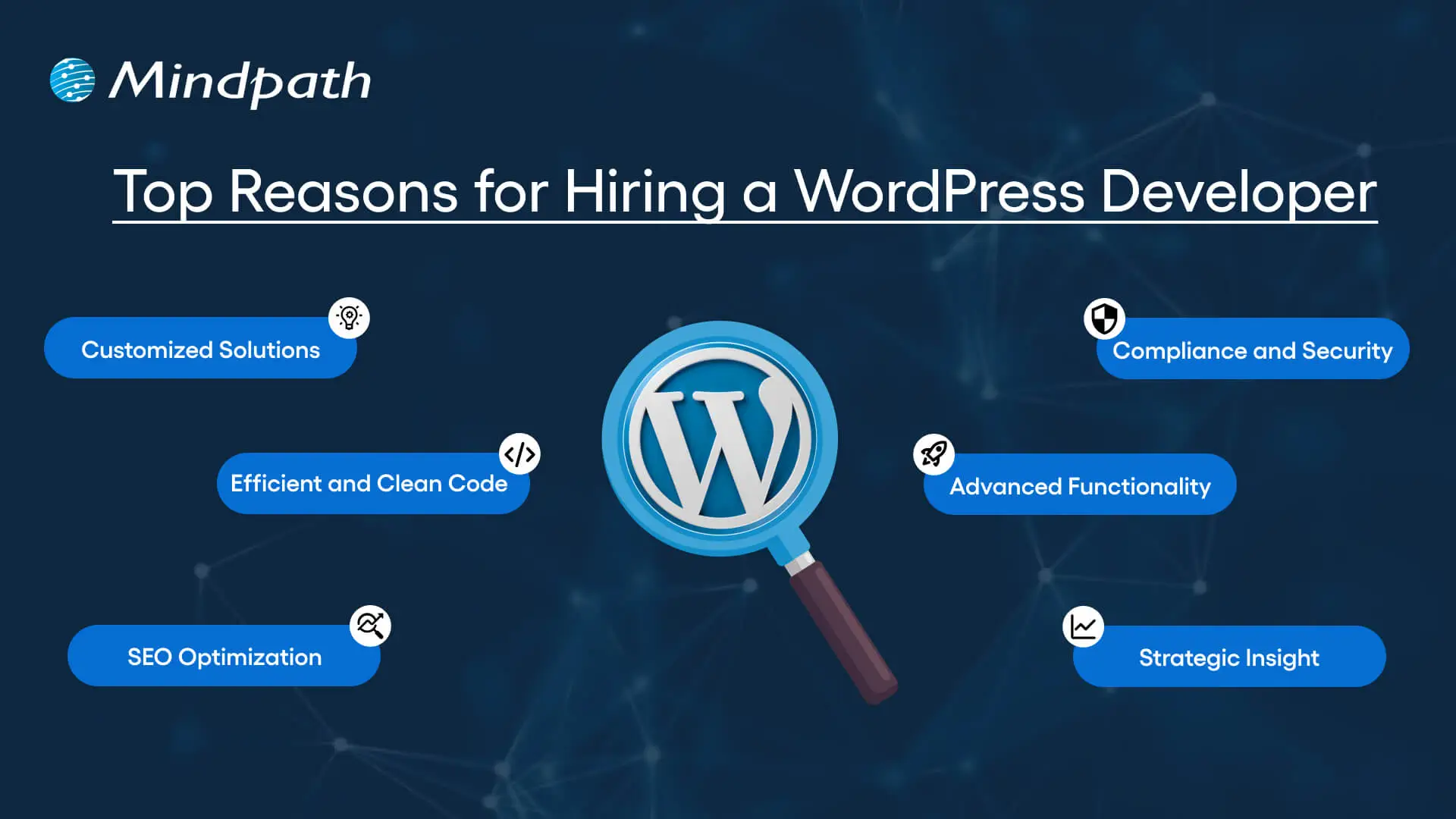
Top Reasons for Hiring a WordPress Developer

Before diving into the WordPress developer checklist to ensure a successful hiring, let’s understand why you should hire expert WordPress developer.

Top Reasons for Hiring a WordPress Developer

1. Customized Solutions

A professional WordPress developer can provide custom WordPress development for the site to match your unique brand identity, functional requirements, and user experience goals. Pre-built themes or plugins won’t offer you such flexibility.

2. Efficient and Clean Code

Skilled developers always prioritize writing scalable, secure, and optimized code. This ensures better SEO scores, fewer compatibility issues, and faster load times.

3. SEO Optimization

Developers know how to develop a website for search engines. For example, they use schema markup, semantic HTML, image optimization tools, and caching techniques that boost visibility and improve rankings.

4. Compliance and Security

From database protection to SSL configuration and plugin installation, professional WordPress developers deploy best security practices to protect your site from data breaches and malware. Besides, they ensure that all the plugins and elements are updated to the latest versions.

5. Advanced Functionality

Do you need a custom API integration or booking system? Well, a skilled WordPress developer knows how to integrate complex features that align with your user needs and business goals. They can also create custom plugins to expand the features of your site.

6. Strategic Insight

Apart from coding, WordPress developers help businesses to get detailed insight into conversion optimization, user behavior, latest trends, and more. All these things will help businesses in making smarter decisions.

Want to make sure your WordPress site is accessible to everyone? Check out our post on improve WordPress web accessibility to learn practical steps for making your site more inclusive and user-friendly.

Types of WordPress Experts- Which One Should You Hire

Understanding the benefits and value a developer can bring is just the beginning. To make the right decision on hiring a WordPress Developer, it is crucial to learn about the different types of WordPress developers you can hire. Remember that each brings a unique focus area and skill set.

1. Front-End WordPress Developers

These experts specialize in interactive and visual aspects of websites. They manage styling, layouts, and user experience and responsiveness using JavaScript, CSS, page builders, and HTML.

2. Back-End WordPress Developers

They focus on database management, server-side functionality, custom theme development, and plugin development. They work with WordPress core functions, MySQL, PHP, and more to create scalable websites.

3. Full-Stack WordPress Developers

Such experts handle back-end and front-end development tasks. They can create a website from scratch while ensuring seamless integration.

While hiring dedicated WordPress developer, you should choose the right type of developer to ensure your project aligns with the design goals, technical needs, and vision.

Curious about which developer’s role best suits your project? Dive into our article on Front-End vs Back-End vs Full-Stack to understand each role and decide which path aligns with your website’s needs.

WordPress Developer Checklist- Skills to Consider

Your hiring WordPress developer checklist should cover the key skills of WordPress developers. HTML, CSS, PHP, MySQL, and JavaScript rank among the key languages for WordPress development. Most developers are familiar with these languages, but knowledge of these technologies is not enough. Here are some skills that matter the most.

Hard Skills or Technical Capabilities

  • Knowledge of using core languages such as jQuery, JS, HTML5, CSS3, PHP, MySQL, React.js, and other languages.
  • Clear understanding of plugin architecture and WordPress core.
  • Building and customizing themes from scratch, and experience with various page builders like Beaver Builder, Gutenberg, Thrive Architect, Elementor, and Themify Builder.
  • Familiarity with REST API.
  • Knowledge of various optimization methods like scheme markup, image compression, caching, Core Web Vitals, minifying CSS, use of CDN, and more.
  • Understating security issues and applying fixes

Soft Skills

  • Ability to explain technical concepts in practical and simple terms.
  • Habit of making clear documentation.
  • Clarity and responsiveness in replies.
  • Ability to collaborate with backend teams and designers.
  • Familiarity with various management tools such as Jira, Trello, and Slack.
  • Willingness to accept feedback and incorporate it quickly.

Some Bonus Skills that Add Value

These skills are not that important for every project, but they can make a developer more valuable. These skills can include:

  • Experience in handling WooCommerce.
  • Knowledge about Headless WordPress configurations.
  • Use of Git or similar tools to manage collaborative workflows and code.
  • Experience in creating responsive and accessible designs to help websites meet the legal requirements of ADA.gov, etc.
  • A better understanding of the business’s goals, like lead generation, conversions, etc.

Want a more flexible and user-friendly website than a static HTML page can offer? Explore our blog on converting HTML to WordPress to see how shifting to WordPress can simplify maintenance and boost performance.

Hiring A WordPress Developer: Best Practices

Hiring a skilled WordPress developer can be a challenging process. That’s why utilizing a structured hiring a WordPress developer checklist is vital. A well-defined hiring checklist can help you save time, and you can hire the best talent for your projects. Here is how to begin your process to hire expert WordPress developer using a proven checklist.

1. Understand your Project Requirements and Goals

Before starting to search for a WordPress developer, it would be better for you to understand your project requirements. Do you want to create a new WordPress site from scratch or optimize an existing site? Are you creating a blog site, business website, or eCommerce platform?

Understanding these things will help narrow down the skills required. For instance, if you want to integrate APIs or advanced features into your site, then hiring a developer with skills in JavaScript or PHP would be a great choice.

Avoiding this step can lead to mismatched expectations. The more precise your needs, the easier your hiring a WordPress developer would be.

2. Selecting the Right Hiring Model

While hiring a WordPress developer, selecting the right engagement model is vital to aligning your development project budget, timeline, and scope. In general, WordPress developers come under three key categories these are:

  • Freelancers: Ideal for short-term and small projects due to their cost-effectiveness and flexibility.
  • Agencies: Offer complete solutions, including website design, development, SEO optimization, and maintenance. Agencies are ideal for large-scale and complex projects.
  • In-House Web Developers: They are best for organizations with ongoing development requirements. Businesses will enjoy faster turnaround and full control. However, this model requires businesses to invest in salaries, management overhead, and benefits.

Consider your budget, long-term objectives, and project size to choose the right model.

3. Developer’s Industry Experience

When using a hiring WordPress developer checklist, an important factor to consider is the developer’s industry-specific experience.

Working with a WordPress developer familiar with your business niche can significantly improve the outcomes while reducing costly trial and error. For instance, for creating an eCommerce website, hiring a developer with WooCommerce expertise will be the best option.

On the other hand, for a blog site, you should prefer to hire an expert with deep SEO and performance optimization knowledge.

This approach will accelerate development and boost functionality. And always ask developers whether they have built websites like yours.

4. Check References and Review Portfolios

Start by examining developers’ portfolios for design consistency, quality, and diversity of development projects that match your business niche. Also, check the custom developer tasks completed by developers to get an idea about their technical skills as well as problem-solving skills.

If possible, assess site performance, usability, and responsiveness to understand the developer’s attention to detail. Also, go through client references to confirm the developer’s support quality, professionalism, and reliability.

5. Conduct Technical Tests and Interviews

Don’t just rely on resumes. Conduct thorough practical tests and interviews. Start by creating targeted interview questions. For instance, you can ask, “How do you solve plugin conflicts”? Or “How do you check a site’s responsiveness?”

Practical tests can include fixing a site speed problem or creating a custom feature or post type. Such tests show developers’ technical skills, efficiency, and creativity. Besides, it helps you to know whether they can work under pressure. This step is pivotal for confident hiring decisions.

Stuck deciding whether WordPress or Drupal is a better match for your business? Our WordPress vs Drupal guide breaks down key differences to help you pick the perfect solution.

Common Mistakes to Avoid

Even with a solid WordPress checklist, mistakes can happen. Here are some common mistakes that you should avoid during the hiring process.

1. Don’t hire an expert based on just low rates. Focusing on the cost factor over quality can lead to poor site performance, missed deadlines, and you may end up with a site that may not meet your business goals.

2. Avoid developers who don’t want to sign confidential agreements. After all, keeping your business data, personal information, and intellectual property safe is important, especially when sharing sensitive details and backend access.

3. Don’t overlook maintenance service and ongoing support offered by the developer. Without this, your site may become vulnerable to bugs and security issues, affecting user experience, speed, and scalability.

4. Don’t ignore red flags such as lack of references, unclear communication, or vague answers.

5. Don’t make your hiring process long and complicated. Excessive interview rounds and lengthy assessments can frustrate candidates, and you may lose top talent.

6. Developers can only create and customize your site. They are not content strategist or designers. So, expecting them to handle everything would be a big mistake, leading to missed opportunities and misaligned results.

Hire Smart and Built Better with Mindpath

Hiring a WordPress developer is a major investment that you make in your business. This can greatly influence your business’s digital future. By following this detailed WordPress developer checklist, you can avoid common mistakes and find a WordPress developer who can create a website that will boost your online presence.

If you are searching for a trusted platform to hire an experienced WordPress developer, you may not find a better option than Mindpath. We specialize in providing the industry’s best WordPress developers, who combine creative design skills, deep technical knowledge, and commitment to quality to develop a perfect solution. Your website needs creative vision, thoughtful design, and expert attention that can bring your brand to life. And for this, you can always count on Mindpath.