Key Takeaways
- 01
Web development technologies include the languages, frameworks, architectures, and tools used to build and maintain websites and web applications. - 02
AI, headless CMS, progressive web apps, serverless computing, and WebAssembly support different website and application requirements. - 03
Front-end and back-end frameworks should be selected according to project complexity, performance, integrations, and team expertise. - 04
Businesses should evaluate accessibility, security, scalability, maintenance costs, and compatibility before adopting new technologies. - 05
The right technology stack supports business goals when it is backed by clear requirements, testing, and ongoing performance monitoring.
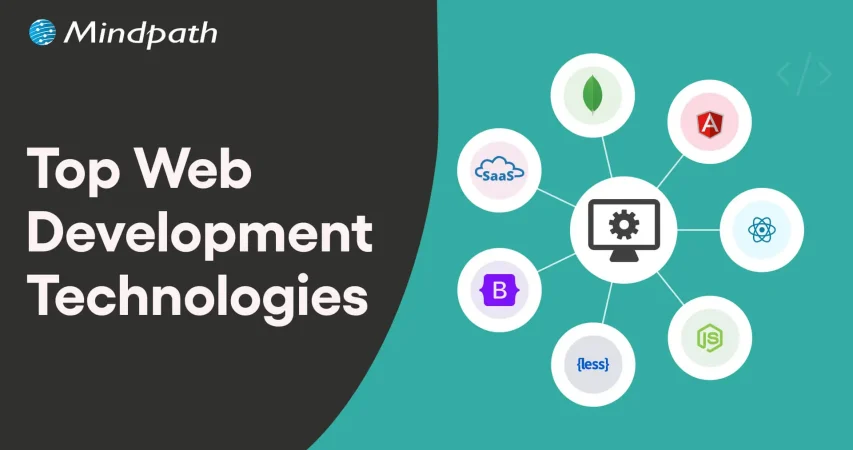
In 2026, technologies such as artificial intelligence, modern JavaScript frameworks, headless content management systems, serverless platforms, and progressive web apps offer different ways to build digital products. However, no single technology is the best choice for every project. The right combination depends on the business problem, application complexity, existing systems, budget, and development team’s expertise.
This guide covers important web development technologies, compares popular front-end and back-end frameworks, and explains how businesses can select a technology stack that supports their objectives.
What are Web Development Technologies?
Web development technologies are the programming languages, frameworks, libraries, protocols, services, and tools used to build, deploy, and maintain websites and web applications.
These technologies work together across different layers of an application. HTML defines page structure, CSS controls presentation, and JavaScript supports interactive behavior in the browser. Back-end technologies handle application logic, data processing, authentication, and communication with databases or external services. Protocols such as HTTP and HTTPS enable communication between browsers and servers.
Modern web projects may also use APIs, content management systems, cloud infrastructure, testing tools, analytics platforms, and security services. Choosing suitable technologies helps businesses balance development effort, user experience, maintainability, and long-term operating costs.
Major Web Development Trends to Consider in 2026
Technology choices are influenced by changes in user expectations, development practices, and business requirements. The following trends are useful considerations when planning a website or web application.
- Performance and efficiency: Lightweight interfaces, efficient data requests, caching, and performance monitoring help improve responsiveness.
- Accessible user experiences: Semantic HTML, keyboard navigation, readable content, and assistive technology support help make websites usable by more people.
- Scalable architectures: Modular applications, suitable cloud services, and well-designed APIs can support changing traffic and feature requirements.
- AI-assisted experiences: AI can support search, content workflows, personalization, and selected customer interactions when implemented with appropriate controls.
- Security and privacy: Secure authentication, dependency management, data protection, and ongoing testing are essential throughout development.
- Resource-efficient development: Efficient code, optimized assets, and appropriate infrastructure can reduce unnecessary processing and resource use.
These trends should inform technology decisions rather than dictate them. A small business website may need a simple content management system, while a complex enterprise application may require a more specialized architecture.
Key Web Development Technologies in 2026
The following technologies address different parts of the web development process. Their suitability depends on the features required, the systems involved, and the resources available to maintain the application.
1. Artificial Intelligence and Machine Learning
Artificial intelligence and machine learning can support selected development tasks and add intelligent features to web applications. AI-assisted tools can help developers draft code, generate test cases, explain existing code, and identify potential issues. These outputs still require technical review and testing.
Within applications, machine learning can support recommendations, classification, forecasting, anomaly detection, and personalization. Technologies and libraries such as TensorFlow.js and scikit-learn serve different use cases, depending on where the model runs and the language or environment being used.
Businesses should assess data quality, privacy, operating costs, accuracy, and human oversight before adding AI features. AI is most useful when it addresses a clearly defined problem rather than being included simply because it is available.
Related reading: AI in web development.
2. Headless CMS Architecture
A headless content management system separates content management from the presentation layer. Content can be managed centrally and delivered to websites, applications, or other supported channels through APIs.
This approach allows teams to choose a front-end framework independently of the content management system. For example, a headless WordPress setup can deliver content through the WordPress REST API to a front end built with a framework such as Next.js or Vue.
A headless architecture can be useful when a business needs multiple publishing channels, a highly customized interface, or greater control over front-end implementation. It also introduces additional considerations, including preview workflows, caching, hosting, and the technical resources needed to maintain separate systems.
Related reading: Programming languages and their evolution.
3. Progressive Web Apps
Progressive web apps (PWAs) use web technologies to deliver app-like experiences through a browser. Depending on browser and platform support, they can offer installation, offline functionality, caching, and notifications.
PWAs can be useful for businesses that want to provide convenient access across devices without maintaining a separate native application for every platform. Service workers can support selected offline and caching behaviors, while HTTPS helps protect data in transit.
However, installation and notification capabilities vary by browser and operating system. Businesses should verify platform requirements and test the experience on the devices their audiences use.
Related reading: Progressive web apps.
4. Jamstack Architecture
Jamstack is an architectural approach that emphasizes decoupled front ends, APIs, and prebuilt markup where appropriate. Many Jamstack sites serve pre-rendered pages through a content delivery network and use APIs or server-side functions for dynamic functionality.
This architecture can be suitable for marketing websites, documentation, content-heavy websites, and landing pages. Pre-rendering and caching can reduce server work for repeat requests and help improve delivery performance.
Dynamic features such as personalized dashboards, transactions, or frequently changing content may require additional services. Businesses should evaluate the full architecture, including rendering strategy, API dependencies, caching, and operational complexity.
5. Serverless Platforms and Edge Computing
Serverless platforms allow developers to deploy functions or application components without directly managing the underlying server infrastructure. Cloud providers handle much of the provisioning and scaling, while developers remain responsible for application logic, configuration, security, and cost management.
Services such as AWS Lambda and Microsoft Azure Functions can support event-driven workflows, API endpoints, scheduled tasks, and selected back-end operations. Serverless systems can reduce infrastructure management, but execution limits, cold starts, service dependencies, and pricing need to be evaluated.
Edge computing places certain processing or content delivery functions closer to users or data sources. Depending on the architecture, this can reduce latency for suitable tasks. It does not automatically reduce every application’s cost or improve every type of workload.
Related reading: The role of edge computing.
6. HTMX
HTMX extends HTML with attributes that allow developers to make HTTP requests and update parts of a page without writing large amounts of custom JavaScript. It can work well with server-rendered applications that return HTML fragments.
Potential use cases include forms, internal dashboards, administrative interfaces, and applications with server-driven interactions. HTMX may simplify some front-end workflows, but it does not replace JavaScript in every situation. Highly interactive interfaces may still need additional client-side logic.
7. WebAssembly
WebAssembly (Wasm) is a binary instruction format that enables supported code to run in compatible environments, including web browsers. It can be useful for computationally intensive tasks such as image processing, simulations, audio processing, and selected graphics applications.
WebAssembly can complement JavaScript when a workload benefits from compiled code or an existing library written in another language. It is not a universal replacement for JavaScript, and performance depends on the workload, implementation, and interaction with browser APIs.
8. Motion UI and Interface Animation
Motion design uses transitions, animation, and visual feedback to help users understand how an interface behaves. Examples include showing that a form has been submitted, indicating a change in navigation state, or helping users understand the relationship between interface elements.
Animations should support usability rather than distract from content or slow down important tasks. Developers should consider reduced-motion preferences, accessibility, device performance, and the impact of animation on page responsiveness.
Related reading: ReactJS web development.
Popular Front-End Web Development Frameworks
Front-end frameworks and tools help developers build interfaces, manage components, organize code, and optimize development workflows. The following options serve different purposes and should not all be treated as direct substitutes.
| Technology | Primary purpose | Suitable use cases |
|---|---|---|
| React | JavaScript library for building component-based user interfaces. | Interactive dashboards, complex interfaces, and single-page applications. |
| Next.js | React framework with routing and multiple rendering options. | Content-driven websites, e-commerce platforms, and full-stack React applications. |
| Vue.js | Progressive JavaScript framework for building interfaces. | Interactive features, web applications, and projects that benefit from gradual adoption. |
| Svelte | UI framework that compiles components into optimized JavaScript. | Interactive applications where a compiler-based component approach fits the project. |
| Tailwind CSS | Utility-first CSS framework for styling interfaces. | Consistent design systems, responsive layouts, and rapid UI implementation. |
| Vite | Development server and build tool for modern web projects. | Fast local development and production builds for supported front-end frameworks. |
| Framer | Visual website design and publishing platform. | Marketing sites and visually driven websites that fit its platform capabilities. |
For example, React can be used to build interface components, Next.js can provide application-level features around React, and Tailwind CSS can handle styling. Vite serves a different role as a build tool. Teams should select a combination that meets the project’s rendering, deployment, accessibility, and maintenance needs.
Popular Back-End Web Development Technologies
Back-end technologies handle application logic, data access, authentication, integrations, and communication between services. The right option depends on the complexity of the application, performance requirements, available expertise, and the systems it needs to connect with.
| Technology | Primary purpose | Suitable use cases |
|---|---|---|
| Node.js | JavaScript runtime for server-side applications. | APIs, real-time applications, and I/O-heavy services. |
| Express.js | Minimal web framework for Node.js. | HTTP APIs, web servers, and lightweight back-end services. |
| Laravel | PHP framework with common web application features. | Business applications, APIs, and database-driven websites. |
| Ruby on Rails | Full-stack web framework with convention-based development. | Data-driven web applications and early-stage product development. |
| Go | Programming language suited to concurrent and networked services. | APIs, cloud services, and microservices. |
| Spring Boot | Java framework for building stand-alone, production-oriented applications. | Enterprise applications, APIs, and service-based systems. |
| Supabase | Backend platform built around PostgreSQL and related services. | Applications needing database, authentication, storage, and API capabilities. |
These options have different operating models. Node.js and Go are runtimes or languages, while Express.js, Laravel, Rails, and Spring Boot provide frameworks. Supabase is a managed backend platform rather than a traditional back-end framework. Understanding these distinctions helps teams make more accurate technology comparisons.
Related reading: Improving web performance with Node.js development.
How to Choose the Right Web Development Technology Stack
A technology stack should support the product’s requirements and the team’s ability to build, operate, and maintain it. Consider the following factors before making a decision.
1. Define the Business and Technical Requirements
Identify the main purpose of the website or application, its target users, essential features, expected traffic, and integration requirements. A content-focused website and a real-time collaboration platform have different architectural needs.
2. Evaluate Performance and Scalability
Consider page loading, response times, data processing, traffic patterns, and future growth. Select technologies that meet realistic performance requirements, and validate them with testing rather than relying only on framework popularity.
3. Check Compatibility and Integration Needs
Review how the proposed stack will connect with existing databases, APIs, identity providers, content systems, and business applications. Verify that supported integrations meet security and data-handling requirements.
4. Assess Security and Accessibility
Evaluate authentication, authorization, input validation, dependency management, and data protection. For the front end, consider semantic markup, keyboard navigation, readable contrast, and assistive technology compatibility from the beginning.
5. Consider Developer Expertise and Support
Assess the team’s experience, documentation quality, available libraries, community resources, and long-term maintenance requirements. A technically capable framework may still be a poor fit if the organization cannot support it reliably.
6. Compare Total Cost of Ownership
Account for development, hosting, licensing, third-party services, testing, maintenance, monitoring, and future upgrades. Open-source software may reduce licensing costs, but it still requires implementation and operational resources.
7. Test Before Committing
Build a small proof of concept when important requirements are uncertain. Test the riskiest integrations, performance constraints, or user interactions before committing to a large implementation.
Why Web Development Technologies Matter for Business Growth
Technology choices affect more than the development process. They influence how customers use a digital product, how easily a business can introduce new features, and how much effort is required to maintain the system.
- Better user experiences: Responsive interfaces, accessible design, and reliable performance help users complete tasks more easily.
- Operational efficiency: APIs, automation, and integrated workflows can reduce repetitive manual work.
- Search visibility: Crawlable content, suitable rendering, clear information architecture, and strong performance can support SEO.
- Scalable delivery: Suitable infrastructure and application architecture can help a product accommodate growth.
- Improved maintainability: Well-structured code, automated testing, and supported dependencies make changes easier to manage.
- Informed decisions: Analytics and appropriate monitoring help teams evaluate how the product performs against business objectives.
These benefits depend on implementation quality and ongoing management. Choosing a modern framework alone does not guarantee higher conversions, better rankings, or lower costs. Businesses should measure results against a clear baseline and improve the application as user needs change.
Build a Business-Ready Website With the Right Technology Stack
Web development technologies provide the foundation for websites and applications that support customer experiences, business processes, and digital services. From front-end frameworks and back-end platforms to AI, serverless computing, and modern content architectures, each option serves a different purpose.
The right approach starts with clear business requirements and considers performance, security, accessibility, integration, scalability, and long-term maintenance. Careful selection and ongoing evaluation help organizations build digital products that can adapt as their needs evolve.
Mindpath provides web development services to help businesses plan and build websites and web applications aligned with their goals. Our approach focuses on choosing suitable technologies, designing effective user experiences, and building maintainable solutions for evolving business requirements.
To keep your technology strategy aligned with changing needs, read our guide to web development trends.