Home

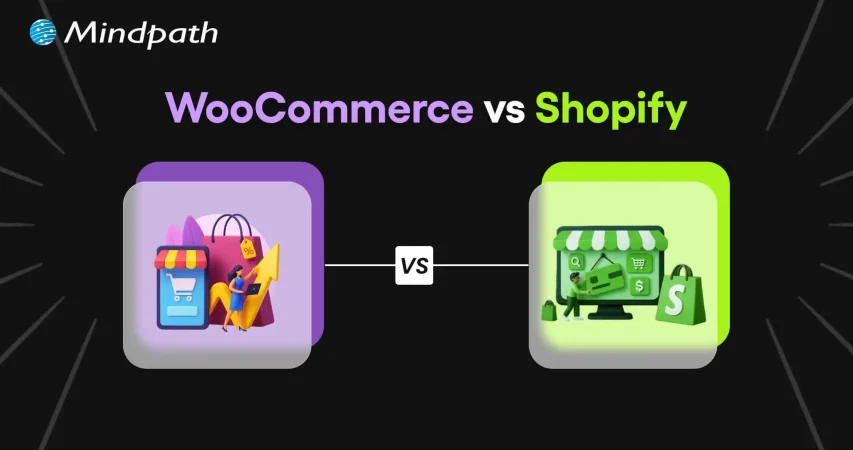
WooCommerce vs. Shopify: Which E-Commerce Platform is Better?

WooCommerce vs. Shopify: Which E-Commerce Platform is Better?

Join our Newsletter!

woocommerce vs shopify

In the e-commerce landscape, businesses need to make a number of critical decisions. In case you are planning to venture into the e-commerce space, it is imperative to choose the right platform. This decision can certainly influence the success of your business in the dynamic e-commerce arena. 

The platform that you choose for your e-commerce store can undoubtedly influence the overall performance and success of your business. The top names that are ruling the e-commerce platform setting are Shopify WooCommerce. You need to dive into the world of WooCommerce Shopify so that you can make a proper comparison between these platforms. You need to know how these e-commerce platforms differ from one another so that you can make the ideal selection.

Planning to grow your online business and make a real difference in sales and customer experience? At Mindpath, we provide expert web development services that create user-friendly online stores designed to boost conversions and engage your customers.

An Insight into Shopify

Shopify is a subscription-based, cloud-hosted e-commerce platform that enables entrepreneurs, small businesses, and large brands to sell products online and in person. It provides an all-in-one suite of tools, including inventory management, payment processing, and order fulfillment, without requiring any coding or web development experience. As one of the most widely used e-commerce platforms globally, Shopify equips businesses with the features they need to build, manage, and grow their online store in a competitive digital marketplace.

You must get a holistic insight into Shopify and its features to understand its true capabilities as an e-commerce platform. One of its distinguishing features is related to the creation of a store. Businesses can also use their selling tools and payment processing features to streamline their practices and operations. 

An Insight into WooCommerce

WooCommerce is a free, open-source e-commerce plugin built for WordPress. It enables users to transform any standard WordPress website into a fully functional online store. Beyond just adding products and payment options, WooCommerce supports selling physical goods, digital products, subscriptions, and services, making it one of the most versatile e-commerce solutions for WordPress users.

A unique thing about WooCommerce is that it is ideal for experienced sellers in the e-commerce domain. You can extend its functionality with the help of a number of add-ons and themes. Businesses need to familiarize themselves with the core features of WooCommerce so that they can make use of the platform in an optimal manner. Its key features that you need to know about include the availability of a large library of themes and high extensibility.  

Must Read: AI in E-commerce

Difference Between WooCommerce and Shopify

Now that you have a basic understanding of Shopify and WooCommerce, it is time to look at them at a closer level. Businesses that plan to establish themselves on the online platform need to know the key differences between these platforms so that they can have clarity on WooCommerce vs Shopify. The insight into this area is crucial to choosing the suitable platform and thriving in the market. 

1. Cost

While talking about WooCommerce vs Shopify, one of the key differences between the two options revolves around their cost. WooCommerce and Shopify have entirely different pricing structures. WooCommerce is entirely free for users, so you do not have to pay anything to use it for your online business. Thus, it offers ample flexibility with variable costs for users. 

On the other hand, when it comes to Shopify, it has a subscription model for its users. WooCommerce vs Shopify pricing is a major point of difference that you need to take into consideration for your e-commerce business. The ultimate budget of businesses can play a catalytic role in choosing their ideal e-commerce option.  

2. User-Friendliness

The ease of use or user-friendliness is a key dimension that you need to bear in mind while selecting between WooCommerce and Shopify. You must keep in mind that both these e-commerce solutions offer a diverse user experience. As WooCommerce is an open-source plugin for WordPress, which is self-hosted, it requires manual setup. 

Every aspect has to be handled separately by businesses while using the plugin. Moreover, businesses should know that it requires ongoing management as well. When it comes to Shopify, it has an all-in-one dashboard that users can use for their needs.  Thus, users can have a hassle-free experience if they choose Shopify. 

Not sure which technologies will give your e-commerce business the best performance and scalability? Explore our blog tech stack for your web app success to learn how to choose the right tools for long-term growth.

3. Themes as well as Templates

While talking about shoplift vs WooCommerce, it is key to understand how they differ in terms of available themes and templates. WooCommerce offers a humongous library of premium as well as free WordPress themes. You can choose the specific theme that is ideal for your business. The good news for users is that there is an opportunity to customize the themes on WooCommerce. 

When it comes to Shopify, businesses can use professionally designed themes. Such themes can certainly give an edge to your business. But you have to bear in mind that there are limited options to customize the themes. You need to take into account WooCommerce vs Shopify themes while choosing the ideal option out of the two options.

4. Scalability

Scalability is an important dimension that every e-commerce business needs to prioritize. You need to make sure that your online store grows in a seamless manner as your business expands. Your store must be able to handle additional product offerings and additional users. WooCommerce serves as a highly flexible option for e-commerce businesses. 

However, in order to leverage the flexibility that it offers, businesses must be aware of how to use the available tools. Shopify undoubtedly simplifies the degree of flexibility by offering built-in tools for businesses. You can leverage these tools as they will handle most of the work for your business. 

5. Security

Security is undoubtedly a non-negotiable element you need to look at while understanding the difference between WooCommerce and Shopify. If you plan to use WooCommerce, you need to know that, since it is a self-hosted solution, the onus of security lies with you. Although it offers certain security features, most of the security depends on elements such as the hosting environment and plugins. 

Similarly, the manner in which businesses maintain their websites also influences the quality of security. On the other hand, Shopify offers robust security to e-commerce businesses. This specific platform has in place holistic security measures that can safeguard both customer and store-related data. 

Concerned about keeping your online store and customer data secure? Read our blog application security best practices for web and mobile apps to learn proven methods to protect your business.

6. Payment Gateway 

As a majority of online customers are making online payments, it is essential for e-commerce businesses to have in place a robust payment gateway mechanism. Both Shopify and WooCommerce offer a diverse range of payment gateway options that you need to be aware of. As WooCommerce is integrated with WordPress, it offers a high degree of flexibility when it comes to payment gateways. 

It is possible to integrate almost any gateway. But the particular process may require additional setup for businesses. When it comes to Shopify, it comes with built-in options. The built-in payment option offered by Shopify makes it simpler for businesses to accept payments from customers without requiring additional setup. Moreover, it supports international payments, thereby creating value for modern businesses. 

7. Customization

The difference between WooCommerce and Shopify arises when looking at the customization dimension. You can look at WooCommerce as a blank canvas. It offers high power to businesses to customize their online store based on their needs and requirements. On the other hand, Shopify keeps things simple for businesses. 

It offers limited customization ability as a business. Without having to do much customization, businesses can have a professional-looking online store. You can take advantage of the drag-and-drop editor to build your store. However, this feature limits the ability to customize for users. 

Looking for innovative ways to stand out in the crowded e-commerce space? Learn from our blog, augmented reality in e-commerce, and see how AR technology can transform your online store.

The table presented below gives an overview of the main differences between Shopify and WooCommerce. Businesses can certainly refer to it while making the selection between WooCommerce or Shopify.

Basis WooCommerce Shopify
Cost Free  Monthly subscription model 
User-friendliness Not beginner-friendly and requires manual setup Beginner-friendly and intuitive
Themes and Templates Offers a large library of WordPress themes and high customization ability Offers professionally developed themes and low customization ability
Scalability Flexible but requires good hosting and optimization Effortless scaling with business
Security Security level depends on hosting and manual updates Security is fully managed and comprehensive 
Payment Gateway Multiple payment gateways with no additional charge Shopify payments and external payments with applicable fees
Customization High customization Limited customization

Selecting Between WooCommerce and Shopify

It is crucial for businesses to remember that the ultimate choice between WooCommerce and Shopify depends on the goals as well as the needs of businesses. You need to keep in mind your budget and WooCommerce vs Shopify payments while choosing the ideal platform for your e-commerce business. You must remember that both platforms offer a unique set of advantages for businesses. 

As the pros and cons of each of these options vary, you need to carefully consider them while making your choice. WooCommerce empowers businesses to customize their online stores. On the other hand, Shopify offers a professional-looking store thanks to its drag-and-drop option. 

Struggling to make informed platform decisions for your e-commerce business? Explore our blog on the  importance of data-driven decision-making for businesses to learn how data insights can guide your choices.

Final Words

In the cut-throat competitive business space, it is mandatory to choose the ideal platform for e-commerce success. In order to make the right choice, you need to have clarity on your basic requirements. This insight can guide you to choose the best platform that perfectly meets your needs and expectations. 

Mindpath provides web development services that understand the need to choose the right platform for e-commerce businesses. Businesses can undoubtedly rely on our experts to make use of high-quality WooCommerce and Shopify solutions. These high-quality solutions can make sure that your business can thrive in the unpredictable e-commerce realm and gain an edge over its competitors. 

Frequently Asked Questions

WooCommerce is an open-source WordPress plugin offering extensive customization, while Shopify is a fully hosted eCommerce platform with built-in tools and simplified store management.
WooCommerce offers greater SEO flexibility through WordPress plugins and custom optimization, while Shopify provides built-in SEO features that are easier to manage.
Yes. WooCommerce supports extensive customization through themes, plugins, and custom development, making it suitable for businesses with complex requirements.
Shopify is generally better for beginners because it includes hosting, security, and maintenance, allowing users to launch an online store with minimal technical knowledge.
Choose WooCommerce for flexibility and customization, or Shopify for ease of use, managed hosting, and faster deployment based on your business needs.

Support Is One Click Away

Featured Posts

Related Post

Web development tools

In this competitive and evolving digital landscape of 2026, it has become crucial for businesses to stay ahead of the curve to make themselves competitive. Whether you are an established business that wants to scale operations or a startup launching new products, selecting the right web development tools can make or break your digital success. 

Modern web app development tools are designed to enhance user experience, streamline workflows, and allow developers to create a perfect website as well as an application. In this blog, you will explore the best web dev tools that can significantly shape your business success in 2026. We will cover everything from front-end frameworks to AI-powered Web development tools and understand their importance in web development.

Looking to implement the latest web development tools to enhance your digital presence? Mindpath’s web development services can help you with professional support and customized solutions.

Importance of Modern Web Development Tools

We all know that the digital experience has become a primary touchpoint between customers and businesses. In 2026, users expect an intuitive interface, lightning-fast performance, and effortless integration. And all these things can be achieved by using the right web development tools. Here are the major benefits of using these tools: 

1. Increased Productivity

By efficiently automating multiple repetitive tasks and providing users with features such as code generation, these tools can reduce development time. As a result, developers can focus on problem-solving and innovation. 

2. Better Collaboration:

Web development tools are designed to facilitate seamless teamwork among designers, developers, clients, and other stakeholders. This helps ensure a coordinated and cohesive web development approach. 

3. Enable Scalability

Most web dev tools are designed for cloud integration and modular development. They help businesses to scale their website and apps easily based on growing demands while ensuring a consistent user experience and performance. 

4. Quality and Reliability

These tools come equipped with integrated testing and debugging tools. As a result, developers can easily detect and fix errors early, leading to more reliable and stable web applications. 

5. Enhanced Security

Tools like frameworks provide businesses with built-in security measures to protect web applications against threats like CSRF, XSS, and SQL injection. For example, the user authentication system of Django and the CSRF token protection feature of Laravel. 

6. Cross-Platform and Cross-Browser Compatibility

Modern tools support cross-platform and responsive design features out of the box. This helps ensure a smooth user experience across multiple devices and browsers. 

It can be said that web development tools are not just facilitators of design and coding. In fact, these are strategic assets that have the ability to transform how businesses approach web app development.  

Now that you understand the benefits, let’s talk about the web app development tools that are the source behind these benefits and are reshaping the development process. 

Wondering how to plan your web development process step by step for maximum impact? Check out the web app development roadmap for 2026 to learn how each phase fits into building a successful web application.

Top Web Development Tools to Consider in 2026

Below is the list of top tools for web development in 2026. All the tools are divided into different categories, spanning IDE, front-end, back-end, and more for an easy understanding. Have a look. 

Best Front-End Tools for Web Development

Let’s begin the list with web application development tools that play an important role as they shape what customers see on a website. These tools help furnish and decorate your website with the right elements. 

1. React

A product from Facebook, React is an ideal choice among developers to create complex and large-scale applications. It is based on a component-based architecture and facilitates code reusability, which is vital for long-term projects and large teams. React can handle various critical tasks such as static site generation, server-side rendering, APU routes, and more, leading to better SEO and amazing performance. 

2. Vue.js

It is one of the best tools for website development and is well-known for its gentle learning curve and progressive adoption. Vue is an ideal option for businesses looking for a smooth integration of a front-end framework into their existing projects. The tool can adapt to your unique project requirements. The speed of Vue.js helps create a smooth user experience during web browsing. 

3. AngularJS

Developed by Google, it offers a perfect solution for web development as well as testing. Some attractive features of AngularJS are its support for client-side Model-View-View-Model and Model-View-Controller architectures. Besides, it also offers two-way data binding, UI with HTML, and more. 

4. Svelte

If performance is your priority, then Svelte can be a game-changer for your project. It is an efficient compiler that converts code into efficient and small JavaScript bundles. That means the browser’s workload will be low, resulting in faster load times and a seamless user experience. 

5. Tailwind CSS

It helps developers to create custom UI elements without spending time on writing multiple CSS codes. This eliminates issues like breakages caused by CSS code changes. Its classes are optimized for responsiveness, making it easier to develop mobile-friendly layouts. 

Thinking about which frameworks or expertise your project really needs? Check out the top reasons to hire ReactJS developers for your next web project to understand why React remains a powerful choice for building responsive web apps.

Best Back-End Tools for Web Development

The back end is like the engine of your website or web apps, managing server logic, user authentication, and data. With the right back-end web development tools and technologies, you can ensure the scalability of your product. 

1. Python

It is one of the easiest back-end programming languages to use, offering simple syntax and support for multiple major languages such as Java, C, and more. Besides, it can help with data analytics and visualization. What’s more? It offers robust web frameworks such as Flask and Django. 

2. Node.js

For organizations creating real-time applications, microservices, and APIs, this back-end tool remains a top choice. Its non-blocking I/O and event-driven model make Node.js efficient at managing concurrent requests, which is crucial for developing data-intensive and modern web apps. 

3. PHP

It can be used with multiple CMSs such as Joomla, WordPress, and more. PHP can be embedded with CSS, HTML, and other front-end systems. It supports integration for various DBs like MS SQL Server, Oracle, and MYSQL. PHP is free to use and scalable. 

4. Express.js

It is one of the top-rated web development platforms created with Node.js and powered by Google V8 Engine. Using this, developers can create hybrid, multi-page, and single-page web apps. Express.js is popular for offering faster I/O, managing multiple servers, routes, and handling asynchronous requests smoothly. 

Want to build a complete website without coordinating with multiple developers? Explore our post on full-stack development for web projects to discover how a full-stack approach simplifies your workflow and accelerates delivery.

Best Integrated Development Environments

For developers to handle fast development and deployment of web apps and handle large codebases, IDE web development tools and technologies play a major role. Some of the best options are: 

1. Visual Studio Code

VS Code is an open-source and widely used IDE that allows developers to run and debug code. Developed by Windows, it supports multiple languages, including Python, PHP, and C++. Besides, it has built-in support for NodeJS, TypeScript, and JavaScript. Furthermore, it comes with IntelliSense to offer intelligent code recommendations. 

2. GitHub’s Atom

It is an open-source desktop editor and supports multi-cursor editing, cross-platform development, and offers built-in Git control. Atom is created using HTML, Less, JavaScript, and other web technologies. 

3. NetBeans

This is an excellent IDE for HTML5, CSS, PHP, and Java. The platform supports all major operating systems, such as Linux, Windows, Solaris, and Mac. NetBeans has a vast plugin support and facilitates code refactoring. Developers can use the FindBug tool to write clear code. 

4. Eclipse

This free IDE for Java development supports Maven and JUnit. Besides, it comes with the necessary tools for web, testing, data, and performance. Additionally, Eclipse supports multiple plugins, languages, code refactoring, and can automate syntax validation.  

5. PyCharm

It is an excellent IDE for web development projects based on Python. However, it also supports other major programming languages like Node.js, CSS, HTML, JavaScript, and more. Besides, PyCharm provides developers with out-of-the-box support for PyTorch, Gitm, FastAPI, Flask, Hugging Face, and more. It offers a detailed code analysis, an integrated unit tester, and a graphical debugger, reducing hassle for teams. 

6. WebStorm

Developed by JetBrains, it is designed for web development. It can smoothly handle client-side and server-side Node.js development. Apart from JavaScript, it also supports Vue, HTML, React Native, CSS, Angular, and React. The platform offers features like auto-completion, Spy.js tools, smart code insights, and more. 

Integrating CI/CD into your development cycle can boost productivity. Explore CI/CD Pipelines to discover tools and techniques for seamless automation.

Best Web App Testing and Debugging Tools

Delivering high-performing and bug-free web apps is crucial. The right testing tools can help ensure speed, quality, and compatibility across browsers and devices. Some of the best testing and debugging tools are: 

1. Selenium

Selenium is a top-choice tool for automated browser testing. The tool supports various frameworks and programming languages, helping developers create test scripts for regression testing, continuous integration, and functional validation.

2. Sentry

If you are looking for a tool for real-time error tracking, Sentry would be an ideal option. It helps developers detect and fix bugs before they can affect the user experience. The tool offers real-time alerts and detailed context, reducing the effort and time required to maintain a healthy web app. 

3. BrowserStack

It is a cloud-based web and app testing platform that enables teams to carry out cross-browser tests on real devices. It can also be integrated into other tools like Jenkins, Selenium, Firebase, Travis CI, Gitlab, and more. BrowserStack ensures compatibility and consistent performance across screen sizes, browser versions, and operating systems. 

4. Katalon Studio

It is an all-in-one testing solution that automates the process. It supports testing of web, desktop, API, and mobile applications. With effortless CI/CD integration, built-in templates, and smart analytics, Katalon Studio simplifies testing while accelerating quality assurance workflows. 

5. Lighthouse

It is an open-source website auditing tool by Google that evaluates web performance, SEO, and accessibility. After analyzing the components, it offers actionable insights to optimize site performance quality and user experience. 

By integrating these tools into the workflow, you can easily detect issues early and develop trust among users, offering reliable and seamless digital experiences. 

Are your web apps providing the best possible experience for users? Discover UI/UX design trends in web application development to learn how modern design trends can enhance usability and engagement.

Website Optimization and Performance Tools

In 2026, performance optimization of web apps is no longer an optional thing; it is a major priority for creating user-friendly, responsive, and fast digital experiences. Here are some tools web developer utilizes to optimize load times, diagnose issues, and optimize overall performance. 

1. Google PageSpeed Insights

When talking about the best tools for website development, we can’t ignore this tool. It evaluates the content and structure of a website and offers effective suggestions to increase speed, Core Web Vitals, and mobile usability. It is an ideal tool for developers focused on performance and SEO. 

2. Webpack

This is a powerful module bundler that streamlines code optimization and asset management. Webpack supports modern JavaScript frameworks and increases load times by reducing redundant code.

3. GTmetrix

GTmetrix provides developers with in-depth reports on website load behaviour, highlighting issues along with optimization opportunities. With historical tracking, performance scores, and waterfall charts, it helps optimize every layer of web applications. 

Choosing the right technologies is crucial for building a high-performing web app. Explore the tech stack for your web app success to discover the best tools and frameworks for your project.

Top-Rated AI Tools For Web Development

As AI is evolving rapidly, it is changing how developers handle web development projects, making them more efficient and productive. Using these, it is possible to leverage AI to build web apps and integrate AI into the web apps.  

1. GitHub Copilot

GitHub Copilot is a popular AI-powered coding assistance that provides users with real-time suggestions, code completion, and more. Created in partnership with OpenAI, it comes with a vast codebase that assists developers in writing code faster, increasing their productivity. It also streamlines the coding process. 

2. Lovable

This AI-powered platform lets users create web apps and websites utilizing text prompts. That means one can create websites without any coding experience. It can generate a complete code base to create landing pages, tools, authentication systems, and dashboards. However, users with coding experience can edit the generated code to customize features and designs. 

3. OpenAI Codex

Developed based on Codex-1, OpenAI Codex is designed specifically to simplify various software engineering tasks. For instance, software developers can use it to generate code or review pull requests. It can apply changes to your coding environment directly through its intelligent automation feature.

4. Wix ADI

Wix Artificial Design Intelligence has revamped the web design process. It can create customized websites automatically and quickly based on the inputs by users. First, it asks some questions to understand users’ preferences, and then, with the help of AI, it creates a fully functional website within a few minutes. 

5. Applitools

This tool utilizes visual AI and automates the testing process of web applications, helping developers ensure that apps are functioning properly across different browsers and devices. Its smart mechanism compares the visual elements of an app with the baseline images and detects discrepancies. 

These advanced AI-powered web development platforms simplify design, coding, and testing, making web app development smarter, more accessible, and faster. 

Looking to build a website that drives engagement and conversions? Explore web design and development services to discover how professional design and development make an impact.

Top Web Development Trends to Watch Out For

Some top web development trends that may change the landscape in the future are: 

1. Gesture and voice-based interfaces

2. AI-assisted development and design

3. Integration of real-time personalization systems

4. Blockchain-based user authentication

5. Massive adoption of no-code/low-code platforms

6. Increasing popularity of Headless CMSs

7. More focus on Core Web Vitals and Web performance

Businesses that are ready to embrace these changes will be able to deliver an amazing digital experience, establishing a robust online presence. 

Want a web application built to match your workflow perfectly? Discover our custom web development services to learn how we create bespoke digital experiences.

Building Your Path to Digital Success in 2026

In 2026, creating a perfect website is not just about focusing on beautiful UI; it’s also about ensuring scalability, speed, seamless user experience, and selecting the right web development technologies. Whether you are creating a real-time web application or a content-rich website, choosing the right combination of developer-first technologies and front-end frameworks will be the key to success. 

When it comes to creating world-class and high-performance websites, Mindpath stands out as a trusted web development company. With years of experience in this field, we combined modern design, long-term strategies, and top web development tools to offer you the solutions that can support your business growth. We have the expertise required to transform your unique digital vision into a reality. Are you planning to revamp your website or create a new one? Mindpath can be your reliable development partner in 2026.

Staff Augmentation vs Traditional

IT staff augmentation offers a flexible, scalable, and cost-effective alternative to traditional hiring models. It enables businesses to quickly access specialized talent, adapt to changing project needs, and optimize resource allocation without long-term commitments. This approach enhances operational efficiency, speeds up hiring processes, and supports strategic growth in dynamic markets.

Are you struggling to find the right talent for your IT projects or facing challenges with traditional hiring processes? Traditional hiring could take months, but what if there was a faster, more flexible solution? Now, with IT staff augmentation, you may satisfy your project goals fast and effectively without the long-term commitment and expense associated with traditional employment.

In today’s fast-changing business environment, companies need to scale quickly and adapt to project demands. IT staff augmentation allows businesses to add skilled professionals to their existing teams without long-term hiring commitments, making it easier to adjust resources as project needs change.

What are the traditional hiring models?

Traditional hiring models cover a range of techniques used by businesses to onboard new staff members. Here’s a short breakdown:

1. Direct Hiring

This is the most popular approach used by businesses to hire people directly for full- or part-time jobs. It includes posting job positions, evaluating applications, setting up interviews, and choosing job applicants.

2. Temporary Hiring

Businesses employ people to do certain tasks or for a set amount of time. Temporary hires are made by the company itself or through employment agencies to cover short-term positions like project-based labour or seasonal labour.

3. Contractual Hiring

Contractual hiring is employing individuals or businesses under a formal contract to do certain activities or projects. Contractors may labour for a certain amount of time until the project is finished, and they are normally compensated for their services in accordance with the conditions specified in the contract.

4. Freelancers or Independent Contractors

Businesses employ independent contractors or freelancers on a project-by-project basis. They work for themselves and supply specialized knowledge or services on demand, frequently from a distance. They are not employees.

Drawbacks of traditional hiring models

Despite being frequently employed, traditional employment strategies include several drawbacks that businesses need to consider:

1. Time and Resource Inefficiency

It might take a while and a lot of resources to advertise job positions, evaluate applications, hold interviews, and decide who gets hired. This inefficiency frequently leads to protracted spells of unemployment, which affects output and pushes back project deadlines.

2. Cost Implications

Conventional hiring includes indirect costs like pay, benefits, and overhead related to permanent workers in addition to direct expenditures like advertising, onboarding charges, and recruiting agency fees (if applicable). Budgetary constraints may be strained by these costs, especially if turnover rates are significant or if highly skilled personnel require premium pay.

3. Rigidity in Staffing

In traditional models, once employed, workers usually commit to long-term jobs that might not match project-specific requirements or changing corporate demands. This lack of adaptability may cause resources to be overextended during peak hours or underutilized during off-peak hours, which would reduce overall operating efficiency.

4. Skills and Expertise Gaps

Access to the knowledge or abilities required for specialized projects or cutting-edge technology could not always be ensured by traditional recruiting practices. Talent with specialized skills may be difficult for organizations to find and keep, which might impede innovation and competitiveness in quickly changing sectors.

Overview of IT Staff Augmentation

IT staff augmentation is a flexible outsourcing model that helps businesses quickly add skilled IT professionals to their existing teams. Instead of hiring full-time employees, companies bring in experts on a temporary or project basis to fill skill gaps and meet project goals. These professionals are typically hired through staffing agencies, freelancers, or direct contracts based on the specific expertise needed.

Key Benefits of IT Staff Augmentation

1. Flexibility and Scalability

Two key benefits of hiring more IT professionals are flexibility and scalability. IT staff augmentation lets companies quickly bring in skilled experts when needed without making long-term hiring commitments. This helps businesses adapt to changing project demands while keeping work on track. It also allows companies to scale their teams up or down as projects change, reducing costs and making it easier to expand into new markets when needed.

2. Cost-Effectiveness

Staff augmentation is a cost-effective way to access specialized talent without the high costs of traditional hiring. It reduces recruitment, onboarding, and long-term employee expenses like benefits and office space. Companies can also scale their workforce based on project needs, helping them manage budgets more efficiently.

3. Access to Specialized Talent

Access to specialized talent helps companies quickly bring in expertise they don’t have in-house. By hiring skilled professionals through agencies or direct contracts, businesses can handle technical or short-term projects without making long-term hires. This approach improves project outcomes, drives innovation, and helps companies stay competitive in fast-changing industries.

4. Faster Hiring Process

IT staff augmentation helps companies hire skilled professionals much faster than traditional recruitment. With access to pre-screened talent, businesses can quickly fill roles, start projects sooner, meet deadlines, and stay flexible while reducing hiring delays and maintaining quality.

Choosing Between IT Staff Augmentation and Traditional Hiring

Criteria IT Staff Augmentation Traditional Hiring
Flexibility High – Can scale up/down as needed Low – Fixed, long-term commitments
Cost Cost-effective, reduced overhead Higher costs, including benefits and office space
Time to Hire Fast – Quick onboarding with pre-vetted candidates Slow – Lengthy recruitment and onboarding process
Access to Talent Access to specialized, global talent quickly Limited to available local talent
Project Adaptability Easily adapt to changing project needs Rigid, less adaptable to project changes
Commitment Short-term or project-based Long-term employment contracts

Conclusion

In conclusion, IT staff augmentation helps businesses stay flexible, scale teams quickly, and access specialized talent without the commitment of traditional hiring. It improves efficiency, optimizes resources, and keeps companies competitive in a fast-changing market.

Whether you need to scale for a new project or hire specialized IT talent, Mindpath offers flexible staffing solutions tailored to your needs. Contact us today to learn how we can support your business.

Discover the advantages of IT staff augmentation over traditional hiring. Learn how it offers flexibility, cost savings, and quick access to specialized talent for your projects.
Hiring a full stack developer

Have you thought about how hiring a full-stack developer could impact the success of your digital initiative? In a fast-paced world like technology, companies seek the ability to manage both front-end and back-end development.  What characteristics will define the best developer for your business requirements?

Key Takeaways

  • 01
    Full-stack developers handle both front-end and back-end development independently and efficiently.
  • 02
    Defining clear project requirements before hiring avoids confusion and delays later.
  • 03
    A strong portfolio reveals how a developer actually solves real-world problems.
  • 04
    Soft skills like communication matter as much as technical expertise during hiring.
  • 05
    Structured onboarding after hiring sets developers up for long-term project success.

That’s where careful thought comes into play. Every business has its own specific objectives. If you choose a full-stack developer without careful consideration and evaluation can lead to gaps in performance. Avoid making a rushed decision without thinking it through, and taking the time to know what is important will help you move in the right direction. So, while you start planning your next steps, let’s discuss the key things you keep in mind, so that your hiring choice actively supports growth and innovation.

Hiring full-stack developers brings end-to-end technical support to scale your business faster. Mindpath can help you get the best talent that fits your requirements.

Who is a Full-Stack Developer?

A full-stack developer is a person who can work on both the front end and back end of a website or application. The front end comprises everything that the user sees and interacts with, and the back end is part of the app that runs on the server in addition to managing the database and application logic. The combination of this front-end and back-end skill set helps to make full-stack developers more flexible and valuable in creating all types of digital experiences.

Hiring a full-stack developer means hiring a person who knows how to link the design of a site, functionality, and performance. Full-stack developers understand programming languages, frameworks, and server environments. They make sure the design runs smoothly during the entire development process. By being aware of multiple layers of development, full-stack development saves time and money while allowing businesses to deliver a more efficient product.

Responsibilities of a Full-Stack Developer

It’s important to recognize the broad spectrum of responsibility that comes with hiring a full-stack developer. The following responsibilities communicate how they join the layers of development into a smooth-flowing digital solution.

Responsibilities of a Full-Stack Developer

1. Designing User Interfaces

A freelance full-stack developer builds interfaces that have visual appeal and work on any device. They ensure that the website is responsive and works well for the user.

2. Building the Front End

Using HTML, CSS, and JavaScript, they build the experience that the user interacts with and engages with the visual. This allows for seamless movement through the site visually.

3. Collaborating with Teams

They collaborate with designers, managers, and stakeholders to achieve project outcomes. The benefits of collaboration can be easily seen, as it assures the application is built correctly.

4. Developing APIs

Full-stack developers are responsible for the build of APIs to interconnect systems and services. This allows the same data to move between the front end and back end.

5. Writing System Logic

They create a logic that drives the functions within an application. It responds to requests, processes data, and provides accurate results.

6. Managing Databases

A freelance full-stack developer sets up, maintains, and stores data in databases for user information. They secure data management, and they optimize the strategies for saving data.

7. Writing Clean Code

They write code that is maintainable and structured with performance in mind. Clean coding practices support a reduction in error and an increase in ease of modification.

8. Testing and Debugging

A full-stack developer tests an application to look for bugs. They debug the bugs to make sure it runs smoothly and reliably.

If you are planning to hire a full-stack developer, it is essential to understand the impact they can have on your product’s success. Explore our blog on Full Stack Developer Is Key to MVP Success to have a deeper understaning on how a full-stack developer can accelerate your MVP and give your product a competitive edge.

Essential Factors to Consider Before Hiring a Full-Stack Developer

Recruiting a full-stack developer isn’t just about evaluating technical skills. The following is a list of critical factors that will help you recruit a developer who aligns with your project needs and business objectives.

Essential Factors to Consider Before Hiring a Full-Stack Developer

1. Define Your Requirements

It’s important to create a clear document outlining your project needs prior to hiring a full-stack developer. This ensures the full-stack developer understands the features you need and the level of design you are expecting. Clarified requirements can aid in a quicker delivery to you and avoid any confusion.

2. Evaluate Candidate Potential

An experienced full-stack web developer has industry knowledge and experience. They can quickly adapt and move between projects as needed. Their ability to jump between projects can prove valuable when a deadline is around the corner.

3. Check Project Management Skills

When you hire a full-stack developer, you’re also getting a project manager with skills that go beyond simply coding. They have the ability to plan resources, lead teams, and manage the stages of development. Because of these proficiencies, they’re often the ones leading projects.

4. Review Technical Expertise

A good developer will know the languages behind building interfaces, HTML, CSS, and JavaScript. They will also know some back-end language, such as Python, PHP, or Ruby, and database experience with something like MySQL. It is a strong combination for full-stack development.

5. Look for Tech Versatility

Ensure that when hiring a full-stack developer, you validate their experience with multiple technologies. They should have knowledge of front-end frameworks, backend frameworks, and databases. You want real project experience that demonstrates their skills.

6. Check Their Portfolio

Request past work to evaluate their capabilities. A solid portfolio can illustrate how they overcome obstacles and provide solutions. Even newbies will be able to display some ability through sample work.

7. Focus on Soft Skills

A developer should recognize business requirements as well as perform technical tasks. A developer must be able to communicate without barriers to clients and teams. Good soft skills make it easy to comply with authority.

8. Make a Smart Hiring Decision

Finding the appropriate talent for full-stack web developer jobs can be a time-consuming process. Hiring a full-stack developer through a talent agency can help alleviate risk and guarantee that developers know what they are doing.

Want to transform your business inside out? Full-stack development makes it possible by optimizing operations and speeding up product launches. Explore the Benefits of Full-Stack Development every business needs to succeed.

How to Hire a Full-Stack Developer

Selecting a full-stack developer involves an intentional process based on the right talent and your desired project specifications. The following steps will help you make a careful and confident hiring decision.

Process of Hiring a Full-Stack Developer

1. Assess Business Requirements

Prior to hiring a full-stack developer, make sure to define the project’s scope, budget, and timeline. Decide whether you need to hire someone full-time or if your project would require a freelance expert.

2. Select Recruitment Channels

Source candidates from networking sites, freelance platforms, and job boards. You can also connect with a full-stack development company to get the right talent.

3. Craft a Job Description

A good full-stack developer job description is a detailed description of the hard skills and tools, and the responsibilities for the job. A good job description helps you find the right candidates at a much quicker pace.

4. Conduct Skill Assessments

You can assess coding and problem-solving by utilizing structured coding tests or tasks. This method is a better hiring practice for a full-stack developer.

5. Prepare Interview Questions

Assess their familiarity with frontend, backend, and databases. A good candidate will often follow the best full-stack developer practices through good full-stack developer courses.

6. Implement Smooth Onboarding

After hiring a full-stack developer, tell them about their roles and responsibilities, the tools they will use, and the culture of the company. Successful onboarding ensures we’re setting them up for success and justifies their full-stack developer salary.

If you’re unsure whether to hire a full-time developer or a freelancer. Explore our blog on Freelance Full-Stack Developer to determine the best fit for your project’s needs.

Ready to Hire a Full-Stack Developer for Your Next Project?

Hiring a full-stack developer is a smart decision for businesses aiming to build strong digital solutions. By focusing on skills, experience, and project needs, companies can find the right professional who delivers efficient results. The right choice not only saves time and costs but also ensures long-term success in competitive markets.

At Mindpath, you can hire full-stack developers who combine technical expertise with business understanding. Our developers work on both frontend and backend with precision, helping you achieve faster and smoother project delivery. With a proven track record across industries, Mindpath offers reliable talent that aligns perfectly with your goals and drives real value.

Frequently Asked Questions

1. How does hiring a full-stack developer differ from hiring separate front-end and back-end developers?

A full-stack developer covers both sides independently, reducing communication gaps and handoff delays between teams. While specialists go deeper in one area, a full-stack developer brings broader coverage, which is often more practical and cost-effective for small to mid-sized projects with tight timelines and budgets.

2. What is the best way to evaluate a full-stack developer’s actual skill level before making a hiring decision?

Combine a portfolio review with a practical coding assessment that reflects real project scenarios. Asking candidates to explain their past decisions and how they solved specific problems often reveals more about capability and thinking style than a standard technical test alone.

3. Should a business hire a full-stack developer full-time or on a freelance basis for their project?

It depends on project length and budget. Full-time hiring suits ongoing development needs with consistent workloads. Freelance works better for short-term or specialized projects. Defining scope and timeline clearly upfront helps businesses determine which engagement model makes the most practical and financial sense.

4. How important is it for a full-stack developer to understand the business side of a project?

Very important. A developer who understands business goals makes better technical decisions that align with outcomes rather than just functionality. They communicate more clearly with stakeholders, prioritize features that deliver real value, and reduce the back-and-forth that often slows down project timelines significantly.

5. What common mistakes do businesses make when hiring a full-stack developer for the first time?

Rushing the process without defining requirements is the most common mistake. Businesses also tend to focus only on technical skills while overlooking communication, adaptability, and cultural fit. Skipping a practical assessment or portfolio review often leads to mismatched expectations and costly project corrections down the line.

Unlock the secrets to hiring top full-stack developers. Explore key factors like experience, project fit, problem-solving skills, and communication for success.