Home

AIOps vs DevOps: How AI Is Transforming IT Operations

AIOps vs DevOps: How AI Is Transforming IT Operations

Join our Newsletter!

AIOps vs DevOps

Modern IT teams don’t struggle to collect operational data. They struggle to make sense of it. A single incident can trigger hundreds of alerts across monitoring tools, leaving engineers to sort through noise before they can even start fixing the problem.

Key Takeaways

  • 01
    DevOps improves software delivery through collaboration, automation, CI/CD, and continuous monitoring.
  • 02
    AIOps applies AI to analyze operational data, detect patterns, and support faster incident response.
  • 03
    AIOps and DevOps address different needs but can work together across modern IT environments.
  • 04
    Successful AIOps adoption depends on reliable data, strong observability, integration, governance, and human oversight.
  • 05
    Organizations can introduce AIOps gradually by applying AI to specific operational use cases.

DevOps gave teams the pipelines, automation, and collaboration to release software quickly and reliably. But faster delivery also means more services, more deployments, and more data to interpret. That’s why AIOps vs DevOps has become an important question for IT teams. DevOps speeds up how software is built and shipped, while AIOps uses AI to cut through alert noise, find root causes, and respond faster. In this blog, we’ll explore how the two differ and how an AI DevOps approach can bring them together.

Ready to build more intelligent IT operations?

Mindpath helps businesses apply AI to operational workflows, data, monitoring, and automation.

What Is DevOps?

DevOps is a software development and operations approach that brings teams, processes, and technologies together across the application lifecycle. It focuses on improving collaboration, automating repetitive tasks, and creating consistent workflows for building, testing, deploying, and maintaining applications.

By integrating development and operations practices, DevOps helps teams release software more frequently while maintaining reliability and operational control. It also supports continuous feedback, infrastructure automation, and faster responses to issues across development and production environments.

Key features and benefits of DevOps: 

1. Continuous Integration and Delivery

2. Automated Testing and Deployments

3. Infrastructure and Configuration Automation

4. Faster Software Release Cycles

5. Improved Collaboration Across Teams

6. Continuous Monitoring and Feedback

What Is AIOps?

AIOps applies artificial intelligence and machine learning to IT operations, helping teams analyze the large volumes of data generated by applications, infrastructure, networks, and monitoring systems. It combines operational data with intelligent analysis to identify patterns and surface relevant insights.

AIOps can correlate events across multiple systems, detect unusual behavior, support root-cause analysis, and automate selected operational responses. This helps IT teams handle complex environments with greater visibility while reducing the manual effort involved in monitoring and incident investigation.

Key features and benefits of AIOps: 

1. Intelligent Event Correlation

2. Anomaly and Pattern Detection

3. Automated Alert Analysis

4. Faster Root-Cause Investigation

5. Predictive Operational Insights

6. Automated Incident Response

7. Reduced Alert and Operational Noise

AIOps vs DevOps: What Is the Difference?

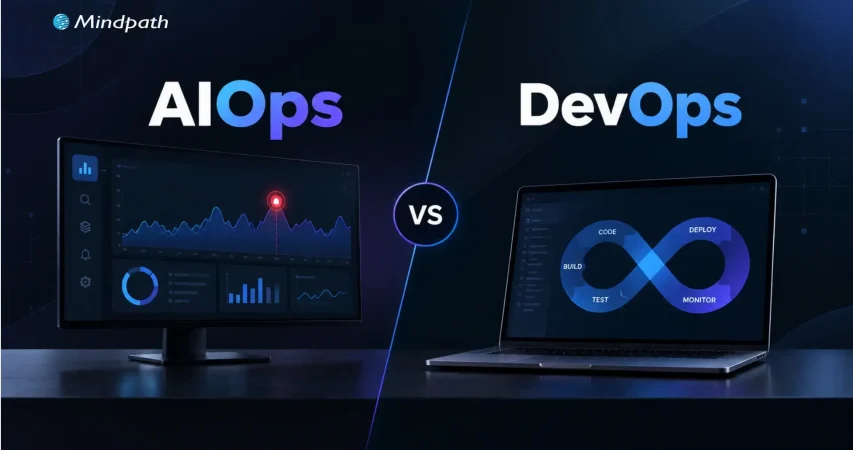
AIOps and DevOps both aim to improve IT operations, but they address different aspects of the technology lifecycle. DevOps focuses on collaboration, automation, and software delivery, while AIOps uses AI-driven analysis to make IT operations more intelligent and responsive.

Area DevOps AIOps
What it is A culture and set of practices that unites development and operations An approach that applies AI/ML to IT operations data
Core objective Ship software faster and more reliably Detect, diagnose, and resolve operational issues faster
Main question it answers “How do we build and release this efficiently?” “What is going wrong, why, and what should we do?”
Where it operates Build → test → deploy → operate Monitor → detect → analyze → respond
Type of automation Rule-based and scripted (pipelines, IaC, deployments) Adaptive and data-driven (correlation, anomaly detection, suggested or automated remediation)
Data used Code, build logs, pipeline results, deployment history Logs, metrics, traces, events, alerts, and tickets at large scale
How decisions are made Predefined workflows and thresholds Learned patterns and statistical models
Typical use cases CI/CD, infrastructure automation, release management Alert noise reduction, anomaly detection, root-cause analysis, predictive alerts
Example tools Jenkins, GitHub Actions, GitLab CI, Terraform, Ansible, Kubernetes Dynatrace, Datadog, Splunk, PagerDuty, BigPanda
Key metrics Deployment frequency, lead time, change failure rate MTTD, MTTR, alert volume, false-positive rate
Primary users Developers, DevOps and platform engineers SREs, IT operations, NOC and incident response teams
AI dependency Not required Central to the approach
Main limitation Struggles to interpret huge, noisy operational data manually Depends on data quality and needs human validation

What Should Organizations Consider Before Adopting AIOps?

AIOps works best when organizations have the right operational foundation in place. AI-driven analysis depends on the quality of the data, systems, and workflows available to it. Before adoption, teams should assess how their existing IT environment can support intelligent analysis and automation.

1. Data Quality

AI is only as good as its input. Are logs, metrics, and events consistent and complete?

2. Observability

Observability provides context for accurate analysis. Do we have visibility across apps, infrastructure, and services?

3. Tool Integration

Integration enables cross-system analysis. Can monitoring, cloud, and ITSM tools share data?

4. Security and Governance

Security and governance help prevent unsafe automated actions. Do AI actions follow our access controls and policies?

5. Human Oversight

Human oversight keeps risk under control. Which actions are automated and which need approval?

6. Team Readiness

Team readiness drives trust and adoption. Do engineers know how to validate AI-generated insights?

AIOps adoption should therefore align with the organization’s existing DevOps practices and operational maturity. Starting with well-defined use cases, reliable data, and controlled automation can help teams introduce AI into IT operations without disrupting established processes.

How DevOps and AIOps Work Together?

The need for AIOps generally becomes clearer as IT environments grow in scale and complexity. Teams managing distributed applications, cloud infrastructure, multiple monitoring systems, and high volumes of operational data may need capabilities that extend beyond conventional DevOps automation.

For organizations building an AI DevOps strategy, AIOps can complement existing processes by adding intelligence to monitoring, incident analysis, and operational decision-making. The approach can be particularly relevant when teams face recurring incidents, excessive alert volumes, fragmented operational data, or increasing pressure to respond quickly.

1. Handle Growing Operational Data

Analyze large volumes of logs, metrics, events, and traces.

2. Reduce Alert Overload

Identify relationships between related events and focus attention on significant issues.

3. Improve Incident Response

Provide additional context during investigation and troubleshooting.

4. Manage Complex Environments

Connect operational signals across cloud, applications, infrastructure, and services.

5. Extend Automation

Support intelligent actions alongside established DevOps workflows.

Lifecycle Stage DevOps Contribution AIOps Contribution
Build and test Automated CI pipelines and testing Flags patterns in failed builds or flaky tests
Deploy Automated, repeatable releases Detects anomalies right after a release
Monitor Dashboards, alerts, and feedback loops Correlates events across systems and reduces noise
Incident response Runbooks, on-call processes, rollbacks Suggests probable root cause and triggers low-risk fixes
Improve Post-incident reviews and process updates Surfaces recurring issues and trends

The decision does not have to be framed as AIOps vs DevOps. DevOps can remain the foundation for software delivery and automation, while AIOps adds intelligence where operational complexity demands deeper analysis and faster response.

Building an Intelligent IT Operations Strategy

Building intelligent IT operations is not about replacing existing DevOps practices with AI. It involves strengthening the operational foundation first, then introducing AI where it can provide meaningful analysis, automation, and decision support.

Step Action Example Success Metric
Strengthen DevOps Standardize CI/CD, IaC, and workflows Unified pipeline templates Deployment frequency, change failure rate
Improve observability Centralize logs, metrics, traces, and events One monitoring platform or data layer Coverage of monitored services
Connect data Integrate cloud, app, and ITSM tools Alerts linked to tickets and deployments Reduction in data silos
Introduce AI selectively Start with one use case Event correlation for one service Alert volume reduction
Automate carefully Begin with low-risk, repetitive actions Auto-restart a failed service MTTR, automation success rate
Measure and refine Review outcomes regularly Monthly incident trend review MTTD, MTTR, recurring incidents

This approach allows organizations to introduce AIOps gradually while building on established DevOps processes. The result is a more connected operating model where automation handles defined workflows and AI helps teams interpret complex operational signals.

How Can Your Team Combine AIOps and DevOps?

The AIOps vs DevOps discussion shows that both approaches address different operational needs. DevOps establishes efficient delivery and automation practices, while AIOps adds AI-driven analysis to complex IT environments. Together, they can help teams improve visibility, respond to incidents faster, and build more intelligent operational workflows.

At Mindpath, our AI development services help businesses apply AI across operational workflows, data environments, and business processes. From AI strategy and data engineering to intelligent automation, we help teams build practical AI capabilities aligned with their technical requirements and operational goals.


Make IT Operations Smarter

Use AI-powered automation to improve monitoring and operational efficiency.

Frequently Asked Questions

AIOps adds intelligent analysis to existing workflows, helping teams interpret operational data and prioritize incidents without replacing established DevOps processes.
Effective AIOps depends on reliable logs, metrics, traces, and events. Limited visibility can reduce the quality of insights and automated responses.
Fragmented tools, inconsistent operational data, unclear automation boundaries, and limited processes for validating AI-generated insights can slow adoption.
Useful measures include incident resolution time, alert volume, response time, recurring incidents, and the effectiveness of automated operational actions.
Not necessarily. DevOps can provide the delivery and automation foundation, while AIOps adds intelligence to complex monitoring and operational workflows.

Support Is One Click Away

Featured Posts

Related Post

applications of AI in education

The traditional classroom is rapidly evolving into digital learning spaces, where technologies like AI play a major role in transforming education. Artificial intelligence is changing how educators teach and how students learn in schools, colleges and universities. On top of it, the applications of AI in education have also revolutionized the conventional approaches for managing educational institutions.

Artificial intelligence will not only serve as an invaluable partner for students and educators but also change the traditional perspectives on education. AI can provide opportunities for personalized learning alongside enhancing administrative efficiency. Let us discover some of the top use cases of AI in education with real-world examples.

Key Takeaways

  • 01
    AI enables personalized learning experiences by adapting educational content to individual student needs.
  • 02
    Intelligent tutoring and AI-powered assessment tools can provide students with faster guidance and feedback.
  • 03
    AI can automate administrative processes such as admissions, financial aid management, and supply chain operations.
  • 04
    AI-powered accessibility tools can help make learning more inclusive for students with different needs.
  • 05
    Real-world AI applications are helping educational institutions improve learning, decision-making, and operational efficiency.

Planning to use AI to make learning more personalized and efficient? At Mindpath, our AI development services can help you design and deploy smart tools tailored to your educational needs.

Significance of AI for Education

The importance of education for the progress of our society can never be undermined in any circumstance. However, the formidable challenges faced by the education industry create roadblocks for growth. The prominent challenges that call for adoption of artificial intelligence in education include rising administrative burden, shortage of teachers and decline in student performance. Artificial intelligence offers innovative educational solutions to these problems and serves promising benefits to the education industry.

The uses of artificial intelligence for education can revolutionize the industry while empowering learners and educators. For instance, AI can improve learning outcomes for each student through comprehensive analysis of their strengths, weaknesses and learning styles. AI can help in creating adaptive learning systems that ensure real-time modification of learning resources with the right difficulty level.

AI is also important for education from the perspective of teachers as artificial intelligence can enable automation of administrative tasks such as grading, lesson planning and attendance tracking. The uses of AI in education also focus on the capabilities of AI to analyze large volumes of student data. As a result, AI can enable effective decision making and draw valid conclusions about student performance.

In simple terms, the applications of AI in education range from personalized learning and intelligent tutoring to assessment, admissions, accessibility, and administrative support.

Want to understand the broader education trends driving digital transformation and AI integration? Discover the top emerging trends in education and technology.

Unraveling the Notable Use Cases of AI for Education

The blend of artificial intelligence and education can indicate the beginning of a new phase for the industry. You can notice different use cases of AI in hospitality, finance or transportation establishing new benchmarks in various areas. Similarly, you can also expect AI to create a revolutionary impact in the education sector. The following use cases of AI along with some real-world examples can help you understand how AI will transform education.

1. Personalized Learning

One of the foremost additions among the use cases of AI in the domain of education focuses on personalized learning. As a matter of fact, it is the most common use of AI in education all over the world. Artificial intelligence can help educators in delivering customized lessons and learning resources to students. On the other hand, students can enjoy the benefits of adaptive learning where educational content adapts to their needs while fostering better understanding and retention of content.

The most prominent example of AI use cases in personalized learning is Knewton. The platform uses AI for personalizing education alongside helping students learn at their own pace and addressing individual learning gaps. Knewton has successfully delivered almost 15 billion personalized recommendations for learners in more than 300 institutions.

2. Intelligent Tutoring Systems

The next notable application of artificial intelligence in the education industry points at intelligent tutoring systems. The primary functionality of these tutoring systems revolves around offering real-time guidance, practice exercises and feedback. Most of the intelligent tutoring systems showcase the convergence between AI and education in innovative ways. Intelligent tutoring systems work by simulating the behavior of a human tutor, offering step-by-step lessons and tracking the performance of learners.

One of the notable examples of intelligent tutoring systems is MATHia by Carnegie Learning. It is an intelligent tutoring system that teaches mathematics to middle and high school students. With the power of AI, the intelligent tutoring platform adapts to different learning paths and offers real-time feedback alongside adjusting lessons to the skill level of learners.

3. Breaking the Language Barrier

If you want to know about the broader implications of artificial intelligence for education, then you must know how AI breaks language barriers. Among the multiple examples of AI used in education, you will find platforms like Duolingo changing global education. You don’t have to struggle for months to learn a new language when you have AI to personalize the learning process.

AI systems can measure your proficiency, learning pace and pronunciation in a specific language. Based on the data obtained for every learner, AI systems can recommend customized lessons, grammar explanation and vocabulary practice. The facility of immediate feedback on grammar and pronunciation can help learners correct their mistakes immediately and learn faster.

4. Automation of the Admission Process

Generative AI systems can use natural language processing to extract accurate insights from application data in seconds. The systems can automate the decision-making processes for admission of new students based on academic performance and past data. The automated admission process is one of the prominent artificial intelligence applications in education as it can help educational institutions find the top talent. AI plays a major role in removing human biases from the admission process thereby ensuring an impartial screening procedure.

The best example of using AI to improve admission processes is Hampshire College, which achieved a 61% increase in enrollment. The college used generative AI tools to predict admission trends and optimized recruitment methods based on meaningful insights. Educational institutions can build more trust with an efficient and transparent admissions process that reduces administrative burden alongside elevating the standards of student selection.

Struggling to understand the real impact of AI in educational decisions? Explore this detailed guide on AI decision-making use cases to see practical examples and insights.

5. Managing Scholarships and Financial Aid

Educational institutions can also rely on artificial intelligence to ensure effective management and distribution of financial aid and scholarships. AI can help in achieving systemic equity and efficiency in the management of financial aid and scholarships. AI systems can ensure faster assessment of financial aid applications with special attention to factors like income level, family history, demographic information, and academic performance.

Machine learning algorithms can ensure significant reduction in human bias and processing time. The automated analysis of scholarship applications through AI systems offers a data-driven approach to the verification process. AI can also handle other tasks, such as discovering qualifying students by comparing their profiles with available funds. Accurate forecasts for financial aid requirements also provide the ideal foundation for proactive budget management.

6. Education Supply Chain Optimization

Most of the discussions about using AI in schools focus on the advantages of personalized learning and reducing administrative burden on educators. On the other hand, you must also know how artificial intelligence has been transforming supply chain management for educational institutions. Generative AI tools can help in automation of the procurement process and streamlining supply chain management.

Proactive AI systems can place orders in advance by forecasting future demand for resources such as textbooks, digital tools and lab equipment. The predictive capabilities of generative AI allow it to ensure accurate adjustments in supply levels. AI systems can also leverage real-time tracking to detect supply chain bottlenecks. The University of Michigan is one of the notable examples of educational institutions embracing AI to improve supply chain management.

Wondering which AI breakthroughs are driving change in education today? Read about emerging generative AI trends and how they are being applied across industries.

7. Smarter Feedback and Assessment

The traditional approaches for assessment might consume more time of educators and students experience delays in receiving feedback. Artificial intelligence can create possibilities for faster and smarter assessment. One of the notable additions among examples of using AI for smarter feedback is Cognii. The virtual learning assistant of Cognii offers real-time feedback for open-ended answers alongside ensuring 96% accuracy in grading essays.

Tools like Cognii utilize natural language processing and machine learning for assessment of grammar, syntax, concept hierarchy and semantics. As a result, teachers don’t have to worry about effectiveness of student performance assessment in different academic tasks. Educators can use the additional time to provide more qualitative feedback to students and address systemic issues to address weaknesses.

8. Enhancing Accessibility of Education

You cannot think of the advantages and disadvantages of AI in education without learning about the impact of AI on accessibility of education. Artificial intelligence can serve as a valuable tool for driving different assistive technologies that can help students. For instance, AI systems can convert written text into voice notes for visually impaired learners. Similarly, AI can also ensure transcription of lecture videos into text thereby helping learners with hearing difficulties.

Microsoft Live is one of the top examples of using AI to remove accessibility barriers in education. It can help with real-time translation of classroom instructions and lectures in the native languages of learners on their devices. As a result, non-native speakers will not face troubles during learning thereby ensuring an inclusive learning environment.

Curious how AI-powered tools are making classrooms more interactive and personalized? Read our in-depth guide on Chatbots in Education to see real-world use cases.

Ready to Transform Education with AI-Driven Innovation?

Artificial intelligence is reshaping education by enabling personalized learning, improving accessibility, and automating administrative tasks. From smarter assessments to adaptive systems, AI empowers educators and students alike, creating efficient, engaging, and data-driven learning experiences that support long-term academic success.

At Mindpath, we offer AI development services designed for the education sector. Our experts build intelligent, scalable solutions that enhance learning experiences, streamline operations, and improve outcomes. Partner with us to implement customized AI tools that drive innovation and deliver measurable educational impact.

what is cloud security

In the digital world, cloud computing technology has transformed how business entities store, manage, and process data. The cloud has certainly become the backbone of the modern infrastructure of startups and large enterprises. It not only offers flexibility to business undertakings, but it also offers scalability along with cost efficiency. The rising popularity of cloud has undoubtedly increased the significance of cloud security.

Cloud security involves a series of practices and technologies that can address internal and external threats relating to business security. Businesses operating today must realize the importance of cloud security and be aware of cloud security risks so that they can effectively leverage cloud-based tools. It is time to address the question of ‘what is cloud security’ at a holistic level.

Want to strengthen cloud security without increasing operational overhead? At Mindpath, Cloud Infrastructure Services handle security, monitoring, and optimization so your team can focus on growth.

An Insight into Cloud Computing

Cloud computing is the on-demand delivery of computing resources, including storage, servers, databases, networking, and software, over the internet. Rather than owning and maintaining physical data centers, businesses access these services on an as-needed basis, typically through a pay-as-you-go pricing model. Through the proper leveraging of cloud solutions, businesses have the opportunity to scale quickly while reducing their IT costs.

Several business entities across diverse industries have been adopting cloud technology lately. However, this also means that organisations need to understand cloud security and the potential cloud computing attacks that could compromise their systems. Addressing this key question allows businesses to safely and successfully leverage cloud technology while mitigating risks.

What is Cloud Security?

Cloud security is a collection of cybersecurity policies, controls, technologies, and best practices designed to protect cloud-based applications, data, and infrastructure against unauthorised access, cyberattacks, and data loss. It incorporates key mechanisms such as encryption, identity management, and proactive threat monitoring to prevent and mitigate threats, while also ensuring regulatory compliance for organisations. Some of the key goals of cloud computing security include:

1. Ensure that the security of sensitive and confidential data of organizations is maintained. Moreover, the security of the data has to be maintained when the data is at rest and in transit.

2. Effectively manage multi-cloud challenges that arise when the services of multiple cloud service providers are used by business enterprises.

3. Make sure that only authorized users and devices are able to gain access to the cloud environment.

Wondering how emerging trends are shaping cloud security? Check out the latest cloud computing trends to learn what’s driving secure cloud adoption.

Risks and Challenges Relating to Cloud Security

Poor cloud computing security has the potential to give rise to a broad range of risks as well as challenges. Now that you know what is cloud computing security it is time to look at some of the associated challenges and risks, such as:

1. Data Breach and the Possibility of Fines

Poor quality of cloud cybersecurity has the potential to lead to data breach incidents. When organizations operate in the cloud and security is neglected, it may lead to serious consequences as their sensitive data may be exposed to malicious actors. It means that organizations may fail to comply with the relevant laws and policies. Thus, they may have to pay huge fines.

2. Compliance-Related Violations

In the absence of a cloud security strategy, organizations may end up violating the applicable regulations. With the passage of time, it may affect the credibility of businesses in the operational industry. Violation in this area may give rise to financial and non-financial effects for businesses.

3. Poor Visibility and Monitoring

The lack of security in cloud computing may lead to a lack of centralized visibility. Organizations may also fail to get real-time insight relating to the threat that they may be facing in the cloud environment. With the absence of robust cloud security solutions, organizations may feel crippled and they may not be Able to leverage cloud computing technology to the fullest.

4. Data Losses

Poor practices relating to cloud computing and cybersecurity involve not frequently maintaining backups of your data. Organizations that adopt such practices face the risk of data loss. It may ultimately have an adverse impact on their information integrity. Moreover, systems of the organization may fail because of poor data security practices. As a result, business continuity may be at the receiving end in the long run.

Looking to improve cloud security as environments become more complex? Learn more about cloud-native development and how it supports secure, scalable apps.

Key Benefits of Cloud Security

Organizations need to prioritize both cloud and cybersecurity. Robust cloud security can give rise to a broad range of benefits for businesses operating in diverse industries. Some of the key benefits of cloud security include:

1. Solid Data Protection

Cloud security can play a catalytic role and help safeguard your sensitive business data. It can even employ advanced encryption practices to make sure that unauthorized parties cannot gain access to your data. Along with robust data protection, it can minimize the downtime of businesses and give rise to other advantages, such as the automation of backups and faster disaster recovery.

2. Regulatory Compliance

Proper cloud security can enable organizations to meet different types of compliance standards. They can even help organizations adhere to relevant frameworks such as CIS Benchmark, NIST, and many more. By prioritizing regulatory compliance, the chances of fines and penalties can be reduced considerably.

3. Real-Time Threat Detection

Cloud server security solutions can help in the detection of threats on a real-time basis. The insight can certainly empower organizations to respond to such threats in a timely manner. In current times, when the risks from malicious actors in the cyber setting are immense, real-time threat detection has become non-negotiable for businesses.

4. Scalability and Cost-Efficiency

Cloud security is the ultimate answer to scalability and cost-efficiency for businesses that wish to leverage the cloud to the fullest. Moreover, robust cloud security can certainly help business entities to become more agile, and they do not have to worry about their scalability concerns. Since cloud security is scalable in nature, it can easily adapt to the changing needs of businesses. Thus, organizations can modify their cloud security posture in order to accommodate new users, data, or applications.

Planning to upgrade your cloud security strategy for the future? Check out cloud security tools in 2026 to discover the technologies shaping next-generation protection.

Importance of Cloud Computing Security

In the prevailing times, a greater number of businesses are migrating to the cloud. In order to make the most of cloud technology, it is essential for businesses to understand the importance of cloud security. The role of cloud security is indispensable to ensure that the data and applications of businesses remain safe and secure in the cloud setting.

It is true that third-party cloud computing service providers are responsible for managing the infrastructure. However, businesses have the responsibility to take care of data asset security. Although cloud service providers may adopt best practices, organizations must be vigilant about potential cloud computing vulnerabilities on their side.

As security threats have become more advanced and sophisticated in nature, the importance of cloud computing security has automatically grown significantly. Organizations operating in diverse industries need to take active steps to strengthen their cloud security so that they can function in the cloud setting while maintaining a solid security posture that minimizes the threats from malicious third parties.

Common Types of Cloud Security Solutions

In the prevailing times, there exists a diverse range of cloud security solutions. You need to familiarize yourself with some of the most popular solutions so that you can deploy them in a real-life setting. Some of the key cloud security solutions that exist today are:

1. Identity and Access Management

Identity and Access Management (IAM) services and tools assist enterprises in the deployment of policy-driven enforcement protocols. They are for the users who attempt to access on-premise as well as cloud-based services. The chief functionality of Identity and Access Management is to develop digital identities for every user so that they can be actively monitored.

2. Data Loss Prevention

Data Loss Prevention (DLP) can help organizations gain visibility into the data that they store and process. This is possible by providing them with the capabilities for automatically discovering, classifying, and de-identifying regulated cloud data.

3. Security Information and Event Management

Security Information and Event Management (SIEM) combines security information along with security event management in order to offer automated monitoring, detection, and incident response to threats that arise in the cloud environment. SIEM leverages AI and ML technologies for examining and analyzing log data generated across applications and network devices.

4. Public Key Infrastructure

Public Key Infrastructure (PKI) refers to a framework that is used for managing secure and encrypted information by using digital certificates. These solutions provide authentication services for apps and verify that the data is not compromised and remains confidential throughout transportation.

Planning to build scalable applications without managing servers? Check out our blog on serverless architecture in cloud computing to learn how it simplifies deployment while supporting secure and efficient workloads.

Final Words

The significance of cloud security has been gaining momentum in the past few years. As more organizations across diverse industries and sectors are moving to the cloud, the need for robust cloud security is growing like never before. Some of the main benefits of cloud security include solid data protection, regulatory compliance, and many more.

Mindpath’s top-grade cloud managed services can ensure that your business can effectively leverage cloud computing technology. With our solutions, you can optimally manage, migrate, and optimize your workload with our excellent cloud infrastructure solutions. Moreover, you can rest assured about cloud security aspects, as our experts will take care of everything.

low code development

In the past, when we would build software, we would talk about long timelines, large budgets and complex code. But things have shifted, and businesses are demanding faster results, meaning teams need to leverage simpler tools to build applications without completely relying on developers. This dramatic change would not be possible without low-code development. Low code provides a more intelligent way for people to develop applications through visual, straightforward logic and less coding. The hope is that this will translate into shorter timeframes, lower costs, and faster teams. Doesn’t that sound exciting?

So, many companies are using these platforms to build apps for websites, mobiles, and internal use that can be launched without waiting months. Are you interested in finding out more about this technology? Great, because this blog is going to teach you everything you need to know about low-code development! 

Want to modernize your business applications without long development cycles or heavy coding? Contact us to get the needed expertise from Mindpath to turn your low-code strategy into results.

What is Low-Code Development?

Low-code development refers to the simplest and fastest way to build software. Instead of writing long lines of code, developers can now use visual tools to create apps by just clicking, dragging and choosing from ready-made features that are available. This method can help in saving a lot of time and making the whole process easier, even for teams without deep coding experience.  

It provides developers with a very flexible and user-friendly space to build anything starting from small tools to full business apps. It has many features like drag-and-drop editors, built-in templates and easy-to-use interfaces, which make it possible for low-code platforms to design and launch apps quickly. This can contribute in businesses growing faster, working more efficiently and getting better results from their software projects.

Don’t know what is a low-code platform? Let’s learn about that too!

A low-code platform is a tool that helps people build software without writing a lot of code. It uses a simple visual interface where users can drag and drop elements to create apps. This makes it much easier for both developers and non-technical users to build digital solutions. These platforms come with ready-made features like templates, forms, and automation tools. They reduce the need for complex coding and speed up the development process.  

An interesting study according to Fortune Business Insights reveals that the global low-code development platform market size was valued at USD 28.75 billion in 2024. It is expected to grow to USD 264.40 billion by 2032, showing a strong CAGR of 32.2% during the forecast period. This rapid growth highlights how more businesses are turning to low-code development platforms for faster and smarter software development. 

Low Code Development Platform Market

Benefits of Low-Code

Low-code is shaping how organizations approach application and software development. By streamlining the process and reducing the need for manual coding, they offer practical advantages for both technical and business teams. Here are some of the key benefits: 

1. Speeds Up App Delivery

Low-code tools come with drag-and-drop features and built-in parts, so building apps is much quicker. Both tech teams and non-tech users can build apps quickly with the help of these pre-built components. This means businesses can launch apps in weeks, not months. 

2. Boosts Team Productivity

With low-code, business teams can build their own apps without always needing help from developers. This means less waiting around and more work getting done. It’s a great way to turn ideas into real solutions quickly. 

3. Makes Updates Simple

Low-code apps are easier to manage and update because they use pre-built parts that work well together. Changes can be made without breaking existing features, which means the business can stay up to date without major disruptions. 

4. Reduces Development Costs

Since low-code tools require less coding, businesses don’t need to hire large teams of developers. Projects take less time to complete, which saves both time and money. This makes it a cost-effective choice, especially when building multiple apps. 

5. Improves Business Agility

Low-code helps businesses respond quickly to changes in the market. When a new tool or feature is needed, it can be built and launched without delay. This keeps companies flexible and ahead of the competition. 

6. Enhances Decision Making

Low-code apps connect with real-time data, giving teams fast access to the insights they need. This allows business leaders to make informed decisions more quickly. Having accurate information often leads to stronger results. 

7. Enable the Use of New Technologies

Low-code makes it easier to add modern features like AI and automation into applications. These advanced tools can be integrated without needing complex coding skills. It helps businesses stay up-to-date and competitive in a fast-moving digital world. 

Curious how low-code platforms are integrating cutting-edge technologies like artificial intelligence to build smarter apps? Explore the latest AI trends to see how your business can leverage automation and intelligence for more innovative solutions.

Now let us have a quick look at the features of low-code: 

Key Features of Low-Code Development

Low-code stands out because of the powerful features it brings to the table. These features make it easier to build, customize, and manage applications with less effort. Let’s take a look at what makes low-code so efficient and user-friendly: 

1. Simple Drag-and-Drop Design

The drag-and-drop feature is one of the most useful parts of low-code. It lets users add buttons, fields, and other elements by simply placing them on the screen. This is helpful for both business users and developers who want to build apps quickly as it saves time and keeps things organized. 

2. Easy Visual Tools

Low-code platforms come with visual tools that help show how an app works in a way that everyone can understand. These tools use built-in blocks to represent processes and data clearly. Whether someone is a beginner or an experienced developer, the visual approach is helpful. It makes the development process simple and easy to follow. 

3. Ready-to-Use Templates

Many parts of an app are already built into the platform and can be reused. These pre-made modules make it faster to build new apps without starting from scratch. Teams can also save and share parts of their apps with others, which improves teamwork and speeds up future projects. 

4. Model-Based Development

Model-based development helps users create apps faster by using visual flows and logic. It allows business teams to build what they need by following models they already understand. This makes the process smoother, especially for those who are not expert coders. A good low-code platform supports this method, so users can focus on logic, not code. 

5. Cross-Platform Accessibility

Low-code makes it easy to build apps that work on different devices like phones, tablets, and desktops. This means teams can use the app from anywhere, whether in the office or on the move. It also helps companies stay connected with their teams. A flexible app is always more useful in today’s fast-paced work environment. 

Cross-platform apps are more powerful when they leverage AI to engage users intelligently. Check out these real-life AI chatbot examples to see how automation and smart interactions can enhance your app’s reach and performance.

Want to Boost Your Business Growth with Low-Code?

Low-code development is changing the way software is built by making it faster and easier. It helps teams create apps quickly using simple visual tools instead of writing complex code. This approach is helping businesses stay flexible and move ahead in a fast-changing world. 

At Mindpath, we offer powerful application development services using low-code platforms. Whether it’s for internal tools or customer-facing apps, our team makes development smooth and affordable. Let us help turn your ideas into working solutions faster than ever before.