Home

AI Agent ROI Calculator: Measuring Business Impact

AI Agent ROI Calculator: Measuring Business Impact

Join our Newsletter!

AI Agent ROI

AI Agent ROI helps businesses understand whether an AI investment creates measurable value beyond general efficiency claims. Instead of relying on assumptions, leaders can evaluate savings, productivity gains, revenue impact, and other outcomes against implementation costs.

Key Takeaways

  • 01
    AI Agent ROI measures financial and operational value against the costs of implementing and maintaining AI solutions.
  • 02
    A reliable ROI calculator combines costs, time savings, adoption rates, revenue effects, and realistic business assumptions.
  • 03
    Businesses should track productivity, cost avoidance, cycle time, errors, customer satisfaction, and revenue contribution.
  • 04
    Clear baselines, quality data, user adoption, and accurate attribution make AI ROI estimates more reliable.
  • 05
    Focused use cases, measurable outcomes, and ongoing tracking help businesses build stronger AI investment decisions.

A clear measurement approach also helps businesses decide which use cases deserve investment and which need refinement. In this blog, we explain how an AI agent ROI calculator can measure business impact using practical inputs, realistic assumptions, and relevant business metrics.

Ready to measure the real value of your AI investment? Mindpath offers AI development services to help businesses plan, implement, integrate, and measure AI solutions aligned with measurable business outcomes.

What AI Agent ROI Means for Business?

AI Agent ROI measures the business value generated by an AI system compared with the investment required to build, deploy, and maintain it. It looks beyond basic cost savings to show how AI can improve productivity, speed up decisions, support revenue growth, and reduce operational risks.

Unlike traditional software ROI, AI Agent ROI can include value from systems that handle changing tasks, support employees, and make decisions within defined boundaries. Businesses can measure labor savings, reduced errors, faster workflows, improved customer experiences, and revenue opportunities to understand the wider impact.

A strong ROI assessment should connect these outcomes with clear financial and operational measures. This helps leaders understand where AI creates measurable business value and provides a stronger basis for deciding whether to pilot, scale, or improve an AI initiative.

How an AI Agent ROI Calculator Works?

An AI agent ROI calculator combines project costs, expected benefits, and business assumptions to estimate the potential return. The calculation becomes more useful when businesses use realistic data instead of broad estimates.

1. Define the baseline

Record current costs, processing time, workload, error rates, and performance before implementation.

2. Add implementation costs

Include development, integration, platform fees, data preparation, monitoring, and ongoing maintenance.

3. Estimate time savings

Calculate how much employee time the system can save across the targeted workflows.

4. Measure financial benefits

Compare expected savings, cost avoidance, and revenue effects against the investment.

5. Account for adoption

Adjust projections based on how quickly employees and teams are expected to use the system.

6. Compare automation ROI

Evaluate how the AI solution performs against existing automation or manual processes.

7. Test different scenarios

Compare conservative, expected, and optimistic outcomes to understand how assumptions affect results.

8. Calculate net value

Subtract total implementation and operating costs from the estimated business benefits over a defined period.

Measuring the Business Value of AI Agents

Measuring AI impact requires businesses to connect performance improvements with clear business outcomes. The AI implementation cost should be compared with measurable changes in productivity, efficiency, quality, and revenue.

Metric What to Measure Business Value
Productivity Time saved on repetitive tasks Higher employee output
Cost avoidance Reduced manual work and operating expenses Lower business costs
Cycle time Time required to complete processes Faster operations
Error reduction Changes in mistakes and rework Better quality and lower losses
Customer satisfaction Changes in satisfaction or response times Improved customer experience
Revenue contribution Revenue influenced by AI supported activities Stronger financial returns

Businesses should separate direct savings from indirect benefits when calculating ROI. Direct savings are easier to quantify, while improvements in customer experience, employee capacity, and decision making may require longer term tracking. Regular measurement helps confirm whether the expected value continues to justify the investment.

ai agent roi

Where AI Agents Create Measurable Impact?

Different business functions can generate different types of value from AI agents. Tracking the right outcomes for each use case makes AI Agent ROI easier to understand and connect with business goals.

1. Customer support

AI agents can handle routine queries, reduce response times, and help support teams manage higher request volumes.

2. Sales operations

They can qualify leads, update customer records, and reduce time spent on repetitive sales tasks.

3. Finance

AI agents can support invoice processing, transaction checks, and financial reporting to reduce manual effort.

4. IT operations

They can assist with ticket management, troubleshooting, and routine system tasks, improving response and resolution times.

5. Supply chain

AI agents can monitor workflows, identify delays, and support faster decisions across supply chain operations.

6. Internal knowledge work

They can help employees find information, summarize documents, and complete routine research tasks more efficiently.

The value will vary across use cases because each process has different costs, workloads, risks, and performance goals. Businesses should measure outcomes against a clear baseline to identify where AI creates the strongest return.

Common Barriers to Proving AI Agent ROI

Calculating AI ROI can become difficult when businesses lack reliable data or clear benchmarks. Several practical barriers can affect the accuracy of expected returns and make results harder to defend.

1. Unclear baselines

Without accurate pre- implementation data, businesses cannot confidently compare performance improvements.

2. Weak data quality

Incomplete or inconsistent data can produce unreliable calculations and misleading ROI estimates.

3. Integration complexity

Connecting AI agents with existing systems can increase costs, timelines, and implementation effort. AI integration services can support businesses in connecting AI solutions with existing systems and workflows.

4. Orchestration challenges

Complex workflows may involve multiple systems, making it harder to identify which improvements come from AI.

5. Limited user adoption

Low employee adoption can reduce expected benefits and create a gap between projected and actual returns.

6. Difficult attribution

Revenue growth or productivity gains may involve several tools and processes, making direct AI impact harder to isolate.

7. Changing costs

Model usage, infrastructure, maintenance, and monitoring costs can change over time and affect projected returns.

Addressing these barriers requires realistic assumptions, consistent tracking, and clearly assigned ownership. This makes ROI estimates more reliable and helps businesses evaluate AI performance over time.

How to Turn AI Agent ROI Into a Business Case?

A strong ROI calculation becomes useful when businesses can connect the results to clear investment decisions. Use the following checklist to turn measured outcomes into a practical business case:

1. Define the business goal

Connect the AI initiative to a specific operational, financial, or customer outcome.

2. Document assumptions

Clearly record expected costs, savings, adoption rates, and revenue effects behind the calculation.

3. Compare scenarios

Review conservative, expected, and optimistic outcomes before making investment decisions.

4. Set success metrics

Define measurable KPIs for productivity, cost savings, quality, cycle time, or revenue.

5. Assign ownership

Give specific teams responsibility for tracking results and reporting performance.

6. Start with a focused pilot

Test one measurable use case before committing to broader implementation.

7. Plan for scaling

Identify the technology, integration, training, and operational requirements needed for expansion.

8. Build governance

Establish regular reviews for performance, costs, security, risks, and business outcomes.

9. Update the ROI model

Revisit assumptions as real performance data becomes available, and business conditions change.

Ready to Measure the Real Value of AI Agents?

AI Agent ROI becomes meaningful when businesses use clear inputs, realistic assumptions, and metrics that connect directly to business goals. A simple calculator can help leaders estimate costs, savings, productivity gains, and revenue impact before committing to a larger investment.

Start with a focused use case where outcomes are easy to measure and compare against an existing baseline. Track performance over time, adjust assumptions with real data, and use the results to guide future investment decisions. This creates a stronger foundation for measuring business value and scaling successful initiatives.

Mindpath helps businesses plan, develop, and implement AI solutions aligned with measurable business outcomes. Our AI development services can support strategy, implementation, integration, and performance measurement to help organizations turn AI investments into sustainable value.


Will Your AI Agent Pay for Itself?

We build agents tied to measurable business outcomes.

Frequently Asked Questions

AI Agent ROI compares the total business benefits generated by an AI solution with its implementation and ongoing operating costs.
Consider development, integration, platform fees, data preparation, monitoring, maintenance, training, and change management when calculating the overall investment.
Compare performance against a clear baseline using measurable changes in productivity, costs, cycle time, quality, customer outcomes, or revenue.
Yes. Indirect benefits such as improved employee capacity, faster decisions, and better customer experiences can be tracked using relevant operational metrics.
Reliable estimates use accurate baseline data, realistic assumptions, clear success metrics, adoption rates, defined ownership, and regular performance reviews.

Support Is One Click Away

Featured Posts

Related Post

MVP for startups

Every entrepreneur believes that they have the next big “idea” that could disrupt an industry. The chances of success for your startup depend completely on how you translate that idea into a product that solves the problems of customers. This is where you need to think about the value of MVP of startups and their impact on your growth. 

The MVP or minimum viable product is an important step in building the foundation required to achieve the desired goals for your startup. Without an MVP, you are likely to invest in developing products that may not be successful. Learning about the significance of a minimum viable product can help you identify the reasons to build one for your startup.

Are you a startup struggling to validate your idea before investing heavily? Mindpath offers MVP Development Services to help you test concepts and launch faster with minimal risk.

What is a Minimum Viable Product (MVP)?

Before you dive into the benefits of MVPs, you must understand its definition. The minimum viable product is the simplest version of the product you intend to sell to your customers. It includes only the basic features and helps you check the utility and relevance of the product with the help of feedback from actual users. The growing popularity of MVP development for startups across various industries has led many entrepreneurs to think about its benefits. 

Is a MVP really necessary for your startup? Many startup owners will think that investment in developing a MVP may increase their financial burden. On the other hand, you should think about the consequences of creating a full-fledged product with everything you have and more, only to end up with failure. MVPs can help startups test their ideas without investing all their resources and make necessary improvements before creating final products. 

Top Benefits of MVP Development for Startups

The notion of establishing your own startup might be an exciting one albeit with one big challenge. Did you know that almost 90% of startups fail? Therefore, many entrepreneurs choose MVP development services for startups to increase their chances of surviving the competition. An overview of the benefits of the minimum viable product can explain for why every startup must create one. 

1. Aligning Your Product with the Target Market

One of the foremost reasons for which startups should develop an MVP revolves around ensuring that the final product is suited for the target market. Entrepreneurs should know “what is MVP” and how to use it to find the right market for their product and services. Testing the basic version of the product you want to build with real users gives you access to actual and relevant feedback. 

Your MVP will tell you whether the target market needs your product and how to improve it with useful features. Startups can leverage MVPs to experiment with product design and refine it till they achieve the right product-market fit. The MVP can easily identify whether your product cannot solve a real problem for your target audience in early stages.

2. Developing Products for Your Core Audience

A minimum viable product not only helps you develop products for the market but also for your core audience. The core audience of a startup includes customers who are more likely to buy their products and services and contribute more to their revenue. Any entrepreneur searching for MVP startup meaning must know that creating products that cater to the core audience increases possibilities of success. Tailoring your product for the core audience ensures higher customer satisfaction as they will believe that their needs have been kept in mind while developing the product. 

The MVP offers an opportunity to obtain valuable feedback from the core audience and make product improvement decisions on the basis of actual user experiences. You can not only identify the features that your customers want in a product but also discover relevant market trends. As a result, you can ensure that your product can evolve along with market demands while addressing the needs of your target audience.

3. Introducing Products at a Faster Pace

The next promising reason to look for opportunities to create an MVP is the assurance of faster time to market. Most of the startups struggle to accelerate the time to market due to various constraints. The utility of MVP solutions for startups becomes clearly visible in faster testing of product ideas. If you can identify how your product will solve the pain points of your target audience, then you will gain an early advantage over competitors.

The feedback received for an MVP from actual users help in refining your product by identifying exactly what works the best. Startup owners can avoid assumptions and use insights that help in making informed decisions for improving their products. It provides an ideal tool to reduce unwanted expenses during the development process and streamline your efforts. You can rely on the MVP for building a community of early adopters and their experiences will provide a strong foundation to attract new users.   

Preparing to build software that truly matters, you need a clear and efficient starting point. Explore our blog on MVP in software development to learn how early validation and focused execution can turn your idea into a successful product.

4. Making Your Product More Flexible

Another top reason to hire a MVP development consultant for your startup focuses on creating more responsive products. The dynamic business landscape keeps changing constantly and so do your target audience’s needs. Startups cannot afford to build products that fail to adapt to changing user requirements. Your MVP plays a major role in adapting and refining your product on the basis of user feedback. 

The minimum viable product provides the guarantee that your product can evolve according to changing preferences of your target users. Entrepreneurs can check whether their product is responsive to user-centric updates and enhances customer satisfaction. Product flexibility is a crucial advantage of the MVP approach that offers the assurance of success for your product in the long run.

5. Playing Safe with Your Investment in Product Development

Any startup that begins product development without a MVP is likely to invest everything in creating a full-fledged product. What if the product you have created with almost all of your resources does not meet your customer’s expectations? This is where MVP development can save you from unwanted expenses by helping you scale up investment as your product gains traction. Entrepreneurs can leverage MVPs as a more sustainable approach to product development with financial safety. 

You can start with the basic version that will require minimal development costs and add features according to user feedback. The MVP reduces financial risk by avoiding a full-scale product launch before creating the ‘perfect’ product. On top of it, developing the MVP helps you with strategic allocation of resources. Startup owners can use their MVP to invest gradually in product development as the product design becomes more suitable for success.  

6. Leveraging Short-Term Wins for Long-Term Success

The list of benefits associated with MVPs for any startup would be incomplete without including the short-term wins. The milestones in MVP development for startups not only provide an effective roadmap for product development but also enhance the momentum for your project. Startups can view the successful completion of milestones as a source of motivation for their teams and stakeholders. 

Stakeholders and investors will perceive the short-term wins as the representation of a startup’s capabilities to deliver on their promises. When an investor notices tangible outcomes from the product development process, they are likely to continue supporting your product. Meeting user needs in early stages helps in building a strong user base for your product and guarantees long-term success.

7. Enhancing Precision in Product Development

Most of the explanations for MVP meaning in business emphasize the ways in which it helps in identifying relevant features. The minimum viable product serves as a useful tool to adapt the core features of your product to user expectations. The feedback obtained from real users of MVPs not only helps in identifying core features but also in refining them. 

Startups can focus on features that their target users care the most about and ensure alignment with user needs. The MVP development cost can prove to be a successful investment as it enhances precision in product development. Apart from prioritizing features, your MVP also helps you understand technical complexities in the product. As a result, you can introduce improvements that help your users navigate the complexities with ease.    

Want your MVP to move from concept to reality fast? Check out our blog on hiring full-stack developers for MVP to see what skills and qualities matter most, which leads to successful builds tailored to your needs.

Build a Strong Foundation for Your Startup with MVP Development

The benefits of a minimum viable product for startups offer strong reasons to build one for every startup product idea. Many startups fail to recognize the fact that starting small delivers massive benefits in the long run. When you build MVP for a new product, it helps you develop products that align with the preferences of your target audience. In addition, the MVP proves to be a formidable resource for earning the trust of your stakeholders and investors.

Mindpath is a MVP development company with years of experience in building minimum viable products for startups in different industries. We have guided startup owners through the process of creating their MVPs with our expertise and resources. Our strengths in creating MVPs can spell the difference between success and failure for your startup. Reach out to our consultants and create your MVP now.

Web performance with Nodejs

For many organizations that are seeking speed, scalability, and smooth user experiences, improving web performance with Node.js has become a top priority. Users today expect web applications and websites to be fast, responsive, and dependable. Users expect applications and websites to basically load instantaneously, be able to process many requests at the same time, and to be reliable during sudden traffic spikes. If an application lags or is slow, the user is quick to move on. In today’s modern development landscape, this is precisely why Node.js can be a game-changer.

Node.js is unique because it combines performance, flexibility, and real-time capabilities all in one environment. Developers can create performant applications while maintaining speed and availability, all at a lower cost to the business, which improves customer satisfaction. Isn’t that exactly the target for every brand today? When speed meets stability, natural growth occurs. Therefore, Node.js development could be a wise way to improve overall web performance. We will elaborate on how it can help you gain results in this blog.

Looking to enhance your web application performance to deliver speed and scalability? Mindpath’s Node.js development services will help you achieve business goals by developing high performing solutions.

How Node.js Powers High Web Performance?

Web performance with Node.js is optimal due to its structure and technical advantages. Node.js operates using a non-blocking, event-driven I/O model that allows applications to handle many requests at once and is able to execute tasks without waiting for one to complete before the next begins. When unauthorized, the single-threaded event loop cycles through the tasks, executing code sequentially while managing multiple or concurrent tasks. The V8 JavaScript engine makes Node.js fast by compiling JavaScript into machine language, allowing user more response to real-time tasks in their application. With the speed, responsiveness, and efficiency of Node.js, it is best suited for I/O-heavy and data-driven applications.

A second important reason why Node.js drives web performance optimization is that its ease of scalability, combined with real-time capabilities, handles thousands of concurrent connections seamlessly, which leads to the development of fast and interactive solutions. Developers can scale their application both horizontally and vertically and develop features and solutions while obtaining the best performance possible. Node.js supports real-time applications that incorporate instant messaging, gaming, and webpages that require live updates. The ability to provide immediate responses provides users with reliable experiences and, in turn, could effectively lead to stronger performance results.

Key Benefits of Enhancing Web Performance with Node.js

Enhancing the performance of web applications is critical for providing an experience that is fast, scalable, and reliable. Node.js has unique benefits that make it a strong candidate for crafting optimized solutions.

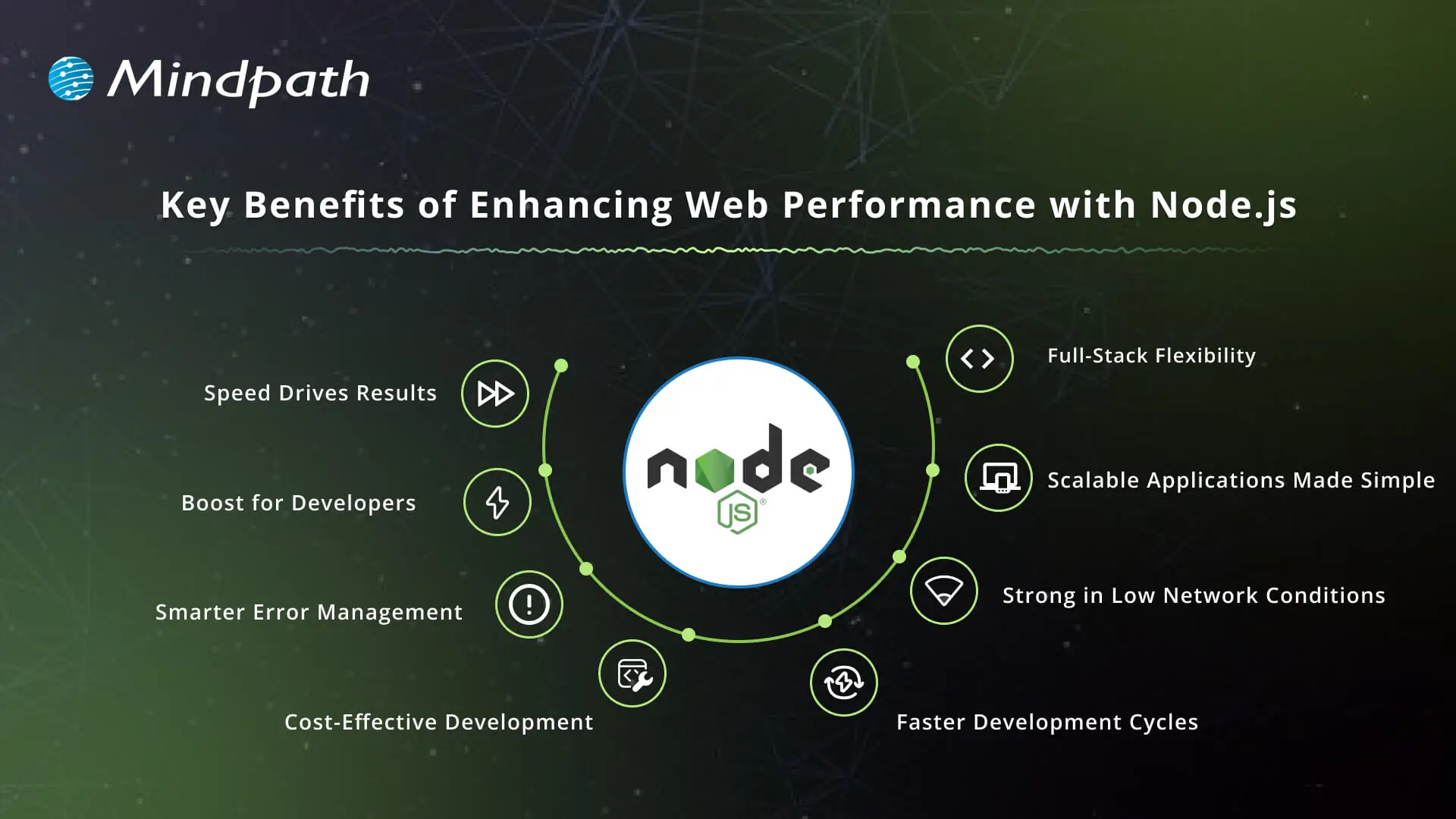
Key Benefits of Enhancing Web Performance with Node.js

1. Speed Drives Results

Node.js provides unparalleled speed with its event-driven, non-blocking I/O model, which allows applications to handle multiple requests simultaneously. This means faster response for multiple incoming requests, despite how much traffic the application will be dealing with. Companies that rely on real-time interactions benefit from significant overall web app performance.

2. Productivity Boost for Developers

The single-threaded, event-driven design of Node.js is incredibly fast, efficient, and allows for development to move quickly. Teams can build fully interactive solutions like chats, live streams, and collaborative tools in one simple app, as opposed to other methods that are more complicated. When businesses hire Node.js developers, they can create productivity advantages that let them get the products into the market faster, hence improving web performance with Node.js.

3. Smarter Error Management

Node.js offers robust error-handling mechanisms for developers built into its framework. Developers can readily catch and process errors during runtime. This allows applications to be much more stable, thus improving reliability; all of this while enhancing the user experience regardless of the environment.

4. Cost-Effective Development

Node.js lowers the needed infrastructure with lower resource needs, while still accommodating high load needs. Business savings include operating costs such as licenses, maintenance contracts, and hardware upgrades. Such cost mitigation makes Node.js development services appealing to enterprises that prioritize long-term value.

5. Faster Development Cycles

Developers let you quickly create applications with Node.js, especially when developers are creating modular and reusable code. Node.js is normally used in conjunction with Node.js micro services, allowing smaller microservices to work well together as part of larger systems. This allows for quicker launches of applications and provides for easier updates to accommodate changing business requirements, while enhancing web performance with Node.js.

6. Strong in Low Network Conditions

Node.js handles slow or unstable networks efficiently. The asynchronous nature of Node.js allows each request to be immediately started without waiting, which results in helping to get rid of lags. This particular stability allows organizations to focus on delivering the best possible digital experience to users under various conditions.

7. Scalable Applications Made Simple

One of the primary benefits of Node.js is scalability, which is suitable for applications where demand is unpredictable. Developers can grow horizontally by using more instances or vertically by using better resources. A model of growth with both horizontal and vertical scaling provides growth where sustainability is the framework for implementation, resulting in Node.js performance.

8. Full-Stack Flexibility

JavaScript provides the opportunity for end-to-end development and client-side and server-side programming with Node.js. With good performance, full-stack developers can build responsive and dynamic web applications. Using Node.js allows organizations to realize efficiencies in their processes and provide similar experiences across their clients’ ecosystems.

Want to enhance your web performance with full-stack development? Learn how to build fast and reliable applications by reading our blog on Mastering Full-Stack Development with Node.js.

Role of Node.js in Increasing Web Performance

Node.js contributes significantly to building applications that are fast, scalable, and dependable. Its architecture allows developers to build solutions that are responsive and can handle a high volume of requests and traffic.

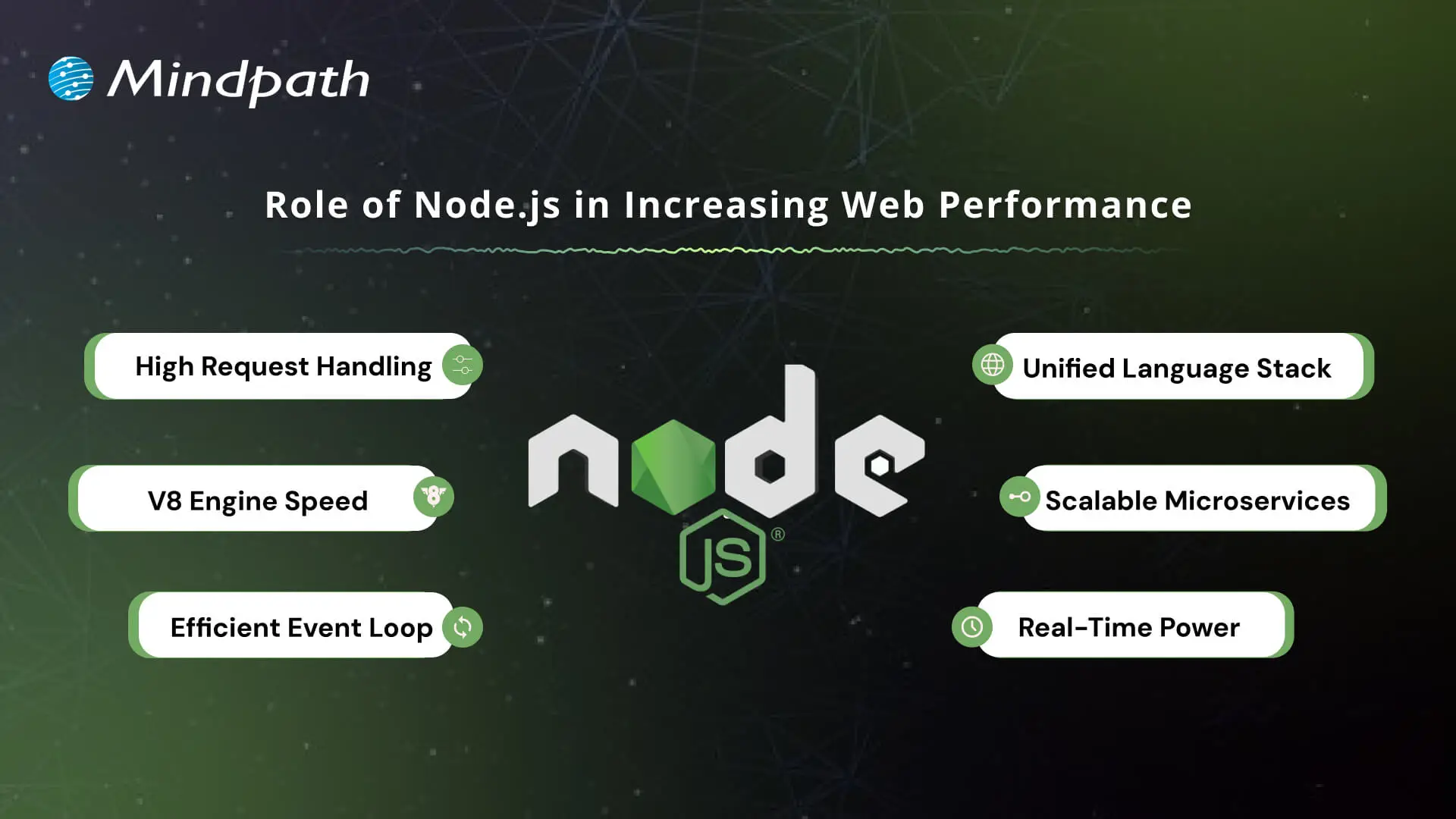
Role of Node.js in Increasing Web Performance

1. High Request Handling

Node.js accepts multiple requests simultaneously and does not wait for one request to finish before handling another. These attributes contribute to fast and responsive applications, especially important in real-time services like chats and streaming.

2. V8 Engine Speed

The platform utilizes the Google V8 engine to compile JavaScript into machine code. This improves performance by optimizing execution speed, which also indirectly improves the performance of web apps.

3. Efficient Event Loop

Node.js utilizes its event loop to manage asynchronous tasks, such as a file read or a database query. In this way, the server will never get stuck while waiting, which keeps applications smooth and seamless.

4. Unified Language Stack

Using JavaScript for both the front and back end simplifies the development process. In addition, it allows for improved code optimization and helps with better web performance with Node.js.

5. Scalable Microservices

Node.js allows for microservices, which break large applications into smaller, independent parts. Microservices make applications easier to scale and makes it easier to optimize for specific components.

6. Real-Time Power

For applications that need live updates, such as analytics tools or online games, Node.js is a great choice. It improves overall web performance with Node.js because it can handle multiple connections simultaneously.

Boost your Node.js application speed and efficiency by using the right tools. Check out the Top 25 Node.js Libraries in 2025 and take development to the next level.

Ready to Boost Your Web Performance with Node.js?

Node.js has shown its strength by improving speed, scalability, and reliability in modern applications. Through real-time features, effective architecture, and even inexpensive scalability, it can build digital experiences that users actually enjoy. Organizations that want to improve customer satisfaction can invest in Node.js to improve their chances of long-term success in competitive markets today.

At Mindpath, we are known to provide professional Node.js development services across globe, designed to develop scalable, high-performing solutions. When you hire Node.js developer teams with us, you tap into dedicated professionals who specialize in faster, secure, and business-ready apps. Our approach is to combine technical skills with business goals to ensure our clients achieve seamless performance, making meaningful growth with Node.js.

Unlock the power of Node.js to boost web performance and scalability. Learn how Node.js development services can transform your web app.
convert html to Wordpress

Businesses often convert HTML to WordPress when they need an easier way to manage website content, update pages, add new features, and support future growth. A static HTML website can offer speed and control, but making frequent content changes may require technical assistance. WordPress provides a content management system (CMS) that allows authorized users to manage website content through an administrative dashboard.

However, converting an existing website involves more than transferring HTML files. The process may require rebuilding page templates, migrating content and media, preserving important URLs, recreating functionality, and testing the website before launch. A structured migration helps businesses retain useful website assets while preparing for future requirements.

Key Takeaways

  • 01
    Converting HTML to WordPress makes website content easier to manage and can support new business features without rebuilding every page from scratch.
  • 02
    Businesses can choose a custom WordPress theme, a suitable existing theme, or a content migration approach based on their website requirements.
  • 03
    A manual conversion involves separating reusable layouts, preparing theme files, integrating WordPress functions, and testing the new theme.
  • 04
    Preserving URLs, metadata, internal links, analytics, and redirects helps reduce avoidable SEO issues during migration.
  • 05
    Businesses should test website functionality, mobile usability, performance, security, and backups before switching the live website.

Is Converting an HTML Website to WordPress the Right Decision?

Converting an HTML website to WordPress can be useful when a business needs more control over content publishing, website maintenance, and future development. The decision should depend on the limitations of the existing website and the capabilities required from the new platform.

WordPress provides an administrative interface for managing pages, posts, media, and other content. Depending on the selected theme and plugins, businesses can also add forms, e-commerce features, marketing integrations, and custom functionality.

An HTML website may still be suitable when its content rarely changes, its functionality is limited, and the current setup meets performance and maintenance requirements. Migration is worth considering when the existing approach creates recurring work or prevents the business from implementing necessary improvements.

When Should a Business Consider HTML-to-WordPress Migration?

Business requirement How WordPress may help
Frequent content updates Authorized team members can update pages and publish articles through the CMS.
Growing website content Reusable templates and content management features can make larger websites easier to maintain.
New website functionality Themes, plugins, integrations, and custom development can support additional features.
Marketing campaign management Teams can manage landing pages and website content without editing every HTML file manually.
E-commerce requirements WooCommerce can add product catalogs, checkout functionality, and online order management.
Centralized website management Content, media, users, and selected site settings can be managed through the WordPress dashboard.

Before deciding, review the existing website’s size, functionality, content structure, technical dependencies, and SEO performance. These details help determine whether a complete migration, a partial rebuild, or improvements to the existing website will provide the most practical outcome.

For more information about the business benefits, read our guide to the benefits of converting HTML to WordPress.

Three Ways to Convert HTML to WordPress

The best conversion method depends on the existing website design, the number of pages, the required functionality, the available budget, and the team’s technical experience. Businesses can choose from three common approaches.

1. Build a Custom WordPress Theme

A custom theme converts the existing website’s design into WordPress-compatible templates. The process involves separating shared layouts, preparing theme files, integrating WordPress functions, and connecting the templates to manageable content.

This approach provides greater control over the website’s design and functionality. It is suitable for businesses that want to retain an established visual identity while introducing a more flexible content management system.

2. Rebuild the Website Using an Existing Theme or Page Builder

Businesses can choose an appropriate WordPress theme or a page builder such as Elementor and recreate their existing layouts within that system. This can reduce the amount of custom theme development required when the website’s design and functionality fit the selected solution.

The team should still review layout differences, responsive behavior, performance, accessibility, and the amount of customization required. A ready-made theme may not be the most efficient option when the existing design depends on complex or highly specialized functionality.

3. Import Content Into WordPress

A content migration approach transfers existing HTML page content, text, images, and other supported assets into WordPress. Depending on the number of pages and their structure, this may involve manual transfer, a migration tool, or a custom import script.

Importing content does not automatically convert an entire HTML website into a working WordPress theme. The destination website still needs an appropriate design, templates, navigation, and any required functionality.

Which Conversion Method Should You Choose?

Approach Best suited for Key consideration
Custom theme development Businesses that need to retain a specific design or support custom requirements Requires development, testing, and ongoing maintenance.
Existing theme or page builder Websites whose layouts and functionality fit an available WordPress solution Customization limits and performance should be evaluated.
Content import Websites with substantial content that needs to move into WordPress Content transfer alone does not recreate the complete website.

A child theme is another option when customizing an existing WordPress theme. However, it is not a standalone conversion method for a static HTML website. A child theme extends a compatible parent theme and is useful when the selected parent theme already provides a suitable foundation.

Businesses that need tailored layouts or functionality can review custom WordPress development before selecting an approach.

What You Need Before Converting HTML to WordPress

Preparing the existing website before migration helps prevent missing content, broken links, and avoidable launch delays. Complete these checks before changing the live website.

  • Back up the existing website: Keep copies of HTML files, CSS, JavaScript, images, documents, and any server-side components.
  • Prepare a URL inventory: Record existing page URLs, titles, metadata, canonical tags, and important internal links.
  • Review website functionality: Document contact forms, search features, account areas, integrations, and other interactive elements.
  • Choose WordPress hosting: Confirm that the hosting environment supports the required WordPress and PHP versions, database, storage, and traffic.
  • Set up a development environment: Build and test the new website on a local installation or staging environment before launch.
  • Choose a conversion method: Decide whether to develop a custom theme, rebuild the layouts with an existing theme, or import the content.
  • Plan the migration schedule: Assign responsibilities for development, content checks, SEO validation, testing, and launch approval.

Businesses should also identify the people responsible for domain access, hosting, analytics, and website administration. These accounts and assets should remain accessible to the organization throughout the migration.

How to Convert HTML to WordPress Manually: Step-by-Step Guide

Manual conversion is useful when the business wants to retain its existing design while making the website manageable through WordPress. The following process describes how to build a basic classic WordPress theme from an existing HTML layout. More complex websites may require custom post types, additional templates, plugins, or specialized development.

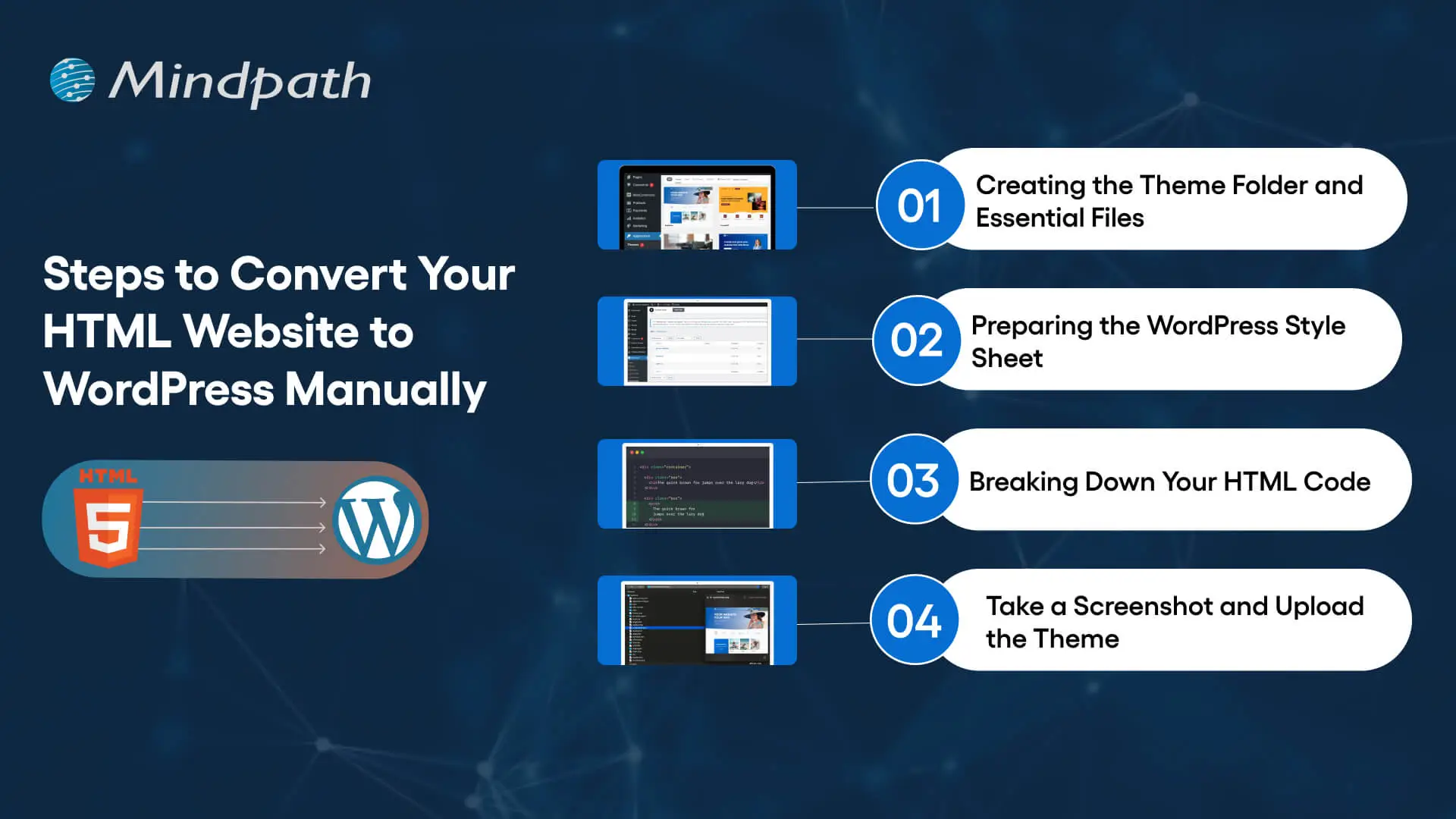
Steps to convert an HTML website into a WordPress theme

Step 1: Create the WordPress Theme Folder and Essential Files

Start by creating a dedicated folder for the custom theme inside the WordPress installation’s wp-content/themes/ directory. Use a descriptive folder name, such as business-custom-theme.

A basic classic theme can begin with the following files:

  • style.css for theme information and stylesheet rules.
  • index.php as the required fallback template for a classic theme.
  • header.php for the shared header and opening page structure.
  • footer.php for the shared footer and closing page structure.
  • functions.php for registering theme features, loading assets, and adding theme functionality.
  • front-page.php when a dedicated homepage template is needed.
  • page.php for standard static pages.
  • single.php for individual blog posts when the website publishes articles.

Additional files may be required depending on the design and content structure. For example, archive templates can control category or post listing pages, while custom templates can support specialized landing pages.

Step 2: Prepare the WordPress Theme Stylesheet

Open style.css and add the theme header information. WordPress uses this information to identify the theme in the administration dashboard.

/*
Theme Name: Business Custom Theme
Description: A custom theme converted from an existing HTML website.
Version: 1.0
Text Domain: business-custom-theme
*/

Replace the example name and description with details relevant to your project. Then transfer the existing website’s CSS rules into the stylesheet, adjusting selectors where necessary to work with the new WordPress markup.

Avoid copying every style without reviewing it. Duplicate rules, fixed-width layouts, and styles that depend on the original HTML structure may cause problems after the templates are reorganized.

Step 3: Separate the Existing HTML Into Reusable Templates

Review the original HTML files and identify elements that appear across multiple pages, such as the header, navigation, footer, and shared scripts. Move these elements into the corresponding WordPress template files instead of repeating the same markup across every page.

For example, the header template can contain the document structure, site branding, navigation, and opening layout. The footer template can contain footer content and the closing structure. WordPress template functions can then include these shared files in the main templates.

A basic template structure can use the following functions:

<?php get_header(); ?>

<main id="main-content">
    <!-- Add the page-specific template markup here. -->
</main>

<?php get_footer(); ?>

This is a structural example, not a complete website template. The page-specific markup must still be integrated with WordPress content, navigation, and the required theme functions.

Step 4: Connect the Templates to WordPress Content

A static HTML page contains content directly in its markup. In WordPress, content can be managed through the dashboard and displayed using template functions or the WordPress Loop.

For example, a basic page or post template can retrieve its content through the Loop:

<?php if ( have_posts() ) : ?>
    <?php while ( have_posts() ) : the_post(); ?>

        <h1><?php the_title(); ?></h1>

        <div class="entry-content">
            <?php the_content(); ?>
        </div>

    <?php endwhile; ?>
<?php endif; ?>

This example displays the title and content for the queried WordPress page or post. Additional template logic may be needed for featured images, custom fields, navigation, pagination, or other website features.

When moving a large website, decide which content should become WordPress pages, blog posts, or custom post types. This makes future content management easier and reduces the risk of treating every page as a manually maintained template.

Step 5: Load CSS, JavaScript, and Images Correctly

The existing HTML website may use stylesheets, JavaScript files, fonts, icons, and images stored in different directories. Update their paths and load theme assets through WordPress where appropriate.

For a classic theme, stylesheets and scripts can be registered or enqueued in functions.php. This helps WordPress manage dependencies and avoids hardcoding asset paths throughout the templates.

Review image paths, responsive image behavior, script dependencies, and any third-party services. Test navigation menus, interactive elements, forms, and other functionality that depends on JavaScript.

Step 6: Add WordPress Theme Features

Register the theme features required by the website. Depending on the project, these may include featured images, custom logos, navigation menus, title tags, and other supported capabilities.

Use WordPress functions for features that WordPress already manages. For example, register navigation menus rather than permanently hardcoding every navigation link when the business needs to manage them through the dashboard.

If the website uses custom fields, third-party APIs, contact forms, or e-commerce features, configure the appropriate plugins or custom development. Confirm that the implementation follows security and data-handling requirements.

Step 7: Create the Theme Preview and Activate the Theme

A theme screenshot can provide a visual preview in the WordPress administration interface. Save an appropriate image as screenshot.png in the theme folder. Check the current WordPress theme documentation for supported dimensions and formats.

Once the theme files are ready, open the WordPress dashboard and navigate to Appearance and then Themes. The theme should appear if its files and stylesheet header are valid. Preview it where the setup supports previewing, and activate it only after completing the initial checks.

Do not activate an unfinished theme on the live business website. Use a staging environment to verify templates, content, navigation, forms, and integrations before switching production traffic to the new site.

Step 8: Make the WordPress Website Responsive

The converted website should work across mobile phones, tablets, laptops, and desktop screens. Reusing the original HTML and CSS does not automatically guarantee responsive behavior in the new theme.

Use flexible layouts, appropriate CSS media queries, responsive images, readable typography, and accessible navigation. Test menus, buttons, forms, tables, and other interactive elements at different viewport sizes.

Check whether page builder styles, plugin interfaces, or custom components introduce layout problems. Also review keyboard navigation, focus states, contrast, and form labels to improve accessibility.

Step 9: Test the Website Before Launch

Once the theme is functional, compare the new WordPress website with the original HTML version. Confirm that the required design elements, content, images, and functionality have been preserved or intentionally improved.

  • Check important pages and navigation links.
  • Submit forms and test integrations.
  • Verify image loading and responsive layouts.
  • Review browser console errors and server-side errors.
  • Check page performance and Core Web Vitals.
  • Verify page titles, meta descriptions, canonical tags, and indexing settings.
  • Confirm that analytics and conversion tracking work correctly.
  • Test backups and confirm that the team can restore the site if needed.

For a more detailed quality review, refer to the WordPress developer checklist.

How to Protect SEO During an HTML-to-WordPress Migration

Changing a website’s CMS can affect its search visibility if URLs, page content, metadata, redirects, or indexing settings change unexpectedly. A migration plan should therefore include SEO checks before and after launch.

1. Preserve Existing URLs Where Possible

Keep existing URLs when they remain appropriate for the new website. If a URL must change, map the old address to the most relevant new page using a permanent redirect, usually a 301 redirect. Avoid redirecting every retired URL to the homepage when a more relevant destination exists.

2. Retain Important Page Content and Metadata

Record important headings, page titles, meta descriptions, canonical tags, image alt text, and structured data before migration. Recreate the relevant elements in WordPress and check that they render correctly on the final pages.

3. Review Internal Links and Media

Update internal links where page locations change. Check images, downloadable files, embedded media, and other assets to ensure they load correctly. Broken internal links and missing media can create usability problems and weaken the quality of the migration.

4. Check Indexing and XML Sitemaps

Verify that important pages are accessible to search engines and that production pages do not retain accidental noindex directives from the staging environment. Review the XML sitemap and canonical tags, and ensure that the sitemap lists the correct preferred URLs.

5. Monitor Search Performance After Launch

Use Google Search Console and website analytics to monitor indexing, organic traffic, landing-page performance, and conversion activity. Investigate unexpected changes, crawl errors, redirect problems, and missing pages after launch.

A technically sound migration helps reduce avoidable SEO risks, but it cannot guarantee that rankings or organic traffic will remain unchanged.

Common HTML-to-WordPress Migration Mistakes

A migration can create problems when the team focuses only on transferring the design. Businesses should address the following issues during planning and testing.

  • Copying the entire HTML page into one template: This can prevent content from being managed properly and create duplicated layouts across pages.
  • Ignoring existing URLs: Unplanned URL changes can lead to broken links and lost search traffic.
  • Forgetting website functionality: Forms, search, interactive elements, and third-party integrations need to be rebuilt or reconfigured.
  • Using unnecessary plugins: Excessive or poorly maintained plugins can add complexity and introduce security or compatibility risks.
  • Skipping mobile testing: A desktop layout may not work well on smaller screens after conversion.
  • Launching without backups: A verified backup and recovery process helps protect business data and website availability.
  • Testing only the homepage: Service pages, blog posts, forms, archives, and other important page types also need validation.

Convert Your HTML Website to WordPress With a Clear Plan

Converting HTML to WordPress can give a business more control over content management and create room for new website capabilities. The most suitable approach depends on the existing design, content structure, required functionality, technical resources, and long-term business goals.

Before migration, back up the existing website, document its URLs and functionality, choose the right conversion method, and prepare a testing plan. After development, validate the new website across devices, preserve important SEO elements, and monitor performance following launch.

Businesses that need support with theme development, content migration, or specialized functionality can review Mindpath’s expert WordPress developers. A properly scoped migration can help align the website with current operational needs while preparing it for future improvements.