Home

10 Types of Web Development Services: A Business Guide

10 Types of Web Development Services: A Business Guide

Join our Newsletter!

web development services

 It is undeniable that having a robust online presence is essential for any business these days. That presence can be created with the right web development services and it will yield real results. However, there are still many companies that are facing difficulties in selecting a suitable development type for their objectives. Having a good grasp of the options makes a huge difference.

Well, where do you start then? There are many specialties in the field of web development. All perform a different business function. Some emphasize on user experience and design. Others take care of complicated system architecture. Understanding the distinction will help you to invest smarter and grow faster. Let’s dive into this blog to understand 10 major types of web development and their implications for your business. So, keep reading further!

Ready to build a powerful online presence? Explore Mindpath’s web development services and turn your ideas into high-performing digital solutions.

What are Web Development Services? A Quick Glance

Web development services encompasses all aspects of creating a functional website or web app. The developers are responsible for the coding, database design, and bringing it all together. Good development is the process of converting a visual design into actual, working product. It drives all of your clicks, load and interaction online. These services are more than just website development.

These comprise performance tuning, security, updates, and continuous support services. A great web development partner will be able to cover the entire process, from planning to launch. That means your website is not just an online page; it’s a business asset.

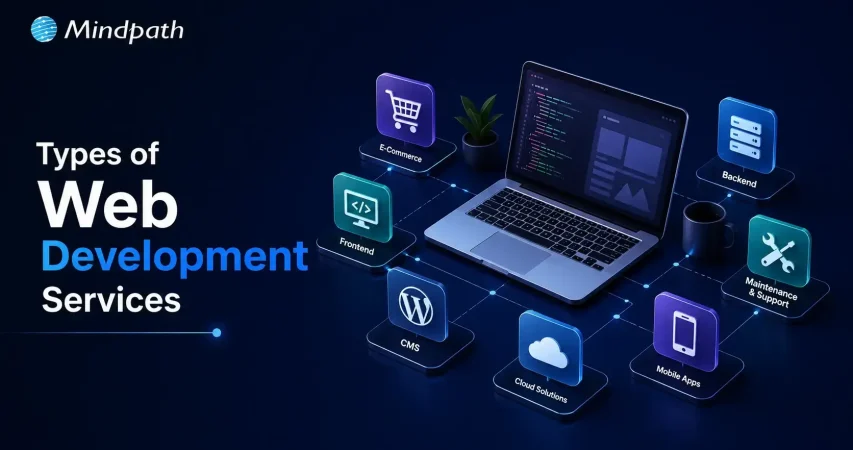
What are the Types of Web Development Services?

Web development is a collection of many different specialized services. Each has its own function in making a successful product. Picking the right one brings great benefits: you can save your time, lower the expenses, and get better results at the same time.

However, it’s not that obvious which one to choose without a guide. So, let us show the major types of the website development services your business should be aware of.

1. Front-end Development

Frontend development is the making of the visual and interactive part of a website or a web app. It includes everything a user sees and interacts with, such as page designs, buttons, and even animations. Frontend developers rely on HTML, CSS, and JavaScript, plus frameworks like React and Vue to design interfaces that are not only fast and responsive but also user-friendly.

Key Features of Frontend Development

Let’s dive into the features of front end development that make a website visually compelling and user-friendly.

  • A good frontend loads quickly, and does not let folks bounce off the page.
  • It provides a pretty appearance that fosters trust on the first impression.
  • Users can move easily from one section to another, thanks to the smooth navigation.
  • All elements are consistent throughout Chrome, Safari, Firefox and other browsers.
  • Performance remains optimized with no lag, no freeze, no slowdowns.
  • User data is secured and the interface is protected against threats.

2. Back-end Development

All backend development work powers the processes that are invisible to users of a website. Users don’t see it; however, they can get to the business success that it facilitates practically each day. It deals with the management of servers, databases, and application logic. Python, PHP, and Node.js are the coding languages that are used to perform these activities. A website without a strong backend cannot really operate well.

Key Features of Back-end Development

Let’s look at the essential elements of back-end development that ensure reliable, secure, and efficient web development services.

  • Data is stored, managed, and accessed from structured databases in backend systems.
  • Core business rules are applied efficiently, by server-side logic.
  • APIs join frontend, backend and third-party tools together.
  • Data of user is always safe with strong authentication and encryption strength.
  • Architecture that can scale, so it won’t slow down with high traffic.
  • Payment gateways and other external integrations smoothly connect your platform.

3. Full-Stack Development

Full-stack development refers to working on both the frontend and backend sides of a website or application. They are capable of managing everything, both the user interface and the data processing backend. They represent the generalists among web development services. A single proficient developer or a developer team is often able to build, operate, and deliver a whole product without the help of others.

Key Features of Full-Stack Development

Let’s take a look at the features that make full-stack development a good business option.

  • Full stack developers take care of the entire development process all by themselves.
  • They have experience in both front end and back end technologies.
  • These popular stacks are used to create dynamic, fast web applications such as MERN.
  • The less team changeovers, the quicker the delivery, the smoother the flow.
  • Better performance and cleaner APIs through deep architectures knowledge.
  • Both sides of the app scale and adapt with ease.

4. CMS Development

CMS development involves creating websites based on platforms that allow you to handle content without the need to write any code at all. WordPress, Shopify, and Drupal are well-known instances. It’s among the most sensible web development services for companies who desire to have complete control over their content. Refresh your pages, include blogs, and modify the content whenever you want.

Key Features of CMS Development

Here are the main points that make CMS development efficient and business-friendly.

  • Intuitive editors make creating and formatting content quick and simple.
  • Everything is stored in one easy to access place.
  • Role Based permissions are used to maintain teamwork and smooth content flow.
  • Schedule and publish content on different websites and social platforms without hassle.
  • Inbuilt Analytics tools enable you to enhance content according to actual data.
  • CMS platforms have a seamless interface with CRM and marketing applications.

5. eCommerce Development

E-commerce development refers to the creation of online stores that are capable of managing product display as well as ensuring payment security. Great ecommerce development services are centered on not only quick loading times and hassle-free checkout procedures, but also on robust security measures. The smallest elements are aligned with the main objective converting visitors into buyers.

Key Features of eCommerce Development

Let’s take a look at the essential components that make any ecommerce development project successful.

  • Always, sensitive user data and payment information are guarded by robust security.
  • The payment gateway integration is seamless, ensuring smooth and reliable transactions.
  • Smart inventory tools are useful in keeping the product management organized and accurate.
  • Order management logic ensures efficient order fulfillment from click to delivery.
  • Scalable architecture helps control traffic surges without impacting performance.
  • In-built analytics makes informed business decisions every day.

6. Mobile App Development

Mobile app development means creating software for smartphones and tablets. It includes designing, programming, and testing for Android and iOS environments. Even though it is a bit different from the usual web development, nowadays mobile apps are mainly connected to web-based backends. A good mobile app delivers your business at the fingertips of the customer.

Key Features of Mobile App Development

These are some of the characteristics of a strong mobile application that will be regarded as the defining features of a well-built mobile app.

  • Smooth performance and speedy load time stop users from dropping off.
  • Offline support allows the app to function without an Internet connection.
  • Timely and personalized push notifications to re-engage users.
  • User trust comes easily with strong encryption and biometric authentication.
  • Every day, AI personalization provides more intelligent and relevant app experiences.
  • Real-time analytics monitor behavior and provide ongoing app enhancements.

7. Progressive App Web Development (PWA)

A Progressive Web App works like a native app but runs directly in a browser. It loads fast, works offline, and feels smooth on any device. PWA development is a smart choice within web development services because one codebase works across all platforms. No app store needed, just a great experience every time.

Key Features of PWA Development

Here are the core features that make PWA development a powerful modern choice.

  • Service workers enable smooth performance even on slow or no network.
  • PWAs deliver native app-like navigation and full-screen experiences seamlessly.
  • Users install PWAs directly from their browser onto any device.
  • Updates happen automatically without any app store downloads needed.
  • Push notifications keep users engaged with real-time personalized messages.
  • HTTPS hosting ensures every PWA stays secure and data stays protected.

8. Web Accessibility Development

Web accessibility development makes sure every user can navigate and use your website, including people with visual, auditory, or cognitive disabilities. It follows standards like WCAG to remove digital barriers. Within web development services, accessibility is not optional. It is a responsibility that also improves usability and expands your audience reach.

Key Features of Web Accessibility Development

Here are the key features that make a website truly accessible for every user.

  • Alt text helps screen readers describe images to visually impaired users.
  • Captions and transcripts make audio and video content fully inclusive.
  • High color contrast ratios improve readability for all users significantly.
  • Every function works smoothly using a keyboard alone.
  • Visible focus indicators show users exactly where they are navigating.
  • Skip navigation links let users jump straight to main content.

9. Web Security Development

Web security development builds protection directly into your website from day one. It covers secure coding, data encryption, and regular vulnerability checks. Cyber threats like SQL injection and data breaches are real risks every business faces. A secure website protects your users, your data, and your business reputation effectively.

Key Features of Web Security Development

Here are the core features that keep a website secure and trustworthy.

  • Multi-factor authentication ensures only authorized users access sensitive areas.
  • SSL/TLS encryption protects data during transit and storage always.
  • Secure coding practices block injection attacks and cross-site scripting effectively.
  • Content security policies prevent malicious scripts from running on your site.
  • Proper session management stops hackers from hijacking active user sessions.
  • Web application firewalls filter and monitor all incoming traffic constantly.

10. API Development and Integration

API development and integration connects your software applications so they talk to each other smoothly. It is a core part of modern web development services. Think of it as a digital bridge between your tools, systems, and platforms. Good API development saves time, reduces manual work, and keeps your entire tech ecosystem running together.

Key features of API Development and Integration

Here are the key features that make API development truly effective.

  • Multi-layer authentication keeps every API interaction fully secure.
  • Cloud-native infrastructure scales smoothly under high traffic.
  • Clear documentation makes third-party integration fast and simple.
  • Rate limiting protects servers from overload and attacks.
  • Versioning ensures updates never break existing integrations.
  • Connectors link payment gateways, CRMs, and platforms effortlessly.

Ready to Build a Website That Works for Your Business?

Web development is not one-size-fits-all. Every business has different goals, and the right web development services help you meet them. Whether you need a fast frontend, a secure backend, or a full e-commerce store, picking the right type makes all the difference.

At Mindpath, we are a web development agency that actually listens. We understand your goals and build solutions around them. Contact us; we offer solid, results-driven development that helps your business grow online and stand out from the crowd.


Ready to Build Your Website?

Create scalable web experiences built for your goals.

Frequently Asked Questions

Start with frontend and CMS development. They cover design, content, and basic functionality. As the business scales, backend and e-commerce development naturally follow.
A simple website takes two to four weeks. A full-scale web application with custom integrations can take three to six months depending on complexity.
Web design focuses on looks and feel. Web development focuses on functionality. Both work together. Great design without solid development delivers nothing, and vice versa.
Yes. Frontend handles what users see. Backend handles data, logic, and security. Skipping either creates gaps in performance and user experience.
A well-built website attracts visitors, converts them into customers, and builds trust. Fast speed, mobile responsiveness, and security all contribute directly to revenue growth.

Support Is One Click Away

Featured Posts

Related Post

types of software development

Picture a scenario in which you are running a growing business, and things are moving at a fast pace. At this point, your customers will expect more; teams will need better tools, and competition will just be a click away. You must keep in mind that the real game changer isn’t just having software but rather, its choosing the right kind of software. For this, understanding the types of software development can make a huge difference.  

Behind every great digital solution, there lies a specific type of development which is tailored to a specific need. Understanding the key categories of software development enables businesses to make smarter, confident investments while choosing the right technology teams to partner with for the future. So, if you are interested in knowing about the software development types, then this blog will guide you perfectly. We will explore the major kinds of software development, which every business should know to make smarter investments and drive meaningful growth. 

To begin with, let us first have a basic understanding of software development. 

PaAre manual operations draining time and resources from your business growth? At Mindpath, we offer end-to-end software development services to automate processes and enhance efficiency.

What is Software Development?

Software development refers to the act of creating, designing, testing, and maintaining applications or systems that run on devices or computers. It combines the imaginative and creative process with the technical process of building software that can help your business work smarter and serve your clients better. Developers take your ideas and combine programming languages, libraries and frameworks to develop working software that solves real problems. 

There are many benefits of custom software development for businesses. It can increase productivity via automation and lower costs by streamlining processes. It also increases customer satisfaction through user-friendly overall features and allows companies to stay ahead of competitors by providing innovative solutions. Software can also be customized to provide better management of growth within the business and can enhance data cybersecurity protocols and processes while supporting better collaboration across teams.  

What are the 5 Principles of Software Development?

Strong software development relies on key principles that guide the process and ensure reliable, high-quality results. These principles help teams build software that is efficient, adaptable, and easy to maintain over time. 

1. Working in Iterations

Working in short cycles allows teams to test, adjust, and improve regularly. This keeps the software flexible and ready for change. 

2. Reuse Components

Building with ready-to-use parts speeds up development and keeps the software consistent. It also makes updates and maintenance much easier. 

3. Set Quality Standards

Setting clear quality standards from the start helps catch problems early. It ensures the final product meets expectations and works reliably. 

4. Plan Architecture First

A strong foundation starts with early architectural planning. It helps avoid confusion, improves decisions, and sets the direction for smooth development. 

5. Control Changes Effectively

A clear system for handling changes keeps the project stable. It helps teams adapt without causing confusion or risk to the software. 

Curious why software development prices can vary so much? Explore the factors behind software development costs before your next project and avoid common budgeting mistakes.

What are the Different Types of Software Development?

Software development comes in many forms, each designed to meet specific business or user needs. Understanding these different types helps businesses choose the right solutions for their goals and growth. 

1. Frontend Development

Frontend development is a software development type that focuses on the part of an application users see and interact with. It involves creating user interfaces that are smooth, responsive, and visually clear. Frontend developers work with tools and technologies like React, CSS, JavaScript, and Flutter. Their goal is to ensure a great user experience on both web and mobile platforms. 

2. Backend Development

Backend development focuses on the parts of an application that users don’t see. It includes building servers, databases, and the internal logic that powers the software. Backend developers use technologies like Java, Python, and Django to make sure everything runs smoothly. They connect the front end with data and functions to keep the application working behind the scenes. 

3. API Development

API development is about creating connections that let different software systems talk to each other. Developers build APIs to help applications share data and work together more easily. This is useful for adding features like payment systems, login tools, or maps from other services. API development makes software more flexible and able to work with a wide range of platforms. 

4. Cloud Computing Development

Cloud computing development is the software development process of building applications that run on platforms like AWS, Microsoft Azure, or Google Cloud. It helps businesses store data, manage services, and scale their systems more easily. Cloud developers set up secure and flexible environments tailored to company needs. This process supports smooth operations and better performance without relying on local servers. 

5. Database Development

Database development focuses on building systems to store, manage, and organize data. Developers work with different types like SQL for structured data and NoSQL for more flexible, unstructured data. Some databases are made to handle huge amounts of information, often used for big data and real-time analytics. The goal is to keep data accurate, secure, and easy to access when needed. 

6. DevOps

DevOps engineering combines development and operations to build and deliver software more efficiently. It focuses on teamwork, automation, and continuous improvement throughout the project. DevOps engineers use skills like coding, testing, and scripting with languages such as Python, Java, and PHP. One big advantage is that quality checks continue even after the software is launched. 

7. Full-Stack Development

Full-stack development covers both front-end and back-end work to create complete, user-friendly software. A full-stack developer understands how to build smooth interfaces and also manage server-side systems that power the application. They often use a wide range of software development tools to deliver reliable and efficient results. Teams can also achieve this by having front-end and back-end developers work closely together. 

8. Mobile Development

Mobile development focuses on creating apps for smartphones and tablets. Developers may specialize in building for Android using Kotlin or Java, or for Apple devices using Swift or Objective C. Some also work on hybrid apps that run on multiple platforms, which need special skills. Mobile developers handle coding, design, and maintenance to make sure apps work well on different screen sizes and devices. 

Wondering what makes a software engineer truly effective in driving business success? Discover and understand the top qualities of a good software engineer that set top developers apart.

Which Type of Software Development Fits Best for Your Business Needs?

Understanding the various types of software development helps businesses choose the right solutions to grow and succeed. Each type plays a unique role in creating software that meets specific goals, improves efficiency, and enhances user experience. Knowing these types allows smarter decisions and better investments in technology. 

At Mindpath, we provide expert software development services tailored to your business goals. Our skilled team works with you to build reliable, efficient, and user-friendly software solutions. Partner with us to get the right development support and technology expertise for your next project. 

Discover how AI is transforming the world. Explore the top 10 benefits of artificial intelligence, from solving complex problems to enhancing customer experiences.
Langchain for AI Agent Developement

Every business leader today is asking the same question in some form: how do we bring AI agents into our workflows without breaking what already works? This is exactly where LangChain AI agent development enters the conversation. As companies move past simple chatbots and into agents that can plan, reason, and take action, choosing the right framework becomes a decision that shapes the entire product roadmap.

Key Takeaways

  • 01 LangChain simplifies complex agent workflows. It reduces the need to build custom logic for memory, tools, and multi-step reasoning from scratch.
  • 02 It fits best when tasks involve multiple steps. Simple single-response bots rarely need it, but workflows involving tools, memory, and data retrieval benefit significantly.
  • 03 Multi agent architecture supports scalability. Splitting tasks across specialized agents improves accuracy and makes systems easier to manage as they grow.
  • 04 Use cases span far beyond customer support. Businesses are applying it to document processing, internal knowledge assistants, and workflow automation across departments.
  • 05 The right framework depends on your actual needs. LangChain works well for teams that want faster development without sacrificing flexibility or control.

Not every project needs the same tools, and not every AI initiative should default to the most popular option on the market. Some businesses need speed; others need control, and many need both at once. In this blog, we are going to explore when LangChain genuinely makes sense for your business and when it might not be the right fit.

Looking to build scalable AI agents with LangChain? At Mindpath, we provide AI agent development services that integrate seamlessly with your existing business systems.

How AI Agents are Shaping Business in 2026?

AI agents have moved far beyond scripted responses. In 2026, they are expected to understand context, call external tools, retrieve live data, and make decisions with minimal human input. A customer support agent today might check order history, apply a refund policy, and email a confirmation, all without a human touching the process. A research agent might pull data from five different sources, compare them, and summarize findings in a format a manager can actually use.

This shift has pushed businesses to look for frameworks that can orchestrate these complex, multi-step behaviors reliably. That is where LangChain has built its reputation. It gives development teams a structured way to connect large language models with memory, tools, APIs, and decision logic, rather than gluing everything together from scratch. Understanding how LangChain works helps explain why so many teams reach for it first when a project moves beyond a single prompt and response.

What is the LangChain Framework and How Does It Work?

The langchain framework is essentially a toolkit that helps developers chain together prompts, models, memory, and external data sources into a working pipeline. Instead of writing custom logic for every single interaction an AI agent needs to have, LangChain provides pre-built components that handle the repetitive parts, so teams can focus on the actual business logic.

At its core, it works by breaking a task into smaller steps. A user query comes in, the agent decides which tool or data source is needed, it retrieves the relevant information, and then it generates a response based on everything it has gathered. This modular approach is a big part of why LangChain AI agent development has become a preferred choice for teams building anything more advanced than a basic chatbot.

1. Chains Connect Logic in Sequence

A chain links one action to the next, so the output of a search step can feed directly into a summarization step without manual handoffs.

2. Memory Keeps Context Alive

The framework can retain earlier parts of a conversation, which means the agent does not lose track of what a user already said.

3. Tool Integration Extends Capability

LangChain lets an agent call APIs, databases, or search engines, turning it from a text generator into something that can actually perform tasks.

4. Prompt Templates Standardize Behavior

Teams can define reusable prompt structures, which keeps agent responses consistent across different use cases.

Key LangChain Use Cases Businesses Are Adopting

Once a team understands the basics, the next question is usually where it actually fits into daily operations. There are several langchain use cases that have become common across industries, and most of them share one thing in common: they involve multiple steps that would be difficult to manage with a single prompt alone.

1. Customer Support Automation

Agents can pull order details, check policies, and respond with accurate, personalized answers instead of generic scripted replies.

2. Internal Knowledge Assistants

Employees can ask questions and get answers pulled directly from internal documents, wikis, or databases, cutting down time spent searching.

3. Document Processing and Summarization

Long contracts, reports, or research papers can be broken down, analyzed, and summarized in a fraction of the time it would take a person.

4. Data Retrieval and Analysis Agents

Businesses use LangChain to connect language models with structured data sources, allowing agents to answer questions that require real-time information.

5. Workflow Automation Across Tools

Agents can trigger actions in other software, such as updating a CRM record or sending a notification, based on a single instruction.

Langchain for ai agent development

When to Use LangChain for AI Agent Development?

Deciding when to use LangChain really comes down to the complexity of what you are trying to build. A simple FAQ bot does not need this level of infrastructure. But once a project involves multiple tools, ongoing context, or decision-making across several steps, LangChain starts to make a lot more sense.

1. Your Project Needs Multiple Tools

If your agent has to search, calculate, and then write a response, LangChain manages that coordination cleanly.

2. You Need Memory Across Interactions

Businesses building assistants that remember previous conversations benefit from LangChain’s built-in memory handling.

3. You Are Integrating With Several Data Sources

When an agent needs to pull from a database, an API, and a document store in one flow, LangChain simplifies that connection.

4. You Expect the System to Scale

As agent complexity grows, LangChain’s modular structure makes it easier to add new capabilities without rewriting everything.

5. Your Team Wants Faster Development Cycles

Because so many components already exist, teams often build and test working prototypes much faster than building everything from the ground up.

Understanding LangChain Multi-Agent Architecture

As businesses take on more ambitious projects, a single agent handling everything often becomes a bottleneck. This is where langchain multi agent architecture becomes relevant. Instead of one agent trying to do research, analysis, and writing all at once, the work gets split across specialized agents that each handle a specific part of the task and then hand off their results to the next one.

1. Specialized Roles Improve Accuracy

A research agent focused only on gathering data tends to perform better than one agent trying to do everything at once.

2. Parallel Processing Saves Time

Multiple agents can work on different parts of a task simultaneously instead of waiting in a single sequence.

3. Easier Debugging and Monitoring

When something goes wrong, it is far easier to trace the issue back to one specific agent rather than digging through a single massive workflow.

4. Better Scalability for Complex Systems

As business needs grow, new agents can be added to the architecture without disrupting the ones already working well.

This kind of setup is becoming increasingly common for businesses that are serious about long-term LangChain AI agent development, especially when the use case involves research, reporting, or any workflow with distinct stages.

Is LangChain the Right Choice for Your Business?

Choosing a framework is never just about following what is popular. It comes down to what your business actually needs to accomplish, how complex your workflows are, and how much your team wants to build versus manage. LangChain has earned its place as one of the strongest options for teams building agents that need to reason, remember, and act across multiple steps. For businesses working on genuine LangChain AI agent development rather than a simple one-off script, it offers a level of structure and flexibility that is hard to match with a lighter tool.

At Mindpath, we work closely with businesses to design and build AI agents that fit their actual operations, not a generic template. Whether you need a single well-trained assistant or a full multi-agent system handling different parts of your workflow, our team brings the technical depth to build it right. We provide AI agent solutions that are tailored to your data, your tools, and your goals, so the technology actually solves the problem you started with.

Enterprise AI Deployment Checklist

What happens when an enterprise AI system reaches production before the business is truly ready? Small gaps in data, security, infrastructure, or ownership can quickly turn into costly problems. An enterprise AI deployment checklist helps teams catch these gaps early and create a smoother path to production.

Key Takeaways

  • 01Define clear business goals, ownership, and success measures before starting enterprise AI deployment.
  • 02Validate data quality, infrastructure, access controls, and production requirements before moving AI systems into production.
  • 03Build security, governance, compliance, monitoring, and rollback controls into the deployment process.
  • 04Track technical performance, operational costs, and business value to measure AI success after deployment.
  • 05Standardize deployment practices to scale AI securely across teams, systems, and business workflows.

Enterprise AI deployment needs careful planning because production systems must support real users, business workflows, sensitive information, and changing demands. A structured checklist brings these moving parts together and gives teams a practical way to review readiness before launch. In this blog, we explore the key areas every enterprise should review before deploying AI. Let’s keep reading further!

Ready to make your enterprise AI deployment more reliable? Mindpath offers AI Consulting Services to help businesses plan, deploy, and scale AI solutions around clear business goals. 

Why Enterprise AI Needs a Deployment Checklist?

Enterprise AI systems influence business decisions, workflows, customer experiences, and sensitive data. A deployment checklist gives teams a clear process for reviewing critical requirements before launch, helping them identify gaps that could affect performance, security, compliance, or business outcomes.

It also creates consistency across AI projects by giving technical and business teams shared expectations. As deployments become more complex, a checklist makes responsibilities clearer, reduces avoidable errors, and helps organizations establish a stronger foundation for reliable and scalable AI adoption.

An AI deployment checklist is important because it helps teams:

  • Reduce deployment risks by identifying technical and operational gaps early.
  • Strengthen security by reviewing access, data protection, and control requirements.
  • Improve consistency by following a standard process across AI deployments.
  • Clarify ownership by assigning responsibilities before the system reaches production.
  • Support compliance by documenting governance and regulatory requirements.
  • Measure readiness by validating performance, infrastructure, and business requirements.
  • Prepare for scale by creating processes that can support future AI deployments.

Enterprise ai deployment checklist

Enterprise AI Deployment Readiness Checklist

A clear enterprise AI roadmap gives teams direction as they move toward an important stage of AI adoption. The following checklist brings together the key areas that deserve attention before moving forward.

1. Preparing the Business Case and Objectives

Before starting AI implementation, enterprises need a clear reason for investing in the technology. Defining the expected outcome, business owner, target users, and success measures helps teams stay focused and gives every stakeholder a shared understanding of what the deployment should achieve.

  • Define the business problem the AI solution is expected to address.
  • Assign clear ownership across business, technical, and operational teams.
  • Set measurable outcomes that show whether the deployment is successful.
  • Identify key stakeholders who influence adoption, approval, and ongoing use.
  • Establish ROI targets based on expected business value and costs.

2. Assessing Data and Infrastructure Readiness

Strong data and reliable infrastructure create the foundation for successful AI implementation. Before deployment, teams should confirm that production data is accurate, accessible, protected, and ready for use. They should also verify that the technical environment can support expected workloads, integrations, and future requirements.

  • Validate data quality for accuracy, completeness, consistency, and relevance.
  • Check pipeline reliability to ensure data reaches AI systems consistently.
  • Review access controls and limit data access to authorized users and systems.
  • Apply data masking where sensitive or confidential information requires protection.
  • Confirm versioning and infrastructure for models, data, compute resources, and production platforms.

3. Designing Security, Governance, and Compliance

A strong AI Deployment Checklist should cover the controls that keep enterprise AI secure, accountable, and compliant. Before launch, teams need clear ownership, defined policies, and safeguards that continue throughout the AI lifecycle. These measures help reduce exposure while supporting responsible and controlled AI use.

  • Assign ownership for the AI system, data, security, and ongoing decisions.
  • Define lifecycle controls for development, approval, deployment, updates, and retirement.
  • Maintain audit trails to track important system activity, changes, and decisions.
  • Apply responsible AI practices covering privacy, fairness, transparency, and model behavior.
  • Align with requirements from applicable regulations and internal enterprise policies.

4. Building a Repeatable Deployment Process

A structured AI rollout process helps teams move from testing to production with fewer surprises. Instead of relying on individual judgment at every stage, organizations can use consistent checks to validate readiness, monitor performance, and respond quickly when something goes wrong after launch.

  • Validate model readiness against agreed performance, quality, and reliability requirements.
  • Complete release testing across workflows, integrations, security, and expected production conditions.
  • Set monitoring and alerts for performance changes, errors, usage, and unusual behavior.
  • Define rollback procedures so teams can quickly restore a stable version when required.
  • Document release approvals to reduce human error and maintain accountability throughout deployment.

5. Measuring Performance, Cost, and Business Value

An AI system should continue proving its value after deployment. Teams need to track technical performance, operational costs, and business outcomes together to understand what is working and where improvements are needed. Regular reviews help keep AI investments aligned with changing business priorities and expected ROI.

  • Track technical performance through accuracy, response quality, latency, reliability, and error rates.
  • Monitor operational costs including infrastructure, model usage, maintenance, and support expenses.
  • Measure business outcomes against the objectives and baseline established before deployment.
  • Set review schedules to identify performance gaps, rising costs, or changing business needs.
  • Optimize continuously by improving models, workflows, infrastructure, and resource usage based on results.

6. Scaling AI Across the Enterprise

As AI adoption grows, organizations need a consistent approach for expanding successful solutions across teams and workflows. An AI Deployment Checklist helps maintain common standards while new use cases are introduced, ensuring integrations, governance, user readiness, and performance remain aligned as adoption increases.

  • Integrate existing systems with enterprise applications, APIs, data platforms, and business workflows.
  • Enable teams through practical training, clear responsibilities, and ongoing technical support.
  • Extend governance with consistent approval, security, monitoring, and lifecycle practices across deployments.
  • Standardize deployment processes so teams can replicate successful AI solutions efficiently.
  • Improve continuously using user feedback, performance data, business results, and changing requirements.

Common Enterprise AI Deployment Mistakes to Avoid

Enterprise AI deployments can lose momentum when teams focus heavily on the technology but overlook preparation and ongoing management. Recognizing common mistakes early helps organizations address weak points before they affect users, operations, security, or business outcomes.

1. Starting without clear objectives

Teams may deploy AI without defining what success should look like. This makes business impact difficult to measure and justify.

2. Ignoring data readiness

Poor quality or inconsistent data can affect AI performance from the beginning. Teams should validate data before moving into production.

3. Leaving ownership unclear

AI projects can stall when no one is accountable for key decisions or issues. Clear business and technical ownership keeps deployment responsibilities defined.

4. Skipping security and governance

Missing controls can expose sensitive data and create compliance risks. Security and governance should be addressed before the system goes live.

5. Neglecting post-launch monitoring

AI performance can change as data, users, and business conditions change. Regular monitoring helps teams identify problems and improve the system over time.

Ready to Make Your Enterprise AI Deployment More Reliable?

Enterprise AI deployment becomes easier to manage when every critical area is reviewed before launch. From business objectives and data readiness to security, governance, monitoring, and scalability, a structured checklist helps teams reduce risks and create a repeatable path toward reliable AI adoption. It also keeps technology decisions connected to measurable business outcomes.

Mindpath helps enterprises turn AI initiatives into secure, scalable, and production-ready solutions through our expert AI development services. Our team supports businesses across AI strategy, development, integration, deployment, and ongoing optimization. By combining technical expertise with business-focused planning, Mindpath helps organizations move from AI ideas to solutions that deliver practical value. Contact us to discuss your enterprise AI requirements.

Frequently Asked Questions