Home

The Future of AI: How AI is Transforming the World 

The Future of AI: How AI is Transforming the World 

Join our Newsletter!

future-of-ai
Artificial intelligence is changing how people interact with technology, access information, and complete everyday tasks. From AI-powered assistants to systems that analyze complex datasets, AI is becoming part of business operations, education, healthcare, and digital services. These developments offer new ways to improve efficiency, support creativity, and make informed decisions.

Key Takeaways

  • 01
    The future of AI will influence how businesses operate, people learn, and teams make decisions.
  • 02
    Generative AI, AI agents, machine learning, and multimodal systems are expanding the ways people use AI.
  • 03
    AI can support creativity, accessibility, cybersecurity, sustainability, and personalized services.
  • 04
    Businesses should connect AI initiatives to measurable goals, reliable data, and clear operational needs.
  • 05
    Responsible AI adoption requires human oversight, data protection, transparency, and ongoing evaluation.

The future of AI will depend not only on advances in technology but also on how people and organizations choose to use it. Businesses must evaluate where AI can create value, while addressing challenges such as data privacy, bias, security, and the need for human oversight. Understanding these opportunities and limitations can help organizations prepare for an increasingly AI-driven world.

Planning to integrate AI into your business? Mindpath provides artificial intelligence development services to help organizations evaluate, develop, and implement AI-powered solutions.

The Evolution of Artificial Intelligence

Artificial intelligence refers to computer systems designed to perform tasks that typically require human cognitive abilities, such as recognizing patterns, understanding language, generating content, and supporting decisions. Modern AI includes several approaches, including machine learning, deep learning, natural language processing, and generative AI.

AI has developed through decades of research and technological progress. Alan Turing’s work in the 1950s helped shape early discussions about machine intelligence. Researchers subsequently developed symbolic reasoning methods and expert systems, which used rules and structured knowledge to solve specific problems.

As computing power, data availability, and machine learning techniques improved, AI systems became capable of handling more complex tasks. Deep learning advanced applications such as image recognition, speech processing, and language understanding. More recently, large language models and generative AI have made it possible to produce text, images, code, and other content from user instructions.

Today’s AI systems vary considerably in capability. Some perform narrowly defined tasks, while others can assist with multiple related activities. Their usefulness depends on the quality of the model, the data and tools available, the task being performed, and the level of human supervision.

Related reading: AI for customer service explains how AI can support customer interactions and service workflows.

How AI Will Shape the Future

The future of AI will involve more than automating repetitive tasks. AI systems can support human creativity, help organizations analyze information, personalize digital experiences, and identify patterns that may be difficult to recognize manually. The following areas illustrate where these capabilities can make a difference.

1. Supporting Human Creativity and Productivity

AI tools can help writers develop outlines, designers generate concepts, and developers draft or review code. By assisting with repetitive or time-consuming activities, these tools can give people more time to focus on judgment, creative direction, and complex problem-solving.

However, AI-generated work still requires review. Human expertise remains important for verifying accuracy, maintaining originality, understanding context, and ensuring that the final output meets business or customer requirements.

2. Improving Decision-Making

AI can process large datasets, identify patterns, and generate forecasts that support business planning. Organizations can use these capabilities to analyze customer behavior, evaluate operational performance, identify potential risks, and compare possible courses of action.

AI in decision-making can help teams assess information more efficiently, but recommendations should be evaluated against reliable data and relevant business context. Human decision-makers remain accountable for consequential choices.

3. Personalizing Education and Learning

AI-powered educational tools can adjust practice activities, provide feedback, and recommend learning materials based on a student’s progress. Conversational interfaces can also help learners ask questions and receive explanations at their own pace.

These capabilities may make learning more flexible, but they do not replace teachers or educational judgment. Learning platforms should protect student data, check generated information for accuracy, and account for differences in accessibility and learning needs.

4. Making Digital Experiences More Accessible

AI can support accessibility through speech recognition, text-to-speech tools, automated captions, image descriptions, and language translation. These features can help people interact with digital products in ways that better suit their needs.

Accessibility tools should be tested with people who use them. AI-generated captions, descriptions, and translations may contain errors, so critical information should have appropriate review and alternative access options.

5. Supporting Sustainability and Resource Efficiency

AI can help organizations analyze energy consumption, forecast equipment maintenance needs, optimize logistics, and identify opportunities to reduce material waste. Predictive models and digital twins can also support simulations of operational changes before they are implemented in real environments.

The environmental value of an AI system depends on its implementation and actual outcomes. Organizations should assess energy use, infrastructure requirements, data quality, and measurable resource savings rather than assuming that AI automatically produces sustainable results.

6. Strengthening Cybersecurity and Risk Detection

AI systems can analyze network activity, flag unusual behavior, prioritize security alerts, and help security teams investigate potential threats. These capabilities can improve how organizations identify and respond to suspicious activity.

AI is also used by attackers to develop more convincing phishing messages and automate certain malicious activities. Businesses should combine AI-assisted security with access controls, monitoring, incident response procedures, and regular security reviews.

7. Improving Access to Information and Services

AI assistants and chatbots can answer common questions, guide users through processes, and help customers find relevant information. When connected to approved knowledge sources and business systems, they can also support tasks such as service requests and information retrieval.

Organizations should define which tasks an AI assistant can handle, when it must escalate a request, and how users can reach a human representative. These safeguards are particularly important when requests involve sensitive information or complex decisions.

8. Accelerating Collaboration and Innovation

AI can support collaboration by summarizing documents, organizing research, generating product concepts, and helping teams compare design or development options. AI agents may also coordinate multiple steps in a workflow when provided with suitable tools, permissions, and instructions.

Effective collaboration requires clear responsibilities and review processes. Teams should verify outputs, restrict access to sensitive systems, and monitor automated actions before allowing AI to perform higher-impact tasks independently.

Related reading: Generative AI use cases covers practical ways organizations can apply generative AI across different workflows.

Emerging AI Technologies Shaping the Future

Several areas of AI development are expanding what software can do. Their business value depends on the problem being solved, the maturity of the technology, and the safeguards used during implementation.

AI technology What it does Potential applications
Generative AI Creates content such as text, images, code, and summaries from prompts or other inputs. Content assistance, prototyping, software development, and knowledge work.
AI agents Use models and tools to carry out sequences of tasks toward a defined goal, subject to their permissions and controls. Workflow coordination, research assistance, and selected customer service tasks.
Multimodal AI Processes or combines different data types, such as text, images, audio, and video. Document analysis, accessibility, media understanding, and interactive assistants.
Retrieval-augmented generation (RAG) Uses retrieved information from selected sources to provide context for generated responses. Internal knowledge assistants, document search, and support systems.
Predictive machine learning Uses historical data and learned patterns to estimate outcomes or classify information. Demand forecasting, anomaly detection, maintenance planning, and risk analysis.

These technologies can be combined, but they are not interchangeable. For example, a predictive model may be better suited to forecasting demand, while a retrieval-augmented system may be more appropriate for answering questions using company documentation. Choosing the right approach starts with defining the task and evaluating the available data.

Strategic Approaches to an AI-Driven Future

Organizations need a practical strategy to turn AI capabilities into useful business outcomes. A successful approach begins with a defined problem, a manageable scope, and clear expectations about performance, cost, risk, and human involvement.

1. Define Clear Business Objectives

Identify a specific problem that AI could help solve, such as reducing manual data entry, improving search across internal documents, or assisting customer support teams. Define the existing process and establish baseline measurements before introducing a new solution.

2. Start With a Focused Pilot

Test the proposed solution on a limited workflow before expanding it across the organization. Use a representative dataset, define success criteria, and collect feedback from the people who will use the system. A pilot can reveal limitations before the business commits to a larger rollout.

3. Prepare Data and Integrations

AI systems need suitable data, secure access, and reliable connections to the systems they use. Review data quality, ownership, permissions, and retention requirements. For systems that retrieve internal information, make sure access controls also apply to the information returned by the AI.

4. Develop AI Skills Across Teams

Help employees understand what AI systems can and cannot do. Training should cover effective use, output verification, privacy, security, and escalation procedures. Teams responsible for building and maintaining AI solutions may also need specialized technical and governance skills.

5. Make Responsible AI Part of the Process

Establish policies for data protection, transparency, bias assessment, human review, and accountability. The level of oversight should reflect the potential consequences of an incorrect or inappropriate output. Sensitive or high-impact decisions may require stronger controls and additional expert review.

6. Measure Results and Improve Continuously

Evaluate AI using measures that relate directly to the original business objective. Depending on the application, these may include task completion time, error rates, customer satisfaction, operating cost, adoption, or the accuracy of generated responses.

Monitor performance after launch because data, user needs, and underlying models can change. Establish a process for investigating failures, collecting feedback, updating systems, and deciding when human intervention is necessary.

Building an AI roadmap? Review top AI trends and AI programming languages to understand relevant developments and technical options.

Challenges That Could Shape the Future of AI

AI creates opportunities, but its adoption also introduces technical, operational, and ethical challenges. Addressing these issues early helps organizations make more informed decisions about where and how to deploy AI.

Challenge Why it matters Practical response
Inaccurate outputs AI can generate plausible but incorrect information or recommendations. Validate important outputs, use trusted sources, and define review requirements.
Privacy and data security Improper handling of personal, confidential, or regulated information can create risk. Apply access controls, data minimization, approved tools, and retention policies.
Bias and fairness Data and model behavior can produce uneven outcomes for different groups. Evaluate representative cases, test for disparate outcomes, and review decisions.
Integration and cost AI systems can require infrastructure, maintenance, monitoring, and process changes. Estimate total operating costs and test integrations before scaling.
Overreliance on automation Users may accept outputs without checking context or accuracy. Set clear responsibility, escalation paths, and human oversight for important tasks.

Responsible AI is an ongoing process rather than a one-time technical check. Organizations should revisit their controls as applications evolve, usage expands, and new risks emerge.

Ready to Prepare Your Business for the Future of AI?

Artificial intelligence is influencing how organizations develop products, support customers, analyze information, and improve everyday workflows. Its long-term value will depend on selecting appropriate use cases, combining technology with human expertise, and addressing risks through responsible implementation.

Mindpath helps businesses assess and implement AI solutions aligned with their operational needs. Our AI development services can support organizations looking to build practical, scalable applications with appropriate attention to data, security, and business objectives.


Ready to Put AI to Work in Your Business?

Start with one practical use case and grow from there.

Frequently Asked Questions

AI continuously evolves by learning from data and improving its performance over time. Unlike static technologies, it adapts to new information and use cases. This ability to scale, learn, and integrate across systems makes it a foundational technology shaping long-term global progress.
AI handles data-intensive and repetitive processes, while humans provide judgment, context, and ethical oversight. This balance ensures decisions remain accurate yet responsible. The combination strengthens outcomes by merging computational efficiency with human reasoning and accountability.
AI systems rely heavily on data to learn and make predictions. Poor or biased data can lead to inaccurate or unfair outcomes. High-quality, well-structured data ensures reliable insights, better performance, and trustworthy results, making it a critical factor in successful AI adoption.
AI improves efficiency by optimizing resource use, reducing waste, and predicting outcomes more accurately. It enables better planning and smarter operations, which support sustainability goals while maintaining productivity. This makes AI an important tool for long-term environmental and operational balance.
As AI technologies evolve rapidly, continuous learning helps individuals and organizations stay relevant. Keeping up with new tools, methods, and ethical practices ensures better adoption and usage. This approach builds confidence and supports long-term success in an AI-driven environment.

Support Is One Click Away

Featured Posts

Related Post

Custom web application development

A growing business often reaches a point where off-the-shelf solutions no longer match its unique needs. Right? This is where custom web application development comes in. It gives you the web applications that work exactly the way you want them to, based on your specific requirements. Think about how much easier your daily operations would be if every feature were custom-made based solely on how your team works day to day, rather than trying to adapt to a generic application. It happens when technology becomes more than just a tool or a utility and partners with you to scale with your business.

Over time, certain changes in daily operations start to hint that your business might benefit from such a tailored solution. While these changes often seem subtle, they show up as your team performs operations, handles data, or relates to customers. When the shifts appear, it is highly likely that operational efficiency, productivity, or growth will be impacted. Understanding these signals can help you determine the proper time to invest in a strategy that is specifically built to suit the needs of the business.

Every business challenge needs a custom solution. Look how Mindpath’s custom web app development services resolve the issues and support businesses to convert unique needs into powerful digital tools.

What are Custom Web Applications?

Custom web application development for business means you’re building software that is specific to a business’s needs. This means instead of general tools that are often not specific to the goal of the software, you can tailor the application to a business’s workflows and goals, thus providing better efficiency and customer experience. In short, a custom web application for business will be able to manage data, create automation, provide reporting, and centralize operations. This process will result in a secure, scalable solution that supports the overall growth of the business.

Developers choose programming languages, frameworks, and tools relevant to particular project requirements. They communicate with the business to understand the challenges while integrating within the existing systems. During the web application development, the team regularly checks for progress and verifies if everything is aligned, keeping the cost, time, and risk to an acceptable level. The result is a working, well-designed, reliable application that the business finds intuitive, enhances the business, and can adapt as the business grows.

Benefits of Custom Web Application Development

Knowing the custom web application benefits can help you understand how the proper solution can have an impact on how you work. When considering why to build a custom web application, it is usually due to the fact that it can fit your precise requirements, allow you to work more efficiently, and facilitate growth. It is a strategic investment that will provide a return reflecting your investment and your growth aspirations.

Benefits of Custom Web Application Development

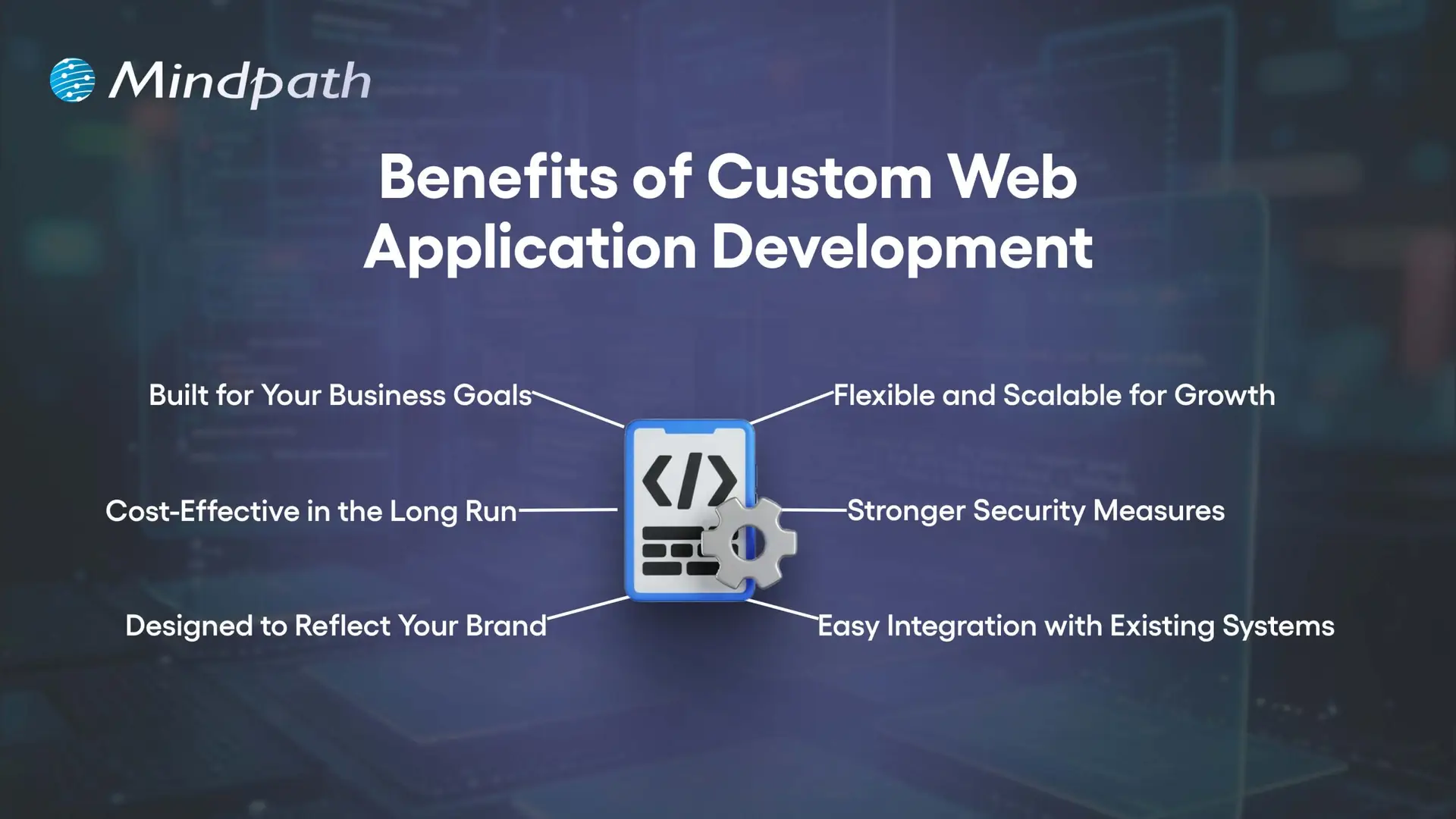
1. Built for Your Business Goals

When you use Custom web application development, you have every feature custom development to suit your needs. This makes integrating workflows easier and an easier experience for your employees.

2. Cost-Effective in the Long Run

A custom solution takes out the licensing fees and unnecessary features, which will save you in the long run. You can also reduce some infrastructure and hardware costs if you are going to outsource the development, too.

3. Designed to Reflect Your Brand

Custom web app development allows you to create every aspect of the application, to your brand’s identity. It can give your application a customized, professional, and unique identity that users will definitely recognize.

4. Flexible and Scalable for Growth

Custom-built applications will grow with your business and meet new demands. You will be able to add new features, accommodate increased traffic and usage, and still have a smooth performance.

5. Stronger Security Measures

Security is a key feature of Custom web application development, ensuring that your business is safe from common cyber threats. Custom apps will be fun to breach and take over than commercial apps found on the market.

6. Easy Integration with Existing Systems

Custom web applications will integrate easily with your current systems and databases. This allows you to keep data synchronized, accurate, and consistent across all platforms.

Choosing a custom web application is a strategic business decision! Discover web development trends to ensure your development strategy aligns with current and future digital demands.

10 Signs Your Business Needs a Custom Web Application

As businesses change, many times their needs exceed what generic software can deliver. Knowing the signs that you need a custom web application will allow you to reduce the damage that can happen before inefficiencies grind your business down.

10 Signs Your Business Needs a Custom Web Application

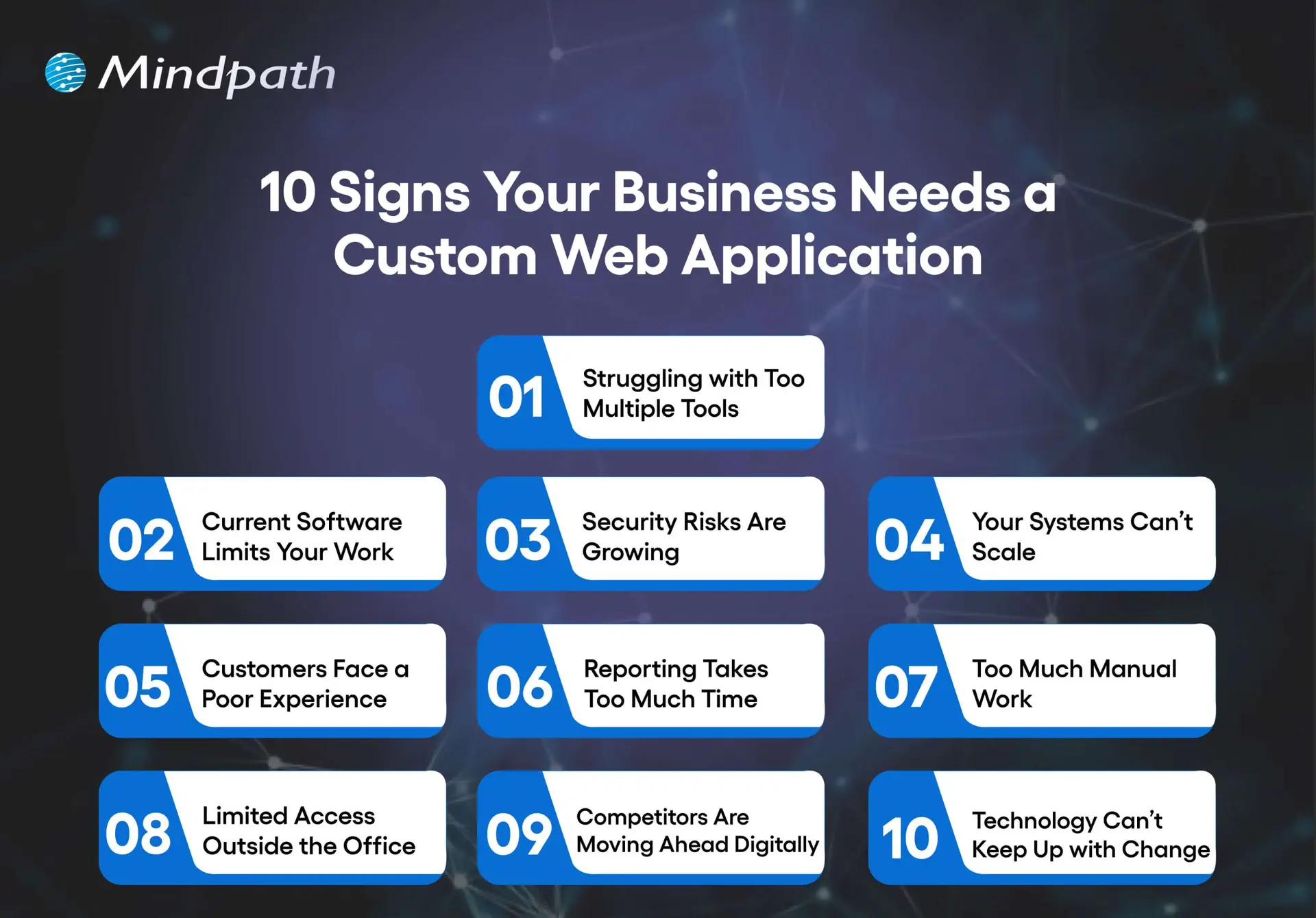
1. Struggling With Too Many Tools

Switching between spreadsheets, emails, and multiple apps slows work and causes mistakes. A custom web app centralizes your operations in one platform for better efficiency.

2. Current Software Limits Your Work

Generic software forces you to adjust your process to fit its features. Custom web application development creates solutions that match your exact workflows.

3. Security Risks are Growing

Using outdated systems leaves sensitive data exposed. A custom web app includes strong security controls, encryption, and adheres to all industry standards.

4. Your Systems Can’t Scale

Organizations evolve. As your business grows, so should your tools increase their users, data, and functionality. Custom software is built to scale without performance issues.

5. Customers Face a Poor Experience

Using slow, outdated, or limited platforms can leave users frustrated. A custom web app will provide users with modern interfaces, fast service, and customized experiences.

6. Reporting Takes Too Much Time

If your reporting is done manually, or it takes too long to collect and analyze, it will limit your decision-making. Custom web apps will provide real-time dashboards and allow for instant self-serve reporting.

7. Too Much Manual Work

When staff are tied up with repetitive data entry or repetitive tasks, it is hard to be productive. A custom application can be built with automation features to allow staff to concentrate on high-value opportunities or higher-skilled work.

8. Limited Access Outside the Office

If your employees can’t easily access your systems while off-site or, even worse, don’t have access to them at all, your flexibility is limited. A custom web application can be secured and hosted in the cloud, allowing staff to work from anywhere.

9. Competitors Are Moving Ahead Digitally

If you’re used to out-of-date tools and systems, keeping up will mostly be impossible. Custom web application development will give you the opportunity to develop useful features that are unique to your organization.

10. Technology Can’t Keep Up with Change

If your business pivots, expands, or introduces new services, the old systems won’t accommodate this change. Custom applications allow you to adapt to these opportunities, adding integrations, and are designed with flexibility.

Wondering what comes next after deciding to build a custom web application? Explore the web app development roadmap to gain clarity on development stages, timelines, and technology choices.

Ready to Build a Solution That Fits Your Business?

A growing business needs tools that adapt to its pace, processes, and vision. Custom web application development delivers tailored solutions that improve efficiency, strengthen security, and enhance customer experience. Recognizing the signs early allows you to invest in a platform that aligns perfectly with your goals and supports sustainable growth.

At Mindpath, our Custom web application development services create secure, scalable, and user-friendly platforms that integrate seamlessly with your operations. We focus on understanding your unique workflows and delivering features designed to simplify tasks, automate processes, and empower your team. The result is technology that becomes a true partner in your business journey.

maintenance support

Failure can be indicated well before it is seen. Reliable delivery teams begin to become aware of minor disruptions at an early stage. When systems exhibit minor yet consistent problems, maintenance support is needed. Are there minor errors that are occurring more frequently than anticipated? Do the response times seem a little bit out of tune during normal operations? These signals do not tend to be loud; however, they reflect more technical gaps that require consideration.

Besides, regular delays, unplanned downtime, and user complaints are hard to come by on their own. They accumulate pressure against business continuity and trust, over time, by users. Consequently, a prompt response maintains systems as dependable and effective. By neglecting the early warning signs, risks and cost are likely to rise. In this blog, key indicators will highlight when immediate maintenance action becomes necessary.

Ready to fix recurring issues before they start affecting your customers and revenue? Mindpath offers maintenance and support services to quickly resolve problems and keep your product running smoothly.

Why are Maintenance and Support Services Essential for a Business Product?

Business products need consistent performance to meet user expectations and market demands. Even small issues can affect reliability and growth. Maintenance support keeps systems stable, secure, and aligned with changing needs, ensuring smooth operations over time.

As businesses grow, products face higher traffic, security risks, and shifting user behavior. Regular updates and monitoring improve efficiency. Strong support services help businesses adapt quickly, protect performance, and maintain long term value without unexpected setbacks.

Here are the key points why support and maintenance are important:

1. Stronger Security and Risk Control

Frequent updates are used to address vulnerabilities before they are a major problem. This safeguards data, compliance, and minimizes exposure to cyber risks.

2. Better User Experience

Ongoing improvements make interfaces smoother and faster to use. As a result, users stay satisfied and engage more with the product.

3. Reduced Costs Over Time

Regular upkeep averts serious problems that require costly repairs. This will reduce the long term costs and eliminate the surprises of costs of repairs.

4. Improved Performance and Scalability

Regular optimisation and monitoring of systems is more effective. They are also capable of managing more workloads as the business needs increase.

5. Less Downtime and Smooth Operations

Active surveillance detects problems earlier than they can impact performance. This will maintain uniform operation and minimize unplanned disruptions.

6. Continued Relevance and Flexibility

The updates maintain products in line with new technologies and market demands. This assists companies remain competitive and prepared to change.

Key Signs Your Product Needs Immediate Maintenance Support

Products are capable of alerting to a decrease in their performance through early signs, and fixing them with the help of maintenance and support at once is the best way to do that. Not reacting quickly to these signs can lead to instability, whereas, by taking timely actions, we can keep the systems dependable.

1. System Struggles to Handle Growth

When ‍ the user base increases, the application either runs very slow or stops working altogether. Software maintenance support can help not only in improving the scalability of the application but also in ensuring smooth performance during system ‍ ‌‍ ‍‌growth.

2. Frequent Crashes and Downtime

During ordinary operation, the system crashes, sticking or having to be continually restarted. This is not only a reflection of its instability but also a signal for the need of quick measures that would strive to bring back the regular functioning.

3. Slow Speed and Response Issues

One of the main reasons why users get frustrated with an application is when pages take too long to load. Not only does it affect user experience, but it can also lead to low user engagement. In this regard, application maintenance support is a great solution to optimize performance and minimize latency.

4. Rising User Complaints

Another sign of a troubled product is when users start reporting problems more frequently such as errors, missing features, or poor usability. In fact, this could be a clear indication that the product is no longer satisfying the users and hence, requires immediate improvement.

5. Security Gaps and Risks

If updates are not implemented, the system becomes vulnerable to exposure and unauthorized access. Therefore, regular patches are not only vital for data security but are also the best way to keep the application safe from security loopholes.

6. Outdated Technology Stack

With technology advancing rapidly, the use of outdated frameworks and systems often becomes a major hindrance to performance and compatibility. This is why only technology updates lead to better efficiency and at the same time meet the needs of modern users.

7. Hard-to-Manage Code Structure

Simple changes take too long due to complex and unstructured code. This slows development and signals the need for code optimization.

8. Failed Backup and Data Risks

Backup processes fail or recovery tests do not work properly. This increases the risk of data loss and demands immediate attention.

9. Overloaded Support Team

The team spends most time fixing urgent issues instead of improving the product. This shows deeper system problems that need structured maintenance.

10. Broken Integrations and Features

Third-party tools or APIs stop working as expected. This not only affects the product operation but the entire functioning also gets disrupted.

Is Your Product Ready for Reliable Performance?

Ignoring early warning signs can impact performance, security, and user trust. Timely maintenance support helps businesses stay ahead of issues and ensure smooth operations. A proactive approach keeps systems stable, efficient, and aligned with changing business needs.

At Mindpath, we provide maintenance and support services to keep your product running without disruptions. Our team ensures consistent performance, quick issue resolution, and long-term stability, helping businesses focus on growth with confidence and reliability.

Frequently Asked Questions

1. How often should a product receive maintenance support to stay stable?

Regular maintenance depends on product complexity and usage levels. High traffic systems need more frequent monitoring and updates. Consistent checks help prevent unexpected issues, improve performance, and ensure the product continues to meet user expectations without interruptions.

2. What happens if early signs of product issues are ignored?

Ignoring small issues can lead to serious performance failures, security risks, and poor user experience. Over time, this increases downtime and repair costs. Addressing problems early helps maintain stability and avoids major disruptions that can affect business operations.

3. How does maintenance support help in improving user satisfaction?

Maintenance support ensures smooth performance, faster load times, and fewer errors. Users expect reliable and quick experiences. Continuous improvements and timely fixes help meet these expectations, leading to better engagement, trust, and long-term user retention.

4. Is maintenance support necessary even when the product is performing well?

Even well-performing products require regular updates and monitoring. Hidden issues can grow over time without visible signs. Proactive maintenance support helps prevent future problems, keeps systems secure, and ensures consistent performance as business needs evolve.

5. Can regular support reduce long-term product costs?

Yes, regular maintenance helps identify and fix small issues before they become expensive problems. It reduces the need for emergency repairs and system overhauls. This approach ensures better resource management and keeps overall operational costs under control.

Custom AI Voice Agent Development

Businesses are adopting AI voice agent development to handle customer conversations, automate calls, and improve response times. Unlike traditional phone systems, AI voice agents can understand spoken language, respond naturally, and complete tasks during conversations. As a result, voice automation is a practical solution for businesses seeking faster service, lower operational workloads, and more consistent customer experiences.

Key Takeaways

  • 01AI voice agents automate routine customer conversations efficiently.
  • 02Custom solutions improve response times and customer experiences.
  • 03Development costs depend on features, integrations, and complexity.
  • 04Voice agents support sales, service, scheduling, and operations.
  • 05Proper planning helps businesses build scalable voice automation.

In addition, custom AI voice agents can support sales, customer service, appointment scheduling, lead qualification, and internal workflows. Moreover, their development cost and timeline depend on factors such as features, integrations, AI models, voice technology, and customization requirements. Businesses also need to consider scalability, security, and ongoing optimization when planning a voice AI solution. In this blog, we will explore the development process, key use cases, costs, timelines, and benefits of custom AI voice agents for businesses.

Ready to build a custom AI voice agent for your business? Mindpathtech offers AI development services to help you create intelligent, scalable voice agents tailored to your workflows and customer needs.

What is AI Voice Agent Development?

AI voice agents are software systems that use artificial intelligence to understand spoken language, process user requests, and respond through natural voice conversations. In addition, they can handle customer interactions, answer questions, collect information, and complete predefined tasks without requiring a human representative for every call.

Furthermore, Conversational AI development combines speech recognition, natural language processing, large language models, text to speech technology, and business system integrations. As a result, a custom solution can be designed around specific workflows, allowing businesses to automate conversations while maintaining context, accuracy, and a consistent customer experience.

Key Features of AI Voice Agents

Modern voice agents combine several technologies to deliver natural and efficient conversations. In addition, these capabilities allow businesses to automate routine calls while keeping interactions responsive and context aware.

  • Speech recognition: For example, it converts spoken language into text so the system can understand caller requests.
  • Natural language understanding: Similarly, it identifies the user’s intent and determines the appropriate response or action.
  • Natural voice responses: Converts generated responses into realistic speech for smoother conversations.
  • Context awareness: Maintains conversation context to provide relevant responses throughout a call.
  • Business system integration: Connects with CRM, ERP, scheduling, and other business platforms to complete tasks.
  • Call automation: Handles repetitive calls, customer queries, appointment scheduling, and follow ups automatically.

As a result, these capabilities make AI-powered voice assistants useful for businesses that want to improve customer communication while reducing repetitive manual work.

How to Build a Custom AI Voice Agent?

First, building a custom voice agent requires careful planning to ensure the solution matches business requirements and customer expectations. Next, the AI voice agent development process typically involves several stages, from defining the use case to deploying and improving the final solution.

1. Define the business requirements

Identify the calls, tasks, customer needs, and workflows the voice agent should handle.

2. Choose the technology stack

Select suitable AI models, speech recognition tools, text to speech technology, APIs, and cloud infrastructure while evaluating the best IT development approach for your team.

3. Design conversation flows

Create clear conversation paths that help the agent understand requests and respond appropriately.

4. Integrate business systems

Connect the agent with CRM, ERP, scheduling, payment, or other platforms required to complete tasks.

5. Train and test the agent

Test different conversations, accents, questions, and unexpected responses to improve accuracy and reliability.

6. Deploy and monitor

Launch the solution, utilize augmented analytics for performance insights, and continuously improve responses based on real user interactions.

Therefore, with AI call automation, businesses can move beyond basic call handling and create voice agents that actively complete tasks and support business workflows.

ai voice agent development

How Much Does It Cost to Build a Custom AI Voice Agent?

Overall, the cost to build a custom AI voice agent depends on the complexity of the solution, required features, integrations, AI models, voice technology, and development effort. For example, a basic voice agent handling simple queries will require less investment than an enterprise solution connected to multiple business systems and complex workflows.

AI Voice Agent Type Typical Features Estimated Development Cost
Basic Voice Agent FAQs, basic call handling, simple responses $5,000–$15,000
Business Voice Agent Lead qualification, appointment booking, CRM integration $15,000–$40,000
Advanced Voice Agent Multiple workflows, advanced integrations, context awareness $40,000–$100,000
Enterprise Voice Agent Complex workflows, multiple integrations, analytics, security, scalability $100,000–$250,000+

The final investment can vary based on the number of integrations, expected call volume, customization requirements, comprehensive security standards, and ongoing maintenance needs.

How Long Does It Take to Develop an AI Voice Agent?

Overall, the development timeline depends on the complexity of the voice agent, the number of features, integrations, and level of customization required. A simple agent can be launched relatively quickly, while an enterprise solution may require several months of development, testing, and optimization.

Development Stage Key Activities Estimated Timeline
Planning & Discovery Requirements, use cases, workflows, technology selection 1–2 weeks
Prototype Development Basic conversation flow, voice interface, initial AI setup 2–4 weeks
Integration & Development CRM, APIs, business systems, custom workflows 3–8 weeks
Testing & Optimization Accuracy, conversations, edge cases, performance testing 2–4 weeks
Deployment Production setup, monitoring, final configuration 1–2 weeks

For an AI voice agent for small business, the timeline can often be shorter because the solution may require fewer integrations and simpler workflows. However, advanced requirements such as multilingual support, complex call routing, custom business logic, or strict security requirements can extend the development timeline.

AI Voice Agent Use Cases Across Industries

Businesses across different industries are using voice AI to handle repetitive conversations, improve customer support, and streamline everyday operations. As a result, with AI voice agent development, organizations can create solutions tailored to their specific workflows, customer needs, and communication channels.

1. Customer Support

For example, AI voice agents can answer common questions, provide information, and resolve routine customer requests without human intervention.

2. Sales and Lead Qualification

Voice agents can contact prospects, ask qualifying questions, capture details, and transfer promising leads to sales teams.

3. Appointment Scheduling

In addition, businesses can automate appointment bookings, confirmations, cancellations, and reminders through natural voice conversations.

4. Healthcare Communication

Voice agents can assist with appointment reminders, basic patient queries, follow-ups, and administrative communication.

5. Banking and Financial Services

They can support routine account queries, transaction information, and customer service workflows while following defined security procedures.

6. E-commerce

Voice agents can help customers with order updates, product questions, delivery information, and post-purchase support.

7. Internal Business Operations

Organizations can use voice agents for employee queries, workflow requests, information retrieval, and routine administrative tasks.

Ready to Build a Custom AI Voice Agent for Your Business?

Overall, custom AI voice agents help businesses automate conversations, improve response times, and handle repetitive calls efficiently. Therefore, the right solution depends on business goals, required features, integrations, development complexity, and expected call volume. As a result, careful planning can help businesses build scalable voice automation that delivers consistent and reliable customer experiences.

Mindpath helps businesses build AI solutions tailored to their workflows and operational needs. Our AI development expertise supports custom voice agents with intelligent conversations, system integrations, automation, and scalable architectures. From initial strategy to deployment, Mindpath can help businesses turn voice AI opportunities into practical, business-focused solutions.