
Home

DevOps vs DevSecOps: Understanding the Differences

DevOps vs DevSecOps: Understanding the Differences

Join our Newsletter!

Devops vs devsecops

DevOps vs. DevSecOps is a topic that will often arise when companies look for better and faster software delivery. Businesses are looking to release applications and software faster than ever, but they are also mindful of the growing sophistication of security threats. So where can businesses find the balance of speed and safety? This is where the transition from DevOps to DevSecOps comes into play; the need for speed is balanced with more stringent security requirements.

In today’s fast-moving digital age, the speed of development plays an important role, but it’s hardly enough. In addition to wanting systems that develop software quickly, organizations want systems that will also withstand vulnerabilities at each stage. That is why there’s so much interest in DevSecOps. DevSecOps does not replace DevOps; it enhances it by using continuous security assessments and ongoing protection. A clear understanding of these differences allows businesses to make better choices that can balance innovation with resilience. So, keep reading further to know the difference between DevOps and DevSecOps in this blog.

Still unaware of how DevOps benefits your business? Get in touch with us to gain full insight into adopting DevOps services that makes your operations seamless.

What is DevOps?

DevOps is a collaborative software development methodology that unites an organisation’s Development (Dev) and IT Operations (Ops) teams to deliver software faster, more reliably, and at greater scale. Its foundation is automation, continuous integration (CI), and continuous delivery (CD), commonly combined as CI/CD. DevOps helps break down silos between teams, enabling shared goals while reducing risk. It simplifies processes, improves team efficiency, and aligns technology outcomes with both customer and business objectives.

Furthermore, it drives a cultural change that values accountability, empathy, and shared responsibility. With automation, fast iterations, and rapid feedback, businesses are able to deliver secure and reliable software. In addition to this, not only does the process encourage innovation and creativity, but it also gives businesses flexibility and resilience in a competitive marketplace.

Here are some of the benefits of DevOps: 
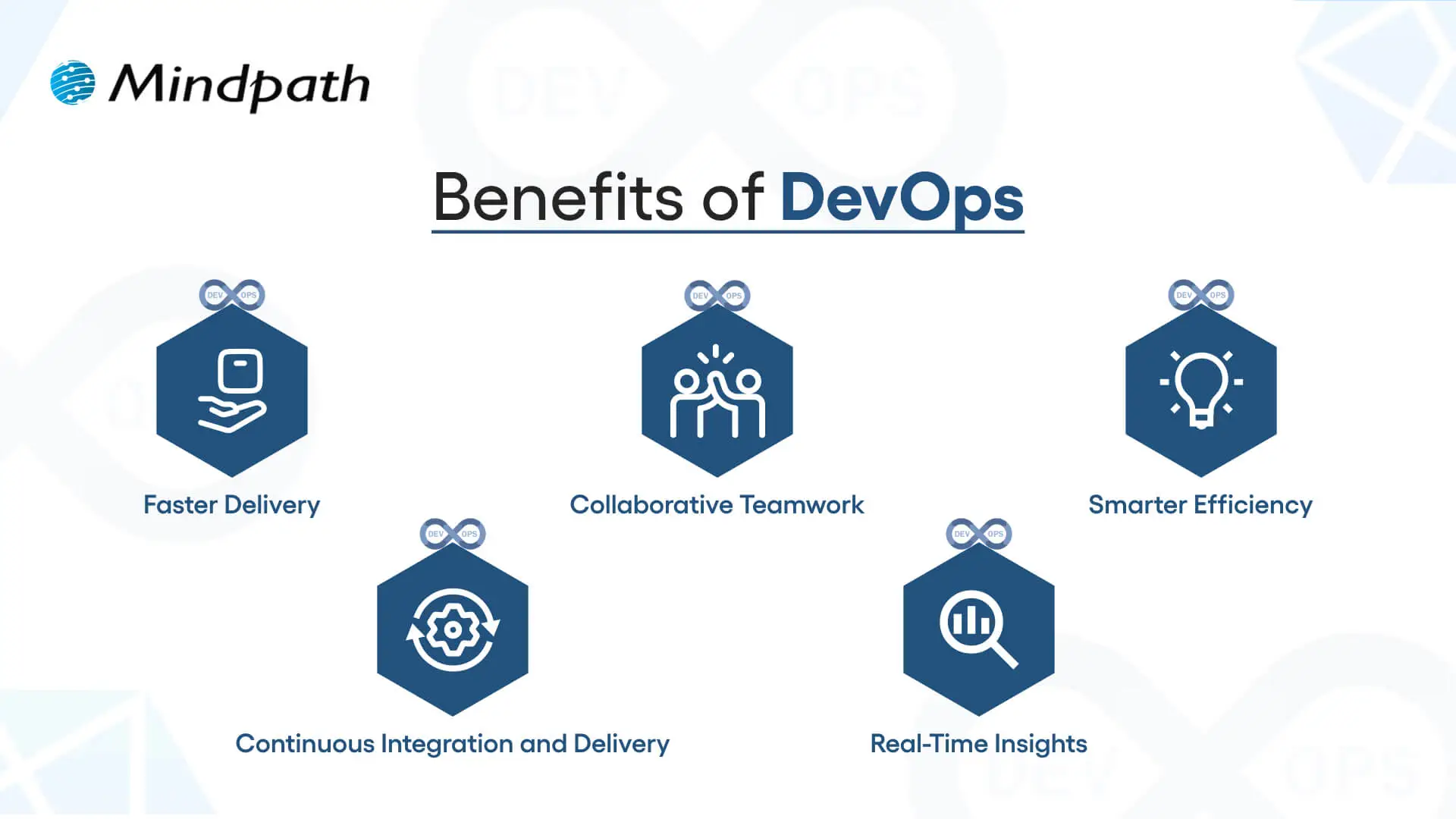
1. Faster Delivery

Development cycles can go a lot quicker with automation and simplified processes. This enhanced delivery allows more frequent releases and decreases time to market.

2. Collaborative Teamwork

Development teams, operations, and other teams are all working toward common goals. Good team collaboration eliminates silos and improves project quality.

3. Smarter Efficiency

Automation eliminates repetitive tasks and optimizes workflows. Teams have the ability to save time and focus on activity that produces value, instead of spending time on manual processes.

4. Continuous Integration and Delivery (CI/CD)

Continuous integration and continuous delivery allow for reliable and consistent deployments. Your users can get new features and fixes fast and seamlessly.

5. Real-Time Insights

Monitoring tools enable instant visibility across the ecosystem. Teams can identify problems early, troubleshoot quickly, and improve performance.

These points explain how DevOps speeds up collaboration and delivery when comparing DevOps vs. DevSecOps, while DevSecOps extends an approach that has been inherently faster approach by adding stronger security practices.

Curious how automation and modern practices can improve your DevOps pipeline? Visit our blog on DevOps Trends to discover actionable insights and emerging innovations.

What is DevSecOps?

DevSecOps (Development, Security, and Operations) is the practice of integrating automated security checks into every phase of the software development lifecycle. It unites development, security, and operations teams so they can plan, build, test, and release applications together, making security a shared responsibility from the start. In return, DevSecOps allows for faster, more reliable processes, ensuring that security is built in from the very beginning rather than added as an afterthought.

To better understand the three pillars of DevSecOps, simply think of collaboration, automation, and continuous security. Collaboration ensures that everyone is sharing the responsibility, automation introduces automated security checks into CI/CD pipelines, and continuous security ensures that monitoring is continuous. With the three pillars of DevSecOps, organizations are able to create dependable applications while implementing continuous security measures to defend them against constantly evolving threats.

Here are the benefits of DevSecOps:
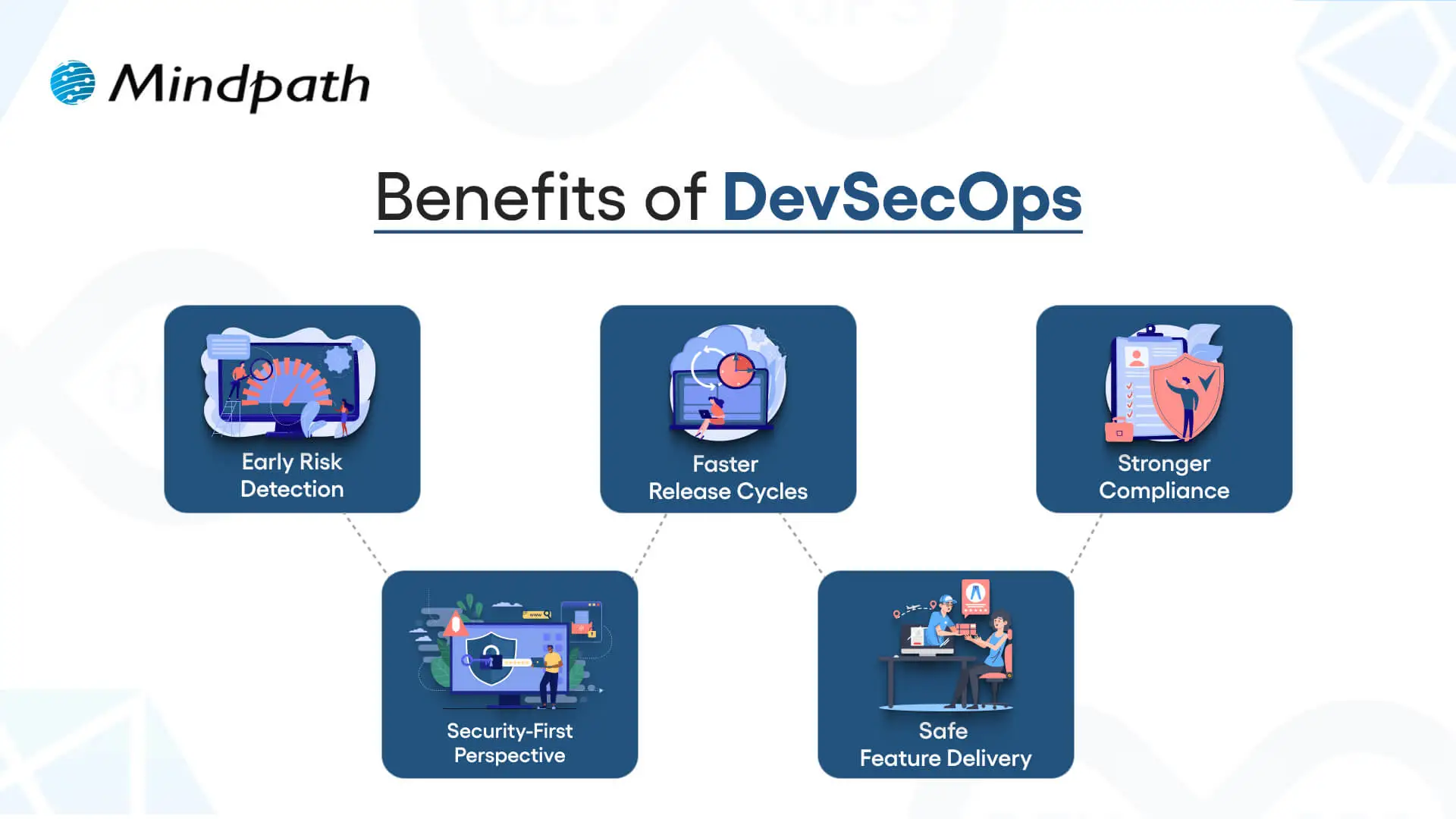
Benefits of DevSecOps

1. Early Risk Detection

DevSecOps allows for the identification of vulnerabilities during the development phase rather than at the end of the development process. Finding and remediating risk early in this way saves time and expense and means that users receive secure applications.

2. Faster Release Cycles

As teams can impact security testing in their workflow, delays are prevented, human error is removed, and developers get new features into the hands of users sooner.

3. Stronger Compliance

DevSecOps processing can assist software teams in meeting compliance obligations with strict regulatory guidelines. Automated checks and secure development practices ensure that data continues to be protected, while developers can be assured that they meet industry standards.

4. Security-First Perspective

Treating security as a shared responsibility, teams practicing DevSecOps have developers, security professionals, and operations staff collaborating to manage risks actively and ensure they minimize incidents throughout the development period.

5. Safe Feature Delivery

With DevSecOps, teams can deliver new functionality faster while also guaranteeing that security practices are undertaken throughout the development period. This can be one of the key differences in terms of DevOps vs. DevSecOps: how features are delivered.

Aiming to enhance operational efficiency and reduce development risks? Check out our blog on DevOps Challenges and Solutions to discover proven approaches that improve performance, stability, and cross-team cooperation.

DevSecOps vs. DevOps: Key Differences

DevOps vs. DevSecOps reveals how software teams value speed, teamwork, and security. While DevOps emphasizes faster delivery, DevSecOps enhances that process, making security a priority at every step of the development process.

1. Security Focus

The primary distinction between DevOps vs DevSecOps is security. DevOps puts movement between development and operations to speed up the delivery of software, but its security processes are usually significant afterthoughts. DevSecOps has security processes established from start to finish and considers them a core capability. By treating security as a core capability, vulnerabilities are eliminated upstream, so they are remedied before deployment.

2. Collaboration Culture

DevOps emphasizes collaboration between development teams and operations teams to promote continuous integration and delivery. Security is often treated as an independent effort, which creates holes in the development process. DevSecOps emphasizes the work of the security team interacting directly with developers and operations teams in every phase of development. This develops a culture of security being everyone’s responsibility.

3. Timing of Security

Conventional DevOps teams often include security at the final phase of the development cycle. If bugs occur towards the end of the process, they can delay the project significantly. DevSecOps reinforces timing by introducing a shift-left strategy with security at the beginning of the development process to build secure and reliable applications.

4. Tools and Automation

In contrast, when discussing DevOps vs. DevSecOps tools, the distinction is clear. DevOps follows automated processes for build, test, and deploy; however, normally, the security tools are still standalone. With DevSecOps, you use drive-by automated security scans, code analysis, and continuous monitoring in the CI/CD pipeline. It allows teams to detect threats in real-time without having to slow their delivery pace.

5. Salary Comparison

There is a notable salary gap when looking at DevOps vs. DevSecOps salaries in the UK. DevOps Engineers generally earn from £65,000 to £92,500+ with a difference based on skills and location, while DevSecOps Engineers receive a greater salary, with salaries for senior roles exceeding £130,000+ a year, particularly for positions based in London.

Looking to optimize your CI/CD pipeline with smarter automation and streamlined processes? Visit our blog on DevOps Best Practices to discover the strategies high-performing teams use to achieve consistent, stable releases.

DevOps vs. DevSecOps: A Comparison Table

When exploring DevOps vs. DevSecOps, it’s clear that both approaches aim to improve software delivery but take different routes to get there. This table highlights the main distinctions, making it easier to see how DevSecOps builds on DevOps with an added focus on security.

Aspect DevOps DevSecOps
Core Goal Focused on speeding up development and deployment cycles. Balances speed with security to deliver safe, reliable software.
Team Culture Collaboration between development and operations teams. Shared responsibility among development, operations, and security teams.
Security Approach Security checks are introduced late in the release pipeline. Security is integrated into every stage of the development lifecycle.
Automation Uses CI/CD pipelines to automate builds, tests, and deployments. Extends CI/CD with automated security scanning and compliance checks.
Risk Handling Issues are often fixed after vulnerabilities are found in production. Risks are identified and mitigated early to prevent breaches.
Compliance Handled towards the end of development, often as a final step. Built into processes from the beginning, ensuring continuous compliance.
Toolset Relies on monitoring, deployment, and collaboration tools. Adds tools for code analysis, threat detection, and policy enforcement.
End Result Delivers applications quickly but may leave gaps in security. Produces faster releases that are also secure, compliant, and resilient.

Which approach will drive your business forward?

The comparison of DevOps vs. DevSecOps shows that while DevOps accelerates delivery, DevSecOps ensures that speed is not achieved at the cost of security. Businesses gain the ability to innovate quickly while reducing vulnerabilities. Choosing the right model depends on priorities, but integrating security early always results in stronger, more resilient software outcomes.

At Mindpath, we offer tailored DevOps services designed to improve speed, collaboration, and reliability across your software delivery cycle. By helping teams embrace automation, modern practices, and security-focused strategies, Mindpath ensures that businesses not only accelerate development but also deliver secure, high-performing applications that stand out in today’s competitive digital market.


Is Security Part of Your Pipeline?

Build security checks into every stage of delivery.

Frequently Asked Questions

DevSecOps integrates security throughout the development lifecycle, helping teams identify vulnerabilities early, improve compliance, and reduce security risks without delaying software releases.
No. Automated security testing within CI/CD pipelines enables teams to detect and resolve vulnerabilities while maintaining fast, reliable software delivery.
DevSecOps typically includes code scanning, dependency analysis, container security, vulnerability assessments, secret detection, and continuous security monitoring throughout the development pipeline.
Organizations developing cloud applications, handling sensitive data, or following regulatory standards should implement DevSecOps early to strengthen application security and compliance.
Yes. Small businesses can adopt DevSecOps using automated security tools and best practices to build secure applications without requiring large security teams.

Support Is One Click Away

Featured Posts

Related Post

what is autoML

Automated machine learning is a process of automating the complex machine learning process that traditionally requires in-depth technical expertise. It is a valuable practice of automating the end-to-end development of ML models. So, if you are asking what AutoML is, it uses non-experts to generate and implement artificial intelligence systems. Other than this, it can align the AI workflows for keen developers and data scientists.

Due to its heavy usage, automated machine learning market value will reach USD 22.3 billion by 2035. Similarly, AutoML tools can simplify your ML model creation capabilities.

Ready to simplify your machine learning processes with the power of AutoML? Contact us today to discover how automated solutions can accelerate your AI journey and drive better results.

What is AutoML Through a Practical Perspective?

If we define AutoML through a practical perspective, it is a framework that automates the complete lifecycle of building, training, testing, and deploying machine learning models. So, instead of manually assessing the algorithms and parameters, AutoML systems can intelligently experiment with multiple combinations. This can help you land on the most efficient solution.

How Does AutoML Process?

After learning what is AutoML, let us proceed towards its working process. So, the solution works by creating a series of machine learning pipelines to handle the given task, and afterwards it identifies the optimal choice. Moreover, model assessment and selection are automated as part of the iterative process of picking the best solution. Here, you can go through the working steps of automated machine learning.

1. Data Creation and Pre-processing

In this step, developers gather raw data and integrate it into a training dataset. With proper data preparation, your training data will remain free from any type of bias and encourage your model to be successful. Accurate data can offer you more authentic predictions and insights.

You should connect the automated machine learning platform with the training data source. Further, you should remember that the data preparation process occurs before the deployment of an AutoML solution. The AutoML solution preprocesses and cleans the data efficiently. So, thorough data processing can also sharpen your AI model performance vastly.

2. Feature Engineering

After we define the AutoML pre-processing step, let us get into feature engineering. So, data features are the major elements of a dataset that ML models use to make predictions or any integral decisions. Feature engineering is a transformative procedure through which a data scientist gathers new information from input data. Further, they prepare it for machine learning.

Automated feature engineering automates the process of finding the feature space and fills the missing values while selecting the best features to use. However, it can be very difficult for you to build a single feature manually. So, let AutoML AI handle the task for you.

3. Model Selection along with Hyperparameter Tuning and Training

Now, as you are well aware of what is AutoML, can you identify which model is required for the use case? When it comes to traditional machine learning, model selection needs expert knowledge about AI model types along with their abilities and limitations.

AutoML tools can easily enhance the traditional process. It helps in automatically creating and training several models at a time with a series of hyperparameter configurations and algorithms. There are many AutoML solutions that put together multiple models in a process called ensemble learning.

4. Testing and Validating the Solution

Data scientists are required to validate the progress of an ML algorithm during the training phase. After the training, the following model is tested with new datasets to assess its performance in real-world conditions. The performance of the model is verified with metrics that include an F1 score, a confusion matrix, etc.

5. Deployment of the Model

Model generation is just the initial phase in the timeline of the product. Thorough models need to be made available to users and should be assessed for their performance. This step ensures they are reliable and serving with accuracy. So, without any automation, development teams need to write scripts and generate systems to integrate the model into the operations.

This structured automation enables organizations to garner faster outcomes with consistent quality. So, when teams define AutoML, they can express it as a productive multiplier that eliminates the gap between raw data and actionable intelligence.

Ready to take AutoML to the next level? Check out how large language models are transforming machine learning with smarter predictions and advanced automation.

Why Automated Machine Learning is Reliable for Modern Businesses?

The increasing importance of automated machine learning is directly related to the growing demand for AI-driven data. Traditional machine learning pipelines need extensive manual intervention, which can significantly limit your speed and scalability. So, automation eliminates such barriers and enables your businesses to operate AI more efficiently.

Major reasons organizations have been adopting automated machine learning include,

1. Consistent model performance.

2. Faster delivery to market for AI solutions.

3. Non-experts can improve their accessibility.

4. Better usage of data science teams.

Planning to leverage machine learning without a large data science team? Explore AI solutions for small businesses to see how AutoML and intelligent tools help streamline processes.

How Do Multiple Industries Use AutoML?

As per the recent scenario, the AutoML market has a CAGR of 38.0%. A series of industries has been adopting AutoML to verify patterns in huge datasets.

1. Telecommunications

These companies can use AutoML to predict which customers are more likely to renew their contracts. This is how the following companies can enhance their decision-making abilities, starting from marketing to customer service.

2. Insurance

AutoML is capable of simplifying the working structure of insurance companies while encouraging their actuarial processes. So, insurers can get more time for in-depth analysis and validation. This is how they can justify their policies to regulators.

3. Data Science

AutoML is generally useful for non-experts, but it can also empower pro data scientists. So, AutoML accesses data scientists to use several algorithms to find the best models effectively.

Curious how to customize AI models for specific tasks? Explore OpenAI’s Fine-Tuning API guide to learn how fine-tuning enhances AutoML workflows and delivers more accurate, tailored results.

What Type of AutoML Tools Have Been Signifying Their Performance in the Market?

There is a series of AutoML tools that creators have been utilizing in recent scenarios. Let us learn about them.

1. Auto-pyTorch

This is an autoML solution curated to automate the ML projects generated with PyTorch.

2. AutoKeras

This is known to be an open-source tool built on the Keras library and TensorFlow.

3. Lale

This is an open-source, semi-automated Python library that helps ensure seamless integration with scikit-learn pipelines.

4. Google Cloud AutoML

It is Google’s AutoML solution available on its Cloud platform for ML.

These are some of the eminent AutoML tools you need to be knowledgeable about. Similarly, AutoML AI has also been seeking the attention of users because of its endless capabilities. This represents the combination of artificial intelligence with automation techniques to optimize machine learning workflows. So, instead of completely depending on static rules, AutoML AI systems can learn from your previous experiments and enhance your future model selections.

Looking to optimize large language models efficiently? Explore Low-Rank Adaptation (LoRA) to learn how it enables fast and resource-friendly fine-tuning for LLMs alongside AutoML workflows.

Advantages of AutoML over Traditional Machine Learning

AutoML serves plenty of advantages over traditional and manual machine learning workflows by reducing complexities and accelerating execution abilities.

1. Quick Model Development

AutoML effectively reduces the time needed to build machine learning models by automating data preparation. Further, it incorporates faster feature engineering, algorithm selection, and hyperparameter tuning.

2. Minimal Skill Barrier

Traditional machine learning needs strong knowledge in programming, statistics, and model optimization. So, AutoML minimizes such a barrier by enabling you to build an effective model without intense data science knowledge.

3. Reduces Human Error

Manual experimentation can give rise to mistakes in pre-processing, feature selection, and tuning. On the other hand, AutoML standardized the workflows by reducing inconsistencies and errors caused by manual approaches.

4. Consistent Evaluation

AutoML ensures models are properly trained, tested, and compared with the usage of consistent evaluation metrics. So, this makes your performance reliable and enables organizations to make data-driven decisions.

Curious how AutoML builds smarter AI systems? Explore AI models to learn how different architectures and algorithms power automated machine learning and enhance predictions.

Disadvantages and Other Concerns

While AutoML can offer an endless automation facility, it can’t completely replace the human expertise requirements. So, it is necessary to understand its disadvantages to be a responsible user.

1. Risk of Over-Fitting

AutoML might create highly authentic models that perform well on training data. But, somehow, they might lack good performance on new data if you do not validate them precisely. So, it is necessary to monitor them continuously.

2. Dependence of High-Range Data

AutoML systems depend heavily on the quality of input data. So, poor data can’t offer you authentic predictions that you desire, no matter how effective the automation process is.

3. Lags Behind in Transparency

This limitation can be a risk in regulated industries where decisions need to be transparent.

Final Words

Understanding what is AutoML necessary for industries that want to remain competitive in this data-driven economy. By automating the complicated aspects of machine learning, AutoML can empower your business to be faster and more scalable with AI initiatives. This is where Mindpath comes as your ultimate partner.

Here, you can get modern AutoML solutions to transform your raw data into meaningful and valuable insights. Further, you can streamline your decision-making abilities while adopting scalability. As a user, the experts here can help you adopt the best features of AutoML that can make you understand the deep learning systems more efficiently.

Discover how AutoML simplifies machine learning for businesses. Learn about its benefits, including cost savings, accuracy, and faster deployment.
Node.js Use Cases for Businesses

The fast-paced digital landscape has pushed businesses to think of all possible ways to build fast and reliable apps that can manage heavy traffic. You should learn about Node.js use cases in web app development and discover examples of how it is transforming modern businesses. Node.js is the driving force behind 6.3 million websites worldwide, indicating that it is a trusted web framework (Source).

Key Takeaways

  • 01
    Node.js supports highly scalable applications through its non-blocking, event-driven architecture.
  • 02
    Businesses use Node.js for faster development, high performance, scalability, and cost efficiency.
  • 03
    Node.js can handle simultaneous connections and real-time workloads efficiently.
  • 04
    Companies such as Netflix, LinkedIn, NASA, Uber, and PayPal have used Node.js to address real business challenges.
  • 05
    Node.js is well suited for real-time, high-traffic, scalable, and performance-focused business applications.

The most interesting thing about Node.js is that it is still the top favorite of developers. Why is Node.js standing strong amidst the arrival of new frameworks, languages and runtimes? The biggest reason underlying the popularity of Node.js is that it is still relevant, versatile and more optimized. You should unravel some of the top use cases of Node.js and examples of real-world apps driven by Node.js to understand its true potential.

Want to speed up development while ensuring high performance and security for your Node.js app? At Mindpath, we offer expert Node.js development services who deliver fast, secure, and scalable solutions.

What Makes Node.js Special?

Node.js is the most popular open-source JavaScript runtime that serves as the top pick for creating highly scalable applications. Every example of Node.js used by companies for digital transformation sheds light on its non-blocking, event-driven architecture. It also uses the Google V8 JavaScript engine that helps with compiling JavaScript directly in machine code, thereby facilitating faster execution. Most important of all, Node.js can cater to the full spectrum of development needs for modern applications.

Is Node.js really the top favorite of developers in 2026? According to the Stack Overflow 2025 Developer Survey, 48.7% developers claimed Node.js as their first choice among web frameworks (Source). Developers choose Node.js to create real-time apps with serverless architecture and microservices-based ecosystems. You can find a better idea of why Node.js is the leading backend development framework with insights on its capabilities.

  • Node.js supports the use of JavaScript as the single language throughout the stack to enable easier code sharing and collaboration between teams.
  • The Node Package Manager or npm powers the Node.js ecosystem with more than 2 million packages offering solutions for every need.
  • Node.js can manage simultaneous connections along with faster I/O operations, making it clear why Node.js real-time applications are growing in numbers.
  • The high versatility and low learning curve of Node.js makes it a trusted choice for startups while its performance and scalability attracts big enterprises.
  • The compatibility of Node.js with popular cloud platforms like AWS Lambda helps in achieving cost-effective deployments.

Looking to boost your website’s performance using Node.js? Explore our detailed guide on boosting web performance with Node.js development services to optimize performance and deliver a faster, more efficient user experience.

Unraveling the Key Business Advantages of Node.js

The technical features of Node.js provide a clear impression of how it is one of the top web frameworks. You should also know about the notable benefits that Node.js has to offer for businesses to achieve measurable results.

1. Faster Development Lifecycles

The flexibility to use JavaScript throughout the stack offers the opportunity to accelerate development. Node.js is lightweight and offers a NPM ecosystem, both of which help in developing proof-of-concept quickly. Therefore, Node.js enables faster validation of new ideas before beginning full development. On top of it, faster feature delivery also allows developers to respond quickly to market feedback.

2. Performance that Elevates User Experiences

The outline of Node.js benefits will remain incomplete without discussions about how to delivers high performance. The combination of the V8 engine and non-blocking I/O architecture helps in achieving faster response times aligned with user expectations. Node.js is the top choice to create applications that demand frequent database queries, API calls and file operations. The capability of Node.js to handle multiple concurrent requests makes it the best framework for applications that experience high traffic.

3. Scalability to Grow as Your Business Grows

The support for horizontal and vertical scaling is one of the crucial features of Node.js that developers cannot ignore. It supports the addition of more servers or increasing server resources without designing the application architecture from scratch. Therefore, Node.js has become the ideal framework to create applications that can deal with sudden variations in traffic without reducing responsiveness. Node.js also offers WebSocket support and combined with its event-driven architecture, it helps in building applications that require live updates.

4. Reducing Costs throughout the Development Lifecycle

The next reason you can find a Node.js use case for business is the assurance of cost efficiency. With a single language stack, Node.js requires fewer specialists, thereby reducing costs. In addition, Node.js also supports efficient resource usage as applications run with lesser server capacity than apps created with other frameworks. The lower infrastructure requirements play a vital role in reducing hosting costs. Furthermore, faster development ensures competitive positioning and accelerates revenue generation.

Wondering why Node.js has become a preferred choice for high-performance web applications? Explore the full breakdown in our guide on the advantages of Node.js web development and see how it empowers modern businesses.

Which Companies Have Successfully Used Node.js?

The core features and benefits of Node.js showcase why it is still one of the most popular web frameworks in the market. Many readers would want to discover the real-world use cases of Node.js where the framework helped businesses achieve measurable value. You will come across many notable businesses in the world that have successfully used Node.js to address critical challenges.

1. Netflix

Netflix has achieved the status of a global streaming giant with its massive user base spread across different continents. The streaming platform aimed to accelerate its application startup and improve user experiences. It serves as one of the most notable Node.js usage examples as Netflix reduced startup time by 70%. Netflix showed that Node.js is the ideal framework to have a simpler debugging process and improve developer productivity.

2. LinkedIn

LinkedIn is also a frontrunner among renowned companies that have leveraged Node.js to solve real business problems. As a leading professional networking platform with a growing mobile presence, LinkedIn wanted its mobile backend to become more scalable. Node.js helped LinkedIn rebuild the mobile backend, which led to major growth in performance while reducing infrastructure costs. The Node.js mobile backend helped in achieving ten times better performance with significantly fewer servers.

3. NASA

Node.js also served as the ideal tool for streamlining access to mission-critical data for NASA. The traditional approach involved navigating multiple different steps, thereby leading to delays in retrieving mission-critical information. Node.js helped in reducing the number of steps required to access data and enhanced mission efficiency. The way in which NASA uses Node.js proves that the framework is a suitable choice for high-stakes environments.

4. Uber

The search for “what is Node.js with example” also draws the limelight towards the example of Uber. The Uber platform has to deal with millions of ride requests, driver locations and price calculations, all in real-time. With Node.js, Uber could capitalize on core API services that manage the requirements of real-time data processing. The use case of Node.js for Uber reveals that the framework is the best pick for real-time applications with heavy traffic.

5. PayPal

The biggest problem for PayPal revolved around using separate frontend and backend teams, which slowed down development and created communication overhead. PayPal used Node.js to remove all barriers and unified the development stack. The improvement helped in reducing development time by 50% alongside enhancing response times by 35%. The success of PayPal with Node.js proved that the framework can improve developer efficiency and manage large transaction volumes.

The success of companies using Node.js serves as a testament to its effectiveness and showcases how it has transformed modern businesses.

Ready to turn these Node.js use cases into real business results? Discover how to choose the right Node.js development company that truly understands modern business needs.

Final Thoughts

Node.js is no longer another addition to the long list of web development frameworks that you can try for your next hands-on project during training. On the contrary, you will find many big companies using Node.js to resolve critical business challenges. Netflix, Uber, PayPal and even NASA are using Node.js to redefine their digital presence and address pressing backend issues. Node.js is undoubtedly the trusted choice to craft high-performance, scalable and real-time applications.

Mindpath is your trusted destination for Node.js development services, delivered by top experts with years of professional experience. We have excelled in Node.js development with our proprietary workflow that allows us to incorporate the best traits of Node.js in business applications. Our experts create new examples of Node.js applications with special attention to your client requirements and their business goals. Consult with our experts and find the ideal roadmap to create your next big business application now.

Discover how top companies like LinkedIn, Netflix, and Walmart leverage Node.js for performance, scalability, and faster development. Learn more with Mindpath’s services.
cloud native development

Cloud-native development is redefining the way organizations are evolving in the digital-first world. It enables teams to develop applications that are resilient, can be easily updated, and allow sophisticated scaling without compromising development speed. An increasing number of organizations are gravitating towards a cloud-native approach to meet the modern-day demands for agility, innovation, and customer experience. If your organization values being competitive and evolving at the speed the digital world enables, but not constrained by legacy solutions, cloud-native development could be the evolution opportunity you are seeking.

This method of breaking up large applications into smaller constituents via microservices allows organizations the opportunity to manage and improve everything much easier. With new technologies enabling containers and automation, organizations with the right supporting tools are able to deliver, test, and fix features faster than ever. It is no longer just about trying to keep pace; it is about leading a system that embraces change. In this blog post, we will discuss how cloud-native development enables organizations to scale up their businesses with greater control, pace, and certainty. So, let’s explore!

Looking to elevate your business with Cloud-Native Development? Contact us, and our experts will turn your ideas into high-performing cloud-native solutions.

What Is Cloud Native?

Cloud-native computing is a way of building and running applications that are built for the cloud. Cloud-native development provides developers with a way to build software that is flexible, adaptable, and able to handle dramatic change without breaking the overall architecture. Instead of building one huge system or application, the developer builds the application in independent pieces called microservices that work together. This approach allows for building and testing in more manageable pieces over time.

According to MarketsandMarkets, the cloud native applications market is expected to grow from USD 5.9 billion in 2023 to USD 17.0 billion by 2028. This shows that more companies are choosing this method to stay competitive and meet user demands. Tools like containers and automation help developers launch updates quickly without stopping the service. Cloud native makes it possible to move faster, reduce costs, and build stronger, more reliable software.

Components of Cloud-Native Development

Cloud-native relies on a set of modern tools and practices that work together to build fast, flexible, and reliable applications. Here are the key components that make this approach effective:

1. Containers

Containers bundle code with everything it needs to run, making apps work smoothly across different environments. Tools like Kubernetes and Amazon ECS manage these containers to help with deployment, scaling, and maintenance. They are a key part of cloud native technologies, ensuring consistency and efficiency.

2. APIs

APIs, or Application Programming Interfaces, allow different software parts to communicate with each other. In cloud native development, microservices rely on APIs to share data and functions. This setup is lightweight and uses fewer resources compared to traditional systems.

3. Microservices

Microservices are small, independent parts of an application that work separately but communicate with each other using APIs. They are easy to update without affecting the whole system, which makes the app more stable. This structure supports cloud native development by making applications easier to build, test, and scale.

4. CI/CD Pipelines

CI/CD pipelines are used to automate the process of building, testing, and deploying code. They allow developers to work faster and reduce errors by using shared code repositories and automated workflows. This approach plays an important role in the cloud native landscape.

5. DevOps

DevOps brings together development and operations teams to automate and streamline the app development process. It helps in delivering software quickly and reliably with a focus on collaboration. DevOps practices are essential in the cloud native landscape to keep up with modern development needs.

Struggling with speed, collaboration, or automation in DevOps? Our DevOps Challenges and Solutions blog explains how modern businesses address these issues.

Benefits of Cloud Native Development

Cloud-native approach offers clear advantages that go beyond just building applications differently. These benefits are helping businesses improve the way they deliver, manage, and scale digital solutions across industries.

1. Reduced Operational Costs

Using open-source tools and serverless models helps cut down infrastructure and licensing costs. Businesses only pay for what they use, saving money and resources.

2. Effortless Scaling and Deployment

Cloud-native workflows automate how apps and infrastructure are deployed. With container orchestration, apps scale easily based on real-time demand.

3. Modernized Legacy Applications

Older apps can be updated to work better with modern cloud systems. Cloud-native development makes it easier to improve and connect them with new projects.

4. Greater Development Flexibility

Containers package apps with everything they need to run across different setups. This gives developers the freedom to build without being tied to one system.

5. Efficient Microservice Management

Kubernetes helps manage and scale container-based apps more efficiently. It simplifies deploying microservices while ensuring better performance.

6. Improved Application Stability

Cloud systems stay available even when one part fails. Microservices architecture ensures the app keeps working smoothly without full downtime.

7. Aligned Tech and Business Goals

A product-based approach aligns tech efforts with business goals. It boosts teamwork and supports faster responses to changing needs.

8. Boosted DevOps Efficiency

Cloud-native practices help speed up development, testing, and deployment. This leads to quicker, more reliable updates with fewer manual steps.

9. Low-Code and No-Code

Low-code and no-code platforms allow more people to build apps with simple tools. This makes development faster and less dependent on technical teams.

10. Minimized Vendor Lock-In

Cloud-native applications can run across multiple cloud platforms. This gives businesses the freedom to switch providers and avoid getting locked in.

Want to know what’s next for the cloud in 2025? Read our blog on Cloud Computing Trends to discover the technologies and innovations shaping the future of business.

Best Practices for Cloud-Native Development

To get the most out of cloud-native development, it’s important to follow proven methods that support speed, reliability, and scalability. These best practices help teams build stronger applications while keeping systems flexible and efficient.

1. Use Containers Effectively

Containers package apps with their dependencies, making them easy to run across different environments. This boosts reliability and simplifies deployment, helping teams work faster and more efficiently.

2. Take Ownership of Products

Following a product-focused mindset gives teams control over development from start to finish. It encourages innovation and quality, aligning with the goals of the cloud native foundation.

3. Automate CI/CD Pipelines

Continuous Integration and Continuous Deployment (CI/CD) automate testing and delivery, reducing errors and saving time. This helps teams release updates faster with higher confidence.

4. Build with Microservices

Microservices divide the application into smaller, focused services that can be built, deployed, and managed independently. This structure improves fault tolerance, speeds up development, and supports scalable cloud native solutions.

5. Apply Infrastructure as Code (IaC)

IaC lets teams manage infrastructure with code, allowing easy updates, version control, and automation. It brings consistency and reduces the chances of manual errors during setup or changes.

6. Focus on Resilience and Fault Tolerance

Design apps to handle failure using retries, timeouts, and automated recovery. This ensures your cloud native applications stay stable and available during unexpected problems.

Want to cut costs and speed up app deployments? Read our blog on Serverless Architecture in Cloud Computing to see how your business can scale efficiently.

Unlocking the Power of Cloud-Native Development

Cloud-native development is helping businesses move faster, scale smarter, and build more resilient applications. From modernizing legacy systems to enabling flexible and efficient operations, it’s shaping the future of digital transformation. By adopting the right strategies and tools, organizations can respond to change with greater confidence and deliver value to customers more effectively.

At Mindpath, we help businesses transform their software approach with our expert cloud-native development services. From planning architecture to seamless deployment, our team supports every step. We simplify operations, modernize infrastructure, and create scalable applications that align with your goals. With Mindpath, you build software that’s fast, flexible, and ready for what’s next.

Frequently Asked Questions

1. How is cloud-native development different from traditional application development?

Cloud-native development focuses on building applications specifically for cloud environments using microservices, containers, and automation. Traditional development often relies on monolithic systems that are harder to scale and update. This modern approach allows faster releases, better resilience, and easier scalability across environments.

2. What kind of businesses benefit the most from cloud-native development?

Businesses that require scalability, frequent updates, and high availability benefit the most. This includes startups, SaaS companies, and enterprises handling dynamic workloads. It is especially useful for organizations aiming to innovate quickly and deliver consistent digital experiences across multiple platforms.

3. Is migrating to cloud-native architecture a complex process?

Migration can be complex depending on existing systems and architecture. It often involves breaking down monolithic applications, adopting new tools, and retraining teams. A phased approach, starting with smaller components, helps reduce risk and ensures smoother transition without disrupting ongoing operations.

4. How does cloud-native development improve application reliability?

Cloud-native systems are designed with fault tolerance in mind. If one microservice fails, others continue to function without affecting the entire application. Features like automated scaling, monitoring, and self-healing systems help maintain performance and ensure minimal downtime for users.

5. What skills are important for teams working with cloud-native technologies?

Teams need skills in containerization, microservices architecture, cloud platforms, and automation tools. Knowledge of CI/CD pipelines, DevOps practices, and infrastructure as code is also important. Continuous learning is essential as cloud-native technologies evolve rapidly and require up-to-date expertise.

Discover the power of cloud-native development! Learn its benefits and how it helps businesses enhance security, efficiency, and performance.