Home

Logistics Software Development: A Complete Guide to Features, Benefits, and Business Applications

Logistics Software Development: A Complete Guide to Features, Benefits, and Business Applications

Join our Newsletter!

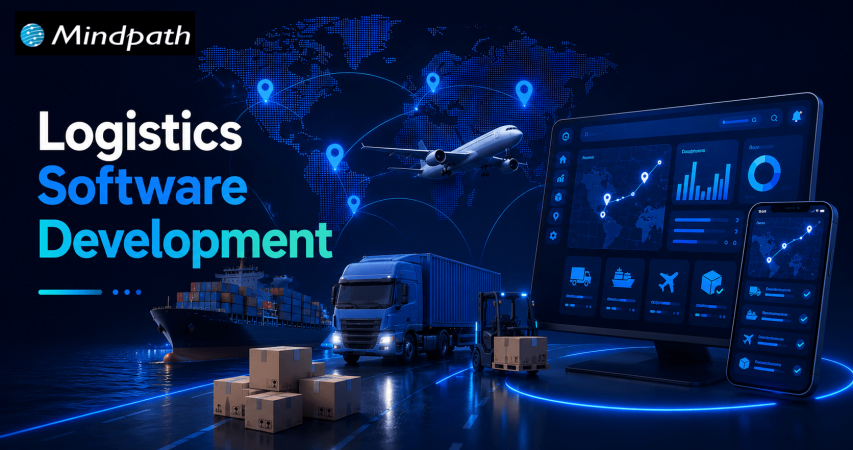
Logistics Software Development

Managing transportation, warehouses, inventory, and deliveries can become complicated as a logistics business grows. Disconnected systems, manual data entry, delayed shipment updates, and inefficient delivery routes can increase operational costs and affect customer satisfaction.

This is where logistics software development becomes valuable. By creating digital solutions that connect logistics operations, businesses can automate repetitive tasks, improve shipment visibility, and manage resources more efficiently.

Key Takeaways

  • 01
    Logistics software development helps businesses automate transportation, warehouse operations, inventory management, and delivery workflows.
  • 02
    Custom logistics software solutions can support unique business requirements, improve visibility, and connect existing systems.
  • 03
    Essential features include real-time shipment tracking, route optimization, inventory management, automated notifications, and reporting.
  • 04
    AI, machine learning, and predictive analytics can help logistics companies make informed decisions and anticipate operational challenges.
  • 05
    A successful logistics software project starts with clear business goals, suitable technology, reliable integrations, and a scalable development strategy.

Modern logistics software can support everything from fleet management and warehouse operations to last-mile delivery and supply chain analytics. With artificial intelligence (AI), cloud computing, and automation, businesses can also improve planning and respond to changing operational conditions.

For logistics providers, e-commerce companies, manufacturers, and third-party logistics (3PL) businesses, investing in the right software can create a more connected and efficient supply chain.

In this guide, we explore logistics software development, its main types, essential features, business benefits, emerging technologies, and the steps involved in building a suitable solution.

Looking to develop a scalable software solution for your business? Explore Mindpath to learn about its software development and AI development services, and discuss your project requirements with the team.

What Is Logistics Software Development?

Logistics software development is the process of designing, building, integrating, and maintaining software applications that help businesses manage the movement, storage, and delivery of goods.

These applications organize logistics activities through centralized dashboards, automated workflows, tracking systems, and data analytics.

For example, a logistics company managing multiple delivery vehicles can use custom software to assign drivers, plan routes, monitor shipments, and notify customers about delivery updates. Managers can review operational data from one platform instead of switching between multiple tools.

Depending on business requirements, logistics software may include:

  • Transportation management systems (TMS)
  • Warehouse management systems (WMS)
  • Fleet management applications
  • Inventory and order management systems
  • Shipment tracking and delivery management software
  • Supply chain visibility platforms
  • Freight management and logistics analytics solutions

Businesses can adopt ready-made software, customize an existing platform, or invest in custom logistics software development. The right approach depends on operational complexity, integration requirements, budget, and long-term goals.

Types of Logistics Software Solutions

Different logistics businesses require different digital solutions. Understanding the main types helps organizations select the right technology for their operations.

1. Transportation Management System (TMS)

A transportation management system helps businesses plan, execute, and monitor the movement of goods.

It can support shipment scheduling, carrier selection, freight cost tracking, route planning, and delivery status monitoring.

For example, a distribution company shipping products across multiple cities can use a TMS to coordinate carriers, manage delivery schedules, and identify transportation inefficiencies.

2. Warehouse Management System (WMS)

A warehouse management system manages activities within a warehouse or distribution center.

Common capabilities include inventory tracking, receiving, picking, packing, stock transfers, and dispatch management.

A WMS helps warehouse teams maintain better inventory visibility, reduce manual errors, and process orders more consistently.

3. Fleet Management Software

Fleet management software helps companies monitor vehicles, drivers, fuel consumption, maintenance schedules, and vehicle utilization.

When integrated with GPS and telematics systems, it can provide vehicle location updates and operational information that supports better fleet planning.

This type of solution is particularly useful for transportation providers, courier businesses, and companies operating their own delivery fleets.

4. Last-Mile Delivery Software

Last-mile delivery software manages the final stage of delivering a shipment to its destination.

Features may include automated dispatching, driver applications, delivery route planning, estimated arrival times, customer notifications, and electronic proof of delivery.

These capabilities can help e-commerce businesses and delivery providers improve communication and coordinate multiple deliveries more effectively.

5. Supply Chain Management Software

Supply chain management software connects activities involving suppliers, inventory, procurement, transportation, and distribution.

It can provide a broader view of product movement and help businesses coordinate different stages of their supply chain.

When connected with enterprise resource planning (ERP), warehouse, and transportation systems, it can reduce information gaps between departments.

Essential Features of Logistics Management Software

The right features depend on the business model, operational scale, and user requirements. However, several capabilities are commonly valuable in modern logistics software solutions.

1. Real-Time Shipment Tracking

Shipment tracking provides updates about shipment locations and delivery status using carrier integrations, GPS, or other tracking data sources.

It helps logistics managers identify delays and gives customers better visibility into their orders.

2. Route Optimization

Route optimization software evaluates factors such as delivery locations, vehicle capacity, traffic information, and delivery windows to recommend efficient routes.

More efficient routes may reduce unnecessary mileage, fuel consumption, and delivery times.

3. Inventory and Order Management

Inventory management helps businesses monitor available stock, incoming shipments, outgoing orders, and stock movement.

Order management connects order processing with warehouse fulfillment and transportation, reducing the need for repetitive manual updates.

4. Automated Notifications

Automated notifications keep customers, drivers, and operations teams informed about shipment dispatch, delivery progress, delays, and completed deliveries.

These updates can reduce routine customer inquiries and improve communication.

5. Reporting and Analytics

Logistics dashboards can display key performance indicators such as on-time delivery rates, shipping costs, vehicle utilization, inventory accuracy, and order fulfillment times.

These insights help managers identify bottlenecks and make decisions based on operational data.

6. System Integration

Logistics software often needs to exchange data with ERP platforms, e-commerce stores, accounting applications, warehouse systems, carrier APIs, and customer relationship management (CRM) tools.

Reliable integrations help maintain consistent information across business systems and reduce duplicate data entry.

7. Security and Access Control

Logistics applications may handle customer details, shipment records, commercial information, and operational data.

Role-based permissions, encryption, secure authentication, backups, and appropriate monitoring help protect this information.

Benefits of Custom Logistics Software Development

Custom logistics software development can be useful when existing platforms cannot fully support a company’s workflows or integration requirements.

1. Improved Operational Efficiency

Automating repetitive activities such as dispatch assignments, shipment updates, and order processing allows teams to spend less time on manual coordination.

2. Better Supply Chain Visibility

A connected platform can provide a more complete view of shipments, inventory, vehicles, and delivery progress. This helps teams identify issues and coordinate responses more quickly.

3. Reduced Operational Waste

Route optimization, inventory visibility, and automated workflows can help businesses identify avoidable expenses and use their resources more effectively. Actual savings depend on the existing process and the quality of implementation.

4. Enhanced Customer Experience

Customers benefit from clearer shipment updates, more accurate delivery estimates, and convenient access to order information.

5. Greater Scalability

A well-designed system can accommodate additional warehouses, users, vehicles, locations, and integrations as business requirements evolve.

6. Workflow Customization

Custom software can reflect specific business rules, reporting requirements, pricing structures, and approval processes that generic tools may not support adequately.

However, custom development also requires ongoing maintenance, security updates, testing, and technical support. Businesses should evaluate these responsibilities alongside the expected benefits.

How AI Is Transforming Logistics Software Development

Artificial intelligence is expanding the capabilities of logistics management software by helping businesses analyze operational data, forecast demand, and automate selected decisions.

Here are some important applications.

1. AI-Powered Route Optimization

AI-assisted systems can evaluate historical delivery information, traffic conditions, delivery windows, and other available data to recommend suitable routes.

Depending on data quality and system capabilities, this can help dispatchers respond to changing conditions and improve delivery planning.

2. Predictive Demand Forecasting

Machine learning models can analyze historical orders, seasonal patterns, and other relevant business data to estimate future demand.

These forecasts can help businesses plan inventory levels, staffing, and transportation capacity.

3. Predictive Fleet Maintenance

When reliable vehicle and telematics data is available, predictive models can identify patterns associated with possible equipment problems.

Maintenance teams can use these insights to investigate potential issues and plan servicing before a breakdown disrupts operations.

4. Intelligent Document Processing

AI-powered document processing can extract information from invoices, shipping documents, delivery receipts, and other logistics records.

With appropriate validation and human review, this can reduce repetitive data entry and improve document processing workflows.

5. Logistics Analytics and Decision Support

AI-assisted analytics can help teams identify unusual delivery delays, changes in transportation costs, and operational patterns that require attention.

AI should support well-defined business processes rather than being added simply because the technology is available. Data quality, integration, accuracy, privacy, and human oversight remain important considerations.

Logistics Software Development Process

Building effective logistics software requires a structured approach that connects technical decisions with actual business needs.

Step 1: Identify Business Requirements

Determine the main challenges the software should solve. These might include shipment delays, poor inventory visibility, manual dispatching, or disconnected operational systems.

Define measurable objectives before selecting features.

Step 2: Select the Right Software Type

Decide whether the business needs a TMS, WMS, fleet management application, delivery platform, or an integrated solution.

Compare custom development with ready-made software to understand the cost, implementation effort, flexibility, and maintenance requirements.

Step 3: Plan Features and Integrations

Prioritize essential features for the initial release. Identify the systems, APIs, devices, and data sources the application must connect with.

Starting with a focused minimum viable product (MVP) can help businesses validate the solution before expanding its functionality.

Step 4: Design the User Experience

Create intuitive interfaces for dispatchers, warehouse staff, drivers, administrators, and customers.

Mobile usability is particularly important for drivers and field teams who may need to access information while working away from an office.

Step 5: Develop and Test the Application

Develop the software using an architecture and technology stack suited to the required functionality.

Testing should cover application performance, integration reliability, access permissions, data accuracy, security, and real-world operational scenarios.

Step 6: Deploy and Integrate

Deploy the application in the selected environment and connect it with the required business systems.

A phased rollout can help teams identify implementation issues and provide feedback before the software is introduced across the entire organization.

Step 7: Monitor and Improve

After launch, monitor system performance, user adoption, delivery KPIs, errors, and feedback.

Regular maintenance and planned improvements help keep the application reliable as business requirements change.

How to Choose the Right Logistics Software Development Company

Selecting a development partner is an important decision because logistics systems often involve complex workflows and multiple integrations.

Evaluate potential partners using the following criteria:

  • Relevant technical experience: Look for experience with custom software, APIs, cloud platforms, mobile applications, and data integration.
  • Understanding of logistics workflows: The team should understand the requirements of transportation, warehousing, fleet operations, or delivery management relevant to your project.
  • Scalable architecture: Confirm that the proposed solution can accommodate expected business growth.
  • Security practices: Ask about data protection, access control, backups, testing, and ongoing maintenance.
  • Clear project communication: Ensure the development process includes defined milestones, testing procedures, documentation, and feedback cycles.
  • Post-launch support: Understand how updates, technical issues, integrations, and future improvements will be handled.

Ask for relevant case studies or demonstrations where available, and evaluate whether the proposed solution addresses your specific business requirements.

Conclusion

Logistics software development helps businesses connect transportation, warehouse management, fleet operations, and delivery workflows through digital solutions designed around their needs.

From real-time shipment tracking to AI-assisted route optimization, the right capabilities can improve visibility, reduce manual work, and support more informed operational decisions.

The best solution is not necessarily the one with the most features. It is the one that solves the most important business problems, integrates reliably with existing systems, and can evolve as requirements change.

If your organization is exploring logistics software modernization, begin by identifying operational bottlenecks, defining measurable objectives, and prioritizing the features that will deliver the greatest practical value.


Frequently Asked Questions

Logistics software development involves building, integrating, and maintaining applications that manage transportation, inventory, warehousing, shipment tracking, and delivery operations. The goal is to improve coordination, visibility, and operational efficiency.
The main types include transportation management systems (TMS), warehouse management systems (WMS), fleet management software, last-mile delivery applications, inventory management systems, and supply chain management platforms.
Common features include shipment tracking, route planning, inventory management, order processing, automated notifications, reporting dashboards, role-based access, and integrations with existing business systems. The final feature set should reflect the company’s operational requirements.
AI can support route optimization, demand forecasting, predictive maintenance, document processing, and operational analytics. Its effectiveness depends on data quality, suitable models, integration, and appropriate human oversight.
The cost depends on project scope, required features, integrations, platform complexity, security requirements, and ongoing support. A focused application generally requires less investment than a multi-module enterprise platform. Businesses should obtain a project-specific estimate after defining their requirements.

Support Is One Click Away

Featured Posts

Related Post

Validate an AI product idea

Every successful AI solution begins with a strong idea, but not every idea is worth building. The ability to validate AI product ideas before investing in development helps businesses reduce risk, avoid unnecessary costs, and focus on solving real market problems.

Key Takeaways

  • 01Confirm real customer demand before committing budget to AI development.
  • 02Talk to potential users early to validate the problem, not just the idea.
  • 03Test with a simple MVP before building a full-scale solution.
  • 04Prioritize user actions over opinions when reading validation signals.
  • 05Check data availability and AI costs before finalizing your investment decision.

As AI adoption continues to grow, organizations are under pressure to launch innovative products quickly. However, speed without validation often leads to solutions that fail to meet customer expectations or generate business value. A structured validation process ensures that an AI product addresses genuine user needs, fits market demand, and delivers measurable outcomes before significant resources are committed.

The challenge is that AI products require more than technical feasibility. They must combine reliable data, practical use cases, customer demand, and a sustainable business model. Understanding how to validate a product idea helps businesses make informed decisions with confidence. So, in this blog, you will learn the essential steps, proven validation methods, and practical strategies for evaluating AI product ideas before development begins. So, let us read more to learn!

Ready to turn your validated AI product idea into a scalable, market-ready solution? Mindpath offers expert AI development services to help startups and enterprises design, build, and deploy custom AI applications with confidence.

Why is It Essential to Validate AI Product Ideas Before Development?

AI innovation creates exciting opportunities, but successful products begin with strong product idea validation, not assumptions. Every concept should prove its value before development starts.

A structured product idea validation process helps businesses understand market demand, technical feasibility, and commercial viability before investing significant time and resources.

1. Verify Real Market Demand

An innovative AI solution has little value if it does not solve a meaningful customer problem. Validation helps businesses confirm that their target audience is actively looking for a solution and is willing to adopt or pay for it. This reduces the chances of launching products with limited market acceptance.

2. Reduce Financial Risk

Building AI products often involves significant investment in infrastructure, model training, integrations, and skilled talent. Validating the idea early helps identify weak concepts before major expenses occur, allowing organizations to allocate budgets more effectively.

3. Test Technical Feasibility

Not every business problem can be solved with existing AI technologies. Validation determines whether available models, data quality, and technical capabilities can deliver the expected results. It also highlights limitations that may require alternative approaches before development begins.

4. Control Development and Operational Costs

AI products can generate substantial ongoing expenses through API usage, cloud infrastructure, model inference, and data processing. Early validation provides realistic cost estimates, helping businesses evaluate whether the expected return justifies long-term operational spending.

5. Save Engineering Time

Development teams can spend months building sophisticated AI features that users ultimately ignore. Validation identifies the highest value use cases first, allowing teams to focus only on capabilities that solve real customer challenges and deliver measurable business outcomes.

6. Build Confidence Among Investors and Stakeholders

Validated ideas supported by customer research, pilot testing, or early adoption demonstrate lower business risk. This evidence strengthens stakeholder confidence, improves funding opportunities, and provides a stronger foundation for product development decisions.

ai product validation

Key Steps to Validate AI Product Ideas Effectively

A systematic validation process helps transform promising concepts into practical business opportunities. Following the right steps reduces uncertainty and supports smarter product decisions before development begins.

1. Define the Core Problem

Start by identifying the exact business or customer problem instead of focusing on the AI solution. Validate that the challenge is recurring by reviewing user discussions, reviews, forums, and industry conversations.

2. Speak With Potential Users

Interview your target audience to understand how they currently solve the problem. Focus on listening to their experiences instead of promoting your product idea.

3. Evaluate the Market

Research existing competitors, their pricing, and feature offerings to identify market gaps. Also assess whether enough potential customers face the problem to justify building a solution.

4. Check Technical Feasibility

Determine whether quality data is available and whether current AI technologies can deliver accurate results. Early feasibility testing prevents investing in ideas that are technically difficult to execute.

5. Test With a Simple MVP

Build a lightweight prototype, landing page, or product mockup instead of a complete application. Measure user interest through sign-ups, demo requests, or other early engagement signals.

6. Measure Results and Improve

Track user behavior, feedback, and adoption metrics to understand what works. A strong product validation process uses these insights to refine the idea before full-scale development begins.

Best Practices to Validate an AI Product Idea Before Investing

A few habits consistently separate teams that build the right thing from teams that build something impressive but unwanted.

1. Start with the Cost of Being Wrong

Know what six months of wasted development actually costs you. That number changes how seriously you take validation.

2. Check if the Data Actually Exists

If the data you need is messy, missing, or hard to access, that’s a real build risk, not a minor detail to sort out later.

3. Price Out the AI Itself

Model calls, inference, and cloud usage can quietly eat margins that looked fine on paper. Run the numbers early.

4. Test the Outcome, Not the Technology

People don’t care that it’s AI. They care if it saves them time, money, or hassle. Keep the test focused there.

5. Decide Your Bar for Success Upfront

Agree on what result would actually justify moving forward, whether that’s sign-ups, paid pilots, or repeat usage, before you start testing.

6. Watch Behavior More Than Opinions

What people say and what they actually do are often different. Give more weight to real actions like sign-ups than to praise.

7. Look Across Multiple Users

One excited user is a nice conversation. Several unrelated users with the same problem are closer to a market.

8. Keep a Record of Everything You Learn

Interview notes, test results, and feedback come in handy the moment someone questions the decision to move forward, including your future self.

Common Pitfalls to Avoid When Trying to Validate AI Product Ideas

Avoiding common validation mistakes helps businesses make better product decisions. These pitfalls can lead to wasted investment, delayed launches, and poor market adoption.

1. Prioritizing Technology Over Problems

Build solutions for customer needs, not impressive AI capabilities.

2. Ignoring Simpler Alternatives

Choose AI only when it provides clear business value.

3. Relying on Biased Feedback

Gather honest insights from potential customers, not close contacts.

4. Misreading Interest Signals

Focus on buying intent instead of likes or page visits.

5. Overlooking Error Impact

Measure how AI mistakes affect users and business outcomes.

6. Assuming Data Is Ready

Validate data quality before starting AI product development.

Are You Ready to Validate Your AI Product Idea and Move Forward?

Building an AI product without proper validation increases risk, cost, and uncertainty. Understanding how to validate an idea for a startup helps businesses confirm market demand, assess technical feasibility, and make informed investment decisions before beginning full-scale development.

If you are planning to build an AI solution, Mindpath can help transform your concept into a market-ready product. Our AI consulting services help businesses with validation, strategy, MVP development, and scalable AI solutions that deliver measurable business value.

mobile app development company

Digital transformation for businesses is changing how they engage with customers, and mobile apps have become a major aspect of that process. Choosing the right mobile app development company can transform a simple idea to a robust, user-friendly app. There are many companies to choose from, and it is important to look beyond claims and find a partner that can truly deliver on what is important to you and your vision.

A company’s methodologies, creativity, and grasp of objectives, vision, and goals can have a profound impact on your app’s ultimate success. Observing how a company adapts, engages with clients, and innovates can provide you with an even clearer sense of their capabilities. Taking time to evaluate these aspects will lead to smarter decision-making. This blog will serve as a step-by-step guide to distinguishing and selecting a mobile app development agency that is right for you.

Curious to know how mobile app development enhances your digital presence among the users? Explore Mindpath mobile app development services to see how our experts can bring your imagination to reality.

Understanding Mobile App Development

Mobile app development is the process of creating software applications for mobile devices such as smartphones and tablets. It is categorised into native development (platform-specific languages like Swift for iOS or Kotlin for Android) and cross-platform development (frameworks that deploy to both iOS and Android from a single codebase). Today, users spend more time on mobile apps compared to desktop websites, averaging nearly four hours each day. Apps are used for many common tasks, from checking the weather to sending payments, making them an inseparable part of modern life.

One of the main reasons for the huge revenues is the widespread use of mobile apps, with annual global expenditures totaling billions of dollars. Moreover, the companies can use the latest mobile app development tools to create applications. This will not only delight their customers but also make their businesses run more smoothly while saving their precious time. Additionally, numerous enterprises consider it crucial for them to avail themselves of the services of trustworthy mobile app development firms. If they want to keep the edge in the market and develop the right solutions for their users’ needs.

Want to build a mobile app tailored exactly to your business goals and user needs? Check out custom mobile app development services to learn how personalized solutions drive better results.

Steps to Choose the Right Mobile App Development Company

The decision of finding the best mobile app development company is the key to converting your idea into a successful application. If you pick a company that comprehends your objectives, has good communication and gives you reliable solutions, then you are ensured a perfect development process and a stable app as the final outcome.

1. Check Industry Experience

Ensure the mobile app development company is familiar with your business area and its problems. Examine their previous works to establish whether they have accomplished solutions close to your application’s idea. Usually, the experience of the professionals in your field leads them to present you with innovative solutions and new ideas. Eventually, a bespoke mobile app development organization with a decorated history of success can uplift the utility and the relativity of your app.

2. Assess Technical Skills

First, you should analyze the level of the team’s technical expertise, which includes programming languages and frameworks. Try to find out the ways they have structured the app for development, testing, and troubleshooting. Technically strong teams will keep themselves updated with the latest mobile app development trends if they want to provide top-quality apps. Moreover, you will know if the company meets your expectations when discussing technical issues.

3. Review Design Capabilities

Take a look at their design portfolio to grasp their artistic point of view. Get access to apps that they have developed to verify the interface and the user experience. Find out if the team is able to tailor the designs to your market and potential customers. Collaborating with a custom mobile app development company gives you the guarantee that your app will have a nice design and be easy to use.

Planning to build a mobile app that stands out with smart and data-driven capabilities? Discover benefit of AI in mobile app development to check out how businesses use AI for competitive advantage.

4. Look at Client Feedback

Try looking through feedback and written recommendations of people who have previously worked with the team to get an idea of how well the team members communicate and work together. Communication is the key to knowing how the company is going to be aware of the deadlines and the way they are going to be responsible. Through this action, you will be double-checking whether the mobile application development company is able to meet your requirements before you decide to go ahead with them.

5. Consider Budget Clearly

Map out project scope, characteristics, and branding necessities to get a rough idea of the expenses. Have a chat about your budget with the team so that there are no unexpected situations arising later. Know the different working arrangements, such as fixed-price or time-and-material and select the one most suited to your needs. Being open about costs related to app development is one of the ways that trust between the two parties can be formed.

Want to choose a mobile app development company that uses the latest and most reliable tech stack? Check out top mobile app development technologies to learn what powers high-performing apps.

6. Evaluate Communication Style

A project is more likely to be successful with good and effective communication. It’s a great opportunity to get to know the team behind your project and find out how they monitor your project with progress updates and how they implement feedback. Their style is important to you, and you have to feel comfortable. A mobile app development company that has good communication skills can avoid most of the setbacks and misinterpretations.

7. Decide Team Location

Consider the benefits of onshore versus offshore teams for collaboration and costs. Onshore teams allow real-time communication, while offshore teams may offer cost advantages. Balance of convenience, talent, and budget when making your choice. A mobile app development company in USA may suit businesses looking for closer collaboration and time zone alignment.

Ready to safeguard user data and prevent common mobile app vulnerabilities? Discover application security best practices to check out proven protection strategies.

8. Verify Legal and Security Standards

Inquire about security steps, encryption, and data compliance policies. Make sure that the rights of intellectual property as well as user data are secured. Look at precedents for projects for legal and security standard conformity. A dependable Mobile app development company protects your app and keeps the confidence of the users.

9. Check Scalability and Flexibility

Your app and the team behind it can both change and evolve over time, so the team needs to be equally flexible. You should find out if they are able to not just increase the resources but also change the features according to your needs. An app that can stretch its features will be able to stay relevant in a dynamic market. Working with a custom mobile app development company is an excellent means to ensure the lifespan of your application.

10. Explore Post-Launch Support

An application has to be maintained after the launch. It is a must to have a support package which will include the response time, and they can keep the app updated for you. The team has to be composed of qualified people who will be able to cope with future demands. The assistance of a robust mobile app development company after the release of the application will keep your app stable and successful in the long run.

Want to understand why businesses invest heavily in mobile apps today? Check out benefits of mobile app development to learn how apps drive growth and customer engagement.

Ready to Build a Successful Mobile App?

One of the most important factors in the mobile app success is finding the appropriate mobile app development company to work with you. A trusted partner who leads to a hassle-free mobile-app creation and brings you a thriving future is within your reach by methodically assessing the proficiency, capabilities, design and support. Your business benefits from a wise decision made now that will allow you to advance and maintain your edge over the digital realm.

We at Mindpath provide complete mobile app development services tailored to the requirements of your business. Our skilled team creates apps those are safe, capable of scaling, and centred around user interaction, which are the main factors that increase customer loyalty and productivity. Through our commitment to innovation and excellence, we assist you in designing mobile solutions that go beyond competitive markets and produce actual business outcomes.

FinOps for Startups

Your cloud bill rarely explodes overnight. More often, it creeps up through idle environments, oversized workloads, growing data stores, and services that quietly consume resources long after they are needed. For startups, startup cloud costs can become difficult to predict without disciplined FinOps and effective cloud budget management built into everyday engineering decisions.

Key Takeaways

  • 01
    FinOps gives startups better visibility and accountability over growing cloud infrastructure spending.
  • 02
    Regular cost reviews help identify idle resources, overprovisioning, and inefficient cloud usage.
  • 03
    Cloud optimization should support performance, reliability, and product growth alongside cost efficiency.
  • 04
    Unit cost metrics connect infrastructure spending with customers, transactions, workloads, and business growth.
  • 05
    Startups can begin FinOps with simple budgets, ownership, alerts, and regular usage reviews.

The goal is not to make every workload cheaper; it is to make every infrastructure decision more intentional. Teams need to know what they are spending, why they are spending it, and whether that spend supports product growth. In this blog, we explore how startups can build practical FinOps practices to control cloud costs without compromising performance, reliability, or speed.

Looking to build scalable infrastructure with better cost visibility? Mindpath helps startups plan and optimize AI, data, and cloud workloads for sustainable growth.

What is FinOps and Why Does It Matter for Startups?

FinOps is a way of managing cloud spending by bringing engineering, finance, and product decisions closer together. Instead of treating the cloud bill as a finance issue, teams use usage and cost data to understand how infrastructure decisions affect the business.

For a startup, this matters because cloud usage can change quickly. A new feature may require additional compute, a growing user base can increase database and storage costs, or a development environment may continue running even when nobody is using it. FinOps helps teams identify these patterns before they become persistent expenses.

The goal is not simply to spend less. Cutting resources too aggressively can affect application performance, reliability, or developer productivity. Effective FinOps focuses on getting the right value from cloud infrastructure by connecting spending with actual workload requirements.

A practical FinOps approach gives teams three things:

1. Visibility

Know where cloud spending is going.

2. Accountability

Connect costs with teams, workloads, or environments.

3. Optimization

Continuously identify opportunities to improve efficiency.

This makes cloud spending part of regular technical decision-making rather than something teams investigate only after receiving an unexpected bill.

Where Startup Cloud Costs Actually Come From?

Cloud spending rarely comes from one obvious source. It usually builds across multiple services as the application grows, new environments are added, and infrastructure becomes harder to track. A startup may have reasonable costs for each workload individually, yet still face a surprisingly large monthly bill when those workloads are combined.

1. Compute Resources

Virtual machines, containers, serverless workloads, and autoscaling resources can consume significant capacity as traffic changes.

2. Storage

Databases, object storage, backups, snapshots, and retained logs continue growing as applications generate more data.

3. Data Transfer

Moving data between services, regions, or external systems can introduce costs that are easy to overlook during architecture planning.

4. Idle Resources

Development, testing, staging, and temporary environments can remain active even when they are not being used.

5. Overprovisioning

Teams may allocate more CPU, memory, or storage than a workload consistently requires to avoid performance issues.

6. Pricing Choices

Relying entirely on flexible pricing can become expensive when usage becomes stable and predictable.

This is where FinOps becomes more than a cost-cutting exercise. By connecting cloud usage with ownership, workload requirements, and business priorities, FinOps helps teams understand which costs are necessary, which are inefficient, and where cloud optimization can make a measurable difference.

How to Build a Practical FinOps Workflow?

A useful FinOps workflow does not require a dedicated finance team or a complicated governance structure. Startups can begin with a simple process that gives engineers and product teams a clearer view of how infrastructure decisions affect startup cloud costs. The important part is making cost review a regular engineering practice.

A practical workflow can include:

1. Create Cost Visibility

Track spending across cloud services, applications, environments, and workloads to identify the areas driving the bill.

2. Assign Ownership

Use tags, projects, accounts, or cost centers to connect infrastructure spending with the team or workload responsible for it.

3. Set Budgets and Alerts

Establish spending thresholds and configure alerts for unusual usage or unexpected increases before they become significant expenses.

4. Review Usage Regularly

Compare actual consumption with expected workloads. Look for idle resources, unusual usage patterns, and capacity that consistently exceeds requirements.

5. Forecast Upcoming Spend

Factor planned releases, user growth, new workloads, and infrastructure changes into future cloud cost expectations.

6. Optimize Continuously

Right size resources, automate unnecessary capacity, review storage, and reconsider pricing options as usage patterns become clearer.

The process should evolve with the startup. Early on, a monthly review may be enough. As workloads and teams grow, more frequent monitoring and automated controls can help maintain visibility without adding unnecessary operational overhead.

7 Practical Ways Startups Can Optimize Cloud Costs

FinOps helps startups turn cloud cost control into a continuous practice. These optimization actions can be built into regular engineering and infrastructure reviews without adding unnecessary complexity.

1. Rightsize Resources

Match compute, memory, and storage capacity with actual usage.

2. Automate Idle Resources

Schedule non-production environments to shut down when they are not needed.

3. Optimize Storage

Remove unnecessary data and apply suitable retention and storage policies.

4. Review Pricing Models

Use commitments for predictable workloads and flexible pricing where usage remains uncertain.

5. Apply Autoscaling

Adjust infrastructure capacity according to actual workload demand.

6. Add FinOps Guardrails

Use budgets, alerts, tagging, and policies to keep spending visible and accountable.

7. Review Architecture Regularly

Reassess infrastructure decisions as workloads, traffic, and product requirements change.

The FinOps principle is simple: optimize resources based on usage, business value, and workload requirements, rather than reducing infrastructure costs blindly.

How FinOps Helps Startups Balance Cost with Growth

FinOps helps startups control cloud spending without putting necessary growth infrastructure at risk. The focus is on making spending decisions based on usage, business priorities, and measurable value rather than reducing costs across the board.

1. Track Cost Against Growth

Compare cloud spending with users, transactions, revenue, or workload growth.

2. Protect Critical Workloads

Avoid reducing resources that directly support performance, reliability, or customer experience.

3. Plan for Demand

Align infrastructure capacity with expected product launches, traffic increases, and seasonal workloads.

4. Measure Unit Costs

Monitor metrics such as cloud cost per customer or transaction to understand efficiency.

5. Separate Essential Spend

Distinguish production and revenue-supporting workloads from temporary or non-critical resources.

6. Review Scaling Decisions

Use actual usage data to determine when additional capacity is necessary or can be reduced.

7. Include FinOps in Planning

Consider expected infrastructure costs when teams plan new features, products, and technical initiatives.

8. Optimize Continuously

Revisit cloud spending as workloads, usage patterns, and business priorities change.

FinOps Metrics and Tools Startups Actually Need

Startups do not need a complex FinOps setup to gain control over cloud spending. The priority is to establish enough visibility to connect infrastructure usage with costs, ownership, and business activity.

FinOps Area What to Track Why It Matters
Cost visibility Spend by service and environment Identifies major cost drivers
Budget control Actual spend vs. budget Highlights unexpected increases
Forecasting Expected monthly spend Supports infrastructure planning
Resource efficiency Usage vs. allocated capacity Helps identify waste
Unit economics Cost per customer or transaction Connects cloud spend with growth
Accountability Spend by team or workload Establishes clear ownership
Alerts Unusual usage or spending Enables faster action

Common FinOps Mistakes Startups Should Avoid

FinOps for startups works best when cost management becomes part of everyday cloud operations. However, teams can easily create gaps when cloud spending grows faster than their processes.

1. No Clear Cost Ownership

Without assigning spending to teams, workloads, or environments, unexpected costs can be difficult to investigate.

2. Ignoring Idle Resources

Unused development, testing, and staging resources can continue generating recurring charges.

3. Skipping Usage Reviews

Allocated capacity can remain unchanged even when actual workload requirements fall.

4. Treating FinOps as Finance-Only

Cloud costs are strongly influenced by engineering and architecture decisions, so technical teams need visibility into spending.

5. Optimizing Without Context

Reducing resources without considering performance, reliability, or product requirements can create operational issues.

6. Committing Too Early

Long-term pricing commitments can become restrictive when a startup’s workload is still changing rapidly.

7. Reacting to Bills

Waiting for a high monthly bill before investigating costs makes optimization more difficult.

8. Overcomplicating the Process

Startups can begin with basic visibility, ownership, budgets, and regular reviews before introducing advanced FinOps processes.

How Can FinOps Make Startup Cloud Costs More Predictable?

FinOps gives startups a practical way to understand, manage, and optimize cloud spending as infrastructure grows. With clear ownership, usage visibility, budgets, and continuous optimization, teams can control waste while keeping resources aligned with product performance, reliability, and growth.

Mindpath AI development services help startups build scalable AI and cloud infrastructure with cost efficiency in mind. From architecture planning and data engineering to AI workloads and cloud optimization, Mindpath helps teams create infrastructure that supports sustainable growth without unnecessary complexity.