Home

Human-in-the-Loop AI: Designing Approval Points into Automated Workflows

Human-in-the-Loop AI: Designing Approval Points into Automated Workflows

Join our Newsletter!

human in the loop ai
AI can process information, identify patterns, and complete tasks at a speed that is difficult for human teams to match. However, faster decisions do not always mean better outcomes. When automated workflows involve financial transactions, sensitive customer data, or business-critical actions, even a small error can have serious consequences. Businesses need a practical way to maintain control without slowing down everyday operations.

Key Takeaways

  • 01
    Human approval at critical decision points helps balance AI automation with business accountability.
  • 02
    Risk-based approval rules direct human attention toward decisions with serious consequences.
  • 03
    Clear interfaces and contextual information help reviewers evaluate AI recommendations efficiently.
  • 04
    Defined ownership, deadlines, and escalation paths prevent approval delays from disrupting workflows.
  • 05
    Audit trails and performance metrics support transparency, compliance, and continuous improvement.

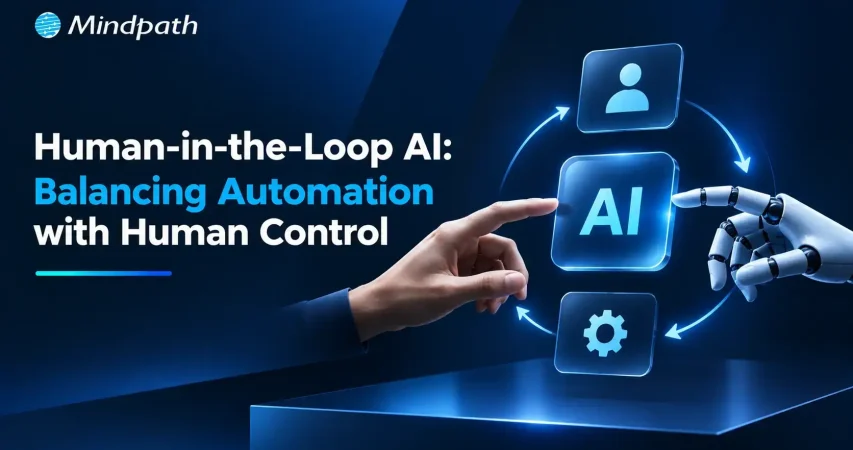
Human-in-the-loop AI provides that balance by introducing human review at critical decision points. Instead of checking every AI action, teams can focus their attention on decisions that require judgment, accountability, or additional verification. In this blog, we examine how businesses can design effective approval workflows that keep automation efficient while ensuring important decisions remain under human oversight.

Ready to Build Smarter AI Workflows?

Mindpath offers AI agent development services to integrate human oversight, automate business processes, and build reliable AI-powered workflows.

Understanding the Human-in-the-Loop AI Model

HITL AI is an approach to automation in which human reviewers assess specific AI-generated outputs before those outputs trigger important actions. The model allows AI to handle repetitive tasks, analyze information, and generate recommendations while people retain control over decisions that require judgment or accountability. For businesses, this creates a structured way to use AI capabilities without handing over every decision to an automated system.

HITL differs from human-on-the-loop AI, where people primarily monitor automated systems and intervene when problems arise. In fully autonomous workflows, AI completes defined tasks without routine human approval. The appropriate model depends on the risk involved and the level of control a business needs.

A typical HITL workflow follows a clear sequence:

  1. AI generates an output:
    The system analyzes information and proposes an action or decision.
  2. A human reviews the result:
    The reviewer checks the recommendation, supporting evidence, and relevant business rules.
  3. The decision is confirmed or corrected:
    The reviewer approves, rejects, or modifies the output before the workflow proceeds.

For example, an AI system may prepare a supplier payment for processing, but a finance manager must verify the amount and approve the transaction before funds are released. This approach keeps routine work efficient while reserving critical decisions for human judgment.

Identifying Where Human Approval Is Necessary

Deciding where to introduce human oversight: AI requires a clear understanding of the risks within each workflow. Reviewing every AI-generated output can slow operations, while allowing every decision to proceed automatically can expose businesses to avoidable errors. The goal is to identify specific decision points where human judgment adds meaningful value.

1. Assess the Risk of Each Decision

Evaluate the potential consequences of an incorrect AI output. Financial losses, operational disruptions, and customer impact may justify mandatory human approval.

2. Protect Sensitive Information

Identify workflows that process confidential customer details, financial records, or proprietary business data. Human review can help verify that sensitive information is handled according to established policies.

3. Consider Regulatory Requirements

Review applicable laws, industry standards, and internal governance policies before automating decisions. Certain processes may require documented approval, additional verification, or specific human involvement.

4. Evaluate the Cost of Errors

Determine the financial and operational impact of mistakes at each workflow stage. Prioritize human intervention where an incorrect decision could create expensive rework, contractual disputes, or lasting business damage.

5. Separate Routine Tasks from Critical Decisions

Allow AI to handle predictable, low-risk activities that follow established rules. Reserve human approval for exceptions, unusual requests, and decisions that require contextual understanding.

6. Define Clear Approval Thresholds

Establish measurable conditions that determine when an AI action requires human review. For example, a finance workflow could automatically process transactions within approved limits while routing unusually large payments to a manager for authorization.

Designing an Effective AI Approval Workflow

A well-designed human-in-the-loop AI workflow gives reviewers the information they need to make accurate decisions without adding unnecessary complexity. The interface should make AI recommendations easy to understand, highlight potential risks, and provide clear options for approving or correcting outputs. A thoughtful design also reduces review fatigue and helps teams maintain consistent decisions as automation expands.

1. Present AI Outputs Clearly

Display recommendations, relevant data, and proposed actions in a structured format. Reviewers should understand what the system suggests without searching through multiple screens.

2. Provide Relevant Context

Include the information and evidence behind each AI-generated recommendation. Context summaries help reviewers assess decisions without manually reviewing every detail.

3. Display Confidence Indicators

Use confidence scores to indicate how certain the AI system is about its output. Treat these scores as supporting signals rather than guarantees of accuracy and combine them with risk-based review rules.

4. Enable Simple Approval Actions

Provide clear options to approve, reject, edit, or escalate a recommendation. Straightforward controls help reviewers complete decisions efficiently and correct outputs when necessary.

5. Highlight Potential Risks

Flag unusual patterns, missing information, policy conflicts, and other issues that require closer attention. Visual alerts help reviewers prioritize decisions that may have significant consequences.

6. Maintain a Clear Review History

Record the original recommendation, reviewer decision, and any changes made before execution. Accessible records support accountability, troubleshooting, and continuous improvement across the workflow.

Keeping Human Review from Becoming a Bottleneck

Human review can slow automated processes when approval requests pile up; responsibilities are unclear, or decisions wait too long for attention. A well-planned human-in-the-loop AI system should account for these delays during workflow design. The aim is to keep the AI approval workflow moving efficiently while ensuring that critical decisions receive the attention they require.

1. Group Similar Requests

Combine routine, low-risk approval requests into batches when individual review is unnecessary. This helps reviewers process similar decisions efficiently without compromising essential checks.

2. Set Clear Review Deadlines

Assign reasonable time limits for different types of approval requests. Clear deadlines help teams prioritize pending decisions and prevent avoidable delays.

3. Route Requests by Risk Level

Direct high-impact decisions to experienced reviewers and routine cases to appropriate team members. Risk-based routing helps allocate review time where it matters most.

4. Automate Escalation Paths

Forward overdue requests to designated backup reviewers or managers. Defined escalation rules prevent stalled approvals from disrupting the wider workflow.

5. Assign Clear Ownership

Specify who is responsible for reviewing, approving, and escalating each type of request. Clear accountability reduces confusion and prevents approval tasks from being overlooked.

6. Establish Safe Fallback Procedures

Define what happens when reviewers are unavailable, or an approval deadline expires. High-risk actions should remain on hold until authorized, rather than proceeding automatically without the required approval.

Building Accountability, Trust, and Continuous Improvement

Reliable AI workflows require clear ownership, transparent decisions, and regular performance reviews. Human oversight helps businesses identify errors, question questionable recommendations, and maintain control over automated actions.

A structured approach also makes it easier to demonstrate compliance, build stakeholder confidence, and improve workflow performance as business requirements change.

1. Maintain Detailed Audit Trails

Record AI recommendations, approval decisions, timestamps, and reviewer actions. These records help businesses investigate errors and demonstrate compliance with internal policies.

2. Define Roles and Responsibilities

Establish clear responsibilities for reviewers, workflow owners, and technical teams. Everyone involved should understand who can approve decisions and who handles exceptions.

3. Train Human Reviewers

Teach employees to recognize inaccurate outputs, potential bias, and missing context. Regular training helps reviewers make informed decisions rather than accepting AI recommendations without scrutiny.

4. Monitor Approval Patterns

Track approval rates, rejection frequency, and instances where reviewers modify AI-generated outputs. These patterns can reveal recurring system weaknesses and opportunities for improvement.

5. Measure Workflow Performance

Evaluate review times, error rates, and the frequency of escalations. Comparing these metrics over time helps determine if human oversight is improving accuracy without creating unnecessary delays.

6. Refine Approval Rules Regularly

Review workflow performance and adjust approval thresholds as system reliability and business needs evolve. Use reviewer feedback and documented outcomes to strengthen controls while preserving operational efficiency.

Ready to Build Smarter AI Workflows?

Human-in-the-loop AI helps businesses balance automation with accountability by placing human approval at critical decision points. Clear review processes, risk-based controls, and regular performance monitoring improve decision quality while keeping workflows efficient. Starting with one workflow allows teams to measure results and expand oversight strategically.

At Mindpath, we help businesses design and integrate AI-driven workflows aligned with their operational needs. Our AI development services support intelligent automation, human approval mechanisms, and reliable system integration, helping businesses improve efficiency while maintaining control over important decisions.

Ready to Build Smarter AI Workflows?

Integrate human oversight into automated processes with AI solutions designed around your business requirements.

Frequently Asked Questions

Risk-based approvals allow routine tasks to proceed automatically while directing complex or high-impact decisions to human reviewers.
The workflow should allow reviewers to reject or modify the recommendation, record their reasoning, and route the corrected decision for further action.
Define backup reviewers, escalation rules, and safe fallback procedures. High-risk actions should remain pending until an authorized person reviews them.
Monitor rejection rates, reviewer overrides, processing times, and recurring errors to identify weaknesses and refine approval criteria.
Assign approval authority based on the decision’s risk, required expertise, and organizational policies, with clear accountability for exceptions and escalations.

Support Is One Click Away

Featured Posts

Related Post

Wordpress vs workflow

In the year 2025, the debate of WordPress vs Webflow is hotter than ever. This is because business entities and content creators are looking for the best platform to build secure as well as SEO-friendly websites. It is true that WordPress has been dominating the CMS market thanks to its vast plugin ecosystem coupled with high flexibility. But it is essential to bear in mind that Webflow has been gaining momentum with designers as well as startups, thanks to its no-code visual editor along with built-in hosting. 

In case you are wondering, is Webflow better than WordPress? You need to look at the main difference between these tools. You need to know which one is better so that you can choose the tool that perfectly aligns with your needs. The guide breaks down everything you need to know while choosing Webflow or WordPress.

Choosing the right platform makes all the difference when it comes to performance and growth for your online presence. Explore Mindpath’s WordPress development services for expert guidance on what your business needs.

A Deep Dive into WordPress

WordPress is the most popular content management system (CMS) in the world, currently powering over 40% of all websites on the internet. It lets you create, build, and manage your own website without needing coding knowledge. WordPress has gained massive popularity thanks to its ease of use coupled with flexibility, making it an ideal tool for beginners, professionals, and businesses alike.

At its core, WordPress is a free, open-source content management system. This means anyone can use, modify, or distribute it at no cost, and it’s continually improved by a global community of developers. One of the biggest strengths of WordPress is its SEO-friendly structure. The novel platform generates clean and crawlable code that adds value to search engines’ index content efficiently. Users can even leverage useful plugins such as Yoast SEO and Rank Math for optimizing titles and meta descriptions that can improve the visibility in search results.

An Insight into Webflow

Webflow is a cloud-based visual web development platform that lets you design, build, and launch responsive websites without writing code. It bridges the gap between design and development by letting users design visually on a canvas while the platform automatically generates clean, production-ready HTML, CSS, and JavaScript in the background. This makes Webflow a favorite among designers who want creative freedom without relying on developers.

A standout feature of Webflow that you need to be aware of is related to its design flexibility. Users have the option to create fully custom layouts as well as animations without having to write a single line of code. Webflow basically combines the best of graphic design tools with the functionality of a content management system (CMS), generating clean HTML, CSS, and JavaScript behind the scenes as you design. For businesses that need more tailored solutions, custom WordPress development offers similar flexibility with the added power of plugins, themes, and scalability, allowing organizations to build websites that precisely meet their unique requirements. It serves as a valuable tool for businesses and startups that wish to leverage its ability to deliver professional and responsive websites effectively and efficiently.

Comparison Between WordPress and Webflow

Now that you have an insight into Webflow and WordPress, it is time to look at the difference between these novel tools. Developers as well as businesses need to understand the difference between WordPress and Webflow so that they can make a wise selection. The core differences have been presented by focusing on specific areas such as ease of use, design, customisation, and many other features. 

1. Ease of Use

Webflow offers a visual no-code editor. It is highly appealing to designers as well as marketers. In fact, it is great for rapid prototyping along with pixel-perfect layouts. On the other hand, WordPress requires setup with a theme or page builder. So beginners may take some time to learn how to use the tool. However, developers with proper knowledge and experience can get full control over the tool. Thus, while discussing Webflow vs WordPress, a major difference between them revolves around the ease of use.  

2. Design and Customization

Webflow serves as an ideal tool for making custom designs without requiring any coding. The responsive control built in can ensure that users can derive optimum value from the tool even if they have limited coding-related skills. On the other hand, WordPress has a large ecosystem of themes as well as plugins. These elements make it highly customizable in nature. But this maturity also makes it plugin-dependent at times.

3. SEO Features

Webflow provides built-in SEO tools such as meta tags and schema options. It even delivers strong performance when it comes to integrated hosting. However, WordPress relies on plugins such as Yoast SEO for advanced SEO control. Thus, this feature makes WordPress extremely powerful, which is capable of precise optimization. You need to bear in mind that, starting from Webflow to WordPress, the role of top SEO features is a must for users.

Stuck deciding whether WordPress or Drupal is a better match for your business? Our WordPress vs Drupal guide breaks down key differences to help you pick the perfect solution.

4. Security

While talking about WordPress vs Webflow, it is a must to take into account the security aspects. Webflow is certainly more secure by default in comparison to WordPress. This is mainly because it offers built-in security features such as DDoS and SSL protection. The top-notch security feature of Webflow acts as its major strength. When it comes to WordPress, the security mainly depends on users. You need to manage separate security plugins and carry out frequent maintenance in order to prevent vulnerabilities. In order to boost the level of security, you need to make sure that you, as a user, maintain cybersecurity resilience while developing your website. 

5. Performance

Webflow is capable of offering better out-of-the-box performance. This is mainly because of integrated hosting coupled with a global Content Delivery Network and clean code. On the other hand, when it comes to WordPress, its performance mainly depends on the chosen hosting and plugins. The selected theme can also impact the performance that is delivered by the tool. If you use Webflow, your website can load faster by default. But if you choose WordPress, you can rest assured about the site performance if you choose appropriate hosting. 

6. Pricing

If you are wondering – is Webflow similar to WordPress in terms of pricing, the answer is no. The pricing of WordPress is variable in nature. You may have to incur separate costs for different things, such as hosting and a domain. Similarly, the price also depends on the chosen plugins and themes. So it may seem cheaper initially, but its price may increase with additional functionality. When it comes to Webflow, the pricing is based on the all-inclusive subscription model. It can become expensive for you if you opt for higher-tier plans.  

Want to make sure your WordPress site is accessible to everyone? Check out our post on improve WordPress web accessibility to learn practical steps for making your site more inclusive and user-friendly.

WordPress vs Webflow – Comparison Table

The difference between WordPress and Webflow has been presented in the table below. You need to understand how Webflow and WordPress are different from each other so that you can choose the ideal tool wisely. The insight can surely guide you to decide which platform you intend to use to fulfil your specific needs. 

Features Webflow WordPress
Ease of Use  No Coding Knowledge needed  Coding knowledge is not strictly needed but can help for advanced customization
Design and Customization Highly flexible in nature  Availability of extensive themes for customization
SEO Features Built-in SEO tools Availability of SEO friendly structure 
Security  High security  Low security 
Performance High optimization for speed Performance depends on hosting 
Pricing Subscription-based pricing model Variable pricing model

Final Winner Between WordPress and Webflow

You must choose Webflow if you prioritize visual design control along with built-in hosting. Webflow is the better choice if you need to manage your website in a simple way. It is well-suited for small business entities as well as startups that want to launch their site quickly with a clean and modern design.

WordPress is an ideal choice for you if you are looking for scalability and advanced SEO capabilities, along with flexibility through plugins. In such cases, WordPress can certainly act as a stronger platform that can meet your needs perfectly. The platform is best-suited for enterprises and e-commerce stores that wish to have full control over SEO as well as integrations. 

Therefore, both Webflow and WordPress serve as useful tools. You need to choose between WordPress and Webflow by considering your needs. In case you are wondering – Does Webflow work with WordPress? The good news is, yes! Webflow can definitely work along with WordPress if you utilize the official Webflow Pages plugin. It will certainly allow you to build pages in Webflow while serving them on your WordPress site.

Worried about security risks and vulnerabilities on your WordPress site? Read our guide on safeguarding WordPress vulnerabilities to learn how to protect your site and keep it secure against threats.

Final Words

The emergence of WordPress and Webflow has been transformational in the prevailing business world. Both these platforms have their unique strengths and advantages. The ultimate choice between WordPress and Webflow in the year 2026 mainly depends on the goals of your website and your budget. You also need to take into consideration the long-term growth plan before making the choice between WordPress and Webflow.

If you wish to derive optimum value from WordPress, you need to partner with a reliable partner. Mindpath’s top-grade WordPress development services can certainly help you develop a world-class website. It can offer the ultimate go-to solution in terms of scalability as well as limitless customization. You can also take advantage of the advanced SEO-friendly structure in order to boost the online visibility of your website. It can certainly give an edge to businesses in the competitive business world.

hire NodeJS developers in New York

Are you looking to build a fast and scalable web application? Do you need expert NodeJS developers in New York to bring your ideas to life? Finding the right developers can be challenging, but with the right team, you can create high-performance applications that drive business success. But where can you find the best talent?

Hiring Node.js developers in New York is essential for businesses seeking scalable and high-performance applications. With its event-driven architecture and non-blocking I/O, Node.js enables fast and efficient development, making it a preferred choice for real-time applications, APIs, and enterprise solutions.

New York’s dynamic tech ecosystem offers access to highly skilled Node.js developers with expertise in modern frameworks and development best practices. Whether you’re building a startup or expanding an existing platform, choosing the right developers ensures seamless execution, optimized performance, and long-term success.

Let’s explore how you can hire top NodeJS developers to take your project to the next level!

Steps to Hire Node.js Developers in New York

Finding the right Node.js developer for your project in New York can be challenging, given the city’s competitive tech landscape. Whether you’re building a scalable web application, an API-driven platform, or a real-time service, hiring skilled Node.js developers ensure the success of your project. Follow these structured steps to streamline your hiring process and secure the best talent for your team.

1. Define the Job Requirements

Start by outlining a clear and detailed job description. Identify the key responsibilities and technical skills required, such as expertise in JavaScript, Node.js frameworks (Express.js, Nest.js), databases (MongoDB, PostgreSQL), and cloud services. Include soft skills like communication, problem-solving, and teamwork to ensure compatibility with your business culture. Additionally, specify the job type—whether onsite, remote, or hybrid—along with project goals and expected outcomes. A well-defined role attracts highly qualified Node.js developers in New York.

2. Structure a Hiring Process

Develop a structured hiring framework that enables you to evaluate candidates effectively. Start with resume screening to shortlist potential developers. Conduct technical assessments to gauge coding proficiency, followed by behavioral interviews to assess cultural fit. Consider assigning a test project that mirrors real-world development challenges. A well-organized hiring strategy ensures that you find a Node.js developer who meets your technical needs and aligns with your company’s values.

3. Source Qualified Candidates

To find the best Node.js developers, leverage multiple recruitment channels. Post job listings on platforms like LinkedIn, Indeed, and Glassdoor. Attend NYC-based tech meetups, conferences, and hackathons to network with developers. Partnering with a specialized Node.js development agency in New York can also provide access to pre-vetted professionals, saving time and effort. Utilizing diverse sourcing methods increases the chances of finding the right developer for your project.

4. Evaluate Technical Skills

Assess candidates by reviewing their portfolios and GitHub repositories. Examine past projects to check experience with Node.js, backend architectures, database management, and API integrations. Conduct coding tests to evaluate problem-solving abilities and efficiency. In addition to technical expertise, consider adaptability, communication, and teamwork skills. A thorough assessment ensures you select highly skilled and reliable Node.js developers in New York.

5. Conduct In-Depth Interviews

Implement a well-structured interview process that covers both technical and behavioral aspects. Begin with a screening call to discuss experience and expertise. Follow up with a technical interview, including questions on Node.js architecture, performance optimization, and database handling. Live coding sessions or case studies can help measure real-time problem-solving abilities. Team interviews further assess how well the candidate collaborates with others. A fast yet thorough interview process is crucial for securing top talent in the competitive New York tech market.

6. Finalize the Hiring Decision

Once interviews are complete, select the best candidate based on technical skills, problem-solving ability, and cultural fit. Conduct reference checks to validate past performance. Offer a competitive salary package in line with New York’s tech industry standards. Before onboarding, clearly define job expectations, workflows, and team structures. Providing a seamless onboarding experience helps new developers integrate quickly and contribute effectively. Hiring the right Node.js developer ensures the long-term success of your software development projects in New York.
By following these steps, you can efficiently hire skilled Node.js developers in New York who bring expertise, innovation, and value to your business.

Factors to Consider While Hiring Expert Node.js Developers in New York

In today’s fast-paced digital world, businesses need skilled developers to build scalable and efficient applications. Factors to Consider while Hiring Expert Node.js Developers in New York include not just technical proficiency but also industry knowledge, problem-solving skills, and the ability to work within a team. Given New York’s competitive tech market, making the right hiring decisions is crucial for project success. Here’s what you need to consider:

1. Understanding of Scalable Architecture

Node.js is often used for building high-performance applications that require scalability. A great developer should understand microservices architecture, serverless computing, and cloud deployment strategies. This ensures that applications remain efficient as user demand grows.

2. Experience with Real-Time Applications

New York businesses, especially in finance and e-commerce, often require real-time features such as live chat, stock trading updates, or order tracking. Hiring a developer with experience in WebSockets, event-driven programming, and message queues ensures seamless real-time functionality.

3. Familiarity with DevOps and CI/CD

To maintain rapid development cycles, a Node.js developer should be comfortable with DevOps practices. Experience with Continuous Integration/Continuous Deployment (CI/CD) tools like Jenkins, GitHub Actions, or CircleCI helps streamline the software development process and improves reliability.

4. Security and Compliance Knowledge

With data security regulations such as GDPR and industry-specific compliance requirements in finance and healthcare, developers should be well-versed in security best practices. Understanding authentication mechanisms like OAuth, JWT, and secure API development is essential to protect user data.

5. Performance Optimization Skills

New York’s fast-moving tech industry demands applications that run efficiently. A skilled Node.js developer should know how to optimize code for speed, handle memory leaks, and implement caching strategies using Redis or similar technologies to enhance performance.

6. Problem-Solving and Debugging Expertise

Great developers don’t just write code—they solve problems. Strong debugging skills using tools like Chrome DevTools, Postman, or LogRocket can help identify and resolve issues quickly, reducing downtime and improving user experience.

7. API Development and Integration Abilities

Node.js is widely used for building RESTful and GraphQL APIs. A proficient developer should have experience designing scalable APIs and integrating third-party services, ensuring smooth communication between systems.

8. Adaptability to New Technologies

The tech landscape is always evolving, and top-tier developers continuously learn and adapt. Whether it’s adopting newer frameworks like Deno or incorporating AI-driven functionalities, hiring developers with a growth mindset ensures long-term success.

9. Effective Collaboration and Communication

A Node.js developer often works with front-end developers, designers, and project managers. Strong communication and teamwork skills ensure smooth coordination, helping projects stay on track and meet business objectives efficiently.

10. Understanding of Business Needs

Beyond technical expertise, a great developer understands the company’s vision and customer needs. Whether it’s an e-commerce platform requiring seamless transactions or a fintech app demanding high-level security, a developer who aligns with business goals contributes significantly to project success.

Key Skills to Prioritize When Hiring a Node.js Developer in New York

Finding a skilled Node.js developer requires assessing a blend of technical expertise and problem-solving abilities. Essential skills to look for when hiring a Node.js developer in New York include mastery of backend frameworks, database management, and API development. Additionally, strong debugging and performance optimization skills are necessary for building high-performing applications that can handle real-world demands.

1. Proficiency in Asynchronous Programming

Node.js is built on an event-driven, non-blocking I/O model, making asynchronous programming a fundamental skill. Developers should be comfortable working with callbacks, Promises, async/await, and event loops to ensure smooth execution of multiple tasks without blocking operations. Mastering these techniques helps improve application responsiveness, especially when dealing with real-time data processing or high-traffic applications.

2. Expertise in Backend Frameworks

A strong foundation in backend frameworks enhances the development process and ensures efficient server-side logic. Developers should be well-versed in frameworks like Express.js, NestJS, and Fastify, which simplify request handling, middleware integration, and API routing. Each framework offers unique advantages—Express.js is lightweight and flexible, NestJS provides a structured, modular architecture, and Fastify is optimized for performance. Choosing the right framework based on project requirements is key to scalable and maintainable development.

3. API Development and Integration

Modern web applications rely on robust APIs for seamless communication between the frontend and backend. Skilled Node.js developers should be able to design, develop, and integrate RESTful and GraphQL APIs while ensuring proper authentication, authorization, and validation. Implementing best practices such as rate limiting, caching, and API documentation using tools like Swagger improves efficiency and security. Developers should also be familiar with third-party API integrations for payment gateways, cloud services, and external databases.

4. Performance Optimization Techniques

Efficient performance management is critical for handling large-scale applications. Developers must be proficient in caching techniques (Redis, Memcached), load balancing, clustering, and stream processing to optimize application speed. Additionally, knowledge of event-driven architecture and WebSockets allows for real-time communication, making applications more dynamic. Writing optimized code, reducing redundant queries, and monitoring system performance using tools like New Relic or Prometheus contribute to better scalability and user experience.

5. Security Best Practices

With rising cybersecurity threats, securing a Node.js application is a top priority. Developers should be knowledgeable in preventing common vulnerabilities such as Cross-Site Scripting (XSS), SQL Injection, Cross-Site Request Forgery (CSRF), and data breaches. Implementing OAuth, JWT authentication, data encryption, and secure HTTP headers ensures robust protection. Regular security audits, dependency scanning using tools like Snyk, and best practices in access control further strengthen application security.

Breaking Down the Cost of Hiring Node.js Developers in New York

The cost of hiring Node.js developers in New York depends on experience, project complexity, and the hiring model. Whether you need a freelancer, an in-house developer, or a full-service agency, understanding pricing structures helps you make the best decision for your budget and project needs.

1. Hourly Rates Based on Experience

Junior Developers (0-2 years): Charge $12-$50 per hour for basic tasks like bug fixes and API integrations.

Mid-Level Developers (3-5 years): Earn $50-$100 per hour, handling backend development, databases, and performance optimization.

Senior Developers (5+ years): Command $80-$150+ per hour for complex system architecture and high-performance solutions.

While hiring locally ensures smoother collaboration, outsourcing to lower-cost regions can be a budget-friendly alternative.

2. Estimated Project-Based Pricing

Small Projects: Simple applications cost $12,000-$25,000.

Medium Projects: Custom apps with real-time features range from $25,000-$45,000.

Large-Scale Solutions: Enterprise-level applications often exceed $60,000.

A development agency typically charges between $72,000-$116,000 per year, providing full-cycle development with ongoing support.

3. Key Cost Influencers

Project Complexity: More advanced features require higher investment.

Hiring Model: Freelancers are cost-effective but lack ongoing support; in-house teams offer stability but add overhead costs; agencies provide expertise but at a premium.

Location: Hiring locally ensures real-time collaboration, while outsourcing lowers costs.

By weighing these factors, businesses can find a cost-effective yet skilled Node.js developer that aligns with their needs.

Conclusion

Hiring the right Node.js developers in New York is essential for building scalable, high-performance applications. With the city’s competitive tech landscape, businesses must follow a structured hiring process, evaluate technical expertise, and consider cost factors to secure top talent. Whether you’re developing a real-time application, API-driven platform, or enterprise solution, skilled Node.js developers ensure seamless execution, optimized performance, and long-term success. By making informed hiring decisions, you can build a strong development team that drives innovation and growth.

Looking for expert Node.js developers in New York? Mindpath offers top-tier development services tailored to your business needs, ensuring scalable, high-performance applications. Whether you need real-time solutions, API development, or enterprise-grade software, our skilled developers are ready to bring your vision to life.

Discover the ultimate guide to hiring Node.js developers in London. Learn about the skills, benefits, and cost factors involved in finding the right talent for your project.