Home

A Business Guide to Hiring Top NodeJS Developers in New York

A Business Guide to Hiring Top NodeJS Developers in New York

Join our Newsletter!

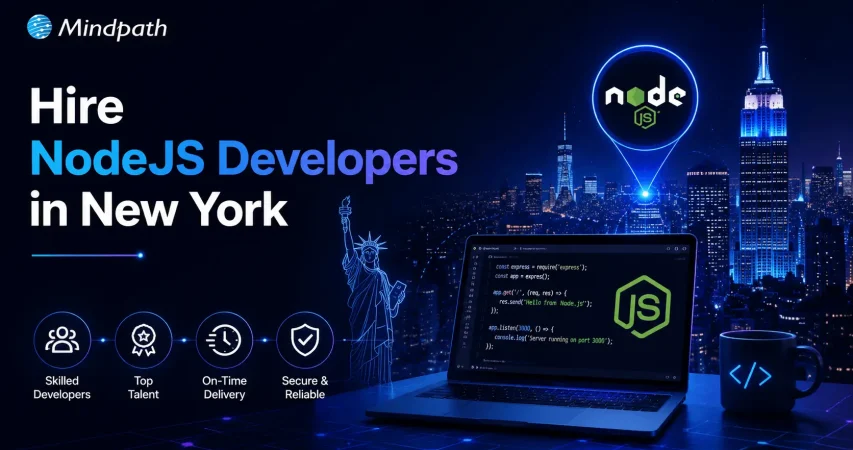
hire NodeJS developers in New York

Are you looking to build a fast and scalable web application? Do you need expert NodeJS developers in New York to bring your ideas to life? Finding the right developers can be challenging, but with the right team, you can create high-performance applications that drive business success. But where can you find the best talent?

Hiring Node.js developers in New York is essential for businesses seeking scalable and high-performance applications. With its event-driven architecture and non-blocking I/O, Node.js enables fast and efficient development, making it a preferred choice for real-time applications, APIs, and enterprise solutions.

New York’s dynamic tech ecosystem offers access to highly skilled Node.js developers with expertise in modern frameworks and development best practices. Whether you’re building a startup or expanding an existing platform, choosing the right developers ensures seamless execution, optimized performance, and long-term success.

Let’s explore how you can hire top NodeJS developers to take your project to the next level!

Steps to Hire Node.js Developers in New York

Finding the right Node.js developer for your project in New York can be challenging, given the city’s competitive tech landscape. Whether you’re building a scalable web application, an API-driven platform, or a real-time service, hiring skilled Node.js developers ensure the success of your project. Follow these structured steps to streamline your hiring process and secure the best talent for your team.

1. Define the Job Requirements

Start by outlining a clear and detailed job description. Identify the key responsibilities and technical skills required, such as expertise in JavaScript, Node.js frameworks (Express.js, Nest.js), databases (MongoDB, PostgreSQL), and cloud services. Include soft skills like communication, problem-solving, and teamwork to ensure compatibility with your business culture. Additionally, specify the job type—whether onsite, remote, or hybrid—along with project goals and expected outcomes. A well-defined role attracts highly qualified Node.js developers in New York.

2. Structure a Hiring Process

Develop a structured hiring framework that enables you to evaluate candidates effectively. Start with resume screening to shortlist potential developers. Conduct technical assessments to gauge coding proficiency, followed by behavioral interviews to assess cultural fit. Consider assigning a test project that mirrors real-world development challenges. A well-organized hiring strategy ensures that you find a Node.js developer who meets your technical needs and aligns with your company’s values.

3. Source Qualified Candidates

To find the best Node.js developers, leverage multiple recruitment channels. Post job listings on platforms like LinkedIn, Indeed, and Glassdoor. Attend NYC-based tech meetups, conferences, and hackathons to network with developers. Partnering with a specialized Node.js development agency in New York can also provide access to pre-vetted professionals, saving time and effort. Utilizing diverse sourcing methods increases the chances of finding the right developer for your project.

4. Evaluate Technical Skills

Assess candidates by reviewing their portfolios and GitHub repositories. Examine past projects to check experience with Node.js, backend architectures, database management, and API integrations. Conduct coding tests to evaluate problem-solving abilities and efficiency. In addition to technical expertise, consider adaptability, communication, and teamwork skills. A thorough assessment ensures you select highly skilled and reliable Node.js developers in New York.

5. Conduct In-Depth Interviews

Implement a well-structured interview process that covers both technical and behavioral aspects. Begin with a screening call to discuss experience and expertise. Follow up with a technical interview, including questions on Node.js architecture, performance optimization, and database handling. Live coding sessions or case studies can help measure real-time problem-solving abilities. Team interviews further assess how well the candidate collaborates with others. A fast yet thorough interview process is crucial for securing top talent in the competitive New York tech market.

6. Finalize the Hiring Decision

Once interviews are complete, select the best candidate based on technical skills, problem-solving ability, and cultural fit. Conduct reference checks to validate past performance. Offer a competitive salary package in line with New York’s tech industry standards. Before onboarding, clearly define job expectations, workflows, and team structures. Providing a seamless onboarding experience helps new developers integrate quickly and contribute effectively. Hiring the right Node.js developer ensures the long-term success of your software development projects in New York.
By following these steps, you can efficiently hire skilled Node.js developers in New York who bring expertise, innovation, and value to your business.

Factors to Consider While Hiring Expert Node.js Developers in New York

In today’s fast-paced digital world, businesses need skilled developers to build scalable and efficient applications. Factors to Consider while Hiring Expert Node.js Developers in New York include not just technical proficiency but also industry knowledge, problem-solving skills, and the ability to work within a team. Given New York’s competitive tech market, making the right hiring decisions is crucial for project success. Here’s what you need to consider:

1. Understanding of Scalable Architecture

Node.js is often used for building high-performance applications that require scalability. A great developer should understand microservices architecture, serverless computing, and cloud deployment strategies. This ensures that applications remain efficient as user demand grows.

2. Experience with Real-Time Applications

New York businesses, especially in finance and e-commerce, often require real-time features such as live chat, stock trading updates, or order tracking. Hiring a developer with experience in WebSockets, event-driven programming, and message queues ensures seamless real-time functionality.

3. Familiarity with DevOps and CI/CD

To maintain rapid development cycles, a Node.js developer should be comfortable with DevOps practices. Experience with Continuous Integration/Continuous Deployment (CI/CD) tools like Jenkins, GitHub Actions, or CircleCI helps streamline the software development process and improves reliability.

4. Security and Compliance Knowledge

With data security regulations such as GDPR and industry-specific compliance requirements in finance and healthcare, developers should be well-versed in security best practices. Understanding authentication mechanisms like OAuth, JWT, and secure API development is essential to protect user data.

5. Performance Optimization Skills

New York’s fast-moving tech industry demands applications that run efficiently. A skilled Node.js developer should know how to optimize code for speed, handle memory leaks, and implement caching strategies using Redis or similar technologies to enhance performance.

6. Problem-Solving and Debugging Expertise

Great developers don’t just write code—they solve problems. Strong debugging skills using tools like Chrome DevTools, Postman, or LogRocket can help identify and resolve issues quickly, reducing downtime and improving user experience.

7. API Development and Integration Abilities

Node.js is widely used for building RESTful and GraphQL APIs. A proficient developer should have experience designing scalable APIs and integrating third-party services, ensuring smooth communication between systems.

8. Adaptability to New Technologies

The tech landscape is always evolving, and top-tier developers continuously learn and adapt. Whether it’s adopting newer frameworks like Deno or incorporating AI-driven functionalities, hiring developers with a growth mindset ensures long-term success.

9. Effective Collaboration and Communication

A Node.js developer often works with front-end developers, designers, and project managers. Strong communication and teamwork skills ensure smooth coordination, helping projects stay on track and meet business objectives efficiently.

10. Understanding of Business Needs

Beyond technical expertise, a great developer understands the company’s vision and customer needs. Whether it’s an e-commerce platform requiring seamless transactions or a fintech app demanding high-level security, a developer who aligns with business goals contributes significantly to project success.

Key Skills to Prioritize When Hiring a Node.js Developer in New York

Finding a skilled Node.js developer requires assessing a blend of technical expertise and problem-solving abilities. Essential skills to look for when hiring a Node.js developer in New York include mastery of backend frameworks, database management, and API development. Additionally, strong debugging and performance optimization skills are necessary for building high-performing applications that can handle real-world demands.

1. Proficiency in Asynchronous Programming

Node.js is built on an event-driven, non-blocking I/O model, making asynchronous programming a fundamental skill. Developers should be comfortable working with callbacks, Promises, async/await, and event loops to ensure smooth execution of multiple tasks without blocking operations. Mastering these techniques helps improve application responsiveness, especially when dealing with real-time data processing or high-traffic applications.

2. Expertise in Backend Frameworks

A strong foundation in backend frameworks enhances the development process and ensures efficient server-side logic. Developers should be well-versed in frameworks like Express.js, NestJS, and Fastify, which simplify request handling, middleware integration, and API routing. Each framework offers unique advantages—Express.js is lightweight and flexible, NestJS provides a structured, modular architecture, and Fastify is optimized for performance. Choosing the right framework based on project requirements is key to scalable and maintainable development.

3. API Development and Integration

Modern web applications rely on robust APIs for seamless communication between the frontend and backend. Skilled Node.js developers should be able to design, develop, and integrate RESTful and GraphQL APIs while ensuring proper authentication, authorization, and validation. Implementing best practices such as rate limiting, caching, and API documentation using tools like Swagger improves efficiency and security. Developers should also be familiar with third-party API integrations for payment gateways, cloud services, and external databases.

4. Performance Optimization Techniques

Efficient performance management is critical for handling large-scale applications. Developers must be proficient in caching techniques (Redis, Memcached), load balancing, clustering, and stream processing to optimize application speed. Additionally, knowledge of event-driven architecture and WebSockets allows for real-time communication, making applications more dynamic. Writing optimized code, reducing redundant queries, and monitoring system performance using tools like New Relic or Prometheus contribute to better scalability and user experience.

5. Security Best Practices

With rising cybersecurity threats, securing a Node.js application is a top priority. Developers should be knowledgeable in preventing common vulnerabilities such as Cross-Site Scripting (XSS), SQL Injection, Cross-Site Request Forgery (CSRF), and data breaches. Implementing OAuth, JWT authentication, data encryption, and secure HTTP headers ensures robust protection. Regular security audits, dependency scanning using tools like Snyk, and best practices in access control further strengthen application security.

Breaking Down the Cost of Hiring Node.js Developers in New York

The cost of hiring Node.js developers in New York depends on experience, project complexity, and the hiring model. Whether you need a freelancer, an in-house developer, or a full-service agency, understanding pricing structures helps you make the best decision for your budget and project needs.

1. Hourly Rates Based on Experience

Junior Developers (0-2 years): Charge $12-$50 per hour for basic tasks like bug fixes and API integrations.

Mid-Level Developers (3-5 years): Earn $50-$100 per hour, handling backend development, databases, and performance optimization.

Senior Developers (5+ years): Command $80-$150+ per hour for complex system architecture and high-performance solutions.

While hiring locally ensures smoother collaboration, outsourcing to lower-cost regions can be a budget-friendly alternative.

2. Estimated Project-Based Pricing

Small Projects: Simple applications cost $12,000-$25,000.

Medium Projects: Custom apps with real-time features range from $25,000-$45,000.

Large-Scale Solutions: Enterprise-level applications often exceed $60,000.

A development agency typically charges between $72,000-$116,000 per year, providing full-cycle development with ongoing support.

3. Key Cost Influencers

Project Complexity: More advanced features require higher investment.

Hiring Model: Freelancers are cost-effective but lack ongoing support; in-house teams offer stability but add overhead costs; agencies provide expertise but at a premium.

Location: Hiring locally ensures real-time collaboration, while outsourcing lowers costs.

By weighing these factors, businesses can find a cost-effective yet skilled Node.js developer that aligns with their needs.

Conclusion

Hiring the right Node.js developers in New York is essential for building scalable, high-performance applications. With the city’s competitive tech landscape, businesses must follow a structured hiring process, evaluate technical expertise, and consider cost factors to secure top talent. Whether you’re developing a real-time application, API-driven platform, or enterprise solution, skilled Node.js developers ensure seamless execution, optimized performance, and long-term success. By making informed hiring decisions, you can build a strong development team that drives innovation and growth.

Looking for expert Node.js developers in New York? Mindpath offers top-tier development services tailored to your business needs, ensuring scalable, high-performance applications. Whether you need real-time solutions, API development, or enterprise-grade software, our skilled developers are ready to bring your vision to life.


Support Is One Click Away

Featured Posts

Related Post

benefits of cloud migration 

The contemporary business strives after speed, control, and smarter growth on daily basis. Those objectives are currently propelled by technology. That is where the benefits of cloud migration begin to have a bearing. Businesses desire rapid and easy-scaled systems. They also seek transparency in terms of expenditure and performance. The use of clouds provides a clear solution to those requirements. It transforms teamwork, planning, and value delivery. Being a technology-oriented organization, we believe this change transforms the decision-making process in industries. The debate on cloud has continued to become intense.

Additionally, cloud migration does not feel like an experiment anymore. It is powerful like a strategic move. Companies demand fluidity, trust, and space to become innovative. They desire mechanisms that will aid growth without dragging the momentum. Cloud systems assist teams to be more collaborative and adapt more easily. They also make the operations and planning easy. These benefits are directly related to long-term competitiveness. So, this blog discusses the actual business value realized through cloud migration in the currently digital-first world. Let’s dive in further!

Want to simplify moving to the cloud while keeping expenses in check? Mindpath’s cloud infrastructure services make it easy to migrate, optimize, and scale efficiently.

What is Cloud Computing Migration?

Cloud migration refers to the process of transferring information, applications, and systems from the local servers to the cloud. Companies make this decision in order to modernize IT activities. The migration to cloud computing helps teams work with online infrastructure instead of physical setups. It transforms the manner in which businesses handle technology and day-to-day workload.

This involves the migration of files, software, and complete environments to cloud. Planning is an important part of teams to prevent disruption. The benefits of cloud migration often drive interest, but understanding the process comes first. An obvious strategy assists companies to be geared towards long-term digitalization.

What is the Process for Cloud Migration?

The process of cloud migration has a systematic way of movement so that there is control and smooth flow of systems. The knowledge of cloud migration phases assists businesses to plan better and prevent risks of operations before the process of cloud migration can take place.

1. Assess and Plan

Teams establish specific objectives in the business and evaluate the existing systems. This step builds the base for the benefits of cloud migration without rushing decisions.

2. Create the Foundation

Teams create a cloud-enabled team and work out the foundation. They prepares security, network and storage to allow smooth movement.

3. Migrate and Improve

Teams migrate data and applications in a predetermined sequence. Their performance and security are tested immediately after the move.

4. Monitor and Optimize

Teams monitor the performance and manage cloud costs on a daily basis. They optimize systems to ensure that the operations are efficient and stable.

Wondering how to balance performance and cost in your cloud environment? Explore cloud cost optimization to achieve better financial control.

Why Migrate to Cloud?

The following are the major reasons why businesses opt to adopt the cloud today. The benefits of moving to the cloud align closely with speed, flexibility, and modern operational needs.

key benefits of cloud migration

1. Scalable Performance on Demand

Cloud platforms are adaptable and modify resources in real-time. Elimination of team performance problems when there are traffic spikes. During peak demand systems remain stable. This flexibility highlights the benefits of cloud migration clearly.

2. Faster Product Innovation

Cloud environments have fast development and testing processes. In a team, features are released quicker without heavy infrastructure undertakings. The use of automation enhances faster delivery schedules. These gains reflect core benefits of cloud migration for growing businesses.

Want to understand the potential risks that come with cloud migration? Explore cloud computing vulnerabilities to strengthen your security strategy.

3. Strong Business Continuity

Cloud implementations operate in different locations. During system failures, there is no downtime in the teams. The recovery process occurs very fast following disruptions. This reliability shows key benefits of cloud migration in action.

4. Smarter Cost Control

Cloud pricing is equivalent to real usage patterns. Spending is tracked by the use of transparent dashboards by teams. The planning of the budget is simplified and precise. Cost clarity remains one of the benefits of cloud migration.

5. Improved Security Management

Cloud platforms also have built-in security controls. There are defined roles in access control by teams. The process of monitoring is continuous and centralized. Such controls enhance risk management in general.

6. Better Data Insights

The analytics tools are used in cloud processing to analyze data in real time. Teams have quicker decision-making knowledge. Information is used to support operations and strategy on a daily basis. This capability reflects real cloud migration benefits.

7. Higher Developer Productivity

Ready environments are available and set up without delays by the developers. Repetitive work is eliminated through automation. Teams are more concerned with feature building. Long-term innovation objectives are supported in productivity.

8. Faster Market Adaptation

Cloud systems are able to facilitate a speedy service change. Teams experiment and change direction easily. Companies become responsive to customer demands. This agility shows clear advantages of moving to the cloud.

9. Sustainable IT Operations

Cloud vendors upgrade to energy-saving infrastructure. The businesses cut down on the general waste of resources. Scalable systems work effectively. Sustainability is in line with the present-day business demands.

Looking to optimize energy usage in your cloud infrastructure? Learn from sustainable technology to improve efficiency and reduce waste.

10. Stronger Team Collaboration

Shared cloud environments connect teams easily. Developers and operations work closer together. Feedback loops stay fast and clear. Collaboration improves delivery quality.

11. Flexible Business Models

Cloud architectures support hybrid and multi-cloud setups. Businesses avoid dependency on one provider. Teams design solutions for future growth. Flexibility drives long-term resilience and innovation.

Ready to Move Your Business to the Cloud with Confidence?

The benefits of cloud migration help companies to remain dynamic, safe, and future proof. It helps to accelerate innovation, wiser scaling, and enhanced system control. Organizations become adaptable to change and evolve in a steady manner. By making migration a transparent process in teams, cloud adoption will form a powerful base of digital advancement and success in a competitive market.

At Mindpath, we assist companies to map and implement cloud journeys without any hassles through our cloud infrastructure services. Our specialists aim at safe architecture, scalable design, and comprehensible cost management. We match cloud strategies and business objectives. Mindpath also provides organizations with dependable support, current cloud computing, and a systematic strategy that will propel performance, stability, and long-term digital advancement.

FAQs

1. What does cloud migration mean for a business?

Cloud migration refers to the transfer of applications, data, and systems to cloud-based systems. It assists companies in the modernization of IT processes. Teams become more flexible and have improved control of the system. The transformation helps in the development of digital and equips organizations with evolving technology requirements.

2. Is cloud migration suitable for small and mid-sized businesses?

Yes, cloud migration can be effective with small and mid-sized companies. It minimizes the infrastructure load and enhances the scalability. Companies only pay on what they use. This strategy will enable emerging businesses to compete without excessive spending on technologies.

3. How long does a typical cloud migration take?

Migration schedules are based on the size and complexity of systems. Small workloads are fast to execute with planning. Depending on the size of the environment, a staged implementation is required. Having goals and evaluation can prevent any delays and maintain stable operations during transitions in teams.

4. How does Mindpath support cloud migration projects?

Mindpath supports cloud migration through structured planning and expert execution. Our teams design secure architectures and scalable environments. They focus on performance and cost clarity. This approach helps businesses move confidently and maintain long-term cloud efficiency.

5. Why should businesses choose Mindpath for cloud computing services?

Mindpath cloud computing services align technology with business goals. Experts guide strategy, migration, and optimization. Teams ensure smooth transitions and reliable operations. Businesses gain a trusted partner focused on growth, stability, and modern cloud success.

AI Knowledge Base Development cost

Every organization depends on quick access to accurate business information, yet many still struggle with scattered documents and disconnected systems. Understanding the Enterprise AI knowledge base cost is becoming a priority as companies invest in AI solutions that improve knowledge access, increase productivity, and support better decision-making across every department.

Key Takeaways

  • 01
    Enterprise AI knowledge bases centralize business information, improving productivity and organization-wide decision-making.
  • 02
    Development costs depend on data quality, system integrations, security requirements, and AI capabilities.
  • 03
    Clean, well-structured data improves AI accuracy, response quality, and implementation success.
  • 04
    Starting with a focused, high-impact use case helps reduce implementation costs and project risks.
  • 05
    Continuous optimization, maintenance, and scalable AI architecture maximize long-term business value and ROI.

An enterprise AI knowledge base does much more than store documents. It uses artificial intelligence to understand user questions, retrieve relevant information from multiple sources, and deliver reliable answers within seconds. As businesses continue adopting AI, knowing the factors that influence development costs helps them plan the right investment and avoid unexpected expenses. In this blog, we’ll break down the key cost factors, typical pricing, and practical ways to build an enterprise AI knowledge base within your budget.

Looking to improve your enterprise AI knowledge base with a custom RAG solution? At Mindpath, we offer RAG Development Services to create AI systems that retrieve reliable information and generate accurate business insights.

What Is an Enterprise AI Knowledge Base and Why Do Businesses Need One?

An enterprise AI knowledge base is an intelligent platform that stores, organizes, and retrieves business information using artificial intelligence. Unlike traditional knowledge repositories, it understands natural language queries and provides relevant answers from trusted company data. Many organizations also use a RAG knowledge base to improve response accuracy with real-time business information.

As organizations create more documents, policies, customer records, and operational data, finding the right information becomes increasingly difficult. An enterprise AI knowledge base solves this challenge by making knowledge instantly accessible, reducing manual searches, and helping teams work more efficiently. It also creates a single source of truth that supports consistent decision-making across the business.

Businesses need an enterprise AI knowledge base because it helps them:

  • Reduce the time employees spend searching for information.
  • Improve productivity by providing instant access to business knowledge.
  • Deliver faster and more consistent responses to customer queries.
  • Centralize information from multiple systems into one trusted source.
  • Support informed decision-making with accurate and up-to-date knowledge.
  • Scale knowledge management without increasing manual effort.

Advantages of Enterprise AI Knowledge Base

As businesses continue building a knowledge base in artificial intelligence, they gain more than faster information access. An enterprise AI knowledge base improves operational efficiency, supports better decisions, and enables teams to work with accurate, up-to-date knowledge across the organization.

  • Faster Information Retrieval: Employees can find relevant answers in seconds instead of searching through multiple systems.
  • Higher Employee Productivity: Teams spend less time looking for information and more time completing valuable work.
  • Consistent Knowledge Access: Everyone receives the same accurate and up-to-date information from a centralized source.
  • Better Decision-Making: Quick access to reliable business knowledge helps leaders and employees make informed decisions.
  • Reduced Operational Costs: Automating knowledge retrieval lowers manual effort and reduces support and training costs.
  • Scalable Knowledge Management: The system grows with your business while managing increasing volumes of information efficiently.

Drawbacks at a Glance

  • High Initial Investment: Development, integration, and infrastructure can require a significant upfront budget before delivering long-term value.
  • Data Quality Challenges: AI can only provide accurate answers when the underlying business data is complete, organized, and regularly updated.
  • Complex Implementation: Integrating AI with existing business systems and workflows often requires specialized technical expertise.
  • Ongoing Maintenance Requirements: The knowledge base must be continuously updated, monitored, and optimized to keep responses accurate and relevant.
  • Security and Compliance Risks: Sensitive business information requires strong access controls, encryption, and governance to meet regulatory requirements.
  • User Adoption Takes Time: Employees may need training and change management before fully trusting and using the AI knowledge base in their daily work.

What Factors Affect the Enterprise AI Knowledge Base Cost?

The cost of an enterprise knowledge management system depends on multiple technical and business factors. Understanding these helps businesses estimate the right budget for AI knowledge base projects and plan their investment more effectively.

1. Business Requirements

The project scope directly impacts the overall cost. More use cases and advanced features require greater development effort.

2. Data Quality

AI needs clean, organized, and updated data to deliver accurate results. Preparing business data often adds to implementation costs.

3. Knowledge Base Size

Larger knowledge bases require more storage and processing resources. This increases infrastructure and maintenance expenses.

4. AI Model Selection

The choice of AI model affects both development and operating costs. Advanced models generally require a higher investment.

5. System Integrations

Connecting the knowledge base with CRM, ERP, or other business applications increases implementation complexity. More integrations usually mean higher costs.

6. Security and Compliance

Enterprises often need encryption, access controls, and regulatory compliance. These requirements add to the overall development cost.

7. Maintenance and Support

Regular updates, monitoring, and performance improvements are essential after deployment. Ongoing maintenance should always be included in the project budget.

Enterprise AI Knowledge Base Cost Breakdown

The cost of an enterprise AI knowledge base depends on factors such as project complexity, data volume, integrations, and security requirements. Whether you’re building a traditional AI solution or an LLM knowledge base, understanding these cost components helps businesses estimate the required investment and plan their implementation more effectively.

Component Description Estimated Cost
Basic AI Knowledge Base 10–50 documents, managed cloud setup $8,000 – $18,000
Mid-Market Solution Multi-source data with custom interface $25,000 – $80,000
Enterprise AI Knowledge Base 10,000+ documents, deep integrations, compliance $100,000 – $300,000+
Offshore Development Custom enterprise implementation $30,000 – $80,000
SaaS Subscription Pre-built AI knowledge platform ~$30/user/month
Cloud Infrastructure Hosting, storage, vector database $50 – $300+/month
LLM API Usage AI model token consumption Usage-based
Annual Maintenance Updates, monitoring, optimization 15%–30% of build cost/year
Security & Compliance Encryption, audit logs, regulatory compliance Up to 7% extra budget

How to Reduce the Cost of Building an AI Knowledge Base Without Compromising Quality?

Reducing Enterprise AI knowledge base cost does not mean sacrificing performance or scalability. The right strategy and technology choices can help businesses maximize value while keeping development and operational expenses under control.

1. Start with a High-Impact Use Case

Begin with one department or business process instead of building an enterprise-wide solution. This reduces upfront costs and allows you to scale based on proven results.

2. Improve Data Before Implementation

Remove duplicate, outdated, and irrelevant content before training the system. Clean data improves AI accuracy and reduces implementation effort.

3. Use Existing Cloud AI Services

Leverage managed AI platforms instead of building infrastructure from scratch. This lowers deployment time and reduces infrastructure costs.

4. Choose the Right Knowledge System Building Tools in AI

Select tools that support integrations, scalability, and automation out of the box. The right knowledge system building tools in AI minimize custom development and long-term maintenance costs.

5. Integrate with Existing Business Systems

Connect the AI knowledge base with current CRM, ERP, and document management platforms. Reusing existing systems avoids unnecessary redevelopment expenses.

6. Monitor and Optimize Continuously

Track AI performance, user feedback, and operational costs after deployment. Regular optimization improves accuracy while preventing unnecessary spending over time.

Is an Enterprise AI Knowledge Base Worth the Investment?

Businesses looking at how to build an AI knowledge base should evaluate both the upfront investment and the long-term value it delivers. When implemented correctly, it becomes a strategic asset that improves efficiency, knowledge sharing, and decision-making.

  • Reduces the time employees spend searching for information, leading to higher productivity.
  • Delivers faster and more accurate responses by providing access to trusted business knowledge.
  • Improves collaboration by creating a single source of truth across teams and departments.
  • Scales easily as business data, users, and operational requirements continue to grow.
  • The implementation cost of AI knowledge base is often offset over time through lower operational costs, improved efficiency, and better customer experiences.
  • Provides long-term business value by supporting informed decisions and enabling AI-driven workflows across the organization.

Ready to Optimize Your Enterprise AI Knowledge Base Cost?

Building an enterprise AI knowledge base is a strategic investment that improves knowledge accessibility, operational efficiency, and business decision-making. The final cost depends on your data, integrations, security requirements, and AI capabilities, making careful planning essential for maximizing long-term value and return on investment.

At Mindpath, we design secure, scalable, and customized AI knowledge base solutions tailored to your business goals. From AI strategy and RAG implementation to enterprise integrations and ongoing optimization, our experts help you build reliable solutions that deliver measurable business outcomes while optimizing your investment.

Frequently Asked Questions

Wordpress vs workflow

In the year 2025, the debate of WordPress vs Webflow is hotter than ever. This is because business entities and content creators are looking for the best platform to build secure as well as SEO-friendly websites. It is true that WordPress has been dominating the CMS market thanks to its vast plugin ecosystem coupled with high flexibility. But it is essential to bear in mind that Webflow has been gaining momentum with designers as well as startups, thanks to its no-code visual editor along with built-in hosting. 

In case you are wondering, is Webflow better than WordPress? You need to look at the main difference between these tools. You need to know which one is better so that you can choose the tool that perfectly aligns with your needs. The guide breaks down everything you need to know while choosing Webflow or WordPress.

Choosing the right platform makes all the difference when it comes to performance and growth for your online presence. Explore Mindpath’s WordPress development services for expert guidance on what your business needs.

A Deep Dive into WordPress

WordPress is the most popular content management system (CMS) in the world, currently powering over 40% of all websites on the internet. It lets you create, build, and manage your own website without needing coding knowledge. WordPress has gained massive popularity thanks to its ease of use coupled with flexibility, making it an ideal tool for beginners, professionals, and businesses alike.

At its core, WordPress is a free, open-source content management system. This means anyone can use, modify, or distribute it at no cost, and it’s continually improved by a global community of developers. One of the biggest strengths of WordPress is its SEO-friendly structure. The novel platform generates clean and crawlable code that adds value to search engines’ index content efficiently. Users can even leverage useful plugins such as Yoast SEO and Rank Math for optimizing titles and meta descriptions that can improve the visibility in search results.

An Insight into Webflow

Webflow is a cloud-based visual web development platform that lets you design, build, and launch responsive websites without writing code. It bridges the gap between design and development by letting users design visually on a canvas while the platform automatically generates clean, production-ready HTML, CSS, and JavaScript in the background. This makes Webflow a favorite among designers who want creative freedom without relying on developers.

A standout feature of Webflow that you need to be aware of is related to its design flexibility. Users have the option to create fully custom layouts as well as animations without having to write a single line of code. Webflow basically combines the best of graphic design tools with the functionality of a content management system (CMS), generating clean HTML, CSS, and JavaScript behind the scenes as you design. For businesses that need more tailored solutions, custom WordPress development offers similar flexibility with the added power of plugins, themes, and scalability, allowing organizations to build websites that precisely meet their unique requirements. It serves as a valuable tool for businesses and startups that wish to leverage its ability to deliver professional and responsive websites effectively and efficiently.

Comparison Between WordPress and Webflow

Now that you have an insight into Webflow and WordPress, it is time to look at the difference between these novel tools. Developers as well as businesses need to understand the difference between WordPress and Webflow so that they can make a wise selection. The core differences have been presented by focusing on specific areas such as ease of use, design, customisation, and many other features. 

1. Ease of Use

Webflow offers a visual no-code editor. It is highly appealing to designers as well as marketers. In fact, it is great for rapid prototyping along with pixel-perfect layouts. On the other hand, WordPress requires setup with a theme or page builder. So beginners may take some time to learn how to use the tool. However, developers with proper knowledge and experience can get full control over the tool. Thus, while discussing Webflow vs WordPress, a major difference between them revolves around the ease of use.  

2. Design and Customization

Webflow serves as an ideal tool for making custom designs without requiring any coding. The responsive control built in can ensure that users can derive optimum value from the tool even if they have limited coding-related skills. On the other hand, WordPress has a large ecosystem of themes as well as plugins. These elements make it highly customizable in nature. But this maturity also makes it plugin-dependent at times.

3. SEO Features

Webflow provides built-in SEO tools such as meta tags and schema options. It even delivers strong performance when it comes to integrated hosting. However, WordPress relies on plugins such as Yoast SEO for advanced SEO control. Thus, this feature makes WordPress extremely powerful, which is capable of precise optimization. You need to bear in mind that, starting from Webflow to WordPress, the role of top SEO features is a must for users.

Stuck deciding whether WordPress or Drupal is a better match for your business? Our WordPress vs Drupal guide breaks down key differences to help you pick the perfect solution.

4. Security

While talking about WordPress vs Webflow, it is a must to take into account the security aspects. Webflow is certainly more secure by default in comparison to WordPress. This is mainly because it offers built-in security features such as DDoS and SSL protection. The top-notch security feature of Webflow acts as its major strength. When it comes to WordPress, the security mainly depends on users. You need to manage separate security plugins and carry out frequent maintenance in order to prevent vulnerabilities. In order to boost the level of security, you need to make sure that you, as a user, maintain cybersecurity resilience while developing your website. 

5. Performance

Webflow is capable of offering better out-of-the-box performance. This is mainly because of integrated hosting coupled with a global Content Delivery Network and clean code. On the other hand, when it comes to WordPress, its performance mainly depends on the chosen hosting and plugins. The selected theme can also impact the performance that is delivered by the tool. If you use Webflow, your website can load faster by default. But if you choose WordPress, you can rest assured about the site performance if you choose appropriate hosting. 

6. Pricing

If you are wondering – is Webflow similar to WordPress in terms of pricing, the answer is no. The pricing of WordPress is variable in nature. You may have to incur separate costs for different things, such as hosting and a domain. Similarly, the price also depends on the chosen plugins and themes. So it may seem cheaper initially, but its price may increase with additional functionality. When it comes to Webflow, the pricing is based on the all-inclusive subscription model. It can become expensive for you if you opt for higher-tier plans.  

Want to make sure your WordPress site is accessible to everyone? Check out our post on improve WordPress web accessibility to learn practical steps for making your site more inclusive and user-friendly.

WordPress vs Webflow – Comparison Table

The difference between WordPress and Webflow has been presented in the table below. You need to understand how Webflow and WordPress are different from each other so that you can choose the ideal tool wisely. The insight can surely guide you to decide which platform you intend to use to fulfil your specific needs. 

Features Webflow WordPress
Ease of Use  No Coding Knowledge needed  Coding knowledge is not strictly needed but can help for advanced customization
Design and Customization Highly flexible in nature  Availability of extensive themes for customization
SEO Features Built-in SEO tools Availability of SEO friendly structure 
Security  High security  Low security 
Performance High optimization for speed Performance depends on hosting 
Pricing Subscription-based pricing model Variable pricing model

Final Winner Between WordPress and Webflow

You must choose Webflow if you prioritize visual design control along with built-in hosting. Webflow is the better choice if you need to manage your website in a simple way. It is well-suited for small business entities as well as startups that want to launch their site quickly with a clean and modern design.

WordPress is an ideal choice for you if you are looking for scalability and advanced SEO capabilities, along with flexibility through plugins. In such cases, WordPress can certainly act as a stronger platform that can meet your needs perfectly. The platform is best-suited for enterprises and e-commerce stores that wish to have full control over SEO as well as integrations. 

Therefore, both Webflow and WordPress serve as useful tools. You need to choose between WordPress and Webflow by considering your needs. In case you are wondering – Does Webflow work with WordPress? The good news is, yes! Webflow can definitely work along with WordPress if you utilize the official Webflow Pages plugin. It will certainly allow you to build pages in Webflow while serving them on your WordPress site.

Worried about security risks and vulnerabilities on your WordPress site? Read our guide on safeguarding WordPress vulnerabilities to learn how to protect your site and keep it secure against threats.

Final Words

The emergence of WordPress and Webflow has been transformational in the prevailing business world. Both these platforms have their unique strengths and advantages. The ultimate choice between WordPress and Webflow in the year 2026 mainly depends on the goals of your website and your budget. You also need to take into consideration the long-term growth plan before making the choice between WordPress and Webflow.

If you wish to derive optimum value from WordPress, you need to partner with a reliable partner. Mindpath’s top-grade WordPress development services can certainly help you develop a world-class website. It can offer the ultimate go-to solution in terms of scalability as well as limitless customization. You can also take advantage of the advanced SEO-friendly structure in order to boost the online visibility of your website. It can certainly give an edge to businesses in the competitive business world.

Frequently Asked Questions