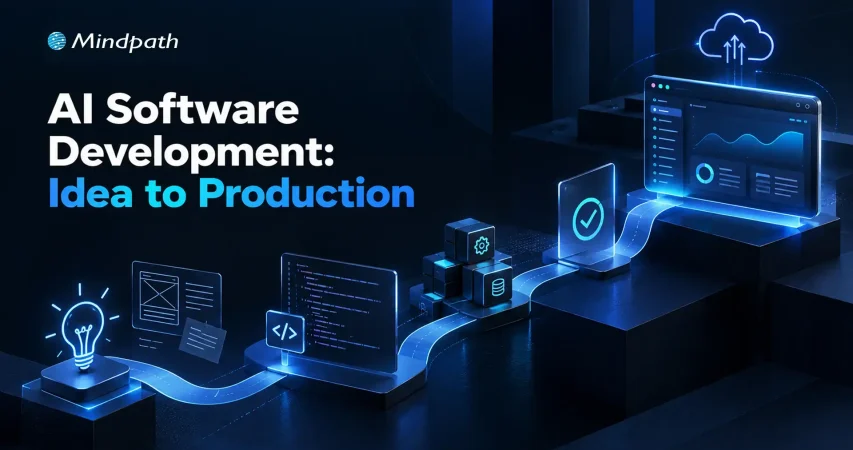
Software teams are entering a new phase where ideas can move toward working products with remarkable speed. AI software development is reshaping how teams plan, prototype, code, test, and deploy applications. But faster execution alone does not guarantee better software. Teams still need structure, technical judgment, and clear ownership.
Key Takeaways
- 01
AI can accelerate software development across planning, coding, testing, and deployment. - 02
AI helps teams turn software ideas into working prototypes faster. - 03
Human review remains essential for code quality, security, and technical decisions. - 04
A structured AI development process helps teams scale AI adoption effectively. - 05
Successful AI development balances automation with clear ownership, testing, and governance.
The real opportunity lies in combining AI capabilities with disciplined development practices. Teams can reduce repetitive work, validate ideas earlier, and improve delivery workflows while keeping quality and security under control.
In this blog, we will explore how AI software development takes an idea from concept to production in 2026.
Ready to turn your software idea into a production-ready AI solution? Mindpath offers AI Development Services to help businesses design, build, and scale AI-driven software.
What is AI Software Development?
AI software development refers to using artificial intelligence across different stages of building software, including planning, coding, testing, debugging, documentation, and deployment.
In 2026, this can involve AI coding assistants, AI agents, automated testing tools, and intelligent development workflows that help teams complete repetitive and time-consuming tasks more efficiently.
Unlike traditional development, where most tasks depend entirely on manual execution, AI-supported workflows can assist developers with generating code, identifying potential issues, creating test cases, and improving existing code.
Developers still define requirements, make architectural decisions, validate outputs, and take responsibility for the final product. The goal is not to remove human involvement, but to make the development process more efficient, consistent, and scalable.
Let’s look at how AI software development differs from traditional development:
| Area | Traditional Development | AI Software Development |
|---|---|---|
| Planning | Mostly manual requirements and task planning | AI assists with requirements, user stories, and task breakdown |
| Coding | Developers write most code manually | AI can generate, explain, and refine code |
| Testing | Test cases are created and maintained manually | AI can generate tests and identify potential issues |
| Debugging | Developers investigate issues manually | AI helps analyze errors and suggest fixes |
| Documentation | Often created separately after development | AI can generate and update documentation during development |
| Code Review | Primarily handled through developer reviews | AI can provide an additional review layer before human approval |
| Deployment | Teams manage defined CI/CD workflows | AI can assist with deployment checks, monitoring, and automation |
| Human Role | Developers execute and validate most tasks | Developers guide, review, validate, and make key technical decisions |
What are the Key Benefits of AI Software Development?
AI software development brings intelligence into different stages of the development lifecycle. It helps teams handle repetitive work, accelerate delivery, and make development workflows more responsive. Its value comes from using AI where it can support developers without removing the need for technical judgment and human review.
Key benefits include:
1. Faster Development
AI can generate code, documentation, test cases, and development tasks, reducing repetitive effort.
2. Rapid Prototyping
Teams can turn ideas into functional prototypes quickly and validate concepts earlier.
3. Improved Testing
AI can identify potential issues, generate test scenarios, and support continuous quality checks.
4. Smarter Debugging
Development teams can use AI to analyze errors and suggest possible fixes faster.
5. Workflow Automation
AI can automate routine development activities across coding, testing, documentation, and deployment.
6. Scalable Development
AI-supported workflows can help teams manage larger development workloads without increasing manual effort at the same pace.
7. Enterprise Readiness
Enterprise AI development can incorporate stronger security, governance, access controls, monitoring, and compliance requirements into AI-driven software workflows.
How Does AI Support Software Building and Testing?
Once a prototype is validated, the next stage is turning it into reliable, production-ready software. AI can support developers across coding, testing, debugging, and review, helping teams reduce repetitive work while keeping technical decisions under human control.
As part of a structured AI development process, teams can use AI for:
1. Code Generation
Create initial code, functions, components, and APIs based on defined requirements.
2. Code Refactoring
Identify repetitive or inefficient code and suggest cleaner implementation approaches.
3. Test Creation
Generate unit tests, test cases, and scenarios that cover different application behaviors.
4. Debugging Support
Analyze errors, trace potential causes, and suggest possible fixes for developer review.
5. Code Review
Detect potential bugs, inconsistencies, security concerns, and maintainability issues before approval.
6. Documentation
Generate technical documentation, code explanations, and development notes alongside implementation.
7. Developer Assistance
Help developers understand unfamiliar code, explore implementation options, and resolve routine development tasks faster.
How Do You Move AI-Driven Software into Production Safely?
After development and testing, the software needs to move through deployment without compromising security, reliability, or performance.
AI software development can support this stage by helping teams automate deployment checks, review configurations, monitor application behavior, and identify potential issues before they affect users.
A structured production workflow should include:
1. Deployment Checks
Validate builds, configurations, dependencies, and release requirements before deployment.
2. Security Validation
Scan code and dependencies for vulnerabilities and enforce established security standards.
3. Automated Monitoring
Track application performance, errors, usage patterns, and unusual behavior after release.
4. Access Controls
Restrict sensitive systems, data, and deployment actions based on defined roles and permissions.
5. Human Approval
Keep critical release decisions under appropriate developer, security, or engineering review.
6. Continuous Improvement
Use production feedback and monitoring data to identify issues and improve future releases.
What Challenges Can Teams Face with AI Software Development?
AI can speed up many development tasks, but introducing it into existing workflows can create new challenges. Teams may see quick gains in code generation while facing additional review, testing, security, or integration work.
Understanding these issues helps organizations use AI where it creates measurable value instead of adding unnecessary complexity.
Some common challenges include:
1. Code Quality
AI-generated code can contain errors, inefficient logic, or implementation choices that require developer review.
2. Security Risks
Generated code may introduce vulnerabilities or rely on outdated or unsuitable dependencies.
3. Context Gaps
AI tools may lack the business, technical, or architectural context needed for complex decisions.
4. Review Overhead
Developers may spend additional time validating, testing, and correcting AI-generated outputs.
5. Tool Sprawl
Using too many disconnected AI tools can create inconsistent workflows and increase management effort.
6. Unclear Results
Faster code generation does not always translate into faster releases or better software.
7. Over-Reliance
Teams can become dependent on AI suggestions without developing sufficient review and validation practices.
How Can Teams Build a Repeatable AI Development Process?
A successful AI development process needs clear stages, defined responsibilities, and review points that keep AI use practical and controlled.
Instead of allowing developers to use AI tools independently, teams can establish guidelines for selecting tools, handling data, reviewing outputs, testing generated code, and approving production releases.
A repeatable approach can include:
1. Define Use Cases
Identify development tasks where AI can reduce repetitive effort or improve productivity.
2. Set Tool Guidelines
Choose AI tools based on security, integration, reliability, cost, and development requirements.
3. Establish Review Gates
Define where developers must review AI-generated code, tests, documentation, and technical decisions.
4. Protect Development Data
Set clear rules for source code, customer information, credentials, and other sensitive data.
5. Track Quality
Measure defects, review effort, testing results, deployment frequency, and maintainability alongside development speed.
6. Refine Workflows
Review outcomes regularly and adjust AI usage based on developer feedback and project requirements.
Ready to Turn Your Software Ideas Into Production?
AI can accelerate software development when teams combine automation with clear processes, testing, security, and human oversight. A structured approach helps businesses move ideas through prototyping, development, and deployment while maintaining quality and control throughout the lifecycle.
Mindpath AI development services help businesses design, build, and scale AI-driven software with practical engineering expertise. As an AI software development company, Mindpath supports teams in turning ideas into reliable, production-ready applications.