Home

Multi-Agent AI Systems: Use Cases, Architecture, and Benefits

Multi-Agent AI Systems: Use Cases, Architecture, and Benefits

Join our Newsletter!

multiagent ai systems

Businesses are entering a new phase where intelligent software handles complex decisions instead of completing isolated tasks. Multi-Agent AI Systems are leading this transformation by allowing multiple AI agents to collaborate, communicate, and solve business challenges with greater speed and accuracy. This shift is helping organizations automate entire workflows while improving operational efficiency across different departments.

Key Takeaways

  • 01
    Multi-agent AI systems simplify complex business workflows through intelligent collaboration.
  • 02
    Specialized AI agents improve speed, accuracy, and operational efficiency.
  • 03
    Businesses gain scalable automation with coordinated AI decision making.
  • 04
    Strong architecture ensures reliable communication between multiple AI agents.
  • 05
    Careful implementation maximizes long-term business value and performance.

As organizations expand their AI capabilities, they require solutions that can coordinate multiple tasks without constant human intervention. That is where intelligent collaboration between AI agents becomes valuable for modern enterprises. In this blog, we are going to explore what multi-agent AI systems are, their benefits, architecture, working process, use cases, implementation approach, and why businesses are adopting them in 2026.

Looking to deploy intelligent AI agents that collaborate seamlessly across your business? Explore our multi-agent AI system development services to build scalable, secure, and high-performing AI solutions tailored to your needs.

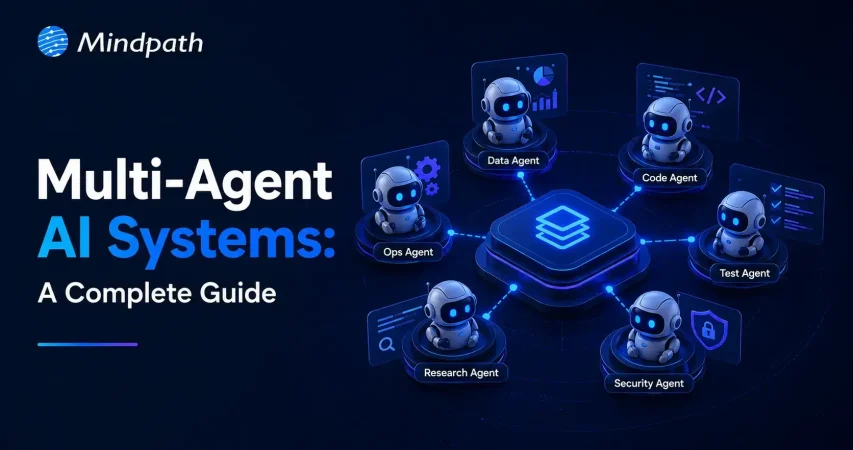
What are Multi-Agent AI Systems?

A multi-agent AI system is an artificial intelligence environment where sethrough AI agent orchestration to veral independent AI agents work together toward shared or individual objectives. Each agent performs specialized responsibilities while exchanging information and coordinating decisions to achieve efficient business outcomes.

Instead of relying on one intelligent model for every responsibility, these systems distribute tasks across multiple specialized agents. This collaborative approach improves decision quality, reduces processing delays, and enables businesses to automate increasingly complex operational processes.

How Do Multi-Agent AI Systems Work?

Multi-agent AI systems follow a structured workflow where specialized agents collaborate to complete complex business tasks efficiently.

1. Task Distribution: The system divides a business request into smaller tasks and assigns them to specialized AI agents.

2. Independent Processing: Each agent performs its assigned task using its own knowledge, tools, and reasoning capabilities.

3. Agent Communication: Agents exchange updates through AI agent orchestration to stay aligned throughout the workflow.

4. Decision Coordination: The system combines outputs from multiple agents to generate a unified and accurate response.

5. Continuous Learning: Feedback and performance data help agents improve accuracy and efficiency over time.

Benefits of Multi-Agent AI Systems

Organizations are increasingly investing in this approach because it delivers measurable improvements across business operations.

1. Improved Task Specialization

Each AI agent focuses on a specific responsibility instead of managing every business function simultaneously. This specialization improves response quality while reducing errors during complex business processes.

2. Better Scalability

Additional agents can be introduced whenever business requirements continue expanding across departments or operational functions. Organizations can therefore increase automation without rebuilding existing AI infrastructure.

3. Faster Decision Making

Multiple agents process different tasks simultaneously while continuously sharing relevant information with one another. Parallel execution significantly reduces delays across time-sensitive business workflows.

4. Greater Operational Reliability

If one agent experiences temporary issues, other agents continue performing their assigned responsibilities without interruption. This distributed structure minimizes operational downtime while improving business continuity.

5. Flexible Business Automation

Organizations can customize different agents for finance, customer service, logistics, sales, or internal operations independently. This flexibility allows businesses to automate diverse workflows using the same intelligent ecosystem.

Multi-Agent AI System Architecture

A well-designed architecture enables multiple AI agents to communicate, collaborate, and complete business objectives efficiently.

1. User Interface

The user interface acts as the entry point where users submit requests or business queries. It collects inputs and forwards them to the system for further processing.

2. Orchestrator

The orchestrator manages task allocation and coordinates communication between different AI agents throughout the workflow. It ensures every agent receives appropriate responsibilities and works toward the desired outcome.

3. Specialized AI Agents

Each agent is designed for a specific responsibility, such as research, planning, data analysis, customer support, or content generation. This specialization improves both efficiency and response quality across business operations.

4. Shared Knowledge Base

A centralized knowledge base stores documents, business rules, databases, and historical information for all agents. Access to shared information helps maintain consistency and supports better decision-making.

5. Communication Layer

The communication layer enables agents to exchange updates, share results, and coordinate their activities efficiently. This multi-agent AI framework ensures smooth collaboration without creating duplicated efforts.

6. Monitoring and Feedback System

The monitoring layer tracks agent performance, workflow progress, and system health in real time. Business feedback is also collected to improve future accuracy and overall system performance.

Real-World Use Cases of Multi-Agent AI Systems

Businesses across industries are adopting intelligent agent collaboration to automate complex workflows and improve operational efficiency.

1. Customer Support Automation

Different agents handle customer identification, issue analysis, response generation, and ticket resolution simultaneously. This approach delivers faster responses while improving customer satisfaction across multiple communication channels.

2. Supply Chain Management

Multiple agents monitor inventory levels, forecast demand, optimize transportation, and identify potential supply disruptions. Businesses gain better visibility while reducing operational delays and unnecessary costs.

3. Healthcare Operations

AI agents coordinate appointment scheduling, patient record management, clinical documentation, and insurance verification together. Medical professionals spend less time on administrative work and more time providing patient care.

4. Financial Services

Agents analyze transactions, detect fraudulent activities, generate compliance reports, and assess financial risks continuously. Financial institutions improve security while making faster and more informed business decisions.

5. Software Development

Different agents assist with requirement analysis, coding, testing, documentation, and deployment activities during software development. These collaborative AI agents accelerate development cycles while improving software quality.

6. Business Intelligence

AI agents collect information from different business systems before generating dashboards and strategic insights. Decision makers receive accurate recommendations without manually combining information from multiple sources.

How to Build a Multi-Agent AI System?

Organizations should follow a structured approach when planning how to build a multi agent AI system for business automation.

1. Identify Business Objectives

Begin by defining the workflows that require automation and measurable business improvements. Clear objectives help determine the required agent capabilities.

2. Design Agent Responsibilities

Assign specific responsibilities to every agent instead of expecting one model to perform every task. Specialized roles improve efficiency and simplify future maintenance.

3. Select the Right Technology Stack

Choose appropriate AI models, databases, APIs, cloud infrastructure, and development frameworks before implementation begins. Technology decisions directly influence scalability and long-term performance.

4. Develop Communication Workflows

Create standardized communication methods that allow agents to exchange information accurately and efficiently. Well-defined workflows improve collaboration across the complete system.

5. Test and Optimize

Validate system performance using real business scenarios before deploying it into production environments. Continuous testing improves reliability and supports successful multi-agent AI implementation.

Challenges of Multi-Agent AI Systems

Businesses should understand these common challenges before implementing multi-agent AI systems across critical operations.

1. Communication Complexity: Poor coordination between agents can reduce efficiency and create inconsistent outcomes.

2. Data Security: Protecting sensitive business data remains essential when multiple agents access shared information.

3. Integration Challenges: Connecting AI agents with existing legacy systems may require careful planning and development.

4. Performance Monitoring: Continuous monitoring helps maintain accuracy, reliability, and overall system performance.

5. Higher Implementation Costs: Initial development and deployment can require significant investment in technology and expertise.

6. Scalability Management: Managing a growing network of AI agents becomes more complex as business operations expand.

Ready to Build Smarter AI Systems for Your Business?

Businesses are rapidly moving toward intelligent automation that manages complete workflows instead of isolated tasks. Multi-Agent AI Systems provide the flexibility, scalability, and intelligence needed to improve operational efficiency, accelerate decision making, and support long-term digital transformation across industries.

At Mindpath, we help organizations design, develop, and deploy custom AI Development Services that solve real business challenges and support long-term growth. Our team builds secure, scalable, and future-ready AI agent solutions that integrate seamlessly with your existing systems while delivering measurable business value.


Frequently Asked Questions

Ready to Automate Complex Business Workflows?

Connect intelligent AI agents to streamline tasks and improve operational efficiency.

Frequently Asked Questions

Multi-Agent AI Systems improve business operations by enabling specialized AI agents to work together on different tasks simultaneously. This approach increases efficiency, speeds up decision making, reduces manual effort, and helps organizations automate complex workflows with greater accuracy.
Yes. They can integrate with existing business applications, databases, and enterprise platforms. Proper planning and system design help ensure smooth integration while minimizing disruptions to daily business operations.
Industries such as healthcare, finance, manufacturing, retail, logistics, and customer service benefit significantly. These systems improve workflow automation, enhance decision making, and streamline operations across multiple business functions.
Success depends on defining clear business goals, assigning specialized agent roles, selecting the right technology, and continuously monitoring system performance. Regular optimization also helps improve long-term efficiency and business outcomes.
Yes. Small and medium-sized businesses can adopt these systems to automate repetitive tasks, improve productivity, and scale operations gradually without making major changes to their existing business processes.

Support Is One Click Away

Featured Posts

Related Post

Healthcare App Developers

The healthcare industry is increasingly adopting digital technologies to improve patient experiences, simplify administrative tasks, and support better access to healthcare services. From online appointment scheduling to virtual consultations and remote patient monitoring, healthcare applications are changing how patients, doctors, hospitals, and healthcare organizations interact.

Key Takeaways

  • 01
    Healthcare app developers build digital solutions that improve patient engagement, healthcare accessibility, and operational efficiency.
  • 02
    Common healthcare applications include telemedicine apps, appointment booking platforms, remote patient monitoring apps, and electronic health record (EHR) systems.
  • 03
    Data security, privacy, usability, and interoperability are essential considerations in healthcare app development.
  • 04
    AI, cloud computing, and connected devices can support more personalized and efficient healthcare experiences.
  • 05
    Choosing the right healthcare app development company helps businesses create scalable applications aligned with their clinical and operational requirements.

However, building a successful healthcare application requires more than technical expertise. Businesses need solutions that protect sensitive information, provide an intuitive user experience, integrate with existing healthcare systems, and support future growth.

This is where experienced healthcare app developers play an important role. They help healthcare providers, startups, hospitals, and medical technology companies transform their ideas into practical digital solutions.

In this guide, we explore healthcare app development, its benefits, essential features, emerging technologies, and the factors businesses should consider when selecting a development partner.

Ready to explore your healthcare application idea? Contact MindpathTech to discuss your software development requirements and potential next steps.

What Do Healthcare App Developers Do?

Healthcare app developers design, build, test, deploy, and maintain applications used by patients, healthcare professionals, hospitals, clinics, and other medical organizations.

Their work involves understanding healthcare workflows and translating business or clinical requirements into functional software.

Depending on the project, healthcare app developers may provide services such as:

  • Healthcare mobile app development: Creating applications for Android and iOS devices.
  • Custom healthcare software development: Building software around specific clinical or administrative workflows.
  • Telemedicine app development: Enabling virtual consultations, video appointments, and digital communication between patients and healthcare professionals.
  • EHR and EMR integration: Connecting applications with electronic health record systems where appropriate.
  • Healthcare API integration: Supporting secure data exchange between applications and third-party platforms.
  • AI-powered healthcare applications: Developing solutions for administrative automation, patient engagement, and selected clinical support use cases.
  • Application maintenance: Updating software, improving performance, addressing vulnerabilities, and supporting new requirements.

A suitable development partner begins by understanding the intended users, business objectives, data requirements, and applicable regulations before selecting the technology stack.

Why Is Healthcare App Development Important?

Healthcare organizations often manage appointment scheduling, patient records, communication, billing, and follow-up activities across multiple systems. Well-designed applications can help simplify these processes.

1. Better Patient Engagement

Healthcare apps allow patients to access relevant services without relying entirely on phone calls or in-person visits. Features such as appointment reminders, secure messaging, digital health records, and medication reminders can make routine interactions more convenient.

2. Improved Operational Efficiency

Digital workflows can reduce repetitive administrative tasks, streamline appointment management, and help healthcare staff organize information more efficiently.

For example, an appointment management app can allow patients to select available time slots while helping clinic staff manage schedules through a centralized interface.

3. Remote Healthcare Access

Telemedicine and remote monitoring applications can help patients communicate with healthcare professionals without always traveling to a medical facility.

The suitability of remote care depends on the patient’s condition, available technology, and the healthcare professional’s judgment.

4. More Accessible Health Information

Applications that integrate with appropriate health information systems can help patients review their records, laboratory results, care instructions, and other relevant information.

Interoperability—the ability of different systems to exchange and use information—is an important consideration when developing applications for connected healthcare environments.

5. Data-Informed Decision-Making

Healthcare applications can organize operational and patient-generated information into dashboards and reports. When appropriately designed, these insights can help healthcare organizations identify workflow bottlenecks and monitor service delivery.

Types of Healthcare Applications You Can Build

Before hiring healthcare app developers, businesses should identify the type of application they need and the users it will serve.

1. Telemedicine Applications

Telemedicine apps support virtual consultations, appointment scheduling, secure communication, and follow-up interactions.

Ideal for: Clinics, hospitals, telehealth providers, and healthcare startups.

2. Patient Engagement Applications

These apps help patients manage appointments, access educational resources, receive reminders, and communicate with healthcare providers.

Ideal for: Hospitals, medical practices, and patient service platforms.

3. Remote Patient Monitoring Apps

Remote monitoring applications can collect information from connected devices, such as blood pressure monitors, glucose meters, or wearable devices, depending on the use case.

Ideal for: Healthcare providers, chronic care programs, and digital health businesses.

4. Electronic Health Record Applications

EHR-related applications help authorized users access, manage, and exchange patient information through appropriate systems and permissions.

Ideal for: Hospitals, clinics, healthcare networks, and health technology companies.

5. Healthcare Management Software

These applications support administrative activities such as appointment scheduling, staff coordination, billing workflows, inventory management, and reporting.

Ideal for: Hospitals, diagnostic centers, clinics, and healthcare service providers.

6. AI-Powered Healthcare Applications

AI-enabled applications can assist with tasks such as administrative documentation, patient support, information retrieval, and workflow automation. Clinical applications require additional validation, oversight, and risk assessment appropriate to their intended purpose.

Ideal for: Digital health startups, medical technology companies, and healthcare organizations exploring responsible AI adoption.

Essential Features of a Healthcare Application

The required features depend on the application type, intended users, and regulatory environment. However, several capabilities are commonly important.

Feature Purpose
User registration and authentication Provides controlled access to the application
Appointment scheduling Simplifies booking and managing appointments
Patient profiles Organizes relevant user information
Secure messaging Supports communication between authorized users
Notifications and reminders Helps users stay informed about appointments and tasks
EHR or EMR integration Enables appropriate access to health records
Video consultations Supports remote communication where suitable
Payment integration Enables relevant billing and payment workflows
Analytics dashboard Helps monitor operational activity
Role-based access control Limits access according to user responsibilities

Healthcare businesses should prioritize features based on user needs rather than adding every possible functionality to the first release.

Security and Compliance Considerations in Healthcare App Development

Security and privacy are fundamental requirements because healthcare applications may handle sensitive personal and medical information.

Healthcare app developers should incorporate appropriate safeguards throughout the development lifecycle.

1. Data Encryption

Use suitable encryption to protect sensitive information during transmission and, where appropriate, while stored.

2. Strong Authentication and Access Control

Implement secure authentication, role-based permissions, and multifactor authentication where justified by the application’s risk profile.

3. Privacy by Design

Collect only the information necessary for the application’s purpose. Explain data collection and sharing clearly, obtain appropriate consent, and define retention and deletion practices.

4. Secure APIs and Integrations

Healthcare integrations should use appropriate authentication, authorization, monitoring, and secure data-exchange mechanisms.

5. Regulatory Assessment

Requirements depend on the application, location, data handled, and organizations involved. For example, HIPAA may apply to covered entities and their business associates in the United States. Other privacy and medical-device requirements may apply depending on the product and jurisdiction.

Developers should assess applicable obligations rather than assume that every healthcare app automatically falls under the same rules. The U.S. Department of Health and Human Services provides health app privacy and compliance resources.

Technologies Used by Healthcare App Developers

The technology stack should be selected according to project requirements, security needs, integrations, and expected scale.

  • Mobile development: Native Android and iOS technologies or cross-platform frameworks.
  • Web development: Modern frontend and backend technologies for patient portals and administrative dashboards.
  • Cloud computing: Infrastructure and managed services for hosting, storage, monitoring, and application scaling.
  • Artificial intelligence: Selected automation, information retrieval, and decision-support capabilities.
  • APIs and interoperability standards: Technologies such as FHIR, where supported by the systems being integrated, to facilitate health information exchange.
  • Analytics and reporting: Tools for understanding application usage, operational performance, and service delivery.

The Agency for Healthcare Research and Quality discusses interoperability considerations for patient-facing applications, including their interaction with electronic health record systems. Read its health IT interoperability resource.

How to Choose the Right Healthcare App Development Company

Selecting a development partner can influence the application’s quality, security, usability, and long-term maintenance.

Consider these factors before making a decision.

1. Relevant development experience

Review experience with mobile applications, healthcare workflows, sensitive data, and required integrations.

2. Security-first development

Ask how the team handles authentication, encryption, access controls, vulnerability testing, and incident response.

3. Integration capabilities

Confirm whether the team can work with your existing EHR, billing platform, cloud environment, and other required systems.

4. User experience

The application should be intuitive and accessible for patients, clinicians, and administrative staff.

5. Testing and quality assurance

Ask about functional, performance, usability, security, and integration testing.

6. Scalability and maintenance

Understand how the application will be updated, monitored, and expanded as requirements evolve.

7. Clear project planning

Look for transparent communication, defined deliverables, realistic timelines, and a documented development process.

A reliable healthcare app development partner should explain both the technical opportunities and the risks associated with the proposed solution.

What Is the Healthcare App Development Process?

A structured process helps reduce avoidable rework and ensures the product addresses real user needs.

1. Discovery and planning

Define business goals, target users, essential features, and regulatory considerations.

2. UI/UX design

Create user journeys, wireframes, and prototypes for the intended users.

3. Architecture and development

Select the technology stack, establish security controls, and build the application.

4. Integration

Connect relevant third-party services, devices, and healthcare information systems.

5. Testing and validation

Assess functionality, performance, accessibility, security, and integration reliability.

6. Deployment

Prepare the application for release and configure appropriate monitoring.

7. Ongoing maintenance

Address issues, release updates, monitor performance, and adapt to changing requirements.

For applications that support clinical decisions or medical-device functions, additional evidence, validation, and regulatory assessment may be necessary before deployment.

Conclusion

Healthcare applications offer opportunities to improve patient engagement, simplify administrative processes, and connect digital health services. However, successful development requires a careful balance of usability, technical reliability, data protection, interoperability, and compliance.

Experienced healthcare app developers can help businesses turn their requirements into secure, scalable digital solutions. The best starting point is to define the problem, understand the intended users, prioritize essential features, and choose a development approach that supports long-term growth.

At MindpathTech, businesses exploring custom software and AI-powered digital solutions can discuss their project requirements and identify a suitable development approach.

Discover the key steps to hire top healthcare app developers. Learn how Mindpath’s innovative solutions can elevate your healthcare technology.
Openai fine tuning api tutorial

In current times of generative AI, prompt engineering is not sufficient to address the requirements of advanced applications. There is a need among content strategists, developers and product teams to have models that can be used to analyze domain-specific language and provide a uniform output. And that is where OpenAI’s fine-tuning tutorial comes in to guide developers through the complicated process of training various models. From healthcare to legal tech, fine-tuning has enabled customization of pre-trained models, opening new opportunities in AI-powered solutions. This blog will allow you to know more via a simple OpenAI fine-tuning API tutorial, as well as some OpenAI fine-tuning examples. We will also talk about why it is crucial for developers. 

Ready to use customised AI models that align precisely with your business data, goals, and customer expectations? Mindpath’s AI development services provide end-to-end solutions from design to deployment.

OpenAI’s Fine-Tuning – What is It All About?

Let’s begin this OpenAI fine-tuning API tutorial by understanding the basics, i.e, what OpenAI fine-tuning is. 

OpenAI models such as ChatGPT are trained on huge web-scale datasets and designed to perform across different domains. However, for specialised use cases, technical support, expert reasoning, or legal context analysis, these models need more targeted control.

OpenAI fine-tuning is a customization process that lets developers take a pre-trained model (like GPT-4o) and train it on a custom dataset using task-specific prompt-response pairs — teaching the model to consistently follow custom instructions, adopt a specific tone, or stick to a rigid formatting style without needing lengthy, repetitive prompts.

The OpenAI fine-tuning API makes this possible by enabling developers to train base models so they acquire new skills and behaviours based on business needs. Regardless of whether you are building a personalized chatbot, advanced summarisation systems, or scaling content generation, fine-tuning provides you with accuracy, performance, and control.

Importance of OpenAI Fine-tuning for Developers

The OpenAI fine-tuning API tutorial focuses on the crucial nature of AI model fine-tuning. Fine-tuning ChatGPT is an essential strategy for developers aiming to create custom AI solutions. By customizing models, they make those models offer more consistent and smarter outputs. The following are a few points that explain why fine-tuning is a necessity for every developer.

1. Better Relevance and Accuracy

For all domain-specific queries, fine-tuned models will perform better compared to generic models. They will offer more contextually relevant and accurate responses.

2. Reduced Cost and Latency

Fine-tuned OpenAI models are more efficient. How? Well, they can attain better results with fewer prompts, lowering token usage. Besides, it leads to a faster response time. 

3. Consistent Communication Style and Tone

Wouldn’t it be great if your AI model could speak just like your brand? You can make that a possibility with fine-tuning. You will be able to train the model with specific style, vocabulary and voice such that the outputs match the brand identity.

4. Enhanced Format Handling

If your application demands outputs in a specific reporting format or JSON structure, fine-tuning ensures the model follows those requirements. 

5. Robust Safety and Control

By training your AI models on domain-safe and curated data, you can reinforce desired behaviour. This, in turn, will significantly reduce the risk of harmful or off-brand responses. 

6. Unlocking New Opportunities

Fine-tuning OpenAI models can be used for multiple applications. Developers can train models to manage tasks, prioritizing expertise and specific interaction styles. 

Curious about the concepts that make AI models like OpenAI’s so powerful? Explore the attention mechanism explained, which shows how attention transforms the way models understand and generate data.e

OpenAI Models Developers Can Fine-Tune for Custom Tasks

As described in this OpenAI fine-tuning API tutorial, the fine-tuning API allows developers to fine-tune various advanced models, increasing their capabilities. Now, let’s have a look at the OpenAI models that can be fine-tuned for specialized applications. 

1. GPT-3.5

Undoubtedly, GPT 3.5 is a top choice among developers. Some major reasons behind this popularity are cost-effectiveness and low latency. Fine-tuning this model allows developers to reduce the complexity and increase consistency. Product recommendation guides, FAQ bots and customer service automation are some of the common uses of GPT 3.5.

2. GPT-4o

This is OpenAI’s flagship multimodal model. It can process images, audio, videos, and text. This model offers users advanced customization features without losing speed and efficiency. It can be optimized by the developers for domain-specific tasks that demand enhanced textual as well as visual comprehension. Financial document analysis and advanced customer support bots are some common OpenAI fine-tuning examples centered on GPT-4o.

3. GPT- 4.1

This OpenAI model is created to handle multi-step tasks, structured problem-solving and extensive reasoning. It is a perfect option for complicated processes. Fine-tuning this model allows developers to introduce the tools capable of adhering to the domain-specific formats, which makes them a great choice in case of technical planning or automating research.

4. O-Series Models

O-series models are based on GPT-4o and are optimized for efficiency and performance. You can use these models for tasks where GPT-4o’s functionality may be excessive. These models can be fine-tuned to be cost-effective and scaled to a large extent without reducing their accuracy. They come in handy with several industry-specific applications in sectors like SaaS, legal tech, and healthcare.

Wondering how large language models work behind the scenes? Explore the Large Language Model (LLM) detailed guide to discover the foundations of AI that make fine-tuning possible.

Tips to Use Open-AI Fine-Tuning API Effectively

The OpenAI fine-tuning API tutorial can provide useful information on the optimization methods of AI models. These practices can improve mode reliability if utilized in the right manner. Here are some best practices to consider for effective fine-tuning.

1. Data Quality

It’s obvious! The AI models will not be capable of providing precise results without clear, well-constructed, and relevant datasets.

2. Right Model

As mentioned above, only a few OpenAI models can be fine-tuned. For instance, GPT-3.5 or GPT-4o.

3. Tune Hyperparameters

Experiment with batch sizes, training cycles, and learning rates. This will help you find the right configuration. 

4. Evaluate Regularly

Properly monitor progress, identify overfitting, and optimize the training approach. 

By focusing on all these factors, developers can fine-tune OpenAI models with confidence. This is the foundation for fine-tuning ChatGPT or other models for tailored applications that can offer precise results.  

Want to know how fine-tuned AI models can improve business decisions? Explore AI in decision-making to discover how intelligence-driven insights optimize strategy and operations.

When to Fine-Tune vs When to Use Prompt Engineering?

This is a common question that most developers would ask when learning OpenAI fine-tuning API concepts. After all, choosing between prompt engineering and fine-tuning is a vital decision for every developer creating AI-powered tools. Let’s break it down. 

Begin With Prompt Engineering

Well, for most use cases, prompt engineering can be an ideal option. A well-developed system prompt, combined with clear instructions and examples, can enable a generic AI model to perform efficiently. In fact, they can attain around 80 to 90 percent task accuracy. Moreover, prompt engineering is cost-effective, fast, and there is no need to maintain a custom model for it. It is also ideal for low-volume tasks and prototyping.

Scenarios Where Fine-Tuning Actually Makes Sense

Based on this OpenAI fine-tuning API tutorial, we can state that in cases where you need to be more consistent and in control, fine-tuning makes a great choice. You can consider it when:

  • You want a consistent style and tone format in communications.
  • You wish to decrease the cost of the API.
  • The existing model offers irrelevant output that can be resolved through curated examples. 
  • You want to enhance the AI model’s ability to accurately process complex instructions. 

Fine-tuning is a major investment. It requires time for accurate data preparation and training costs. However, the long-term results are really impressive. Wondering how? Well, when you learn fine-tuning API methods, you can easily unlock the ability to boost the model’s efficiency, reliability, as well as performance.

Looking to understand where AI is headed next? Discover generative AI trends to explore emerging applications and practical use cases of intelligent systems.

Custom AI: The Future We Will Witness Soon

OpenAI’s fine-tuning API clearly shows a significant leap in making modern AI models bespoke and adaptable. It offers developers who want to go beyond what general AI does the means to add specific domain experience, brand voice, and intelligence to the models. This OpenAI fine-tuning API tutorial proves that it will unlock the next generation of custom AI models.

If you want to join the trend and enhance your business’s functionality with custom AI solutions, you can always count on Mindpath. We provide AI development services that help organizations develop as well as fine-tune their AI foundation models. Our team helps you align AI models with your workflows and domain-specific data. Partner with us today and build a custom AI solution to support your business growth. 

AI Agents vs RPA

Choosing between AI agents vs RPA is becoming a practical automation decision for businesses. RPA remains effective for predictable, rule-driven workflows, while AI agents can handle tasks that require context, interpretation, and changing inputs. The right approach depends on how the process operates and what the automation needs to accomplish.

Key Takeaways

  • 01
    RPA suits stable, repetitive workflows with clear rules and predictable outcomes.
  • 02
    AI agents handle dynamic processes requiring context, interpretation, and decision-making.
  • 03
    Process stability, data quality, security, and integration needs influence automation choices.
  • 04
    RPA and AI agents can complement each other within a broader automation strategy.
  • 05
    Automation success depends on measurable business outcomes, proper governance, and ongoing maintenance.

A workflow with fixed rules may benefit from structured automation, while a process involving multiple systems, exceptions, or judgment may need a more adaptive approach. Understanding these differences helps teams avoid automating the wrong process with the wrong technology. In this blog, we compare AI agents and RPA to help businesses identify the right fit for different automation needs.

Ready to build smarter business automation? Mindpath offers AI Development Services to help businesses build scalable AI-powered automation solutions.

What are AI Agents?

AI agents are software systems designed to achieve specific goals by understanding information, making decisions, and taking actions. They can work across multiple steps, use connected tools, and adjust their actions based on context instead of following one fixed workflow.

For businesses exploring AI automation, agents can support processes that involve unstructured data, changing conditions, and decisions. They are useful when a task requires the system to understand what is happening and determine the next appropriate action.

1. Interpret Natural Language and Unstructured Information

2. Make Context-Based Decisions Within Defined Boundaries

3. Work Across Multiple Applications and Tools

4. Adapt Actions When Process Conditions Change

5. Support Research, Customer Service, Analysis, and Workflow Orchestration

What is RPA?

RPA, or Robotic Process Automation, uses predefined rules and workflows to automate repetitive digital tasks. It follows configured instructions to interact with software applications, move information, and complete routine operations consistently without requiring the reasoning capabilities associated with AI agents.

RPA works particularly well for structured processes where inputs, actions, and expected outcomes are predictable. In the AI agents vs RPA discussion, RPA remains relevant for high-volume tasks that follow stable rules and require reliable execution.

1. Follow Predefined Rules and Workflows

2. Automate Repetitive, Structured Tasks

3. Transfer Data Between Business Applications

4. Execute High-Volume Processes Consistently

5. Support Tasks Such as Data Entry, Invoice Processing, Reporting, and Record Updates

AI Agents vs RPA: Key Differences

AI agents and RPA can both automate business processes, but they approach automation differently. The key differences become clearer when you look at how each technology handles decisions, data, process changes, and execution.

1. Decision-Making

RPA follows predefined rules, while AI agents can interpret context and determine the next action.

2. Process Flexibility

RPA works best with stable workflows, while AI agents can handle greater process variation.

3. Data Handling

RPA is suited to structured data, while AI agents can work with documents, conversations, and other unstructured information.

4. Task Execution

RPA repeats configured actions, while AI agents can coordinate multiple steps toward a defined goal.

5. Human Involvement

RPA typically escalates predefined exceptions, while AI agents may require human oversight for complex or high-impact decisions.

6. Maintenance

RPA workflows need rule updates, while AI agent systems require monitoring of models, prompts, tools, and policies.

The following comparison highlights the practical differences between RPA vs AI across common business automation requirements:

Comparison Factor RPA AI Agents
How it works Executes predefined rules and step-by-step workflows Understands a goal, evaluates context, and determines actions
Decision-making Executes actions based on predefined rules and conditions. Makes context-based decisions within defined boundaries
Type of work Repetitive, predictable, rule-based tasks Dynamic, multi-step, judgment-based tasks
Data handled Structured data such as forms, fields, and spreadsheets Structured and unstructured data such as documents, emails, and conversations
Response to changes Requires workflow or rule changes Can adapt its actions based on changing context
Task complexity Best for individual or clearly defined workflows Can coordinate multiple tasks toward a broader goal
System interaction Performs configured actions in specific applications Can use multiple tools, APIs, databases, and applications
Typical example Copying invoice data into an accounting system Reviewing an invoice, identifying an issue, checking related records, and deciding the next workflow
Human oversight Mainly required when predefined exceptions occur Often required for approvals, sensitive actions, or uncertain decisions
Best suited for Stable processes with clear rules and predictable outcomes Processes requiring interpretation, adaptability, and contextual decision-making

Where RPA and AI Agents Fit Best?

The right automation approach depends on the nature of the process. RPA is well suited to workflows that follow consistent steps and produce predictable outcomes. AI agents are better suited to processes where information changes, exceptions occur, or actions depend on context.

RPA works well for: 

1. RPA Works Well for Repetitive Tasks With Clearly Defined Steps

2. RPA Works Well for Structured Data Entry and Transfer

3. RPA Works Well for Recurring Reporting and Record Updates

4. RPA Works Well for Rule-Based Invoice and Document Processing

5. RPA Works Well for High-Volume Workflows With Predictable Outcomes

AI agents work well for: 

1. AI Agents Work Well for Processes Involving Unstructured Information

2. AI Agents Work Well for Tasks Requiring Interpretation and Contextual Decisions

3. AI Agents Work Well for Workflows With Frequent Changes or Exceptions

4. AI Agents Work Well for Multi-Step Processes Involving Different Tools and Systems

5. AI Agents Work Well for Research, Analysis, Customer Interactions, and Task Coordination

This distinction helps businesses build intelligent automation around actual process requirements instead of applying the same technology to every workflow. Stable and predictable tasks can remain rule-driven, while more dynamic processes can use AI agents where adaptability and contextual decision-making add value.

Business Value of AI Agents and RPA

Automation should be evaluated by the business value it creates, not simply by the number of tasks it can perform. RPA can reduce manual effort in repetitive workflows, improve process consistency, and handle high transaction volumes. AI agents can extend automation into processes that require interpretation, coordination, and contextual decisions.

The value also depends on the process being automated. RPA can deliver measurable efficiency when workflows are stable and rules are clear. AI agents can support productivity in more variable processes by handling information, coordinating tasks, and assisting employees with decision-heavy work. In the AI agents vs RPA comparison, factors such as implementation effort, maintenance, scalability, error handling, and oversight should all be considered.

1. Operational Efficiency

Automate repetitive work and reduce manual processing time.

2. Error Reduction

Apply consistent processes and reduce avoidable manual mistakes.

3. Employee Productivity

Free teams to focus on higher-value activities.

4. Scalability

Handle increasing workloads without proportionally increasing manual effort.

5. Cost Management

Evaluate automation costs against process volume, complexity, and maintenance needs.

6. Process Consistency

Standardize routine activities across teams and business functions.

What to Consider Before Choosing an Automation Approach?

Choosing an automation technology starts with understanding the process itself. A workflow may look suitable for automation but still require significant preparation before implementation. Process stability, data quality, system dependencies, and the level of human judgment involved can all affect the right approach.

Businesses should also consider how the automation will be governed after deployment. Access permissions, data security, auditability, human oversight, and ongoing maintenance become increasingly important as automation takes on more complex responsibilities.

1. Process Stability

Determine whether the workflow follows consistent steps or changes frequently.

2. Data Quality

Check whether the required data is accurate, accessible, and structured appropriately.

3. Integration Complexity

Identify the applications, APIs, databases, and legacy systems involved.

4. Security

Define what information the automation can access and which actions it can perform.

5. Governance

Establish permissions, approval controls, monitoring, and audit trails.

6. Human Oversight

Decide which actions require review or approval before execution.

7. Maintenance

Plan for workflow updates, system changes, performance monitoring, and exception handling.

Which Automation Approach Fits Your Business Best?

RPA works well for stable, repetitive workflows governed by clear rules, while AI agents are suited to dynamic processes that require context, interpretation, and decision-making. The right choice depends on process complexity, data, risk, and desired outcomes. In many cases, combining both can create a practical and scalable automation strategy.

Mindpath helps businesses identify suitable automation opportunities and build AI-powered workflows aligned with their operational goals. Our AI development services cover AI agents, data engineering, RAG, model fine-tuning, and related capabilities needed to move from automation planning to production.