Home

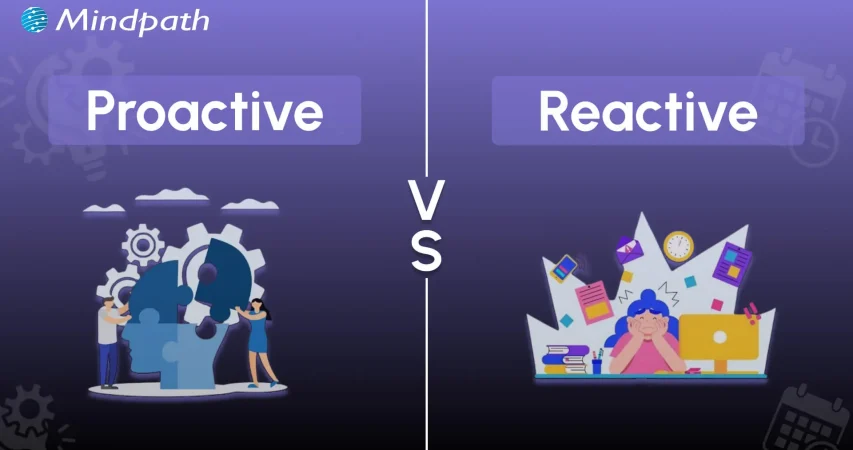
Proactive vs. Reactive: The Evolving Role of Software Maintenance Companies

Proactive vs. Reactive: The Evolving Role of Software Maintenance Companies

Lorem ipsum dolor sit amet, consectetur adipiscing elit. Ut elit tellus, luctus nec ullamcorper mattis, pulvinar dapibus leo.

Join our Newsletter!

proactive vs reactive

Businesses can leverage software solutions to stay ahead of their competition in different markets. However, the risks of breakdowns in software systems present the possibilities of disruption and rising costs. The discussions around proactive vs. reactive software maintenance have been gaining attention as effective maintenance offers a strong foundation for asset management. Without an effective maintenance strategy, you can just watch your revenue slip away slowly from your hands.

Anyone is likely to have a favorite food which is like the last meal they would say no to. At the same time, it is reasonable to wonder whether you will eat only that particular meal for the rest of your life. The comparison between proactive and reactive maintenance sheds light on the fact that a specific maintenance strategy won’t work in all situations. An overview of the differences between the two software maintenance approaches will help you choose the right one.

Want to move from fixing problems to preventing them in your software systems? Mindpath’s maintance and support services provide proactive solutions that streamline maintenance and enhance performance.

Understanding the Variants of Software Maintenance

Software maintenance is an integral component of every software development lifecycle and plays a crucial role in developing more efficient software systems. You can come across questions like “What are the 4 types of software maintenance?” during your search for insights on software maintenance. 

The general variants you may come across in software maintenance include corrective maintenance, adaptive maintenance, perfective maintenance and preventive maintenance. Each variant of software maintenance aims to achieve specific goals, aligned with the needs of diverse software systems.

Different software maintenance engineers have their maintenance guidelines, which help them manage their everyday work. On the other hand, choosing one specific strategy creates restrictions for software maintenance. You can achieve better results with a strategy that blends different maintenance approaches, such as proactive and reactive maintenance.

Curious about which development approach best supports proactive and reactive maintenance strategies? Learn about the different types of software development to select the ideal methodology for your software projects.

Learning the Definition of Reactive Maintenance

The most common approach to software maintenance has always focused on maintenance efforts after identifying any error or technical problem. As a matter of fact, the reactive vs. proactive maintenance comparison revolves largely around how reactive maintenance addresses issues only after they happen. You can also describe it as a ‘fix-on-failure’ method that does not rely on oversight or anticipation of problems beforehand. Therefore, reactive maintenance results in higher downtimes and increased repair costs along with unplanned approaches to issue resolution. 

Reactive maintenance strategy also presents the risks of unprecedented operational breakdowns in software systems. It is also important to remember that reactive maintenance is the most effective solution for non-critical software systems. You can incorporate reactive maintenance in a balanced maintenance strategy to deal with systems where the consequences of failure are minimal.

Unraveling the Meaning of Proactive Maintenance

Proactive maintenance is the exact opposite of reactive maintenance and focuses on preemptive approaches to prevent breakdowns before they happen. The difference in meaning of proactive and reactive software maintenance also emphasizes how proactive maintenance relies heavily on oversight. Proactive maintenance requires predictive analytics, routine inspection and servicing for early identification of potential issues. Software maintenance companies leverage proactive maintenance to maintain seamless operations and optimal performance of software systems.  

The biggest advantage of using proactive software maintenance approach is the assurance of timely maintenance, thereby reducing the possibility of unexpected breakdowns. With the help of proactive maintenance, you can minimize downtime as well as the cost required for repairs. Most important of all, proactive maintenance plays a major role in enhancing software reliability and efficiency.     

Looking to create tailored software solutions that integrate seamlessly with your maintenance strategy? Discover how custom software development can help you build efficient, scalable, and maintainable systems.

Decoding the Differences in Proactive vs. Reactive Software Maintenance

The evolving role of software companies in defining the transition from reactive to proactive maintenance is a huge topic of discussion. You can come across the proactive versus reactive comparison for the maintenance of your existing software systems or new solutions. However, choosing one approach from the two is like taking the best pick between control and chaos. The proactive and reactive software maintenance approaches are at the two ends of a spectrum. Identifying the differences between proactive and reactive maintenance will help you prepare an effective maintenance strategy.

1. Timing of Maintenance

The timing of maintenance is a major differentiator between proactive and reactive software maintenance strategies. When do you have to implement maintenance schedules in the two distinct approaches? The reactive versus proactive debate in software maintenance emphasizes how reactive maintenance happens only after breakdown. Software maintenance teams adopt the reactive approach as a way to deploy maintenance services after a problem has occurred. Therefore, most of the reactive maintenance activities are unplanned and don’t have any specific timing. 

On the other hand, the proactive approach to software maintenance follows a specific schedule for maintenance services. The schedule for proactive maintenance may vary from one organization to another. The timing of maintenance in proactive approach focuses on allocating timelines for regular assessment and predictive analytics. Proactive maintenance also includes schedules for preventive actions that will prevent unprecedented software breakdowns.  

2. Cost of Maintenance

You can also use cost as a crucial factor to determine the best choice for software maintenance between reactive and proactive approaches. The proactive vs. reactive maintenance comparison shows that you will need a large upfront investment in proactive maintenance. You should also note the costs involved in regular assessments and advanced technology used for analytics and diagnostics. However, it offers the assurance of significant savings in the long run as you can avoid larger and unprecedented breakdowns. Without downtime and emergency repairs, proactive software maintenance helps you save a lot on long-term expenses.

The reactive approach to software maintenance does not require any upfront investments as it does not require preventive measures. You don’t have to spend money on regular inspections or other preventive measures with the reactive software maintenance approach. The decision to choose proactive or reactive software maintenance becomes easier when you learn about long-term costs of reactive maintenance. You have to deal with emergency repairs, losses due to extended downtime and service charges in reactive maintenance.   

Want to understand the investment required to maintain software proactively versus reactively? Check out insights on software development cost to plan your budget effectively for long-term savings.

3. Downtime and Impact on Operations

The losses due to downtime are one of the biggest concerns for any business owner in the digital landscape. You must know that proactive maintenance ensures maximum reduction in downtime by identifying potential issues and resolving them. The reactive vs. proactive maintenance debate tilts more towards proactive maintenance when it comes to operational stability. With proactive software maintenance, you don’t have to worry about disruptions in operation of the software. As a result, you can have more reliable and consistent software systems in your technical infrastructure.

Reactive software maintenance brings the burden of additional downtime, which may extend indefinitely in some cases. The focus on repairing software only after a breakdown is the primary culprit behind longer downtime with reactive software maintenance. You can also notice that reactive maintenance leads to unprecedented failure that may disrupt operations. The operational disruptions that come with reactive maintenance can lead to massive losses in productivity. 

4. Strategic Approach and Resources

The comparison between proactive and reactive software maintenance also draws attention towards the strategy and resources used in each approach. Proactive maintenance strategy involves comprehensive planning and clear allocation of resources. In addition, proactive maintenance also involves creating a structured plan for preventive measures. You will find a systematic strategy in proactive maintenance to keep your software working seamlessly with optimal performance levels.

The reactive and proactive maintenance debate also sheds light on how reactive software maintenance requires minimal planning. On top of it, the allocation of resources in reactive approaches for software maintenance happens on an ad-hoc basis. The unplanned strategy in reactive software maintenance leads to a rushed approach for solving software problems.

Wondering how the latest innovations can improve software maintenance and reduce downtime? Discover the current software development trends shaping proactive and reactive maintenance strategies.

You can find a brief overview of the reactive vs. proactive maintenance comparison in the following table.

Criteria Proactive Maintenance Reactive Maintenance
Timing Proactive maintenance focuses on identifying and resolving issues before they cause problems. Reactive maintenance comes to play after an issue occurs.
Cost Proactive maintenance requires larger upfront costs and delivers long-term savings. Reactive maintenance is cost-effective in the initial stages and leads to high repair costs in the long run.
Downtime and Operational Stability Proactive maintenance causes limited downtime and does not disrupt operations. Reactive maintenance causes extended downtime and disruptions in operations.
Strategic Approach and Resources Proactive maintenance requires a strategy with comprehensive planning and preventive measures with deliberate resource allocation. Reactive maintenance involves minimal planning and facilitates resource allocation on an ad-hoc basis.

Final Thoughts

The difference between proactive and reactive software maintenance reveals that you can rely on proactive maintenance for multiple benefits. However, there is no way to ignore reactive software maintenance completely. You must know that both these approaches in IT software support serve distinct benefits tailored to different maintenance requirements. With the right consultant by your side, you can identify the maintenance approach that will deliver the best results. 

Mindpath is a leading destination for software maintenance and support services in an extremely competitive digital space. We have helped thousands of business owners create a strong and appealing digital presence with our innovative solutions. Over the years, our experts have made us one of the most trusted software maintenance companies with their dedication and perfection. Reach out to us and discover the best solutions for software maintenance right now.


Support Is One Click Away

Featured Posts

Related Post

professional web development

Professional website development is not just an option for businesses. It has become a strategic necessity without which businesses may struggle in the prevailing digital age. It is a must for business entities that wish to grow and thrive in the online space. A website that has been developed by professionals acts as the cornerstone of the digital presence of businesses in the highly competitive business world.

Such a website can unlock diverse, varying growth opportunities in the form of better market reach and improved customer engagement. It is high time to select the top professional web development services since these solutions can increase the credibility and accessibility of your brand significantly.

Struggling to turn your website into a powerful tool for business growth? Mindpath’s professional web development services can help you build a high-performing, user-friendly website that drives results.

An Insight into Professional Web Development Solutions

Professional web development services can provide businesses with cutting-edge and customized website solutions that are designed to enhance user experience and security. They even contribute to enhanced search engine optimization. Such services prioritize mobile compatibility along with intuitive navigation to meet the needs of current-day users. The demand for professional web development solutions has been scaling to unimaginable heights lately.

Top Benefits of Using Professional Web Development Solutions

Modern business undertakings can derive a plethora of benefits by relying on professional website development services. You need to be aware of these benefits so that you can leverage these solutions in order to unlock business growth.

1. Expanded Market Reach and Visibility

Businesses need to bear in mind that professional web development incorporates technical SEO best practices as part of a well-defined web development roadmap. These practices can ensure that your website ranks higher on search engines and becomes easily discoverable by potential customers. A reliable professional web developer knows how to break geographical barriers by creating a mobile-optimized and responsive design that caters to a major part of the web traffic. So you must surely consider seeking professional help so that the reach of your website can be extended across different platforms and device types. Furthermore, multi-platform integration can allow seamless presence across various digital touchpoints. It will help your business widen its audience base in an effective manner.

2. Better Customer Engagement

It is advisable for businesses to choose professionals who have expertise as well as experience in website development. This is because they know that user engagement and experience matter a lot for businesses. They focus on elements that can impact the level of engagement for online visitors, like intuitive navigation. These elements can serve as a catalyst and boost the level of engagement for online visitors.

Moreover, they can even motivate them in order to spend additional time on the site while exploring the offerings of the business. Professional web designers know that strategically placed call-to-action buttons can guide visitors toward desired actions, which can help boost leads as well as create new sales opportunities.​ An experienced and qualified professional website designer can certainly help your business gain an edge in the market by developing a well-functioning and highly engaging website.

Want to accelerate business growth with a more efficient development process? Discover web development tools that empower professional teams to build secure, scalable, and high performing websites.

3. Boosted SEO and Higher Conversion Rates

Professional developers and designers are capable of writing SEO-friendly code. They can implement the design practices that are aligned with the latest search engine algorithms. These steps can serve as a catalyst and enhance the visibility of your website in the online setting.

Businesses must remember that it leads to more qualified traffic directed to their site. It can thus increase the likelihood of converting visitors into customers of your business. The optimization of site speed, as well as mobile experience, can further support better search rankings. They can help reduce bounce rates, which directly impact the bottom line of business entities.

4. Scalability and Customization

A website that has been professionally developed is built with scalability in mind. This mindset allows the website to grow alongside your business. With the help of custom website development services, your website can incorporate tailored features that meet your specific needs and clearly differentiate your business from competitors.

A business must make use of top website development services, as they provide advanced functionalities in diverse areas such as e-commerce and content management. Such adaptability is key, as it can help save costs and time in the long run through the prevention of the need for frequent migrations or redesigns.

5. Enhanced Security

Today is the age of cyber threats. In such times, businesses need to develop websites that are safe and secure in nature. This is when professional web development comes into the picture, with a strong focus on web application security. These experts can make sure that the security dimension of your business website is non-negotiable.

These service providers are capable of implementing robust security protocols and tools such as HTTP encryption so that cybercriminals and online attackers will have no chance to target your business website. You need to choose professional web designing and development services as they can safeguard your business as well as customer data in an effective manner. This feature can play a key role in driving business growth.

Looking to unlock sustainable growth with a stronger digital foundation? Discover how partnering with a professional web development company can help you build scalable and high performing solutions.

6. Higher Trust and Credibility

The website of a business entity often forms the first impression in the mind of potential customers. A sleek and modern design, combined with clear security features like SSL certificates, signals to visitors that your business is trustworthy as well as professional in nature. This credibility has the potential to encourage customers to engage more confidently with your brand.

This feature can ultimately support sustained growth for your business. Businesses from diverse industries and sectors need to remember that trust is critical while developing the business website. Customers will be encouraged to visit and revisit a website if they think that it is trustworthy.

7. 24/7 Online Presence and Competitive Edge

Physical stores are bounded by working hours. However, that is not the case when it comes to a business website. A professional website has to operate around the clock so that visitors will be able to navigate the site in a seamless manner and make inquiries and sales at any time. For every business, web development is a must in the prevailing times, as most businesses now have a web presence. The ongoing availability is crucial in order to maintain competitiveness in the dynamic and volatile business arena.

In the case of smaller or newer businesses, being accessible online is extremely important in the strategic sense. This is because it can enable them to compete on a larger scale and operate in an efficient manner in the competitive space.​ If you want your business to gain a competitive edge in the volatile market setting, it is very important to choose a credible and professional web development service provider.

Curious how emerging technologies are reshaping professional websites? Check out the latest web development trends and discover what drives performance, security, and scalability.

Want a Website That Drives Growth and Outperforms Competitors?

In the highly competitive market scenario, top professional web designing solutions are the ultimate need for businesses. These services can act as a source of competitive advantage for your business. Some of the main advantages of top professional web development solutions are better market reach and visibility, along with enhanced customer engagement.

At Mindpath, we provide professional web development services that can definitely give a competitive edge to your business instantly. Our professionals know how to deliver tailored and advanced websites that are aligned with the vision of brands. If you wish your business to gain an edge over your competitors, you certainly need to strengthen your business website immediately. Step ahead and partner with a credible professional web development service provider like Mindpath to have a robust business website.

Cost to build an AI Agent

Small businesses today are watching AI agents handle customer queries, automate workflows, and close sales round the clock. Exciting? Absolutely. But many business owners jump in without truly understanding the cost to build an AI agent. That gap between excitement and reality often leads to budget overruns. So, let’s talk numbers, trade-offs, and what actually goes into building one.

Key Takeaways

  • 01
    The cost to build an AI agent ranges from $3,000 to $50,000 upfront.
  • 02
    Complexity, integration, and data readiness are the biggest cost drivers.
  • 03
    Hidden costs like token bloat and API fees catch most small businesses off guard.
  • 04
    Starting with one narrow task keeps your budget controlled and ROI measurable.
  • 05
    Consistent maintenance and prompt tuning protect your long-term agent investment.

Furthermore, the pricing rarely tells the full story. Vendors show you the entry plan; they rarely show you integration fees, maintenance costs, or what happens when your agent scales. Every layer adds up quietly. In this blog, we break down every real cost involved so you can plan smarter, spend better, and build an AI agent that actually works for your business. So, let us read further and know more!

Looking for a cost-effective way to implement AI? Our Agentic AI development services help businesses build scalable AI solutions with measurable ROI.

What Factors Influence the Cost to Build an AI Agent?

Building an AI agent is never one flat price. Implementing an AI agent cost shifts dramatically based on what you need, how complex your workflows are, and which technology stack your team chooses. Several moving parts quietly push the budget up or down. Understanding these factors upfront saves you from nasty surprises later. Let’s break down exactly what drives the cost.

1. Scope and Complexity

Rule-based chatbots follow fixed scripts and cost far less to build. True agentic AI that reasons, plans, and adapts autonomously demands significantly more development effort and budget.

2. Integrations and Tooling

Every external system your agent connects to, such as your CRM, ERP, or payment gateway, adds development time. Giving the agent capabilities like web browsing or database querying also requires rigorous security testing.

3. Data Readiness and Preparation

Unstructured or siloed data needs heavy cleanup before your agent can use it effectively. Setting up vector databases and memory architecture to support long-term recall adds another layer to your AI automation cost.

4. Technology Stack

Your choice between proprietary LLMs, open-source models, and no-code builders directly shapes both upfront and recurring costs. Custom frameworks like LangChain offer more control but require significantly more development time.

5. Security and Compliance

Regulated industries like healthcare and finance carry strict compliance requirements including HIPAA and GDPR. Penetration testing, security audits, and data privacy measures push the AI automation cost noticeably higher.

6. Maintenance and Continuous Training

Launching your agent is only the starting point. Production environments demand ongoing prompt tuning, knowledge updates, and performance monitoring throughout the agent’s entire lifecycle.

What Is the Actual Cost to Build an AI Agent for Small Businesses?

The AI customer service agent cost for small businesses ranges from $3,000 to $50,000 upfront. Monthly maintenance and token fees add $50 to $1,000 more.

1. Cost Breakdown by Agent Type

Costs vary widely depending on complexity and autonomy level. Here is what each tier typically costs small businesses today.

2. Off-the-Shelf Configured Agents: $3,000 – $10,000+

No coding is needed here. You pay for prompt setup, branding, and basic routing configuration.

3. Basic Custom Agents (MVP): $10,000 – $25,000

These agents handle customer support, lead qualification, and simple automation. They connect to your website or one external API.

4. Mid-Level and Internal Agents: $25,000 – $50,000+

These require multi-step planning and deep CRM integration. Human-in-the-loop oversight adds complexity and cost.

5. Ongoing Operational Costs

Building the agent covers only the starting investment. Monthly operational costs keep it running and improving.

6. API and Token Usage: $20 – $500+ Per Month

Usage costs depend on query volume and your chosen LLM. OpenAI, Anthropic, and Gemini all price differently.

7. Cloud Hosting: $50 – $300 Per Month

This covers serverless functions and knowledge base storage. Costs scale as your agent handles more traffic.

8. Maintenance: 15% – 30% of Build Cost Annually

Regular updates, bug fixes, and prompt refinements are essential. Strong ROI of AI agent development depends heavily on consistent maintenance investment.

Hidden Costs of AI Agents Nobody Talks About

1. Agentic Token Bloat

Reasoning loops silently stack up your LLM API charges.

2. AI Drift Maintenance

Changing business rules add 15-20% to annual build costs.

3. System Integration and API Fees

Custom API connections cost $25,000 to $75,000 additionally.

4. Debugging and Monitoring

Silent agent failures waste valuable developer time and money.

How Can Small Businesses Reduce the Cost to Build an AI Agent?

Building an AI agent does not have to drain your budget. Smart planning and the right approach can significantly cut costs without compromising on quality or performance.

1. Leverage No-Code Agent Builders

Skip expensive developer fees with visual drag-and-drop platforms. Non-technical staff can build and integrate agents independently and affordably.

2. Mix Models and Use Open-Source

Avoid paying GPT-4 prices for every routine task. Smaller open-source models like Llama 3 cut token costs significantly.

3. Start With a Single Narrow Task

Target one high-volume process like scheduling or email replies. This keeps your initial AI agent ROI for small businesses measurable and clear.

4. Run in Parallel First

Test your agent alongside existing workflows for four to six weeks. This catches errors before full deployment and protects your investment.

5. Optimize Your Prompt Engineering

Well-structured prompts use fewer tokens and reduce unnecessary back-and-forth. This directly lowers how much does an AI agent cost per month operationally.

Is the Cost to Build an AI Agent Worth It for Your Small Business?

For most small businesses, the answer is yes. The cost to build an AI agent pays back quickly through saved labor, faster response times, and scalable automation. Start small, measure results, and expand only where it genuinely moves your bottom line.

At Mindpath, we provide AI development services tailored specifically for small business budgets and goals. We help you skip the guesswork, avoid hidden costs, and build agents that actually deliver results. Let us help you make the right investment from day one. Contact us today for a free consultation, and discover how the right AI solution can help your business save time, reduce costs, and grow with confidence.

Frequently Asked Questions

benefits of ai

Can you envision a world where everyone works better, decisions are easier to make, and your team has more time to concentrate on important work? Well, this is the power behind the benefits of AI. A growing number of companies are discovering how AI can take away the recoil of repetitive, mind-numbing tasks while recognizing patterns of behavior that weren’t on your radar. These companies are now opening new opportunities that once seemed impossible!

This intelligent technology is enabling businesses to improve efficiency, satisfy customers, and keep pace with competition in an evolving marketplace. For large and small companies alike, it’s becoming a real growth engine. In this article, we will review the top 10 AI benefits for business and how they can help you unlock real, lasting growth. So, let us dive in!

Want to take advantage of AI technology to accelerate your business? Discover how Mindpath’s AI development services can help you with customized solutions that will boost the overall performance of the business.

What is Artificial Intelligence?

Artificial Intelligence (AI) is an intelligent technology that can execute tasks that, ideally, you would expect a human to do. Through AI, a system can learn from data, use that data to solve problems, make decisions, and understand and use human language.

AI is used in a wide variety of everyday tools and services today, from voice assistants and chatbots to advanced tools that help organizations analyze trends and automate business processes. One of the most prevalent areas of focus within AI at the moment is generative AI, which refers to the ability for these tools to create new text, images, videos, and more. AI, in its most basic form, is accomplished through the use of various technologies like machine learning and deep learning, which allow these systems to gain expertise while processing greater amounts of information.

What are the Benefits of AI for Business?

AI and business are becoming more connected than ever, opening up fresh possibilities for companies of all sizes. Understanding the artificial intelligence business benefits can help you see why so many organizations are investing in this smart technology. Let’s explore how AI helps businesses make the most of these opportunities.

1. Enhanced Customer Experience

One of the biggest advantages of AI in business is making customers happier. AI can give quick answers through chatbots any time of day. AI in customer services also learns what customers like and gives ideas just for them. This is how AI improves customer experience and keeps people coming back.

2. Smarter Business Decisions

A key example of how AI helps businesses is by supporting better decision-making. AI in decision-making can quickly study large amounts of data and find important patterns that people might miss. Teams can use AI tools to get clear answers without spending hours on research. This makes it easier for businesses to make confident, informed choices.

3. Increased Work Efficiency

AI helps teams complete tasks faster by taking care of repetitive work. It can handle things like data entry and report creation with fewer mistakes. This gives employees more time for important and creative tasks. In the end, everyone works more efficiently and gets better results.

4. Boosts Business ROI

One way AI increases ROI is by helping companies save time and money. AI can do tasks faster and with fewer mistakes. This means businesses spend less and earn more money. Over time, AI helps companies grow their profits in smart ways.

5. Improved Team Accessibility

A clear reason why businesses should adopt AI is that it is now easy for everyone to use. Employees do not need coding skills to work with AI tools. They can simply use everyday language to get help from AI. This makes it possible for more people to help improve how work gets done.

Are you missing out on the benefits AI can bring to your business? Learn how the role of an AI consultant helps organizations drive digital transformation and make smarter, faster decisions.

6. Greater Accuracy and Quality

AI helps keep work accurate by doing tasks the same way each time. It handles things like data and numbers without small slip-ups. AI can also catch and fix mistakes before they grow into bigger problems. Over time, it learns and makes work even more reliable.

7. Expanded Business Capabilities

One of the key advantages of AI in business is that it opens up new ways of working. AI can understand complex or messy data that older tools cannot handle. This makes it possible to automate tasks like reading emails and handling customer questions. It helps businesses operate more smoothly and achieve better results.

8. Improved Workplace Environment

AI helps employees by making their daily work easier and smoother. It takes care of boring tasks like data checks or planning work. This gives people more time for important and interesting projects. When work feels better, people stay happier and more engaged.

9. Enhances Innovation and Growth

AI supports teams in developing new ideas for products and services. AI trends can analyze past and current demand patterns to identify future opportunities. This helps companies plan more effectively and stay ahead in their industry. By using AI, businesses can drive continuous innovation and sustainable growth.

10. Scalable Business Operations

Using AI for digital transformation makes it easier for companies to scale their work. Cloud-based AI tools can read, write, and interact to support many tasks. They adjust quickly when business needs or workloads grow. This helps organizations expand without always needing more staff.

Is your business ready for the AI revolution? Explore our blog on AI is transforming the future, to see how AI is reshaping industries and everyday life.

Use Cases of AI in Business

AI is now part of everyday work for many companies. It helps businesses work smarter and stay ahead in a busy market. Here are some practical ways AI is used in business today.

1. Enhanced Customer Engagement

AI helps companies understand and connect with customers in smarter ways. It shares helpful ideas, predicts what people may want, and makes communication smoother. This keeps customers happy and loyal.

2. Employee Skills Development

AI shows what skills employees need and suggests good training options. It helps people learn and grow in their roles. This keeps teams ready for new challenges.

3. Streamlined Operations

AI takes care of repetitive tasks, so employees can focus on more valuable work. It helps use time and resources wisely. This keeps daily work running smoothly.

4. Valuable Market Insights

AI studies large amounts of data to spot what customers like and what trends are changing. It gives useful information for making better business plans. This helps companies stay competitive.

5. Increased Team Productivity

AI handles small, time-consuming tasks so employees can work on bigger projects. It supports tasks like notetaking and email management. This helps teams work better together.

Want to leverage AI in your business but unsure which programming languages make it possible? Read our blog on AI Programming Languages to understand the tools behind AI solutions and how they can drive growth for your company.

6. Support for Creative Work

AI brings fresh ideas for design, writing, and planning. It makes creative tasks faster and easier to manage. This helps teams deliver high-quality work.

7. Improved Data Security

AI monitors online threats and finds problems early. It helps protect important company and customer data. This keeps the business safe every day.

8. Personalized Customer Service

AI learns what people like and offers suggestions tailored to them. It helps match customers with the right products or services. This makes customers feel special and keeps them coming back.

9. Better Strategic Decisions

AI in business strategy reviews lots of information and finds helpful patterns. It supports leaders in making smart choices for the future. This makes business planning stronger and clearer.

10. Stronger Talent Acquisition and Management

AI helps companies find the right people by reviewing resumes and spotting good fits. It also helps keep employees satisfied with their roles. This helps businesses build strong teams.

How is AI reshaping the way websites are built and optimized? Explore our detailed article on AI in Web Development to see how it’s driving smarter design, faster deployment, and better user experiences.

Looking to Unlock the True Benefits of AI?

The benefits of AI are transforming how companies operate, grow, and stay ahead in today’s fast-moving market. From happier customers to smarter choices and better teamwork, AI brings practical advantages that help businesses do more with less effort. By understanding how to use AI well, your company can boost efficiency, spark new ideas, and unlock real growth for the future.

Partner with Mindpath, providing expert AI development services to turn these benefits into reality for your business. Our team designs smart, custom AI solutions that automate work, improve decision-making, and create new ways for you to succeed. Let’s shape the future of your business together with intelligent AI tools built to deliver lasting results.

Frequently Asked Questions

1. How can small businesses start using AI without large investments?

Small businesses can begin with simple AI tools like chatbots, automated email systems, or AI-powered analytics platforms. Starting with one business problem helps reduce costs while allowing teams to understand how AI can improve operations and customer experiences over time.

2. Does AI replace employees in a business environment?

AI is mainly used to support employees by handling repetitive and time-consuming tasks. This allows teams to focus more on creativity, strategy, customer relationships, and decision-making instead of routine operational work.

3. How long does it take to see results after implementing AI?

The timeline depends on the type of AI solution and business goals. Some businesses notice improvements in productivity and customer support within a few weeks, while larger AI projects may take several months to show full results.

4. What industries benefit the most from AI adoption?

Industries like healthcare, finance, retail, manufacturing, logistics, and education benefit greatly from AI. These sectors use AI to improve customer service, automate workflows, analyze data faster, and make more accurate business decisions.

5. What should businesses consider before adopting AI solutions?

Businesses should first identify their goals, available data, budget, and operational challenges. It is also important to choose AI solutions that fit existing workflows and can scale as the company grows in the future.

Discover how AI is transforming the world. Explore the top 10 benefits of artificial intelligence, from solving complex problems to enhancing customer experiences.