The Role of AI in Personalized Banking Experiences 

Join our Newsletter!

Featured Posts

Support Is One Click Away

Home

The Role of AI in Personalized Banking Experiences 

AI in Personalized Banking Experiences

The Role of AI in Personalized Banking Experiences 

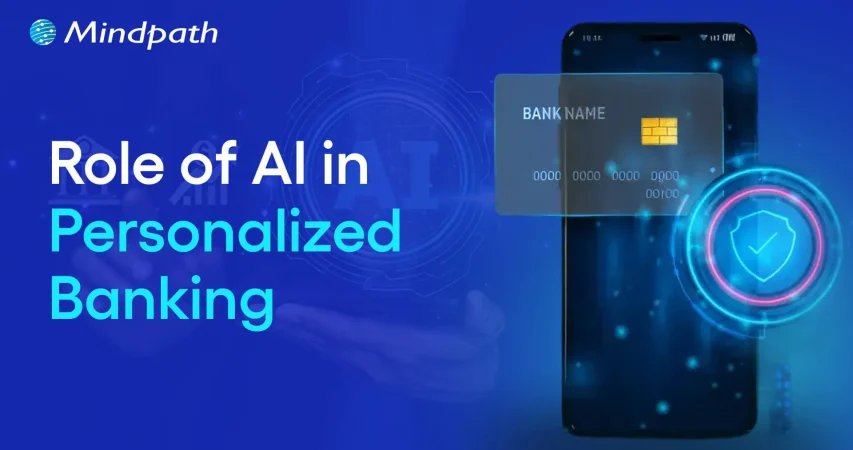
Artificial Intelligence is redefining how individuals will interact with their banks in the future. By leveraging AI in personalized banking experiences, financial institutions can better understand their customers and serve them with both precision and care. Picture receiving financial advice that is based on your lifestyle or alerts that predict your spending needs, even before you notice them. This is no longer a dream, but rather a progressive reality that is evolving our customer relationships with the banking experience.

As technology continues to grow smarter, banks are leveraging AI to enable a more seamless, rapid, and meaningful experience at each and every interaction with customers. Technology provides opportunities to design experiences that feel human, not automated, so clients feel understood at every step. With this growing innovation, personalization is now emerging as a key competitive advantage. In this blog, we’ll explore how AI is revolutionizing the banking experience into one that is less intuitive and more focused on the customer.

Ready to revolutionize the customer experience in their banking journey with the use of AI? Mindpath offers AI development services that help you put together tools that give you personalized financial experiences.

What is AI in Personalized Banking Experiences?

AI in personalized banking experiences is when artificial intelligence is used to create more purposeful banking for all customers, using information to identify spending, saving, and investing patterns to establish services that meet needs. This provides a thoughtful and engaging experience, ultimately increasing customer satisfaction and trust with the bank.

The use of AI in banking enables banks to provide certain services beyond basic transactional exchanges. With AI, banks are able to predict and suggest to the consumer the most likely need, for instance, recommending budgeting plans or how to spend money more wisely. The smart utilization of data and technology is a way to transform and personalize a traditionally impersonal banking experience into something humanized and connected to the customer.

Personalized banking is becoming a strategic advantage for business owners managing finances at scale. Explore AI in business strategy to understand how AI-driven banking solutions support long-term growth.

How Does AI Provide Personalized Banking Experiences?

AI is redefining banking by transforming data to drive understanding and inform the experience customers will have with a bank. Below are the roles of AI in delivering personal and valued banking experiences. This makes every interaction more meaningful, predictive and customer-centric.

1. Smarter Customer Insights

The use of AI in personalized banking experiences enables banks to know their customers more deeply. It analyzes various aspects of the customers’ lives, such as their spending habits, income patterns, and financial goals to be able to provide them with what they may require next. Based on these findings, banks are empowered to give the right advice at the right time and thus enhance customer experience.

2. Personalized Product Recommendations

Artificial Intelligence in finance gives banks the ability to create money management tools that go hand in hand with the everyday life and objectives of each client. After analyzing data like saving habits or risk tolerance, AI comes up with a credit card, a loan, or an investment that is an ideal match. Such customer experience retains customers’ faith and increases their confidence in the company, making them feel recognized and appreciated.

3. Enhanced Fraud Detection and Security

AI in personalized banking experience is a great tool for making customers feel safe when handling their money. It keeps an eye on transactions in real-time, and thus, any strange activities, which are possibly fraudulent, can be easily detected. Besides an increase in safety, this reactive security system also helps to establish trust in each digital interaction made by the customer.

4. Intelligent Virtual Assistance

AI-based virtual assistants and chatbots in banking are revolutionizing the way customer service is delivered. These AI assistants are available 24/7, so customers can always rely on them to get help. These empathetic interactions help to democratize banking.

5. Targeted Marketing with a Personal Touch

One of the conveniences of AI in banking is illustrated in customized marketing strategies as well. Banks are employing insights derived from data-driven decision making to deliver communications and to extend offers that are an authentic fit for the requirements of each customer. This targeted tactic heightens the interaction and facilitates customers in discovering services which really advantage them.

6. Smarter Credit Risk Assessment

AI-powered personalized banking experiences change the way that financial institutions determine a customer’s creditworthiness. Banks using AI check quite a few different aspects of a person’s life, such as income, payment behaviors, and even spending trends, to make a more just decision about who gets the loans. This precision opens the doors to better financial products for customers, while it is a relief to the banks that the risks are minimized.

Want to know how business owners can gain better control over cash flow and financial decisions? Explore AI in decision-making to see how personalized banking insights help businesses make faster choices.

Real-World Examples of AI in Personalized Banking Experience

Throughout the finance sector, AI is developing new methods of communicating with clients and assisting them with everyday banking. Presented below are some examples of AI in banking to illustrate how financial institutions are leveraging intelligent technology to provide clients with more personalized and valuable experiences.

1. Smart Virtual Assistants

AI in personalized banking experiences uses virtual assistants to simplify daily banking tasks. They help customers manage accounts, pay bills, and get instant updates anytime.

2. Personalized Financial Guidance

AI studies customer behavior to offer tailored budgeting tips and spending insights. It helps people make smarter financial decisions that match their goals.

3. Smarter Investment Support

AI analyzes market data and customer preferences to suggest better investment options. It helps both investors and advisors plan strategies more effectively.

4. Stronger Fraud Protection

AI tracks transactions in real time to detect unusual activity quickly. This smart monitoring keeps customers’ accounts secure and builds greater trust.

Wondering what type of AI actually powers personalized banking for businesses? Explore the types of Artificial Intelligence (ANI, AGI, and ASI) to learn how banks apply intelligent systems to serve business owners better.

Ready to Transform Banking with AI Innovation?

The application of AI in customized banking experiences is transforming the way people handle their finances and interact with their bank. Through the intelligent use of data to understand the needs of each customer, AI helps making financial services more accessible, secure, and meaningful to consumers. As technology continues to evolve, AI will continue to offer everyday consumers greater personal, intelligent, and seamless experiences in modern banking.

At Mindpath, we assist financial institutions in developing intelligent and customer-centric AI solutions that redefine banking. Our AI development services allow banks to provide predictive insights, personalized products, and improved security. We leverage our expertise to help you build smart systems that convert customer interactions into trusted and lasting relationships.


Related Post

Discover how AI can revolutionize your business with predictive analytics, machine learning, and conversational AI for smarter decisions and improved efficiency.

Related Post

React Component Architecture

React component architecture is a way of designing apps that divides the user interface into separate, reusable elements known as components. Each component is responsible for its own data and display, making the app more organized, versatile, and manageable. This method enables developers to create large applications by integrating basic building components, resulting in improved speed, faster updates, and seamless scalability as the program evolves. Since each component functions separately, modifications to one area of the program do not affect the overall system, allowing for faster and more efficient development.  

How React Component Architecture Helps in Scalability

1. Hierarchical Structure

React’s component architecture facilitates application scaling by organizing components in a hierarchical manner. Smaller components are nested within bigger ones, much like building blocks, to aid in the management of complicated programs. This structure adheres to the UI layout, making it evident how various elements of the program link. As the program expands, new features can be introduced without disrupting current components. Since each component operates separately, upgrades and maintenance are simplified. This modular strategy increases code reusability, lowers mistakes, and assures that even big programs stay well-organized and expandable over time.  

2. Incremental Updates

React’s component architecture promotes scalability by promptly handling updates. Instead of refreshing the full page, React employs a virtual DOM to identify just the parts that require updating. This implies that the UI refreshes rapidly and without disrupting other components, resulting in improved speed. For big and dynamic apps, this strategy avoids unneeded re-renders, allowing the program to operate smoothly even as it develops. By updating just the necessary items, React provides quicker load times, a better user experience, and less resource utilization. This makes it easier to grow apps while maintaining responsiveness and efficiency.  

3. Isolation of Logic

React’s component architecture separates application components, making them easier to maintain and grow. The UI and business logic are handled separately, allowing developers to construct and reuse components without having to deal with complicated state management. This separation guarantees that each component is dedicated to a single purpose, decreasing mistakes and boosting maintainability. When scaling a program, new features can be introduced without disrupting the rest of the system. React’s logic isolation allows teams to work on multiple portions of the app at the same time, making development faster, more organized, and simpler to scale as the project expands.  

4. Independent Units

React’s component architecture enables applications to scale effectively by making each component independent. Every component handles its own state and presentation, so updates or modifications to one element of the program will not affect the others. This modular framework allows you to add new features, repair bugs, and update certain components without impacting the overall system. Because components are self-contained, teams can work on different areas of the program at the same time, which speeds up development. This independence also enhances code reuse and maintainability, ensuring that the program remains organized and manageable as it expands.  

At Mindpath, elevate your app’s performance and scalability with our expert React development services.

Ready to build something amazing? Contact us today!  

Next Up: Learn about State Management in React and its role in scalable applications. 

Explore how to structure React components for maintainability, efficiency, and scalability in large-scale applications.
qualities of a good software engineer

The tech space is moving faster than it ever has, and businesses need professionals who are adaptable in the face of frequent change. Conversations about the qualities of a good software engineer often extend beyond coding. Businesses want engineers to contribute to real change and add some actual value through their work. The demand is not only for talent in the area of technical skills but also for people who can demonstrate impact in other areas of development.

At the same time, a job as a successful engineer shows far more than what a résumé can include. Simply put, this job involves constant learning, being a good team player, and being able to adapt to evolving project needs. Every organization is looking for individuals who can maintain the idea of long-term while developing ideas into effective solutions. In this blog, we look through the top qualities that describe a truly good software engineer.

To transform your idea into a powerful solution with the help of the right guidance. Contact us, and we will help you to implement the action that brings long-term success.

Why are Good Software Engineers Essential in a Company?

Good software engineers are essential to developing and sustaining the core systems that drive modern business. They design reliable, scalable responses, implement security, and develop user-friendly applications that facilitate growth. Their individual or team ability to resolve complex technical problems contributes to efficiency and drives innovation, and as such, they are a fundamental pillar of long-term success in competitive markets.

In addition to their role in custom software development, they also test, debug, and service software, while negotiating the escalating complexity of digital systems and software. By merging the business objectives with the technical implementation of the project, they can realize a project that provides real value. These roles articulate the qualities of a good software engineer and are fundamental to taking a business idea and transforming it into a meaningful and forward-looking outcome.

Must Read: Custom Software Development Benefits

What are the Qualities of a Software Engineer?

When companies are looking for quality people, they will be interested in the traits of a good software engineer that extend beyond their programming capabilities. These traits combine technical skills with problem-solving, teamwork, and flexibility, making engineers quality adders to any project. Below are the key characteristics that define them.

Qualities of a Good Software Engineer

1. Analytical and Critical Thinking

A great quality of a good software engineer is having analytical and critical thinking skills. Software engineers often work on unfamiliar systems with very little direction, so understanding how to break the system down into its components is helpful in realizing how the system really works. In doing this, the software engineer can recognize large patterns, see how inputs and outputs follow, and find a way to add value to the solution.

2. Knowledge of Software Architecture

Being knowledgeable about software architecture is an important software engineering characteristic that enables solid system designs. Engineers need to understand the flow of data through a system and how each element transforms that data. That knowledge supports engineers in building robust systems by allowing them to select the best architectural pattern that will last into the future.

3. Expertise in Tools and Technologies

It is a powerful strength of a software engineer to know development tools and alternative technologies. Software engineers need to investigate new options, balance trade-offs of risks to benefits on each alternative technology, and pivot accordingly to use the development tools that best contextual fit the immediate problem. If only to remain curious and current, software engineers have the opportunity to not make archaic choices.

4. Task Management and Prioritization

Managing multiple projects effectively is a key characteristic of a software engineer. All engineers perform some form of balancing act between regular day-to-day items and urgent tasks, including outages or bug fixes. With a little planning and prioritization, engineers can respond to urgent tasks while maintaining a steady pace on all projects.

5. Debugging and Testing Skills

Debugging and testing form an essential part of the qualities of a good software engineer. Engineers often occupy their time to sustain and upgrade developed projects; thus, referencing the strengths of their debugging skills will allow them to get to the root of an issue efficiently and start unpicking it. Testing will confirm that the software is functioning according to the specifications, while it will also reduce any risk of surprises.

6. Effective Documentation

Good documentation is an often-neglected, but vital, characteristic of software engineering. Engineers who write and update their documentation when they develop and change the software make it easier for others to understand the system and maintain it later. Good documentation, where records are kept clearly and accurately, will help reduce confusion, save time, and enhance collaborative efforts across teams.

Curious about the different kinds of software a skilled engineer might work on? Explore the various types of software development and see how each requires unique skills and expertise.

7. Curiosity and Open-Mindedness

Curiosity and open-mindedness are important qualities of a good software engineer because technology moves quickly. Great engineers investigate different ways of doing things, accept new ideas, and change how they do things – every time the new way is better. This mindset propels the innovation needed to successfully help teams solve problems.

8. Self-Motivation and Proactiveness

A successful software engineer is a self-starter who is proactive in identifying threats to successful project outcomes before they turn into large problems. Successful software engineers seek out opportunities to solve problems rather than waiting for someone to instruct them or blindly ignoring a potential risk altogether. A proactive software engineer can help dramatically improve team performance and produce better long-term project outcomes.

9. Prioritization Skills

Tremendous prioritization skills are a functional strength of a software engineer. Since not every task becomes urgent, engineers must focus on how to properly handle critical issues versus long-term goals. When the decisions are made competently enough, all teams can focus on issues that need immediate resources.

10. Empathy and Teamwork

Teamwork and empathy are defining qualities of a good software engineer in collaborative environments. Clear communication, attentive listening, and being mindful to consider the viewpoint of others are important to collectively solving problems as a team. These interpersonal skills cultivate healthier team dynamics and improve the likelihood of successfully completing the project.

11. Willingness to Learn

Having humility is a powerful software engineering characteristic, as no one can know everything in such a broad discipline. Engineers who are open to feedback and learn from others use their time wisely and bolster their skills. When an engineer is humble, they help cultivate stronger, more supportive teams that drive performance.

12. Responsibility and Ownership

A positive sense of responsibility is one key qualities of a good software engineer. Engineers understand their systems very well and will have to take responsibility, whether it be for successes or failures. Being responsible for their thoughts and actions earns engineers trust among the stakeholders that will, in time, improve user experiences.

Want to see how skilled engineers turn concepts into working software? Explore the custom software development process to understand the stages that ensure quality and efficiency.

Ready to Work with Skilled Software Engineers?

The qualities of a good software engineer show how vital they are in shaping ideas into real, impactful solutions. Strong technical skills combined with collaboration, adaptability, and ownership make them essential to building reliable and scalable systems. These qualities ensure not only innovation but also long-term success in today’s competitive and constantly changing digital landscape.

At Mindpath, our custom software developers bring these qualities into every project. They combine expertise, curiosity, and responsibility to create solutions tailored to your business needs. By focusing on innovation, reliability, and long-term value, our team ensures that your ideas are developed into secure, scalable, and user-friendly software designed to drive growth and meet evolving market demands.

full stack development trends

The full-stack development landscape is changing rapidly, and 2026 is already showing great possibilities for new ideas and better tools. Getting familiar with the newest full-stack development trends can help developers, startups, and businesses create smarter solutions. User needs are increasing, along with the requirement for flexible and efficient development solutions, which means teams are taking a fresh look at how they build, test, and scale applications. Knowing how to navigate these changes can have a significant impact next time whenever you develop a new item or launch a new product.

With speed, scalability, and seamless user experience as the new focus, developers are integrating advanced front-end technologies with back-end solutions to develop modern digital products. With cloud platforms available everywhere and low-code solutions evolving more rapidly, full-stack development is moving to a whole new level.  These solutions are transforming processes that not only save time but also improve quality and naturally foster greater teamwork. In this blog, we will provide further insight into the most important trends shaping full-stack development in 2026.

Looking to implement the advantages of full-stack development in your next project? Take a look at our full-stack development services, where our team will support and guide you to bring those benefits to the real world.

Understanding Full-Stack Development

Full-stack development refers to building both the front-end and back-end of a software application. Let’s dive in to understand! Every application has two main sections. The front-end is what users see and interact with, like buttons, images, and forms. The backend encompasses all the activities that take place in the background – saving data, running logic, interacting with other systems, etc.

Each side requires different skill sets and tool sets. Full-stack development combines both sides into one process. Full-stack development enables developers to create complete applications and allows us to develop the application seamlessly from the user interface through the server and database. This means that the application includes both of those components as one shared system, which makes development more efficient and organized.

Some advantages of full-stack development include:

  1. A full-stack developer saves money by doing both front-end and back-end work, minimizing the need for multiple specialists.
  2. They speed-up the development process by working across the entire tech stack, ensuring faster delivery and smooth collaboration.
  3. With strong knowledge of current tools and trends, they support modern full-stack development by integrating advanced features like AI and responsive design.
  4. Full-stack developers take full ownership of the codebase, simplifying responsibility and streamlining debugging.
  5. They deliver well-rounded, quality solutions by working across the UI, backend logic and business processes, database activities and data expansion, and testing.
  6. They even provide ongoing support and maintenance, which ensures long-term stability, security, and enhancement.

Read in detail: Full-stack development benefits.

Full-Stack Development Trends 2026

As technology continues to grow, developers are embracing smarter tools and faster methods to build complete applications. The emerging trends in full-stack development are shaping how teams work, improve performance, and deliver better user experiences in 2026. Here are the top trends to watch:

Full-Stack Development Trends 2025

1. Artificial Intelligence

Artificial Intelligence is one of the key full-stack development trends shaping how modern applications are built. It helps solve complex problems faster and allows systems to work without human interruption. Full-stack developers are well-suited for AI roles because they understand both design and logic, making it easier to build intelligent solutions. As the future of full-stack development evolves, AI will play a major role in improving performance and user experience.

2. Cloud Computing

Cloud computing is a fast-growing technology that allows access to data storage, processing power, and other resources over the internet. It supports the future tech stack for developers by offering flexibility, easy scaling, and pay-as-you-go pricing. Full-stack cloud developers are in demand to build and manage cloud-based applications that support collaboration and performance. To grow in this area, developers should understand cloud computing trends as well as IaaS, PaaS, SaaS and gain hands-on experience with platforms like AWS, Azure, and Google Cloud.

3. DevOps

DevOps is a practice that combines development and operations to improve how software is built, tested, and deployed. It helps teams work better together and use tools like continuous integration and delivery to release updates faster. DevOps plays an important role in improving application speed, quality, and reliability. As part of full-stack development trends, it supports the demand for efficient workflows and strong collaboration in building modern applications.

4. Progressive Web Apps

Progressive Web Apps (PWAs) are web applications that offer an app-like experience using modern browser features. They work offline, load quickly, send push notifications, and can be installed on devices without using much storage. As part of web development trends 2026, PWAs help businesses reach more users, especially on mobile, while keeping development simple and cost-effective. Their flexibility and performance make them a smart choice for companies looking to improve user experience.

5. Blockchain

Blockchain is a secure and transparent technology that stores data across a network of computers, making it difficult to change or hack. It is widely used in industries like finance and healthcare to protect transactions and manage decentralized systems. As part of full-stack development trends and the latest trends in web development, blockchain allows developers to build safer and more reliable applications. To work in this area, full-stack developers need skills in decentralized tools, enterprise systems, and Web3 architecture.

6. Cybersecurity

Cybersecurity is the practice of protecting systems, networks, and applications from online threats like malware, phishing, and DDoS attacks. It has become a key part of full-stack development trends as developers need to build secure applications from the ground up. Companies are now including cybersecurity in their future tech stack for developers to keep data and systems safe. Full-stack developers aiming to work in this field should learn network security, web application security, cryptography, and secure coding practices.

7. Low-Code and No-Code Development

Low-code and no-code development platforms allow users to build websites and apps with minimal or no programming skills. These tools are growing as part of full-stack development trends because they save time, reduce costs, and make development accessible to more people. While they are great for simple projects, they may not be suitable for complex or large-scale solutions. As part of the trends in software development, LCNC tools offer fast results and full-stack capabilities for quick product launches.

Looking for the best way to scale your digital growth? Discover why full stack development for web projects is becoming the smart choice for businesses.

Ready to Leverage Full-Stack Development Trends for Your Next Project?

Full-stack development trends are shaping how modern applications are built, improved, and maintained. With advancements like AI, cloud, DevOps, and PWAs, developers and businesses can achieve faster, smarter, and more secure results. Staying updated with these trends will help you build stronger digital products that meet the growing demands of users in 2026 and beyond.

At Mindpath, we offer expert full-stack development services tailored to your business goals. Our skilled developers handle everything from front-end design to back-end logic, delivering complete, scalable solutions. If you’re looking to hire full-stack developers who understand the latest tools and technologies, our team is here to help you build your web and mobile applications with confidence and efficiency.