Home

From Automation to Intelligence: The Role of AI in DevOps

From Automation to Intelligence: The Role of AI in DevOps

Join our Newsletter!

AI in Devops

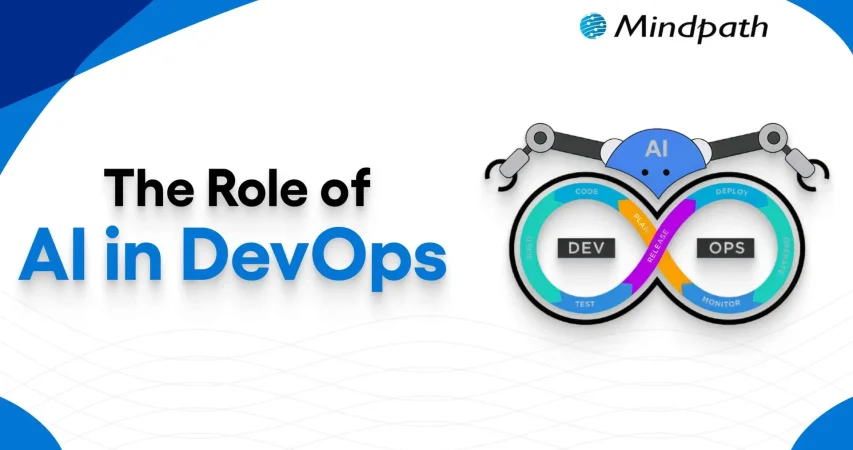
Artificial Intelligence is undoubtedly a transformative force that exists today. Within a short span of time, AI has brought about radical changes in diverse domains. A specific realm that has undergone significant change thanks to artificial intelligence is none other than DevOps.

In recent years, the adoption of AI in DevOps has gained momentum like never before. The AI in the DevOps global market is likely to reach USD 24.9 billion by the year 2033. It shows that the popularity of DevOps AI is rising at a fast pace. Let us explore the vital role of artificial intelligence in the DevOps realm.

Implementing AI in DevOps can be tricky and challenging; it requires deep knowledge and expertise. Mindpath’s DevOps Consultation & Implementation services are set up in a way that simplifies this complicated process and delivers end-to-end support.

What is DevOps?

DevOps is a combination of the terms “development” and “operations.” It is a cultural philosophy and set of technical practices that bridges the gap between software developers and IT operations teams. This approach fuses both teams to shrink the software development life cycle, enabling continuous delivery of high-quality software faster and more reliably, with shared accountability. The main purpose of DevOps is to break down conventional silos that exist between teams and promote collaboration. A proper understanding of DevOps is essential before exploring the role of AI in its context.

In the past few years, AI in DevOps has been gaining popularity at a rapid pace. At present, a large number of DevOps teams are leveraging Artificial Intelligence technology for diverse purposes, including making market projections, exploring new AI tools, and optimizing pipelines. The relevance of Artificial Intelligence for DevOps is certainly expanding with each passing day.

Must Read: Top DevOps Trends

Role of Artificial Intelligence in DevOps

Currently, Artificial Intelligence plays a strategic role in the realm of DevOps. In case you are wondering – How to get into DevOps? It is a must to know the role of AI in DevOps. Artificial Intelligence in DevOps mainly involves the use of machine learning (ML) and other AI technologies for automating as well as optimizing software development processes. One must bear in mind that DevOps for machine learning has created new possibilities to create novel software solutions.

Teams are able to capitalize on AI for DevOps to promote faster deployment, reduced errors, and increased productivity. Moreover, the use of AI tools for DevOps empowers teams to optimally manage the available resources. It has become fairly common for DevOps teams to focus on machine learning DevOps and extend the conventional scope of the approach by leveraging ML capabilities.

Curious about what kind of AI your business should prepare for? Explore the types of AI – ANI, AGI, and ASI shows the journey from automation to intelligence in DevOps.

Benefits of AI in DevOps

The strategic deployment of diverse Artificial Intelligence technologies within the DevOps landscape has the potential to give rise to a host of benefits. It is essential for DevOps professionals as well as DevOps teams to familiarize themselves with the key benefits of AI technology in DevOps.

1. High Automation

One of the chief benefits of using AI in DevOps revolves around automation. By leveraging AI technology, professionals do not have to rely on manual processes. DevOps teams can automate repetitive processes with the help of AI technology. Your DevOps team can ensure that top DevOps solutions are generated through automation.

2. Better efficiency

If you want to improve the efficiency of the DevOps process of your team, it is a must to use AI. AI can serve as the ultimate pillar that can help create intelligent DevOps solutions in an efficient manner. You will be surprised to see that your DevOps team can complete numerous projects without making errors.

3. Top-quality security

The role of AI is of high importance in DevOps since it can enhance the level of security.  Your team can automate processes relating to threat detection and threat identification. Therefore, your business will be empowered to take timely remedial actions to eliminate such threats. So, you can rest assured about DevOps security.

Wondering how businesses keep up with rapid tech changes? Discover the benefits of DevOps, which shows how it enables faster delivery, stronger collaboration, and AI-driven efficiency.

Key Steps for Using AI in DevOps

For capitalizing on AI technology to the fullest, it is crucial for DevOps teams to use AI in a methodical and structured manner. You can follow the steps below for using AI capabilities in a strategic manner in the DevOps context.

Step 1 – Choosing appropriate Artificial Intelligence Tools

The first step that your DevOps team must take is related to choosing the right AI tools. The tools that you choose must be aligned with your DevOps pipeline. It is a crucial step that can have major implications for the software application that you plan to develop.

Step 2 – Collection of Data

The next step that has to be taken by your DevOps team is related to data collection. It is necessary to bear in mind that relevant and appropriate data has to be gathered, which has to be fed into Artificial Intelligence systems. The quality of data that is gathered is a critical factor that is non-negotiable in nature. By using high-quality data, it is possible to make accurate predictions.

Step 3 – Taking Small Steps

In the next step, your DevOps team must remember to start small. So at this stage, you need to identify specific areas where you can use AI at a small level. The implementation of AI for small tasks is vital to ensure that it can play the desired role. Sometimes, DevOps teams may get too ambitious, which may adversely affect the use of AI in DevOps.

Step 4 – Monitoring and Optimization

At this stage, it is a must to focus on proper monitoring and evaluation of the performance of AI tools. By doing so, you can focus on optimizing the performance of such Artificial Intelligence tools. Based on the monitoring outcome, you can make necessary adjustments to leverage the novel tools in an optimal manner.

Step 5 – Training the team

The final step involves providing appropriate training to your DevOps team. By training them, you can ensure that the DevOps professionals possess the essential skills to leverage AI tools in an effective manner.

Struggling to keep your software delivery fast and reliable? Check out our blog on DevOps challenges and solutions to identify bottlenecks and implement smarter AI-driven strategies for smoother operations.

Best Practices to Use AI in DevOps

If you intend to leverage the capabilities of Artificial Intelligence in DevOps, it is essential to adopt the DevOps best practices. Some of the best practices that can equip your business to leverage AI optimally include:

1. Taking tiny steps

A common mistake that many DevOps teams commit is that they take big steps at an initial state. Instead, you need to start by taking small steps. You can begin by locating specific areas where you can capitalize on AI capabilities to extract maximum benefits. Moreover, you can reach out to diverse professions to seek DevOps support.

2. Involving relevant stakeholders

It is critical for businesses to engage with the right stakeholders while using artificial intelligence. This step is crucial to strengthening the overall effectiveness of AI DevOps tools. By interacting with them, you can understand their needs and expectations while developing software solutions.

3. Focus on ongoing evaluation

While using AI tools in the DevOps process, it is imperative to prioritize continuous evaluation. Your DevOps team must keep a tab on the performance of AI tools and technologies that are used in DevOps processes. Similarly, it is a must to understand DevOps platforms in an effective manner so that AI-driven processes can be optimally put in place.

Looking to boost efficiency and innovation in your company? Discover how DevOps for businesses can simplify workflows and enhance team collaboration with AI-powered tools.

Final Words

Businesses need to capitalize on Artificial Intelligence technology in their DevOps processes. The strategic use of DevOps AI tools can certainly open up new opportunities for your business. In addition to promoting automation, it can make the DevOps approach more intelligent and productive in nature.

In order to leverage AI technology optimally in DevOps, you can consider partnering with the professionals at Mindpath. Our experts use AI methodologies and DevOps best practices together to deliver optimum solutions. Your business can take advantage of our AI development services and develop top-grade software applications in a productive manner.


Ready to Bring AI Into DevOps?

Automate workflows and improve development efficiency.

Frequently Asked Questions

AI automates repetitive tasks, detects issues early, optimizes CI/CD pipelines, and provides actionable insights, enabling faster software delivery with improved quality and operational efficiency.
Yes. AI analyzes code changes, test results, and deployment patterns to identify risks before release, helping teams minimize failures and improve deployment reliability.
AI can automate code reviews, testing, infrastructure monitoring, log analysis, incident detection, security scanning, and CI/CD pipeline optimization, allowing developers to focus on higher-value tasks.
No. AI enhances developer productivity by automating routine tasks, while DevOps engineers remain responsible for architecture, security, infrastructure decisions, and validating AI-generated outputs.
Businesses should evaluate data security, integration requirements, governance, team readiness, and AI tool compatibility to ensure successful implementation and long-term value.

Support Is One Click Away

Featured Posts

Related Post

cost to hire Node.js developer

Hiring the right Node.js developer can significantly impact your project’s cost, performance, scalability, and delivery timeline. Whether you are building an MVP, SaaS platform, real-time application, or enterprise backend, understanding Node.js developer hiring costs can help you plan your development budget effectively.

In 2026, the cost to hire a Node.js developer generally ranges from $20 to $150+ per hour, depending on experience, location, technical expertise, project complexity, and hiring model. This guide explains the major factors that influence Node.js developer costs and helps you choose the right hiring option for your project.

Looking to hire experienced Node.js developers? Talk to our experts to discuss your project requirements and development needs.

How Much Does It Cost to Hire a Node.js Developer?

The average hourly cost of a Node.js developer varies according to their experience and specialization.

Developer Level Approx. Hourly Cost
Junior Node.js Developer $20–$50/hour
Mid-Level Node.js Developer $50–$100/hour
Senior Node.js Developer $100–$150+/hour
Lead/Expert Developer $120–$180+/hour

These are general market estimates. Actual rates may vary depending on location, project requirements, technology stack, engagement duration, and developer expertise.

Node.js Developer Cost by Experience

Experience is one of the biggest factors affecting the cost to hire a Node.js developer.

1. Junior Node.js Developer

Junior developers are suitable for basic API development, maintenance, bug fixes, and smaller backend tasks. They generally have less experience with complex architecture and large-scale applications, making their rates more affordable.

2. Mid-Level Node.js Developer

Mid-level developers can independently handle backend development, API integrations, databases, authentication, and third-party services. They are a good choice for startups and growing businesses that need experienced development without senior-level costs.

3. Senior Node.js Developer

Senior developers have experience with scalable architecture, performance optimization, security, microservices, cloud platforms, and complex integrations. They are generally suitable for enterprise applications and technically demanding projects.

Node.js Developer Hourly Rates by Location

Location also has a major impact on Node.js developer rates.

Location Approx. Hourly Rate
USA & Canada $75–$150+
Western Europe $60–$120
Eastern Europe $30–$70
Latin America $25–$60
India & South Asia $15–$60

Developers in regions with higher living costs and salaries generally charge more. Businesses can often reduce development costs by working with remote developers or outsourcing partners while still accessing experienced Node.js talent.

Node.js Developer Cost by Hiring Model

The hiring model you choose can also affect your overall development budget.

1. Freelancer

Freelancers are suitable for short-term projects, individual features, API development, maintenance, or bug fixes. They can provide flexibility without the long-term cost of hiring a full-time employee.

2. Full-Time Developer

A full-time developer is a good option for companies that need continuous development and long-term involvement in their product. However, the total cost can include salary, benefits, equipment, taxes, and other employment expenses.

3. Dedicated Node.js Developer

A dedicated developer can work as an extension of your existing team. This model is useful for startups and businesses that need long-term development support without building an internal team from scratch.

4. Node.js Development Company

A development company can be a better choice for complex applications requiring development, quality assurance, DevOps, project management, and ongoing support. This approach can also provide access to multiple technical specialists.

How Much Does Node.js Development Cost by Project?

The total project cost depends on the scope, features, integrations, development time, and team size.

Project Type Estimated Cost
Basic API or Backend $3,000–$10,000
MVP $10,000–$30,000
Business Web Application $20,000–$50,000
Real-Time Application $30,000–$75,000+
Enterprise Application $75,000+

These figures are general estimates rather than fixed development prices. A detailed project assessment is required to determine the actual cost.

Factors That Affect Node.js Developer Hiring Costs

Several factors can increase or decrease the Node.js developer cost for your project.

1. Project Complexity

A simple API requires fewer resources than a real-time application, SaaS platform, or enterprise system with multiple integrations.

2. Technical Skills

Developers with expertise in Node.js, TypeScript, Express.js, NestJS, databases, AWS, Docker, Kubernetes, microservices, and cloud architecture may have higher rates.

3. Project Timeline

Projects with tight deadlines may require additional developers or senior resources, which can increase the overall budget.

4. Application Type

The development requirements differ between e-commerce platforms, SaaS products, fintech applications, healthcare systems, AI applications, and real-time solutions.

5. Maintenance and Support

Post-launch services such as security updates, performance optimization, bug fixes, monitoring, and feature enhancements can add to the overall cost.

How to Reduce Node.js Development Costs

You can manage your budget without compromising development quality by clearly defining project requirements, selecting the appropriate developer experience level, prioritizing essential MVP features, and choosing the right hiring model.

For long-term projects, a dedicated development team can provide greater flexibility and consistent technical support compared with repeatedly hiring freelancers for individual tasks.

Why Hire Node.js Developers from Mindpath?

Mindpath provides experienced Node.js developers for businesses looking to build scalable, secure, and high-performance applications. Our developers can support backend development, API development, database integration, cloud solutions, real-time applications, and enterprise software development.

Whether you need a developer for a short-term project or a dedicated development team for long-term product development, Mindpath can help you select an engagement model based on your technical requirements and budget.

low code vs. no code

The rapidly growing demand for digital transformation has had many businesses thinking about effective ways to align with new trends. You must have heard about the low-code vs. no-code debate in discussions about software development in 2026. As a matter of fact, Gartner has pointed out that 70% of new applications will use low-code or no-code technologies by 2026.

Do you feel that the modern technology landscape is evolving at a speed that you find difficult to match? Your business must also be struggling to find the ideal developer talent for your new IT projects. No-code and low-code solutions can address these concerns by offering convenient alternatives to the conventional software development process. 

The right development choice makes a huge difference. Contact us, and we will guide you on whether low-code or no-code development best suits your business.

What Is Low Code vs. No Code?

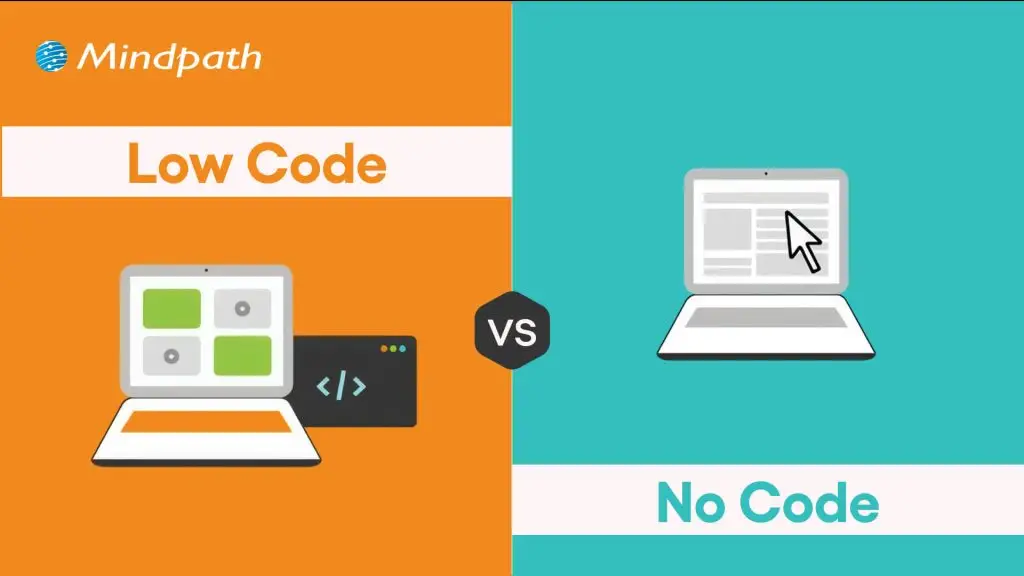
Low code and no code are modern software development approaches designed to accelerate application development. Low-code platforms provide visual development tools with the flexibility to add custom code when needed.

No-code platforms eliminate coding altogether, enabling business users and non-technical teams to build applications through intuitive visual interfaces. Choosing between low code vs. no code depends on your project’s complexity, customization needs, and available technical resources.

What Is Low Code?

You can know a lot about low-code from the name itself, which implies the use of less code. Low-code is a new approach to software development that involves automated code generation with visual building blocks. The functionality of low-code platforms revolves around automation that offers a middle ground between manual coding and no-code development. It allows developers to add code in auto-generated code, thereby retaining the human element.    

Common applications of low-code development in business process management platforms and cross-department tools have been gaining traction. Low code serves as the most useful solution for web and mobile app development and achieving integration with external plugins. Many businesses have successfully leveraged the low-code approach for the modernization of legacy apps. 

What Is No Code?

The curiosity about no-code development is also gaining momentum in 2026 as businesses seek new avenues for innovation. You can describe the answers to “what is no-code development” as a prominent subset of the low-code development approach. The no-code development approach is completely free of human intervention and depends completely on visual tools.

You can find the most applications of no-code development in self-service apps for business users and dashboards. Businesses can rely on the no-code development approach to build standalone apps with simple UIs and automation. One of the notable examples of no-code development is evident in tools for online order management and automated customer service in e-commerce. 

Are your low-code and no-code apps delivering the best possible user experience for your audience? Explore the latest UX/UI design trends to discover how modern interfaces and interactions can make your apps more engaging and effective.

Low Code vs. No Code: Key Differences

Many people generally assume that low-code and no-code approaches are essentially the same thing, with different terminology. However, the answers to ‘what is low code development’ and the definition of no-code development showcase a completely different picture. You must know the differences between low-code and no-code development to pick the ideal development approach for your next project.

1. Coding Skill Requirement

The first thing you must check while choosing between low-code and no-code development is the requirement of professionals with coding skills. In the case of low-code development, you will need professionals who have a basic understanding of coding. You must know at least one programming language fluently to use the low-code development approach. Therefore, low code is a difficult approach in cases where non-technical employees don’t know about coding or any programming language.

On the other hand, answers to ‘what is no-code development’ clearly reveal that anyone can use the no-code approach without coding skills. It helps you build applications by replacing the coding portion with blocks of code. You can just drag and drop the blocks of code to build the application you want.

2. Best Use Cases

The next point of comparison between low-code and no-code draws the limelight towards scenarios where they serve the right fit. You can rely on low-code application development platforms to develop applications with many complex features. Low-code development approach involves the use of an exhaustive component library that can be used for applications with heavy logic. In addition, the low-code approach also supports scalability and integration with other apps and external APIs. 

You can leverage no-code platforms for creating apps that deal with analytics, workflow management, project tracking, and progress reporting. It is also important to know that no-code application development platforms also have features that can help you build complex apps without writing code. No-code is a trusted development approach for front-end apps that pull data from different sources. It can serve as a useful solution to repetitive administrative tasks like reporting in business teams.  

3. Development Speed

Another notable aspect in the comparison between low-code and no-code development approaches is the speed of development. The low-code development approach is a rapid application development methodology tailored to develop applications at a faster pace. However, the low-code approach requires coding for certain parts of an application, which leads to longer development time. 

On the other hand, the no-code development approach does not require any coding. You can refer to the difference between low code and no code to understand that the no-code approach does not rely on coding skills. Business owners and entrepreneurs can build applications or create working prototypes in no time. As a matter of fact, some businesses have reported that they created apps with no-code development within a year.

Looking to deliver apps quickly but unsure if your business needs custom solutions? Discover the signs that indicate it’s time for a custom web application to accelerate growth and efficiency.

4. Target Users

The discussions around differences between the low-code and no-code development approaches will also focus on who should use them. Low-code development approach is the ideal pick for professional developers who want to avoid the burden of replicating basic code. It offers more space for developers to focus on complex aspects of development and encourages innovation. The low-code approach ensures automation of the standard parts of coding without depending on the syntax. You should know that low code benefits professional developers by offering opportunities for reskilling.      

The no-code development approach is more suitable for business users who have extensive domain knowledge. It complements their lack of ability to write code and allows them to use their domain expertise efficiently. Hybrid teams with software developers and business owners are also the most prominent target users of no-code development. Small business owners as well as HR, legal and finance teams in an organization, can also choose no-code over low-code development approach.  

5. Expansion of Architecture

The search for differences between low-code and no-code development approaches will also lead you to think about their architectural range. How will the two approaches support your applications as they grow in future? The no code vs. low code comparison suggests that the low-code development approach offers more support for scalability. In addition, it also offers space for cross-platform compatibility, thereby making it an ideal choice for modern business apps. The low-code approach also offers flexibility for using custom code and custom plugins to achieve a broad range of implementations.

On the other side of the debate, no-code approach has limited potential when it comes to flexibility. You cannot extend no-code apps and they showcase limitations in achieving integration with other platforms or legacy systems. It is important to remember that no-code development is useful only for a narrow collection of use cases. Furthermore, the no-code approach also implies limited scope for scalability.

6. Open or Closed System

The low-code development approach follows an open system as it allows users to extend the functionality of apps through code. It offers the advantages of enhanced flexibility and reusability. Users can develop custom plugins or data oracles according to their use cases and add them later in the apps. However, you will have to test the new upgrades and patches with manually introduced code.

The review of no-code benefits in software development reveals that it works best as a closed system. You have to rely on templates of feature sets to extend the functionalities of no-code apps. As a result, you will find limited use cases with no-code apps and restrictions on access to boilerplate integrations and plugins. However, the no-code approach offers support for backward compatibility as it does not involve manually written code.

PTrying to build mobile applications quickly without compromising quality? Check out the top mobile app development tools to learn which frameworks and technologies help teams deliver robust, scalable apps faster.

The following table provides an overview of the differences between low-code and no-code development approaches.

Criteria Low-Code No-Code
Coding Skill Requirement Low-code development requires prior coding knowledge and fluency in one programming language. No-code development does not need coding expertise or awareness of coding languages.
Best Use Cases Low-code development is suitable for complex apps that require heavy business logic. No-code development is ideal for front-end apps, UI apps and internal apps that don’t require extensive functionalities.
Development Speed Low-code is faster than traditional development albeit with need for manual coding. No-code is faster than the low-code approach as it follows a plug-and-play approach.
Target Users Low-code is more suitable for professional developers. No-code is the ideal choice for business users, non-IT teams and hybrid development teams.
Expansion of Architecture Low-code supports scalability and cross-platform compatibility. No-code has limitations in integration with legacy systems and reduced scalability.
Open or Closed System Low-code approach works as open system that supports extension of functionalities through code. No-code approach is similar to a closed system as you can add features only through pre-defined template sets.


Final Thoughts

The decision to choose between low-code and no-code development in 2026 may be a difficult one. Each development approach is meant to help you build and deploy applications quickly without compromising functionality. However, you can pick one from low-code or no-code development according to your project requirements and technical expertise.

Mindpath is one of the leading software development agencies with specialization in low-code and no-code development methodologies. We have achieved fluency in the modern software development approaches with experience in different types of projects. Our experts have delivered high-performance solutions tailored to the needs of clients with unparalleled perfection. Reach out to us and find the ideal development solutions for your business right now.

AI use cases 

AI use cases are changing how businesses manage operations, serve customers, analyze information, and develop products. From automating repetitive tasks to identifying patterns in large datasets, artificial intelligence can help organizations make informed decisions and use their resources more effectively.

However, adopting AI is not simply about implementing the latest technology. Businesses need to identify the right problems, choose suitable solutions, protect sensitive information, and measure the results. This guide covers practical AI use cases, real-world company examples, industry applications, and steps for turning AI initiatives into measurable business outcomes.

Key Takeaways

  • 01
    AI use cases help businesses automate repetitive work, improve decision-making, and deliver more personalized customer experiences.
  • 02
    Common applications include predictive maintenance, customer support, fraud detection, workforce planning, content assistance, and software testing.
  • 03
    Retail, manufacturing, healthcare, finance, logistics, and technology businesses can apply AI to different operational challenges.
  • 04
    Successful AI implementation requires suitable data, clear business objectives, security controls, human oversight, and measurable performance indicators.
  • 05
    Businesses should begin with a defined problem, test a focused AI solution, measure its impact, and scale only when the results justify further investment.
Planning an AI initiative for your business? Mindpath provides AI development services to help organizations translate business requirements into practical AI solutions.

Why are Businesses Adopting Artificial Intelligence?

Businesses are adopting artificial intelligence to address operational challenges, analyze complex information, and improve the way they interact with customers. AI can process large volumes of data, identify patterns, generate recommendations, and support tasks that previously required substantial manual effort.

The value of AI depends on the business problem being addressed. For example, a retailer may use demand forecasting to plan inventory, while a software company may use AI-assisted testing to identify potential defects. A customer service team may use an AI assistant to handle routine questions and direct more complicated cases to human agents.

The McKinsey State of AI research provides broader context on organizational AI adoption. However, adoption alone does not establish business value. Each organization must assess whether its chosen use case improves performance, reduces risk, or delivers a better customer experience.

Key Business Benefits of AI

  • Operational efficiency: Reduce repetitive manual work and help employees focus on tasks requiring judgment.
  • Better decision support: Analyze business data and identify patterns that may inform planning.
  • Customer experience: Provide relevant recommendations, faster responses, and more consistent assistance.
  • Risk management: Flag unusual transactions, system anomalies, or potential operational problems.
  • Product innovation: Support new digital features, intelligent search, and AI-enabled services.
  • Resource planning: Improve forecasting and help teams allocate staff, inventory, and infrastructure.

Businesses should evaluate these benefits against implementation costs, data quality, integration requirements, ongoing maintenance, and the risks associated with automated decisions.

15 Practical AI Use Cases for Businesses in 2026

AI can support a wide range of business activities, but its role varies by use case. Some applications generate recommendations, some predict likely outcomes, and others produce content or assist with defined workflows. The following examples explain where AI can be applied and what businesses should evaluate before implementation.

AI use case Business application Potential value
Customer personalization Product and content recommendations More relevant customer journeys
Predictive maintenance Equipment condition monitoring Earlier identification of possible failures
Customer support Chatbots and support assistants Faster handling of routine inquiries
Workforce planning Demand and staffing forecasts Better resource allocation
Content assistance Drafting and campaign support More efficient content workflows
Fraud detection Transaction and behavior analysis Earlier identification of suspicious activity
Software testing Test generation and defect analysis More efficient quality assurance
Operational monitoring System anomaly detection Faster incident investigation
Safety monitoring Analysis of sensor or camera data Earlier warnings about selected risks
Product assistance Conversational product guidance More useful buying and usage support
Demand forecasting Sales and inventory prediction Better inventory planning
Document processing Extraction and classification of documents Less manual data entry
Sales forecasting Pipeline and opportunity analysis Improved sales planning
Knowledge management Search across internal business information Faster access to relevant information
Supply chain optimization Risk, routing, and logistics analysis More informed operational decisions

1. Personalized Customer Journeys

AI can analyze permitted customer data, browsing activity, purchase history, and stated preferences to recommend relevant products, services, or content. Businesses can use these insights to make digital experiences more relevant across websites, applications, and marketing channels.

For example, an online retailer can recommend products related to a customer’s previous purchases. A subscription platform can organize content based on viewing or usage patterns. These recommendations should remain relevant, transparent, and consistent with customer privacy requirements.

Business metrics: Recommendation engagement, conversion rate, repeat purchases, and customer retention.

2. Predictive Equipment Monitoring

Predictive maintenance uses equipment sensor readings, operating conditions, and historical maintenance records to identify patterns associated with possible failures. Instead of relying only on fixed maintenance schedules, teams can use these signals to investigate equipment that may require attention.

Manufacturing plants, energy facilities, and logistics operators may use predictive maintenance to prioritize inspections and plan servicing. Its effectiveness depends on the availability of reliable equipment data and the ability to distinguish useful warning signals from normal variations.

Business metrics: Unplanned downtime, maintenance costs, equipment availability, and false alarms.

3. Intelligent Customer Support

AI-powered chatbots and support assistants can answer common questions, summarize customer requests, retrieve approved information, and route complex issues to the appropriate team. When connected to reliable business knowledge, they can help customers find information without waiting for an agent to handle every routine inquiry.

Businesses should define which questions an assistant can answer, which actions it is permitted to perform, and when it must escalate a conversation. Responses involving account changes, payments, sensitive information, or complex complaints may require additional verification or human review.

Business metrics: First-response time, resolution rate, escalation rate, customer satisfaction, and cost per resolved request.

Related reading: AI Chatbot Examples covering customer support, sales assistance, and business workflows.

4. Smart Workforce Planning

AI can analyze historical demand, seasonal patterns, workload information, and operational constraints to help managers forecast staffing requirements. This can be useful in retail, customer service, logistics, and other environments where demand changes throughout the day or year.

For example, a support center may forecast the number of agents needed during peak periods. Managers can then combine those forecasts with employee availability, qualifications, labor rules, and individual preferences when creating schedules.

Business metrics: Forecast accuracy, overtime hours, schedule coverage, service levels, and employee workload balance.

Workforce models should be reviewed for bias and should not make consequential employment decisions without appropriate human oversight.

5. Content and Marketing Campaign Assistance

Generative AI can assist marketing teams with content outlines, campaign variations, social media drafts, product descriptions, and the organization of research. AI tools can also help adapt a message for different audiences and suggest variations for testing.

The strongest results come when AI supports rather than replaces editorial judgment. Marketing teams should verify facts, maintain brand voice, review copyright and licensing concerns, and ensure that published content offers genuine value instead of repetitive or misleading material.

Business metrics: Content production time, editorial revision time, campaign engagement, conversion rate, and qualified leads.

6. Fraud Detection and Security Monitoring

AI models can analyze transaction patterns, login activity, device signals, and other permitted data to flag behavior that differs from established patterns. Financial services, online marketplaces, and digital platforms can use these signals to prioritize suspicious activity for investigation.

An anomaly is not automatically evidence of fraud. Businesses should combine model outputs with suitable verification rules, investigation workflows, and human review to reduce false positives and avoid unnecessarily blocking legitimate customers.

Business metrics: Fraud detection rate, false-positive rate, investigation time, and financial losses associated with fraud.

7. AI-Assisted Software Testing

AI tools can help software teams draft test cases, identify patterns in defect reports, summarize logs, and suggest areas that may require additional testing. These capabilities can support quality assurance across web applications, mobile products, and enterprise software.

AI-generated tests must still be validated against expected behavior. Teams should maintain deterministic tests for critical workflows and review generated code for security, coverage, and reliability. AI assistance does not eliminate the need for a structured testing strategy.

Business metrics: Test preparation time, defect escape rate, test coverage, regression failures, and release cycle time.

8. Operational Intelligence and Anomaly Detection

AI can analyze application logs, infrastructure metrics, service events, and performance data to identify unusual patterns. Engineering and operations teams can use these signals to investigate potential incidents, correlate events, and prioritize troubleshooting.

For example, an AI-assisted monitoring system may flag an unusual rise in response times or error rates. Teams can investigate the alert alongside deployment history, service dependencies, and infrastructure data to determine the cause.

Business metrics: Mean time to detect incidents, mean time to recovery, alert accuracy, and service availability.

9. Workplace Safety and Risk Monitoring

Computer vision and sensor-based AI can help identify selected safety risks in industrial facilities, warehouses, and other controlled environments. Depending on the system, it may flag restricted-area access, missing protective equipment, or unusual equipment movement for further review.

These systems should be designed around clearly defined safety requirements. Businesses must account for environmental conditions, detection errors, privacy, employee transparency, and the need for trained personnel to assess alerts and respond appropriately.

Business metrics: Alert accuracy, response time, inspection coverage, and incident trends.

10. Conversational Product Assistance

AI assistants can help customers compare product features, find suitable options, understand specifications, and receive guidance based on their stated needs. When connected to current and approved product information, conversational interfaces can make complex catalogs easier to navigate.

For example, a software provider could use an assistant to explain plan features, while an online retailer could help shoppers filter products by size, compatibility, or intended use. The assistant should communicate limitations clearly and avoid inventing product capabilities or prices.

Business metrics: Product discovery completion, assisted conversion rate, customer satisfaction, and the accuracy of product responses.

Related reading: Types and Benefits of AI Agents for businesses considering more advanced AI workflows.

11. Demand Forecasting and Inventory Planning

AI-based forecasting can analyze historical sales, seasonality, promotions, pricing, and other relevant signals to estimate future demand. Retailers and distributors can use these forecasts to support purchasing, replenishment, and inventory allocation decisions.

Forecast quality depends on data completeness and how well the model accounts for unusual events, changing customer preferences, and supply constraints. Teams should compare model predictions with actual outcomes and retain processes for handling exceptions.

Business metrics: Forecast error, stockout rate, excess inventory, inventory turnover, and order fulfillment performance.

12. Intelligent Document Processing

AI can extract and classify information from invoices, purchase orders, forms, contracts, and other business documents. Optical character recognition can convert scanned text into machine-readable content, while language models and other extraction techniques can help organize the information into structured fields.

For example, an accounts payable team may use document processing to capture invoice details before matching them against purchase orders. Important fields should be validated, and exceptions should be routed to employees rather than accepted automatically.

Business metrics: Processing time per document, extraction accuracy, manual correction rate, and exception handling time.

13. Sales Forecasting and Lead Prioritization

AI can analyze historical sales, pipeline activity, customer interactions, and opportunity characteristics to support sales forecasting and lead prioritization. Sales teams can use these insights to decide which opportunities need attention and where additional follow-up may be useful.

Predictions should be treated as decision support rather than guaranteed outcomes. Businesses need to monitor model accuracy, account for changes in sales processes, and ensure that scoring does not unfairly disadvantage particular customer groups.

Business metrics: Forecast accuracy, lead-to-opportunity conversion, sales cycle length, and qualified pipeline value.

14. Internal Knowledge Management

AI-powered knowledge assistants can help employees find information across approved internal documents, policies, product documentation, and support records. Retrieval-based systems can locate relevant passages and generate a response grounded in the available information.

Businesses should connect these tools only to appropriate sources, enforce existing access permissions, and provide source references when possible. Sensitive information must not be exposed to employees who are not authorized to access it.

Business metrics: Time to find information, successful query rate, answer accuracy, and employee satisfaction.

A suitable vector database for AI applications can support semantic retrieval in systems that use embeddings to find relevant information. The overall quality still depends on document quality, retrieval design, access controls, and evaluation.

15. Supply Chain and Logistics Optimization

AI can support supply chain planning by analyzing demand, delivery schedules, inventory positions, traffic conditions, and supplier information. Depending on the available data and optimization methods, it can help planners compare routes, identify possible delays, and evaluate alternative fulfillment decisions.

AI recommendations should account for real-world constraints such as delivery commitments, vehicle capacity, operating costs, supplier reliability, and changing conditions. Human planners remain important when unexpected events require judgment beyond the model’s assumptions.

Business metrics: On-time delivery, transportation cost, order fulfillment time, inventory availability, and forecast accuracy.

Real-World Examples of AI Use Cases

Several well-known companies use AI-related technologies in products and business operations. These examples illustrate different applications, although the exact systems, deployment details, and business outcomes may change over time.

1. Amazon: Product Recommendations

Amazon uses recommendation systems to suggest products based on signals such as browsing and purchase activity. Recommendation technology helps organize large product catalogs and present options that may be relevant to individual shoppers.

Business application: Product discovery and personalized shopping experiences.

2. Netflix: Personalized Content Recommendations

Netflix uses recommendation technology to personalize aspects of its viewing experience. Signals related to viewing behavior and content preferences help the service present titles that may interest each member.

Business application: Content discovery and personalized digital experiences.

3. Apple: Face ID Authentication

Apple’s Face ID uses facial recognition technology to support device authentication and certain authorized actions. It illustrates how machine learning can be incorporated into a customer-facing security feature.

Business application: Convenient authentication and device security.

4. Tesla: Driver Assistance Systems

Tesla’s driver assistance systems use cameras and software processing to interpret aspects of the vehicle’s surroundings and support driving functions. Their capabilities and limitations depend on the specific system and operating conditions, and drivers must follow applicable safety requirements.

Business application: Computer vision and real-time perception in automotive systems.

5. Walmart: AI in Retail Operations

Walmart has used AI and data-driven technologies across retail activities, including inventory, merchandising, and operational planning. Such applications illustrate how analytics and intelligent systems can support decisions across a large retail network.

Business application: Retail planning and operational decision support.

6. IBM: Automation and Enterprise AI

IBM offers enterprise technologies spanning AI, data analysis, and workflow automation. Organizations can use these types of solutions to support document-heavy processes, information retrieval, and selected repetitive business tasks.

Business application: Enterprise workflow support and process automation.

7. L’Oréal: Personalized Beauty Experiences

L’Oréal has introduced digital technologies that support personalized beauty experiences, including virtual try-on and product recommendation features. These applications demonstrate how AI-related capabilities can help customers evaluate products in digital channels.

Business application: Personalized product guidance and digital customer engagement.

These examples should be viewed as illustrations of technology use, not guarantees of a particular return on investment. Businesses should assess their own data, customers, workflows, and constraints before choosing a comparable solution.

Related reading: AI Models for Modern Applications and how model capabilities influence different business use cases.

AI Use Cases Across Different Industries

AI adoption differs across industries because each sector faces distinct operational, regulatory, and customer requirements. The following table connects common business challenges with relevant AI applications.

Industry Potential AI use cases Key consideration
Retail and e-commerce Recommendations, demand forecasting, inventory planning, customer support Customer privacy and inventory accuracy
Manufacturing Predictive maintenance, visual inspection, production forecasting Sensor reliability and production safety
Healthcare Administrative support, document processing, clinical decision support Patient privacy and clinical oversight
Financial services Fraud detection, document analysis, customer service Explainability, security, and regulatory compliance
Logistics Route planning, demand forecasting, shipment risk analysis Changing conditions and operational constraints
Software and technology Code assistance, testing, incident analysis, internal knowledge search Code quality, data security, and reliability
Marketing and media Content assistance, audience analysis, campaign optimization Factual accuracy, brand quality, and content rights
Human resources Workforce planning, policy assistance, administrative document processing Fairness, privacy, and human decision-making

AI vs. Traditional Automation: What is the Difference?

AI and traditional automation can both improve business processes, but they work differently. Traditional automation generally follows predefined rules and workflows. AI systems can use statistical models, machine learning, or generative models to classify information, identify patterns, make predictions, or generate responses.

Comparison Traditional automation AI-powered systems
How it works Executes predefined rules and steps Uses models to predict, classify, generate, or interpret information
Typical inputs Structured data and defined triggers Structured or unstructured data, depending on the model
Handling variation Works best when conditions and rules are predictable May handle varied inputs, subject to model limitations
Examples Sending a scheduled report or routing a form by a fixed rule Summarizing a document or predicting demand
Key risks Incorrect rules and workflow failures Incorrect outputs, bias, privacy issues, and model drift

Many business solutions combine both approaches. For example, an AI model may extract information from an invoice, while a traditional workflow validates the fields, checks approval rules, and sends the document to the appropriate department.

How to Choose the Right AI Use Case for Your Business?

Businesses should not begin by selecting a model or platform. They should begin with a clearly defined problem and determine whether AI is an appropriate way to solve it.

1. Identify a Specific Business Problem

Find a process that creates measurable friction, such as high manual processing time, repeated customer questions, inaccurate forecasts, or slow document review. Define the current problem before proposing a technical solution.

2. Establish a Baseline

Measure the current process using relevant indicators such as completion time, error rate, operating cost, customer satisfaction, or forecast accuracy. A baseline makes it possible to assess whether the AI solution improves the outcome.

3. Assess Data Readiness

Check whether the required data is available, accurate, sufficiently representative, and legally appropriate to use. Consider access permissions, retention requirements, sensitive information, and data quality before implementation.

4. Select the Appropriate Approach

A forecasting problem may need a predictive model, while a document assistant may require retrieval and language-model capabilities. Some tasks may be better handled by straightforward automation or an existing software feature rather than a custom AI system.

5. Run a Controlled Pilot

Test the solution on a limited workflow with defined success criteria. Compare its output with the baseline, examine failure cases, and involve the employees who will use or supervise the system.

6. Establish Security and Human Oversight

Define who can access the system, what information it can use, which actions it can take, and when human approval is required. High-impact decisions and sensitive workflows generally need stronger controls and review procedures.

7. Measure Results Before Scaling

Compare the pilot’s results with the baseline and account for implementation, integration, maintenance, and review costs. Scale the solution only when its performance, reliability, and business value justify the investment.

A structured AI roadmap can help businesses prioritize use cases, plan implementation, and align AI projects with organizational goals.

Challenges and Risks of Implementing AI

AI can create value, but implementation introduces technical, operational, and governance challenges. Businesses should address these risks early instead of treating them as issues to resolve after deployment.

  • Data quality: Incomplete, outdated, or inconsistent information can reduce model reliability.
  • Privacy and security: Sensitive business and customer information requires suitable access controls and handling policies.
  • Incorrect outputs: AI systems can produce inaccurate predictions, classifications, or generated content.
  • Integration complexity: Connecting AI to existing applications, databases, and business workflows may require significant engineering effort.
  • Unclear return on investment: A technically successful system may not justify its cost if it does not improve a meaningful business outcome.
  • Bias and fairness: Models trained on unrepresentative data may produce uneven or inappropriate results.
  • Ongoing maintenance: Data changes, model updates, usage costs, and changing business requirements require continued monitoring.
  • Employee adoption: Teams need clear guidance, appropriate training, and confidence in how AI recommendations should be used.

A responsible implementation plan should include testing, monitoring, documentation, incident handling, and a process for reviewing whether the system continues to meet business requirements.

Turn AI Use Cases into Business Outcomes with Mindpath

AI use cases can help businesses improve operations, support better decisions, personalize customer interactions, and develop new digital capabilities. However, the value of AI depends on choosing the right problem, using reliable data, building appropriate controls, and measuring outcomes against clear business goals.

Mindpath helps organizations plan and build AI-powered solutions through its AI development services. From intelligent assistants and workflow solutions to data-driven applications, the focus is on aligning technology with business requirements and building systems that can be evaluated, maintained, and improved over time.