Home

How AI Agent Memory Works: Short-Term, Long-Term, and Context

How AI Agent Memory Works: Short-Term, Long-Term, and Context

Join our Newsletter!

AI agent memory

AI agents can solve complex tasks, analyze information, and support business decisions, but what happens when they forget important details between interactions? Without a reliable way to retain information, even a capable agent can lose track of previous instructions, repeat mistakes, or deliver inconsistent results. AI agent memory helps bridge this gap by giving agents access to relevant information beyond the immediate interaction.

Key Takeaways

  • 01
    Short-term memory helps AI agents manage active conversations and current task requirements.
  • 02
    Long-term memory preserves useful facts, preferences, and decisions across multiple sessions.
  • 03
    Context management techniques help agents work within token limits without losing essential information.
  • 04
    Efficient retrieval and memory pruning improve accuracy, response speed, and computational efficiency.
  • 05
    Secure memory architecture requires access controls, retention policies, and reliable memory updates.

Memory becomes especially important when agents handle ongoing workflows, adapt to user preferences, or make decisions based on previous outcomes. The right memory architecture helps them maintain context, retrieve useful knowledge, and complete tasks more consistently. In this blog, we’ll explore how short-term memory, long-term storage, and context management work together to make AI agents more capable and reliable.

Ready to Build Smarter AI Agents?
Mindpath offers AI agent development services to help businesses build intelligent AI solutions with efficient memory management and seamless integration.

The Three Core Layers of AI Agent Memory

AI agents rely on different types of memory to retain information, follow instructions, and make decisions. Each layer serves a distinct purpose, and understanding these differences helps developers build systems that handle complex tasks more reliably.

1. Short-term memory

This layer holds information needed for the current interaction or task. It includes recent messages, active instructions, and intermediate results. For example, a customer support agent can use short-term memory to track a customer’s issue throughout a conversation without asking for the same details repeatedly.

2. Long-term memory

This layer preserves useful information across interactions. It can store user preferences, previous decisions, and relevant facts in external databases. When an agent needs information from an earlier session, it can retrieve the appropriate details instead of starting from scratch. This is particularly valuable for long-running workflows and personalized services.

3. Procedural memory

This layer stores instructions, rules, and established methods for completing tasks. It helps an agent follow a defined process, such as validating a customer request, checking available records, and escalating unresolved issues.

Together, these layers form the foundation of AI agent memory. Short-term memory supports immediate reasoning, long-term memory provides continuity, and procedural memory guides execution.

How Context Management Works in Practice

AI agents operate within a context window that limits how much information they can process at once. As conversations and tasks grow, managing this information becomes essential to prevent important details from being lost.

Developers use these techniques to manage context effectively:

  • Sliding windows: Retain recent messages and remove older, less relevant exchanges.
  • Conversation summarization: Condense lengthy conversations while preserving key decisions and instructions.
  • Retrieval-augmented generation (RAG): Retrieve relevant information from external sources and add it to the active context.
  • Token prioritization: Give important instructions and task-related information priority within the available context window.
  • Context compression: Reduce the amount of text the agent processes while preserving essential details.

These techniques help long-term memory AI agents retrieve relevant information without loading entire conversation histories into every request.

How Do AI Agents Store and Retrieve Long-Term Memories?

AI agents use external storage to retain useful information across sessions. LLM memory systems help them save relevant facts, retrieve past interactions, and apply stored knowledge when a task requires it.

The process typically involves these steps:

1. Memory Selection

Identify useful information, such as user preferences, important decisions, and recurring instructions.

2. Embedding Generation

Convert selected text into numerical representations called embeddings, which capture semantic meaning.

3. Memory Storage

Save information in vector databases, relational databases, or knowledge graphs based on the data and retrieval requirements.

4. Semantic Search

Find stored information based on meaning and relevance, even when a new query uses different wording.

5. Metadata Filtering

Narrow retrieval results using details such as dates, user IDs, categories, or access permissions.

6. Memory Updates

Add new information, revise outdated facts, or remove details that are no longer useful.

7. Context Integration

Insert relevant retrieved memories into the agent’s active context to support its response or next action.

Balancing Memory Accuracy, Speed, and Cost

An effective agent memory architecture must retrieve useful information quickly while keeping stored memories accurate and relevant. Poor memory management can increase processing costs, slow responses, and lead to decisions based on outdated information.

1. Retrieval Latency

Use efficient indexing and targeted searches to reduce the time needed to retrieve stored memories.

2. Irrelevant Results

Apply metadata filters and relevance thresholds to prevent unrelated information from entering the agent’s context.

3. Outdated Information

Add timestamps, expiration rules, and update mechanisms to keep stored facts current.

4. Hallucination Risks

Verify retrieved information against trusted sources before using it for important decisions.

5. Memory Pruning

Remove duplicate, irrelevant, or low-value memories to reduce storage and retrieval overhead.

6. Memory Decay

Lower the priority of information that becomes less useful over time, while preserving important long-term facts.

7. Computational Costs

Balance retrieval frequency, storage requirements, and model processing needs against the value of retained information.

8. Response Quality

Retrieve only the information needed for the current task to maintain relevant, consistent responses without unnecessary processing.

Best Practices for Designing an Effective Agent Memory Architecture

A reliable memory system needs clear rules for storing, retrieving, updating, and protecting information. Use this checklist when designing an AI agent memory architecture.

1. Separate Memory Type

Keep working context, persistent facts, and procedural instructions distinct to improve retrieval and task execution.

2. Store Relevant Information

Prioritize useful preferences, decisions, and recurring details instead of saving every interaction.

3. Include Episodic Memory

Record important events, actions, and outcomes to help agents handle similar situations more effectively.

4. Define Retrieval Rules

Use relevance scores, metadata filters, and access permissions to retrieve appropriate information.

5. Protect Sensitive Data

Apply encryption, authentication, and role-based access controls to safeguard stored information.

6. Set Retention Policies

Define how long memories remain stored and when outdated or unnecessary information should be deleted.

7. Control Memory Updates

Validate new information before replacing existing records to prevent conflicting or inaccurate memories.

8. Maintain User Isolation

Ensure one user’s stored information cannot appear in another user’s conversations.

Common AI Agent Memory Design Mistakes

Poor memory management can make AI agents inconsistent, inefficient, and difficult to trust. Avoid these common mistakes during implementation:

1. Storing Too Much Information

Save relevant facts and decisions instead of retaining every conversation.

2. Ignoring Outdated Memories

Use timestamps and update rules to prevent agents from relying on old information.

3. Skipping Retrieval Validation

Check retrieved facts for relevance and accuracy before using them in decisions.

4. Ignoring Memory Limits

Apply summarization and context prioritization to prevent important information from being pushed out.

5. Overlooking Data Security

Enforce access controls and user isolation to prevent unauthorized information sharing.

6. Failing to Manage Duplicates

Identify repeated records and consolidate them to improve retrieval efficiency.

7. Using Unclear Memory Rules

Define when agents should store, retrieve, update, or delete information to maintain consistent behavior.

Ready to Build Smarter AI Agents?

Effective AI agent memory combines short-term context, long-term storage, and procedural knowledge to support consistent decisions and reliable task execution. By managing retrieval, accuracy, and security, businesses can build agents that retain relevant information, adapt to changing needs, and handle complex workflows with greater confidence.

At Mindpath, we help businesses build intelligent AI agents through AI consulting, agent development, and data engineering services. Our team designs scalable memory architectures that support your business goals, strengthen data governance, and improve agent reliability across real-world applications.


Ready to Build Smarter AI Agents?

Build AI agents that remember relevant information and handle complex workflows reliably.

Frequently Asked Questions

It helps agents recall previous decisions, retain task details, and apply relevant information across sessions, reducing repeated work and inconsistent outcomes.
Outdated memories can lead to incorrect responses or decisions. Timestamps, validation checks, and update policies help maintain reliable information.
Yes. Agents can store selected preferences and relevant facts, reducing unnecessary storage while supporting personalized interactions.
Role-based access, encryption, user isolation, and clear data retention policies help protect sensitive information during storage and retrieval.
Assess retrieval accuracy, response latency, scalability, data security, storage costs, and compatibility with existing workflows before selecting an architecture.

Support Is One Click Away

Featured Posts

Related Post

LLM - Powered App Development Cost

Imagine you’ve got an idea for a custom LLM-powered app. Maybe you want to automate customer support, build an AI assistant, or transform how your team works. But here’s what stops most entrepreneurs and business leaders cold: they don’t really know how much LLM-powered app development costs actually impact their budget. The price tag feels mysterious, unpredictable, and frankly, intimidating.

Key Takeaways

  • 01
    LLM app costs vary based on complexity, integrations, infrastructure, and scale.
  • 02
    SMBs can start AI projects with manageable budgets and phased investments.
  • 03
    API-based models offer faster deployment and lower upfront development costs.
  • 04
    RAG solutions improve AI performance without expensive model fine-tuning requirements.
  • 05
    Careful planning and cost optimization help maximize long-term AI value.

Good news: you’re definitely not alone. Hundreds of companies across the UK, US, Europe, Australia, and Canada wrestle with this exact question daily. They want real answers, not guesswork. They need clarity on what drives costs when building AI solutions. We’ve analyzed the numbers, industry benchmarks, and actual project data. Ready to cut through confusion? Everything unfolds in this blog.

Ready to build a custom LLM-powered application? Explore Mindpath’s AI development services to create scalable, intelligent solutions tailored to your business needs.

Why Can’t Businesses Ignore LLM-Powered App Development Anymore?

AI stopped being a trend years ago. Every competitor is moving forward with intelligent apps while you’re watching from the sidelines. Companies that skip LLM-powered app development risk becoming irrelevant faster than you’d think.

The payoff is real and measurable. Better customer service, faster workflows, and smarter operations aren’t theoretical anymore. Your team knows what needs fixing. AI solves it. LLM development pricing makes sense when the alternative is falling behind.

Here are the 5 reasons why AI integration is no longer negotiable:

1. Massive Productivity Gains

Your team does less tedious work today. Real-time returns show up immediately.

2. Enhanced Customer Retention

Support gets faster and smarter simultaneously. Customers notice better service instantly.

3. Hyper Efficiency in Workflows

Humans focus on strategic work instead. Automation handles repetitive stuff every day.

4. Rapid Market Growth

The AI space is expanding aggressively right now. Early movers have significant advantages.

5. Competitive Positioning in Your Industry

Your competitors are already building AI solutions. LLM-powered app development cost becomes minimal when you’re losing market share.

Key Factors Driving LLM-Powered App Development Costs

1. Model Architecture & Selection

API models keep your initial costs down. Custom models demand expensive computing power.

2. Data Preparation & Management

Building clean data takes real time. Proprietary knowledge needs special architecture setup.

3. System Integration & Infrastructure

Enterprise systems integration requires custom backend work. Self-hosted models need serious cloud infrastructure.

4. Regulatory Compliance & Security

Regulated industries need advanced protection standards.

5. Inference & Ongoing Maintenance

LLM token costs scale with user volume. Models need constant monitoring and optimization

LLM App Development Pricing for Different Business Scenarios

Every business is different, so your AI app development cost varies wildly depending on what you’re actually building. Let’s break down real pricing for the scenarios most companies face today.

1: Basic AI Chatbot or MVP

Build Cost: $20,000–$50,000 with a 2-4 month development timeline. Ideal for customer support, lead qualification, and knowledge retrieval. Running costs typically range from $50–$500 per month, while LLM Fine Tuning Cost remains minimal.

2: Mid-Level Business Assistant

Build Cost: $50,000–$150,000 with a 4–8 month implementation timeline. Includes custom dashboards, workflow automation, and business system integrations. Running costs generally range from $500–$5,000 per month.

3: Complex Enterprise AI

Build Cost: $150,000–$500,000+ with development timelines exceeding 9 months. Building LLM-powered applications at enterprise scale requires private infrastructure and compliance measures. Running costs can range from $5,000–$40,000+ per month.

How Much Should SMBs Budget for an LLM-Powered Application?

LLM-powered automation for SMBs is becoming more affordable and accessible than ever before. Understanding the expected budget helps businesses plan smarter investments and avoid unnecessary development expenses.

1. Proof of Concept & Business Analysis ($3,000 – $15,000)

Every successful AI project starts with validating the idea before full-scale development begins. This stage helps businesses identify valuable use cases, assess feasibility, and reduce the risk of costly changes later.

2. Data Preparation & Ingestion ($5,000 – $30,000)

AI systems perform only as well as the data they receive. Preparing, cleaning, and organizing business documents ensures the model can deliver accurate and relevant responses.

3. Application & Integration Development ($5,000 – $40,000)

This phase focuses on building the user experience and connecting AI with existing business systems. It often includes interfaces, workflows, databases, and Retrieval-Augmented Generation (RAG) capabilities.

4. API Usage Costs ($200 – $2,000/month)

Many SMBs choose cloud-based AI models because they eliminate large infrastructure investments. Costs increase with application usage, making scalability easier to manage during growth.

5. Infrastructure for Self-Hosted Deployments ($3,000 – $15,000/month)

Businesses requiring complete control over data may choose private model hosting environments. This approach increases the LLM-Powered App Development Cost but provides stronger privacy, security, and customization options.

6. Vector Database Hosting ($500 – $5,000/month)

Vector databases allow AI applications to search and retrieve business knowledge efficiently. They play a critical role in improving response accuracy and delivering context-aware answers.

7. AI Gateway & Observability ($0 – $300/month)

Monitoring tools help organizations track model performance, usage patterns, and operational expenses. Early visibility into system behavior prevents unexpected costs and improves reliability.

8. Maintenance & Updates ($1,000 – $5,000/month)

AI applications require continuous optimization to maintain performance as business needs evolve. Regular updates, prompt improvements, and data management ensure long-term value from the investment.

API vs Self-Hosting: Which Option Delivers Better Long-Term Value?

The initial development budget is only part of the investment. Businesses must also evaluate ongoing operational expenses, scalability requirements, security needs, and long-term maintenance costs before choosing an AI deployment strategy.

The right choice depends on how frequently the application is used, the level of data privacy required, and the organization’s growth plans. Understanding both approaches helps businesses avoid unexpected costs as their AI adoption expands.

Factor API-Based Models Self-Hosted Models
Upfront Cost Low initial spend High setup cost
Monthly Cost Usage-based pricing Fixed infrastructure cost
Deployment Time Weeks to launch Months to deploy
Data Privacy Shared environment Full data control
Maintenance Provider managed In-house management
Best For SMBs, startups Large enterprises

How to Reduce LLM-Powered App Development Costs?

Building an LLM-powered application does not always require a large budget. With the right strategy, businesses can reduce development expenses while still creating a reliable and scalable AI solution. Here are some practical ways to control costs:

1. Start with an MVP

Validate ideas early before investing heavily in full development.

2. Use API-Based Models

Reduce infrastructure costs with ready-to-use cloud AI services.

3. Implement RAG First

Improve responses using business data without expensive model training.

4. Reuse Existing Data

Leverage current business information to reduce preparation expenses significantly.

5. Prioritize High-Impact Use Cases

Focus resources on projects delivering maximum business value first.

6. Scale Infrastructure Gradually

Expand resources only when application demand and usage increase.

7. Optimize Prompts Regularly

Improve output quality while lowering token consumption and costs.

8. Partner with Experts

Avoid costly mistakes through experienced AI development guidance.

Ready to Build an AI Solution That Fits Your Budget?

Understanding the budget to build LLM-powered app in 2026 helps businesses make smarter technology investments. From development and infrastructure to maintenance and scaling, knowing the cost factors allows you to plan effectively and build AI solutions that support long-term business growth.

At Mindpath, we provide AI development services tailored to your business goals and budget. Our team helps organizations build scalable LLM-powered applications, from MVPs to enterprise solutions, with the right strategy, technology, and support for successful implementation.

Logistics Software Development

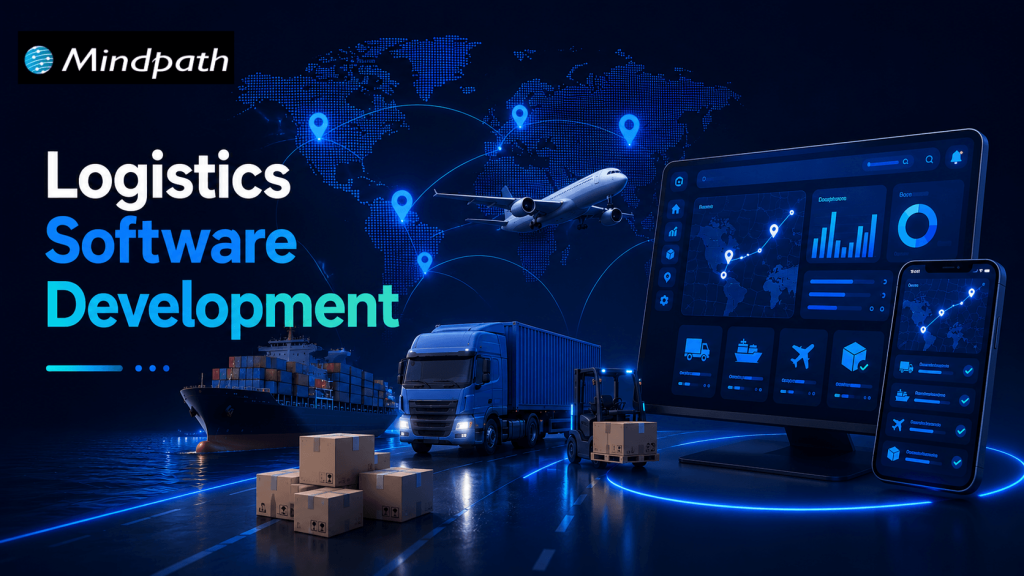
Managing transportation, warehouses, inventory, and deliveries can become complicated as a logistics business grows. Disconnected systems, manual data entry, delayed shipment updates, and inefficient delivery routes can increase operational costs and affect customer satisfaction.

This is where logistics software development becomes valuable. By creating digital solutions that connect logistics operations, businesses can automate repetitive tasks, improve shipment visibility, and manage resources more efficiently.

Key Takeaways

  • 01
    Logistics software development helps businesses automate transportation, warehouse operations, inventory management, and delivery workflows.
  • 02
    Custom logistics software solutions can support unique business requirements, improve visibility, and connect existing systems.
  • 03
    Essential features include real-time shipment tracking, route optimization, inventory management, automated notifications, and reporting.
  • 04
    AI, machine learning, and predictive analytics can help logistics companies make informed decisions and anticipate operational challenges.
  • 05
    A successful logistics software project starts with clear business goals, suitable technology, reliable integrations, and a scalable development strategy.

Modern logistics software can support everything from fleet management and warehouse operations to last-mile delivery and supply chain analytics. With artificial intelligence (AI), cloud computing, and automation, businesses can also improve planning and respond to changing operational conditions.

For logistics providers, e-commerce companies, manufacturers, and third-party logistics (3PL) businesses, investing in the right software can create a more connected and efficient supply chain.

In this guide, we explore logistics software development, its main types, essential features, business benefits, emerging technologies, and the steps involved in building a suitable solution.

Looking to develop a scalable software solution for your business? Explore Mindpath to learn about its software development and AI development services, and discuss your project requirements with the team.

What Is Logistics Software Development?

Logistics software development is the process of designing, building, integrating, and maintaining software applications that help businesses manage the movement, storage, and delivery of goods.

These applications organize logistics activities through centralized dashboards, automated workflows, tracking systems, and data analytics.

For example, a logistics company managing multiple delivery vehicles can use custom software to assign drivers, plan routes, monitor shipments, and notify customers about delivery updates. Managers can review operational data from one platform instead of switching between multiple tools.

Depending on business requirements, logistics software may include:

  • Transportation management systems (TMS)
  • Warehouse management systems (WMS)
  • Fleet management applications
  • Inventory and order management systems
  • Shipment tracking and delivery management software
  • Supply chain visibility platforms
  • Freight management and logistics analytics solutions

Businesses can adopt ready-made software, customize an existing platform, or invest in custom logistics software development. The right approach depends on operational complexity, integration requirements, budget, and long-term goals.

Types of Logistics Software Solutions

Different logistics businesses require different digital solutions. Understanding the main types helps organizations select the right technology for their operations.

1. Transportation Management System (TMS)

A transportation management system helps businesses plan, execute, and monitor the movement of goods.

It can support shipment scheduling, carrier selection, freight cost tracking, route planning, and delivery status monitoring.

For example, a distribution company shipping products across multiple cities can use a TMS to coordinate carriers, manage delivery schedules, and identify transportation inefficiencies.

2. Warehouse Management System (WMS)

A warehouse management system manages activities within a warehouse or distribution center.

Common capabilities include inventory tracking, receiving, picking, packing, stock transfers, and dispatch management.

A WMS helps warehouse teams maintain better inventory visibility, reduce manual errors, and process orders more consistently.

3. Fleet Management Software

Fleet management software helps companies monitor vehicles, drivers, fuel consumption, maintenance schedules, and vehicle utilization.

When integrated with GPS and telematics systems, it can provide vehicle location updates and operational information that supports better fleet planning.

This type of solution is particularly useful for transportation providers, courier businesses, and companies operating their own delivery fleets.

4. Last-Mile Delivery Software

Last-mile delivery software manages the final stage of delivering a shipment to its destination.

Features may include automated dispatching, driver applications, delivery route planning, estimated arrival times, customer notifications, and electronic proof of delivery.

These capabilities can help e-commerce businesses and delivery providers improve communication and coordinate multiple deliveries more effectively.

5. Supply Chain Management Software

Supply chain management software connects activities involving suppliers, inventory, procurement, transportation, and distribution.

It can provide a broader view of product movement and help businesses coordinate different stages of their supply chain.

When connected with enterprise resource planning (ERP), warehouse, and transportation systems, it can reduce information gaps between departments.

Essential Features of Logistics Management Software

The right features depend on the business model, operational scale, and user requirements. However, several capabilities are commonly valuable in modern logistics software solutions.

1. Real-Time Shipment Tracking

Shipment tracking provides updates about shipment locations and delivery status using carrier integrations, GPS, or other tracking data sources.

It helps logistics managers identify delays and gives customers better visibility into their orders.

2. Route Optimization

Route optimization software evaluates factors such as delivery locations, vehicle capacity, traffic information, and delivery windows to recommend efficient routes.

More efficient routes may reduce unnecessary mileage, fuel consumption, and delivery times.

3. Inventory and Order Management

Inventory management helps businesses monitor available stock, incoming shipments, outgoing orders, and stock movement.

Order management connects order processing with warehouse fulfillment and transportation, reducing the need for repetitive manual updates.

4. Automated Notifications

Automated notifications keep customers, drivers, and operations teams informed about shipment dispatch, delivery progress, delays, and completed deliveries.

These updates can reduce routine customer inquiries and improve communication.

5. Reporting and Analytics

Logistics dashboards can display key performance indicators such as on-time delivery rates, shipping costs, vehicle utilization, inventory accuracy, and order fulfillment times.

These insights help managers identify bottlenecks and make decisions based on operational data.

6. System Integration

Logistics software often needs to exchange data with ERP platforms, e-commerce stores, accounting applications, warehouse systems, carrier APIs, and customer relationship management (CRM) tools.

Reliable integrations help maintain consistent information across business systems and reduce duplicate data entry.

7. Security and Access Control

Logistics applications may handle customer details, shipment records, commercial information, and operational data.

Role-based permissions, encryption, secure authentication, backups, and appropriate monitoring help protect this information.

Benefits of Custom Logistics Software Development

Custom logistics software development can be useful when existing platforms cannot fully support a company’s workflows or integration requirements.

1. Improved Operational Efficiency

Automating repetitive activities such as dispatch assignments, shipment updates, and order processing allows teams to spend less time on manual coordination.

2. Better Supply Chain Visibility

A connected platform can provide a more complete view of shipments, inventory, vehicles, and delivery progress. This helps teams identify issues and coordinate responses more quickly.

3. Reduced Operational Waste

Route optimization, inventory visibility, and automated workflows can help businesses identify avoidable expenses and use their resources more effectively. Actual savings depend on the existing process and the quality of implementation.

4. Enhanced Customer Experience

Customers benefit from clearer shipment updates, more accurate delivery estimates, and convenient access to order information.

5. Greater Scalability

A well-designed system can accommodate additional warehouses, users, vehicles, locations, and integrations as business requirements evolve.

6. Workflow Customization

Custom software can reflect specific business rules, reporting requirements, pricing structures, and approval processes that generic tools may not support adequately.

However, custom development also requires ongoing maintenance, security updates, testing, and technical support. Businesses should evaluate these responsibilities alongside the expected benefits.

How AI Is Transforming Logistics Software Development

Artificial intelligence is expanding the capabilities of logistics management software by helping businesses analyze operational data, forecast demand, and automate selected decisions.

Here are some important applications.

1. AI-Powered Route Optimization

AI-assisted systems can evaluate historical delivery information, traffic conditions, delivery windows, and other available data to recommend suitable routes.

Depending on data quality and system capabilities, this can help dispatchers respond to changing conditions and improve delivery planning.

2. Predictive Demand Forecasting

Machine learning models can analyze historical orders, seasonal patterns, and other relevant business data to estimate future demand.

These forecasts can help businesses plan inventory levels, staffing, and transportation capacity.

3. Predictive Fleet Maintenance

When reliable vehicle and telematics data is available, predictive models can identify patterns associated with possible equipment problems.

Maintenance teams can use these insights to investigate potential issues and plan servicing before a breakdown disrupts operations.

4. Intelligent Document Processing

AI-powered document processing can extract information from invoices, shipping documents, delivery receipts, and other logistics records.

With appropriate validation and human review, this can reduce repetitive data entry and improve document processing workflows.

5. Logistics Analytics and Decision Support

AI-assisted analytics can help teams identify unusual delivery delays, changes in transportation costs, and operational patterns that require attention.

AI should support well-defined business processes rather than being added simply because the technology is available. Data quality, integration, accuracy, privacy, and human oversight remain important considerations.

Logistics Software Development Process

Building effective logistics software requires a structured approach that connects technical decisions with actual business needs.

Step 1: Identify Business Requirements

Determine the main challenges the software should solve. These might include shipment delays, poor inventory visibility, manual dispatching, or disconnected operational systems.

Define measurable objectives before selecting features.

Step 2: Select the Right Software Type

Decide whether the business needs a TMS, WMS, fleet management application, delivery platform, or an integrated solution.

Compare custom development with ready-made software to understand the cost, implementation effort, flexibility, and maintenance requirements.

Step 3: Plan Features and Integrations

Prioritize essential features for the initial release. Identify the systems, APIs, devices, and data sources the application must connect with.

Starting with a focused minimum viable product (MVP) can help businesses validate the solution before expanding its functionality.

Step 4: Design the User Experience

Create intuitive interfaces for dispatchers, warehouse staff, drivers, administrators, and customers.

Mobile usability is particularly important for drivers and field teams who may need to access information while working away from an office.

Step 5: Develop and Test the Application

Develop the software using an architecture and technology stack suited to the required functionality.

Testing should cover application performance, integration reliability, access permissions, data accuracy, security, and real-world operational scenarios.

Step 6: Deploy and Integrate

Deploy the application in the selected environment and connect it with the required business systems.

A phased rollout can help teams identify implementation issues and provide feedback before the software is introduced across the entire organization.

Step 7: Monitor and Improve

After launch, monitor system performance, user adoption, delivery KPIs, errors, and feedback.

Regular maintenance and planned improvements help keep the application reliable as business requirements change.

How to Choose the Right Logistics Software Development Company

Selecting a development partner is an important decision because logistics systems often involve complex workflows and multiple integrations.

Evaluate potential partners using the following criteria:

  • Relevant technical experience: Look for experience with custom software, APIs, cloud platforms, mobile applications, and data integration.
  • Understanding of logistics workflows: The team should understand the requirements of transportation, warehousing, fleet operations, or delivery management relevant to your project.
  • Scalable architecture: Confirm that the proposed solution can accommodate expected business growth.
  • Security practices: Ask about data protection, access control, backups, testing, and ongoing maintenance.
  • Clear project communication: Ensure the development process includes defined milestones, testing procedures, documentation, and feedback cycles.
  • Post-launch support: Understand how updates, technical issues, integrations, and future improvements will be handled.

Ask for relevant case studies or demonstrations where available, and evaluate whether the proposed solution addresses your specific business requirements.

Conclusion

Logistics software development helps businesses connect transportation, warehouse management, fleet operations, and delivery workflows through digital solutions designed around their needs.

From real-time shipment tracking to AI-assisted route optimization, the right capabilities can improve visibility, reduce manual work, and support more informed operational decisions.

The best solution is not necessarily the one with the most features. It is the one that solves the most important business problems, integrates reliably with existing systems, and can evolve as requirements change.

If your organization is exploring logistics software modernization, begin by identifying operational bottlenecks, defining measurable objectives, and prioritizing the features that will deliver the greatest practical value.

Explore how digitization transforms logistics with real-world use cases, benefits, and cutting-edge technologies that boost efficiency, reduce costs, and enhance customer experience.
outsource web development

In the current hyper-computing and changing digital environment, a scalable and user-friendly web presence has become a basic necessity. However, achieving it requires a strategic approach along with creative thinking. And this is where you can outsource web development to enjoy the desired results.

Key Takeaways

  • 01
    Outsourcing web development can help businesses overcome resource constraints, skill gaps, and rising operational costs.
  • 02
    Businesses can access global web development talent without the overhead of building and maintaining a large in-house team.
  • 03
    Web development outsourcing can improve flexibility, scalability, security, and time to market.
  • 04
    An experienced outsourcing partner can provide access to specialized technologies and expertise without significant internal investment.
  • 05
    Choosing the right outsourcing partner requires clear requirements, proven experience, effective communication, and regular project tracking.

Today, outsourcing web development has become a practical solution for companies. After all, it helps them innovate and efficiently scale in this expanding digital world. Furthermore, when you outsource web development to external experts, you can access specialized skills, improve delivery speed, and use internal resources more effectively. In this detailed blog, we will explore some primary reasons why you should outsource website development and how to select the right partner for long-term success.

Struggling to scale your digital presence while keeping development costs and timelines under control? Our web development services provide scalable solutions that help your business grow faster.

Scaling a Business Begins with Smarter Strategies

Scaling a business goes beyond just increasing revenue or expanding your team. It involves scaling strategically while remaining profitable and productive. However, when a company grows, it can face a few serious issues that may impede its growth.

1. Resource Constraints

Rapid growth may create considerable pressure on internal teams. Besides, it may put a strain on your budget. As a result, you may suffer from inefficiencies and burnout.

2. Skill Gaps

New technologies and project demands require expertise and experienced professionals. And your team might not have those skills yet.

3. Rising Operational Costs

Budget allocation can be affected by infrastructure improvements, regulatory compliance, and employee training.

Outsourcing offers businesses a smart way of overcoming these scaling challenges. Through collaboration with an external service provider, businesses can redistribute their resources efficiently while gaining access to specialized expertise.

Want to scale your business efficiently through outsourcing? Discover web development technologies that help you build faster and more scalable digital solutions.

In-House Web Development: Complexity and Costs

It is crucial to understand the pitfalls of managing an in-house team before delving into the reasons to outsource web development projects. The following are some common challenges you may encounter.

1. Recruitment and Training

Recruiting, training, and retaining talented employees is a costly and time-consuming process. For instance, it can take weeks to hire a senior web developer. Moreover, you will have to offer a competitive salary to retain them.

2. Heavy Overhead Costs

Besides salaries, you can face heavy overhead costs if you create an in-house team. You will have to pay for equipment, office space, training, HR resources, and more.

3. Limited Skill Set

In case a project requires a new framework, specific design expertise, or niche technology, your internal team might not have those capabilities. This can lead to delays and poor results. On the other hand, it can be time-consuming and costly to train your own team.

All these factors make outsourcing web development services an ideal solution for businesses that need specialized expertise without expanding their internal teams for every project.

Curious how leading brands stay ahead while outsourcing their web projects? Check out the latest web development trends to learn what is driving innovation and long-term growth.

Why Outsource Web Development? Strategic Benefits

So, why outsource web development? Businesses often choose outsourcing when they need specialized talent, lower development overhead, greater flexibility, faster delivery, and access to modern technologies without building everything internally.

Outsourced web development does not just help companies offload development tasks. It can also help them attain growth more efficiently and effectively by giving internal teams more time to focus on strategic business priorities.

1. Access to Global Talent

When you hire web development outsourcing companies, you get access to a wide pool of global talent. You can find highly talented and specialized professionals for different types of projects.

You can easily find proficient web developers with vast experience in different frameworks, technology stacks, AI, and more. Whether you need a Django or Python expert, a React.js specialist, or a professional UI designer, you can recruit the right expertise through an outsourced company.

2. Affordable Development

You can lower operational costs without compromising project quality when you outsource web development. It helps you take advantage of the provider’s latest infrastructure as well as expertise.

Moreover, with an outsourced web development company, you no longer have to stress about maintaining expensive software, hardware, or large in-house IT teams. You can invest the saved resources in other crucial aspects that support business expansion.

3. Flexibility and Scalability

A majority of businesses experience periods of changing demand. They have new product launches, strategic realignment, and peak seasons. Outsourcing provides businesses with the required flexibility to scale development resources as needed.

4. More Focus on Core Organizational Functions

Every hour you spend on hiring, managing, or training is an hour not invested in what makes your organization unique. When you outsource web development, you can free up your team and concentrate on core competencies.

You will get sufficient time for strategy, product innovation, market expansion, customer relationships, sales, and more. All these things can support overall business growth.

5. Better Security and Compliance

Trusted web development services prioritize industry-leading compliance and security practices, with a strong emphasis on web application security. Furthermore, they can follow established project management methodologies, such as Scrum or Agile.

With this, businesses can enhance their data security measures and ensure compliance with necessary regulatory standards while reducing the risk of security vulnerabilities.

6. Faster Time to Market

Web development companies function with established methodologies and dedicated development teams. They can start projects more quickly and complete them efficiently.

A faster time to market means you can capture market share and meet customer demands in a more efficient manner.

7. Access to New Technologies

Web development is evolving rapidly. Keeping your in-house team updated on new security protocols, best practices, and frameworks can be a significant challenge. However, an outsourcing web development firm specializes in these areas.

They can have dedicated R&D and continuous training programs to keep their teams updated. Besides, you can get access to the latest methodologies, technologies, and tools without making the same level of investment internally.

In short, outsourcing web development can strategically support business growth by offering cost efficiency, global talent, flexibility, security, and faster delivery while allowing internal teams to concentrate on core activities.

Planning to outsource your web projects for better scalability? Check out web development tools that enhance collaboration and improve project outcomes.

When Can You Opt for In-House Development?

While outsourcing web development can offer many benefits, in-house development can be the better solution in some situations.

For example, if your project is based on proprietary information and sensitive data, you may opt for in-house development to have greater control over security practices.

When your projects are closely aligned with your business strategy and require deep internal integration, in-house development may also provide better control and collaboration.

Major Considerations for Successful Outsourcing

While the business benefits of outsourcing web development are clear, successful outsourcing partnerships require a thoughtful approach. Consider these tips before choosing a web development outsourcing company.

1. Understand What You Need

It is crucial to be clear about your expectations and goals. In the absence of clear requirements, you may face delays, scope issues, or misunderstandings during development.

2. Choose the Right Partner

Remember that it is not always about the price. When looking for an agency, check its experience in the industry. Besides, ensure that the agency has a proven track record and the technical expertise required for your project.

3. Effective Communication

Have effective communication protocols and channels. The use of modern project management systems and clear reporting processes is important to ensure effective communication between your business and the outsourcing partner.

4. Keep Track of Progress

Monitor your outsourced web development projects regularly and collect relevant feedback. You should maintain transparent communication with your service provider to ensure lasting success.

Looking to scale your business faster with smarter digital solutions? Discover AI in web development to learn how automation and intelligent features can enhance your outsourcing strategy.

Want to Grow Your Business With Outsourced Web Development?

Professional web development is a strategic investment that drives business growth. It helps create high-performing, secure, and user-friendly websites, boosts customer engagement, improves search visibility, and ensures your brand stands out in a competitive digital landscape.

At Mindpath, we understand that every business has unique needs, goals, and challenges. Our professional web development services deliver tailored, scalable, and high-quality solutions designed to enhance user experience, strengthen your digital presence, and give your business a competitive edge.